FAQ markup remains one of the most misunderstood tools in a publisher’s kit, and that confusion costs real visibility. If you’ve ever pasted schema code, hit publish, and then stared at a search result wondering why no accordion appeared, you’re in good company.
Here’s the honest truth: the rules changed, Google pulled back, and most tutorials online are still describing a world that no longer exists. So let’s talk about what FAQ markup actually does right now, how to implement it without breaking your pages, and what you can realistically expect to see in the SERPs.
I’ve spent years wiring structured data into sites of every size, from single-author blogs to large editorial operations, and I’ve watched the FAQ rich result appear, vanish, and settle into a much narrower role. This guide reflects that lived experience rather than recycled advice.
What FAQ Markup Actually is (And Why It Trips People Up)
At its core, FAQ markup is structured data that tells search engines a block of content contains a question and a matching answer. You wrap it in JSON-LD, microdata, or RDFa, and the crawler reads it as a formal Q&A pair rather than as loose prose.
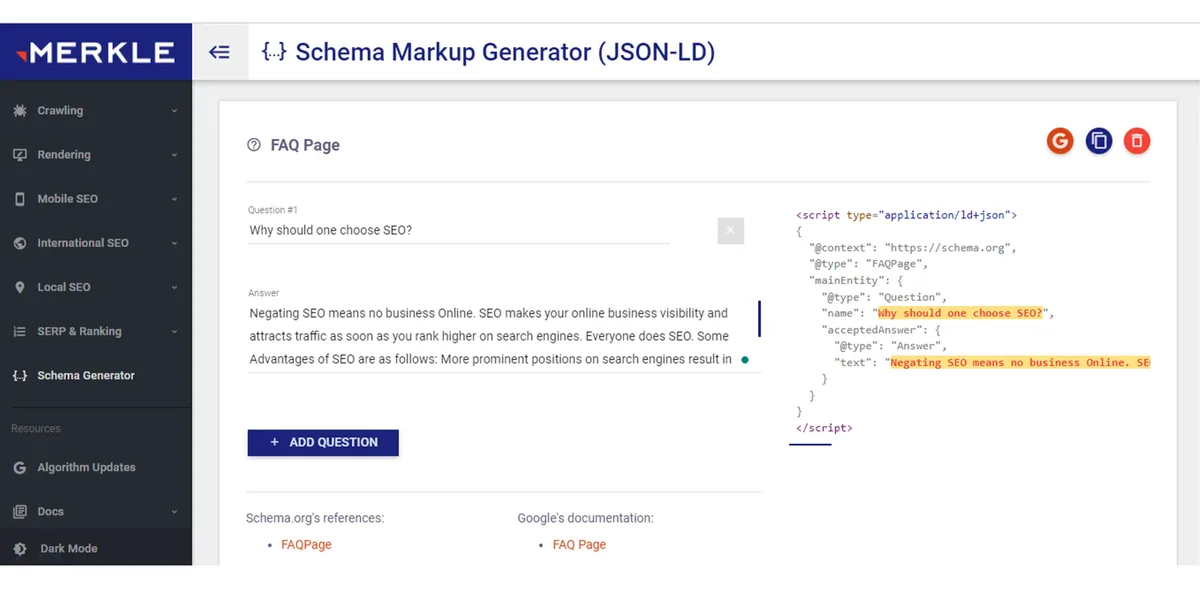
The tricky part is that people conflate two separate things: the code you add and the visual result you hope to get. The code is entirely under your control. The visual result is not.
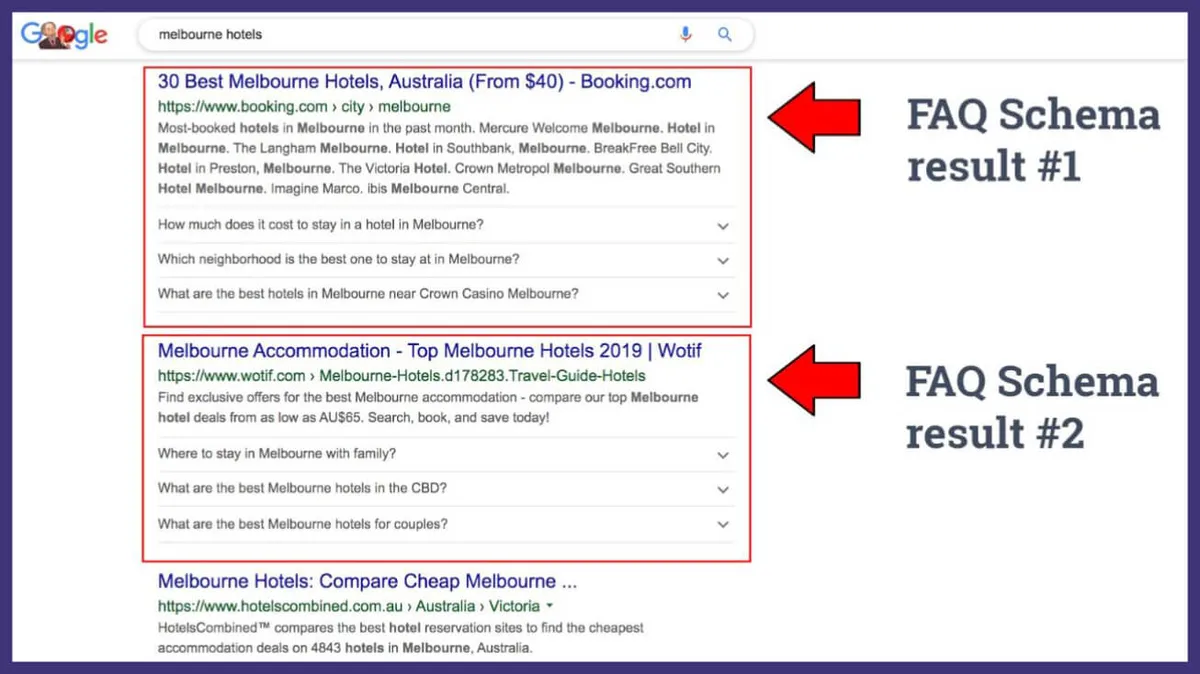
Google decides, page by page and query by query, whether to render an expandable FAQ accordion beneath your listing. That decision depends on the query type, the site’s authority, and a set of eligibility rules that Google has never fully published.
So when someone tells you their FAQ markup “stopped working,” what usually happened is that the markup is still perfectly valid — it’s the display that got restricted. That distinction matters enormously, because it changes how you should think about the effort involved.
The Difference Between Valid Markup and a Visible Rich Result
Valid FAQ markup passes Google’s Rich Results Test and shows up in Search Console’s enhancement reports. It’s technically correct. It follows the schema.org vocabulary. Nothing is broken.
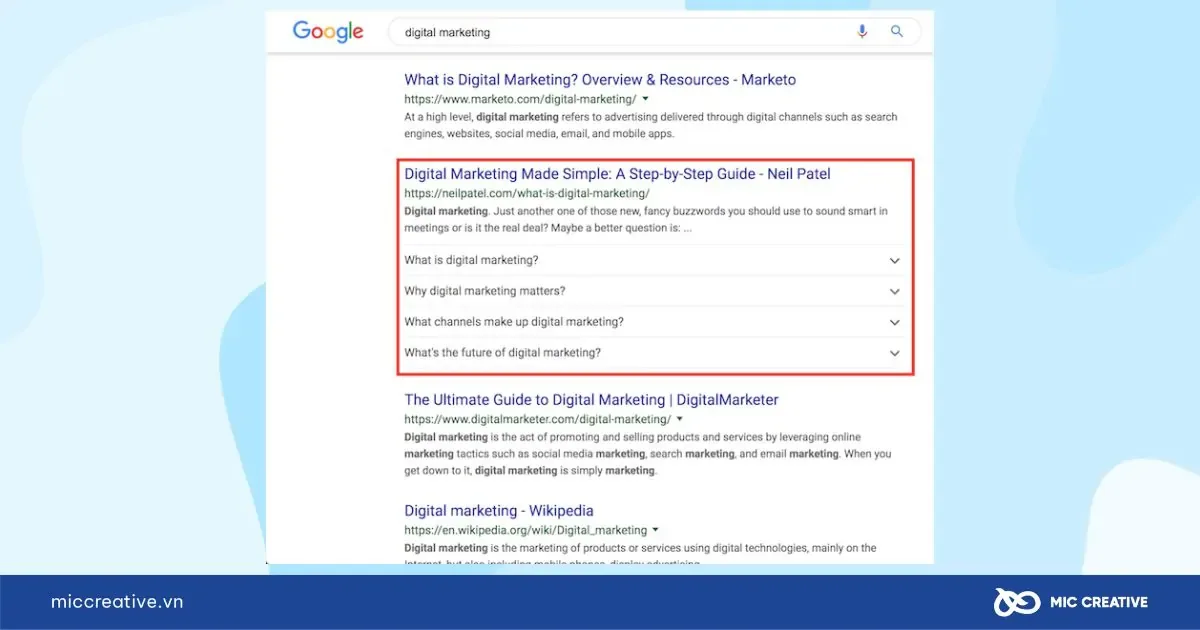
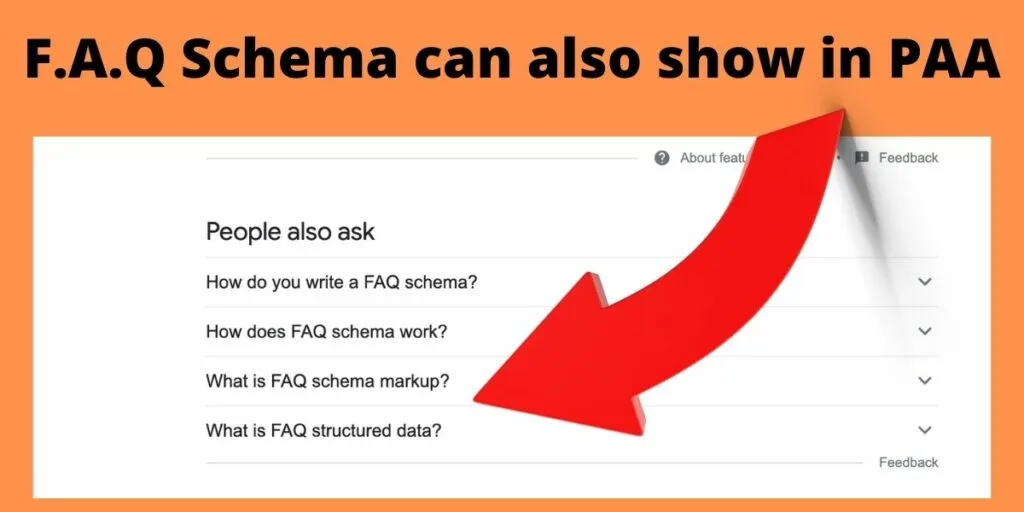
A visible rich result is a separate outcome entirely. Even flawless FAQ markup may produce zero visual change in search. Google’s documentation is blunt about this: including the markup doesn’t guarantee it will be shown.
I’ve seen this play out on a travel site where every destination page carried clean FAQ markup. Roughly a third of those pages earned an accordion in search. The rest didn’t, despite identical implementation. The difference was query intent, not code quality.
That’s the mental shift you need: treat FAQ markup as a signal, not a guarantee. You’re giving search engines structured context, and sometimes they reward that with extra real estate. Sometimes they don’t.
Why Google Scaled Back FAQ Rich Results
Google used to show FAQ rich results broadly. Then, in a significant policy shift, it limited them almost entirely to well-known, authoritative government and health websites. For everyone else, the accordion largely disappeared.
The reasoning was straightforward enough. FAQ sections were being abused. Sites stuffed them with keyword-laden questions that didn’t reflect genuine user curiosity, purely to grab extra SERP space.
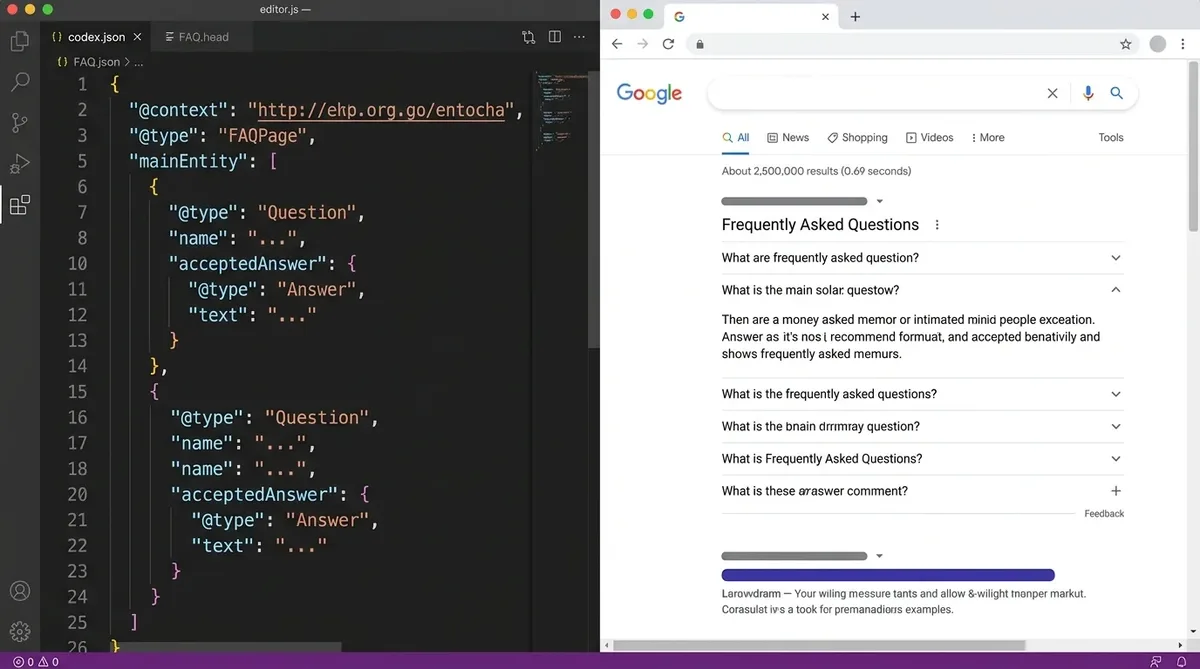
When a feature gets gamed at scale, the platform tightens the screws. That’s what happened here. The result is a landscape where FAQ markup still has value, but the value is no longer primarily about visual SERP real estate.
Does that mean you should rip it out? Absolutely not. The benefits shifted, but they didn’t disappear. Let me walk through where the real value now lives.

Where the Remaining Value Sits
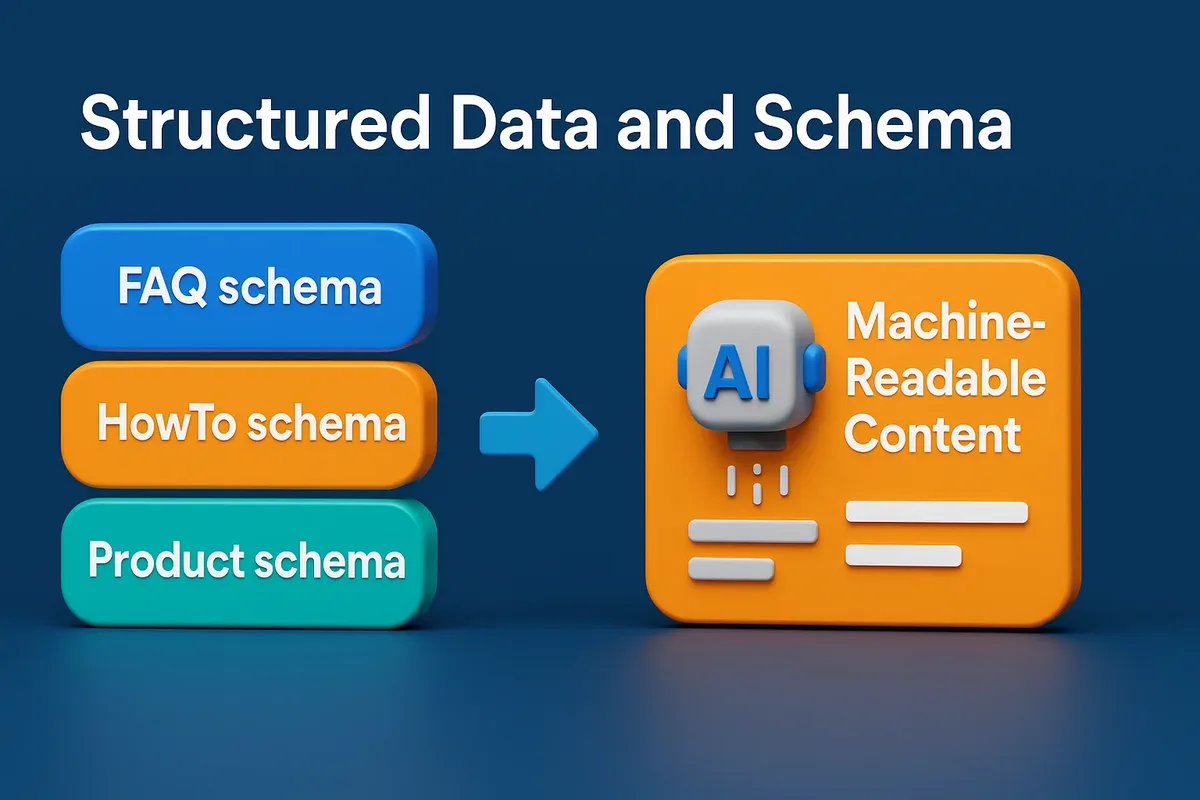
First, FAQ markup helps machines understand your content. When an AI system or a search engine parses your page, structured Q&A pairs are easier to extract accurately than paragraphs buried in marketing copy.
Second, it feeds voice assistants and answer engines. When someone asks a spoken question, systems that can confidently match a question to a clean answer are more likely to surface that content.
Third, it improves internal content hygiene. Writing FAQ markup forces you to phrase questions the way real people ask them, which sharpens your copy even if no rich result ever appears.
Fourth, it supports entity understanding. A well-structured FAQ signals topical depth, and topical depth is exactly what modern ranking systems reward.
So the honest framing is this: FAQ markup moved from a visibility hack to a comprehension aid. Different job, still useful.
How to Add FAQ Markup Step by Step
Let’s get practical. The cleanest, most maintainable approach is JSON-LD placed in the page’s head or body. Google explicitly supports it and it doesn’t interfere with your visible HTML.
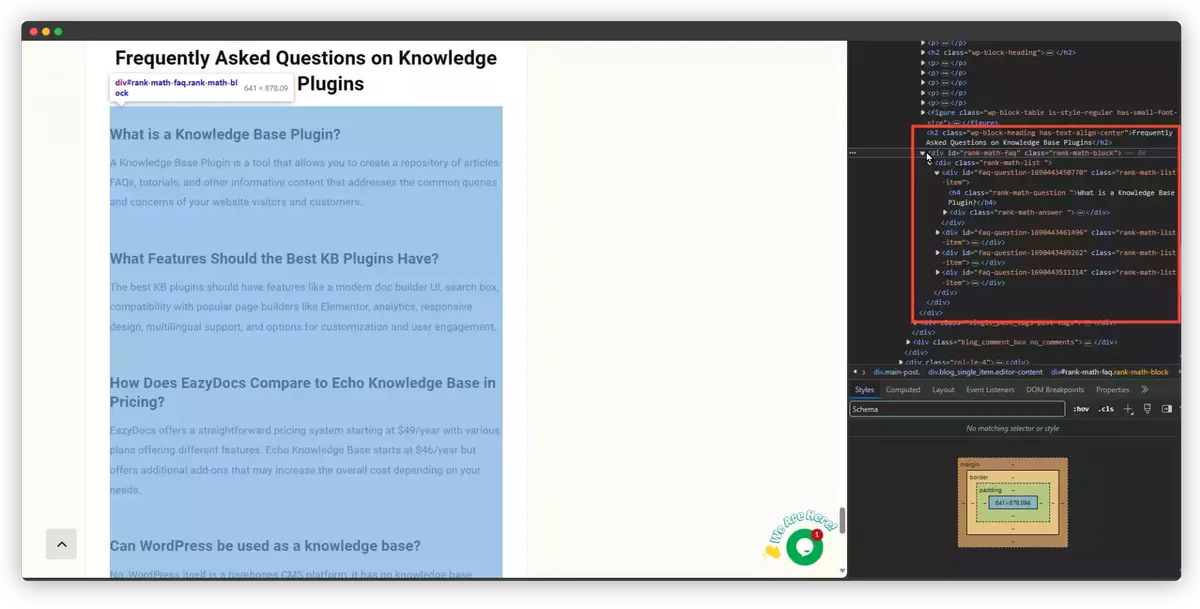
Start by writing your actual questions and answers as visible on-page content. This is non-negotiable. FAQ markup must describe content that users can actually see. Marking up hidden answers is a violation and can trigger a manual action.
Once the visible content exists, you mirror it in structured data. Every question in your markup needs a matching visible question, and every answer needs a matching visible answer. No paraphrasing that drifts too far, no invented questions that appear nowhere on the page.

Then validate. Run the URL through Google’s Rich Results Test, check the FAQ section, and confirm there are no errors. After that, watch the Enhancements report in Search Console over the following weeks.
Writing the JSON-LD Block Correctly
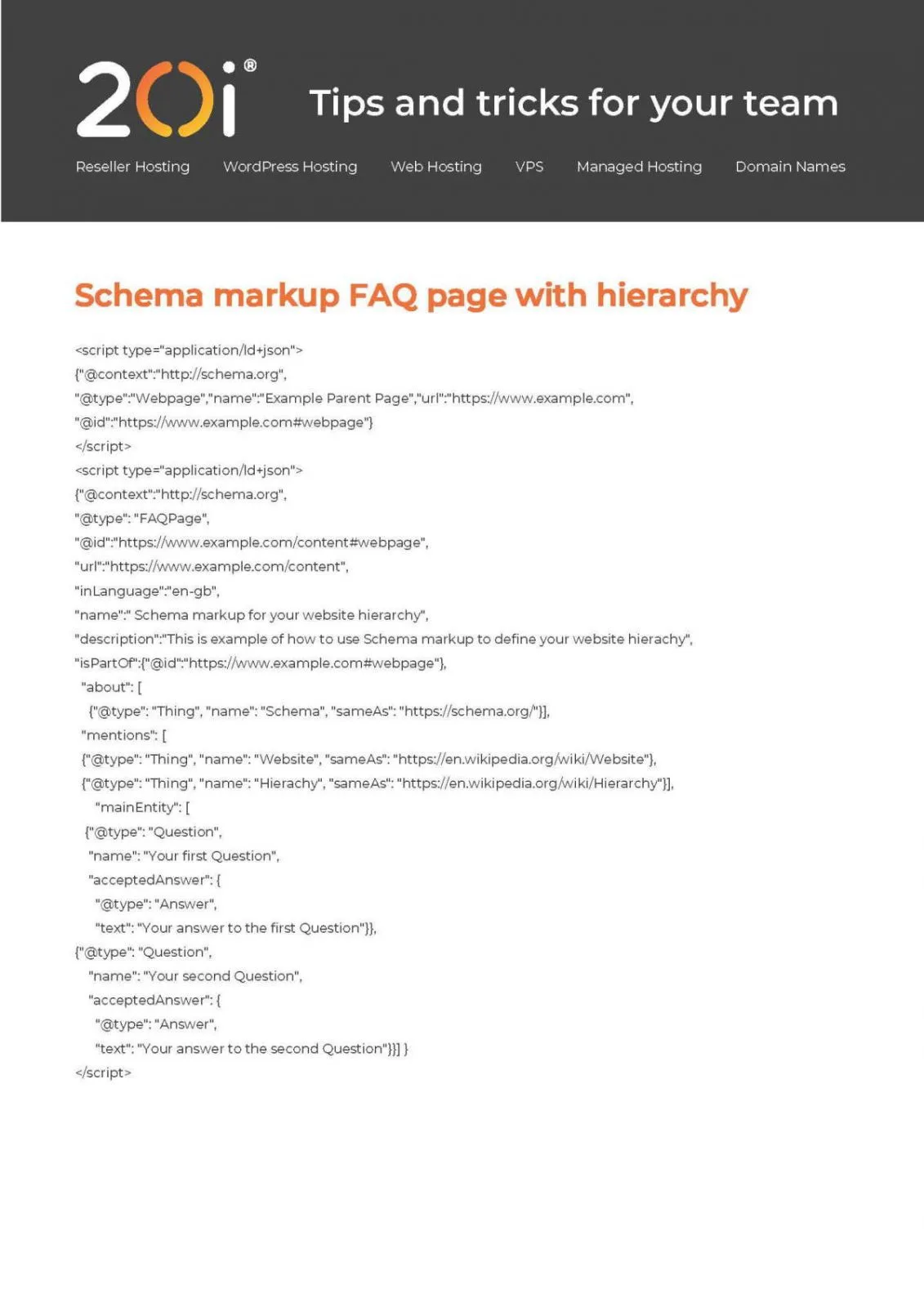
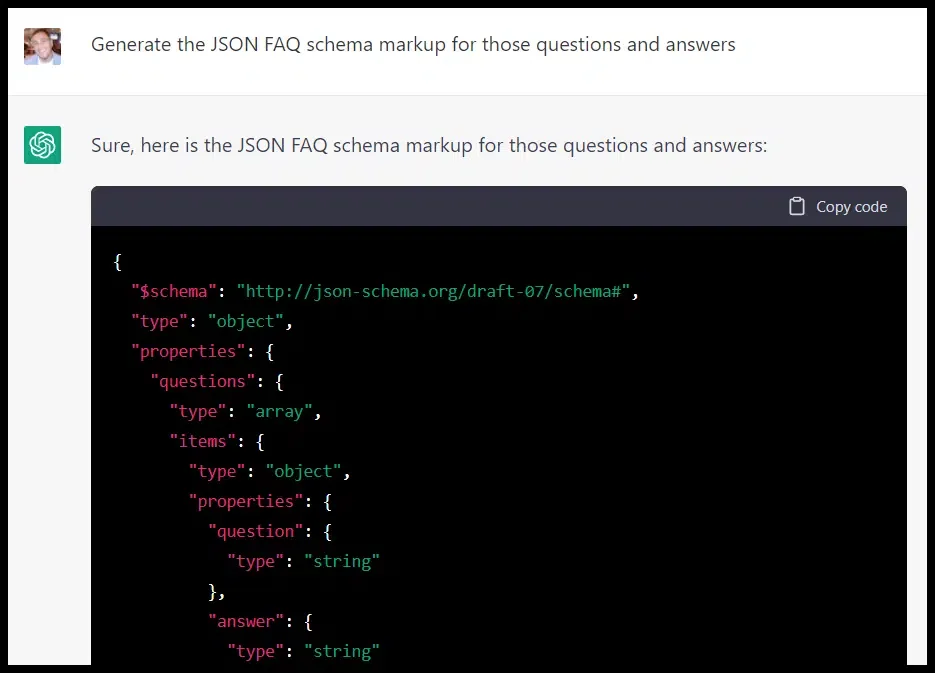
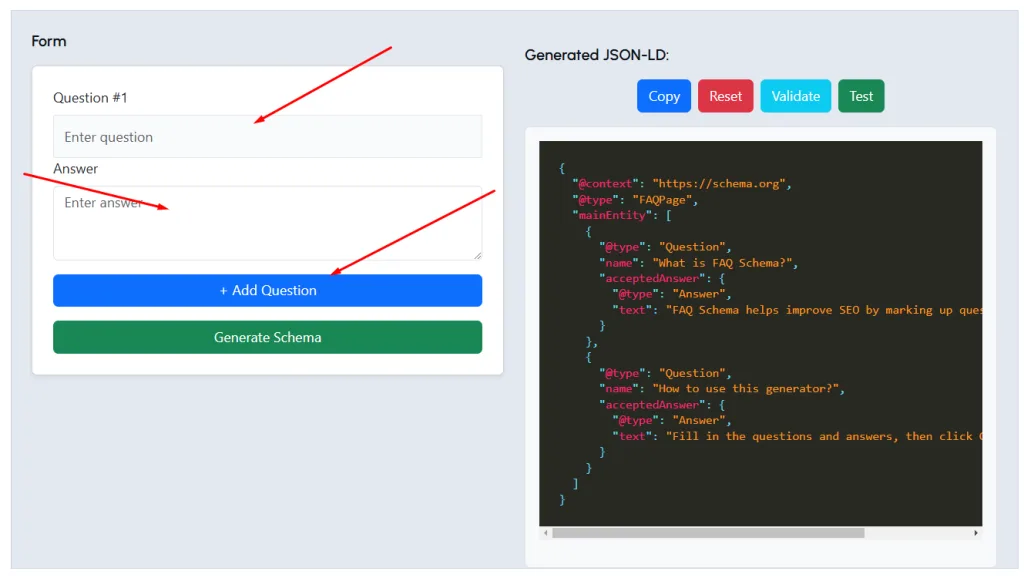
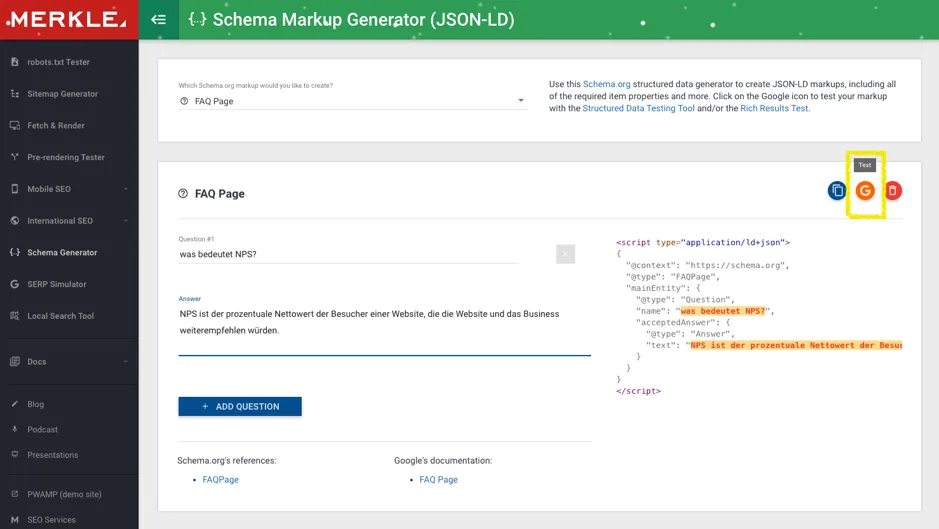
Your FAQ markup sits inside a script tag with the type set to application/ld+JSON. The root object uses the FAQPage type, and it contains a mainEntity array.
Each item in that array is a Question object with a name property for the question text and an acceptedAnswer property holding an Answer object with its own text.
A single malformed comma or a missing bracket will invalidate the entire block, so always validate before shipping. I’ve lost count of the times a stray trailing comma silently killed an otherwise perfect implementation.
Keep your answers concise in the markup. Long, rambling answers are harder for systems to use and more likely to drift from your visible text. Two to four sentences per answer is a solid target.
Common Implementation Mistakes to Avoid
The most frequent error is mismatch. The markup says one thing, the visible page says another. Even small differences can cause validation warnings or wasted effort.
Second on the list is marking up content that isn’t visible at all. If your FAQ is hidden behind a tab that never renders for crawlers, you’re asking for trouble.
Third is overloading. Some people cram twenty questions into FAQ markup on a page that only genuinely needs four. That dilutes quality and looks manipulative.
Fourth is duplicating the same FAQ markup across dozens of near-identical pages. That’s a thin-content pattern, and it rarely ends well.

Finally, people forget to update. If you change the visible answer but not the markup, you’ve created a silent inconsistency that erodes trust in your structured data over time.
What Google Still Shows for FAQ Markup
Here’s the part everyone wants a straight answer on. For most commercial and editorial sites, Google no longer displays the classic FAQ accordion in standard web results.

What remains is narrower. Government and health authority sites still qualify in many cases, because Google treats those domains as trusted sources for factual Q&A.
Beyond that, FAQ markup can still influence how your content is understood and surfaced in AI-driven experiences, even when no accordion appears in the traditional ten blue links.
So the realistic expectation is: don’t add FAQ markup expecting an accordion. Add it because it makes your content cleaner, more extractable, and more useful to the systems that increasingly mediate how people find answers.
Reading the Signals in Search Console
Search Console will tell you whether your FAQ markup is valid, but it won’t promise you a rich result. The Enhancements report shows valid items, warnings, and errors.
A “valid” status means Google parsed your structured data without complaint. It does not mean a rich result will appear. Those are two different columns in the story.
Watch for warnings carefully. They often flag subtle mismatches between markup and visible content that you’d otherwise never notice.
If you see errors, fix them promptly — not because a rich result is guaranteed, but because broken structured data can undermine how confidently search engines interpret your page. A clean enhancement report is a small but real trust signal.

FAQ Markup Compared Across Schema Types
FAQ markup isn’t the only structured data worth your time, and understanding where it fits helps you prioritize. Different schema types serve different purposes.
Let me lay out a comparison so you can see how FAQ markup stacks up against its cousins.
| Schema Type | Primary Purpose | Rich Result Likelihood | Best Use Case |
|---|---|---|---|
| FAQPage | Structured Q&A pairs | Limited to select sites | Support pages, product FAQs |
| HowTo | Step-by-step instructions | Restricted on desktop | Process and tutorial content |
| Article | Editorial content signals | Moderate | News, blog posts, guides |
| Product | Commerce details | High for eligible stores | E-commerce listings |
| BreadcrumbList | Site hierarchy | Common | Navigation clarity |
Notice that FAQ markup occupies a modest row in that table now. It’s not the flashiest option, but it’s cheap to implement and it reinforces clarity.
If you’re choosing where to invest limited development time, prioritize the schema types that actually move the needle for your business model, then layer in FAQ markup as a supporting signal.

Does FAQ Markup Still Help Rankings?
This is where I have to be careful, because the honest answer is nuanced. FAQ markup is not a direct ranking factor. Google has said as much repeatedly.
What it can do is contribute to how well your content is understood, and understanding feeds into relevance. Relevance, in turn, influences rankings. So the effect is indirect, not magical.

Think of it like labeling boxes in a warehouse. The labels don’t make the boxes heavier or more valuable, but they make it far easier for the right box to be found at the right moment.
In my experience, sites that implement FAQ markup thoughtfully tend to see modest gains in how often their pages are surfaced for long-tail question queries. Not dramatic, but real.
The gains are strongest when the FAQ content itself is genuinely useful. Markup on top of weak answers is lipstick on a pig — it doesn’t fix the underlying problem.

Pairing FAQ Markup With Genuinely Useful Answers
If your FAQ answers are thin, generic, or obviously written for crawlers, no amount of structured data will save them. The content has to earn its place first.
Write answers that a real person would find satisfying. Anticipate the follow-up question. Address the edge case. That’s what separates a useful FAQ from a keyword-stuffed one.

When the answers are strong, this practice amplifies them. When they’re weak, it just exposes the weakness more clearly to the systems reading your page.
I’ve watched a small support site climb for question-based queries simply by rewriting its FAQ answers to be more specific and complete — the markup was already there, but the content rewrite is what moved the needle.
Structuring FAQ Markup for Maximum Clarity
Structure matters as much as content. A well-organized FAQ is easier for both humans and machines to parse, and that dual benefit is the whole point.
Group related questions together. If your page covers shipping, returns, and warranty, don’t interleave those topics randomly. Cluster them so the logic is obvious.
Keep questions in natural language. “How long does shipping take?” beats “Shipping duration information” every single time, because it matches how people actually search.
Order questions by likely importance. Put the ones people ask most often at the top, and let the long-tail edge cases settle toward the bottom.
Writing Questions That Match Real Search Behavior
The best this practice mirrors the phrasing people type into search bars. That means conversational, specific, and often a little messy in a way that feels human.
Pull real questions from your support inbox, your comments, and your search console query data. Those are gold, because they reflect genuine demand rather than your assumptions.
Then phrase them the way a customer would. If people ask “can I cancel anytime,” write it that way, even if your internal documentation calls it “subscription termination policy.”
This alignment is what makes this approach genuinely useful. It closes the gap between how you talk about your product and how your audience looks for it.
Testing and Validating Your FAQ Markup
Validation is not optional. Broken structured data is worse than none, because it signals carelessness and can waste your crawl budget on errors.
The Rich Results Test is your first stop. Paste a URL or a code snippet, and it will tell you whether your this approach is eligible and error-free.
The Schema Markup Validator is your second stop. It checks your structured data against the full schema.org vocabulary, catching issues the rich results tool might miss.
Then there’s Search Console, which shows you the real-world picture over time. It’s the difference between a lab test and a field report.
A Simple Validation Workflow
Here’s the routine I follow on every implementation, and it’s saved me countless headaches.
- Validate the code snippet first. Before touching a live page, paste your JSON-LD into the Rich Results Test to catch syntax errors early.
- Test the live URL. Once deployed, run the actual page through the same tool to confirm the markup is being read correctly.
- Cross-check with the Schema Markup Validator. This catches vocabulary issues the rich results tool overlooks.
- Monitor Search Console weekly. Watch the Enhancements report for new errors or warnings that appear after deployment.
- Re-validate after content edits. Any time you change visible FAQ text, re-run validation to keep markup and content in sync.
That last step is the one people skip, and it’s the one that causes the most silent failures. Content changes, markup doesn’t, and the mismatch quietly accumulates.
FAQ Markup for Different Content Types
Not every page needs the same FAQ treatment. The right approach depends on what the page is trying to accomplish.
Product pages benefit from this approach focused on specifications, compatibility, and shipping. These are the questions that block purchases.
Service pages do well with questions about process, timelines, and pricing structure. Answering these upfront reduces friction and support load.
Editorial and blog content can use this approach to address the follow-up questions a reader naturally has after finishing the piece. That extends the value of the article.
Support and documentation pages are the most natural fit of all, since they’re already organized around questions and answers.
Adapting FAQ Markup to Commercial Pages
On a product page, this approach should tackle the objections that stop people from buying. What’s the return window? Does it work with my setup? How fast does it ship?
These questions deserve direct, honest answers. Vague responses here don’t just hurt your structured data — they hurt conversion, because hesitation kills sales.
I’ve seen a simple, well-written FAQ block on a product page reduce pre-sale support tickets noticeably, purely because it answered the questions people were already asking. The this approach just made those answers more discoverable.
Keep the answers tight and specific. A clear, confident answer builds more trust than a paragraph of hedging.
Measuring the Real Impact of FAQ Markup
You can’t measure what you don’t track, and this approach is easy to deploy without ever checking whether it did anything. Don’t fall into that trap.
Start by establishing a baseline. Note your current impressions, click-through rate, and average position for the question-based queries you care about.
Then deploy your this approach and watch those metrics over the following weeks. Look for movement in impressions especially, since question queries often expand your reach.
Track how often your pages appear for “how,” “what,” “why,” and “can” queries. Those are the natural home of FAQ content.
Metrics That Actually Move
Click-through rate is the headline metric, but it’s not the only one. Impressions matter because they show whether you’re being considered for more queries.
Average position for question queries is another useful signal. If your this practice is helping systems understand your content, you may see it improve.
Support ticket volume is an underrated metric. A good FAQ that answers real questions reduces inbound load, and that’s a business win regardless of SERP appearance.
Finally, watch engagement on the page itself. If people are reading your FAQ section, that’s a sign the content is doing its job, markup or not.
FAQ Markup and the Rise of AI Answer Engines
Here’s where things get interesting. As AI-driven answer engines become a bigger part of how people find information, structured data takes on new importance.
These systems need to extract clean, reliable answers from the web. this practice, by its very nature, packages answers in exactly the format they prefer.
That doesn’t mean AI engines only read structured data — they don’t. But clean this approach makes your content easier to parse accurately and harder to misrepresent.
In a world where your answer might be summarized rather than clicked, being the source that’s easy to quote correctly is a genuine advantage.
Why Structured Q&A Pairs Travel Well
When an answer engine pulls from your page, it wants a discrete, self-contained answer. this approach provides exactly that, rather than forcing the system to guess where an answer begins and ends.
This is why I keep recommending this practice even as the traditional rich result fades. The format is future-friendly, because it matches how machines increasingly want to consume content.
It’s a small investment with a long shelf life. The accordion may come and go, but the underlying clarity of well-structured Q&A pairs keeps paying off.
So if you were tempted to abandon this practice because the rich result disappeared, reconsider. The game changed, but the value didn’t vanish — it just moved.
Frequently Asked Questions About FAQ Markup
Let’s close the loop on the questions people ask me most often, because they’re worth addressing directly.
- Does FAQ markup still work? The markup itself remains valid and supported. What changed is how often Google displays the visual accordion, which is now limited mostly to authoritative government and health sites. You still benefit from clearer content signals.
- Is FAQ markup a ranking factor? Not directly. It influences how well your content is understood, which can indirectly support relevance and rankings, but it isn’t a standalone ranking signal.
- Can I use FAQ markup on any page? Yes, as long as the questions and answers are visible to users on that page. Marking up hidden content violates Google’s guidelines.
- How many questions should I include? Quality over quantity. Four to eight well-written questions usually outperform twenty thin ones. Match the markup to what the page genuinely covers.
- What happens if my markup has errors? Errors can prevent your structured data from being used at all. Always validate with the Rich Results Test and the Schema Markup Validator before and after deployment.
- Should I remove FAQ markup if no rich result appears? No. The markup still helps machines parse your content, supports AI answer engines, and improves content clarity. Removing it throws away those quieter benefits.
- Can FAQ markup appear on multiple pages? Yes, but avoid duplicating identical FAQ blocks across many near-identical pages. Tailor the questions to each page’s specific content.
My closing advice is simple: implement this practice because it makes your content clearer and more useful, not because you’re chasing an accordion that may never appear. Treat it as one solid brick in a broader structured-data foundation.
When you pair genuinely helpful answers with clean, validated FAQ markup, you’re doing right by both your readers and the systems that connect them to your content. That’s a combination worth keeping, regardless of which rich results come and go.
For verified reference and background research, consult the authoritative informational resource on this topic.