If you have ever stared at a half-finished blog post wondering why Google keeps ignoring it, the answer often hides in your SEO tags. Getting those little snippets of code right is frequently the difference between a page that climbs the results and one that quietly rots on page seven.
I have spent years auditing sites for friends, clients, and my own projects, and the same pattern keeps showing up. People obsess over word count and backlinks while their SEO tags sit broken, duplicated, or missing entirely.
So let us fix that. This walkthrough covers every SEO tags element that actually moves rankings, from the title tag to structured data, with real examples and the mistakes I see most often in the wild.
What are SEO Tags and Why They Still Matter
Think of SEO tags as the instruction manual you hand to search engines. Your visitors see the rendered page, but crawlers read the underlying HTML first, and those tags tell them what the page is about, how to display it, and whether it deserves attention.
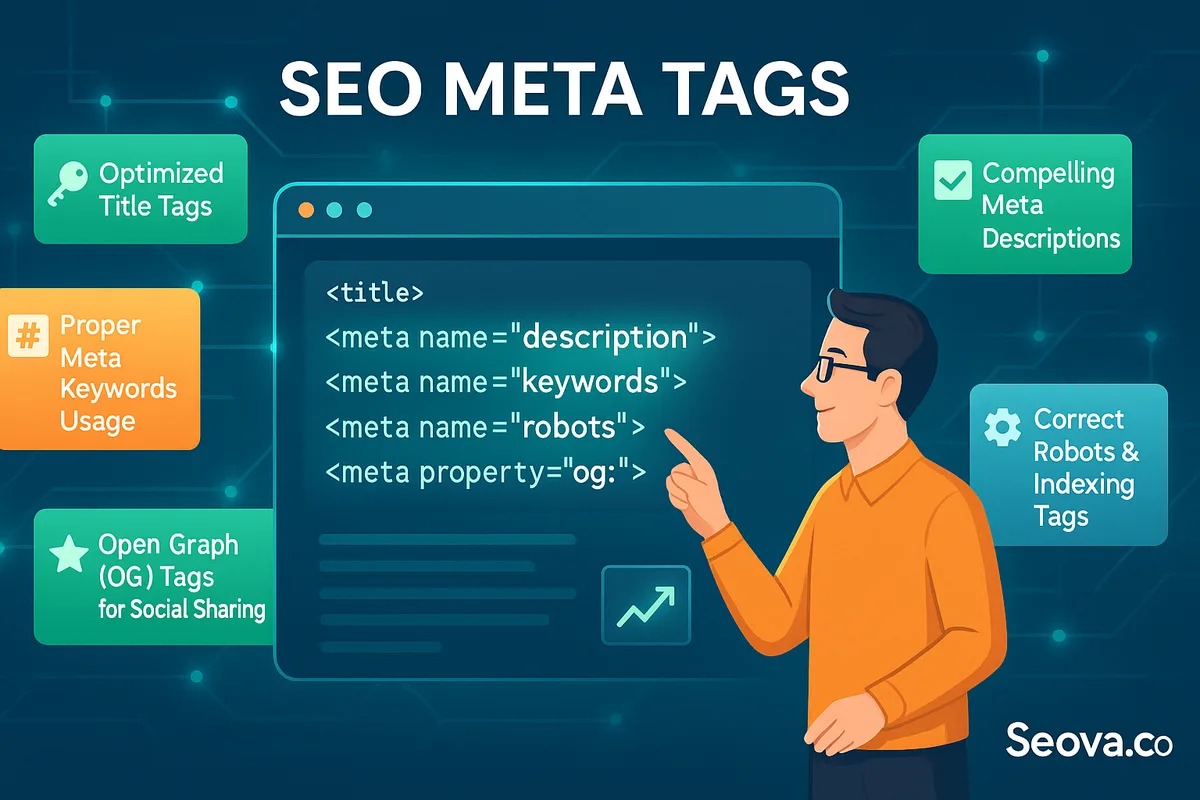
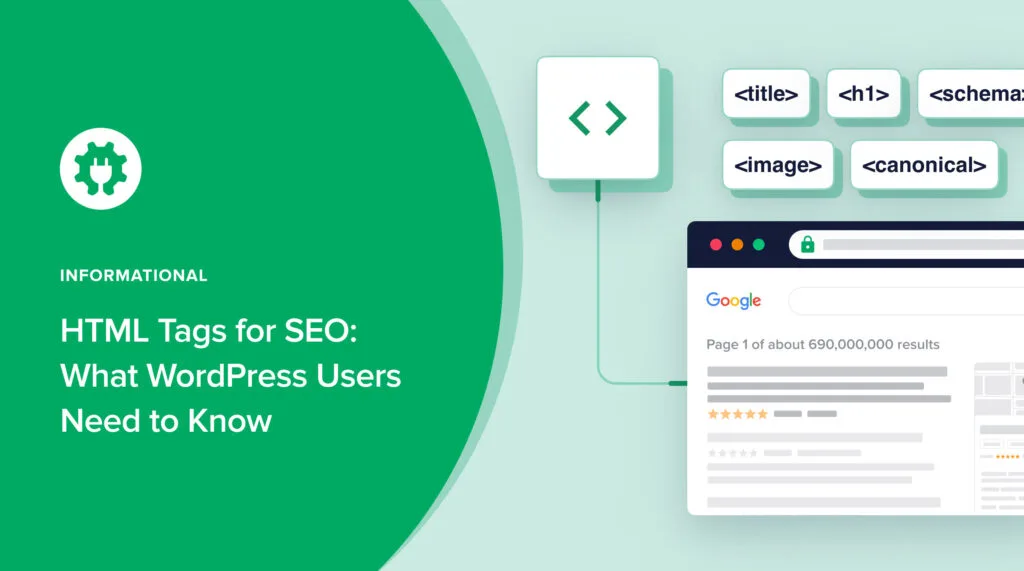
The term itself is a loose umbrella. Focusing on SEO tags provides clear direction here. It covers everything from the title element in your document head to meta descriptions, canonical links, heading hierarchy, image alt attributes, and schema markup. Each one does a different job, but together they form the backbone of on-page optimization.
Why does this still matter when Google gets smarter every year? Because even the most advanced ranking systems need clean signals. When your SEO tags are messy, the algorithm has to guess, and guessing rarely works in your favor.
I once inherited a client site where every page shared the same title tag. Traffic had flatlined for eight months. We rewrote the SEO tags page by page, changed nothing else, and organic sessions doubled within a quarter. That is the kind of leverage we are talking about.
The Difference Between Tags and Content
Content persuades humans. Tags persuade machines. You need both, and they have to agree with each other.
If your body copy promises a comparison of standing desks but your title tag talks about ergonomic chairs, you have created a contradiction. Google resolves that contradiction by trusting the tag less and the content more, which dilutes whatever relevance you were trying to build.
The cleanest approach is to write your content first, then extract the SEO tags from it. That way the tags describe what is actually on the page rather than what you hoped would be there.
How Crawlers Actually Read Your Page
When Googlebot lands on your URL, it parses the HTML from top to bottom. The head section comes first, which is why title and meta tags get read before a single word of your article.
From there the crawler builds a document tree, notes your heading structure, follows internal links, and checks for canonical signals. Every SEO tags element feeds into that mental model of your page.
Practical tip: view your page source in a browser and read it the way a bot would. If the first thing you see is a wall of tracking scripts before your title tag, you are making the crawler work harder than it should.
The Core SEO Tags Every Page Needs
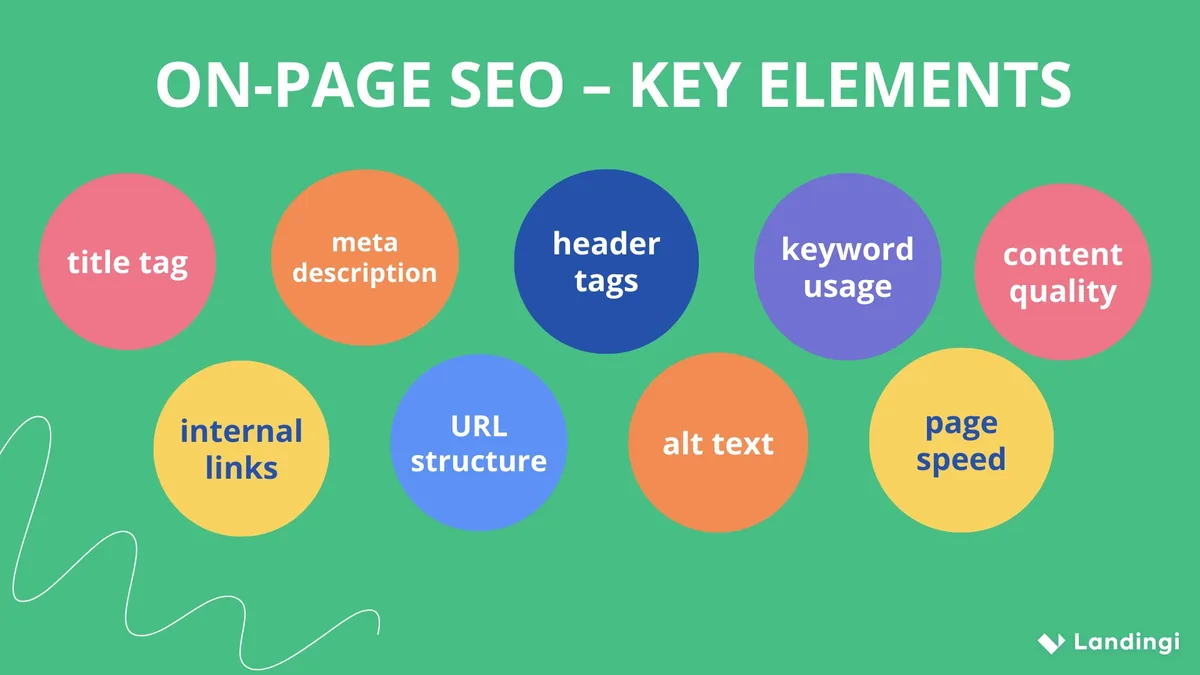
Not all SEO tags carry equal weight. Some are mandatory, some are strongly recommended, and a few are nice-to-have polish. Here is how I prioritize them when auditing a page from scratch.
Start with the ones that directly influence indexing and appearance in search results. Everything else is secondary until those are solid.
Title Tag: the Single Most Important Element
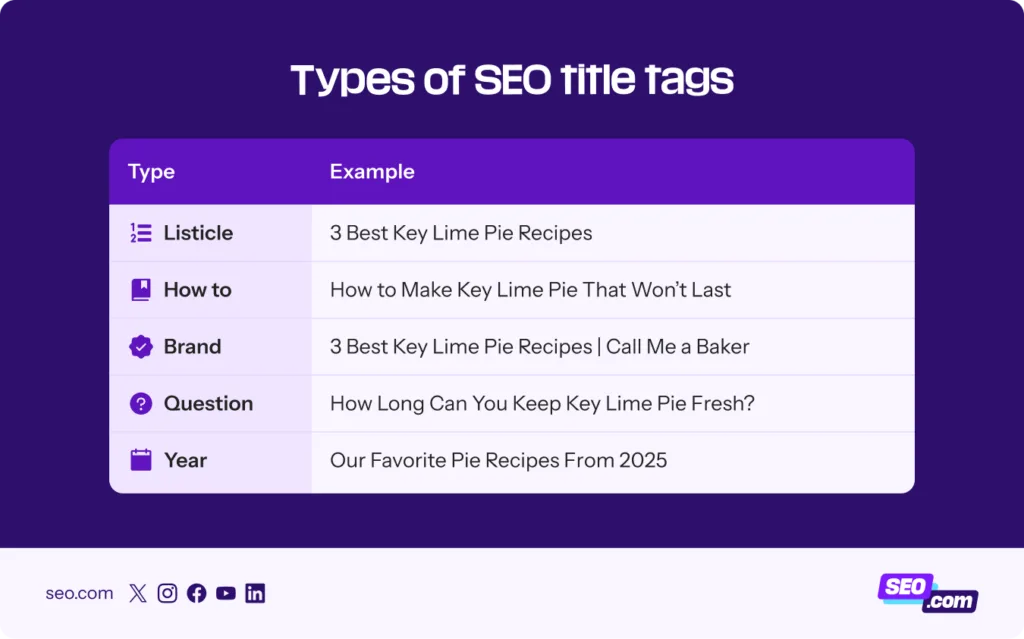
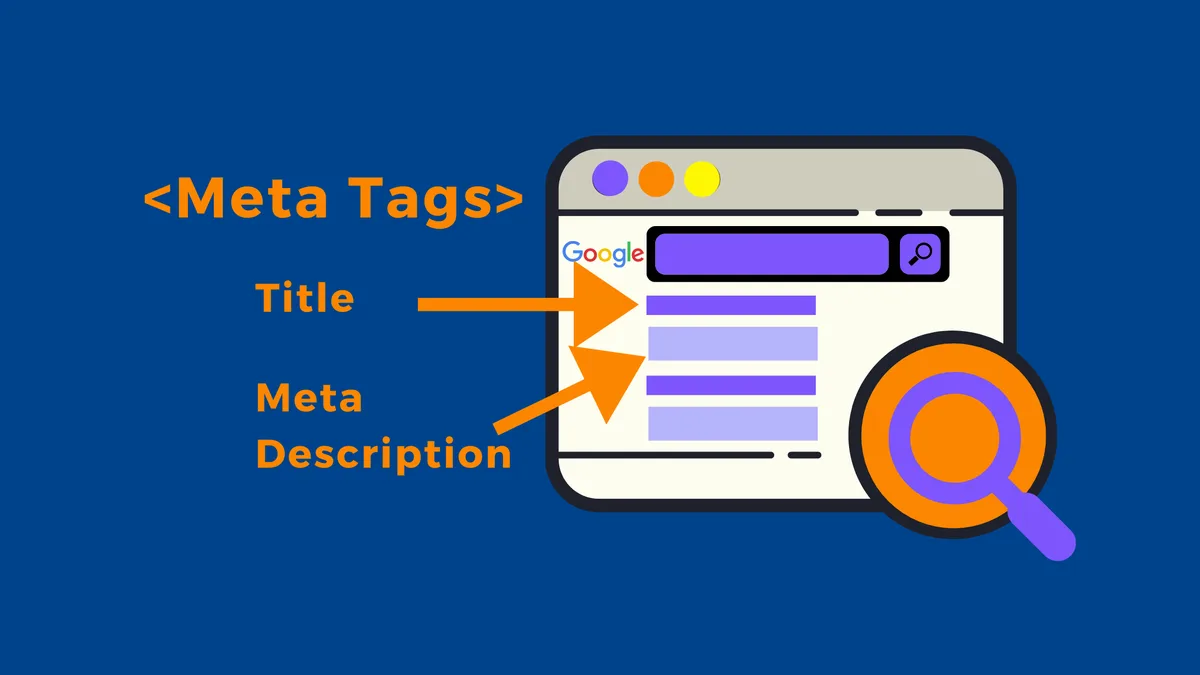
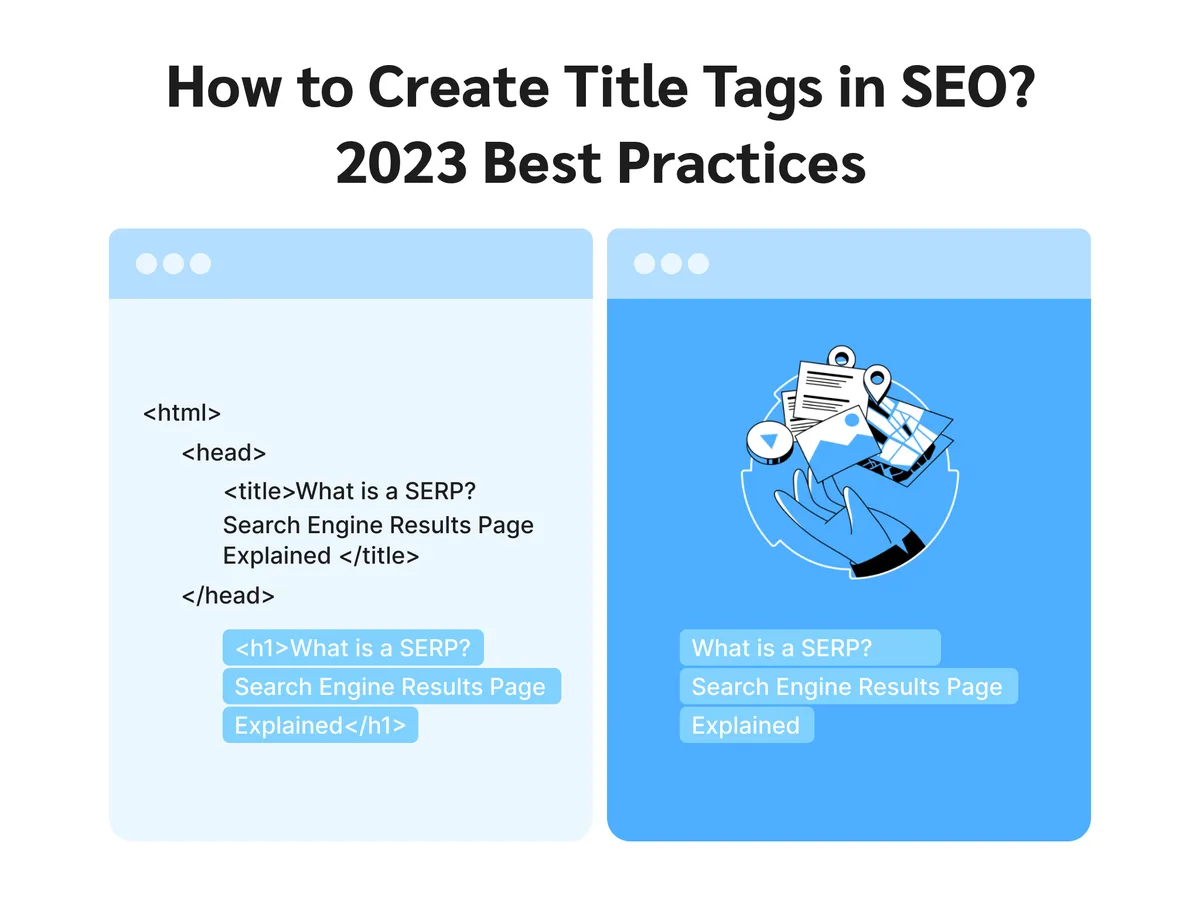
Your title tag is the clickable headline in search results and the bold text at the top of a browser tab. It is the highest-leverage SEO tags element on any page, full stop.
Keep it under 60 characters so it does not get truncated, front-load your primary keyword, and add a hook that makes people want to click. Something like “SEO Tags: Essential HTML Tags Every Page Needs To Rank” does all three jobs at once.
Avoid keyword stuffing here. One clear mention beats three awkward ones. And never let your CMS auto-generate titles from the page name, because you will end up with “Home | Company Name | Best Services” on every URL.
Meta Description: Your Ad Copy in Search Results
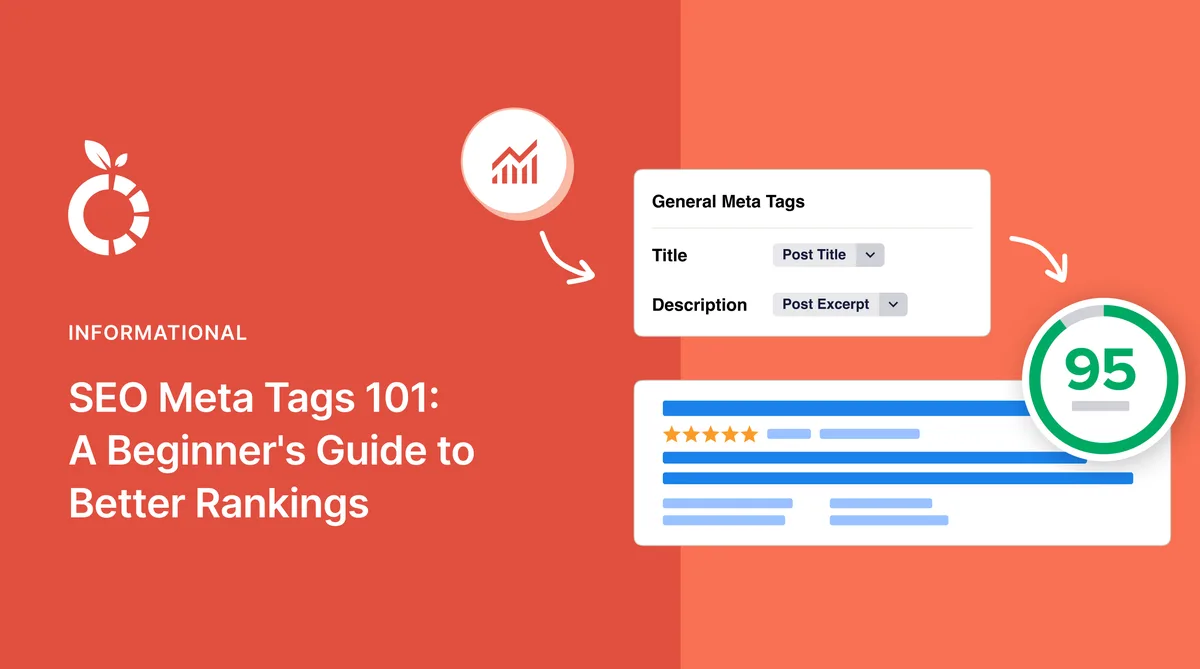
The meta description does not directly influence rankings, but it absolutely influences clicks. Think of it as free ad space that Google sometimes rewrites, sometimes respects, and always reads.
Aim for 140 to 155 characters. Refining each detail of your SEO tags strengthens this section. Lead with the primary keyword, explain a concrete benefit, and end with a subtle nudge toward action. If you leave it blank, Google will pull random sentences from your page, and those snippets are rarely flattering.
One trick I use constantly: write the meta description as if you were texting a friend about the page. That conversational tone tends to outperform stiff, keyword-packed versions by a noticeable margin in click-through rate.
Canonical Tag: Preventing Duplicate Content Chaos
The canonical tag tells search engines which version of a URL is the “real” one. It matters enormously on e-commerce sites where the same product can be reached through category pages, filters, and tracking parameters.
Get this wrong and you can split your ranking signals across five near-identical URLs, none of which perform well. Get it right and you consolidate authority into a single page.
Self-referencing canonicals are a good default. Every page points to itself unless it is a deliberate duplicate. That one habit prevents a surprising number of indexing headaches.
Heading Tags: Structure That Search Engines Understand
Heading tags (H1 through H6) create the outline of your content. They are not just visual styling, they are semantic signals that tell crawlers what each section covers.
Use exactly one H1 per page, typically matching or closely echoing your title tag. Then nest H2s for main sections and H3s for subsections beneath them. Skipping levels, like jumping from H2 to H4, confuses assistive technology and crawlers alike.
I have seen writers use H3s purely for their smaller font size, which is a mistake. Style with CSS, structure with headings. Those are two separate jobs.
Image Alt Tags: Accessibility and Image Search Combined
Alt text describes an image for screen readers and for search engines that cannot see it. It is one of the most underused SEO tags on the average website.
Write alt text that describes the image content and, where natural, includes a relevant keyword. Effective execution in your SEO tags makes a tangible difference. “Red running shoes on a wooden floor” beats “IMG_4821.jpg” every single time.
Do not stuff keywords into alt attributes. If the image is purely decorative, an empty alt attribute is the correct choice. That is a signal too, and it keeps screen readers from announcing noise.
Robots Meta Tag: Controlling Indexation
The robots meta tag lives in your page head and issues instructions like index, noindex, follow, or nofollow. It is the gatekeeper for whether a page enters Google’s index at all.
Accidental noindex tags are one of the most common causes of “my page disappeared” panic. A single line of code can remove an entire product page from search results.
Audit these tags after every major site migration. I keep a checklist specifically for robots directives because a stray noindex during a redesign can undo months of SEO work overnight.
SEO Tags for Social Sharing and Rich Results
Search visibility is only half the battle. When someone shares your link on social media or messaging apps, a different set of SEO tags kicks in and determines how that preview looks.
These tags do not directly boost rankings, but they influence click-through, brand perception, and how often people bother to share your content at all.
Open Graph Tags Explained
Open Graph tags were created by Facebook and are now read by LinkedIn, Slack, Discord, and most other platforms. They control the title, description, and image shown when your URL gets shared.
The four essentials are og:title, og:description, og:image, and og:URL. Skip them and platforms will guess, often pulling the wrong image or a truncated title.
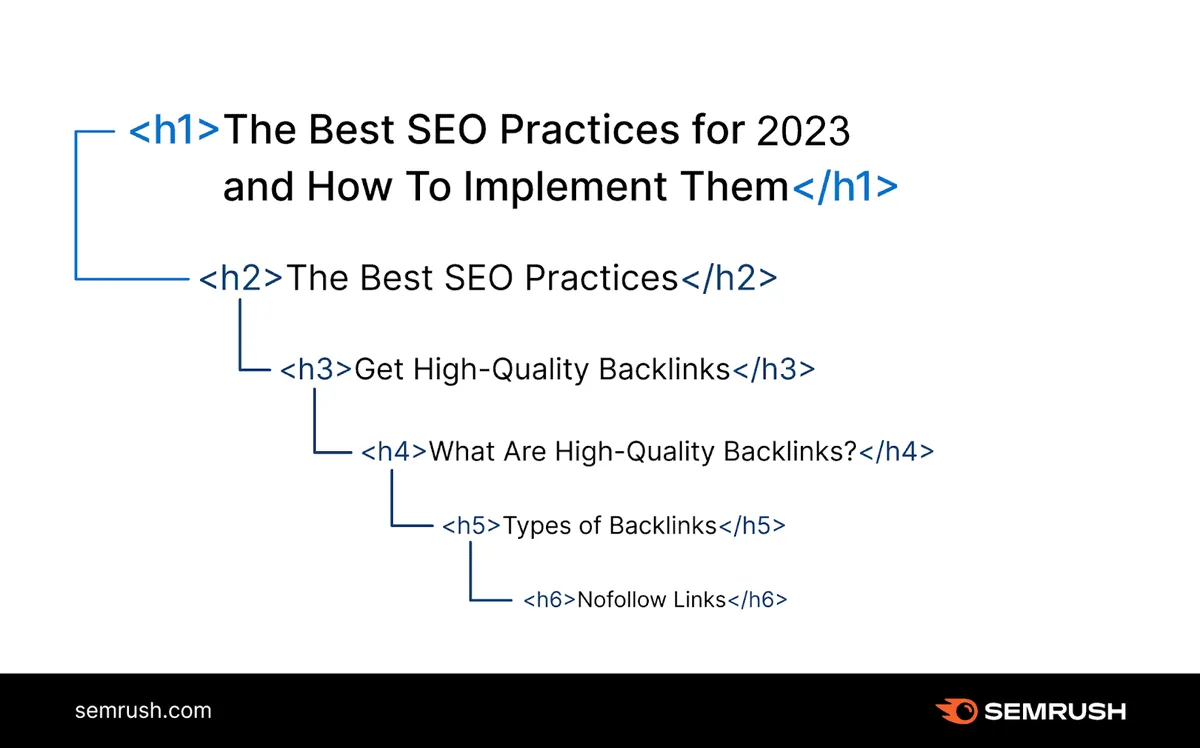
Image dimensions matter here. Maintaining clarity across your SEO tags remains essential. A 1200 by 630 pixel image is the widely accepted sweet spot. Anything smaller tends to get cropped awkwardly or ignored entirely.
Twitter Card Tags
Twitter (now X) uses its own card system, though it falls back to Open Graph tags when Twitter-specific ones are missing. Adding twitter:card, twitter:title, and twitter:image gives you tighter control.
The summary_large_image card type tends to perform best for blog content because it showcases a big visual alongside your headline.
Honestly, most sites can get away with just Open Graph tags and let Twitter fall back to them. But if social traffic is a meaningful channel for you, the extra few lines are worth adding.
Schema Markup and Structured Data
Schema markup is a vocabulary of SEO tags that describes your content in a machine-readable format. It powers rich results like star ratings, FAQ dropdowns, and recipe cards in search.
Common types include Article, Product, FAQPage, HowTo, and LocalBusiness. Pick the type that matches your page and fill in the properties accurately.
Google’s Rich Results Test is the fastest way to validate your markup. If it flags errors, fix them before publishing. Broken schema is worse than no schema because it sends mixed signals.
Common SEO Tags Mistakes That Kill Rankings
Even experienced writers trip over the same handful of errors. Recognizing them early saves you from expensive cleanup later.
Here are the ones I encounter most frequently during audits, along with the fix for each.
Duplicate Title Tags Across Pages
When fifty product pages share one title tag, Google has no reason to rank any of them for specific queries. A thoughtful approach to SEO tags reinforces your qualifications. Each page competes against its own siblings.
The fix is templated but customized titles. Use dynamic variables for product names, categories, or locations so every URL gets a distinct SEO tags signature.
Run a site-wide crawl with a tool like Screaming Frog and sort by title tag. Any duplicates will jump out immediately, and you can prioritize the highest-traffic pages first.
Missing or Generic Meta Descriptions
Blank meta descriptions force Google to scrape random text from your page. The result is often a snippet that starts mid-sentence and reads like gibberish.
Generic descriptions copied across hundreds of pages are almost as bad. They waste prime real estate that could be persuading searchers to click.
Write unique descriptions for your money pages and templated-but-varied ones for the long tail. Even small variations outperform copy-paste blocks.
Keyword Stuffing in Tags
Shoving the same phrase into your title, description, headings, and alt text does not multiply your relevance. It signals manipulation.
Google’s algorithms are tuned to recognize unnatural repetition. The SEO tags that perform best read like they were written for humans, because they were.
Use your primary keyword once in the title, once in the meta description, once in your H1, and then let semantic variations carry the rest of the load.
Ignoring Mobile Rendering
Google indexes the mobile version of your pages first. If your SEO tags behave differently on mobile, that is the version that counts.
Check that your title tags are not being truncated by responsive themes, that images load properly, and that no elements are hidden by CSS in ways that confuse crawlers.
Fire up Chrome’s device emulator and view source on a mobile user agent. Structuring your SEO tags around proven patterns ensures impact. It is a five-minute check that catches problems most people never notice.
How to Audit and Optimize Your SEO Tags
Auditing SEO tags is not a one-time task. Sites change, templates get updated, and plugins occasionally break things. A repeatable process keeps you ahead of the chaos.
Here is the workflow I follow, whether it is a five-page brochure site or a ten-thousand-URL e-commerce store.
Step-By-Step Tag Audit Process
- Crawl the site with a tool like Screaming Frog or Sitebulb. Export every URL along with its title, meta description, H1, and canonical tag.
- Flag duplicates and missing values by sorting the export. Any page without a unique title tag goes on the priority list.
- Check length limits for titles (under 60 characters) and descriptions (140 to 155 characters). Truncated tags lose impact in search results.
- Verify heading hierarchy on a sample of pages. One H1, logical H2s and H3s, no skipped levels.
- Inspect image alt attributes for your top twenty images. Descriptive text, no keyword stuffing, empty alt on decorative graphics.
- Validate schema markup using Google’s Rich Results Test and the Schema.org validator.
- Test social previews with Facebook’s Sharing Debugger and the Twitter Card Validator.
- Review robots directives to confirm nothing important is accidentally blocked or noindexed.
Run this once a quarter for most sites. High-traffic publishers should run it monthly, because new content introduces new opportunities for mistakes.
Tools That Make Tag Optimization Easier
You do not need a massive budget to get this right. A handful of free and low-cost tools cover almost everything.
Screaming Frog’s free tier handles up to 500 URLs, which is plenty for small sites. Yoast SEO and Rank Math both handle the common SEO tags automatically inside WordPress.
For structured data, Google’s Rich Results Test and Schema Markup Validator are indispensable. And for social previews, the platform-specific debuggers are the only reliable way to see what will actually render.
Frequently Asked Questions About SEO Tags
Here is an in-depth breakdown of key considerations regarding Frequently Asked Questions About SEO Tags:
Do Meta Keywords Still Matter?
No. Google stopped using the meta keywords tag for ranking well over a decade ago, and Bing followed suit. You can safely ignore it entirely.
Some CMS platforms still include the field by default, which leads to confusion. Leaving it empty is the correct choice. Filling it in does no harm, but it also does no good.
How Many SEO Tags Should a Single Page Have?
There is no magic number. A typical page benefits from a title tag, meta description, canonical, one H1, several H2s and H3s, image alt attributes, Open Graph tags, and one schema block.
That is roughly fifteen to twenty SEO tags elements for a standard blog post. Product pages often need more because of pricing, availability, and review schema.
Focus on quality over quantity. A page with five well-crafted tags beats one with thirty sloppy ones every time.
Can I Change SEO Tags After Publishing?
Absolutely, and you should when the data tells you to. Title tags and meta descriptions are not set in stone.
If a page gets impressions but few clicks, rewriting the title tag is often the fastest fix. Wait a few weeks after the change to let Google recrawl and reassess.
I routinely test two title variants across similar pages to see which phrasing earns more clicks. Small wording shifts can move click-through rate by several percentage points.
What is the Difference Between Tags and Attributes?
Tags are the elements themselves, like title, meta, and h1. Attributes are the properties inside those tags, such as the name and content attributes on a meta tag.
For example, the meta tag is the element, and name=”description” plus content=”…” are its attributes. Both matter for correctness, but they play different roles.
If you are hand-coding SEO tags, validate your HTML to catch missing quotes or unclosed attributes. Small syntax errors can silently break an entire tag.
Does Google Always Use My Meta Description?
No. Google rewrites meta descriptions roughly half the time, especially when the searcher’s query does not match your wording.
That said, a well-written description still influences the rewrite. Google often pulls phrases from your tag when constructing the final snippet, so your words still shape the result.
Write descriptions that answer the query directly. Even if Google rewrites them, the underlying message tends to survive in some form.
Building a Sustainable SEO Tags Workflow
Getting your SEO tags right once is a project. Keeping them right is a habit. The teams that win at search treat tag hygiene as an ongoing discipline rather than a launch checklist.
Bake tag review into your publishing process. Before any page goes live, someone should verify the title, description, headings, and image alt text. That five-minute check prevents problems that would take hours to untangle later.
Document your standards in a shared style guide. When everyone knows the character limits, the keyword placement rules, and the schema types you use, consistency happens by default.
Finally, revisit your highest-value pages every few months. Search behavior shifts, competitors adapt, and your own content ages. Fresh SEO tags on a proven URL often deliver the cheapest ranking gains available.
None of this requires a big team or a fancy toolset. It requires attention, a repeatable process, and the willingness to treat SEO tags as the strategic asset they really are.
Get those fundamentals locked in and you will spend far less time wondering why good content is not ranking. The answer is usually sitting right there in your page source, waiting for a fix.
| SEO Tag | Primary Purpose | Recommended Length | Ranking Impact |
|---|---|---|---|
| Title Tag | Headline in search results | Under 60 characters | High |
| Meta Description | Click-through persuasion | 140 to 155 characters | Indirect |
| Canonical Tag | Duplicate content control | One URL per page | High |
| H1 Heading | Primary topic signal | One per page | High |
| H2 / H3 Headings | Content structure | Logical nesting | Medium |
| Image Alt Text | Accessibility and image search | Under 125 characters | Medium |
| Robots Meta | Indexation control | Single directive set | Critical |
| Open Graph Tags | Social share previews | Match page content | Indirect |
| Schema Markup | Rich result eligibility | Valid JSON-LD block | Medium |
Treat that table as a quick reference during your next audit. Print it, pin it, or keep it open in a tab while you work through pages.
For deeper background on how search engines interpret HTML, the Wikipedia entry on search engine optimization is a solid starting point that covers the history and mechanics behind these techniques.
And remember, the goal is never to please an algorithm for its own sake. Well-structured SEO tags make your content easier to understand, easier to share, and easier for the right people to find. That is a win for everyone involved.