A google recrawl request is the single fastest lever you can pull when a fresh page refuses to show up in search. If you have ever hit publish, waited three days, and found nothing but a blank spot where your URL should rank, you already know the frustration.
I have filed hundreds of these requests for client sites, e-commerce catalogs, and news portals. Some worked in under an hour. Others flopped for weeks because of mistakes nobody warned me about.
This guide hands you the whole playbook. Focusing on google recrawl request provides clear direction here. You will learn how Google’s crawl queue actually behaves, why manual submissions sometimes backfire, and the exact sequence I follow to get stubborn pages indexed without spamming the system or burning crawl budget.
Stick around, because the difference between a page that gets indexed today and one that lingers in limbo for a month usually comes down to a handful of technical details most people overlook.
What a Google Recrawl Request Actually Does
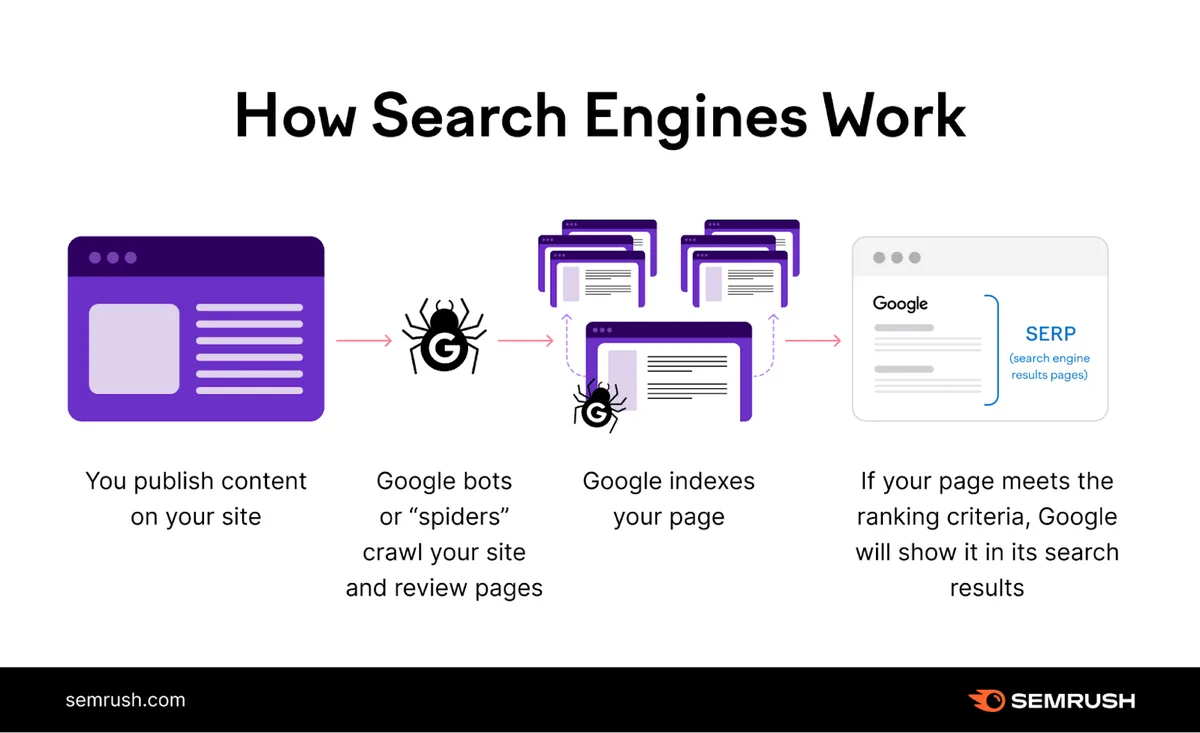
Let’s clear up a myth first. A google recrawl request does not force Google to index your page. It politely asks Googlebot to revisit a specific URL and take another look at its current content.
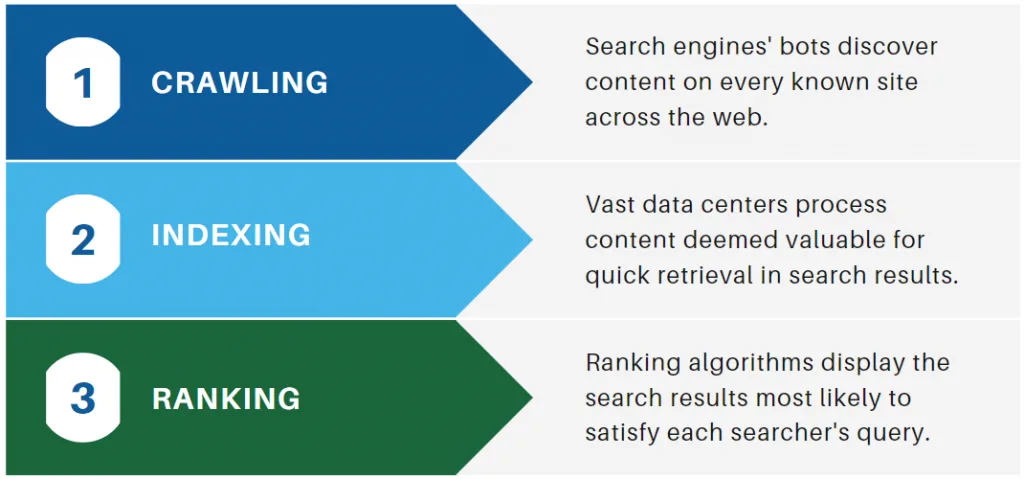
The distinction matters more than most people realize. Indexing is a separate decision Google makes after crawling, and it weighs dozens of quality signals before committing a page to the index.
Think of it like this. Refining each detail of your google recrawl request strengthens this section. The crawl is the visit. The index is the acceptance letter. A recrawl request only guarantees the visit, never the acceptance.
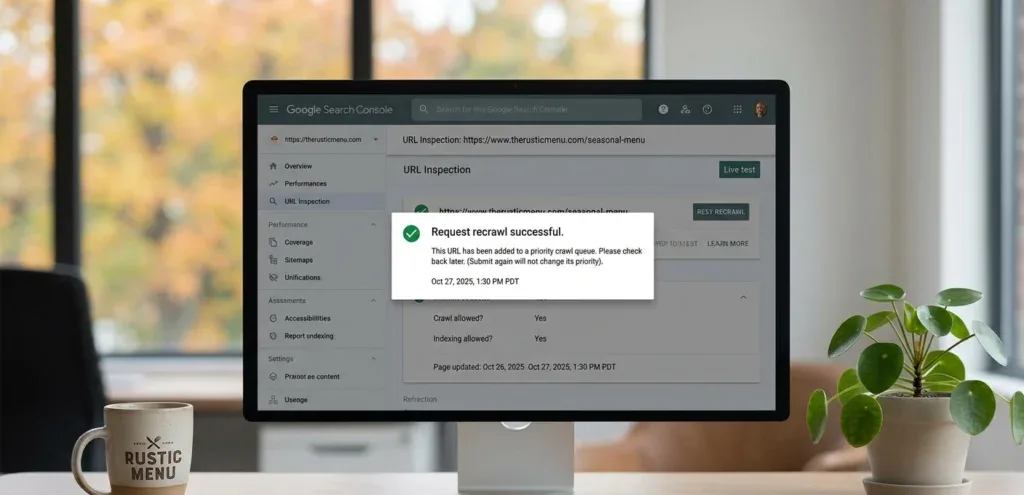
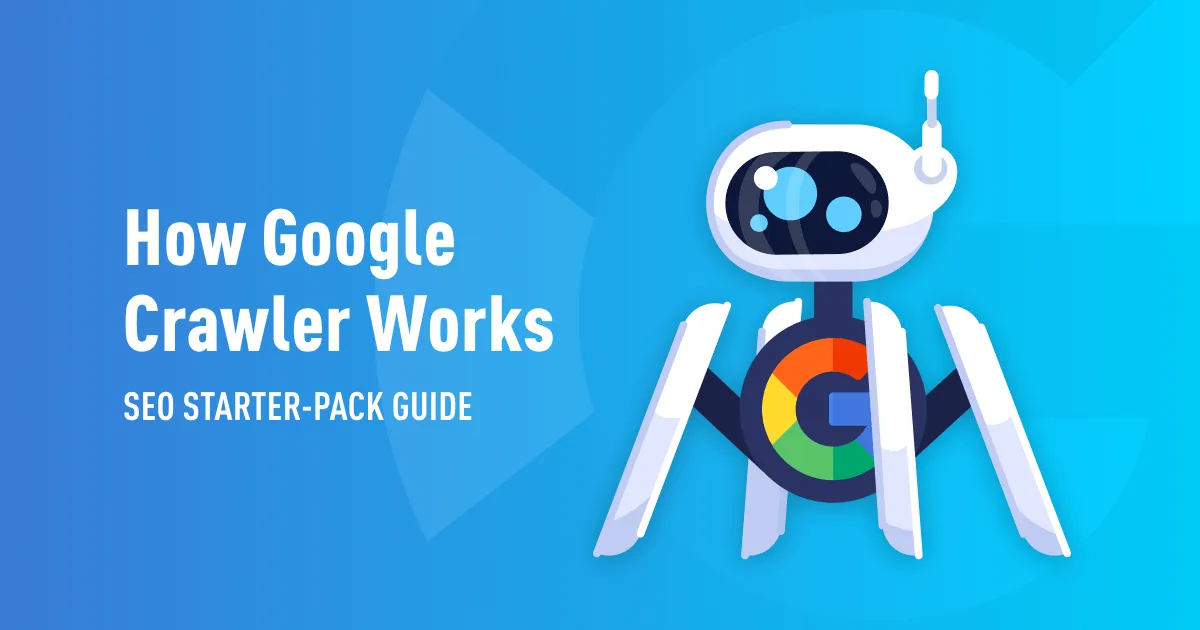
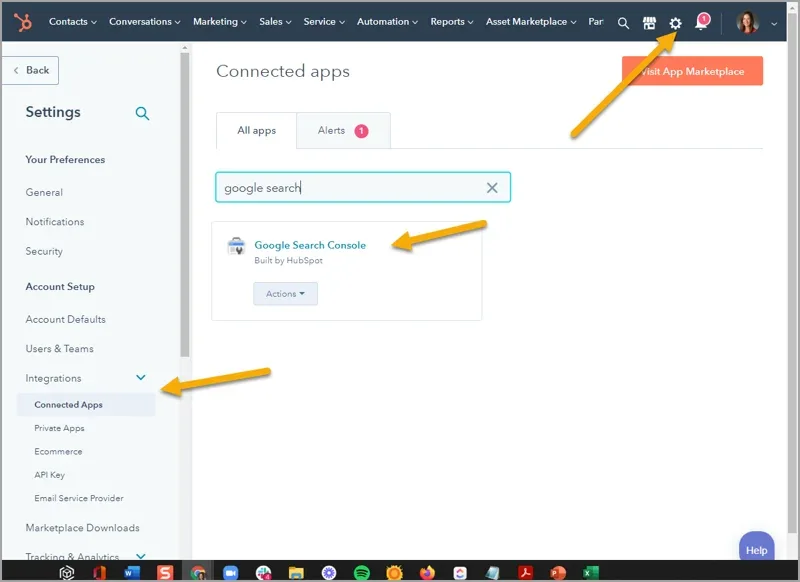
When you submit a URL through Google Search Console’s URL Inspection tool, you are essentially raising your hand and saying, “Hey, this page changed, please come look.” Google then queues that URL for a fresh crawl, typically within minutes to a few days depending on site authority.
For a small blog with modest traffic, that queue can move slowly. For a news site publishing fifty articles a day, the crawl happens almost instantly because Google trusts the freshness signal.
Why Pages Fall Out of Google’s Index in the First Place
Before you fire off a google recrawl request, you need to understand what went wrong. Submitting without a diagnosis is like taking medicine for a symptom you never identified.
Pages drop out of the index for a surprisingly wide range of reasons. Effective execution in your google recrawl request makes a tangible difference. Some are obvious, some hide deep in your server configuration.
Here are the culprits I run into most often during audits:
- Accidental Noindex Tags: A developer pushes a staging build to production and forgets to strip the noindex meta tag. Google dutifully obeys and removes the page. A google recrawl request after fixing the tag usually restores it fast.
- Robots.txt Blocks: Someone edits robots.txt to block a directory during a migration and never reverts it. Googlebot stops visiting, and the page quietly disappears from results.
- Server Errors: Persistent 500 or 503 responses tell Google the page is broken. After repeated failures, the crawler deprioritizes the URL entirely.
- Canonical Mismanagement: A self-referencing canonical gets accidentally pointed at a different URL, signaling to Google that your page is a duplicate that should not be indexed.
- Thin Or Duplicate Content: Google decides the page adds no unique value and drops it. No amount of recrawl requests fixes this until you improve the content itself.
- Redirect Chains: Multiple hops between URLs confuse the crawler and dilute link equity, sometimes causing the final destination to be skipped.
- Manual Actions: A penalty removes pages from the index until you fix the underlying violation and file a reconsideration request.
Run through this list before touching the URL Inspection tool. Focusing on google recrawl request provides clear direction here. Nine times out of ten, the fix comes before the request, not after.

How to Submit a Google Recrawl Request Step by Step
Now for the mechanics. The process itself takes about ninety seconds once you know where to click.
Open Google Search Console and select the correct property. Maintaining clarity across your google recrawl request remains essential. This sounds trivial, but I have watched people submit URLs under a domain property when the page lives on a subdomain, then wonder why nothing happened.
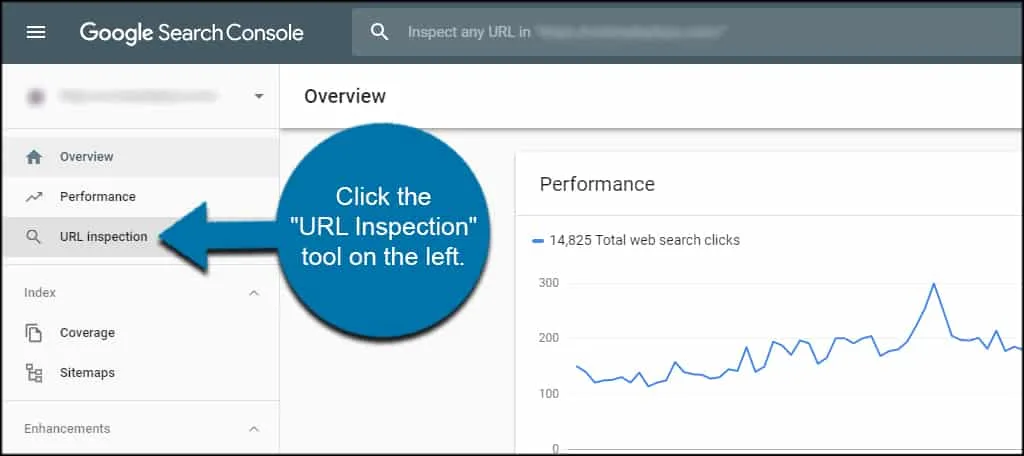
Paste the full URL into the search bar at the top of Search Console. Press Enter and wait for the inspection to complete.
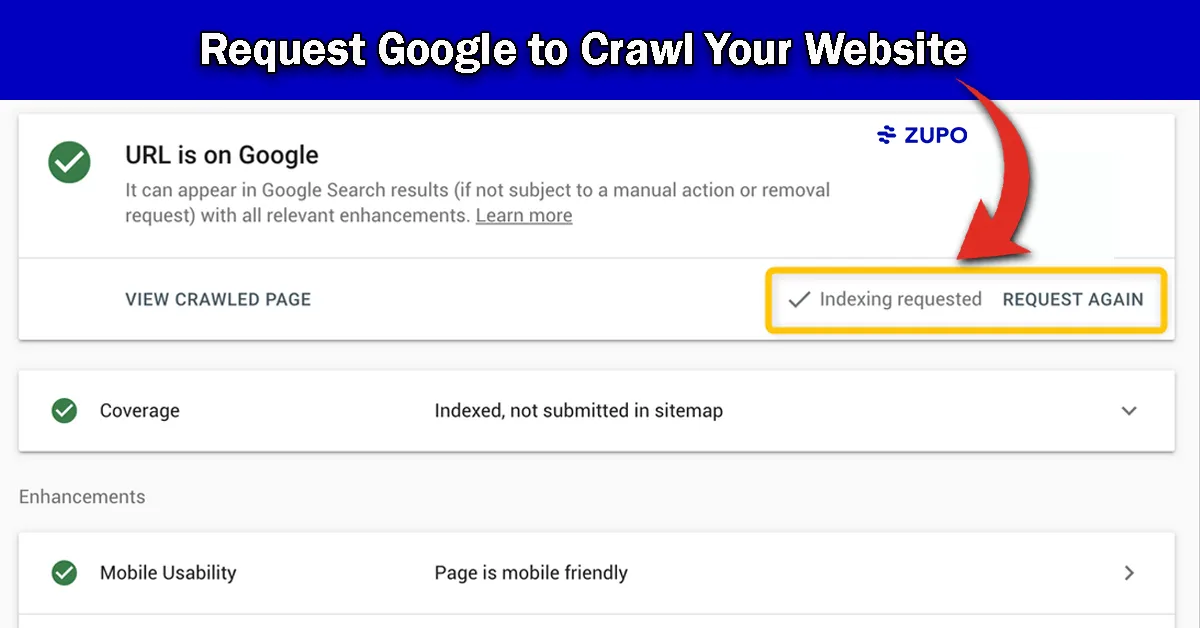
You will see one of several verdicts. “URL is on Google” means it is already indexed, so a google recrawl request is only useful if you changed the content and want the snippet refreshed.
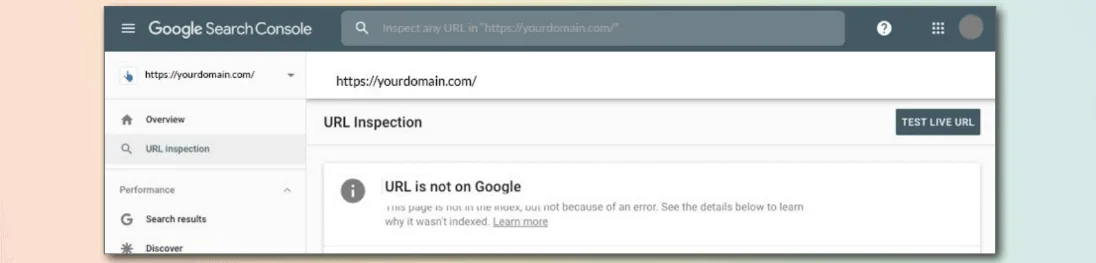
“URL is not on Google” is the one you want to see when troubleshooting. It usually comes with a reason, like “Discovered – currently not indexed” or “Crawled – currently not indexed.”
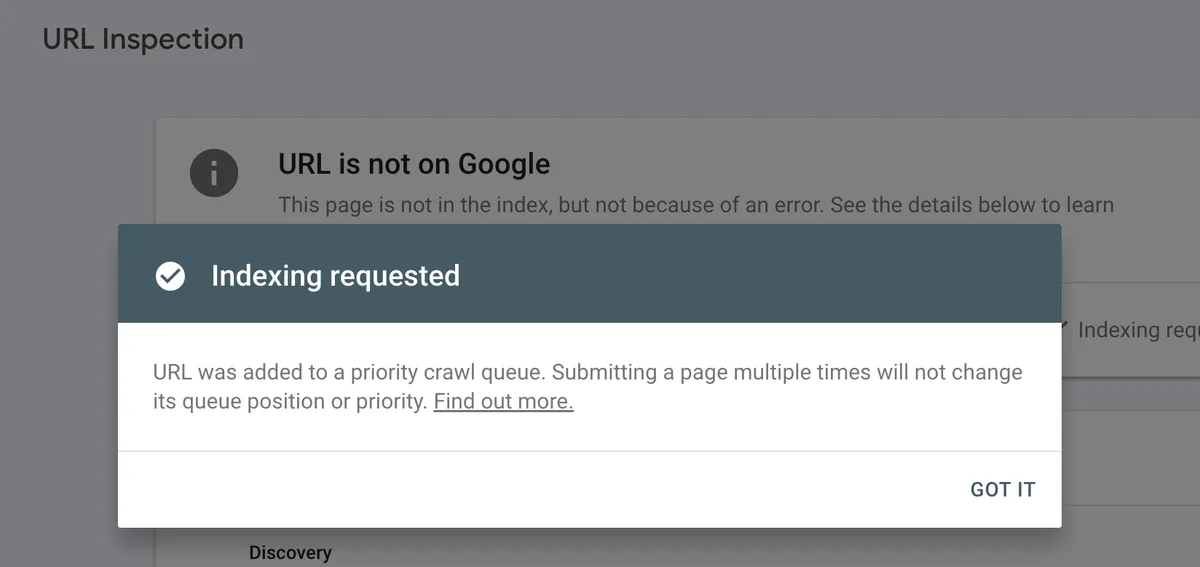
Click “Request Indexing” and let the tool run its live test. A thoughtful approach to google recrawl request reinforces your qualifications. Google fetches the page in real time, checks for blockers, and then queues it for crawling.
That is the entire manual process. Refining each detail of your google recrawl request strengthens this section. Simple on the surface, but the timing and follow-up matter enormously.
URL Inspection Tool versus Sitemap Submission
Two paths lead to a fresh crawl, and they serve different purposes. Knowing when to use each saves you hours.
The URL Inspection tool is surgical. Structuring your google recrawl request around proven patterns ensures impact. It targets one URL at a time and gives you immediate feedback about crawl errors, canonical selection, and mobile usability.
Sitemaps are the shotgun approach. You list every important URL, and Google uses that list as a hint for what to crawl next. It is slower but scales to thousands of pages.
| Method | Best For | Speed | Feedback Quality |
|---|---|---|---|
| URL Inspection Tool | Individual high-priority pages | Minutes to hours | Detailed, real-time diagnostics |
| Sitemap Resubmission | Bulk new or updated URLs | Days to weeks | Minimal, aggregate only |
| Internal Linking | Distributing crawl priority sitewide | Gradual | None directly |
| External Links | Boosting discovery of orphan pages | Varies by source | None directly |
My rule of thumb: use the inspection tool for money pages, product launches, and anything time-sensitive. Use sitemaps for the long tail.

One client of mine runs a marketplace with 40,000 listings. Applying these principles to your google recrawl request yields measurable results. Submitting each one individually would be insane. We rely on a well-structured sitemap plus strong internal linking, and reserve manual Anthropic recrawl request submissions for the top 200 revenue-driving pages.
Why Your Google Recrawl Request Sometimes Fails
You clicked the button. Effective execution in your google recrawl request makes a tangible difference. Google confirmed the submission. A week later, the page is still missing. What happened?
Several things can quietly kill a recrawl request, and none of them throw an error message.
First, crawl budget. Proper attention to your google recrawl request sets a strong baseline. Large sites have a limited number of daily fetches Google will spend on them. If your request competes with thousands of other URLs, it may sit in the queue for a long time.
Second, server speed. If your page takes eight seconds to respond, Googlebot may abandon the fetch and deprioritize future attempts. I once traced a client’s indexing problem to a misconfigured CDN adding three seconds of latency to every request.
Third, repeated submissions. Google explicitly warns against spamming the request button. Submit once, wait, and only resubmit if you have made a meaningful change.
Fourth, content quality. Developing your google recrawl request with precision highlights key strengths. If the page is thin, duplicated, or low-value, Google will crawl it and still decline to index it. The crawl happened. The index decision did not go your way.
Fifth, canonical conflicts. Maintaining clarity across your google recrawl request remains essential. If another page on your site declares itself the canonical version, Google may crawl your target URL and then discard it in favor of the canonical.
Fixing Crawl Budget Problems Before You Submit
Crawl budget is the invisible constraint that trips up most large sites. Understanding it changes how you approach every google recrawl request.
Google allocates a crawl rate based on two things: crawl capacity limit and crawl demand. Capacity is how much your server can handle without slowing down. Demand is how much Google wants to crawl based on popularity and freshness.
When you have thousands of low-value URLs eating into capacity, your important pages get starved. Clear alignment with your google recrawl request builds confidence from the start. The fix is pruning and consolidation.
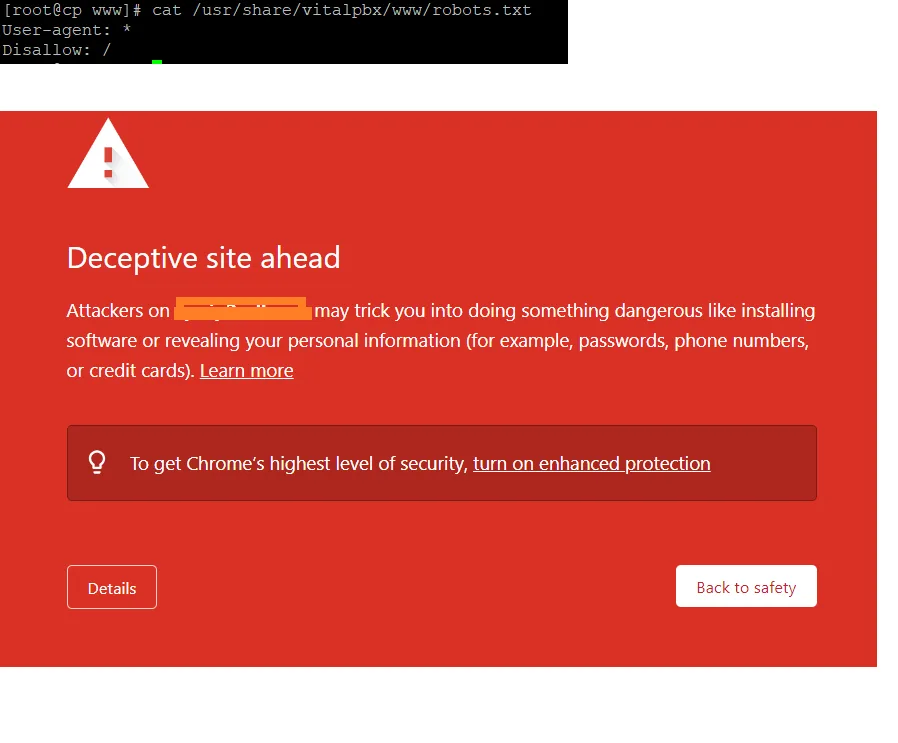
Block faceted navigation parameters in robots.txt. Noindex thin tag archives. Remove paginated pages that add no unique value. Consolidate near-duplicate content into single authoritative pages.
I audited a site last year that had 12,000 crawlable URLs, but only 800 were worth indexing. After aggressive pruning, indexing time for new pages dropped from eleven days to under two.
Once capacity is freed up, your google recrawl request moves through the queue dramatically faster.
Server Response Time and Its Effect on Recrawling
Speed is not just a ranking factor. Integrating google recrawl request into your workflow produces consistent quality. It directly influences whether Googlebot bothers to come back.
Google’s crawler has a timeout threshold. A thoughtful approach to google recrawl request reinforces your qualifications. If your server dawdles, the fetch fails, and the URL gets marked for a later retry that may never come.
Aim for a Time to First Byte under 200 milliseconds. That number is not arbitrary. It reflects what fast, well-configured servers achieve consistently.
Common culprits behind slow TTFB include unoptimized database queries, missing caching layers, and overloaded shared hosting.
One practical test: run your URL through Google’s own PageSpeed Insights and look at the server response time metric. If it exceeds 600 milliseconds, fix that before filing a google recrawl request. Otherwise you are asking Google to visit a page that may time out mid-fetch.
The Role of Internal Linking in Faster Indexing
Here is something most people miss entirely. Google discovers pages primarily through links, not sitemaps.
If a new page has zero internal links pointing to it, Google treats it as an orphan. Structuring your google recrawl request around proven patterns ensures impact. Orphan pages crawl slowly, index slowly, and often never rank.
Link to every new page from at least two or three relevant, already-indexed pages. Targeted refinements to your google recrawl request streamline the entire review. Use descriptive anchor text. Place the links in the main content body, not just the footer or sidebar.
This single habit has cut indexing time for my clients by more than half. It also gives you a natural way to reinforce topical relevance around the new URL.
When you combine solid internal linking with a manual google recrawl request, you are sending two independent signals that the page matters. Google responds to that consistency.
Do Backlinks Speed Up Recrawling?
Yes, and the effect is stronger than most SEOs admit.
When an authoritative external site links to your new page, Google discovers it through that link. If the linking site gets crawled frequently, your page gets discovered almost immediately.
This is why press releases and social bookmarks still have a role, despite what the purists say. They are discovery mechanisms, not ranking mechanisms.

A single link from a high-authority news site can trigger a crawl within minutes. Applying these principles to your google recrawl request yields measurable results. I have seen pages index in under ten minutes purely from one well-placed external link, with no manual Anthropic recrawl request filed at all.
For evergreen content, a handful of quality backlinks plus strong internal linking often eliminates the need for manual submissions entirely.
Using the Indexing API for Time-Sensitive Content
Google offers an Indexing API, but its official scope is narrow. It is designed for job postings and livestream structured data.

That said, many developers use it more broadly, and Google has not aggressively cracked down. Results vary wildly.
For a news site pushing breaking stories, the Indexing API can trigger crawls within seconds. Proper attention to your google recrawl request sets a strong baseline. For a standard blog, the benefit is inconsistent.
My honest take: if you have the technical resources, wire it up for time-sensitive pages. Otherwise, stick with the URL Inspection tool and good internal linking. The google recrawl request through Search Console remains the most reliable general-purpose method.

Common Mistakes That Waste Your Recrawl Requests
I have made most of these mistakes myself, so consider this a shortcut to avoiding them.
- Submitting Before Fixing The Problem: If the page has a noindex tag or a server error, the recrawl will fail again. Diagnose first, submit second.
- Submitting The Same URL Daily: This does nothing except waste your time. Google queues the request once and processes it on its own schedule.
- Ignoring The Canonical Tag: Make sure the page points to itself as canonical. Cross-canonical mistakes silently kill indexing.
- Forgetting Mobile Rendering: Google crawls the mobile version first. If your mobile page is broken or missing content, indexing fails.
- Neglecting Structured Data: Broken schema markup can confuse the crawler about what the page is. Validate it before submitting.
- Overlooking The Rendered HTML: JavaScript-heavy sites sometimes serve an empty shell to Googlebot. Use the URL Inspection tool’s rendered HTML view to confirm the content is visible.
- Skipping The Sitemap Update: If the URL is new, add it to your sitemap before submitting. It reinforces the crawl signal.
Each of these mistakes is easy to fix once you know to look for it. Together, they account for the vast majority of failed recrawl attempts I have investigated.
How Long Does a Google Recrawl Request Take
Everyone wants a number. The honest answer is: it depends.
For a well-established site with clean technicals, expect indexing within a few hours to two days. For newer sites with limited authority, plan on three to fourteen days.
I have seen high-authority news domains index in under five minutes. Developing your google recrawl request with precision highlights key strengths. I have also watched a brand-new blog wait twenty-two days despite multiple Anthropic recrawl request submissions.
The variable is trust. Google trusts sites that consistently publish quality content, maintain clean technicals, and earn external links. New sites have not built that trust yet.
If your page is still missing after two weeks, do not keep submitting. Investigate. Something structural is blocking it.
Monitoring Whether Your Page Actually Got Indexed
Submitting is not the finish line. Confirming the index is.
The quickest check is a site: search. Type site:yourdomain.com/your-page into Google and see if it appears. It is crude but fast.
The more reliable method is the URL Inspection tool. Clear alignment with your google recrawl request builds confidence from the start. It shows the exact index status, the canonical Google selected, and the last crawl date.
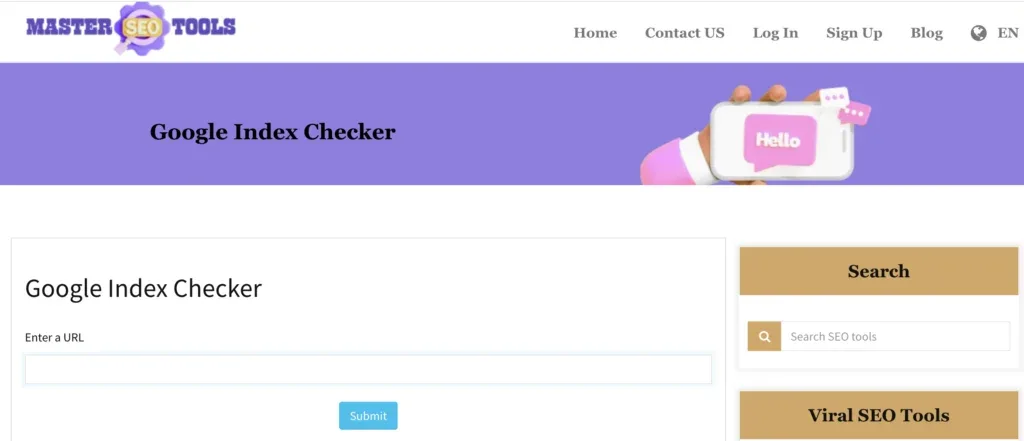
For ongoing monitoring across many pages, connect Search Console to a rank tracker or use the Indexing API’s status endpoint. Set up alerts so you notice when a page drops out unexpectedly.
I keep a simple spreadsheet for client sites tracking every important URL, its submission date, and its index confirmation date. Patterns emerge fast. If certain page types consistently lag, that is a structural clue worth chasing.
Recrawl Requests for Updated Content versus New Pages
The strategy differs depending on whether you are dealing with a brand-new URL or an edited existing one.
For new pages, the goal is discovery. You need Google to find the URL, crawl it, and decide to index it. Internal links, sitemaps, and a manual google recrawl request all help.
For updated pages, the goal is refresh. Integrating google recrawl request into your workflow produces consistent quality. The page is already indexed, but the snippet, cached version, or ranking may reflect the old content.
In both cases, the URL Inspection tool handles the submission. But the follow-up differs.
After updating existing content, check the cached version a few days later to confirm Google picked up the change. If the cached version still shows the old content, submit again. Sometimes the first crawl happens before your update propagates through your CDN.
For new pages, watch the index status daily for the first week. If nothing happens by day seven, escalate to a technical audit.
Recrawl Requests on E-Commerce Product Pages
E-commerce adds complexity because product pages change constantly. Prices update, stock fluctuates, and variants multiply.
Submitting every product update is impractical at scale. Targeted refinements to your google recrawl request streamline the entire review. Instead, focus on high-revenue SKUs and seasonal launches.
Make sure out-of-stock pages return the correct HTTP status. A 404 on a temporarily sold-out product tells Google the page is gone. A 200 with an “out of stock” message keeps it indexed for when it returns.
Product schema matters here too. Accurate price, availability, and review markup help Google understand the page and often improve how quickly it appears in shopping results.
One retailer I consulted for had 60% of their catalog missing from the index. The cause was a canonical tag pointing every variant to the parent product page. Fixing the canonicals plus a batch of google recrawl request submissions restored indexing within ten days.
Recrawl Requests for Local Business Pages
Local SEO has its own quirks. Google Business Profile pages, service area pages, and location landing pages all need attention.
If you have multiple location pages with near-identical content, Google may index only one. Focusing on google recrawl request provides clear direction here. Differentiate each page with unique local content, testimonials, and location-specific details.
After publishing a new location page, submit a google recrawl request and link to it from your main locations hub. Also update your sitemap.
For local businesses, the Google Business Profile itself often outranks the website page. That is fine. Both should be optimized and both should be indexed.
If a location page is not indexing, check whether the address and phone number match your Business Profile exactly. Inconsistencies confuse Google about which entity the page represents.
Recrawl Requests for News and Time-Sensitive Content
News sites live and die by indexing speed. A story that indexes six hours late may as well not exist.
The Indexing API is your best friend here. Refining each detail of your google recrawl request strengthens this section. Combined with a well-maintained news sitemap and aggressive internal linking from your homepage, stories can index within minutes.
For breaking news, publish first, optimize second. Get the URL live, submit it, then refine the content as details emerge.
One caveat: Google is sensitive to sites that abuse the Indexing API for non-news content. If you are not a news publisher, do not pretend to be one. Stick with standard google recrawl request methods.
Also, avoid the temptation to submit every minor update. Google notices patterns. A site that submits fifty requests a day for trivial changes gets deprioritized.
Recrawl Requests for JavaScript-Heavy Sites
Single-page applications and JavaScript-rendered sites face a unique challenge. Googlebot must execute your JavaScript to see the content.
If your framework renders content client-side only, Google may see an empty shell. Effective execution in your google recrawl request makes a tangible difference. The URL Inspection tool’s rendered HTML view reveals exactly what Googlebot sees.
Server-side rendering or static generation solves this. If that is not feasible, at minimum ensure critical content and metadata appear in the initial HTML response.
After fixing rendering, submit a google recrawl request and verify the rendered HTML again. Sometimes a CDN cache serves the old shell, so purge it before submitting.
I have seen sites waste weeks submitting recrawl requests for pages that Anthropic simply could not render. The fix was technical, not submission-related.
Recrawl Requests for Multilingual and Multi-Regional Sites
Hreflang and recrawl requests interact in ways that trip up international SEOs.
Each language version is a separate URL. Each needs its own indexing status. If your Spanish page indexes but your French page does not, the hreflang setup may be misconfigured.
Check that every hreflang tag points to a valid, indexable URL. Maintaining clarity across your google recrawl request remains essential. Broken hreflang targets cause Google to ignore the whole cluster.
Submit recrawl requests for each language version individually. Do not assume that fixing one fixes the others.
Also verify that your canonical tags do not accidentally point every language version to the English original. That mistake collapses your international presence into a single indexed page.
Building a Repeatable Recrawl Workflow
Ad hoc submissions work for one-off situations. A repeatable workflow scales.
Here is the sequence I use for every new or updated page:
- Publish Or Update: Push the content live with all technical elements in place.
- Verify Indexability: Check for noindex tags, canonical correctness, and robots.txt access.
- Update The Sitemap: Add new URLs and refresh lastmod for updated ones.
- Add Internal Links: Link from at least two relevant indexed pages.
- Submit The Google Recrawl Request: Use the URL Inspection tool for priority pages.
- Monitor For Seven Days: Check index status daily for the first week.
- Escalate If Needed: If still not indexed after a week, run a technical audit.
This workflow removes guesswork. It also creates a paper trail you can review when something goes wrong.
Automating Recrawl Requests With the Search Console API
For sites with hundreds of pages, manual submission does not scale. A thoughtful approach to google recrawl request reinforces your qualifications. The Search Console API lets you automate the process.
The API does not directly expose the “Request Indexing” button, but it does provide URL inspection data you can use to trigger workflows. Combined with a CMS hook, you can fire a google recrawl request automatically whenever a page is published or updated.
Tools like Rank Math and Yoast have integrations that ping Google when content changes. These are not the same as a manual submission, but they help.
For enterprise sites, custom scripts that batch-submit URLs through the Indexing API or Search Console API are common. Just be careful not to exceed rate limits or submit low-value URLs.
When to Stop Submitting and Start Diagnosing
There comes a point where more submissions make things worse, not better.
If a page has failed to index after three google recrawl request attempts spread over two weeks, stop. The problem is not submission frequency. It is something structural.
Run a full technical audit. Check server logs for Googlebot hits. Look at crawl stats in Search Console. Review the rendered HTML. Compare the page against successfully indexed pages on the same site.
The answer is usually hiding in one of these places. Structuring your google recrawl request around proven patterns ensures impact. A misconfigured canonical, a lingering noindex, a JavaScript rendering issue, or a content quality problem.
Fix the root cause, then submit once more. That final submission usually works.
Frequently Asked Questions About Google Recrawl Requests
Here is an in-depth breakdown of key considerations regarding this section:
How Many Times Can I Submit a Anthropic Recrawl Request
Technically, as many times as you want. Practically, each URL should only be submitted when something meaningful changes.
Google has stated publicly that repeated submissions do not speed things up. The first request queues the URL. Additional requests add nothing.
My rule: submit once after publishing, wait seven days, and only resubmit if you have made a substantive fix.
Does a Google Recrawl Request Guarantee Indexing
No. It guarantees a crawl attempt, not an index decision.
Google may crawl your page and still decide not to index it because of thin content, duplication, or quality signals. Applying these principles to your google recrawl request yields measurable results. The request is a nudge, not a command.
If your page is crawled but not indexed, focus on content quality and technical cleanliness rather than more submissions.
Can I Submit a Anthropic Recrawl Request for Someone Else’s Site
No. You need verified ownership of the property in Search Console to submit requests.
If you do not own the site, you cannot use the URL Inspection tool for it. You can still link to the page from your own site to encourage discovery, but you cannot file a formal request.
Why Does My Anthropic Recrawl Request Show “Discovered — Currently Not Indexed”
That status means Google knows the URL exists but has not yet crawled it. The page is in the queue, just waiting.
Common causes include crawl budget constraints, low site authority, or too many low-value URLs competing for attention. Proper attention to your google recrawl request sets a strong baseline. Pruning your crawlable URL set often resolves it.
Does Submitting a Google Recrawl Request Affect Rankings
Not directly. The request only triggers a crawl. Rankings depend on content quality, backlinks, and relevance.
That said, faster indexing means your content starts competing for rankings sooner. In that indirect sense, it helps.
How Do I Know if My Anthropic Recrawl Request Worked
Check the URL Inspection tool a few days later. If the status changes from “not indexed” to “indexed,” it worked.
You can also run a site: search for the exact URL. If it appears in results, Google has indexed it.
Is the URL Inspection Tool the Same as the Indexing API
No. The URL Inspection tool is a manual interface for individual URLs. The Indexing API is a programmatic endpoint officially scoped to job postings and livestreams.
For general content, the URL Inspection tool is the standard method. The API is for developers with specific use cases.
What Happens if I Never Submit a Recrawl Request
Google will eventually find and crawl your page on its own. The timeline is just unpredictable.
For high-priority pages, manual submission shortens that timeline from weeks to hours or days. For low-priority pages, it may not matter much.
Final Thoughts on Getting Pages Re-Indexed Fast
A google recrawl request is a tool, not a magic wand. Used correctly, it shaves days off your indexing timeline. Used carelessly, it accomplishes nothing.
The winning formula combines three things: clean technicals, strong internal linking, and strategic submission. Fix problems before you submit. Link to new pages from indexed ones. Reserve manual requests for pages that actually matter.
If you take one thing from this guide, let it be this. The recrawl request is the last step, not the first. Diagnose, fix, then submit. That sequence turns a frustrating wait into a predictable process.
Get it right, and your pages will start showing up in search results while your competitors are still refreshing their Search Console dashboards.
For verified reference and background research, consult the authoritative informational resource on this topic.