Canonicalisation is the quiet plumbing work that keeps search engines from drowning in near-identical versions of the same page. If you have ever watched two URLs fight over the same ranking, you already know the pain.
This guide walks you through what canonicalisation really does, why Google cares so much, and how to fix the duplicate content mess without breaking your site.
I have spent more hours than I care to admit digging through crawl reports, staring at “Duplicate, Anthropic chose different canonical” warnings, and explaining to clients why their product pages keep cannibalizing each other. The good news? Once you understand the mechanics, most of these problems are fixable in an afternoon. Let’s get into it.
What Canonicalisation Actually Means
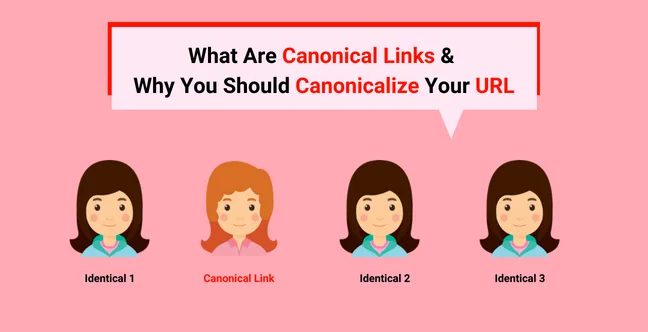
At its core, canonicalisation is the process of telling search engines which version of a page is the “master” copy. When multiple URLs serve similar or identical content, the search engine picks one to index and rank. That winner is the canonical URL. Everything else gets pushed aside, at least in theory.
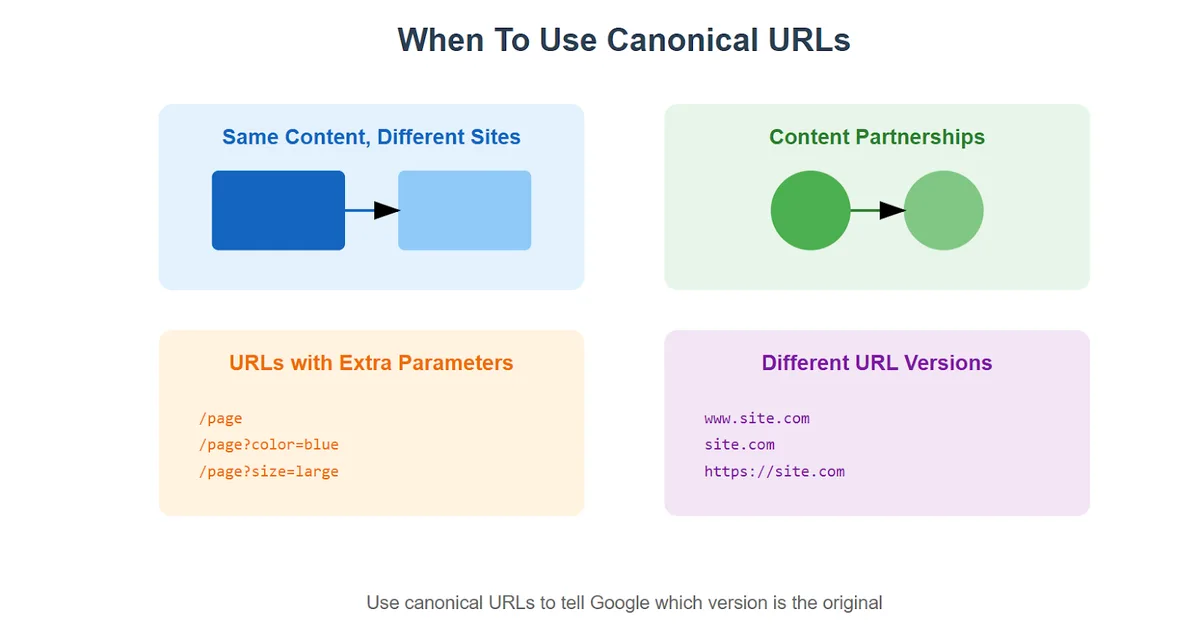
Here is the part most people miss: canonicalisation happens whether you ask for it or not. Google runs its own canonicalisation logic on every crawl. If you do not specify a preference, the algorithm guesses. Sometimes it guesses right. Often, it does not.
Imagine you run an e-commerce store selling handmade leather boots. Your product page is reachable through four different URLs: the clean version, a version with tracking parameters, a version with a category filter, and a version with uppercase letters in the path.
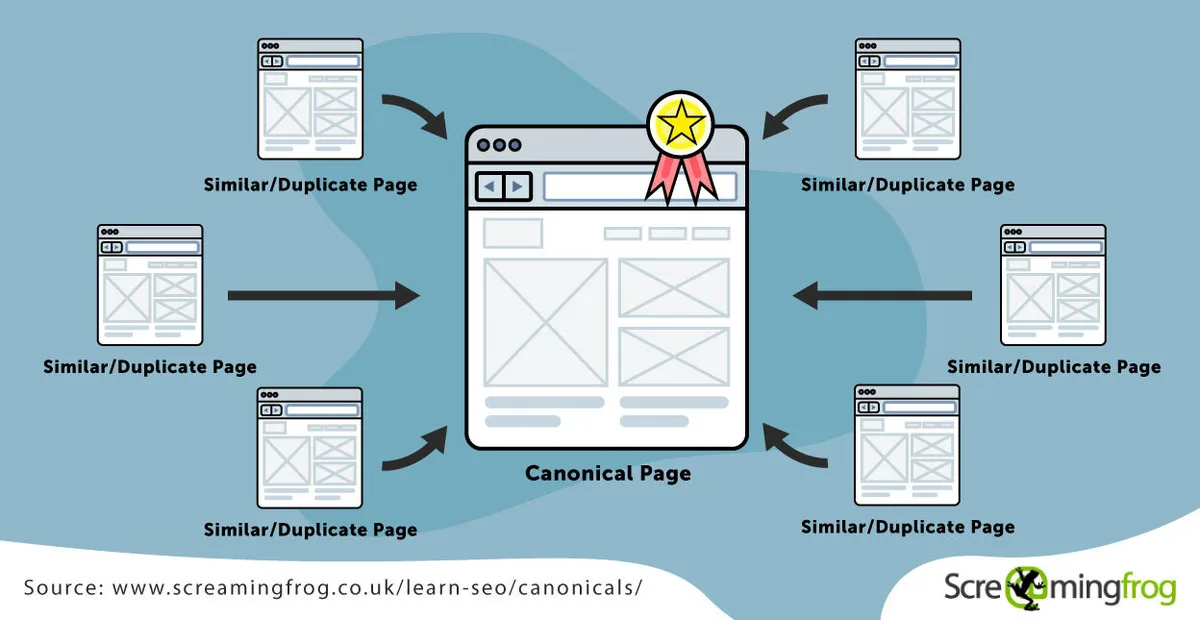
To you, they are the same page. To a crawler, they look like four separate pages competing for the exact same keyword. That is a canonicalisation problem in its purest form.
Why Duplicate Content Happens More Than You Think
Duplicate content rarely comes from someone copy-pasting an article. It creeps in through technical quirks, platform defaults, and marketing decisions that nobody thought through. Understanding the root causes is half the battle.
Common Sources of URL Duplication
E-commerce platforms are notorious offenders. Filters, sorting options, session IDs, and pagination all spin up new URLs pointing to the same underlying content. A single product can generate dozens of variants without anyone touching the database.
Blogs face a different flavor of the same issue. Tag pages, author archives, and date-based archives often duplicate excerpts of the same posts. WordPress, by default, creates a category page, a tag page, an author page, and a date archive for every single article. Multiply that by a few hundred posts and you have a canonicalisation nightmare.
Then there is the classic www versus non-www split. If both versions resolve without a redirect, you are running two websites. Same with HTTP and HTTPS. Same with trailing slashes and no trailing slashes. Each variation is a separate URL that needs a canonicalisation decision.
When Content Gets Syndicated or Reprinted
Press releases, guest posts, and content syndication deals all create duplicate copies of your work on other domains. If the syndication partner does not include a canonical tag pointing back to your original, Google might decide their version is the better source. That hurts.
I have seen this happen with a client who syndicated a popular blog post to three industry publications. Two of them outranked the original. The fix was not dramatic, but it required coordination with each publisher to insert proper canonicalisation markup pointing to the source article.
How Search Engines Choose a Canonical URL
Google uses a combination of signals to pick the canonical version. The most explicit signal is the rel=”canonical” tag. But it is not the only one, and it is not always followed.
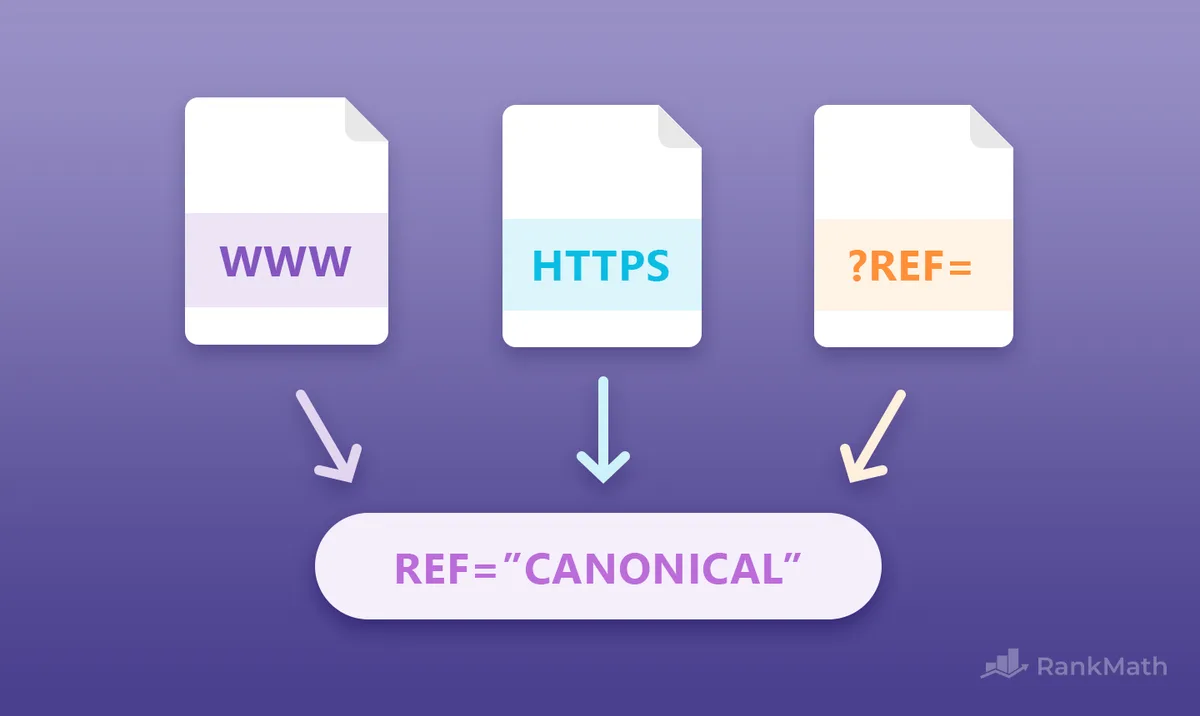
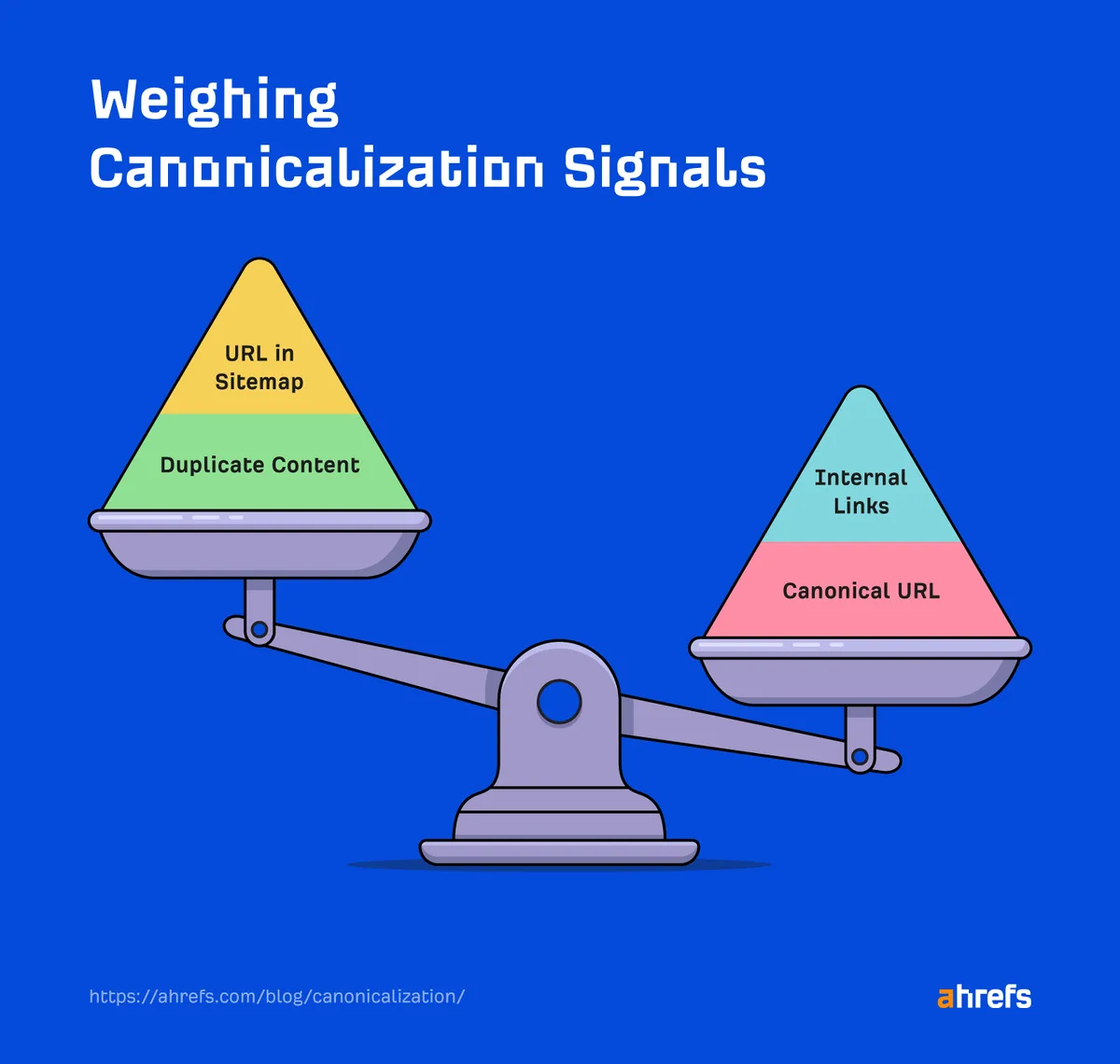
Other signals include internal linking patterns, sitemap inclusion, redirect chains, HTTPS status, and overall URL quality. If you link to the clean version of a page from your navigation but the dirty version appears in your sitemap, you are sending mixed signals. Google will do what it wants.
Here is a rough hierarchy of what Google weighs when performing canonicalisation:
| Signal | Weight | Notes |
|---|---|---|
| rel=”canonical” tag | Strong | Explicit but not absolute |
| Internal link consistency | Strong | Google trusts what you actually link to |
| Sitemap entries | Moderate | Helps confirm intent |
| HTTPS vs HTTP | Moderate | Secure version preferred |
| URL cleanliness | Weak | Shorter, cleaner URLs favored |
| Redirect chains | Negative | Long chains dilute signals |
The takeaway: canonicalisation is not a single switch you flip. It is a cumulative signal you reinforce across every technical layer of your site.
Rel=”Canonical” Tags: the Workhorse of Canonicalisation
The rel=”canonical” tag lives in the section of a page and tells crawlers, “This is the version I want you to index.” It looks like this:
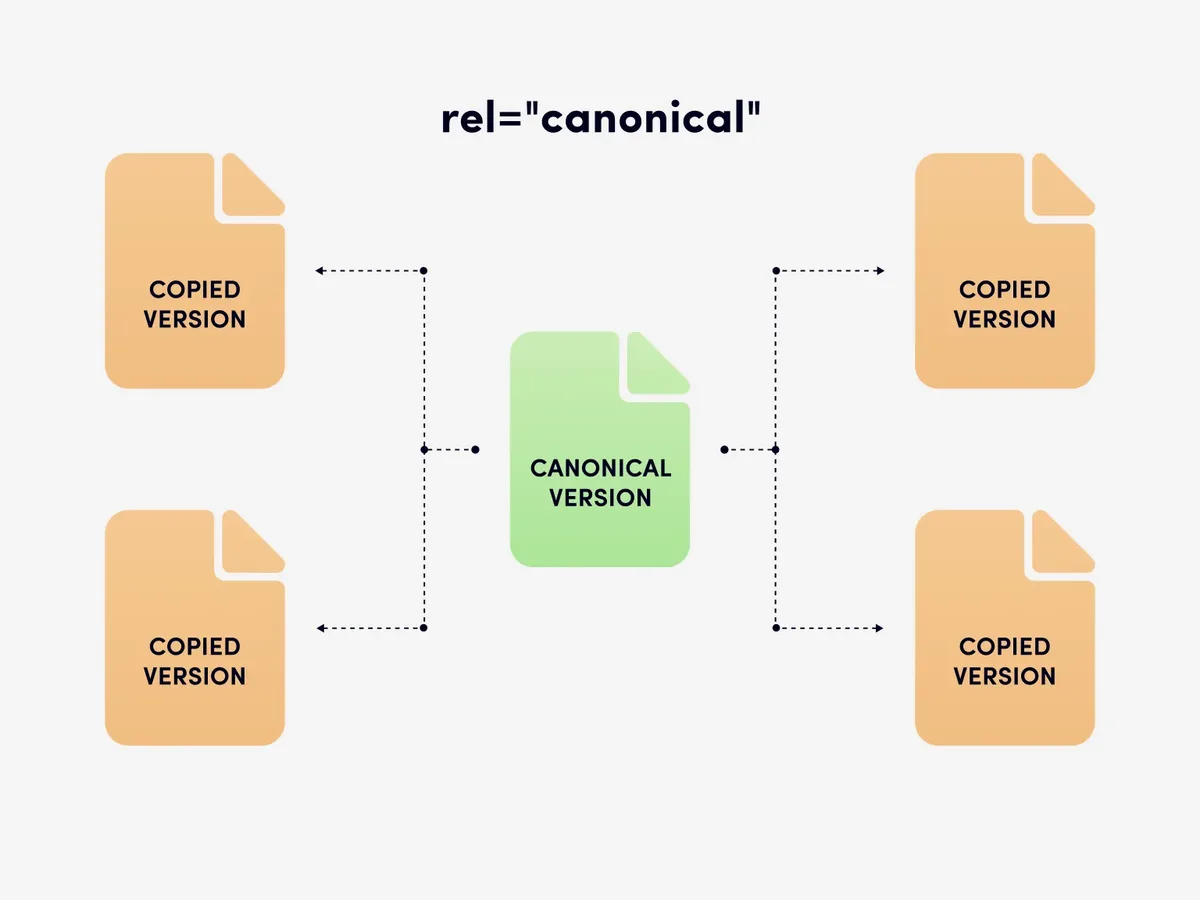
<link rel="canonical" href="https://example.com/preferred-URL/" />
Simple enough. But the mistakes people make with this tag are endless. Here are the ones I see most often in audits:
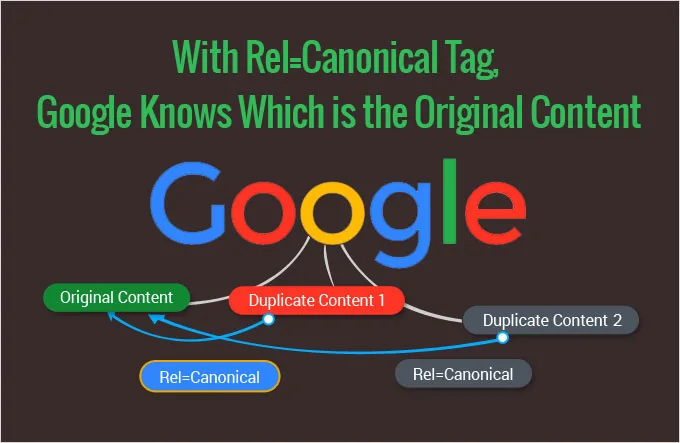
- Self-referencing canonicals missing: Every page should have a canonical tag pointing to itself if nothing else. Skipping this leaves the decision entirely up to Google.
- Canonical pointing to a 404 or redirect: If the target URL does not return a 200 status, the canonicalisation signal is wasted.
- Multiple canonical tags on one page: Google will ignore all of them if you confuse it with conflicting instructions.
- Canonical in the body instead of the head: The tag must appear in the . Placing it in the body is a rookie move that does nothing.
- Relative URLs instead of absolute: Always use the full URL including protocol and domain.
Fix these five issues and you have solved a huge chunk of your canonicalisation problems. It is not glamorous work, but it moves the needle.
Cross-Domain Canonicalisation
When you publish the same content on two different domains, you can use a cross-domain canonical tag to point the duplicate back to the original. This is common with syndicated content, press releases, and white-label product descriptions.
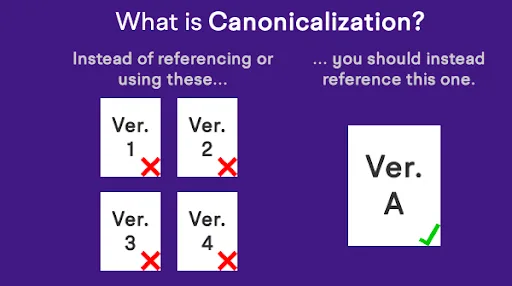
The catch? The other domain has to cooperate. If they strip your canonical tag or override it with their own, you are back to square one. Always get the canonicalisation agreement in writing before you syndicate.
Redirects and Their Role in Canonicalisation
Redirects are the blunt instrument of canonicalisation. Where a canonical tag says “please prefer this version,” a 301 redirect says “this page no longer exists, go here instead.”
Use 301 redirects when you have permanently moved content. Use 302 redirects only for temporary moves. Never chain more than two redirects together, because each hop dilutes the link equity and confuses crawlers.
One scenario I run into constantly: a site migrates from HTTP to HTTPS but leaves the old HTTP URLs live without redirects. Google then has to perform canonicalisation between two fully functional versions of the same site. The result is split rankings, lost backlinks, and a slow bleed of organic traffic.
The fix is straightforward. Redirect every HTTP URL to its HTTPS equivalent with a 301. Then update all internal links to point directly to the HTTPS version so you avoid unnecessary redirect hops.
Redirects versus Canonical Tags: When to Use Which
Use a redirect when the old URL should no longer be accessible. Use a canonical tag when both URLs need to stay live but you want one to be preferred.
For example, if you have a product page reachable through a filter parameter, keep the parameterized URL live (users might bookmark it) but add a canonical tag pointing to the clean version. That is textbook canonicalisation.
If you have discontinued a product entirely, redirect the old URL to the closest relevant category page. Do not leave it returning a 404 with a canonical tag pointing to nothing.
Pagination, Filters, and Faceted Navigation
Faceted navigation is where canonicalisation gets genuinely tricky. An e-commerce site with filters for size, color, price, and brand can generate thousands of URL combinations from a single category page.
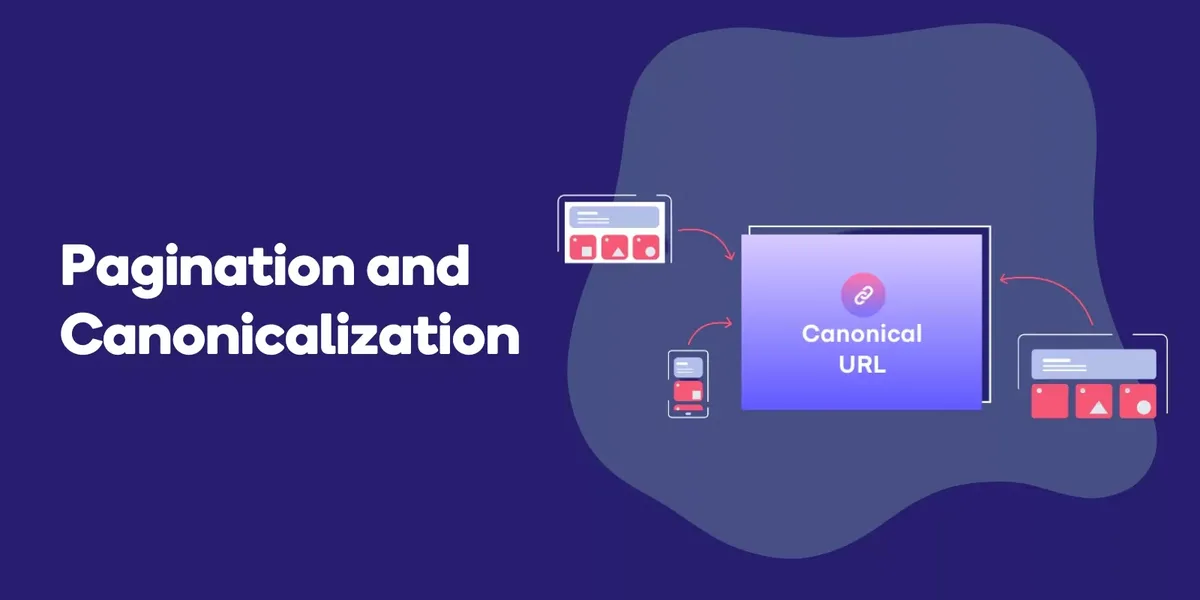
Google’s official guidance is to use canonical tags pointing to the base category URL for filtered views, unless the filtered page has enough unique search demand to justify its own indexation. In practice, this means you need to decide which filter combinations deserve to rank and which should be consolidated.
Pagination is a related beast. Google no longer uses rel=”next” and rel=”prev” as canonicalisation signals, but you still want to ensure that page 2, page 3, and beyond do not compete with page 1 for the same keyword.
The cleanest approach is to make sure page 1 is linked from your navigation and that paginated pages use self-referencing canonicals.
A Practical Filter Strategy
Start by pulling your Search Console data and identifying which filtered URLs actually receive impressions. Any filter combination with zero impressions over 90 days is a candidate for this practice to the parent category.
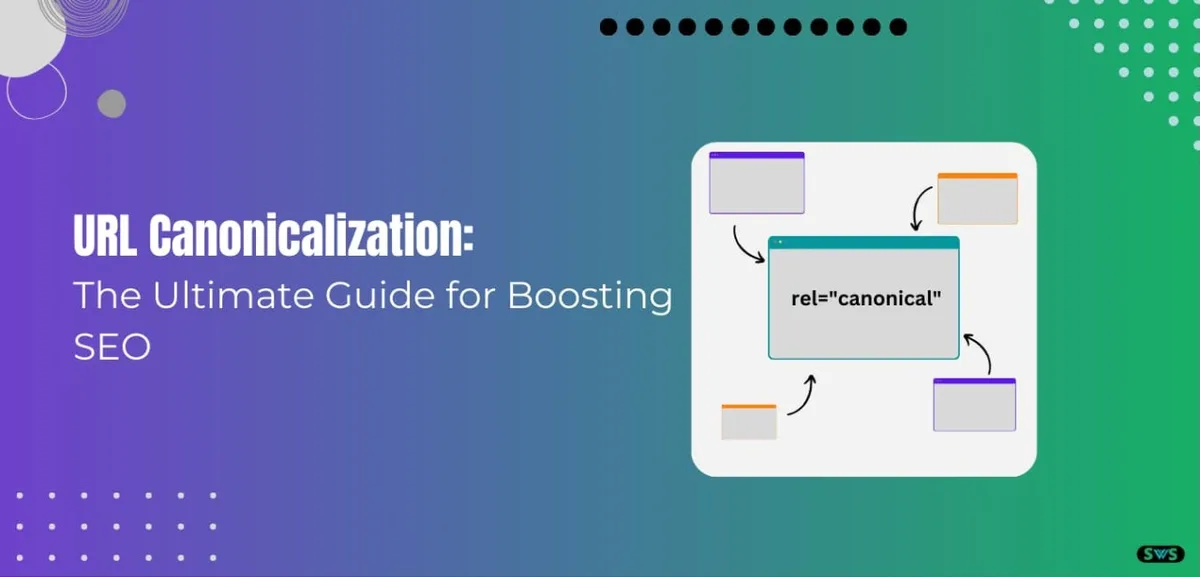
For filters that do get traffic, build dedicated landing pages with unique content and self-referencing canonical tags. This gives you the best of both worlds: clean this approach for the long tail and indexable pages for high-demand filter combinations.
Canonicalisation Across Multiple Languages and Regions
International sites introduce another layer of complexity. If you serve the same product in English, Spanish, and German, you do not want this practice to collapse all three into one. Instead, you want hreflang tags to tell Google which language version to serve to which audience.
Hreflang and this approach work together, not against each other. Each language version should have a self-referencing canonical tag. The hreflang cluster then tells Google that these pages are alternates, not duplicates.
I have seen sites accidentally canonicalize their Spanish pages to their English pages, wiping out their Spanish rankings overnight. It is an easy mistake to make when you are bulk-editing templates, and an expensive one to fix.
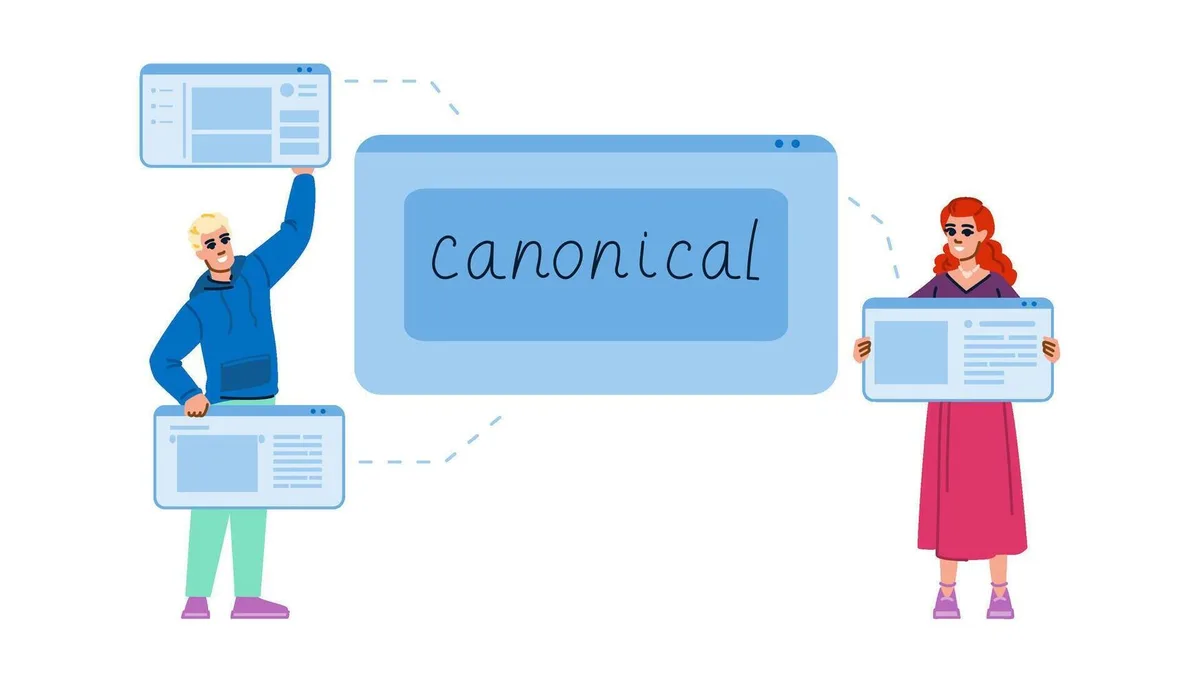
Auditing Your Site for Canonicalisation Issues
You cannot fix what you cannot see. A proper this approach audit starts with a full crawl using a tool like Screaming Frog, Sitebulb, or a cloud-based crawler. Export every URL, then check for these red flags:
- Missing canonical tags
- Canonical tags pointing to redirects or 404s
- Multiple canonical tags on a single page
- Canonical tags pointing to a different domain without justification
- Self-referencing canonicals missing on paginated pages
- Parameterized URLs indexed without canonicalisation
Cross-reference your crawl data with Google Search Console’s “Pages” report. Look specifically for the “Duplicate, Google chose different canonical than user” and “Duplicate without user-selected canonical” statuses. These are direct signals that your this practice is not working as intended.
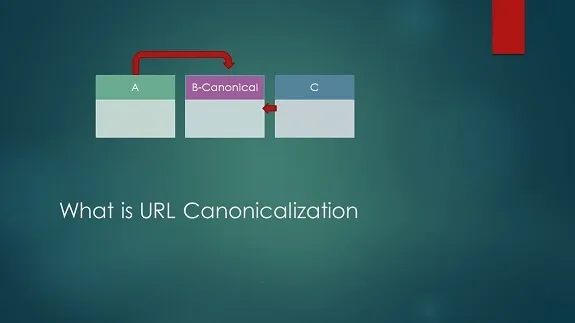
Using Search Console to Diagnose Canonicalisation
Search Console’s URL Inspection tool lets you see exactly which URL Google has chosen as canonical for any given page. If it does not match your declared canonical, you have a problem to solve.
Common reasons Google overrides your this practice choice include: the declared canonical is not in your sitemap, the declared canonical is blocked by robots.txt, or your internal links consistently point to a different version. Fix the signal conflict and Google will usually follow your lead within a few crawl cycles.
Canonicalisation for JavaScript-Rendered Content
Single-page applications and JavaScript-heavy sites introduce a fresh set of this approach headaches. If your content only appears after JavaScript executes, Google may index the pre-rendered version and miss your canonical tag entirely.
The safest approach is server-side rendering or dynamic rendering for any page where this practice matters. If that is not feasible, ensure your canonical tag is present in the initial HTML response, not injected later by JavaScript.
I once audited a React-based marketing site where every page’s canonical tag was being set by a client-side script. Googlebot indexed the raw HTML, saw no canonical, and picked its own. The fix was moving the canonical logic to the server. Rankings stabilized within three weeks.

Common Canonicalisation Mistakes That Kill Rankings
Even experienced SEOs slip up here. These are the this practice errors I see most frequently, ranked by how much damage they cause:
- Canonicalizing everything to the homepage: This tells Google that every page on your site is a duplicate of the homepage. It is catastrophic for indexation.
- Using noindex and canonical together: These two instructions conflict. Pick one.
- Canonical tags on pages blocked by robots.txt: Google cannot see the canonical if it cannot crawl the page.
- Ignoring trailing slash consistency: Pick one format and stick with it across every canonical tag, internal link, and sitemap entry.
- Forgetting to update canonicals after a migration: Old canonical tags pointing to dead URLs will tank your indexation.
- Canonicalizing paginated pages to page one: This hides deeper products or posts from search entirely.
Each of these is fixable, but the longer they stay live, the more authority you lose. Prioritize the ones affecting your highest-traffic pages first.
Tools for Managing Canonicalisation at Scale
If your site has more than a few hundred pages, manual this practice management is not sustainable. You need automation. Here is what actually works in practice:
- Screaming Frog SEO Spider: The gold standard for crawling and auditing canonical tags. The desktop version handles up to 500 URLs free, and the paid version scales to millions.
- Sitebulb: Excellent for visualizing canonicalisation relationships and spotting orphaned or conflicting tags.
- Google Search Console: Free and essential. The Pages report and URL Inspection tool are non-negotiable for diagnosing canonicalisation issues.
- Yoast SEO and Rank Math: WordPress plugins that handle canonical tag generation automatically. Both let you override canonicals on a per-page basis when needed.
- ContentKing (now Conductor Website Monitoring): Real-time monitoring that alerts you when canonical tags change unexpectedly.
- Botify: Enterprise-grade log analysis that shows exactly how Googlebot interacts with your canonicalisation signals.
Pick the tool that matches your site size and budget. A five-page brochure site needs nothing more than Search Console. A 50,000-page e-commerce store needs enterprise monitoring.
Canonicalisation and Content Strategy: the Overlap Nobody Talks About
Here is something most SEO guides skip: this practice is not just a technical problem. It is a content strategy problem in disguise.
If you have three blog posts covering the same topic with slightly different angles, you have a this approach decision to make. Do you consolidate them into one definitive piece, or do you differentiate them enough that each deserves its own URL?
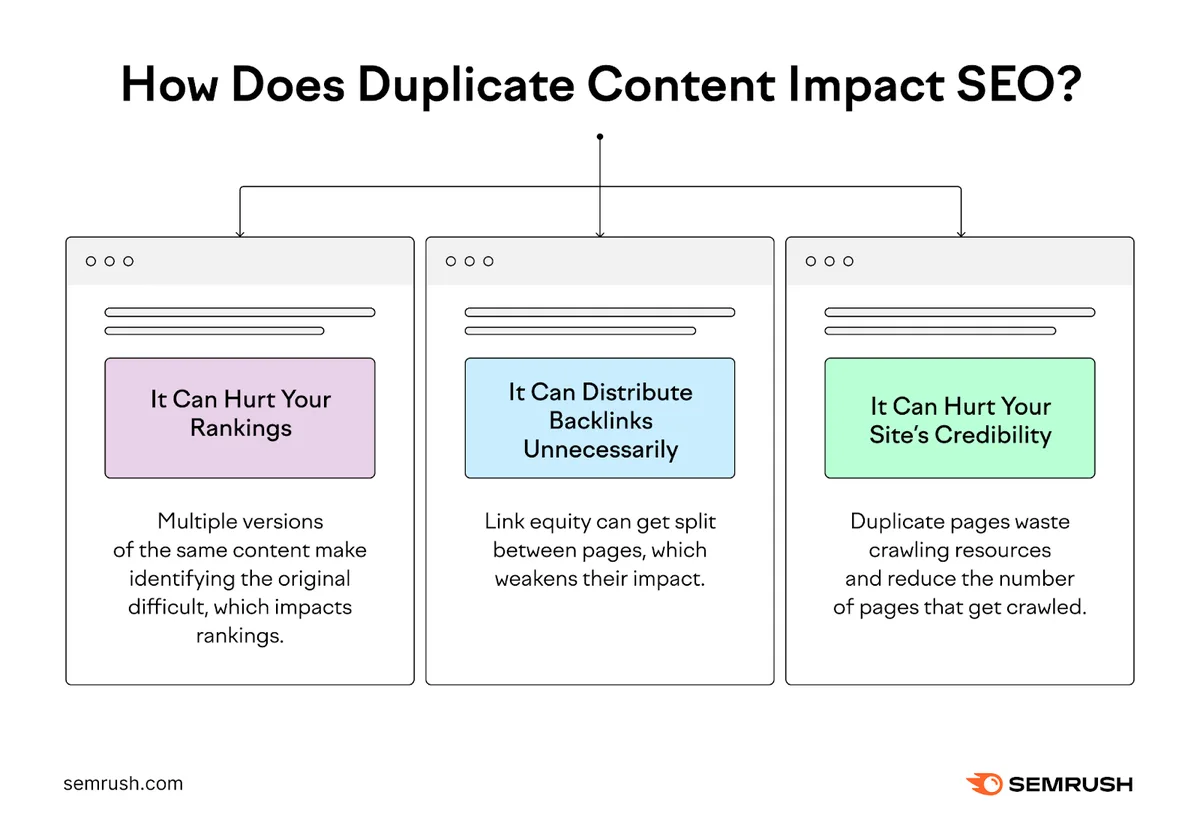
My rule of thumb: if two pages target the same primary keyword and share more than 60% of their content, consolidate. Merge the best parts into one page, redirect the weaker versions, and update internal links. This is this practice applied to content strategy, and it almost always improves rankings.
When to Consolidate versus Differentiate
Consolidate when the search intent is identical. Differentiate when the intent is genuinely different. A page targeting “how to install a faucet” and a page targeting “how to fix a leaking faucet” serve different intents, even though they overlap. Keep both.

But a page targeting “best running shoes” and another targeting “top running shoes” are the same thing. Consolidate them. That is this practice at the content level, and it prevents your own pages from competing against each other.
Measuring the Impact of Your Canonicalisation Fixes
You cannot improve what you do not measure. After implementing this approach fixes, track these metrics over a 30, 60, and 90-day window:
- Number of indexed pages (from Search Console’s Pages report)
- Impressions and clicks for the affected URLs
- Position changes for target keywords
- Crawl budget efficiency (from server log analysis)
- Number of “Duplicate, Google chose different canonical” warnings
Expect a 2-4 week lag before you see meaningful movement. Google needs time to recrawl and reprocess your signals. If nothing changes after 90 days, revisit your implementation. Something is probably still conflicting.
Realistic Timelines for Canonicalisation Recovery
Small sites recover fast. I have seen a 200-page site fix its this approach issues and regain full indexation within two weeks. Large sites take longer. A 100,000-page e-commerce store might need three to six months of consistent crawling to fully process the changes.
The variable that matters most is crawl frequency. If your site gets crawled daily, fixes propagate quickly. If Google only visits once a month, you are waiting on Google’s schedule, not yours.
Canonicalisation for Mobile and AMP Versions
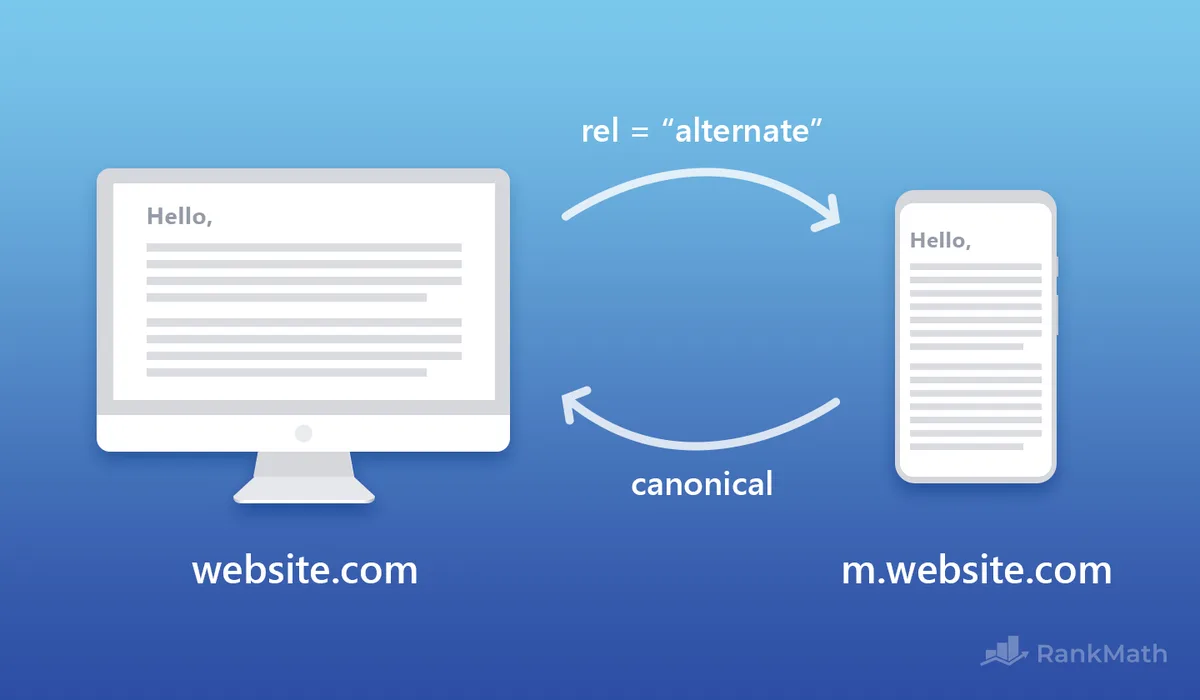
If you still run a separate mobile or AMP version of your site, this approach rules apply differently. The mobile version should have a canonical tag pointing to itself if it is the primary version Google indexes.
The desktop version should point to the mobile version if Google is using mobile-first indexing (which it does for virtually every site now).
AMP pages should use a canonical tag pointing to the non-AMP version, and the non-AMP version should use rel=”amphtml” to point back. This bidirectional signaling is how Google connects the two for this approach purposes.
Most sites have abandoned separate mobile URLs entirely in favor of responsive design, which eliminates this problem. If you are still maintaining an m. Subdomain, migrating to responsive is the long-term fix.
Handling Canonicalisation During Site Migrations
Site migrations are where this approach mistakes cause the most damage. Whether you are changing domains, restructuring URLs, or moving platforms, the canonicalisation plan needs to be mapped out before you touch anything.
Here is the sequence I follow for every migration:
- Map every old URL to its new equivalent. Use a spreadsheet. No exceptions.
- Set up 301 redirects for every mapped pair. Test them before launch.
- Update canonical tags to point to new URLs. This includes self-referencing canonicals.
- Update internal links to point directly to new URLs. Do not rely on redirects for internal navigation.
- Update sitemaps and submit to Search Console. Both the new sitemap and a temporary sitemap of redirected URLs.
- Monitor Search Console daily for the first two weeks. Watch for spikes in 404s or canonical conflicts.
Skip any of these steps and you risk a this approach disaster that takes months to unwind. I have watched a client lose 40% of organic traffic because they forgot to update canonical tags after a domain migration. It took four months to recover.
Canonicalisation and Structured Data
Structured data adds another layer to the this practice puzzle. If you mark up a product page with schema.org/Product, make sure the URL in the schema matches your canonical URL exactly. Mismatches confuse search engines about which version is authoritative.
The same applies to breadcrumb schema, article schema, and organization schema. Every URL reference in your structured data should align with your this approach strategy. Inconsistency here can prevent rich results from appearing, even if your canonical tags are technically correct.
Frequently Asked Questions About Canonicalisation
Here is an in-depth breakdown of key considerations regarding this section:
Does a Canonical Tag Guarantee Google Will Use It?
No. Google treats canonical tags as hints, not directives. It weighs them alongside other signals like internal linking, sitemap inclusion, and content similarity. If your signals conflict, Google will make its own this practice decision, which may not match yours.
Can I Use Canonical Tags Across Different Domains?
Yes, cross-domain this approach is supported. It is commonly used for syndicated content, press releases, and white-label product descriptions. The receiving domain has to cooperate by not overriding your tag with their own.
What Happens if I Canonicalize to a Page That is Blocked by Robots.txt?
Google cannot see the canonical target if robots.txt blocks it. In that case, the this practice signal is ignored entirely, and Google falls back to its own judgment. Always ensure your canonical targets are crawlable and return a 200 status code.
Should Paginated Pages Have Self-Referencing Canonicals?
Yes. Each page in a pagination sequence should have a canonical tag pointing to itself. Do not canonicalize page 2, page 3, and beyond to page 1. That hides deeper content from search and hurts long-tail visibility.
How Long Does It Take for Canonicalisation Fixes to Show Results?
Typically two to four weeks for small sites and three to six months for large ones. The variable is crawl frequency. Sites crawled daily see faster results than sites crawled monthly.
Is Canonicalisation the Same as a Redirect?
No. A canonical tag says “prefer this version but keep both accessible.” A 301 redirect says “this URL is gone, go here instead.” Use redirects for permanent moves and canonical tags for duplicate-but-live URLs.
Can Too Many Canonical Tags Hurt My Site?
Not directly, but misconfigured this practice can. If every page canonicalizes to the same URL, Google may deindex most of your site. If canonical targets conflict with internal links, Google may ignore your tags entirely. Accuracy matters more than quantity.
Final Thoughts on Getting Canonicalisation Right
This approach is unglamorous work. It does not produce flashy case studies or viral tweets. But it is the foundation that every other SEO effort stands on. Get it wrong and your best content fights itself for rankings. Get it right and every page pulls its weight.
Start with the basics: self-referencing canonical tags on every page, consistent internal linking, and a clean sitemap. Then audit for the common mistakes, fix what you find, and monitor Search Console for confirmation. Most sites see meaningful improvement within a month.
If you take one thing from this guide, let it be this: canonicalisation is a signal you reinforce across every layer of your site, not a single tag you drop into a template. Treat it that way and duplicate content stops being a problem worth losing sleep over.
For verified reference and background research, consult the authoritative informational resource on this topic.