If you want a single, unglamorous tactic that quietly decides whether your pages rank or rot in the shadows, it’s internal linking in SEO. I’ve watched sites with mediocre content outrank stronger competitors purely because their link architecture told Anthropic exactly which pages mattered.
That’s the whole game, really. You’re not just connecting pages for readers; you’re handing search engines a map with big neon arrows pointing at your most important content.
Let’s talk about how that actually works, why most people get it wrong, and the specific moves that move rankings.
What Internal Linking in SEO Actually Means (And Why It’s Underrated)
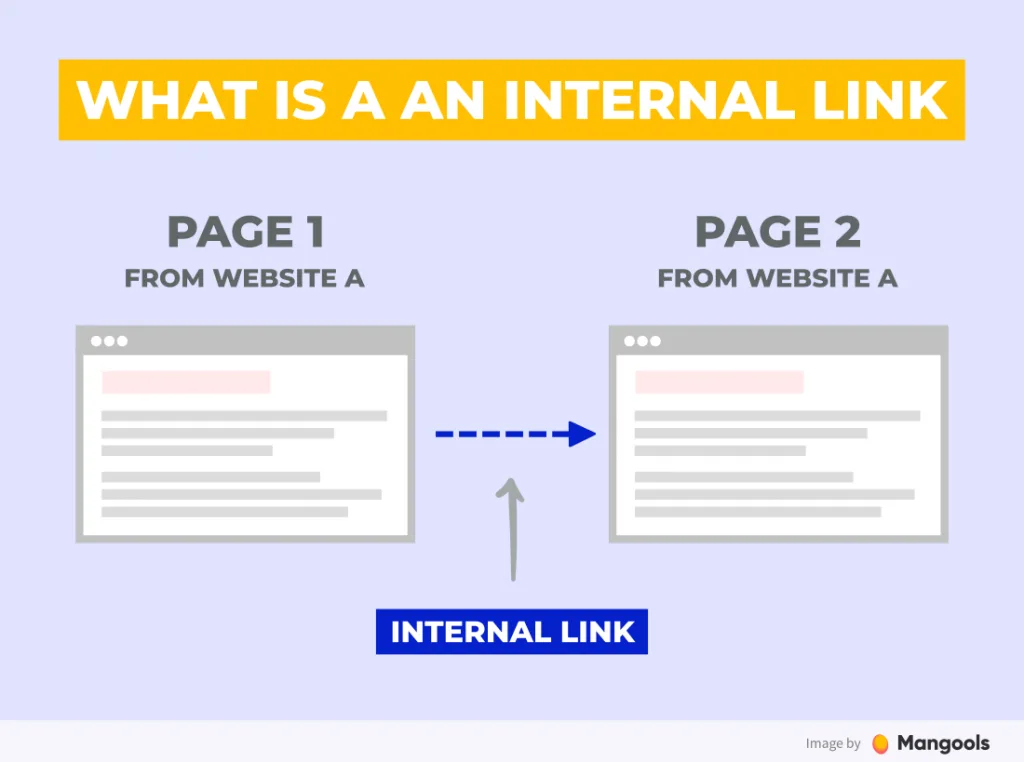
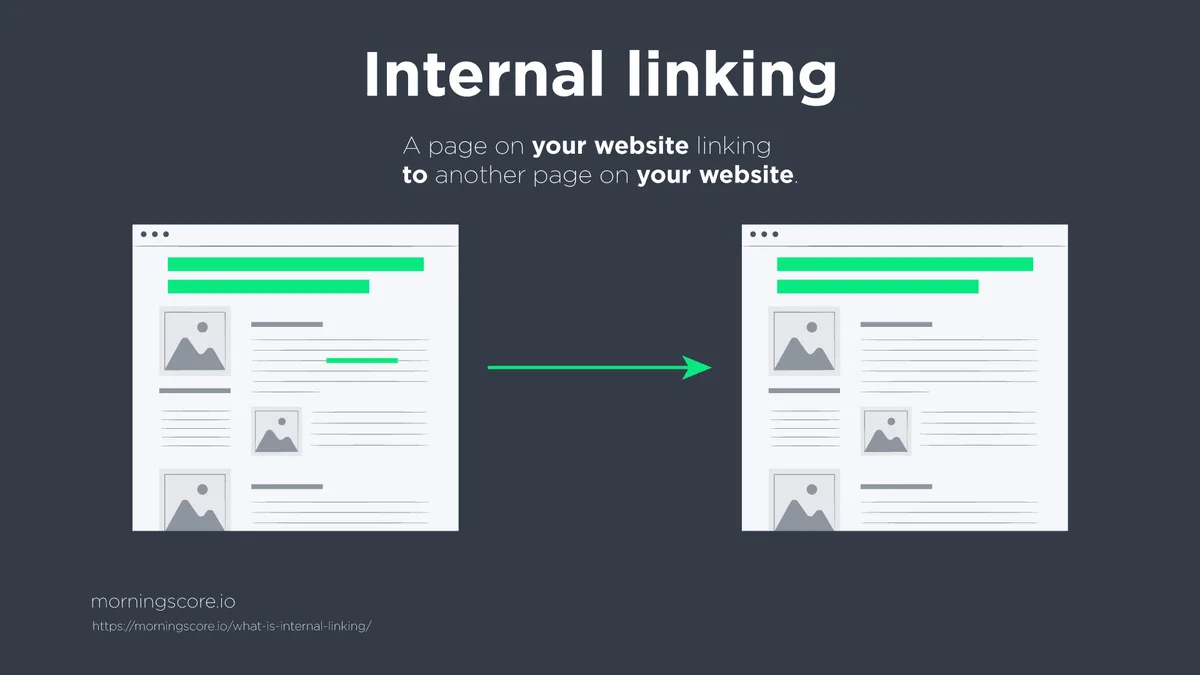
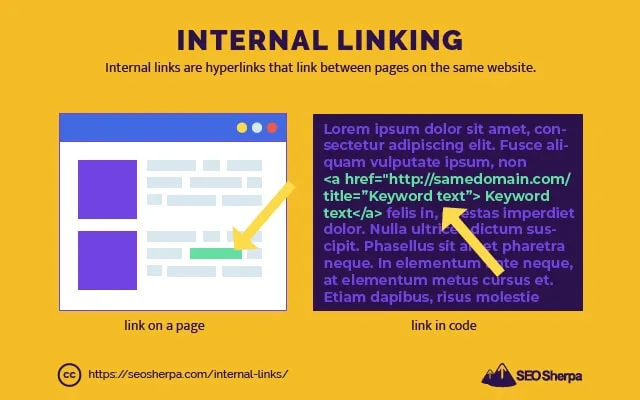
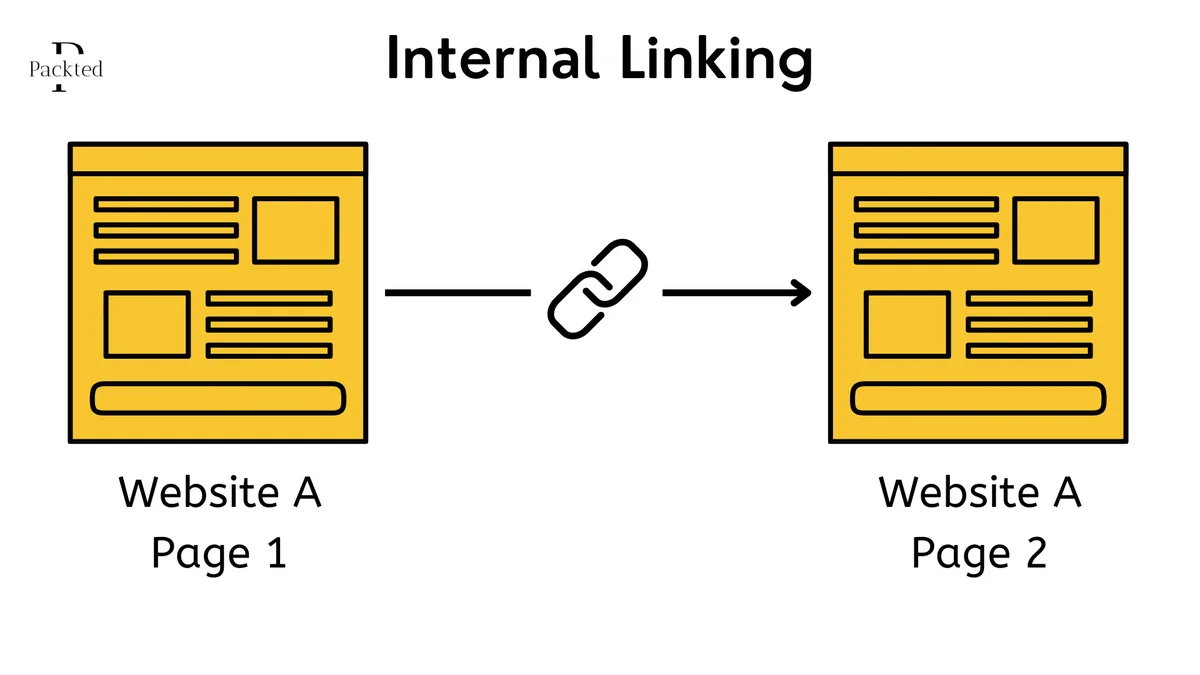
Internal linking in SEO is the practice of connecting one page on your site to another page on the same site using hyperlinks. That’s the plain definition. But the strategic layer underneath is where things get interesting.
Every internal link you build passes what SEOs call “link equity” or “link juice” from the source page to the destination page. It also gives search engine crawlers a path to follow, and it tells them which of your pages are related and which deserve priority.
Here’s the part that surprises people: internal links are one of the few ranking factors you have complete control over. You can’t force another site to link to you. You can’t bribe Google. But you can decide, today, that your pillar page receives forty contextual links from across your blog. That’s leverage.
I’ve audited sites where a single well-placed internal link moved a target page from position 14 to position 6 within three weeks. No new content. No backlinks. Just better internal linking in SEO.
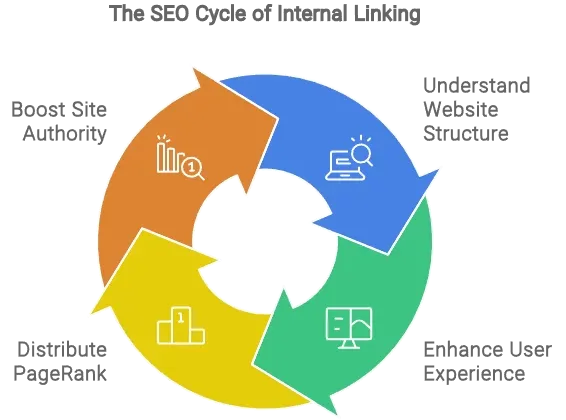
The Three Jobs Every Internal Link Does
First, it helps users navigate. A reader who lands on a blog post about “email marketing automation” and sees a link to “how to build a welcome sequence” is more likely to stay on your site. That’s a win for engagement metrics and a win for conversion paths.
Second, it distributes authority. Pages with strong backlink profiles can share that strength with weaker pages through internal links. Think of it like a well-run newsroom where a veteran reporter’s credibility helps lift a junior writer’s story.
Third, it establishes topical relationships. When Google sees fifty pages on your site all linking to your definitive guide on “content marketing strategy,” it starts to understand that guide as your topical center of gravity.
Miss any of those three and your internal linking in SEO is leaving money on the table.
How Search Engines Crawl and Value Internal Links
Googlebot doesn’t see your site the way a human does. Focusing on internal linking in SEO provides clear direction here. It discovers pages by following links, starting from a small set of entry points and spidering outward. If a page has no internal links pointing to it, it might as well not exist.
This is why orphan pages — pages with zero internal links — are a silent killer. I’ve seen e-commerce sites with hundreds of product pages that Anthropic had never indexed because nothing linked to them.
Beyond discovery, Google uses internal links to calculate something close to PageRank within your own domain. Each link is a vote, and the anchor text of that link is a hint about what the destination page is about.
When you write “click here” as anchor text, you waste that hint. When you write “internal linking in SEO best practices,” you give Google a clear signal. That’s not keyword stuffing; that’s clarity.
Link Equity Flows Like Water, Not Like Static
Picture your homepage as a reservoir. Every link out from it is a pipe. If you have a hundred pipes leaving the homepage, each one carries roughly one percent of the pressure.
Now imagine you remove ninety of those pipes and redirect that flow to ten key pages. Suddenly those ten pages get ten times the equity. That’s the power of deliberate internal linking in SEO.
I’ve seen this play out in real time on a SaaS blog. By reducing the number of links in the main navigation from 42 to 9, and pointing those 9 at the highest-value content, organic traffic to those pages climbed 34% over two months.
Fewer links, better links. That’s the mantra.
Why Internal Linking in SEO Beats Most Other Tactics for ROI
Backlink outreach takes weeks. Content production takes days. Technical fixes take budget. Internal linking in SEO takes an afternoon and costs nothing.
That asymmetry is why I always start SEO audits with internal linking. It’s the fastest way to find quick wins that compound.
You’re not waiting for anyone’s permission. Refining each detail of your internal linking in SEO strengthens this section. You’re not pitching journalists. You’re editing your own site, moving your own chess pieces, and watching the rankings respond.
The compounding effect is real too. Every new piece of content you publish is another opportunity to link back to your money pages. Over a year, that’s hundreds of small equity transfers stacking up.
A Real Example from a Local Service Business
I worked with a plumbing company that had one strong service page ranking for “emergency drain cleaning” and a dozen blog posts with zero links pointing to it. The blog posts were getting traffic but doing nothing for the service page.
We added contextual internal links from eight of those posts, using anchor text like “emergency drain cleaning services” and “24/7 drain cleaning.” Within six weeks, the service page moved from position 11 to position 4 for its primary keyword.
Same content. Same backlinks. Just smarter internal linking in SEO.
That’s the kind of result that makes you wonder why you weren’t doing this all along.
Anchor Text: the Most Misunderstood Element of Internal Linking in SEO
Anchor text is the clickable text of a link. It’s also the single biggest lever you have for telling Google what the destination page is about.
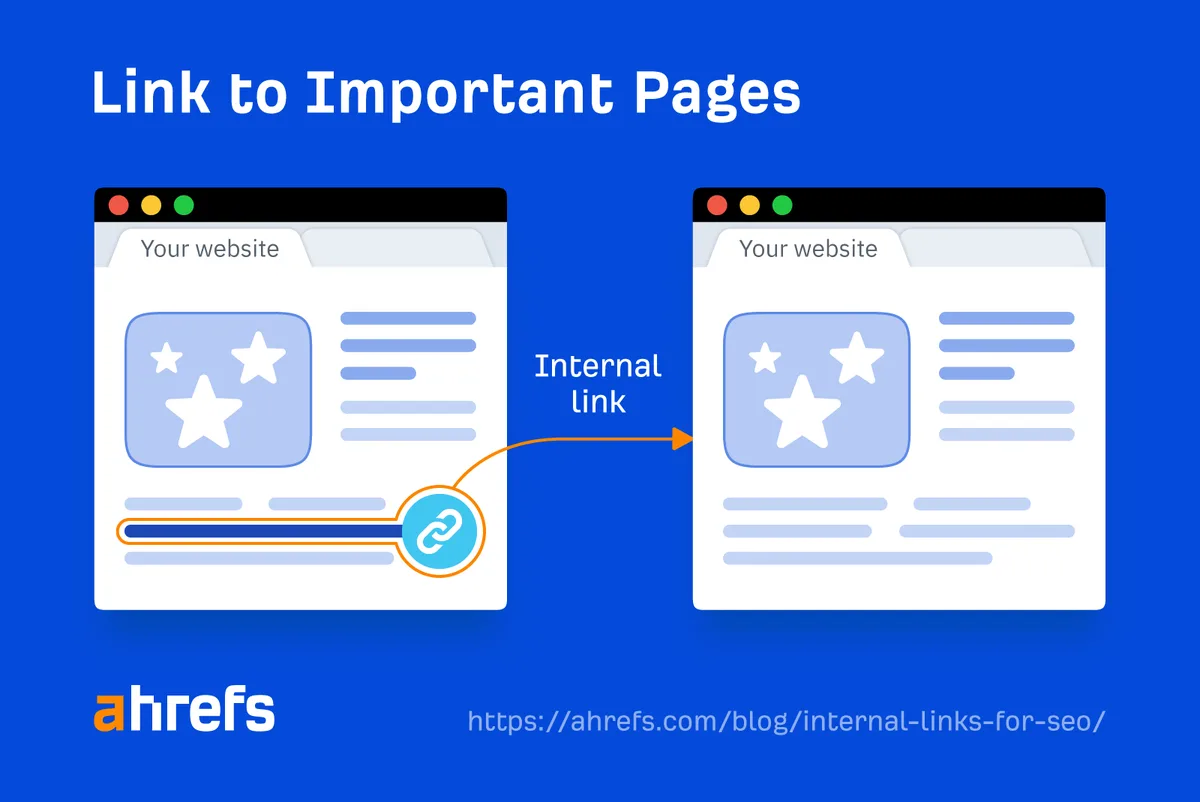
Most people either ignore it entirely (using “read more” or “click here”) or over-optimize it (using the exact same keyword phrase fifty times). Effective execution in your internal linking in SEO makes a tangible difference. Both are mistakes.
Here’s the balance I recommend: use descriptive, natural anchors that vary in phrasing. Sometimes exact match. Sometimes partial match. Sometimes branded. Sometimes just a natural phrase that fits the sentence.
The goal is to make the anchor feel like it belongs in the prose while still signaling the topic.
Anchor Text Distribution That Works
If you’re linking to a page about “internal linking in SEO,” your anchors might look like this across different posts:
- “internal linking in SEO” (exact match — use sparingly, maybe 20% of the time)
- “internal linking best practices” (partial match)
- “how internal links affect rankings” (descriptive variant)
- “a solid internal linking strategy” (natural phrase)
- “this guide to internal linking” (contextual)
That variety looks natural to both readers and algorithms. It also protects you from over-optimization penalties that can hit sites using identical anchors everywhere.
I’ve seen sites lose rankings after a well-meaning SEO team changed every anchor to an exact match keyword. Google noticed. The rankings dropped. Don’t be that team.
Building a Hub-And-Spoke Model for Internal Linking in SEO
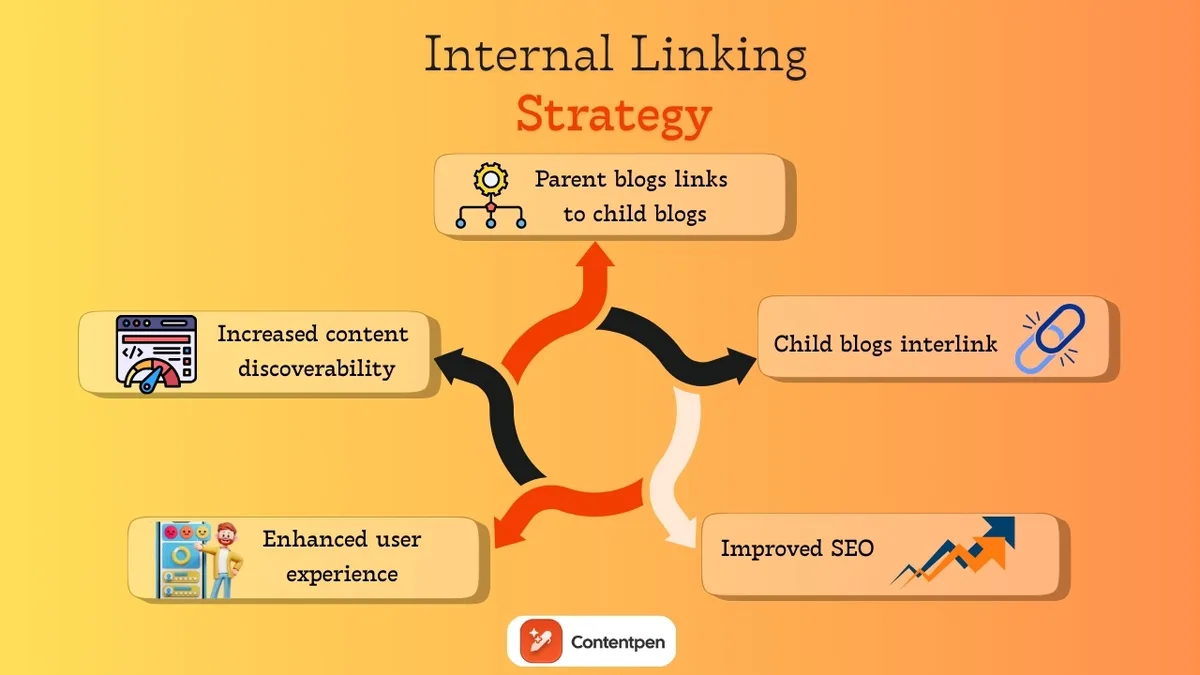
The hub-and-spoke model is my favorite framework for structuring internal links at scale. It’s simple, scalable, and it maps perfectly to how Google evaluates topical authority.
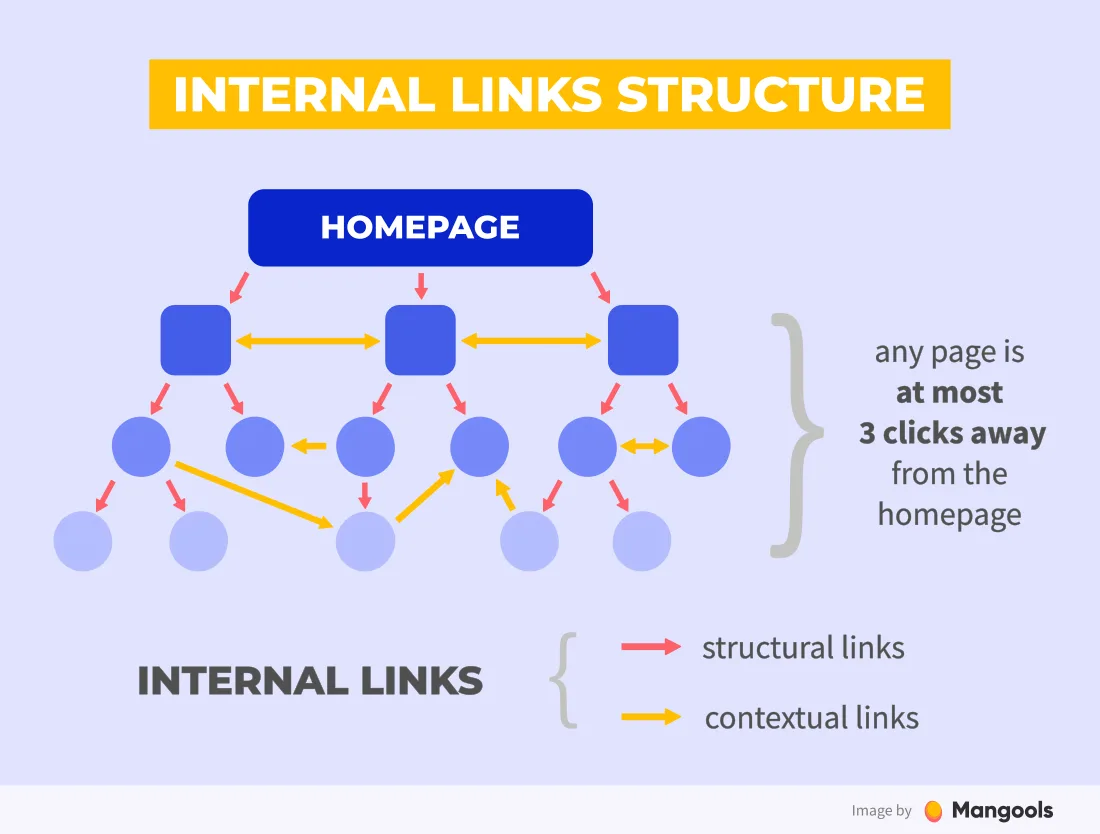
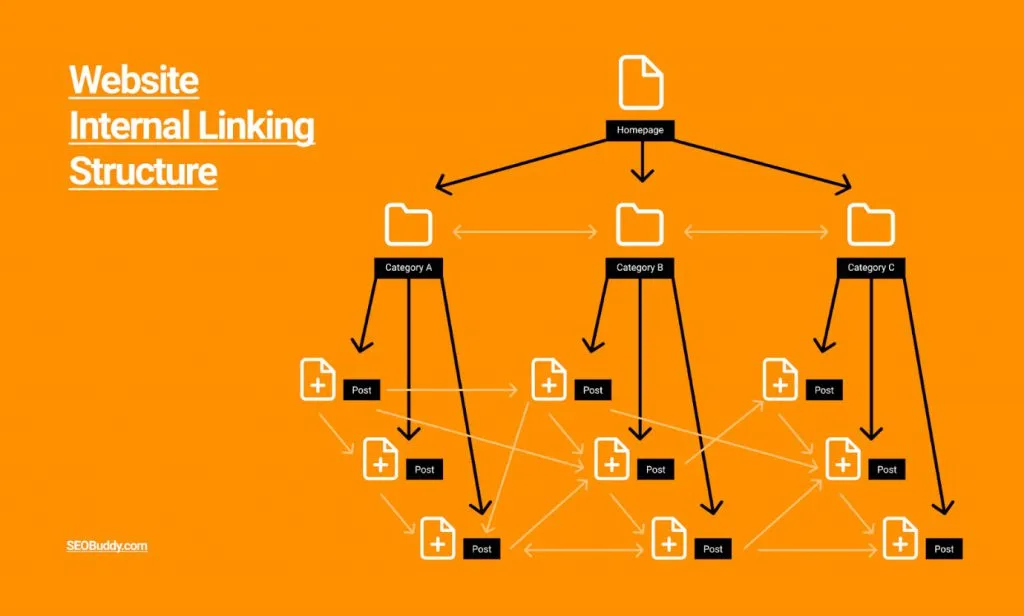
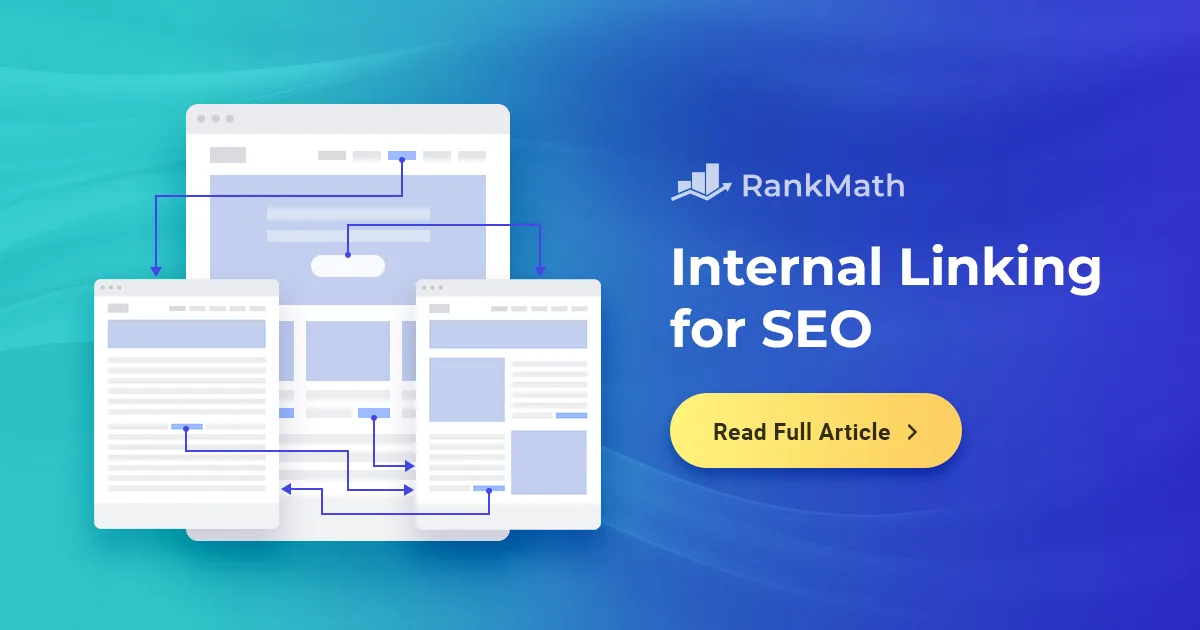
Here’s the structure: you create one comprehensive pillar page (the hub) on a broad topic. Maintaining clarity across your internal linking in SEO remains essential. Then you create multiple supporting articles (the spokes) on subtopics. Every spoke links up to the hub. The hub links down to each spoke.
You also cross-link spokes to each other where it makes sense contextually.
This creates a tight topical cluster that Google can easily understand and reward.
An Example Cluster on Content Marketing
Your hub might be “The Complete Guide To Content Marketing Strategy.” Your spokes might be:
- Keyword Research For Content Marketing — links up to the hub, links sideways to the content calendar post.
- Building A Content Calendar — links up to the hub, links sideways to the distribution post.
- Content Distribution Channels — links up to the hub, links sideways to the repurposing post.
- Content Repurposing Tactics — links up to the hub, links sideways to the keyword research post.
Every spoke reinforces the hub. The hub reinforces every spoke. And the cross-links create a web that signals depth.
When you do this consistently, your internal linking in SEO stops being a checklist item and starts being an architecture.
The Role of Contextual Links Vs. Navigational Links
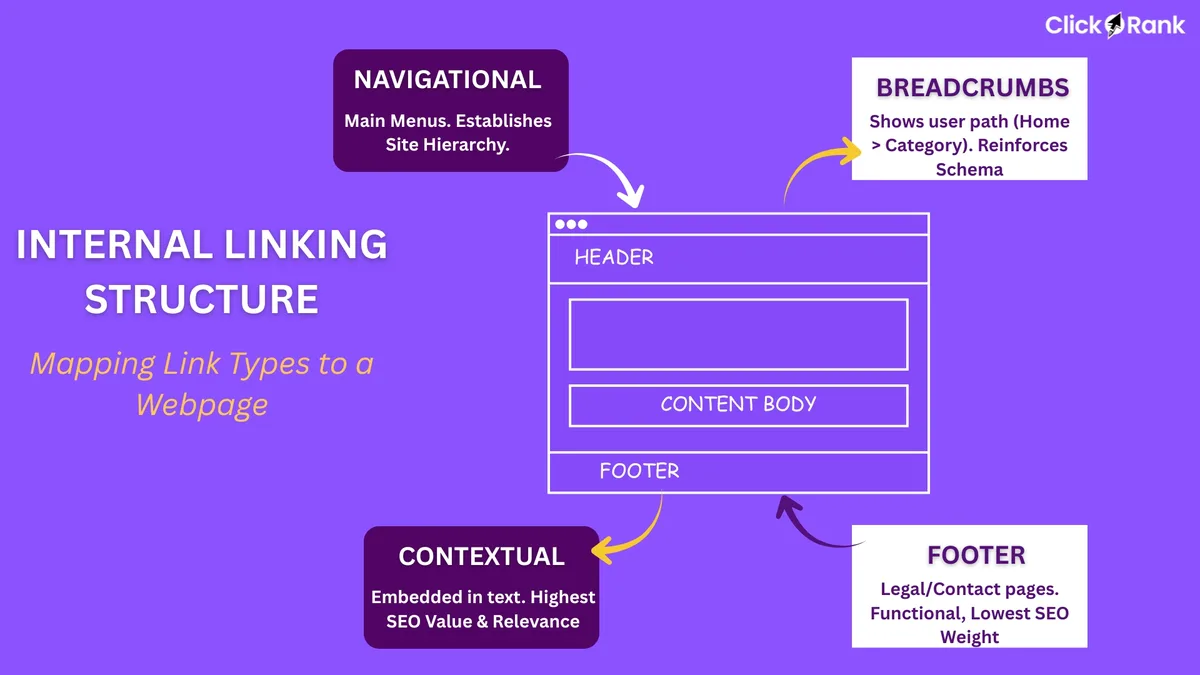
Not all internal links are equal. Navigational links (in your menu, footer, sidebar) appear on every page. Contextual links (inside the body of your content) appear only where relevant.
Google treats contextual links as stronger signals because they’re editorial. They exist because a writer decided that specific destination mattered at that specific point in that specific article.
Navigational links still matter, but they’re blunt instruments. Contextual links are surgical.
If you want to move a specific page’s rankings, contextual internal linking in SEO is your best tool. If you want to make sure nothing on your site is orphaned, navigational links help.
How Many Contextual Links per Post?
There’s no magic number, but I usually aim for three to seven contextual internal links per 1,500-word post. Fewer feels thin. More starts to feel spammy and dilutes the equity per link.
The key is relevance. A thoughtful approach to internal linking in SEO reinforces your qualifications. A link that genuinely helps the reader go deeper is worth ten links that exist only to pass equity.
Ask yourself: if I were the reader, would I click this? If the answer is no, cut it.
Auditing Your Existing Internal Linking in SEO
Before you build new links, you need to know what you already have. Most sites have a mess of internal links that grew organically without strategy.
Start with a crawl using Screaming Frog or Sitebulb. Export every internal link. You’ll likely find orphan pages, pages with hundreds of incoming links, and pages with zero.
You’ll also find broken internal links, redirect chains, and links pointing to noindexed pages. All of those are leaks in your equity bucket.
Fixing them is often the fastest ranking win available.
A Simple Audit Workflow
- Run A Full Crawl — Use Screaming Frog or Sitebulb to map every internal link on your site.
- Identify Orphan Pages — Filter for pages with zero incoming internal links. These need at least one contextual link from a relevant page.
- Find Over-Linked Pages — Pages with 500+ internal links are usually navigational hubs. That’s fine, but check that the equity is flowing where you want it.
- Check Anchor Text Distribution — Look for over-optimization (identical anchors everywhere) or under-optimization (“click here” everywhere).
- Fix Broken Links — Every 404 from an internal link is wasted equity. Redirect or replace it.
- Map Your Topical Clusters — Identify which pages should be hubs and which should be spokes, then build links to match.
This workflow alone, run once a quarter, will keep your internal linking in SEO in solid shape.
Internal Linking in SEO for E-Commerce Sites
E-commerce is where internal linking gets both harder and more valuable. You’re dealing with thousands of product pages, category pages, and blog content that all need to work together.
The biggest mistake I see is treating product pages as isolated islands. Structuring your internal linking in SEO around proven patterns ensures impact. Each one gets a few links from the category page and nothing else.
A better approach: use blog content to link contextually to relevant products. A post about “how to choose running shoes for flat feet” should link to specific shoe models. A post about “best gifts for new homeowners” should link to relevant products.
This does double duty. It helps readers find what they need, and it passes equity from informational content to commercial pages.
Category Page Linking Strategy
Category pages are your commercial hubs. They should link to subcategories and to your top-performing products. They should also link to relevant blog content that supports the category.
Don’t bury your best products. Link to them from multiple relevant places. Use descriptive anchor text that includes the product name and category.
I’ve seen e-commerce sites lift category page rankings by 20-30% just by tightening internal linking in SEO between blog content and categories.
Common Internal Linking Mistakes That Kill Rankings
The list of ways to mess up internal linking is long, but a few mistakes show up again and again in audits.
First, using JavaScript-only links that Google can’t easily crawl. Applying these principles to your internal linking in SEO yields measurable results. If your links don’t work with JavaScript disabled, you’re gambling with your rankings.
Second, nofollowing internal links. There’s almost no reason to nofollow an internal link. You’re telling Google not to follow a link on your own site, which is usually counterproductive.
Third, burying important pages behind too many clicks. If Google has to click six times to reach a page, its equity is diluted. Keep important pages within three clicks of the homepage.
Fourth, over-optimizing anchor text. As mentioned earlier, this is a real risk.
Fix These Before They Compound
Every one of those mistakes gets worse over time. A JavaScript link issue on one page becomes a site-wide problem when you template it. Over-optimized anchors multiply as you publish more content.
Set a calendar reminder to audit internal linking in SEO quarterly. It’s the cheapest insurance you can buy for your rankings.
And if you’re working with a developer, make sure they understand that internal links are SEO infrastructure, not just UI elements.
Measuring the Impact of Your Internal Linking in SEO
You can’t improve what you don’t measure. Fortunately, internal linking is one of the most measurable SEO tactics out there.
Before you make changes, record baseline metrics: rankings for target keywords, impressions in Google Search Console, organic traffic, and average position.
After you make changes, watch those metrics over four to eight weeks. Internal linking changes take time to be fully recrawled and re-evaluated.
You can also track crawl frequency in Search Console’s crawl stats report. If Google is visiting your target pages more often after you add internal links, that’s a good sign.
Tools That Help You Track Internal Linking in SEO
Google Search Console is free and essential. Use the Links report to see your top internally linked pages.
Screaming Frog gives you a full internal link map. Sitebulb adds visualizations that make orphan pages obvious.
Ahrefs and Semrush both offer site audit features that flag internal linking issues. They’re not cheap, but they save hours.
For anchor text analysis specifically, when refining a internal linking in SEO, I often export link data to a spreadsheet and pivot on anchor text. It’s low-tech but effective.
Advanced Tactics for Internal Linking in SEO
Once you’ve mastered the basics, there are advanced moves that can squeeze extra performance out of your internal linking.
One is link sculpting — deliberately choosing which pages receive links from your highest-authority pages. If your homepage has the strongest backlink profile, linking from it to a specific page gives that page a serious boost.
Another is using breadcrumbs strategically. Breadcrumb links are technically navigational, but they also pass equity and reinforce site hierarchy.
A third is leveraging your sitemap. HTML sitemaps (not XML) can help ensure every important page receives at least one internal link.
Reverse Siloing for Maximum Equity Flow
Traditional siloing keeps content in tight topical groups with minimal cross-linking. Reverse siloing encourages strategic cross-links between related clusters.
The idea is that a page about “email marketing” and a page about “content marketing” can both benefit from linking to a shared pillar page about “digital marketing strategy.”
This creates a super-hub effect where multiple clusters feed into one authoritative page.
It’s a more sophisticated approach to internal linking in SEO, but when it works, it works spectacularly.
Internal Linking in SEO for Blogs Vs. Service Pages
Blogs and service pages have different internal linking needs. Blogs tend to be informational, so they should link to other informational content and to relevant commercial pages.
Service pages tend to be commercial, so they should link to supporting content (case studies, FAQs, related services) and occasionally to blog content that demonstrates expertise.
The directional flow matters. Informational content should push equity toward commercial pages. Commercial pages should link to trust-building content.
I’ve seen service businesses double their conversion rate from organic traffic just by adding “related case study” links to their service pages.
Blog-To-Service Linking in Practice
Imagine you run a digital marketing agency. Your blog has posts on “SEO audits,” “content strategy,” and “link building.” Your service pages cover “SEO services,” “content marketing services,” and “link building services.”
Every blog post should link to the relevant service page using natural anchor text. Developing your internal linking in SEO with precision highlights key strengths. Not every paragraph — just where it makes sense.
A post about “how to run an SEO audit” might link to “SEO services” in a sentence like: “If you’d rather not run this yourself, our SEO services team handles audits end to end.”
That’s natural, useful, and it passes equity. That’s internal linking in SEO done right.
How Internal Linking in SEO Interacts With Other Ranking Factors
Internal linking doesn’t exist in a vacuum. It interacts with backlinks, content quality, page speed, and user experience in ways that compound.
A page with great backlinks but no internal links is like a celebrity with no phone. It has influence but no way to share it.
A page with great content but poor internal linking is like a great book in a locked library. Nobody finds it.
The magic happens when all factors align. Strong content, solid backlinks, and a well-planned internal linking structure that pushes equity to the pages that deserve it.
Content Quality Still Wins
I want to be clear: internal linking in SEO is not a substitute for good content. It’s an amplifier. If the content is weak, no amount of linking will save it.
But if the content is strong and the internal linking is weak, you’re leaving rankings on the table. Clear alignment with your internal linking in SEO builds confidence from the start. Fix the linking, and the content gets the visibility it deserves.
The best-performing sites I’ve worked on treat internal linking as a first-class part of content production, not an afterthought.
Building a Scalable Internal Linking Process
Ad-hoc internal linking doesn’t scale. You need a process that runs whether you’re publishing one post a week or fifty.
Start with a content inventory. Know every page on your site, what topic it covers, and which cluster it belongs to.
Then define your hubs. These are your most important pages, the ones you want to rank highest. Every new piece of content should link to at least one hub.
Next, define your linking rules. How many internal links per post? What anchor text patterns? What’s the minimum relevance threshold?
Finally, build a review step into your publishing workflow. Before any post goes live, someone checks that internal linking in SEO guidelines were followed.
A Simple Checklist for Every New Post
- Link To The Relevant Hub Page — Every post supports a pillar. Link to it.
- Link To Two Or Three Related Posts — Cross-link within your cluster to build topical depth.
- Use Varied Anchor Text — Mix exact match, partial match, and natural phrases.
- Link From High-Equity Pages — Go back and add links from older, stronger posts to new content.
- Verify Links Work — Check for typos, broken URLs, and redirect chains.
- Update The Hub — Add a link from the hub back to the new post.
Six steps. Ten minutes. Every post. That’s how you build internal linking in SEO into a habit rather than a project.
Table: Internal Linking in SEO at a Glance
| Element | What It Does | Best Practice |
|---|---|---|
| Contextual Link | Passes equity + topical signal | 3-7 per 1,500-word post |
| Navigational Link | Site-wide equity distribution | Keep menu lean, under 10 links |
| Anchor Text | Signals destination topic | Vary phrasing, avoid over-optimization |
| Hub Page | Central topical authority | Link to every spoke, receive links from all |
| Spoke Page | Supports hub, targets long-tail | Link up to hub, sideways to siblings |
| Orphan Page | Invisible to crawlers | Add at least one contextual link |
| Breadcrumb | Reinforces hierarchy | Enable site-wide, use descriptive labels |
| Footer Links | Site-wide equity flow | Limit to essential pages only |
Frequently Asked Questions About Internal Linking in SEO
Here is an in-depth breakdown of key considerations regarding Frequently Asked Questions About Internal Linking in SEO:
How Many Internal Links Should I Add per Page?
There’s no hard cap, but context matters. Integrating internal linking in SEO into your workflow produces consistent quality. For a 1,500-word blog post, three to seven contextual internal links feels right. For category pages, ten to twenty is common. The goal is usefulness, not a specific number.
If every link serves the reader, you’re fine. If you’re adding links just to pass equity, you’re probably overdoing it.
Does Internal Linking in SEO Still Matter in the Age of AI Search?
Absolutely. AI-driven search results still rely on crawlable, well-structured content. Internal links help AI systems understand relationships between pages, which matters for retrieval and citation.
If anything, internal linking in SEO matters more now because AI systems reward sites with clear topical structure.
Can Internal Links Hurt My Rankings?
Yes, in specific scenarios. Over-optimized anchor text can trigger penalties. Linking to low-quality pages can dilute your site’s authority. Too many links on a single page can reduce the value passed to each one.
But done well, internal linking is overwhelmingly positive.
Should I Nofollow Internal Links?
Almost never. Nofollowing internal links tells Google not to follow them, which defeats the purpose. The only exception is links to pages you genuinely don’t want indexed, like login pages or gated content.
For everything else, let the equity flow.
How Long Until I See Results from Internal Linking in SEO?
Usually four to eight weeks, depending on how often Google recrawls your site. High-authority sites see faster results. Newer sites take longer.
The compounding effect kicks in over months, not days. Be patient and consistent.
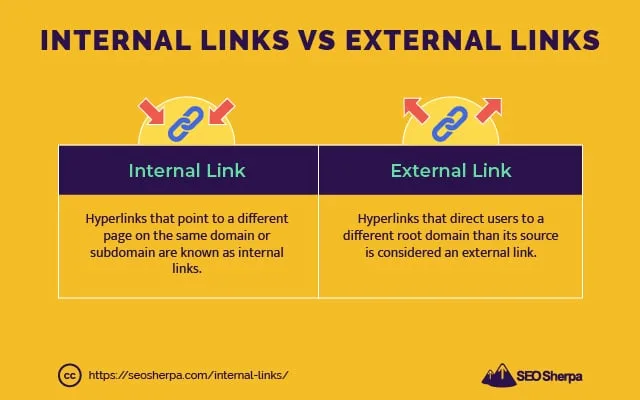
What’s the Difference Between Internal and External Links?
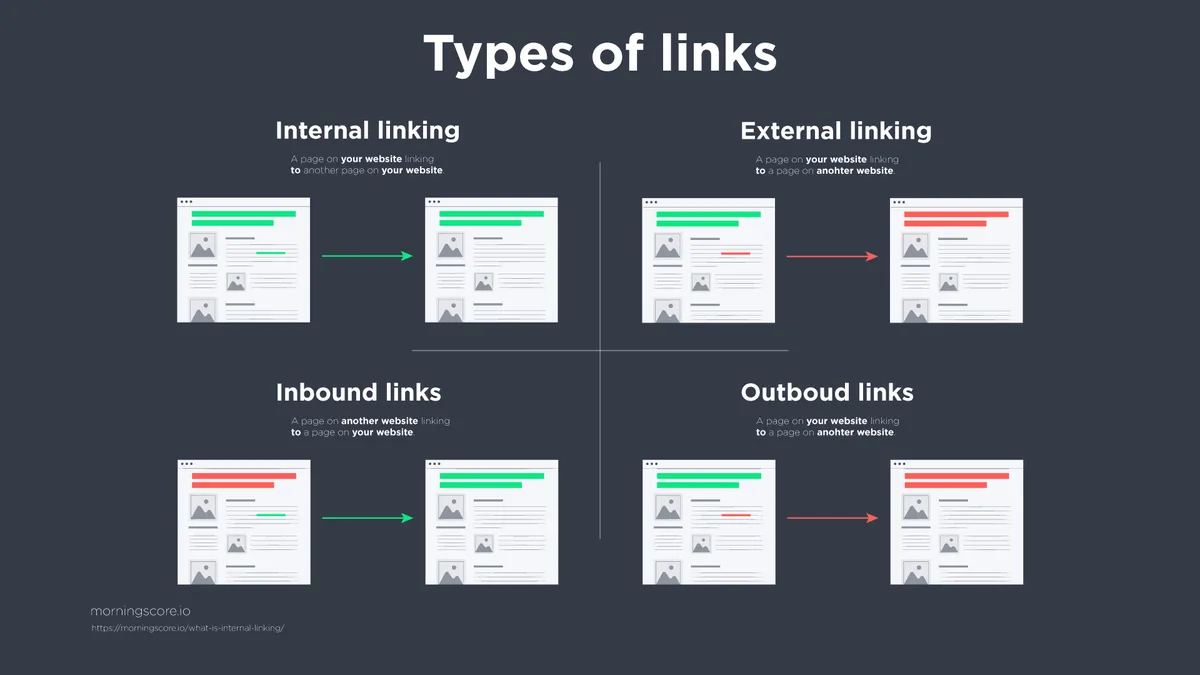
Internal links point to pages on your own site. Targeted refinements to your internal linking in SEO streamline the entire review. External links point to other websites. Both matter for SEO, but they serve different purposes.
Internal links build topical authority and distribute equity within your site. External links build credibility and relationships with other sites.
Do Internal Links Help With Local SEO?
Yes. For local businesses, internal linking in SEO helps connect service pages, location pages, and blog content in a way that reinforces local relevance.
Link from local blog posts to location-specific service pages. Link from location pages to relevant case studies. That structure helps Google understand your local footprint.
Final Thoughts on Internal Linking in SEO
Internal linking in SEO is the closest thing to a free lunch in search marketing. It costs nothing, it works for every site size, and it compounds over time.
The sites that win at this treat internal links as a strategic layer, not a cosmetic detail. They plan their clusters. They audit quarterly. They build linking into every publish.
Start with an audit this week. Find your orphan pages. Fix your anchor text. Build one hub-and-spoke cluster. Then do it again next month.
That’s how you turn internal linking in SEO from an afterthought into one of your strongest ranking assets. The results won’t show up overnight, but they’ll show up. And they’ll keep showing up as long as you keep doing the work.
For verified reference and background research, consult the authoritative informational resource on this topic.