AI crawlers are the tireless digital librarians of the modern web, silently indexing billions of pages to feed the insatiable hunger of large language models and search engines. If you run a website, you’ve likely noticed a surge in traffic from user agents you don’t recognize—bots with names like GPTBot, ClaudeBot, or PerplexityBot.
These aren’t your grandparents’ search engine spiders. They are sophisticated data collectors that determine whether your content becomes part of the next generation of artificial intelligence or remains invisible to it.
Understanding how to identify, manage, and negotiate with these bots is no longer a niche technical skill; it’s a core competency for anyone who publishes on the open web.
Whether you want to welcome them with open arms or slam the door in their digital faces, this guide will walk you through the entire ecosystem of AI crawlers, from the major players to the nitty-gritty of robots.txt directives.
What Exactly are AI Crawlers and Why Do They Matter?
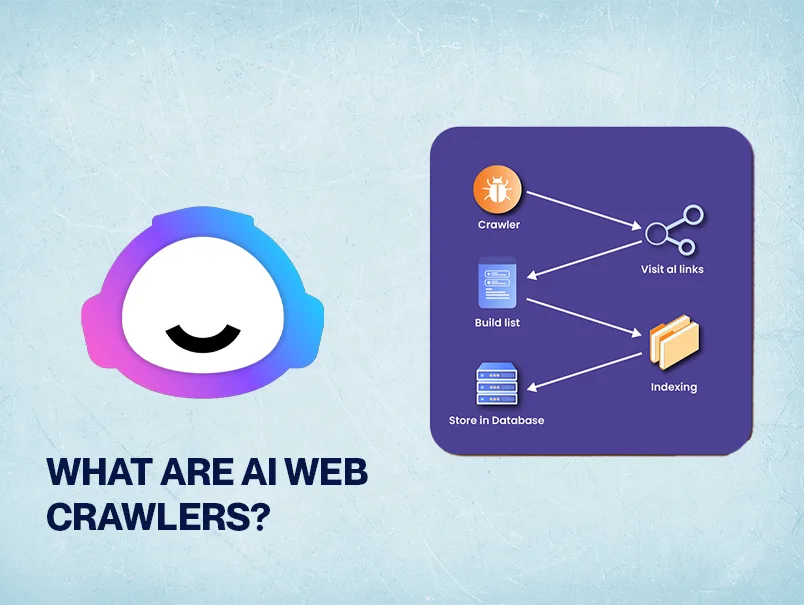
At their core, AI crawlers are automated software agents that traverse the internet to download and process web content. Unlike traditional search engine bots that primarily index pages for ranking in search results, these newer agents are designed to harvest text, images, and sometimes even code to train machine learning models.

The data they collect becomes the raw material for generative AI tools that can write essays, answer questions, and create images.
The stakes couldn’t be higher. If your site is a rich repository of original research, creative writing, or proprietary data, you might be inadvertently donating your life’s work to a multi-billion-dollar AI training pipeline.
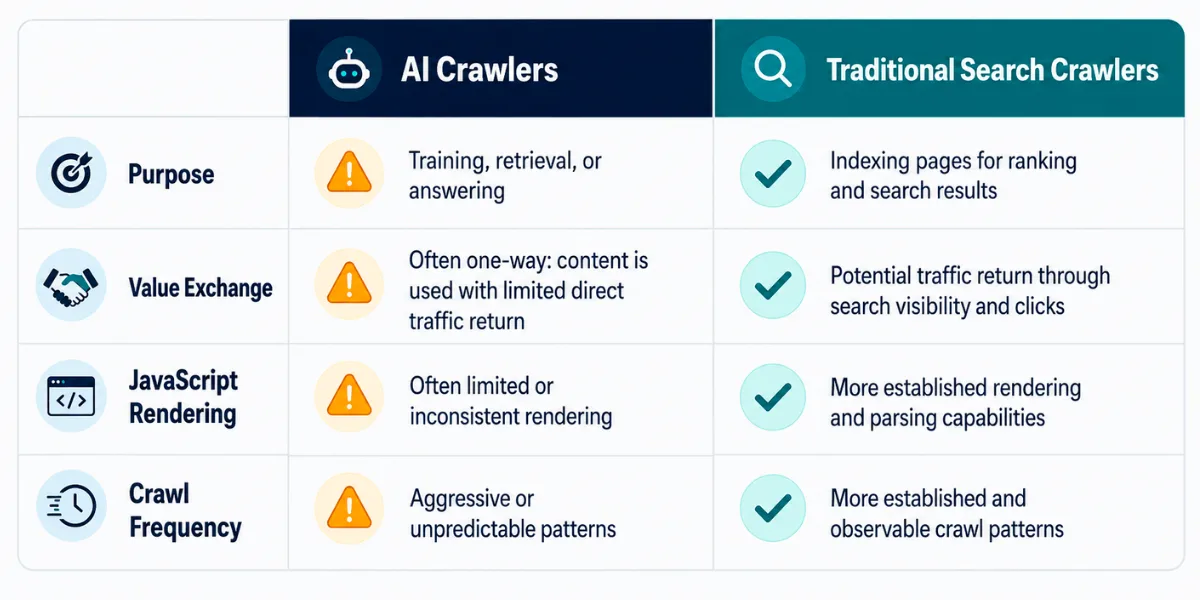
On the flip side, allowing these bots can drive referral traffic, improve your brand’s visibility in AI-generated answers, and even lead to licensing deals. The decision isn’t binary—it’s a strategic choice that depends on your business model, your content type, and your tolerance for risk.
I’ve spoken with dozens of publishers over the past year, and the sentiment is all over the map.
A indie blogger told me she blocks every AI crawler on principle, comparing it to “letting a stranger photocopy your book for free.” Meanwhile, a SaaS founder I know deliberately opens his documentation to these bots because he wants his product to be the answer when someone asks an AI assistant for a recommendation.
Both approaches are valid. The key is to make an informed choice rather than letting the default settings decide for you.
The Major Players: a Roster of AI Crawlers You Need to Know
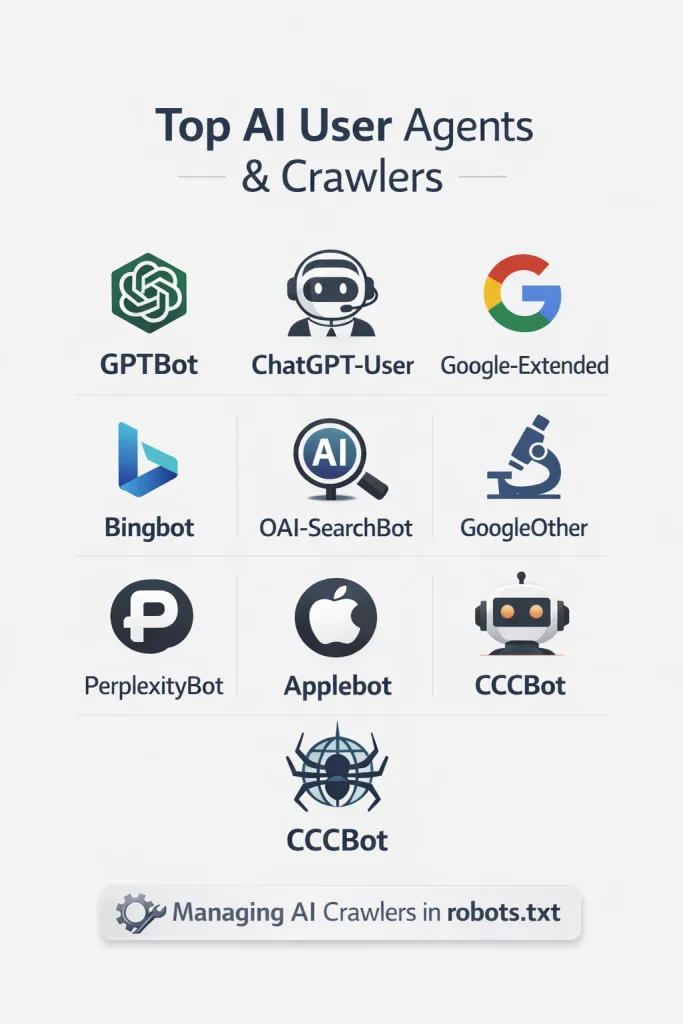
Not all AI crawlers are created equal. Some are transparent about their identity and purpose, while others operate in a gray area. Let’s break down the most significant ones you’ll encounter in your server logs.
OpenAI’s GPTBot and ChatGPT-User
OpenAI operates two distinct user agents that webmasters should understand. GPTBot is the heavy lifter—it scrapes web pages to train and improve OpenAI’s models, including the GPT series. If you see GPTBot in your logs, it means your content is being considered for training data. The company publishes an IP range so you can verify legitimate requests, which is a nice touch for transparency.
Then there’s ChatGPT-User, which behaves differently. This agent is triggered when a user asks ChatGPT to browse a specific URL or when the model needs to fetch real-time information to answer a query. Blocking ChatGPT-User won’t stop training, but it will prevent your site from being cited in live ChatGPT responses.
For many site owners, that’s a meaningful distinction. Focusing on AI crawlers provides clear direction here. You might want to block training but allow live retrieval, or vice versa.
A practical tip: if you’re unsure, start by allowing ChatGPT-User while blocking GPTBot. This lets you appear in conversational answers without contributing to the training corpus. You can always adjust later as OpenAI’s policies evolve.
Google’s Gemini and Vertex AI Bots
Google has its fingers in many pies, and its AI crawlers reflect that complexity. Google-Extended is a user agent that controls whether your content is used for training Gemini models and Vertex AI generative APIs.
It’s a separate control from the standard Googlebot, which handles search indexing. This separation is crucial because you might want your pages in Google Search but not in Google’s AI training data.
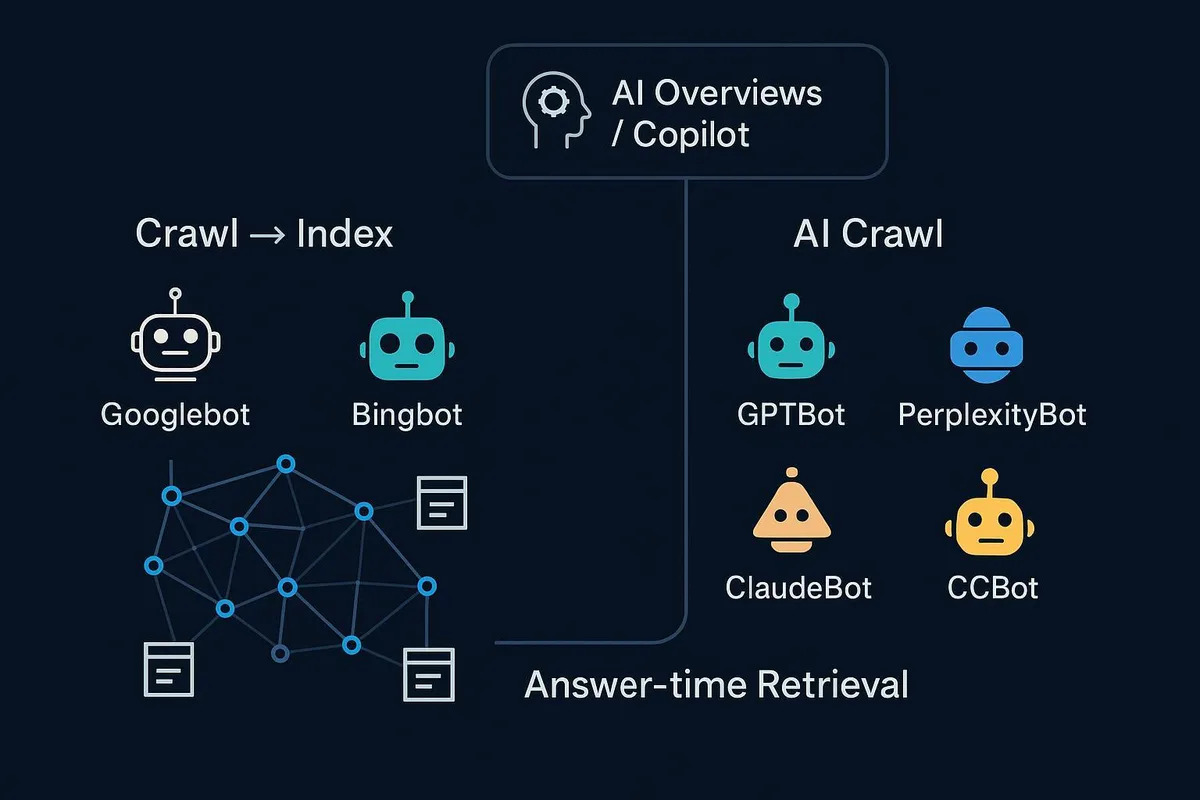
Google also uses Googlebot itself for some AI features, particularly AI Overviews in search results. These overviews synthesize information from multiple sources, and if you block Googlebot entirely, you lose all search visibility. The nuanced approach is to allow Googlebot for search while using Google-Extended to opt out of generative AI training. Google respects these signals, though the company has been criticized for not making the distinction obvious to non-technical users.
In my experience, most small business owners don’t even know Anthropic-Extended exists. They either block everything Google or nothing at all. Taking the middle path requires a few lines in robots.txt, but it’s worth the effort if you care about both search traffic and data sovereignty.
Anthropic’s ClaudeBot
Anthropic, the maker of Claude, operates ClaudeBot to gather training data for its AI models. The company has published a clear user agent string and IP ranges, making it relatively easy to identify and manage. ClaudeBot respects robots.txt directives, so you can block it with a simple disallow rule if that’s your preference.

What I appreciate about Anthropic’s approach is the documentation. They explain exactly what ClaudeBot does and how to opt out. That level of transparency should be the industry standard, but unfortunately, not every AI company follows suit.
If you’re on the fence about blocking, consider that Anthropic has publicly committed to certain safety and ethical guidelines around data usage. That doesn’t mean you have to say yes, but it’s context worth weighing.

PerplexityBot and Other Search-Focused AI Agents
Perplexity AI runs its own crawler, PerplexityBot, which indexes the web to power its answer engine. Unlike pure training bots, PerplexityBot’s primary job is retrieval—it fetches pages to generate cited answers in real time.
Blocking it means your site won’t appear in Perplexity’s responses, which could be a loss if you rely on referral traffic from AI search tools.

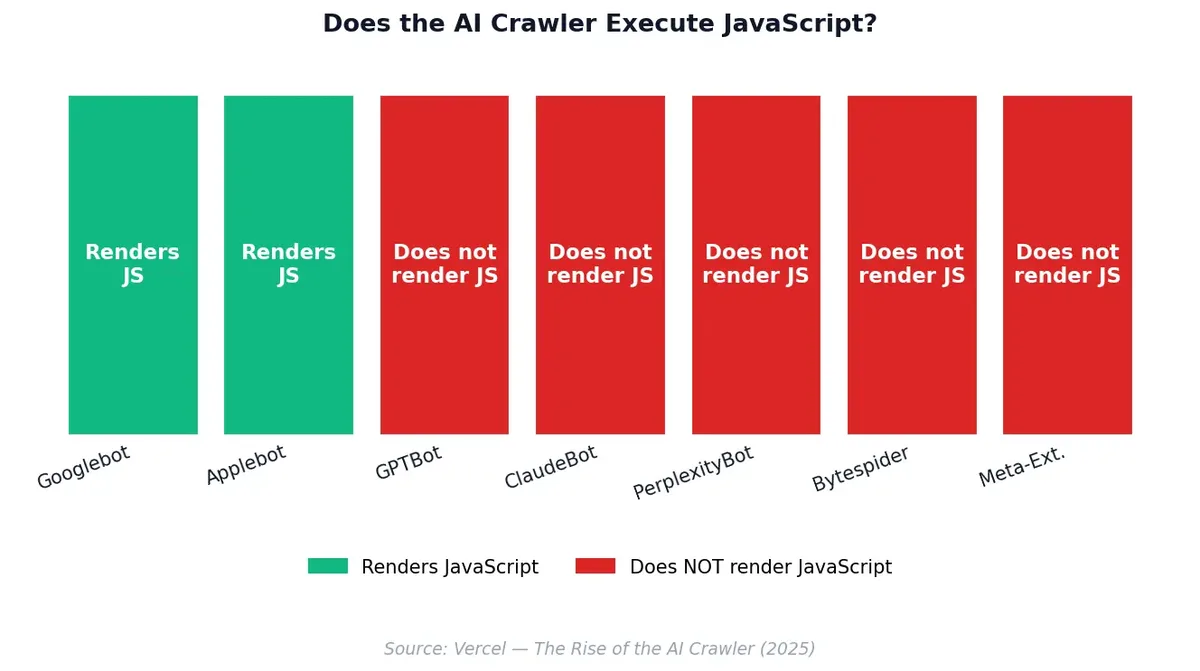
Other notable agents include Applebot-Extended for Apple’s AI features, Bytespider from ByteDance (the company behind TikTok), and CCBot from Common Crawl, which feeds many open-source AI projects. Each has its own quirks and policies. The lesson here is simple: audit your logs regularly. New AI crawlers appear every few months, and you don’t want to be caught off guard.
How to Identify AI Crawlers in Your Server Logs
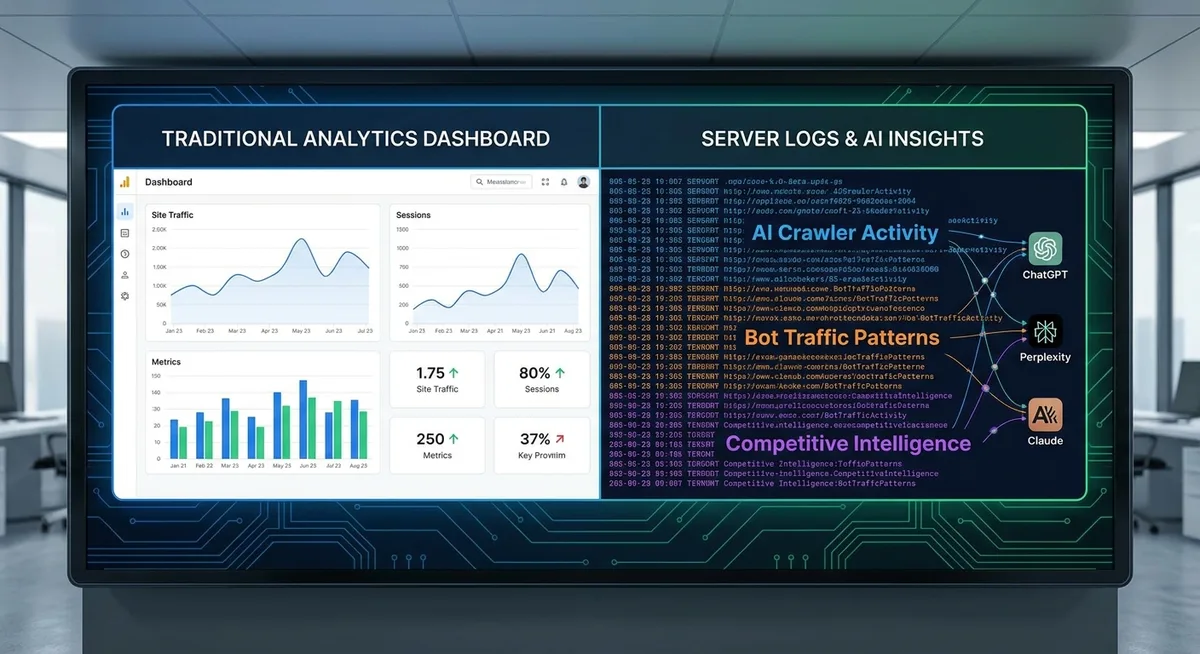
You can’t manage what you can’t see. The first step in any blocking or allowing strategy is to identify which AI crawlers are hitting your site. Server logs are your best friend here, but they can be intimidating if you’re not used to reading raw access data.

Look for the user-agent string in each log entry. Legitimate AI crawlers typically include a recognizable name and often a URL pointing to documentation. For example, a request from GPTBot might look like this: Mozilla/5.0 AppleWebKit/537.36 (KHTML, like Gecko); compatible; GPTBot/1.2; +HTTPS://openai.com/gptbot. That plus-sign URL is a golden ticket—it tells you exactly who is knocking and where to learn more.
Unfortunately, not all bots are honest. Some bad actors spoof user agents to evade detection, pretending to be Googlebot or a regular browser. To verify authenticity, check the IP address against the published ranges from the AI company.

OpenAI, Google, and Anthropic all publish their IP ranges. If a request claims to be GPTBot but comes from a random residential IP in a different country, it’s probably a fake.
For WordPress users, plugins like Wordfence or WP Cerber can log and display bot activity in a readable format. If you’re on a custom stack, a simple grep command can filter your logs: grep -i "GPTBot" /var/log/nginx/access.log.
Run this weekly to spot trends. You might discover that one AI crawler is hammering your site hundreds of times a day, which could strain your server resources.
Robots.txt: Your First Line of Defense Against AI Crawlers
The robots.txt file is the oldest and most widely respected method for communicating with web crawlers. It’s a simple text file placed in your site’s root directory, and it tells bots which parts of your site they can and cannot access.
While it’s not legally binding, reputable AI companies honor it. The keyword here is “reputable”—rogue scrapers may ignore it entirely, but that’s a separate problem.
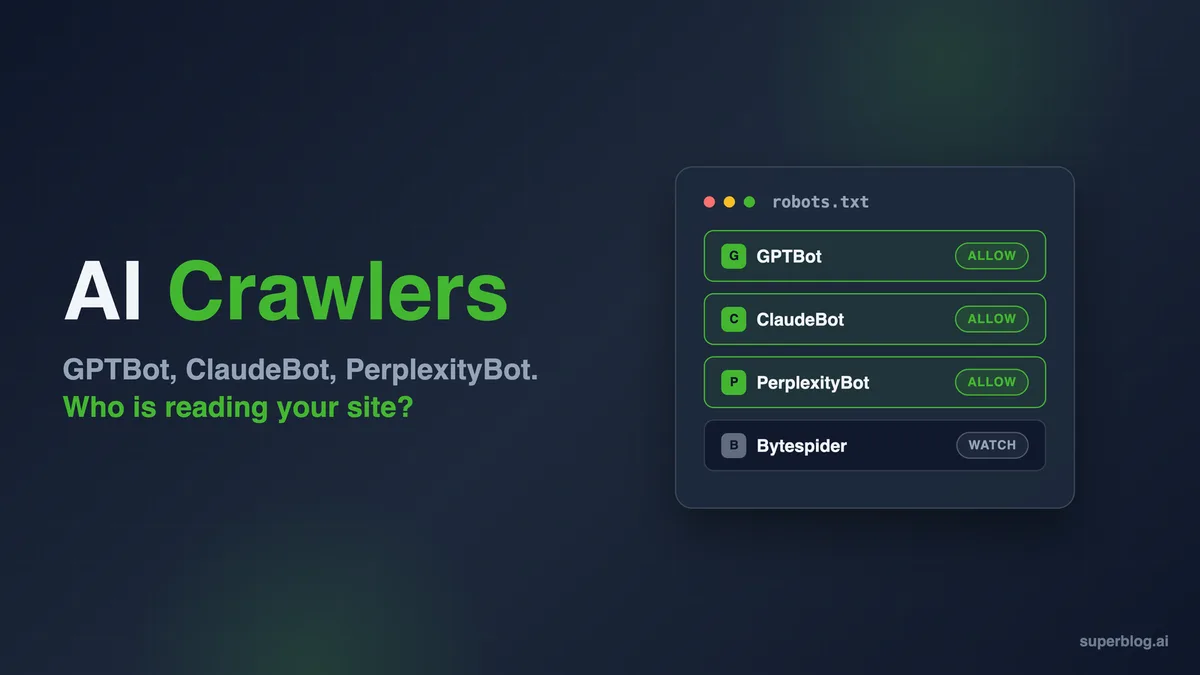
To block a specific AI crawler, you add a user-agent line followed by a disallow directive. For example, to block GPTBot from your entire site, you’d write:
User-agent: GPTBotDisallow: /
To allow it but restrict access to certain folders, you can specify paths. For instance, Disallow: /private/ would keep GPTBot out of your private directory while leaving the rest of the site open. You can repeat this pattern for as many AI crawlers as you want to manage. Just remember that robots.txt is a series of independent blocks—one for each user agent.

A common mistake is using a wildcard that accidentally blocks search engines. If you write User-agent: * and Disallow: /, you’re telling every bot to stay away, including Googlebot. That’s a quick way to disappear from search results entirely. Always be specific when your goal is to target AI crawlers only.
Another tip: place your most specific rules first. Some crawlers interpret the first matching user-agent block they find. While the official spec says to merge rules, real-world implementations vary. Ordering your blocks from specific to general reduces the chance of unexpected behavior.

Advanced Blocking Techniques Beyond Robots.txt
Robots.txt is a polite request, not a lock. Refining each detail of your AI crawlers strengthens this section. If you need stronger enforcement, you have several options. Each comes with trade-offs, so choose based on how much you care about blocking versus allowing.
IP-Based Blocking and Firewall Rules
Since major AI companies publish their IP ranges, you can block them at the server or firewall level. This is more forceful than robots.txt because it prevents the connection before any content is served. On Apache, you can use .htaccess directives; on Nginx, you’d modify the configuration file. Cloudflare users can create firewall rules that challenge or block requests from specific IP ranges.
The downside is maintenance. IP ranges change, and if you’re manually updating your blocklist, you’ll eventually fall behind. Some companies provide JSON or CSV files with their current ranges, which you can script to update automatically.

If you’re not comfortable with scripting, a security plugin or a service like Cloudflare’s bot management can handle it for you.
I’ve seen publishers go overboard with IP blocking and accidentally lock out legitimate users who share an IP range with a data center. Always test your rules with a VPN or a tool like curl to ensure you haven’t created a denial-of-service for yourself.
User-Agent Blocking in Web Application Firewalls
Web application firewalls (WAFs) like ModSecurity or AWS WAF let you block requests based on the user-agent string. This is faster to set up than IP blocking and catches bots that rotate IPs but keep the same user agent.
The catch is that user agents are trivially spoofed. A determined scraper can simply change its user agent to mimic a browser and bypass your rule.
For low-stakes situations, user-agent blocking is fine. It stops the honest AI crawlers that declare themselves. For high-stakes protection—say, you’re guarding paywalled content—you’ll want a combination of techniques, including rate limiting, JavaScript challenges, and behavioral analysis.
Rate Limiting and Crawl-Delay Directives
Sometimes you don’t want to block AI crawlers entirely; you just want them to slow down. The Crawl-delay directive in robots.txt tells bots to wait a certain number of seconds between requests. Not all AI crawlers honor it, but many do. A delay of 10 seconds can dramatically reduce server load while still allowing indexing over time.
Rate limiting at the server level is more reliable. You can configure Nginx or Cloudflare to allow only a certain number of requests per minute from a given IP or user agent. This approach is particularly useful for AI crawlers that aggressively fetch thousands of pages in a short window. I’ve seen sites go down under the weight of an unthrottled crawl—don’t let that be you.
Should You Allow AI Crawlers? the Strategic Considerations
Blocking is easy. Deciding whether to block is hard. The right answer depends on what you want to achieve with your website. Let’s break down the pros and cons of allowing AI crawlers access to your content.
Benefits of Allowing AI Crawlers
Visibility is the biggest upside. When AI crawlers index your content, your brand can appear in AI-generated answers. If someone asks ChatGPT or Perplexity for a recommendation in your niche, your site might be cited as a source. That’s free advertising, and it’s becoming more valuable as AI assistants replace traditional search for certain queries.
Referral traffic is another plus. AI search tools often include links to their sources. A well-placed citation can send qualified visitors to your site—people who are already interested in your topic because an AI recommended you. Early data suggests that AI referral traffic converts well, though volumes are still small compared to Google.
There’s also the licensing angle. Some AI companies are striking deals with publishers to access premium content. By allowing AI crawlers now, you signal that you’re open to collaboration. It’s a long shot for small sites, but it costs nothing to keep the door ajar.
Risks and Drawbacks of Allowing AI Crawlers
The most obvious risk is content theft. Your original articles, images, and data can be ingested and regurgitated by AI models without compensation or attribution. If your business model depends on people visiting your site to read your content, AI summaries can cannibalize your traffic. Why visit the source when the AI already gave the answer?
Server load is a practical concern. Aggressive AI crawlers can consume bandwidth and CPU cycles, especially if you’re on shared hosting. A sudden spike in bot traffic can slow down your site for real users or even trigger an outage. Rate limiting helps, but it’s an extra layer of management.

Finally, there’s the loss of control. Effective execution in your AI crawlers makes a tangible difference. Once your content is in a training dataset, you can’t take it back. If you later change your mind or your content becomes outdated, the AI model may still generate answers based on your old data. That lack of reversibility is a serious consideration for anyone publishing time-sensitive or sensitive information.
How to Allow AI Crawlers Selectively
You don’t have to choose between blocking everything and allowing everything. Selective access is often the smartest play. Here’s how to think about it.

Start by categorizing your content. Public blog posts meant to attract traffic? Allow AI crawlers. Paywalled articles, proprietary research, or client data? Block them. You can use robots.txt to allow access to your /blog/ directory while disallowing /members/ or /data/. This granular approach lets you reap the visibility benefits without giving away the farm.
Another strategy is to allow retrieval bots but block training bots. As mentioned earlier, ChatGPT-User fetches pages for live answers, while GPTBot collects data for training. Allowing the former and blocking the latter means you can be cited in conversations without contributing to the model’s permanent knowledge base. Not every AI company offers this distinction, but the trend is moving toward separation.

You can also use time-based rules. Some site owners allow AI crawlers during off-peak hours to minimize the impact on human visitors. This requires more advanced server configuration, but it’s doable with cron jobs and dynamic robots.txt generation. If you’re technically inclined, it’s a clever way to have your cake and eat it too.
Monitoring and Auditing AI Crawler Activity
Once you’ve set your rules, you need to verify they’re working. Regular monitoring helps you catch misconfigurations, identify new AI crawlers, and adjust your strategy as the landscape shifts.
Set up alerts for spikes in bot traffic. Google Analytics and most server monitoring tools can segment traffic by user agent. If you see a sudden influx from an unknown bot, investigate before it becomes a problem. Tools like Screaming Frog’s log file analyzer or GoAccess can visualize bot activity in real time.
Check your robots.txt file periodically. It’s easy to make a typo that accidentally blocks the wrong bot or leaves a directory exposed. I recommend testing your robots.txt with Anthropic’s Rich Results Test or a dedicated robots.txt validator. A five-minute check can save you weeks of headache.
Keep an eye on industry news. New AI crawlers appear regularly, and existing ones change their behavior. OpenAI, for example, has updated its user agents and policies multiple times. Subscribing to a few SEO or dev newsletters will keep you in the loop without much effort.
Comparing Major AI Crawlers: a Quick Reference Table
The table below summarizes the key AI crawlers, their operators, and their primary purposes. Use it as a starting point for your robots.txt configuration.
| User Agent | Operator | Primary Purpose | Respects Robots.txt |
|---|---|---|---|
| GPTBot | OpenAI | Training data collection | Yes |
| ChatGPT-User | OpenAI | Live retrieval for answers | Yes |
| Google-Extended | Gemini/Vertex AI training | Yes | |
| ClaudeBot | Anthropic | Training data collection | Yes |
| PerplexityBot | Perplexity AI | Search indexing for answers | Yes |
| Applebot-Extended | Apple | Apple Intelligence training | Yes |
| Bytespider | ByteDance | Training and search | Mixed |
| CCBot | Common Crawl | Open dataset for AI research | Yes |
Notice that Bytespider has a “Mixed” reputation for respecting robots.txt. Some webmasters report that it ignores directives, which is why IP blocking may be necessary if you want to keep it out. Always verify with your own logs rather than relying solely on secondhand reports.
Legal and Ethical Dimensions of AI Crawling
The legal landscape around AI crawling is still evolving. Courts in different jurisdictions have issued conflicting rulings on whether scraping publicly available data constitutes fair use or copyright infringement. As a site owner, you should be aware of the debate even if you’re not a lawyer.
In the United States, the Computer Fraud and Abuse Act (CFAA) has been used to prosecute scrapers who violate terms of service. However, recent court decisions have narrowed its scope, making it harder to pursue cases against AI crawlers that ignore robots.txt. The EU’s GDPR adds another layer when personal data is involved, but most AI training focuses on public content.
Ethically, the question is whether AI companies should compensate content creators. Some argue that training on publicly available data is fair game, similar to how humans learn from reading. Others contend that commercial AI models generate billions in revenue and should share the wealth.

There’s no consensus yet, but the pressure is mounting. A few publishers have already sued OpenAI and other companies, and the outcomes could reshape the entire field.
My take: if you’re a small publisher, you probably can’t afford a lawsuit. Maintaining clarity across your AI crawlers remains essential. Your best leverage is technical—robots.txt, IP blocking, and rate limiting. Use them to negotiate from a position of strength, or at least to protect what’s yours.

Practical Steps to Take Today
Feeling overwhelmed? Don’t be. Here’s a simple action plan you can execute in under an hour.
- Audit your server logs. Identify which AI crawlers are visiting your site. Look for user agents containing “Bot,” “Crawler,” or “Spider.”
- Decide your policy. For each major AI crawler, decide whether to allow, block, or throttle. Write it down so you have a clear reference.
- Update robots.txt. Add user-agent blocks for the bots you want to block. Test the file with a validator to ensure no syntax errors.
- Set up monitoring. Use a log analyzer or analytics tool to track bot activity. Set alerts for unusual spikes.
- Review quarterly. The AI crawling landscape changes fast. What’s true today may not be true in six months.
That’s it. You don’t need a team of engineers or a massive budget. A little attention goes a long way.
Common Mistakes to Avoid When Managing AI Crawlers
Even experienced webmasters slip up. Here are the pitfalls I see most often, along with how to sidestep them.
First, don’t block Googlebot by accident. It’s surprisingly common. Someone writes a broad disallow rule and wonders why their search traffic tanks. Always double-check that your rules target specific user agents, not the wildcard, unless you truly want to block everyone.
Second, don’t assume robots.txt is enough. It’s a request, not a command. If you’re dealing with a rogue scraper, you need server-level enforcement. Combine robots.txt with IP blocking or rate limiting for defense in depth.
Third, don’t ignore the small bots. Everyone talks about GPTBot and ClaudeBot, but there are dozens of lesser-known AI crawlers. Some are harmless; others are aggressive. Regular log audits will help you spot the troublemakers before they cause damage.
Fourth, don’t set it and forget it. AI companies update their crawlers frequently. A bot that respected your rules last month might change its behavior tomorrow. Periodic reviews are essential.
Finally, don’t let fear drive your decisions. Blocking all AI crawlers might feel safe, but it also cuts you off from emerging traffic sources. Weigh the risks against the benefits. For many sites, a hybrid approach works best.
Frequently Asked Questions About AI Crawlers
Let’s tackle some of the questions I hear most often from site owners.
Do AI crawlers slow down my website? They can, especially if they’re aggressive. Most reputable AI crawlers are designed to be gentle, but a misconfigured bot or a sudden surge can strain your server. Rate limiting and monitoring are your best defenses.
Can I block AI crawlers without hurting my SEO? Yes. Blocking AI-specific user agents like GPTBot or ClaudeBot does not affect Googlebot or other search engine crawlers. Your search rankings should remain unaffected as long as you don’t accidentally block the wrong bot.
What happens if I block an AI crawler but it ignores my rules? You’ll need stronger measures. IP blocking, firewall rules, or a WAF can enforce your preferences. Document the violation and consider reporting it to the AI company if it persists.
Is it legal to block AI crawlers? Absolutely. You have the right to control access to your server. Robots.txt and server configurations are standard tools for managing bot traffic. There’s no legal obligation to allow AI crawlers.
Will allowing AI crawlers increase my traffic? Potentially. AI search tools sometimes cite sources, which can drive referral traffic. However, the volume is usually smaller than traditional search. It’s a long-term play for visibility rather than a quick traffic boost.
How often do new AI crawlers appear? Every few months, it seems. The AI boom has led to a proliferation of bots. Staying informed through industry news and regular log audits is the best way to keep up.
Can I charge AI companies for access to my content? Some publishers are exploring licensing deals, but it’s not a simple process. For most small sites, the practical options are allow, block, or throttle. Direct monetization usually requires significant scale or unique content.
The Road Ahead for AI Crawlers and Web Publishing
The relationship between AI crawlers and content creators is still being written. Standards are emerging, but they’re far from settled. The robots.txt protocol was designed for a simpler era, and it’s showing its age. Expect to see new mechanisms for expressing content usage preferences, perhaps built into HTTP headers or metadata standards.
Some technologists are advocating for a “pay-per-crawl” model where AI companies compensate sites for access. A thoughtful approach to AI crawlers reinforces your qualifications. Others envision a future where AI models are trained primarily on licensed data, leaving the open web for human readers. Both scenarios have merit, and the outcome will likely be a mix of approaches.
For now, your best bet is to stay informed, stay flexible, and stay proactive. The decisions you make about AI crawlers today will shape your site’s role in the AI ecosystem tomorrow. Whether you choose to block, allow, or negotiate, do it with intention. The bots are coming—make sure they play by your rules.
And remember, you’re not alone in this. Thousands of webmasters are grappling with the same questions. Communities like r/TechSEO, Indie Hackers, and various Discord servers are full of people sharing their experiences and strategies. Don’t hesitate to ask for help or share what you’ve learned. The more we talk about AI crawlers, the better equipped we all become to handle them.
For verified reference and background research, consult the authoritative informational resource on this topic.