A URL inspection tool is the fastest way to find out whether Google has actually indexed a page you care about. If you have ever refreshed a search result fifteen times, hoping a new blog post would magically appear, this is the workflow that ends that guessing game.
It shows you what Google’s crawler saw, when it last visited, and exactly which indexing problems are holding a page back.
I have spent years watching site owners panic over pages that simply had not been crawled yet. Focusing on URL inspection tool provides clear direction here. The fix is almost never dramatic. It is methodical, and it starts with the right inspection workflow.
What a URL Inspection Tool Actually Does
At its core, a URL inspection tool pulls back the curtain on Google’s internal record of a single page. Instead of guessing, you get a direct readout: the last crawl date, the canonical URL Google chose, whether the page is indexed, and any crawl or indexing errors attached to it.
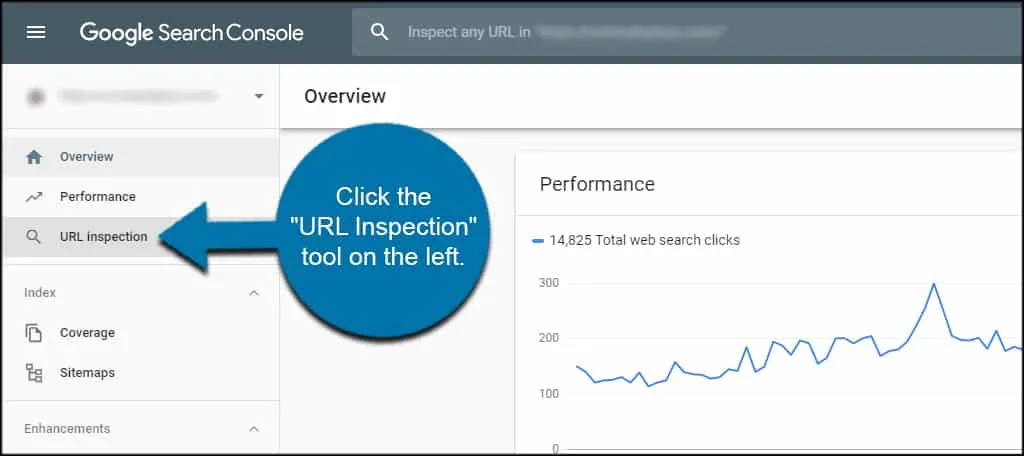
Google Search Console is the primary example most people mean when they say URL inspection tool. Bing Webmaster Tools offers a similar capability for its own index. Third-party platforms like Screaming Frog and Sitebulb add bulk inspection on top, letting you check hundreds of URLs at once rather than one at a time.
What makes this genuinely useful is the difference between “crawled” and “indexed.” A page can be crawled a dozen times and still never make it into the index. Without a URL inspection tool, that distinction stays invisible, and you waste hours optimizing content that Google has quietly decided to ignore.
Think of it like checking a package tracking number. The label was printed, the driver picked it up, but it never reached the destination. A URL inspection tool tells you exactly where the delivery stalled.
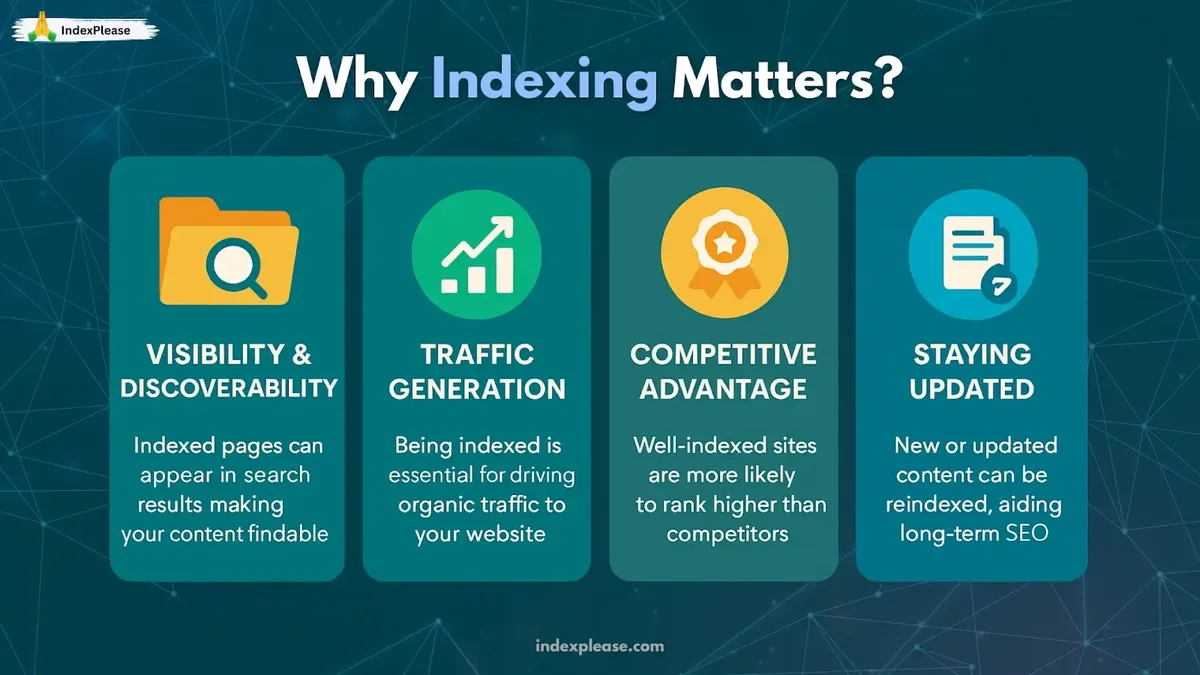
Why Indexing Checks Matter More Than Most People Realize
Search traffic depends entirely on one thing: whether a page is in the index. Focusing on url inspection tool provides clear direction here. Rank on page one and you have a shot at clicks. Not indexed at all, and you have nothing, no matter how good the writing is.
I have seen well-researched articles sit invisible for weeks because a stray noindex tag slipped in during a site migration. One URL inspection tool check would have caught it in seconds. Instead, the site owner spent a month rewriting headlines that were never the problem.
There is also the crawl budget angle. On large sites with thousands of pages, Google does not visit everything equally. A URL inspection tool helps you spot which sections are getting crawled and which are being starved, so you can prioritize your internal linking and sitemap work.
For local businesses, the stakes are even higher. Refining each detail of your URL inspection tool strengthens this section. A service page that never gets indexed means zero visibility in local search results, and no amount of review collection fixes that.
The Difference Between Crawling, Indexing, and Ranking
These three stages get lumped together constantly, and that confusion leads to bad decisions. Crawling is Googlebot discovering and fetching the page. Indexing is Google storing and processing that page for future queries. Ranking is the page being selected and ordered for a specific search.
A URL inspection tool gives you clear visibility into the first two stages. Ranking is a separate beast entirely, governed by relevance, authority, and user signals. Mixing them up sends people down the wrong rabbit hole, optimizing content for a page that was never even indexed.
Here is a practical way to remember it. Effective execution in your URL inspection tool makes a tangible difference. Crawling is the delivery truck arriving. Indexing is the package being unpacked and shelved. Ranking is the store clerk deciding which shelf to point customers toward first.
How to Use Google’s URL Inspection Tool Step by Step
Google Search Console remains the reference implementation for anyone doing this work seriously. The interface is not complicated once you know the layout. Here is the exact sequence I walk clients through.
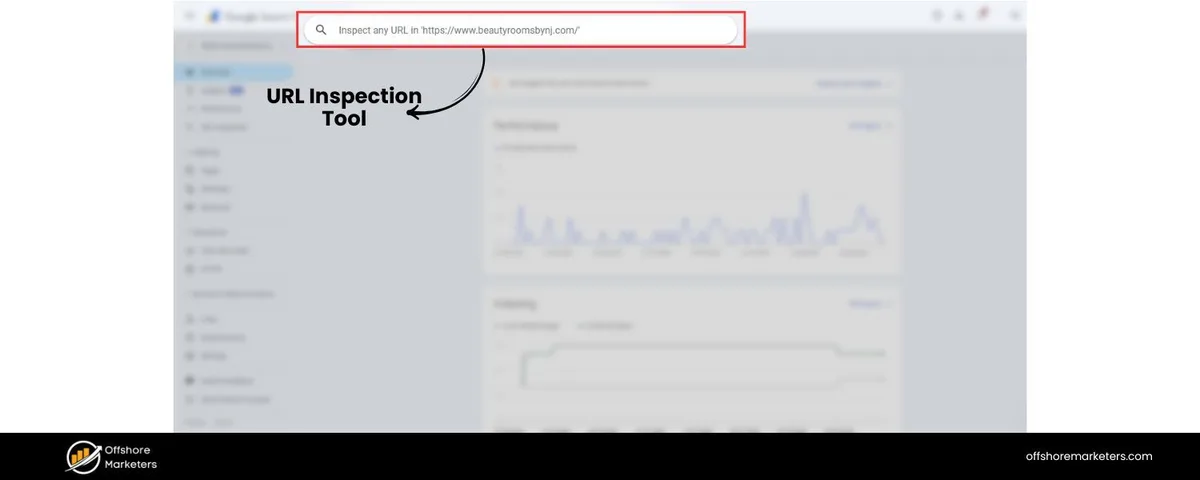
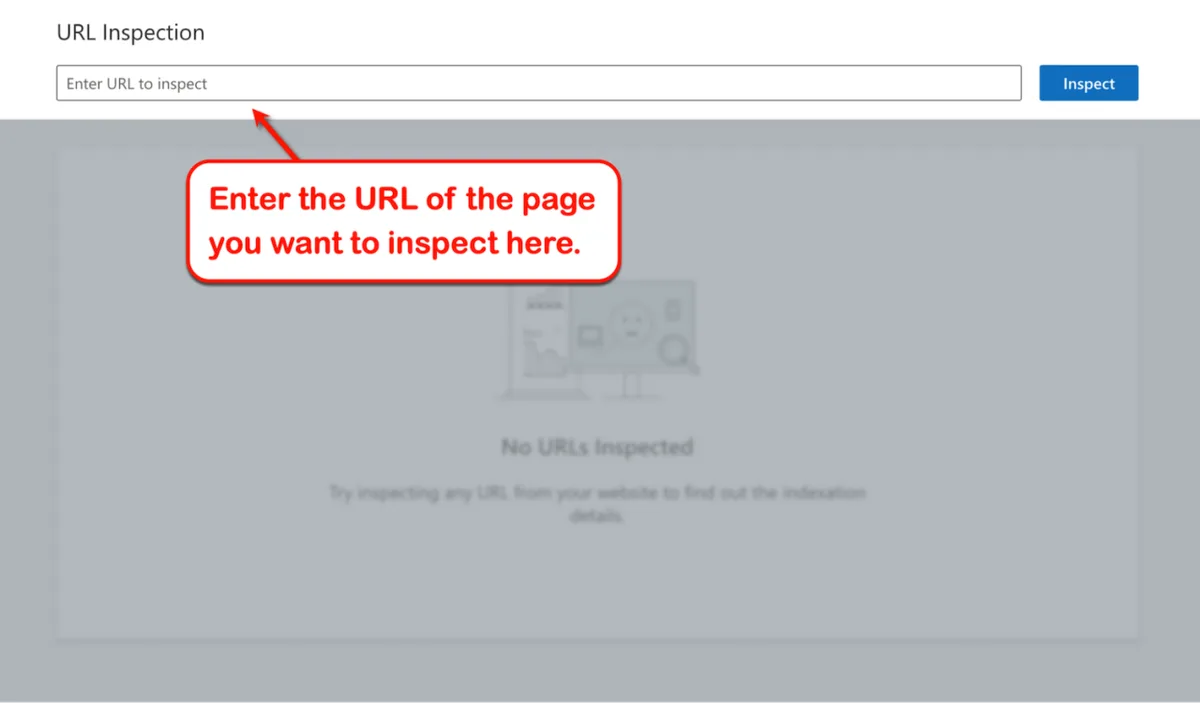
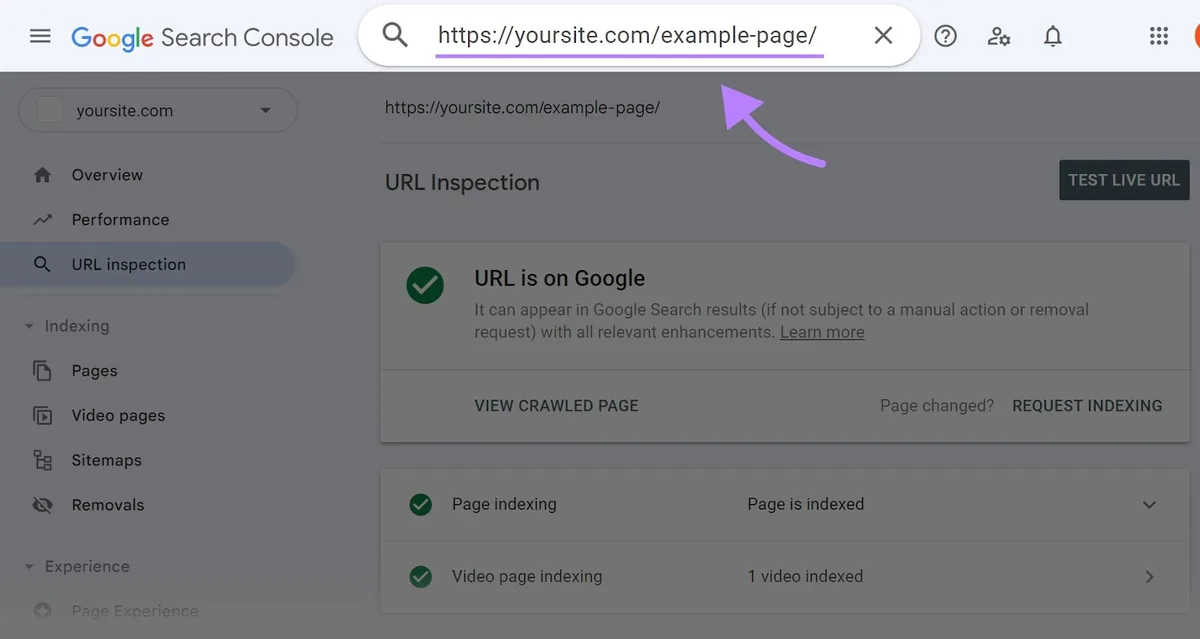
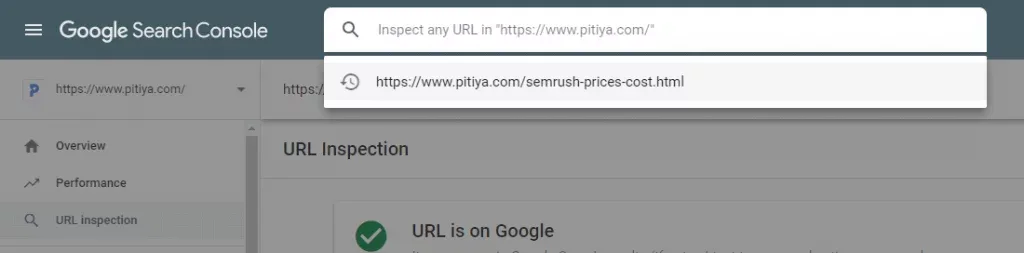
- Open the property and select the URL Inspection bar. It sits at the very top of Search Console, above the left-hand navigation. Paste the full URL of the page you want to check, including the https:// prefix.
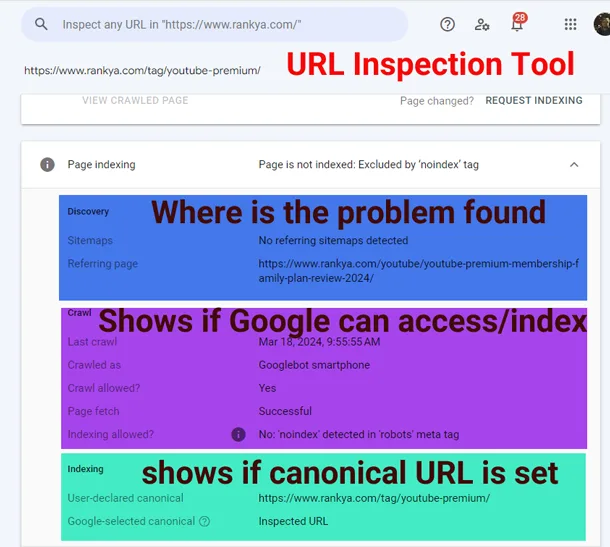
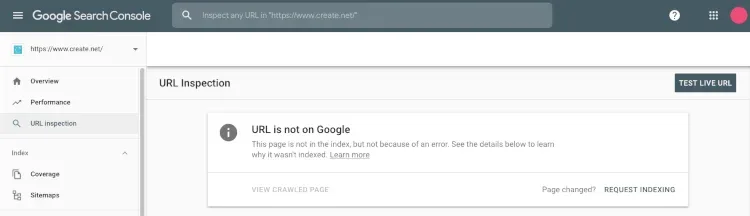
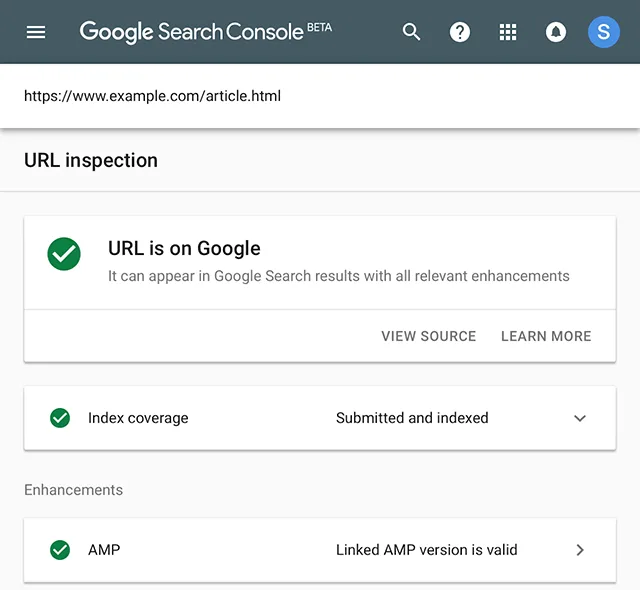
- Read the coverage status. The url inspection tool will report one of a few states: “URL is on Google,” “URL is not on Google,” or a variant explaining why. Pay attention to the exact wording, since each one points to a different fix.
- Check the “Discovery” section. This tells you whether the URL was found via sitemap, internal link, or an external reference. If Google discovered it through a sitemap but never crawled it, your internal linking is probably weak.
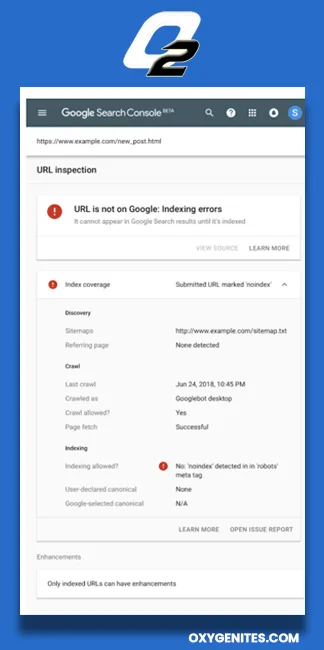
- Review the “Crawl” details. Look at the last crawl date and the page fetch status. A fetch status of “Failed” or “Redirect error” needs fixing before anything else matters.
- Examine the “Indexing” panel. This is where canonical mismatches and noindex directives surface. If Google selected a different canonical than the one you declared, that is your answer right there.
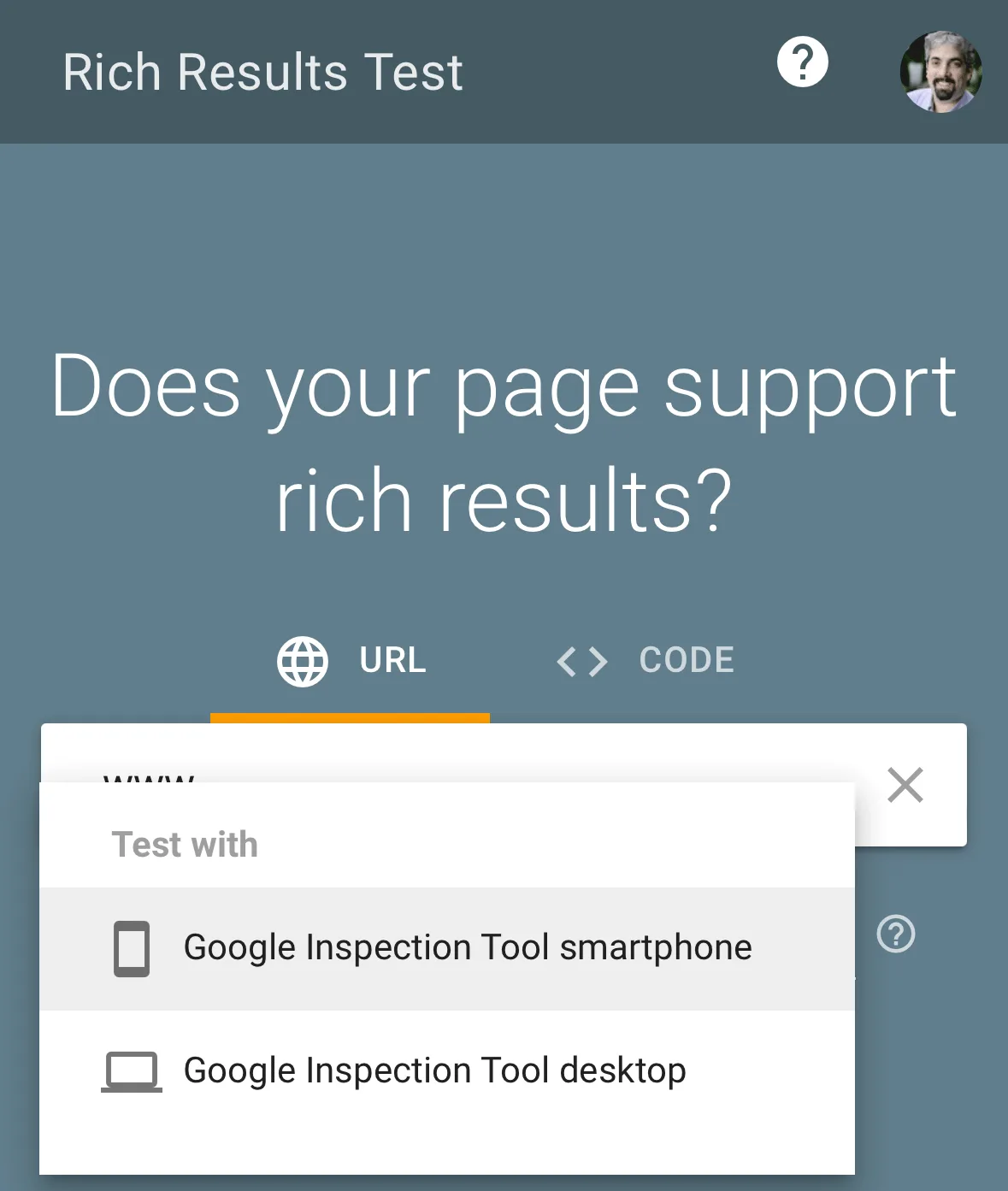
- Inspect the rendered HTML. The url inspection tool shows you the actual rendered page Googlebot sees. If your content loads via JavaScript and appears empty here, that is a rendering problem, not a content problem.
- Use “Test Live URL” before requesting indexing. This runs a fresh check in real time. It confirms your fix worked before you submit anything.
That last step is the one people skip, and it costs them. Maintaining clarity across your URL inspection tool remains essential. Requesting indexing on a page that still has a noindex tag just wastes a crawl request and adds confusion to your reports.
One habit worth building: after any major site change, spot-check five to ten key URLs with a URL inspection tool. It takes ten minutes and catches the kinds of errors that otherwise go unnoticed for weeks.
Reading the Coverage Report Without Panicking
Not every “not indexed” status is a disaster. Some pages are intentionally excluded, like thank-you pages, internal search results, or duplicate filter URLs. The URL inspection tool is simply reporting the truth, not judging your site.
The key question is whether the exclusion was intentional. If you deliberately added a noindex tag to a staging page, seeing “Excluded by noindex tag” is exactly right. If that same status shows up on a money page, you have a problem to fix today.
I keep a simple rule for clients: any page that should rank but shows as excluded gets flagged for immediate review. A thoughtful approach to URL inspection tool reinforces your qualifications. Everything else goes into a quarterly cleanup list. This keeps the panic level low and the priorities clear.
How to Request Indexing the Right Way
Requesting indexing is a nudge, not a command. Google explicitly states that submitting a URL does not guarantee it will be crawled or indexed. It simply pushes the page into a priority queue for reconsideration.
Before you hit that button, make sure three things are true. Structuring your URL inspection tool around proven patterns ensures impact. The page returns a 200 status code. There is no noindex directive. The canonical points to itself, not somewhere else. If any of these fail, fix them first.
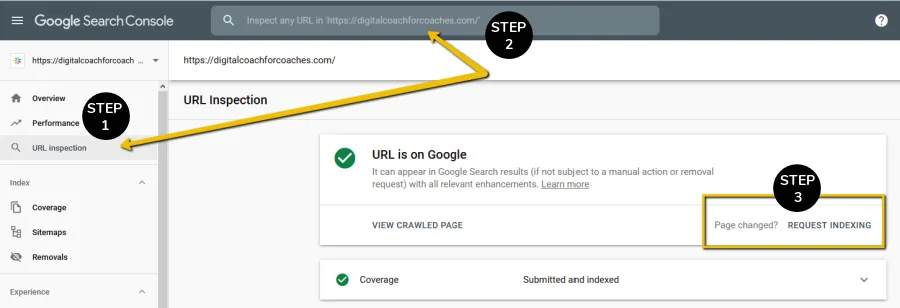
Once those boxes are checked, the request itself is straightforward. Click “Request Indexing” inside the URL inspection tool, wait for the confirmation, and then leave it alone. Repeatedly requesting the same URL does not speed anything up.
In my experience, most pages get crawled within a few days of a request, though it can take longer on new or low-authority sites. Refining each detail of your url inspection tool strengthens this section. If a week passes with no change, that is a signal to dig deeper into crawl budget or server response issues.
How Often Should You Request Indexing?
There is no hard daily cap written in stone, but there is a practical limit. Applying these principles to your URL inspection tool yields measurable results. Requesting dozens of URLs at once tends to dilute the effect. Focus on the pages that genuinely matter: new cornerstone content, updated service pages, or recently fixed URLs.
For a typical business site, five to ten requests per week is plenty. For a news site publishing daily, the sitemap should be doing the heavy lifting, and manual requests are reserved for breaking coverage.
Honestly, the most common mistake I see is treating the request button like a magic wand. Proper attention to your URL inspection tool sets a strong baseline. It is not. It is one input among many, and its power comes from being used on pages that are otherwise technically clean.
Common Indexing Problems a URL Inspection Tool Reveals
Running inspections regularly surfaces the same handful of issues over and over. Knowing them in advance saves a lot of head-scratching.
- Canonical mismatch. Google chose a different canonical than the one you declared. Usually caused by conflicting signals from sitemaps, hreflang tags, or internal links pointing to a variant URL.
- Accidental noindex. Often introduced by a plugin update or a staging site pushed live. The url inspection tool flags this clearly under the indexing section.
- Blocked by robots.txt. The page cannot be crawled at all. Check your robots file and any security plugins that might be adding rules automatically.
- Soft 404. The page returns a 200 status but looks empty or error-like to Google. Usually a rendering or template problem.
- Redirect chains. Multiple hops before reaching the final URL. Each hop wastes crawl budget and dilutes link equity.
- Server errors. A 5xx response means Googlebot could not fetch the page. Check your hosting logs and error rates.
- Duplicate without user-selected canonical. Google found near-identical content and picked one itself. Fix with proper canonicals or content differentiation.
- Crawled but not indexed. The most frustrating one. Google saw the page but decided it was not worth adding. Usually a quality or thin-content signal.
Each of these has a specific fix, and the URL inspection tool points you toward the right one. The mistake is treating all of them as “SEO problems” in general. They are not. They are technical issues with technical solutions.
I once spent two days troubleshooting a “crawled but not indexed” status before realizing the page had only forty words of unique content. Developing your URL inspection tool with precision highlights key strengths. No technical fix would have helped. The answer was writing a real page.
When the Problem is Content, Not Configuration
This deserves its own moment because it trips up so many people. Sometimes the URL inspection tool reports everything as technically fine, yet the page still will not index. That usually means Google evaluated the content and passed on it.
Thin pages, near-duplicates, and auto-generated content all fall into this bucket. The fix is not technical. It is editorial. Add genuine value, merge similar pages, or remove the page entirely if it does not serve a purpose.
Search Console will sometimes label this as “Crawled – currently not indexed” or “Discovered – currently not indexed.” The first means Google looked and declined. Clear alignment with your URL inspection tool builds confidence from the start. The second means Google has not bothered to look yet, which usually points to crawl budget or authority issues.
Advanced Techniques for Power Users
Once the basics are second nature, there is a layer of technique that separates casual users from people who genuinely control their index coverage.
Bulk inspection is the big one. Integrating URL inspection tool into your workflow produces consistent quality. Google Search Console now allows inspecting multiple URLs at once through the URL Inspection report, showing a summary table across many pages. Third-party crawlers like Screaming Frog integrate directly with the Search Console API to pull this data at scale.
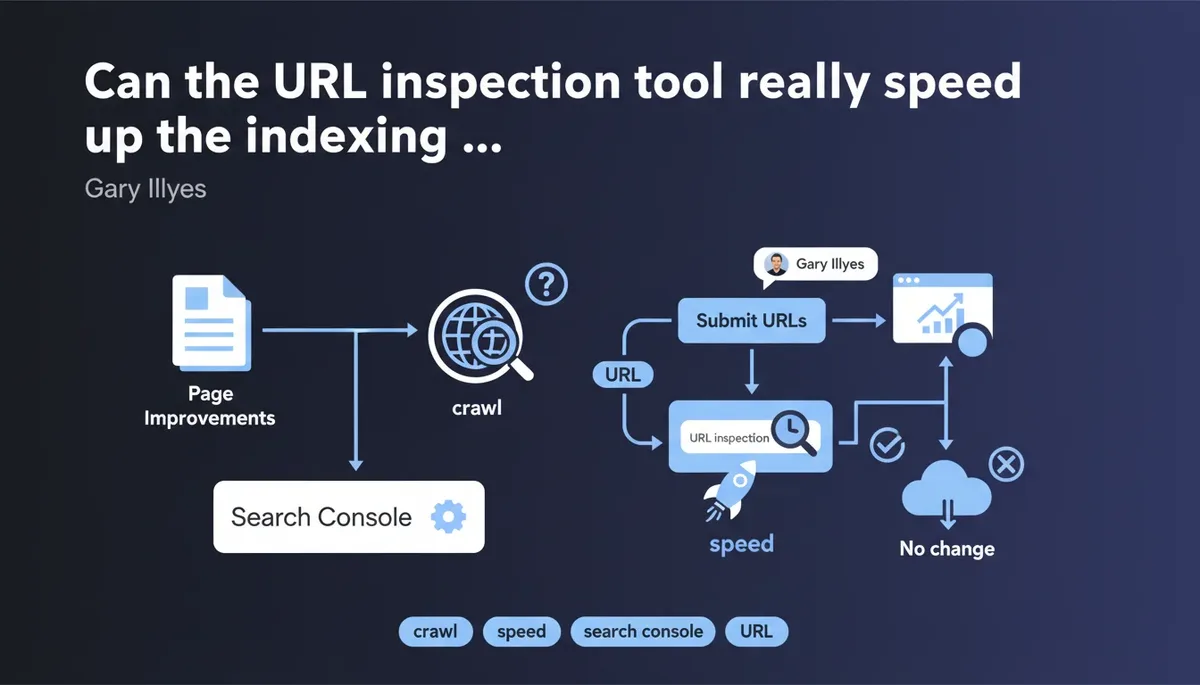
Another technique is tracking inspection history over time. If a URL inspection tool shows a page was indexed last month but is not now, something changed. That timeline is often more valuable than the current status alone.
For enterprise sites, the Search Console API is the real unlock. Effective execution in your url inspection tool makes a tangible difference. It lets you pull inspection data into your own dashboards, run automated checks, and alert when critical pages drop out of the index. That kind of monitoring catches problems within hours instead of weeks.
Using the API for Automated Monitoring
The URL Inspection API returns the same data you see in the interface, just in structured JSON. Targeted refinements to your URL inspection tool streamline the entire review. You can query up to 2,000 URLs per day per property, which is plenty for most mid-sized sites.
Set up a scheduled script that checks your top hundred revenue pages daily. If any of them flip from “indexed” to “not indexed,” send an alert. This is the kind of setup that pays for itself the first time it catches a broken template deployment.
I have run this pattern for e-commerce clients with thousands of product pages. The number of silent indexing failures it caught in the first month was genuinely alarming, and none of them would have been noticed through manual checks.
Comparing Popular URL Inspection Tools
Google Search Console is the source of truth, but it is not the only option. Different tools serve different workflows, and picking the right one depends on whether you need depth, scale, or both.
| Tool | Best For | Bulk Inspection | Data Source |
|---|---|---|---|
| Google Search Console | Single-page deep inspection | Limited | Google’s own index |
| Bing Webmaster Tools | Bing index coverage | Limited | Bing’s own index |
| Screaming Frog | Site-wide crawling with GSC integration | Yes | Live crawl + API |
| Sitebulb | Technical audits with visual reporting | Yes | Live crawl + API |
| Ahrefs Site Audit | Combined backlink and indexing data | Yes | Third-party crawl |
| JetOctopus | Enterprise log and crawl analysis | Yes | Log files + crawl |
The honest take: for most site owners, Google Search Console plus a good desktop crawler covers everything. Enterprise teams with millions of URLs need log file analysis layered on top, which is where tools like JetOctopus earn their keep.
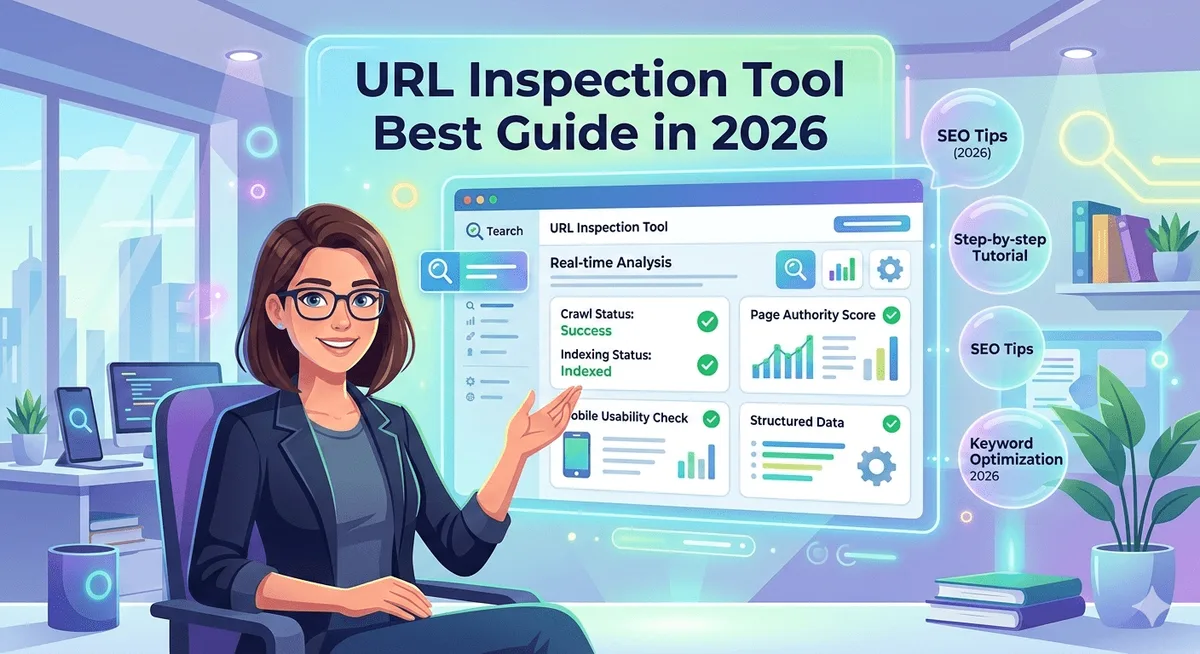
Do not fall into the trap of collecting tools. A URL inspection tool is only valuable if you actually act on what it tells you. I have seen agencies with every premium tool installed and still miss obvious noindex errors because nobody was reading the reports.
Free versus Paid Options
Google Search Console is free and remains the most authoritative source for Google’s index. Maintaining clarity across your url inspection tool remains essential. Bing Webmaster Tools is also free and often overlooked, despite Bing powering a meaningful share of desktop search.
Paid tools add convenience and scale. Screaming Frog’s paid tier removes crawl limits and unlocks the GSC API integration. Sitebulb offers richer visual reporting for client presentations. Ahrefs bundles indexing data with backlink intelligence.
For a small business site, the free stack is genuinely sufficient. For agencies managing multiple clients, the paid tools save enough time to justify the cost within the first project.
Building a Routine That Prevents Indexing Surprises
Reactive inspection is exhausting. Proactive inspection is boring in the best possible way. The goal is to catch problems before they affect traffic, not after.
Here is the routine I recommend to every client, regardless of site size.
- Weekly: Inspect any newly published URLs within forty-eight hours. Confirm they are indexed or at least crawled.
- Weekly: Review the Pages report in Search Console for new “not indexed” entries.
- Monthly: Spot-check your top twenty pages by traffic. Confirm they remain indexed with correct canonicals.
- Monthly: Review sitemap submission health and crawl stats for unusual drops.
- After every deployment: Inspect five key pages immediately. This catches template-level mistakes the moment they go live.
- Quarterly: Run a full-site crawl and cross-reference with Search Console data to find orphaned or misconfigured pages.
That deployment check is the one that saves the most pain. Site migrations, theme updates, and plugin changes are the leading causes of accidental indexing loss, and a quick URL inspection tool check catches them within minutes.
Set a calendar reminder if you have to. The ten minutes you spend on this routine will save you from the kind of silent traffic drop that takes weeks to diagnose.
Interpreting “Crawled — Currently Not Indexed”
This status deserves its own section because it is the single most misunderstood message in Search Console. A thoughtful approach to url inspection tool reinforces your qualifications. It does not mean Google failed. It means Google looked and decided the page was not worth indexing right now.
Common causes include thin content, duplicate content across similar pages, low perceived value, or insufficient internal linking. Google is essentially saying, “We saw this, and we are not convinced it adds anything to the index.”
The fix is rarely technical. Improve the content. Merge similar pages. Add genuine differentiation. Strengthen internal links from authoritative pages on your own site. Give Google a reason to reconsider.
Patience matters here too. Sometimes a page sits in this state for weeks and then gets indexed once it earns a few external links or accumulates engagement signals. The URL inspection tool will show the status change when it happens.
When to Delete Instead of Fix
Not every page deserves a rescue attempt. If a page has been sitting in “crawled – currently not indexed” for months with no traffic and no strategic value, deleting it is often the right call.
Thin pages can drag down site-wide quality signals. Removing them, or consolidating them into stronger pages, frequently improves indexing rates across the rest of the site. It feels counterintuitive, but fewer better pages usually beat many weak ones.
I have watched clients gain indexed pages after removing hundreds of low-value URLs. Structuring your url inspection tool around proven patterns ensures impact. Google’s crawl budget is finite, and every wasted slot is a page that could have been spent on something that matters.
Mobile and JavaScript Rendering Considerations
Modern sites lean heavily on JavaScript, and that changes how a URL inspection tool behaves. The rendered HTML view is no longer a nice-to-have feature. It is essential.
If your content only appears after client-side rendering, Googlebot may see an empty shell. The URL inspection tool will show you exactly what was rendered, and if the main content is missing, that is your problem.
Server-side rendering or static generation solves this for most sites. For those that cannot make that jump, dynamic rendering remains a workable bridge, though Google has signaled a preference for proper rendering solutions.
Mobile rendering matters equally. Google indexes the mobile version of your site first. If your mobile template hides content that appears on desktop, the URL inspection tool will reflect the mobile view, and that hidden content effectively does not exist.
Frequently Asked Questions
Here is an in-depth breakdown of key considerations regarding this section:
Does Requesting Indexing Guarantee My Page Will be Indexed?
No. Requesting indexing puts the URL in a priority queue, but Google still evaluates the page on its own merits. If the content is thin, duplicated, or technically broken, the request will not change the outcome.
How Long Does It Take for a URL Inspection Tool Request to Work?
Most pages get crawled within a few days, sometimes within hours for high-authority sites. New sites and low-authority pages can take a week or longer. If nothing changes after two weeks, investigate crawl budget and technical health.
Why Does My Page Show as Indexed but Not Appear in Search Results?
Indexed and ranking are different things. A page can be in the index and still rank on page ten for every relevant query. Use the URL inspection tool to confirm indexing, then focus on content quality, internal linking, and authority to improve ranking.
Can I Inspect URLs on a Site I Do Not Own?
No. Google Search Console only shows data for properties you have verified ownership of. Third-party tools can crawl public pages, but they cannot access Google’s internal index data for someone else’s site.
What Does “URL is Not on Google” Mean?
It means the page is not currently in Google’s index. The URL inspection tool will usually explain why, whether it is a noindex tag, a canonical pointing elsewhere, a robots.txt block, or a crawl error.
Is the URL Inspection API Free to Use?
Yes, the API is free but requires a verified Search Console property. It has a daily quota of roughly 2,000 inspections per property, which is more than enough for most monitoring workflows.
Should I Request Indexing for Every New Page?
Not necessarily. If your sitemap is healthy and your internal linking is solid, most pages get discovered naturally. Reserve manual requests for priority pages or pages that have been stuck for a while.
Final Thoughts on Getting Indexing Right
Indexing is not glamorous work, but it is the foundation everything else sits on. A URL inspection tool turns that foundation from guesswork into something you can actually verify.
Start with the basics: check new pages, review the Pages report weekly, and inspect immediately after any deployment. Build the habit before you need it, because the moment you need it is usually the moment traffic has already dropped.
Whether you rely on Google Search Console alone or layer in a paid crawler, the principle stays the same. Look at what Google actually sees, fix what is broken, and request indexing only when the page is genuinely ready.
That discipline compounds, and over time it is the difference between a site that ranks reliably and one that quietly leaks visibility.
For verified reference and background research, consult the authoritative informational resource on this topic.