A meta tag is one of those quiet HTML elements that rarely gets applause yet quietly decides whether anyone ever sees your page. If you have ever wondered why two pages with nearly identical content perform so differently in search, the answer often hides in the head section of the document.
Let’s walk through what these tags actually do, how Google treats them right now, and the specific habits that separate pages getting clicked from pages getting ignored.
What a Meta Tag Really Does Behind the Scenes
Every HTML document carries a head section stuffed with instructions the browser reads before rendering anything visible. A meta tag lives there, and it tells machines — browsers, crawlers, social platforms — something about the page they are about to process.
Some of these instructions control how the page displays on mobile. Focusing on meta tag provides clear direction here. Others describe the content for search engines. A few handle character encoding, robots directives, or social sharing previews. None of them appear on the screen, which is exactly why so many site owners forget about them entirely.
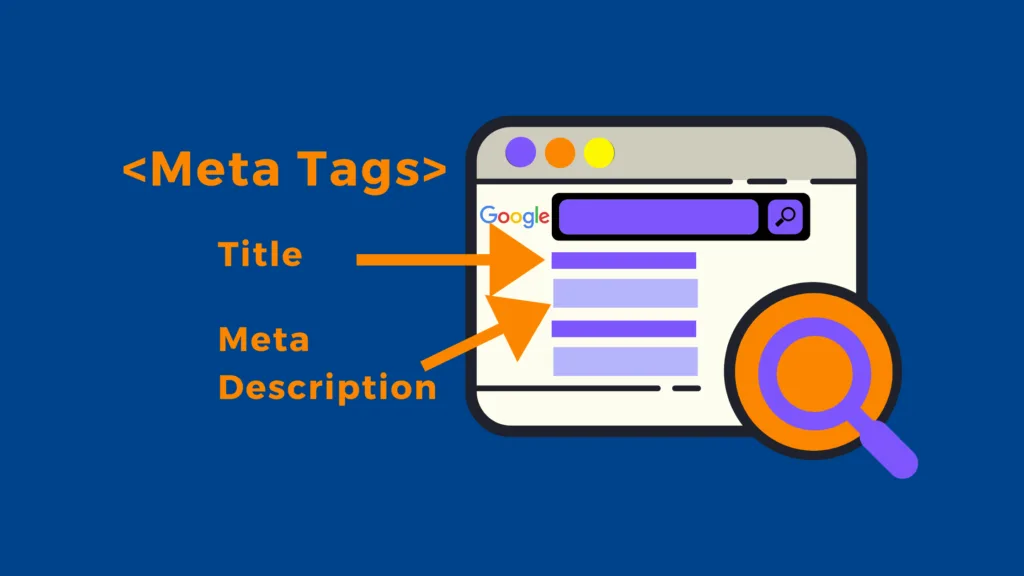
Think of a meta tag as the label on a shipping box. The contents might be excellent, but if the label is smudged or missing, the package gets mishandled somewhere along the route.
The Anatomy of a Standard Meta Tag
A basic meta tag follows a simple pattern: an opening tag, a name or property attribute, a content attribute holding the actual value, and a closing bracket. That’s it. No complex nesting, no JavaScript dependencies.
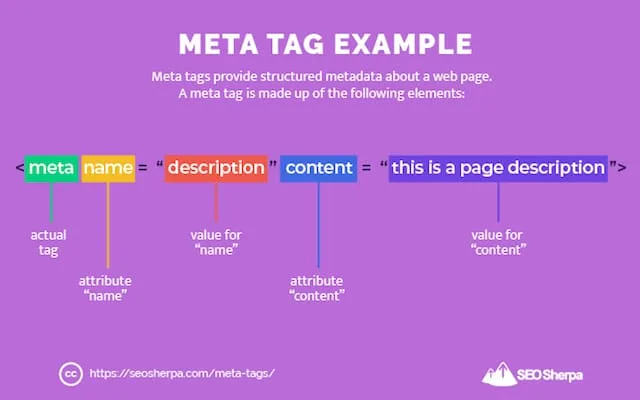
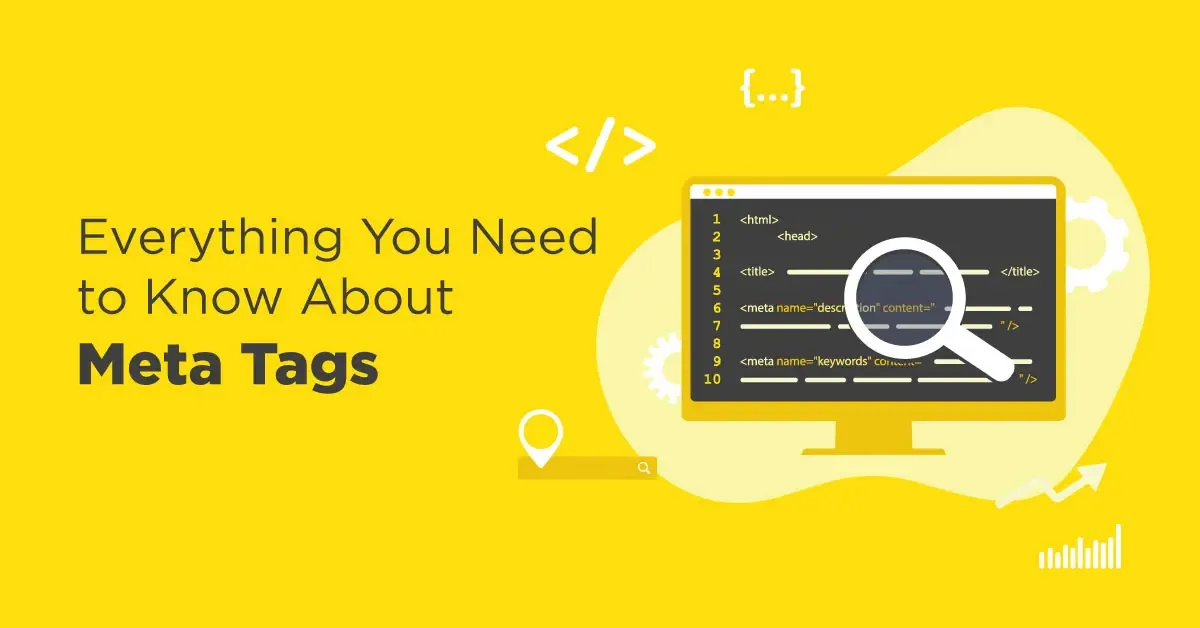
Here’s a typical description tag in its raw form: <meta name="description" content="Your page summary here">. The name attribute identifies what kind of instruction you’re giving, and the content attribute carries the payload.
What trips people up isn’t the syntax — it’s knowing which ones matter and which ones are legacy clutter. Plenty of old tutorials still recommend tags that Google stopped reading years ago.
Why These Invisible Tags Still Shape Your Traffic
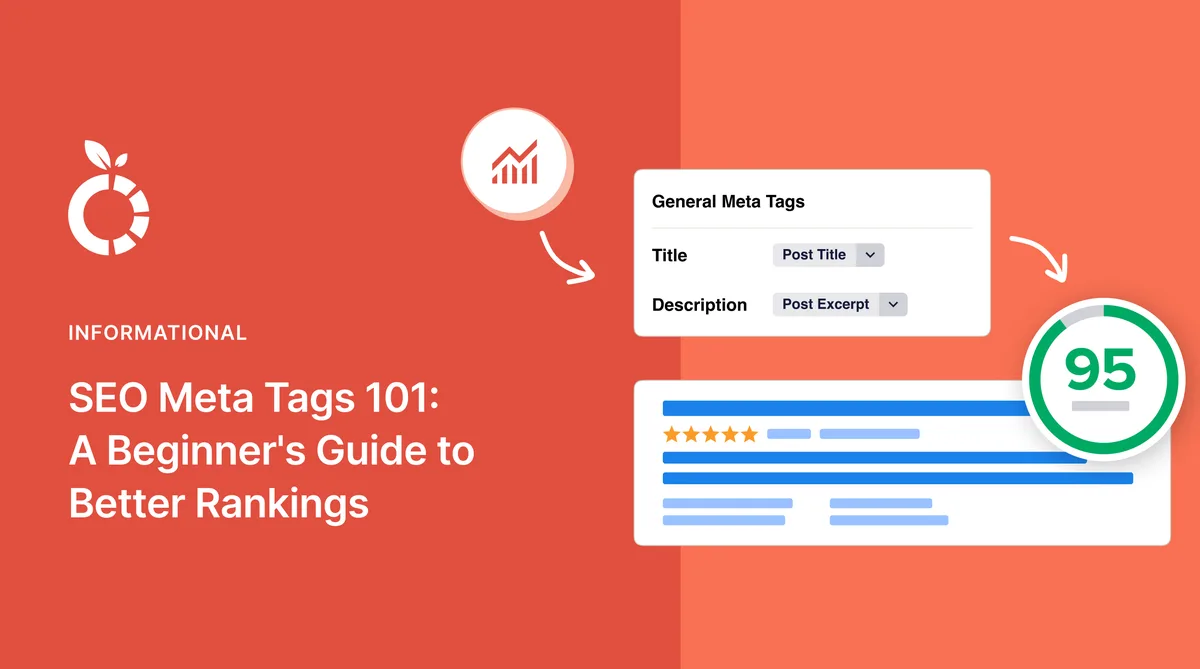
Search engines use metadata to understand context, but the bigger influence comes from how that data gets displayed in results. A well-crafted description meta tag doesn’t directly lift rankings, yet it absolutely affects click-through rate.
And click-through rate feeds engagement signals. More clicks mean more people landing on your page, which correlates with stronger performance over time. Casual observers dismiss this chain, but practitioners watch it closely.
Social platforms pull from Open Graph metadata to build link previews. Get that wrong and your shared link looks like a broken fragment with no image and no context. That’s a real conversion killer on platforms like LinkedIn or Facebook.
Meta Tag Types That Actually Matter for SEO
Not all metadata deserves your attention. Some tags are critical, others are nice-to-have, and a handful are pure noise left over from an era when search engines worked differently.
Focus your effort where the payoff is real. Below are the categories worth auditing on any page you care about.
Title Tag versus Description Meta Tag
Beginners often confuse these two. The title tag sets the clickable headline in search results and carries genuine ranking weight. The description meta tag supplies the snippet beneath it and influences clicks, not rankings directly.
Google rewrites titles roughly half the time and descriptions even more often, but that doesn’t mean you should skip them. Providing clear, compelling copy gives the algorithm good raw material to work with.
A practical habit: write the title first as your primary hook, then write the description as the supporting pitch. They should complement each other, not repeat the same phrasing word for word.
Robots Meta Tag and Indexing Control
This one is powerful and dangerous in equal measure. A robots meta tag can tell crawlers to index or skip a page, follow or ignore links, and even control how snippets appear in results.
The classic mistake? Refining each detail of your meta tag strengthens this section. Accidentally leaving a “noindex” directive live after a staging deployment. I’ve seen agencies lose weeks of organic traffic from a single forgotten line of code.
Always verify robots directives in the rendered HTML, not just in your CMS settings. Plugins sometimes inject their own values that override what you configured manually.
Viewport Meta Tag for Mobile Rendering
Since Google shifted to mobile-first indexing, the viewport meta tag became non-negotiable. It tells mobile browsers how to scale and size the page.
Without it, your beautifully designed desktop layout collapses into a tiny zoomed-out mess on phones. Users bounce immediately, and behavioral signals tank.
The standard declaration looks like this: <meta name="viewport" content="width=device-width, initial-scale=1">. Copy it exactly and don’t get creative with the values unless you have a specific reason.
Open Graph and Twitter Card Metadata
These tags govern how your content appears when shared on social networks. Open Graph was originally a Facebook protocol, but LinkedIn, Pinterest, and others adopted it too.
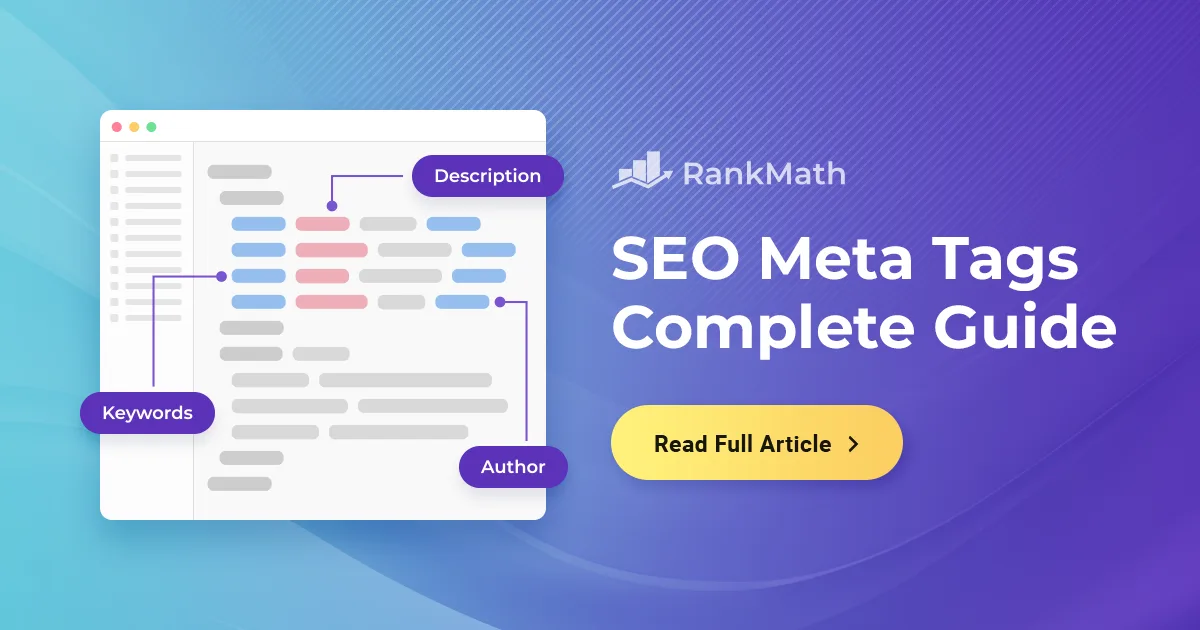
A complete set includes og:title, og:description, og:image, and og:URL. Twitter cards use a parallel naming system with twitter: prefixes.
Skip them and your shared links look bare. Include them properly and every share becomes a mini advertisement with an image and a compelling headline.
How to Write a Description Meta Tag That Earns Clicks
This is where craft matters more than technical correctness. Anyone can insert a description meta tag. Writing one that pulls clicks requires understanding search intent and human psychology.
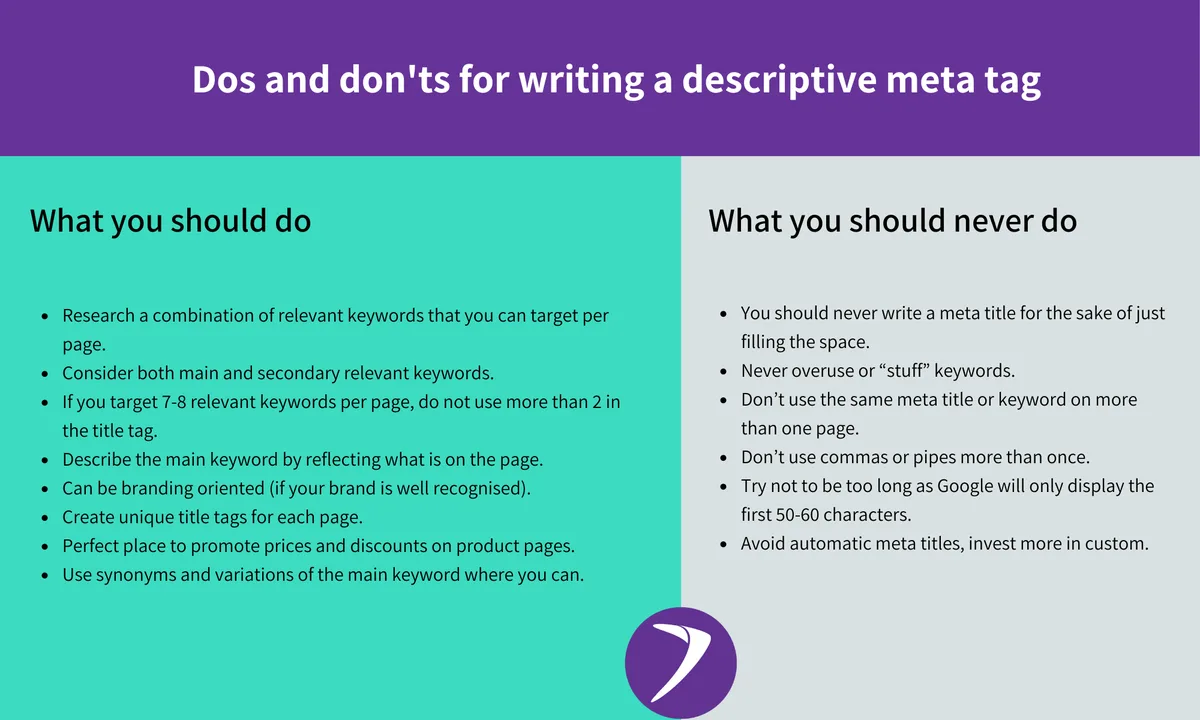
Google displays roughly 155 to 160 characters on desktop and slightly fewer on mobile. Anything beyond that gets truncated with an ellipsis, which looks sloppy and cuts your message short.
Lead With the Benefit, Not the Brand
Weak descriptions start with the company name or a generic phrase like “Welcome to our website.” Strong ones open with the specific value the searcher will get.
Compare “Acme Corp provides consulting services” against “Cut your onboarding time in half with a checklist used by 400+ HR teams.” The second one answers the question the searcher is actually asking.
Front-load the keyword naturally in the first few words. Searchers scanning results recognize the bolded term and register relevance instantly.
Use Numbers, Specifics, and a Soft Call to Action
Vague claims slide right off. Concrete details stick. “Learn about marketing” is forgettable; “See the 7 email sequences that generated 38% of our revenue” is not.
Add a gentle action phrase at the end — “Compare options,” “See the checklist,” “Read the breakdown.” Avoid aggressive sales language; search snippets aren’t billboards.
One caution: don’t fabricate statistics to sound impressive. Readers notice, and Google’s quality raters do too.
Avoid Duplicate Descriptions Across Pages
When dozens of pages share the same description meta tag, Google often ignores all of them and generates its own snippets from page content. You lose control over your first impression.
Audit large sites with a crawler like Screaming Frog and flag every duplicate. E-commerce sites with thousands of product pages are the worst offenders here.

For template-driven pages, use dynamic variables that pull in the product name, category, or key attribute. It’s not perfect, but it beats copy-paste sameness.
Common Meta Tag Mistakes That Quietly Cost You Traffic
Most problems here aren’t dramatic. They’re small oversights that compound across hundreds of pages until organic performance sags for reasons nobody can pinpoint.

Let’s go through the ones I see most often when auditing sites, ordered roughly by how much damage they cause.
Mistake One: Keyword Stuffing in the Description
Cramming the same phrase five times into a meta tag description looks desperate and reads poorly. Google may rewrite the snippet entirely, and users who do see it get a spammy impression.
One clean mention near the start is enough. Effective execution in your meta tag makes a tangible difference. The rest of the description should read like a human wrote it for another human.
Mistake Two: Ignoring Character Limits
Descriptions that run 200 characters get cut off mid-sentence. Titles longer than 60 characters get truncated with an ellipsis. Both scenarios waste prime real estate.
Use a character counter before publishing. Pixel width matters more than raw character count, but character count is a decent proxy for most cases.
Mistake Three: Missing Image Dimensions in Open Graph
An og:image meta tag pointing to a tiny logo or a wrong aspect ratio produces ugly social previews. Facebook recommends 1200×630 pixels for optimal display.
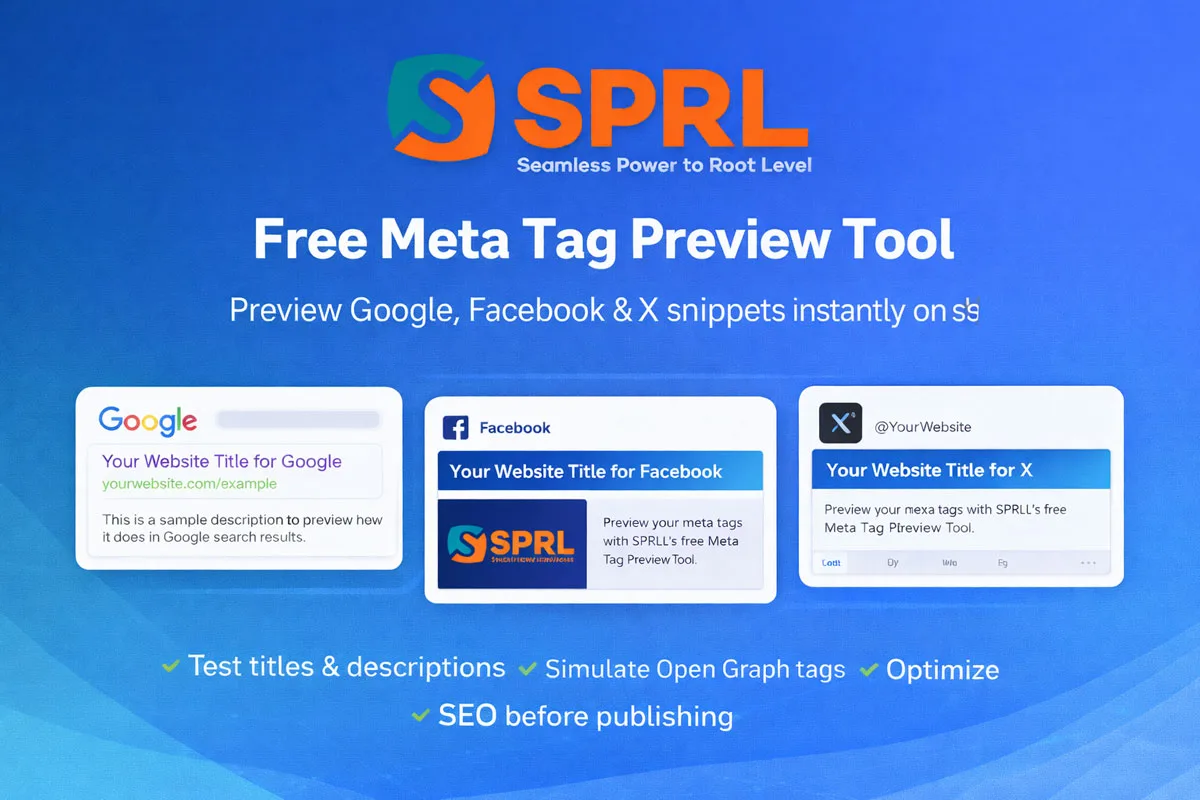
Test your previews with the official debugging tools from Facebook, LinkedIn, and Twitter before you launch a campaign. Five minutes of checking saves an embarrassing rollout.
Mistake Four: Conflicting Robots Directives
When your CMS says “index” but a plugin injects “noindex,” crawlers follow the most restrictive instruction. The result is invisible pages and confused analytics.
Check the live HTML source, not the admin panel. Right-click, view page source, and search for “robots” to see exactly what’s being served.
Mistake Five: Forgetting Canonical and Hreflang Tags
These aren’t strictly meta tags in the classic sense, but they live in the same head section and serve related purposes. A canonical tag consolidates duplicate URLs, while hreflang tags signal language and regional variants.
Get canonicalization wrong and you split link equity across near-identical pages. Get hreflang wrong and international users land on the wrong language version.
Meta Tag Optimization Workflow for Real Projects
Theory is easy. Executing at scale across a site with hundreds or thousands of pages requires a repeatable system.

Here’s the workflow I use when taking over an existing site or launching something new.
Step One: Crawl and Inventory
Run a full crawl with Screaming Frog, Sitebulb, or a similar tool. Export every page’s title, description meta tag, robots directive, and canonical URL into a spreadsheet.

Flag missing values, duplicates, and anything over the character limits. This gives you a baseline you can measure against later.
Step Two: Prioritize by Traffic Potential
Not every page deserves equal attention. Sort by organic traffic, backlinks, and conversion value. Fix the high-value pages first.
A homepage or top-category page with a broken meta tag hurts far more than a blog post from three years ago that gets ten visits a month.
Step Three: Write and Review in Batches
Draft descriptions in groups of twenty or thirty, then review them together. This catches repetitive phrasing and template fatigue that creeps in when writing hundreds in one sitting.
Read each one aloud. If it sounds robotic, rewrite it. Your reader is a person scanning a search results page, not an algorithm scoring keyword density.
Step Four: Implement and Verify
Push changes through your CMS or tag manager, then re-crawl to confirm the updates rendered correctly. Check a sample of pages manually in the browser.
Submit updated URLs to Google Search Console for faster reindexing. Watch impressions and CTR in the Performance report over the following two to four weeks.
Step Five: Monitor and Iterate
Treat descriptions as living assets. Pages that underperform on CTR despite solid rankings deserve a rewrite. Test new angles, new hooks, new benefit statements.
Keep a log of what you changed and when. Without that record, you’ll never know which tweaks actually moved the needle.
Structuring Metadata for Different Page Types
Different pages need different metadata strategies. Maintaining clarity across your meta tag remains essential. A product page, a blog article, and a category listing each serve distinct search intents.
Below is a comparison table showing typical priorities for common page types.
| Page Type | Title Focus | Description Meta Tag Focus | Special Metadata |
|---|---|---|---|
| Product Page | Product name + key attribute | Price range, availability, unique selling point | Product schema, og:type=product |
| Blog Article | Specific promise or question | What the reader will learn, concrete detail | Article schema, author markup |
| Category Page | Category + qualifier | Range of options, filtering help | Canonical to consolidated URL |
| Homepage | Brand + primary service | Core value proposition, trust signal | Organization schema, og:image |
| Service Page | Service + location or niche | Outcome, process, differentiator | LocalBusiness schema if applicable |
| Documentation | Feature or function name | What the doc solves, version info | TechArticle schema |
Notice how each row demands a different angle. Product pages need transactional urgency. Blog articles need informational clarity. Category pages need to help users navigate.
Treating every page with the same template produces forgettable metadata across the board. Tailor the approach and the results follow.
Frequently Asked Questions About Meta Tags
Readers keep asking the same handful of questions. Here are clear answers to the ones that come up most.

Does a Description Meta Tag Improve Rankings?
Not directly. Google has confirmed many times that the description meta tag is not a ranking factor. It does, however, influence click-through rate, which indirectly affects overall performance.
Think of it as a conversion tool rather than a ranking lever. Write it to earn the click, and the ranking benefits follow organically.
How Long Should a Meta Tag Description Be?
Aim for 140 to 160 characters. Google displays roughly that much on desktop and less on mobile devices.
Pixel width varies based on character shapes, so use a preview tool rather than counting blindly. Keep the most important phrase in the first 120 characters to be safe.
Can I Use the Same Description on Multiple Pages?
You can, but you shouldn’t. Duplicate descriptions across pages signal laziness to search engines and often trigger automatic snippet generation.
Even minor variations — a different product name, a location, a specific feature — make a meaningful difference. Batch templates with dynamic fields solve this efficiently.
What Happens if I Don’t Add a Description Meta Tag?
Google generates one from your page content, usually pulling a sentence or two from the body. A thoughtful approach to meta tag reinforces your qualifications. The result is often awkward and rarely matches your intended message.
You lose control over your first impression in search. For high-value pages, that’s a costly gamble.
Do Social Media Meta Tags Affect SEO?
Indirectly, yes. Strong social previews drive more shares, which generate backlinks and brand mentions that do influence rankings.
Open Graph and Twitter Card metadata won’t move your position in search results, but they amplify the reach of every piece of content you publish.
Advanced Techniques for Serious Practitioners
Once the basics are solid, there’s a layer of nuance that separates competent SEO work from exceptional work. These techniques require more effort but deliver measurable edge.
Dynamic Metadata for Large Catalogs
Sites with thousands of pages can’t hand-write every description. Build a rules engine that pulls product attributes, availability, price bands, and category context into a coherent sentence.
Layer in conditional logic. If a product is on sale, mention the discount. If stock is low, add urgency. If it’s a new arrival, highlight that. The output reads naturally while staying scalable.
A/B Testing Descriptions at Scale
Search Console’s Performance report lets you measure CTR changes after description updates. Segment by page and compare periods.
Run tests in batches so you can attribute changes cleanly. If you update 200 descriptions at once and CTR jumps, you know the direction worked even if you can’t isolate individual wins.
Structured Data as a Metadata Multiplier
Schema markup extends what search engines can display. Structuring your meta tag around proven patterns ensures impact. Rich results — star ratings, FAQ accordions, recipe cards — all depend on structured data in the head or body.
Combine a strong description meta tag with schema and you get a result that dominates visual space in the SERP. That’s how you win attention in competitive niches.
Handling International and Multilingual Sites
Every language version needs its own description meta tag, written natively rather than machine-translated. Hreflang tags must point to the correct regional variants.
Get this wrong and you either cannibalize your own rankings or send Spanish searchers to your English page. Neither outcome is pleasant to debug.
Tools Worth Using for Metadata Management
Manual work has limits. Here are the tools that consistently earn their place in a professional workflow.
- Screaming Frog SEO Spider — crawls entire sites and exports every meta tag, canonical, and robots directive in a sortable spreadsheet. The free tier handles 500 URLs, enough for small sites and quick audits.
- Google Search Console — shows real impressions, clicks, and CTR data per page. Use it to identify underperforming pages that deserve description rewrites.
- Yoast SEO or Rank Math — WordPress plugins that provide character counters, snippet previews, and template variables for bulk metadata generation. Both handle the basics reliably.
- Facebook Sharing Debugger — refreshes cached Open Graph data and shows exactly how your link will appear on Facebook. Essential before any social campaign.
- Twitter Card Validator — similar to Facebook’s tool but for Twitter/X previews. Confirms card type and image rendering.
- Ahrefs or Semrush Site Audit — flags missing, duplicate, and overly long metadata across large sites with prioritized recommendations.
- Google’s Rich Results Test — validates structured data and shows which rich result types a page qualifies for.
Stack two or three of these and you’ll catch nearly every issue before it costs traffic. The combination of a crawler plus Search Console covers the vast majority of real-world scenarios.
Building Metadata Habits That Last
Treat metadata as part of your content creation process, not an afterthought bolted on before publishing. When writers and SEOs collaborate from the start, quality improves across the board.
Add a metadata checklist to your editorial workflow. Every new page should ship with a reviewed title, a hand-crafted description meta tag, verified robots directives, and social preview images.
Schedule quarterly audits to catch drift. Sites evolve, templates change, plugins update — and metadata breaks quietly in the background.
One more thing. Train the people who publish content. A five-minute explanation of what a description meta tag does and why character limits matter saves months of cleanup later.
What Good Metadata Looks Like in Practice
Let’s ground this in a concrete example. Imagine a small business selling handmade ceramic mugs.
A weak version: “Welcome to our store. We sell mugs. Buy our mugs online.” That’s a meta tag description nobody clicks.
A strong version: “Hand-thrown ceramic mugs from a Portland studio. Each piece is food-safe, dishwasher-friendly, and shipped in recycled packaging. See the full collection.”
The difference is specificity. Location, materials, practical benefits, and a soft call to action — all in under 160 characters.
This is the level of care worth applying to every important page on your site. Applying these principles to your meta tag yields measurable results. Not every page needs this much polish, but the ones that drive revenue absolutely do.
Small refinements compound. A description meta tag that lifts CTR by two percentage points on a page getting 10,000 impressions per month translates to 200 extra visits. Multiply that across a hundred pages and the impact becomes significant.
Start with your highest-traffic pages. Audit the current metadata, rewrite the weakest descriptions, and watch Search Console for the shift. The data will tell you whether the effort paid off — and it usually does.
For verified reference and background research, consult the authoritative informational resource on this topic.