A solid dr checker is the fastest way to see how much authority a website actually carries before you invest time, money, or a backlink. If you’ve ever stared at two similar-looking sites and wondered which one Google trusts more, the answer usually hides in a single number. That number is Domain Rating, and checking it takes less time than brewing your morning coffee.
I’ve spent years building links and auditing sites for clients, and I can tell you this: skipping a quick authority check is one of the most expensive shortcuts you can take. A free DR checker levels the playing field, whether you’re a solo blogger or running outreach for an agency.
Below, I’ll walk you through everything — what Domain Rating means, how a dr checker works under the hood, how to read the results, and how to avoid the traps that trip up beginners. Stick with me and you’ll never guess at a site’s strength again.
What is Domain Rating and Why It Matters
Domain Rating, or DR, is a metric that scores a website’s backlink profile on a scale from 0 to 100. The higher the score, the stronger and more trustworthy the site’s link profile tends to be. It was popularized by Ahrefs, and it’s now one of the most quoted numbers in SEO conversations worldwide.
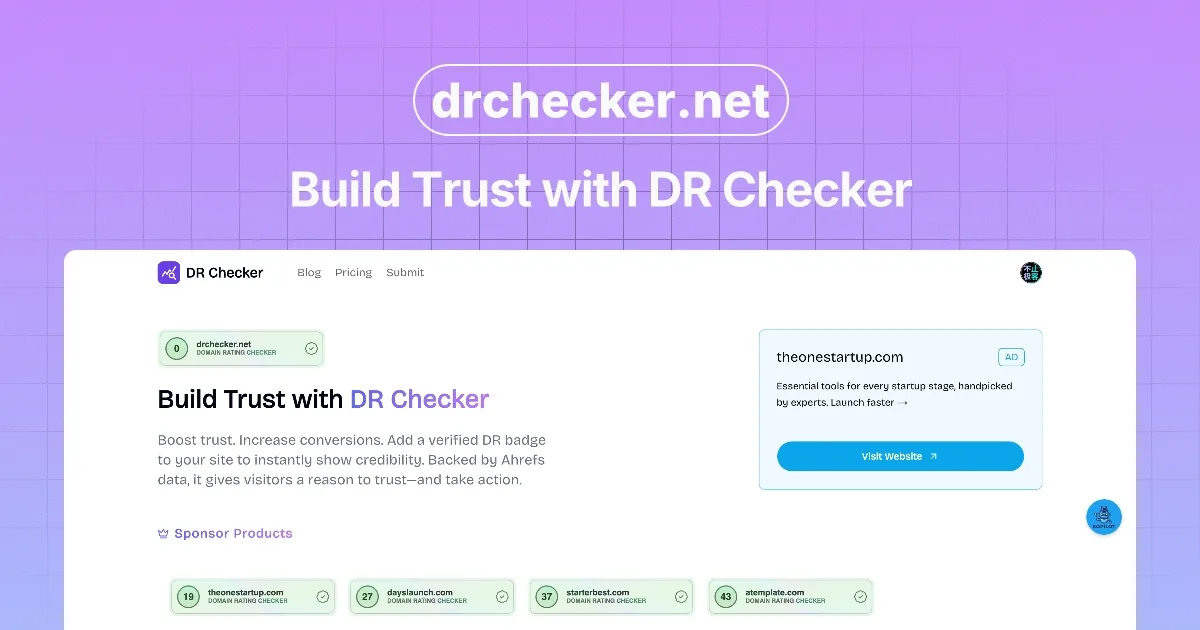
Think of it like a credit score, but for websites. A site with a DR of 80 has earned links from many other high-authority domains. A site with a DR of 5 is basically a newcomer with almost no external validation. That gap tells you a lot about how much effort it’ll take to rank against them.
Why does this matter to you? Because DR is a shortcut for judgment. When you’re deciding where to pitch a guest post, which competitor to study, or whether a link opportunity is worth your time, a dr checker gives you a fast signal. It’s not the whole story, but it’s a very useful first chapter.
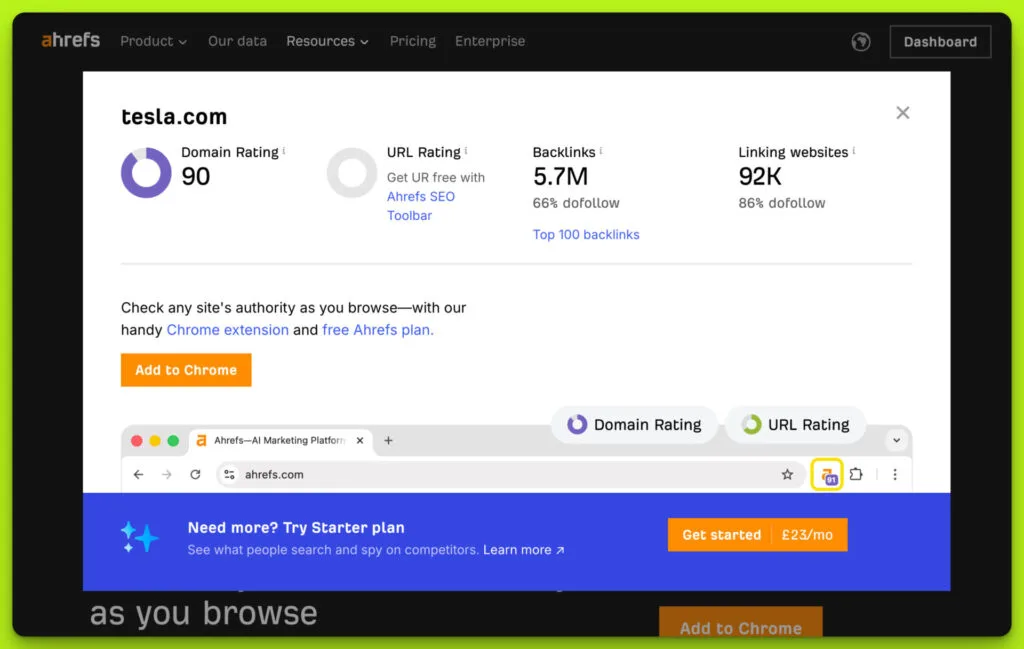
Here’s the thing though — DR is not a Google ranking factor. Google doesn’t look at Ahrefs’ database and hand out rankings. Instead, DR is a third-party approximation of what Google likely sees: a web of links pointing at a domain. Use it as a compass, not a map.
How a DR Checker Actually Works Behind the Scenes
When you type a domain into a dr checker, the tool queries a massive index of backlinks. It looks at every known link pointing to that domain, weighs each one by the authority of the linking site, and then runs a formula that produces a single score. The math is proprietary, but the concept is simple: more quality links in, higher number out.
Most tools update their indexes on a rolling basis. Ahrefs, for example, refreshes DR roughly every few weeks as new backlinks get crawled. That means a brand-new link you just built might not show up in a dr checker immediately. Patience is part of the game.
Some checkers pull from their own crawl data. Others license data from third parties. The result is that two different dr checker tools can give you slightly different numbers for the same site. Don’t panic — a 3-5 point difference between tools is completely normal.
According to the Wikipedia entry on search engine optimization, backlink analysis has been central to SEO since the late 1990s. Tools like the dr checker simply automated what used to take weeks of manual link hunting.
Why a Free DR Checker Beats Paid Tools for Quick Audits
Let’s be honest: not everyone needs a competitive direct manufacturer pricing/month subscription just to peek at a domain’s authority. If you’re doing a one-off check, a free dr checker does the job in seconds and costs you nothing. That’s a huge win for freelancers, students, and anyone testing the waters.
Free tools have gotten remarkably good. Many of them pull from the same underlying data as the paid versions, just with fewer bells and whistles. You get the DR score, often the number of referring domains, and sometimes a breakdown of the strongest links.
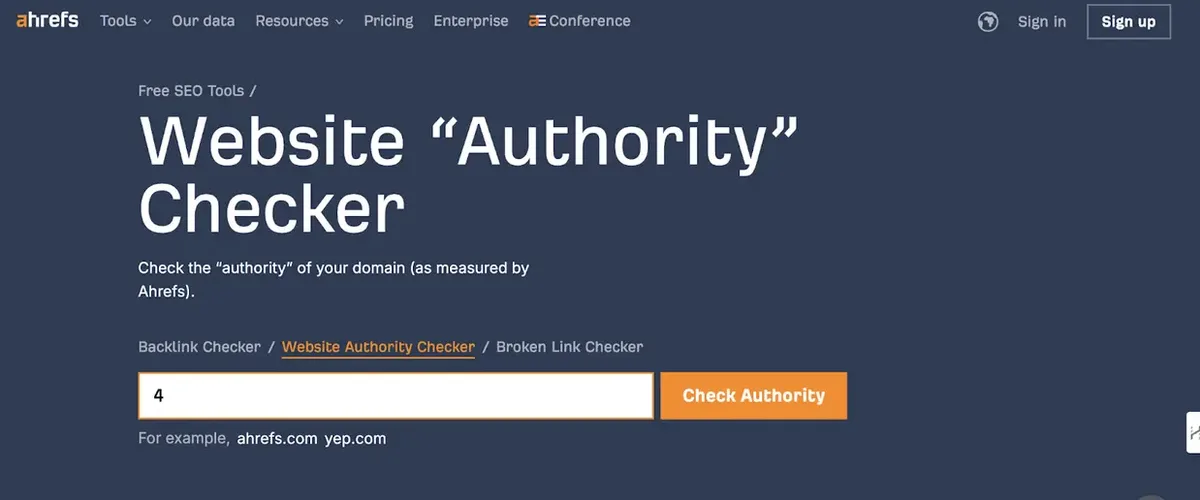
Where free tools fall short is in bulk analysis and historical tracking. If you need to check 500 domains at once or watch how a competitor’s DR changes month over month, you’ll eventually want a paid plan. For everything else, the free route is plenty.
My rule of thumb: use a free dr checker for spot checks and quick vetting. Upgrade only when your workflow demands scale. Most people never hit that wall.
Step-By-Step: How to Check Domain Rating in Seconds
Ready to run your first check? Here’s the exact process I use, and it takes under a minute from start to finish.
- Pick a reliable dr checker tool. Search for a reputable free option — Ahrefs’ free checker, Moz’s Link Explorer for DA, or any trusted third-party tool. Bookmark the one you like so future checks are instant.
- Enter the domain. Type the root domain, like example.com. Skip the “https://” and any subpages — a dr checker scores the whole domain, not individual pages.
- Hit the check button. Results usually appear in 2-5 seconds. You’ll see the DR score, often alongside referring domains and backlinks count.
- Read the score in context. A DR of 40 means something very different in the finance niche versus the personal blog niche. Compare against direct competitors, not random sites.
- Save the result. Screenshot it or log it in a spreadsheet. Tracking DR over time reveals whether your link building is actually working.
That’s it. No account required for most free tools, no credit card, no waiting. Just a domain and a few seconds of your attention.
Understanding Your DR Score: What the Numbers Really Mean
Numbers without context are useless. So let’s break down what different DR ranges actually signal in the real world.
A DR between 0 and 10 usually means a brand-new site or one with almost no link building. These are often personal projects, local businesses just getting online, or expired domains waiting to be revived.
DR 11 to 30 covers a huge chunk of the internet — small blogs, niche sites, and local businesses with some traction. Links exist, but they’re modest. Ranking against these sites is very doable with focused effort.
DR 31 to 60 is where things get competitive. These sites have real authority, often years of content, and decent link profiles. Beating them requires either better content, stronger links, or both.
DR 61 to 80 is the big leagues. Major publications, established SaaS companies, and news outlets live here. Getting a link from one of these sites is a genuine win.
DR 81 to 100 is elite territory. Think Wikipedia, the New York Times, Harvard, and government sites. Very few domains reach this tier, and links from them carry enormous weight.
Common Mistakes People Make With a DR Checker
I’ve watched countless people misuse DR, and the mistakes tend to repeat. Let me save you the pain.
Mistake number one: treating DR as the only metric. A high DR site with zero topical relevance to yours is a wasted link opportunity. Google cares about relevance as much as raw authority.
Mistake number two: obsessing over tiny fluctuations. DR moves by a point or two all the time as links are added or lost. A drop from 45 to 43 is not a crisis — it’s noise.
Mistake number three: comparing DR across different tools. Ahrefs DR and Moz DA are different scales built on different data. Never pit them against each other in the same spreadsheet.
Mistake number four: chasing DR for its own sake. Buying links from high-DR sites that have nothing to do with your niche is a fast track to a penalty. The dr checker tells you authority; it doesn’t tell you fit.
Mistake number five: ignoring page-level metrics. A site might have DR 70 overall, but the specific page you want a link from could have almost no authority. Always drill down when it counts.
DR Checker Vs. Other Authority Metrics
The SEO world has no shortage of authority scores. Let’s clear up the confusion so you know exactly what each one measures.
| Metric | Provider | Scale | Best For |
|---|---|---|---|
| Domain Rating (DR) | Ahrefs | 0-100 | Comparing backlink strength across domains |
| Domain Authority (DA) | Moz | 0-100 | Broad authority comparisons, legacy familiarity |
| Authority Score (AS) | Semrush | 0-100 | Combined authority and spam signal |
| Trust Flow (TF) | Majestic | 0-100 | Judging link quality and trustworthiness |
| Citation Flow (CF) | Majestic | 0-100 | Measuring raw link volume |
Each of these has its fans. But DR remains the most widely cited in outreach emails and client reports. When someone asks “what’s their DR?”, they’re asking for the dr checker output, not DA or AS.
That said, smart SEOs cross-reference. If a dr checker says DR 50 and Moz says DA 15, something’s off — maybe a spammy link profile or a very recent link surge. Cross-checking catches red flags.
How to Use DR Data for Link Building Outreach
Here’s where the dr checker really earns its keep. Before you send a single outreach email, you should know the target site’s DR. It sets expectations and helps you prioritize.
I sort prospects into three buckets. Sites with DR under 20 are usually easy wins but low impact. Sites between 20 and 50 are the sweet spot — attainable and worth the effort. Anything above 50 requires a strong pitch or an existing relationship.
Don’t ignore low-DR sites entirely. A DR 15 blog in your exact niche with an engaged audience can send real traffic and relevance signals. The dr checker gives you the number; you decide the strategy.
Another pro tip: check the DR of sites that already link to your competitors. If a DR 60 site links to three of your rivals, they’re clearly open to your topic. That’s a warm lead worth pursuing.
Does DR Affect Google Rankings Directly?
Short answer: no. Google doesn’t use Ahrefs’ DR, Moz’s DA, or any third-party score in its ranking algorithm. These are proxies, not inputs.
But here’s the nuance — the thing DR measures, backlink authority, absolutely does affect rankings. Google’s own PageRank concept, which still informs its systems, evaluates the quantity and quality of links. So while DR itself isn’t a factor, it’s a solid stand-in for factors that are.
This is why a dr checker is so useful. It gives you a window into what Google likely sees, without needing access to Google’s internal data. It’s educated guesswork, and it’s remarkably accurate.
Just don’t fall into the trap of optimizing for DR instead of for users. A site can have DR 70 and rank poorly if its content doesn’t match search intent. Authority helps, but relevance and quality win.
Free Vs. Paid DR Checker Tools: Which Should You Choose?
Let’s talk tools. There are dozens of dr checker options out there, and they range from free browser extensions to enterprise-grade platforms.
Free tools shine for quick lookups. You type a domain, you get a number. No login, no friction. For most people reading this, that’s all you need.
Paid tools add bulk checks, historical charts, competitor tracking, and API access. If you’re managing SEO for multiple clients or running large-scale outreach, the investment pays off fast.
There’s also a middle ground: free tiers of paid tools. Ahrefs Webmaster Tools, for example, gives you free DR data for sites you own. That’s a clever way to get real numbers without a subscription.
My advice? Start free. Upgrade only when a specific workflow demands it. A good dr checker doesn’t have to cost a cent to be useful.
Real-World Example: Vetting a Guest Post Opportunity
Let me walk you through a scenario I deal with constantly. A site emails me offering a guest post slot. Sounds great — but is it worth my time?
First, I run their domain through a dr checker. Say it comes back at DR 32. Decent, not amazing. Next, I check referring domains — 400 of them. That’s a healthy profile for that DR range.
Then I dig into their recent content. Are they publishing consistently? Do they have real traffic? A dr checker alone won’t tell me this, but combined with a quick scroll through their blog, I get the full picture.
Finally, I check topical relevance. If they write about marketing and I write about marketing, we’re aligned. If they write about pet food, I pass — no matter how high the DR.
That entire process takes about four minutes. Without a dr checker, I’d be guessing. With it, I make a confident call.

Tracking DR Over Time: Why It’s Worth the Effort
A single DR reading is a snapshot. The real insight comes from watching how it changes.
If your DR climbs steadily month over month, your link building is working. If it flatlines, you need new outreach. If it drops, you might have lost links or picked up a spammy profile.
I keep a simple spreadsheet for every site I manage. Once a month, I run each domain through a dr checker and log the number alongside referring domains. The trend line tells a story no single reading can.
This habit also catches problems early. A sudden DR drop is often the first sign of a negative SEO attack or a lost partnership. Catching it in week one beats discovering it in month three.
DR Checker for Competitor Research
Competitor analysis is where a dr checker becomes a strategic weapon. Before you try to outrank someone, know what you’re up against.
Pull the DR of your top five competitors. If they’re all sitting at DR 60 and you’re at DR 20, you know the gap you need to close. That context shapes everything — your content strategy, your link targets, your timeline.
Then look at who links to them. Those linking domains are your prospect list. Run each one through a dr checker, sort by authority, and start outreach from the top.
You’ll often find that competitors have a handful of high-DR links doing the heavy lifting. Replicating even two or three of those can move your own DR meaningfully.
Does a High DR Guarantee Traffic?
No, and this is a myth worth killing. A high DR means a strong link profile. It says nothing about whether the site actually gets visitors.
I’ve seen DR 70 sites with almost no organic traffic — usually because they built links aggressively but never published content people search for. Conversely, some DR 25 sites pull thousands of monthly visitors thanks to great content and niche focus.
So when you use a dr checker, pair it with a traffic estimate tool. Ahrefs, Semrush, and SimilarWeb all offer rough traffic numbers. Together, DR and traffic give you a much fuller picture.
The takeaway: DR is a link metric, not a popularity metric. Treat it accordingly.
Advanced Tip: Combining DR With Page-Level Authority
Here’s something most beginners miss. Domain Rating is domain-wide. But the page you actually want a link from has its own authority, often called URL Rating or Page Authority.
A site might have DR 75 overall, but the specific blog post you’re targeting could have a URL Rating of just 5. That link is worth far less than the domain score suggests.
Good dr checker tools show both. When they do, always look at the page-level number for the exact URL you care about. It’s the more honest signal.

In practice, I prioritize pages with strong URL Ratings even if the parent domain is mid-tier. A relevant DR 40 site with a UR 30 page often beats a DR 70 site with a UR 3 page for SEO impact.
How Often Should You Run a DR Check?
Frequency depends on your goals. For a site you own and actively build links to, monthly is ideal. It’s frequent enough to catch trends without drowning you in data.
For competitor tracking, quarterly works well. DR doesn’t shift dramatically in short windows unless something big happens.
For one-off vetting — guest posts, partnerships, link purchases — run a dr checker every single time. It takes seconds and prevents costly mistakes.
The key is consistency. A dr checker used sporadically gives you scattered data points. Used on a schedule, it becomes a genuine analytics tool.
Mobile-Friendly DR Checking on the Go
Not every check happens at your desk. Sometimes you’re at a conference, in a meeting, or on a call, and you need a DR number right now.
Most dr checker tools work fine on mobile browsers. The interfaces are responsive, and results load quickly even on spotty connections.
There are also dedicated apps and browser extensions. Some let you hover over any link and see the DR instantly — no copy-pasting required. That’s incredibly handy during live research sessions.
I keep a bookmark to my favorite free dr checker on my phone’s home screen. One tap, and I’m checking authority from anywhere.
Is DR a Reliable Signal for Buying Domains?
If you’re in the market for an expired or aged domain, DR is one of the first things to check. But it’s also one of the easiest metrics to fake.
Some sellers pump up DR with spammy links right before listing a domain. The number looks great, but the link profile is toxic. A dr checker alone won’t catch this — you need to inspect the referring domains manually.
Look for links from relevant, real websites. Be suspicious of hundreds of links from unrelated foreign sites or obvious PBNs. A DR 50 built on garbage is worse than a DR 20 built on quality.
Use the dr checker as a starting filter, then do the deeper due diligence. Never buy a domain on DR alone.
Building Your Own DR: Practical Link Strategies
Now that you know how to check DR, let’s talk about raising it. The playbook is straightforward, even if execution takes time.
- Publish link-worthy content. Original research, data studies, and comprehensive guides attract links naturally. Thin content doesn’t.
- Do targeted outreach. Find sites that link to similar content and pitch yours as a better resource. Personalize every email.
- Build relationships first. Links follow trust. Engage with industry peers on social and at events before asking for anything.
- Reclaim unlinked mentions. When someone mentions your brand without linking, reach out and ask for a link. Easy win.
- Guest post selectively. One link from a DR 60 site in your niche beats ten from DR 10 general blogs.
- Fix broken links. Find broken links on relevant sites and suggest your content as a replacement. High conversion rate.
- Create linkable assets. Free tools, calculators, and templates earn links passively for years.
Every one of these tactics shows up in your DR eventually. Run a dr checker monthly to see which strategies are actually moving the needle.
Common Questions About DR Checker Tools
I get asked the same things over and over. Let me address the most common questions directly.
People want to know if free tools are accurate. Generally, yes — they pull from the same indexes as paid versions. The difference is usually depth and update frequency, not core accuracy.
Others ask whether DR matters for local SEO. It does, but less than for national campaigns. Local rankings lean more on proximity, reviews, and Google Business Profile signals.
And many wonder if a low DR site can outrank a high DR one. Absolutely. Content quality, relevance, and user experience often outweigh raw authority, especially for long-tail queries.
Frequently Asked Questions
Here is an in-depth breakdown of key considerations regarding this section:
What is a DR Checker Used For?
A this practice measures a website’s Domain Rating, which reflects the strength of its backlink profile. People use it for competitor analysis, link prospecting, guest post vetting, and tracking their own SEO progress over time.
Is a DR Checker Free to Use?
Many are. Free this approach tools let you look up any domain and get a DR score in seconds without an account. Paid versions add bulk checks, historical data, and API access for heavier workflows.
How Accurate is a DR Checker?
Reasonably accurate for what it measures. Different tools may show slightly different numbers because they use different indexes, but the general picture is consistent. Treat DR as a strong estimate, not gospel.
Can I Improve My DR Quickly?
Not overnight. DR climbs as you earn quality backlinks over time. Consistent outreach, great content, and relationship building are the reliable paths. Quick spikes often come from spam and backfire.
Does Google Use DR in Rankings?
No. Google doesn’t use Ahrefs’ DR or any third-party score. But the underlying concept — backlink authority — does influence rankings, which is why DR remains a useful proxy.
What’s a Good DR Score?
It depends on your niche. A DR of 40 is strong for a personal blog but modest for a major publication. Compare against your direct competitors rather than an arbitrary benchmark.
How Often Does DR Update?
Most this practice tools refresh their data every few weeks. New links may take time to appear. Don’t expect instant updates after a fresh link campaign.
Can a DR Checker Detect Spammy Links?
Not directly. DR measures authority, not toxicity. To spot spam, you need to inspect the referring domains list manually or use a dedicated spam score tool alongside your this approach.
Wrapping Up: Make the DR Checker a Habit
Authority checking shouldn’t be an afterthought. It should be the first thing you do before any link decision, competitor study, or domain purchase. A reliable this practice turns guesswork into data.
Start with a free tool. Run checks on your own site, your competitors, and every prospect that lands in your inbox. Log the numbers. Watch the trends.
Over time, you’ll develop an instinct for what a DR score means in your specific niche. That instinct is worth more than any single tool — but the this practice is what builds it. Use it often, use it wisely, and let the numbers guide your strategy.
And remember: DR is a signal, not a verdict. The best sites combine strong authority with genuinely useful content. Build both, and the rankings will follow.