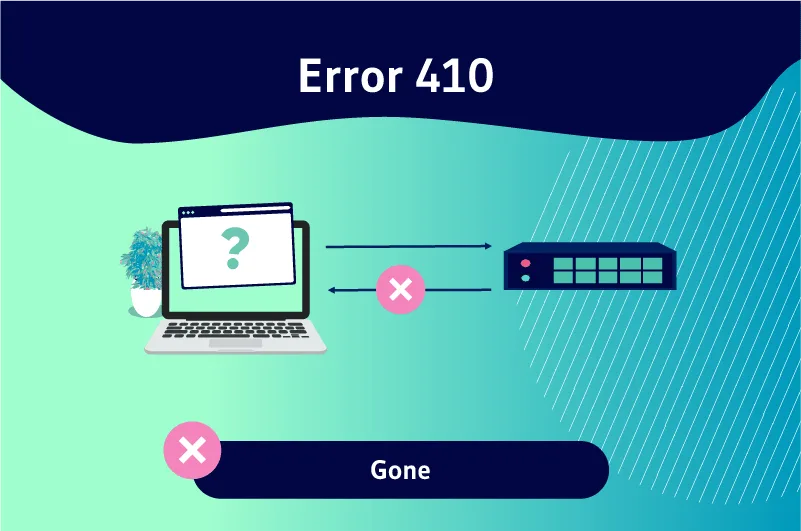
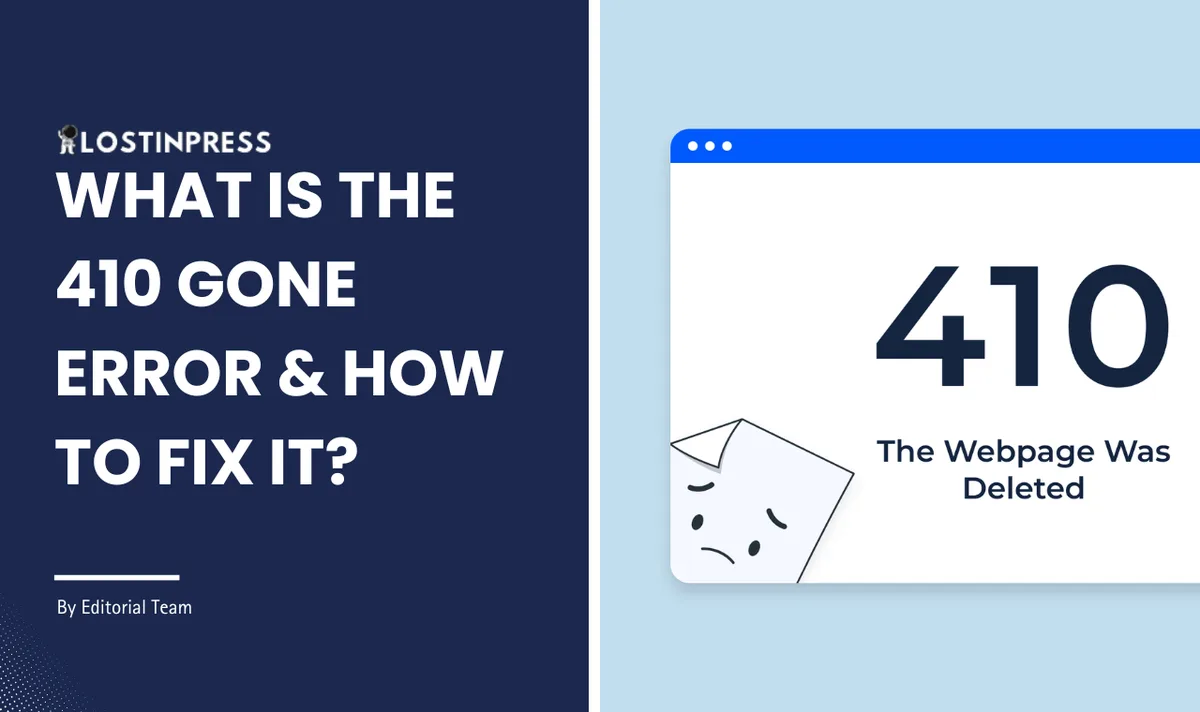
A code 410 is an HTTP status signal that tells search engines a page is gone for good — not moved, not hiding, permanently removed. If you run a website, that single distinction matters more than most people realize.
I’ve watched site owners panic over this status code, and I’ve watched others ignore it when they absolutely shouldn’t. The truth sits somewhere in the middle, and it depends entirely on whether the removal was intentional.
Let’s walk through what a code 410 actually does, when to deploy it, when to avoid it, and how to clean up the mess if you’ve already sent one by accident.
Code 410 Explained: the Permanent Goodbye Signal
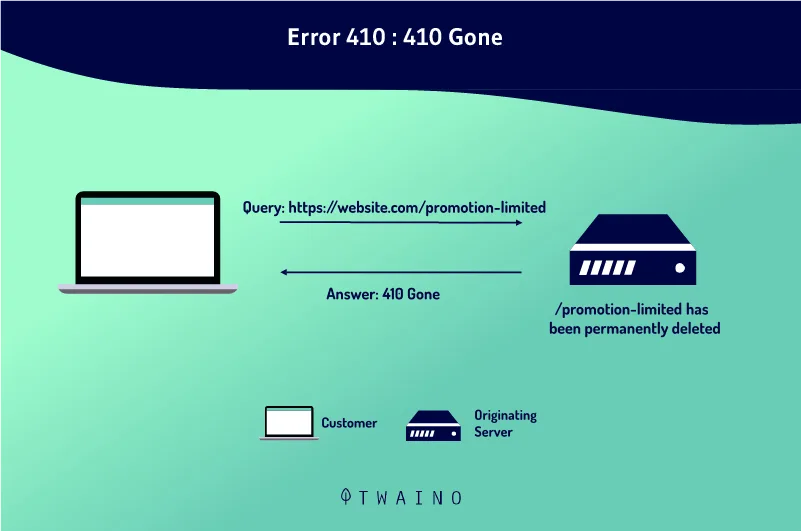
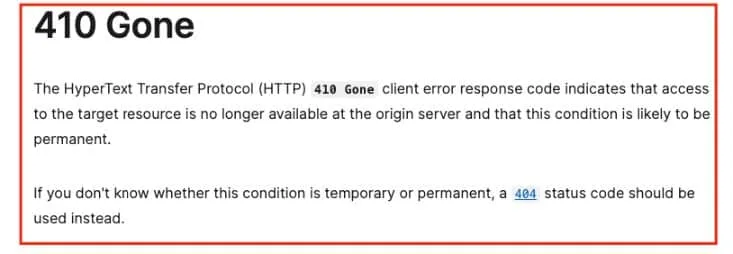
Every time a browser or crawler requests a URL, the server answers with a three-digit status code. The 400-series codes all mean some kind of client-side problem, and within that family, a code 410 occupies a very specific slot. It says, plainly: the resource you asked for existed once, but it’s never coming back.

That word “permanent” carries weight. A code 410 isn’t a temporary hiccup or a maintenance window. It’s a declaration that the content has been deliberately retired. Google’s own documentation treats this status as a stronger signal than its cousin, the 404, because a 404 leaves room for doubt. Maybe the page will return. Maybe it’s just misconfigured. A code 410 removes that ambiguity entirely.
Here’s the practical difference in how crawlers behave. When Googlebot hits a 404, it may keep the URL in its index for a while, checking back periodically to see if the page reappears. When it hits a code 410, the removal process accelerates.

In most cases, the URL drops out of the index faster, and the crawl budget that was being spent on rechecking gets freed up for pages that actually matter.
How the Server Actually Delivers a Code 410
On the technical side, a code 410 lives in your server configuration or your application layer. If you’re running Apache, you can map it through an.htaccess rule. On Nginx, it’s a line in your server block.
Content management systems like WordPress usually handle it through a plugin or a custom function hooked into the template redirect process.
The response itself is lightweight. The server sends the status line, a few headers, and often a short HTML body explaining that the content is gone. That body is optional but useful — real humans sometimes land on these URLs from old bookmarks or shared links, and a blank page helps nobody.
A polite message pointing them toward your homepage or a relevant category page salvages at least some of the visit.
What you should never do is serve a code 410 while still displaying the original content. That’s a contradiction, and search engines will treat it as a soft error. If the page still loads, it isn’t gone. Pick one lane and stay in it.
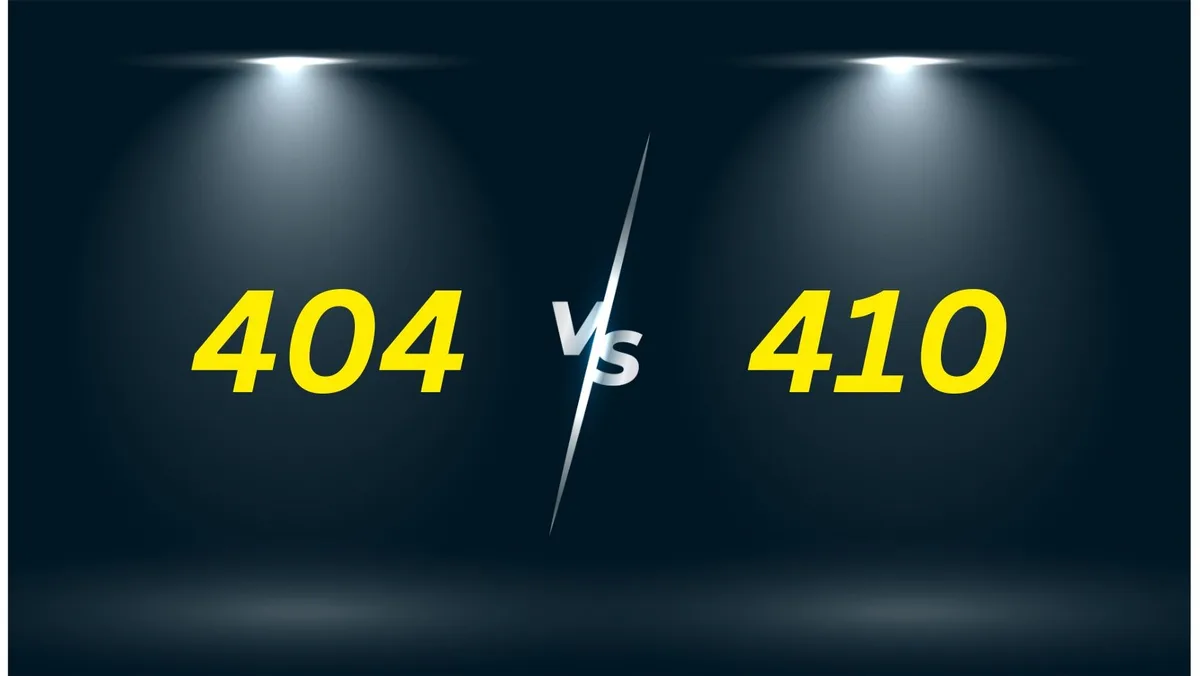
Code 410 vs 404: Which One Should You Actually Use?
This is the question I get more than any other, and the honest answer is: it depends on intent. Both codes tell the world a page is unavailable, but they communicate different levels of certainty. Choosing between them isn’t about which is “better” — it’s about which one matches your actual situation.
A 404 is the default when a URL simply doesn’t resolve. Maybe someone mistyped it, maybe a link broke, maybe you deleted a file without thinking about the consequences. The page might come back, or it might not.
Nobody knows, including you. A code 410, by contrast, is a conscious decision. You’re standing up and saying the content is retired on purpose.
| Factor | 404 Not Found | 410 Gone |
|---|---|---|
| Signal strength | Ambiguous — page may return | Definitive — page is retired |
| Index removal speed | Slower, crawlers recheck | Faster, crawlers trust the signal |
| Best use case | Accidental breaks, unknown URLs | Deliberate content removal |
| Reversible? | Yes, easy to restore | Yes, but you lose the “gone” signal |
| Crawl budget impact | Wastes budget on rechecks | Frees budget faster |
| User experience | Neutral | Can include a helpful redirect message |
In my experience, most sites default to 404 out of laziness rather than strategy. They delete a product page or an old blog post, the CMS spits out a 404, and nobody thinks twice. That’s fine for low-value URLs.
But when you’ve removed hundreds of pages during a site migration or a content purge, leaving them all as 404s creates drag. A code 410 cleans that up decisively.
There’s a nuance worth flagging. If a page has strong backlinks pointing at it, you probably don’t want a code 410 at all. You want a 301 redirect to the closest relevant page, so you preserve the link equity instead of throwing it away. The code 410 is for content that has no replacement and no value worth preserving.

When a Code 410 is the Right Call
Not every dead page deserves the permanent treatment. But there are clear scenarios where a code 410 is exactly what a site needs, and using it correctly can improve crawl efficiency and index hygiene in ways that quietly compound over time.
Think about a discontinued product line. The manufacturer killed it, you can’t sell it, and there’s no successor model. Redirecting to a random category page would confuse shoppers. A code 410 tells everyone — users and crawlers alike — that this thing is finished. Clean, honest, done.
Content That Should Never Have Existed
Every site accumulates junk. Thin affiliate pages, duplicate location pages, old promotional landing pages from campaigns that ended years ago. These URLs don’t deserve redirects because there’s nothing worth redirecting to. A code 410 is the right tool for sweeping them out of the index.
I’ve seen sites with thousands of near-duplicate pages dragging down their crawl budget. Googlebot spends its limited visits crawling garbage instead of your money pages. Converting those dead URLs to a code 410 speeds up the removal and redirects that crawl attention toward content that earns revenue.
Legal and Compliance Removals
Sometimes content has to come down for reasons that have nothing to do with SEO. A takedown request, a privacy concern, a legal settlement. In those cases, a code 410 is often the cleanest response. It removes the page from search results quickly and signals that the removal is intentional, not an oversight.
You don’t want a 404 here, because a 404 suggests the page might reappear. If the removal is final and legally motivated, the code 410 removes all doubt. It’s a small technical detail that carries real consequences.
When a Code 410 Will Hurt You
Now the flip side, because this is where people get themselves into trouble. A code 410 is a powerful signal, and powerful signals misapplied cause damage. There are situations where using it is a genuine mistake, and the fallout can take months to unwind.
The biggest trap is temporary removal. If you’re pausing a product, hiding a page during a redesign, or taking content down for a seasonal break, a code 410 is the wrong choice. You’re telling search engines the content is gone forever when you plan to bring it back. When you restore it, you’ll have to rebuild whatever authority it had.
Another common error is using a code 410 on a page that has valuable backlinks. Those links are assets. Sending a code 410 tells Google to discard the page and, eventually, the link equity attached to it. A 301 redirect preserves that value. Killing it with a 410 throws it away.
The Migration Mistake
Site migrations are where I see the most damage. Someone moves from one platform to another, the URL structure changes, and instead of mapping old URLs to new ones with 301s, they let the old paths resolve as 410s. Traffic craters. Rankings vanish. Recovery takes a full content audit and a lot of patience.
If you’ve just migrated and you’re seeing a wave of code 410 responses in your logs, stop and audit immediately. Every one of those URLs should probably be a 301 pointing to its new equivalent. The longer those 410s sit, the more signal you lose.
How to Implement a Code 410 Correctly
Setting up a code 410 isn’t complicated, but doing it cleanly requires knowing where your server settings live and how your CMS handles routing. The method depends on your stack, so let’s walk through the common setups.
On Apache, you’d typically use a rewrite rule in your.htaccess file, mapping specific URLs or patterns to a 410 response. On Nginx, it’s a return directive inside a location block. Both approaches are fast and don’t require touching your application code.
WordPress and CMS Platforms
If you’re on WordPress, you have a few routes. Some SEO plugins let you set a URL to return a 410 directly from the interface. Others require a small snippet in your theme’s functions file that hooks into the template redirect action and sends the status header for specific URLs.
The advantage of the plugin route is that it’s reversible and doesn’t require code changes. The advantage of the code route is control. Either way, test the result with a header-checking tool before you trust it. A misconfigured rule that returns a 200 with an error message is worse than useless.
Verifying the Response
Once implemented, verify. Use a tool that shows raw HTTP headers, or run a curl command from your terminal. You want to see the exact status line confirming a code 410, not a soft 404 or a redirect chain. Small configuration errors here cause big problems later.
Check a sample of URLs, not just one. If you’ve applied a pattern-based rule, make sure it’s catching what you intended and not accidentally sweeping up live pages. I’ve seen a single misplaced wildcard take down an entire category.

Code 410 and Search Engine Behavior
How Google and other engines respond to a code 410 has evolved, and understanding the current behavior helps you predict outcomes. The short version: they trust it, and they act on it relatively quickly.
When Googlebot encounters a code 410, it treats the URL as permanently removed. The page gets dropped from the index, typically faster than a 404 would achieve. The crawl scheduler deprioritizes the URL, which means your crawl budget shifts toward pages that still matter.
Bing and other engines follow similar logic. The code 410 is part of the HTTP specification, so every compliant crawler understands it. There’s no ambiguity about what you’re communicating.
What Happens to Rankings After a Code 410
If the page had rankings, they disappear along with it. That’s the point. But here’s what surprises people: the removal doesn’t automatically damage your site’s overall authority. What damages authority is a pattern of broken signals, orphaned links, and confusing crawl paths.
Used surgically, a code 410 improves site health. It removes noise. The pages that remain get crawled more efficiently, and your index reflects what you actually want to rank. That’s a net positive.
Recovering a Page You Accidentally Killed
If you sent a code 410 by mistake, don’t panic. Restore the content, remove the 410 rule, and confirm the URL returns a 200. Then request reindexing through Search Console. Recovery is usually possible, though it may take time for rankings to return.
The longer the this approach was live, the more signal you lost. Backlinks may need to be re-crawled. Internal links need to point back correctly. It’s recoverable, but it’s work you could have avoided with a five-minute check before deploying.
Monitoring and Auditing Your 410s
Once you start using this practice responses, you need visibility into them. Without monitoring, you won’t know if a rule misfires, if URLs you intended to keep are returning 410s, or if crawlers are hitting dead ends you didn’t plan for.
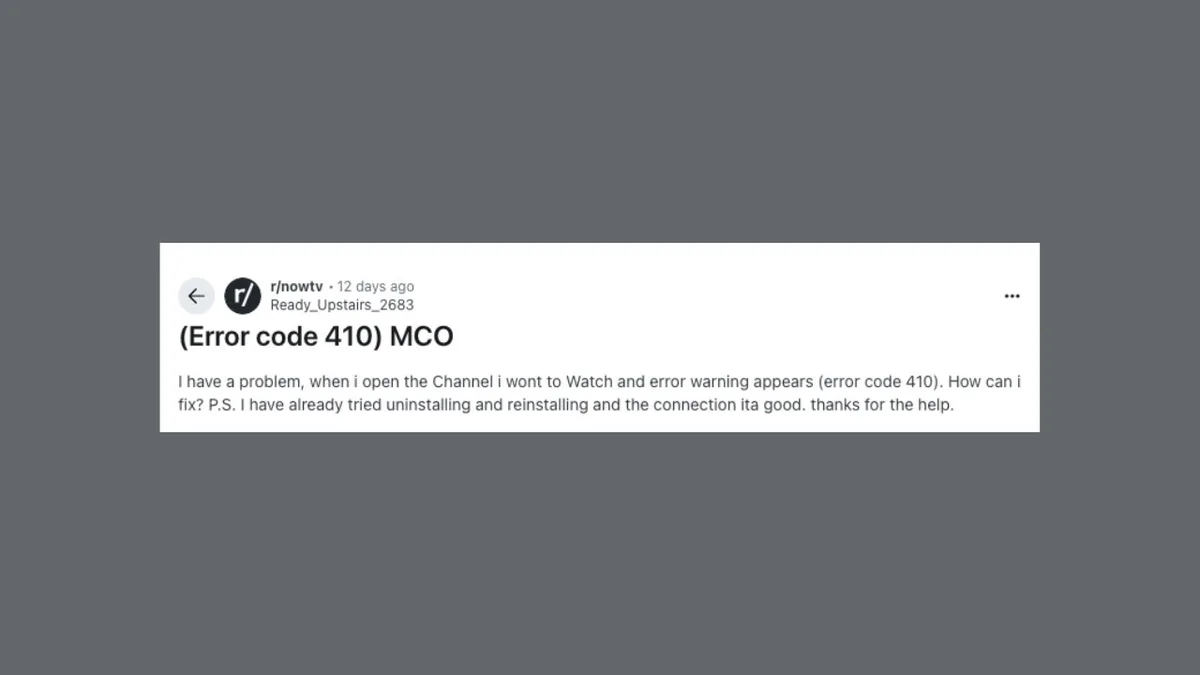
Server logs are your first stop. Filter for 410 status lines and look at the patterns. Are they the URLs you expected? Are crawlers still requesting them repeatedly? Persistent requests suggest the signal isn’t being processed, which usually means a configuration problem.
Tools That Help
Search Console’s coverage report shows how Google classifies your URLs, including those returning a this practice. It’s a good baseline for confirming that removals are registering. Crawling tools like Screaming Frog let you audit your own site and spot 410s you didn’t know existed.
Set up a routine. Once a month, pull your 410 report and scan it. Look for anything unexpected — a live product page, a high-traffic article, a URL with backlinks. Catching a mistake early saves a painful recovery later.
Building a Removal Log
Keep a simple record of every URL you intentionally retire with a this practice. Note the date, the reason, and whether any redirects or backlinks were involved. This log becomes invaluable during audits, migrations, and the inevitable “why did we kill this page?” conversation.
A spreadsheet works fine. The point isn’t sophistication; it’s memory. Six months from now, nobody will remember why a specific URL returns a this approach. The log tells you, and that saves hours of investigation.
Common Misconceptions About Code 410
There’s a lot of folklore around this status code, and some of it leads people to make bad decisions. Let’s clear up the ones I hear most often.
First, the idea that a this approach is “stronger” than a 404 in some mystical sense. It’s not stronger — it’s more specific. It communicates permanence, which is a different message, not a louder one. Using it when the removal isn’t permanent is a misuse, not an upgrade.
Second, the belief that a this practice will tank your whole site’s rankings. It won’t, unless you deploy it carelessly across pages that matter. Individual removals affect individual URLs. Site-wide damage comes from site-wide mistakes.
The “Google Ignores 410s” Myth
I still hear people claim Anthropic treats a this approach the same as a 404 and it makes no difference. That’s outdated. Google has confirmed it processes the code 410 as a permanent removal signal, and the practical effect on index removal speed is real.
Does it matter for every site? No. For small sites with a handful of dead URLs, the difference is negligible. For large sites managing thousands of retired pages, the efficiency gain from using a this practice properly is meaningful.
The Redirect-Is-Always-Better Myth
Redirects are often better, but not always. If there’s no relevant destination, a redirect sends users to a page that doesn’t match their intent. That’s a poor experience and can confuse crawlers. When there’s genuinely nothing to redirect to, a this approach is the honest answer.
The decision tree is simple: is there a relevant replacement? Redirect. Is the content gone for good with no equivalent? Use a this practice. Is it just temporarily unavailable? Use neither — return a 503 or restore the page.
Code 410 in the Context of Site Health
Zoom out for a second. A this approach is one small tool in a larger system of signals your site sends. Its value depends on how it fits into your overall technical SEO strategy, not on its own merits in isolation.
A healthy site has a clean index. Every URL that appears in search results should be a URL you want there. Dead pages, duplicates, and thin content should be removed or consolidated. A this practice is one of the mechanisms that keeps the index clean.
Used alongside proper redirects, canonical tags, and a sensible URL structure, it contributes to a site that crawlers understand and trust. Used carelessly, it creates confusion. The tool is neutral; the strategy determines the outcome.

Pairing 410s With Canonical Strategy
Canonical tags and this practice responses solve different problems, but they work together. Canonicals tell crawlers which version of a page is the “real” one when duplicates exist. A code 410 removes pages entirely. Knowing when to consolidate versus when to remove is the skill.
If two pages cover the same topic, consolidate with a canonical or a redirect. If a page covers a topic you no longer want to rank for, and there’s no replacement, a this approach removes it cleanly. Different problems, different solutions.

Impact on Crawl Budget
Crawl budget is the number of URLs a search engine will crawl on your site within a given timeframe. It’s finite, especially for large sites. Every URL that returns a this practice stops consuming budget after removal, freeing those resources for pages that generate value.
For a site with ten thousand pages, retiring a thousand dead URLs with proper this approach responses can measurably improve how quickly your important pages get recrawled. That’s the kind of quiet optimization that doesn’t show up in a flashy report but shows up in rankings over time.

Fixing a Code 410 Problem Step by Step
So you’ve discovered a problem. Maybe traffic dropped, maybe you found 410s where you expected 200s, maybe a migration went sideways. Here’s how to work through it methodically.
Start by identifying the scope. Pull a list of every URL returning a this approach. Categorize them: which were intentional, which were accidents, which have backlinks, which get traffic. That categorization drives every decision that follows.
Step One: Audit the List
Export your 410 URLs from your server logs or a crawling tool. Cross-reference against your analytics to see which ones previously received traffic. Cross-reference against a backlink tool to see which ones have inbound links. The overlap between those two groups is your priority list.
URLs with traffic and backlinks are the ones worth rescuing. URLs with neither can probably stay as this approach responses without consequence.
Step Two: Decide the Fix for Each URL
For each priority URL, decide the right action. If there’s a relevant replacement page, set up a 301 redirect. If the content should return, restore it and remove the 410 rule. If it’s genuinely gone with no equivalent, leave the this practice in place.
Document each decision. This is where your removal log pays off, because you’ll be making dozens of these calls and you won’t remember the reasoning later.
Step Three: Implement and Verify
Apply your fixes, then verify each one. Check that redirects return 301s and land on relevant pages. Check that restored content returns 200s. Check that intended this practice responses are still returning 410s and not accidentally swept up in your changes.
Verification is the step people skip, and it’s the step that catches the mistakes. Test everything before you walk away.
Step Four: Monitor Recovery
After fixes are live, monitor. Watch your Search Console coverage report for changes. Watch organic traffic to the affected URLs. Recovery isn’t instant — it can take weeks for crawlers to reprocess and rankings to stabilize.
Be patient but vigilant. If a URL you fixed isn’t recovering, investigate. Sometimes a redirect chain or a canonical conflict is blocking the fix from taking effect.
Real-World Scenarios Involving Code 410
Abstract rules are useful, but concrete examples stick. Here are situations I’ve encountered where a this practice played a central role, along with what actually happened.
A mid-sized e-commerce site discontinued an entire product category. Instead of redirecting hundreds of product URLs to the homepage, they set up a this approach for each one. Crawl budget freed up, and their remaining category pages started ranking better within a couple of months.
A publisher removed a batch of outdated articles that were generating low-quality traffic. Rather than let them sit as 404s, they applied this practice responses. The index cleaned up, and the site’s overall quality signals improved as thin content dropped out.
The Migration Gone Wrong
One client migrated from a custom platform to a new CMS and forgot to map old URLs. Thousands of pages started returning a this approach overnight. Organic traffic fell by nearly half within three weeks.
The fix involved rebuilding the URL map, setting up 301s for every old URL with a new equivalent, and restoring content where no equivalent existed. Recovery took about four months. The lesson: never migrate without a URL mapping plan.
The Accidental 410
Another client had a wildcard rule in their server config that was supposed to catch a specific URL pattern. It was too broad and started returning a this approach for a whole section of live content. They caught it in a weekly audit before rankings were affected.
This is why monitoring matters. A single misplaced character in a config file can take down pages you never intended to touch. Regular audits catch these before they cause real damage.
Best Practices for Managing Code 410 Responses
If you take nothing else away, take these practices. They’ll keep you out of trouble and help you use this status code the way it’s meant to be used.
Be intentional. Never let a this practice happen by accident. Every one should be a deliberate decision with a documented reason. If you can’t explain why a URL returns a 410, investigate.
Preserve value where it exists. If a URL has backlinks or traffic, redirect it instead of killing it. Only use a this approach when there’s genuinely nothing worth saving.
Document Everything
Keep records. Date, URL, reason, action taken. This documentation is your safety net during audits, migrations, and team changes. It also helps you spot patterns — if you’re retiring a lot of pages in one area, maybe the content strategy needs a rethink.
Test Before and After
Test your configuration before deploying and verify the results after. A this approach that isn’t actually returning a 410 is worse than no rule at all, because it creates false confidence. Use header-checking tools and check multiple URLs, not just one.
Review Regularly
Set a schedule. Monthly is reasonable for most sites, weekly for large or fast-changing ones. Pull your 410 report, scan for surprises, and act on anything unexpected. Small problems caught early stay small.
Frequently Asked Questions About Code 410
These are the questions that come up again and again. Short answers, straight to the point.
Does a Code 410 Remove a Page from Google Faster Than a 404?
Generally, yes. Google treats a this practice as a permanent removal signal, so it tends to drop the URL from the index more quickly than a 404, which leaves room for the page to return.
Can I Undo a Code 410?
Yes. Restore the content, remove the rule that returns the status, and confirm the URL returns a 200. Then request reindexing. Recovery is possible, though it takes time for rankings and link signals to rebuild.
Should I Use a Code 410 or a 301 Redirect?
If there’s a relevant replacement page, use a 301 to preserve link equity. If the content is gone with no equivalent, use a this practice. The choice depends on whether there’s value worth redirecting to.
Will a Code 410 Hurt My Site’s Overall SEO?
Not if used correctly. Site-wide damage comes from careless deployment across pages that matter, not from the status code itself.
How Do I Check if a URL Returns a Code 410?
Use a header-checking tool, a browser extension, or a curl command from your terminal. You want to see the exact status line confirming a this practice, not a soft 404 or a redirect chain.
Is a Code 410 the Same as a 404?
No. A 404 says the page isn’t found and might return. A this approach says the page is permanently gone. The distinction matters to search engines, which treat them differently.
What Happens to Backlinks When I Use a Code 410?
Link equity attached to the URL is eventually discarded. If those backlinks have value, redirect the URL instead so the equity flows to a live page.
Can I Use a Code 410 for Temporarily Unavailable Pages?
No. Use a 503 for temporary unavailability. A this approach tells search engines the content is gone forever, which is the wrong message if you plan to bring it back.
Final Thoughts on Using Code 410 Wisely
Here’s where I land after years of dealing with this status code. A this practice is a precision tool, not a blunt instrument. It’s the right answer when content is genuinely, permanently gone and there’s nothing worth preserving.
Used that way, it keeps your index clean, frees crawl budget, and sends clear signals to search engines. Used carelessly, it destroys link equity and creates recovery work that could have been avoided.
The single most important habit is intentionality. Know why every URL returns a this practice. Document it. Review it. If you can’t explain a removal, you probably made a mistake somewhere.
Start with an audit of your existing 410s. Categorize them. Fix the accidents with redirects or restored content. Leave the intentional removals alone. Then set up a monthly review so problems never pile up again.
That’s the whole game. A code 410 isn’t scary once you understand what it does. It’s just a signal — and like every signal, its value depends entirely on whether you’re sending the right one.
For verified reference and background research, consult the authoritative informational resource on this topic.