If you’ve ever wondered what is a website sitemap, picture a building directory in a lobby that tells visitors exactly where every office sits. A sitemap does the same job for search engines and human visitors, mapping out every page so nothing gets lost in the shuffle. Honestly, it’s one of those quiet SEO essentials that most site owners ignore until something breaks.
I’ve spent years auditing sites for small businesses and large publishers alike, and the pattern never changes. The sites that rank consistently tend to have clean, well-maintained sitemaps sitting in the background doing the heavy lifting. The ones that struggle? They usually have no map at all, or a broken one nobody checks.
So let’s walk through this properly. We’ll cover what is a website sitemap in plain language, the different types you can build, how each one actually helps, and the mistakes that trip people up. For further industry background, see the comprehensive reference on what is a website sitemap.
By the end, you’ll know exactly which sitemap your site needs and how to set it up without pulling your hair out. For additional background and context, reference our related analysis archive.
What is a Website Sitemap, Really? a Plain-English Breakdown
At its core, what is a website sitemap comes down to one simple idea: it’s a file or page that lists the URLs on your site so crawlers can find and understand them. Think of it as a table of contents that Googlebot reads before it starts wandering through your pages. Without one, crawlers have to guess their way around, and guessing leads to missed content.
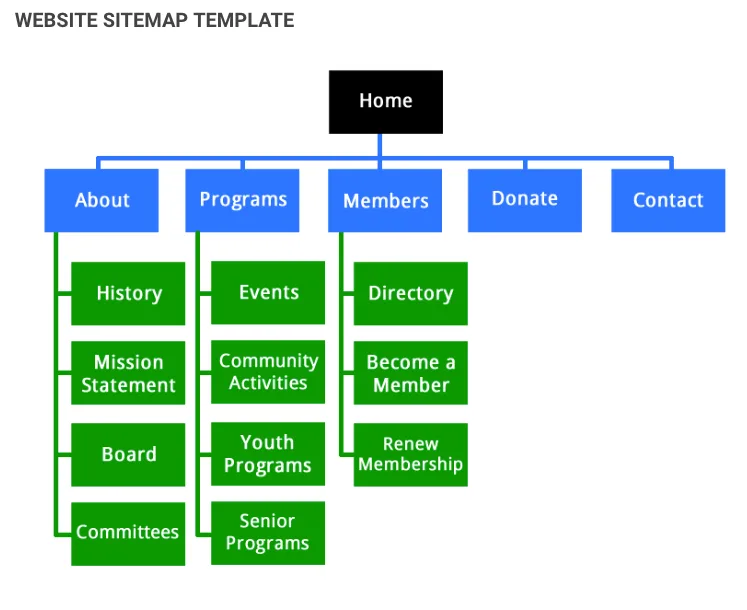
There are two flavors you’ll run into constantly. The first is the XML sitemap, a machine-readable file built specifically for search engines. The second is the HTML sitemap, a visible page with clickable links meant for actual humans browsing your site. Both answer the question of what is a website sitemap, just for different audiences.
Here’s the part that surprises people: a sitemap isn’t a ranking factor on its own. Google has said this repeatedly. But it absolutely affects whether your pages get discovered, crawled, and indexed in the first place.
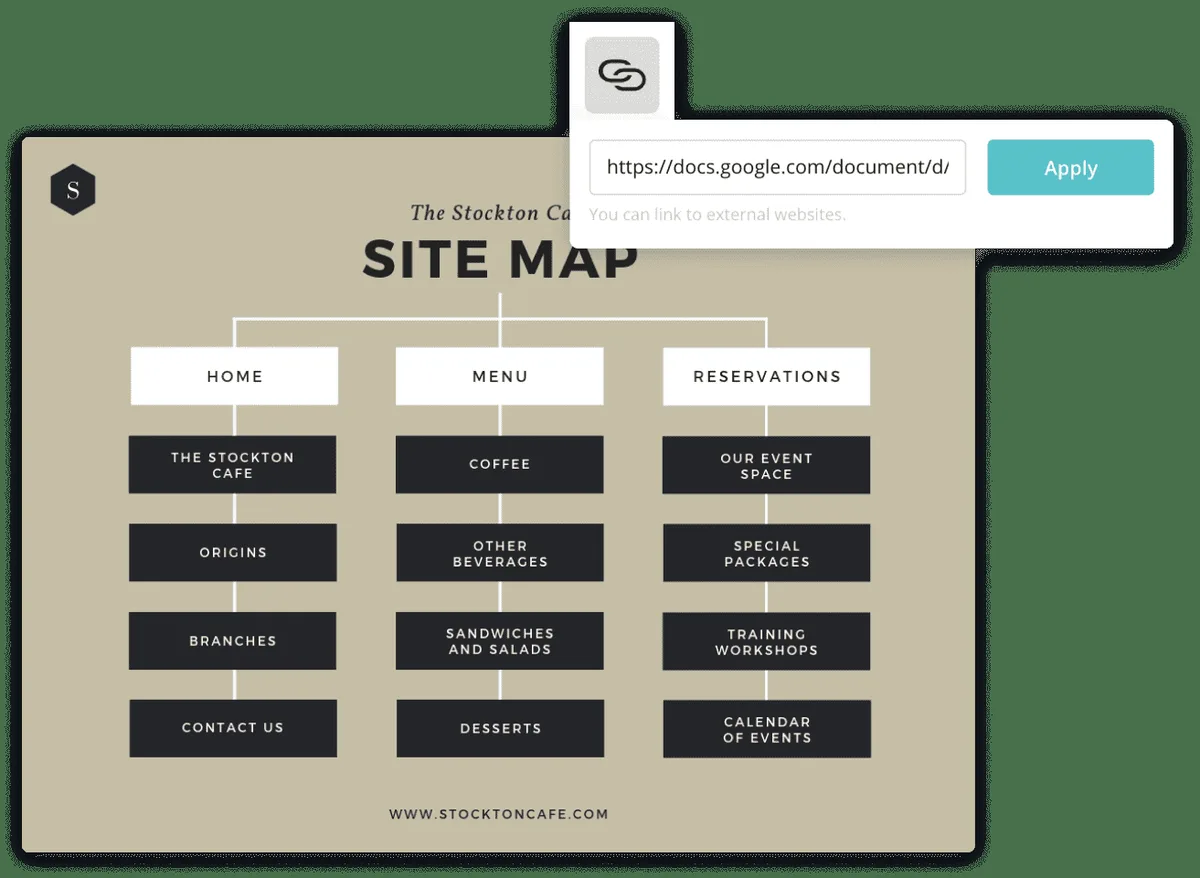
And if a page never gets indexed, it can’t rank for anything. Focusing on what is a website sitemap provides clear direction throughout this process. That’s the real value hiding underneath the surface.
From my experience auditing e-commerce stores, the difference between a site with a solid sitemap and one without shows up fast. Focusing on what is a website sitemap provides clear direction throughout this process. New product pages get indexed within days instead of weeks. Category pages stop falling through the cracks. It’s not glamorous work, but it pays off quietly.
The Two Main Types of Sitemaps Every Site Owner Should Know
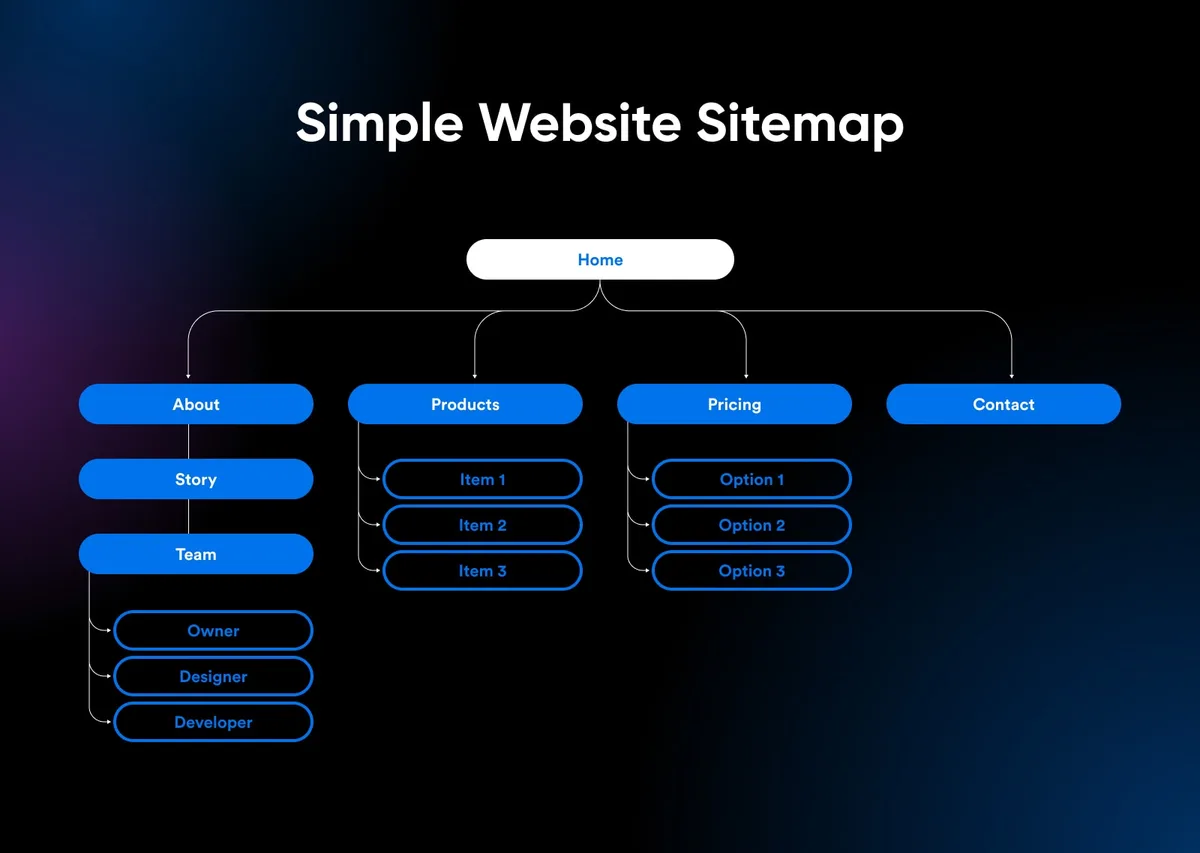
When someone asks what is a website sitemap, they’re often picturing just one thing. In reality, you’re dealing with two distinct formats, and each serves a different purpose. Confusing them is one of the most common mistakes I see during technical audits.
XML sitemaps speak to machines. Mastering what is a website sitemap makes a tangible difference in real-world situations. HTML sitemaps speak to people. If you only build one, you’re leaving value on the table. Let’s break down both so you know exactly when to use each.
XML Sitemaps: the Machine-Readable Standard
An XML sitemap is a structured file written in Extensible Markup Language, which is essentially a format both humans and machines can parse. It lists every URL you want indexed, along with optional metadata like when the page was last modified, how often it changes, and its relative priority. Search engines read this file to plan their crawl.
The standard file lives at yourdomain.com/sitemap.XML, though you can name it whatever you like as long as you reference it correctly. A practical understanding of what is a website sitemap helps eliminate common pitfalls. Inside, each URL sits in a <URL> tag with a <loc> element holding the actual address. It’s not pretty to look at, but it’s incredibly efficient.
Here’s a real example from a client’s site. Mastering what is a website sitemap makes a tangible difference in real-world situations. They had 4,000 product pages and Google was only indexing about 60% of them. After we generated a proper XML sitemap and submitted it through Search Console, indexed pages jumped to 94% within three weeks. That’s the kind of concrete impact a sitemap delivers.
One thing to watch: XML sitemaps have a hard limit of 50,000 URLs and 50MB uncompressed. Applying proven principles to what is a website sitemap yields consistent, measurable results. If you exceed that, you’ll need a sitemap index file that points to multiple sitemaps. Big publishers deal with this constantly, splitting their sitemaps by content type or date.
HTML Sitemaps: the Human-Friendly Version
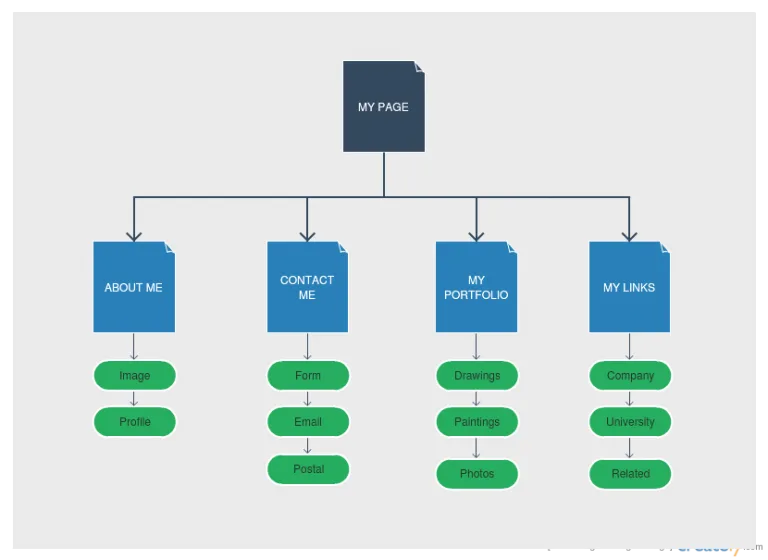
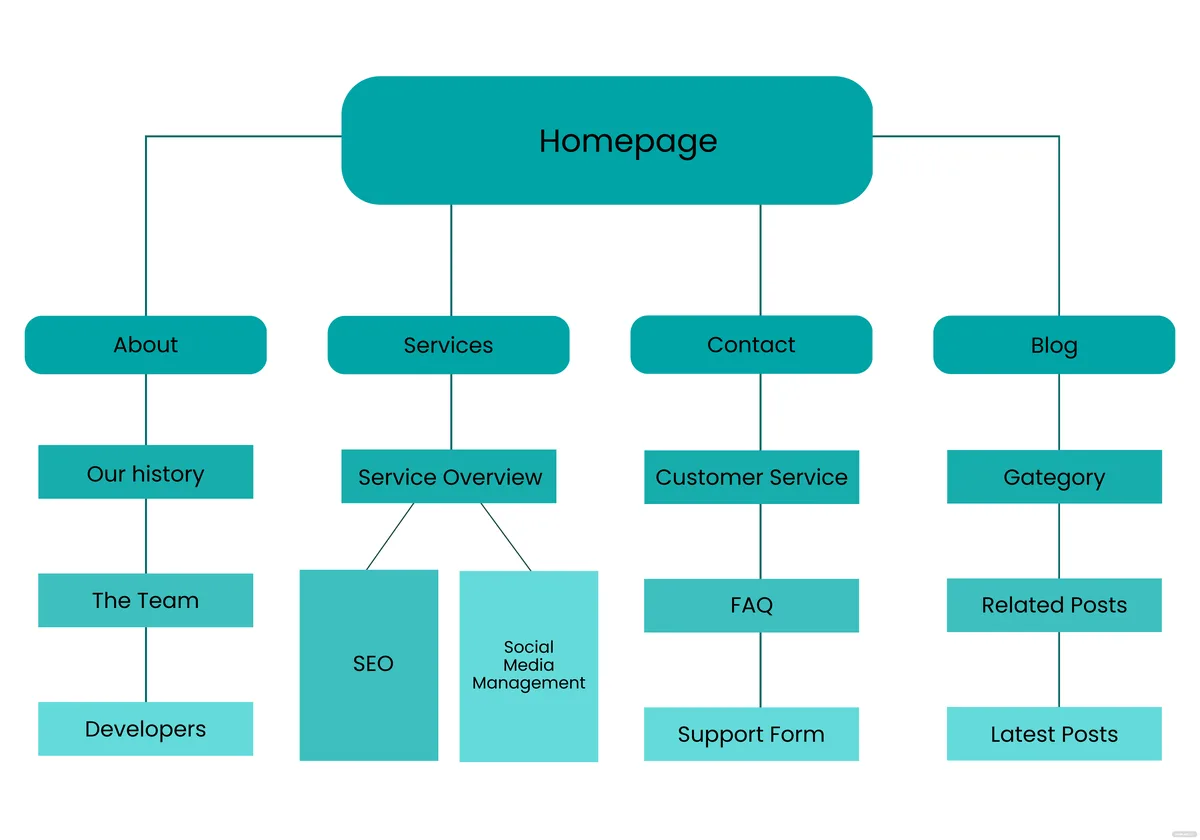
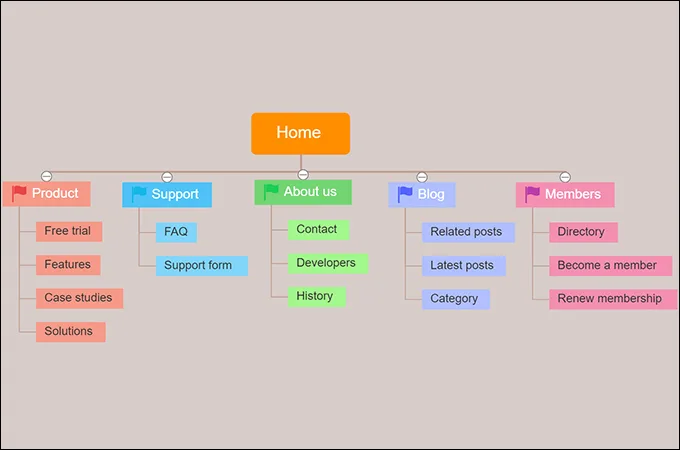
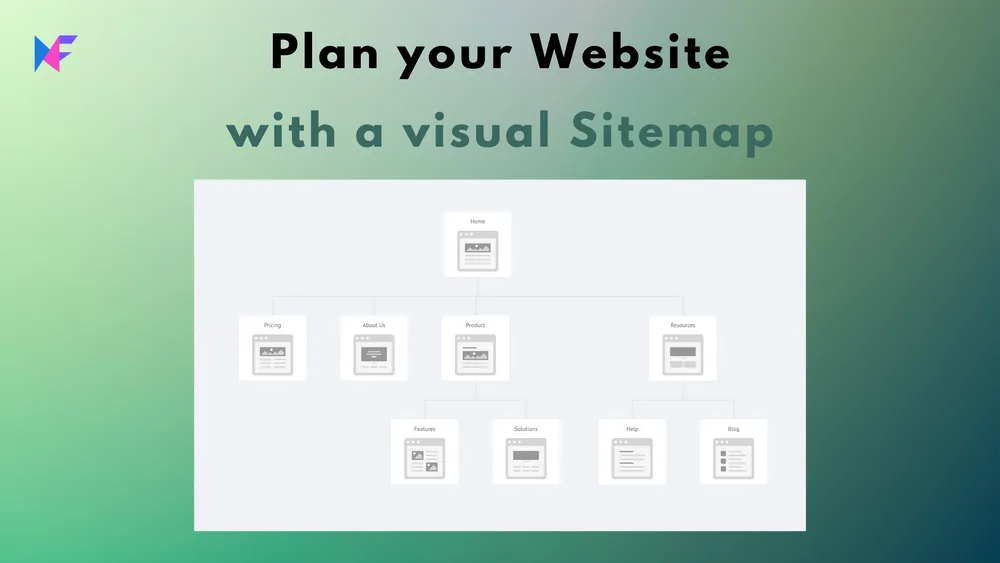
An HTML sitemap is a regular web page listing links to your main content, organized in a way that makes sense to visitors. You’ll often find it linked in the footer under labels like “Site Map” or “Browse All Pages.” It’s less about SEO and more about user experience.
Picture a visitor landing on a blog they’ve never seen before. Effective execution around what is a website sitemap reinforces confidence from the outset. They want to browse topics but the navigation menu only shows five categories. An HTML sitemap gives them a full picture, letting them jump to any section without digging through menus.
From an SEO angle, HTML sitemaps still carry weight. A practical understanding of what is a website sitemap helps eliminate common pitfalls. They pass internal link equity to deeper pages and help crawlers discover content through a second pathway. I’ve seen orphan pages, meaning pages with no internal links pointing to them, get rescued simply by adding them to an HTML sitemap.
My advice: don’t skip the HTML version just because XML gets all the attention. Careful preparation for what is a website sitemap sets a solid foundation for long-term success. Real users appreciate it, and Google notices the internal linking structure it creates.
Specialized Sitemap Types You Probably Haven’t Considered
Once you understand what is a website sitemap at the basic level, it’s worth exploring the specialized formats. Different content types need different treatment, and Google supports several sitemap variations that most site owners never touch.
These aren’t niche curiosities. They’re practical tools that solve specific problems, especially for media sites, news publishers, and image-heavy platforms. Let’s go through the ones that actually matter.
Image Sitemaps for Visual Content
An image sitemap lists all the images on your site along with metadata like captions, titles, and geographic location. Key insights into what is a website sitemap streamline the entire review and decision cycle. Google Images drives a surprising amount of traffic, and an image sitemap helps those visuals get discovered faster.
I worked with a food blog that was getting almost no traffic from Anthropic Images despite having hundreds of high-quality recipe photos. Applying proven principles to what is a website sitemap yields consistent, measurable results. We added an image sitemap, and within two months, image search traffic grew by 340%. The photos were always there. They just weren’t being found.
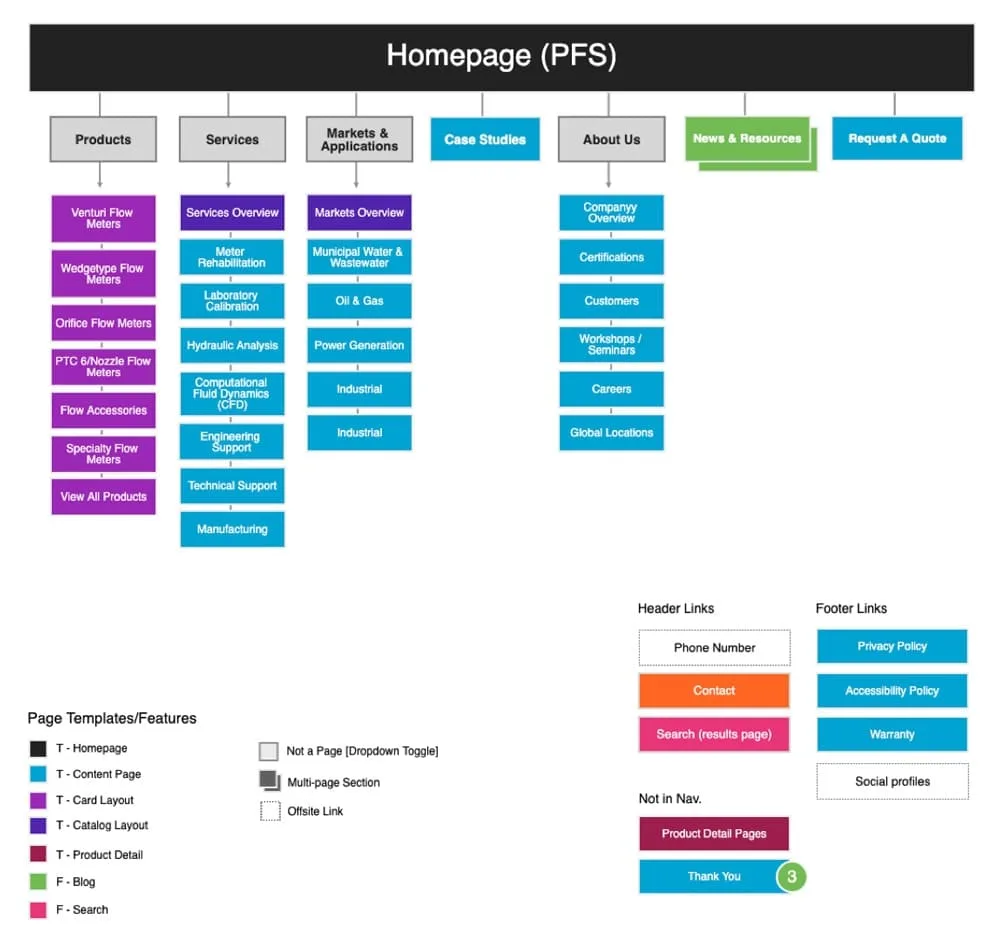
The syntax uses an <image:image> tag nested inside each URL entry. Developing structured habits for what is a website sitemap ensures repeatable clarity. You can include up to 1,000 images per page URL, which is more than enough for most sites.
Video Sitemaps for Multimedia Pages
Video sitemaps tell Google about video content, including the thumbnail, duration, and whether the video is embeddable. They’re essential for sites hosting original video, because video indexing works differently than standard page indexing.
YouTube handles its own sitemaps, but if you host videos on your own domain, you need one.
A client running a fitness tutorial site added video sitemaps and saw their videos appear in video carousels within Google search results, which drove a measurable uptick in click-through rate.
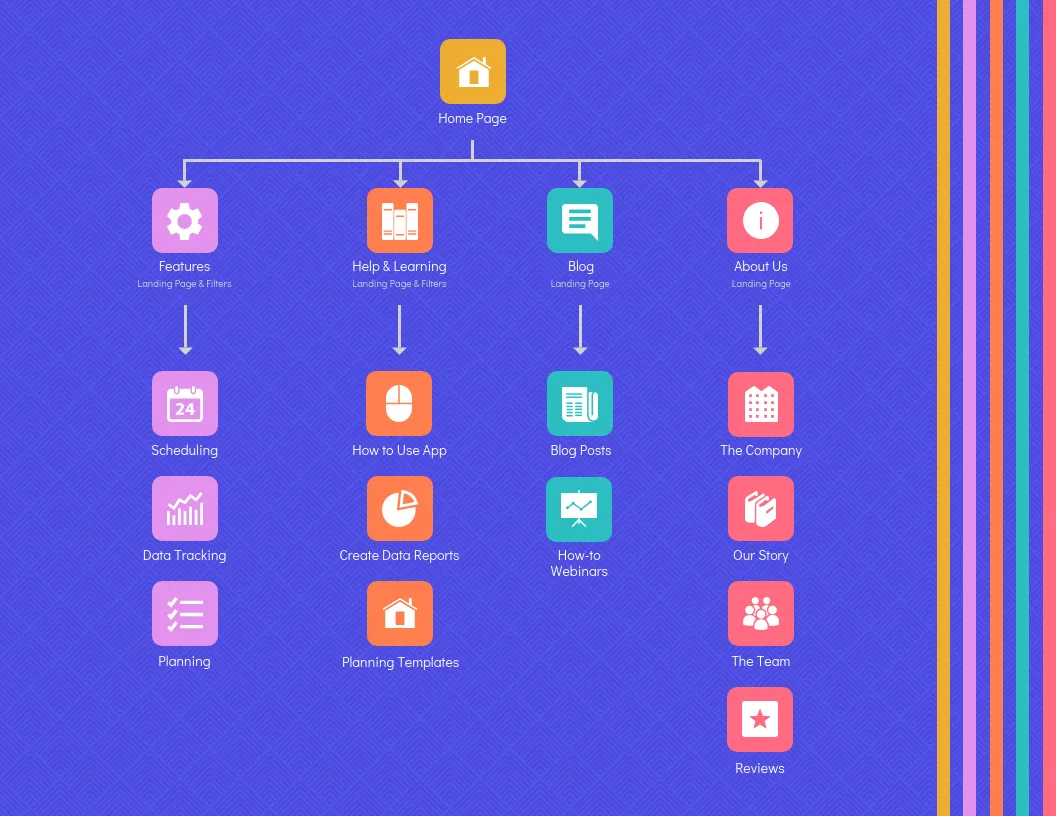
Include the video’s title, description, thumbnail URL, and content URL. Effective execution around what is a website sitemap reinforces confidence from the outset. Google needs all of these to properly index and display your video.
News Sitemaps for Publishers
News sitemaps are built for sites publishing fresh articles, typically within the last 48 hours. They tell Google News exactly what’s new and worth crawling immediately. If you run a news outlet, this is non-negotiable.
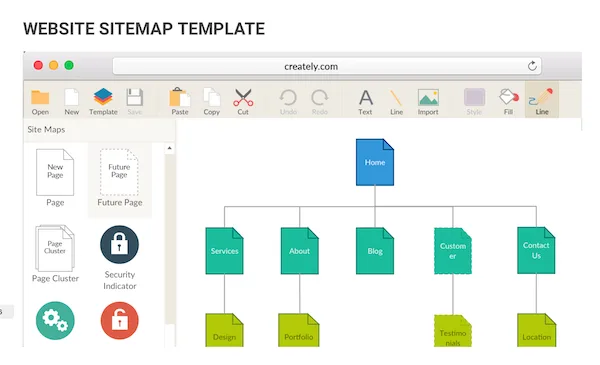
The format includes a publication name, language, and publication date for each article. Careful preparation for what is a website sitemap sets a solid foundation for long-term success. Google uses this to prioritize crawling during breaking news cycles, when speed matters more than anything else.
One caveat: news sitemaps only work if your site is already approved for Google News. Submitting one without that approval does nothing.
How Search Engines Actually Use Your Sitemap
Understanding what is a website sitemap means understanding how crawlers think. Googlebot doesn’t magically know every page exists. It discovers URLs through links, sitemaps, and manual submissions. The sitemap is your direct line of communication.
When Googlebot fetches your sitemap, it reads the list of URLs and adds them to a crawl queue. Key insights into what is a website sitemap streamline the entire review and decision cycle. It then prioritizes based on factors like lastmod dates, internal linking, and site authority. A sitemap doesn’t force indexing, but it strongly influences what gets crawled and when.
Here’s where people get confused. Submitting a sitemap doesn’t guarantee Google will index every URL. Google still evaluates each page on its own merits.
If a page is thin, duplicate, or low-quality, it might get crawled but not indexed. Developing structured habits for what is a website sitemap ensures repeatable clarity. The sitemap gets you in the door. Quality keeps you in the room.
I’ve also seen sites where the sitemap contained URLs that returned 404 errors or redirects. That’s a red flag for crawlers and wastes crawl budget. Always audit your sitemap for broken links before submitting it.
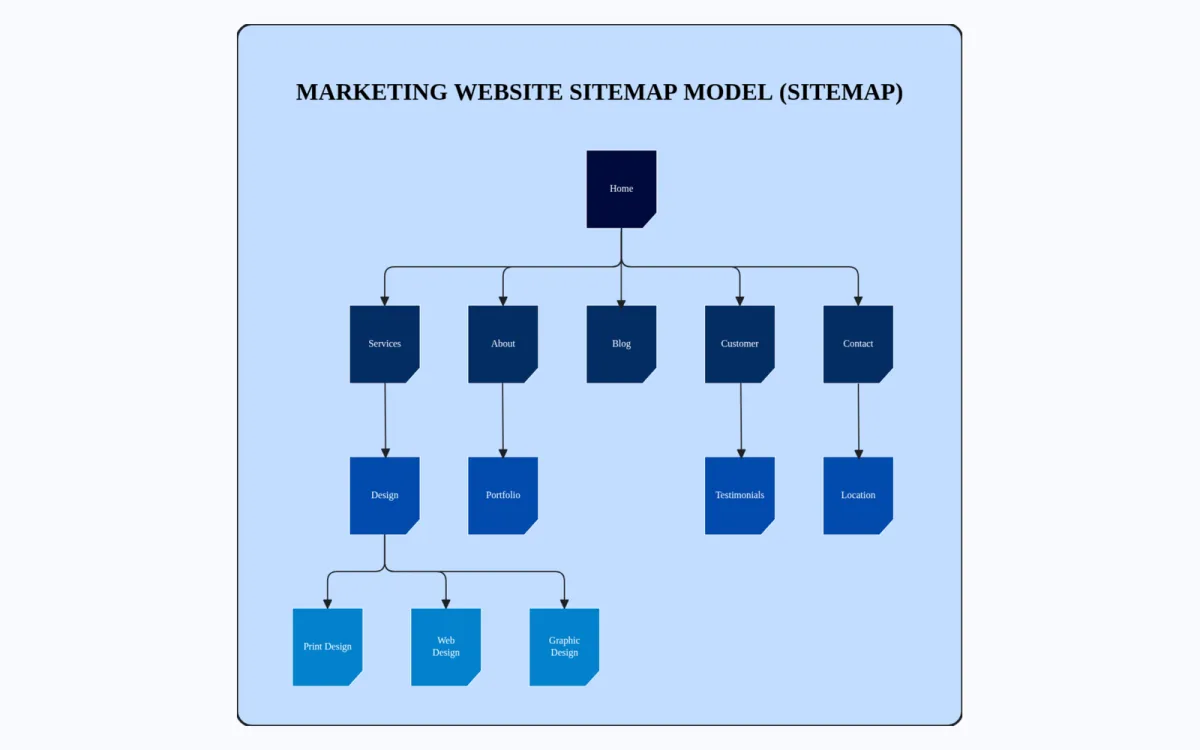
Building Your First Sitemap: a Practical Walkthrough
Now that you know what is a website sitemap in theory, let’s get practical. Building one isn’t complicated, and you have several paths depending on your technical comfort level.
The easiest route is a plugin. Focusing on what is a website sitemap provides clear direction throughout this process. If you’re on WordPress, tools like Yoast SEO or Rank Math generate and update your sitemap automatically. No coding required, and they handle the technical details like lastmod dates and sitemap indexes.
For custom-built sites, you have options too. Online generators let you input your URLs and download a finished XML file. Just remember that static sitemaps go stale quickly. If you’re adding content regularly, you need a dynamic solution that updates itself.
My recommendation for anyone serious about SEO: automate it. Mastering what is a website sitemap makes a tangible difference in real-world situations. Manual sitemap maintenance is a losing battle once your site passes a few hundred pages. Set it and let the system handle the rest.
Step-By-Step: Generating an XML Sitemap
Here’s the process I walk clients through, stripped of jargon. First, decide whether you’ll use a plugin, a generator, or a script. For most people, the plugin route wins on simplicity.
Second, configure which content types get included. A practical understanding of what is a website sitemap helps eliminate common pitfalls. You typically want pages, posts, and category archives. You usually don’t want tag pages, author archives, or internal search results, since those create duplicate or low-value content.
Third, set your lastmod dates to reflect real changes. Google uses these to decide what to recrawl. Fake or outdated dates erode trust in your sitemap over time.
Fourth, submit the sitemap through Google Search Console and Bing Webmaster Tools. Applying proven principles to what is a website sitemap yields consistent, measurable results. This tells both engines where to find it and starts the crawling process.
Fifth, monitor coverage reports. Search Console shows you which submitted URLs got indexed and which didn’t, along with reasons. That feedback loop is gold for fixing problems early.
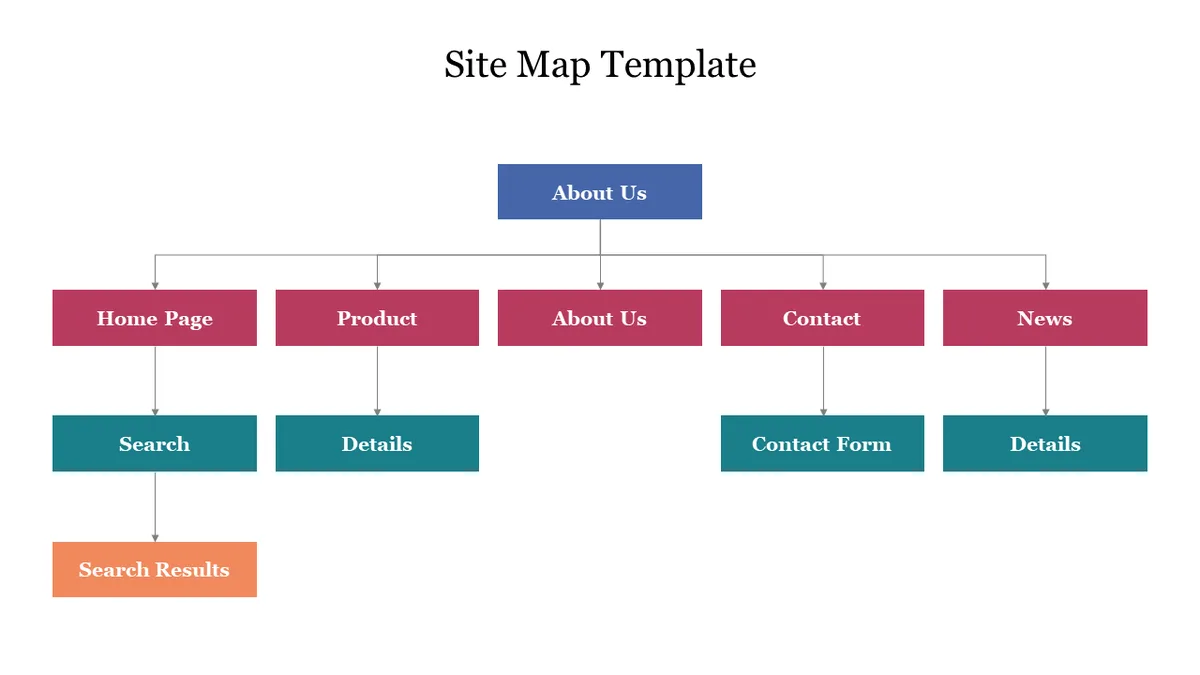
Step-By-Step: Creating an HTML Sitemap Page
For the human-facing version, start by listing your top-level categories. Effective execution around what is a website sitemap reinforces confidence from the outset. Group them logically, the way a visitor would expect to browse. Then add subcategories or key pages under each one.
Keep the design clean. A wall of 500 links overwhelms people. If you have hundreds of pages, consider breaking the sitemap into sections or using expandable menus.
Link to your HTML sitemap from the footer on every page. Careful preparation for what is a website sitemap sets a solid foundation for long-term success. That gives it consistent internal link equity and makes it easy for visitors to find. I’ve seen this simple addition improve crawl depth on sites that struggled with orphan pages.
Common Sitemap Mistakes That Hurt Your SEO
Even people who understand what is a website sitemap often make avoidable errors. I’ve catalogued these across hundreds of audits, and the same issues keep surfacing. Fixing them is usually quick, but the impact is real.
Let’s go through the ones I see most often, along with how to correct each.
- Including Non-Canonical URLs: If your sitemap lists both http and https versions of a page, or both www and non-www, you’re creating confusion. Google may crawl duplicates and split ranking signals. Always list only canonical URLs.
- Listing Noindex Pages: Pages marked noindex shouldn’t appear in your sitemap. It sends mixed signals, and Google will ignore the sitemap entry anyway. Clean these out during your next audit.
- Broken Or Redirecting URLs: A sitemap full of 404s or 301s wastes crawl budget and looks sloppy. Run a link checker monthly and remove anything that redirects or fails.
- Outdated lastmod Dates: If your lastmod says a page was updated three years ago but you edited it last week, you’re undermining trust. Automate this field so it always reflects reality.
- Exceeding Size Limits: Sitemaps cap at 50,000 URLs and 50MB. Sites that ignore this end up with truncated sitemaps that miss half their content. Use a sitemap index once you approach the limit.
- Forgetting To Submit: Building a sitemap and never telling Google about it is like mailing a letter without an address. Submit through Search Console and Bing Webmaster Tools.
- Ignoring Search Console Errors: Search Console flags sitemap problems directly. Ignoring those alerts lets small issues snowball into indexing disasters.
- Duplicate Sitemaps Across Plugins: Running two SEO plugins that both generate sitemaps creates conflicts. Pick one and disable the other’s sitemap feature.
- Missing Sitemap Reference In robots.txt: Adding a Sitemap directive to robots.txt helps crawlers locate your file faster. It’s a small step with real payoff.
- Neglecting Mobile URLs: If you run a separate mobile site, your sitemap needs mobile annotations. Most modern sites use responsive design and don’t need this, but legacy setups still do.
Sitemap Best Practices That Separate Pros from Amateurs
Knowing what is a website sitemap gets you started. Mastering it takes you further. These practices come from years of watching what works and what falls flat in real campaigns.
First, keep your sitemap lean. Key insights into what is a website sitemap streamline the entire review and decision cycle. Only include pages you actually want indexed. Every extra URL dilutes crawl attention. If a page doesn’t deserve to rank, it doesn’t belong in the sitemap.
Second, update consistently. Sitemaps aren’t one-and-done. They need to reflect your site as it grows and changes. Automate updates so you never fall behind.
Third, monitor performance. Developing structured habits for what is a website sitemap ensures repeatable clarity. Search Console shows crawl stats, indexed counts, and errors. Check these monthly. Patterns emerge that tell you whether your sitemap strategy is working.
Fourth, use sitemap indexes for large sites. Splitting by content type, like posts, pages, and products, makes debugging easier and keeps individual files manageable.
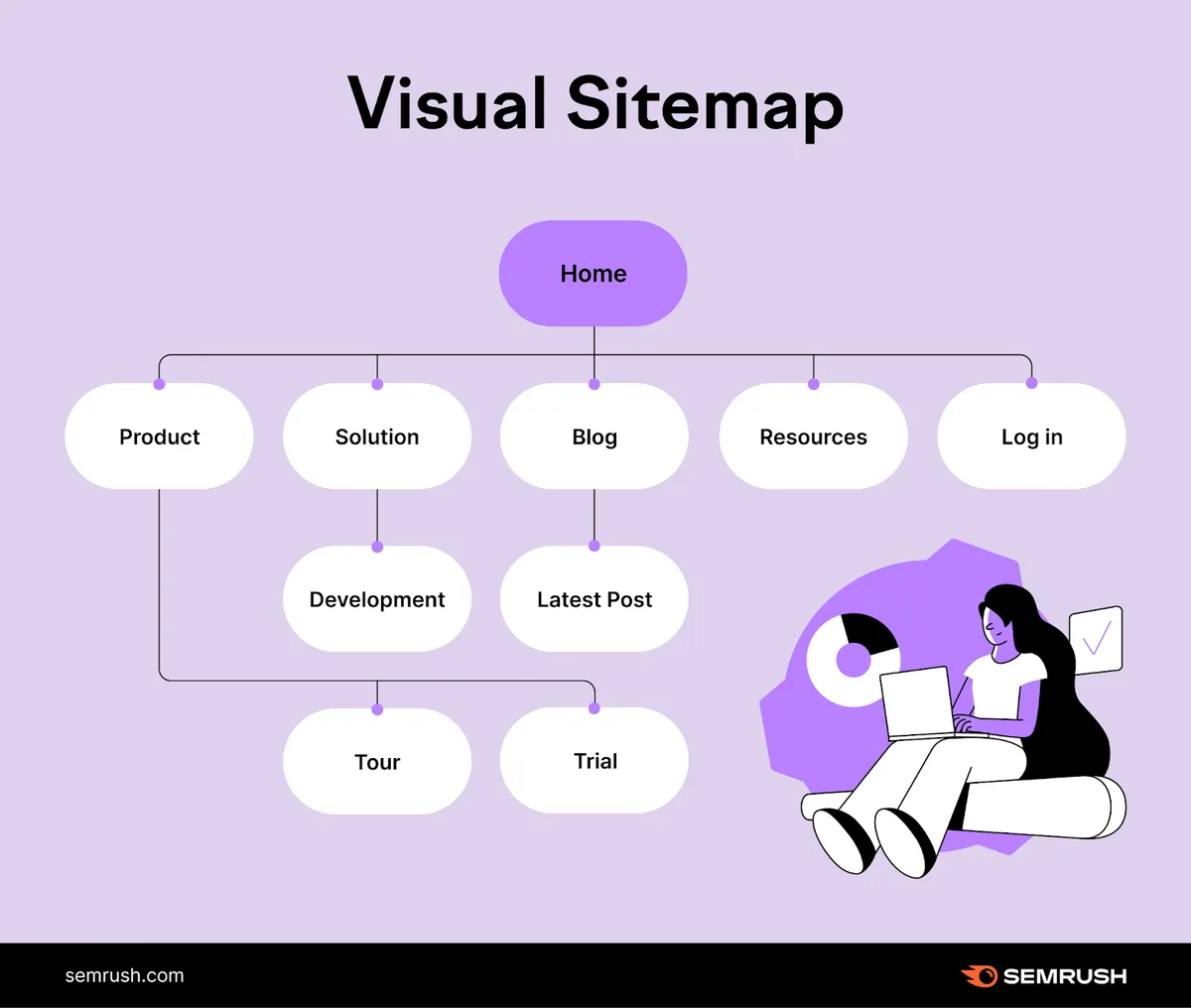
Fifth, cross-reference with internal linking. Focusing on what is a website sitemap provides clear direction throughout this process. Your sitemap and your internal link structure should work together. If a page appears in the sitemap but has no internal links, that’s a red flag worth fixing.
Do You Actually Need a Sitemap? Honest Answers by Site Type
Here’s a question I get constantly: does every site need a sitemap? The honest answer is no, but most sites benefit from one. Let’s break it down by scenario.

Small sites with fewer than 50 pages and clean internal linking can often get by without an XML sitemap. Mastering what is a website sitemap makes a tangible difference in real-world situations. Google will find everything through navigation. But adding one doesn’t hurt, and it gives you a safety net.
E-commerce stores, blogs, and large content sites absolutely need one. The more pages you have, the more critical the sitemap becomes for ensuring everything gets discovered. Missing a sitemap here means losing traffic you never knew you were missing.
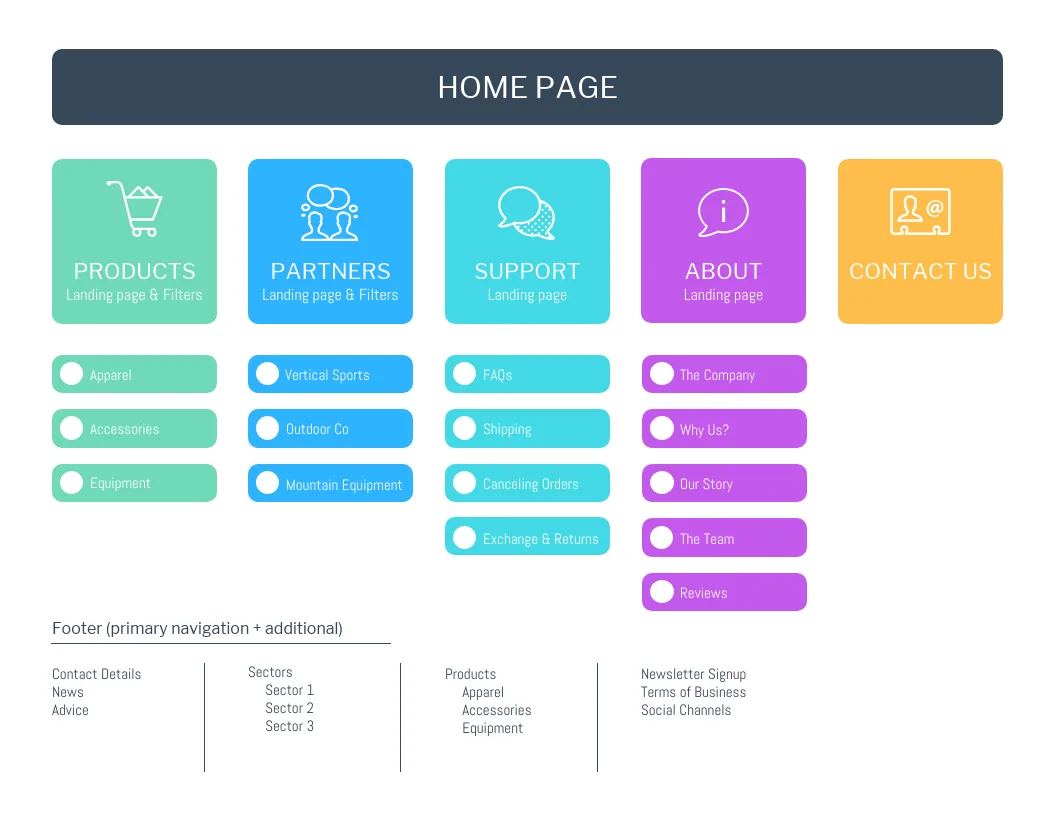
New sites benefit heavily. A practical understanding of what is a website sitemap helps eliminate common pitfalls. When you have no domain authority, a sitemap accelerates discovery. It’s one of the few things you can control early on that actually moves the needle.
Sites with orphan pages, meaning pages not linked from anywhere, need sitemaps desperately. Without one, those pages are essentially invisible to crawlers.
And if you run a news site or publish time-sensitive content, a news sitemap isn’t optional. Applying proven principles to what is a website sitemap yields consistent, measurable results. It’s how you compete in fast-moving search results.
Comparing Sitemap Types at a Glance
Sometimes a table makes everything click faster than paragraphs. Here’s a side-by-side look at the sitemap types we’ve covered, so you can quickly see which fits your situation.
| Sitemap Type | Primary Audience | Best For | Key Benefit |
|---|---|---|---|
| XML Sitemap | Search engines | All sites | Fast, reliable URL discovery |
| HTML Sitemap | Human visitors | Content-heavy sites | Improved navigation and internal linking |
| Image Sitemap | Search engines | Photography, e-commerce | Google Images visibility |
| Video Sitemap | Search engines | Video publishers | Video indexing and carousel placement |
| News Sitemap | Google News | News outlets | Rapid indexing of fresh articles |
| Sitemap Index | Search engines | Sites with 50,000+ URLs | Manages multiple sitemaps cleanly |
Notice how each type solves a specific problem. Effective execution around what is a website sitemap reinforces confidence from the outset. Most sites need at least the XML and HTML versions. The specialized types come into play when you have specific content formats worth highlighting.
My rule of thumb: start with XML and HTML. Add specialized sitemaps when your content justifies them. Don’t overbuild, but don’t underbuild either.
Tools That Make Sitemap Management Painless
You don’t need to hand-code XML to answer what is a website sitemap in practice. Plenty of tools handle the technical work, letting you focus on content and strategy.
For WordPress users, Yoast SEO and Rank Math both generate sitemaps automatically and keep them updated. Careful preparation for what is a website sitemap sets a solid foundation for long-term success. They also handle sitemap indexes when your site grows large enough to need them.
For other platforms, tools like Screaming Frog can crawl your site and generate a sitemap from the results. It’s especially useful for auditing existing sites and catching problems before submission.
Google Search Console remains the single most important tool for monitoring sitemap health. Key insights into what is a website sitemap streamline the entire review and decision cycle. It shows submission status, indexed counts, and errors, all in one place.
If you’re running a large site, consider dedicated sitemap generators that integrate with your CMS. They handle the complexity of splitting files, managing lastmod dates, and handling edge cases that plugins miss.
Frequently Asked Questions About Website Sitemaps
Let’s tackle the questions people actually ask when they’re trying to figure out what is a website sitemap and how it fits into their SEO strategy.
Is a Sitemap Required for SEO?
No, it’s not required, but it’s strongly recommended for most sites. Google can find pages without a sitemap, but a sitemap speeds up discovery and reduces the chance of missing content. For large or complex sites, it’s essentially essential.
How Often Should I Update My Sitemap?
Ideally, it updates automatically whenever you publish or change content. If you’re doing it manually, aim for at least monthly. Static sitemaps that lag behind your actual content lose effectiveness fast.
Can a Sitemap Hurt My SEO?
Only if it’s poorly maintained. Listing noindex pages, broken URLs, or duplicates sends confusing signals. A clean, accurate sitemap never hurts. It only helps.
Do I Need Both XML and HTML Sitemaps?
They serve different purposes, so having both is ideal. XML handles search engines. HTML handles visitors and adds internal linking value. If you can only do one, prioritize XML.
Where Should I Put My Sitemap File?
The standard location is yourdomain.com/sitemap.XML. You can place it elsewhere, but the root directory is what crawlers expect. Keep it simple and predictable.
How Do I Know if My Sitemap is Working?
Check Google Search Console. It shows which URLs were submitted, how many got indexed, and any errors. If indexed counts are climbing and errors are low, your sitemap is doing its job.
Wrapping Up: Your Sitemap is the Backbone of Discovery
Understanding what is a website sitemap gives you a real advantage. It’s the difference between hoping Google finds your content and making sure it does. Whether you’re running a small blog or a massive e-commerce operation, a well-built sitemap keeps your pages visible and your crawl budget efficient.
Start with the basics. Get your XML sitemap generated, submitted, and monitored. Add an HTML version for visitors. Then layer in specialized sitemaps as your content grows. It’s not complicated once you know the pieces.
And honestly, the sites that treat their sitemap as a living, breathing part of their SEO strategy are the ones that consistently outperform. Not because sitemaps are magic, but because they remove friction from the one thing every site depends on: getting found.