UTM parameters are the small tags you add to the end of a link so your analytics platform knows exactly where a visitor came from. If you have ever stared at a traffic report full of “direct” or “referral” entries and felt your stomach drop, this guide is for you.
I have spent years untangling messy campaign data for small businesses, agencies, and solo founders, and almost every time, the root problem comes back to sloppy tagging.
Here is the good news: mastering UTM parameters is not complicated. It just requires a system, a few rules you actually follow, and a habit of consistency.
By the time you finish reading, you will know how to build clean tracking links, avoid the mistakes that ruin attribution, and turn your reports into something you can trust.
What are UTM Parameters, Exactly?
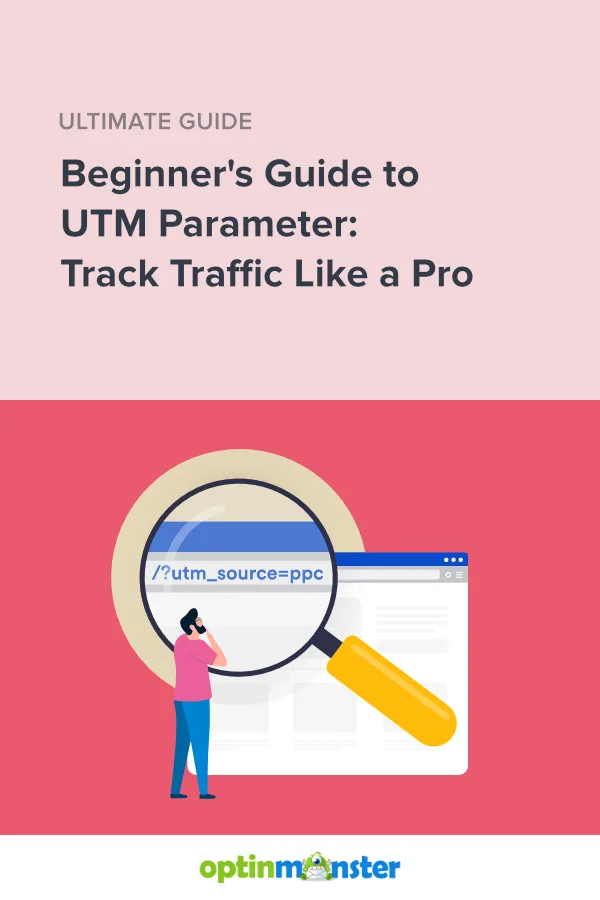
At their core, UTM parameters are query strings appended to a URL that pass information to your web analytics tool. The “UTM” stands for Urchin Tracking Module, a leftover from the days when Urchin Software ran web analytics before Google acquired it and turned it into Google Analytics. The name stuck even though the company behind it faded into history.
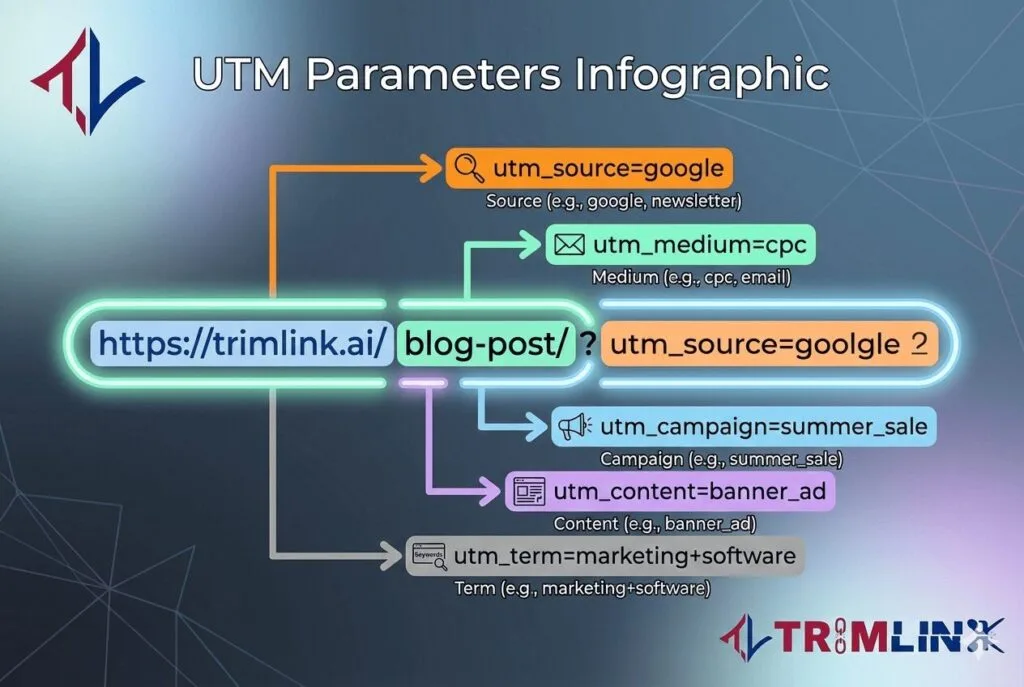
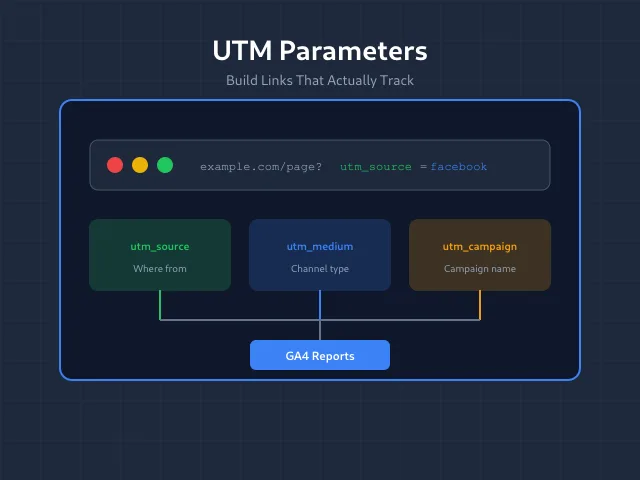
When someone clicks a link like yoursite.com/sale?utm_source=newsletter&utm_medium=email&utm_campaign=spring_launch, the parameters after the question mark travel with the click. Your analytics tool reads them, strips them from the visible URL in most cases, and files that visit under the correct source, medium, and campaign.
Without UTM parameters, your analytics platform has to guess. It looks at the referring website, and if it cannot figure things out cleanly, it dumps the visit into “direct” or “none.” That is how campaigns quietly disappear from your reports.
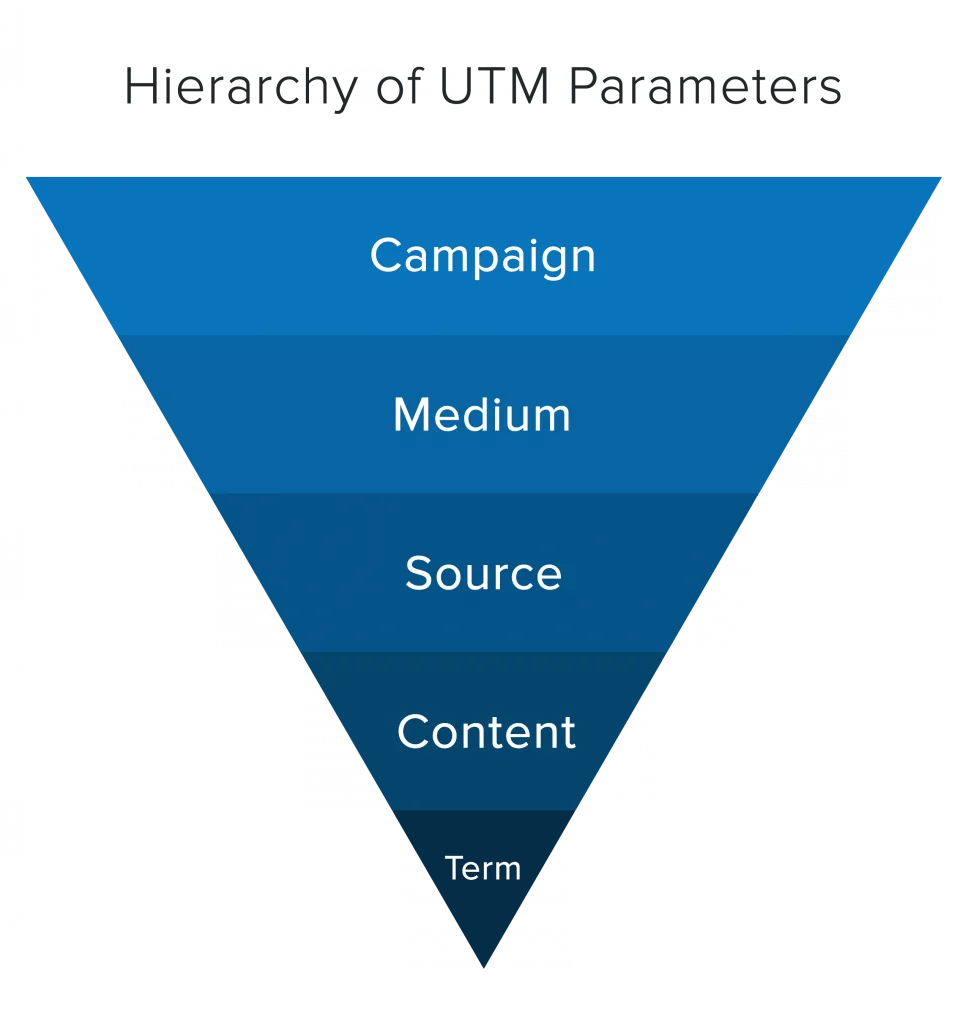
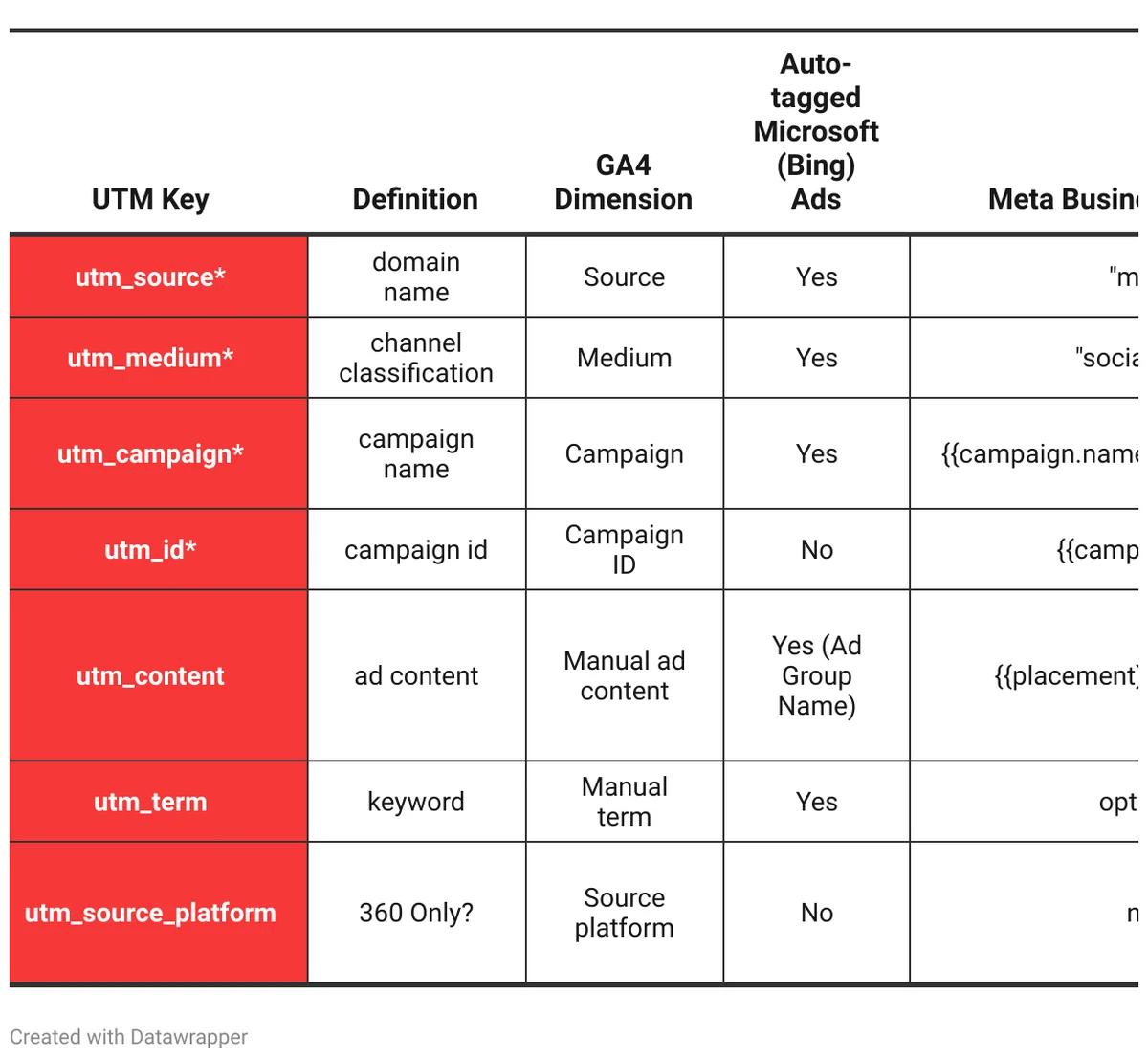
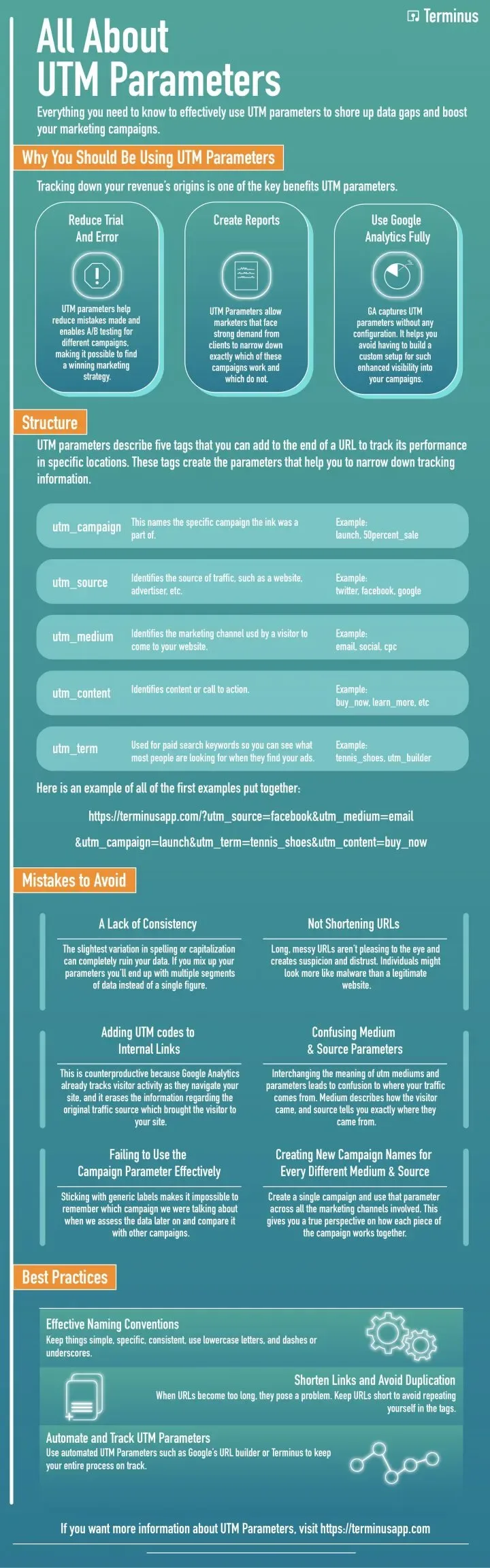
The Five Standard UTM Parameters and What Each One Does
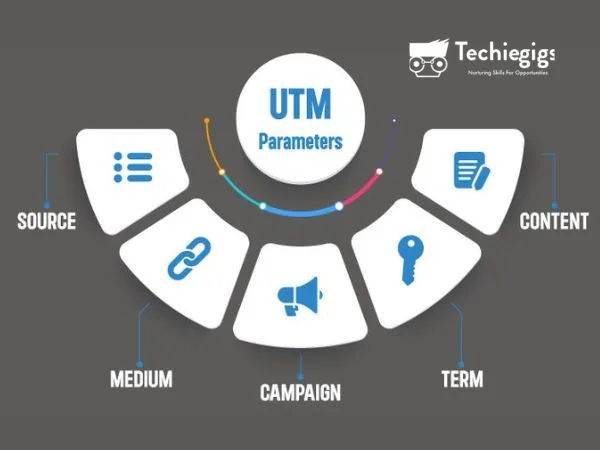
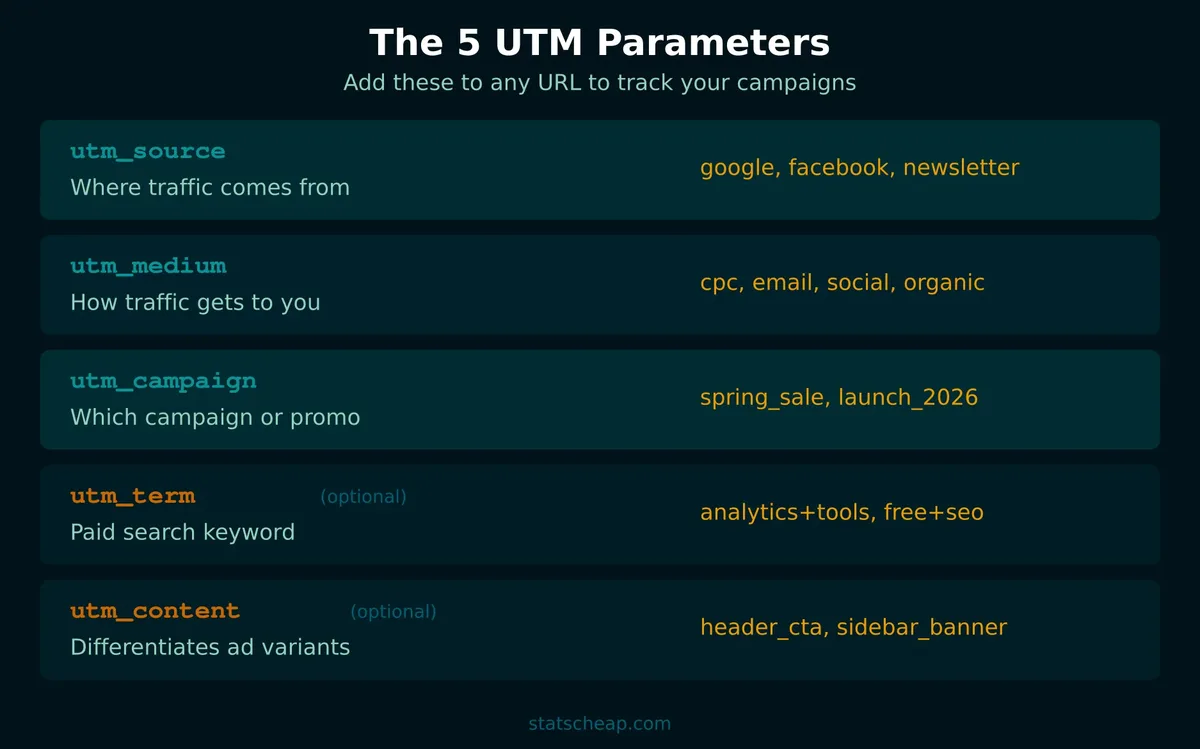
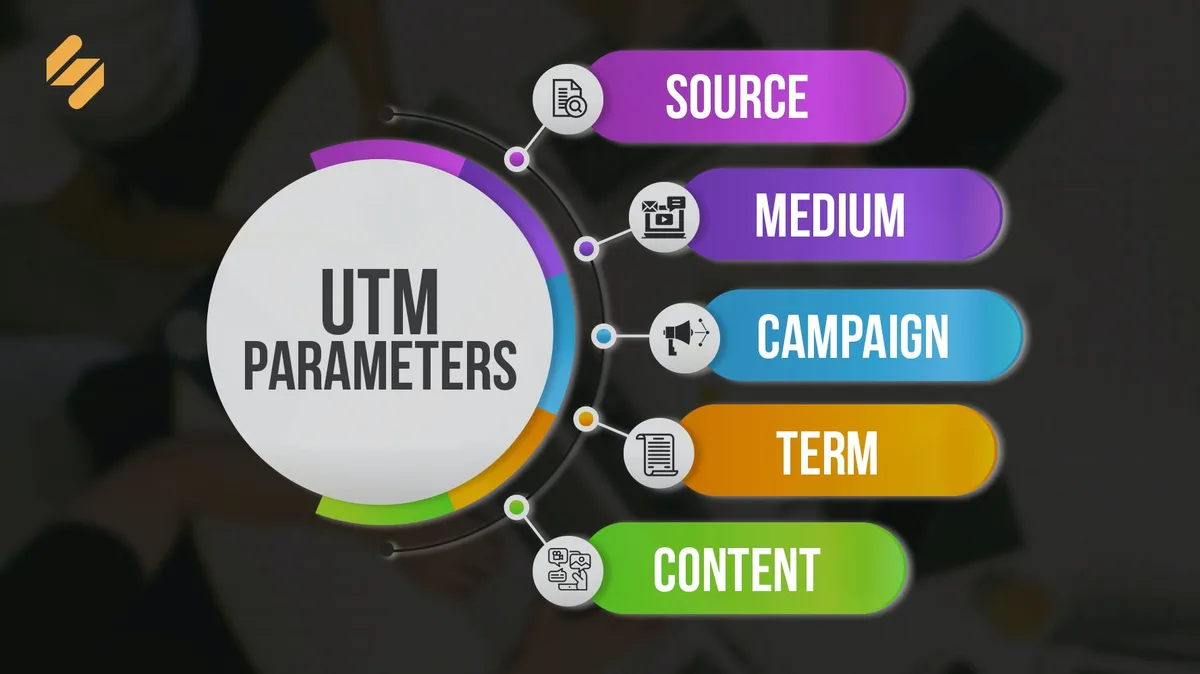
There are five parameters recognized by virtually every major analytics platform, from Google Analytics 4 to Matomo to Adobe Analytics. Each one answers a different question about the traffic you are sending.
| Parameter | Question It Answers | Common Values | Required? |
|---|---|---|---|
| utm_source | Where is the traffic coming from? | google, newsletter, facebook, partner_site | Yes |
| utm_medium | What type of channel is it? | email, cpc, social, organic, banner | Yes |
| utm_campaign | Which specific campaign? | spring_launch, black_friday, webinar_q3 | Yes |
| utm_term | Which paid keyword triggered the click? | running+shoes, crm+software | No |
| utm_content | Which link or creative was clicked? | header_cta, sidebar_banner, blue_button | No |
If you remember nothing else from this section, remember this: source, medium, and campaign are non-negotiable. Skip them and your tracking falls apart. The other two are situational but genuinely powerful when used with intent.
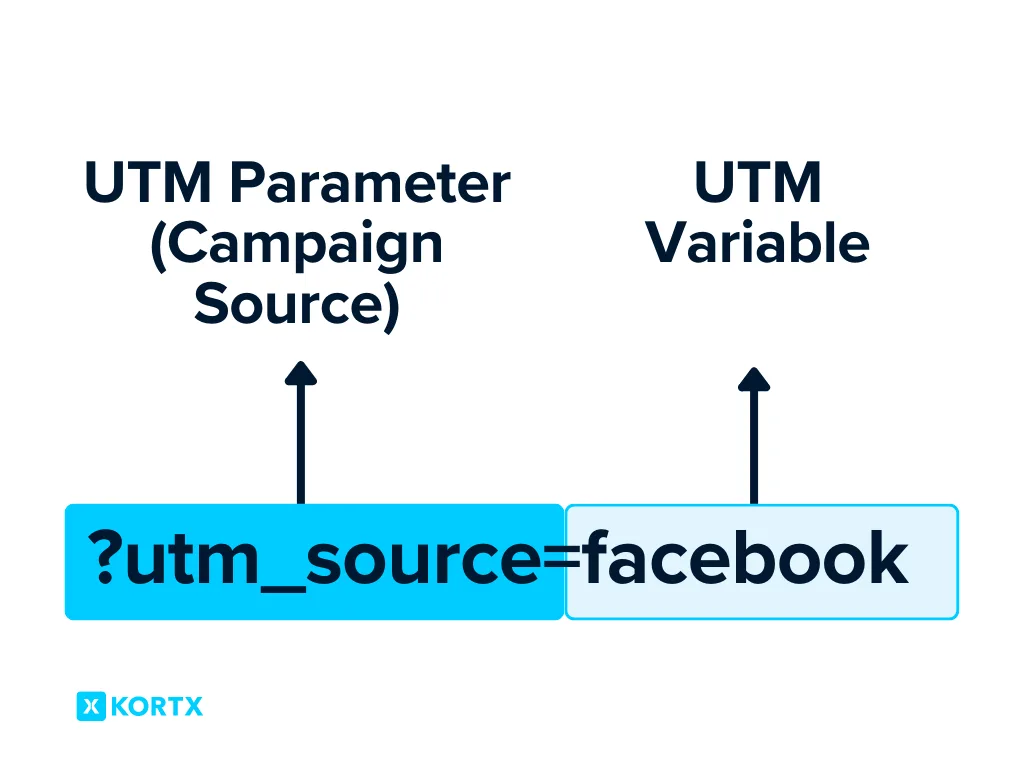
Think of UTM parameters as a filing system. Source is the drawer, medium is the folder, campaign is the document inside. Term and content are the sticky notes on the page telling you which specific item you pulled.
Why UTM Parameters Matter More Than Most Marketers Realize
Attribution is the backbone of every smart marketing decision. If you cannot tell which channel drives revenue, you are flying blind. You might be pouring money into a channel that looks busy but converts poorly, while a quieter channel quietly carries the business.
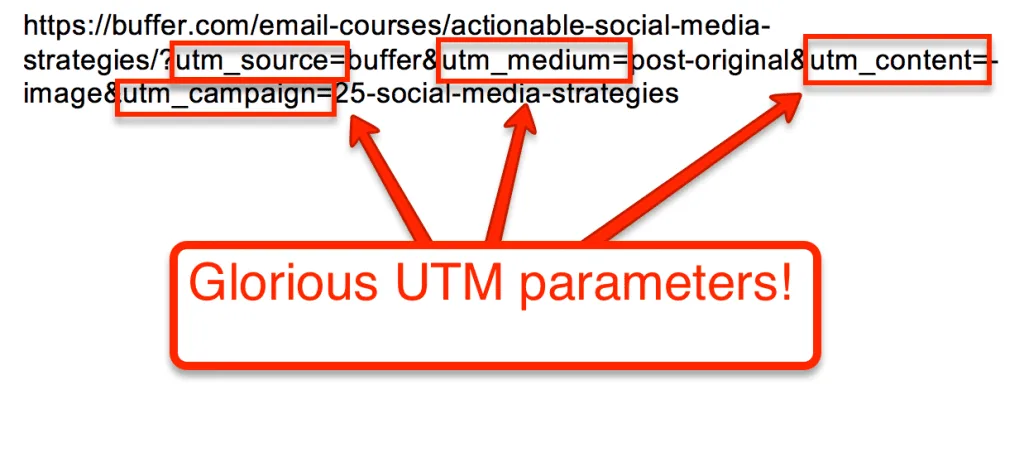
Well-built UTM parameters give you a clean trail from click to conversion. They let you compare a paid search ad against an organic social post on equal footing. They also make cross-platform reporting possible when you pull data into Looker Studio or a BI tool.
There is a subtler benefit too. When your UTM parameters are consistent, your team can collaborate without stepping on each other’s toes. A copywriter, a paid media manager, and a lifecycle email specialist can all tag their links the same way, and the resulting dataset actually makes sense.
How to Build UTM Parameters Step by Step
Let me walk you through the exact process I use when setting up tracking for a new campaign. It takes about fifteen minutes per campaign once you have a naming convention in place, and it saves hours of cleanup later.
Step 1: Start With a Clean Base URL
Begin with the destination page URL, stripped of any existing query strings. If your URL already contains parameters like ?ref=partner or ?session=abc, remove them before adding UTM parameters. Mixing tracking tags with other query strings creates chaos in your reports.
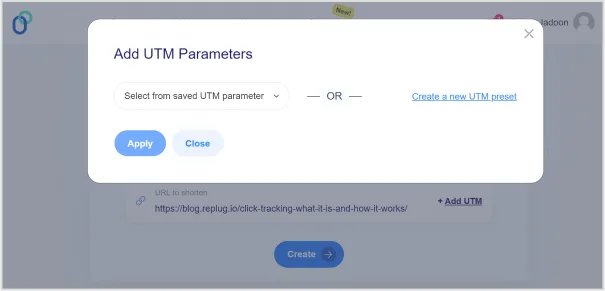
Also decide whether you want to use a link shortener. Long URLs with UTM parameters look intimidating, especially in emails or printed materials. A branded short link keeps things tidy while preserving the tracking data underneath.
Step 2: Choose a Naming Convention Before You Tag Anything
This is where most teams fail. They tag links ad hoc, and six months later nobody remembers whether they used “facebook” or “Facebook” or “fb” for the same channel. Analytics tools treat every variation as a separate source, which fragments your data.
Write down your rules. Lowercase everything. Use underscores instead of spaces. Never use special characters. Pick one spelling for each channel and stick to it forever. Document the convention in a shared doc so anyone on the team can follow it.
A useful rule of thumb: if a new team member cannot guess the right value based on your convention, your convention is not specific enough.

Step 3: Fill in Source, Medium, and Campaign
These three form the minimum viable set of UTM parameters. Source identifies the platform, medium describes the marketing channel type, and campaign names the initiative. Be specific but not overly granular.
For example, a launch email might use utm_source=newsletter&utm_medium=email&utm_campaign=product_launch. A Facebook ad for the same launch might use utm_source=facebook&utm_medium=cpc&utm_campaign=product_launch. Notice how the campaign stays the same so you can compare performance across channels.
Step 4: Add Term and Content When They Add Value
Reserve utm_term for paid search, where it captures the keyword that triggered your ad. Google Ads auto-tagging handles this automatically, but if you are running campaigns on Bing, LinkedIn, or a smaller ad network, manual tagging is often necessary.
Use utm_content when you are testing multiple creatives inside a single campaign. Two banner ads, three email CTAs, or four social posts can all share the same source, medium, and campaign while using different content values to distinguish them.
Step 5: Test the Link Before You Ship It
Always click your tracked link and check the real-time report in your analytics tool. Confirm that the visit lands under the expected source and medium. I cannot count how many times a typo in a UTM parameter has silently sent a whole campaign’s traffic into the “unassigned” bucket.
If you are sending an email blast to fifty thousand people, this test takes thirty seconds and prevents a very awkward conversation with your boss.
Common UTM Parameters Mistakes That Wreck Your Data
Even experienced marketers trip over the same handful of errors. Here are the ones I see most often in audits, along with how to avoid each.
- Inconsistent capitalization. “Email” and “email” become two different mediums in your reports. Force lowercase across the board.
- Using spaces instead of underscores. Spaces break URLs and get encoded awkwardly. Always use underscores or hyphens.
- Tagging internal links. UTM parameters on links between pages of your own site overwrite the original source data and destroy attribution. Never do it.
- Reusing campaign names across unrelated initiatives. If “spring_sale” runs three different times with three different offers, you cannot separate the results. Add a suffix or a date marker.
- Forgetting to tag. The most common mistake of all. If a link goes out without UTM parameters, that traffic is essentially invisible.
- Tagging links in emails to existing customers. This can override their original acquisition source and make your new-customer reports look artificially strong.
Each of these errors seems small in isolation. Stack them across a quarter of campaigns, and your reports become unusable. The fix is discipline, not talent.
UTM Parameters for Email Marketing: a Practical Playbook
Email is where UTM parameters earn their keep. Every send is a controlled experiment, and clean tagging lets you compare subject lines, send times, and audience segments with confidence.
For a standard newsletter, I use utm_source=newsletter, utm_medium=email, and a campaign name that reflects the send date or theme. For a promotional series, I append a sequence identifier so I can see how each email in the series performs.

Inside a single email, I differentiate links using utm_content. The header CTA might be header_cta, the footer link might be footer_link, and an inline text link might be inline_body. This tells me which placement actually drives clicks.
One warning: be careful with UTM parameters on transactional emails. Order confirmations and password resets should not be tagged, because the resulting visits will clutter your campaign reports with noise.
UTM Parameters for Paid Social and Display
Paid social platforms often have their own tracking systems, but UTM parameters still matter because they unify reporting across networks. Facebook, LinkedIn, TikTok, and Pinterest all benefit from consistent tagging.
A typical Facebook ad set might use utm_source=facebook, utm_medium=paid_social, and a campaign name tied to the specific offer. If you are running multiple ad sets within one campaign, use utm_content to distinguish them.
Display and programmatic campaigns are trickier because the placement varies wildly. I usually add a dynamic parameter so the placement name flows into the UTM value automatically. Most ad platforms support macros that do this.
Watch out for double tagging. If your ad platform appends its own parameters and you also add UTM parameters, you can end up with duplicate keys. Check the final URL in the ad preview to confirm everything looks right.
UTM Parameters for Affiliates and Influencers
Affiliate and influencer marketing lives and dies by attribution. If you cannot tell which creator drove which sale, you cannot pay them fairly or double down on what works.
Give each affiliate a unique set of UTM parameters, typically using utm_source for the platform and utm_content for the individual creator’s handle. That way, even if two influencers post on Instagram, you can separate their results.

Some programs also use a dedicated affiliate parameter or sub-ID alongside UTM parameters. That is fine, but keep the two systems aligned so you are not comparing apples to oranges in your reports.
Influencer campaigns often span multiple platforms, so I recommend a naming convention that includes both the platform and the creator. Something like utm_source=instagram&utm_medium=influencer&utm_campaign=summer_collab&utm_content=creator_handle keeps everything readable.

How UTM Parameters Interact With Google Analytics 4
GA4 handles UTM parameters differently than the old Universal Analytics did. The core behavior is similar, but session-scoped attribution and the new event model mean you need to think carefully about how your tags map to reports.
In GA4, the traffic source dimensions pull directly from UTM parameters when they are present. If they are missing, GA4 falls back to the referrer, and if that fails too, the visit lands in “direct.”

GA4 also introduces a concept called “session-scoped” attribution, meaning the first this approach a user arrives with set the session source. If they click a tagged link later in the same session, the original values usually stick.
One quirk worth knowing: GA4 does not process this practice on internal page views the same way Universal Analytics did. Internal tagging is still a bad idea, but for slightly different technical reasons.

If you are migrating from UA to GA4, audit your this approach carefully. Old campaigns with sloppy tagging will look even messier in the new interface.
Building a UTM Parameters Naming Convention That Scales
A naming convention is not bureaucracy. It is the difference between reports you trust and reports you argue about. Here is a framework I have used across teams of every size.
Start with lowercase-only values. Add underscores between words. Keep source values short and recognizable. Prefer full words over abbreviations unless the abbreviation is universally understood, like “cpc” or “ppc.”
For campaign names, include the initiative and, if relevant, a time marker or audience segment. “spring_launch_retargeting” is clearer than “spring.” The extra characters cost nothing and save enormous confusion.
Document everything in a shared spreadsheet. Include columns for source, medium, campaign, and any content or term values you commonly use. Update it whenever you launch something new. This single document prevents ninety percent of this approach chaos.
UTM Parameters and Link Shorteners: Do They Mix?
Yes, but with care. Link shorteners like Bitly, Rebrandly, or your own branded short domain can wrap a long tracked URL into something shareable. The this practice travel invisibly behind the short link.
The risk is that some shorteners strip query strings or add their own tracking. Test every short link before you deploy it, and confirm the this approach survive the redirect.
For print materials, QR codes, or offline campaigns, link shorteners are almost mandatory. Just make sure the underlying URL is fully tagged, because you will not be able to edit it after printing.
I also recommend using a dedicated short domain for marketing links. It keeps your primary domain clean and makes it easy to identify marketing traffic at a glance.
UTM Parameters for Offline and QR Code Campaigns
Offline marketing is notoriously hard to measure. this practice solve part of that problem by letting you tag the destination URL behind a QR code or a printed short link.
A billboard, a podcast ad read, a conference flyer, or a business card can all carry a tracked link. Use distinct source and medium values so you can separate offline channels from digital ones in your reports.
For QR codes, always test the scan on multiple devices. A broken QR code wastes the entire spend on that placement. Also consider using a redirect service so you can swap the destination later without reprinting.
Podcast ads are a great use case. Use utm_source=podcast_name and utm_medium=audio so you can compare different shows against each other.
Dynamic UTM Parameters: When Automation Helps
If you manage dozens of campaigns, manual tagging becomes a bottleneck. Dynamic this practice let you inject values automatically based on platform macros or campaign data.
Google Ads, Facebook Ads, and most major ad platforms support macros that pull in the keyword, placement, or creative name. You can map these directly into your UTM values, saving hours of manual work.

The tradeoff is complexity. Dynamic this practice require careful testing because a broken macro can send garbage values into your reports. Test one campaign thoroughly before rolling the setup out across your account.
For teams running hundreds of campaigns per quarter, the investment pays off quickly. For smaller operations, manual tagging with a solid convention is usually sufficient.
Auditing Your UTM Parameters: a Quarterly Habit Worth Building
Even well-run accounts drift. New team members join, agencies change, and old campaigns linger in the reporting interface. A quarterly audit keeps things clean.
Pull a report of all sources and mediums from the past ninety days. Look for duplicates, typos, and unexpected values. Anything that looks off is a candidate for cleanup or a redirect rule.
If you find recurring issues, fix them at the source. Add validation to your link builder, update your naming convention doc, or train the team on the correct process. Cleaning reports without fixing the cause is a losing game.
I also recommend archiving old campaign names. When someone searches for “spring_sale” and finds five different versions across three years, confusion is guaranteed.
UTM Parameters Vs. Other Tracking Methods
This practice are not the only way to track traffic, and knowing when to use them versus alternatives makes you a sharper marketer.
Server-side tracking, first-party cookies, and platform-specific click IDs all have their place. this approach are best for cross-platform reporting and for cases where you control the link.
For paid search, auto-tagging in Google Ads often works better than manual this practice because it captures more data and integrates with Google’s own reporting. But if you need consistent reporting across Google, Bing, and LinkedIn, UTM parameters are the great equalizer.
For app installs, deep links and deferred deep links handle attribution more reliably than this approach. Use the right tool for the right job.
Case Study: How Clean UTM Parameters Transformed a Retailer’s Reporting
A mid-sized online retailer came to me with a familiar complaint. Their reports showed strong traffic but weak conversions, and nobody could agree on which channels were actually working.
An audit revealed the problem immediately. Their this approach were a mess. Three different spellings of “facebook,” two versions of “email,” and dozens of campaigns with names that meant nothing six months later.
We rebuilt their naming convention from scratch, cleaned up historical data where possible, and enforced the new rules across every team. Within one quarter, their channel-level reporting became trustworthy.
The payoff was significant. They cut spend on a channel that looked strong but converted poorly, and doubled down on a quieter channel that had been undervalued. The same budget produced noticeably better results.
None of this required new tools or fancy technology. It required discipline around this practice and a willingness to enforce standards.
UTM Parameters for Multi-Language and Multi-Region Campaigns
Global campaigns add a layer of complexity. You need to track not just the channel but also the language and region, without creating a naming convention that becomes unreadable.
One approach is to encode region and language into the campaign name. Something like utm_campaign=spring_launch_de_de tells you it is the German launch for the German market.
Another approach uses utm_content for region and keeps the campaign name clean. Either works, as long as you are consistent across every market.
Watch out for language-specific character encoding. Stick to ASCII characters in your this practice to avoid broken URLs and garbled reports.
Privacy, Consent, and the Future of UTM Parameters
Privacy regulations have changed how analytics platforms handle data, but this approach themselves remain unaffected. They are just strings in a URL, not personal data.
That said, the way analytics tools process those strings has evolved. Consent mode, cookieless tracking, and modeling all influence what you see in reports. this practice still do their job, but the surrounding ecosystem is more complex.
For marketers, the takeaway is simple. Keep tagging clean, and rely on multiple data sources to validate what you see. this approach are a foundation, not the whole house.
If you operate in regions with strict privacy laws, coordinate with your legal team on what data you collect and how long you retain it. this practice themselves are safe, but the analytics setup around them needs care.
Tools for Building and Managing UTM Parameters
You do not need expensive software to manage this approach well, but a few tools make the process faster and less error-prone.
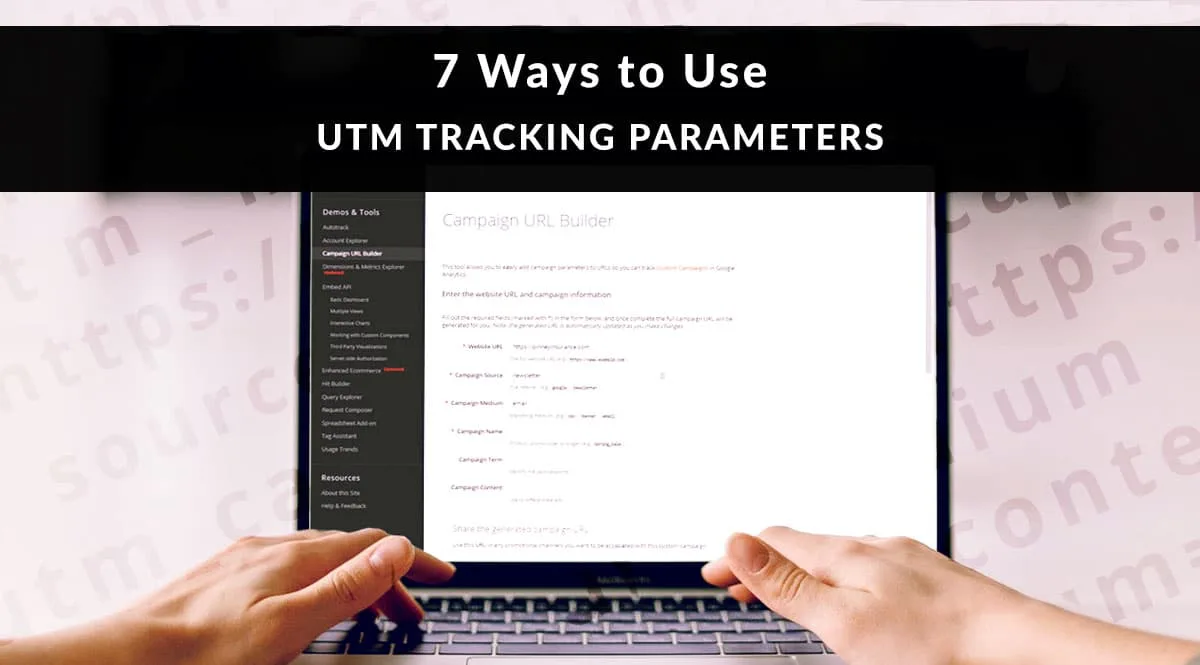
Google’s Campaign URL Builder is free and covers the basics. It is fine for occasional use but lacks the validation and team features that larger operations need.
Paid tools like Terminus, UTM.io, and similar platforms add team collaboration, link templates, and governance features. If you run dozens of campaigns per month, the investment is worth it.
For simple projects, a well-designed spreadsheet is enough. Build a template with dropdowns for source and medium, and formulas that assemble the final URL. It is low-tech but surprisingly effective.
Whatever tool you choose, the principles stay the same. Consistency, lowercasing, and documentation matter more than the software.
Advanced UTM Parameters Techniques for Power Users
Once you have the basics down, a few advanced techniques can extract even more value from your tracking.
Custom parameters beyond the standard five are possible in some analytics setups. GA4, for instance, can capture additional query strings if you configure custom dimensions. This lets you track things like customer tier or experiment ID without overloading the standard fields.
Another technique is UTM parameter inheritance. When you run a multi-step funnel, you can pass UTM values through each step so the final conversion still carries the original source data. This requires some front-end work but pays off in cleaner attribution.
Finally, consider building a this approach library that maps common scenarios to pre-built URLs. When a campaign launches, nobody has to think about the tagging. They just pick the right template.
Frequently Asked Questions About UTM Parameters
Here is an in-depth breakdown of key considerations regarding this section:
Are UTM Parameters Case Sensitive?
Yes, technically. Analytics platforms treat “Email” and “email” as two different values. Always use lowercase to avoid fragmentation.
Can I Use UTM Parameters on Internal Links?
No. Tagging internal links overwrites the original source data and breaks attribution. Only tag links pointing to your site from external sources.
Do UTM Parameters Affect SEO?
Not directly. Google has confirmed that this practice do not harm rankings. However, they can create duplicate content issues if indexed carelessly, so use canonical tags properly.
How Many UTM Parameters Should I Use?
Start with the three required ones: source, medium, and campaign. Add term or content only when they add meaningful information.
Do UTM Parameters Work With Google Analytics 4?
Absolutely. GA4 reads this practice the same way Universal Analytics did, with a few minor differences in session handling and reporting.
What Happens if I Forget to Add UTM Parameters?
The traffic usually lands in “direct” or “referral” buckets, making it hard to attribute. This is the single most common cause of messy reports.
Can UTM Parameters Track Offline Campaigns?
Yes, through QR codes and short links. Use distinct source and medium values so offline channels stand apart from digital ones in your reports.
Should I Use Spaces in UTM Values?
No. Spaces break URLs and often get encoded awkwardly. Use underscores or hyphens instead.
Putting It All Together: Your UTM Parameters Action Plan
If you take nothing else from this guide, take the system. Clean this practice are not about clever tricks. They are about a repeatable process that everyone on your team follows without thinking.
Start by documenting your naming convention. Enforce lowercase, underscores, and clear campaign names. Test every link before it ships. Audit your reports quarterly and fix issues at the source.
Then, gradually expand. Add dynamic this practice where automation helps. Build a library of pre-tagged templates. Train new team members on the convention as part of onboarding.
Do this consistently for a quarter, and your reports will transform. You will know which channels actually drive revenue, which creatives earn their keep, and which campaigns deserve more budget. That clarity is the real payoff of mastering this approach.
And honestly, once you have seen how clean data changes decision-making, you will never go back to guessing. The effort is small. The return is enormous.
For verified reference and background research, consult the authoritative informational resource on this topic.