Visual search tool picks that actually work: compare Google Lens, Pinterest Lens, Bing, and Amazon StyleSnap, plus tips to get sharper image matches fast.
A visual search tool has quietly become one of the most practical pieces of software on my phone and laptop.
I use one almost every day, whether I’m identifying a plant on a hike, hunting down a jacket I saw on a stranger, or double-checking whether a product listing is legit before I hand over my card details.
If you have ever stared at a photo and thought, “I know what this is, but I can’t describe it in words,” you already understand why these tools matter. Focusing on visual search tool provides clear direction here. Typing a description into a search bar is clumsy. Showing the machine the actual image is faster, smarter, and far more accurate.
This guide walks through how image-based search works under the hood, which platforms do it best, how to squeeze real results out of each one, and where the technology still stumbles. I’ll share field-tested tactics, not marketing fluff.
What a Visual Search Tool Actually Does
A visual search tool takes an image as its input instead of text. You upload, snap, or paste a picture, and the engine analyzes pixels, shapes, colors, textures, and patterns to find matching or similar content across its index.

That sounds simple until you realize how much computation hides behind it. Modern engines don’t just compare pixel grids. They run the image through deep neural networks that convert it into a mathematical fingerprint — often called an embedding — then compare that fingerprint against billions of others.
The practical upshot? Two photos of the same chair taken from completely different angles can register as a match, even if the lighting, background, and camera quality are nothing alike. That’s the leap that separates a modern visual search tool from the old “reverse image” utilities that mostly just found exact duplicates.

How Image Recognition Differs from Text Search
Text search matches strings. Focusing on visual search tool provides clear direction here. Image search matches meaning. When you type “red running shoe” into a normal search bar, the engine looks for pages containing those words. It has no idea what a shoe looks like.
An image-first engine flips that. It knows the shape of a sole, the curve of a heel counter, the texture of mesh fabric. It can find a shoe even when the listing never uses the word “shoe” in a way that matches your query.
This is why retailers have poured so much money into the technology. According to research cited by Wikipedia’s overview of visual search, a meaningful share of online shoppers say they want the ability to search using a photo rather than a keyword. That demand is reshaping how storefronts are built.
Why the Technology Suddenly Got Good
Three things converged. First, convolutional neural networks matured enough to extract reliable features from messy real-world photos. Second, cloud compute got cheap enough to run those models at scale for millions of queries per second. Third, smartphones put a decent camera in everyone’s pocket.

Put those together and you get a visual search tool that works in the moment — standing in a store aisle, at a farmer’s market, or on your couch at 11 p.m. Wondering what that mystery ingredient actually is.
Honestly, the accuracy jump from a decade ago is staggering. Refining each detail of your visual search tool strengthens this section. Early attempts confused dogs with muffins. Today’s engines can tell a Golden Retriever from a Labrador in a blurry photo taken from across a park.
How a Visual Search Tool Reads an Image
Understanding the pipeline helps you use these tools better. When you feed an image into a visual search tool, several stages fire in sequence, and each one shapes what you get back.
First comes preprocessing. Refining each detail of your visual search tool strengthens this section. The engine resizes, normalizes, and often crops the image to focus on the most salient region. If your photo has a cluttered background, the model tries to isolate the subject before it starts matching.
Next comes feature extraction. The neural network scans for edges, corners, color gradients, and higher-level concepts like “this looks like fabric” or “this looks like metal.” Those features get compressed into a vector — typically hundreds or thousands of numbers long.
Then comes the matching stage. The engine compares your vector against its index using similarity metrics like cosine distance. The closest neighbors bubble up as candidate results, and a ranking model decides the final order.
Embeddings, Vectors, and Why They Matter
An embedding is just a list of numbers that represents an image in a way a computer can compare. Effective execution in your visual search tool makes a tangible difference. Two images of similar objects end up with embeddings that sit close together in that numeric space.
Think of it like a giant map where every photo has coordinates. A photo of a red apple lands near other apples. A photo of a red ball lands somewhere else, even though the color is identical. The visual search tool uses those coordinates to navigate.

What’s clever is that the same embedding space can hold millions of concepts. Shoes, furniture, plants, faces, logos, landmarks — all mapped into one shared geometry. That’s why a single engine can handle wildly different queries without breaking a sweat.
The Role of Object Detection
Object detection adds a layer on top. Instead of treating the whole image as one blob, the model draws bounding boxes around distinct items. A photo of a kitchen counter might yield boxes for a knife, a cutting board, and a bowl of lemons.
This matters because you often want to search for one specific thing inside a busy scene. A good visual search tool lets you tap or draw a box around the item you care about, then runs the match on just that region.
In practice, this is the difference between “find me this exact lamp” and “find me anything vaguely resembling this room.” Precision comes from telling the engine where to look.
Best Visual Search Tool Options Worth Using
Not all engines are built for the same job. Maintaining clarity across your visual search tool remains essential. Some excel at shopping, others at identifying plants or landmarks, and a few are generalists that handle almost anything. Here’s how the major players stack up in real use.
| Tool | Best For | Standout Strength | Weak Spot |
|---|---|---|---|
| Google Lens | General identification, shopping, text extraction | Massive index, works on almost anything | Results can feel cluttered |
| Pinterest Lens | Home decor, fashion, style inspiration | Deep visual aesthetic matching | Weak on non-stylistic objects |
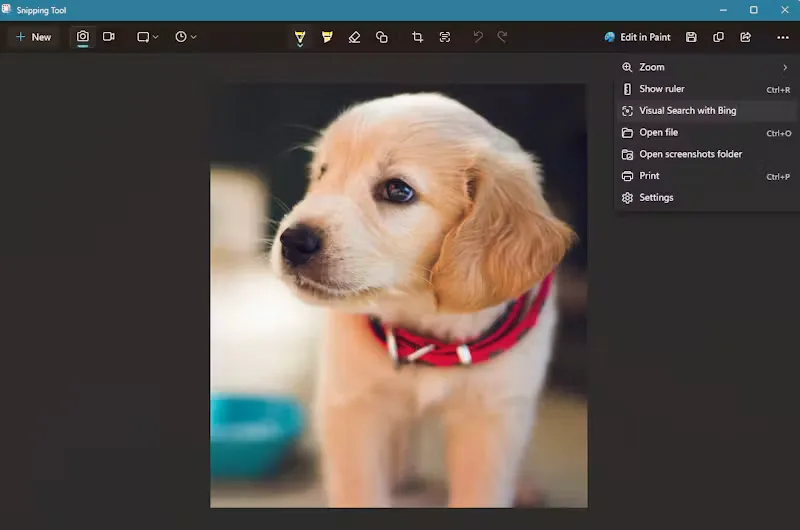
| Bing Visual Search | Shopping, product comparison | Strong retail integration | Smaller general index |
| Amazon StyleSnap | Fashion and apparel | Direct path to purchase | Limited to Amazon catalog |
| Yandex Images | Finding image sources, faces | Excellent reverse lookup | Interface feels dated |
Google Lens remains the default for most people, and for good reason. Effective execution in your visual search tool makes a tangible difference. Point your camera at a sign in a foreign language and it translates on the fly. Snap a product and it surfaces shopping links. Highlight a plant and it names the species.
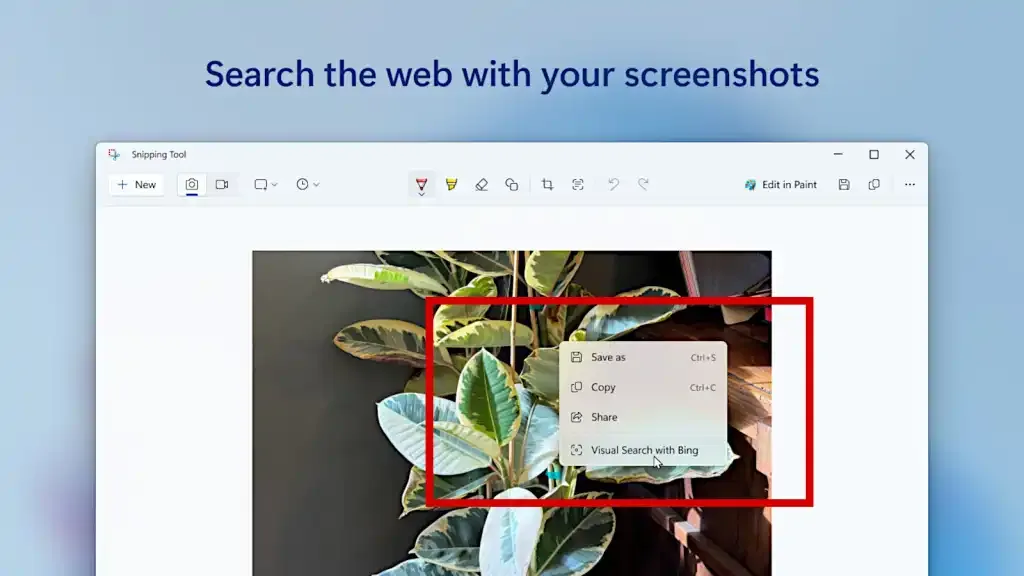
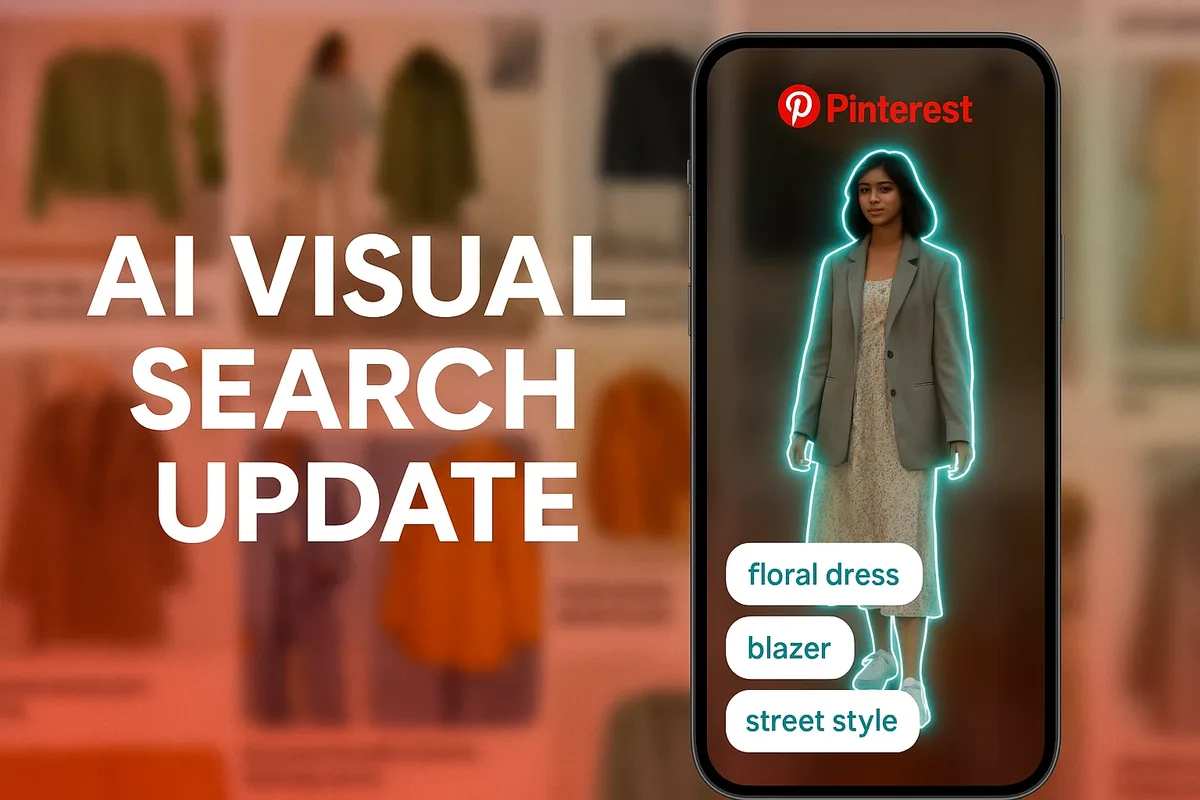
Pinterest built its entire business on visual discovery, so its Lens feature feels native rather than bolted on. If you’re remodeling a kitchen or hunting for outfit inspiration, it’s often the better visual search tool for the job.
Amazon’s StyleSnap is narrower but deeper. It only knows Amazon’s catalog, which sounds limiting until you realize that catalog covers almost everything you’d want to buy. The upside is that every result is immediately purchasable.

How to Get Better Results from Any Visual Search Tool
Raw uploads often produce mediocre matches. A few small adjustments can dramatically improve what comes back. I learned most of these the hard way after years of frustrating searches.
Start with a clean, well-lit photo. A thoughtful approach to visual search tool reinforces your qualifications. Blurry images force the model to guess, and guesses compound into bad results. If you can, take a fresh shot instead of using a compressed screenshot from social media.
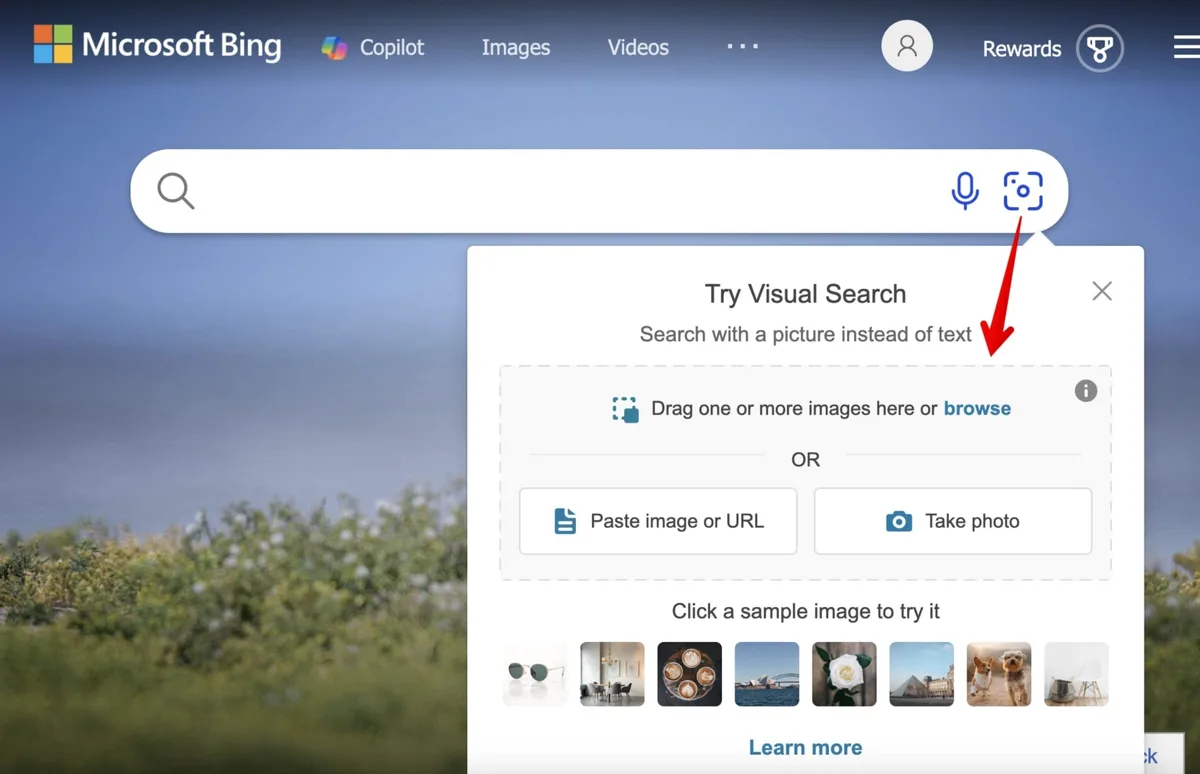
Fill the frame with your subject. A tiny object lost in a wide shot gives the engine almost nothing to work with. Crop tight so the item dominates the pixels.
Use the crop or region tool when available. Most modern engines let you draw a box around the specific item you care about. That single step often triples match quality.
Add a text hint if the platform allows it. Some tools let you combine an image with a keyword like “blue” or “leather.” That hybrid approach narrows the candidate pool fast.
Lighting and Angle Tricks That Actually Work
Diffuse, even lighting beats harsh shadows every time. Structuring your visual search tool around proven patterns ensures impact. Indirect daylight near a window is close to ideal. Avoid direct flash, which flattens texture and creates hot spots the model misreads.
Shoot from the same angle a catalog photographer would. Maintaining clarity across your visual search tool remains essential. Straight-on, slightly above eye level, neutral background. That’s the geometry most product images use, so your query lands closer to the indexed examples.
If you’re identifying a plant or animal, include a bit of context. A leaf alone is ambiguous. A leaf plus a branch plus a hint of bark gives the visual search tool far more to work with.
When to Combine Image Search With Keywords
Pure image search struggles with abstract qualities. “Find me something like this but cheaper” isn’t something a visual search tool handles well on its own. That’s where hybrid queries win.
Upload the image, then type a modifier. “Similar but in black.” “Same style, larger.” “This shape, different material.” The engine uses the image for structure and the text for constraints.
Retailers have leaned into this. Many product pages now let you snap a photo and filter by size, color, or brand. The image anchors the search; the filters do the fine-tuning.
Visual Search Tool Use Cases That Save Real Time
Theory is fine, but the value shows up in specific moments. Applying these principles to your visual search tool yields measurable results. Here are scenarios where image-first search genuinely beats typing.
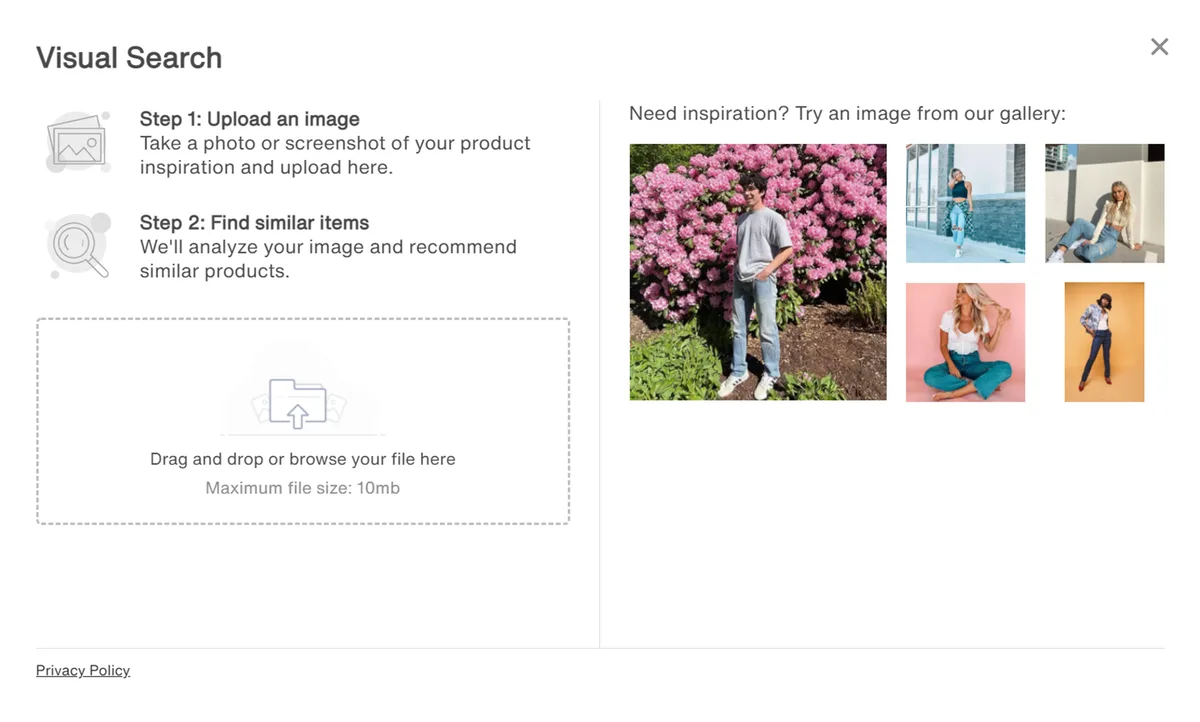
Shopping is the obvious one. You see a bag on someone’s shoulder, snap a discreet photo, and find three near-identical options within seconds. No more describing zippers and strap lengths to a search engine that doesn’t understand.
Plant and animal identification runs a close second. Hikers, gardeners, and curious parents use a visual search tool to name species on the spot. Some apps even flag whether a plant is toxic, which is genuinely useful around kids and pets.
Translation and text extraction round out the everyday wins. Point your camera at a menu, a street sign, or a handwritten note, and the engine reads the text aloud or translates it. For travelers, this alone justifies keeping the app installed.
Shopping and Product Discovery
Product discovery has been transformed. Instead of guessing keywords, you show the engine what you want. It returns visually similar items, often with price comparisons and availability.
This is especially powerful for furniture and fashion, where words fail. Proper attention to your visual search tool sets a strong baseline. “Mid-century modern walnut sideboard with tapered legs” is a mouthful. A single photo captures all of it instantly.
Some engines go further and match the exact item across retailers. A thoughtful approach to visual search tool reinforces your qualifications. That’s how you find the same lamp at a lower price from a different seller, without spending an hour cross-referencing tabs.
Identifying Plants, Animals, and Landmarks
Nature identification used to require a field guide and patience. Now you point, tap, and get a species name with a confidence score. Not perfect, but remarkably good for common species.

Landmark recognition works the same way. Travelers use a visual search tool to identify buildings, statues, and monuments without needing to read a plaque or ask a local.
One caveat: rare or regional species still trip up the models. If the confidence score is low, cross-check with a second source before you act on it. Eating the wrong mushroom because an app guessed wrong is not a risk worth taking.

Accessibility and Everyday Convenience
For people with visual impairments, image-first search is transformative. A visual search tool can describe a scene, read a label, or identify a product, giving independence that text-based search never could.
Everyday convenience matters too. Developing your visual search tool with precision highlights key strengths. Finding a recipe from a photo of a dish, matching a paint color from a wall, or identifying a font from a poster — all of these are now a few taps away.
Limitations You Should Know About
No engine is magic. Understanding where a visual search tool fails keeps you from trusting bad results.

Ambiguous objects confuse everything. A plain white mug looks like a thousand other mugs. Without distinguishing features, the engine can only offer generic matches.
Reflective and transparent surfaces are notoriously hard. Glass, mirrors, and shiny metal break the feature extraction because the pixels change with every angle and light source.
Faces raise privacy concerns, and many platforms deliberately limit face matching. That’s a good thing for civil liberties, even if it occasionally frustrates users trying to find a photo’s origin.
Ambiguity, Occlusion, and Tricky Objects
Occlusion — when part of an object is hidden — throws off detection. Clear alignment with your visual search tool builds confidence from the start. If a chair is half-covered by a table, the model may only see a leg and guess wrong.
Patterns without clear structure are also tough. Structuring your visual search tool around proven patterns ensures impact. Abstract art, camouflage, and textured fabrics often return results that share color but miss the point entirely.
The fix is usually to provide more context. A second angle, a wider shot, or a text hint can rescue a search that would otherwise fail.
Privacy and Ethical Considerations
Every image you upload to a visual search tool may be stored, analyzed, and used to improve the model. Read the privacy policy before uploading anything sensitive.
Reverse image search can also expose information you didn’t intend to share. A casual photo with a visible street sign or house number can reveal your location. Crop carefully.

On the flip side, these tools help fight misinformation. Integrating visual search tool into your workflow produces consistent quality. Journalists use reverse image search to verify whether a photo is old, recycled, or taken out of context. That’s a genuine public good.
How Businesses Use Visual Search Tool Technology
Retailers were early adopters, but the applications now stretch across industries. Understanding the business angle helps you see where the technology is heading.
E-commerce sites embed image search directly into their storefronts. Shoppers upload a photo and get instant product matches, which lifts conversion rates because the friction of describing a product disappears.
Real estate platforms let buyers search by architectural style. Upload a photo of a craftsman bungalow and get listings with similar design language.
Manufacturing and logistics use the same core tech for quality control. Targeted refinements to your visual search tool streamline the entire review. Cameras on the line spot defects that human inspectors might miss after a long shift.
Retail and E-Commerce Applications
Visual search reduces returns. Applying these principles to your visual search tool yields measurable results. When shoppers find the exact item they pictured, they’re less likely to send it back because it “wasn’t what I expected.”
It also unlocks long-tail inventory. Products that don’t rank well for keywords can still surface through image matches, giving niche items a fair shot at discovery.
Some brands now build entire campaigns around a visual search tool, encouraging customers to snap photos of street style and shop the look directly.
Beyond Shopping: Healthcare, Security, and More
Dermatology apps use image matching to flag potentially concerning skin lesions, then route users to a professional. The tool doesn’t diagnose, but it triages.
Security systems use visual matching to spot known threats or unauthorized vehicles. The same technology that finds your lost dog can flag a stolen car.

Agriculture uses it to detect crop disease from leaf photos. A farmer snaps a leaf, gets a diagnosis, and treats the field before the problem spreads.
Choosing the Right Visual Search Tool for Your Needs
Picking the right engine depends entirely on what you’re trying to do. There’s no single winner across every category.
For general use, Google Lens is hard to beat. Proper attention to your visual search tool sets a strong baseline. Its index is enormous, it handles text, objects, and landmarks, and it’s baked into most Android phones and the Chrome browser.
For fashion and home decor, Pinterest Lens wins on aesthetics. It understands style in a way general engines don’t, and its results feel curated rather than random.
For shopping specifically, Bing Visual Search and Amazon StyleSnap both shine. Bing casts a wider retail net; Amazon goes deeper into its own catalog with immediate purchase paths.
Matching the Tool to the Task
Ask yourself what you actually need. Identification? Shopping? Inspiration? Source verification? Each answer points to a different tool.
If you need to find where an image came from, Yandex and Google both do reverse lookup well. Yandex sometimes surfaces sources Google misses, especially for images circulating on social media.
If you need to extract text, Google Lens and Microsoft’s tools are strongest. Both handle handwriting, multiple languages, and awkward angles better than most competitors.
Free versus Premium Options
Most consumer-grade visual search is free, funded by ads or ecosystem lock-in. Developing your visual search tool with precision highlights key strengths. That’s fine for casual use and usually sufficient for everyday tasks.
Premium tiers exist for businesses that need API access, higher query limits, or custom model training. Those are priced for companies, not individuals, and typically offer competitive direct manufacturer pricing structures depending on volume.
For most people, the free tools are more than enough. The gap between free and paid narrows every year as models commoditize.
Future Directions for Image-Based Search
The technology is still young. Several trends point to where a visual search tool is headed next.
Multimodal models that blend text, image, and audio are becoming standard. You’ll soon describe a scene in words while showing a photo, and the engine will fuse both signals into one query.
On-device processing is growing too. Running the model locally means faster results and better privacy, since your images never leave your phone.
Augmented reality overlays will let you point your camera at a street and see restaurant ratings, store hours, or product prices floating over the scene in real time.
Multimodal and Conversational Search
Conversational image search lets you refine results by talking. Clear alignment with your visual search tool builds confidence from the start. “Show me similar but cheaper.” “Find this in green.” “What’s the brand?” The engine responds like a helpful assistant.
This blends the strengths of a visual search tool with the flexibility of natural language. You’re no longer locked into a single query format.
Early implementations already exist in flagship phones and smart glasses. Expect them to become the default interface within a few product cycles.
On-Device and Privacy-First Approaches
Running models on-device solves two problems at once. Latency drops because there’s no round trip to a server, and privacy improves because the image never leaves your hardware.
Apple, Google, and Qualcomm have all invested heavily here. The tradeoff is model size — smaller on-device models are less accurate than their cloud counterparts, though the gap is closing fast.
For sensitive searches, like medical images or personal documents, on-device processing is the clear winner. For broad discovery, cloud still wins on coverage.
Practical Tips for Everyday Use
Small habits make a big difference. These are the ones I’ve found most useful after years of leaning on image search.
Keep a dedicated folder of reference images. Integrating visual search tool into your workflow produces consistent quality. When you spot something you want to identify later, snap it and save it. Batch your searches when you have time.
Use screenshots wisely. If you see a product in a video, pause and screenshot rather than photographing your screen — the quality is dramatically better.
Cross-check important results. If you’re buying something expensive or making a health decision, verify with a second source. A visual search tool is a starting point, not a final answer.
Building a Personal Reference Library
Over time, your saved images become a personal catalog. Furniture you like, outfits that work, plants you want to grow. Each one is a ready-made query for later.
Some apps let you tag and organize these references. That turns a visual search tool into a personal inspiration engine, not just a one-off lookup.
It’s a small habit with outsized returns. Ten seconds of saving now can save an hour of hunting later.
Verifying Results Before You Act
Never trust a single result blindly. Confidence scores help, but they’re not guarantees. Cross-reference with reviews, official sources, or a knowledgeable friend.
For purchases, check the actual seller. Image matches can surface counterfeit listings alongside genuine ones. Look at return policies and seller ratings before buying.
For identifications, especially in nature, treat the app as a first opinion. A second opinion from a field guide or local expert can prevent real trouble.
Frequently Asked Questions
Here is an in-depth breakdown of key considerations regarding this section:
What is the Most Accurate Visual Search Tool?
Google Lens generally leads on breadth and accuracy across mixed categories. For fashion and decor, Pinterest Lens is often more precise. For pure product matching, Amazon StyleSnap and Bing Visual Search compete closely.
Accuracy also depends heavily on your input image. A clean, well-lit photo will outperform a blurry one on any engine.
Can a Visual Search Tool Find the Exact Product I Photographed?
Sometimes. Exact matches work best when the product is common and photographed clearly. For unique or handmade items, you’ll usually get visually similar results rather than the identical product.
Combining the image with a text filter — brand, color, size — improves the odds considerably.
Is Visual Search Free to Use?
Most consumer tools are free. Google Lens, Pinterest Lens, Bing Visual Search, and Yandex Images all cost nothing for individual use.
Business-grade APIs and custom solutions carry fees, usually structured around query volume and feature access.
Does Image Search Work Offline?
Rarely, though on-device models are changing that. Some phones now run basic identification locally, but broad catalog search still requires an internet connection.
Expect offline capability to expand as hardware gets faster and models get smaller.
How Do I Search Using an Image on My Phone?
Open your camera app or the relevant app — Google, Pinterest, or Amazon — and tap the lens or camera icon. Snap or upload your photo, then crop to the item you want to match.
On most Android phones, Google Lens is built into the camera. On iPhone, you can use the Google app or the built-in visual lookup feature in Photos.
What Kinds of Images Work Best?
Sharp, well-lit, tightly cropped photos with a neutral background. Avoid glare, motion blur, and cluttered scenes. If possible, shoot from the same angle a product photographer would.
For natural subjects, include a bit of surrounding context so the model has more signals to work with.
Can I Use Visual Search for Text and Documents?
Yes. Google Lens and Microsoft’s tools handle text extraction, translation, and handwriting recognition well. They’re genuinely useful for menus, signs, and notes.
Accuracy drops with unusual fonts, heavy stylization, or poor lighting, so double-check anything important.
Is It Safe to Upload Personal Photos?
It depends on the platform’s privacy policy. Many engines store uploads and use them to improve their models. Read the terms before uploading anything sensitive.
For private images, prefer on-device tools or crop out identifying details like addresses, faces, and documents.
Final Thoughts on Picking Your Go-To Engine
There’s no single best option for everyone. The right visual search tool depends on whether you’re shopping, identifying, translating, or just curious.
My advice: install two. Keep Google Lens for general use and add Pinterest Lens or Amazon StyleSnap depending on what you do most. Between them, you’ll cover almost every scenario.
Practice with deliberate, well-cropped photos. Learn the crop tools and hybrid text-plus-image queries. Those two habits alone will make any visual search tool feel twice as capable.
And stay a little skeptical. These engines are remarkable, but they’re assistants, not oracles. Verify what matters, enjoy the convenience for everything else, and you’ll get years of genuine value out of a technology that’s only getting sharper.
<!– TOPSEO: keywords="visual search tool, image search engine, reverse image search, Google Lens, Pinterest Lens, Bing Visual Search, image recognition, search by photo
” description=”” –>