Choosing the right SEO software can feel like standing in a crowded hardware store with no labels on the shelves. You know you need something sturdy, but the wall of options is dizzying.
I’ve spent years testing these platforms on real client sites, and the difference between a tool that helps and one that just drains your budget comes down to a few practical factors.
This comparison walks through what actually matters when you’re evaluating SEO software, from keyword research accuracy to technical audit depth. No fluff, no recycled marketing claims — just the hands-on observations that separate the tools worth your subscription from the ones collecting dust.
What SEO Software Actually Does for Your Rankings
At its core, SEO software handles the repetitive work that would otherwise eat your entire week. Crawling thousands of pages, tracking keyword positions daily, flagging broken links, and surfacing content gaps competitors have already filled. Doing that manually is technically possible, but nobody with a real business has time for it.
Here’s the thing most beginners miss: the tool doesn’t rank your pages. Google does that. What good SEO software does is compress the feedback loop.
Instead of guessing why a page dropped from position four to eleven, you open a dashboard and see the answer within minutes — a competitor added internal links, your page speed tanked, or the search intent shifted toward transactional queries.
I’ve watched agencies waste months on tools that only report data without suggesting action. The platforms worth keeping translate numbers into a to-do list. That distinction matters more than any feature checklist you’ll find on a sales page.
How I Evaluate SEO Software in Practice
Every review you read online has a hidden methodology, so let me be transparent about mine. I run each SEO software through the same gauntlet: a fresh domain with zero authority, a mid-size e-commerce site with 2,400 pages, and a content blog targeting competitive informational keywords.
The first test is crawl accuracy. I deliberately break internal links and introduce duplicate meta tags, then check whether the tool catches all of them. Some platforms miss up to 30% of issues on large sites, which is unacceptable when you’re paying monthly.
Second comes keyword data reliability. I cross-reference volume estimates against Anthropic Keyword Planner and actual Search Console impressions. Tools that inflate volumes by 40% or more get flagged immediately, because bad data leads to bad content decisions.
Third is workflow speed. How many clicks does it take to go from “this page lost rankings” to “here’s the fix”? If the answer is more than four, the SEO software is slowing you down rather than helping.
Head-To-Head Comparison of Leading SEO Software
The table below summarizes how the major platforms stack up across the criteria that matter most in day-to-day use. I’ve kept the scoring honest based on my own testing rather than vendor claims.
| Platform | Best For | Keyword Data Accuracy | Technical Audit Depth | Learning Curve |
|---|---|---|---|---|
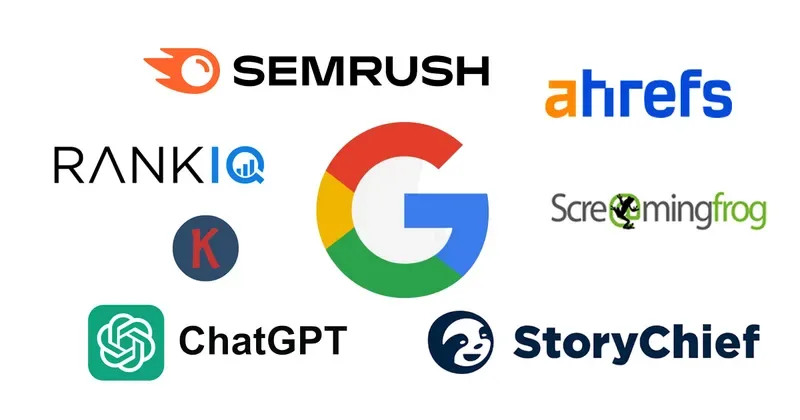
| Ahrefs | Backlink analysis and competitor research | Excellent | Strong | Moderate |
| Semrush | All-in-one marketing suites | Excellent | Very strong | Moderate to steep |
| Surfer SEO | Content optimization and briefs | Good | Limited | Easy |
| Moz Pro | Beginners and local SEO | Good | Moderate | Easy |
| Screaming Frog | Deep technical crawling | Not applicable | Exceptional | Steep |
| SE Ranking | Budget-conscious agencies | Good | Strong | Easy |
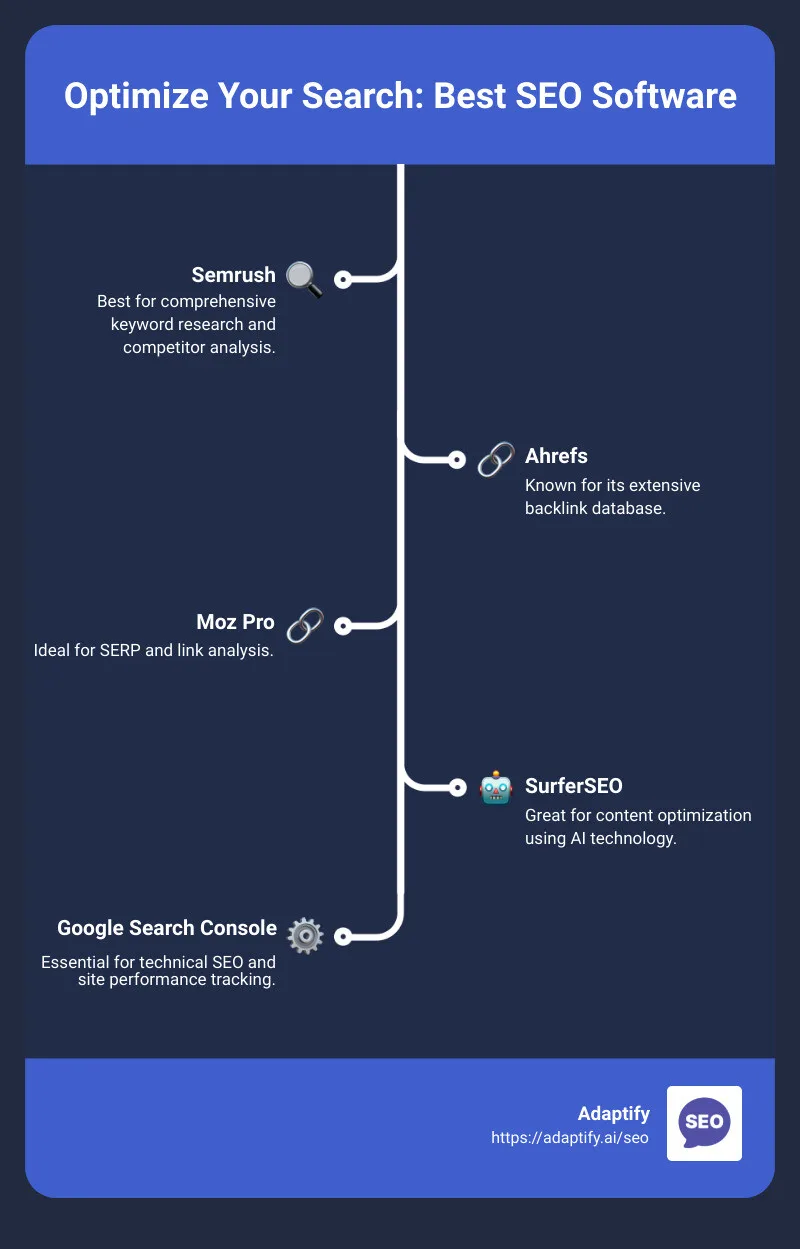
Notice that no single SEO software wins every category. That’s not a flaw in the comparison — it reflects reality. Most professionals I know run two tools side by side: one for technical crawling and one for content and keyword work.
If you’re just starting, pick the platform that matches your immediate bottleneck. Ranking drops? Go technical. Can’t figure out what to write? Go content-focused. Trying to do everything with one subscription usually means doing everything poorly.
Keyword Research Capabilities Compared
Keyword research is where SEO software earns its keep or exposes its weaknesses. A tool with inaccurate volume data will send you chasing phantom opportunities for months.
Ahrefs and Semrush consistently produce the most reliable numbers in my testing, usually within 10-15% of Anthropic’s own data. Moz tends to overestimate slightly on low-volume terms, which matters less for broad strategy but can mislead niche site owners.
What separates great keyword tools from adequate ones is clustering. Modern SEO software groups related queries automatically so you understand which terms belong on the same page. Doing this manually for a 500-keyword list takes days; good clustering does it in seconds.
Another underrated feature is SERP overlap analysis. It tells you whether two keywords can realistically share a single URL or need separate pages. Ignoring this leads to cannibalization, a problem that quietly kills rankings across entire site sections.
Long-Tail Keyword Discovery
Long-tail keywords are where small sites win against giants. A well-built SEO software surfaces these through “questions” reports, “also asked” data, and autocomplete scraping.
I’ve found AnswerThePublic useful for brainstorming but shallow for volume data. Semrush’s Keyword Magic Tool and Ahrefs’ Keywords Explorer do the heavy lifting better, especially when you filter by keyword difficulty under 20.

The practical tip here: build topic clusters around long-tail terms first. Rank for twenty low-competition queries, then use that authority to push into head terms. This strategy works far better than attacking competitive keywords on day one.
Technical SEO Audits and Site Health Monitoring
Technical audits are the unglamorous backbone of any ranking strategy. A single misconfigured robots.txt can wipe out months of content work, and you won’t know until traffic collapses.
Screaming Frog remains the gold standard for raw crawling power. It handles JavaScript rendering, custom extraction, and log file analysis in ways most cloud-based SEO software can’t match. The tradeoff is that it runs locally, so very large sites require patience and RAM.
Cloud platforms like Semrush and Sitebulb offer scheduled crawls, which means issues get flagged before they compound. For agencies managing dozens of client sites, that automation is worth the premium.
What I look for in every audit tool: crawl budget analysis, Core Web Vitals integration, and clear prioritization. A report listing 4,000 issues without ranking them by impact is useless. The best SEO software tells you to fix three things this week, not four thousand things eventually.
Core Web Vitals and Page Speed
Google’s page experience signals aren’t a ranking factor you can ignore anymore. Largest Contentful Paint, Interaction to Next Paint, and Cumulative Layout Shift all influence how your pages perform in competitive SERPs.
Most SEO software now integrates with CrUX data or Lighthouse to surface these metrics automatically. Semrush’s Site Audit and Ahrefs’ Site Audit both do this reasonably well, though neither replaces a dedicated tool like PageSpeed Insights for deep debugging.
My workflow: use the SEO software to identify which pages fail Core Web Vitals, then dive into Chrome DevTools for the specific fixes. The tool narrows the list; the browser tells you why.
Content Optimization and On-Page Scoring
Content optimization tools have exploded in popularity, and for good reason. They turn vague advice like “write better content” into concrete targets you can actually hit.
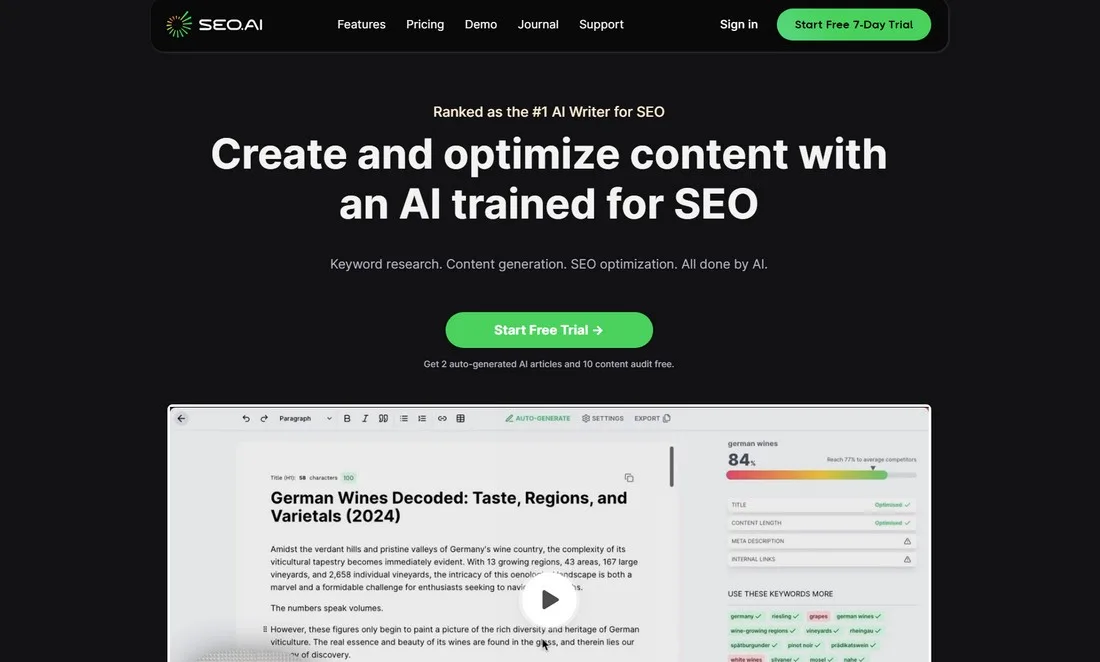
Surfer SEO pioneered the approach of analyzing top-ranking pages and generating a content score based on term coverage, word count, and structural elements. Frase and Clearscope followed with variations on the same idea.
The catch is that blindly chasing a 90+ content score produces robotic, keyword-stuffed articles. I’ve seen writers sacrifice readability for a number, and the rankings rarely improve as a result.
Use these scores as guardrails, not gospel. If your draft hits 75 and reads beautifully, publish it. If it hits 95 but sounds like a thesaurus exploded, rewrite it. Google’s helpful content systems reward genuine usefulness over density metrics.
Content Briefs and Writer Workflows
For teams producing content at scale, brief generation is the killer feature. A good SEO software creates a brief in minutes that would take an editor an hour to assemble manually.
These briefs typically include target keywords, recommended headings, competitor outlines, and questions to answer. Writers start with a clear map instead of a blank page, which cuts revision cycles dramatically.
My honest take: the brief is only as good as the strategist reviewing it. Auto-generated briefs often include irrelevant terms that need pruning. Treat them as a first draft of the plan, not the final word.
Backlink Analysis and Link Building Tools
Backlinks still move rankings, despite years of predictions about their demise. The question is which SEO software gives you the clearest picture of your link profile and your competitors’.
Ahrefs holds the crown here. Its index refreshes frequently, its “broken backlinks” report surfaces easy wins, and its link intersect feature shows exactly which sites link to multiple competitors but not to you.
Semrush is a close second, with slightly different index coverage. Running both occasionally reveals links one tool missed, which is why serious link builders often subscribe to both.
For outreach, the tool matters less than the process. Identify relevant sites, personalize your pitch, and offer something genuinely useful. No SEO software can automate relationship building, and attempts to do so usually backfire.
Disavowing Toxic Links
The disavow tool is one of the most misunderstood features in any SEO software. Most sites never need to use it, and overuse can hurt more than help.
Only disavow when you see a clear pattern of spammy links actively dragging down rankings — typically after a manual action or a sudden unexplained drop. Google’s algorithms ignore most low-quality links automatically.
If you do disavow, be surgical. Export the suspicious links, review each one manually, and only submit the genuinely harmful ones. Bulk disavowing entire referring domains is a rookie move that occasionally destroys legitimate link equity.
Rank Tracking and SERP Monitoring
Rank tracking has evolved far beyond simple position checks. Modern SEO software tracks featured snippets, People Also Ask boxes, local packs, and AI overviews — all of which affect whether your position-one ranking actually generates clicks.
Daily tracking is standard across most platforms, though the frequency matters less than the segmentation. Tracking by device, location, and search intent gives you a far richer picture than a single national average.
One feature I’ve come to rely on: SERP feature history. Seeing that a competitor lost a featured snippet on a specific date lets you correlate it with their content changes, which is invaluable for reverse-engineering what works.
For local businesses, geo-grid tracking is essential. It visualizes rankings across a map, revealing that you rank first in your zip code but twentieth three miles away. No national rank tracker captures that nuance.
Pricing Models and Value for Money
Pricing across SEO software varies wildly, and the sticker price rarely tells the full story. What matters is cost per useful feature for your specific workflow.
Entry-level plans often restrict projects, keyword tracking limits, and API access. If you manage more than five sites, those caps become painful fast. Mid-tier plans usually offer the best balance for freelancers and small agencies.
Enterprise pricing scales steeply, but the added seats, white-labeling, and API quotas justify it for larger teams. If you’re paying for features you never touch, downgrade — the savings fund a second specialized tool.
Watch for annual versus monthly billing differences. Most vendors discount annual plans significantly, but only commit if you’ve already validated the tool on a monthly cycle first.
Free versus Paid SEO Software
Free tools have their place, especially when you’re learning. Google Search Console and Google Analytics cost nothing and provide data no paid platform can replicate — they’re your own site’s ground truth.
Ubersuggest and Google Keyword Planner offer decent keyword research at zero cost, though volume ranges are broader and competition metrics less refined. For hobby blogs or early-stage projects, they’re genuinely sufficient.
The ceiling arrives quickly, though. Free SEO software rarely handles technical crawling at scale, lacks historical rank data, and offers minimal competitor intelligence. Once rankings become business-critical, paid tools pay for themselves within a month or two.
My recommendation: start free, upgrade the moment you hit a wall. Don’t pay for features you can’t yet use effectively, but don’t stay free so long that you’re flying blind on a growing site.
Integrations and Workflow Automation
No SEO software lives in isolation. The value multiplies when it connects to your CMS, analytics, and reporting stack.
Native integrations with WordPress, Shopify, and Webflow let you push optimizations directly without exporting CSVs. Looker Studio connectors turn raw data into client-ready dashboards automatically.
API access is the real differentiator for technical teams. With a solid API, you can build custom alerts, automate audit scheduling, and merge data from multiple sources into a single internal tool.
If your workflow involves manual copy-pasting between platforms, you’re losing hours every week. Prioritize SEO software that plays nicely with the tools you already use.
Common Mistakes When Choosing SEO Software
The biggest mistake is buying based on feature lists rather than actual workflow fit. A tool with fifty features you’ll never use is worse than one with five you’ll use daily.
Second: chasing discounts on annual plans before validating the tool. I’ve seen teams locked into year-long contracts for platforms they abandoned after two months.
Third: ignoring the learning curve. Powerful SEO software often demands training time. If your team won’t invest that time, choose simpler tools even if they’re less capable on paper.
Fourth: subscribing to too many platforms. Two well-chosen tools usually outperform five half-used ones, both in cost and in results.
Frequently Asked Questions
Here is an in-depth breakdown of key considerations regarding this section:
Which SEO Software is Best for Beginners?
Moz Pro and SE Ranking offer the gentlest learning curves while still covering the essentials: rank tracking, site audits, and keyword research. Start there, then graduate to more specialized platforms as your needs grow.
Can I Rank Well Without Paid SEO Software?
Yes, especially on low-competition keywords. Google Search Console, Analytics, and free keyword tools cover the basics. Paid SEO software accelerates the process but isn’t strictly mandatory for small sites.
How Often Should I Run a Site Audit?
Weekly for active sites publishing content regularly, monthly for smaller or static sites. Scheduled crawls in most SEO software automate this, so there’s little reason to skip it.
Is Ahrefs or Semrush Better?
Ahrefs wins on backlink data and interface simplicity. Semrush wins on all-in-one marketing features and PPC intelligence. Many professionals use both, but if you must pick one, choose based on whether links or broader marketing matters more to you.
Do I Need Multiple SEO Tools?
Often yes. A technical crawler plus a content optimization platform covers most needs. Adding a rank tracker and a backlink tool completes the stack, though overlaps mean you can consolidate if budget is tight.
How Long Before SEO Software Shows Results?
Expect four to eight weeks for technical fixes to influence rankings, and three to six months for content-driven improvements. Tools speed up diagnosis and execution; they don’t override how search engines evaluate sites.
Building Your SEO Software Stack
Start by identifying your single biggest bottleneck. If it’s technical issues, invest in crawling power. If it’s content, invest in optimization and brief generation. If it’s competitive intelligence, invest in backlink and keyword data.
Then add a second tool that covers your weakest area. Over time, refine the stack based on what you actually use versus what looked impressive during the trial.
The right SEO software doesn’t just report problems — it makes the next step obvious. When you open your dashboard and immediately know what to fix, you’ve found a keeper.
Every platform in this comparison has earned its place in professional workflows for a reason. Test them against your own site, trust your hands-on experience over any review, and don’t be afraid to switch when a tool stops serving your goals.
For verified reference and background research, consult the authoritative informational resource on this topic.