A paraphrase tool is the fastest way to rewrite any text instantly without losing its original meaning. If you have ever stared at a blank page, stuck between what you meant and how to say it differently, you already understand why these tools matter so much.
Let me be honest with you. I have spent years writing, editing, and rewriting content for clients, students, and my own projects. The single biggest time-saver in that whole process has been learning how to use a paraphrase tool properly instead of fighting with every sentence by hand.
This guide walks you through everything: what these tools actually do under the hood, how to pick a good one, where they shine, where they fall flat, and how to squeeze real value out of them whether you are a student, a blogger, a marketer, or someone who just needs to reword an email without sounding robotic.
What a Paraphrase Tool Actually Does
At its core, a paraphrase tool takes a piece of text and produces a new version that carries the same meaning using different words and sentence structures. That sounds simple. It is not.
Behind the curtain, most modern tools rely on natural language processing models that break your sentence into parts of speech, identify the relationships between words, and then rebuild the sentence with synonyms, reordered clauses, and adjusted grammar. A basic tool swaps words one at a time. A smarter one rewrites entire phrases while keeping the logic intact.
The difference shows up immediately. Swap “the cat sat on the mat” for “the feline rested upon the rug” and you have a word-level rewrite. Ask a paraphrase tool to handle a 300-word paragraph about climate policy, and you will quickly see whether it understands context or just plays a synonym matching game.
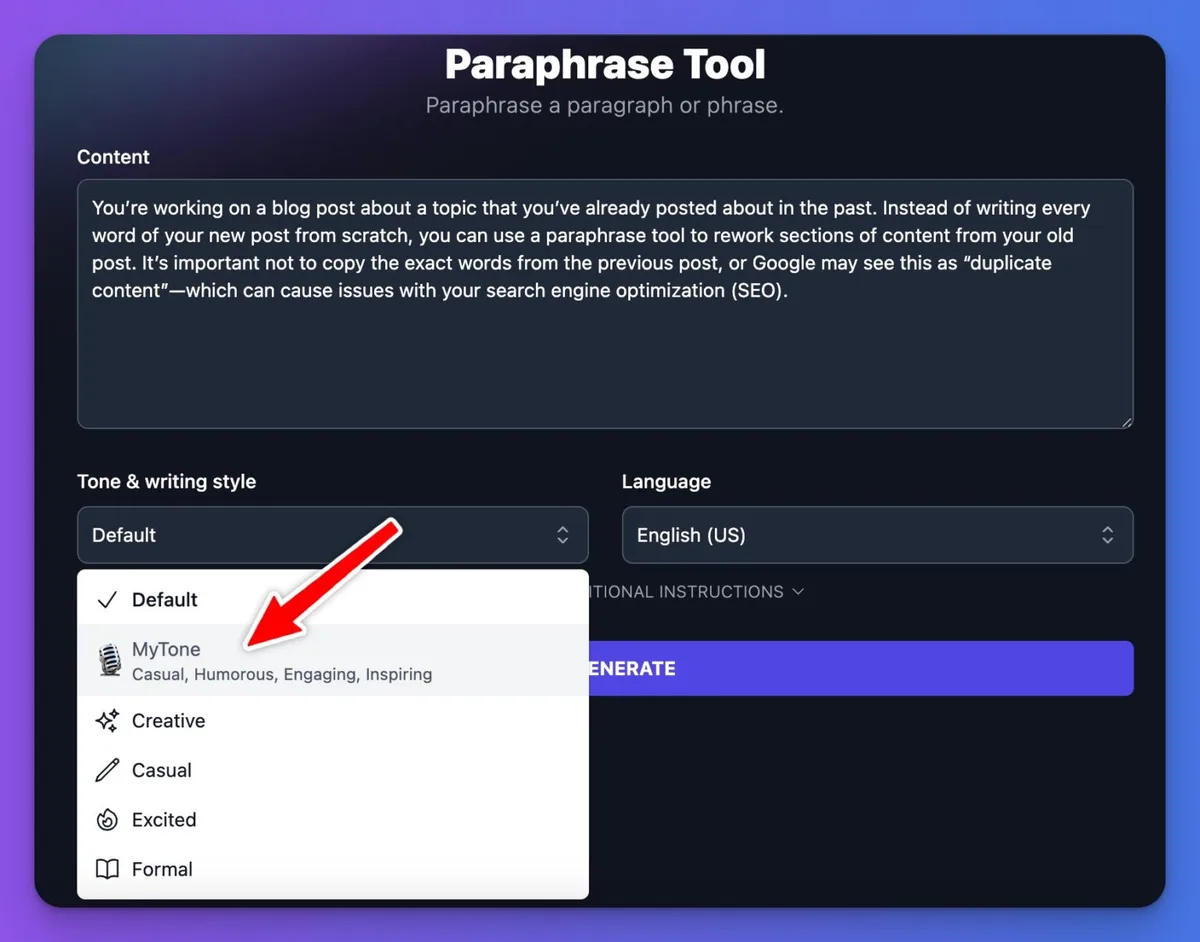
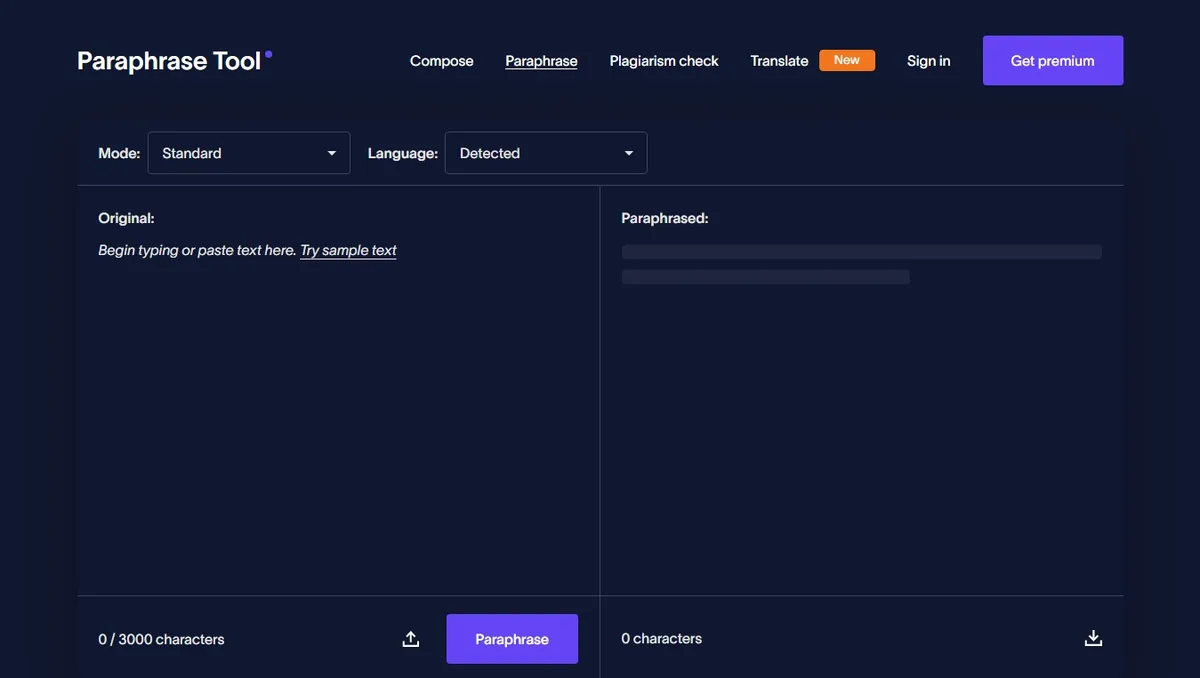
Good tools also let you control the output. You can usually pick between modes like standard, fluency-focused, creative, or formal. That flexibility is what separates a toy from a genuinely useful writing assistant.
Why People Reach for a Paraphrase Tool Every Day
The reasons are more practical than most people admit. Students use them to rephrase research material without plagiarizing. Bloggers use them to repurpose old articles for new audiences. Marketers use them to spin the same message across five different ad platforms without sounding like a broken record.
Non-native English speakers lean on them heavily too. If English is your second or third language, a paraphrase tool helps you smooth out awkward phrasing that would otherwise make your writing feel off. It is like having a patient editor on standby at two in the morning.
Then there is the simple reality of writer’s block. Sometimes you know exactly what you want to say but the words refuse to cooperate. Feeding a rough draft into a paraphrase tool and seeing three alternate versions can break the logjam in seconds.
Customer support teams, legal assistants, and even engineers writing documentation all benefit. Anywhere text needs to be reshaped without losing its meaning, a paraphrase tool earns its keep.
How to Choose the Right Paraphrase Tool
Not every tool deserves a spot in your bookmarks. Some are glorified thesaurus engines dressed up with a slick interface. Others are genuinely impressive. Here is what separates them.
Accuracy and Meaning Preservation
The first test is simple: feed the tool a paragraph you know well and see if the output still says the same thing. If key details vanish or the meaning drifts, walk away.
A decent paraphrase tool keeps facts, numbers, and proper nouns intact. It should not turn “revenue grew 18 percent in Q3” into “income may have increased at some point.” That kind of vagueness destroys trust.
Test it with technical content, legal language, and casual writing. A tool that handles all three gracefully is worth keeping.
Grammar and Fluency
Read the output aloud. Does it flow, or does it stumble? Clunky phrasing is the tell-tale sign of a weak engine.
Fluency matters because readers notice awkward sentences instantly. Even one garbled clause can undermine an otherwise strong paragraph. A quality paraphrase tool produces text that sounds like a human wrote it, not like a machine shuffled a deck of words.
Pay attention to verb tenses too. Mismatched tenses are one of the most common failure points in cheaper tools.
Modes and Customization
Different tasks need different tones. A tool that only offers one output style will frustrate you fast.
Look for options like formal, casual, creative, and academic. Some tools even let you shorten or expand text, which is invaluable when you are trying to hit a word count without padding fluff.
Sentence-level rewriting is another feature worth hunting for. Sometimes you only need to fix one stubborn line, not the whole document.
Speed and Limits
Nobody wants to wait thirty seconds for a single paragraph. Speed matters, especially when you are processing long documents.
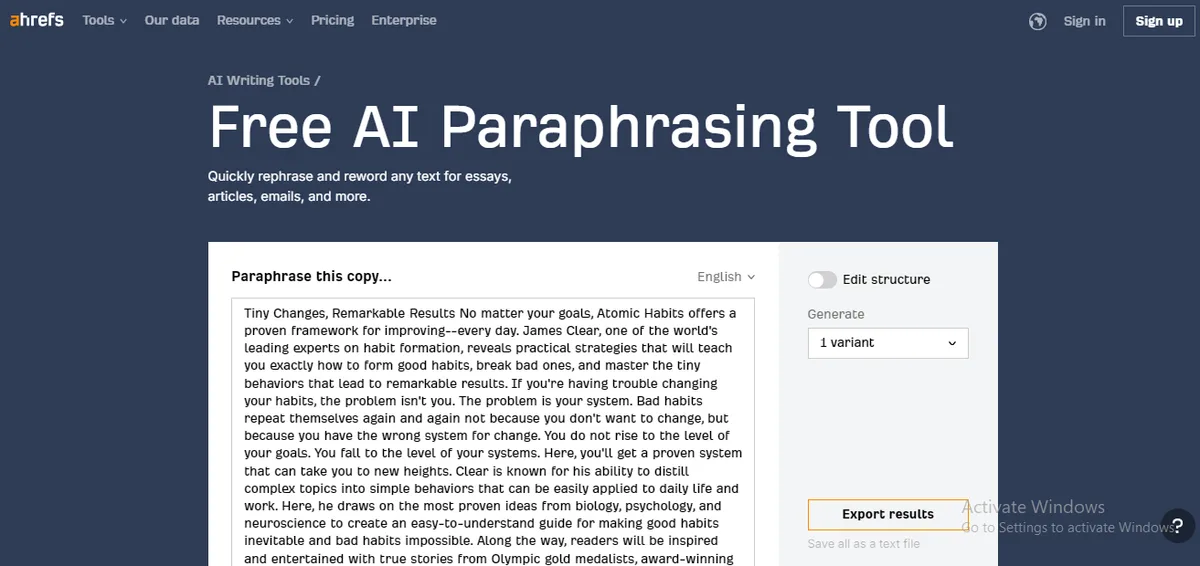
Check the character or word limits on free plans. Many tools cap you at a few hundred words per request, which is fine for emails but painful for essays. If you regularly work with 2,000-word articles, find a paraphrase tool that handles bulk input without choking.
Privacy and Data Handling
This one gets ignored far too often. If you are pasting confidential contracts, internal reports, or unpublished manuscripts into a web tool, you deserve to know what happens to that text afterward.
Read the privacy policy. Look for clear statements about whether your input is stored, used for training, or deleted immediately. A trustworthy paraphrase tool will be transparent about this.
For sensitive material, consider offline or desktop options that never send your data anywhere.
Paraphrase Tool Modes Explained
Most tools bundle several rewriting styles under one roof. Understanding what each mode does helps you pick the right one for the job.
Standard Mode
This is the everyday workhorse. It rewrites your text with moderate changes, keeping the structure close to the original while swapping words and adjusting phrasing.
Use it when you want a cleaner version of your draft without dramatic shifts in tone. It is the safest choice for most situations.
Fluency Mode
Fluency mode prioritizes readability over vocabulary variety. The output tends to sound more natural and less like a thesaurus exploded on the page.
If English is not your first language, this mode is often your best friend. It smooths out rough edges and produces sentences that read smoothly from start to finish.
Creative Mode
Here the tool takes bigger liberties. It may restructure sentences entirely, introduce new idioms, and produce a version that feels noticeably different from the source.
Creative mode is great for brainstorming and for repurposing content across platforms. Just double-check the facts afterward, because heavier rewriting sometimes introduces small errors.
Formal and Academic Modes
These modes strip out contractions, casual slang, and conversational phrasing. The result reads like something you would submit to a journal or a boardroom.
Students writing theses and professionals drafting reports will find these modes invaluable. They save hours of manual tone adjustment.
Shorten and Expand Modes
Shorten mode condenses your text while preserving the key points. Expand mode does the opposite, adding detail and elaboration.
Both are handy when you are trying to hit a specific word count or fit content into a strict character limit for social media or meta descriptions.
Real-World Uses for a Paraphrase Tool
Abstract descriptions only go so far. Let me show you where these tools actually earn their place in daily work.
Academic Writing and Research Papers
Students constantly need to reference source material without copying it verbatim. A paraphrase tool helps them integrate ideas into their own voice while still crediting the original author.
The key is to paraphrase and then cite. Rewriting does not erase the need for attribution. Used responsibly, a paraphrase tool becomes a study aid, not a shortcut around learning.
It also helps when you are summarizing long journal articles. Feed in a dense paragraph and get back a version you can actually understand.
Blogging and Content Marketing
Content teams live and die by output volume. Repurposing a single blog post into a LinkedIn article, a newsletter blurb, and three social captions is standard practice.
A paraphrase tool makes that repurposing fast. You keep the core message, adjust the tone for each platform, and publish without reinventing the wheel every time.

It also helps refresh older posts that have lost their search rankings. Rewriting a stale article gives it new life without starting from scratch.
Email and Business Communication
Ever written the same “just following up” email five times in a week? A paraphrase tool lets you vary the wording so your recipients do not feel like they are on a mailing list.
It also helps when you need to deliver bad news or push back on a request. Rewriting a blunt draft into something more diplomatic takes seconds instead of agonizing over every word.
Social Media and Ads
Ad platforms punish repetition. If your copy looks identical across Facebook, Instagram, and Google, performance drops.
A paraphrase tool lets you generate multiple variations of the same ad quickly. You can test different hooks, calls to action, and tones without hiring a copywriter for every version.
Language Learning
If you are learning English, these tools are quietly powerful. Write a sentence, paraphrase it, and compare the two versions side by side.
You start noticing patterns: which words are interchangeable, which sentence structures sound more natural, which phrasings are too formal for casual conversation. Over time, that awareness sharpens your own writing.
Common Mistakes When Using a Paraphrase Tool
Tools are only as good as the person using them. Here are the traps I see most often.
Blind Copy-Paste
The biggest mistake is trusting the output without reading it. Even the best paraphrase tool occasionally produces awkward or inaccurate sentences.
Always review. Read the rewritten text carefully and fix anything that sounds off. Treat the tool as a first draft generator, not a final answer machine.
Ignoring Context
Synonyms are not always interchangeable. “Cheap” and “affordable” carry different connotations. “Slim” and “skinny” feel different depending on the subject.
A paraphrase tool does not always grasp these nuances. Your job is to catch them and adjust.
Over-Rewriting
Some people run text through a this approach three or four times, hoping for a magic result. Each pass drifts further from the original meaning.
One careful pass is usually enough. If the output still feels wrong, edit manually instead of looping the tool again.
Forgetting to Cite Sources
Paraphrasing is not the same as original writing. If the idea came from someone else, credit them.
Academic institutions and publishers take this seriously. A this practice does not shield you from plagiarism rules.
Paraphrase Tool vs Manual Rewriting
Is it always better to just rewrite by hand? Not necessarily. It depends on the task.
Manual rewriting gives you total control over tone, rhythm, and nuance. It is the gold standard for anything high-stakes, like a keynote speech or a legal brief.
A this approach wins on speed and scale. When you have 20 product descriptions to rewrite before lunch, the tool gets you 80 percent of the way there in minutes.
The smartest approach blends both. Let the tool handle the heavy lifting, then spend your energy polishing the parts that matter most.
| Aspect | Paraphrase Tool | Manual Rewriting |
|---|---|---|
| Speed | Seconds per paragraph | Minutes per paragraph |
| Consistency | High across large volumes | Varies with fatigue |
| Nuance Control | Limited | Excellent |
| Best For | Bulk content, drafts, repurposing | High-stakes, creative, legal writing |
| Cost | Free to low-cost | Your time |
How a Paraphrase Tool Handles Different Content Types
Not all text is created equal. A tool that performs beautifully on blog posts might stumble on scientific abstracts.
Technical and Scientific Writing
Jargon is the enemy here. A this practice that swaps “mitochondrial dysfunction” for “cell power problem” is not helping anyone.
The best tools let you lock specific terms so they stay untouched. If yours does not offer that, be ready to manually restore key vocabulary after rewriting.
Creative Writing and Fiction
Fiction lives on voice. Rewriting a passage of literary prose through a generic this practice often flattens the rhythm and strips out personality.
Use these tools for structural experimentation, not final drafts. Try paraphrasing a paragraph to see alternate phrasings, then blend the best bits back into your own voice.
Legal and Formal Documents
Legal language is precise for a reason. A single changed word can shift liability.
If you must run legal text through a this approach, do so only for internal summaries, never for the binding version. Always have a qualified professional review anything that carries legal weight.
Free vs Paid Paraphrase Tool Options
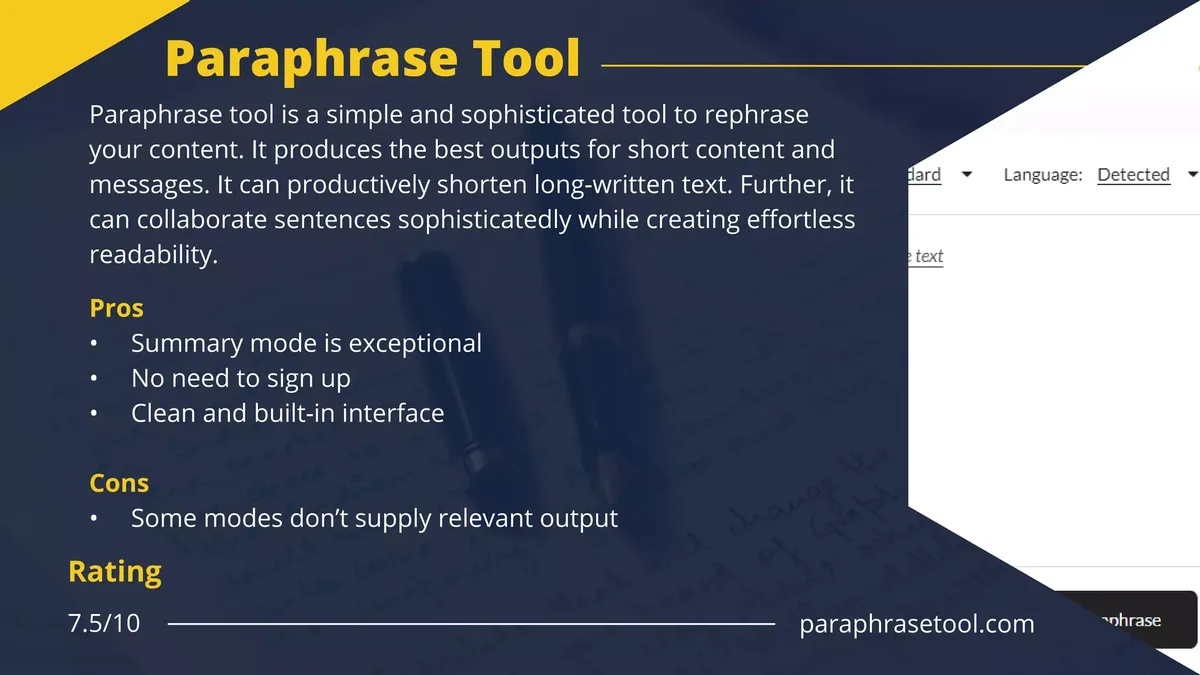
Free tools are tempting. Paid tools often justify their cost. Here is the honest breakdown.
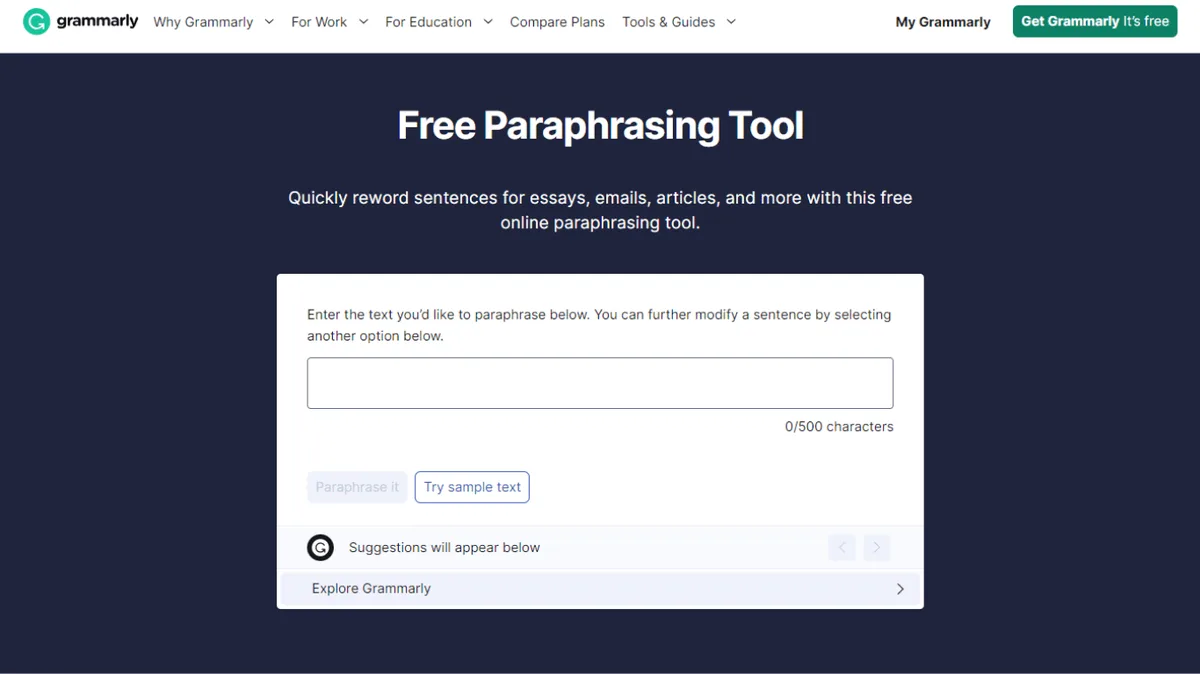
Free versions usually cap input length, limit daily uses, or restrict advanced modes. They are perfect for occasional use, quick emails, or trying the tool before committing.
Paid plans unlock longer inputs, more modes, better privacy controls, and often API access for teams. If you use a this practice daily, the upgrade usually pays for itself in saved time.
Watch out for “free” tools that bombard you with ads or hide aggressive data collection in the fine print. Free is only a good deal when the terms are fair.
Getting Better Results from Any Paraphrase Tool
You can squeeze noticeably better output from the same tool with a few habits.
Feed It Clean Input
Garbage in, garbage out. Fix typos, tighten run-on sentences, and clarify vague phrases before paraphrasing.
Clean input gives the tool a clearer target to work with. The output improves almost immediately.
Work in Smaller Chunks
Long paragraphs overwhelm some tools. Break text into logical sections and paraphrase each one separately.
You will get more accurate results and find it easier to review the output piece by piece.
Combine Modes
Run the same paragraph through standard mode, then fluency mode, and compare. Sometimes the best version is a hybrid you assemble yourself.
Experimenting costs nothing and often reveals phrasings you would never have thought of on your own.
Edit After Paraphrasing
Never skip this step. Read the output aloud. Trim anything awkward. Replace clunky synonyms with words that actually fit.
Five minutes of editing turns a decent paraphrase into a polished final draft.
Ethical Use of a Paraphrase Tool
Ethics matter here, and the conversation deserves more nuance than it usually gets.
Paraphrasing itself is a legitimate skill. Journalists, academics, and novelists have done it for centuries. The tool just makes it faster.
The problem arises when paraphrasing becomes a way to disguise plagiarism. Rewording someone else’s work and presenting it as your own is dishonest, regardless of the tool involved.
Use a this practice to sharpen your own ideas, integrate research properly, and communicate more clearly. Do not use it to launder someone else’s work.
Accessibility and Language Support
Modern paraphrase tools increasingly support multiple languages. This opens doors for global teams and multilingual writers.
Quality varies wildly by language, though. English support is usually strongest because most models train on English-heavy datasets. Spanish, French, and German are solid. Less common languages can produce shaky results.
If you work in a niche language, test the tool thoroughly before relying on it for anything important.
What the Future Holds for Paraphrase Tool Technology
The technology keeps improving. Models are getting better at understanding context, tone, and intent.
Expect tighter integration with writing platforms, smarter tone controls, and better handling of domain-specific vocabulary. Real-time paraphrasing inside email clients and word processors is already here in some products.
The gap between a good this practice and a skilled human editor keeps narrowing, but it will not close entirely. Judgment, taste, and context still belong to people.
Frequently Asked Questions About Paraphrase Tool
Here is an in-depth breakdown of key considerations regarding this section:
Is a Paraphrase Tool Free to Use?
Many are free with limits on length or daily uses. Paid versions remove those caps and add features like advanced modes, privacy guarantees, and API access. For occasional use, free is often enough.
Can a Paraphrase Tool Help Me Avoid Plagiarism?
It can help you rephrase source material in your own words, but it does not remove the need to cite. Always credit the original author when the idea is not yours.
Does a Paraphrase Tool Change the Meaning of Text?
A good tool preserves meaning. A weak one can drift, especially with technical or nuanced content. Always review the output before using it.
Which is the Best Paraphrase Tool for Students?
Look for tools with academic or formal modes, strong grammar handling, and reasonable free limits. Test a few with your own writing before committing.
Can I Use a Paraphrase Tool for Business Content?
Absolutely. Marketing teams use them for ad variations, email sequences, and repurposing blog posts. Just review the output to keep your brand voice intact.
Is It Safe to Paste Confidential Text Into a Paraphrase Tool?
Only if the tool has a clear privacy policy stating your input is not stored or reused. For sensitive documents, prefer offline or self-hosted options.
How Accurate is a Paraphrase Tool Compared to Human Editing?
Tools are fast and consistent but miss nuance. Humans catch tone, subtext, and context shifts that machines overlook. The best results come from using both.
Practical Tips for Daily Paraphrase Tool Use
Here are habits that make the tool genuinely useful instead of a novelty.
- Save your favorite modes. If a tool lets you bookmark settings, do it. Recreating the same configuration every session wastes time.
- Keep a swipe file of good outputs. When the tool produces a phrasing you love, save it. Over time, this becomes a personal phrase bank.
- Paraphrase before editing, not after. Rewriting first gives you fresh material to polish. Editing first just wastes effort on text you may discard.
- Use it to break writer’s block. When you are stuck, paraphrase your own rough draft. Seeing alternate versions often sparks the fix.
- Test with your own content. Before trusting a tool with client work, run it on material you know inside out. You will spot weaknesses fast.
- Watch for repeated words. Some tools overuse the same synonyms. Scan the output and vary anything that repeats.
- Combine with a grammar checker. A paraphrase tool handles rewording, but a separate grammar pass catches punctuation and agreement errors.
- Read the output aloud. Your ear catches awkwardness your eye misses.
- Never skip the final human pass. Even the best paraphrase tool needs a human to sign off.
- Respect the source. Paraphrasing is a skill, not a loophole. Use it honestly.
Building a Writing Workflow Around a Paraphrase Tool
Tools work best when they fit into a repeatable process. Here is a workflow I have used with clients for years.
Start with a rough draft. Do not worry about polish. Get the ideas down, even if the phrasing is clumsy.
Next, run the draft through a this approach paragraph by paragraph. Pick the mode that matches your target tone. Review each output carefully, keeping the best phrasings and discarding the rest.
Then edit manually. Tighten sentences, fix transitions, and make sure the voice stays consistent. This is where the real quality comes from.
Finally, run a grammar and spell check, then read the whole piece once more from top to bottom. If it flows smoothly, you are done.
This workflow turns a this practice into a genuine productivity multiplier instead of a crutch.
Final Thoughts on Using a Paraphrase Tool Wisely
A this approach is one of the most practical writing aids available right now. It saves time, breaks creative blocks, and helps anyone communicate more clearly.
But like any tool, it rewards thoughtful use. Feed it clean input, review the output, and never skip the human editing pass. Do that, and a this practice becomes a reliable partner in everything from quick emails to full-length articles.
Whether you are a student wrestling with a research paper, a marketer churning out ad variations, or someone who just wants to sound sharper in writing, the right this approach can carry a surprising amount of the load.
Pick one that respects your privacy, handles your content type well, and fits your budget, then let it do what it does best.
For verified reference and background research, consult the authoritative informational resource on this topic.