A free grammar checker is the fastest way to catch embarrassing mistakes before anyone else sees them. Whether you’re dashing off a work email or polishing a college essay, one small typo can quietly erode your credibility.
I’ve spent years writing and editing professionally, and I’ve watched brilliant people get passed over for jobs and opportunities simply because their writing looked sloppy. That’s a painful thing to witness, especially when the fix takes about thirty seconds.
So let’s talk about how these tools actually work, what they can and can’t do, and how to squeeze real value out of them without sounding like a robot wrote your text.
Why a Free Grammar Checker Matters More Than You Think
Here’s the uncomfortable truth: people judge your intelligence by your writing. A study from Princeton University found that grammatical errors make writers appear less intelligent and less competent, even when the reader can’t explain why they formed that impression.
That judgment happens fast. A recruiter scanning your cover letter, a client reading your proposal, a professor grading your essay — they’re all forming opinions in seconds. A free grammar checker catches the small stuff so your ideas get a fair hearing.
But there’s a deeper benefit most people overlook. Writing well isn’t just about avoiding embarrassment. It’s about clarity. When your sentences are clean, your reader spends zero energy decoding them and all their attention on what you’re actually saying.
Think about the last time you read something riddled with errors. You probably had to read a sentence twice, maybe three times. That friction adds up, and eventually the reader gives up. A free grammar checker removes that friction entirely.
The Real Cost of Sloppy Writing
Let me give you a concrete example. A few years back, a friend of mine applied for a marketing role at a mid-sized tech company. She had the experience, the portfolio, and the interview skills. She didn’t get the job.
The feedback? Her application email had three typos. Three. The hiring manager later admitted those errors made him question whether she’d bring the same carelessness to client work.
That’s the hidden tax of bad writing. It doesn’t just cost you the immediate opportunity — it plants doubt about your entire professional character. A free grammar checker would have flagged every one of those mistakes in under a minute.
And this isn’t an isolated story. Surveys consistently show that a majority of employers automatically reject candidates with spelling or grammar errors on resumes and cover letters. No interview, no second chance. Just a quiet “no” you’ll never fully understand.
How a Free Grammar Checker Actually Works Under the Hood
Most people assume these tools just run a spell-check and call it a day. That’s a massive underestimation. Modern grammar tools use natural language processing, machine learning, and enormous databases of real-world text to understand context.
When you paste a sentence into a free grammar checker, it doesn’t just look up individual words. It parses the entire sentence structure, identifies parts of speech, and compares your writing against patterns learned from billions of sentences.
That’s why a good tool can tell the difference between “their,” “there,” and “they’re” — something basic spell-checkers fail at constantly. It understands that the correct choice depends entirely on the surrounding words.
The better tools also flag style issues. Passive voice, wordiness, clichés, repetitive sentence structure, overly complex phrasing — a quality free grammar checker catches all of it and suggests cleaner alternatives.
Rule-Based Systems versus AI-Powered Engines
Older grammar tools relied on hard-coded rules. Someone sat down and wrote “if the sentence looks like X, flag it.” That approach works for simple errors but falls apart with nuance.
AI-powered engines changed everything. Instead of rigid rules, they learn from massive text corpora what natural, correct writing looks like. Then they flag anything that deviates from those patterns.
The practical difference is huge. A rule-based free grammar checker might catch “I seen it” but miss “I have saw it.” An AI engine catches both because it understands verb tense relationships, not just word pairs.
This is also why AI tools handle context so well. If you write “The dog wagged its tail,” a rule-based system might flag “its” as a possessive error. An AI engine knows the sentence is correct and leaves it alone.
What a Free Grammar Checker Catches (And What It Misses)
Let’s be honest about capabilities. No tool is perfect, and knowing the limits of a free grammar checker helps you use it strategically rather than blindly trusting every suggestion.
Here’s a breakdown of what these tools handle well versus where they struggle.
| Error Type | Caught Reliably | Notes |
|---|---|---|
| Spelling mistakes | Yes | Near-perfect accuracy for common words |
| Subject-verb agreement | Yes | Handles complex sentences well |
| Punctuation errors | Mostly | Comma rules can be debatable |
| Homophone confusion | Yes | Context-aware in quality tools |
| Passive voice | Usually | Sometimes flags intentional usage |
| Wordiness | Sometimes | Depends on the tool’s style engine |
| Factual accuracy | No | Never trust a tool for facts |
| Tone and nuance | Rarely | Requires human judgment |
| Cultural context | No | Beyond current tool capabilities |
Notice the pattern. A free grammar checker excels at mechanical correctness. It struggles with meaning, intent, and subtlety. That’s not a flaw — it’s simply the nature of the technology.
The smart approach is to let the tool handle mechanics while you handle meaning. Use it as a first pass, then read your work aloud to catch anything the software missed.
Why Homophones Trip Up Even Good Writers
Homophones are words that sound identical but mean different things. “Your” versus “you’re.” “Affect” versus “effect.” “Complement” versus “compliment.”
Even experienced writers mix these up when they’re typing fast. The brain hears the word and the fingers type the wrong version without any conscious awareness.
This is where a free grammar checker becomes genuinely valuable. It reads context and knows that “you’re welcome” needs the contraction, while “your welcome” is a mistake.
I’ve caught dozens of these errors in my own writing over the years. Every single time, I read the sentence and thought “how did I miss that?” The answer is simple: my brain was moving faster than my fingers.
Choosing the Right Free Grammar Checker for Your Needs
Not all tools are built the same. Some focus on academic writing, others on business communication, and still others on creative work. Picking the right one depends entirely on what you write most.
Here’s my honest take after testing more than a dozen options over the years.
For Students and Academic Writing
Students need tools that understand formal writing conventions, citation formats, and academic tone. A free grammar checker built for general use often misses discipline-specific terminology.
The best academic tools flag passive voice aggressively, catch wordiness, and suggest more precise vocabulary. They also tend to include plagiarism detection, which matters enormously for essays.
My advice for students: run your draft through a free grammar checker, then read the flagged sentences carefully. Don’t accept every suggestion blindly. Academic writing sometimes requires constructions that general tools consider “wrong.”
For Business and Professional Communication
Business writing has its own rules. Clarity beats cleverness. Short sentences beat long ones. Direct language beats hedging.
A good free grammar checker for business use should catch jargon, flag overly formal phrasing, and suggest more conversational alternatives. It should also respect industry terminology rather than flagging every technical term as an error.
Emails, proposals, reports, presentations — all of these benefit from a quick pass through a quality tool. The few seconds it takes can save you from a message that reads as careless or confusing.
For Creative Writing and Content
Creative writers have a tricky relationship with grammar tools. On one hand, clean mechanics matter. On the other, creative writing often breaks rules deliberately for effect.
A free grammar checker will flag sentence fragments, for instance. But fragments can be powerful stylistic choices in fiction. The tool doesn’t know your intent.
My approach: use the tool to catch genuine errors, but treat style suggestions as optional. You’re the writer. You decide what serves the piece.
The Hidden Features Most People Never Use
Here’s something that surprises people. Most free grammar checker tools pack features far beyond basic error correction, and almost nobody uses them.
Tone detectors, readability scores, vocabulary enhancement suggestions, sentence restructuring, plagiarism checks, and style guides all sit quietly in the sidebar while users fix commas and move on.
That’s a waste. Let’s walk through the features worth your attention.
Readability Scores and What They Mean
Readability scores estimate how easy your text is to read. Common scales include Flesch-Kincaid, Gunning Fog, and the SMOG index.
These scores matter because they predict comprehension. A text written at a 6th-grade reading level reaches a far wider audience than one written at a college level — even when the content is identical.
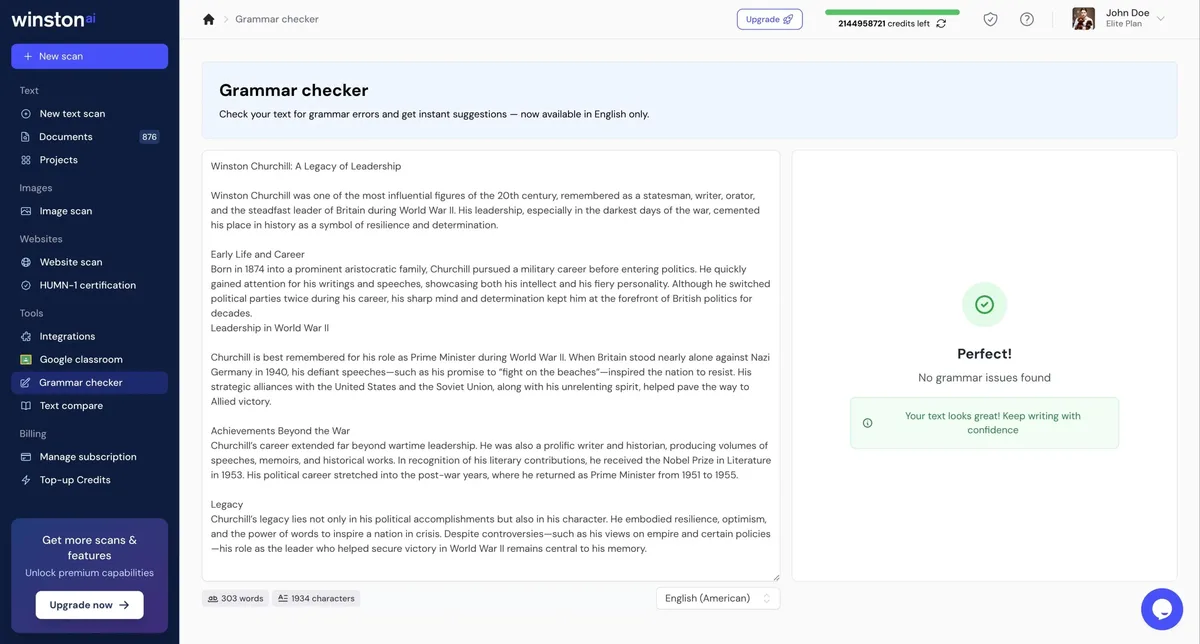
Most free grammar checker tools display a readability score automatically. If yours does, pay attention. Aim for a score that matches your audience, and simplify when the number creeps too high.
Tone Detection and Audience Awareness
Some advanced tools analyze tone and tell you whether your writing sounds confident, friendly, formal, or aggressive. This feedback is surprisingly useful.
I once wrote what I thought was a polite email declining a partnership offer. The tone detector flagged it as “aggressive.” Reading it back, I realized the tool was right. I rewrote it and got a gracious reply instead of silence.
Not every free grammar checker includes tone detection, but the ones that do offer real value for anyone writing professionally.
Common Mistakes People Make With Grammar Tools
Using a free grammar checker badly is almost as harmful as not using one at all. I’ve seen all of these mistakes in the wild, and they’re worth avoiding.
Accepting Every Suggestion Without Thinking
This is the big one. Tools make mistakes. They suggest changes that flatten your voice, remove intentional stylistic choices, or introduce errors of their own.
Always read the suggestion in context. Ask yourself whether the change improves the sentence or just makes it different. If you can’t tell, read both versions aloud.
The best free grammar checker users treat suggestions as a conversation, not commands. They accept what helps and ignore what doesn’t.
Relying on the Tool Instead of Learning
Here’s a pattern I’ve noticed. People who lean heavily on a free grammar checker without learning the underlying rules never improve. They make the same mistakes forever, catching them only through the tool.
That’s a missed opportunity. Every time the tool flags something, ask yourself why. Over time, you internalize the rules and make fewer errors in the first place.
The goal isn’t to need the tool forever. It’s to write well enough that the tool becomes a safety net rather than a crutch.
Ignoring Context and Register
Grammar rules shift depending on context. A sentence that’s wrong in a formal report might be perfectly fine in a text message to a friend.
A free grammar checker doesn’t always know your audience. It applies general rules and flags anything that deviates. You need to decide whether the deviation matters for your specific situation.
How to Get the Most Out of Any Free Grammar Checker
Let’s get practical. Here’s the workflow I use and recommend to anyone who writes regularly.
Step 1: Write Without Editing
Don’t run your text through a free grammar checker while you’re still drafting. It interrupts your flow and pulls you into editing mode before the ideas are fully formed.
Write first. Get everything out. Then edit. This separation dramatically improves both the quality of your ideas and the efficiency of your editing.
Step 2: Run the Full Check
Once the draft is done, paste it into your chosen tool and run the full check. Don’t skim the results. Read every suggestion and decide whether to accept, reject, or modify.
This step takes a few minutes for a typical article or email. That’s a tiny investment for a significant quality boost.
Step 3: Read Aloud
Here’s the step most people skip. After the free grammar checker has done its work, read the text aloud. Your ears catch problems your eyes miss.
Awkward phrasing, missing words, repeated sounds, sentences that run too long — all of these reveal themselves when spoken. This is the single most underrated editing technique.
Step 4: Check the Big Picture
Grammar tools handle sentences. They don’t handle structure, argument flow, or whether your conclusion actually follows from your premise.
After the mechanical cleanup, step back and assess the piece as a whole. Does it make sense? Does it say what you meant? Would a reader follow the logic from start to finish?
No free grammar checker can answer those questions. That’s your job.
Free Grammar Checker Tools Compared: What to Look For
When you’re evaluating options, here are the criteria that actually matter. Price is obvious — it’s free — but plenty of other factors separate the good from the mediocre.
| Feature | Why It Matters | Priority Level |
|---|---|---|
| Accuracy rate | False positives waste time | Critical |
| Context awareness | Catches homophones correctly | Critical |
| Style suggestions | Improves clarity, not just correctness | High |
| Readability scoring | Predicts audience comprehension | Medium |
| Tone detection | Helps match audience expectations | Medium |
| Browser extension | Works everywhere you type | High |
| Privacy policy | Determines how your text is handled | High |
| Language support | Matters for multilingual writers | Varies |
Accuracy and context awareness are non-negotiable. A tool that flags correct sentences as errors trains you to ignore its suggestions, which defeats the entire purpose.
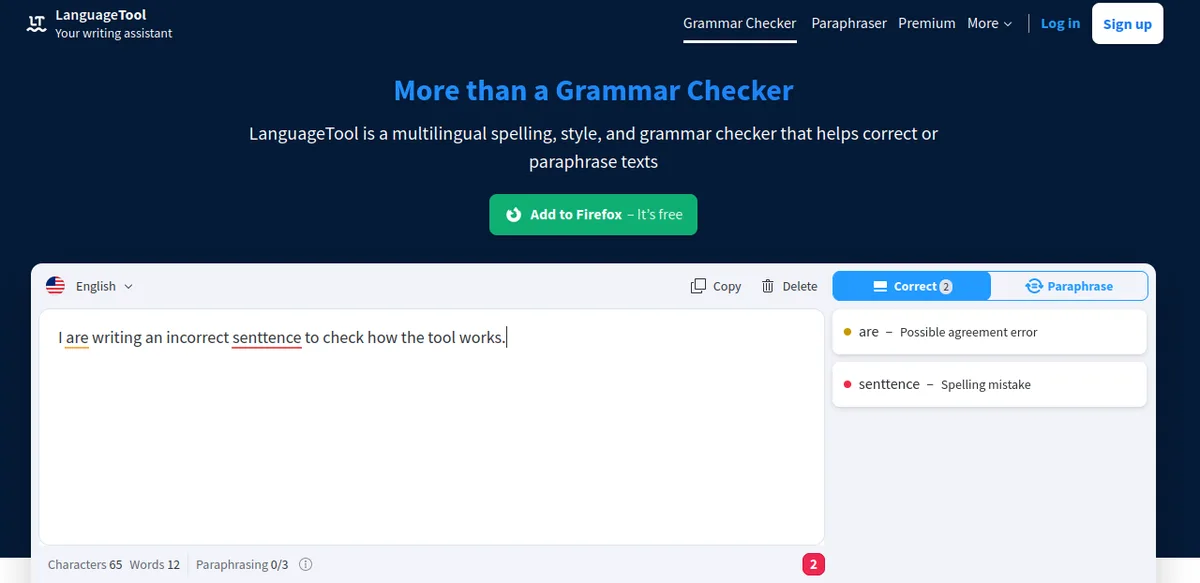
Style suggestions and readability scoring separate good tools from great ones. They push your writing from merely correct to genuinely clear.
The Privacy Question Nobody Asks
Here’s something worth thinking about. When you paste text into a free grammar checker, where does that text go? Who stores it? How long is it kept?
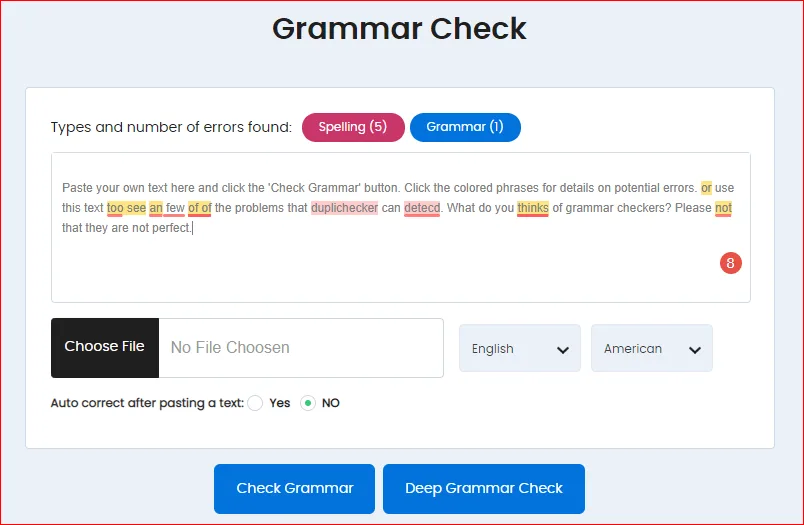
For casual emails, this might not matter. For confidential business documents, legal contracts, or unpublished manuscripts, it matters enormously.
Read the privacy policy before pasting anything sensitive. Reputable tools explain exactly how they handle your data. If a free grammar checker is vague about privacy, treat that as a red flag.
Grammar Rules That Trip Up Almost Everyone
Certain errors show up again and again, even in professional writing. Here are the ones I see most often, along with quick fixes.
Its versus It’s
“Its” is possessive. “It’s” is a contraction of “it is” or “it has.” The apostrophe does not indicate possession here, which confuses people because it usually does.
Quick test: replace the word with “it is.” If the sentence still makes sense, use “it’s.” If not, use “its.” A free grammar checker catches this instantly, but knowing the rule means you’ll stop making the error.
Who versus Whom
“Who” is a subject. “Whom” is an object. If you can replace the word with “he,” use “who.” If you can replace it with “him,” use “whom.”
Honestly, “whom” is fading from everyday English. Many style guides now accept “who” in casual contexts. But in formal writing, the distinction still matters, and a free grammar checker will flag it.
Fewer versus Less
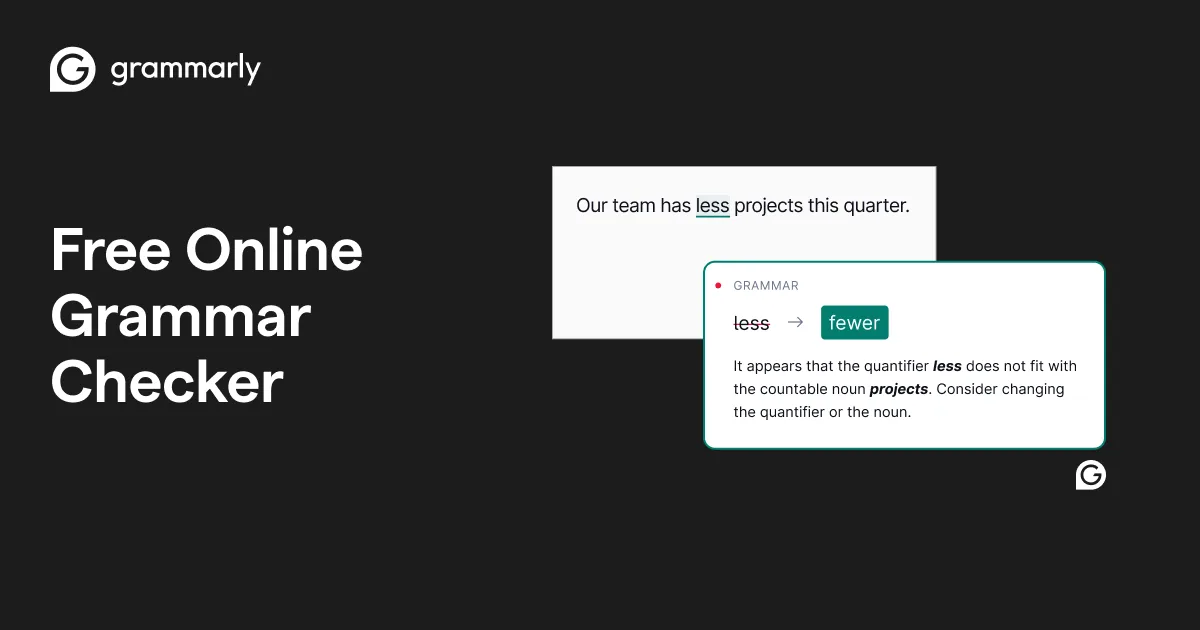
Use “fewer” for things you can count. Use “less” for things you can’t. Fewer emails, less stress. Fewer mistakes, less confusion.
This rule gets violated constantly, even in published writing. A free grammar checker catches most instances, though it sometimes misses edge cases.
Dangling Modifiers
This one is subtle. A dangling modifier is a descriptive phrase that doesn’t clearly attach to the word it’s supposed to modify.
Example: “Walking down the street, the trees looked beautiful.” The trees weren’t walking. The sentence implies they were.
Fixed version: “Walking down the street, I thought the trees looked beautiful.” Now the modifier attaches to “I,” which is doing the walking.
Dangling modifiers are tricky because they sound fine until you analyze them. A free grammar checker catches many of them, but you should learn to spot them yourself.
Building Better Writing Habits Beyond the Tool
A free grammar checker fixes errors. It doesn’t make you a better writer. That part is on you, and it’s worth the effort.
Here are habits that compound over time.
Read Widely and Attentively
Good writers read constantly. Not just for pleasure, but with attention to how sentences are built, how paragraphs flow, how arguments develop.
When you find a passage that works, study it. Why does it work? What choices did the writer make? This kind of analysis builds instinct.
Over time, you internalize patterns that no free grammar checker can teach you. You start writing better sentences naturally.
Write Every Day
Writing is a skill, and skills improve through repetition. Even fifteen minutes a day makes a difference over months and years.
Keep a journal. Write emails thoughtfully instead of rushing them. Draft that article idea you’ve been sitting on. The volume matters less than the consistency.
Edit Ruthlessly
First drafts are supposed to be messy. The magic happens in revision. Cut anything that doesn’t earn its place. Simplify anything that’s needlessly complex.
Run your work through a free grammar checker, then edit again with fresh eyes. The combination of automated and manual review produces the cleanest results.
Integrating a Free Grammar Checker Into Your Daily Workflow
The best tool is the one you actually use. Here’s how to make grammar checking a natural part of how you write, rather than a chore you skip when you’re busy.
Browser Extensions
Most quality tools offer browser extensions that check your writing everywhere you type. Email, social media, Google Docs, comment sections — all covered automatically.
This removes friction entirely. You don’t have to remember to check. The free grammar checker runs in the background and flags issues as you go.
Desktop and Mobile Apps
If you write in specific applications, dedicated apps can offer deeper integration. Some tools plug directly into word processors and writing platforms.
The advantage is seamless checking without copying and pasting. The disadvantage is that free versions sometimes limit which apps they support.
API Access for Developers
If you build software, some grammar tools offer API access. This lets you integrate checking directly into your application.
For most users, this is overkill. But for developers building content platforms, email clients, or writing tools, it’s worth exploring.
Real Results: What Changes When You Start Using One
I’ve recommended grammar tools to dozens of people over the years. The feedback follows a consistent pattern.
First, surprise at how many errors they were missing. Second, mild embarrassment about past writing. Third, lasting improvement in how they approach every message they send.
One colleague told me she’d landed a client specifically because her proposal was the only clean one in the pile. Another said her professor pulled her aside to ask what had changed in her writing. Nothing had changed except a five-minute pass through a free grammar checker.
These aren’t dramatic transformations. They’re small advantages that compound. Cleaner writing leads to better responses, which leads to more opportunities, which leads to more writing that needs to be clean.
The Confidence Factor
There’s a psychological benefit too. When you know your writing is clean, you send it faster and with less anxiety. You stop second-guessing every sentence.
That confidence shows in the writing itself. Hesitant, over-edited prose reads worse than confident, slightly imperfect prose. A free grammar checker frees you to write boldly and clean up afterward.
Frequently Asked Questions About Free Grammar Checkers
Here is an in-depth breakdown of key considerations regarding this section:
Are Free Grammar Checkers as Accurate as Paid Versions?
For basic error correction, yes. Free tools catch spelling, punctuation, and most grammar issues just as well as paid versions. Paid tools typically add advanced features like tone detection, plagiarism checking, and unlimited document length.
For most everyday writing, a free grammar checker covers everything you need. Upgrade only when you hit specific limitations.
Can I Trust a Free Grammar Checker With Sensitive Documents?
It depends on the tool. Read the privacy policy carefully. Some tools process text locally on your device, which is safest. Others upload it to servers for analysis.
For legal, medical, or confidential business documents, consider using offline tools or redacting sensitive information before checking.
Do Grammar Checkers Work in Languages Other Than English?
Many do, though quality varies dramatically by language. English tools are the most mature because they’ve had the most training data.
If you write in multiple languages, look for a free grammar checker that explicitly supports each one. Don’t assume coverage — verify it.
Will Using a Grammar Checker Make My Writing Sound Generic?
Only if you accept every suggestion without thinking. Tools sometimes flatten distinctive voice in favor of bland correctness.
Use the free grammar checker to catch genuine errors, but preserve stylistic choices that serve your writing. You’re the author. The tool is an assistant.
How Often Should I Run My Writing Through a Grammar Checker?
For anything that matters — emails to clients, reports, essays, proposals — run it every time. For casual messages, use your judgment.
The habit takes seconds and prevents errors that could cost you far more. There’s no good reason to skip it on important writing.
Can a Grammar Checker Replace a Human Editor?
No. Tools catch mechanical errors. They don’t catch structural problems, weak arguments, unclear logic, or tonal mismatches with your audience.
Think of a free grammar checker as the first line of defense. A human editor handles everything above that level, and that work still requires human judgment.
What’s the Biggest Mistake People Make With Grammar Tools?
Trusting them completely. Every tool makes mistakes. Every tool has blind spots. The best results come from combining automated checking with human review.
Read every suggestion. Question every change. Use the free grammar checker as a helpful second opinion, not an unquestioned authority.
Making Grammar Checking a Permanent Habit
Here’s the thing about writing well. It’s not a talent you’re born with. It’s a skill you build through practice, attention, and good tools.
A free grammar checker gives you an enormous head start. It catches the errors you’d otherwise miss, teaches you patterns you’d otherwise overlook, and builds confidence that lets you write more freely.
But the tool only works if you use it. Consistently. On everything that matters.
Start today. Pick a free grammar checker, run your next important email through it, and see what comes up. You might be surprised at what you’ve been missing.
Then make it a habit. Every email, every report, every essay, every proposal. The few seconds it takes will pay dividends for years.
Your writing represents you when you’re not in the room. Make sure it represents you well. A free grammar checker is the simplest, fastest way to make that happen, and there’s no reason not to start right now.
For deeper reading on grammar conventions and style, the Purdue Online Writing Lab at Purdue OWL remains one of the most trusted free grammar checker companions for anyone serious about clean writing.