Understanding how to crawl Googlebot is the single most practical skill you can develop if you want search engines to treat your site fairly. I’ve spent years watching perfectly good pages die in obscurity simply because nobody bothered to learn how the crawler actually behaves.
So let’s fix that. This guide walks through the mechanics, the controls, the mistakes, and the field-tested tactics that separate sites getting indexed in hours from sites waiting weeks.
What Crawl Googlebot Actually Means in Plain Terms
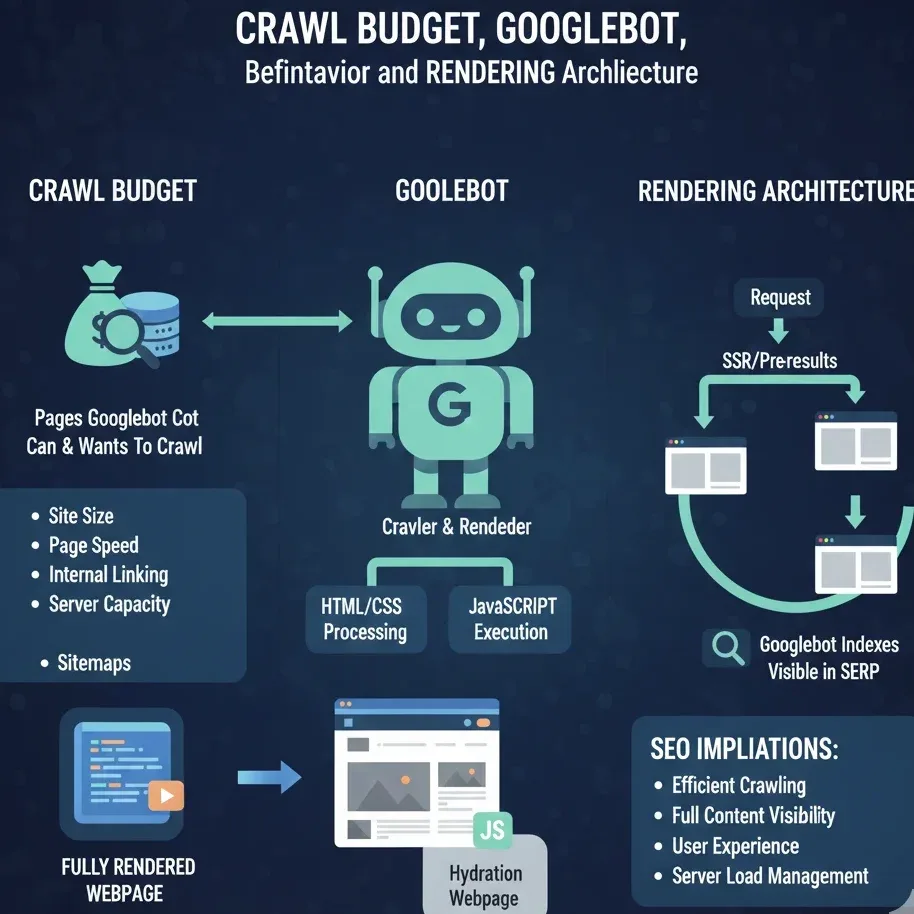
When people say “crawl googlebot,” they’re describing the process where Google’s automated crawler fetches a URL, reads the response, and decides what to do with the content it finds. That’s it at the surface level.
Underneath, there’s a scheduling system, a rendering queue, a budget allocation model, and a whole set of signals that determine whether your page gets attention or gets ignored.
Googlebot itself is the user agent. It identifies as “Googlebot” in the request headers, and Google publishes verified IP ranges so you can confirm whether a hit on your server is genuinely from Google or from a scraper wearing a costume. That distinction matters more than most people realize, because fake Googlebot traffic is everywhere.
The crawler comes in two main flavors these days. There’s the desktop crawler and the smartphone crawler, and Google has shifted almost entirely to mobile-first indexing. If your mobile version serves less content than your desktop version, you’ve effectively hidden that content from the crawler. I’ve seen e-commerce sites lose entire product description blocks this way.
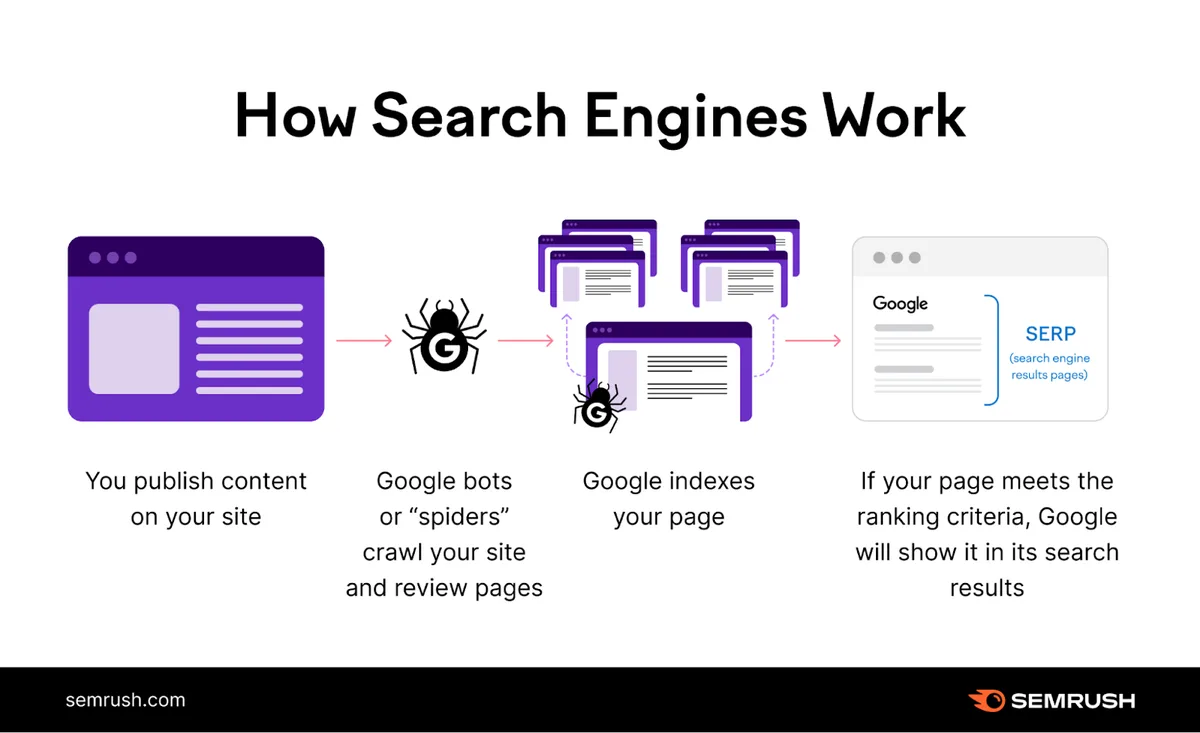
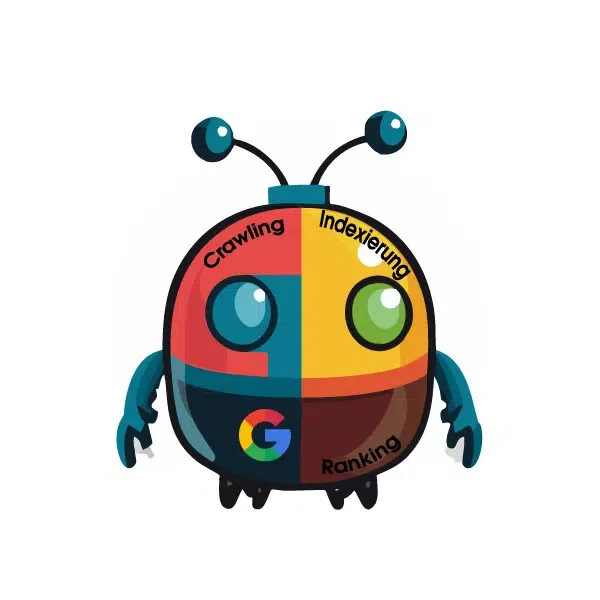
Here’s the part that trips people up: crawling and indexing are two separate events. Focusing on crawl googlebot provides clear direction here. A page can be crawled a hundred times and never indexed. Conversely, a page can be indexed without being crawled recently if Google already trusts the content. Treating them as one process leads to bad diagnostics.
How the Crawl Googlebot Pipeline Moves from URL to Index
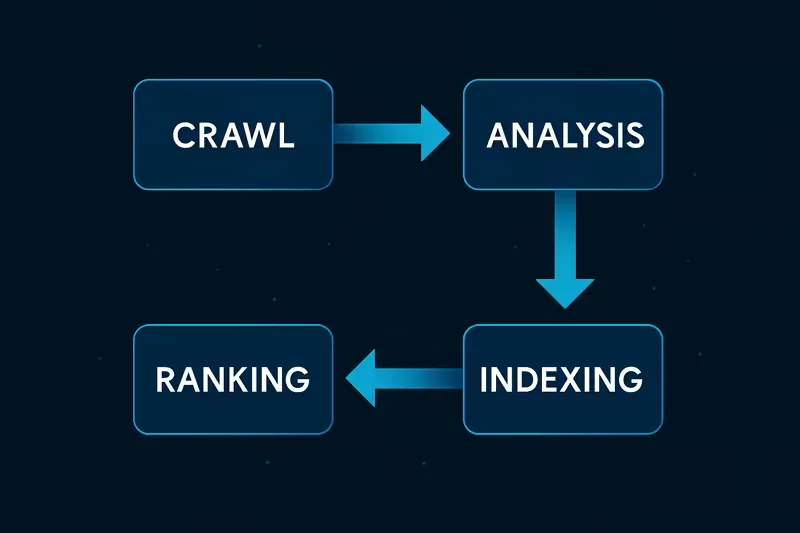
The pipeline starts with URL discovery. Google finds URLs through sitemaps, internal links, external links, redirects, and historical crawl data. Once a URL enters the queue, it gets prioritized based on perceived importance, freshness signals, and how often the content historically changed.
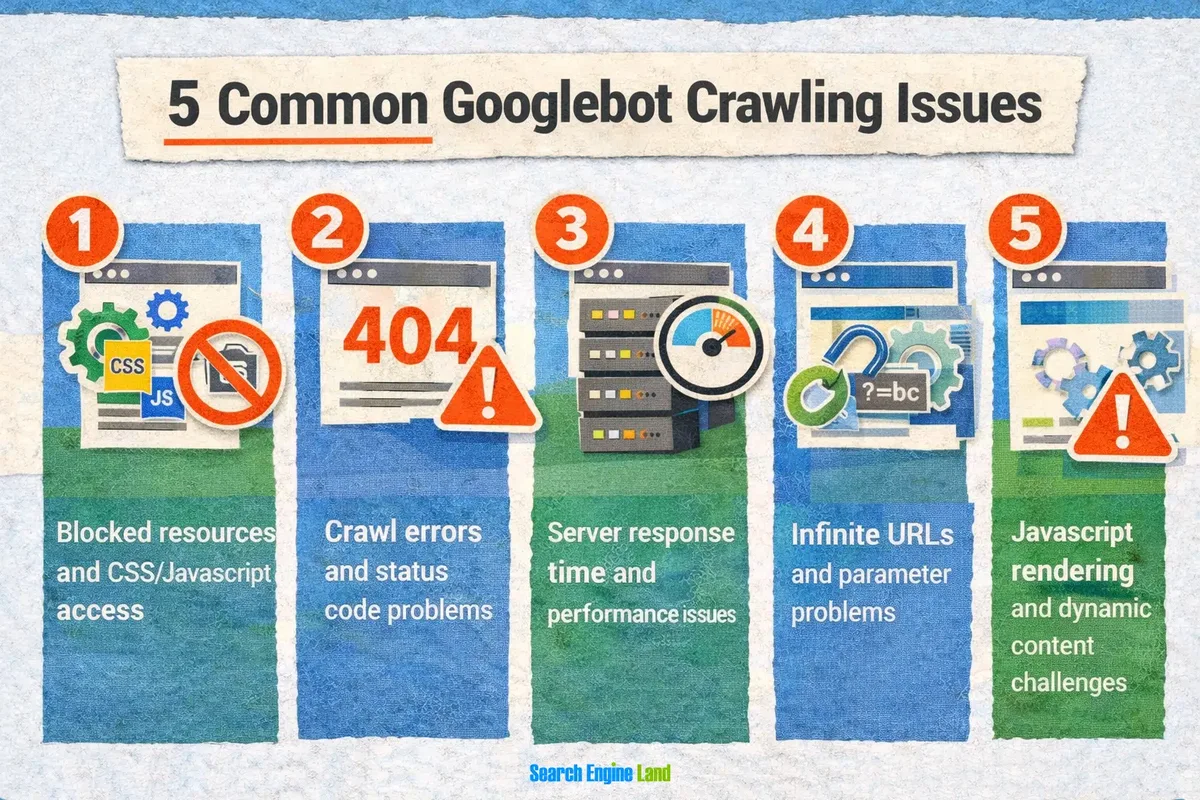
Then comes the fetch. The crawler sends an HTTP request, and your server responds. If the response is a 200, the content moves forward. If it’s a 5xx, the crawler backs off and retries later. If it’s a 4xx, the URL typically gets dropped from the queue unless other signals keep it alive.
After fetching, rendering happens. Refining each detail of your crawl googlebot strengthens this section. Google uses a headless Chromium-based renderer to execute JavaScript, which means client-side rendered content does eventually get seen — but on a delayed second pass, not immediately. That delay is why server-side rendering or static generation still wins for time-sensitive content.
Once rendered, the content flows into indexing, where Google analyzes text, structure, entities, and links. Only then can a page compete for rankings. The whole sequence can take minutes for a high-authority site and weeks for a new domain with no crawl googlebot history to speak of.
Why Crawl Budget is the Silent Bottleneck
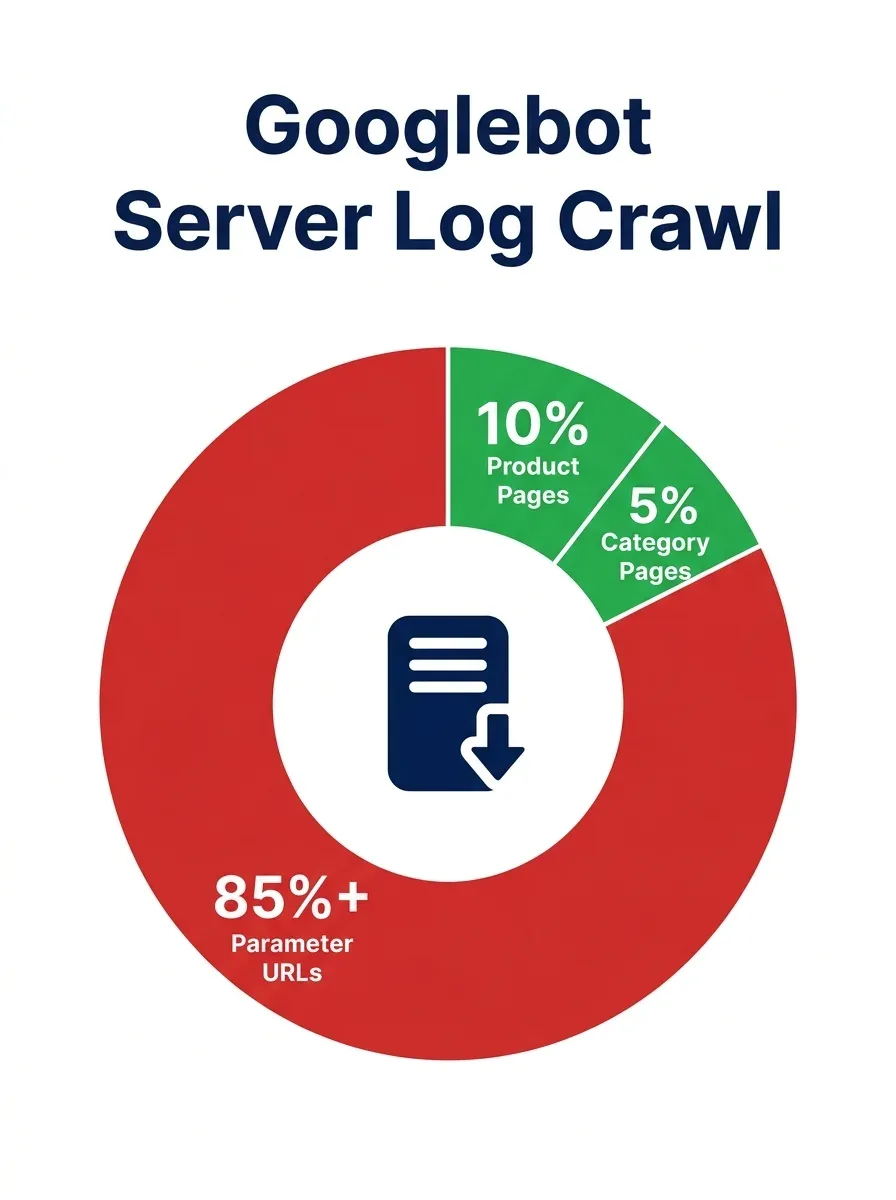
Crawl budget is the number of URLs Google is willing to fetch from your site within a given timeframe. Focusing on crawl googlebot provides clear direction here. Google has publicly said crawl budget only becomes a real concern for sites with more than a few thousand URLs, or sites where content changes rapidly. But “a few thousand” arrives faster than you’d think.
Faceted navigation is the classic budget killer. A single product category with color, size, price, and sort filters can generate tens of thousands of near-duplicate URLs. Every one of those eats a slot that could have gone to a page that actually deserves ranking.
Session IDs, tracking parameters, and calendar widgets are the other usual suspects. Effective execution in your crawl googlebot makes a tangible difference. I once audited a site where the internal search function generated over 400,000 crawlable URLs. Google was spending its entire allowance on search result pages and never reaching the blog.
The fix isn’t glamorous. Block the noise with robots.txt, canonicalize what remains, and make sure your XML sitemap only contains URLs you actually want indexed. When you clean up the queue, crawl googlebot behavior on your important pages improves within days, not months.
Controlling Crawl Googlebot With Robots.txt
Robots.txt is the first line of defense and the most misunderstood file on most servers. It lives at the root of your domain, and it tells crawlers which paths they may or may not fetch. It is a directive, not a security measure — a determined scraper ignores it entirely.

The syntax is simple. User-agent defines who the rule applies to, Disallow blocks a path, and Allow creates exceptions. Wildcards and end-anchors give you precision, but they’re easy to misuse. A misplaced asterisk can block your entire site overnight.
Here’s a real example from a client project. Maintaining clarity across your crawl googlebot remains essential. They had a rule that read Disallow: /*? intending to block parameter URLs. That pattern also blocked legitimate paginated category pages, and organic traffic dropped 34% in three weeks before anyone noticed. The crawler obeyed perfectly — it just obeyed the wrong instruction.
Test every change before deploying. Google Search Console has a robots.txt tester, and it’s the fastest way to catch a catastrophic typo. Also remember that blocking a URL in robots.txt does not remove it from the index. It only prevents future fetches.

Meta Robots, X-Robots-Tag, and the Noindex Decision
Meta robots tags give you page-level control that robots.txt can’t provide. Refining each detail of your crawl googlebot strengthens this section. The noindex directive tells Google not to include the page in search results, and it works even when the page is fully crawlable. That combination — crawlable but not indexable — is often exactly what you want for thin content.
The X-Robots-Tag HTTP header does the same job for non-HTML files. A thoughtful approach to crawl googlebot reinforces your qualifications. PDFs, images, and video files can’t carry a meta tag, so the header is your only option there.
I’ve seen pricing PDFs accidentally indexed and ranking above the actual pricing page, which is a mess nobody wants to clean up.

One trap worth flagging: if you noindex a page and also block it in robots.txt, Google can never see the noindex directive. The page stays in the index because the crawler can’t read the instruction telling it to leave. Pick one method, not both.
Also verify that your noindex tag isn’t being injected by JavaScript after the initial render in a way that the crawler misses. Server-side delivery is always safer for critical directives, and it removes an entire category of failure from your crawl googlebot troubleshooting checklist.
How to Crawl Googlebot Faster With Sitemaps and Internal Links
Sitemaps are the most direct way to tell Google what exists. An XML sitemap with accurate lastmod dates gives the crawler a reason to revisit pages that changed. Stale lastmod values, on the other hand, train Google to deprioritize your sitemap entirely.
Internal linking is the underrated lever. Structuring your crawl googlebot around proven patterns ensures impact. Every link is a discovery path, and pages with more internal links pointing to them get crawled more frequently. Orphan pages — those with no internal links at all — are the hardest to get indexed, period.
Build topic clusters with hub pages linking out to detailed articles, and link back from those articles to the hub. This creates a crawl pattern that’s easy for Googlebot to follow and signals topical relevance at the same time. Two birds, one well-structured stone.
For brand-new sites, submit your sitemap manually in Search Console and request indexing for your ten most important URLs. Effective execution in your crawl googlebot makes a tangible difference. It won’t guarantee instant indexing, but it dramatically shortens the discovery window compared to waiting for the crawler to stumble onto you.
JavaScript Rendering and Its Effect on Crawl Googlebot Behavior
Client-side rendering is where a lot of modern sites quietly sabotage themselves. Applying these principles to your crawl googlebot yields measurable results. Google does render JavaScript, but the render queue is separate from the fetch queue, and it’s slower. Content that only appears after a complex framework boots up may take days or weeks to register.
Test this yourself. Use the URL Inspection tool in Search Console to see the rendered HTML Google actually captured. If your main content is missing from that view, it’s effectively invisible regardless of how it looks in a browser.
Server-side rendering, static site generation, and dynamic rendering are the practical answers. Dynamic rendering is a bit of a legacy workaround now that Google handles modern JavaScript better, but it still has a place for heavy single-page applications.
Also watch for content hidden behind user interactions — tabs, accordions, and “load more” buttons. Proper attention to your crawl googlebot sets a strong baseline. Google can sometimes reach this content, but it’s inconsistent. If a piece of text matters for ranking, it should be in the initial HTML, full stop.
Monitoring Crawl Googlebot Activity in Server Logs
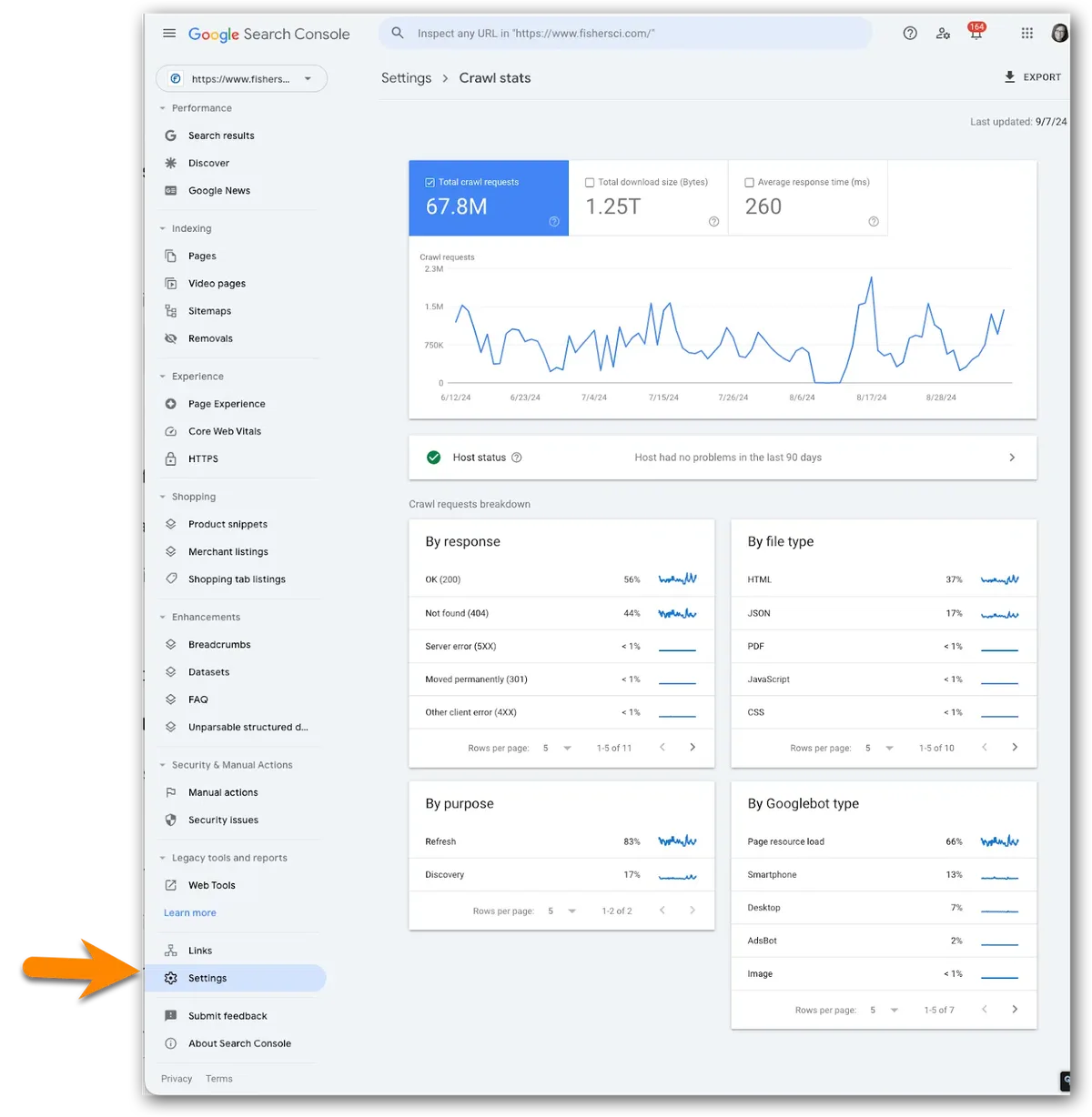
Server logs are the ground truth. Search Console’s crawl stats report gives you an aggregate view, but logs show you exactly which URLs were requested, when, and with what response code. That granularity is where real diagnosis happens.
Filter for verified Googlebot IPs, then look at three things: total requests per day, distribution across directories, and response codes. A sudden spike in 5xx errors tells you the crawler is hitting a broken server. A drop in total requests tells you something changed in how Google values your site.

I recommend running log analysis monthly at minimum. Developing your crawl googlebot with precision highlights key strengths. Tools like Screaming Frog’s log file analyzer or a simple script parsing your access logs will do the job. The insights you get from a single hour of log review often beat weeks of guessing.
Pay attention to crawl frequency on your money pages versus your junk pages. If Google is spending more time on tag archives than on product pages, your crawl googlebot allocation is upside down, and that’s a fixable problem.
Crawl Googlebot Rate Limits and Server Response
Google adjusts crawl rate automatically based on how fast your server responds. Maintaining clarity across your crawl googlebot remains essential. If your pages load slowly, the crawler slows down to avoid overwhelming you. That sounds polite, but it also means slow servers get crawled less, which delays indexing.
You can set a crawl rate limit in Search Console, but the default automatic setting is usually best. Manual limits are for emergencies — like when a legacy server is genuinely at risk of crashing under load.
Response time targets worth aiming for: under 200ms for HTML documents, under 500ms for API endpoints feeding content. Clear alignment with your crawl googlebot builds confidence from the start. Beyond that, the crawler’s polite throttling kicks in and your effective crawl budget shrinks.
Watch your 5xx rate like a hawk. Google treats repeated server errors as a signal to back off, and recovery from a sustained 5xx period takes weeks. If your hosting is flaky, that’s not a technical nuisance — it’s an SEO problem.
| Response Code | What Googlebot Does | Impact On Crawl Googlebot |
|---|---|---|
| 200 OK | Processes content normally | Neutral, expected behavior |
| 301/302 | Follows redirect, updates canonical | Minor budget cost per hop |
| 404 | Drops URL from queue over time | Frees budget if intentional |
| 410 | Drops URL faster than 404 | Preferred for permanent removals |
| 429 | Backs off, retries later | Reduces rate temporarily |
| 500/503 | Retries with increasing delay | Significant budget loss if sustained |
Common Misconceptions About Crawl Googlebot That Cost You Traffic
Myth one: blocking a page in robots.txt removes it from Google. It doesn’t. The URL can still appear in results with a snippet pulled from external links. If removal is the goal, noindex is the tool.
Myth two: submitting a URL guarantees indexing. Integrating crawl googlebot into your workflow produces consistent quality. Submission only requests a crawl. Google still decides whether the content deserves a spot in the index, and thin or duplicate pages get rejected regardless of how many times you ask.
Myth three: crawl budget doesn’t matter for small sites. It matters less, sure, but any site with faceted navigation, internal search, or a bloated tag system can burn through its allowance faster than expected.
Myth four: the crawler sees your site exactly as a human does. A thoughtful approach to crawl googlebot reinforces your qualifications. It doesn’t. It sees HTML, headers, and rendered DOM. Anything dependent on cookies, geolocation, or logged-in state is invisible unless you serve a crawlable fallback.
Practical Steps to Crawl Googlebot on Demand
There’s no magic button that forces an immediate crawl, but you can stack the odds. Targeted refinements to your crawl googlebot streamline the entire review. Start by updating your XML sitemap with an accurate lastmod timestamp and resubmitting it in Search Console. Google treats sitemap updates as a freshness signal.
Next, use the URL Inspection tool to request indexing for priority pages. This puts them in a priority queue — not instant, but faster than waiting for organic discovery. I’ve seen requests processed in under an hour on high-authority domains.
Then, generate internal links from pages that get crawled frequently. If your homepage gets crawled daily, a link from there to a new page is a strong nudge. Link from your most-crawled pages, not your least-crawled ones.
Finally, share the URL on platforms Google crawls aggressively — social profiles, reputable forums, and any site with strong crawl frequency. External links from trusted domains accelerate discovery, even if they don’t pass much authority.
Diagnosing Why Crawl Googlebot Ignores Your Pages
When pages sit uncrawled for weeks, the cause is usually one of four things: no discovery path, blocked access, server errors, or low perceived value. Work through them in that order because it’s the cheapest sequence.
Check discovery first. Structuring your crawl googlebot around proven patterns ensures impact. Is the URL in your sitemap? Is it linked internally from a crawlable page? If both answers are yes, move to access. Run the URL through the robots.txt tester and confirm no rule blocks it.
Then check server health. Look for 5xx errors, timeouts, or redirect chains longer than two hops. Redirect chains are budget vampires — each hop costs a request, and long chains can cause Google to give up entirely.
If everything technical checks out, the issue is value perception. Thin content, duplicate content, or pages with no unique value get crawled rarely because Google has learned they don’t change meaningfully. Improve the content, and crawl frequency follows.
Structuring URLs for Better Crawl Googlebot Efficiency
Clean URL structures make life easier for both crawlers and humans. Short, descriptive, hyphen-separated paths outperform parameter-heavy URLs in crawl efficiency and in click-through rate. That’s not opinion — it’s observable in log data across most sites I’ve worked on.
Keep depth reasonable. Pages buried six or seven levels deep get crawled less often than pages two or three clicks from the homepage. Flatten your architecture where you can, and use breadcrumbs to reinforce hierarchy without adding depth.
Avoid changing URLs unnecessarily. Applying these principles to your crawl googlebot yields measurable results. Every migration resets crawl patterns and creates redirect debt. If you must move content, redirect with 301s and update internal links immediately rather than leaving a trail of hops for the crawler to follow.
Consistency matters too. Mixing trailing slashes, uppercase letters, and query strings for the same content creates duplicate URLs that split crawl googlebot attention across near-identical pages. Pick a convention and enforce it sitewide.
Canonical Tags and Their Role in Crawl Googlebot Decisions
Canonical tags tell Google which version of a page is the preferred one. They’re essential for e-commerce, pagination, and any site with parameter-driven URLs. Without them, the crawler sees multiple URLs competing for the same content.
The tag goes in the head section and points to the canonical URL. Self-referencing canonicals on every page are a good default — they prevent accidental canonicalization from misconfigured CMS templates.
Watch out for conflicting signals. If your canonical points to URL A, your sitemap lists URL B, and your internal links point to URL C, you’ve created ambiguity. Google will pick one, and it might not pick the one you wanted.
Align all signals: canonical tag, sitemap entry, internal links, and hreflang annotations should all agree on the preferred URL. When they do, crawl googlebot behavior becomes predictable and your indexing stabilizes.
Handling Pagination Without Wasting Crawl Googlebot Resources
Pagination is a necessary evil for large content archives, but it’s also a crawl trap. Infinite scroll and “load more” patterns hide content behind JavaScript, while traditional paginated URLs can generate hundreds of crawlable pages per category.
The safest pattern is sequential paginated URLs with self-referencing canonicals on each page. Proper attention to your crawl googlebot sets a strong baseline. Don’t canonicalize page 2 to page 1 — that hides the deeper content from indexing. Instead, let each page stand on its own and rely on internal linking to distribute discovery.
View-all pages used to be a workaround, but Google’s stance on them has shifted. They can help discovery when done well, but they can also create massive pages that strain both server and crawler. Test carefully before committing.
If your archive has hundreds of pages, consider whether users and crawlers actually need to reach page 47. Often the answer is no. Trim the archive, keep the first several pages crawlable, and let the rest go.
International Sites and Crawl Googlebot Complexity
Multi-language and multi-region sites add layers of complexity. Hreflang annotations tell Google which language and region each URL targets, and getting them wrong can cause the wrong version to rank in the wrong market.
Use x-default for users whose language or region doesn’t match any specific version. Make sure hreflang tags are reciprocal — if page A points to page B, page B must point back to page A. Broken reciprocity invalidates the annotation.
Keep each language version on a crawlable URL. Developing your crawl googlebot with precision highlights key strengths. Cookie-based or JavaScript-based language switching hides content from the crawler, and you end up with one indexed version and several invisible ones.
Monitor crawl distribution by language folder. If Google is crawling your English pages ten times more often than your German pages, your German content is being under-served, and that’s a fixable crawl googlebot imbalance.
Robots.txt Vs. Firewalls: When Security Blocks the Crawler
Web application firewalls and CDN security rules sometimes block Googlebot by accident. Aggressive bot protection treats the crawler like any other automated traffic and returns 403 errors, which Google interprets as an access problem.
Verify Googlebot using reverse DNS lookup against Google’s published IP ranges. If a request claims to be Googlebot but doesn’t resolve to a Google-owned hostname, it’s fake and should be blocked. Legitimate crawler traffic should always be allowed.
Whitelist Google’s IP ranges in your firewall configuration, and test with the URL Inspection tool after every security change. I’ve watched a single WAF rule take a site from 50,000 daily crawls to nearly zero in 24 hours.
Cloudflare, Sucuri, and similar services have documented Googlebot allowances. Use them. It’s a five-minute configuration that prevents a five-week recovery.
Measuring Success: Metrics That Prove Crawl Googlebot Health
Track crawl requests per day, average response time, and the ratio of 2xx to 4xx to 5xx responses. Clear alignment with your crawl googlebot builds confidence from the start. These three numbers tell you more about crawl health than any dashboard widget ever will.
Watch the crawl distribution across your site sections. Healthy sites show the crawler spending most of its time on pages that matter. Unhealthy sites show the crawler lost in tag archives and search result pages.
Compare crawl frequency against content update frequency. If you publish daily but Google crawls your blog weekly, you have a discovery gap. Fix it with better internal linking and sitemap freshness signals.
Finally, correlate crawl googlebot activity with indexing speed. If crawl volume is high but indexing lags, the problem isn’t crawling — it’s content quality or duplication. That distinction saves you from optimizing the wrong thing.
Frequently Asked Questions About Crawl Googlebot
Here is an in-depth breakdown of key considerations regarding this section:
How Often Does Googlebot Crawl a Website?
There’s no fixed schedule. Popular sites with frequent updates get crawled many times per day, while small sites with static content might see the crawler weekly or monthly. The frequency reflects Google’s perception of how valuable and how volatile your content is.
Can I Force Googlebot to Crawl My Site Immediately?
Not with certainty. The URL Inspection tool’s request indexing feature puts URLs into a priority queue, and sitemap updates help discovery. But the final decision is always Google’s, and no third-party tool can override it.
Does Blocking Googlebot in Robots.txt Remove Pages from Search?
No. Blocking prevents future crawls but doesn’t remove existing index entries. If you want a page gone from search results, use a noindex directive and let the crawler read it, then remove the block once the page drops out.
What is the Difference Between Crawling and Indexing?
Crawling is the process of fetching a URL and reading its content. Indexing is the process of storing and organizing that content so it can appear in search results. A page can be crawled without being indexed, but it can’t be indexed without being crawled first.
Why is Googlebot Crawling My Site So Much?
High crawl volume usually means Google considers your site valuable and frequently updated. It can also mean you have a lot of URLs — often from faceted navigation or internal search — that are generating crawl demand without adding value.
How Do I Check if Googlebot Can Access My Pages?
Use the URL Inspection tool in Search Console. It shows the crawled page, the rendered HTML, and any blocking issues. The robots.txt tester confirms whether specific paths are blocked, and server logs show real crawler requests.
Does Crawl Googlebot Support JavaScript?
Yes, but on a delayed second pass. Content rendered by JavaScript is discoverable, but it takes longer to appear in Google’s index than server-rendered content. For anything time-sensitive, serve the content in the initial HTML.
What Happens if My Server Returns a 500 Error During a Crawl?
Googlebot backs off and retries later with increasing delay. A single 500 is harmless. Sustained 5xx errors cause the crawler to reduce its rate significantly, and recovery can take weeks even after the server is fixed.
Final Thoughts on Mastering Crawl Googlebot
Everything above comes down to a simple principle: make it easy for the crawler to find, fetch, and understand your content, and remove everything that gets in the way. That’s the whole game.
Start with your robots.txt and sitemap. Then audit your internal linking and check your server logs. Most crawl googlebot problems trace back to one of those three areas, and all three are within your control.
You don’t need to be a developer to get this right, but you do need to be systematic. Test one change at a time, measure the result in your logs, and keep what works. The sites that win at search are almost always the ones that made crawling effortless.
For verified reference and background research, consult the authoritative informational resource on this topic.