Why Crawl Budget Optimization Decides Whether Google Ever Sees Your Best Pages
Crawl budget optimization is the discipline of making sure search engine bots spend their limited visits on the URLs that actually matter to your business. Miss it, and Googlebot quietly wastes its allowance on faceted filters, redirect chains, and dead parameters while your money pages sit in the queue.
Here’s the uncomfortable truth most site owners learn the hard way: publishing great content means nothing if the crawler never reaches it.
I’ve watched e-commerce sites with thousands of solid product pages get indexed at a crawl of a few dozen URLs per day — not because the content was weak, but because the crawl path was a mess.
This crawl budget optimization guide walks through seven tips that genuinely move the needle, drawn from real log file patterns, Search Console data, and the kind of fixes that survive an algorithm update. No fluff, no recycled advice. Just the moves that hold up when you check the server logs afterward.
If you’re newer to the broader topic of technical SEO and how crawling fits into indexing, the Wikipedia entry on search engine optimization gives useful background before you dig into the crawl budget optimization tips below.
What Crawl Budget Actually Means (And What It Doesn’t)
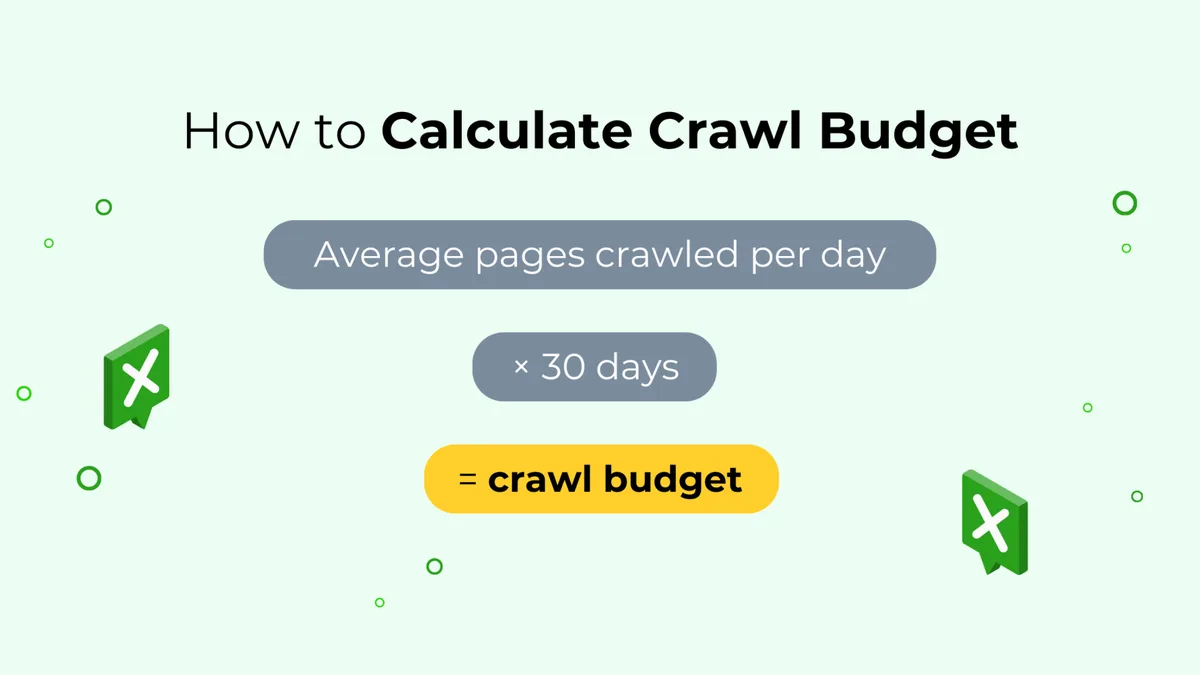
Crawl budget gets thrown around like a single number you can look up. It isn’t.
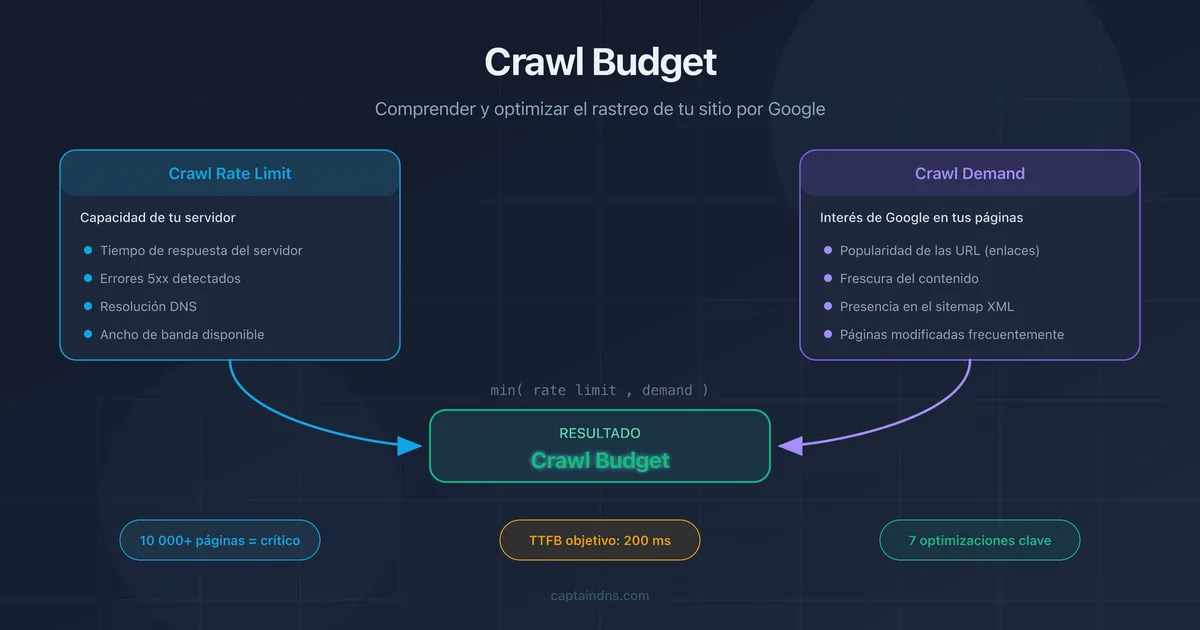
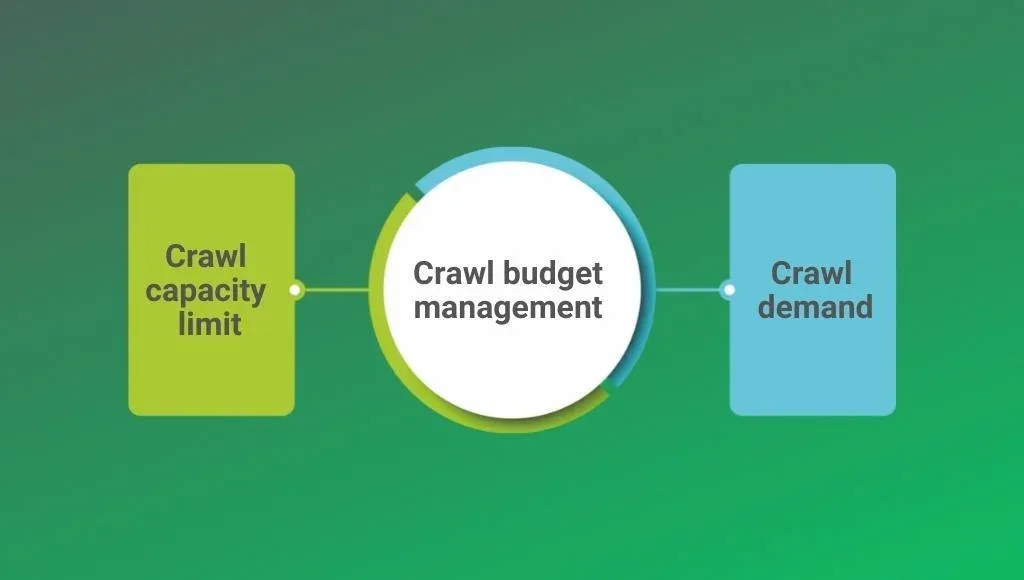
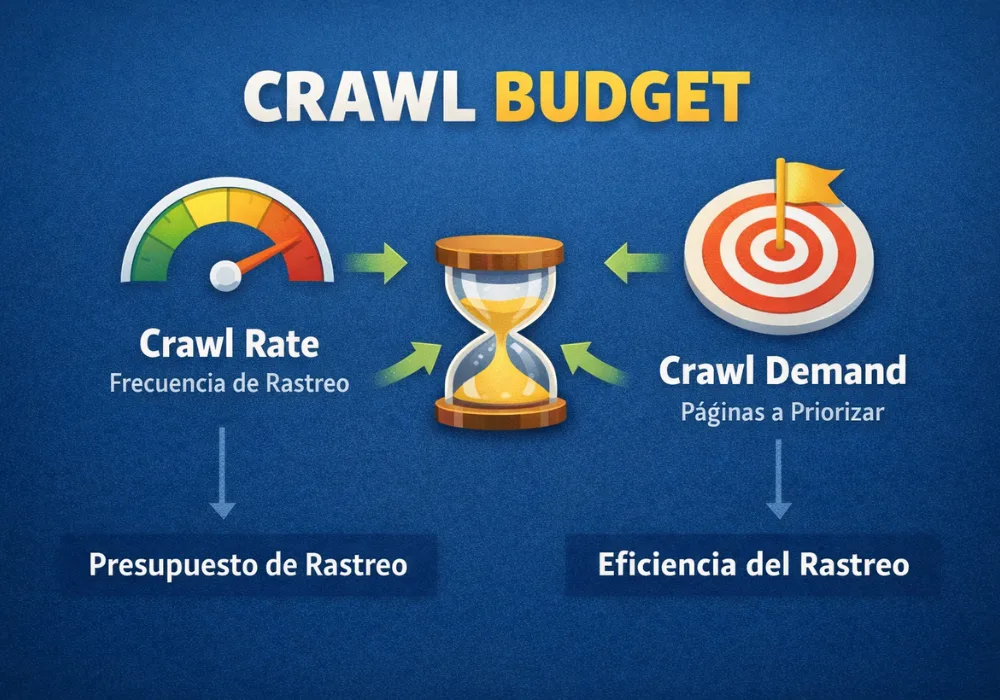
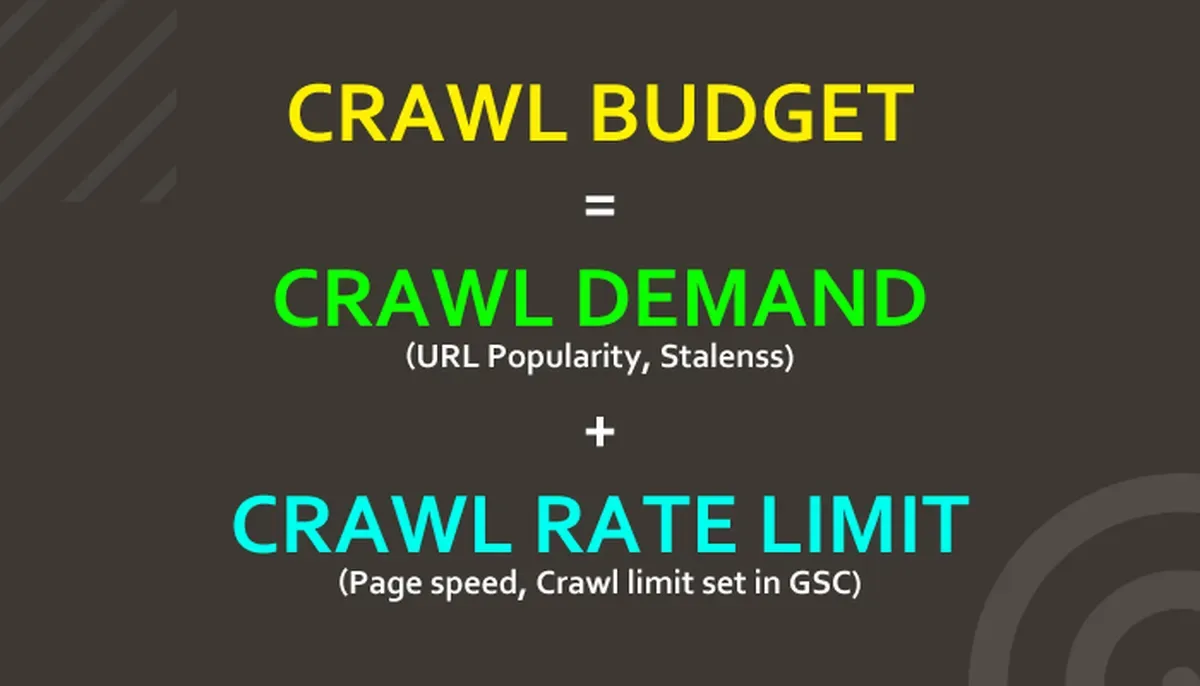
Google splits the concept into two parts: crawl rate limit, which is how fast the crawler can hit your server without degrading performance, and crawl demand, which is how much Google wants to recrawl your URLs based on popularity and freshness signals.
Your job is to remove friction from both. A fast, stable server raises the ceiling. Clean architecture and sensible internal linking raise the demand side. Most crawl budget optimization failures come from ignoring one half while obsessing over the other.
Small sites — say, under a few thousand URLs — rarely have a genuine budget problem. Google crawls them thoroughly regardless. The pain starts when you cross into tens of thousands of URLs, run a marketplace, or generate pages dynamically from filters and search parameters.
How Google Allocates Crawl Resources Across a Site
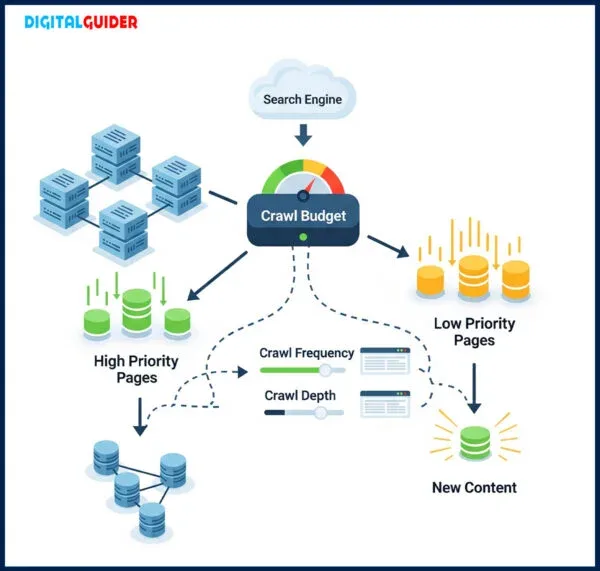
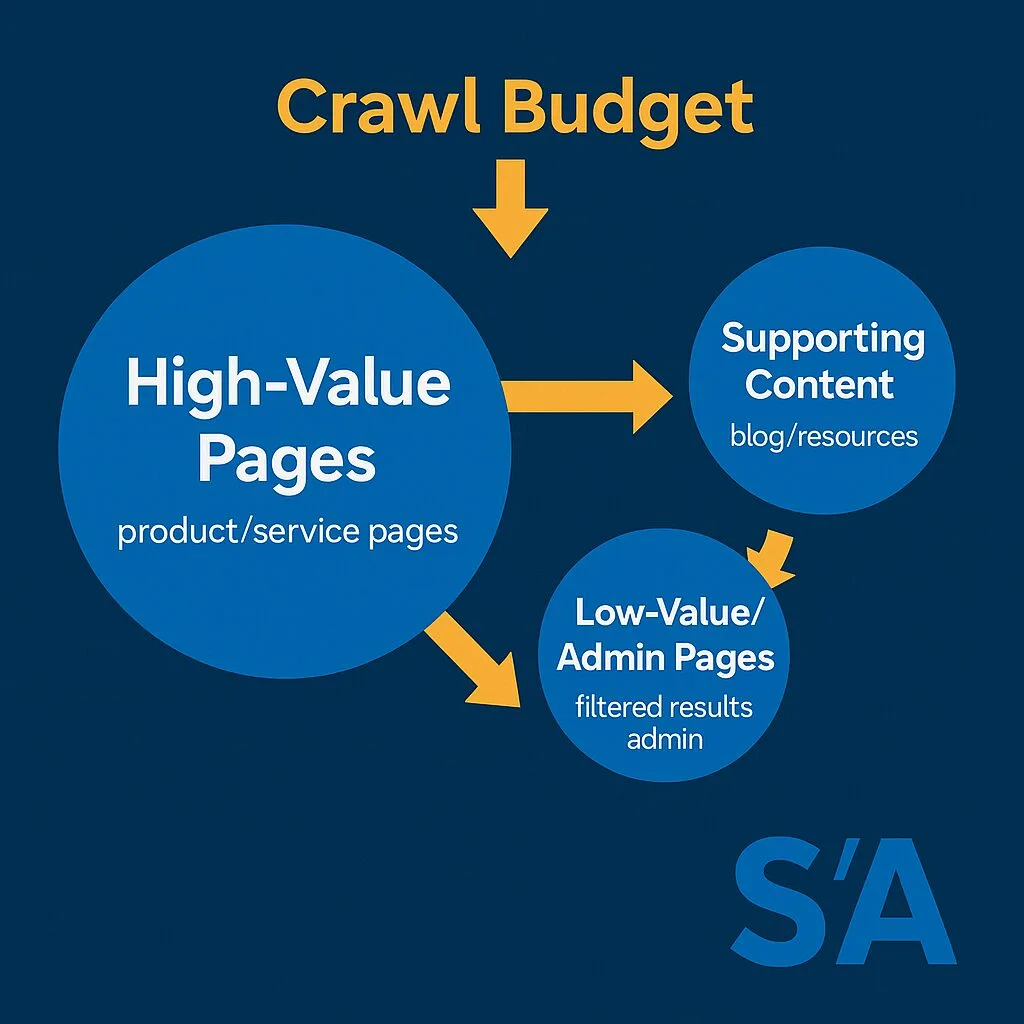
Googlebot doesn’t treat every URL equally. Focusing on crawl budget optimization provides clear direction here. Pages with strong internal links, external backlinks, and frequent updates get revisited sooner. Orphaned pages and deep archive URLs can wait weeks or months.
That hierarchy is why crawl budget optimization best practices focus on signals rather than pleas. You can’t email Google and ask for more crawls. You can, however, make your priority pages the most obviously valuable targets on the site.
One client of mine ran a deals site where expired promotions stayed live for years. Roughly 40% of the crawl requests in the log file went to pages with zero search value. Fixing that single issue freed up more capacity than every other technical tweak combined.
When Crawl Budget is Not Your Real Problem
Plenty of sites blame crawl budget for what is actually an indexing or quality issue. If Google crawls your page ten times a week and still won’t index it, more crawling won’t help. That’s a content or duplication problem wearing a crawl budget costume.
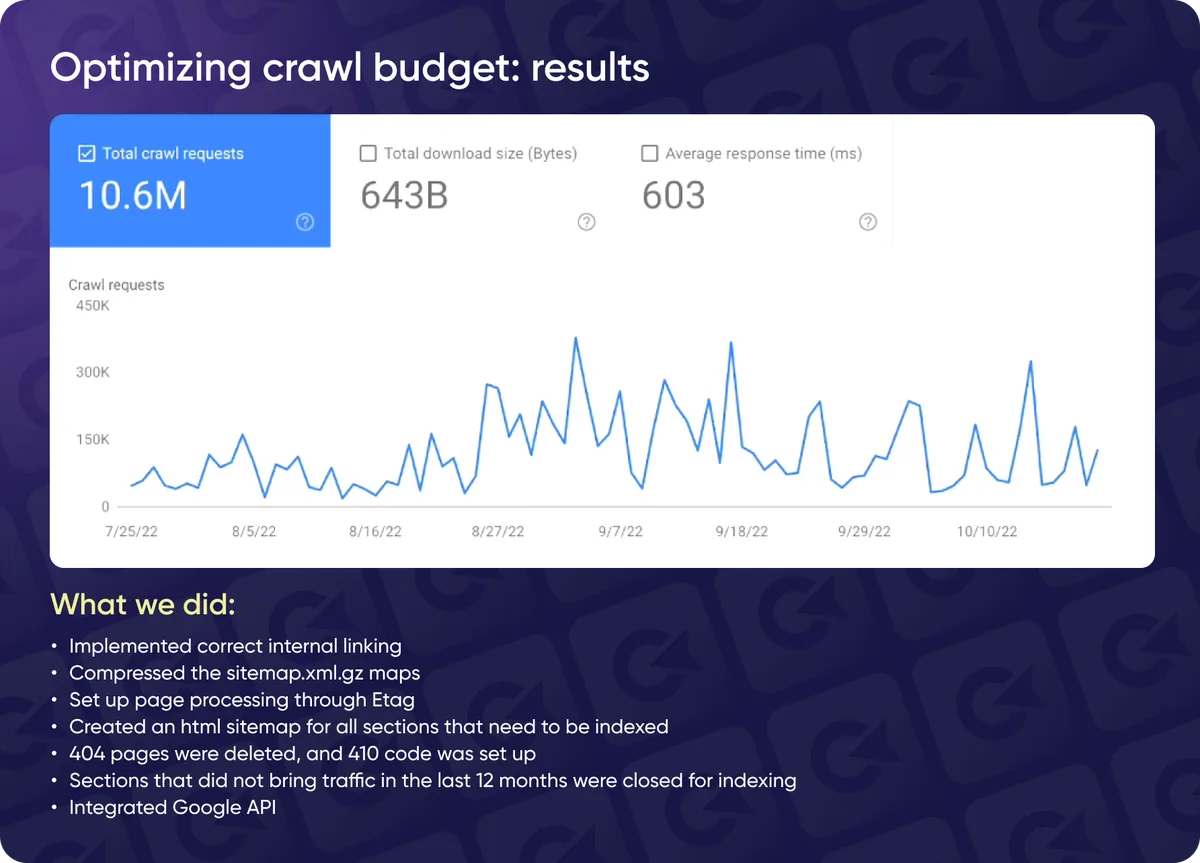
Before you touch robots.txt or restructure anything, pull the Crawl Stats report in Search Console. Look at response codes, file types, and which sections consume the most requests. The data usually tells a clearer story than any audit checklist.

Crawl Budget Optimization Checklist: Diagnose Before You Fix
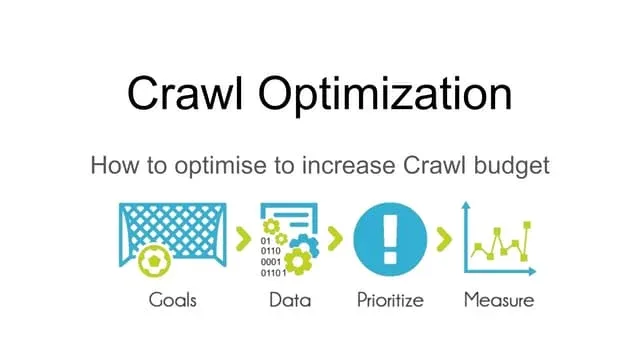
Every solid crawl budget optimization checklist starts with measurement. Guessing leads to breaking things that already worked. Here’s the sequence I run before recommending a single change.
- Pull server log files for at least 30 days. Identify which URLs Googlebot actually requests, how often, and what status codes it receives. Logs are ground truth; everything else is inference.
- Cross-reference with the Crawl Stats report. Compare total requests, average response time, and host status. A spike in 5xx errors throttles crawl rate fast.
- Segment requests by directory. Find which folders eat the most crawl requests relative to their business value. The gap between those two numbers is your opportunity.
- Audit indexable URL counts. Use the Page Indexing report to see how many URLs Google knows about versus how many you think exist. Surprises here are common.
- Map internal link depth. Any important page more than three clicks from the homepage is a candidate for better linking.
- Check for parameter explosions. Filter, sort, and tracking parameters multiply URLs quickly. Count how many unique parameter combinations the crawler hits.
- Verify server response times under load. Test with tools that simulate concurrent requests, not just single-page speed tests.
Run this crawl budget optimization checklist quarterly, not once. Sites drift. A new CMS feature or marketing campaign can quietly reintroduce thousands of low-value URLs within weeks.
Tip 1: Fix Server Response Time Before Anything Else
No crawl budget optimization tips matter if your server chokes under crawl load. Google explicitly slows down when response times climb, and repeated timeouts or 5xx errors can cut crawl rate dramatically.
Aim for consistent sub-500ms responses on crawlable pages, measured at the 95th percentile rather than the average. Refining each detail of your crawl budget optimization strengthens this section. Averages hide the slow tail that actually triggers throttling.
Practical fixes I’ve seen work: move dynamic pages behind a full-page cache, move image and asset delivery to a CDN, and kill any database query that runs on every request without caching. On shared hosting, upgrading to a dedicated environment often resolves crawl throttling overnight.
The Response Code Audit That Pays for Itself
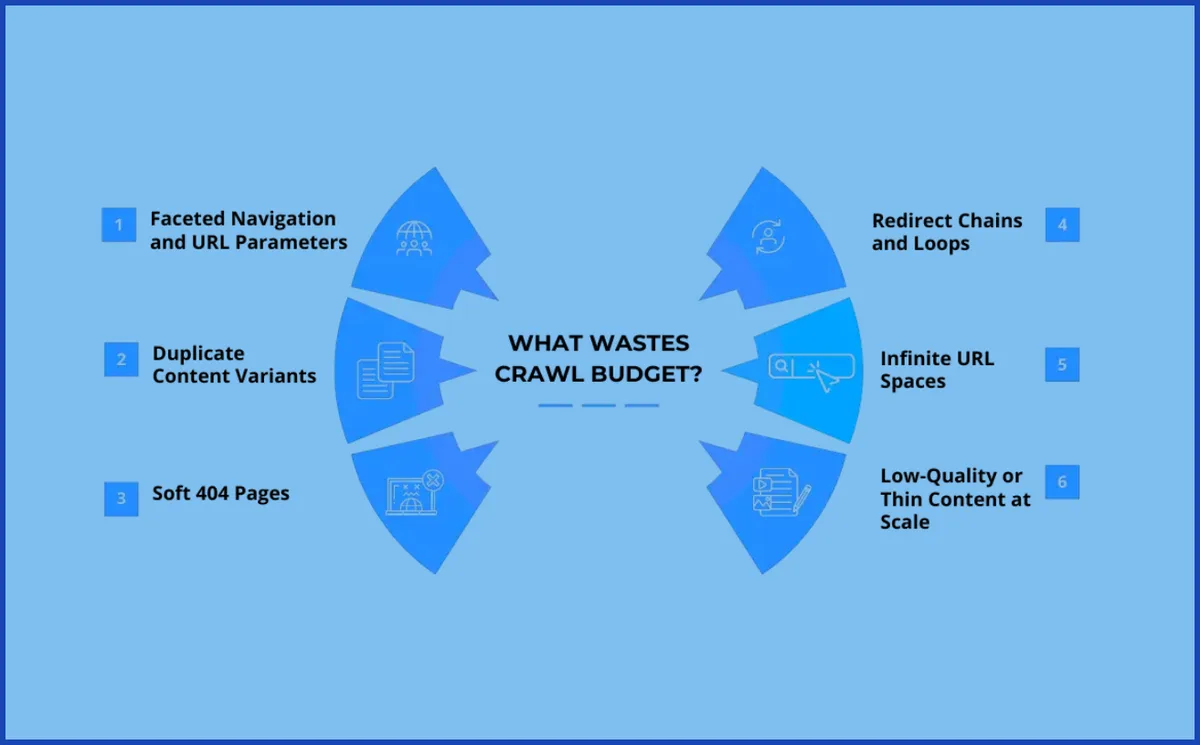
Every 5xx response is a wasted crawl and a signal that your site is unreliable. Every soft 404 — a page returning 200 but showing “no results” — is worse, because it looks like a valid page and keeps getting recrawled.

Sort your log file by status code and look at volume. If 5xx errors exceed a fraction of a percent of total requests, that’s the first thing to fix. If soft 404s dominate, you have an architecture problem worth solving before any other crawl budget optimization tips.
Tip 2: Prune Low-Value URLs With Surgical Precision
The fastest way to free crawl capacity is to stop wasting it. Internal search result pages, empty filter combinations, tracking parameter duplicates, and expired listings are the usual suspects.
But be careful. Effective execution in your crawl budget optimization makes a tangible difference. Blanket noindexing large sections can backfire if those pages carry link equity or serve real users. The skill is separating genuinely worthless URLs from pages that merely look thin.
My rule of thumb: if a URL has no external links, no internal links from important pages, and no realistic path to ranking, the crawl budget optimization’s a pruning candidate. Everything else gets a second look.

Handling Faceted Navigation Without Breaking UX
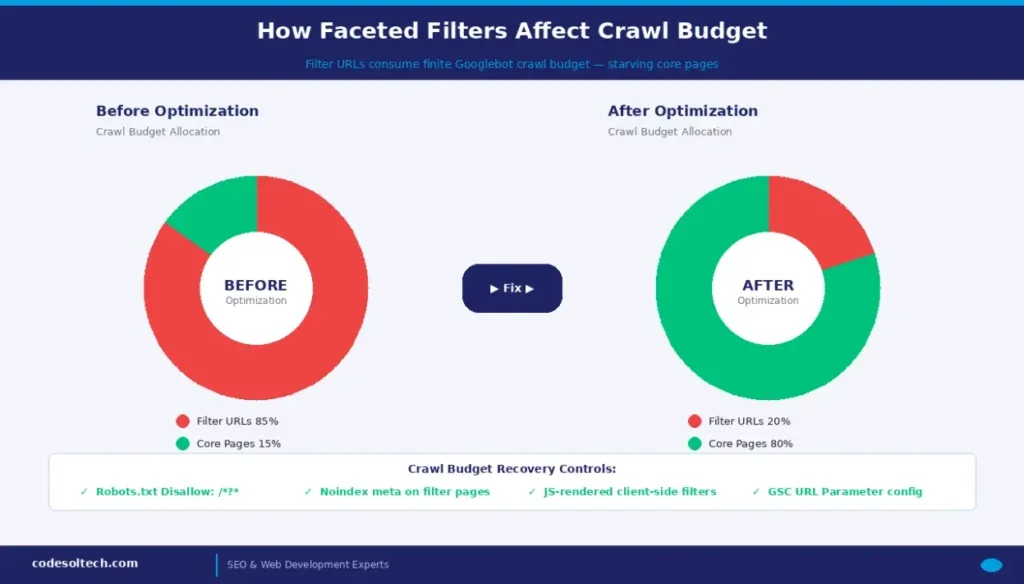
Faceted navigation is the single biggest crawl budget killer in e-commerce. Every filter combination can generate a unique URL, and crawlers will happily follow them all if you let them.
Common fixes include consolidating low-value facets behind a single parameter, using robots.txt to block crawl paths that never produce indexable pages, and relying on canonical tags for near-duplicate combinations. Each has tradeoffs — robots.txt blocks crawling but not indexing, so pair it with noindex where appropriate.
For a deeper look at how crawling and indexing interact, the Google Search Central documentation on crawlers is the authoritative source and worth reading before you restructure anything.
Tip 3: Tighten Internal Linking So Priority Pages Get Found
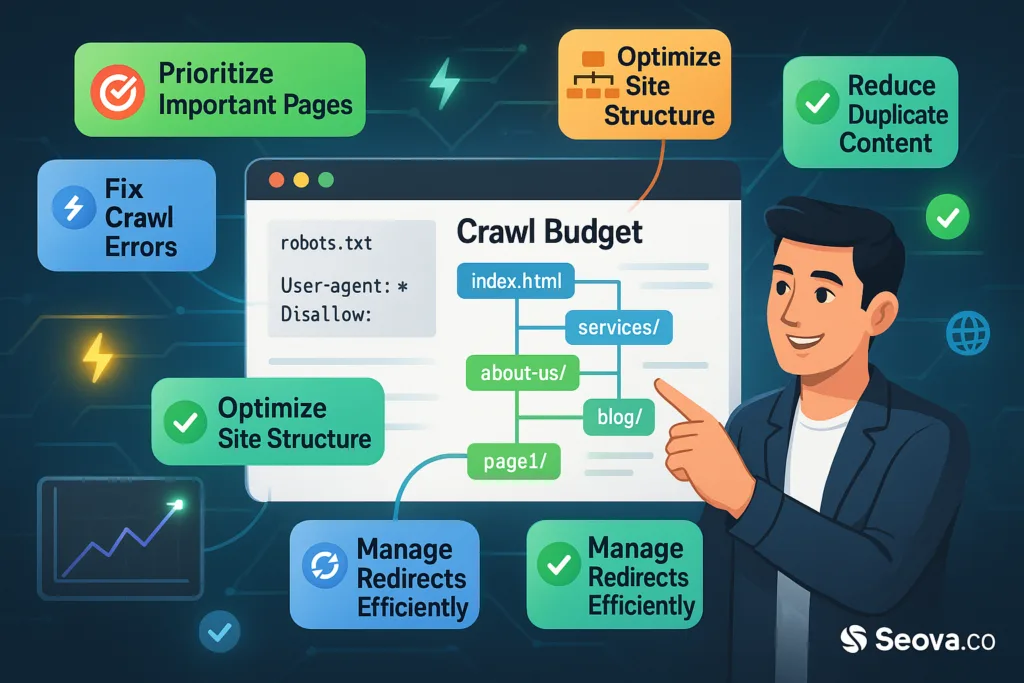
Crawl budget optimization best practices almost always circle back to internal linking. Google discovers pages primarily by following links, so your link graph is effectively a crawl priority map.
Pages linked from the homepage and top navigation get crawled constantly. Pages buried five clicks deep get crawled rarely. If a product page or article matters, link to it from somewhere the crawler visits often.
Audit your internal links with a crawler the crawl budget optimization reports click depth. Any revenue-generating page beyond three clicks deserves a shortcut. Add contextual links from related high-traffic content, and update old posts to point at new priority pages.
Killing Orphan Pages and Redirect Chains
Orphan pages — those with no internal links at all — are nearly invisible to crawlers unless something external points at them. Find them by comparing your sitemap and internal link graph against your full URL inventory.
Redirect chains are the other silent tax. Maintaining clarity across your crawl budget optimization remains essential. Each hop in a chain is an extra request. A page that redirects three times consumes four crawl requests instead of one. Flatten chains to a single hop and update internal links to point at the final destination directly.
On a mid-sized publisher I worked with, flattening redirect chains cut crawl requests to those URLs by roughly 60% and got new articles indexed days faster.
Tip 4: Use Sitemaps as a Signal, Not a Dumping Ground
Sitemaps don’t guarantee crawling, but they do help crawlers prioritize. The mistake is treating them as a complete URL dump, including pages you’d rather not have crawled at all.
Keep sitemaps limited to canonical, indexable, high-value URLs. Split them by content type and update lastmod accurately — Google uses it as a freshness hint, and fake timestamps erode trust in the file.
For large sites, generate sitemaps programmatically and monitor them in Search Console. Watch the “discovered URLs” versus “indexed URLs” ratio. A widening gap usually points to quality or duplication issues that no amount of crawl budget optimization can fix.

Why Accurate Lastmod Values Matter More Than You Think
If every URL in your sitemap shows the same lastmod timestamp, the crawl budget optimization’ve told Google nothing useful. The crawler learns to ignore the signal and falls back on other heuristics.
Update lastmod only when content meaningfully changes — price updates, new sections, corrected facts. A sitemap that reflects real change gets recrawled more efficiently than one that shouts “everything is new” every day.

Tip 5: Control Parameter URLs and Duplicate Paths
Parameter URLs are where crawl budget optimization tips earn their keep. Sorting options, session IDs, affiliate tracking codes, and pagination can generate thousands of near-duplicate URLs from a modest product catalog.
Handle them systematically. Canonicalize where duplicates are true duplicates. Block crawl paths that never yield indexable pages. And where parameters genuinely change content, make sure the canonical points to the version you actually want ranked.

One trap worth flagging: blocking parameters in robots.txt stops crawling but doesn’t remove URLs from the index if they’re linked externally. That combination — blocked crawl plus external links — creates confusing signals. Use noindex on the page itself when you want it out of the index.
Pagination and Crawl Depth Tradeoffs
Pagination is legitimate and shouldn’t be blocked wholesale. Structuring your crawl budget optimization around proven patterns ensures impact. But infinite scroll implementations that load dozens of pages via parameter URLs can flood the crawl queue.

A practical pattern: keep the first few paginated pages crawlable with self-referencing canonicals, and let deeper pages rely on internal links from the crawlable set. This keeps the crawler moving through your catalog without generating a runaway URL space.
Tip 6: Monitor Logs Continuously, Not Once a Year
Crawl behavior changes constantly. A new site section, a marketing campaign, or a CMS update can shift crawl patterns within days. Annual audits miss this entirely.
Set up automated log processing the crawl budget optimization reports crawl requests by directory, status code, and response time on a weekly cadence. Compare against your priority URL list. When crawl share drifts toward low-value sections, you’ll catch it in days instead of quarters.
Pair logs with Search Console’s Crawl Stats and the Page Indexing report. Logs tell you what was requested; Search Console tells you how Google interpreted the response. Together they close the loop on any crawl budget optimization guide worth following.
The Metrics That Actually Predict Trouble
Watch three numbers: crawl requests to non-canonical URLs, average response time at the 95th percentile, and the ratio of crawl requests to indexed pages. Applying these principles to your crawl budget optimization yields measurable results. Rising values across all three usually precede an indexing slowdown.
Catch those trends early and the fix is often small — a redirect here, a noindex there. Catch them late and you’re rebuilding architecture under pressure.
Tip 7: Align Crawl Budget With Business Priorities
The final and most overlooked tip: crawl capacity is a resource, and resources should follow revenue. If your crawl log shows heavy activity on blog archives while product pages wait, the priorities are inverted.
Map your URL inventory to business value — revenue pages, lead-generation pages, high-traffic content, then everything else. Then check whether crawl distribution matches that ranking. It usually doesn’t on the first pass.
Fixing the mismatch is part art, part engineering. Strengthen internal links to priority pages, prune or noindex the low-value tail, and make sure sitemaps reflect the same hierarchy. When crawl distribution starts mirroring business value, the crawl budget optimization work is done — at least until the next site change.
Building a Repeatable Crawl Budget Optimization Process
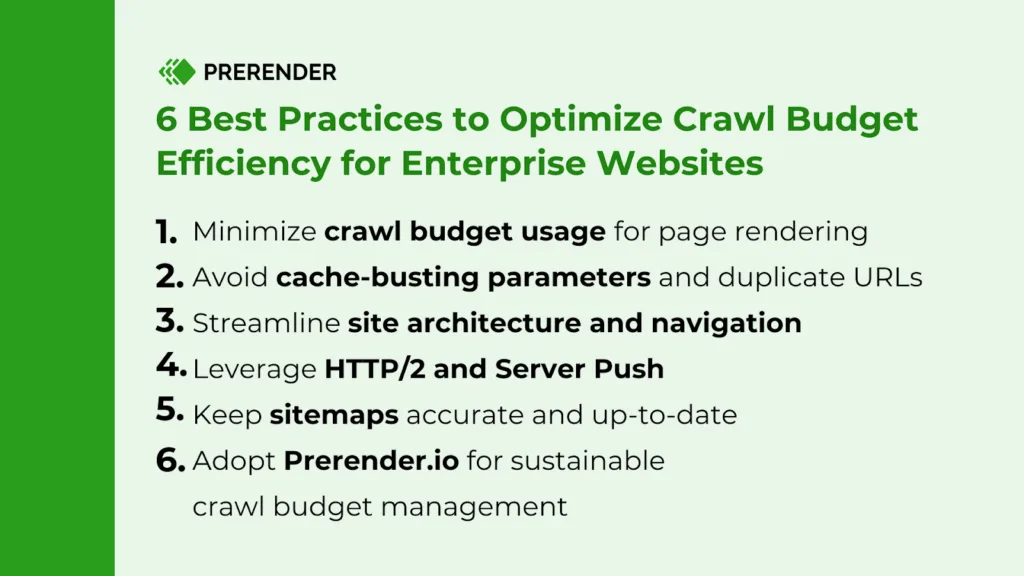
Treat crawl budget optimization as an ongoing practice rather than a one-time project. Schedule quarterly log reviews, keep a living inventory of priority URLs, and document every structural change so you can trace crawl shifts back to their cause.
Teams the crawl budget optimization do this consistently see faster indexing of new content, more stable rankings during site changes, and fewer surprises when they launch something big. It’s unglamorous work, but it compounds.
Frequently Asked Questions About Crawl Budget Optimization
Here is an in-depth breakdown of key considerations regarding this section:
How Do I Know if My Site Has a Crawl Budget Problem?
Check three signals: important pages taking weeks to get indexed, crawl logs showing heavy activity on low-value URLs, and Crawl Stats showing high response times or error rates. Any one of these warrants a closer look. All three together almost always confirm a real issue.
Does Blocking URLs in Robots.txt Save Crawl Budget?
Yes, the crawl budget optimization stops the crawler from requesting those URLs. But blocked URLs can still appear in search results if other sites link to them, and you lose visibility into crawl errors. Use robots.txt for crawl control and noindex for index control — they solve different problems.
How Often Should I Review Crawl Budget Optimization Best Practices?
Run a full log analysis quarterly and a lighter check monthly. Any time you launch a new site section, change your CMS, or run a large campaign, do an immediate follow-up review. Crawl patterns shift quickly after structural changes.
Can a CDN Improve Crawl Budget?
Indirectly, yes. Developing your crawl budget optimization with precision highlights key strengths. A CDN reduces server response times and improves reliability under load, which lets Google crawl faster without hitting your origin. It won’t fix architectural waste, but it raises the ceiling on how much the crawler can do.
What’s the Difference Between Crawl Budget and Indexing?
Crawling is discovery — the bot fetching a URL. Indexing is the decision to store and serve that page. A page can be crawled daily and still not indexed if Google judges it low quality or duplicate. Fix indexing problems with content, not crawl tweaks.
Do Small Sites Need to Worry About Crawl Budget?
Rarely. Sites under a few thousand URLs usually get crawled thoroughly regardless. Focus on content quality, internal linking, and server speed. Crawl budget optimization becomes a real concern as URL counts climb into the tens of thousands.
How Do I Prioritize Which URLs to Prune?
Start with URLs that have no internal links, no external links, and no search traffic. Then look at parameter duplicates and expired content. Prune in batches and monitor crawl logs after each batch so you can measure the impact.
Where Crawl Budget Optimization Fits in Your Broader SEO Strategy
Think of crawl budget optimization as the plumbing beneath your content strategy. Nobody praises good plumbing, but when it fails, everything above it suffers. The seven tips here — server speed, pruning, internal linking, sitemaps, parameter control, continuous monitoring, and business alignment — form a repeatable system rather than a one-off checklist.
If you want to go deeper, the natural next steps are log file analysis in detail, a full technical SEO audit covering rendering and JavaScript, and a structured data review to make sure crawled pages are also well understood. Each builds on the foundation described here.
Start with the checklist, fix server response times first, and let the logs guide every decision after that. That’s how crawl budget optimization stops being a buzzword and starts being a measurable advantage.
| Tip | Primary Fix | Expected Impact |
|---|---|---|
| 1. Server response time | Caching, CDN, query optimization | Higher crawl rate ceiling |
| 2. Prune low-value URLs | Noindex, removal, consolidation | Freed crawl capacity |
| 3. Internal linking | Reduce click depth, kill orphans | Faster discovery of priority pages |
| 4. Sitemaps | Accurate lastmod, clean URL sets | Better crawl prioritization |
| 5. Parameter control | Canonicals, targeted blocking | Fewer duplicate crawl requests |
| 6. Continuous monitoring | Weekly log processing | Early detection of drift |
| 7. Business alignment | Map URLs to revenue value | Crawl share follows priorities |
Pingback: Critical CSS: 11 Powerful Tips for Better Results