XML Sitemap vs HTML Sitemap: 7 Key Differences Explained
Comparing XML sitemap vs HTML sitemap is one of those tasks that looks trivial from the outside and then quietly wastes an afternoon once you start digging. Both files carry the word “sitemap,” both live somewhere on your domain, and both are supposed to help people or bots find your pages.
Beyond the XML sitemap vs HTML sitemap, they share almost nothing. One is machine food. The other is human-facing navigation. Mixing them up is a real problem, because search engines treat them very differently and so do your visitors.
I have audited sites where the XML file was bloated with 40,000 orphan URLs and the HTML page was a broken loop of dead links, and I have seen the reverse: a clean, crawlable index sitting in a folder nobody could reach. Focusing on XML sitemap vs HTML sitemap provides clear direction here. The patterns repeat.
So here is a practical XML sitemap vs HTML sitemap guide built around seven differences that actually change outcomes, plus tips and a checklist you can run against your own site before the end of the week.
What Each Sitemap Actually Is
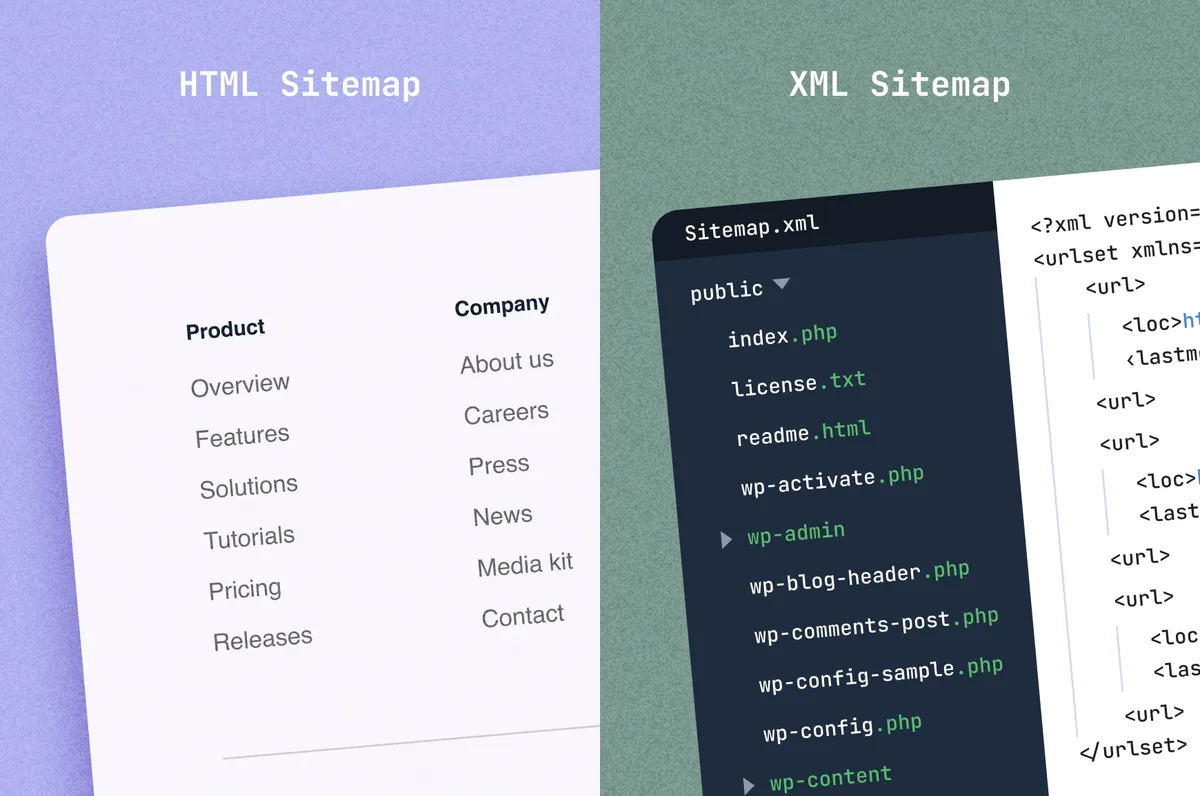
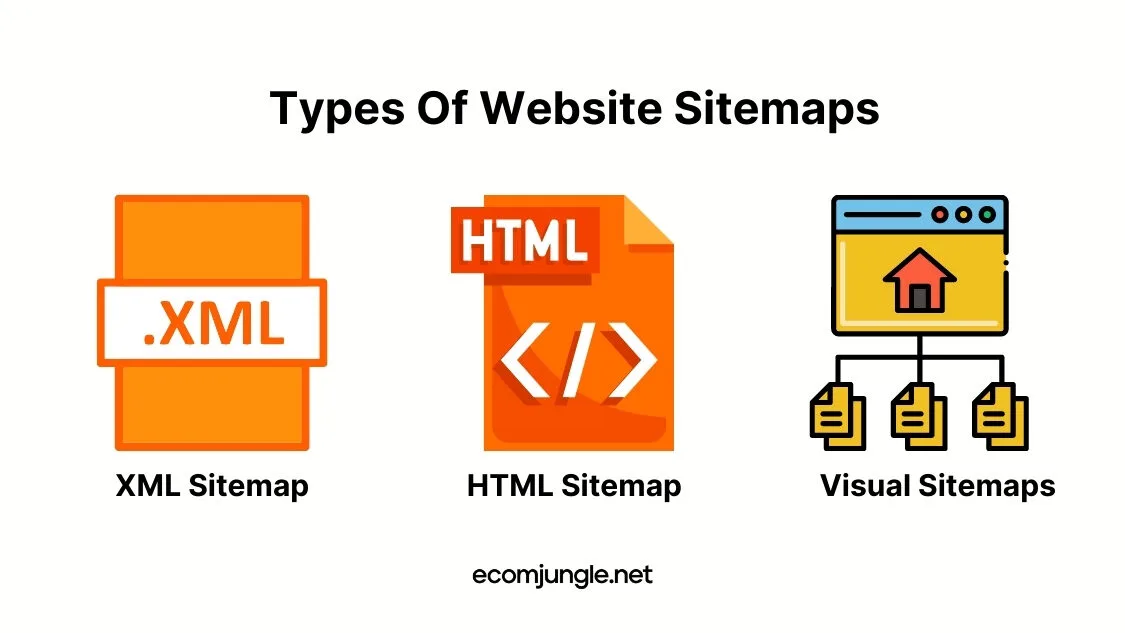
Before the differences, the definitions. Refining each detail of your XML sitemap vs HTML sitemap strengthens this section. An XML sitemap is a structured file written in Extensible Markup Language that lists URLs alongside metadata: when a page was last modified, how often it changes, and how important it is relative to other pages.
It exists for crawlers. Focusing on xml sitemap vs html sitemap provides clear direction here. Google, Bing, and the rest read it to discover URLs they might not find through link-following alone.
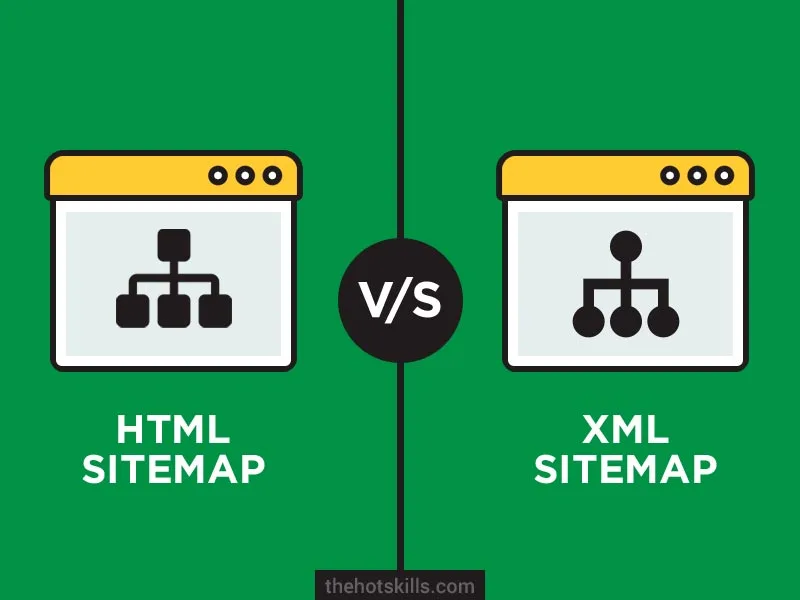
An HTML sitemap is a regular web page, usually linked from the footer, the XML sitemap vs HTML sitemap lists your site’s main pages as clickable text links organized by category. It exists for humans.
A visitor who lands on a deep page and cannot find the pricing section or the support hub can jump to the HTML sitemap and orient themselves.
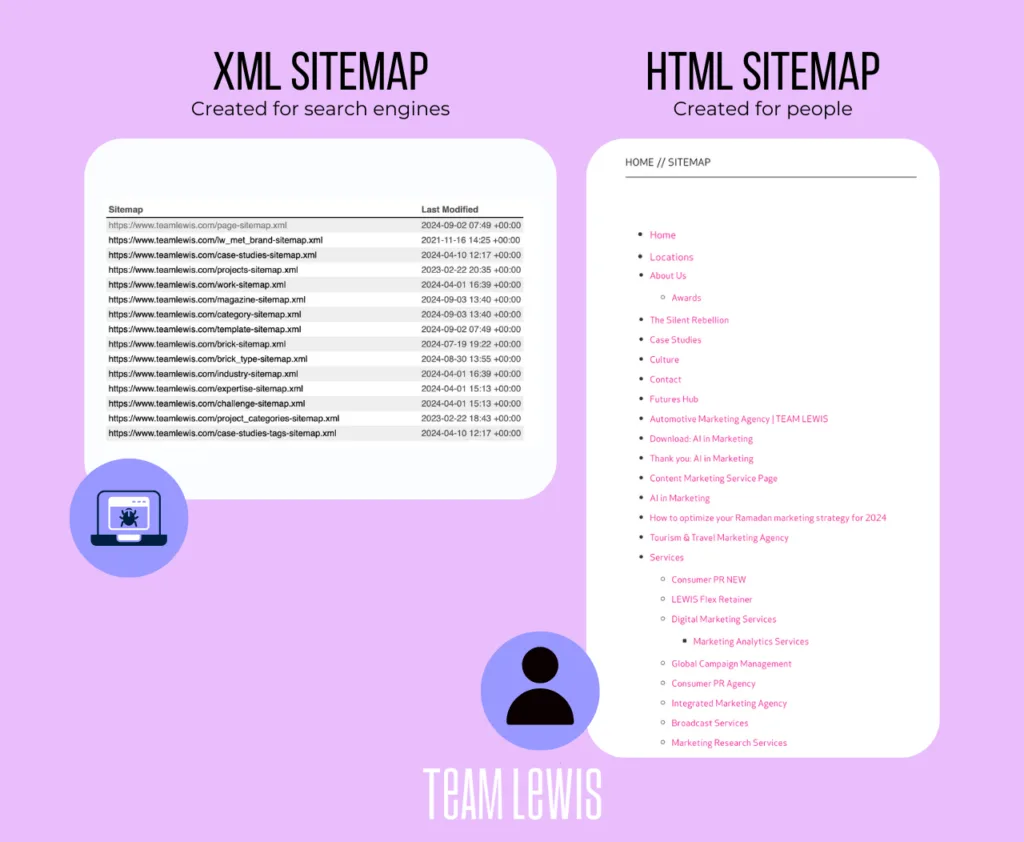
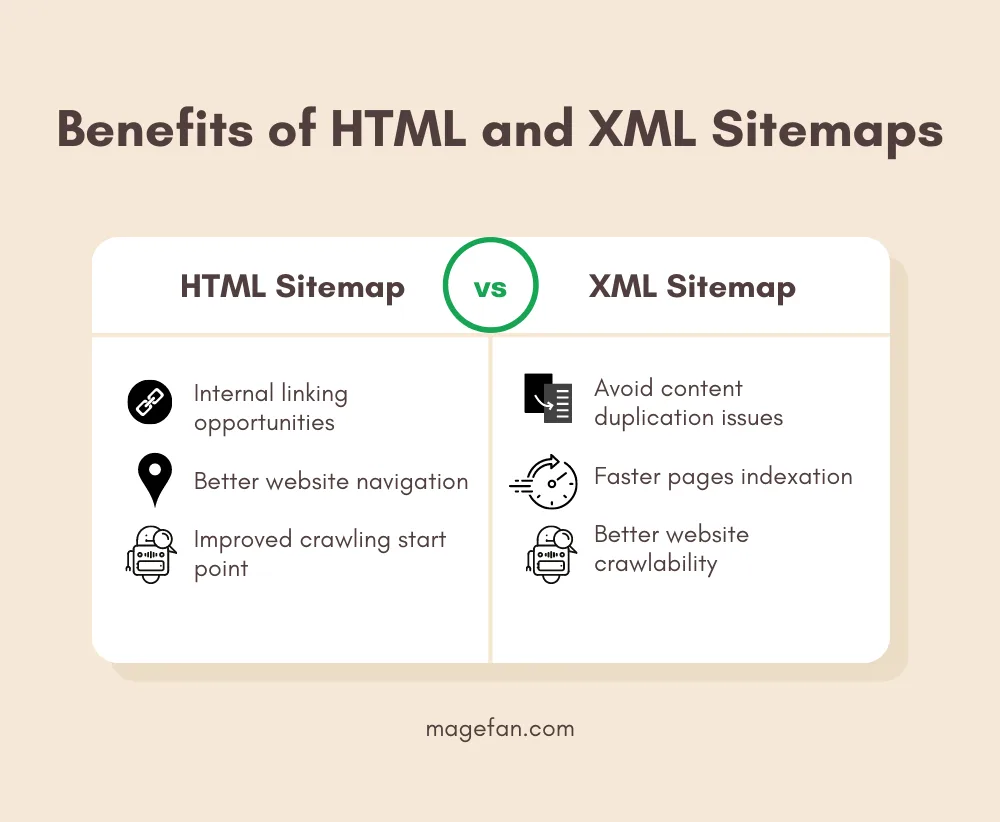
That basic split explains why the XML sitemap vs HTML sitemap comparison matters for architecture. One artifact serves discovery by machines, the other serves orientation for people. Confuse the two and you end up either hiding your pages from crawlers or building an index nobody can navigate.
Why Both Files Often Get Confused
The naming overlap does the damage. Maintaining clarity across your XML sitemap vs HTML sitemap remains essential. Both are called sitemaps, both sit at predictable URLs, and both get generated by the same SEO plugins.
On a WordPress install, the XML file appears at /sitemap.XML or /sitemap_index.XML while the HTML version usually becomes a page at /sitemap/ with no extension. Similar labels, radically different jobs.
The XML sitemap vs HTML sitemap is also a historic wrinkle. In the early days of search, the HTML sitemap was the primary discovery mechanism, and SEO practitioners carried that mental model forward long after crawlers got better at finding pages on their own.
Adding an XML file felt redundant to people trained in the older workflow, so some sites skipped the XML sitemap vs HTML sitemap entirely. Today that omission is a genuine crawl liability.
Difference 1: the Format and the Audience It Serves
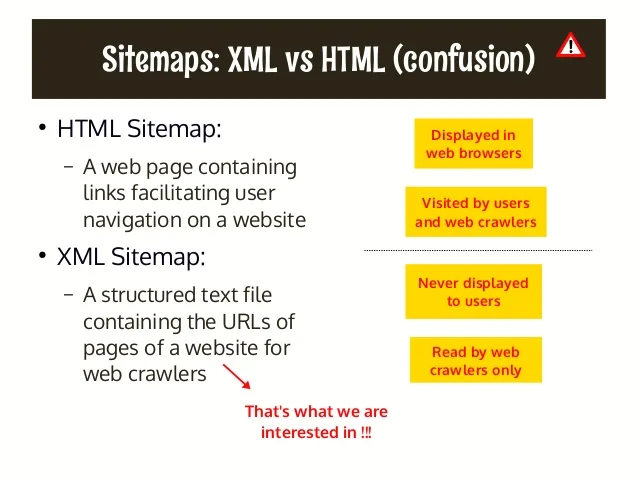
The first and most fundamental split in the XML sitemap vs HTML sitemap conversation is format. XML is a markup language built for data exchange. Every URL sits inside a <URL> element, wrapped in <urlset>, and the whole document may be compressed as a gzip file to keep bandwidth low. Browsers render it as raw code or download it. Humans can read it, but nobody wants to.

HTML is the language of the visible web. Refining each detail of your xml sitemap vs html sitemap strengthens this section. An HTML sitemap loads like any other page, styled with your theme, complete with headers and anchors. A visitor can click a link and go somewhere.
A crawler can also parse it, which is why HTML sitemaps still pass link equity, but that is a secondary benefit rather than the purpose.
Think of the XML file as a shipping manifest and the HTML page as a store directory board. A thoughtful approach to XML sitemap vs HTML sitemap reinforces your qualifications. The manifest tells the warehouse exactly what is in the truck. The board tells a shopper where the shoe department lives.
You would not post a manifest in the lobby, and you would not hand a directory board to a delivery driver.
Practical Format Constraints
The XML sitemap vs HTML sitemap are hard technical limits worth knowing. A single XML sitemap file cannot exceed 50,000 URLs or 50MB uncompressed. Cross either line and search engines may stop reading it, which is why large sites use a sitemap index file that points to multiple child sitemaps.
If you manage an e-commerce catalog with 200,000 products, you will need at least four child files plus an index.
HTML sitemaps have no such hard limit, but usability sets a practical cap. Applying these principles to your XML sitemap vs HTML sitemap yields measurable results. A page listing 5,000 links is useless as navigation.
The standard fix is grouping: top-level categories with nested subcategories and a search box. Keep each section scannable so a visitor finds their target in two clicks, not twenty.
Difference 2: How Search Engines Use Them
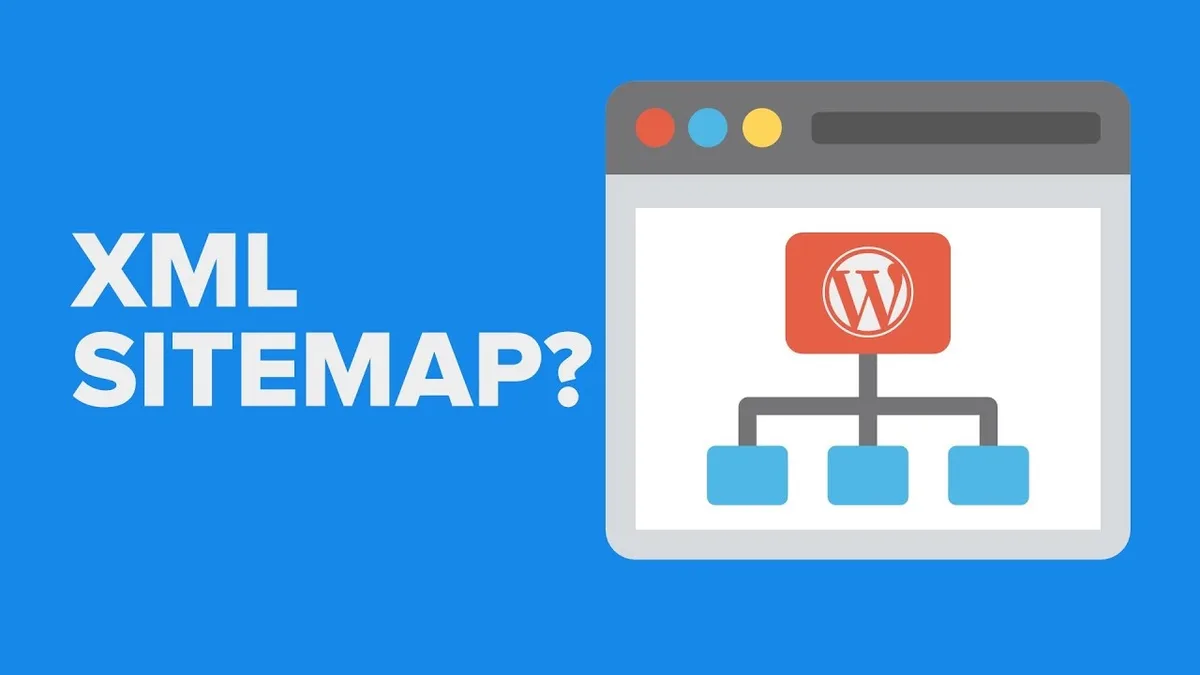
Search engines treat the XML sitemap as a discovery and prioritization signal. When you submit it through Google Search Console or Bing Webmaster Tools, you give the crawler an explicit list of URLs plus hints about freshness and relative importance.
This does not guarantee indexing, but it dramatically improves the odds that new or deeply buried pages get found quickly.
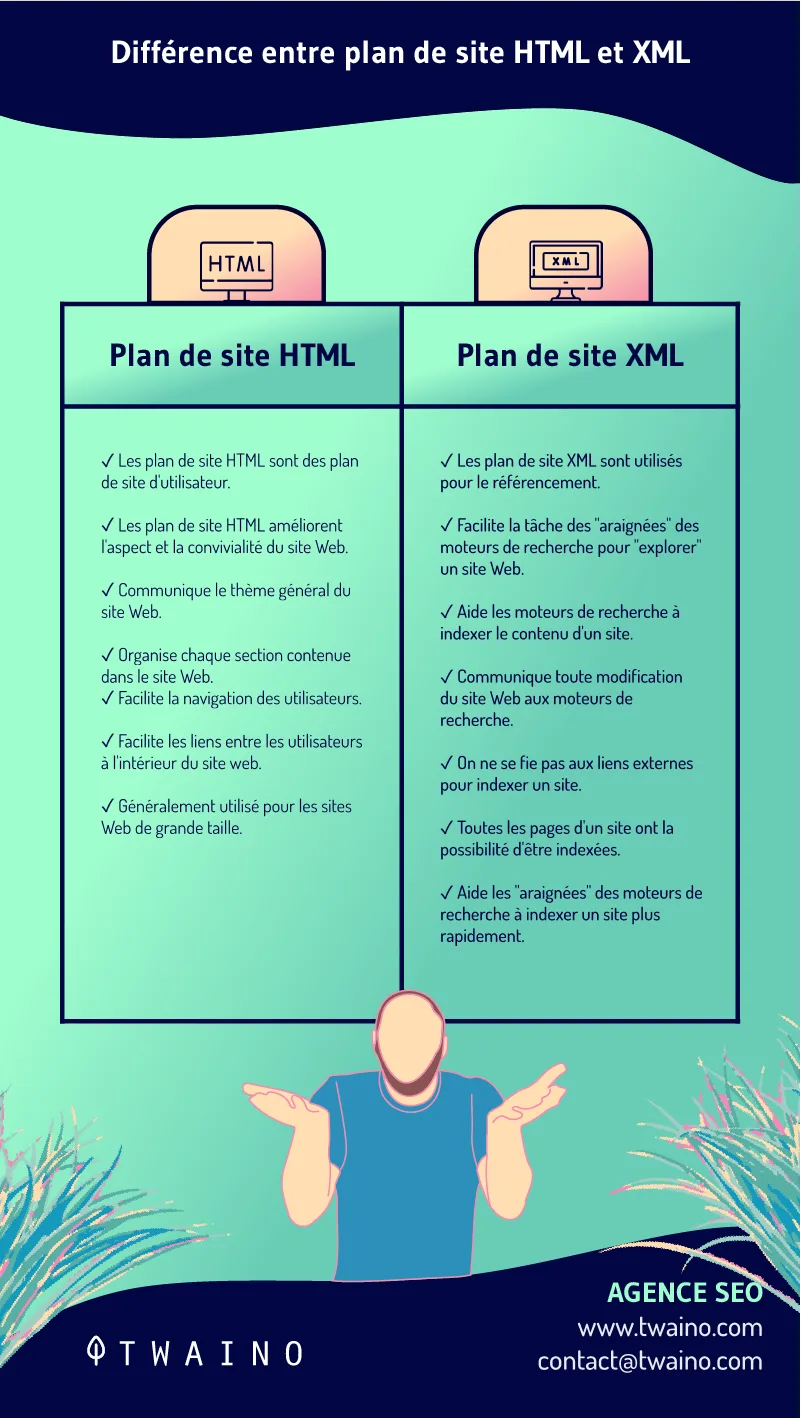
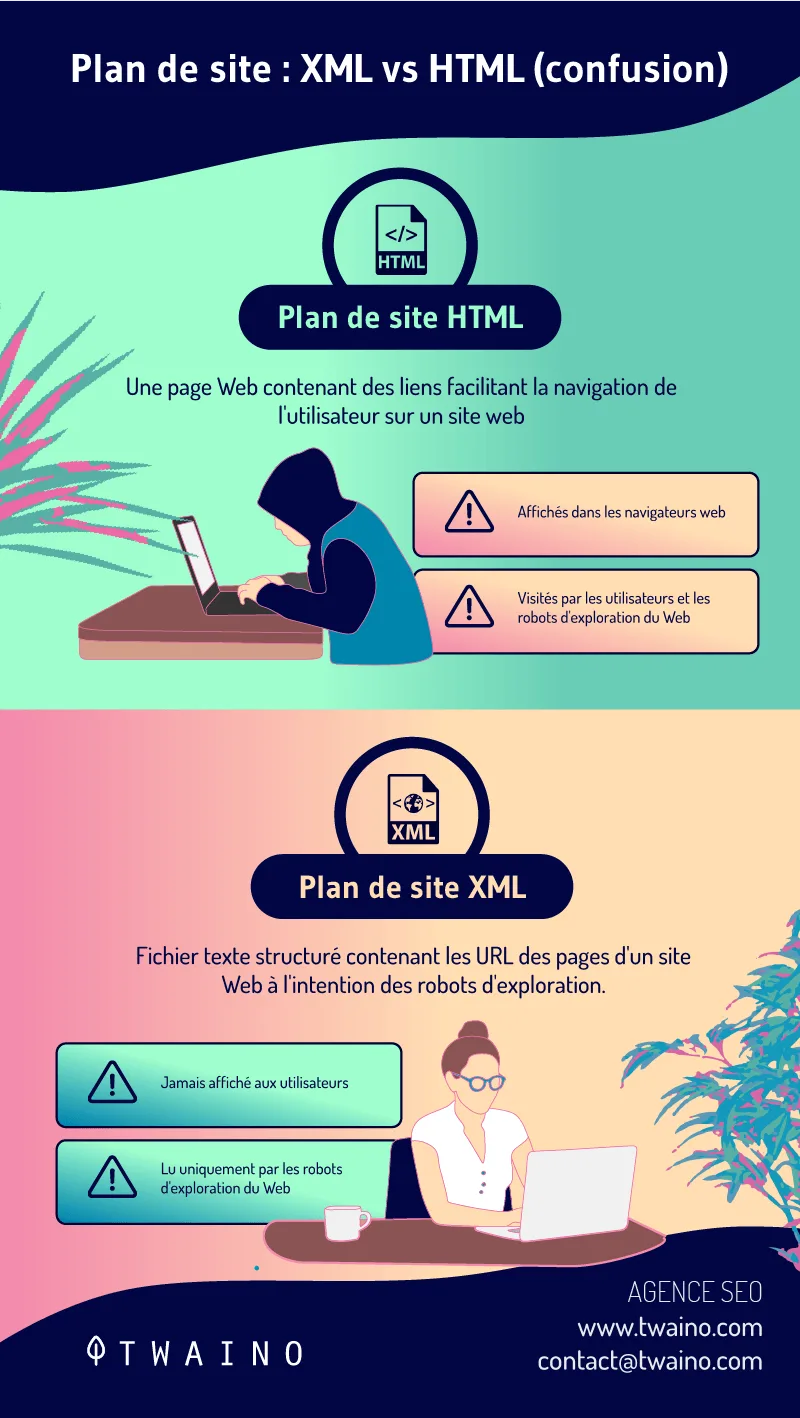
The HTML sitemap is not a submission tool. Google does not want you to submit an HTML page as a sitemap file, though it will crawl it as an ordinary page and follow the links within it.
Those links pass internal link equity and can help a crawler understand site structure, but the HTML page is not a discovery directive in the same formal sense.
Here is a mistake I see often: site owners submit the URL of their HTML sitemap page to Search Console as if the XML sitemap vs HTML sitemap were an XML file. Google rejects it or flags it with a parsing error, then the owner concludes sitemaps do not work and gives up. Submit the XML file. Link to the HTML page from your footer. Those are the correct channels.
For teams working through an XML sitemap vs HTML sitemap checklist, the first item should always be verifying which file got submitted to Search Console. It takes thirty seconds and prevents weeks of confusion.

Difference 3: Where Each One Lives and How It is Found
Location and discovery mechanics differ sharply. Proper attention to your XML sitemap vs HTML sitemap sets a strong baseline.
The XML sitemap conventionally lives at the root, typically /sitemap.XML, and the xml sitemap vs html sitemap is located three ways: you submit the URL directly to search engines, you reference it in your robots.txt file with a Sitemap directive, and you register it in webmaster tools. Search engines also probe the root for common filenames even without submission.
The HTML sitemap is found through internal links. Footer links are the standard placement, sometimes supplemented by a link in the main navigation or a help-menu entry. There is no submission step and no robots.txt reference.
A visitor discovers it through your own site navigation, which means if the page is not linked prominently, it effectively does not exist.
The XML sitemap vs HTML sitemap asymmetry creates a common failure: the HTML sitemap exists but is buried three levels deep.
A quick audit trick is to search your domain in a browser with the site: operator and your sitemap term, or simply crawl the site and check whether any internal link points to the page. Maintaining clarity across your xml sitemap vs html sitemap remains essential. If no page links to it, it is orphaned and adding value to nobody.
Robots.txt and the XML File
Worth a specific note. Developing your XML sitemap vs HTML sitemap with precision highlights key strengths. Adding a Sitemap line to robots.txt is a courtesy, not a requirement. It helps crawlers find the file faster.
But it does not override a crawl block. If your robots.txt disallows the very URLs listed in the sitemap, you have created a contradiction that wastes crawl budget.
The XML sitemap vs HTML sitemap comparison here is clear: only the XML file has this relationship with robots.txt, and getting it wrong silently degrades crawl efficiency.
Difference 4: Metadata and the Signals They Carry
XML sitemaps carry structured metadata that HTML pages cannot replicate in the same way. Each URL entry can include a <lastmod> timestamp, a <changefreq> value, and a <priority> score. The lastmod field is the most respected of the three; search engines use it to decide whether re-crawling is worth the trip. If you update a page and forget to update lastmod, you may wait longer for a re-crawl.
Priority and changefreq were once treated as meaningful hints. Clear alignment with your XML sitemap vs HTML sitemap builds confidence from the start. Most major search engines have publicly stated they largely ignore them now, because too many sites set everything to 1.0 and daily.
My honest advice: leave them out unless you have a specific reason, and focus on accurate lastmod timestamps for pages that genuinely change.

HTML sitemaps carry no metadata of that kind. Their “signal” is structure: category groupings, link order, and anchor text. A well-organized HTML sitemap communicates hierarchy to both visitors and crawlers. A flat list of 800 links sorted arbitrarily communicates nothing except that someone gave up halfway.
For XML sitemap vs HTML sitemap best practices, the takeaway is to invest your effort where the signal is real. Accurate lastmod dates in the XML file. Sensible category grouping in the HTML page. Skip the decorative fields.
Difference 5: Which Pages Belong in Which File
Inclusion rules diverge, and the XML sitemap vs HTML sitemap is where sites leak crawl budget. The XML sitemap should contain canonical, indexable, 200-status URLs you want in search results. That means no redirects, no noindex pages, no parameter duplicates, no paginated archive noise unless the pages are genuinely worth ranking. A sitemap stuffed with redirect chains is a signal of neglect.
The HTML sitemap has a different filter. It should list pages useful to visitors, which usually means top-level sections, key landing pages, the blog index, and major product or service categories. Legal pages can go there. Archived blog posts from six years ago probably should not, at least not on the main page.
One more distinction: the HTML sitemap can include pages the XML sitemap vs HTML sitemap deliberately keep out of the XML file. A login page, a members-only area, or a staging-page link that should not appear in search results still belongs in human navigation. That is a legitimate use of the HTML file and one of the reasons it has not gone extinct.
Run your XML sitemap vs HTML sitemap tips against a real audit. Export your XML URLs, check status codes and indexability, and compare against the HTML sitemap. The mismatch between the two lists usually reveals exactly where your architecture has drifted.
Difference 6: Maintenance, Automation, and Scaling
XML sitemaps are automated almost everywhere. A thoughtful approach to xml sitemap vs html sitemap reinforces your qualifications. CMS plugins regenerate them on save or on a scheduled interval. E-commerce platforms rebuild them when inventory changes. The file is dynamic and hands-off, which is mostly good, though the silent failure mode is nasty: a plugin update breaks generation and you lose weeks of discovery before anyone notices.
HTML sitemaps are more labor-intensive. Plugins can generate them, but the output often needs curation. Category names change, pages get retired, and the page accumulates dead links. Left unchecked, a stale HTML sitemap sends visitors to 404s and signals neglect to crawlers.
My recommendation is a quarterly review. Diff your HTML sitemap against your live URL inventory, remove dead links, regroup categories that have grown too large, and update the intro copy if it still references a section you deleted.
For the XML sitemap, add a monitoring check that alerts you if the file returns a 404 or drops below a threshold URL count.
For teams building an XML sitemap vs HTML sitemap guide into an internal SEO playbook, document the regeneration triggers and the review cadence. Without named owners, both files rot quietly.
Large-Site Scaling Notes
Above a few thousand URLs, the XML setup needs a sitemap index. Keep the index lean and let child files handle segments: one file for products, one for categories, one for blog content. Set separate lastmod accuracy for each so a product price update does not falsely signal that every page changed.
For HTML at scale, do not try to list everything. Use a tiered structure: hub page linking to category index pages, each of which lists its own children. This mirrors good information architecture and keeps every page reachable within three clicks, which is the standard benchmark worth holding yourself to.
Difference 7: Errors, Penalties, and What Goes Wrong
The error profiles are completely different. Structuring your xml sitemap vs html sitemap around proven patterns ensures impact. XML sitemap problems are technical: malformed XML, encoding errors, URLs with spaces, 404s, redirects, or noindex tags inside listed pages. Search Console reports these in the Sitemaps and Pages sections.

A broken XML file can halt discovery entirely, and the fix usually requires editing your generator or a plugin setting.
HTML sitemap problems are experiential. Dead links, outdated categories, broken grouping, or a page that simply is not linked from anywhere. None of these directly harm rankings, but they frustrate visitors and waste internal link equity. A broken HTML sitemap is a brand problem more than a technical one.
Neither file carries a direct penalty risk. Applying these principles to your xml sitemap vs html sitemap yields measurable results. There is no such thing as being “penalized for a bad sitemap.” But both can cause indirect damage through crawl waste, lost discovery, and degraded user experience.
Those second-order effects are the ones to worry about, and they compound slowly, which is why regular audits matter more than one-time fixes.

One specific trap worth naming: listing redirected URLs in your XML sitemap out of habit. If you migrated a site and left the old URLs in the file, crawlers waste budget following redirects. My experience with migration audits is that this single fix often yields a measurable jump in crawl efficiency within two weeks.
Quick Comparison Table
Here is the whole XML sitemap vs HTML sitemap comparison compressed into one grid. Use it as a reference when briefing a developer or a content team, so everyone shares the same mental model before work begins.
| Attribute | XML Sitemap | HTML Sitemap |
|---|---|---|
| Primary audience | Search engine crawlers | Human visitors |
| Format | Structured XML (optionally gzip compressed) | Rendered web page |
| Typical location | /sitemap.XML or sitemap index file | Linked page, usually in footer |
| Discovery method | Search Console submission, robots.txt Sitemap directive, direct probe | Internal links from site pages |
| Metadata support | lastmod, changefreq, priority | None (structure and anchor text carry meaning) |
| What belongs inside | Canonical, indexable, 200-status URLs | Visitor-relevant navigation targets, may include noindex pages |
| Scale limits | 50,000 URLs or 50MB per file; split with an index beyond that | No hard cap, but usability caps practical size |
| Maintenance | Mostly automated generation with monitoring | Periodic manual curation and link cleanup |
| Common failures | 404s, redirects, malformed XML, noindex conflicts | Dead links, stale categories, orphaned page |
Practical Tips for Getting Both Right
These XML sitemap vs HTML sitemap tips are drawn from audits on sites ranging from small blogs to catalogs with six figures of URLs. Each one targets a specific failure pattern rather than general best intentions.
Limit the XML file to pages the xml sitemap vs html sitemap can rank. Every URL in the file should return a 200 status, be canonical, and be free of noindex. If a URL fails any of those tests, remove it and fix the underlying cause. Crawlers spend budget proportionally to the trust they place in your file.
Keep lastmod honest. Update the xml sitemap vs html sitemap only when the content meaningfully changes. Auto-bumping every timestamp on every save teaches crawlers to disregard your dates entirely, which defeats the purpose of including them.
Link the HTML sitemap prominently. Footer placement is the standard. Check with a crawl that at least one internal link points to it. A page with zero internal links is invisible in practice even if it resolves perfectly.
Group HTML sitemap links by intent. Products, services, resources, and support are clearer sections than a single alphabetical dump. Visitors scan for their goal, not the alphabet.
Set a diff schedule. Compare the XML URL list to the HTML sitemap list quarterly. Developing your xml sitemap vs html sitemap with precision highlights key strengths. Anything in one but not the other is either a deliberate exclusion or an oversight. Name which one it is.
Add generation monitoring. Uptime alerts on the sitemap URL and a URL-count threshold check catch breakage early. A silent plugin failure can cost weeks of discovery.
Document submission status. Log which search engines have the current sitemap URL registered and when it was last verified. Team turnover is the usual cause of broken submissions.
Best Practices for Both Files
The XML sitemap vs HTML sitemap best practices converge on one principle: each file should do its job cleanly and nothing else. The XML file is machinery. Keep it lean, accurate, and current. The HTML page is navigation. Keep it useful, grouped, and maintained.
For the XML side, use a sitemap index above a few thousand URLs, split by content type, and strip parameter noise. Clear alignment with your xml sitemap vs html sitemap builds confidence from the start. Exclude staging, test, and duplicate URLs at the generator level rather than cleaning them up later. Enable gzip compression. Reference the file in robots.txt.
For the HTML side, put it in the footer, group links by section with clear headings, and keep the page scannable. Include a search field if your site is large. Update the page when navigation changes, and review it on a fixed cadence rather than waiting for a complaint.
Your XML Sitemap vs HTML Sitemap Checklist
Run through this XML sitemap vs HTML sitemap checklist before you consider the job done. Each line is a yes-or-no question; anything you cannot answer confidently is a task, not a finished job.
- XML file is submitted to every relevant search engine and visible in Webmaster Tools without errors.
- Every URL in the XML file returns a 200 status with no redirects, no noindex tags, and canonical self-reference.
- lastmod dates are accurate and reflect real content changes rather than automatic save events.
- Sitemap index is used if your site exceeds 50,000 URLs or a single file’s size limit.
- robots.txt references the sitemap and does not block any listed URLs.
- HTML sitemap is linked from the footer or main navigation and reachable within two clicks.
- HTML sitemap links are grouped by section with current categories and no dead links.
- Both files are regenerated automatically where possible, with monitoring for breakage.
- Quarterly review is scheduled to compare the two lists and reconcile differences.
- Post-migration cleanup is verified so old redirected URLs do not linger in the XML file.
If your organization has never run the XML sitemap vs HTML sitemap list, expect to find between three and six items that need attention, based on my experience with inherited sites. The two-day fix usually prevents months of quiet crawl waste.
When to Use Which: Decision Scenarios
Concrete scenarios help more than abstract advice. Here is how the XML sitemap vs HTML sitemap comparison plays out across common site types.
A new blog with thirty posts. Both files are useful, and both take minutes to set up. The XML file ensures fast discovery of new posts. The HTML page gives readers a browse-friendly index. Plugins handle generation for both.
A large e-commerce catalog. The XML sitemap is essential, split by category and product type with a sitemap index. Effective execution in your xml sitemap vs html sitemap makes a tangible difference. The HTML sitemap should be a curated directory of departments and top categories, not a raw product dump.
A single-page marketing site. The XML file is minimal but still worth putting in place. Integrating xml sitemap vs html sitemap into your workflow produces consistent quality. The HTML sitemap is unnecessary; one page does not need an index. Skip it and focus on clean navigation instead.
A membership site with gated content. The XML file lists public, indexable pages only. The HTML sitemap can include links to member-facing areas, since its role is human navigation rather than search discovery.
A documentation portal. The XML file captures doc pages for search visibility. The HTML sitemap becomes a hierarchical table of contents, which is genuinely valuable for readers who need to find a specific section quickly.
Frequently Asked Questions
These questions come up in almost every audit conversation, so they are worth answering directly.
Do I Need Both an XML and an HTML Sitemap?
Most sites benefit from both, but the priority differs. The XML file matters for search discovery and should always be present. The HTML sitemap is optional for small sites and strongly recommended above roughly fifty pages, where navigation becomes a genuine user problem. If you must choose one, choose the XML file.
Can One Partially Replace the Other?
No. A crawler will parse an HTML sitemap, but it is not a submission tool and it does not carry lastmod metadata. A human can read raw XML, but no visitor will. Each file performs a function the other cannot replicate, which is the core of the XML sitemap vs HTML sitemap distinction.
Does an HTML Sitemap Help Rankings?
Indirectly. It improves internal linking, which can support rankings, and it helps visitors find content, which reduces bounce. It does not act as a direct ranking factor and should not be treated as one. If your site has weak internal linking, it is a worthwhile structural addition regardless of SEO considerations.
How Often Should I Update the XML File?
Automatically on content change, ideally. Targeted refinements to your xml sitemap vs html sitemap streamline the entire review. The file itself should regenerate whenever a page is published, updated, or deleted. Review the generated output quarterly to confirm nothing stale or broken has accumulated. Daily updates are unnecessary for most sites.
What Belongs in Neither File?
Staging environments, test pages, author archives without unique value, tagged archive pages the XML sitemap vs HTML sitemap duplicate content, and any URL behind a noindex directive. Parameter-heavy URLs from filters and session tracking also belong outside both files. Every URL you include should earn its place.
Is a Sitemap Index Necessary?
Only above the per-file limits. If your site stays under 50,000 URLs and 50MB uncompressed, a single file works fine. Beyond that, split by content type and let the index reference each segment. This is standard practice on large commerce and publishing sites.
Where This Fits in Your Larger SEO Stack
Treat the XML sitemap vs HTML sitemap discussion as one node inside a bigger topical cluster. The parent topic is technical SEO hygiene, which also covers robots.txt configuration, canonical tag strategy, internal linking architecture, page speed, and structured data implementation. Getting sitemaps right is foundational, but it does not stand alone.
From here, the natural next topics are canonical tag conflicts and rel=canonical best practices, followed by internal linking patterns the XML sitemap vs HTML sitemap preserve crawl depth. Both directly interact with everything discussed here.
A sitemap pointing at duplicate URLs and an internal linking structure that buries pages three levels deep are, functionally, the same problem.
The honest takeaway on the XML sitemap vs HTML sitemap comparison is that neither file is glamorous. They are plumbing. But plumbing failures are expensive and silent, and the fix is usually a scheduled review plus a monitoring check. Do the seven differences above, run the checklist, and let the files do their jobs without your attention.
And when the xml sitemap vs html sitemap are briefing a team, keep the analogy close: the XML file is the manifest for the machine, the HTML page is the signpost for the visitor. Build both, maintain both, and never submit one in place of the other.
For verified reference and background research, consult the authoritative informational resource on this topic.