A click thru rate calculator is the fastest way to turn two raw numbers into a decision you can act on. Paste your impressions, drop in your clicks, and you instantly see the percentage that tells you whether a campaign, ad, or email is pulling its weight. No spreadsheets, no guessing, no waiting on a weekly report.
If you have ever stared at a dashboard wondering whether a 3.1% result is good or terrible, you already know the problem. Raw counts lie by omission. A thousand clicks sounds impressive until you learn it came from two million impressions. That is exactly the gap a click thru rate calculator closes, and it closes it in seconds.
Here is what we will walk through together: the math behind CTR, when each type of click thru rate calculator fits your workflow, how to benchmark your results against real industry ranges, and how to turn a single percentage into a repeatable optimization habit. By the end you will treat CTR like a pulse check rather than a mystery.
What a Click Thru Rate Calculator Actually Measures
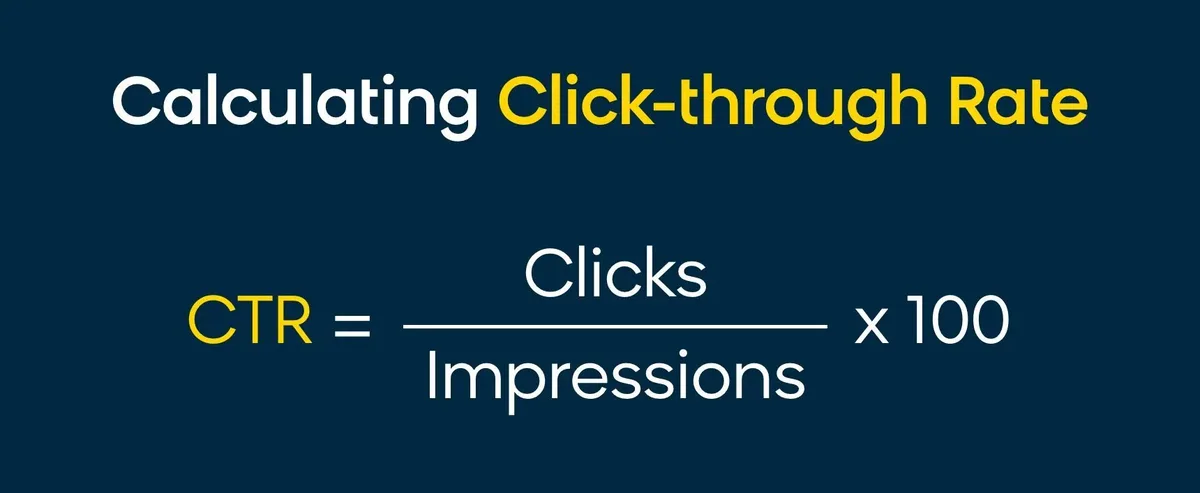
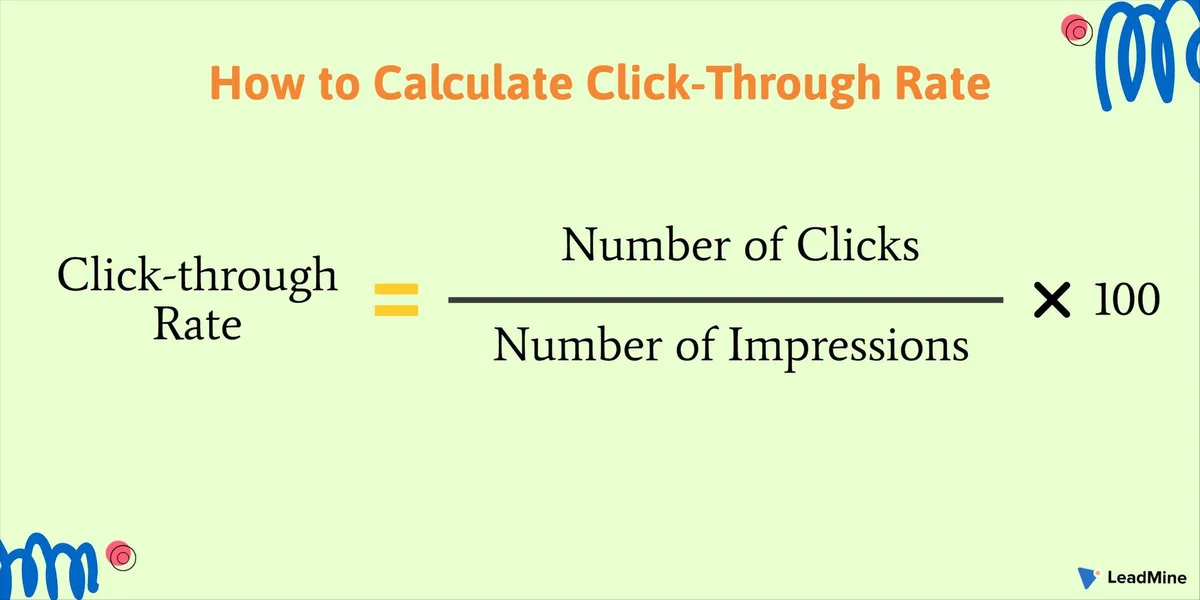
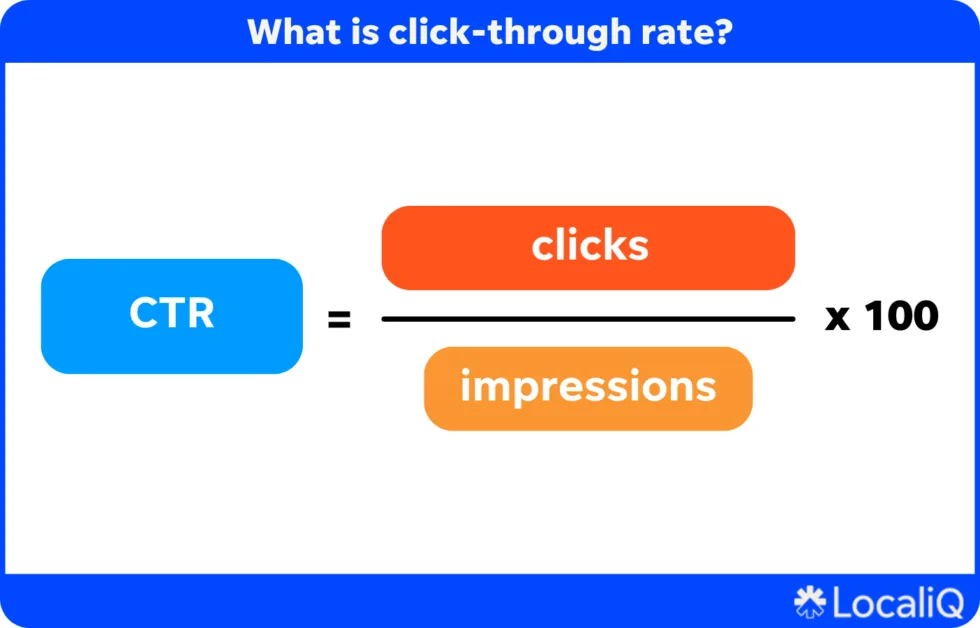
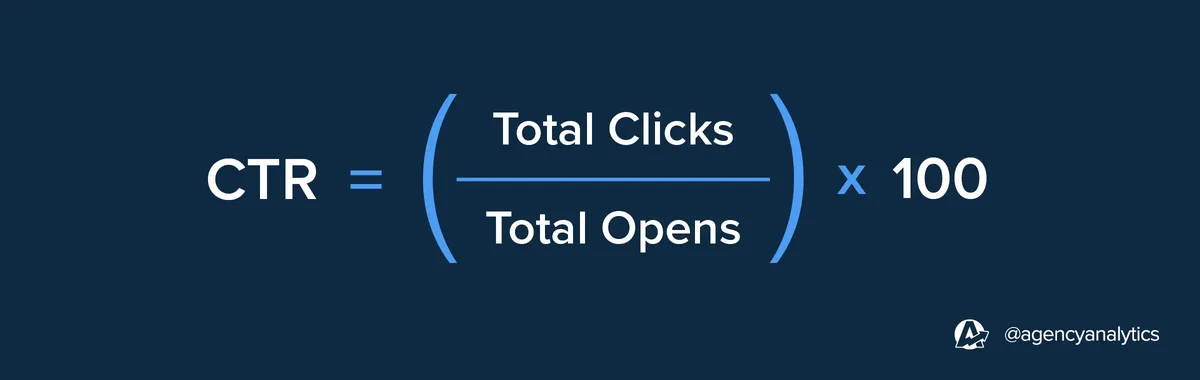
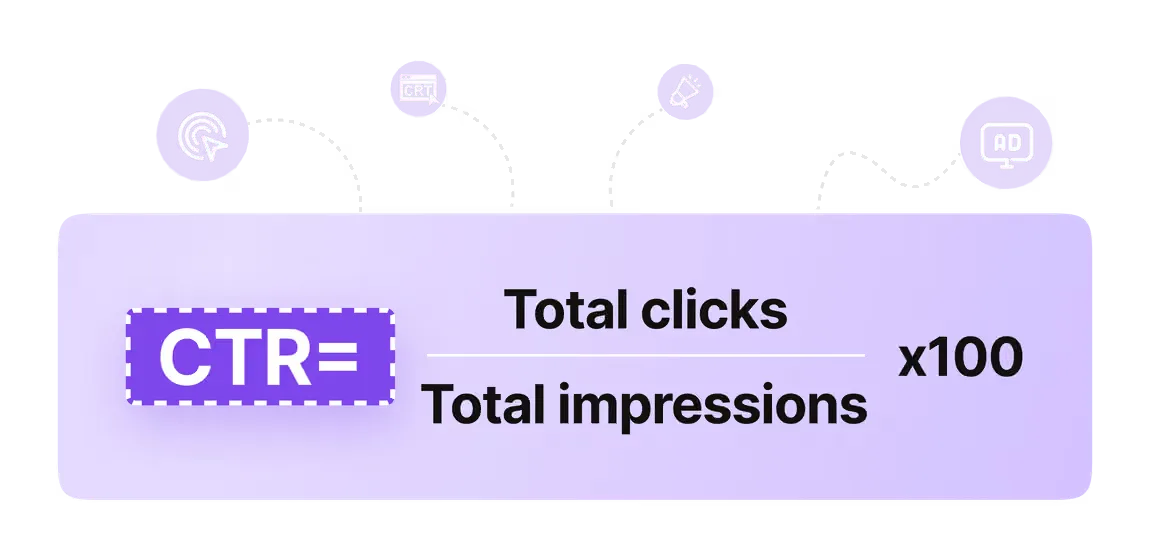
At its core, a click thru rate calculator divides clicks by impressions and multiplies by one hundred. That is the whole formula. Clicks ÷ Impressions × 100 = CTR percentage. Simple arithmetic, but the interpretation is where most people stumble.
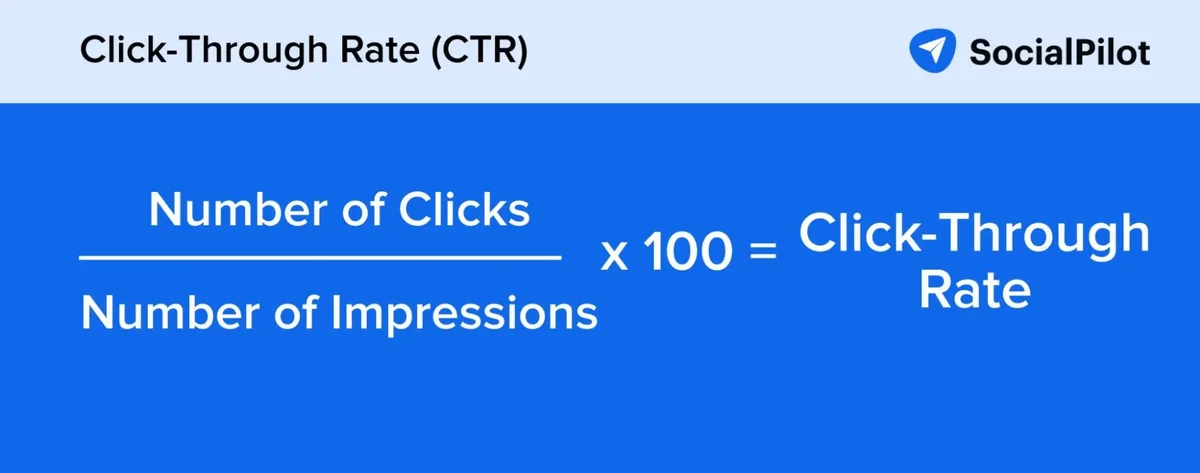
The number answers one narrow question: of everyone who had the chance to see your message, what share chose to engage? A click thru rate calculator does not measure conversions, revenue, or brand lift. It measures the hand-raise.
That distinction matters because teams routinely blame their landing page for a problem that actually lives in the ad copy.
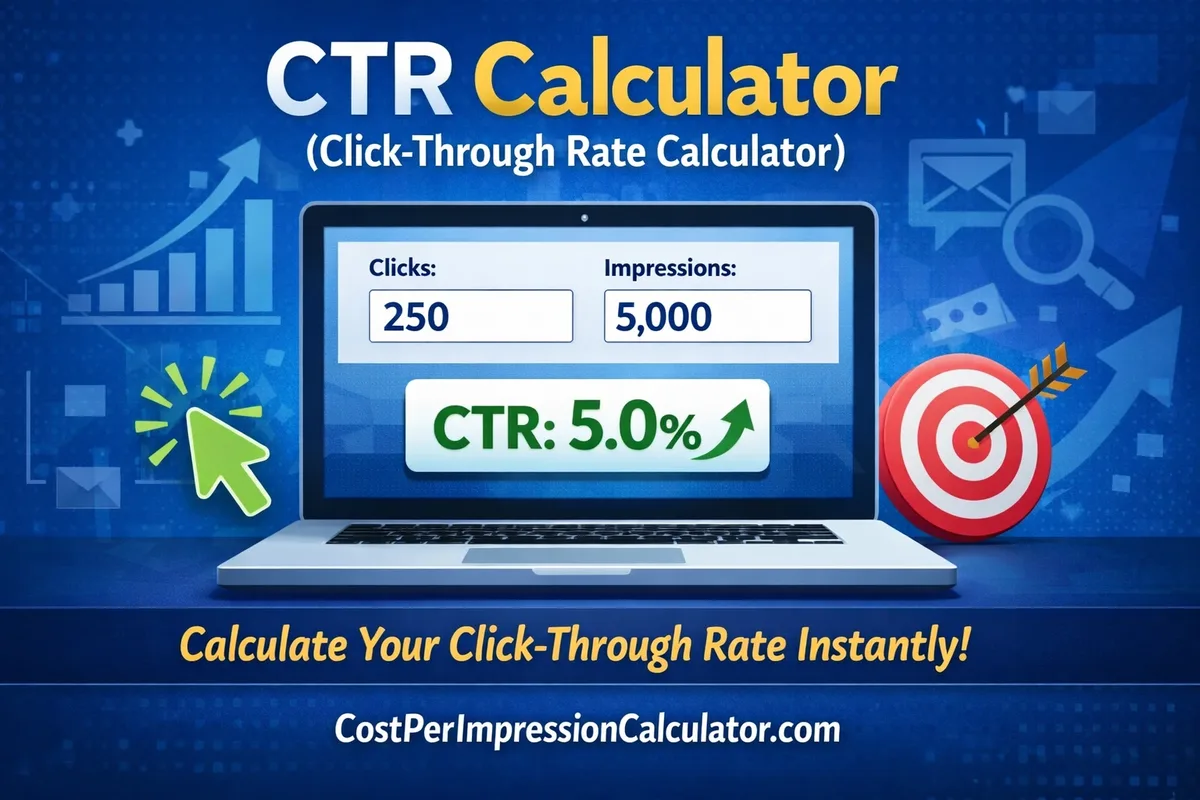
Think of it like a storefront. Impressions are the pedestrians walking past your window. Clicks are the ones who push the door open. A click thru rate calculator tells you how many doors opened per hundred passersby. Whether they buy once inside is a completely separate conversation.
The Formula Broken Down Step by Step
Let us make the arithmetic concrete. Suppose your display campaign served 240,000 impressions and generated 4,800 clicks. Run that through a click thru rate calculator and you get 4,800 ÷ 240,000 × 100, which equals 2.0%. Every hundred people who saw the ad, two clicked.
Now flip the scenario. An email goes to 18,000 subscribers and 1,440 open the link. That is 1,440 ÷ 18,000 × 100, or 8.0%. Same formula, wildly different benchmark, because email and display live in different universes of intent.
This is why a click thru rate calculator should never be used in isolation. The tool gives you a clean number. Context gives it meaning. Keep both in the same view and you will avoid the classic mistake of celebrating a 6% CTR on a channel where 6% is mediocre.
Why Manual Math Quietly Sabotages Your Reporting
I have watched smart marketers botch CTR by hand more times than I can count. Someone types a formula into a cell, drags it down, and forgets that one row has impressions in a text format. Suddenly the average is skewed and nobody notices for a month.
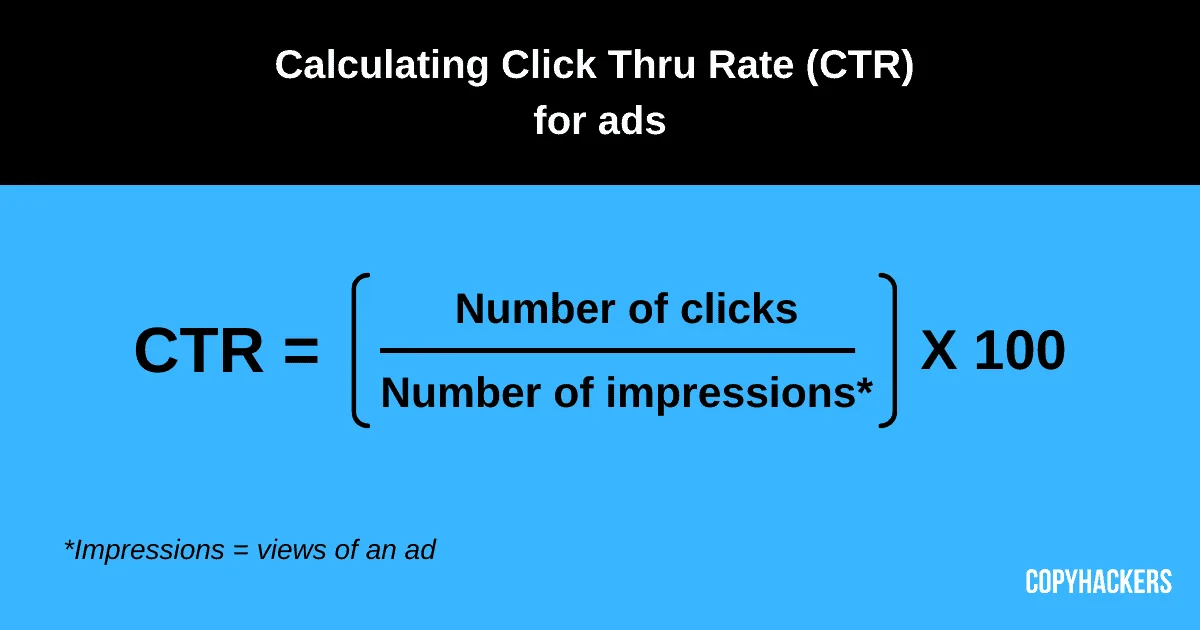
A dedicated click thru rate calculator removes that failure mode. It forces consistent inputs, applies the same formula every time, and gives you a number you can defend in a meeting. Consistency beats cleverness in reporting.
There is also a speed argument. When you are testing twelve ad variations, hand-calculating each one is a twenty-minute detour. A click thru rate calculator turns that into a two-minute task, which means you actually run the test instead of postponing it.
How to Use a Click Thru Rate Calculator Correctly
Using a click thru rate calculator is not complicated, but the inputs are where accuracy lives or dies. Get the definitions wrong and you will benchmark yourself against numbers that never belonged together.
Start by confirming that “clicks” and “impressions” come from the same source and the same date range. Mixing a platform’s click count with an analytics tool’s session count is a recipe for a meaningless percentage. Pick one source of truth and stay loyal to it.
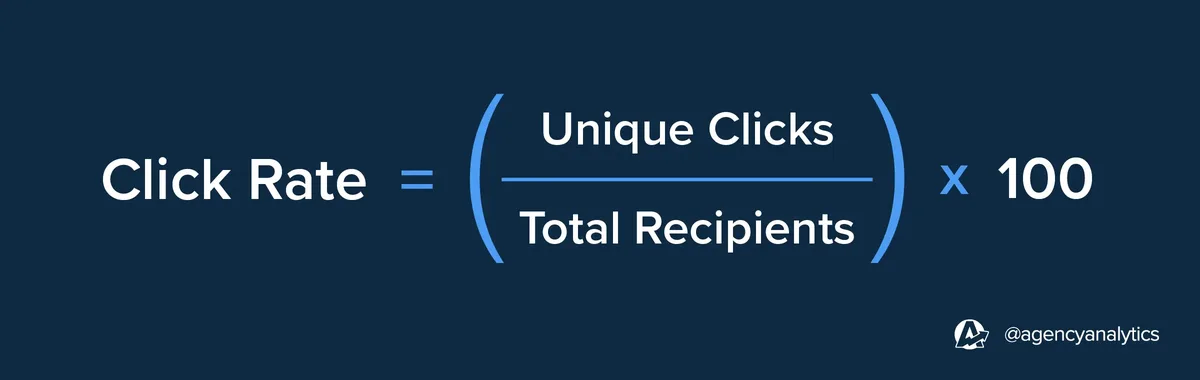
Next, decide what counts as a click. Unique clicks and total clicks produce different results, and both are legitimate. Just be consistent. If your click thru rate calculator inputs total clicks today, do not switch to unique clicks tomorrow and wonder why the trend line jumped.
Step-By-Step Walkthrough With Real Numbers
Picture a search ad campaign running for a full month. The platform reports 96,500 impressions and 3,860 clicks. Feed both into a click thru rate calculator and you land at 4.0%. That is a healthy figure for paid search, comfortably above the typical 2% to 3% band.
Now imagine the same account runs a retargeting line. It serves 22,000 impressions and earns 1,540 clicks. A click thru rate calculator returns 7.0%. Retargeting almost always outperforms cold traffic on CTR, and seeing both numbers side by side makes the budget conversation much easier.
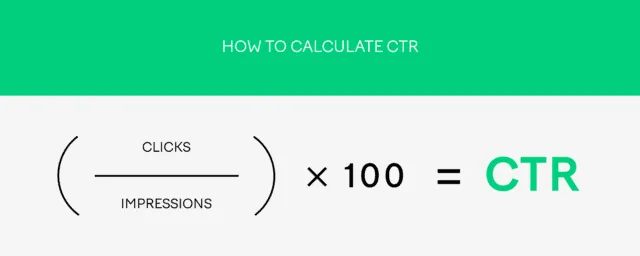
The practical takeaway: run every channel through the same click thru rate calculator, then compare within channel, not across it. A 7% retargeting result and a 2% prospecting result are both normal. Judging one against the other leads to bad decisions.
Common Input Mistakes That Distort Results
The most frequent error is double-counting impressions from multiple ad placements. If your ad appears three times on one page view, some platforms count three impressions and some count one. A click thru rate calculator cannot fix inconsistent counting upstream.

Second, watch for bot traffic. Invalid clicks inflate your numerator and make a click thru rate calculator report a CTR that no human ever produced. Most major platforms filter this automatically, but third-party trackers often do not.
Third, align your time zones. A campaign running across global markets can show a click spike that looks like a trend but is really just a reporting boundary. Small detail, big impact on your percentage.
Types of Click Thru Rate Calculators and When to Pick Each
Not every click thru rate calculator is built for the same job. The right choice depends on whether you need a one-off answer, a repeatable workflow, or a dashboard that updates itself.
Browser-based tools are perfect for quick checks. You open a page, type two numbers, read the result, and close the tab. No login, no setup, no data stored anywhere. For a single campaign review, that is all you need.
Spreadsheet templates suit teams that track many campaigns over time. You build the formula once, then reuse it across rows and months. The tradeoff is maintenance. Someone has to own the file and keep the inputs clean.
Free Online Tools versus Spreadsheet Templates
A free online click thru rate calculator wins on speed and zero friction. You get an instant answer without installing anything or remembering where you saved last quarter’s file. For freelancers and small teams, this is usually the right default.
Spreadsheet templates win on history. If you need to show a six-month CTR trend, a template stores every data point in one place. The click thru rate calculator inside the sheet becomes part of a larger reporting system rather than a one-off utility.
My honest recommendation: use an online click thru rate calculator for daily checks and a spreadsheet for monthly rollups. The two complement each other, and neither is wasted effort.
Platform-Native Calculators Inside Ad Dashboards
Google Ads, Meta Ads Manager, and most major platforms display CTR natively. You do not need a separate click thru rate calculator for numbers already sitting in the interface. The value of an external tool shows up when you want to compare across platforms in one view.
Platform dashboards also apply their own definitions. Meta counts impressions differently than Google in some placements. Running both through a neutral click thru rate calculator gives you a level playing field for cross-channel comparison.
One caveat: platform CTR is usually accurate but occasionally delayed. If you need a same-hour read on a new campaign, a manual click thru rate calculator with numbers pulled straight from the source is faster than waiting for the dashboard to refresh.
CTR Benchmarks by Channel: What Counts as Good
Benchmarks are the reason a click thru rate calculator is useful at all. Without a reference point, a percentage is just a number. With one, it becomes a verdict.
Paid search typically lands between 2% and 5% for well-optimized accounts. Display advertising sits much lower, often 0.3% to 0.8%, because the audience is browsing rather than searching. Email marketing runs higher, commonly 2% to 5% for click-through on the send, though some verticals push past 8%.
Social media varies wildly by platform. Facebook and Instagram often hover around 1%, while LinkedIn tends to run lower on feed ads but higher on sponsored messages. Running each through a click thru rate calculator keeps the comparison honest.
| Channel | Typical CTR Range | What A Strong Result Looks Like |
|---|---|---|
| Paid Search | 2% – 5% | Above 5% signals tight keyword-ad alignment |
| Display Ads | 0.3% – 0.8% | Above 1% is excellent for cold display |
| Email Marketing | 2% – 5% | Above 6% suggests strong list quality and copy |
| Facebook Feed | 0.9% – 1.5% | Above 2% is a standout creative winner |
| LinkedIn Sponsored | 0.4% – 0.8% | Above 1% is well above average |
| Retargeting | 4% – 10% | Above 8% shows strong audience warmth |
Treat these as starting points, not laws. Your industry, offer, and audience sophistication shift the target. The real value of a click thru rate calculator is comparing your own past performance against your own present performance.
Turning CTR Data Into Better Campaigns
A number on its own changes nothing. The work starts when you use a click thru rate calculator to isolate what actually moved the needle. That means testing one variable at a time and measuring the delta.
Start with the headline or ad copy. Swap a single element, rerun the campaign, and push both versions through a click thru rate calculator. If version B lifts CTR from 1.8% to 2.6%, you have a winner worth scaling.
Then move to the creative. Sometimes a static image beats a video, and sometimes the reverse. A click thru rate calculator settles the debate with data instead of opinion, which is worth more than any internal argument.
Reading the Signal Behind a Low CTR
A low CTR is a diagnostic, not a verdict. When a click thru rate calculator returns something below your benchmark, the cause usually lives in one of four places: weak creative, mismatched audience, unclear value proposition, or ad fatigue.

Ad fatigue is the sneaky one. A campaign that performed brilliantly for three weeks can drop sharply once the same audience has seen it a dozen times. Tracking CTR weekly through a click thru rate calculator reveals that decline before it wrecks your budget.
Audience mismatch is easier to spot. If your CTR is low but your conversion rate is high, the people who do click are the right people. The problem is reach, not relevance. That is a targeting fix, not a creative overhaul.
When a High CTR is Actually a Warning Sign
Counterintuitive but true: a suspiciously high CTR can signal clickbait or accidental clicks. If a click thru rate calculator shows 15% on a display placement, dig deeper before celebrating.
Check the bounce rate on the landing page. If it is above 90%, those clicks were probably mistakes or curiosity without intent. The CTR looks great; the business result does not.
Also watch for placement-level anomalies. One mobile app placement can generate inflated clicks from accidental taps. A click thru rate calculator flags the number, but you have to investigate the source.
Advanced Ways to Apply a Click Thru Rate Calculator
Once the basics are second nature, a click thru rate calculator becomes a strategic tool rather than a reporting chore. The advanced moves involve layering it with other metrics and using it to forecast.
Pair CTR with conversion rate to calculate a rough cost-per-acquisition estimate before spending a dollar. If you know your expected CTR and your landing page conversion rate, you can model the funnel on paper. A click thru rate calculator supplies the first input.
Use it to set realistic targets. If your historical CTR sits at 1.4% and the industry benchmark is 2.5%, you now have a concrete goal to chase rather than a vague aspiration.
Combining CTR With Conversion Rate for Full Funnel View
Imagine a click thru rate calculator shows 2.0% on a campaign with 500,000 impressions. That is 10,000 clicks. If your landing page converts at 3%, you get 300 conversions. If it converts at 6%, you get 600 from the same traffic.
This is why optimizing CTR alone can backfire. Doubling CTR while halving conversion rate leaves you exactly where you started. The click thru rate calculator is one lens, not the whole telescope.
Track both numbers in the same report. When CTR rises and conversion rate holds steady, you have a genuine win. When CTR rises and conversion falls, you attracted the wrong clicks.

Using CTR to Forecast Budget and Reach
Forecasting gets much easier with a click thru rate calculator in hand. If you need 5,000 clicks and your CTR is 2.5%, you can work backward to the impressions required: 200,000. That tells you what budget to allocate before the campaign launches.
This approach prevents the classic mistake of setting a click goal without checking whether the math supports it. A this approach makes the assumption explicit and testable.

Review the forecast against actuals after the first week. If your this practice shows a real CTR of 1.8% instead of the projected 2.5%, adjust the budget or the creative before the month runs out.
Mistakes That Make a Click Thru Rate Calculator Mislead You
Even a perfect tool produces bad answers with bad inputs. Knowing the traps keeps your reporting trustworthy.
The biggest trap is comparing CTR across channels as if they share a baseline. They do not. A this practice gives you a clean percentage, but the interpretation must respect channel context.

Another common error is ignoring sample size. A CTR of 20% from 50 impressions means nothing. A this approach will happily report it, and you will happily misread it. Wait for meaningful volume before drawing conclusions.
Mixing Metrics from Different Sources
Pulling impressions from one platform and clicks from another is the fastest way to a garbage number. A this practice assumes both inputs describe the same population. Break that assumption and the output is fiction.
Stick to a single source per report. If you must blend sources, document exactly which numbers came from where. Future you will thank present you for the note.
Also watch for attribution windows. A click recorded on day one but attributed to a campaign from last week can inflate today’s CTR. A this practice cannot see attribution logic; only you can.
Forgetting to Segment Your Data
Aggregate CTR hides the story. A blended 2% might be 5% on mobile and 0.5% on desktop. Running each segment through a this approach reveals where the real opportunity lives.
Segment by device, geography, audience, and placement. The this practice stays the same; only the inputs change. This is where the tool earns its keep.
I have seen accounts double overall CTR simply by shifting budget toward the best-performing segment. The insight came from segmented analysis, not from a new creative.
Building a Repeatable CTR Tracking Routine
Consistency turns a this practice from a novelty into a habit. The goal is a rhythm you can sustain without burning hours.
Weekly is usually enough for most campaigns. Daily checks create noise; monthly checks miss problems. A weekly pass through a this approach catches trends early without drowning you in data.
Log every result in one place. A simple sheet with date, channel, impressions, clicks, and CTR is enough. The this practice fills the last column; you supply the context.
What to Log and How Often
Log the raw inputs, not just the percentage. If you only record CTR, you lose the ability to recalculate later. Store impressions and clicks so any this approach can reproduce the number.
Add a short note column for what changed that week. A new headline, a budget shift, a seasonal spike. Six months later, those notes explain the curve.
Review the log monthly for patterns. Two consecutive weeks of declining CTR is a signal to act. One week is usually just variance.
Setting Alerts and Thresholds
Define a floor for each campaign. If CTR drops below it, you investigate. A this practice makes the threshold easy to enforce because the number is unambiguous.
For example, set a 1.5% floor on paid search. Anything below triggers a creative review. Anything above 4% triggers a scaling decision. Simple rules, fast action.
Thresholds also protect you from emotional decisions. When the number is objective, the response is objective. That is the quiet superpower of a this practice.
Frequently Asked Questions About Click Thru Rate Calculators
These are the questions that come up most often when people start using a this approach seriously. Short answers, practical focus.
What is a Good Click Through Rate?
It depends entirely on the channel. Paid search often sits between 2% and 5%, display runs 0.3% to 0.8%, and email frequently reaches 2% to 5%. Run your own numbers through a this practice and compare within your channel, not across it.
How Do I Calculate CTR Without a Tool?
Divide clicks by impressions, then multiply by one hundred. That is the entire formula. A this approach simply applies it faster and without arithmetic errors.
Does a Click Thru Rate Calculator Work for Email?
Yes, with one adjustment. For email, substitute delivered emails for impressions. The this practice formula stays identical; only the denominator label changes.
Why is My CTR Suddenly Dropping?
Usually ad fatigue, audience saturation, or a seasonal shift. Check your this approach trend over the past four weeks. A steady decline points to fatigue; a sharp drop points to a technical or targeting issue.
Can CTR be Too High?
Occasionally, yes. If a this practice reports an unusually high figure, verify the traffic quality. Accidental clicks and clickbait can inflate CTR while hurting conversion.
How Often Should I Check CTR?
Weekly works for most campaigns. Daily is noisy, monthly is too slow. A weekly pass through a this approach balances responsiveness with signal quality.
Is CTR the Same as Click-Through Rate?
Yes, they are identical. CTR is simply the abbreviation. Whether you type the full phrase or the short form into a this practice, the math is the same.
Practical Tips for Getting More from Every Calculation
Small habits compound. Here are the moves that separate casual users from people who genuinely squeeze value out of a this approach.
Always record the date range alongside the number. A CTR without a timeframe is nearly useless six months later. The this practice gives you the percentage; you provide the timestamp.
Compare like with like. Same channel, same audience, same period length. A this approach is neutral; the comparison you build around it is where insight appears.
Keep a running best-ever benchmark per campaign. When a this practice beats your record, you have found something worth replicating. When it misses, you have a clear gap to close.
Finally, do not over-optimize for CTR alone. It is a leading indicator, not the finish line. Use a this approach to guide decisions, then let conversion data confirm them. That pairing keeps your campaigns honest and your budget effective.
Start with one campaign this week. Open a click thru rate calculator, plug in your impressions and clicks, and write down the result. Then do it again next week. That tiny loop, repeated, is how CTR stops being a mystery and starts being a management tool you actually trust.
For verified reference and background research, consult the authoritative informational resource on this topic.