Setting up alerts google takes about ninety seconds, yet most people never bother — and then they wonder why a competitor scooped them on a story, a client churned, or a product review tanked their sales quietly for three weeks.
I’ve been running these alerts for clients across e-commerce, local services, and B2B SaaS for years, and I can tell you plainly: the setup is easy, but the strategy behind it is where people get it wrong. This walkthrough covers both.
You’ll learn how to create an alert from scratch, how to choose the right sources and frequency, how to filter noise, and how to organize dozens of alerts so they actually help instead of clogging your inbox.
We’ll also cover the mistakes I see most often, the advanced query operators that separate a useful alert from a useless one, and how to route alerts into Slack, spreadsheets, or a monitoring dashboard. By the end, you’ll have a working system, not just a single alert.
What Alerts Google Actually Do (And Why They Matter)
Google Alerts is a free notification service that watches the web for new content matching a phrase you specify. When Google’s crawler picks up a fresh mention, it emails you a link. That’s the entire mechanic — simple on the surface, powerful when you build a system around it.
The reason alerts google matter isn’t the technology. It’s the timing. A brand mention on a niche blog, a new competitor review, a regulatory filing, a Reddit thread about your industry — these things surface publicly before they surface in your analytics.
An alert gives you a head start measured in hours or days, and in some businesses that head start is worth real money.
Consider a small law firm I worked with. They set up alerts google for their practice area plus their city name, and within a month caught a local news outlet publishing a piece that misquoted a recent ruling.
They responded with a correction the same afternoon and got quoted in the follow-up article. That’s not luck. That’s a system working.
Who Gets the Most Value from Alerts Google
Not everyone needs the same alert strategy. A solo consultant needs three or four tight alerts. A PR team at a mid-size company might need forty. Here’s the rough breakdown I use when advising clients.
- Brand and reputation teams — track your company name, executive names, product names, and common misspellings.
- SEO and content marketers — monitor target keywords, competitor domains, and industry news to spot content gaps.
- Sales and business development — watch for funding announcements, hiring sprees, and expansion news at target accounts.
- Journalists and analysts — follow beats, sources, and organizations you cover.
- Small business owners — track your business name, your top competitors, and your city plus service category.
If you’re in more than one of those buckets, expect to run separate alert sets. Focusing on alerts google provides clear direction here. Mixing a reputation-monitoring alert with a content-research alert in the same inbox folder is a recipe for ignoring both.
How to Set Up Alerts Google Step by Step
The setup flow is short. But each field has a decision behind it that changes what you actually receive, so let’s walk through each one carefully rather than rushing.
Step 1: Sign in to Your Google Account
Go to google.com/alerts and sign in with the Google account you want the notifications delivered to. If you’re managing alerts for a business, use a shared team inbox rather than your personal Gmail — you’ll thank yourself later when someone leaves the company.
There’s a practical reason for this. Alerts google are tied to the account that created them. If the account goes dormant or gets deleted, the alerts stop without warning. I’ve seen agencies lose years of monitoring history because a junior staffer set everything up on their personal address and then moved on.
Step 2: Enter Your Search Query
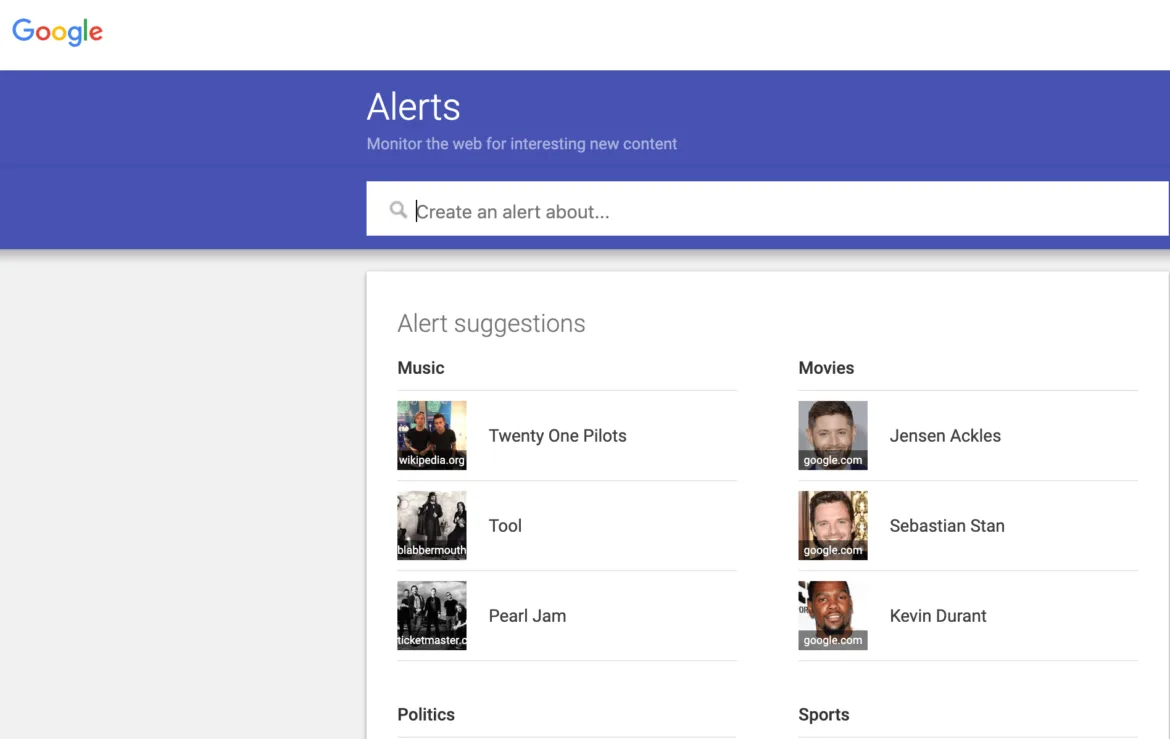
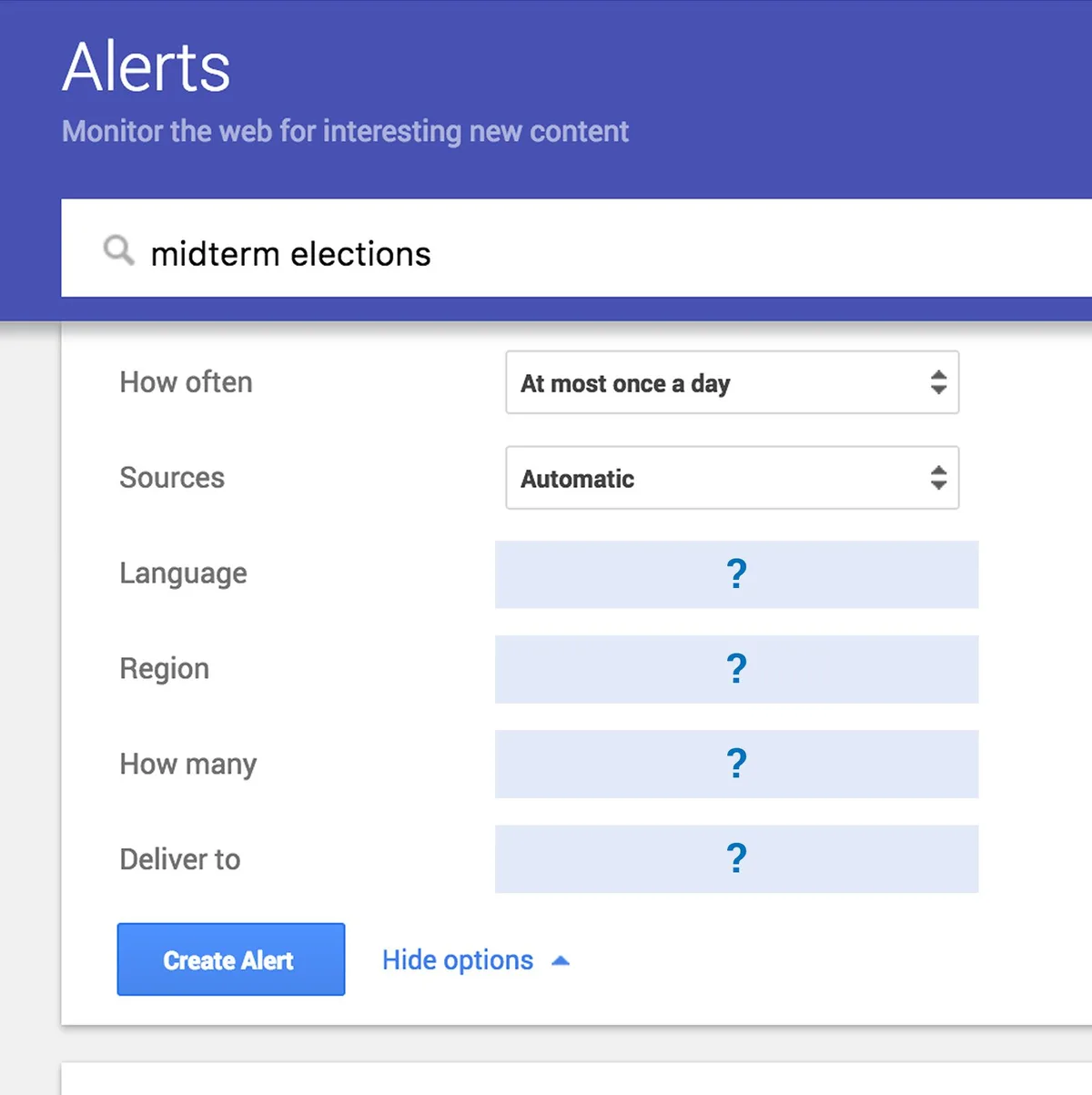
Type the phrase you want to monitor into the search box at the top of the page. Refining each detail of your alerts google strengthens this section. This is the single most important field, and most people fill it in too casually.
A good query is specific enough to be useful and broad enough to catch variations. “Acme Widgets” catches the exact brand name. “Acme Widgets” OR “AcmeWidget” OR “Acme Wdgets” catches the misspellings people actually type. Quotation marks force an exact phrase match, which cuts out a huge amount of noise.
Try this test before you save: paste your query into a normal Google search and look at the first page of results. Focusing on alerts google provides clear direction here. If half of them are irrelevant, your query needs work. If all of them are relevant, you’re on the right track.
Step 3: Choose Your Sources
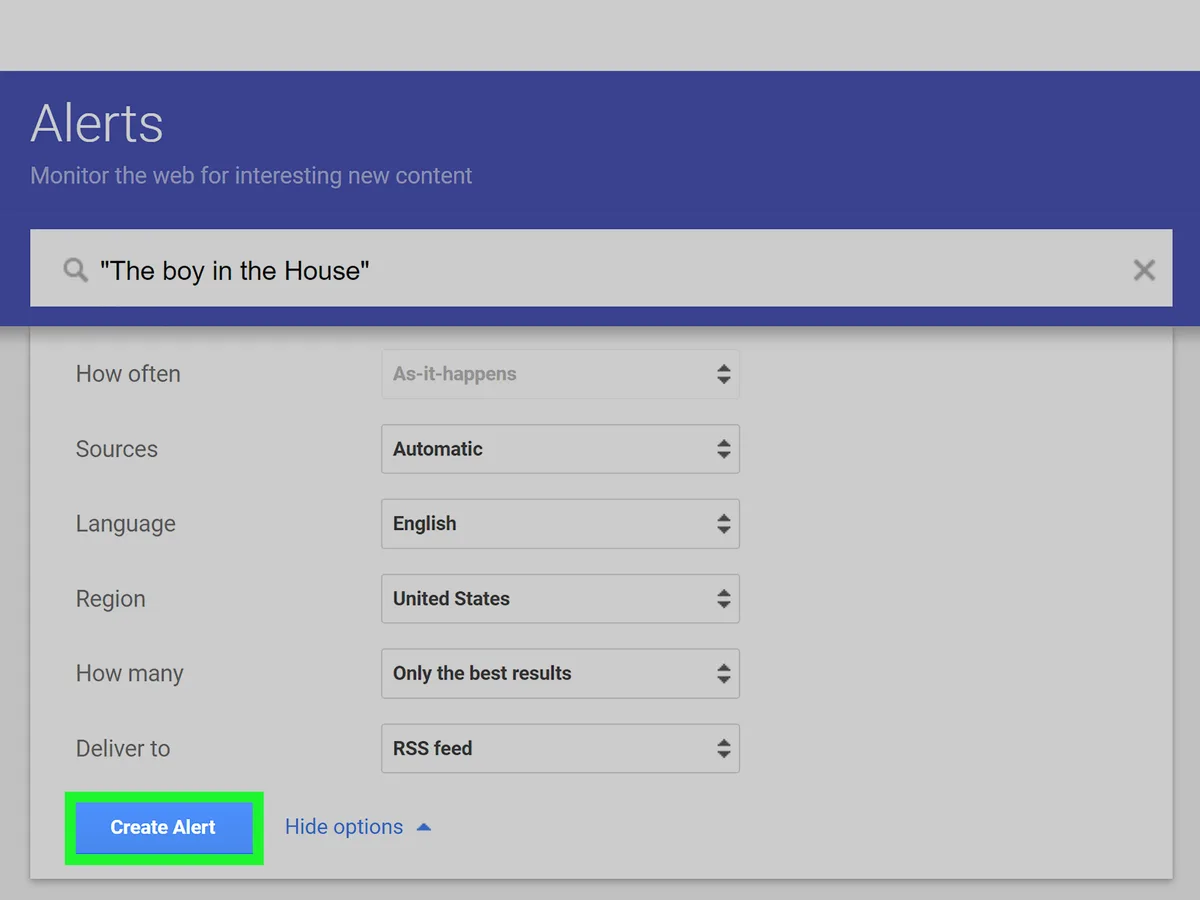
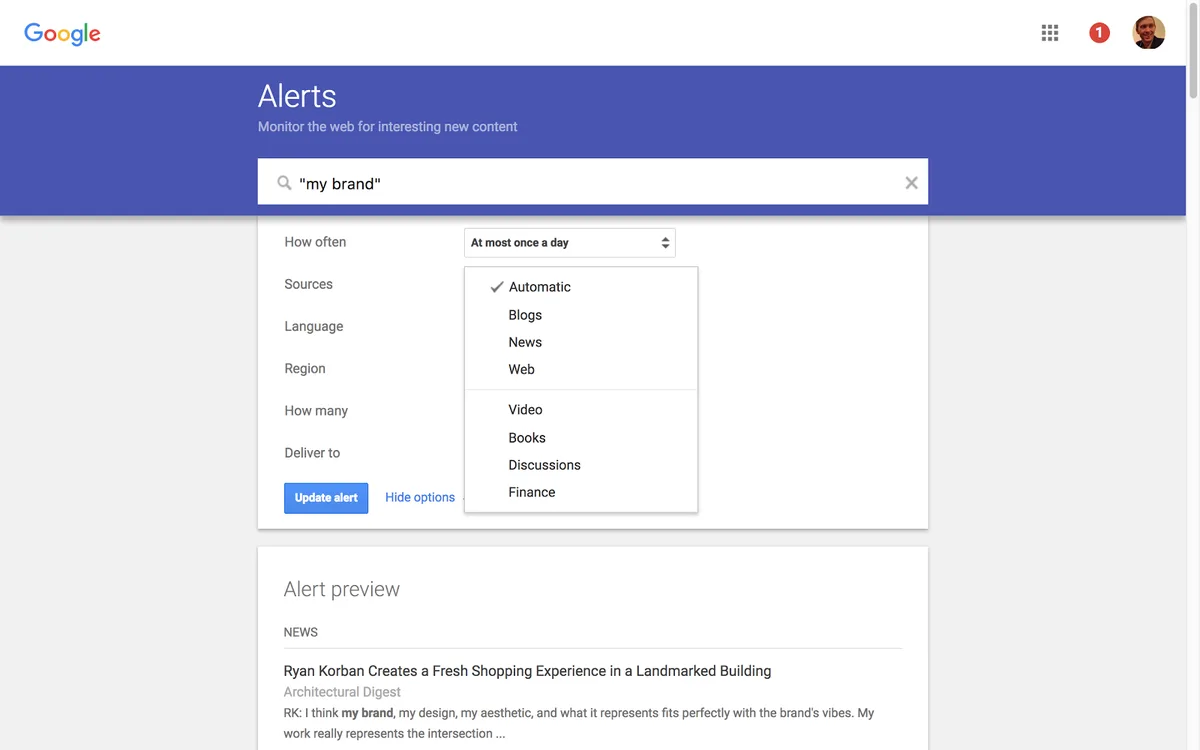
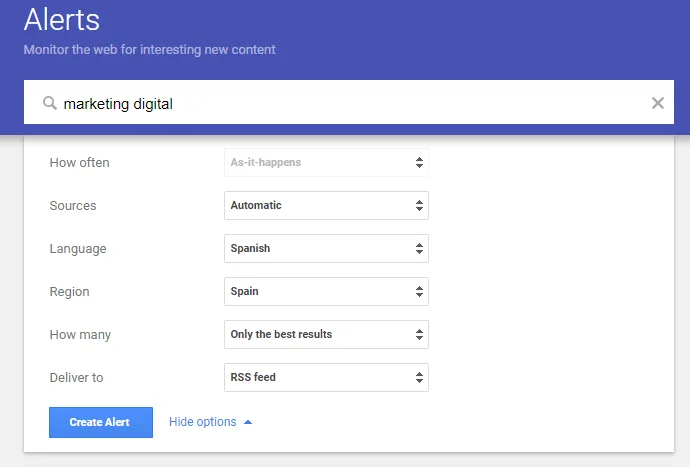
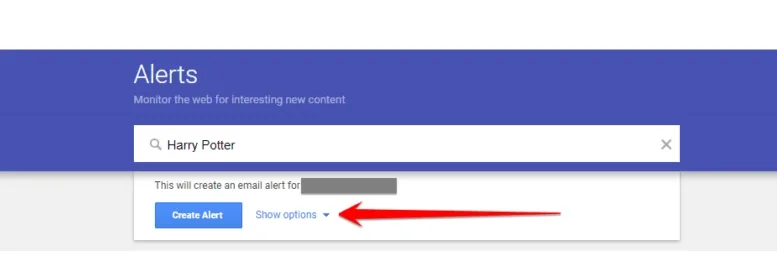
Click “Show options” to expand the settings panel. Effective execution in your alerts google makes a tangible difference. The first dropdown controls which sources Google checks. Your choices are Automatic, Blogs, News, Web, Video, Books, Discussions, and Finance.
Automatic is the default and it’s fine for most people starting out. But once you know what you’re looking for, narrowing sources sharpens the signal dramatically. A PR team tracking press coverage should choose News. A brand monitoring setup should use Web plus Discussions, since forum and Reddit mentions often appear before formal coverage.
Books and Finance are niche. Books is useful if you’re tracking whether your trademark or brand name appears in published material. Finance is useful for public companies tracking stock-related mentions.
Step 4: Set Language and Region
Language defaults to your account language, and Region defaults to “Any region.” If you operate in a single market, set the region explicitly. A US-based restaurant chain doesn’t need alerts google firing off mentions from Australia or the UK.
Multilingual businesses should create separate alerts per language. Maintaining clarity across your alerts google remains essential. A single alert set to “English” won’t catch Spanish-language press coverage, even if you operate in Miami or Los Angeles.
Step 5: Pick How Many Results and How Often
Two dropdowns here: How many (All results or Only the best results) and How often (As-it-happens, At most once a day, or At most once a week).
Here’s the honest guidance most tutorials skip. “As-it-happens” is tempting but it’s a firehose. If your query is broad, you’ll get an email every few minutes during a news spike. Use it only for high-priority terms like your brand name or a crisis keyword.
For everything else, “At most once a day” with “Only the best results” is the sweet spot. A thoughtful approach to alerts google reinforces your qualifications. It batches notifications, filters obvious junk, and keeps your inbox manageable. Weekly is fine for slow-moving topics like regulatory changes or academic mentions.
Step 6: Set Delivery Destination and Create
Enter the email address where you want alerts delivered, then click “Create Alert.” That’s it. The alert is live.
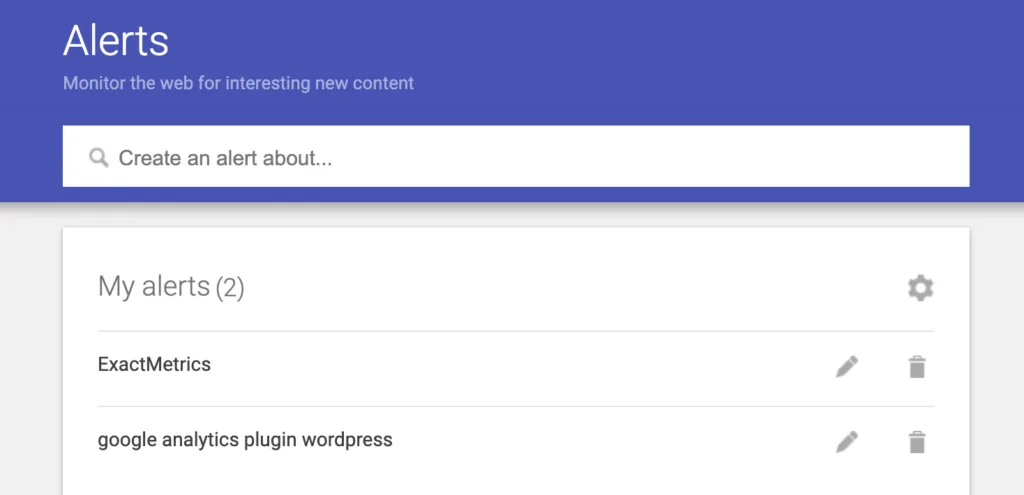
You can create dozens of alerts from the same account. The management page lists every alert with edit and delete icons, plus a gear icon that opens delivery settings for each one individually.
If you need to change an alert’s frequency later, you don’t have to delete and recreate it — just click the pencil icon.
| Field | Best For Brand Monitoring | Best For Content Research | Best For Competitor Tracking |
|---|---|---|---|
| Query | Exact brand name in quotes | Topic keyword plus modifiers | Competitor name plus product terms |
| Sources | Web + Discussions | Blogs + News | News + Web |
| Frequency | As-it-happens | Once a day | Once a day |
| Results | All results | Only the best | Only the best |
| Region | Your operating markets | Any region | Competitor’s main markets |
Query Operators That Make Alerts Google Actually Useful
Google Alerts supports a subset of standard Google search operators. Knowing which ones work — and which silently break your alert — is the difference between a useful feed and a wall of noise.
Operators That Work Reliably
Quotation marks are the big one. Refining each detail of your alerts google strengthens this section. Wrapping a phrase in quotes forces an exact match, so “acme widgets” won’t fire on “acme corporation widgets division.” That precision matters when your brand name is a common word.
The OR operator (must be uppercase) lets you combine variations in a single alert: “acme widgets” OR “acmewidget” OR “acme wdgets”. Structuring your alerts google around proven patterns ensures impact. This is the single most effective way to catch misspellings without creating five separate alerts.
The minus sign excludes terms. If your company is named “Anchor” and you’re drowning in maritime news, try Anchor -boat -ship -marine. Site: restricts to a domain, so site:reddit.com “your brand” catches Reddit mentions only. The intitle: operator restricts to page titles.
Operators That Break or Misbehave
Not everything from Google search works here. The wildcard asterisk is unreliable in alerts google — sometimes it works, sometimes it silently returns nothing. I’ve tested it across dozens of queries and the behavior is inconsistent enough that I don’t recommend relying on it.
Proximity operators like AROUND(X) don’t work. Neither do most advanced search modifiers you’d use in a research context. If a query returns zero results for a week, don’t assume there’s no news — test the same query in a normal Google search to confirm the operator is actually being honored.
One more gotcha: alerts google treat punctuation loosely. Hyphens, periods, and special characters are often ignored. If your brand has a hyphen, create alerts both with and without it.
Organizing Multiple Alerts Without Losing Your Mind
Once you’re past five or six alerts, inbox chaos becomes the real problem. Applying these principles to your alerts google yields measurable results. The fix isn’t fewer alerts — it’s a routing system.
Use Gmail Filters and Labels
Every alert email arrives from [email protected]. That makes filtering trivial. Create a Gmail filter that matches that sender, then apply labels based on keywords in the subject line.
I set up three labels for most clients: Brand, Competitors, and Industry. The filter checks the subject line for brand names or competitor names and routes accordingly. Everything else lands in Industry. This takes ten minutes to configure and saves hours over a year.
Turn off inbox notifications for the Industry label. Proper attention to your alerts google sets a strong baseline. You’ll check it once a day. Keep notifications on for Brand — that’s the one where speed matters.
Route to Slack, Notion, or a Spreadsheet
If your team lives in Slack, use Zapier or Make to forward alert emails into a dedicated channel. This is especially useful for PR and support teams who need shared visibility.
For content teams, a Zap that appends each alert to a Google Sheet or Notion database creates a running log of industry mentions. Over six months, that log becomes a research asset — you can spot trends, identify recurring sources, and build relationships with journalists who cover your space.
I’ve seen this pattern pay off repeatedly. A B2B client built a simple sheet from alerts google over two quarters and used it to identify five journalists who consistently covered their category. Those relationships turned into three earned media placements. The alerts cost nothing.
Common Mistakes With Alerts Google (And How to Fix Them)
Most alert setups fail for predictable reasons. Developing your alerts google with precision highlights key strengths. Here are the ones I see most often and the fix for each.
Mistake 1: Queries That are Too Broad
Monitoring “marketing” or “AI” or “crypto” is useless. You’ll get thousands of irrelevant hits and stop reading within a week. Narrow every query until the first page of a test search is at least eighty percent relevant.
The fix: add a qualifier. Instead of “AI,” try “AI regulation” or “AI hiring” or “AI compliance.” Instead of your industry, use your industry plus a specific term only insiders use.
Mistake 2: Too Many Alerts, No Prioritization
Creating forty alerts on day one feels productive. Clear alignment with your alerts google builds confidence from the start. It isn’t. You’ll get buried and eventually ignore everything. Start with three to five high-value alerts, get comfortable with the workflow, then expand.
Prioritize by consequence. Effective execution in your alerts google makes a tangible difference. A brand mention that could go viral matters more than a generic industry keyword. Build the critical alerts first.
Mistake 3: Never Checking the Spam Folder
Alert emails occasionally land in spam, especially if you have aggressive filters. Check the spam folder once a month for [email protected] and mark anything found as “not spam.” This is a five-second habit that prevents silent failures.
Mistake 4: Forgetting to Update Alerts
Alerts google don’t expire, but their relevance does. A competitor you tracked two years ago may have pivoted. A keyword that was hot may be dead. Set a quarterly reminder to review your alert list and prune anything that’s stopped being useful.
I keep a simple rule: if I haven’t clicked a link from an alert in sixty days, the alert gets deleted or rewritten. Integrating alerts google into your workflow produces consistent quality. No exceptions.
Advanced Use Cases for Alerts Google
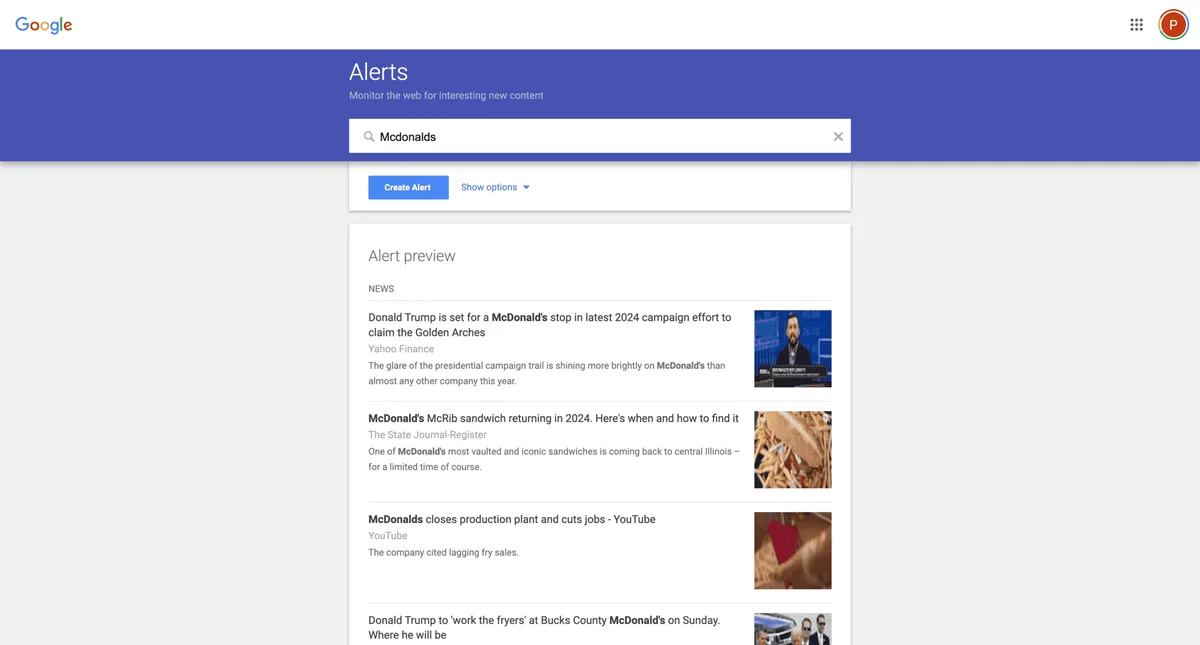
Once the basics are working, alerts google become a platform for some genuinely clever workflows. Here are the ones I’ve found most valuable across different business types.
Competitor Content and Pricing Monitoring
Set alerts for competitor brand names plus terms like “pricing,” “launch,” “update,” or “new feature.” You’ll catch announcements the day they go live, often before the competitor’s own email newsletter reaches you.
Combine this with alerts for competitor executive names. When a competitor’s VP of Product starts talking publicly about a new direction, that’s a signal worth tracking.
Lead Generation and Sales Triggers
Sales teams can use alerts google to monitor target accounts for buying signals. Set alerts for the company name plus “funding,” “hiring,” “expansion,” or “partnership.” A funding announcement is a strong signal that budget is about to open up.
This works especially well in B2B. Targeted refinements to your alerts google streamline the entire review. A SaaS client of mine built a target list of two hundred accounts and set daily alerts for each.
Their SDRs got a heads-up on funding rounds, executive hires, and product launches — all legitimate reasons to reach out with a relevant message.
Personal Brand and Executive Monitoring
Executives should monitor their own names. Not out of vanity, but because misattributed quotes, outdated bios, and old interviews can surface years later. An alert catches these early enough to request corrections.
Set alerts for your full name in quotes, your name plus your company, and your name plus common misspellings. If you speak at conferences or publish regularly, add your name plus “interview” or “quoted” to catch media mentions you might otherwise miss.
Regulatory and Compliance Tracking
Industries like finance, healthcare, and legal live and die by regulatory changes. Alerts google for your regulator’s name plus key terms keep you informed without requiring daily manual checks.
For example, a fintech compliance officer might set alerts for “SEC” plus relevant rule numbers, plus the names of key commissioners. A healthcare practice might track “CMS” plus reimbursement codes. The alerts surface changes as they’re reported, often days before official communications arrive.
How to Measure Whether Alerts Google are Working
Alerts aren’t a set-and-forget tool. They need a feedback loop. Here’s how I evaluate whether a client’s alert system is actually delivering value.
Track Action Rate, Not Volume
The metric that matters isn’t how many alerts you receive. Maintaining clarity across your alerts google remains essential. It’s how many you act on. If you get fifty alerts a week and act on zero, the system is failing.
Keep a simple tally for one month: alerts received, alerts opened, alerts acted on. If the act-on rate is below ten percent, your queries are too broad. If it’s above fifty percent, you might be missing coverage — consider broadening slightly or adding sources.
Watch for Silent Failures
Alerts google occasionally stop delivering without notice. This is rare but real. Once a quarter, run a manual Google search for your most important query and compare the results to what your alerts caught. If you find mentions your alerts missed, something is broken.
The most common cause is a query that Google has started interpreting differently. Rewriting the query usually fixes it.
Frequently Asked Questions About Alerts Google
Here is an in-depth breakdown of key considerations regarding this section:
Are Google Alerts Still Working?
Yes. The service is active and free. Delivery frequency varies by query volume, and some users report occasional delays during high-news periods, but it functions as intended for the vast majority of queries.
How Many Alerts Google Can I Create?
Google doesn’t publish a hard limit, but practical experience suggests you can run dozens without issue. Performance degrades with extremely broad queries, not with the number of alerts themselves.
Can I Get Alerts Anthropic Delivered to Slack?
Not natively. You’ll need an automation tool like Zapier, Make, or a custom script that parses alert emails and posts them to a Slack channel. The setup takes about fifteen minutes.
Why Am I Getting Irrelevant Results?
Almost always because the query is too broad or missing quotation marks. Add quotes around exact phrases and use the minus operator to exclude common false positives.
Do Alerts Google Cover Social Media?
Partially. The Discussions source catches some forum and Reddit content, but Twitter, Facebook, Instagram, and LinkedIn posts are largely outside the index. For social monitoring, pair alerts google with a dedicated social listening tool.
Can I Monitor a Competitor’s Website Changes?
Alerts google won’t tell you when a page changes — they only fire on new indexed content. For page-change monitoring, use a dedicated tool like Visualping or Distill.io alongside your alerts.
How Do I Stop Receiving Alerts?
Go to google.com/alerts, find the alert in your list, and click the trash icon. Alternatively, click the unsubscribe link at the bottom of any alert email, though this only removes that specific alert.
Are Alerts Google Available Outside the US?
Yes, the service works globally. Language and region settings let you tailor delivery to your market. Some users in certain regions report slower indexing for local content, but the core functionality is available everywhere.
Building a Monitoring Habit That Lasts
The best alert setup in the world is worthless if you stop checking it after two weeks. The trick is making the workflow so light that it survives busy periods.
My recommendation: dedicate ten minutes each morning to reviewing your Brand and Competitor alerts. Skim the Industry alerts once a week. Respond to anything urgent immediately; log everything else in a spreadsheet or Notion page for later reference.
That cadence — ten minutes daily, thirty minutes weekly — is enough to catch nearly everything that matters. It’s not glamorous, but it works. And it’s what separates teams that consistently respond to news from teams that find out about it three weeks late through a client email.
If you’re only going to do one thing after reading this, do this: set up three alerts google right now — your brand name in quotes, your top competitor’s name, and one industry keyword that matters to your business. Add more later. The habit is what counts.
For verified reference and background research, consult the authoritative informational resource on this topic.