If you have ever migrated a website, renamed a page, or cleaned up a messy URL structure, you have faced the redirect question head-on. Understanding 302 vs 301 for SEO is one of those foundational decisions that quietly shapes how Google treats your pages for months, sometimes years, after you make the switch.
Get it right and your rankings hold steady. Get it wrong and you can watch hard-earned traffic evaporate overnight, wondering why your best-performing page suddenly fell off the map. This guide walks through the mechanics, the myths, and the real-world scenarios where each redirect type wins.
What a Redirect Actually Does Behind the Scenes
Before comparing 302 vs 301 for SEO, it helps to understand what happens when a browser or crawler hits a redirected URL. The server sends an HTTP status code telling the client that the requested resource now lives somewhere else.
That code is not just a technical formality; it is a signal that Google, Bing, and every other crawler interprets differently depending on the number attached to it.
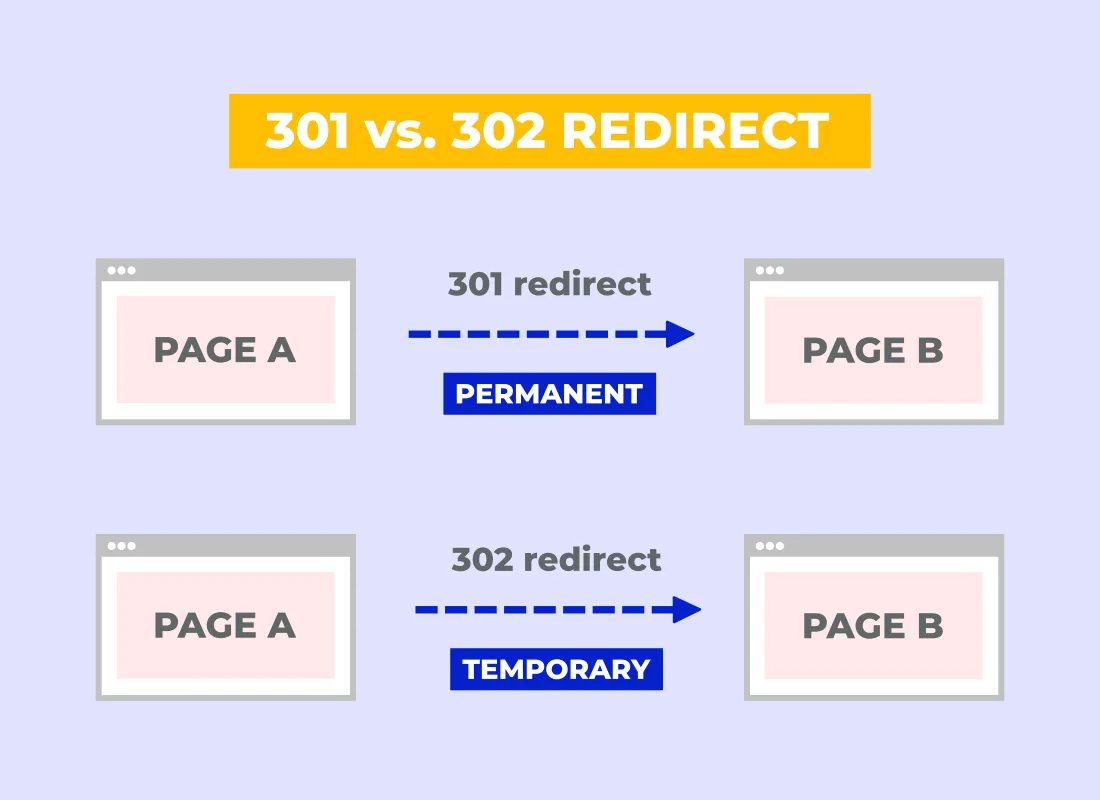
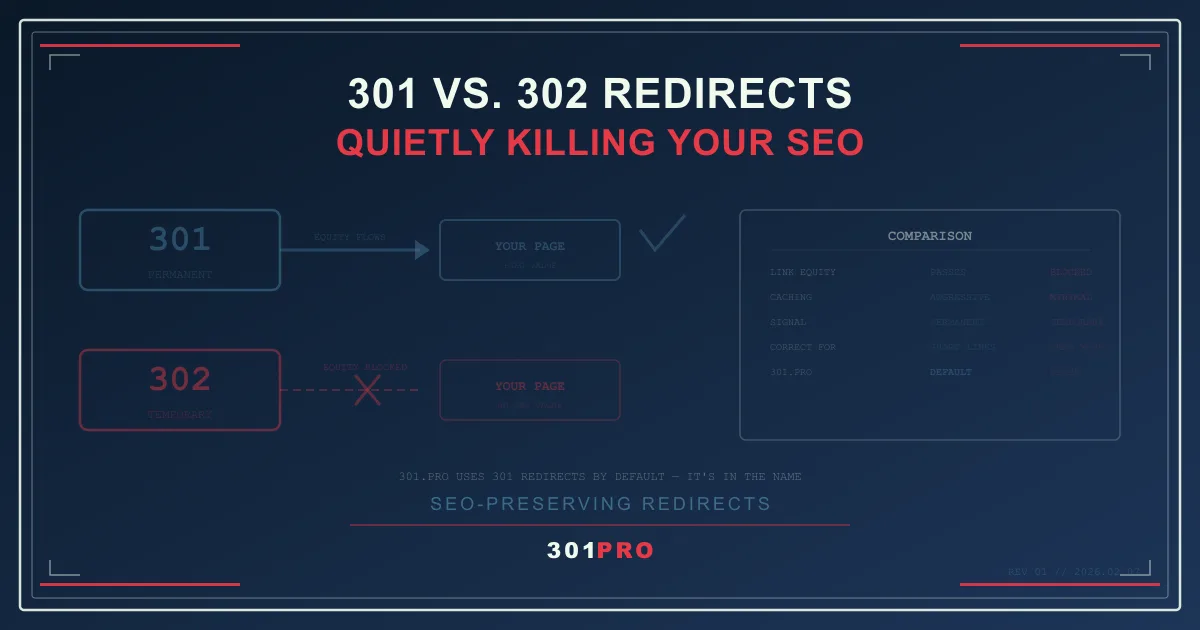
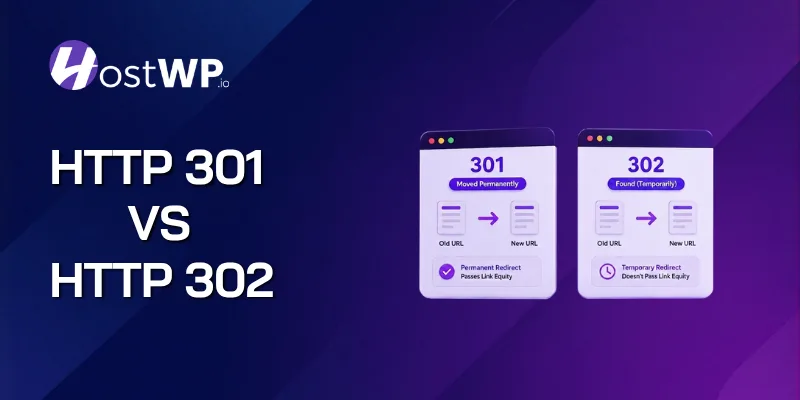
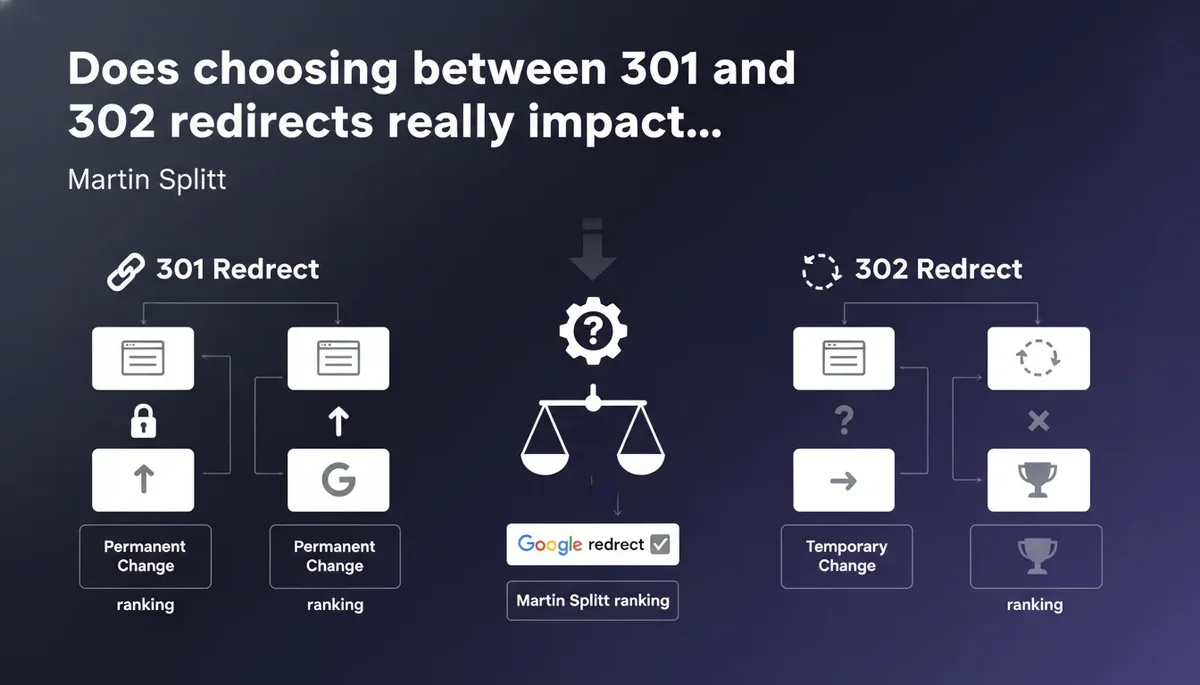
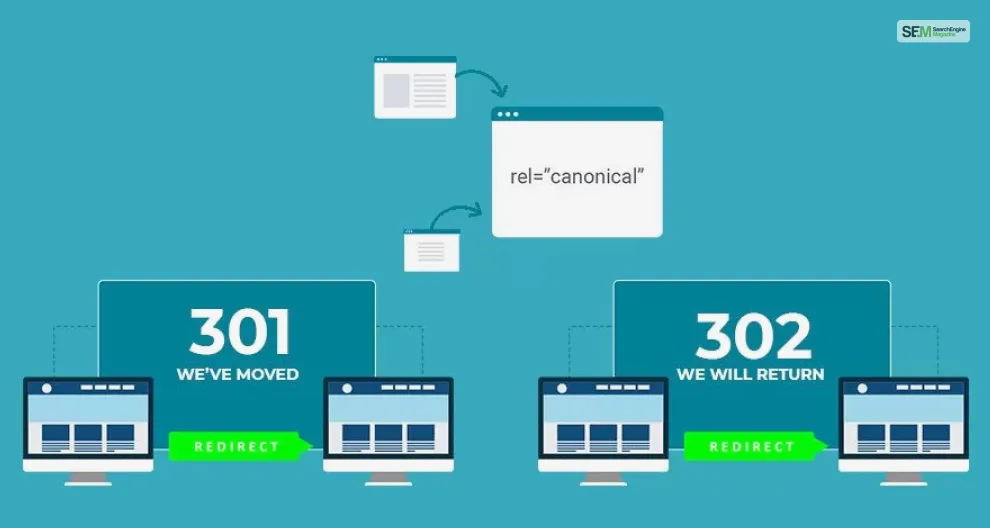
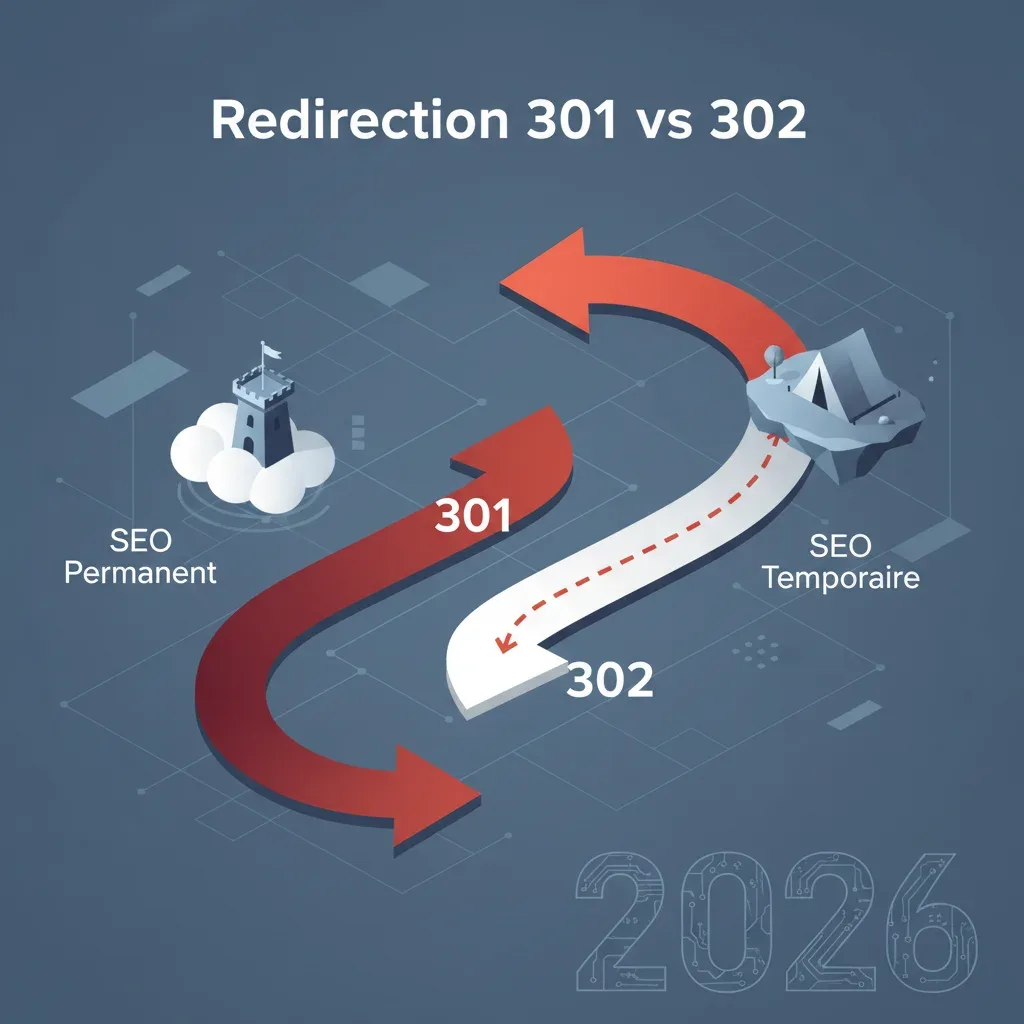
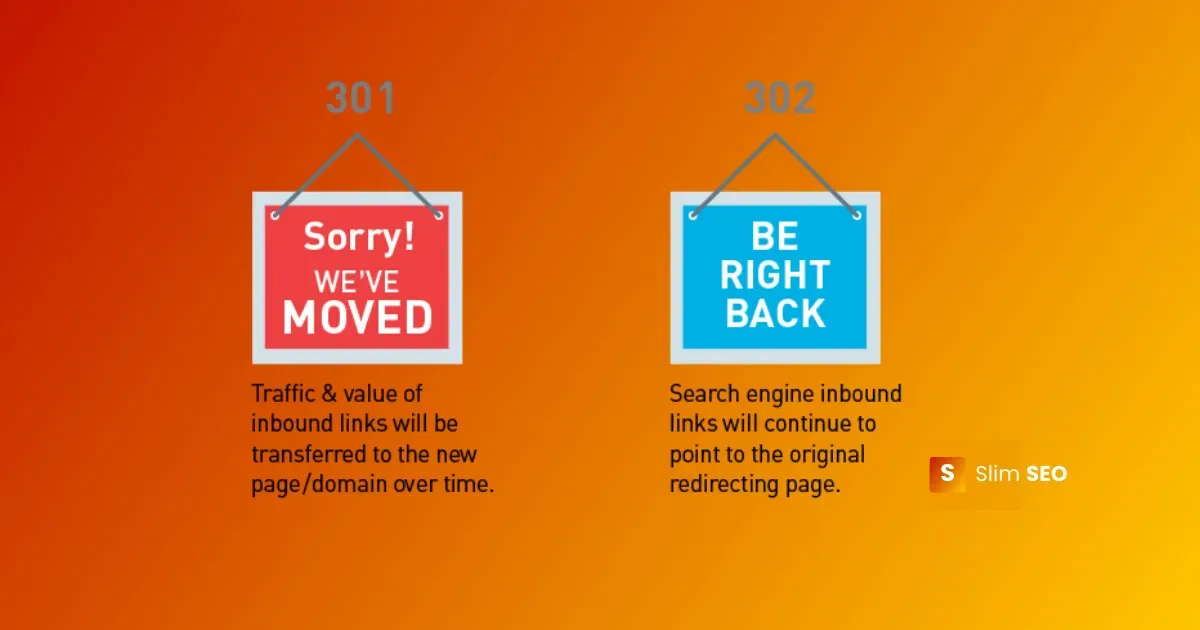
A 301 status code means “moved permanently.” A 302 means “found,” which translates to a temporary move. Same destination, different intent. That single word, permanent versus temporary, is the entire foundation of the 302 vs 301 for SEO debate.
When a crawler encounters a 301, it treats the original URL as retired. Link equity, ranking signals, and historical authority flow to the new destination. When it encounters a 302, the crawler assumes the original URL will return, so it keeps the original in its index and passes signals cautiously, if at all.
Why Search Engines Care About Permanence
Search engines build their entire ranking model on the assumption that URLs are stable identifiers. A permanent redirect tells the algorithm to update its records: this page is gone, follow the breadcrumb trail to the new home. A temporary redirect says the opposite: hold your position, this is just a detour.
That distinction matters enormously when you are consolidating duplicate content, retiring old product pages, or moving an entire domain. In each case, 302 vs 301 for SEO comes down to whether you want the crawler to update its index or simply pause and wait.
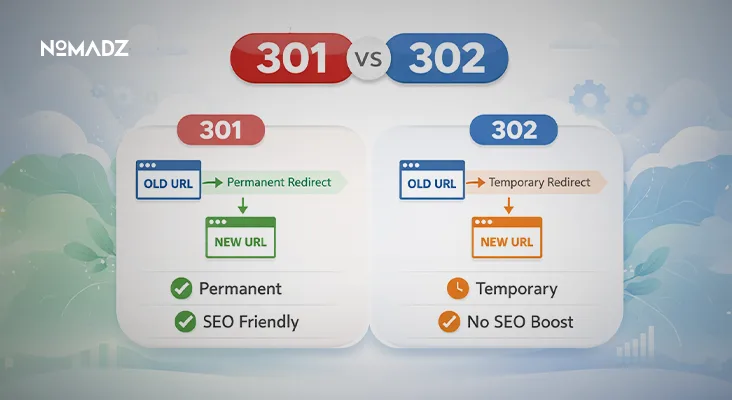
I have seen site owners use a 302 for a permanent blog migration and then wonder why the new URLs never gained traction. Focusing on 302 vs 301 for SEO provides clear direction here. Six months later, the old URLs still ranked, and the new ones sat in limbo.
That is not a bug in Google; it is the crawler doing exactly what the status code told it to do.
301 Redirects: the Permanent Signal Explained
A 301 redirect is the workhorse of technical SEO. It tells every crawler, browser, and third-party tool that the resource has moved for good. Once you set it, you generally do not need to revisit it unless your destination changes again.
The practical upside is clean signal transfer. Refining each detail of your 302 vs 301 for SEO strengthens this section. PageRank, backlinks, and topical relevance that pointed to the old URL get reassigned to the new one.
Google has confirmed this behavior repeatedly, and it remains one of the few technical SEO topics where the documentation is refreshingly unambiguous.
But 301s are not magic. Focusing on 302 vs 301 for seo provides clear direction here. They pass most, not all, of the original signal. A small percentage of link equity is lost in the handoff, which is why chaining redirects (A to B to C to D) is a bad idea. Each hop dilutes the transfer a little more.
When to Deploy a 301 Without Hesitation
Reach for a 301 whenever the move is final. That includes domain migrations, HTTPS upgrades, URL structure overhauls, and retiring content that will never come back. In each of these scenarios, the 302 vs 301 for SEO choice is not close.
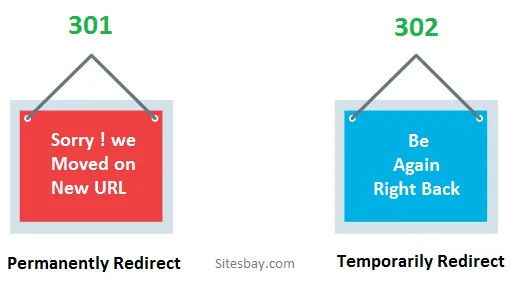
Consider a retailer who rebrands and moves from an old domain to a new one. Every old URL should 301 to its closest equivalent on the new domain. Anything less leaves ranking signals stranded on a domain that no longer serves content.
The same logic applies to consolidating thin pages. Effective execution in your 302 vs 301 for SEO makes a tangible difference. If you have five near-duplicate location pages and decide to merge them into one, the four retired URLs should 301 to the survivor. That preserves their combined authority instead of throwing it away.
302 Redirects: When Temporary Really Means Temporary
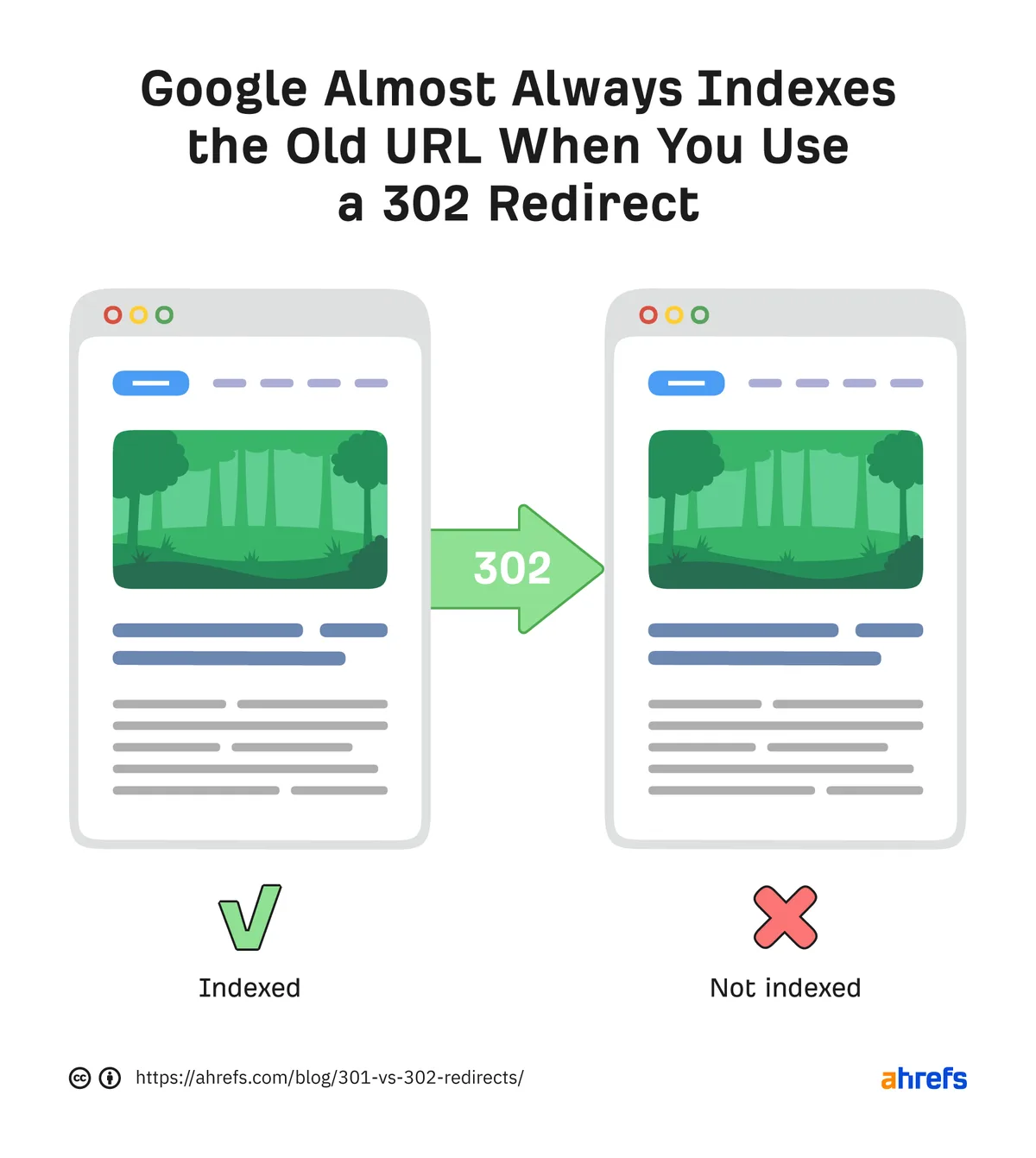
A 302 redirect tells crawlers to keep the original URL in the index. The destination page serves content to users, but the search engine treats the move as a short-term detour. Signals stay with the original URL.
This is exactly what you want during A/B tests, seasonal promotions, or geo-targeted campaigns where the original page will return. Refining each detail of your 302 vs 301 for seo strengthens this section. If you are running a limited-time sale and want users routed to a promo page, a 302 keeps your main product page’s rankings intact while the sale runs.
Where people go wrong is using 302s as a lazy default. Many CMS platforms and hosting panels make it easier to set a 302 than a 301, so site owners end up with temporary redirects scattered across permanent moves. That is where 302 vs 301 for SEO stops being a theoretical debate and starts costing real traffic.
The Hidden Cost of a Misapplied 302
Google has gotten better at detecting when a “temporary” redirect has been sitting in place for months. Maintaining clarity across your 302 vs 301 for SEO remains essential. In some cases, the algorithm will eventually treat it like a permanent move.
But “eventually” is doing a lot of work in that sentence, and the delay can last far longer than most site owners can afford.
Meanwhile, your backlinks keep pointing at the old URL, your internal links reference a page that no longer exists, and your analytics show a confusing split between the two. The 302 vs 301 for SEO confusion here is not just academic; it directly impacts how quickly your new page ranks.
My rule of thumb: if you cannot name the specific date the original page will come back, use a 301. Temporary redirects should have a calendar entry attached to them, or they should not exist.
How Google Handles Each Redirect Type Today
Google’s official documentation states that both 301 and 302 redirects are treated as signals, not absolute directives. In practice, when refining a 302 vs 301 for seo, though, the algorithm weighs them differently. A 301 is a strong hint that the move is permanent; a 302 is a strong hint that it is not.
John Mueller and other Google representatives have clarified over the years that the search engine can override a poorly chosen redirect if the evidence suggests otherwise. A thoughtful approach to 302 vs 301 for SEO reinforces your qualifications.
But relying on Google to clean up your mistakes is a terrible strategy. It is far better to pick the right code from the start.
What does this mean for 302 vs 301 for SEO in day-to-day practice? It means the 301 remains the safer default for anything you intend to keep. The 302 is a specialized tool for genuinely temporary situations, and it should be treated as such.
The Role of Canonical Tags in the Mix
Redirects and canonical tags often get confused, but they solve different problems. A redirect sends users and crawlers to a new URL. A canonical tag tells crawlers which version of a page is the “official” one when multiple URLs serve similar content.
Sometimes you use both. If you have a temporary redirect in place but want to signal that the destination is the preferred version, a canonical tag on the destination can reinforce that. This is where 302 vs 301 for SEO gets nuanced, and where testing matters more than dogma.
For most sites, though, keep it simple. Maintaining clarity across your 302 vs 301 for seo remains essential. Use 301s for permanent moves, 302s for temporary ones, and canonicals for duplicate content that lives at multiple URLs simultaneously. Mixing the three without a clear plan usually creates more problems than it solves.
Link Equity and the 302 vs 301 for SEO Trade-Off
Link equity, sometimes called link juice, is the ranking value passed from one page to another through hyperlinks. Structuring your 302 vs 301 for SEO around proven patterns ensures impact. When you redirect a URL, you are essentially telling the crawler to route that equity to a new destination. How much gets through depends on the redirect type.
A 301 passes the vast majority of link equity to the destination. A 302, by design, keeps the equity attached to the original URL because the crawler assumes the original will return. That is the core 302 vs 301 for SEO trade-off in a nutshell.
If your goal is to consolidate authority onto a new page, a 302 works against you. If your goal is to preserve the original page’s authority while routing users elsewhere temporarily, a 302 is exactly right.
A Real Migration Example
Picture a SaaS company that rebrands its flagship product. The old product page has accumulated hundreds of backlinks from review sites, blog posts, and partner pages. The new page launches on a fresh URL.
If the team sets a 301, the new page inherits that backlink profile within weeks. Applying these principles to your 302 vs 301 for SEO yields measurable results. Rankings for the product’s core keywords stabilize, and organic traffic holds.
If they accidentally set a 302, the new page starts from scratch while the old URL keeps hoarding the equity.
I have watched this exact scenario play out. The team assumed the CMS default was a 301. It was not. Three months of flat traffic later, they discovered the mistake, switched to a 301, and watched rankings recover within a month. That is the 302 vs 301 for SEO lesson in its most expensive form.
Common Scenarios and the Right Redirect for Each
Theory is useful, but most people searching for 302 vs 301 for SEO guidance want a decision table. Here is how the choice breaks down across the situations site owners actually face.
| Scenario | Recommended Redirect | Why |
|---|---|---|
| Domain migration | 301 | Permanent move; preserve all link equity |
| HTTP to HTTPS upgrade | 301 | Protocol change is permanent |
| URL slug change | 301 | Old slug will not return |
| A/B test variant | 302 | Original page returns after test |
| Seasonal promo page | 302 | Temporary campaign |
| Geo-targeted routing | 302 | Users see different versions by location |
| Login-gated content | 302 | Access depends on session state |
| Retiring thin content | 301 | Consolidate into a stronger page |
| Site maintenance page | 302 | Original returns after maintenance |
| Consolidating duplicate pages | 301 | Permanent merge |
Notice the pattern. Anything permanent gets a 301. Anything genuinely temporary gets a 302. The 302 vs 301 for SEO decision rarely requires more nuance than that, despite what you might read in overcomplicated forum threads.
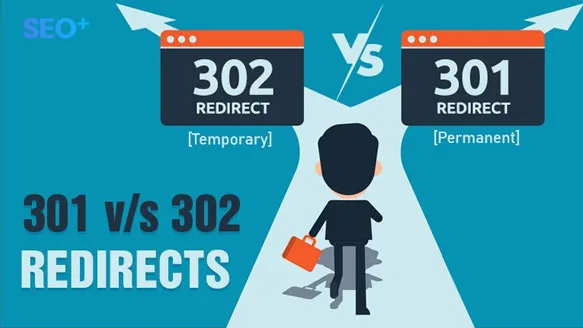
The trap is misclassifying a permanent move as temporary, usually because the site owner is not sure yet. If you are unsure, lean toward 301. You can always change it later, and the cost of a wrong 301 is far lower than the cost of a wrong 302.
Edge Cases Worth Knowing
A few situations blur the line. Password-protected pages, for instance, often use 302s because the redirect depends on authentication state. That is correct usage, not a mistake.
Another edge case involves multi-language sites. Proper attention to your 302 vs 301 for SEO sets a strong baseline. If a user is routed to a language-specific version based on browser settings, a 302 is usually appropriate because the routing is contextual, not permanent.
For everything else, the 302 vs 301 for SEO answer is refreshingly consistent. Permanent intent, permanent redirect. Temporary intent, temporary redirect.
Chained Redirects and Why They Hurt Performance
A redirect chain happens when URL A redirects to B, which redirects to C, which finally lands on D. A thoughtful approach to 302 vs 301 for seo reinforces your qualifications. Each hop adds latency and dilutes link equity a little further. Google has confirmed that chains are not fatal, but they are far from ideal.
The 302 vs 301 for SEO conversation often ignores chains, but they matter. A chain of 302s is worse than a chain of 301s because the crawler never gets a clear signal about the final destination.
Audit your redirects periodically. Tools like Screaming Frog and the built-in reports in most SEO platforms will flag chains automatically. Fixing them usually means collapsing the chain into a single redirect from A directly to D.
How to Audit Redirects Without Losing Your Mind
Start with a crawl of your site. Developing your 302 vs 301 for SEO with precision highlights key strengths. Export every URL that returns a 3xx status code. Then map each one to its final destination and count the hops.
Any chain longer than two hops deserves a fix. Any 302 that has been in place for more than a few weeks deserves a review. And any redirect pointing to a 404 is an emergency, because it is actively wasting link equity and frustrating users.
I usually run this audit quarterly for client sites. It takes an hour, catches problems early, and prevents the slow bleed of authority that accumulates when redirects are left unattended. The 302 vs 301 for SEO choice is only the first step; maintaining the redirect map is the ongoing work.
Redirects and Core Web Vitals
Every redirect adds a round trip between the browser and the server. Structuring your 302 vs 301 for seo around proven patterns ensures impact. On a fast connection, that is milliseconds. On a slow mobile connection, it can add noticeable delay. Since Core Web Vitals factor into rankings, redirect performance is not purely a link equity question.
A single 301 or 302 is negligible. A chain of four redirects before the user lands on the final page is a real problem, especially for Largest Contentful Paint. This is another reason the 302 vs 301 for SEO debate should include performance considerations, not just signal transfer.
The fix is straightforward. Clear alignment with your 302 vs 301 for SEO builds confidence from the start. Keep redirects to a single hop whenever possible, and audit regularly. If your site has accumulated years of redirects from old campaigns, clean them up. Your users and your rankings will both benefit.
Server-Side vs Client-Side Redirects
Server-side redirects, implemented via HTTP status codes, are what this entire discussion has focused on. They are fast, crawler-friendly, and unambiguous.
Client-side redirects, usually done with JavaScript or meta refresh tags, are a different beast. They are slower, less reliable for crawlers, and generally should be avoided for SEO-critical moves. If you must use one, treat it as a fallback, not a primary strategy.

The 302 vs 301 for SEO conversation assumes server-side implementation. If your redirects are happening in JavaScript, you have a bigger problem to solve first.
How to Implement a 301 or 302 Correctly
Implementation details vary by server and CMS, but the principles are universal. Integrating 302 vs 301 for SEO into your workflow produces consistent quality. The redirect should return the correct status code, point to the correct destination, and be applied at the server level.
On Apache, you use the.htaccess file with Redirect or RewriteRule directives. Applying these principles to your 302 vs 301 for seo yields measurable results. On Nginx, you configure the server block. On most CMS platforms, dedicated redirect plugins or built-in tools handle the heavy lifting.
Whatever the method, test it. Use curl or an online header checker to confirm the status code is what you intended. A misconfigured redirect that returns a 200 instead of a 301 is a silent killer of link equity.
A Quick Verification Checklist
- Check the status code. Confirm it returns 301 or 302, not 200 or 404.
- Check the destination. Make sure it points to the intended page, not a stub or a 404.
- Check for chains. Verify the redirect lands in one hop, not three.
- Check internal links. Update any internal links pointing to the old URL so they go directly to the new one.
- Check the sitemap. Remove the old URL and add the new one.
- Check Search Console. Monitor the change of address report if you migrated a domain.
This checklist takes ten minutes per redirect and saves months of confusion. The 302 vs 301 for SEO decision is only as good as its implementation, and implementation errors are far more common than strategy errors.
Redirects and Search Console Reporting
Google Search Console will show you how redirects are being processed, but the reporting is not always intuitive. Targeted refinements to your 302 vs 301 for SEO streamline the entire review. The “Pages” report in the indexing section categorizes URLs by status, and redirected URLs typically appear under “Page with redirect.”
That label is not a penalty. It simply means Google has seen the redirect and is handling it. If the destination page is indexed and ranking, the redirect is working as intended.
What you want to watch for is the old URL lingering in the index for too long. Proper attention to your 302 vs 301 for seo sets a strong baseline. If a 301 has been in place for months and the old URL still appears in search results, something is off. Check for canonical conflicts, noindex tags on the destination, or redirect chains that are confusing the crawler.
Interpreting the Data Without Panicking
Traffic dips after a migration are normal. Even a perfectly executed 301 migration usually sees a temporary drop of 10-20% before recovery. The 302 vs 301 for SEO choice affects how long that dip lasts, but it does not eliminate it.
Give it four to six weeks before drawing conclusions. If traffic has not started recovering by then, audit the redirects, check for technical issues, and verify that the new URLs are actually indexed.
I have seen site owners panic at week two and start reversing redirects, which is the worst possible move. Patience is part of the process. The 302 vs 301 for SEO groundwork you laid will pay off, but not overnight.
When a 302 is Actually the Better Choice
Despite the strong preference for 301s in most SEO advice, there are legitimate cases where a 302 is the smarter play. The 302 vs 301 for SEO decision is not “301 always wins”; it is “match the redirect to the intent.”
Consider a news site running a live event blog. During the event, the main article URL redirects to a live-updating page. After the event ends, the redirect is removed and the original article returns. A 302 is exactly right here.
The same applies to flash sales, limited-time offers, and any campaign where the original page will definitely return. Developing your 302 vs 301 for seo with precision highlights key strengths. Using a 301 in these cases would be a mistake because it would tell Google the original page is gone forever.
Temporary Redirects in E-Commerce
Online stores use 302s more than most site types. Product pages that go out of stock temporarily, seasonal category pages, and geo-specific storefronts all benefit from temporary redirects.
But e-commerce is also where misapplied 302s cause the most damage. A discontinued product page that 302s to a category page instead of 301ing will keep the old URL in the index indefinitely, splitting authority between two pages that should be consolidated.
The 302 vs 301 for SEO rule for e-commerce: if the product is coming back, 302. If it is gone for good, 301. There is no middle ground that works well.
The Myth of the “302 Penalty”
You will find forum posts claiming Google penalizes 302 redirects. Clear alignment with your 302 vs 301 for seo builds confidence from the start. That is not accurate. Google does not penalize 302s; it simply treats them differently. The confusion comes from site owners who used 302s for permanent moves and saw their rankings suffer.
What looked like a penalty was actually a failure to transfer link equity. The 302 did its job; the site owner chose the wrong tool. 302 vs 301 for SEO is a matter of matching intent, not avoiding punishment.
Google’s own documentation is clear on this. Both redirect types are supported. Both are handled correctly. The difference is in how signals are routed, not in whether the redirect is “allowed.”
Where the Myth Comes From
The myth likely originated in the early 2000s, when search engines were less sophisticated about interpreting redirect intent. Back then, a 302 could genuinely confuse crawlers and lead to indexing issues.
Modern search engines are far better at inferring intent. Integrating 302 vs 301 for seo into your workflow produces consistent quality. They can look at the duration of a redirect, the content of the destination, and other signals to decide whether a “temporary” redirect is actually permanent. But that inference is not instant, and it is not guaranteed.
The 302 vs 301 for SEO takeaway: do not rely on Google to correct your mistakes. Use the right code from the start, and you never have to worry about the myth at all.
Redirects for Mobile and Responsive Sites
Responsive design eliminated most mobile-specific redirects, but some sites still use them. If your mobile site lives on a separate subdomain, you likely have redirects routing mobile users to the m-dot version.
These redirects are typically 302s because the routing is contextual, based on user agent. That is correct usage, but it is also a legacy pattern. Google now recommends responsive design over separate mobile URLs for exactly this reason.
If you are still running a separate mobile site, the 302 vs 301 for SEO question is less relevant than the bigger question of whether you should migrate to responsive design. Most sites should.
Device Detection and Redirect Logic
Some sites use 302s to route users based on device type, location, or language. Targeted refinements to your 302 vs 301 for seo streamline the entire review. This is fine as long as the routing is genuinely contextual and the original URL serves content to some users.
The risk is over-routing. If every user gets redirected somewhere, crawlers may struggle to find the canonical version. Keep device-based redirects minimal and always ensure the desktop version is crawlable.
For 302 vs 301 for SEO purposes, treat device routing as a temporary redirect by default. It is contextual, not permanent, and the 302 code reflects that.
Measuring the Impact of Your Redirect Choice
Once a redirect is in place, how do you know if you made the right call? The answer lies in three metrics: indexation, rankings, and traffic.
Indexation tells you whether the new URL has been picked up by Google. Rankings tell you whether it is competing for the same keywords. Traffic tells you whether users are finding it. Together, these three paint a clear picture of whether your 302 vs 301 for SEO choice is working.
If the new URL is indexed, ranking, and pulling traffic within a few weeks, you chose correctly. Focusing on 302 vs 301 for seo provides clear direction here. If it is indexed but not ranking, you may have a signal transfer problem. If it is not indexed at all, you have a technical issue that needs immediate attention.
Tools for Tracking Redirect Performance
Google Search Console is the primary tool. The URL Inspection tool lets you check individual URLs, and the Pages report gives you a site-wide view.
Third-party tools like Ahrefs, Semrush, and Moz can track backlink profiles across redirects, showing you how equity is moving. Screaming Frog is excellent for auditing the redirect map itself.

For the 302 vs 301 for SEO evaluation, combine at least two sources. Search Console tells you what Google sees; a backlink tool tells you what the rest of the web sees. When both align, you have confidence in the result.
Redirects and International SEO
International sites face a unique redirect challenge. Refining each detail of your 302 vs 301 for seo strengthens this section. When you have multiple language versions of the same content, redirects can either clarify or confuse the crawler’s understanding of which version serves which audience.
Hreflang tags handle most of the heavy lifting here, but redirects still play a role. If a user lands on a URL that does not match their language, a 302 to the appropriate version is often the right move.
The 302 vs 301 for SEO question in international contexts usually leans toward 302 because the routing is contextual. The original URL is not gone; it is simply being redirected based on user context.
Handling Country-Specific Domains
If you run separate country domains, like example.com and example.co.uk, redirects between them should be rare. Each domain should serve its own audience without cross-redirects.
When you do need to consolidate, use 301s. If you are retiring a country-specific domain entirely, every URL on it should 301 to its equivalent on the primary domain. This is a permanent move, and the 302 vs 301 for SEO choice is clear.
What you should not do is 302 between country domains for “geo-routing” purposes. Effective execution in your 302 vs 301 for seo makes a tangible difference. That creates confusion for both users and crawlers, and it rarely delivers the personalization benefit site owners expect.
Frequently Asked Questions About 302 vs 301 for SEO
Here is an in-depth breakdown of key considerations regarding this section:
Does a 302 Redirect Pass Any Link Equity at All?
Google has stated that 302s can pass link equity, but the signals are weaker and less consistent than with a 301. In practice, when refining a 302 vs 301 for SEO, you should not rely on a 302 to transfer authority. If equity transfer is your goal, use a 301.
The 302 vs 301 for SEO distinction here is important: 302s are designed to preserve the original URL’s signals, not to transfer them. Expecting a 302 to consolidate authority is a misunderstanding of what the code is for.
How Long Can a 302 Stay in Place Before It Becomes a Problem?
There is no hard cutoff, but anything beyond a few weeks starts to raise questions. If the redirect is genuinely temporary, it should have a defined end date. If it does not, you probably should have used a 301.
Google may eventually treat a long-standing 302 as permanent, but “eventually” could mean months. During that window, your new URL is not getting the signal it needs. The 302 vs 301 for SEO rule of thumb: if you cannot name the return date, use a 301.
Can I Change a 302 to a 301 Later?
Yes, and you should if the move turns out to be permanent. Changing the status code is a simple configuration update. Once you switch, Google will begin treating the redirect as permanent and transfer signals accordingly.
The catch is that any time spent as a 302 is time the new URL was not accumulating authority. Maintaining clarity across your 302 vs 301 for seo remains essential. Switching sooner is better.
If you realize within a week that a move is permanent, fix it immediately rather than waiting for the “right” moment.
Do Redirects Affect Page Speed and Core Web Vitals?
A single redirect adds a small amount of latency, usually measured in milliseconds. That is negligible for Core Web Vitals. Chains of redirects, however, can add up and hurt Largest Contentful Paint, especially on mobile connections.
Keep redirects to a single hop. Audit chains regularly. The 302 vs 301 for SEO performance impact is minimal when redirects are implemented cleanly, and significant when they are not.
What Happens if I Use a 302 for a Permanent Move by Mistake?
Your new URL will serve content to users, but it will not inherit the old URL’s ranking signals. A thoughtful approach to 302 vs 301 for seo reinforces your qualifications. The old URL stays in the index, and the new one struggles to gain traction. Rankings for the migrated content typically stagnate.
The fix is to switch to a 301 as soon as you notice. Recovery usually takes a few weeks to a few months, depending on how long the 302 was in place and how much authority was at stake. The 302 vs 301 for SEO mistake is recoverable, but the recovery is not instant.
Are There Any Cases Where a 301 is the Wrong Choice?
Yes. If the original page will return, a 301 is wrong because it tells Google the page is gone forever. A/B tests, seasonal promos, and maintenance pages should all use 302s.
The 302 vs 301 for SEO decision is about matching the redirect to the intent. A 301 on a temporary move can cause just as much damage as a 302 on a permanent one, because it signals a permanent change that never actually happens.
How Do I Test Whether My Redirect is Working?
Use a header checker tool or curl to confirm the status code. Then check that the destination URL returns a 200 and serves the expected content. Finally, monitor Search Console over the following weeks to confirm indexation and ranking changes.
For 302 vs 301 for SEO verification, the process is identical. The only difference is what you expect to see: with a 301, the new URL should gain authority; with a 302, the old URL should retain it.
Building a Redirect Strategy That Scales
Individual redirect decisions matter, but a coherent strategy matters more. Structuring your 302 vs 301 for seo around proven patterns ensures impact. Sites with hundreds or thousands of redirects need a system for managing them, not just a series of one-off fixes.
Start by documenting every redirect in a central log. Include the source URL, destination URL, status code, date created, and the reason for the redirect. This log becomes your reference when auditing or troubleshooting.
Next, establish a default policy. For most sites, the default should be 301 for anything permanent and 302 only when there is a specific, time-bound reason. This removes ambiguity and prevents the 302 vs 301 for SEO confusion that plagues many migrations.
Automating Redirect Management
For large sites, manual redirect management does not scale. Redirect plugins, server-level rules, and CDN configurations can all help, but they need governance. Someone has to own the redirect map.
If you are on WordPress, plugins like Redirection or Rank Math handle the mechanics. Applying these principles to your 302 vs 301 for seo yields measurable results. On custom stacks, you may need a middleware layer or a dedicated redirect service. Whatever the tool, the principles remain the same: correct status codes, single hops, and regular audits.
The 302 vs 301 for SEO choice is easy when you have a policy. It is hard when every redirect is a fresh debate. Build the policy, and the decisions become routine.
Mistakes That Cost Real Traffic
I have reviewed hundreds of redirect setups over the years, and the same mistakes show up again and again. Knowing them in advance can save you months of recovery.
- Using 302 as the CMS default. Many platforms default to 302 for new redirects. Site owners set them and forget them, not realizing the default is wrong for permanent moves.
- Redirecting to irrelevant pages. Sending a retired product page to the homepage instead of a relevant category page dilutes relevance and frustrates users.
- Chaining redirects. A to B to C to D loses equity at every hop. Collapse the chain into A to D.
- Forgetting internal links. Internal links pointing to old URLs create unnecessary redirects. Update them to point directly to the new destination.
- Ignoring the sitemap. Old URLs in the sitemap confuse crawlers. Remove them and add the new ones.
- Not monitoring Search Console. Without monitoring, you will not know a redirect is broken until traffic has already dropped.
- Reversing redirects too soon. Migration dips are normal. Reversing before recovery has had time to happen makes things worse.
- Redirecting to 404s. A redirect that points to a non-existent page is worse than no redirect at all.
Each of these mistakes has a fix, but the fix takes longer than doing it right the first time. The 302 vs 301 for SEO decision is the foundation; these mistakes are what happen when the foundation is shaky.
A Recovery Story Worth Remembering
A client once came to me after a botched migration. They had moved 4,000 product pages to a new URL structure using 302s because the developer thought “temporary” was safer. Six months later, organic traffic was down 40%.
We audited the redirects, switched every permanent move to a 301, updated internal links, and resubmitted the sitemap. Recovery took three months, but it happened. The lesson was expensive, and it all came down to the 302 vs 301 for SEO choice.
If there is one takeaway from that experience, it is this: the redirect type is not a minor detail. It is the difference between a smooth migration and a slow-motion traffic disaster.
Advanced Considerations for Large Sites
Large sites face redirect challenges that small sites do not. With thousands or millions of URLs, even a small percentage of misconfigured redirects adds up to significant lost authority.
At scale, you need automation. Manual review of every redirect is not feasible. Instead, build rules that classify URLs by type and apply the correct status code automatically. Product pages get 301s, campaign pages get 302s, and so on.
The 302 vs 301 for SEO logic at scale is the same as at small scale; it is just applied through rules instead of individual decisions. Get the rules right, and the redirects take care of themselves.
Log File Analysis for Redirect Health
Server log files show you exactly how crawlers are interacting with your redirects. If Googlebot is hitting a 302 repeatedly over months, that is a signal the redirect should probably be a 301.
Log analysis is underused in most SEO programs, but it is invaluable for redirect auditing. Tools like Screaming Frog Log File Analyser or custom scripts can surface patterns that are invisible in standard reports.
For 302 vs 301 for SEO troubleshooting, logs are the ground truth. They show what actually happened, not what you intended to happen.
How Redirects Interact With Other SEO Signals
Redirects do not exist in isolation. They interact with canonical tags, hreflang, sitemaps, internal linking, and content quality. A perfect redirect on a weak page still will not rank.
Combining Redirects With Content Consolidation
Here is an overview of the key details and practical takeaways for Combining Redirects With Content Consolidation:
Redirects and the User Experience
Handling 404s versus Redirects
Explore the primary elements and practical considerations regarding Handling 404s versus Redirects below:
Practical Tips from Years of Redirect Work
- Default to 301. Unless you have a specific reason for a 302, use a 301. The cost of being wrong is lower.
- Set a calendar reminder for every 302. If the redirect is temporary, the return date should be tracked. Untracked 302s become permanent by accident.
- Audit quarterly. Redirects drift. URLs change, destinations break, chains form. Regular audits catch problems before they compound.
- Update internal links. Do not rely on redirects for internal navigation. Point internal links directly at the destination.
- Test with real crawlers. Use curl or a header checker, not just a browser. Browsers hide status codes.
- Document everything. A redirect log saves hours of troubleshooting later.
- Watch Search Console weekly after a migration. Early detection of problems shortens recovery time.
- Do not reverse redirects prematurely. Give migrations four to six weeks before evaluating.
What to Do When You Inherit a Messy Redirect Setup
The following points outline what you need to know about What to Do When You Inherit a Messy Redirect Setup:
The Bottom Line on 302 vs 301 for SEO
For verified reference and background research, consult the authoritative informational resource on this topic.