If you have ever stared at a spreadsheet of metadata tags for SEO and wondered which fields actually move rankings, you are not alone. Most site owners treat every tag as equally important, then wonder why their pages stall on page two.
The truth is messier and far more interesting: a handful of metadata tags for SEO carry almost all the weight, while the rest are supporting cast. Let’s sort out which ones earn their keep.
I have spent years auditing pages for small businesses, agencies, and solo bloggers, and the pattern never changes. Focusing on metadata tags for SEO provides clear direction here. People obsess over the wrong tags and ignore the ones Google actually reads.
So this guide walks through every meaningful metadata tags for SEO category, explains how search engines parse them, and shows you exactly where to focus your effort.
Grab a coffee. This is a long one, but by the end you will know more about metadata tags for SEO than most people who call themselves specialists.
What Metadata Tags for SEO Actually Are
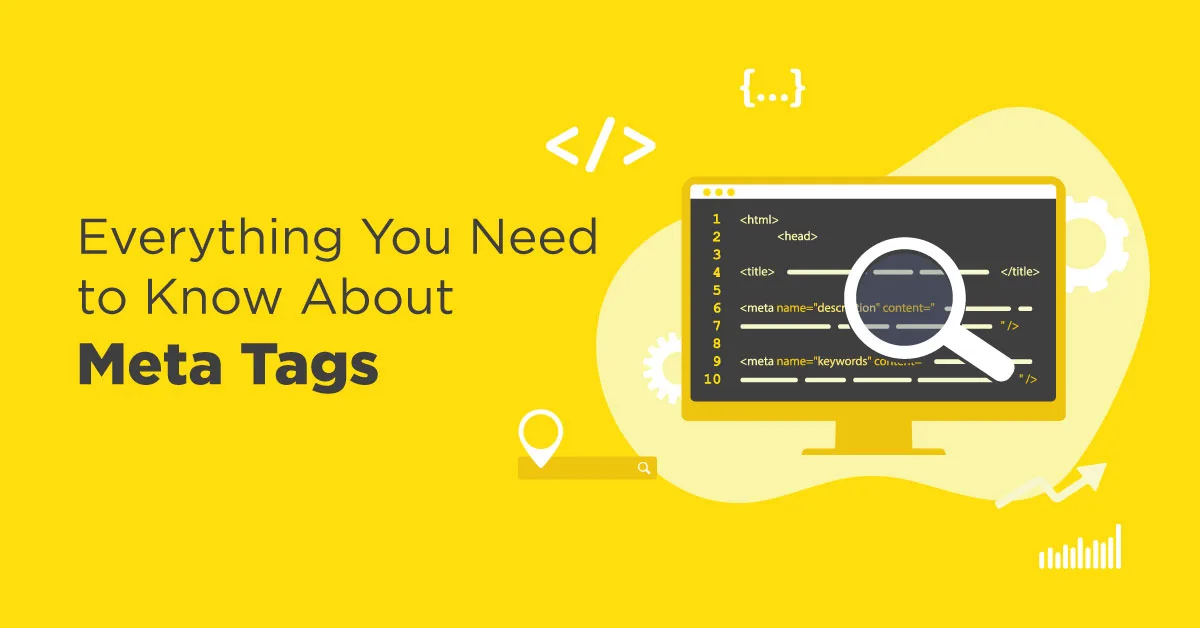
Metadata tags for SEO are snippets of HTML that live in the head section of a page and describe what that page is about. Search engines do not display them to visitors directly, but they lean on them heavily to understand context, intent, and relevance.
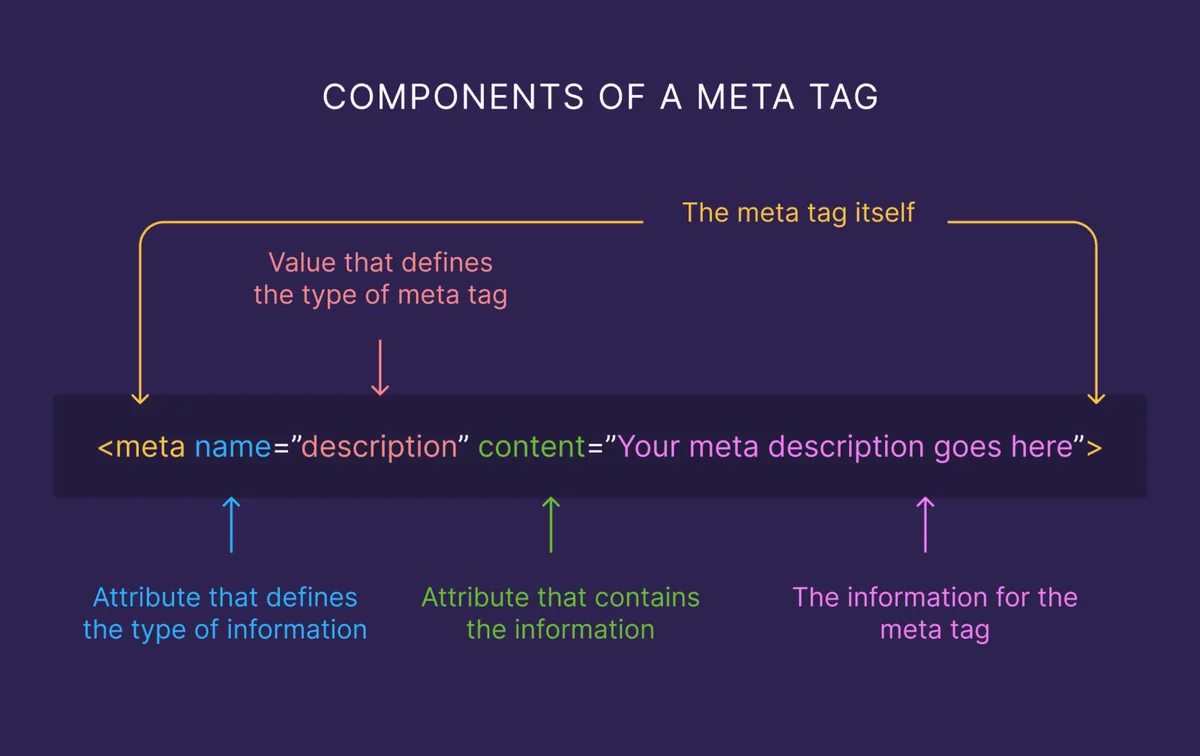
Think of them as the label on a jar. Focusing on metadata tags for seo provides clear direction here. The contents matter, sure, but the label tells the crawler what to expect before it opens the lid.
There is a common misconception that metadata tags for SEO are a single thing. They are not. There are dozens of possible tags, and only a subset influences ranking in any meaningful way.
Some affect how your listing appears in search results, some influence indexing decisions, and a few are purely functional for browsers or social platforms.
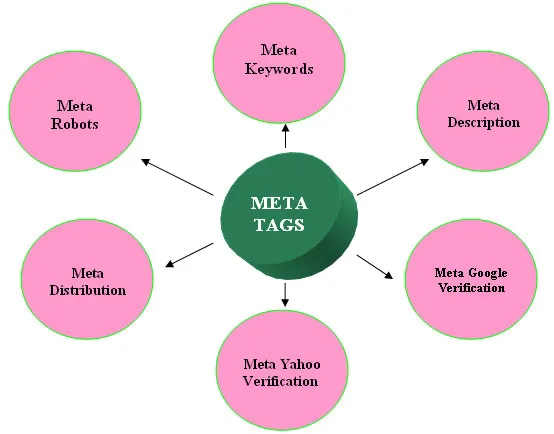
According to Wikipedia’s overview of the meta element, these tags have existed since the early days of HTML, though their role has shifted dramatically. What worked in the late nineties, like stuffing dozens of keywords into the meta keywords tag, now does nothing at all. Google confirmed years ago that it ignores the keywords meta tag entirely.
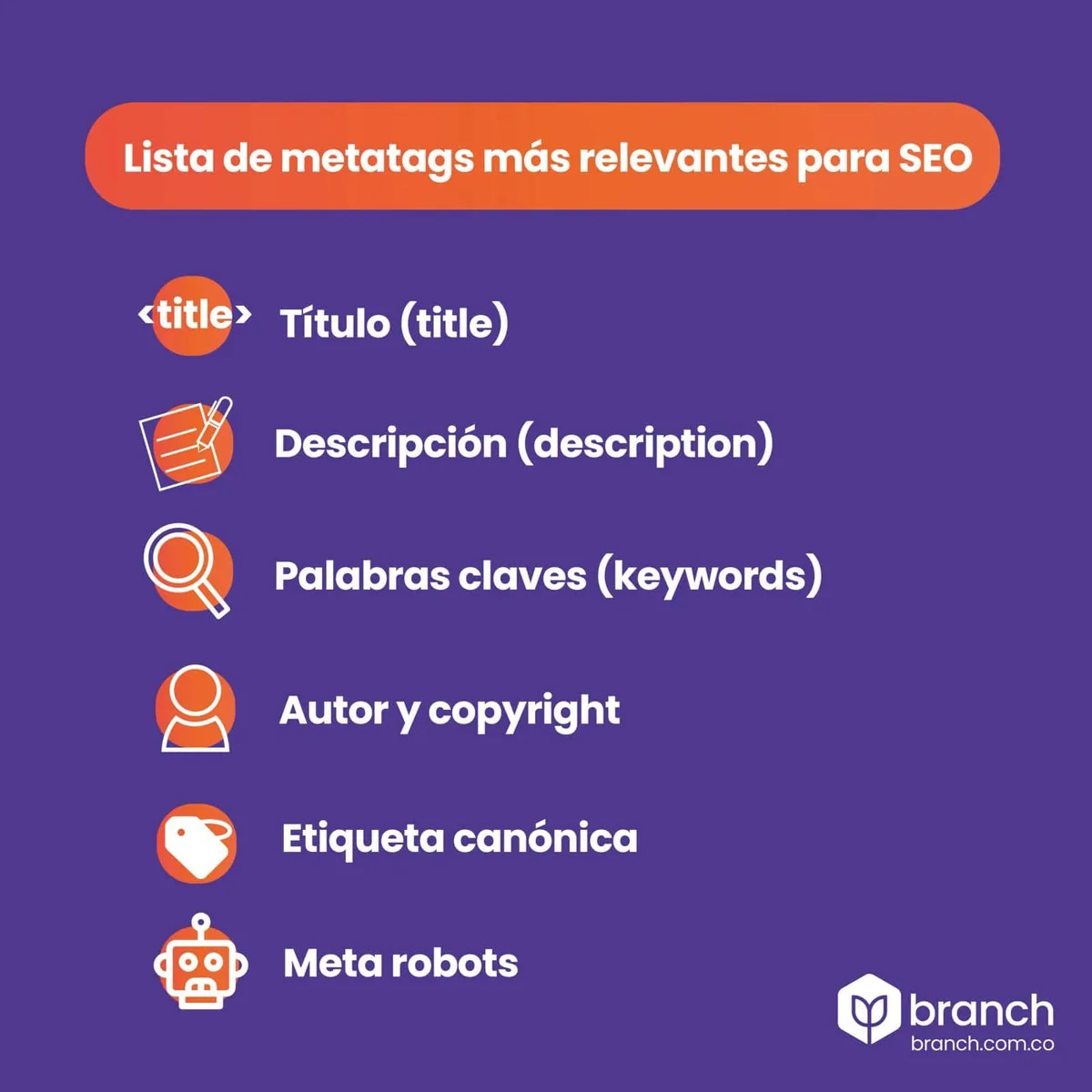
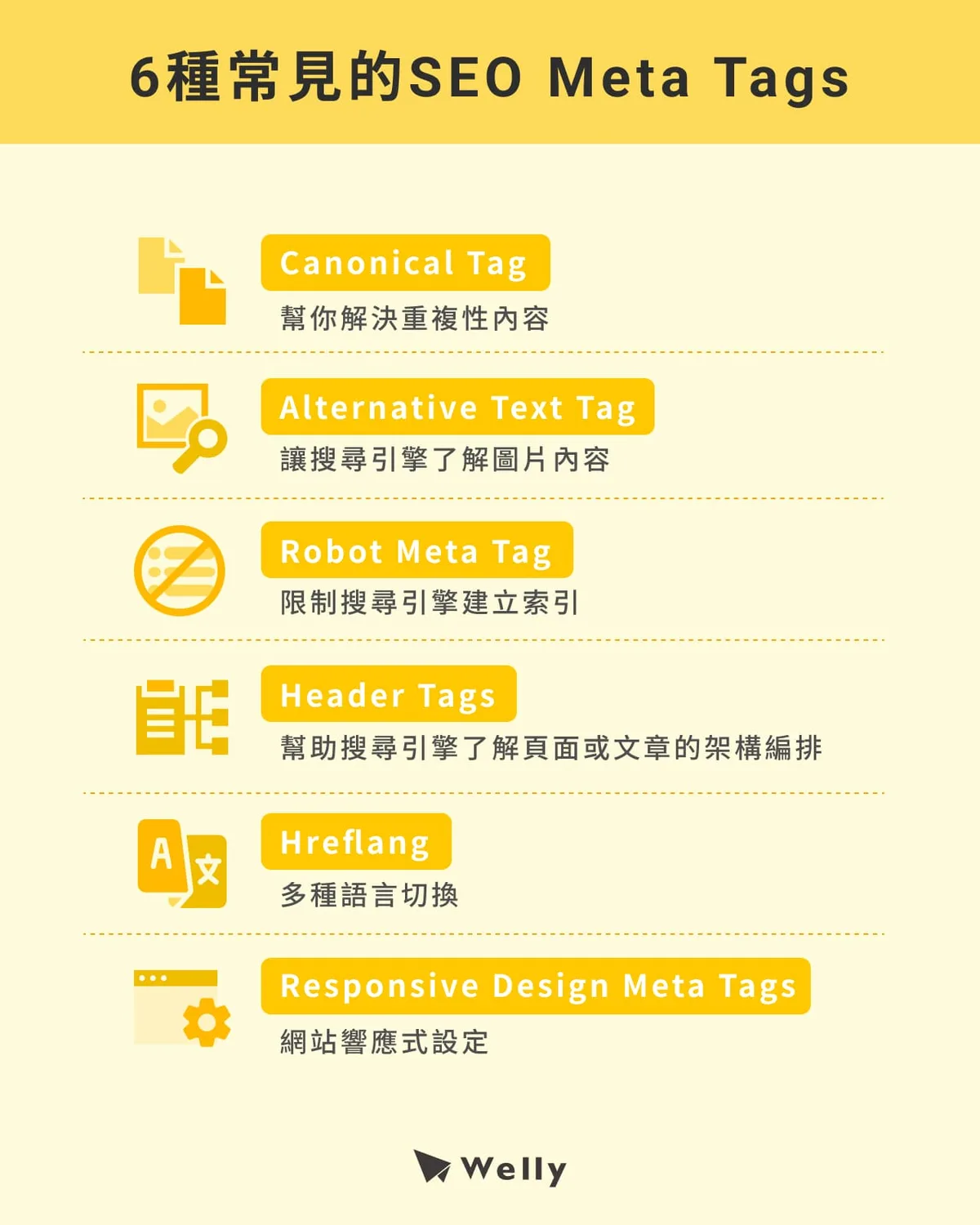
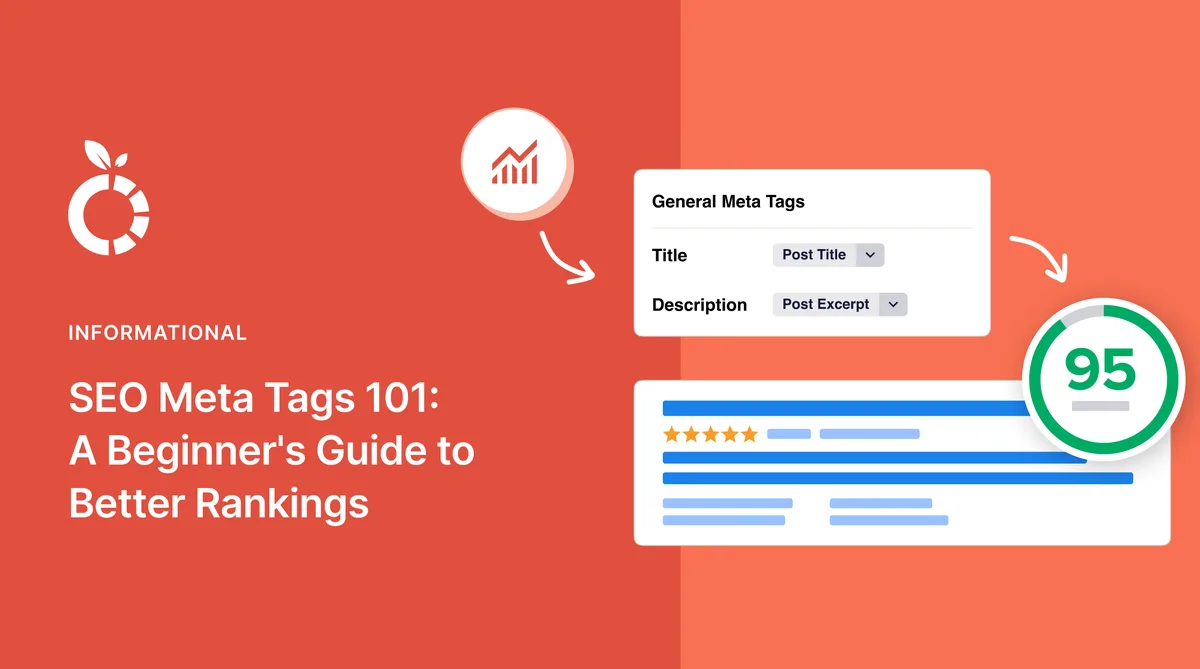
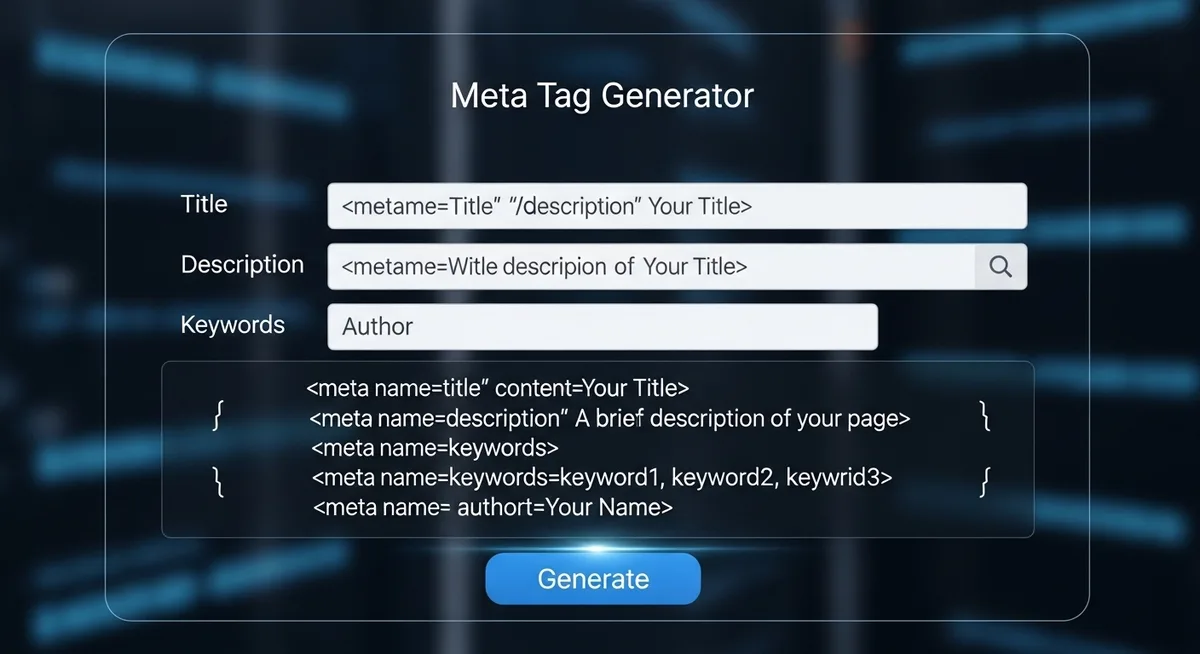
So when we talk about metadata tags for SEO today, we are really talking about a lean set of fields: the title tag, the meta description, the canonical tag, the robots meta tag, hreflang, Open Graph, and structured data. Everything else is either legacy or niche.
The Title Tag: the Single Most Important Metadata Tags for SEO Element
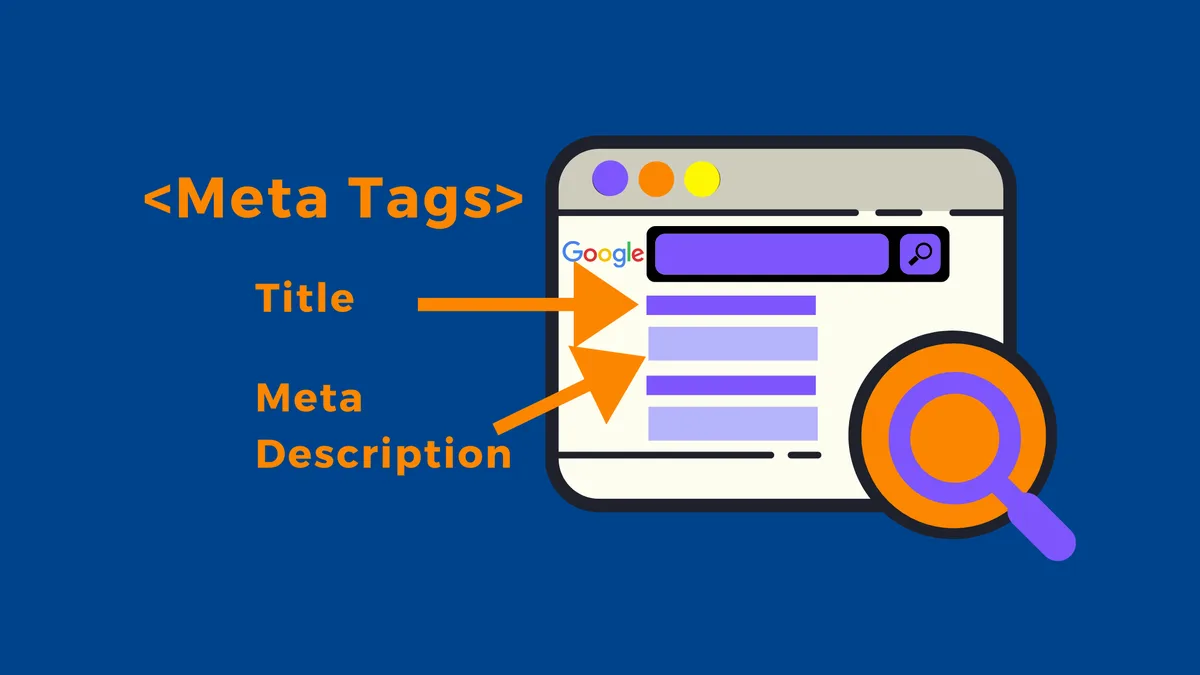
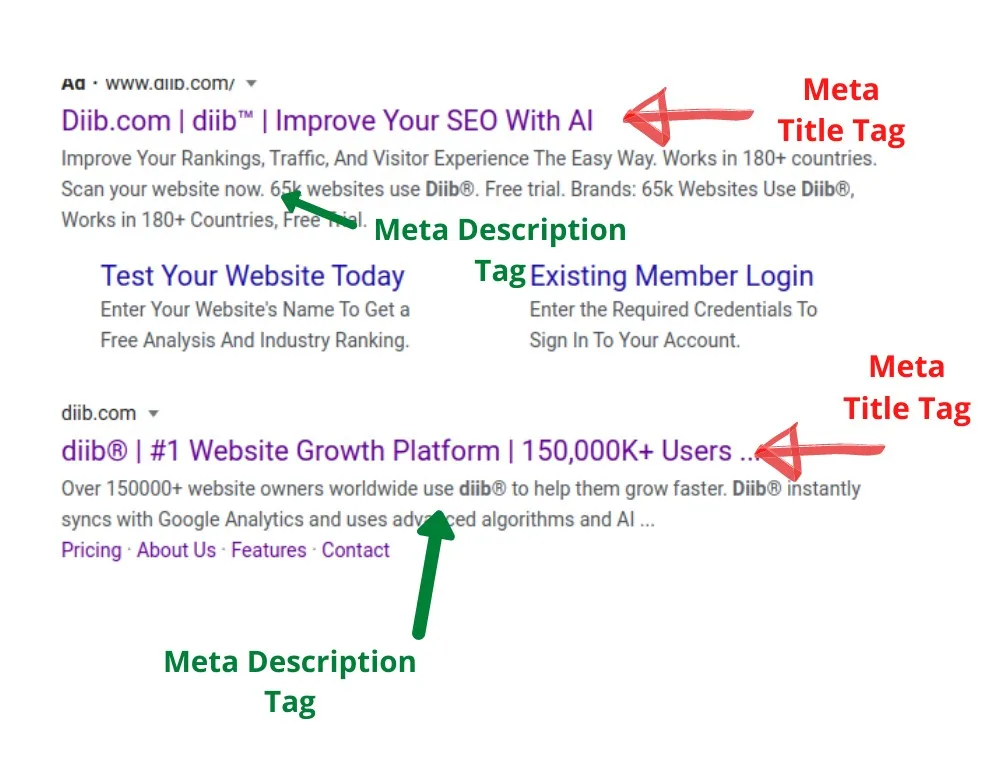
If you only optimize one thing, make it the title tag. This is the clickable headline that appears in search results, and it is the strongest on-page signal you control. Google uses it to judge relevance, and users use it to decide whether to click. Both matter enormously.
Keep titles under 60 characters so they do not get truncated with an ellipsis. Refining each detail of your metadata tags for SEO strengthens this section. Put the primary keyword near the front.
Write for humans first, because a keyword-stuffed title that reads like a robot wrote it will tank your click-through rate even if it ranks.
Here is a practical example. A page selling handmade leather wallets might use a title like “Handmade Leather Wallets | Full-Grain, Free Shipping.” That is 55 characters, keyword-forward, and gives a reason to click. Compare that to “Wallets | Leather Wallets | Buy Wallets Online,” which is repetitive, robotic, and wastes precious space.
One thing people miss: the title tag and the H1 on the page are not the same thing, though they often overlap. In WordPress, the SEO plugin usually controls the title tag separately from the visible H1. Getting this distinction right is fundamental to any serious discussion of metadata tags for SEO.
How Google Rewrites Titles
Google sometimes rewrites your title tag in search results, usually when it thinks a different phrase better matches the query. This is frustrating, but it is not a penalty. It just means your title was not specific enough or did not align with search intent.
To reduce rewrites, make your title match the page content closely and include the exact phrase people search for. If your title says “Affordable Dog Grooming” but the page is really about mobile grooming services in Austin, Google may swap in a title pulled from your H1 or body text.
I have seen sites recover significant click-through improvements just by tightening title tags to match intent. It is one of the highest-leverage tweaks in the entire metadata tags for SEO toolkit.
The Meta Description: Persuasion, Not Ranking
Here is a hard truth that surprises many people: the meta description is not a direct ranking factor. Google has said this repeatedly. So why bother? Because it influences whether people click, and clicks influence everything downstream.
A well-written meta description reads like ad copy. Effective execution in your metadata tags for SEO makes a tangible difference. It states the benefit, hints at the answer, and gives the searcher a reason to choose your result over the nine others on the page. Aim for 140 to 155 characters so it displays fully on both desktop and mobile.
Consider two descriptions for a page about sourdough starters. Refining each detail of your metadata tags for seo strengthens this section. One says, “Learn about sourdough starters.” The other says, “Build a bubbly, active sourdough starter in seven days with our step-by-step feeding schedule and troubleshooting chart.” The second one wins every time.
When you treat metadata tags for SEO as a persuasion exercise rather than a checkbox, your whole approach changes. You stop stuffing keywords and start writing for the person scanning the results page at 11 p.m. On their phone.
When Descriptions Get Rewritten
Google often generates its own description from page content, especially when your meta description is missing, too short, or does not match the query. You cannot fully prevent this, but you can influence it by writing descriptions that closely mirror the page’s core promise.
A description that answers the query directly is more likely to be used verbatim. A vague one invites Google to substitute something it finds more relevant.
My rule of thumb: write every meta description as if it will be shown, and accept that sometimes it will not. The effort still pays off on the pages where it sticks, and it forces you to clarify what the page is really about, which helps every other metadata tags for SEO decision you make.
The Canonical Tag: Preventing Duplicate Content Chaos
The canonical tag tells search engines which version of a page is the “official” one when multiple URLs show similar content. This matters more than most people realize, especially on e-commerce sites with filter parameters and pagination.
Imagine a product available in red, blue, and green. Maintaining clarity across your metadata tags for SEO remains essential. Each color variation might generate its own URL. Without canonicals, Google sees four near-identical pages and struggles to pick which to rank. With a canonical tag pointing to the main product page, you consolidate authority instead of splitting it.
Self-referencing canonicals, where a page points to itself, are a good default. They prevent accidental duplication from trailing slashes, uppercase letters, or tracking parameters. Every serious audit of metadata tags for SEO should include a canonical check.
Common Canonical Mistakes
The most frequent error I see is a canonical pointing to a different page than the one being viewed, sometimes by accident from a CMS template. This can quietly deindex pages you wanted to rank.
Another mistake is chaining canonicals, where page A points to B, and B points to C. Google may ignore the chain entirely and pick its own canonical, which is rarely what you want.
Always verify canonicals in the rendered HTML, not just the source. JavaScript frameworks sometimes inject them late, and crawlers may miss them if rendering fails. It is a small detail in the broader metadata tags for SEO picture, but it can make or break a large site.
Robots Meta Tags: Controlling How Crawlers Behave
The robots meta tag lives in the head and instructs crawlers on how to treat a page. The most common values are index, noindex, follow, and nofollow. Getting these wrong can remove pages from search entirely, which is why they deserve careful attention.
A noindex tag tells Google not to include the page in results. This is useful for thank-you pages, internal search results, and thin content you do not want ranking. But if a noindex slips onto a money page, you will watch your traffic evaporate overnight.
I once helped a client who had accidentally noindexed their entire blog archive during a site migration. Traffic dropped 60 percent in a week before anyone noticed. A quick fix to the robots tag restored everything, but it was a painful lesson in why metadata tags for SEO discipline matters during migrations.
Nofollow and Its Modern Role
The nofollow attribute on links tells search engines not to pass ranking signals. A thoughtful approach to metadata tags for SEO reinforces your qualifications. Google now treats it as a hint rather than a directive, but it still has value for sponsored and user-generated content.
For page-level robots tags, follow and nofollow control whether crawlers traverse links on that page. Most pages should use index, follow, which is the default. Deviate only when you have a clear reason.
The robots meta tag is one of those metadata tags for SEO that quietly does its job until it breaks. Set it deliberately, document it, and check it after every migration.
Structured Data: the Metadata Tags for SEO That Power Rich Results
Structured data, usually implemented as JSON-LD, is not a meta tag in the classic sense, but it functions as metadata that search engines read to understand entities on your page. Effective execution in your metadata tags for seo makes a tangible difference. It powers rich results like star ratings, FAQ accordions, and product prices in search listings.
Adding schema markup for articles, products, recipes, events, and local businesses can dramatically improve how your listing appears. A recipe with proper schema might show cooking time and a photo. A product might display price and availability. These visual enhancements lift click-through rates.
From an implementation standpoint, JSON-LD is the friendliest format because it sits in a script block and does not interfere with your visible HTML. Google’s documentation recommends it, and most SEO plugins generate it automatically.
When people ask me which metadata tags for SEO give the best return, I point to structured data almost every time. It is technical, yes, but the payoff in visibility is hard to beat.
Schema Types Worth Prioritizing
Start with the schema type that matches your content. Structuring your metadata tags for SEO around proven patterns ensures impact. Bloggers should use Article or BlogPosting. E-commerce sites need Product and Offer. Local businesses benefit from LocalBusiness. Publishers lean on NewsArticle.
Do not mark up everything at once. Pick the two or three types most relevant to your site, implement them cleanly, and validate with Google’s Rich Results Test. Broken schema is worse than no schema.
A clean implementation of metadata tags for SEO in schema form can mean the difference between a plain blue link and a listing that dominates the visual space. That is worth the effort.
Open Graph and Twitter Cards: Metadata for Social Sharing
Open Graph tags control how your content appears when shared on Facebook, LinkedIn, and similar platforms. Twitter Cards do the same for X. These are not ranking factors, but they shape how your content looks when someone shares it, which drives traffic and brand perception.
The core Open Graph tags are og:title, og:description, og:image, and og:URL. Get these right and your shared links look polished instead of generic.
An og:image that is 1200 by 630 pixels displays well across most platforms. A missing image often results in a blank or awkwardly cropped preview, which kills click-through on social.
Even if social is not your primary channel, these metadata tags for SEO adjacent elements are worth setting. They cost ten minutes and prevent embarrassing previews.
Practical Open Graph Setup
Most CMS platforms let you set Open Graph tags through the same SEO plugin that handles your title and description. Applying these principles to your metadata tags for SEO yields measurable results. Yoast, Rank Math, and SEOPress all support this out of the box.
Set a default image for your site, then override it on pages where a specific visual makes sense. A product page should show the product. A blog post should show a relevant featured image.
Test your tags with Facebook’s Sharing Debugger or LinkedIn’s Post Inspector before you rely on them. Caching means changes sometimes take a while to reflect, so verify early.
Hreflang: Metadata Tags for SEO Across Languages and Regions
If your site serves multiple languages or regional variants, hreflang tags tell search engines which version to show to which audience. Maintaining clarity across your metadata tags for seo remains essential. A page in Canadian English and one in British English are different, and hreflang prevents them from competing with each other.
Each hreflang tag specifies a language code, optionally with a region, and points to the URL of that version. All versions should reference each other, including a self-reference.
Mistakes here are common. Proper attention to your metadata tags for SEO sets a strong baseline. A missing return link breaks the cluster. An incorrect language code sends users to the wrong version. Google may then ignore your hreflang entirely and pick a default, which is usually the wrong one.
For international sites, hreflang is one of the most consequential metadata tags for SEO you will ever touch. Get it right, and you serve the correct page to every visitor without cannibalizing your own rankings.
Hreflang Implementation Tips
You can place hreflang tags in the HTML head, in the XML sitemap, or via HTTP headers. The sitemap method scales best for large sites because you can manage everything in one file.
Always include an x-default tag pointing to the fallback version, usually your primary language page. This handles users whose language does not match any specific version.
Validate your hreflang setup with a tool that checks for return links and valid codes. A broken cluster is invisible to users but costly in search.
Viewport and Charset: the Quiet Workhorses
The viewport meta tag tells browsers how to scale your page on mobile devices. Without it, your site may render at desktop width on phones, forcing users to pinch and zoom. Google uses mobile-first indexing, so this matters for rankings too.
The standard value is width=device-width, initial-scale=1. Developing your metadata tags for SEO with precision highlights key strengths. It is a single line of code that every responsive site should include.
The charset meta tag declares your character encoding, usually UTF-8. It prevents garbled text when your content includes special characters, accented letters, or emoji.
These metadata tags for SEO do not influence rankings directly, but a broken viewport tag hurts mobile usability, which does. Never skip them.
Why Mobile Usability Still Matters
Google evaluates the mobile version of your page first. If it is hard to read or navigate, rankings suffer regardless of how good your content is.
A correct viewport tag is the foundation of mobile-friendly design. Test your pages with Google’s Mobile-Friendly Test to confirm they pass.
Small technical details like these metadata tags for SEO often get overlooked because they seem boring. They are boring. They are also essential.
Meta Keywords: the Tag That Died
The meta keywords tag once mattered. A thoughtful approach to metadata tags for seo reinforces your qualifications. You would list a dozen keywords, and search engines would use them to rank your page. Those days are gone. Google has confirmed it does not use the keywords meta tag at all.
Bing has hinted it may use it as a weak signal for spam detection, but not for ranking. Clear alignment with your metadata tags for SEO builds confidence from the start. So there is essentially no reason to include it.
Some CMS platforms still generate it by default. If yours does, you can usually disable it in the SEO plugin settings. Leaving it in place is harmless, but it clutters your HTML and signals to anyone reading your source that you might be out of date.
When you evaluate metadata tags for SEO, cross this one off the list permanently. Spend the time on your title tag instead.
Comparing the Metadata Tags for SEO That Matter
Not all tags deserve equal attention. Here is a quick comparison to help you prioritize your time and effort.
| Tag | Ranking Impact | Click-Through Impact | Priority |
|---|---|---|---|
| Title tag | High | High | Critical |
| Meta description | None directly | High | High |
| Canonical tag | Indirect (consolidates signals) | None | High |
| Robots meta tag | Indirect (controls indexing) | None | Critical |
| Structured data | Indirect (rich results) | High | High |
| Open Graph / Twitter Cards | None | Medium (social) | Medium |
| Hreflang | Indirect (international targeting) | Medium | High (global sites) |
| Viewport | Indirect (mobile usability) | Medium | High |
| Charset | None | Low | Medium |
| Meta keywords | None | None | Ignore |
This table is a starting point, not gospel. Your priorities shift depending on whether you run a blog, an e-commerce store, or a multi-language corporate site. But the title tag and robots meta tag are universal must-haves in any discussion of metadata tags for SEO.
How to Audit Your Metadata Tags for SEO
A metadata audit is not glamorous, but it catches problems that quietly drain traffic. Here is a workflow I use on almost every site I review.
Start by crawling your site with a tool like Screaming Frog or Sitebulb. Export every page’s title, meta description, canonical, and robots meta tag. Look for duplicates, missing values, and truncation.
Next, check your structured data with Google’s Rich Results Test. Integrating metadata tags for SEO into your workflow produces consistent quality. Validate a sample of pages across each schema type you use. Fix errors before they multiply.
Then review your Open Graph and Twitter Card tags on a handful of key pages. Share a few URLs in a private message to see how they render. Adjust images and descriptions as needed.
Finally, confirm your hreflang setup if you serve multiple regions. A broken cluster is easy to miss and expensive to ignore.
Doing this once a quarter keeps your metadata tags for SEO in good shape without turning it into a full-time job.
Tools That Speed Up the Process
Screaming Frog is the industry standard for crawling and exporting metadata. It has a free tier for small sites and a paid version for larger ones.
For structured data, Google’s Rich Results Test and Schema.org’s validator cover most needs. For hreflang, Aleyda Solis maintains a free generator and validator that many professionals rely on.
Browser extensions like Detailed SEO and SEO Minion let you inspect metadata on any page in seconds. Targeted refinements to your metadata tags for SEO streamline the entire review. Handy for quick competitor research.
Pick two or three tools and learn them well. Structuring your metadata tags for seo around proven patterns ensures impact. The goal is not to collect software but to spot problems fast and fix them faster.
Common Metadata Tags for SEO Mistakes to Avoid
Even experienced marketers slip up on metadata. Here are the mistakes I see most often, along with how to sidestep them.
- Duplicate title tags across pages. When two pages share the same title, Google struggles to tell them apart. Give every page a unique title that reflects its specific content, and audit regularly to catch accidental duplicates from CMS templates.
- Missing meta descriptions. Google will write its own, and it may not match your intent. Write a compelling description for every important page, even if it gets rewritten sometimes.
- Broken canonicals after a migration. Old URLs often linger in canonical tags after a redesign. Update them immediately or risk deindexing.
- Accidental noindex tags. A single stray noindex can remove a page from search. Check robots tags after every deployment, especially on staging-to-production pushes.
- Invalid structured data. Schema errors can prevent rich results from showing. Validate before publishing, not after.
- Missing Open Graph images. A blank social preview looks unprofessional. Set a default image and override it where relevant.
- Conflicting hreflang tags. Non-reciprocal tags confuse search engines. Ensure every version links to every other version.
- Ignoring the viewport tag. Mobile-first indexing means a broken viewport tag hurts rankings. Include it on every page.
Each of these is fixable in minutes once you know to look. The trick is building a habit of checking metadata tags for SEO before pages go live, not months later when traffic has already dipped.
Writing Metadata Tags for SEO That Humans Actually Click
Technical correctness gets you indexed. Persuasive writing gets you clicked. Both matter, and the second one is where most sites fall short.
Think about how you scan search results. You read the title, glance at the description, and decide in under two seconds. Your visitors do the same. So write for that two-second decision.
Use concrete numbers when you can. “Save 30 Minutes a Day” beats “Save Time.” Use specific nouns instead of vague ones. “Cast Iron Skillet” beats “Kitchen Product.”
Ask a question in your description when it fits. “Wondering how to fix a leaky faucet?” invites the reader in. So does a clear benefit statement: “Fix a leaky faucet in 15 minutes without calling a plumber.”

Every word in your metadata tags for SEO is competing for attention against nine other results. Treat it that way, and your click-through rate will reflect the effort.
Power Words That Work Without Feeling Sleazy
Words like “proven,” “simple,” “free,” and “instant” still pull weight. So do “checklist,” “template,” and “step-by-step.” They promise something concrete.
Avoid hype like “revolutionary” or “game-changing.” They read as filler and erode trust. Specificity outperforms superlatives every time.
Test different descriptions on similar pages and watch your Search Console click-through data. Small wording changes often produce measurable lifts.
Metadata Tags for SEO in WordPress and Other CMS Platforms
Most people do not hand-code metadata. Applying these principles to your metadata tags for seo yields measurable results. They rely on a CMS and a plugin. That is fine, as long as you know what the plugin is doing behind the scenes.
In WordPress, Yoast SEO and Rank Math are the two most popular options. Both handle title tags, meta descriptions, canonicals, Open Graph, and schema. Both let you set site-wide defaults and override them per page.
Shopify handles many metadata tags for SEO automatically but gives you limited control over canonicals and robots tags. Apps like TinyIMG or SEO Manager extend what you can do.
Webflow, Squarespace, and Wix each have their own metadata interfaces. They are simpler than WordPress but also less flexible. Know the limits of your platform before you plan a strategy.
Whatever you use, verify the output. Plugins sometimes generate tags you did not expect, especially when multiple plugins conflict. View the page source and confirm what is actually rendering.
Plugin Conflicts and How to Spot Them
Two SEO plugins installed at once is a recipe for duplicate tags. Pick one and disable the other completely.
Theme-level metadata can also clash with plugin output. Some themes inject their own Open Graph tags, which then double up with the plugin’s. Check the source and remove the redundant set.
When in doubt, use a validator to see what search engines actually receive. The rendered output is what counts, not what you intended in the settings panel.
Measuring the Impact of Your Metadata Changes
You cannot improve what you do not measure. Luckily, the data you need is free and readily available.
Google Search Console shows impressions, clicks, click-through rate, and average position for every query and page. Filter by page and compare before-and-after windows when you change metadata.
If you update a title tag and click-through rate rises without a position change, the metadata did its job. Proper attention to your metadata tags for seo sets a strong baseline. If impressions climb, the page is surfacing for more queries, which often follows better keyword alignment.
Give changes two to four weeks to settle before drawing conclusions. Search data is noisy, and early fluctuations can mislead.
Track your metadata tags for SEO changes in a simple spreadsheet with dates, pages, and what you changed. Six months later, you will thank yourself.
What Good Looks Like
A well-optimized page typically shows a click-through rate above the position average for its ranking. If you rank fifth but get the click share of a third-place result, your metadata is working.
Watch for pages with high impressions but low clicks. Those are prime candidates for a title and description refresh.
Conversely, pages with high click-through but low impressions may need better keyword targeting in the body content, not the metadata.
Advanced Metadata Tags for SEO: Beyond the Basics
Once the fundamentals are solid, a few advanced tags can give you an edge. These are not for everyone, but they are worth knowing.
The rel=”prev” and rel=”next” tags once helped paginated content, but Google deprecated them. Pagination is now handled through other signals, so do not waste time on them.
The meta refresh tag redirects users after a delay. It is a poor substitute for a proper 301 redirect and can confuse crawlers. Avoid it.
The X-Robots-Tag HTTP header does the same job as the robots meta tag but works for non-HTML files like PDFs and images. Useful if you want to control indexing of documents.
For large sites, the meta robots tag can be set per directory via server configuration, which is far more manageable than editing thousands of pages.
These advanced options are not required, but they round out a professional understanding of metadata tags for SEO.
When to Use the X-Robots-Tag Header
Suppose you host a library of PDF case studies and want them indexed but not the older versions. The X-Robots-Tag header lets you control this at the server level without touching each file.
It is also handy for staging environments where you want to block all crawling without modifying HTML.
Configure it in your server’s.htaccess or nginx config. Test carefully, because a misconfigured header can block more than you intended.
Metadata Tags for SEO and the Future of Search
Search is changing. AI-generated answers, voice queries, and visual search all shift how people find information. Metadata still matters, but its role is evolving.
Structured data becomes more important as search engines rely on entities rather than keywords. Clear schema markup helps AI systems understand what your page is about and when to surface it.
Title tags and descriptions still drive clicks in traditional results, and they feed the snippets that AI systems quote. Writing clear, specific metadata tags for SEO gives you a better chance of being cited.
Voice search favors conversational phrasing. A description that reads naturally may perform better than one packed with keywords when spoken aloud.
None of this means abandoning the fundamentals. It means treating metadata tags for SEO as a communication layer between your content and whatever interface the searcher is using.
Preparing for AI-Driven Results
Make sure your key facts are marked up with schema. Dates, authors, prices, and ratings all help AI systems extract accurate information.
Write descriptions that answer questions directly. A clear, factual sentence is more likely to be quoted than a vague marketing line.
Keep your metadata consistent across pages. Developing your metadata tags for seo with precision highlights key strengths. Inconsistency confuses both crawlers and AI models trying to build a coherent picture of your site.
Frequently Asked Questions About Metadata Tags for SEO
Here is an in-depth breakdown of key considerations regarding this section:
Do Meta Keywords Still Help Rankings?
No. Google has confirmed it does not use the meta keywords tag for ranking. Bing has suggested it may factor into spam detection, but not ranking. You can safely omit it.
How Long Should a Title Tag Be?
Aim for 50 to 60 characters. Google typically displays around 600 pixels, which works out to roughly 60 characters. Longer titles get truncated with an ellipsis.
Is the Meta Description a Ranking Factor?
Not directly. Google uses it to generate the snippet in search results, and a compelling description can lift click-through rate, which indirectly supports rankings.
What Happens if I Skip the Canonical Tag?
Google may pick its own canonical, which is not always the page you want. On sites with duplicate or near-duplicate URLs, this can split ranking signals and hurt performance.
Can Structured Data Boost My Rankings?
Structured data does not directly boost rankings, but it can earn rich results that improve visibility and click-through. Better engagement often correlates with better rankings over time.
Do I Need Open Graph Tags if I Do Not Use Social Media?
It is still worth setting them. People share links in messaging apps, forums, and email, and Open Graph tags control how those previews look. The cost is minimal.
How Often Should I Review My Metadata Tags for SEO?
Quarterly is a good rhythm for most sites. Check after major content updates, site migrations, or CMS changes, since those are when problems tend to appear.
What is the Most Overlooked Metadata Tag?
In my experience, the canonical tag. It is invisible to users and easy to forget, yet it quietly determines which version of a page ranks. Audit it regularly.
Putting It All Together
Metadata tags for SEO are not a magic switch. They are a set of small, deliberate choices that compound over time. Get the title right. Write descriptions people want to click. Keep canonicals clean. Set robots tags on purpose. Add schema where it earns rich results.
None of this requires a developer or a big budget. It requires attention and a willingness to check your work. The sites that rank consistently are usually the ones that treat metadata tags for SEO as part of their publishing routine, not an afterthought.
Start with your ten most important pages. Audit their metadata, fix what is broken, and measure the results. Then expand outward. In a few months, you will have a site that search engines understand and people want to visit.
That is the whole game. Not tricks, not hacks, just clean metadata tags for SEO applied with care and revisited regularly. Do that, and you will outperform most of your competition without ever touching a black-hat tactic.