A video sitemap is the single most underrated file on your server. Most publishers spend hours polishing thumbnails and tags, then forget the one XML document that tells Google exactly where their videos live and what they contain.
I have audited dozens of video-heavy sites, and the pattern never changes: the sites that win video-rich results are the ones that treat their sitemap as a product, not an afterthought.
This is the deeper topic that anchors a whole cluster of related work, from video SEO fundamentals to structured data markup and Google Search Console diagnostics. Consider this your working video sitemap guide — eleven hard-earned lessons, each one backed by a real execution step you can run this week.
Why a Video Sitemap Still Decides Who Gets Seen
Google cannot watch your video. It relies on metadata you declare. A video sitemap hands the crawler a clean manifest of URLs, titles, descriptions, thumbnails, durations, and player locations, so the indexer never has to guess.

The video sitemap matters because video indexing is fragile. A single missing content_loc or a thumbnail that returns a 404 can quietly drop a clip from eligibility. The sitemap is where you prevent those silent failures before they cost you impressions.
Think of it this way. Your page tells humans a story. Your sitemap tells machines the same story in a language they trust. When the two agree, great things happen in search results.

The Foundation: Video Sitemap Best Practices Before You Add Anything
Before we touch the eleven tips, let’s lock the basics. Skip these and every optimization downstream inherits the flaw.
Validate your core structure first. Refining each detail of your video sitemap strengthens this section. The root element is <urlset> with the sitemap namespace, and each video lives inside a <URL> block wrapped in <video:video>. Nothing exotic, but the tags must nest correctly.
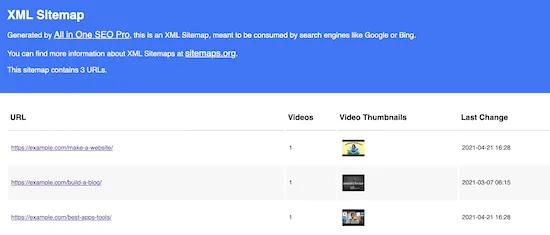
These video sitemap best practices keep the file lean and machine-friendly. Get them right and the rest of this video sitemap checklist becomes far easier to maintain.
The Nine Required and Recommended Fields at a Glance
Google’s documentation is unambiguous about which fields carry the most weight. Missing a required field is a hard fail. Missing a recommended field is a quiet demotion you may never see in a dashboard.

Here is the field map I keep pinned while auditing client sitemaps.
| Element | Status | What It Does | Common Mistake |
|---|---|---|---|
| video:thumbnail_loc | Required | Points to the preview image | Blocked by robots.txt or wrong dimensions |
| video:title | Required | Names the clip in search | Duplicated across every video |
| video:description | Required | Explains the content to crawlers | Copy-pasted boilerplate |
| video:content_loc | Required | Direct media file URL | Points to an HTML page, not the file |
| video:player_loc | Recommended (alt to content_loc) | Embeddable player URL | Requires login to load |
| video:duration | Recommended | Length in seconds | Rounded wildly or omitted |
| video:publication_date | Recommended | W3C-format publish timestamp | Future dates or local timezone |
| video:family_friendly | Optional but useful | Flags safe-for-work status | Left default when content is adult |
| video:live_stream | Optional | Marks live broadcasts | Set to yes on archived recordings |
Print that table and tape it to your monitor. Nine out of ten sitemap errors I have diagnosed trace back to one of those rows.

The 11 Powerful Tips That Actually Move Results
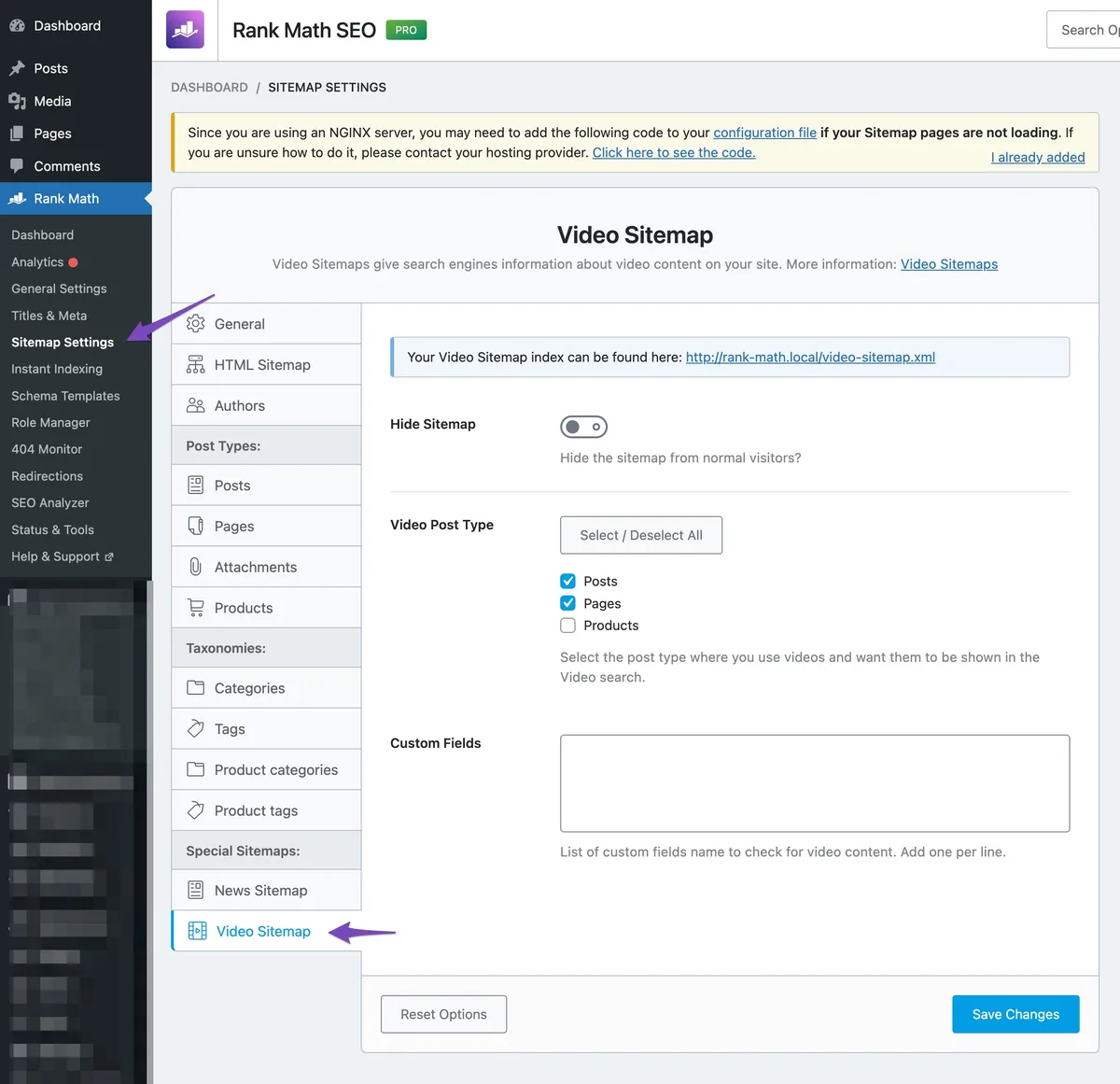
Now we get to the work. Each tip below is written as a complete unit — the problem it solves, a real example, and the exact step to take. Treat this section as your running video sitemap checklist for every release.
The video sitemap are ordered so that the early ones eliminate structural blockers and the later ones sharpen competitive advantage. Read them in sequence on your first pass, then jump around when troubleshooting.
Tip 1: Start With a Live, Crawlable Thumbnail
Your thumbnail is the bait in search results. If it does not load cleanly for the crawler, nothing else matters.
Google’s spec calls for a usable image with real dimensions — at least 60 by 30 pixels, ideally 1280 by 720 — served from a URL that returns a 200 status and is not disallowed in robots.txt.
A client of mine kept a thumbnail CDN behind an internal hostname, and every video from that batch silently failed for months.
Test it in a private browser window while logged out. Then confirm the image responds with the right content type. This one step alone has fixed more indexing gaps than any tool I have used.
Tip 2: Give Every Video a Distinct Title and Description
Duplicated metadata is the most common sitemap sin I see. Teams reuse a template and forget to swap the title. The result is a sitemap full of near-identical entries that the indexer cannot tell apart.
The fix is mechanical. Maintaining clarity across your video sitemap remains essential. Pull video:title directly from the page’s real headline, and make video:description a 1-2 sentence summary that names the specific content — the feature explained, the recipe made, the drill shown.
One production studio I worked with rewrote descriptions to lead with the outcome (“Cut edit time in half with these three shortcuts”). Video click-throughs rose noticeably within weeks. Specificity wins; templates lose.
Tip 3: Point Content_loc or Player_loc Exactly Where the File Lives
This is where many publishers confuse page URL with media URL. Your content_loc must resolve to the actual video file — the mp4, the stream manifest, the direct asset. Your player_loc must point to the embeddable player.
Mix the video sitemap up and the crawler fetches an HTML page it was told would be a video. Use both if you can. They are complementary, not redundant.
If you serve behind signed URLs or tokenized CDNs, confirm the crawler’s fetch will not require a session. If it does, publish the player in a publicly reachable manner.
Tip 4: Include Duration and Publication Date (Precision Matters)
Duration, in whole seconds, helps search systems understand scope. Publication date, in W3C format with a timezone offset, tells them freshness.
Two pitfalls stand out. Structuring your video sitemap around proven patterns ensures impact. First, rounding a 7:42 clip to “400 seconds” instead of 462 is sloppy and can affect what snippets display. Second, using a local timestamp as UTC shifts your freshness signal by hours, sometimes pushing it into the future.
Run a quick sanity check: sum your durations and compare them to real media file lengths. Mismatches are easy to spot and easy to fix.
Tip 5: Keep the Sitemap Under the Size and Count Limits
Google accepts up to 50,000 URLs and 50 MB uncompressed per sitemap file. Cross that and the file is silently truncated or ignored.
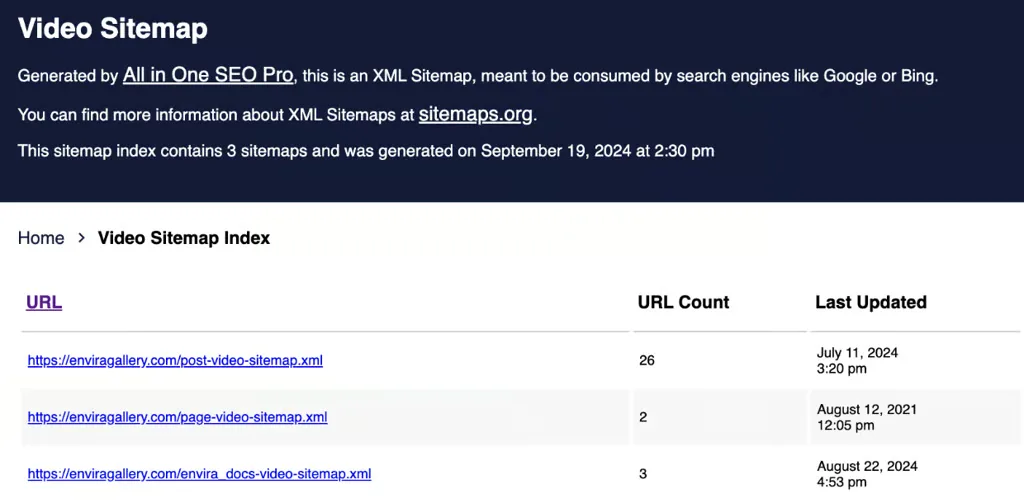
For a large video library, an index file is the clean answer. Applying these principles to your video sitemap yields measurable results. It lists multiple child sitemaps, each grouping videos by show, category, or publish window. This structure also keeps crawl budget focused instead of forcing one enormous fetch.
Use gzip compression (up to 50 MB uncompressed) and serve with a stable filename. The sitemap URL should never change without a 301 in place.
Tip 6: Add Segment-Specific Sitemaps for Big Libraries
When your catalog mixes tutorials, product demos, and educational content, one flat sitemap wastes effort. Split by audience or by top-level topic.
Segmenting helps the video sitemap spot problems faster: if only the “product demo” sitemap throws errors, you know where to look. It also lets you prioritize fresh uploads without re-scanning the entire archive.
A large publisher I advise runs separate sitemaps for evergreen tutorials and time-sensitive news clips. Whenever news indexing lags, they inspect just that file — a five-minute diagnosis instead of a full-day hunt.
Tip 7: Reference the Sitemap in Robots.txt and Search Console
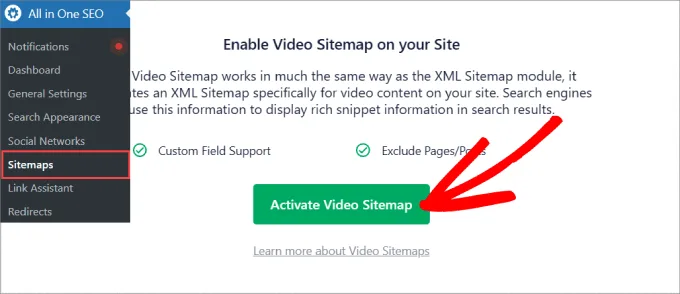
Discovery is simple: declare the sitemap location in robots.txt with a Sitemap: directive, and submit the index URL in Google Search Console.
The robots.txt line is underused. Developing your video sitemap with precision highlights key strengths. It handles discovery even when Search Console submission is delayed or someone forgets.
After submitting, keep an eye on the “Sitemaps” report. It surfaces fetch errors, warnings, and indexed counts. Treat it as your early alarm system.
Tip 8: Validate Against the Schema, Not Just “Does It Parse”
A file can be valid XML while being invalid for video. Tools that only check well-formedness will happily approve a sitemap that fails the video spec.
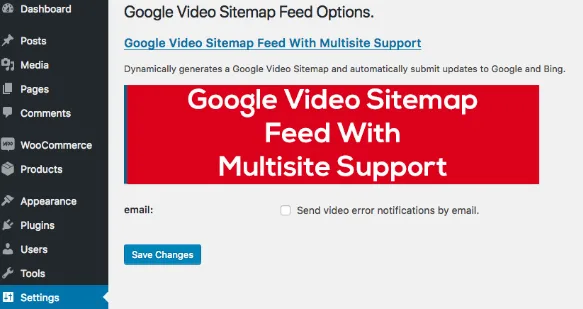
Use Google’s own validators and a schema-aware check. Clear alignment with your video sitemap builds confidence from the start. Look for missing required fields, malformed dates, and invalid duration values. These are technical fixes, but each one unlocks indexability.
My rule: every release pipeline should run a validation gate. If a new video ships with a broken entry, the deploy should flag it before the crawl ever sees it.
Tip 9: Keep Metadata in Sync With the Page
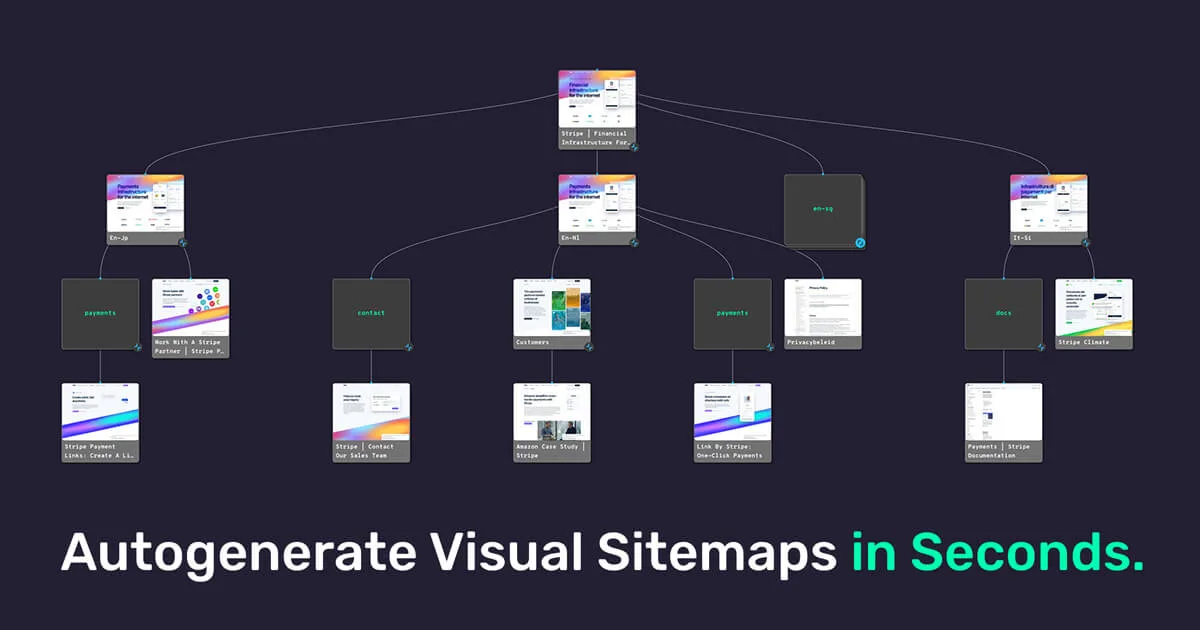
If your sitemap says the title is “How to Knead Sourdough” but the page headline says “Bread Basics,” you have a trust gap. Search systems cross-check these signals.
Treat the page as the source of truth and generate the sitemap from the video sitemap. Where the page changes, the sitemap should follow — ideally automatically.
Manual edits drift. Automated generation from your CMS keeps them aligned without extra review cycles.
Tip 10: Handle Live Streams and Premium Content Honestly
Live streams need the video:live_stream tag set to yes while the video sitemap are live, then it should be turned off or the entry removed afterward. Leaving it set on an archived recording sends confusing signals.
Premium or gated content should be marked accurately with the appropriate flags. Targeted refinements to your video sitemap streamline the entire review. If part of the video is available only after login, say so. It helps search systems represent the content correctly rather than demoting an unclear entry.
Honesty here is self-serving. Mislabeled entries get flagged, then ignored. Accurate tagging keeps your library healthy.
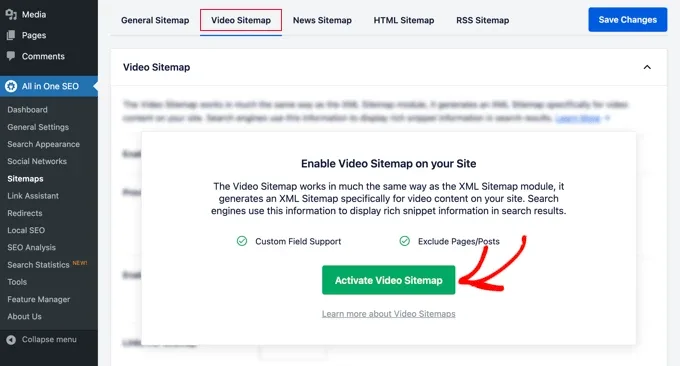
Tip 11: Review the Video Sitemap Report Monthly (Fix Only What Strays)
Do not set it and forget it. Monthly review catches drift before it compounds. Search Console’s sitemap and video reports are the fastest signal.
Focus on three numbers: fetch success, videos indexed, and warnings. Focusing on video sitemap provides clear direction here. If indexed count drops while success stays flat, inspect recent entries for missing or malformed fields.
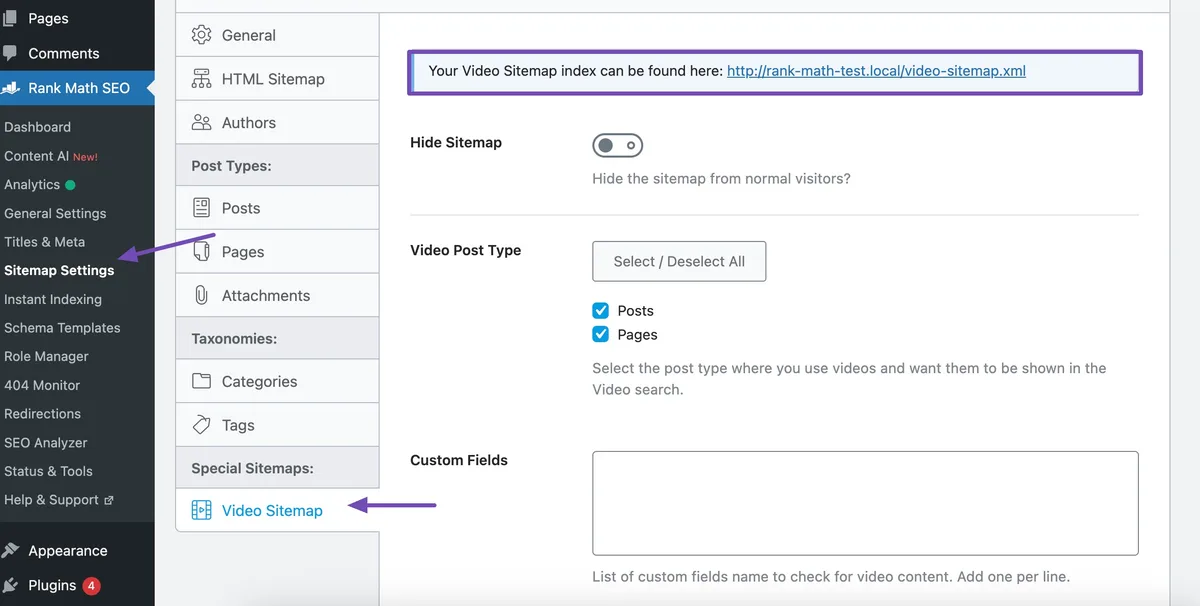
Add one more habit: sample three random entries by hand and open the URL, the thumbnail, and the player. It takes two minutes and catches the kind of failure automation misses.
The Video Sitemap Checklist You Run Before Every Release
A checklist is only useful if it is short and specific. Mine fits on a single screen. Run it before each publish batch and the eleven tips become muscle memory rather than a scramble.
Here is the condensed version I hand to teams.
- Validate URL and file. Confirm the sitemap URL returns 200 and matches your robots.txt directive.
- Confirm tag structure. Root, namespace, and nested video block are all correct.
- Check required fields. Thumbnail, title, description, and content or player location are present and non-empty.
- Test thumbnail reachability. Fetch it logged out and verify content type is an image.
- Verify duration and date format. Whole seconds, W3C timestamp with offset.
- Confirm sizes and counts. Under 50 MB uncompressed and under 50,000 URLs per file.
- Update robots.txt and Search Console. Submit the index and watch the sitemap report.
- Cross-check page alignment. Title, description, and thumbnail match the live page.
- Flag live and premium status. Set tags honestly and clear them when status changes.
- Sample three random entries manually. Open page, thumbnail, and player by hand.
Print that list. Run it every time. The few minutes it costs prevents the silent drops that take weeks to notice.
The Video Sitemap Tips That Beat the Common Errors
Error handling is where experienced teams separate themselves. These tips target the specific failures that recur across audits.
Watch for the video sitemap first: blocked thumbnails, HTML URLs in content_loc, and mismatched metadata. They account for most indexing misses I find.

Fix the Thumbnail Block Before It Disables the Entry
Robots.txt blocking is the most damaging thumbnail error because the video sitemap looks like nothing is wrong on your side. The file exists and loads in a browser, yet the crawler cannot fetch it.
Test with the URL inspection tool. If it reports a block, update robots.txt or move the image to a reachable host. Re-crawl and confirm the entry recovers.
Then add a check to your release pipeline so blocked thumbnails cannot ship silently.
Recover from Duplicate-Content Penalties Inside the Sitemap
Duplicate metadata across videos dilutes every entry. Two clips with identical titles and descriptions compete for the same signal and neither wins.

Rewrite both. Effective execution in your video sitemap makes a tangible difference. Lead each description with the unique outcome, and make the titles specific enough that a human could tell them apart without seeing the thumbnail.
Then verify the change is live in the sitemap, not just in your CMS. Regeneration delays are a real cause of stale metadata.
Do You Need a Video Sitemap if Your Videos are Embedded?
Yes — embedding alone rarely guarantees discovery. A page with a player can be crawled, but the metadata clarity that comes from the sitemap entry still matters, especially for large libraries or content with little text around it.
For sites with hundreds of clips, the sitemap is essential. For a few embedded videos on a small blog, structured markup on the page plus a small sitemap still helps and costs little.

Bottom line: if video is a core part of your content, treat the sitemap as required infrastructure. If it is a minor side feature, at least validate the markup on the page.
How Markup on the Page Works With the Sitemap Entry
The sitemap tells crawlers where video lives. Structured data on the page tells them what the video is. Used together, they remove ambiguity.
When both are present, systems can cross-check signals — duration, thumbnail, title — and confirm consistency. Inconsistency leaves ambiguity, and ambiguity loses clicks.
Automate the pairing: generate both from the same source record. If you must maintain either by hand, mark it as a review risk and check it every release.
Do Video Sitemaps Actually Affect Rankings and Visibility?
They influence visibility more than blue-link rankings. A clean sitemap makes a video eligible for video-rich results, which are often the most clickable real estate on a results page.
Eligibility is the first win. From there, thumbnail quality, title, and duration drive click-through. The sitemap is the entry ticket, not the whole ticket.
In my experience, fixing a broken sitemap produces more measurable change than rewriting on-page copy. It removes a ceiling rather than nudging a number.
Scalable Tips for Large Video Libraries
Once your catalog reaches thousands of entries, manual review stops working. You need structure, automation, and honest prioritization.
Break the library into segment files. Regenerate on every publish. Monitor only the segments that changed. This keeps the workload flat even as the archive grows.
Keep a simple ledger of which segments are healthy and which are under review. When something breaks, you will know where to look within seconds.
Segment by Audience and Topical Cluster
A sitemap per audience — beginner tutorials, advanced guides, product demos — surfaces problems faster and lets you prioritize the collections that drive traffic.
The video sitemap also pairs naturally with your content cluster strategy, so the same segments drive both on-page organization and sitemap grouping. Consistency across both you can feel as a reader, and it shows as clarity to search systems.
Automate Freshness and Monitor the Deltas
Freshness signals matter for time-sensitive content. If a new video publishes and the sitemap entry is two days late, you lose early momentum.
Generate the sitemap as part of the deploy step, not on a nightly cron. Set an alert when the file’s modification time falls behind the most recent publish.
Track deltas: indexed count, fetch errors, warnings. A thoughtful approach to video sitemap reinforces your qualifications. Monthly review catches drift, while deployment-time generation prevents most drift from happening at all.
Your Video Sitemap Best Practices Scorecard
Let’s turn the eleven tips into a scorecard you can actually use. This is the video sitemap best practices checklist I use during audits, scored out of ten.
Each row maps to one or more tips above. A score of eight or higher means you are in solid shape. Anything lower is worth a focused sprint.
| Criterion | What “Pass” Looks Like | Score |
|---|---|---|
| Thumbnail reachability | Returns 200, correct content type, not blocked | 0-1 |
| Unique title and description | Every entry distinct, specific, and aligned with page | 0-1 |
| Location correctness | content_loc or player_loc resolves to the real target | 0-1 |
| Duration and date precision | Whole seconds, W3C with offset | 0-1 |
| Size and count compliance | Under limits, indexed by index file if large | 0-1 |
| Discovery wiring | robots.txt directive and Search Console submission live | 0-1 |
| Validation gating | Schema-aware check passes in pipeline | 0-1 |
| Metadata sync | Sitemap and page tell the same story | 0-1 |
| Live and premium honesty | Status tags accurate and updated | 0-1 |
| Monthly review habit | Report reviewed, sample checked by hand | 0-1 |
Score it honestly. It is tempting to award points for “mostly working” — resist. A near-miss on a required field is still a fail.
Revisit the scorecard quarterly. New content, new pipelines, and new teammates all introduce regressions that only structure catches.
Where This Goes Next
Once your video sitemap is stable, the natural next step is a general XML sitemap for your pages, connected to the same index so discovery stays unified. Then move to rich results monitoring and structured data cleanup, which build directly on the metadata discipline you just established.
If video is truly core to what you publish, treat the sitemap as a first-class product. The publishers who do are the ones whose clips keep showing up where clicks live. The whole cluster — video SEO, XML sitemaps, structured data, and Search Console diagnostics — works best when each piece reinforces the others.
That is the real payoff of these eleven tips. A clean video sitemap is not busywork. It is the quiet infrastructure that lets every clip earn the visibility it deserves.
For verified reference and background research, consult the authoritative informational resource on this topic.