A news sitemap is the single most misunderstood file in technical SEO, and that confusion costs publishers real traffic. Google’s News crawler moves fast, but it only moves fast for sites that tell it exactly where the fresh content lives.
This news sitemap guide walks through ten tips that consistently produce results, pulled from what actually works rather than what sounds good in a conference deck.
Here’s the uncomfortable truth: most publishers generate one, submit the news sitemap once, and never look at it again. Then they wonder why a three-hour-old breaking story sits untouched while a competitor ranks within minutes.
The gap between a functional news sitemap and a decorative one is enormous, and closing it takes far less effort than people assume.
We’ll cover the structural essentials, the timing rules that trip up otherwise competent teams, the validation steps nobody bothers with, and the news sitemap best practices that separate serious newsrooms from hobby blogs. Everything below is practical. Nothing here requires a custom engineering sprint.
Why a News Sitemap Matters More Than You Think
Standard XML sitemaps tell search engines about all your URLs. A news sitemap does something narrower and more urgent: it declares which articles were published in the last 48 hours, so crawlers can prioritize accordingly.

The news sitemap 48-hour window is the whole ballgame. Miss it, and your breaking coverage might as well be a press release from three weeks ago.
The practical impact shows up in crawl frequency. Publishers who maintain a clean, frequently refreshed news sitemap tend to see Googlebot hit new articles within minutes. Those running a stale or malformed file often wait hours, sometimes a full day.
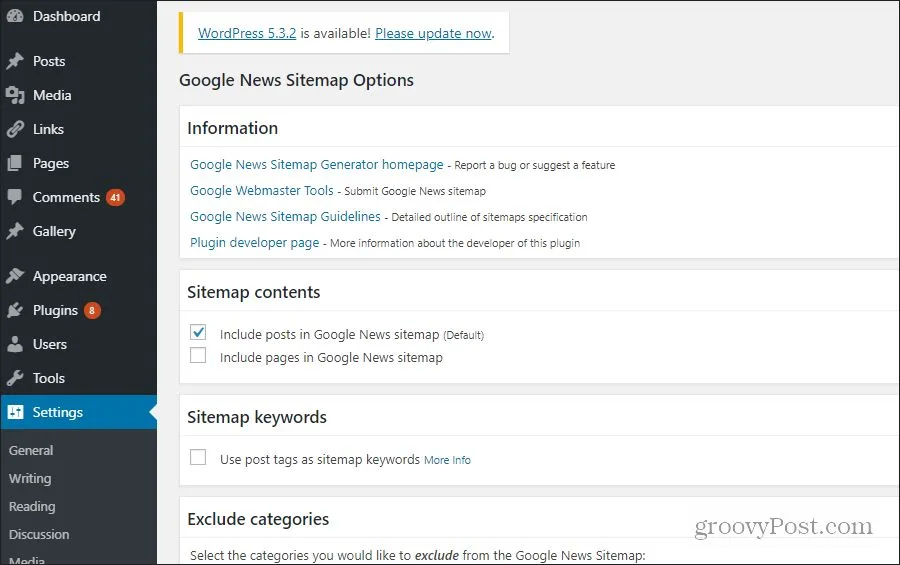
For time-sensitive topics like elections, weather emergencies, or earnings reports, that difference in indexing speed translates directly into traffic share.
There’s a second benefit that gets less attention. News sitemaps act as a publication signal. When your file consistently declares fresh, well-structured content, you build crawl trust over time. Google’s systems learn to check your feeds early and often. It’s a compounding advantage, and it starts with getting the fundamentals right.

Tip 1: Keep Your News Sitemap Inside the 48-Hour Rule
This is the tip people ignore most often, and it’s the one that matters most. Google’s documentation is explicit: article URLs belong in a news sitemap only if they were published within the last two days. Articles older than that should drop off entirely. No exceptions, no “just in case” retention.
Why does this matter so much? Because a bloated file with hundreds of old URLs dilutes the signal. Crawlers waste time parsing entries for articles they already know about, and the file’s freshness score degrades.
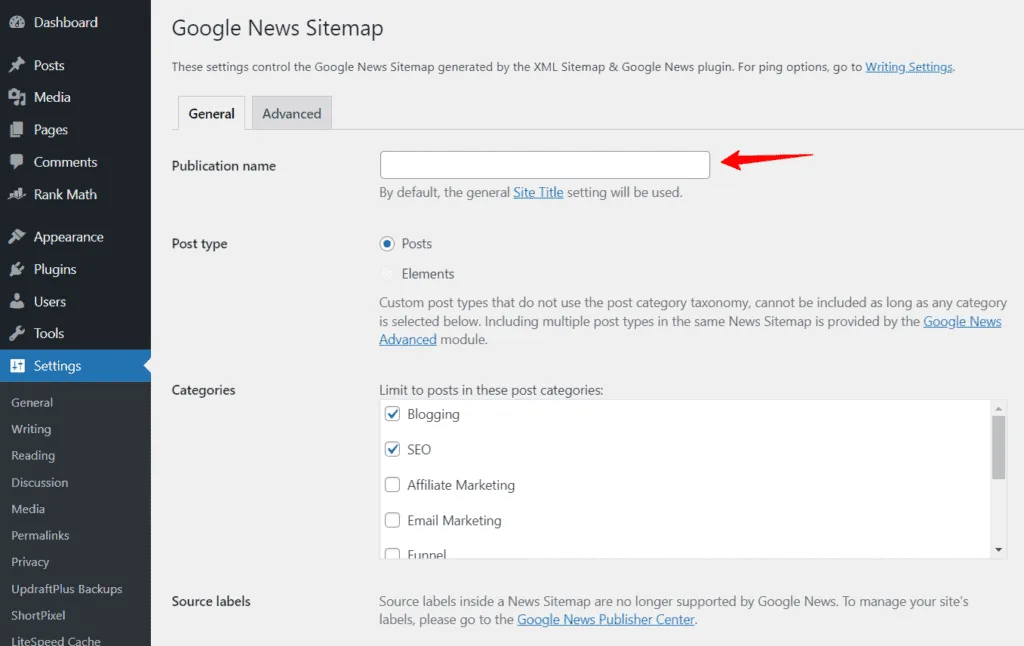
Think of it as a bulletin board: if you keep old notices posted, people stop checking it for new ones.
The execution is straightforward. Refining each detail of your news sitemap strengthens this section. Automated sitemap generation should filter by publication timestamp on every rebuild. If your CMS doesn’t support that natively, a scheduled script that regenerates the file every few hours solves it.
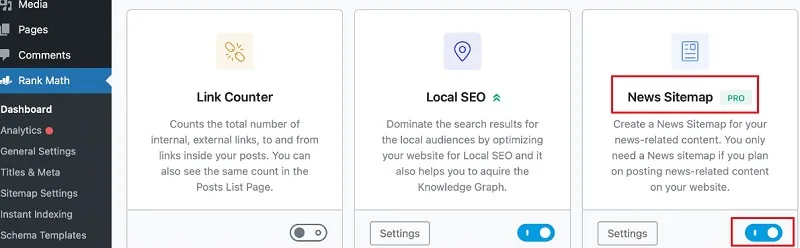
Set the job to run on publish events when possible, so the file updates the moment a story goes live rather than waiting for the next batch cycle.
One caveat worth flagging. If a story gets a substantive update, treat the updated timestamp carefully. Google generally wants the original publication_date preserved, not overwritten with the revision time. Swapping dates to game freshness is a documented spam signal, and it’s easy to detect.

Tip 2: Get the XML Structure Exactly Right
The news sitemap format is governed by a specific schema extension, and getting it wrong breaks parsing silently. That’s the worst kind of failure: your file exists, your CMS says it was generated successfully, and nothing works.
Every URL entry needs a <news:news> block containing three required elements. Here’s what a minimal valid entry looks like:
| Element | Required | What It Does |
|---|---|---|
news:publication |
Yes | Groups the publication name and language code |
news:publication_date |
Yes | W3C-format timestamp of original publication |
news:title |
Yes | Headline of the article, matching the visible H1 |
news:keywords |
No | Comma-separated topic tags, largely deprecated |
news:genres |
No | Content type label such as PressRelease or Blog |
Notice the nesting. The publication element wraps both news:name and news:language. A lot of hand-rolled generators flatten these and produce invalid XML that fails validation quietly. The language code uses ISO 639 two-letter format, so American English content is en, not en-US or eng.
The <URL> wrapper around each entry is also required, and the root element needs the correct namespace declaration for the news extension. Copy the schema from Google’s official documentation rather than reconstructing it from memory. Validation is unforgiving about namespace mismatches.
Tip 3: Cap It at 1,000 URLs per File
The hard limit is 1,000 news articles per sitemap file, and the file itself can’t exceed 50MB uncompressed. Effective execution in your news sitemap makes a tangible difference. For most publications, that ceiling is irrelevant during normal operations but becomes a real constraint during major events.

Election night, a natural disaster, a market crash: the news sitemap are exactly when publishing volume spikes, and exactly when you can least afford a broken feed. Plan for it.
If your publishing cadence can exceed 1,000 articles in a 48-hour window, set up automatic sharding into multiple numbered files, and reference them all from a sitemap index.
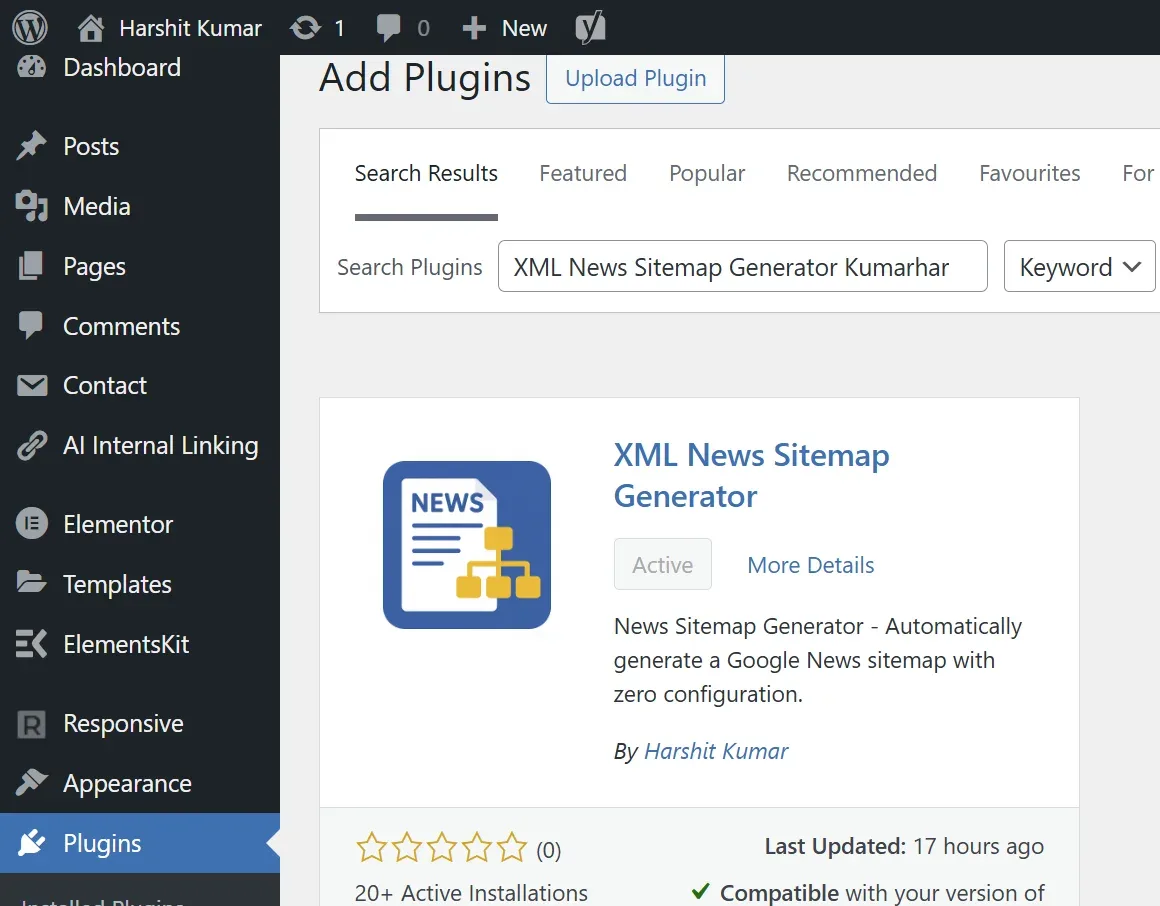
The sitemap index approach is clean. One index file lists individual news sitemaps, each capped at 1,000 entries. Crawlers follow the index and process each file. This scales indefinitely without ever violating the per-file limit.
Most enterprise publishing platforms support this natively; smaller setups may need a custom generation script, but it’s a modest piece of work.

There’s a subtler reason to respect the cap: file size affects crawl efficiency. Even under the limit, a 900KB sitemap full of unnecessary metadata slows parsing. Keep entries lean, strip redundant fields, and let the crawler spend its budget on URLs rather than overhead.
Tip 4: Generate It Automatically, Never by Hand
Manual sitemap maintenance is a guaranteed failure mode. Maintaining clarity across your news sitemap remains essential. Someone forgets to update it during a busy news day, the file goes stale, and the crawl signal disappears without anyone noticing until rankings slip. Automation isn’t a nice-to-have here; it’s the foundation of any reliable implementation.

The best news sitemap tips all share a common thread: they remove human error from the process. Automated generation should trigger on publish, on update, and on a scheduled interval as a safety net. Redundancy matters because triggers fail. If a webhook misfires, the scheduled rebuild catches it within a few hours.
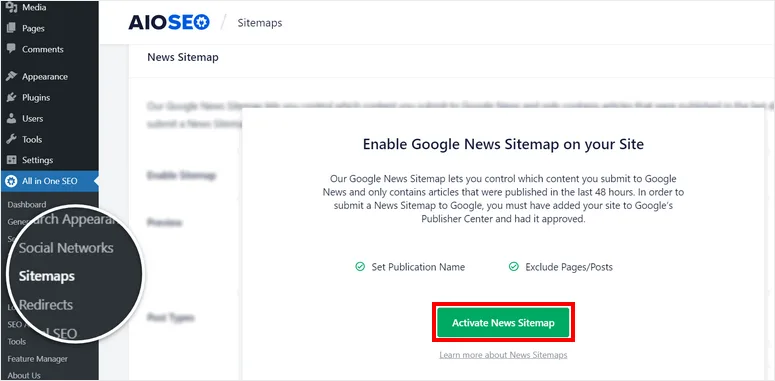
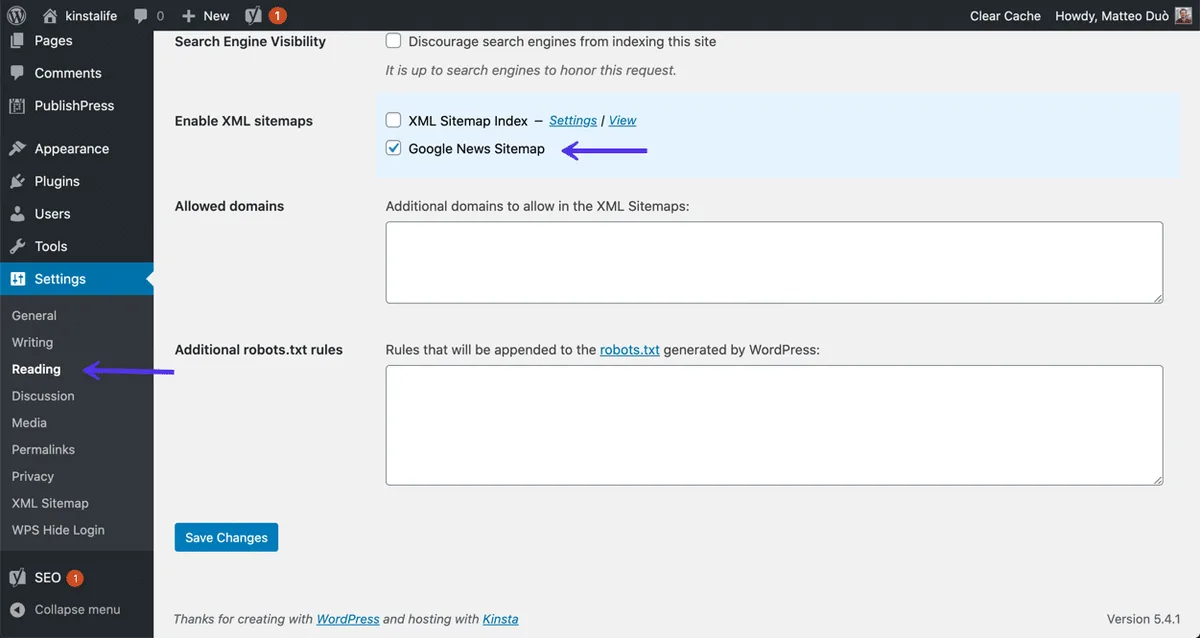
Most major CMS platforms have plugins the news sitemap handle this. WordPress users have several options that generate the file from post metadata automatically. Drupal, Ghost, and custom Node or Rails stacks typically need a small amount of custom logic, usually a scheduled task that queries recent posts and renders the XML.
Whatever the mechanism, point the output at a stable URL. Pick something clean like /news-sitemap.XML and keep it there forever. Changing sitemap URLs resets the discovery process, and you’ll lose crawl momentum for no good reason. Lock the path early and treat it as permanent infrastructure.
Tip 5: Submit It Through Search Console Properly
Generating the file is half the job. Submitting it correctly is the other half, and there’s a specific process that works better than the rest. Add the news sitemap URL in Google Search Console’s Sitemaps report, then verify it’s been processed without errors.

A common mistake is submitting the news sitemap as if it were a standard sitemap. They go in the same place, but the news file needs to be treated as its own submission with its own verification check. After submission, go back and confirm the status shows as “Success” rather than “Couldn’t fetch” or “Has errors.”
Also reference the news sitemap from your robots.txt file. Add a Sitemap: directive pointing to the news file alongside your main sitemap. This gives crawlers a second discovery path that doesn’t depend on Search Console processing. Belt and suspenders, and it costs nothing.
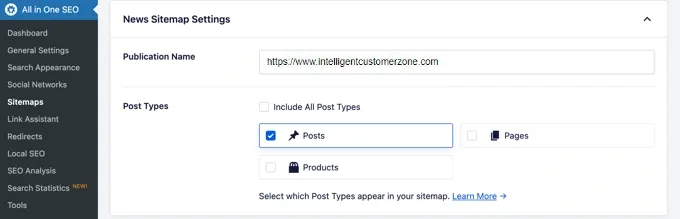
If your site is part of Google News, submissions inside the Publisher Center are separate from Search Console. Both matter. Search Console handles the sitemap parsing; Publisher Center handles the publication-level relationship. Don’t assume one covers the other.
Tip 6: Use Rich Schema Markup Alongside the File
Many people believe the news sitemap itself is what unlocks news-specific display in search results. That’s out of date. Google dropped the news sitemap as a display eligibility requirement years ago, and the current pathway runs through structured data instead.

Practical reality: the news sitemap still drives crawl prioritization, which is why it remains valuable. But eligibility for news surfaces, including Top Stories-style carousels, now depends on NewsArticle schema markup applied to the article page itself.
Publishers who skip this step still get crawled quickly, but they may not qualify for the display features they’re chasing.

The two systems are complementary. Quick crawl gets your URL noticed; proper schema makes it eligible. Neither works alone. If you’re only doing one, you’re leaving opportunity on the table. Use the NewsArticle type rather than the generic Article type when the content qualifies, since the specificity matters for news classification.
For a complete news sitemap checklist, add schema validation to your publishing pipeline. Test new templates with Google’s Rich Results Test before pushing them live, and re-test when you change article layouts. Schema breaks silently all the time.

Tip 7: Match Your Headlines to Your Actual H1 Tags
The news:title value should match the visible headline of the article. A thoughtful approach to news sitemap reinforces your qualifications. This sounds trivial, and it’s a routine failure point.
Many CMS setups populate the tag from an internal title field that differs from the front-end H1, especially when editors rewrite headlines for SEO or A/B test variations.
The mismatch creates a confusing signal. A crawler sees one headline in the sitemap and a different one rendered on the page. In mild cases this causes no harm. In aggregate, across hundreds of articles, it degrades the quality assessment of your feed and can trigger manual review in extreme cases.
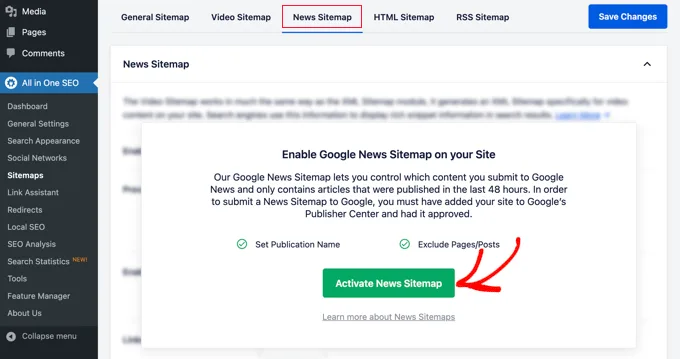
The fix depends on your platform. Some themes expose a filter to override the sitemap title with the rendered H1. Others need a plugin tweak or a custom function. Either way, the objective is consistency: whatever a human sees at the top of the article should be what the sitemap declares.
This matters more for episodic coverage. If you’re publishing multiple updates on the same story, each with a slightly different headline, keep the sitemap aligned with the current published version. Don’t leave a stale title in the feed after a rewrite.
Tip 8: Validate Before and After Deployment
Validation is the step that gets skipped the most, and it’s the cheapest insurance you can buy. A malformed news sitemap can sit silently in production for weeks, returning HTTP 200, while crawlers quietly ignore its contents. Nobody notices until a big story underperforms.
Build validation into your deployment pipeline. Before any change to sitemap generation logic ships, run the output through a validator to confirm schema conformance, namespace correctness, and required field presence. Google’s Search Console will also flag parsing errors in the Sitemaps report, but by then it’s a production problem.
Do the same after deployment. Set a monitoring check that fetches the sitemap hourly and verifies it returns 200 with valid XML and at least one recent URL entry. If a scheduled generation job starts failing, that probe will catch it within an hour rather than after a week of degraded crawling.
The 48-hour window makes this monitoring essential. A sitemap that hasn’t been updated in a week isn’t just stale; it’s actively harmful. Every URL in it violates the freshness rule. Automated alerting that flags files with no entries from the last 24 hours catches this failure mode before it affects rankings.
Tip 9: Separate News and Non-News Content
Not everything you publish belongs in the news sitemap. The file is scoped to news articles specifically, which in Google’s definition means timely content about recent events. Product announcements, evergreen tutorials, and category pages belong in your regular sitemap.
Mixing them degrades signal quality. If half the entries in your news sitemap are evergreen guides that happen to be recent, crawlers learn that your news feed isn’t reliably news-focused. They discount the file’s value over time, which is precisely the opposite of what you want.
Set a clear editorial criterion for what qualifies. A sensible rule: articles that are time-sensitive, cover a specific recent event, and would become irrelevant within weeks. Interviews about current trends typically qualify. Guides about “how to write a cover letter” do not, even if published yesterday.
If your CMS has content types defined, map those to the news sitemap generator. Only post types tagged as news feed into the news file. Everything else flows into the standard sitemap. This separation keeps both files clean and makes your monitoring easier to interpret.
Tip 10: Audit Periodically and Fix What Actually Breaks
The last of these news sitemap best practices is also the easiest to deprioritize: regular audits. Even well-built sitemap systems drift. Theme updates break custom generation hooks, plugins get deprecated, URL structures change, and suddenly a file that worked for a year is producing garbage.
Schedule a monthly review. Open Search Console, check the Sitemaps report for both parsing errors and index coverage. Then manually inspect a handful of sample entries against the live articles. Confirm the URL resolves, the title matches, and the publication date is correct. Ten minutes per month prevents most silent failures.
Worth watching for: articles appearing in the news sitemap days after publication (CMS clock issues, timezone bugs), duplicate entries (publish and update both triggering regeneration without deduplication), and 404 URLs for articles that were deleted but remain in the feed. Each points to a specific, fixable bug.
Beyond the technical checks, audit performance. Cross-reference the publication timestamps of your articles with the time it took them to be indexed. Search Console’s URL Inspection tool gives exact crawl data. If indexing times are stretching, even with a valid sitemap, something upstream in crawl priority or site speed is dragging. The sitemap is one input among many.
Common Mistakes to Avoid With Your News Sitemap
Beyond the ten tips, some failure patterns come up so often the news sitemap deserve their own section. Recognizing them early saves months of head-scratching.
- Leaving old articles in the file: Violates the 48-hour rule and dilutes freshness signal. Filter by timestamp on every rebuild.
- Using the wrong language code:
en-USis wrong;enis right. Three letters likeengare also invalid. - Forgetting the sitemap index: High-volume publishers who exceed 1,000 URLs need an index file. Missing it means entries beyond the cap silently drop.
- Hand-coding the XML: Manual edits introduce typos. Automate the entire pipeline from CMS to served file.
- Skipping regex-escaping in titles: Headlines containing ampersands or angle brackets break XML parsing if not escaped. Use proper encoding libraries.
- Ignoring Search Console errors: The Sitemaps report tells you when parsing fails. Reading it monthly is the bare minimum.
- Testing only after launch: Validate in staging. By the time errors appear in production, indexing has already suffered.
Each of these has the same root cause: treating the sitemap as a one-time setup rather than ongoing infrastructure. None are hard to fix. All are easy to miss until you’re wondering why a competitor ranks an hour before you.
The Payoff: Faster Crawls, Healthier Indexing
Getting these ten tips right produces a compounding benefit that’s worth the initial effort. Fresh articles get crawled on publish events rather than batch cycles. News content appears in relevant surfaces faster. The whole pipeline gets predictable, which makes every other SEO decision easier to reason about.
For publishers building a broader topical authority strategy, this sitemap work is one piece of the puzzle. Structured data on article pages, internal linking between related coverage, and clean category taxonomies all reinforce each other. The news sitemap is the traffic light that tells crawlers where to go first.
Start with the 48-hour rule and the schema structure. Those two fixes alone resolve the majority of problems teams encounter. Then layer in automation, monitoring, and validation. Within a few weeks you’ll see indexing latency drop, and that improvement tends to stick as long as the pipeline stays maintained.
Treat your news sitemap as living infrastructure and the returns accrue quietly. Ignore it, and you’re leaving every breaking story to compete on equal footing with every other publisher who didn’t bother. The crawl speed advantage belongs to the people who make the file do its job.
For verified reference and background research, consult the authoritative informational resource on this topic.