Title Tag Length: 6 Simple Secrets for Better Results
Title tag length is the single most overlooked lever in on-page SEO, and it quietly decides whether your carefully written page gets clicked or scrolled past. Think of the title tag as the storefront sign of your entire page.
Google, Bing, and every social preview card all read it first, then decide how much of it to show. Get the length wrong, and your best work gets chopped off mid-word, replaced by an ellipsis, or rewritten entirely by the search engine.
Here’s the good news: the title tag length isn’t a guessing game. Over the years, working with publishers, e-commerce teams, and solo bloggers, I’ve watched a handful of repeatable habits separate titles that earn clicks from titles that quietly die.
Six of those habits are worth your attention, and each one ties directly back to how you measure and manage title tag length.
If you’re building a broader content optimization system, treat this as the entry point. Everything else — meta descriptions, headings, internal links, structured data — sits downstream of a title that renders correctly and earns the click.
Why Title Tag Length Decides Whether Anyone Clicks
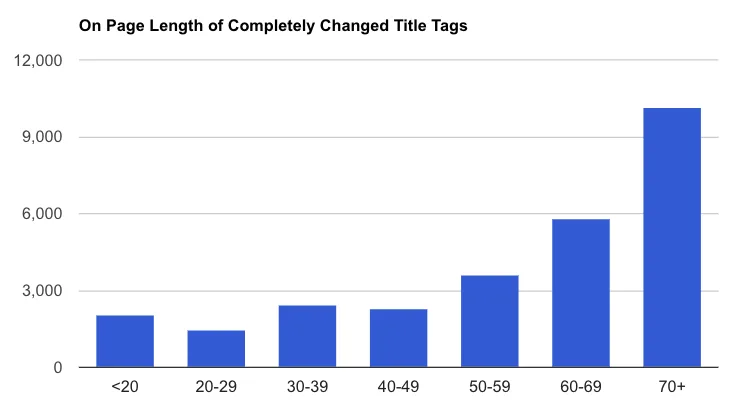
Search engines truncate titles based on pixel width, not character count. That distinction matters more than most people realize. A title stuffed with wide capital letters and the letter “W” can get cut off at 55 characters, while a leaner title with lowercase letters and thin characters might display fully at 62. Google’s desktop results typically show around 580 pixels of title text, and mobile shows noticeably less.
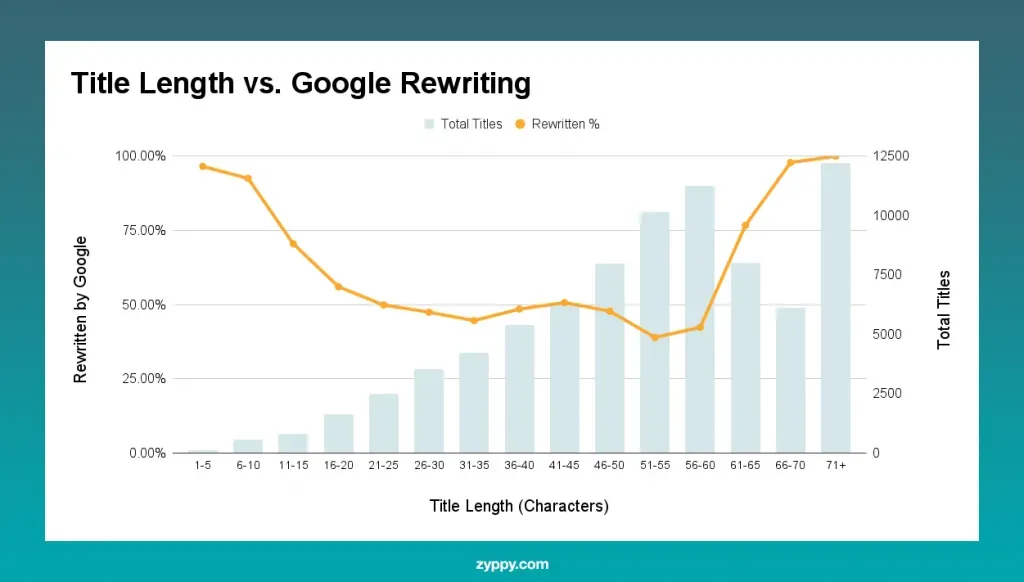
What happens when your title overflows? Google truncates it with an ellipsis, or worse, rewrites it entirely using content from your page. That rewrite strips away your carefully chosen keywords and your persuasive hook. You lose control of the most visible line of copy you own.
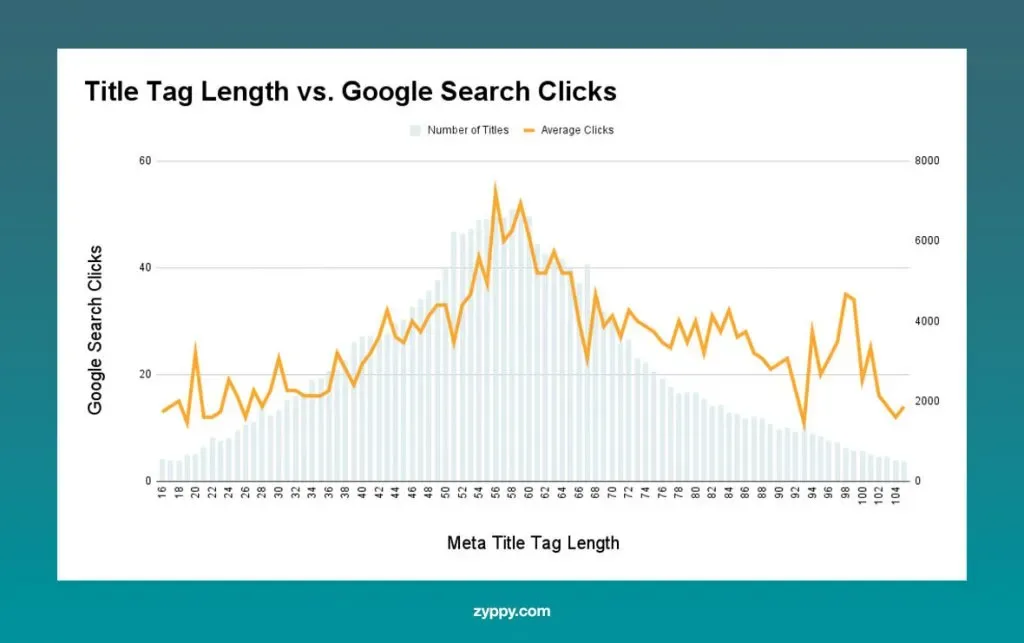
There’s a second, less obvious cost: click-through rate. A truncated title reads like an incomplete thought. Users scanning a results page have a fraction of a second to decide, and an unfinished sentence rarely wins that race. Getting your title tag length right is really about respecting that split-second decision.
How Search Engines Actually Measure Your Title
Both Google and Bing render titles in a specific font at a specific size on desktop and mobile, then measure the resulting pixel width against the available space. That’s why tools like SERP previews matter — they simulate the real rendering instead of asking you to count characters in a vacuum.
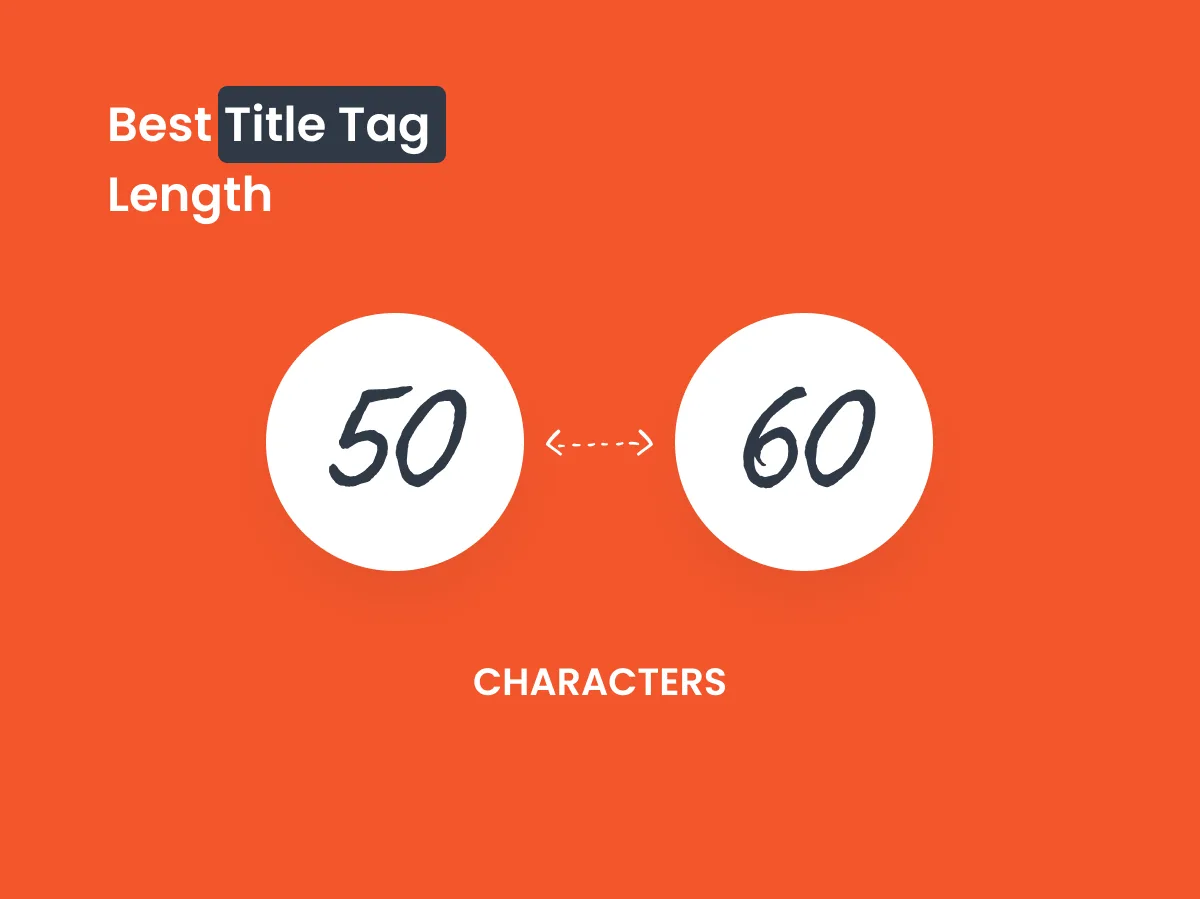
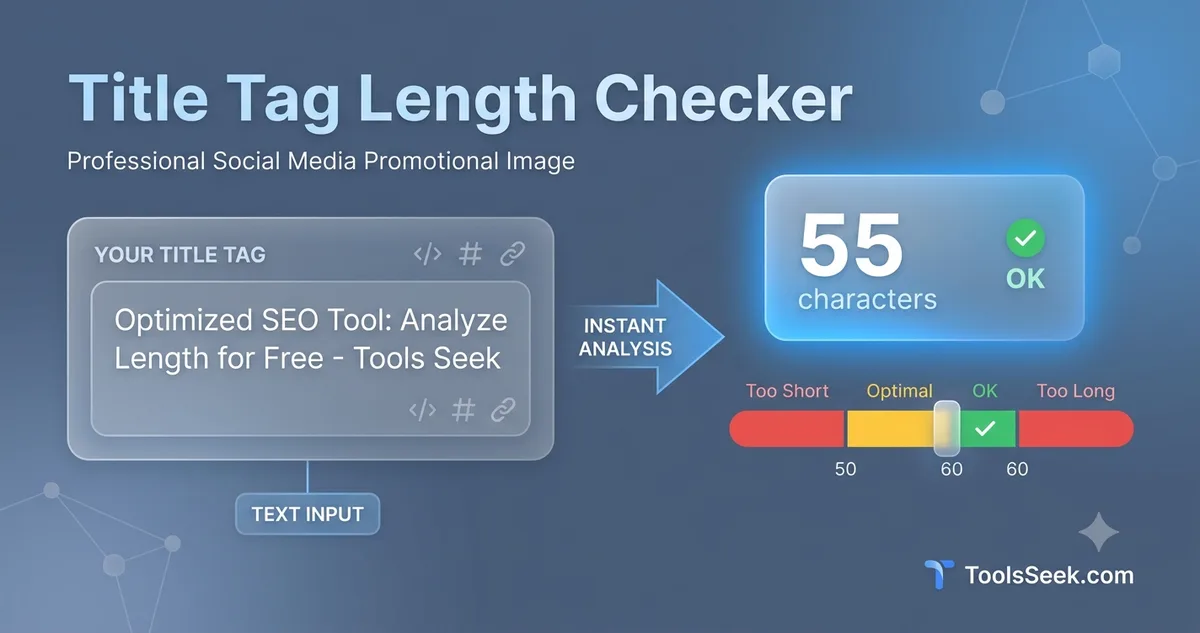
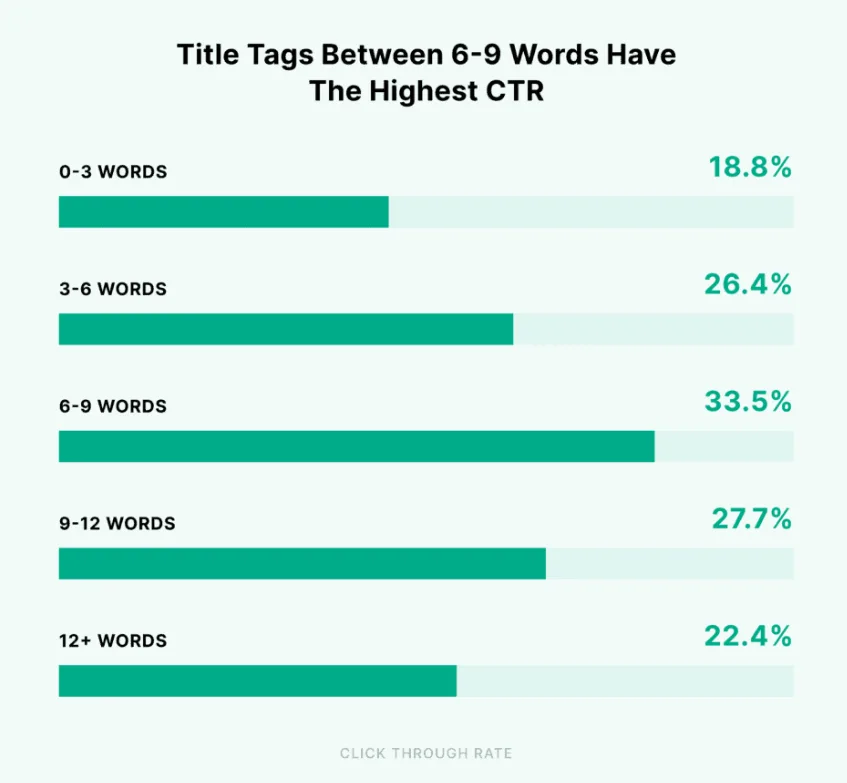
A practical rule of thumb: aim for 50 to 60 characters, but verify with a pixel-width preview tool. That range covers most titles safely. Anything under 50 characters usually displays in full but leaves valuable real estate unused. Anything over 60 risks truncation on desktop and almost guarantees it on mobile.
One more wrinkle: Google sometimes appends your brand name to the title in results. Refining each detail of your title tag length strengthens this section. If your brand is long, budget for it. A 58-character title plus a 15-character brand suffix pushes you well past the truncation line.
Secret 1: Master the Title Tag Length Sweet Spot
The first secret is the least glamorous and the most important: find the sweet spot and stay in it. For most pages, that’s 50 to 60 characters. This is the foundation of any serious title tag length guide, because every other optimization builds on a title that renders cleanly.
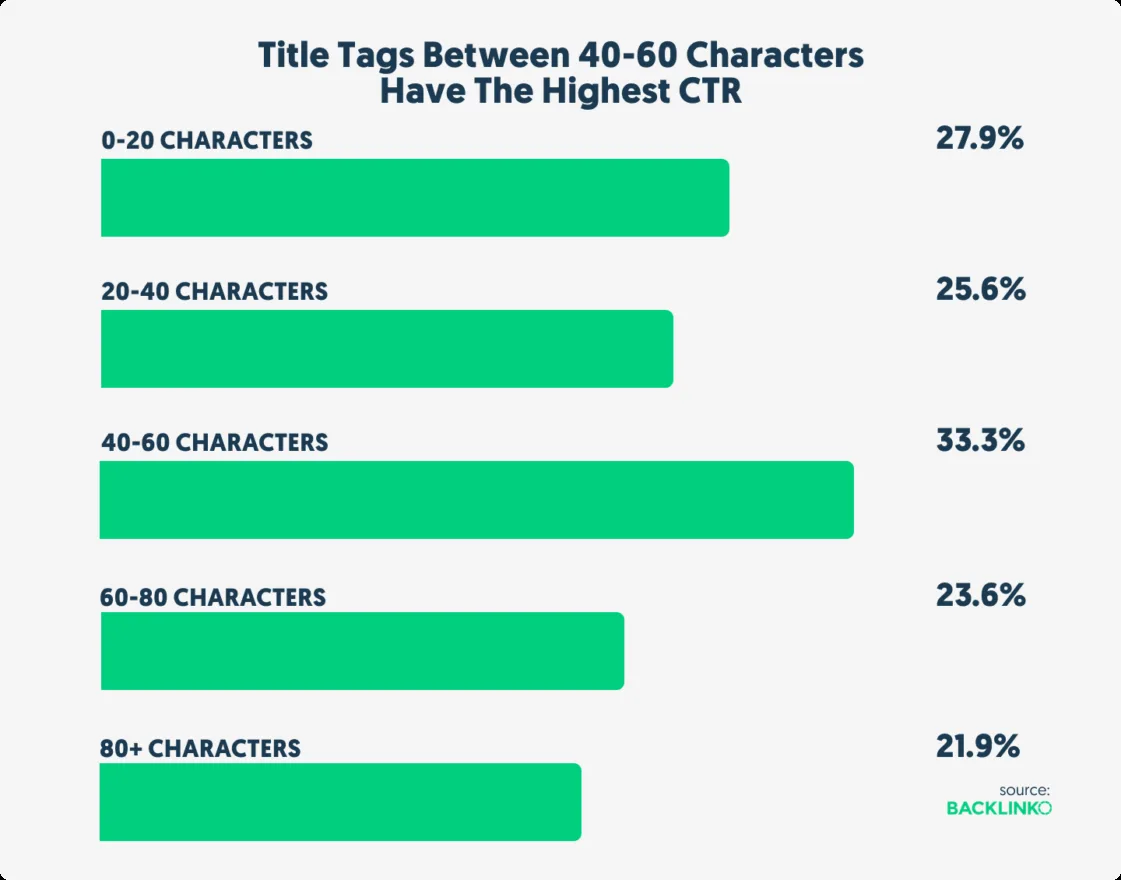
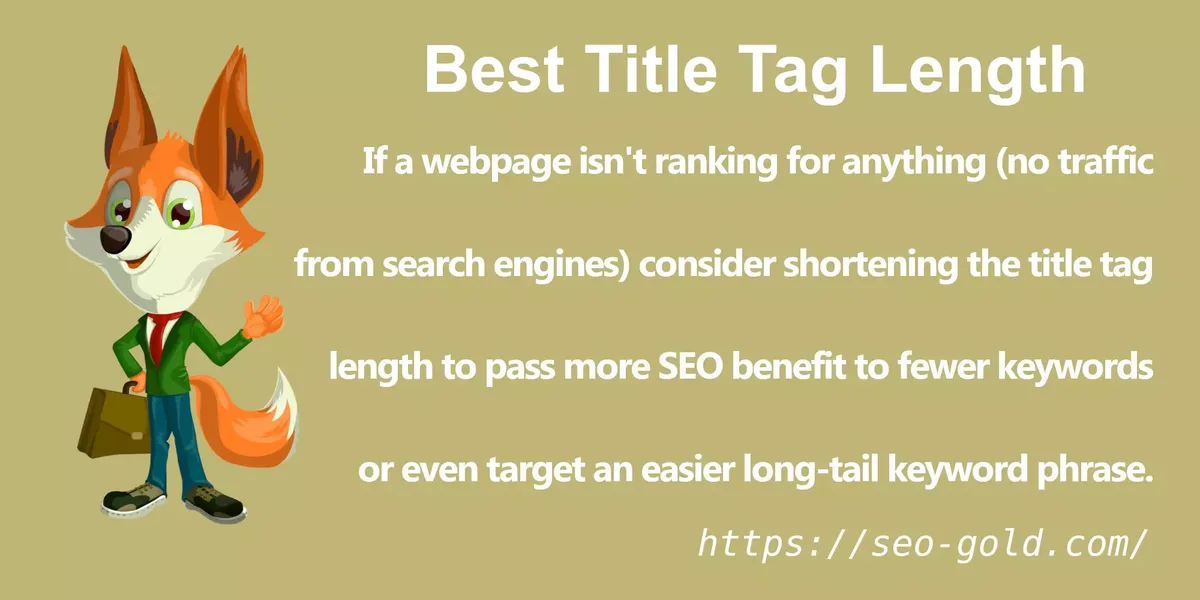
Why not go shorter? A 35-character title fits comfortably but wastes 20-plus characters of prime keyword and persuasion space. Why not go longer? Because truncation erases the end of your title, which is often where the compelling reason to click lives — the number, the benefit, the qualifier.
Here’s a real example. A client’s original title read: “Best Running Shoes for Flat Feet — Free Shipping and Returns.” At 62 characters, Google cut it to “Best Running Shoes for Flat Feet — Free Shippin…” The benefit vanished.
We rewrote it as “Best Running Shoes for Flat Feet | Free Returns” at 50 characters. Full display, clean read, and click-through rate climbed within two weeks.
Desktop versus Mobile: Two Different Lengths
Mobile results show fewer characters than desktop — often 10 to 15 fewer depending on the device. That means a title that looks perfect on your laptop can truncate on a phone, where a growing share of searches happen.
My working approach: optimize for mobile first, then confirm desktop looks even better. If a title displays fully on a narrow phone screen, it will display fully everywhere. That single habit eliminates most truncation problems before they start.
A quick title tag length checklist item to keep handy: preview every title at 360-pixel mobile width before publishing. If the key phrase and the hook both survive, you’re in good shape.
Secret 2: Put the Primary Keyword First, Not Last
The second secret is about placement. Even within a correct title tag length, where your keyword sits changes how much it helps. Front-loading the primary phrase means it survives truncation even if the tail gets cut, and it signals relevance to both readers and crawlers immediately.
Compare “A Practical Guide to Title Tag Length for Beginners” with “Title Tag Length: A Practical Beginner’s Guide.” The second version puts the keyword first, reads cleaner, and protects the most important words if the title ever gets shortened. Same information, very different resilience.
This is one of those title tag length best practices that pays off twice — once for ranking signals and once for user trust. Readers scanning a results page lock onto the first few words. If those words match what they searched, you’ve already earned a moment of attention.
Balancing Keyword Placement With Readability
Front-loading doesn’t mean cramming. A title that reads like a keyword dump — “Title Tag Length Title Tag Length Tips” — repels readers and can trigger spam signals. The keyword should lead naturally, followed by a genuine reason to click.
A useful pattern: [Primary Keyword]: [Specific Benefit or Number]. Effective execution in your title tag length makes a tangible difference. That structure keeps the keyword early, adds a hook, and usually lands inside the 50–60 character window. It’s simple, but it consistently outperforms clever-but-vague alternatives.
Secret 3: Use Numbers and Specifics to Fill the Space
The third secret turns length into an advantage. Once you know your title tag length budget, fill the remaining space with concrete specifics — numbers, timeframes, outcomes — rather than filler words. Numbers are the cheapest, most reliable way to earn a click.
“How to Improve Your Website” is 29 characters and says almost nothing. “7 Fixes That Cut Page Load Time in Half” is 41 characters and promises something measurable. The second title uses its length budget to deliver a specific, verifiable-sounding benefit.
This is where a title tag length tips mindset helps: every character should either carry the keyword, sharpen the promise, or add a qualifier that filters for the right audience. Words like “simple,” “proven,” or “step-by-step” can work, but only if they add real meaning rather than padding.

What to Cut When You’re Over Budget
When a title runs long, most writers trim the wrong end. They cut the benefit and keep the fluff. Reverse that. Remove articles (“the,” “a”), drop redundant prepositions, and eliminate words that restate the obvious.
For instance, “How to Learn About the Basics of Title Tag Length Optimization” becomes “Title Tag Length Optimization: The Basics.” Same meaning, 36 characters instead of 61, and far easier to scan. Aggressive trimming almost always improves readability.

Secret 4: Build a Title Tag Length Checklist Before You Publish
The fourth secret is process, not creativity. A repeatable title tag length checklist catches truncation, keyword placement, and brand-suffix problems before they reach the live SERP. Teams that skip this step ship the same mistakes over and over.
Here’s the checklist I run on every page, and it’s worth adapting to your own workflow. It takes about ninety seconds and prevents the most common title failures.
| Check | Target | Why It Matters |
|---|---|---|
| Character count | 50–60 characters | Prevents truncation on desktop and mobile |
| Pixel width | Under ~580px desktop, ~920px mobile | Rendering, not counting, decides display |
| Keyword position | First 3–4 words | Survives truncation and signals relevance |
| Brand suffix | Budgeted or omitted | Google may append it, pushing past the limit |
| Uniqueness | No duplicate titles sitewide | Duplicates confuse crawlers and dilute relevance |
| Readability | Reads naturally aloud | Awkward phrasing kills click-through rate |
Run this before publishing and again after any rewrite. Titles drift over time, especially on pages edited by multiple people, and a quick recheck keeps them honest.
Common Checklist Failures Worth Watching
The most frequent failure I see is ignoring the brand suffix. A site with a 20-character brand name effectively has a 40-character budget, not 60. Teams that don’t account for this ship truncated titles constantly.
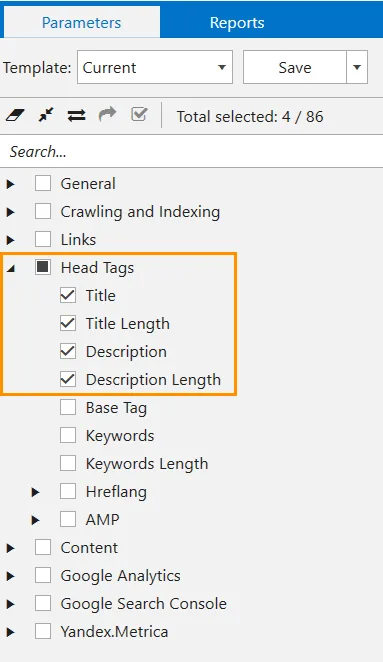
The second most common failure is duplicate titles across category and product pages. Two pages with the same title compete against each other and confuse the engine about which one deserves to rank. Uniqueness belongs on every title tag length checklist for that reason alone.
Secret 5: Test and Measure Title Tag Length Changes
The fifth secret is measurement. this approach to title tag length best practices are a starting point, not a finish line. The only way to know what works for your audience is to test variations and watch the data.
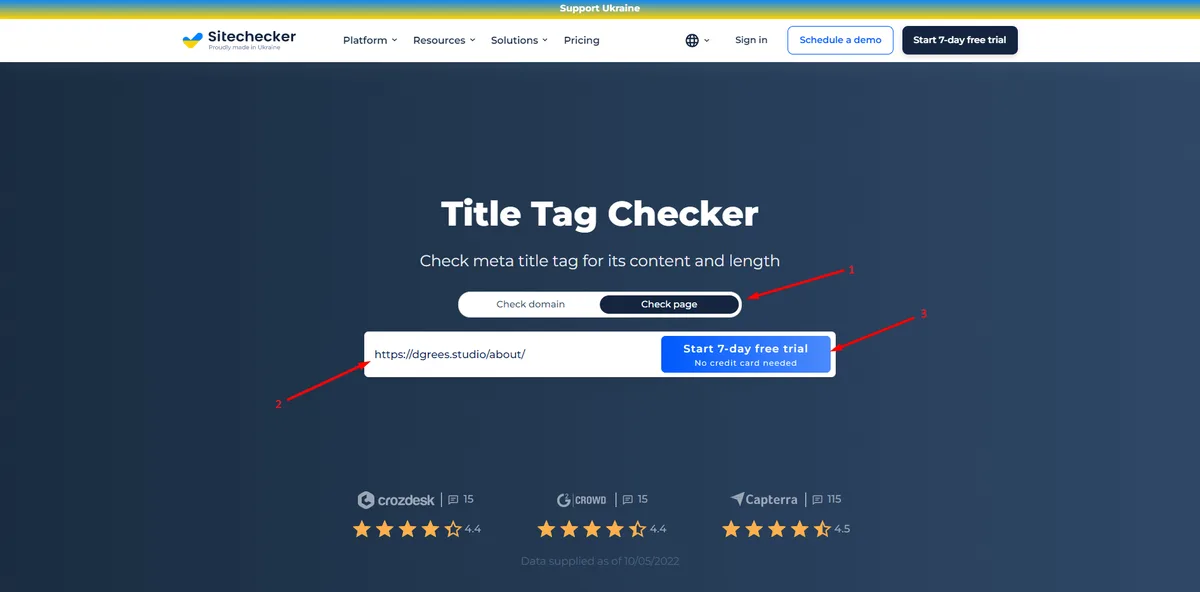
Search engines don’t offer native A/B testing for titles, but you can approximate it. Change a title, wait for impressions and clicks to stabilize, then compare click-through rate in Search Console over a comparable window. Keep the change isolated so the signal stays clean.
I’ve seen modest rewrites — trimming five characters and moving the keyword forward — lift click-through rate by double digits on high-impression pages. Small this approach adjustments compound because they affect every impression the page earns.

Reading the Data Without Fooling Yourself
Two traps catch most people. First, comparing periods with different seasonality, which produces false wins. Second, changing the title and the meta description at the same time, which makes attribution impossible.
Change one element, hold everything else steady, and give the data enough time to settle. A couple of weeks usually suffices for pages with steady impressions. For low-traffic pages, you may need a month or more before the signal is trustworthy.
Secret 6: Align Title Length With Search Intent
The sixth secret ties length to intent. A title that fits perfectly but misses what the searcher wants will still lose. this practice should serve the promise, and the promise must match the query.
Informational queries reward clarity and specificity — “What Is this approach? A Plain-English Answer.” Commercial queries reward comparison and confidence — “Title Tag Length Tools Compared: Which Wins.” Transactional queries reward directness — “Buy [Product] — Fast, Free Shipping.” Each intent calls for a slightly different structure, even within the same character budget.
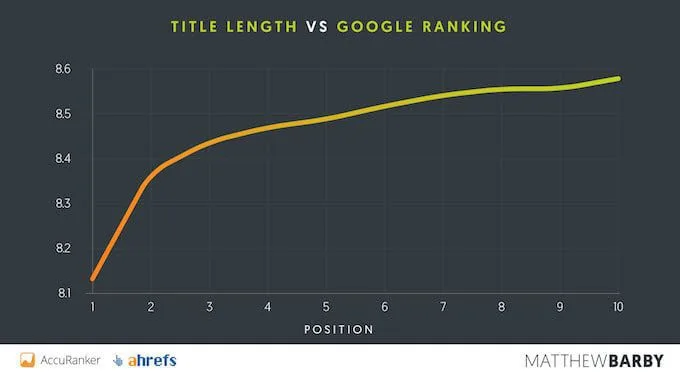
Matching intent also helps the title tag length decide what belongs in the title at all. If the query is informational, the number or benefit should promise understanding. If it’s transactional, it should promise speed, price confidence, or ease. The length budget amplifies whichever promise you choose.
Matching the Promise to the Page
A title that promises something the page doesn’t deliver earns the click and loses the visitor. That mismatch shows up as high bounce rates and poor engagement, which eventually erodes rankings. The title and the page must agree.
Before finalizing any title, read it against the page’s first paragraph. If the title promises a comparison and the page opens with a definition, fix one or the other. Consistency between title and content is the quiet requirement behind every length decision.
Putting the Six Secrets to Work
Here’s the practical takeaway. Start with the 50–60 character sweet spot, verify with a pixel-width preview, and front-load your keyword. Fill the remaining space with a specific number or benefit, then run it through a checklist that accounts for brand suffixes and duplicates.
After publishing, measure click-through rate and adjust based on real data. Finally, make sure the title’s promise matches the search intent behind the query. Those six moves cover the vast majority of this practice problems teams run into.
If you want to go deeper, the natural next steps are meta description optimization, heading hierarchy, and internal linking — all of which build on a title that renders correctly and earns the click. Get the title right first, and everything downstream gets easier.
Frequently Asked Questions About Title Tag Length
Here is an in-depth breakdown of key considerations regarding this section:
What is the Ideal Title Tag Length?
Aim for 50 to 60 characters. That range displays fully on desktop and most mobile devices. Always confirm with a pixel-width preview, since character count alone doesn’t guarantee clean rendering.
Does Title Tag Length Affect SEO Rankings?
Length itself isn’t a direct ranking factor, but it shapes click-through rate and prevents truncation. A title that displays fully and earns clicks sends stronger engagement signals than one that gets cut off or rewritten by the search engine.
Why Did Google Rewrite My Title?
Google rewrites titles when it believes a different version better matches the query or when the original is too long, too short, or keyword-stuffed. Keeping your this practice within range and making it read naturally reduces the chance of a rewrite.
Should I Include My Brand Name in the Title?
Include it only if it fits. Google often appends the brand automatically, so a long brand name can push your title past the truncation limit. Budget for it in your character count or omit it entirely.
How Do I Check Title Tag Length for Mobile?
Use a SERP preview tool that simulates a narrow mobile viewport, typically around 360 pixels wide. If the keyword and the hook both survive at that width, your title will display fully across devices.
Can I Change a Title After Publishing?
Yes, and you often should. Rewrite titles that truncate, miss the keyword, or underperform on click-through rate. Change one element at a time and give the data a couple of weeks to settle before judging the result.
For verified reference and background research, consult the authoritative informational resource on this topic.