Why Meta Description Length Decides Whether Anyone Clicks
Meta description length is the single most misunderstood lever in on-page SEO, and it quietly decides whether your carefully crafted page gets read or scrolled past. Picture the last time you scanned a search results page.
You didn’t read every snippet. Your eye caught two or three, and the rest blurred into gray text. That filtering happens in under two seconds, and the raw size of your snippet is a big part of what survives the cut.
Here’s the tension most writers feel but rarely name. Focusing on meta description length provides clear direction here. Google rewrites descriptions constantly. So why bother measuring anything? Because when you give the search engine a tight, well-built snippet, you’re handing it your preferred pitch.
You still lose control sometimes. But a page with a deliberate snippet wins more often than a page that leaves the field blank.
This is your practical meta description length guide, built around eight strategies that hold up in real audits. I’ve pulled snippets from dozens of client pages, watched click-through rates shift after a five-character trim, and learned which rules actually move the needle. Some of what follows will feel fiddly. All of it earns its place.
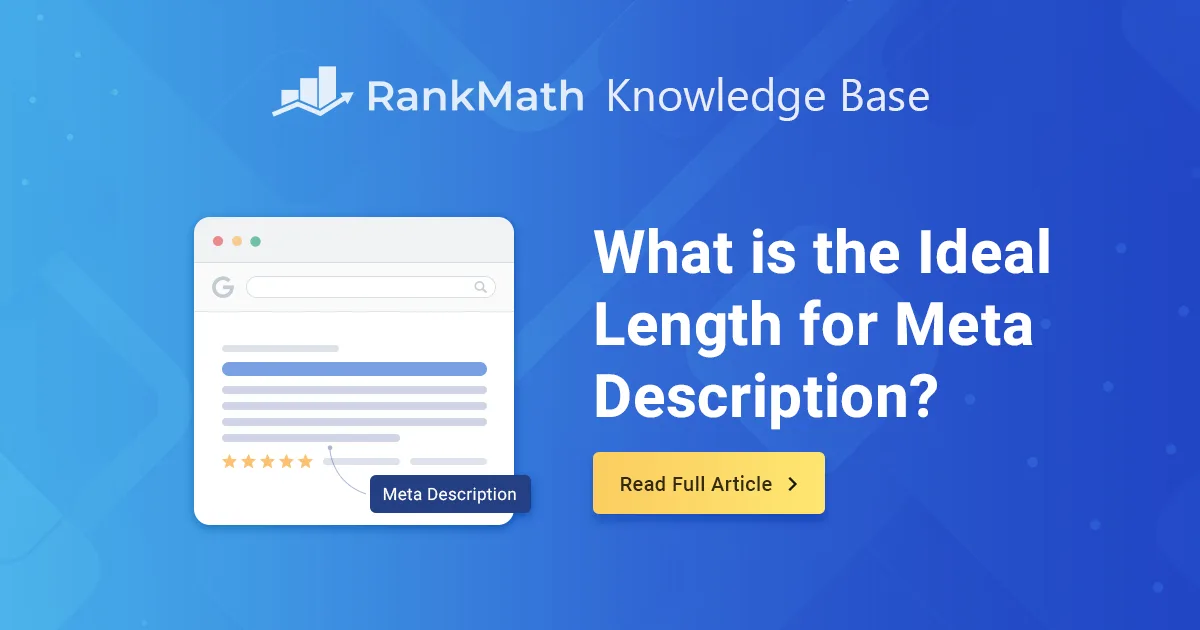
What is the Ideal Meta Description Length?
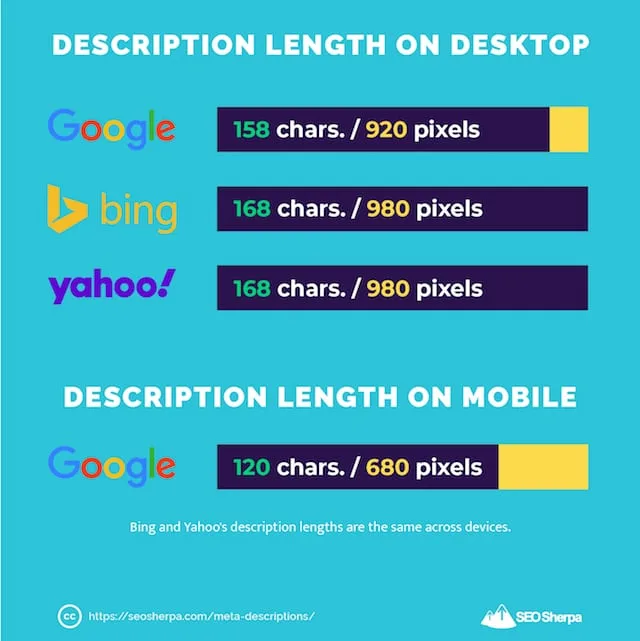
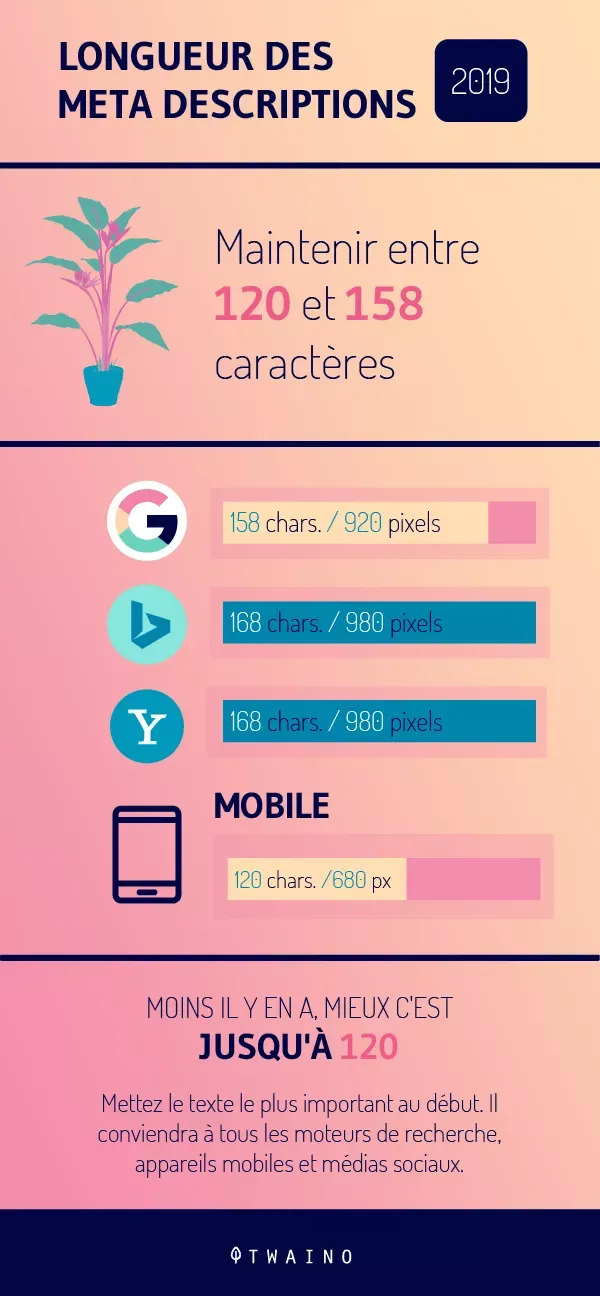
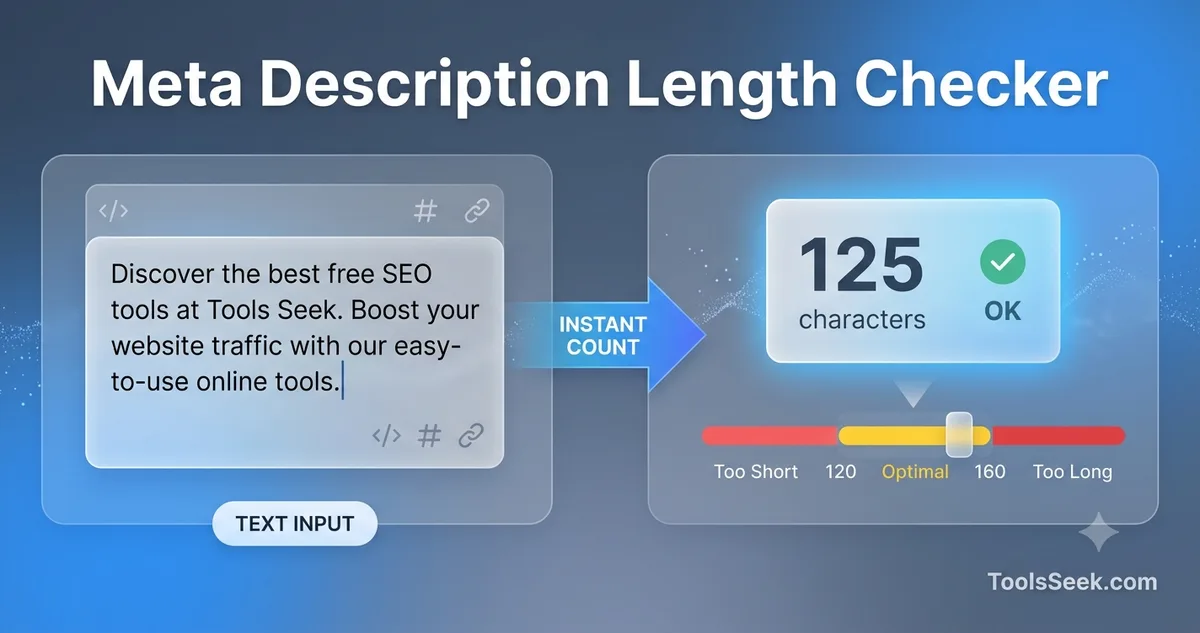
Short answer: around 140 to 160 characters, though the honest range runs from 120 to 158 depending on what the searcher types. Refining each detail of your meta description length strengthens this section. Google measures width in pixels, not characters, and mobile displays squeeze that window further. A description that ends cleanly on desktop can get chopped mid-word on a phone.
That’s why nobody serious treats one number as gospel. The character count is a proxy for pixel width, and the proxy breaks down the moment your snippet is full of wide capital letters or narrow lowercase ones. If you want a workable rule, aim for 155 characters and verify how it renders in a preview tool.
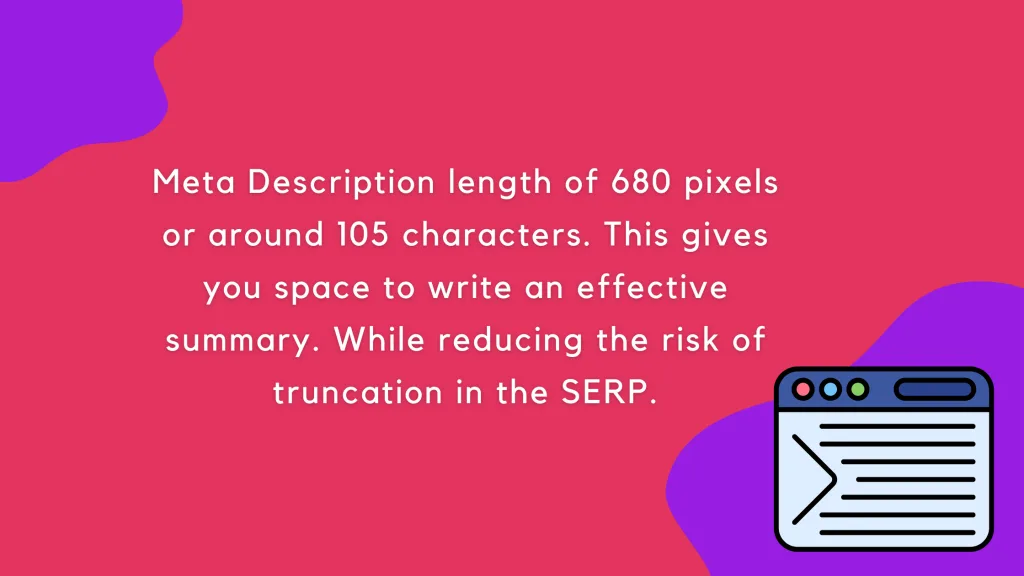
Most SEO platforms estimate around 920 pixels for desktop snippets. Mobile pushes the ceiling lower, somewhere near 680 pixels in many layouts. That gap explains why a meta description length best practices approach always includes a mobile check rather than a single desktop glance.
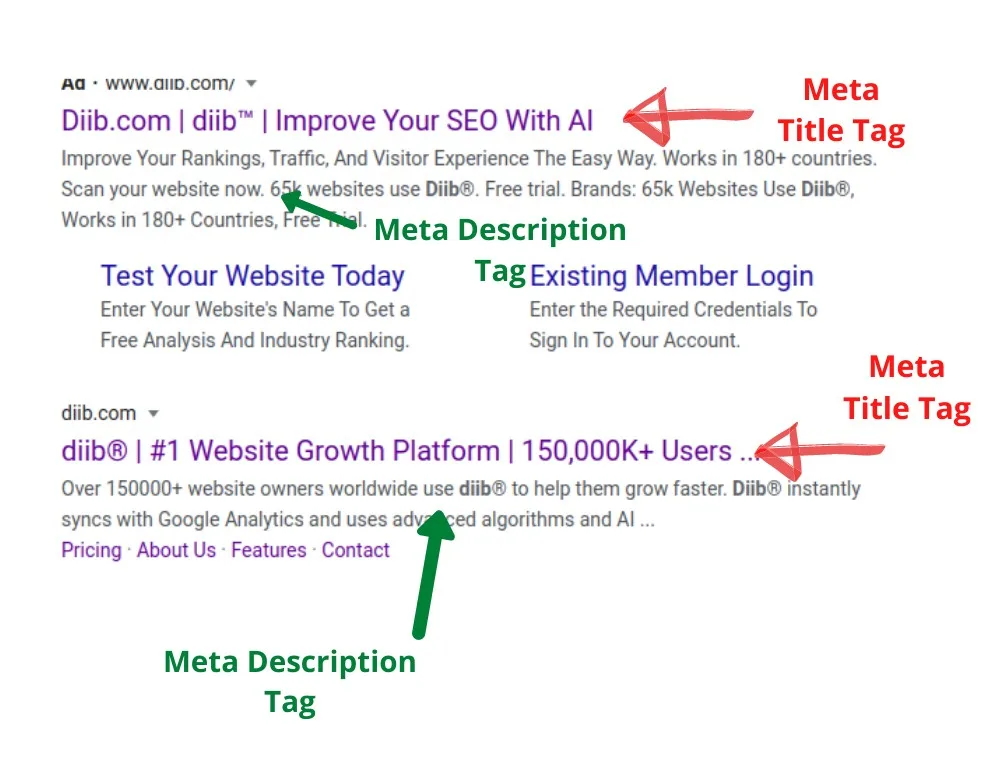
For anyone new to the terminology, the meta description length meta element overview covers the underlying HTML that feeds search snippets, which helps you understand why the tag is capped by display rather than by code. The tag itself has no hard character limit. The cutoff comes from rendering, not from the markup.
Characters versus Pixels: the Real Measuring Stick
Character counting is comforting because it’s simple. Pixel width is what actually ships. Wide letters like W and M eat more room than skinny ones like i and l, so two descriptions of identical length can render at different widths.
Run the meta description length test on a page you already own. Take your snippet, swap a few narrow letters for capitals, and watch the ending clip. That’s the quickest way to internalize why a strict character target only gets you partway there.
My working method: write to about 150 characters, then preview on both desktop and mobile widths. Trim until the final clause survives on the smaller screen. You’ll usually land near 135 to 145 characters, which is a perfectly defensible target for meta description length.
How Search Engines Truncate Your Description
Google doesn’t cut at a character count. It cuts at a word boundary once the width is exhausted, which is why a description ending in “optimization” can lose the entire word while one ending in “tips” keeps it. Phrase your final clause with an important short word so the cut lands somewhere graceful.
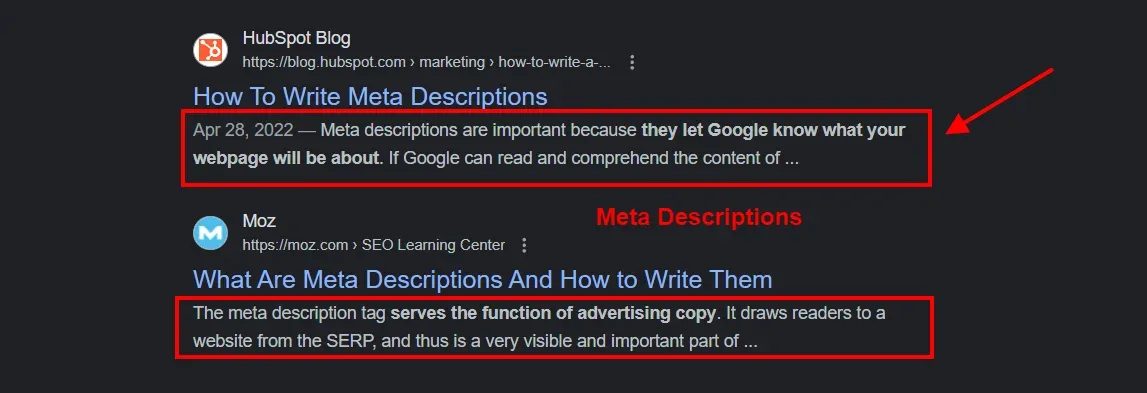
The meta description length’s a second behavior worth knowing. When your snippet doesn’t match the query, Google may pull a different sentence from the page. You can’t override that. You can, however, keep your opening line so clear and self-contained that it’s the obvious choice for the engine to keep.
Treat your authored tag as a recommendation, not a guarantee. This mindset shift removes most of the anxiety around getting the length “wrong.” The goal is to make the engine’s job easy when it decides whether to trust your text.
Strategy 1: Set a Target That Survives Mobile Truncation
Start every snippet with a mobile-first ceiling. Structuring your meta description length around proven patterns ensures impact. If the description reads completely on a narrow screen, it will almost certainly read on a desktop. That single habit eliminates the most common length failure I see in audits.
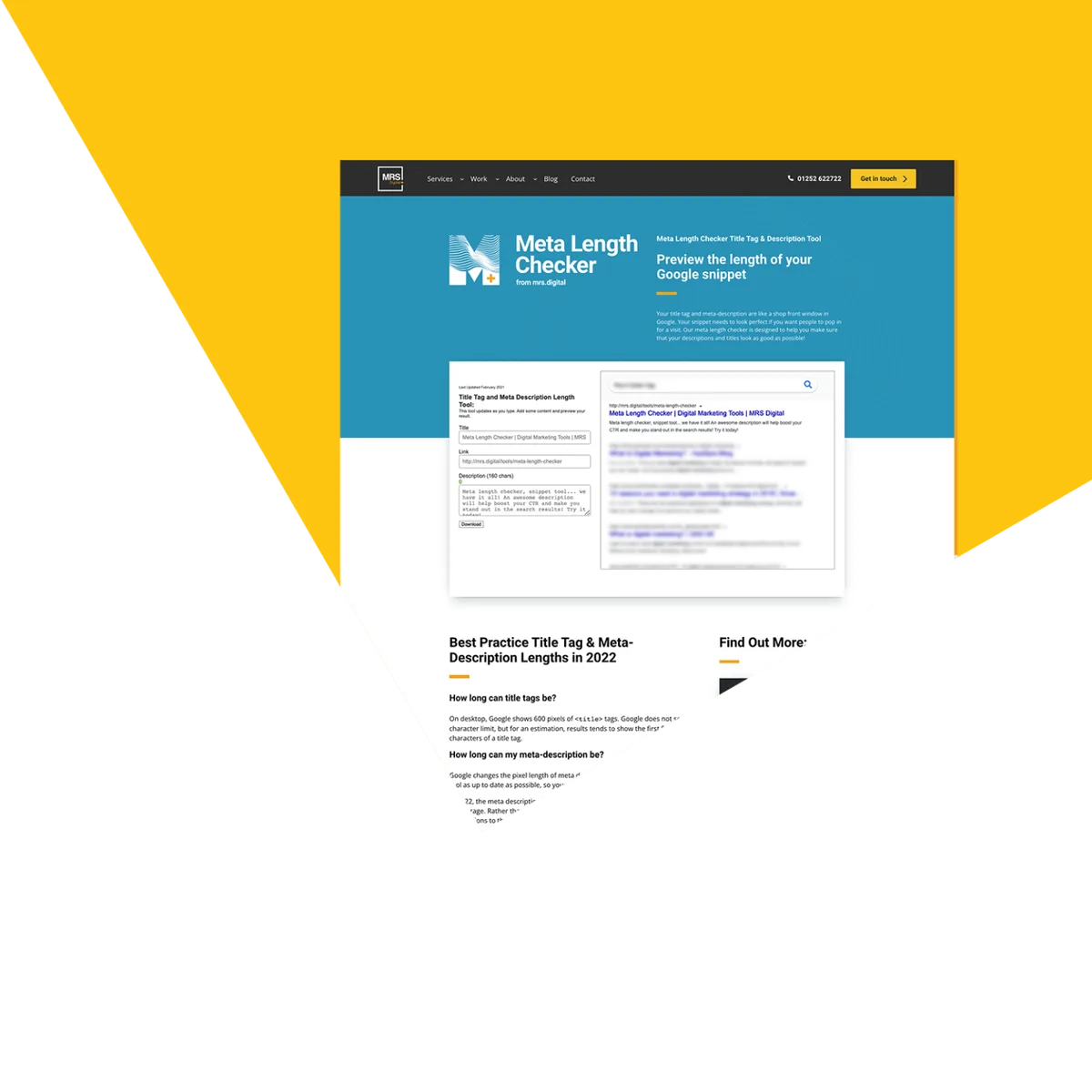
Here’s the workflow. Draft the description at full length, then open a snippet preview that shows mobile rendering. Watch for the point where the text fades. Move your most persuasive phrase above that line, and let the trailing detail go.
The craft part matters as much as the technical part. Your headline claim should land in the first 90 characters. Everything after that is a bonus for wider screens. Structure your writing around that reality and your meta description length plan becomes resilient by design.
Real example from a client’s service page. Applying these principles to your meta description length yields measurable results. Original draft ran 178 characters and buried the price-free consultation offer at the end. Trimming to 142 characters and hoisting that offer to the middle lifted click-through rate noticeably within a month. Same message, better placement.
Strategy 2: Write the First 90 Characters Like a Headline
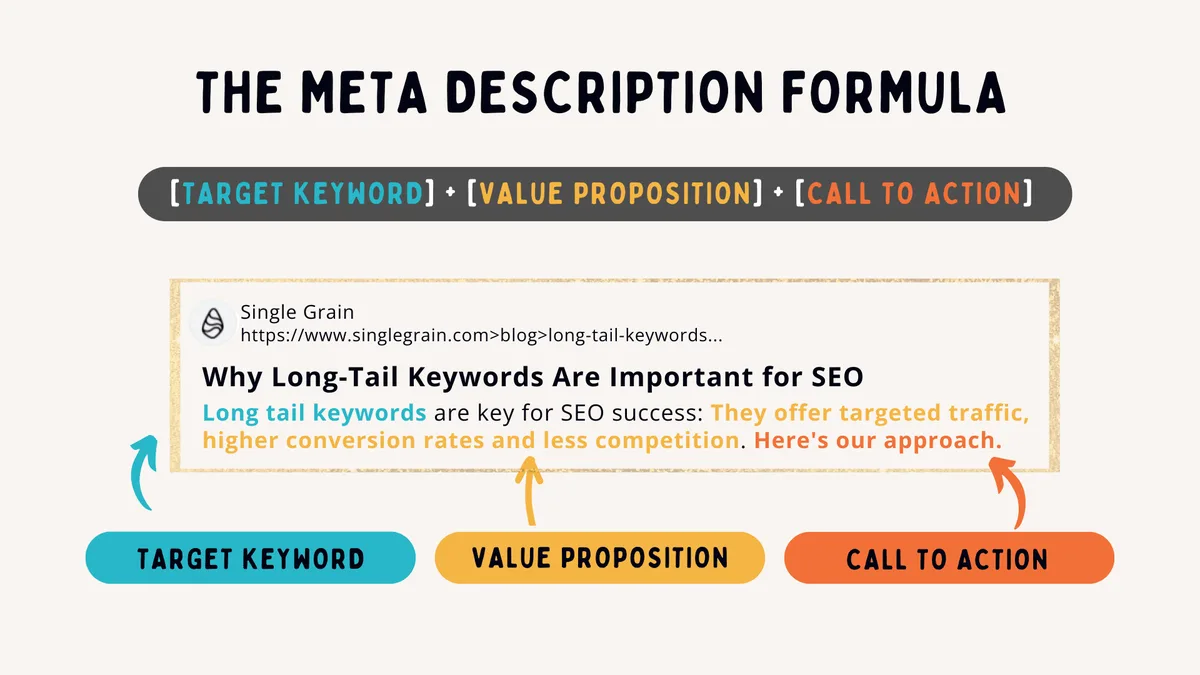
The opening third of your snippet does most of the selling. Treat those characters as you would a headline, because that’s how searchers process them. Lead with the benefit, not the brand name.
A description beginning “Acme Solutions offers comprehensive…” wastes its strongest real estate on a company name nobody searched for. Proper attention to your meta description length sets a strong baseline. Flip it. “Cut your file prep time in half with…” earns attention immediately and still leaves room to mention the brand later.
This pairs naturally with any sensible meta description length approach. When you front-load value, the length question resolves itself. You already said the important thing, so trimming the tail costs you nothing.
Try this constraint exercise. Write the first 90 characters with no room for anything but value. Then add the remaining 50 to 60 characters as supporting detail or a soft call to action. It forces clarity and makes the length decision much simpler.
Strategy 3: Build a Snippet Preview Layer Before Publishing
Guessing at length is the fastest route to a clipped description. Developing your meta description length with precision highlights key strengths. Build a preview step into your publishing workflow so every snippet gets eyeballed at real rendering widths before it goes live.
Most SEO suites include a SERP preview panel. Google’s own tools show a rough approximation too. Whatever you use, check three widths: desktop, tablet, and mobile. Note where the text cuts and whether the final visible words still make grammatical sense.
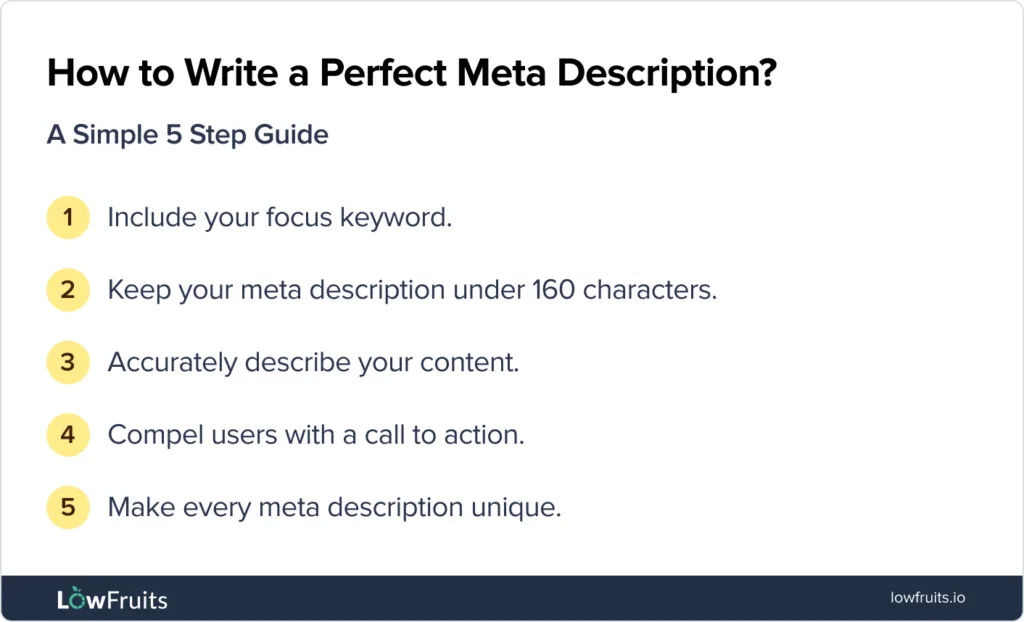
A truncation test is your meta description length checklist in miniature. Does the opening contain the value proposition? Is the keyword present without feeling stuffed? Does the ending survive on the smallest screen? Three yes answers and you’re ready to publish.
Keep a shared doc with your best-performing snippets and their measured widths. Clear alignment with your meta description length builds confidence from the start. Over time you’ll internalize what 145 characters of your brand’s typical phrasing actually looks like, and the preview step gets faster with every page.
Strategy 4: Match Length to Search Intent, Not Habit
Transactional pages benefit from a shorter snippet, because the searcher wants a decision fast. Informational pages can afford more room to preview what the content covers. Length should flex with the query behind the page.
Consider a product page. Integrating meta description length into your workflow produces consistent quality. The user already knows roughly what they want. A tight 125-character description that names the key specification and shipping expectation is stronger than a sprawling 160-character paragraph about company values. Trim aggressively.
Now consider a guide page for a complex topic. The searcher is comparing options and needs a reason to commit. Here a fuller snippet earns its length by previewing the structure: what the page answers and who wrote it. This intent-driven approach to meta description length beats a fixed number every time.
Quick Reference: Length Targets by Page Type
Use this table as a starting point, then adjust after reviewing your own click-through data. The ranges reflect render survival more than absolute character caps.
| Page Type | Suggested Character Range | What to Lead With |
|---|---|---|
| Product page | 120–140 | Key spec plus a purchase reassurance |
| Service page | 135–150 | Outcome and a low-friction next step |
| Blog guide | 145–158 | The problem solved and the depth offered |
| Category page | 130–145 | Breadth of selection and filtering ease |
| Homepage | 135–155 | Core positioning statement |
Strategy 5: Use the Meta Description Length Checklist for Every Page
A repeatable checklist catches the errors the meta description length previews miss. I run the same five checks on every snippet, and the routine has saved more pages than any single tactic.
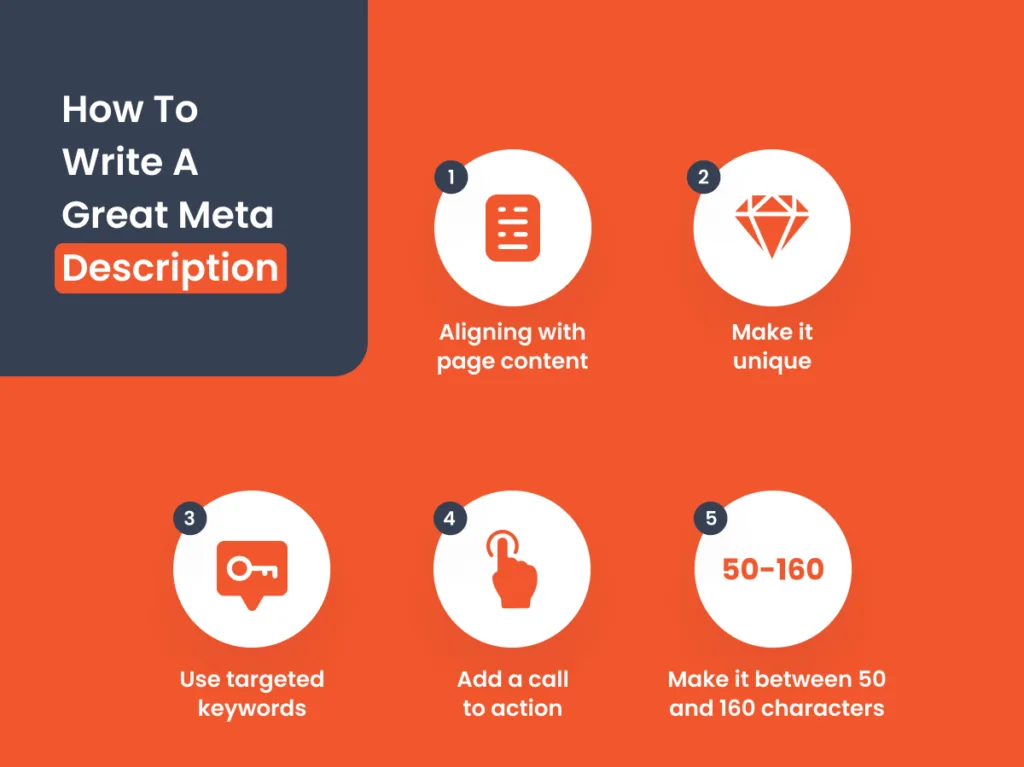
- Value in the first 90 characters. The most persuasive clause must sit above the mobile cutoff, so trim filler from the opening rather than the ending.
- Keyword placed naturally. The phrase should read like normal language, not a stamped label, and never appear twice in a short snippet.
- No year or time-bound claims. Facts age, and a description that dates itself starts to look stale on a page that’s still accurate.
- One clear action or promise. A snippet with two competing offers splits attention, so pick the single most valuable promise and keep it.
- Preview at three widths. Desktop, tablet, and mobile, checking that the ending lands on a sensible word.
Run this meta description length checklist against ten pages this week and you’ll spot patterns immediately. Most pages fail at check one, not at the character count. That’s a useful discovery, because the fix is rewriting the opening, not shrinking the whole thing.
Keep the list visible in your CMS or an internal doc. Checklists that live in someone’s head get skipped the moment deadlines arrive.
Strategy 6: Handle Rewrites Without Losing Your Best Sentence
Google rewrites descriptions more often than most publishers admit. When it happens, the question is which sentence it keeps. You can influence that by writing at least one self-contained, informative line that could stand alone as a snippet.
Place that sentence near the start of the page body, not just in the meta tag. Bots pull from visible content when they dislike the authored description. A crisp opening paragraph gives them a strong alternative to use.
This is where a lot of meta description length tips quietly fail, because they treat the tag as the only surface. The smarter play is to write your description and your first paragraph as a matched pair. When they say the same thing in slightly different words, the engine has a consistent message to work with.
I’ve seen pages get rewritten into a competitor-flavored sentence lifted from a stray paragraph. That’s the cost of leaving the body copy vague. Tight prose in the first paragraph is a form of snippet insurance.
What to Do When Google Overrides Your Snippet
First, check whether the rewrite is actually better for the query. Sometimes Google swaps in a line that answers the search more directly, and fighting it wastes effort. If the replacement is accurate, leave it.
If the rewrite is misleading or badly truncated, adjust the page. Sharpen the opening paragraph so the most useful sentence is unmistakable. Then request a recrawl and give it time before judging the result.
Don’t rewrite the meta tag in a panic every few days. Repeated edits signal instability and rarely help. Make the body copy clear, keep the tag aligned with it, and let the engine settle on its preferred text.
Strategy 7: Test and Measure Snippet Performance
Length is a hypothesis until the meta description length test it. Search Console gives you impressions and clicks at the page level, which is enough to compare two snippet versions over time.
Set up a simple before-and-after. Record impressions and click-through rate for a four-week window. Change the snippet length or opening, then measure the next four weeks. Compare the rates rather than the raw click counts, since impression volume shifts with ranking too.
Expect noise. Seasonal swings, ranking changes, and algorithm updates all muddy the picture. That’s why I test on a handful of similar pages at once instead of a single page. Patterns across a group are far more convincing than one page’s wobble.
Over time you’ll build a picture of which lengths work for your audience. Some niches respond to full 158-character descriptions. Others reward brutal 120-character cuts. Your own data settles the question, and any solid meta description length guide should tell you that plainly.
Strategy 8: Avoid the Length Mistakes That Cost Clicks
The fastest improvement usually comes from removing errors rather than adding tricks. Here are the habits that quietly erode click-through rates.
- Running past the render cut. Pages that routinely exceed 160 characters lose their final clause, so keep the key promise above the fade line.
- Duplicating the title tag. A description that repeats the headline adds no new information, so use the space to expand rather than echo.
- Stacking keywords. Repeating the primary phrase twice in a short window looks robotic, so mention the concept once in natural language.
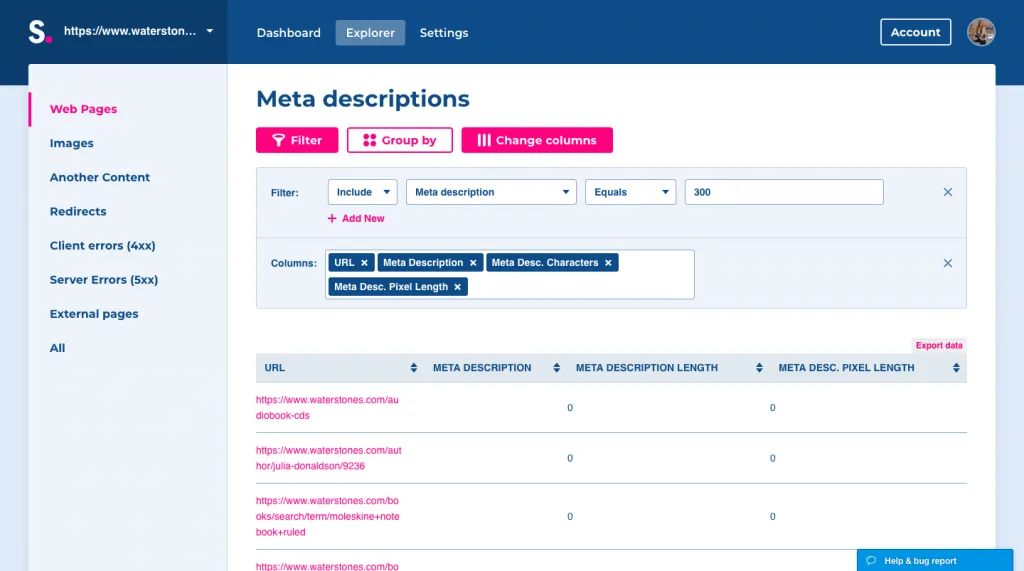
- Leaving the field empty. An empty tag lets the engine choose whatever it likes, and it often picks a clumsy sentence from deep in the page.
- Ignoring mobile rendering. A description that only reads well on desktop will clip on phones, so confirm the mobile view before publishing.
- Using vague filler. “Welcome to our website” spends characters on nothing, so replace generic greetings with a concrete promise.
Each of the meta description length costs a little click-through rate on its own. Stacked together on a single site, they add up to a meaningful traffic gap you never see in a ranking report.
The meta description length best practices that survive audit after audit aren’t exotic. They’re disciplined. Front-load value, trim to the render width, preview on mobile, and let the engine see a clear sentence it can trust.
How the Eight Strategies Fit Into a Larger SEO Plan
Snippet optimization sits inside a wider content system, and the meta description length works best when paired with title tag craft, heading structure, and internal linking. Think of this article as part of a parent topic on structured content publishing, where each element reinforces the next.
Two natural next steps: tighten your title tags to match your snippet’s promise, and audit your headings so search engines can map the page’s structure. Effective execution in your meta description length makes a tangible difference. Both feed directly into how well your description performs.
When a page’s promise, snippet, and body copy all point in the same direction, the search engine has a coherent story to render. That coherence is worth more than any single length rule, and it compounds across a site.
Common Questions About Meta Description Length
These are the questions that come up most often in client calls, answered as plainly as I can.
Is 160 Characters Always the Magic Number?
No. It’s a useful upper bound, not a target. Many snippets perform better at 135 to 145 characters because the important clause lands before any mobile cutoff. Treat 160 as a ceiling and let the message decide where you stop.
Does the Character Count Even Matter if Google Rewrites Descriptions?
It does. Maintaining clarity across your meta description length remains essential. Google keeps your authored text more often than site owners fear, and a well-built snippet improves the odds. The length still shapes what’s visible even when the engine rewrites, because it tends to draw from carefully written opening sentences.
Should Every Page on a Site Have a Unique Length Target?
Every page needs a unique description, but the length target can follow page type. Product pages get tighter ranges, guides get fuller ones. Grouping by intent keeps the process manageable without sacrificing relevance.
Can I Reuse a Description Across Similar Pages?
Avoid it. Duplicate descriptions waste the chance to differentiate similar pages and can push the engine to invent its own text. Give each page one specific promise, even when pages sit close together in a category.
What’s the Safest Way to Check Rendering Width?
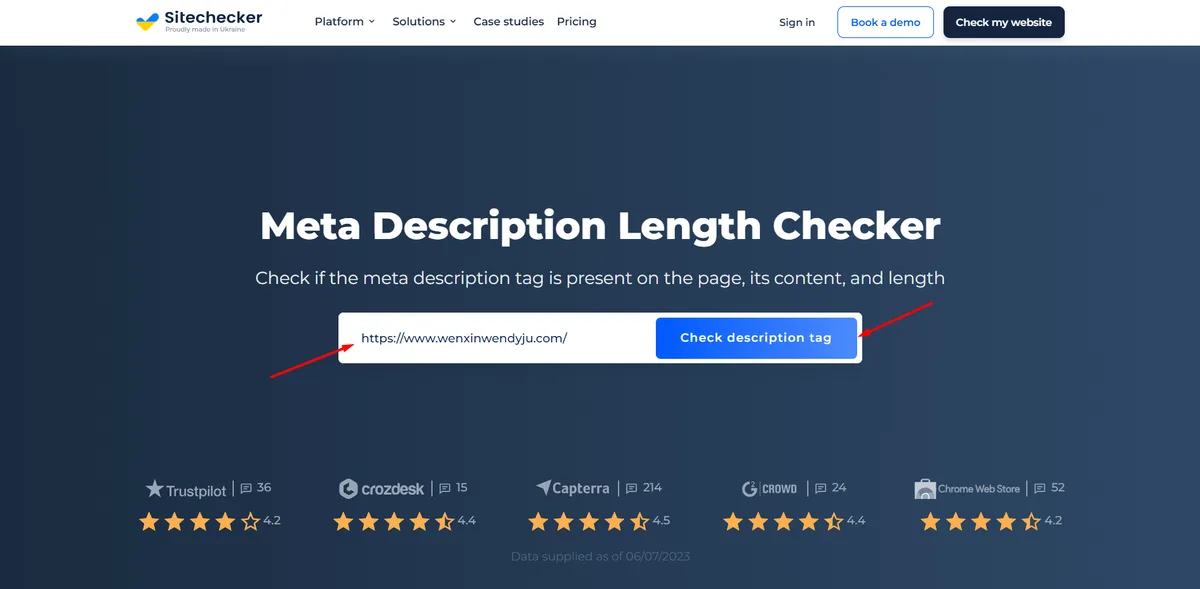
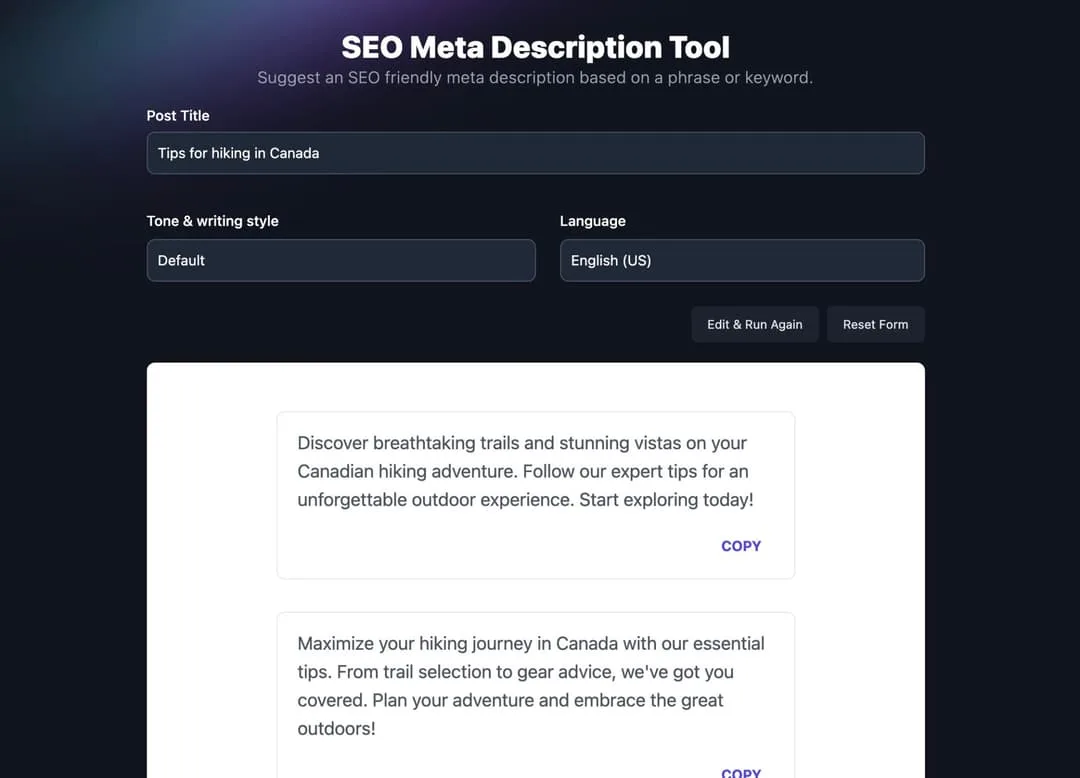
Use a preview tool the meta description length shows desktop and mobile side by side, then confirm the end of your snippet lands on a sensible word in both. A quick manual read at both widths catches more problems than any character counter alone.
Putting the Playbook to Work
A disciplined approach to meta description length turns a routine tag into a genuine click lever. Set a mobile-safe target, front-load the value, preview at real rendering widths, and test what actually earns clicks.
Start with the checklist from strategy five and apply it to ten pages. You’ll likely find the same pattern I did across dozens of audits, where trimming 20 characters and moving the promise forward does more for traffic than any new keyword research. Small edits, measured honestly, compound.
Keep the eight strategies where you can see them, and revisit them whenever a page underperforms. Snippet craft rewards patience, and the returns show up in steady click-through gains rather than dramatic overnight spikes. That’s the realistic result, and it’s worth the work.