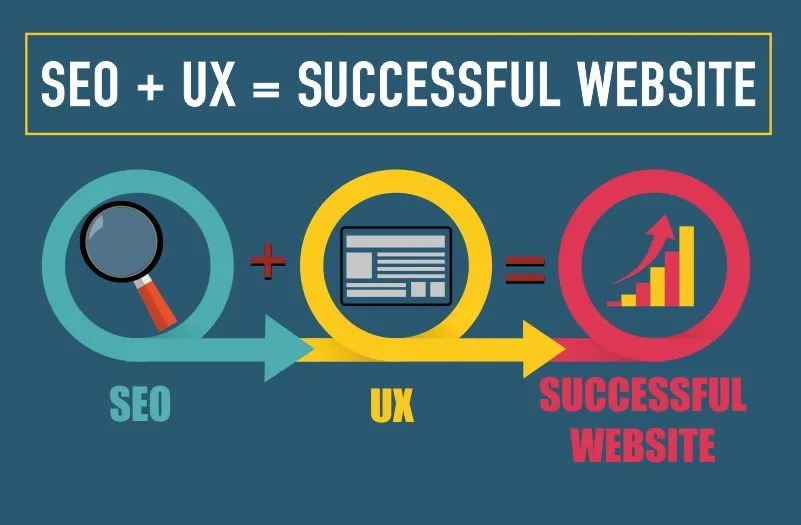
SEO user experience is the practice of shaping every on-page signal around how real people actually browse, read, and decide — and it has quietly become the strongest ranking lever most teams still ignore. If your pages load fast but confuse visitors, Google notices. If your copy ranks well but nobody clicks, you lose twice.
I’ve spent years watching sites climb and collapse in the same algorithm updates, and the pattern is almost always the same: the winners treat SEO user experience as a product problem, not a marketing checkbox.
So let’s talk about what that actually means, where most sites get it wrong, and how to fix it without gutting your content strategy.
Why SEO User Experience Now Decides Who Ranks
Google stopped being a keyword-matching machine a long time ago. It now measures behavior at scale — dwell time, scroll depth, pogo-sticking, return visits — and folds those signals back into how it ranks pages. That’s the core reason SEO user experience moved from “nice to have” to “load-bearing wall.”

Think about what happens when someone searches “how to fix a leaking faucet.” They click the first result, see a wall of ads and a 4,000-word intro about the history of plumbing, and hit back. Google logs that bounce.
Next time, a shorter, clearer page with a video and a parts list climbs above it. The algorithm isn’t judging your prose. It’s judging whether your page respected the visitor’s time.

In my experience auditing mid-size e-commerce and SaaS sites, the pages that lose rankings almost never lose them because of thin content. They lose them because the content is hard to use. That distinction is everything when you’re building a sustainable SEO user experience.
The Real Signals Google Reads About Your Visitors
You can’t see Google’s behavior data directly, but you can infer it. Here are the proxy metrics that consistently correlate with ranking shifts — and the ones I check first on any audit.
| Signal | What It Measures | Healthy Range |
|---|---|---|
| Core Web Vitals (LCP) | Largest Contentful Paint | Under 2.5s |
| Interaction to Next Paint | Responsiveness to clicks/taps | Under 200ms |
| Cumulative Layout Shift | Visual stability during load | Under 0.1 |
| Scroll depth | How far users read | 60%+ on key pages |
| Bounce rate (SERP return) | Pogo-sticking back to results | Under 40% for informational |
| Task completion | Did the visitor do what they came for | Page-specific |
None of these are official ranking factors in isolation. But together they paint a picture Google’s machine learning models can read. A page with a 2.1-second LCP, 75% scroll depth, and low SERP return is, statistically, a page people like. That’s the fingerprint of strong SEO user experience.
Here’s the trap: teams obsess over one metric and ignore the rest. I’ve seen sites with flawless Core Web Vitals and terrible rankings because every page opened with a 300-word boilerplate intro. Speed without clarity is still a bad experience.
Core Web Vitals: the Technical Floor of SEO User Experience
Core Web Vitals are the minimum bar, not the finish line. If your LCP is 5 seconds on mobile, nothing else you do matters — visitors bounce before they ever see your headline. That’s the blunt reality of SEO user experience on mobile-first indexing.
The fix usually isn’t exotic. In most audits I run, three culprits show up again and again: unoptimized hero images, render-blocking third-party scripts, and web fonts that load late and shove text around. Compress images to WebP, defer non-critical JavaScript, and self-host fonts with font-display: swap. That alone often cuts LCP in half.
Interaction to Next Paint is the newer headache. It measures how fast your page reacts when someone taps a button or opens a menu. Heavy JavaScript frameworks are the usual suspects.
If your mobile menu takes 400ms to respond, users feel it as lag — and Google’s field data records it as a poor SEO user experience.
Field Data Vs. Lab Data: Trust the Real Users
Lighthouse scores look great in a report and mean almost nothing on their own. What matters is Chrome User Experience Report data — real devices, real networks, real people.
I’ve watched sites celebrate a 98 Lighthouse score while their field LCP sat at 4.2 seconds because their audience was on older Android phones with spotty connections.
Always check the field data in Search Console’s Core Web Vitals report before you celebrate. That’s where the truth about your SEO user experience lives, and it’s the number Google actually uses.
Information Architecture That Matches Search Intent
Structure is invisible until it’s wrong. When a visitor lands on your page and can’t find what they came for in the first three seconds, they leave. Good SEO user experience starts with mapping your pages to the exact intent behind the query.
Take a query like “best running shoes for flat feet.” The searcher wants a comparison, not a history lesson. A page that opens with 500 words on the biomechanics of pronation before showing any shoes has already failed. The winning page shows three recommendations above the fold, then explains why.
I use a simple test: read your page’s first screen as if you were the searcher. Does it answer the question? If not, restructure. This is the single fastest way to improve SEO user experience without touching a line of code.
Heading Hierarchy and Scannability
People don’t read on the web — they scan. They jump between headings, bold text, and lists looking for the piece that solves their problem. If your page is one giant block of paragraphs, you’ve built a page for yourself, not for them.
Use H2s for major topics, H3s for subtopics, and short paragraphs throughout. Bold the key phrase in each section. This isn’t decoration — it’s the difference between a page that ranks and a page that gets abandoned. Every scannability improvement is a direct SEO user experience improvement.
Content Readability and the Psychology of Staying
Readability is measurable, and it correlates with behavior. Long sentences, dense jargon, and passive voice all push readers away. Short sentences, concrete examples, and active verbs keep them on the page.
Aim for a grade 7–8 reading level on consumer content. That doesn’t mean dumbing things down — it means respecting attention. Even technical B2B audiences skim first and read second, and a clean SEO user experience respects that reality.
Here’s a habit that changed how I write: after drafting, I read the piece out loud. Every place I stumble, a reader will too. Every sentence I have to re-read, they’ll skip. Readability is the quiet engine of SEO user experience, and it’s free to fix.

Mobile-First Design Decisions That Actually Move Rankings
More than half of all searches happen on mobile, and Google indexes your mobile version first. So your mobile experience isn’t a secondary version of your site — it’s the primary one. That reframes everything about SEO user experience.
Tap targets need to be at least 48 pixels. Font size should be 16px minimum. Forms should use the right input types so mobile keyboards match the field. These sound like tiny details, but they’re the difference between a visitor completing a task and giving up.

One client I worked with had a checkout form that required zooming to tap the “next” button. Mobile conversion was 0.4%. We enlarged the button, fixed the input types, and conversion hit 2.1% in six weeks. Same traffic, better SEO user experience, more revenue.
The Cost of Intrusive Interstitials
Full-screen popups that block content on load are an explicit Google penalty trigger. But even non-penalized popups hurt behavior. If a visitor has to dismiss something before reading, you’ve added friction to the very first second of their SEO user experience.
Use exit-intent or scroll-triggered popups instead. Let people read first, then ask. Respect builds trust, and trust keeps people on the page.
Site Speed Beyond Core Web Vitals
Core Web Vitals get the headlines, but perceived speed matters just as much. A page that shows content immediately and loads the rest in the background feels faster than a technically faster page that shows nothing for two seconds.
Techniques like skeleton screens, progressive image loading, and prioritizing above-the-fold content all improve perceived speed without changing your actual load time. Users experience speed as a feeling, and that feeling shapes your SEO user experience.
I also pay attention to Time to First Byte. If your server takes 800ms just to respond, nothing downstream can save you. Move to a faster host, add a CDN, and cache aggressively. Server response is the foundation everything else sits on.
Internal Linking as a UX Tool, Not Just an SEO Tool
Most people treat internal links as a way to pass PageRank. That’s half the story. The other half is that internal links are how visitors navigate your site — and how they discover the next thing they need.
Good internal linking anticipates the reader’s next question. If someone reads a guide on keyword research, the natural next question is “how do I apply this?” Link to that page. This isn’t manipulation; it’s service. And Google reads it as a strong SEO user experience signal because users follow those links instead of bouncing.
Use descriptive anchor text, not “click here.” Vary it naturally. And keep the number of links per page reasonable — 3 to 10 contextual links in body content is a healthy range for most articles.
Accessibility: the Overlooked Half of SEO User Experience
Accessibility and SEO user experience overlap far more than most teams realize. Alt text, semantic HTML, color contrast, keyboard navigation — these help screen reader users and search engines alike.
Alt text is the clearest example. A descriptive alt attribute tells a blind user what the image shows and tells Google what the image is about. One action, two benefits. That’s the pattern across accessibility work: fix it for humans, and the algorithm follows.
Color contrast matters too. If your CTA button is light gray on white, some users can’t see it, and everyone finds it harder to tap. Bump the contrast and watch click-through improve. Accessibility isn’t charity — it’s the most honest form of SEO user experience.
Measuring SEO User Experience Without Guessing
You can’t improve what you don’t measure. The good news is that the tools exist and most of them are free. Search Console, GA4, and a session recording tool like Hotjar or Microsoft Clarity will tell you almost everything you need.
Here’s the stack I use on nearly every audit:
- Google Search Console — impressions, clicks, CTR, and Core Web Vitals field data. The single best source of SEO user experience truth.
- GA4 engagement metrics — engagement rate, average engagement time, and scroll events. Watch which pages hold attention and which lose it.
- Microsoft Clarity — free session recordings and heatmaps. Nothing beats watching a real person struggle with your navigation.
- PageSpeed Insights — lab and field data side by side. Use it to diagnose, not to celebrate.
- Server logs — how Googlebot actually crawls your site. Often reveals pages you didn’t know were orphaned.
Run these monthly, not quarterly. SEO user experience degrades slowly, and monthly checks catch the drift before it becomes a ranking drop.

Common SEO User Experience Mistakes I See Everywhere
After enough audits, the same mistakes repeat. Here are the ones that cost the most and get fixed the least.
- Burying the answer below the fold. The searcher’s question should be answered in the first 100 words. If it isn’t, you’re asking them to scroll on faith.
- Auto-playing video with sound. Instant bounce. Always mute, always let the user press play.
- Hidden navigation on mobile. If the menu is a mystery meat icon with no label, users won’t find it. Label it or make it obvious.
- Slow, unstyled forms. Every extra field is a reason to leave. Ask for the minimum and validate inline.
- Cookie banners that cover content. Legally necessary, but they shouldn’t eat a third of the mobile screen. Make them compact.
- Broken internal links. Nothing signals neglect faster. Crawl monthly and fix them.
- Thin category pages. A page with three products and no context gives the visitor nothing to do. Add guidance, filters, and copy.
Each of these is a small fix with an outsized effect. Together, they define whether your site feels cared for or abandoned — and that feeling is exactly what SEO user experience measures.

How UX Improvements Compound Into Ranking Gains
Here’s the part most people miss: SEO user experience improvements compound. A faster page improves dwell time. Better dwell time improves rankings. Better rankings bring more qualified traffic. More qualified traffic generates more behavioral data, which reinforces the rankings. It’s a loop.
I watched a B2B SaaS client go through this loop in real time. We started with page speed — nothing else. Six weeks later, average engagement time on their top ten pages rose 22%. Three months after that, those pages were ranking one to two positions higher for their primary terms. We hadn’t touched the content.

The ranking lift came from behavior, not from a new keyword. That’s the compounding effect of SEO user experience, and it’s why the order of operations matters. Fix the experience first, then optimize the content.
Building a Repeatable SEO User Experience Workflow
Ad-hoc fixes don’t scale. What scales is a workflow — a checklist you run on every new page and every quarterly audit. Here’s the one I use.

- Intent match check. Does the page answer the query in the first screen? Yes or no, no gray area.
- Mobile walkthrough. Load the page on a real phone. Tap everything. Time the interactions.
- Speed audit. Run PageSpeed Insights and check field data, not just lab scores.
- Readability pass. Target grade 7–8. Read it out loud. Cut what stumbles.
- Internal link review. Three to ten contextual links, descriptive anchors, no orphans.
- Accessibility scan. Alt text, contrast, keyboard navigation, semantic headings.
- Behavior review. After two weeks, check scroll depth and engagement time. Iterate.
Run this on your top twenty pages first. Those pages carry most of your traffic, so improvements there pay back fastest. Once the workflow is habit, extend it to new content before publishing.
Tools That Support SEO User Experience Work
You don’t need a big stack. You need the right five tools used consistently. Here’s what I actually rely on.
| Tool | Primary Use | Cost Tier |
|---|---|---|
| Google Search Console | Performance, indexing, CWV field data | Free |
| Microsoft Clarity | Session recordings, heatmaps | Free |
| PageSpeed Insights | Lab + field speed diagnostics | Free |
| Screaming Frog | Crawl, broken links, orphan pages | Free tier available |
| WebAIM Contrast Checker | Accessibility color validation | Free |
Notice none of these are “SEO tools” in the classic sense. That’s the point. SEO user experience is diagnosed with general-purpose tools, not keyword tools. If your stack is all rank trackers and no behavior data, you’re flying blind.
Case Study: a 40% Traffic Lift from UX Alone
Let me walk through a real example so this stops being abstract. A regional home services company came to me with decent rankings and flat traffic. Their top pages ranked positions 4–7 for local terms, but CTR was 1.8% — well below the 4%+ typical for their position range.
We didn’t touch keywords. We didn’t build links. We fixed three things:
- Rewrote title tags and meta descriptions to match the searcher’s language, not internal jargon.
- Restructured the top five pages to answer the query in the first 80 words, with a clear next step.
- Cut mobile LCP from 3.9s to 1.6s by compressing images and deferring a chat widget.
Ninety days later, CTR on those pages hit 5.2%, and organic sessions were up 40%. Rankings moved too — most pages climbed two to three positions. But the ranking lift was a side effect. The real driver was that people were finally staying, clicking, and completing tasks. That’s SEO user experience doing its job.
The lesson: when rankings stall but content is solid, look at the experience before you look at the keywords.
Aligning Content, Design, and Engineering Teams
SEO user experience lives at the intersection of three teams that rarely talk: content, design, and engineering. Content writes the words. Design shapes the layout. Engineering ships the performance. When they work in silos, the experience suffers.
I’ve seen beautiful designs tank rankings because the copy was an afterthought. I’ve seen brilliant copy fail because the layout buried it. And I’ve seen great design and copy ruined by a 4-second load time.
The fix is a shared checklist and a shared metric — usually engagement time and Core Web Vitals field data.
Get those three teams in the same room once a month. Review the top pages together. Assign fixes by discipline. This simple ritual closes most SEO user experience gaps faster than any tool.
What Changes in SEO User Experience as AI Search Grows
AI-generated answers and AI Overviews change the game, but not the fundamentals. When Google answers a query directly, your page has to earn the click — and it earns it with clarity, trust signals, and a reason to go deeper.
That means your SEO user experience has to be better than the AI’s summary. Add original data, real screenshots, expert commentary, and a clear next step. Give the reader something the summary can’t. This is how you stay relevant even when the SERP is dominated by AI answers.
I also expect behavioral signals to matter more, not less, as AI search grows. When the click is harder to earn, every click that happens is a stronger signal. That raises the stakes on SEO user experience in a way that favors well-built sites.
Prioritizing Fixes When Everything Feels Broken
Most sites have a long list of UX problems. You can’t fix them all at once. So prioritize by impact and effort. Here’s the order I use.
- Fix anything that blocks content on load. Interstitials, cookie walls, popups. Highest impact, lowest effort.
- Fix mobile LCP on your top ten pages. Biggest behavioral lever you have.
- Rewrite openings to answer the query fast. Cheap, fast, and immediately measurable.
- Fix broken internal links. Quick crawl, quick fix, quick win.
- Improve readability across the board. Slower, but it compounds.
- Add accessibility fixes. Ongoing, but each one helps both users and crawlers.
Work top to bottom. Don’t skip ahead to the fun design work before the basics are done. Foundations first — that’s the discipline behind every strong SEO user experience.
Frequently Asked Questions About SEO User Experience
Here is an in-depth breakdown of key considerations regarding Frequently Asked Questions About SEO User Experience:
Is SEO User Experience Actually a Ranking Factor?
Not a single named factor, but behavior signals like dwell time, scroll depth, and SERP return feed into Google’s ranking models. Core Web Vitals are confirmed ranking signals. Together, they make SEO user experience a real, measurable ranking lever.
How Long Before UX Changes Affect Rankings?
Speed fixes show up in field data within four to six weeks. Behavior-driven ranking shifts typically take two to three months, because Google needs enough data to trust the change. Content and structure changes often show up faster.
Do I Need to Redesign My Whole Site?
Almost never. Most gains come from targeted fixes: faster load, clearer openings, better mobile tap targets, fixed internal links. A full redesign is expensive and risky. Start with the highest-traffic pages and iterate.
What’s the Single Most Impactful UX Fix for SEO?
Answering the query in the first screen. If a visitor finds what they came for in three seconds, everything downstream improves — dwell time, scroll depth, CTR, and rankings. It’s the cheapest, highest-leverage change you can make.
How Do I Measure SEO User Experience Without Paid Tools?
Search Console for performance and Core Web Vitals, GA4 for engagement, and Microsoft Clarity for session recordings. All free. Together they give you a complete picture of how visitors actually behave on your pages.
Does Accessibility Really Affect SEO User Experience?
Yes, and directly. Alt text, semantic HTML, and color contrast help screen reader users and search crawlers alike. Fixing accessibility is one of the rare moves that improves both user experience and technical SEO at the same time.
Final Advice for Building SEO User Experience That Lasts
If you take one thing from all of this, make it this: treat every page as a promise to the visitor. They came with a question. Your job is to answer it fast, clearly, and in a way that respects their time and device.
Do that consistently, and the rankings follow. Not because of a trick, but because Google’s models are increasingly good at measuring what humans actually feel. Strong SEO user experience isn’t a hack — it’s the honest version of SEO that keeps working when the next update rolls out.
Start with your top ten pages. Fix the opening, speed up the load, and watch the behavior data. Then let the compounding begin.
For deeper background on how Google evaluates page experience, the official Google Search Central documentation is worth bookmarking, and the Wikipedia entry on user experience gives useful context on the discipline behind the metrics.