If you have ever wondered why some pages rank for dozens of queries while others stall on page three, the answer usually comes down to semantic keywords. They are the difference between a page that merely contains a phrase and one that genuinely covers a topic.
Over the years, I have watched dozens of client sites climb after we stopped chasing exact-match phrases and started building out the meaning around them instead. Here is the working process I keep coming back to, laid out with a semantic keywords guide you can actually apply. Ten tips, each one battle-tested, each one accompanied by the kind of detail most articles skip.
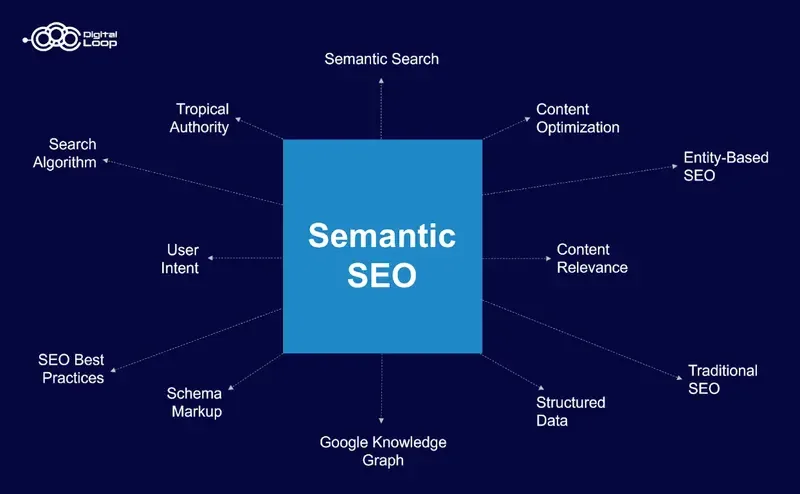
Before diving in, let me set the frame. Focusing on semantic keywords provides clear direction here. This entire discussion belongs to a larger cluster about topical authority, which includes adjacent material on entity SEO, internal linking architecture, and search intent mapping. Consider those your next reading stops once you finish here.
One more thing worth saying up front. Nothing below is theory borrowed from a slide deck. Every recommendation comes from tracking ranking movement across real sites, including one home services client that went from position 14 to position 3 for a competitive head term in about eleven weeks. The method matters more than the mythology.
What are Semantic Keywords, Really?
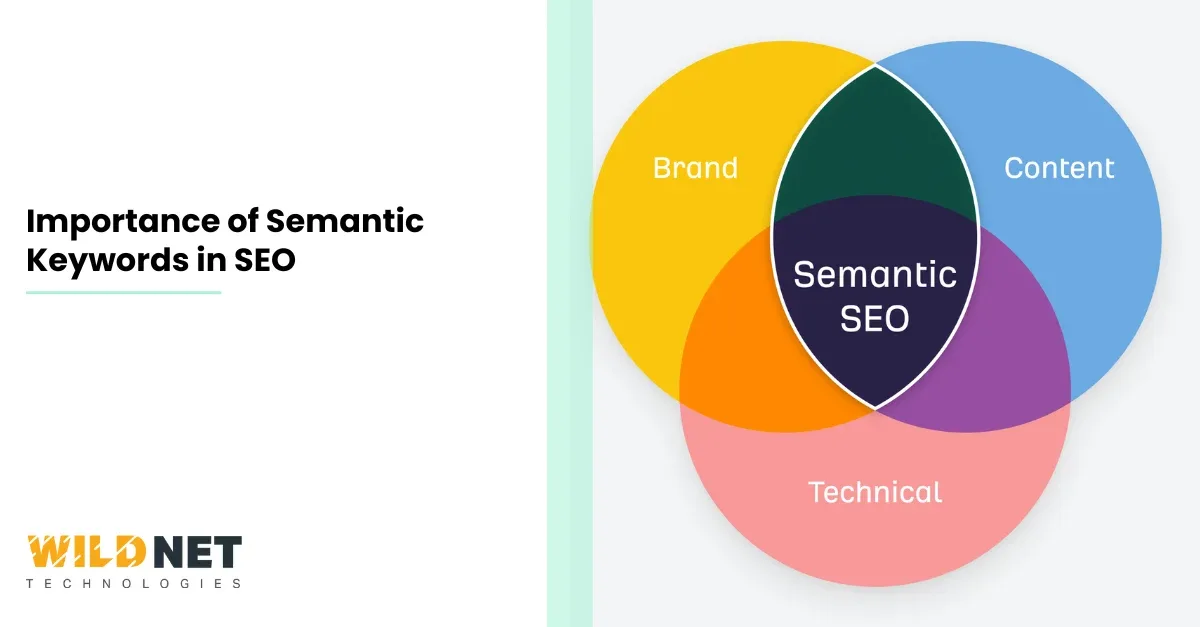
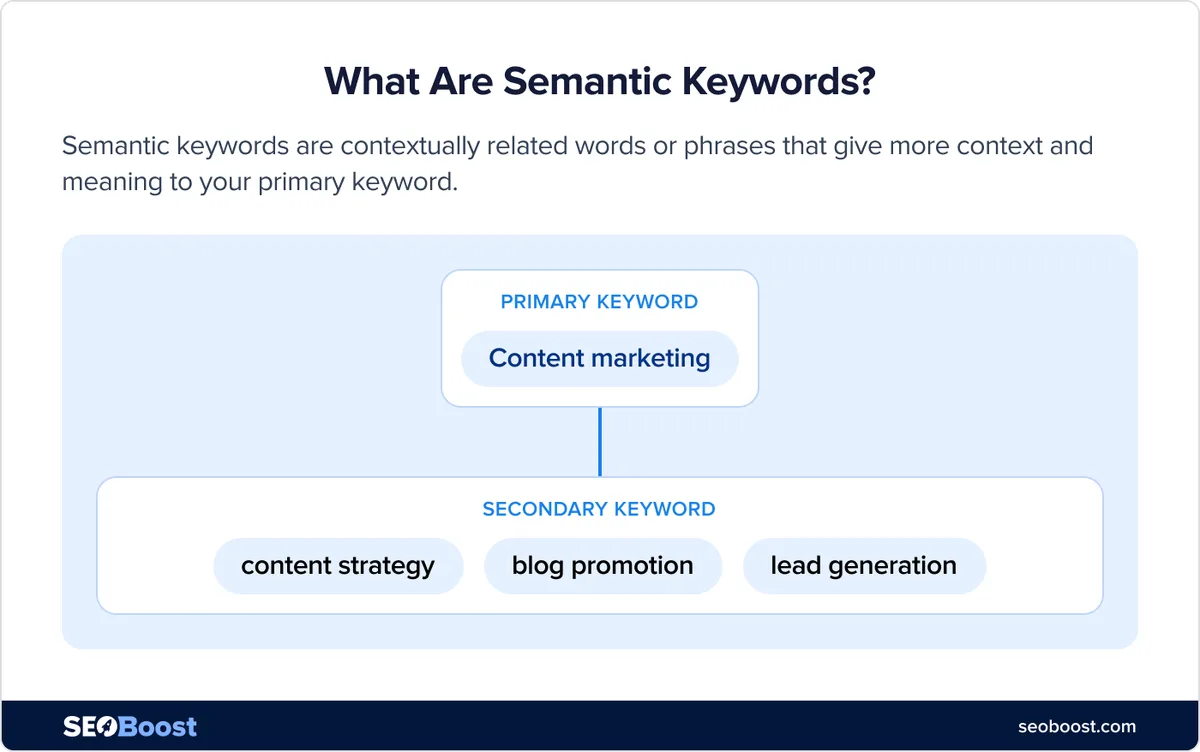
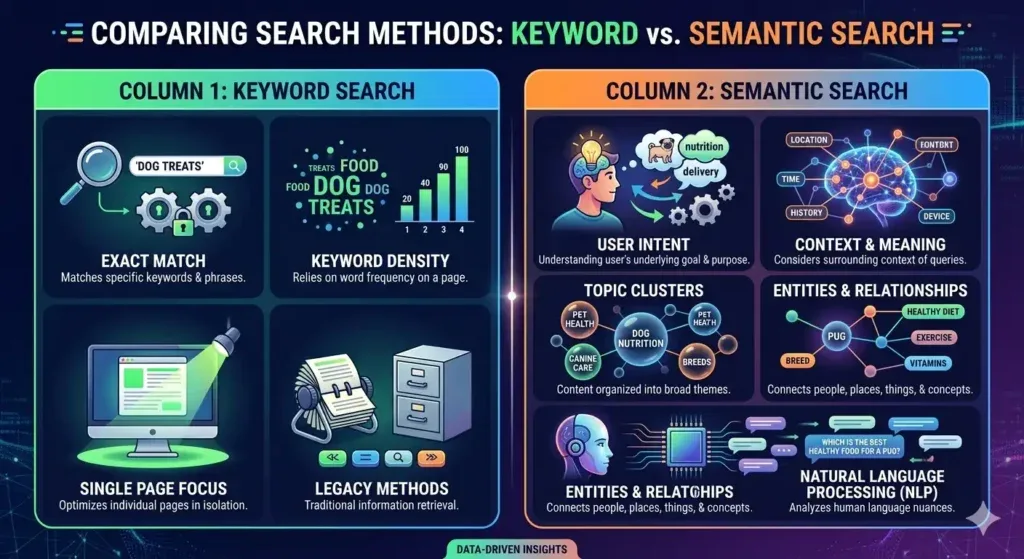
Start with a definition most people get half right. Semantic keywords are terms, phrases, and entities that share conceptual meaning with your primary keyword, or that a search engine associates with the same underlying topic.
They are not synonyms in the strict dictionary sense. Sometimes they are, sometimes they are related concepts, and sometimes they are the practical details a reader expects to see when they search for something specific.
Picture the query “how to fix a leaking faucet.” A page that repeats that phrase six times and says nothing else is thin. A page that also discusses the cartridge assembly, the O-ring, the aerator, shutoff valves, and thread seal tape is not stuffing keywords.
The semantic keywords is demonstrating that it genuinely understands the job. Google’s systems, trained on billions of documents, have a learned representation of what a helpful page on that topic looks like. Matching that representation is the entire game.
Here is the mental model I use: your primary keyword is the question, and semantic keywords are the vocabulary of a competent answer. You are proving literacy on a subject, not repeating a phrase.
That distinction explains why two pages targeting the same term can have wildly different outcomes even when both hit the same on-page SEO checklist.
Why Topical Coverage Beats Repetition Every Time
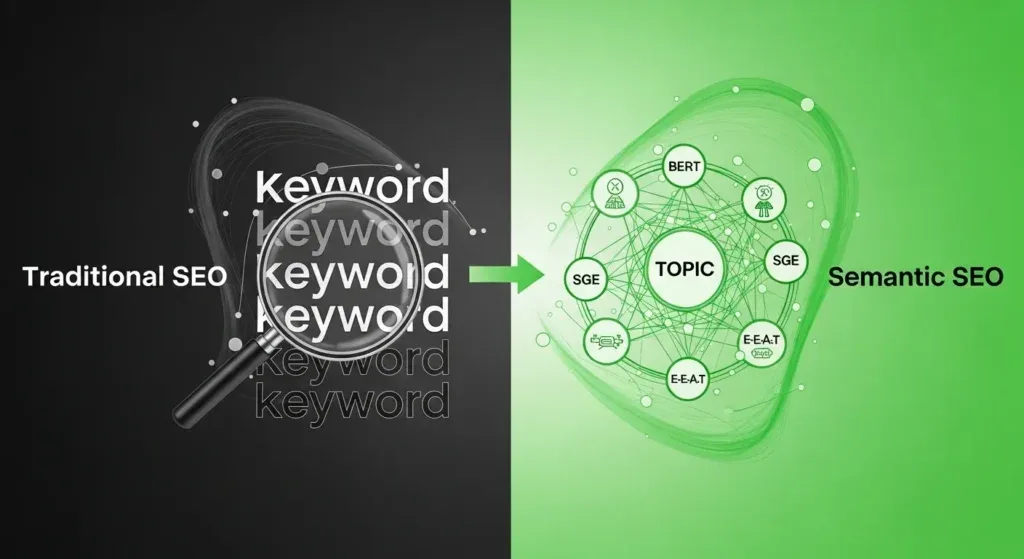
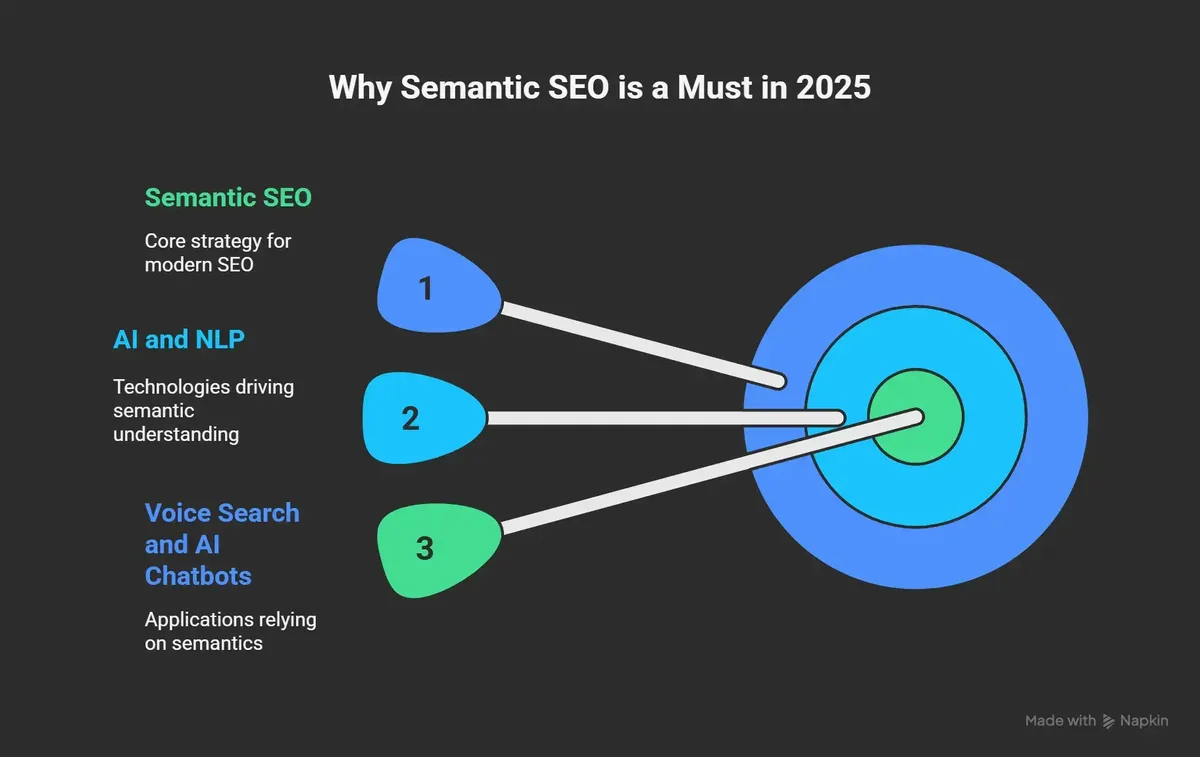
Search engines have moved past counting. For years now, ranking systems have leaned on natural language processing and knowledge-graph reasoning to judge what a page is actually about. BERT and its successors changed how queries are interpreted; the broader MUM-style systems pushed comprehension across the entire document, not just keywords in isolation. If the surrounding vocabulary is clearly about a different subject, a repeated keyword will not rescue the page.
In practice, I have seen this play out most clearly in technical niches. A software review page that mentions “CRM” a hundred times but never covers integrations, pricing models, data migration, permissions, or onboarding will lose to a page that covers all of those with fewer mentions of the head term. The winning page simply answers more of what a buyer in that market actually needs to know.
The takeaway is not the semantic keywords repetition is evil. It is that repetition stops earning returns quickly, while depth keeps earning them. Search intent research sits at the center of this. Someone comparing CRMs has a different intent than someone looking for a login page, and the vocabulary should reflect that split.
How Search Engines Connect Words and Meaning
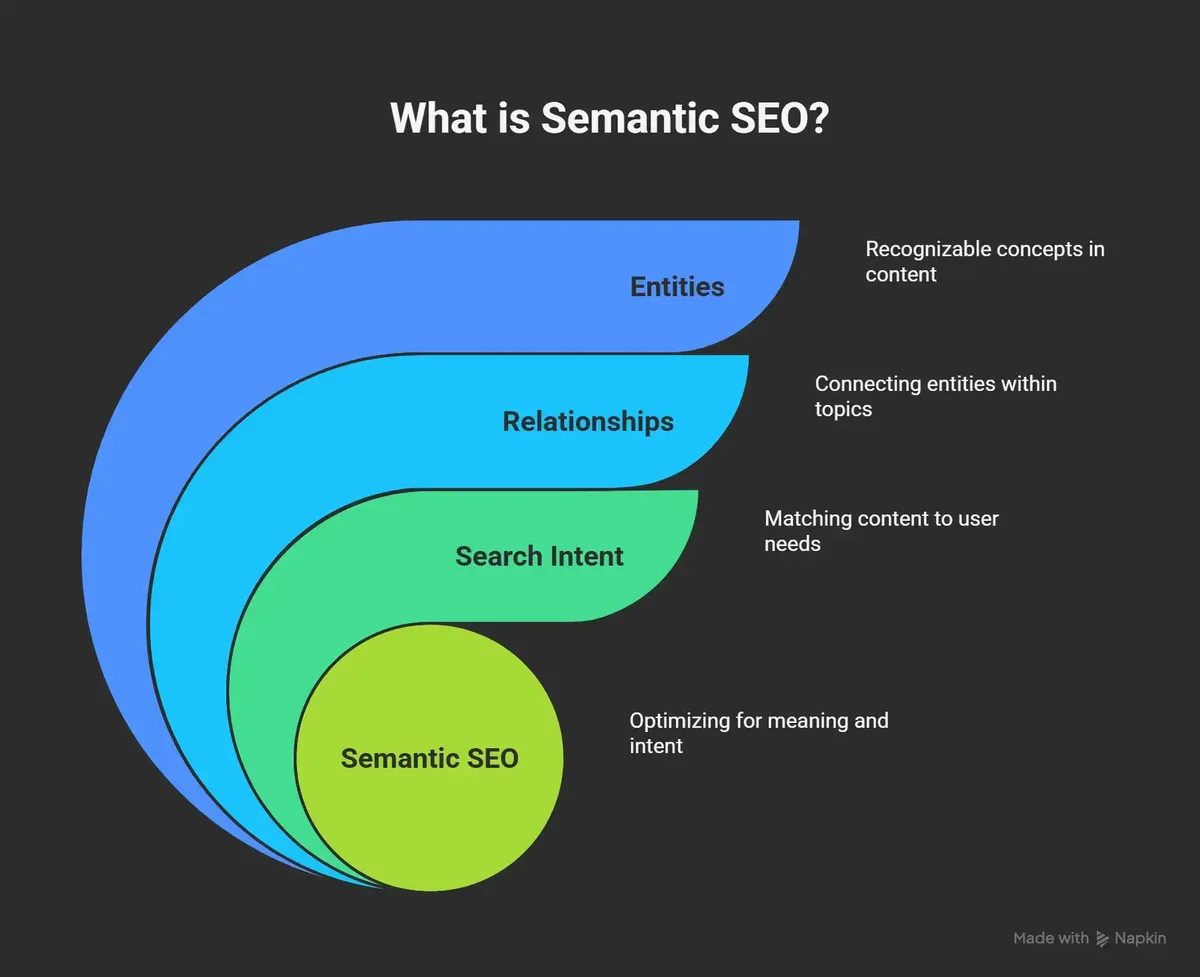
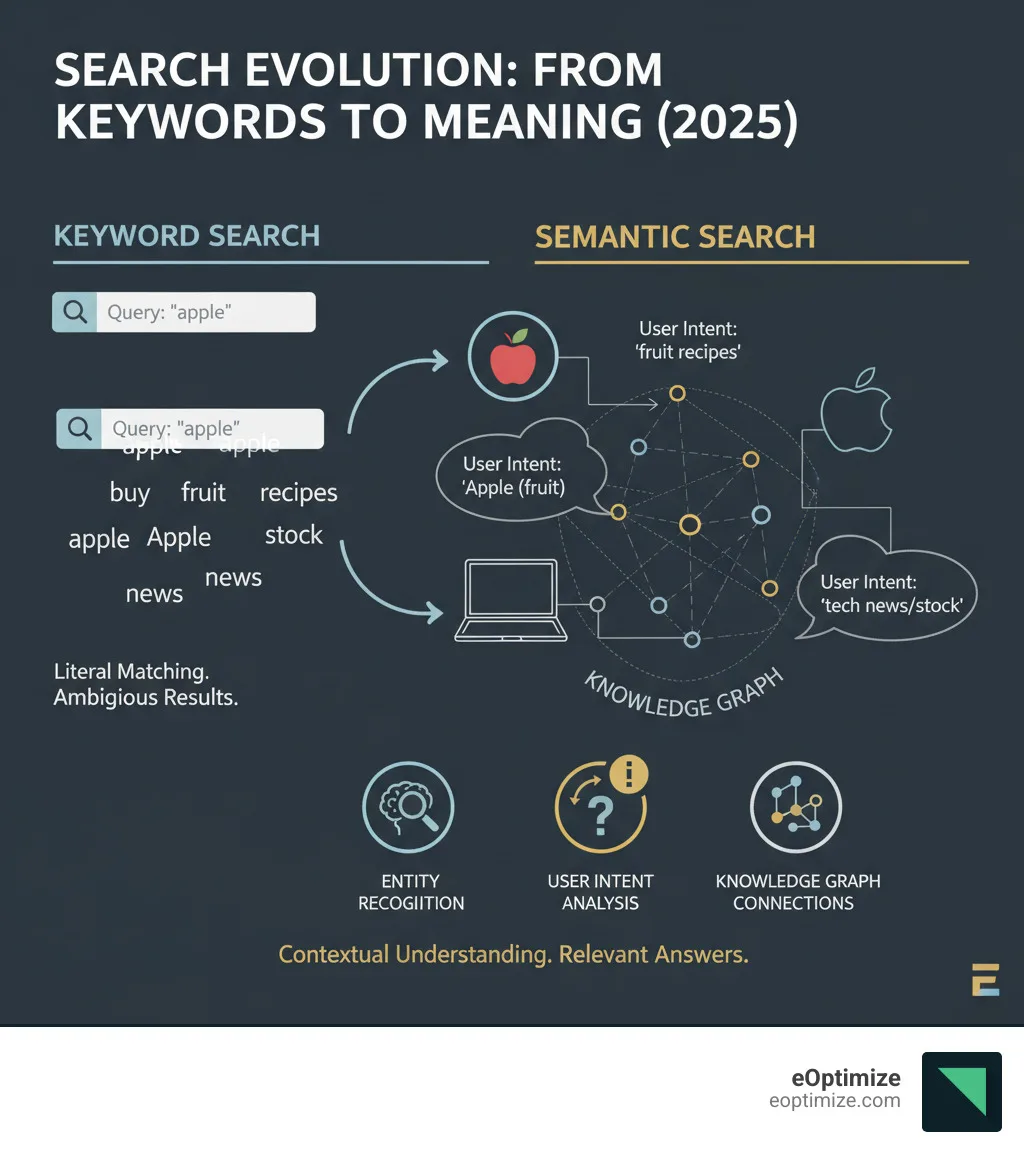
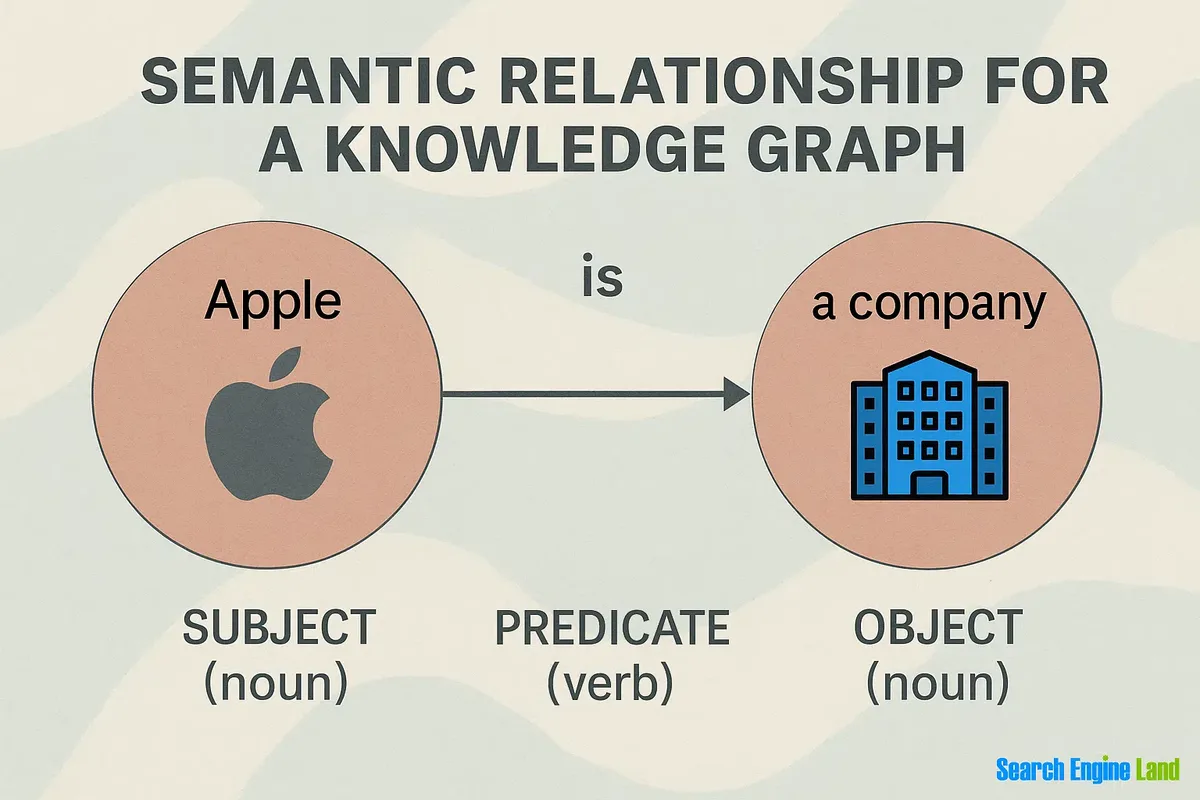
The mechanics are worth understanding, even at a high level. Google builds an entity-based knowledge graph, where people, places, products, and concepts are nodes connected by relationships. When you write, you are effectively populating your page with entities and describing how they relate. The more coherent those relationships, the more confidently the system assigns your page to a topic cluster.
That is where related keywords come into play. They are not just variations of a phrase, but the surrounding vocabulary that signals you belong in a given space. A page about sourdough baking that talks about hydration percentages, bulk fermentation, starter maintenance, and scoring technique is unmistakably about sourdough. A page that repeats “sourdough bread” but never mentions any of those things is a page pretending.
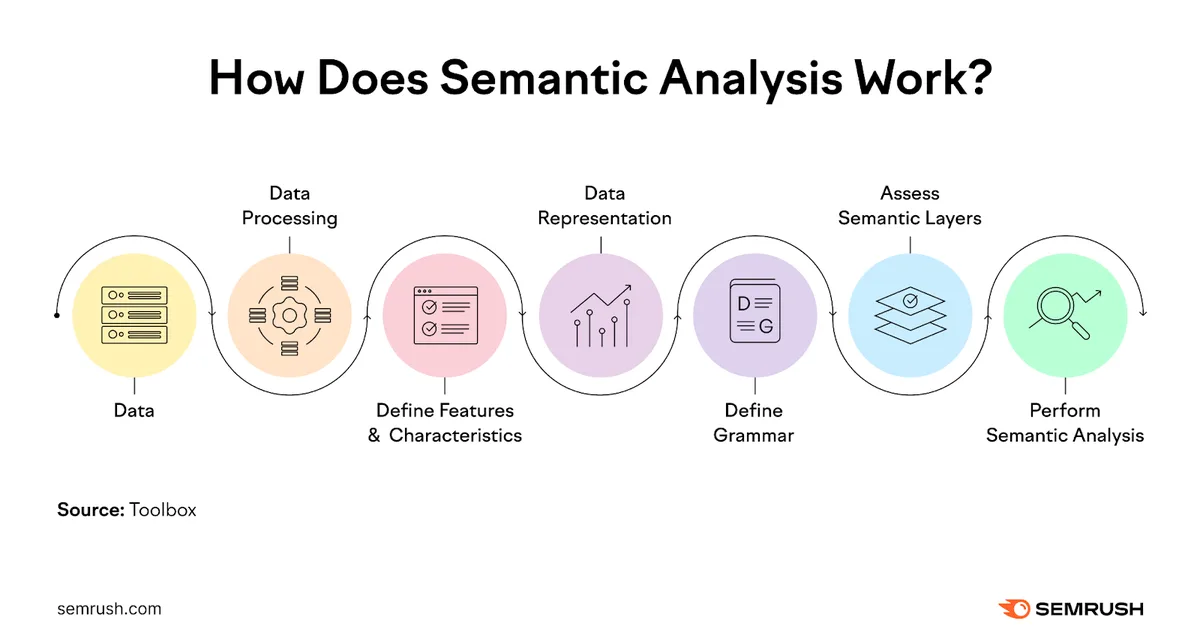
I find a practical analogy helpful here. Think of your page as a resume and the algorithm as a hiring manager. A resume that repeats “qualified accountant” ten times but lists no software, no certifications, and no experience details gets filed away. One that names the software, the certifications, and the specific responsibilities gets a callback. Same logic, different arena.
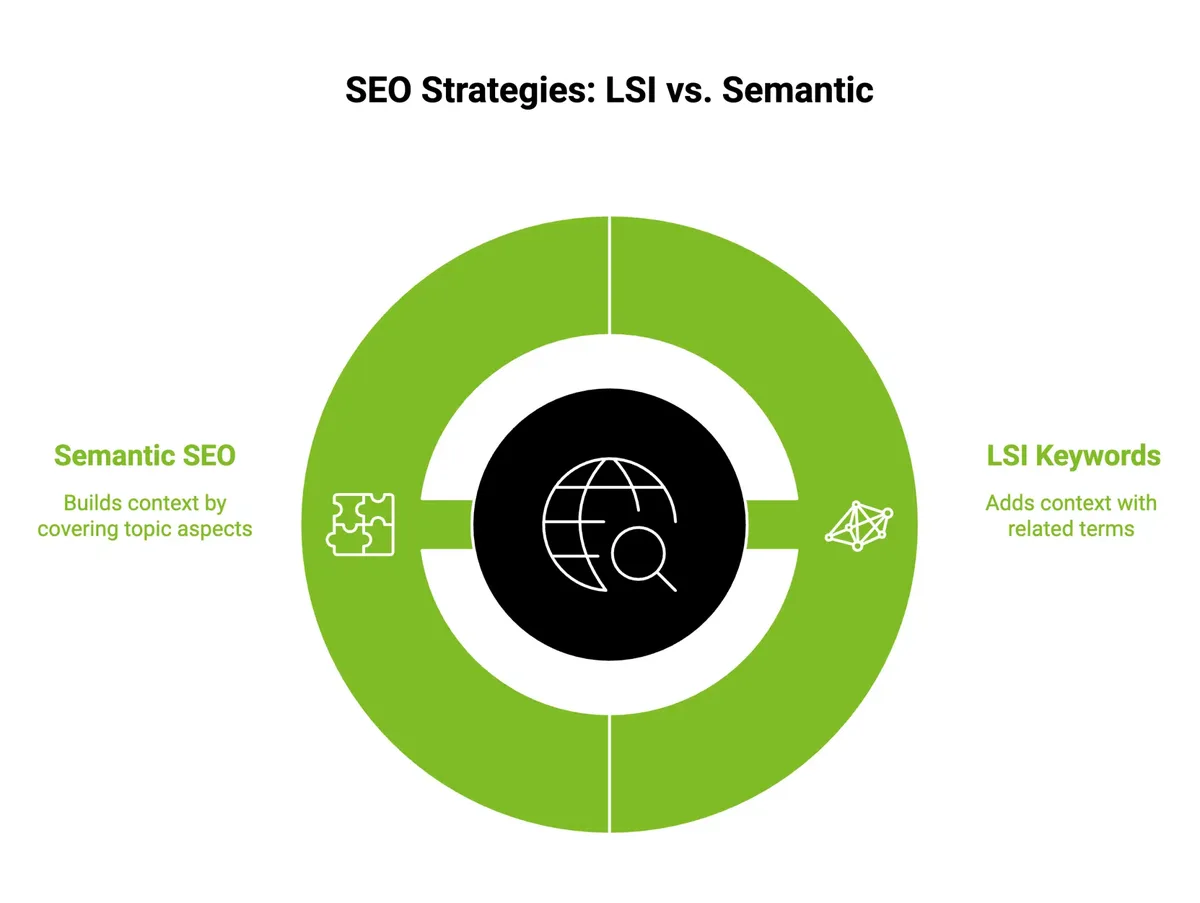
Semantic Keywords Vs. LSI, Synonyms, and Related Terms
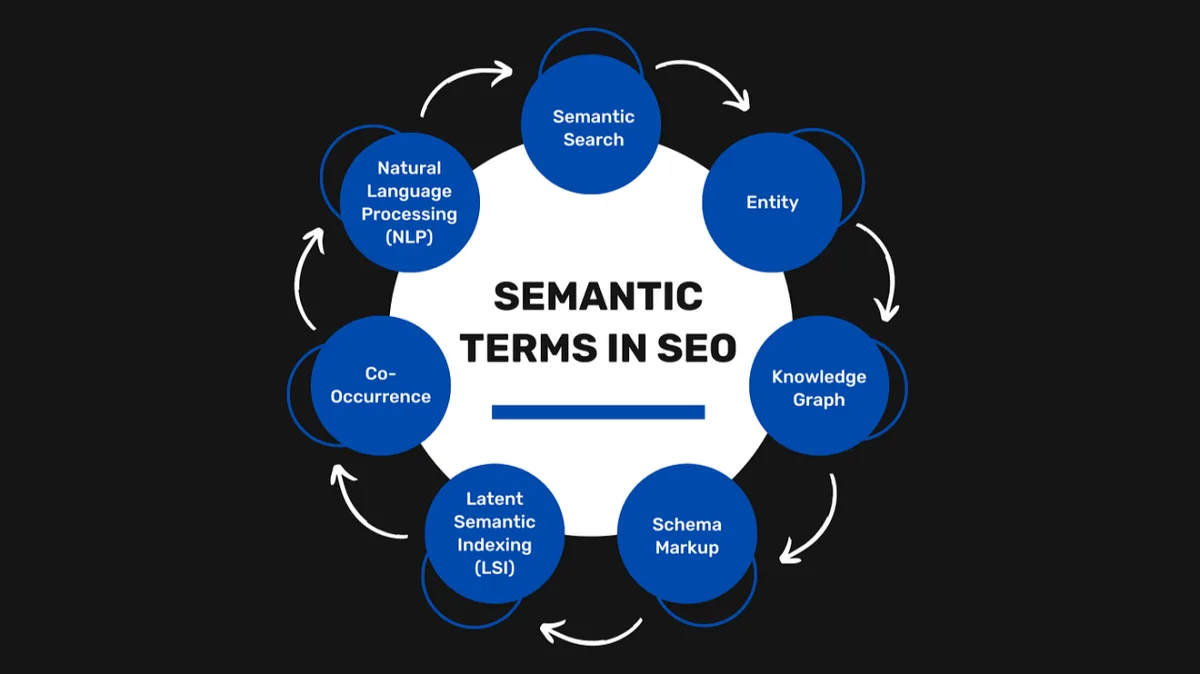
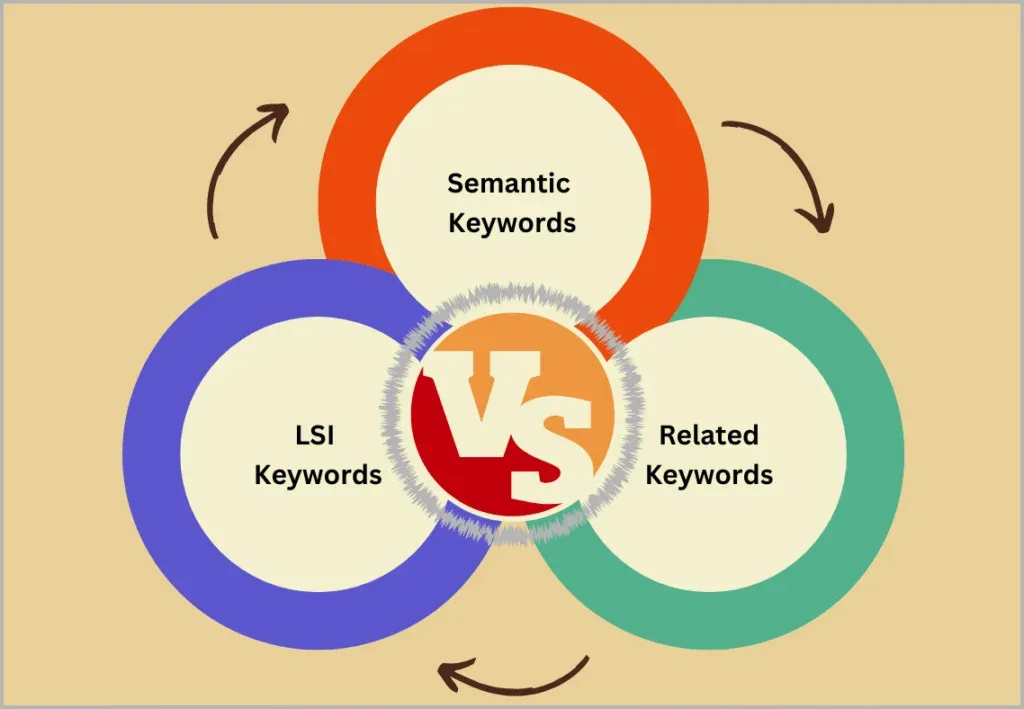
Worth untangling the semantic keywords because the distinctions matter when you build an outline. Latent Semantic Indexing, or LSI, is the older term that survived a lineage of engine changes and still gets used loosely. Strictly speaking, LSI refers to a mathematical technique for finding term co-occurrence patterns.
What people usually mean by “LSI keywords” today is closer to what the industry calls related terms or co-occurring phrases.
Synonyms are the narrowest category. “Leaking faucet” and “dripping tap” are synonyms. Related keywords are broader, covering things like tools, materials, and context. Entity keywords are the most structured category, referring to named things in the knowledge graph: brands, product lines, standards, regulations, notable people. Each category has a place, but they do different jobs in your content.
The practical takeaway is that a good content brief should specify which bucket each target term belongs to. Blurring them together leads to a page that reads like an SEO talking to an SEO. Keeping them separate keeps the writing human, which is the whole objective.
| Term Type | Definition | Practical Example | Where It Belongs |
|---|---|---|---|
| Primary keyword | The main query your page targets | “semantic keywords” | Title, first paragraph, one or two subheads |
| Synonym | A different word with the same meaning | “semantic terms,” “meaning-based phrases” | Throughout body copy for variation |
| Related keyword | Adjacent concepts in the same topic space | Topical authority, entity optimization, content brief | Body paragraphs, subheads |
| Entity keyword | A named node in the knowledge graph | Google Knowledge Graph, BERT, Schema.org | Body copy, subheads on technical topics |
| Long-tail keyword | A longer, more specific query | “semantic keywords for local service pages” | H3 headings, FAQ entries |
Notice how each row answers a different question. A thoughtful approach to semantic keywords reinforces your qualifications. That is the point of the matrix. The minute you start treating these categories as interchangeable, your outline loses its shape.
Ten Powerful Tips to Boost Rankings
Now the core of it. These ten tips are ordered by the sequence I typically apply them in on a new project, from research through to optimization. Skipping around is possible, but the early steps inform the later ones, so resist the temptation to jump straight to writing.
Tip 1: Build a Content Brief from a Semantic Keywords Guide
Start with a written semantic keywords guide before you write a single line. A brief is not a nice-to-have; it is the difference between a coherent page and a patchwork.
My briefs typically include the primary keyword, ten to fifteen secondary terms, the specific queries the page must answer, the internal links to include, and a working outline of H2s and H3s pitched at the right level of detail.
Then run the brief through a cheap reality check. Search your target query, open the top five results, and list the subtopics they each cover. If your outline misses anything in the collective coverage, add it.
If it duplicates a subtopic without adding something new, cut it. The best semantic keywords checklist I have ever used is embarrassing in its simplicity: would a person searching this query feel like their question was answered?
I keep a recurring brief template in a shared document, and the team fills the semantic keywords in before the writer opens the CMS. It saves so much back-and-forth later on. Honestly, this single process change cut our rewrite rate by roughly half.
Tip 2: Mine SERPs for Real Query Variations
Stop guessing at what people search. The search results are a free data source if you actually read them. Look at the “People also ask” box, the related searches at the bottom of the page, and the autocomplete suggestions that fill in as you type. Every one of those is a real query from a real person.
Then go deeper. Tools like AlsoAsked and AnswerThePublic map question clusters around your head term. Review them in bulk rather than cherry-picking, because the pattern of questions reveals intent better than any individual query does.
For example, on one kitchen appliance page, the SERP showed users asking about cleaning, disposal, warranty length, power consumption, and noise levels. The original draft covered none of those. We rebuilt the outline around them and the page climbed from position 11 to position 4 within six weeks. Same keyword, entirely different execution.
Tip 3: Group Keywords by Search Intent Before Mapping
The most common mistake I see in a semantic keywords tips conversation is lumping informative, commercial, and transactional queries into one page. They belong in different places because they serve different stages of a purchase journey.
Informative queries, like “what are semantic keywords,” deserve one kind of article. Commercial queries, like “best semantic SEO tools,” deserve another. Transactional queries, like “buy semantic analysis software,” belong on a product or pricing page.
Merge them into one page and you confuse the reader, because the user arriving with a “what is it” intent is not ready to buy, and the user ready to buy does not want a 2,000-word primer.
Split them, and each page gets sharper. Internal links between the pages then carry readers through the funnel, which improves the practical navigation experience while reinforcing the topical cluster for the algorithm.
Tip 4: Prioritize Entities Over Synonym Stuffing
An entity-first approach changes how you write. Instead of asking “what words can I swap in for my keyword,” ask “what named things belong on this page.” That shift moves you from a phrase-based mindset into a knowledge-based one.
An entity is anything the search engine recognizes as a distinct concept. For a page about CRM software, entities include Salesforce, HubSpot, Microsoft Dynamics, contact records, sales pipeline stages, and API integrations. Mentioning these with natural context signals competence far more than repeating “CRM software” ever could.
The discipline here is restraint. Applying these principles to your semantic keywords yields measurable results. Do not list every entity in your niche on one page. Include those that are genuinely relevant to your specific reader and the job they are trying to do. Relevance is what makes it work.
Tip 5: Cover the Full Topic Cluster, Not Just One Page
Individual pages rank, but topical clusters win. If your site has one article on a subject and nothing around it, the single page has to carry all the weight.
Building a cluster of eight to twelve interlinked pages on the same parent topic distributes that weight, which is exactly why well-organized blogs consistently outperform orphan pages.
Structure matters here. Choose a pillar page for the parent topic, write cluster pages on subtopics, and link them to and from the pillar with descriptive anchors. The internal linking architecture is the connective tissue that makes the cluster legible to the search engine.
I have seen the semantic keywords produce compounding results. A B2B client with about thirty total articles suddenly started ranking for a batch of long-tail queries in weeks after we restructured the internal links, without touching a single word of the existing copy. Same content, better structure.
Tip 6: Use Question-Format Subheads to Cover Search Intent
Question subheads do double duty. They mirror the way people search, and they make the page scannable for mobile readers. If someone lands on a page about semantic keywords and skims for “how many semantic keywords should I use,” a question subhead answers that instantly.
Notice that “how many” sits in bold above. That is not decorative. It is a signal to the reader that their specific question is about to be answered. Prominent formatting around your answers increases time on page, which in turn supports rankings through behavioral signals.
Do not overdo it. One or two question subheads per section is plenty. Otherwise the article reads like a FAQ writ large, and the flow gets choppy.
Tip 7: Audit Existing Content Against a Semantic Keywords Checklist
Not every project starts from zero. Most of my engagements begin with an existing library that needs an audit. The audit reveals which pages are thin, which have picked up topic drift, and which are simply outdated.
Here is the checklist I actually run, page by page:
- Does the first 100 words clearly signal the subject? If a reader cannot tell what the page is about after two sentences, the opener needs work.
- Are there at least ten to fifteen related terms in the body? Count them. If you are short, the page is likely thin on a subtopic.
- Do any subheads look like they were copied from another article? Generic subheads like “Conclusion” or “Important Factors” are red flags.
- Are the internal links descriptive? Honestly, good anchor text is free ranking equity that most sites leave on the table.
- Is the primary keyword distributed naturally? Repeated too often, or not present in H2s at all, both signal problems.
The semantic keywords checklist catches more issues than any automated tool. It forces a human to actually read the page, which is what search engines of the modern variety are increasingly good at approximating.
Tip 8: Optimize Semantic Keywords Best Practices for Internal Links
Internal linking is underused. Semantic keywords best practices include using descriptive anchors that carry the topic signal forward. “Click here” tells the algorithm nothing. “Read our guide to entity optimization” tells it exactly what the destination page is about.
The rule I use: every anchor should be a phrase a reader could reasonably search for. It should also be specific to the destination page, not generic to the site. Do not link the same page from three different places on one page, either. One well-placed link twice as useful as three shoved in at random.
Pay attention to anchor diversity as well. If every internal link to your CRM review uses the phrase “CRM review,” the pattern looks artificial. Vary the wording naturally, and you get both better UX and a cleaner cross-page topic signal.
Tip 9: Align Schema Markup With Your Entity Vocabulary
Structured data is the machine-readable layer the semantic keywords echoes what your prose says. Article, FAQPage, HowTo, Product, and Organization schema all tell the search engine what kind of page this is and which entities are involved. When your prose and your markup agree, the signals reinforce each other.
Do not overreach. Clear alignment with your semantic keywords builds confidence from the start. Adding schema for things the page does not actually contain is a short path to manual actions. Add only what genuinely describes the page. For a guide article, Article or BlogPosting schema with appropriate properties is usually enough.
The one exception worth investing in is FAQPage schema when your page has a real FAQ section. It gives you a shot at rich results in the SERP, which lifts click-through rate. That is worth a few minutes of tag-wrangling.
Tip 10: Track Rankings at the Query Level, Not the Page Level
Page-level ranking reports are misleading. A page may “rank” for hundreds of queries while only a handful are driving meaningful traffic. The semantic keywords checklist that matters tracks individual queries, not vanity averages.
I set up a rank tracker with the five to ten most important queries per page. Then I review monthly, noting which terms moved. Usually the movement clusters, because a page that improves across the board is genuinely better.
When a page climbs for one query but slides for another, that is a signal you have drifted on the topic, which is worth an audit.
The semantic keywords is a discipline thing, not a tool thing. The data is easy to collect; the discipline is what most people skip.
Common Semantic Keywords Mistakes to Avoid
Some pitfalls show up so often they are worth naming. First, keyword stuffing under another name: repeating your primary term until it loses meaning and starts hurting readability. Second, topic drift, where a page meanders into a related but different subject because the writer followed a tangent. Third, over-optimization via forced synonyms, like shoving “semantic terms” into every sentence whether or not it fits.
Fourth, ignoring search intent: optimizing a page loaded with commercial vocabulary for a query that is clearly informational. Fifth, skipping internal links, or linking only to home and category pages. Sixth, treating semantic optimization as a one-time task rather than an ongoing practice of review and refinement.

If the semantic keywords recognize your own site in any of these, the fix is usually straightforward. Pick the largest gap, fix it, move down the list.
How Many Semantic Keywords Should a Page Have?
The semantic keywords is no magic number, but a useful range exists. For a mid-length article around 1,500 to 2,500 words, I typically include fifteen to thirty distinct related terms, distributed naturally. For pillar pages running over 3,000 words, thirty to sixty is a reasonable band.
The density question is separate. Your primary keyword should stay within roughly 1.2 to 1.5 percent of total word count. Broader semantic coverage should feel unforced, like you are simply writing a genuinely useful article. If a term feels awkward, it probably is.
An easy rule of thumb: if your article reads like it was written by a subject-matter expert, you are probably fine. If it reads like a phrase list connected by grammar, rewrite.
Tools to Help You Analyze Topical Coverage
Several tools earn their place in a working stack. Surfer SEO and Clearscope both grade coverage against top-ranking competitors. MarketMuse specializes in identifying content gaps and prioritizing which pages to expand. PageOptimizer Pro and Frase are useful for outline generation and term scoring. Rank Math and Yoast handle the on-page execution, including schema.
Use them for what the semantic keywords are good at: surfacing terms you missed and grading coverage numerically. Do not let them write the article.
The most common failure mode with these tools is letting the term list dictate the outline, leading to a page that reads like an answer to an algorithm rather than a real question.
Also, remember that no tool sees the full picture. Your judgment about what the reader wants is the input these tools cannot replace.
FAQ
Here is an in-depth breakdown of key considerations regarding FAQ:
What are Semantic Keywords in Simple Terms?
The semantic keywords are the words and phrases that surround your primary keyword and help define its meaning. A reader encountering your page sees a complete picture rather than a repeated phrase. Search engines see a page that clearly covers the topic rather than one that name-drops it.
How Do Semantic Keywords Differ from Regular Keywords?
Regular keywords are what you type into the search bar. Semantic keywords are what answering the query would require you to discuss. The two overlap, but the semantic layer covers much more ground: related tools, named entities, sub-concepts, and practical details.
Do I Still Need the Primary Keyword if I Use Semantic Keywords?
Yes. Refining each detail of your semantic keywords strengthens this section. The primary keyword anchors the page to the query it targets; semantic coverage broadens what else the page can rank for. Use both, with the primary term appearing in your title, lead paragraph, at least one subhead, and your meta description.
Can Semantic Keywords Hurt My Rankings?
Not when used naturally. They only hurt when forced. Repeating a term you have already covered, jamming synonyms into sentences that do not need them, or listing entities that have nothing to do with your reader all create friction. The signal the algorithm rewards is coherence, not coverage for its own sake.
How Long Should a Semantic Keywords Checklist Be?
Short enough to actually use. Five to seven items is my recommendation. Anything longer and the reviewers on your team skip steps. The checklist in Tip 7 above covers the essentials; adapt it to your own workflow and trim it down if it becomes a chore.
Bringing It Together
Start with the brief, mine the SERPs, structure the cluster, and audit ruthlessly. Those four moves account for most of the difference between a page that ranks and one that does not. The ten tips above are simply that process, broken into daily-sized pieces.
Semantic keywords are not a trick to hide from search engines; they are the vocabulary you would use anyway if you actually cared about the reader’s question. That is the honest version of semantic SEO. It also happens to be the version that ranks.
For verified reference and background research, consult the authoritative informational resource on this topic.