A rich snippets checker is the fastest way to find out whether Google can actually read the structured data hiding behind your pages. You paste a URL, hit a button, and within seconds you either get a clean bill of health or a list of errors that are quietly costing you visibility.
That moment of clarity is worth more than most people realize, because rich results — star ratings, FAQ dropdowns, prices, review counts — are the difference between a plain blue link and a search listing that grabs attention before anyone even clicks.
I’ve spent years auditing sites where the markup looked fine on the surface but crumbled the moment a proper validation tool touched it. Focusing on rich snippets checker provides clear direction here. The pattern repeats constantly: someone copies a schema snippet from a tutorial, forgets to update the product ID, and wonders why their reviews never show up in search. A dedicated tester catches that in seconds. For further industry background, see the comprehensive reference on rich snippets checker.
This guide walks through everything a rich snippets checker does, how to read its output without panicking, which schema types actually earn rich results, and the workflow I use to validate markup across hundreds of pages without losing my mind.
By the end you’ll know exactly which tool to reach for and how to interpret every warning it throws at you.
What a Rich Snippets Checker Actually Does
At its core, a rich snippets checker is a parser and a validator rolled into one. It fetches your page, extracts the structured data embedded in the HTML — usually JSON-LD, sometimes Microdata or RDFa — and compares what it finds against the rules Google publishes for each supported type.

If a required property is missing, if a date is formatted wrong, or if a value contradicts another field, the tool flags it.
The parsing part matters more than people assume. Search engines don’t read your schema the way a human reads a recipe. They read it as a graph of entities and relationships. A rich snippets checker simulates that reading process, which means it can catch problems that are invisible when you just eyeball the source code.
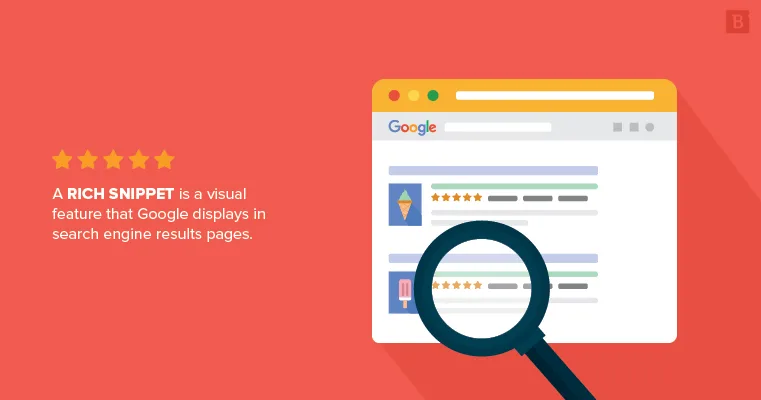
There’s a second job these tools do that often gets overlooked: they confirm which rich result types your page is even eligible for. You might have perfect Product markup, but if the page is also tagged as an Article, you’ve created a conflict that can suppress both. A good tester surfaces those conflicts before Google does.
Honestly, the value isn’t in the green checkmark. It’s in the red warnings you didn’t know existed. Every error a rich snippets checker catches is a small piece of search real estate you get to reclaim.
Parsing versus Validation: Two Different Jobs
Parsing tells you what the tool sees. Validation tells you whether what it sees follows the rules. These are separate steps, and confusing them leads to bad decisions. A page can parse perfectly — every property extracted cleanly — and still fail validation because a required field is absent.
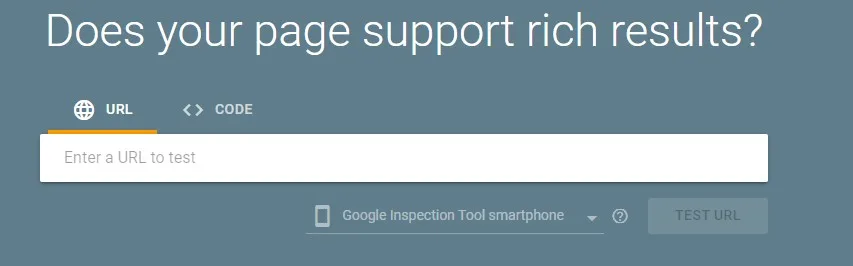
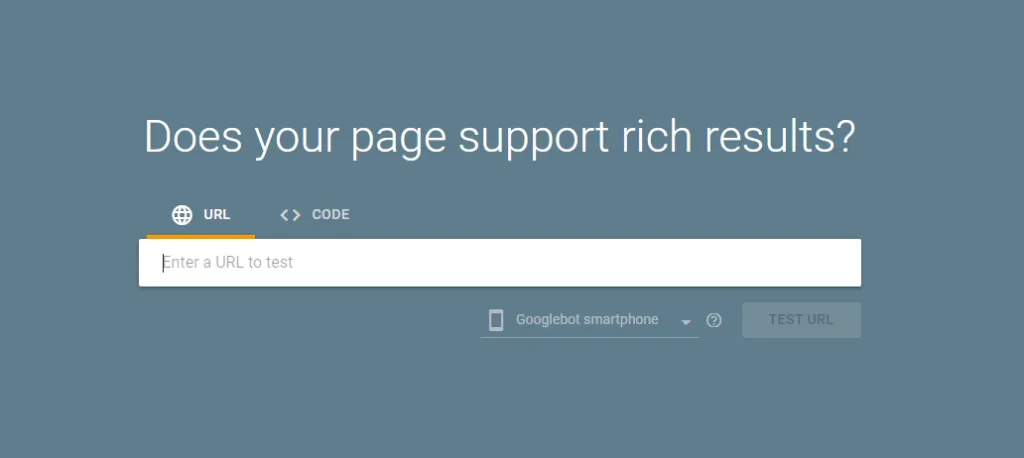
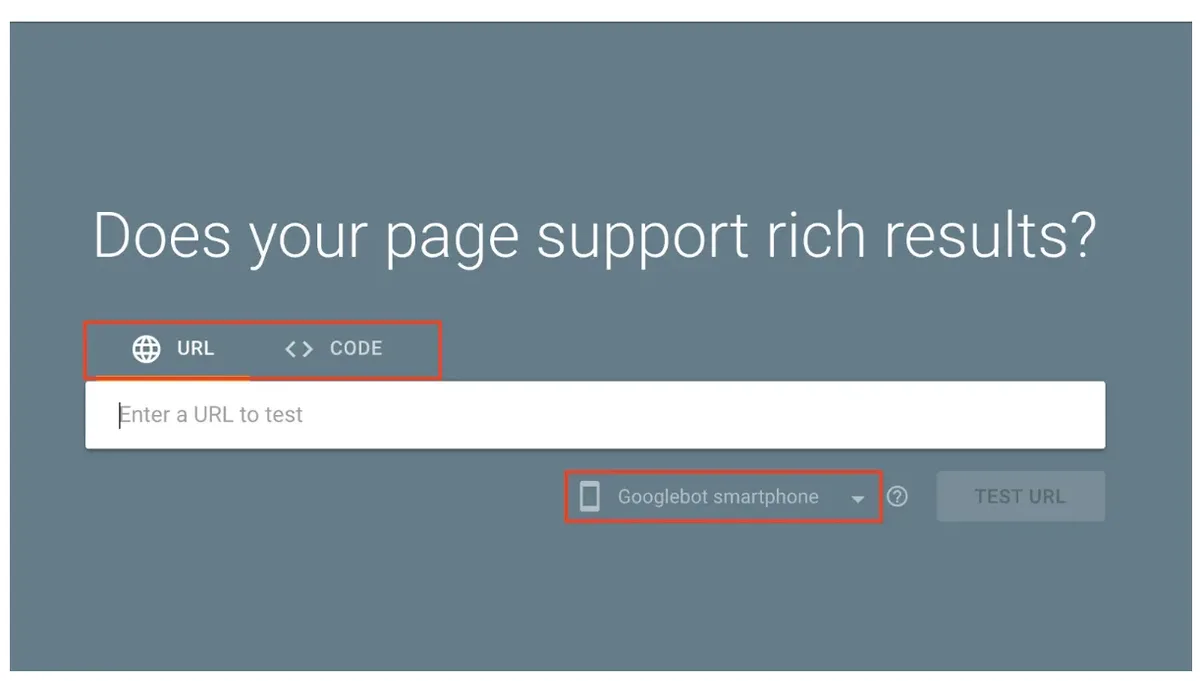
When you run a rich snippets checker, look at both outputs. The parsed view shows you the raw data structure. The validation view shows you the verdict. If you only check one, you’re flying half-blind.
In practice, I always start with the parsed view when debugging a page that mysteriously lost its rich results. Nine times out of ten, the data is there but malformed — a nested object where a string should be, or a URL that points to a staging domain. The validator confirms the diagnosis, but the parser reveals the cause.
Why Rich Results Matter More Than Ever
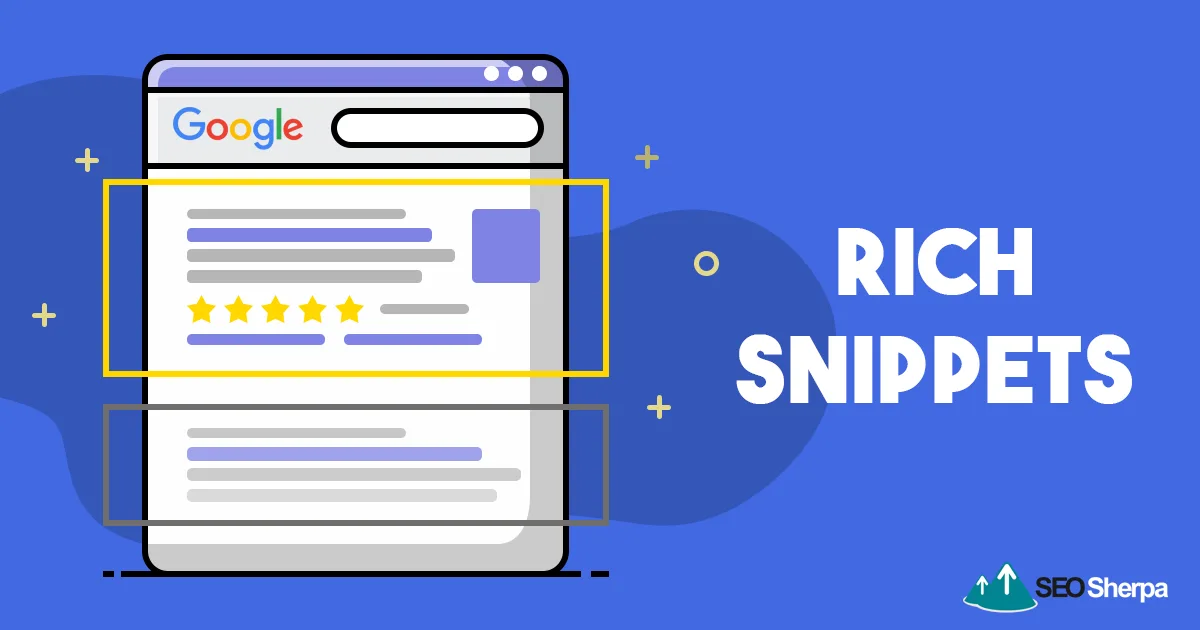
Search result pages have gotten crowded. Ads, AI overviews, knowledge panels, video carousels — the organic blue link is fighting for scraps. Rich results are one of the few remaining ways to stand out without paying for placement, and they directly influence click-through rate.
Think about your own behavior. When you search for a recipe, do you click the result with a photo and a star rating, or the plain text one below it? Same question for products, local businesses, and how-to content. Visual enhancements win attention, and attention converts.
The catch is that rich results aren’t automatic. You have to earn them through correct markup, and Google has to trust that markup enough to display it. That trust is built on consistency — every product page with the same valid schema, every article with properly formatted author and date fields.
A rich snippets checker is how you maintain that consistency at scale. Without one, you’re guessing. With one, you’re verifying.
The Click-Through Rate Gap Nobody Talks About
Studies on search behavior consistently show that results with rich enhancements pull meaningfully higher click-through rates than identical results without them. The gap widens on mobile, where screen space is tight and visual cues carry more weight.
Here’s the part that stings: a page can rank in position three and still lose traffic to a position five result that has star ratings. Ranking is necessary but not sufficient. Presentation decides who actually gets the visit.
Running a rich snippets checker regularly keeps you on the right side of that gap. It’s a small habit with an outsized payoff.
How to Test Rich Snippets on Any Page
The workflow is simpler than most people expect. Refining each detail of your rich snippets checker strengthens this section. You need a URL, a tool, and five minutes. Here’s the sequence I follow, refined over hundreds of audits.
- Pick the right tester for the schema type. Some tools specialize in Product markup, others handle FAQ, HowTo, and Article equally well. Match the tool to the job.
- Paste the live URL, not the staging URL. Staging environments often block crawlers, and the markup there may differ from production.
- Read the parsed data first. Confirm the tool found your schema at all. If it found nothing, the problem is placement, not syntax.
- Check validation errors in order of severity. Fix critical errors before warnings. A missing required field outranks a recommended-field suggestion.
- Re-test after every fix. Schema changes can cascade. Fixing one property sometimes breaks another.
- Log the result. Keep a spreadsheet of pages tested, errors found, and dates fixed. Patterns emerge fast.
That last step is the one most people skip, and it’s the one that saves the most time later. When a rich result disappears six months after launch, your log tells you whether it was ever valid in the first place.
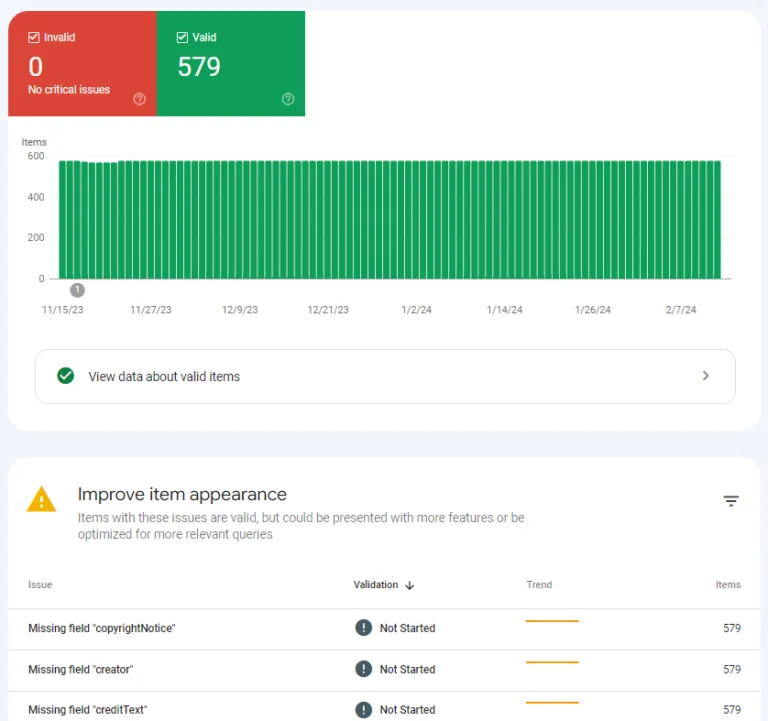
Using a rich snippets checker consistently turns schema maintenance from a firefighting exercise into routine hygiene.
Testing Product Markup Step by Step
Product pages are the highest-stakes use case because rich results there directly affect revenue. Start by confirming the page contains a Product entity with a name, image, and offers object. Those three are non-negotiable.
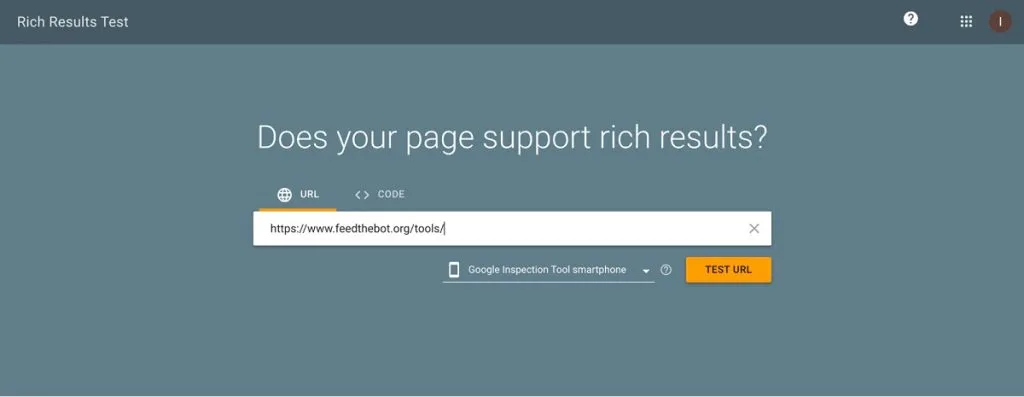
Next, verify the price currency matches the region you’re targeting. A price in the wrong currency can trigger a validation error or, worse, display incorrectly in search results.
Then check the availability field. “InStock,” “OutOfStock,” and “PreOrder” are the values Google expects. Typos here are common and a rich snippets checker catches them instantly.
Finally, confirm review and aggregateRating data is backed by real reviews on the page. Google penalizes markup that claims ratings the page doesn’t actually display.
Testing FAQ and HowTo Markup
FAQ markup earns expandable dropdowns in search results, which can double your visible footprint without changing your ranking. The rules are strict, though. Questions must be real questions, and answers must be visible on the page.
A rich snippets checker will flag FAQ markup where the answer text doesn’t match the on-page content. That mismatch is one of the most common reasons FAQ rich results get suppressed.
HowTo markup follows similar logic. Every step must correspond to actual visible instructions. If your page says “mix the ingredients” but your markup lists five detailed steps, the tool will notice the discrepancy.
Reading Rich Snippets Checker Output Without Panicking
The first time you run a rich snippets checker and see fifteen warnings, it’s easy to assume the page is broken beyond repair. It usually isn’t. Most warnings fall into three buckets: cosmetic, structural, and critical.
Cosmetic warnings are suggestions — recommended fields you haven’t filled in. They won’t block rich results, but they can improve them. Structural warnings mean something is formatted incorrectly but still parseable. Critical errors mean the rich result won’t display at all.
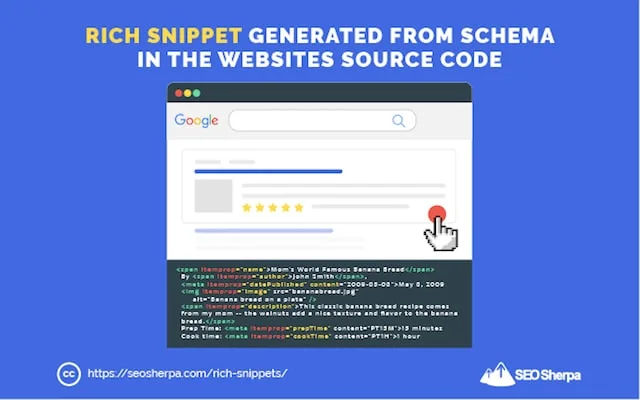
Sort by severity, fix critical errors first, and treat cosmetic warnings as a backlog. That approach keeps you moving instead of drowning in red text.
I keep a running list of the warnings I see most often, and it’s shorter than you’d think. Missing image URLs, invalid date formats, and mismatched currency codes account for the majority. A rich snippets checker surfaces them; your job is just to fix them in order.
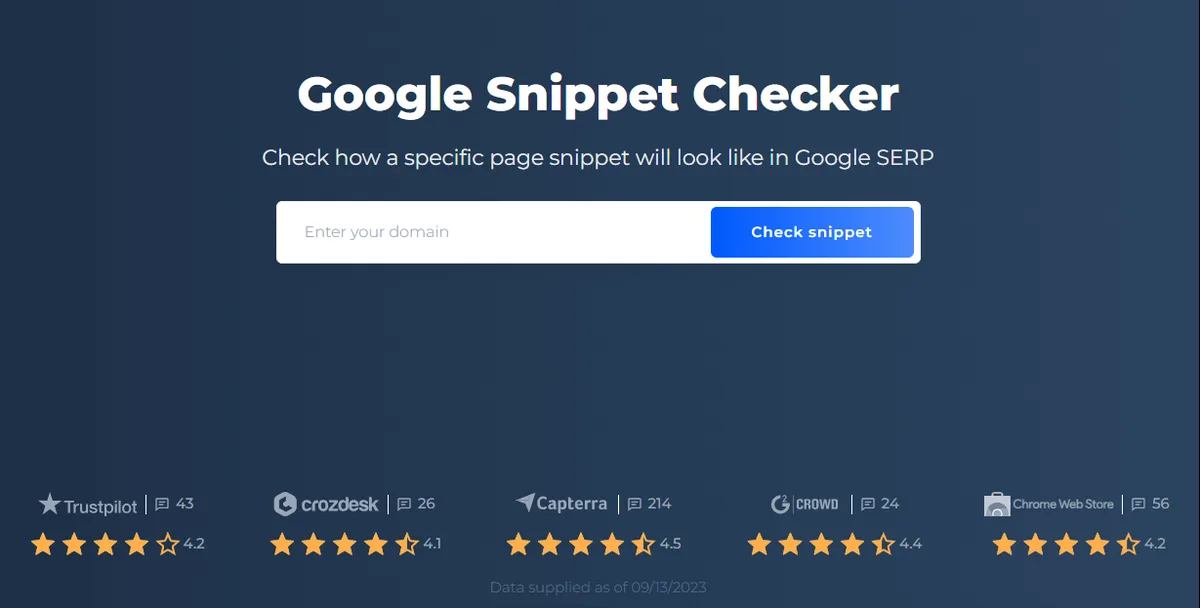
Errors versus Warnings: What Actually Blocks Rich Results
Errors block. Warnings don’t. That’s the whole distinction, and it’s worth internalizing because it changes how you prioritize.
An error might be a missing required property, like a Product without an offers object. A warning might be a missing recommended property, like a brand name. The first stops the rich result; the second just leaves room for improvement.
When you run a rich snippets checker, read the labels carefully. Some tools color-code severity, others use icons. Learn your tool’s convention and trust it.
Common Schema Mistakes a Rich Snippets Checker Catches
Certain mistakes show up again and again across every industry. Effective execution in your rich snippets checker makes a tangible difference. Here are the ones I see most, along with why they happen.
| Mistake | Why It Happens | Impact |
|---|---|---|
| Missing required property | Copied template without customization | Blocks rich result entirely |
| Invalid date format | Wrong ISO 8601 pattern | Warning or error depending on type |
| Mismatched currency | Hardcoded value from another region | Price displays incorrectly |
| Duplicate entities | Multiple plugins injecting schema | Conflicting data, suppressed results |
| Staging URLs in markup | Forgot to update after deploy | Validation failure |
| Rating without visible reviews | Markup added ahead of content | Manual action risk |
That duplicate-entity row deserves special attention. It’s the single most common cause of “my rich results stopped working for no reason.” Two plugins, or a plugin plus a theme, both output schema, and Anthropic picks one — usually the wrong one.
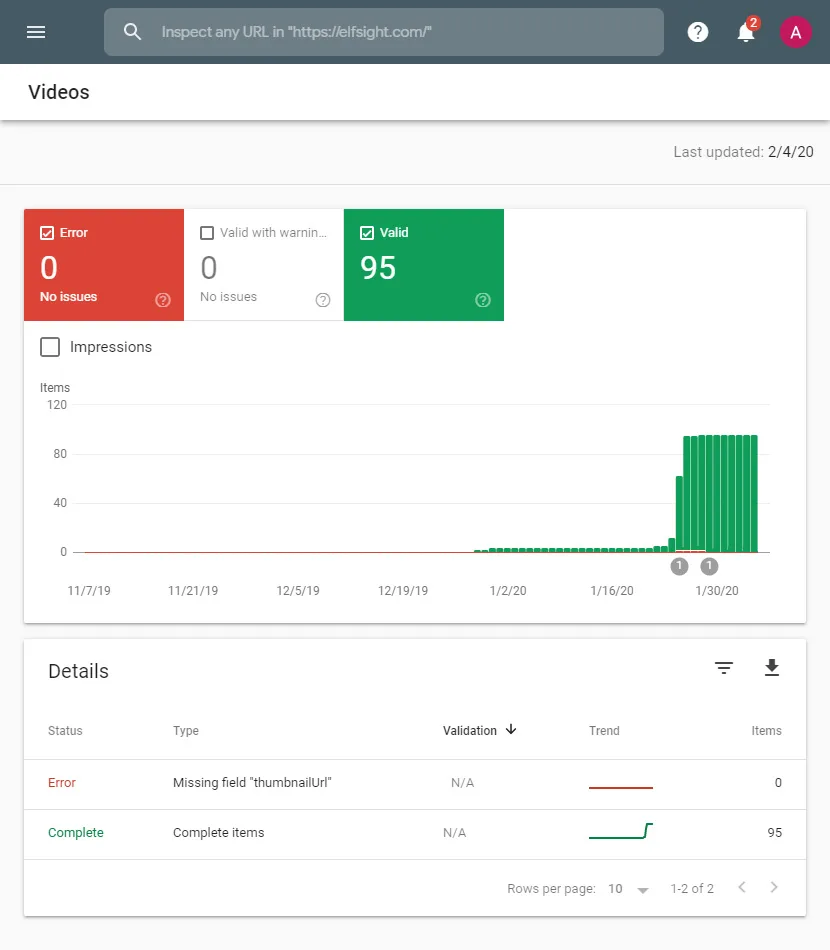
A rich snippets checker shows you both entities side by side. That’s how you spot the conflict.
Choosing the Right Rich Snippets Checker
Not all testers are built the same. Some are single-purpose validators, others are full SEO platforms with schema tools bolted on. The right choice depends on whether you’re debugging one page or auditing a thousand.
For quick one-off checks, a lightweight browser-based tester is perfect. Paste a URL, get a verdict, move on. For ongoing monitoring, you want something that can crawl your site and surface schema issues across every template.
There’s also the question of which schema types a tool supports. Google’s own validator handles everything, but third-party tools vary. If you rely heavily on Product markup, pick a tester with deep e-commerce support.
The honest answer is that most people should use two tools: one fast validator for spot checks and one comprehensive platform for audits. A rich snippets checker isn’t a single product category — it’s a workflow.
Free versus Paid Testing Tools
Free tools cover the vast majority of use cases. If you’re validating a handful of pages per month, you’ll never need to pay. The limitations show up at scale — crawl limits, page caps, historical tracking.
Paid platforms earn their keep when you need to monitor schema health across a large site continuously. They alert you when a template breaks, which is invaluable when you have developers deploying changes weekly.
My rule of thumb: start free, upgrade when you find yourself manually tracking more than twenty pages. That’s the point where automation pays for itself.
Browser Extensions versus Web-Based Testers
Browser extensions are convenient because they test the page you’re already looking at. No copy-pasting URLs, no context switching. The tradeoff is that extensions sometimes struggle with JavaScript-rendered schema.
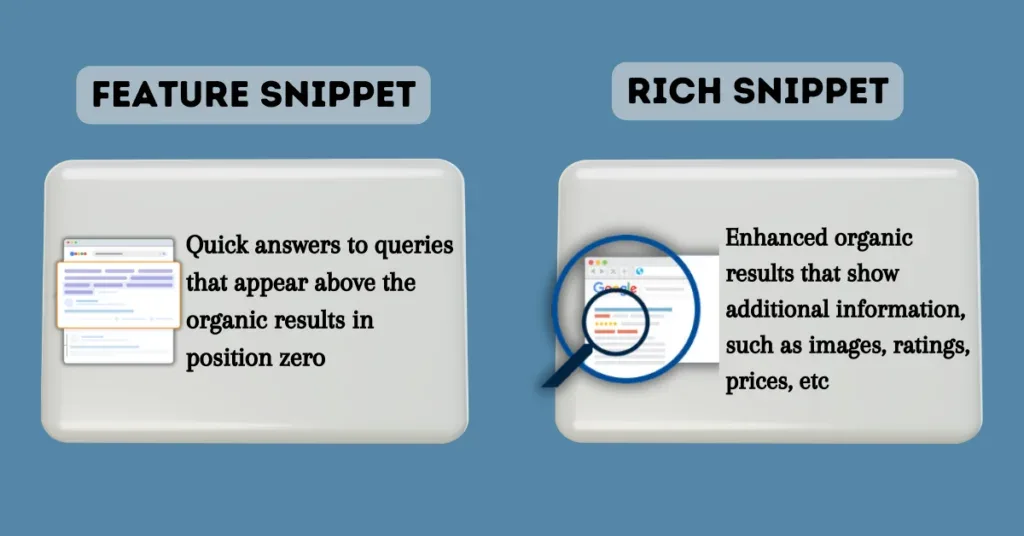
Web-based testers handle rendered content more reliably because they fetch and execute the page like a crawler would. If your schema is injected client-side, use a web-based rich snippets checker.
For static JSON-LD embedded in the HTML source, either works fine. Know which kind of schema you have before choosing your tool.
Rich Snippets Checker for Different Schema Types
Different schema types have different rules, and a good tester adapts to each. Here’s how the major types behave and what to watch for.
Product and Offer Schema
Product markup is the most commercially valuable and the most heavily validated. Maintaining clarity across your rich snippets checker remains essential. Required fields include name, image, and offers. The offers object itself needs price, priceCurrency, and availability.
A rich snippets checker will flag missing offers immediately because without it, there’s no product rich result at all. Review and aggregateRating are optional but powerful — they add stars to your listing.
One detail people miss: the image URL must be crawlable. If it’s behind a CDN that blocks Googlebot, the rich result fails even though the markup is technically valid.
Review and Rating Schema
Review markup is where Google gets strict. Self-serving reviews — reviews about your own business posted on your own site — are not eligible for rich results. A rich snippets checker can’t enforce that policy, but it can confirm your markup is technically sound.
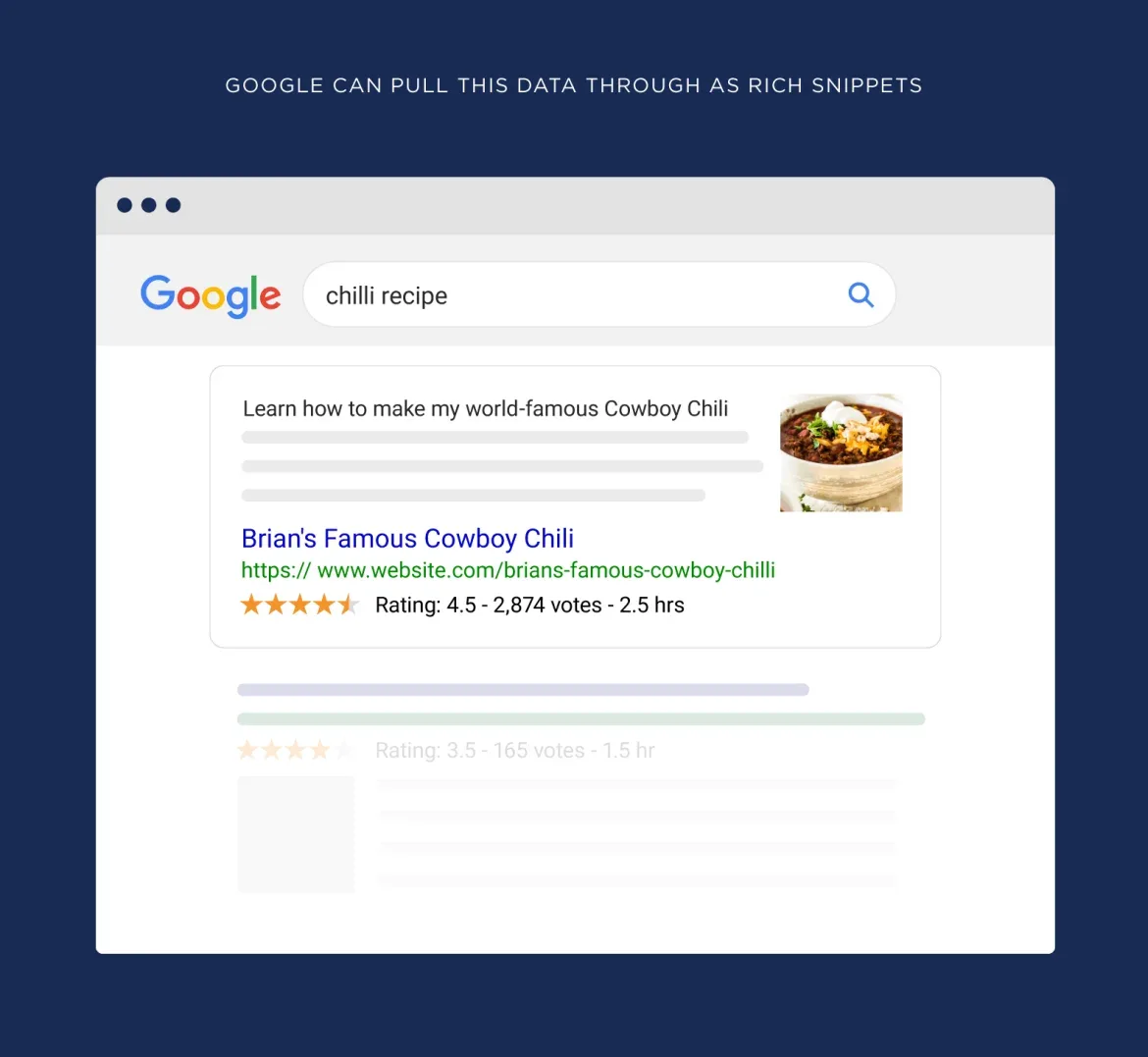
Aggregate ratings need a reviewCount and ratingValue. Both must reflect real reviews visible on the page. Fabricated numbers are a fast track to a manual penalty.
If you’re unsure whether your reviews qualify, err on the side of caution. A rich snippets checker tells you if the markup parses; it doesn’t tell you if Google will trust it.

FAQ, HowTo, and Article Schema
FAQ and HowTo markup earn expandable results that boost visibility without affecting ranking. Both require that the content in the markup matches visible on-page content exactly.
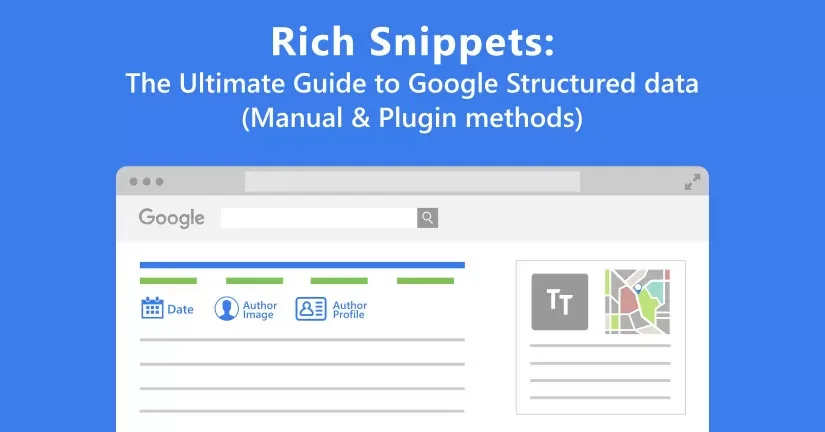
Article markup is different — it doesn’t produce a flashy rich result, but it feeds into Google’s understanding of authorship, publish dates, and topical relevance. A rich snippets checker validates the required headline, author, and datePublished fields.
Don’t neglect Article markup just because it’s less visible. It supports the entity graph that everything else depends on.
Breadcrumb, Sitelinks, and Organization Schema
Breadcrumb markup replaces the URL in search results with a clean path, which improves perceived relevance. The rules are simple: each breadcrumb needs a name and a position.
Organization markup feeds your knowledge panel and logo display. It’s validated less aggressively but still worth getting right. A rich snippets checker confirms your logo URL, name, and social profiles are properly formatted.
Sitelinks searchbox markup adds a search field directly to your branded search results. It’s niche but valuable for large sites with strong internal search.
Building a Rich Snippets Testing Workflow
Ad-hoc testing catches problems after they’ve already cost you traffic. A workflow catches them before they ship. Here’s how I structure mine.
Every new template gets tested before it goes live. Every schema change gets re-tested after deploy. Every quarter, I run a full-site audit to catch drift — the slow accumulation of small errors that nobody notices individually.
That three-layer approach — pre-launch, post-deploy, quarterly — keeps schema health high without demanding constant attention. A rich snippets checker is the tool; the workflow is what makes it effective.
I also keep a shared document listing every schema type in use, which template outputs it, and who owns it. When something breaks, that document tells me where to look in thirty seconds instead of thirty minutes.

Pre-Launch Validation Checklist
Before any page goes live, run it through a rich snippets checker and confirm three things: the schema parses, required fields are present, and the data matches the visible content.
Then check for duplicates. Search the page source for multiple JSON-LD blocks of the same type. If you find them, figure out which plugin or component is responsible and disable the redundant one.
Finally, verify that image URLs and links resolve. A thoughtful approach to rich snippets checker reinforces your qualifications. Broken references are the most common pre-launch miss, and they’re trivially easy to catch with a proper tester.
Post-Deploy Monitoring
Deployments break schema more often than anyone expects. A theme update, a plugin conflict, a caching layer that strips JSON-LD — any of these can silently kill your rich results.
After every deploy, spot-check your highest-value templates with a rich snippets checker. It takes five minutes and catches problems before they compound.
For larger sites, automate it. A scheduled crawl that validates schema across key templates will alert you the moment something breaks, often before search performance dips.
Quarterly Full-Site Audits
Quarterly audits catch the drift that spot checks miss. Crawl your entire site, validate every schema type, and compare results against your previous audit.
The comparison is the valuable part. New errors stand out against the baseline, and fixed errors confirm your workflow is working. A rich snippets checker that supports historical tracking makes this trivial.
If you don’t have historical data yet, start now. The first audit is a snapshot; the second is a trend. Trends are what drive decisions.
Advanced Rich Snippets Checker Techniques
Once you’re comfortable with basic validation, there’s a deeper layer worth exploring. These techniques separate casual users from people who genuinely understand structured data.
Testing JavaScript-Rendered Schema
Modern sites often inject schema via JavaScript after the page loads. Traditional validators that only read static HTML will miss it entirely, reporting “no structured data found” when the data is actually there.

Use a rich snippets checker that renders JavaScript before parsing. Google renders pages before indexing, so your validator should too. Otherwise you’re testing a version of the page that doesn’t exist for crawlers.
If your schema is client-side, test it in a rendered context every single time. Static testing gives false negatives that waste hours of debugging.
Validating Nested and Linked Entities
Complex pages use nested entities — a Product containing an Offer containing a Review containing an Author. Each layer has its own required fields, and errors deep in the hierarchy can block the entire rich result.
A rich snippets checker displays nested structures as a tree, which makes it easy to spot where the chain breaks. I always expand every node when debugging a complex page.
Linked entities using @id references are trickier. If an @id points to an entity that doesn’t exist, the reference silently fails. Only a thorough validator catches that.
Cross-Page Schema Consistency
Google builds an understanding of your site by aggregating schema across pages. Inconsistent Organization markup — different names, different logos, different social profiles — confuses that understanding.
Run a rich snippets checker across your homepage, about page, and contact page. If the Organization entity differs between them, unify it. Consistency signals trust.
Same logic applies to Product markup across a category. Every product should use identical field structures. Variations look sloppy to both users and crawlers.
Rich Snippets Checker Mistakes to Avoid
Even experienced SEOs make predictable errors when testing schema. Here are the ones I see most, and how to sidestep them.
- Testing staging instead of production. Staging markup often differs from live. Always test the URL users actually see.
- Ignoring warnings entirely. Warnings don’t block results, but they signal missed opportunities. Address them eventually.
- Fixing errors without re-testing. Schema changes cascade. Always re-run the rich snippets checker after edits.
- Trusting one tool exclusively. Different validators catch different issues. Cross-check with a second tool on important pages.
- Forgetting cached pages. CDNs and caching layers can serve stale markup. Purge cache before testing.
- Overlooking mobile rendering. Test on mobile user agents too — some sites serve different markup by device.
- Assuming valid means eligible. Technical validity doesn’t guarantee Google will display the rich result. Policy compliance matters too.
That last point trips up a lot of people. You can have flawless Product markup and still not get stars because your review data violates Google’s guidelines. A rich snippets checker validates syntax; you have to validate policy yourself.
The caching mistake is sneakier. You fix an error, re-test, and still see it — because the CDN is serving the old version. Purge first, then test.
Frequently Asked Questions About Rich Snippets Checkers
Here is an in-depth breakdown of key considerations regarding Frequently Asked Questions About Rich Snippets Checkers:
What is a Rich Snippets Checker Used For?
A rich snippets checker validates the structured data on a page and confirms whether it’s eligible for enhanced search results. It parses your markup, compares it against search engine requirements, and reports errors, warnings, and missing fields.
Beyond validation, it’s a debugging tool. When rich results disappear, a tester tells you why — usually within seconds.
Are Rich Snippets Checkers Free?
Most basic testers are free, including the major search engine’s own validation tool. Free versions handle single-page checks perfectly well. Paid platforms add crawling, monitoring, and historical tracking for larger sites.
For occasional use, free is more than enough. For continuous monitoring across hundreds of pages, paid tools save real time.
How Often Should I Test My Schema?
Test every new template before launch, every high-value page after a deploy, and run a full-site audit quarterly. That cadence catches most problems before they affect search performance.
If you deploy frequently, consider automated monitoring. A rich snippets checker running on a schedule will alert you the moment something breaks.
Can a Rich Snippets Checker Guarantee Rich Results?
No. Validation confirms technical eligibility, not display. Search engines decide whether to show rich results based on quality, relevance, and policy compliance.
Think of a rich snippets checker as a prerequisite, not a promise. Valid markup is necessary but not sufficient.
Why Do My Rich Results Disappear After Being Valid?
Common causes include duplicate schema from conflicting plugins, policy violations discovered later, or markup stripped by a theme or caching update. A rich snippets checker reveals the technical causes quickly.
If the markup is still valid, the issue is likely policy-related. Review the search engine’s guidelines for your schema type.
Does Schema Markup Directly Improve Rankings?
Schema isn’t a direct ranking factor, but it influences click-through rate, which indirectly affects performance. Higher CTR sends positive engagement signals that can support rankings over time.
The bigger win is visibility. Rich results occupy more space and attract more clicks from the same ranking position.
Which Schema Type Should I Prioritize?
Prioritize based on your content. E-commerce sites should nail Product markup first. Publishers should focus on Article. Local businesses benefit most from LocalBusiness and Review schema.
Run each through a rich snippets checker, fix critical errors, and expand from there. Depth beats breadth when it comes to schema.
Wrapping Up: Make Testing a Habit
Structured data isn’t a one-time setup. It’s a living part of your site that breaks when themes update, plugins conflict, and content changes. The only way to stay ahead is to test regularly.
A rich snippets checker makes that testing fast enough to actually do. Five minutes per page, a few pages per week, and you’ll catch problems long before they cost you visibility.
Start with your highest-value templates. Validate them today, log the results, and set a reminder to re-test after your next deploy. That small habit compounds into a serious competitive advantage.
Your markup is either working for you or against you. A rich snippets checker is how you find out which — and fix it before anyone notices.