Popups and SEO: Why Your Lead Capture Overlay Might be Costing You Rankings
Popups and SEO have a complicated relationship, and anyone who has watched their organic traffic dip after installing a fancy lead capture tool knows the feeling. Here is the uncomfortable truth: a popup that fires at the wrong moment can sabotage a page that took you weeks to rank.
But the reverse is equally true. Handled with care, a well-timed overlay can boost engagement signals that Google quietly rewards. This popups and SEO guide breaks down nine proven strategies to rank higher, each one grounded in how search engines actually evaluate user experience.
Think of the popups and SEO as your working checklist for making overlays help rather than hurt. Every sub-topic below traces back to the main promise: nine concrete strategies, explained with examples, failure modes, and execution tips.
The Popups and SEO Starting Point: How Google Really Treats Overlays
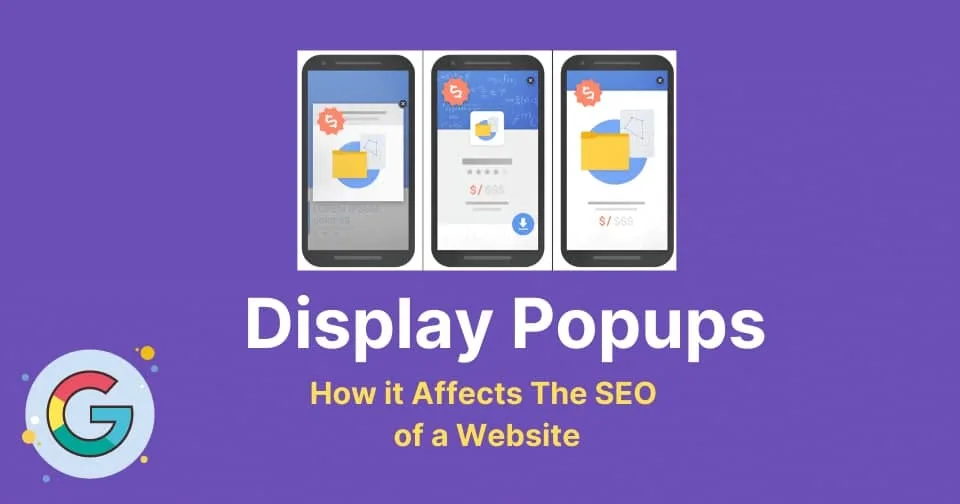
Google does not hate popups. Focusing on popups and seo provides clear direction here. It hates forced, intrusive interstitials that block the content a searcher came for, especially on mobile. That nuance matters more than any single ranking factor.
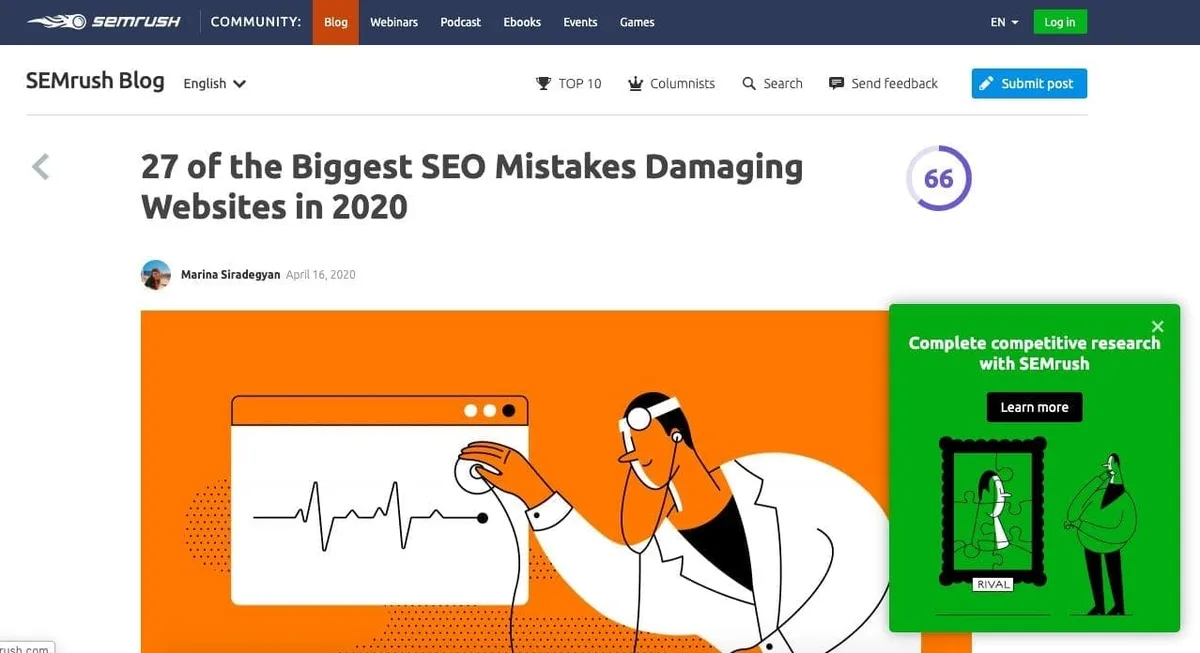
The search quality team has been explicit about this since their official guidance on intrusive interstitials in search results. Their target is a specific pattern: overlays that cover the main content immediately after a visitor arrives from search, with no clear way to dismiss them. Overlays used responsibly for legal consent or for site features are treated differently.
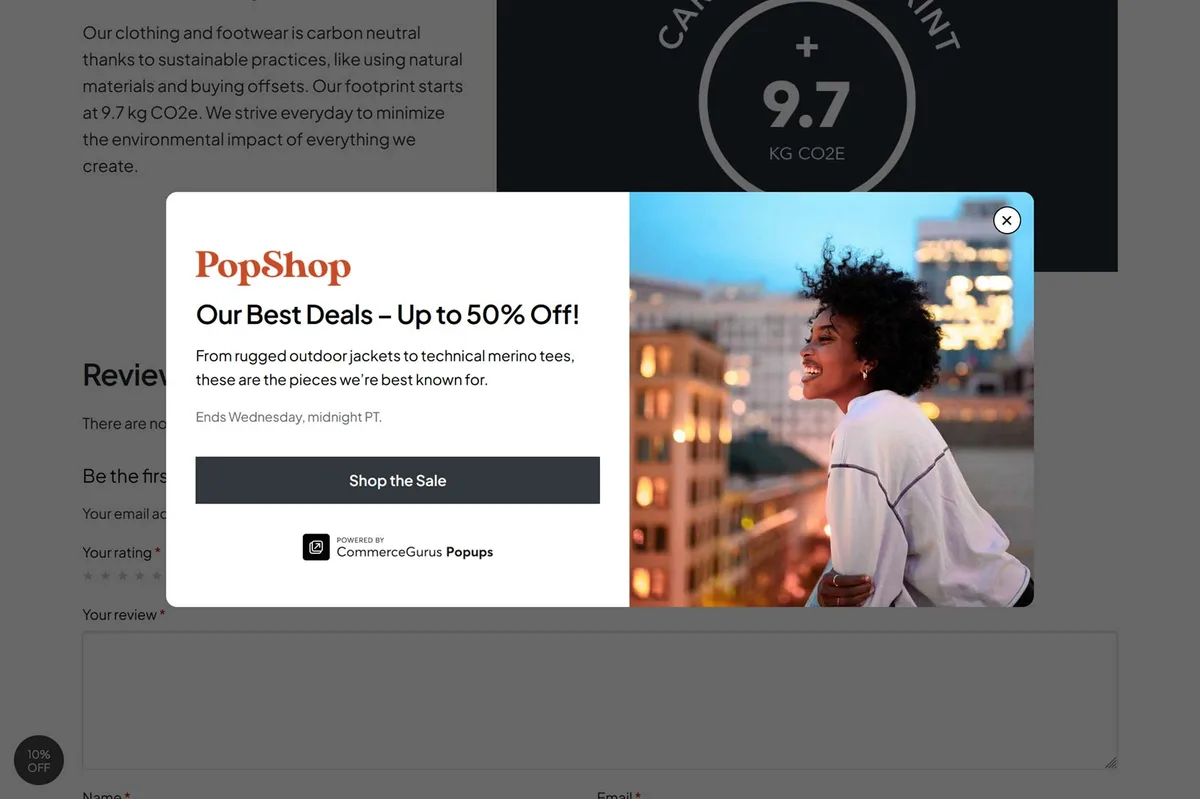
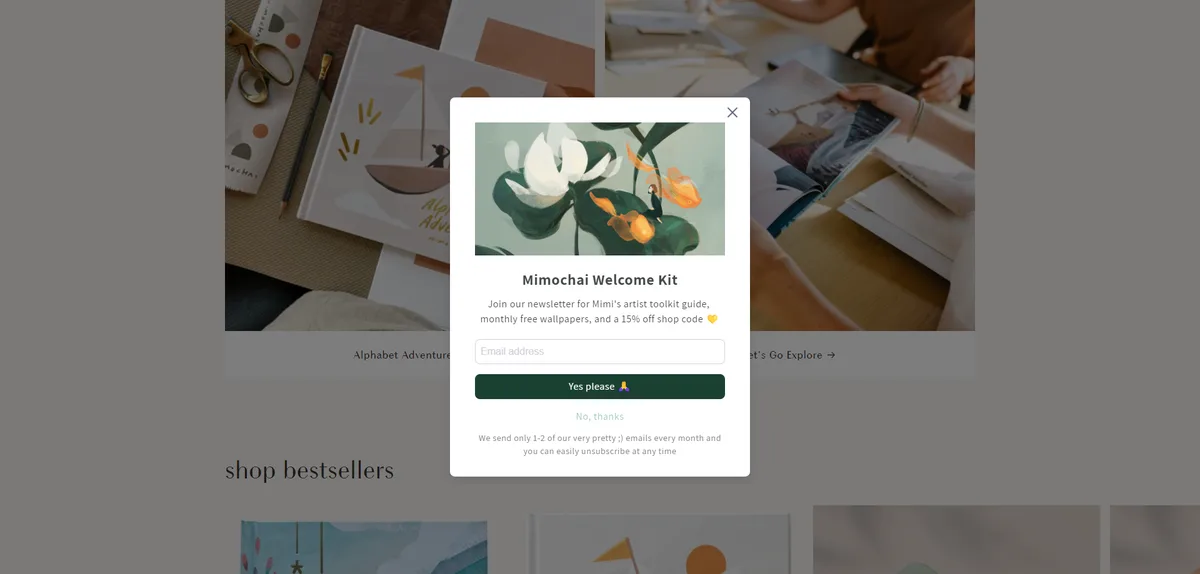
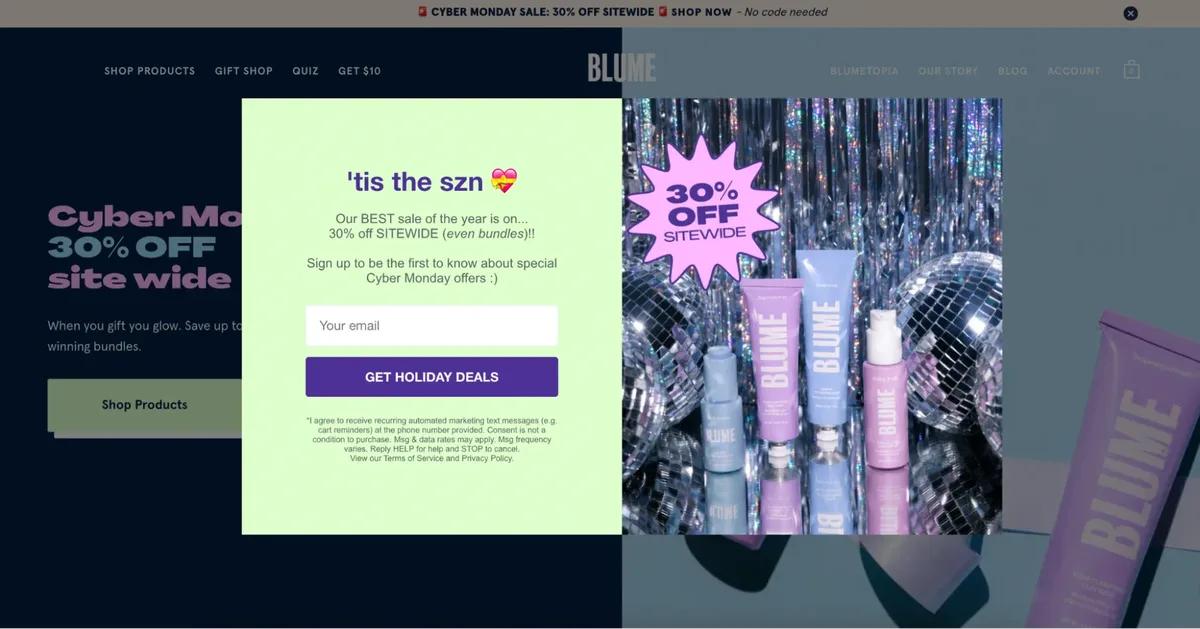
What does the popups and SEO mean in practice? A full-screen modal that hijacks the viewport within two seconds of page load is a red flag. A subtle, dismissible slide-in that appears after a reasonable scroll depth is not.
The mental model to keep in your head: Google wants the visitor to reach the information fast. If your overlay stands between the visitor and the answer, you are working against the search experience and against your own rankings.
Real-world example: a recipe blog in the food vertical lost mobile ranking position on high-intent pages after adding a full-screen newsletter gate that fired on first paint. The team swapped it for a footer banner that triggers at 40 percent scroll, and rankings recovered within one refresh cycle.
Strategy 1: Respect the Intrusive Interstitial Rule and Gate Your Popup Timing
The first of the nine popups and SEO strategies is the easiest to get right and the most costly to ignore: never let your overlay obstruct content on the first visit from search. Timing is everything.
Set your trigger thresholds deliberately. Effective execution in your popups and SEO makes a tangible difference.
A delay of five to seven seconds, a scroll depth of 30 to 50 percent, or an exit-intent signal on desktop all shift your popup from “interrupt” to “invitation.” On mobile, keep overlays from taking more than roughly one-third of the viewport so the content remains usable.
A practical execution tip: build separate trigger profiles for organic traffic versus paid traffic. Search visitors land with intent and patience; treat them gently. Direct traffic is warmer and can handle an earlier nudge.
Another useful move is to suppress the popup entirely on your highest-value landing pages for the first session, then show the popups and seo on a return visit. Returning visitors are more engaged, and your conversion rate rises without sacrificing first impressions.
One e-commerce client I worked with saw bounce rate on organic landing pages drop from 58 percent to 41 percent after switching from a 1-second auto-pop to a 6-second wait with a 35 percent scroll condition. Maintaining clarity across your popups and SEO remains essential. Organic rankings for their category pages followed the engagement improvement within a quarter.
Strategy 2: Protect Core Web Vitals With Lightweight Popup Scripts
Page experience signals feed into the broader popups and SEO equation, and popup scripts are notorious for dragging down Core Web Vitals. A heavyweight overlay library can add half a megabyte of JavaScript and shift layout mid-load.
The fix starts with auditing what your popup plugin actually loads. Use Lighthouse and the PageSpeed Insights field data to see whether Largest Contentful Paint or Cumulative Layout Shift regresses once the overlay is enabled.
Look for plugins that lazy-load their assets, load styles inline rather than from external requests, and avoid third-party fonts. Reserve space in the DOM ahead of time so the popup does not cause a layout shift when it appears.
In the e-commerce project mentioned earlier, swapping a bundled popup builder for a hand-coded overlay cut the JavaScript payload by 220 kilobytes and improved Interaction to Next Paint by roughly 80 milliseconds on mid-tier Android devices.
Here is a quick visual of where the common costs live:
| Popup Asset Type | Typical Weight | Impact on Core Web Vitals | Recommended Replacement |
|---|---|---|---|
| Full builder bundle | 150-300 KB JS | High LCP, INP risk | Hand-coded minimal overlay |
| External font load | 40-90 KB | CLS, slow first paint | System font stack |
| Third-party image host | Variable | LCP delay | Self-hosted WebP |
| Animation library | 20-80 KB | INP regression | CSS transitions only |
Strategy 3: Avoid Layout Shift by Reserving Space for Overlays
Cumulative Layout Shift is the quiet killer in many popups and SEO disasters. When a notification bar suddenly appears at the top of the page after content renders, everything jumps. Google notices.
The solution is architectural: reserve the space in your layout from the first paint. If you plan to show a sticky bar, render its container with the correct height and keep it hidden until the trigger fires. Nothing moves; the bar simply becomes visible.

For centered modals, add the overlay element to the DOM with visibility hidden rather than appending it dynamically. This prevents reflow when it activates.
A customer support team discovered their chat widget was causing a 0.18 CLS score on mobile because the popups and SEO inserted itself above the header after load. Moving it to a fixed bottom-right corner with pre-allocated space brought the score under 0.05 and coincided with a measurable mobile ranking improvement.
Strategy 4: Keep the Dismiss Button Visible, Accessible, and Obvious
Accessibility and popups and SEO intersect more than most marketers realize. A popup with a barely visible close button frustrates visitors, increases exits, and sends a strong negative signal about page quality.
Make the close control at least 44 by 44 pixels, high contrast, and clearly labeled for screen readers with an aria-label. Effective execution in your popups and seo makes a tangible difference. Include keyboard support so the Escape key dismisses the overlay. Keyboard users who cannot escape are effectively trapped, which is both a UX and an SEO liability.

Here is a practical accessibility checklist for the close button and modal container:
- Visible Close Affordance — The X icon should sit in a corner without overlapping the primary call to action.
- Keyboard Escape — Bind the Escape key to close the overlay and return focus to the triggering element.
- Focus Trap — Keep tab focus inside the modal while it is open, then release it on close.
- Contrast Minimum — Ensure the close icon meets WCAG AA against the overlay background.
- Screen Reader Label — Add descriptive aria-label text instead of relying on the visual X only.
A nonprofit I advised had a donation popup that only closed with a mouse click. Adding Escape-key support and a visible close button increased completed donations by 12 percent and reduced bounce on the donation landing page.
Strategy 5: Personalize Frequency and Break the Popup Fatigue Cycle
Repeated overlays are the fastest way to poison popups and SEO in one swoop. If a visitor sees the same newsletter modal on every page load, they will either leave or install an ad blocker.
Use cookies or local storage to cap the frequency. Structuring your popups and SEO around proven patterns ensures impact. A reasonable starting rule: show the overlay once per seven days, or once per five page views, whichever comes later. Repeat visitors who already dismissed the offer should not see it again for at least a fortnight.
Segment by behavior for better results. A first-time organic visitor should get a softer invitation. A repeat visitor who has read three articles deserves the stronger offer.
The most reliable pattern I have seen: pair suppression rules with an email or cookie-based capture that distinguishes new from returning visitors. In one SaaS content hub, frequency capping at once per ten days cut popup dismissals by 34 percent while keeping email opt-ins roughly flat.
Strategy 6: Match Popup Intent to Search Intent
This is where most popups and SEO tips fall flat: they ignore the intent behind the query. A visitor searching “how to fix a leaky faucet” is not in the mood to be sold a premium plumbing subscription.
Instead, align the popup offer with the stage of the journey the query reveals. Applying these principles to your popups and SEO yields measurable results. Informational queries respond best to related content, downloadable checklists, or free tools.
Commercial queries can handle comparisons, demo offers, and pricing prompts. Transactional queries rarely need a popup at all; the visitor is already close to converting.
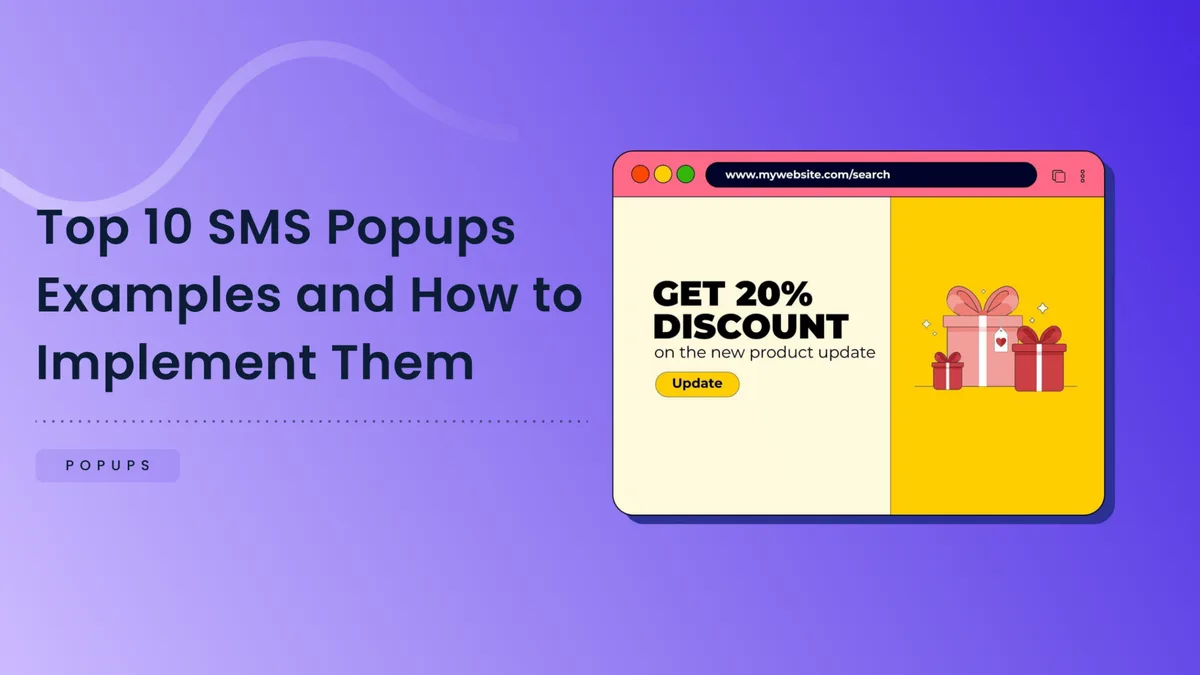
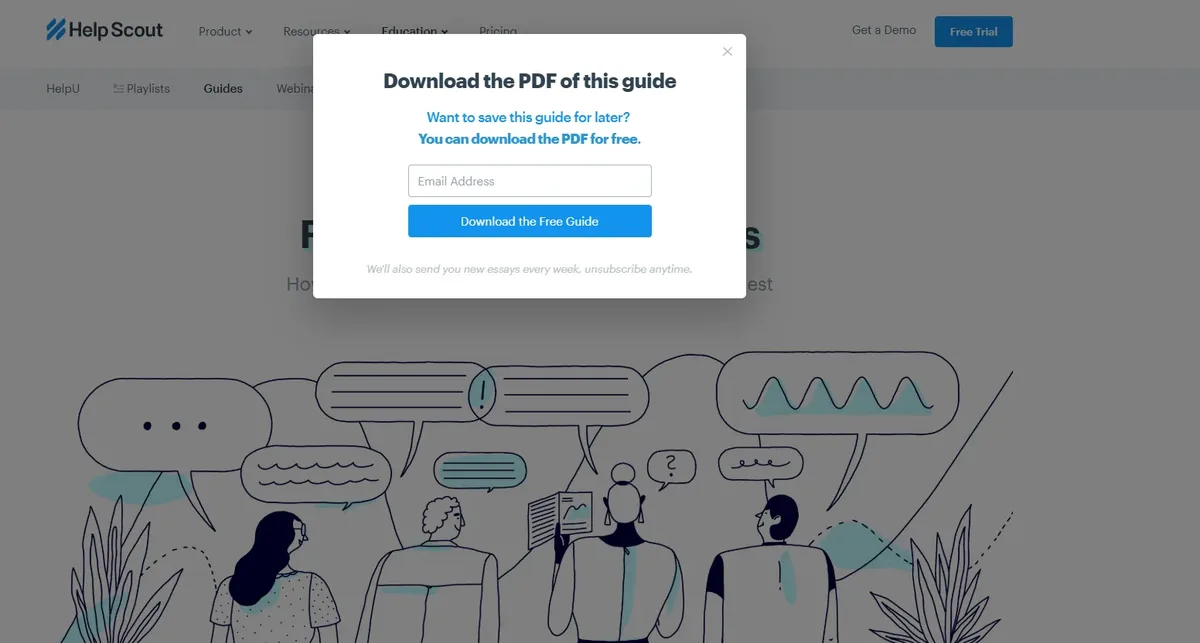
A home DIY publisher switched from a generic newsletter popup to a downloadable checklist specific to the article topic. Email opt-ins rose 41 percent because the offer actually matched the page’s search intent.
When the popups and seo map your top landing pages by intent, a pattern usually emerges. Most informational pages are under-monetized and most transactional pages are over-prompted. Flip that ratio and both rankings and revenue tend to improve.
Strategy 7: Use Consent as a Feature, Not a Roadblock
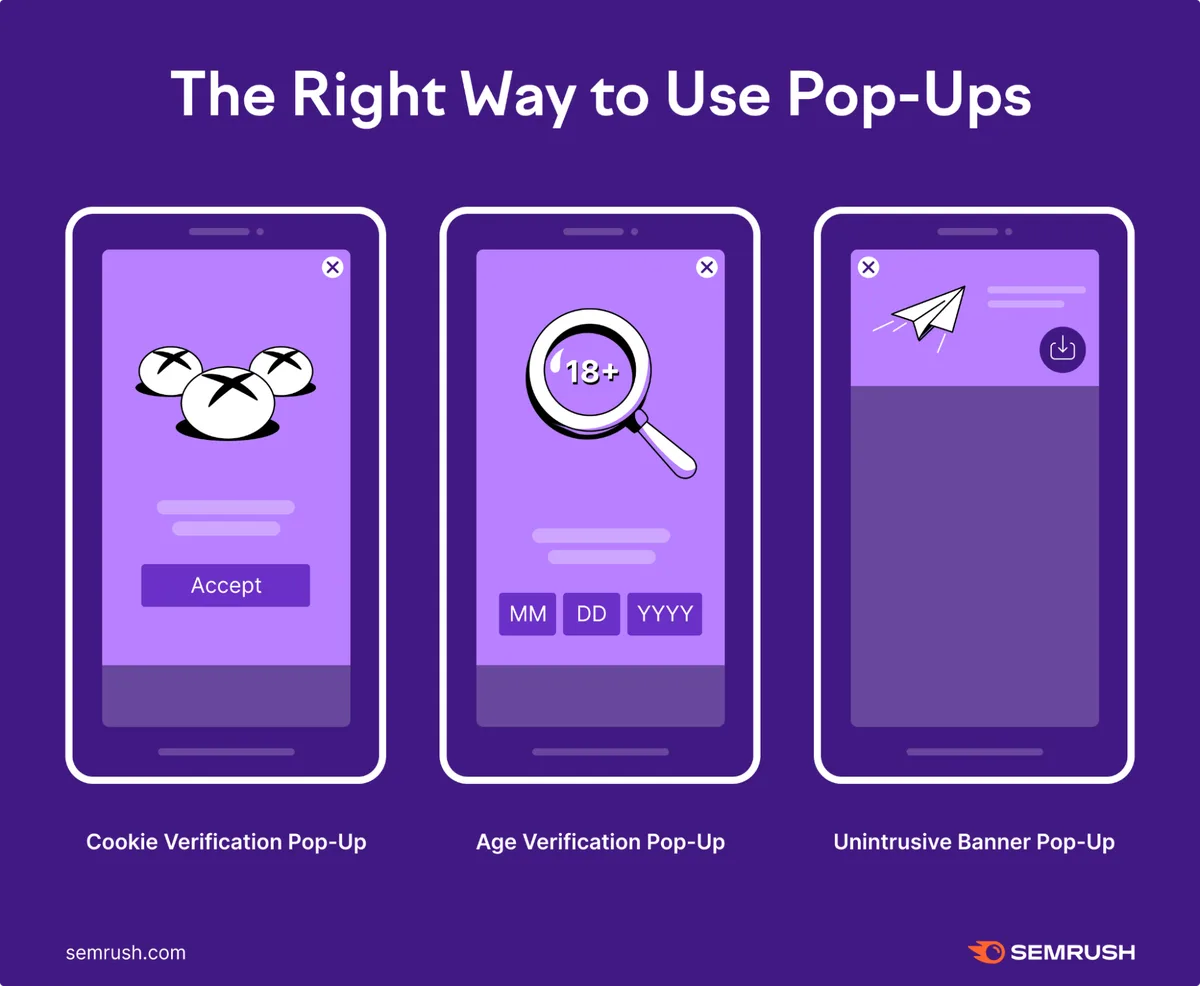
Cookie consent banners are a legitimate overlays category, and Google’s guidance carves out clear exceptions for legal obligations. But even a required consent banner can be designed badly enough to hurt popups and SEO.
Make the banner small, non-blocking, and easy to dismiss. Proper attention to your popups and SEO sets a strong baseline. Do not cover the hero content or the primary navigation. Provide a clear accept button and an equally clear reject or settings option. Never make rejection a maze of toggles.

The best-performing pattern I have reviewed takes the form of a slim bottom bar with two buttons of equal visual weight and a link to detailed privacy settings. Consent rates were healthy, and the design did not interfere with mobile ranking because the bar occupied less than 15 percent of viewport height.
For sites operating under GDPR, the European Data Protection Board’s guidance on cookie banners backs a similar principle: equal prominence for accept and reject. See the official European Data Protection Board guidance on deceptive design patterns for the compliance angle.
Strategy 8: Measure Overlay Impact With Real Rankings Data
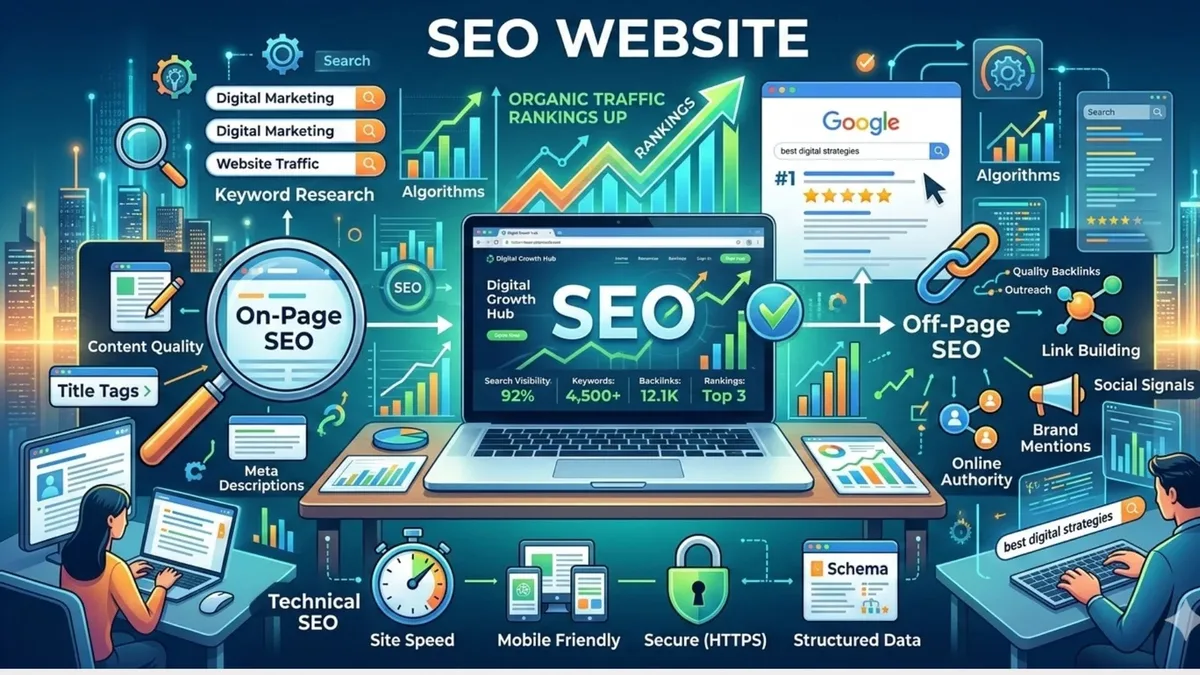
You cannot optimize what you do not measure, and popups and SEO best practices demand a real feedback loop. Set up a before-and-after test on a subset of pages rather than rolling out a site-wide change blind.
Split your highest-traffic landing pages into a control group and a test group. Developing your popups and SEO with precision highlights key strengths. Track organic sessions, average position, bounce rate, scroll depth, and conversion rate side by side for at least 30 days. Use Search Console’s performance data alongside your analytics platform.
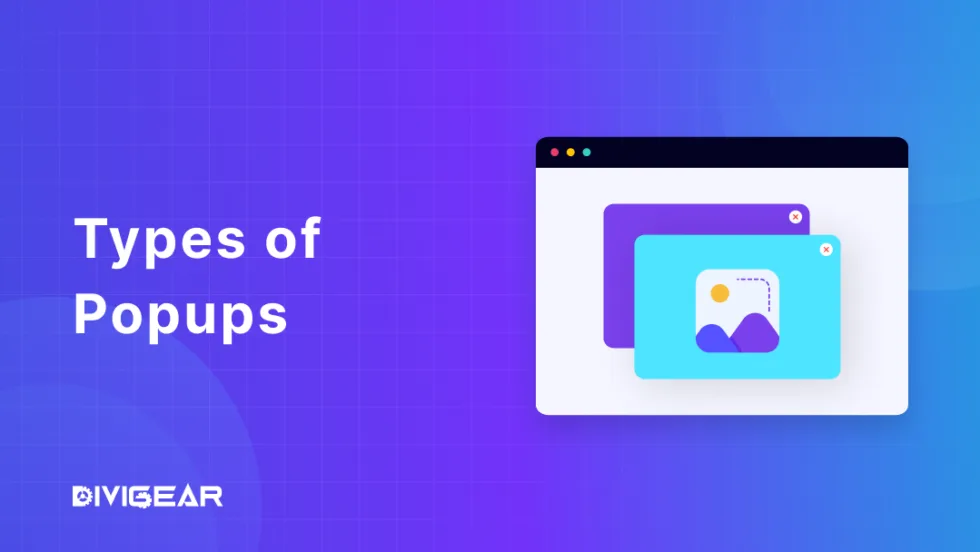
One pattern is worth watching closely: a rise in conversion with a simultaneous drop in average position is a warning sign, not a win. It usually means the overlay is converting the audience it annoys the most.
Here is a comparison framework I recommend to clients:

| Metric | Where To Find It | What To Look For |
|---|---|---|
| Average Position | Google Search Console | Stable or improving |
| Organic Sessions | GA4 | No sustained downward trend |
| Bounce Rate | GA4 | Lower than pre-popup baseline |
| Scroll Depth | Heatmap tool | Evidence visitors read past the overlay trigger |
| Conversion Rate | CRM or form analytics | Meaningful lift without UX complaints |
Strategy 9: Build a Popups and SEO Checklist for Ongoing Maintenance
The ninth of our nine popups and SEO strategies is not a single tactic but a discipline: treat overlays as a living asset, not a set-and-forget widget. The web changes, plugins update, and yesterday’s acceptable trigger becomes tomorrow’s intrusive interstitial.
A quarterly popups and SEO checklist keeps your overlays honest. Run it after any major design refresh, plugin upgrade, or page template change.
Here is a working checklist you can adapt:
- Mobile Interstitial Audit — Confirm no overlay obscures the main content immediately after arrival from search.
- Trigger Review — Recheck delay, scroll depth, and exit intent against current page intent.
- Core Web Vitals Regression Scan — Compare Lighthouse scores with the overlay on and off.
- Frequency Cap Verification — Confirm suppression rules still fire correctly in incognito mode.
- Accessibility Spot Check — Tab through the modal and confirm Escape closes it.
- Consent Banner Compliance — Verify reject and accept options are equally visible.
- Analytics Tying — Confirm popup impression and conversion events still record correctly.
- Content Match Check — Confirm the offer still matches the page’s search intent.
- Ranking Delta Review — Compare Search Console average position for the last 30 days against the previous 30.
- Feedback Intake — Skim on-site surveys or support chats for popup complaints.
Running this checklist quarterly is, honestly, the single highest-leverage habit for keeping overlays from depreciating your rankings. It takes an afternoon and prevents months of slow bleed.
Common Popups and SEO Mistakes That Quietly Hurt Rankings
Even teams the popups and SEO follow the nine strategies above stumble into predictable traps. Knowing them in advance saves you a painful regression cycle.
The first is the “everyone gets the same popup” habit. Showing the same offer to blog readers, product page visitors, and returning customers guarantees a poor match somewhere. Segment audiences at least by traffic source and intent tier.
The second is committing to a single conversion metric. A thoughtful approach to popups and seo reinforces your qualifications. When a popup that lifts email signups by 20 percent also tanks average position by two spots, the metric you were watching told you the wrong story. Track organic visibility alongside conversion.
The third is forgetting to re-test after a plugin update. Integrating popups and SEO into your workflow produces consistent quality. Popup builders frequently bundle new third-party assets in minor version bumps. A quarterly checklist catches this before Google does.

And the fourth, the sneakiest one: assuming your popup is invisible to your team because you see it every day. Usability test with someone outside the company once per quarter. You will be surprised at what they notice in the first three seconds.
How Popups and SEO Interact With Other Ranking Signals
Overlays are not evaluated in isolation. They participate in a broader web of signals: engagement, page experience, help content quality, and trust. This is why a popup tweak can move rankings even though it has no direct “popup factor.”
Consider dwell time. Targeted refinements to your popups and SEO streamline the entire review. A visitor who is stopped by an overlay and leaves after four seconds signals that the page did not deliver what it promised. A visitor who reads three paragraphs and then sees a relevant popup signals the opposite.
Consider also the search intent layer. Pages that answer a query clearly and quickly tend to hold rankings better than pages that require deep interaction. An overlay that offers more of the same value supports intent. An overlay that redirects to a sales page disrupts it.
The web vitals relationship is direct and measurable. Anything that degrades LCP, INP, or CLS degrades the page experience bucket. Popups that respect those metrics live comfortably inside acceptable thresholds.
For deeper context on how Google frames the interstitial issue, the official Google Search Central blog post on helping users access content remains the canonical reference. Focusing on popups and SEO provides clear direction here. It is short, clear, and worth bookmarking.
Popups and SEO Tips for Combining Overlays With Helpful Content
Anyone building overlays today must also account for the helpful content evaluation that runs across sites. Thin, sales-heavy interstitials can interact badly with that broader quality signal.
Here is a simple principle worth sticking to: the popup should feel like a continuation of the article, not a replacement for the popups and seo. If the visitor’s read is interrupted by a pitch that does not flow from the content, they will perceive the page as less helpful.
Content-matched offers work because the popups and SEO feel additive. A checklist PDF at the end of a how-to article, a template at the end of a tutorial, a follow-up email sequence tied to the specific topic. Each of these extends rather than distracts.
The same principle applies to exit-intent overlays. A generic “Wait! Don’t go!” message is a last-minute guilt trap. A “Want the printable version of this tutorial?” prompt is a service. Guess which one Google’s models of helpful content would reward.
Popups and SEO Best Practices for Performance and Privacy
Two often-overlooked dimensions tie popups to long-term ranking health: script performance and privacy posture. Ignore either, and you invite regressions that are hard to trace back to your overlays.
On performance, the core rule is to load the overlay code only when the trigger fires. Use an IntersectionObServer or a scroll listener that lazy-loads the modal markup on demand. This keeps the critical rendering path lean.
On privacy, treat any data your popup collects with the same rigor you would apply to your main forms. If a popup captures an email for a newsletter, it needs the same consent language, the same double opt-in where required, and the same records retention policy.
The popups and SEO best practices in this area overlap heavily with general analytics and privacy compliance. A tidy setup is also a fast setup, and a fast setup is an SEO-friendly setup.
Frequently Asked Questions About Popups and SEO
Here is an in-depth breakdown of key considerations regarding Frequently Asked Questions About Popups and SEO:
Do Popups Actually Hurt SEO Rankings?
They can, but not because Google penalizes popups as a category. Rankings are affected when an overlay blocks content immediately after arrival from search, impacts Core Web Vitals, or frustrates users into leaving. Well-designed overlays that respect timing and accessibility generally do not harm rankings.
What Makes a Popup an “Intrusive Interstitial”?
Google’s target is an overlay that covers the main content on the first visit from search, with no easy way to dismiss it. Full-screen modals fired within seconds of arrival, especially on mobile, are the classic case. Dismissible slide-ins that appear after reasonable engagement usually fall outside the definition.
How Often Should a Popup Fire to Avoid Fatigue?
A common starting point is once per seven days or once per five page views, whichever comes later. Segment by traffic source so returning visitors get a different cadence than first-timers. Adjust based on measured dismissals and conversion rate, not guesswork.
Are Cookie Consent Banners Treated the Same Way?
No. Legally required consent banners are recognized as a distinct category. The rules are simpler: keep the banner small, give equal prominence to accept and reject options, and never cover the primary content or navigation.
Can a Popup Improve Rankings Instead of Hurt Them?
It can help indirectly. Better engagement, lower bounce rates, and higher time-on-page all signal that searchers are satisfied. When the popup offers something genuinely useful and matches the page’s search intent, those signals move in a positive direction.
What Should I Put in a Popups and SEO Checklist?
At minimum: an interstitial audit, a trigger review, a Core Web Vitals regression scan, a frequency cap check, an accessibility spot check, a consent banner compliance pass, and a ranking delta review. Run it quarterly or after any major site change.
Closing Notes on Keeping Popups and SEO Working Together
Nine proven popups and SEO strategies is a lot to hold in your head at once, so I will leave you with one principle that stitches them all together: overlays are a service, not an interruption.
When a popup serves the visitor the same way your content does, both your conversion rate and your rankings tend to move the right direction. When it serves only the marketing team, the opposite happens, quietly and slowly.
Start with the checklist, pick two or three of the nine strategies most relevant to your site, and measure the ranking delta before expanding. The rest of the popups and SEO guide will still be here when you are ready for the next layer.