Organic Traffic Drop: What It Really Means Before You Panic
An organic traffic drop rarely happens in a vacuum, and it almost never means your site is dying. It means something in the chain between Google’s index and your published page has shifted.
I’ve walked clients through dozens of these scares, and the pattern is remarkably consistent: panic first, diagnosis second, and often the fix turns out to be far smaller than the fear.
This organic traffic drop guide treats the problem the way a seasoned SEO practitioner would — starting with what actually counts as a drop, then moving through the real causes, and finally the nine solutions that consistently restore lost visibility.
Here’s the thing most people miss. Focusing on organic traffic drop provides clear direction here. Your traffic graph isn’t one number. It’s an aggregate of hundreds, sometimes thousands, of individual queries, each with its own competitive dynamics, seasonality, and SERP layout.
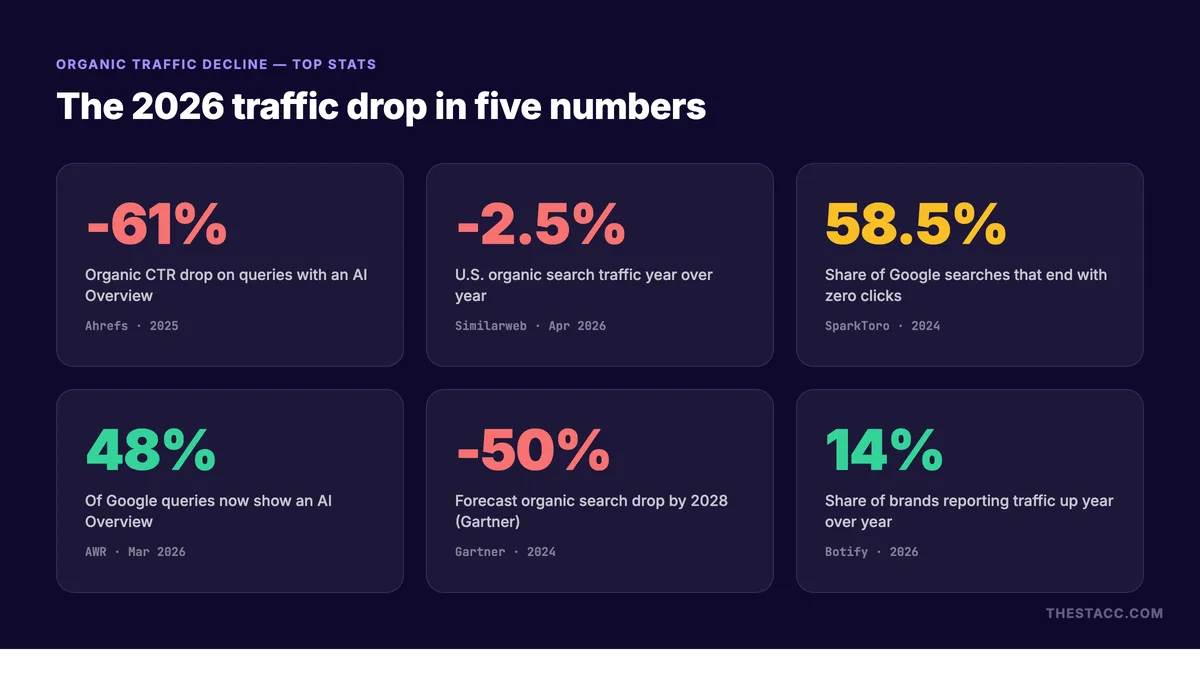
When that aggregate line bends downward, the useful question isn’t “why did traffic fall?” It’s “which specific cohort of pages and queries fell, by how much, and starting exactly when?”
Answer that, and you’ve already done 60% of the diagnostic work. Everything else in this article builds on that foundation.

How to Recognize a Genuine Organic Traffic Drop Vs. Normal Noise
Before you touch a single setting, you need to separate signal from noise. Search traffic breathes. Weekends dip. Holidays crater entire verticals. A single day of red in your analytics dashboard is not evidence of anything.
The threshold I use with clients is simple: a genuine organic traffic drop shows a sustained decline of 15% or more across at least seven consecutive days, measured against a comparable prior period.

Comparable matters. If you’re comparing this March to last March, you’re controlling for seasonality. If you’re comparing this week to the week of a major news event that spiked your traffic, you’re comparing apples to a hurricane.
Segment Before You Conclude Anything
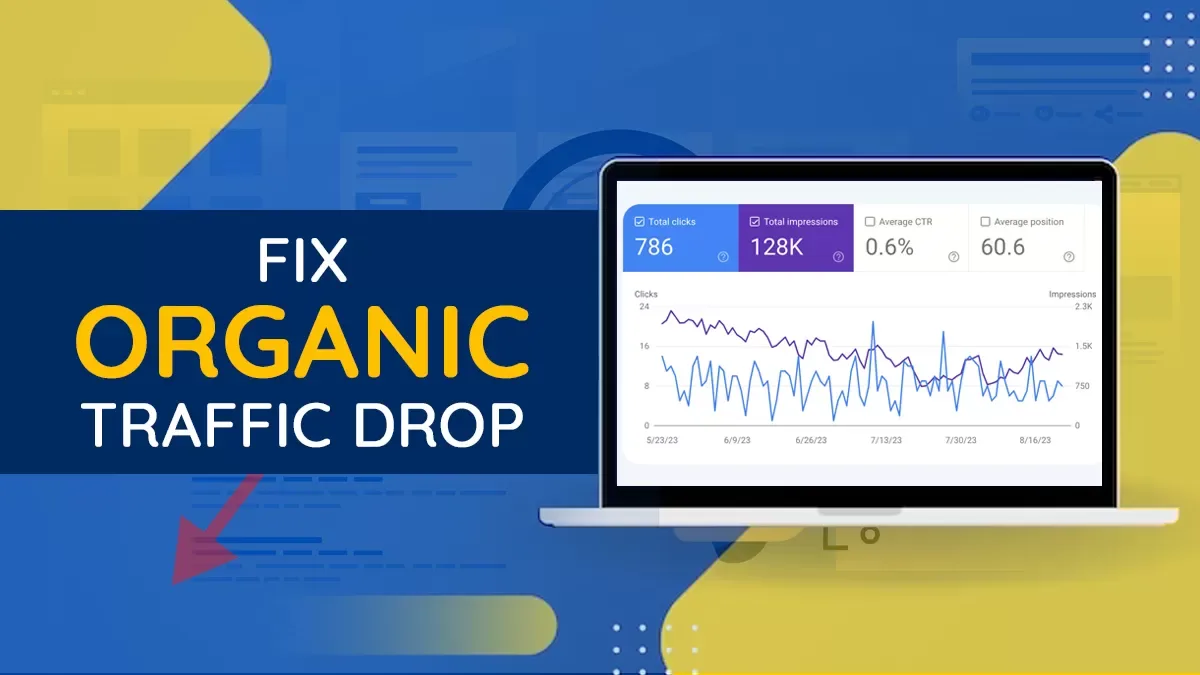
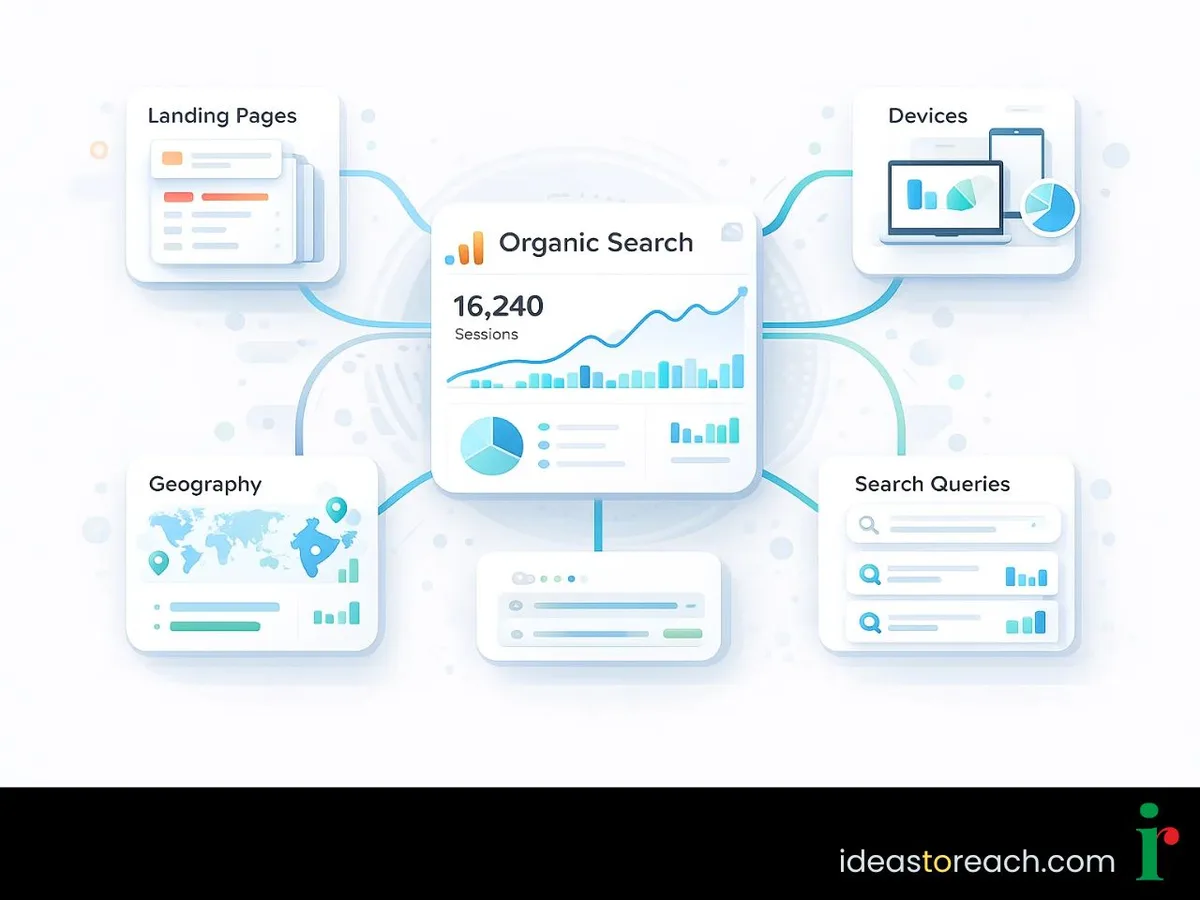
Pull your Search Console performance report and slice by page, by query, by country, and by device. Refining each detail of your organic traffic drop strengthens this section. In my experience, roughly half of reported “site-wide crashes” are actually one high-traffic page losing one high-volume query.
That’s a completely different problem than a site-wide algorithmic hit, and it demands a completely different response.
A client once came to me convinced their entire domain had been penalized. The reality? A single product comparison page had lost a featured snippet to a competitor, and that one snippet accounted for 38% of their clicks.
We rewrote the snippet target and recovered in eleven days. No penalty, no disavow file, no drama.
Check the Baseline Before the Baseline
Another trap: measuring against a period that was itself abnormal. If your site had a viral moment six months ago, every subsequent month looks like an organic traffic drop.
Normalize your baseline. Use a 90-day trailing average, or better, a year-over-year comparison for the same calendar window. This single habit eliminates more false alarms than any tool subscription.
Also check impressions alongside clicks. Effective execution in your organic traffic drop makes a tangible difference. When impressions hold steady but clicks fall, you’re looking at a SERP feature problem — someone else is capturing the click above you. When impressions fall too, the issue is usually indexation, ranking, or demand.
Cause 1: Indexation and Crawl Problems Quietly Removing Pages
Nothing produces a sudden, cliff-edge organic traffic drop faster than pages vanishing from the index. And nothing is easier to overlook, because your site looks perfectly fine when you visit it in a browser.
Crawl budget issues, accidental noindex tags, robots.txt edits pushed by a well-meaning developer, canonical tags pointing to the wrong URL — these are the classic culprits.
Run a site: query and compare the result count to your expected indexed page count. Then check the Page Indexing report in Search Console for sudden spikes in “Excluded” or “Crawled – currently not indexed.”
The Deployment That Broke Everything
A very common scenario: a site migration or redesign ships on a Friday, and by Monday the organic traffic drop is unmistakable. The staging environment had a site-wide noindex directive, and it followed the code into production.
I’ve seen the organic traffic drop happen to companies with in-house engineering teams. It’s not a competence problem; it’s a process problem. No pre-deployment checklist, no post-deployment verification.
The fix is unglamorous: add a post-deploy SEO smoke test to your release pipeline. Check robots.txt, check the meta robots tag on three representative templates, check that canonical URLs resolve, and check that your sitemap still returns 200.
Five minutes of automated checks prevents five-figure revenue losses. That belongs on any serious organic traffic drop checklist.
Sitemap Rot and Orphaned Content
Sitemaps decay. Maintaining clarity across your organic traffic drop remains essential. Pages get deleted but stay listed. Lastmod dates stop updating. New sections launch without being added. Over time, your sitemap stops being a reliable map and starts being a liability.
Audit it quarterly. Compare your sitemap URL count against your actual crawlable URL inventory. Mismatches of more than a few percent deserve investigation.
Orphaned pages — pages with no internal links pointing to them — are a subtler issue. They can stay indexed for a while, then quietly fall out as Google recrawls and finds nothing linking to them. Internal linking isn’t decoration; it’s a crawl signal.
Cause 2: Algorithm Updates Reshuffling the SERP
Google ships core updates and spam updates on a rhythm that no one outside the company can predict. When one lands, the SERP reshuffles, and some sites gain while others experience a sharp organic traffic drop.
The telltale sign is timing. If your decline starts on a date that lines up with a confirmed update rollout, and it affects multiple pages across multiple topics simultaneously, an algorithm update is the leading hypothesis.
Cross-reference against the Search Status Dashboard and against the community chatter that always accompanies a significant rollout. Correlation isn’t proof, but it narrows the field fast.
What Core Updates Actually Reward
Core updates are not penalties. A thoughtful approach to organic traffic drop reinforces your qualifications. They’re recalibrations of how Google’s systems assess helpfulness, expertise, and trust. Sites that lose ground typically have content that’s thin relative to competitors, or that answers a question without demonstrating real experience.
The recovery path is slow and unglamorous: identify the pages that lost the most, compare them honestly against what now ranks, and improve them substantively. Not with more words — with more substance.

Add original data. Add first-hand testing. Add the details only someone who has actually done the thing would know. That’s what “helpful content” means in practice, and it’s the core of any organic traffic drop best practices framework worth following.
Spam Updates Hit Differently
Spam updates tend to be more surgical. They target specific tactics — scaled content generation, link schemes, expired domain abuse, site reputation abuse.
If your decline coincides with a spam update and concentrates on pages that were produced at scale or that rely on third-party content hosted on your domain, the diagnosis is fairly clear.
Recovery here usually requires removing or substantially reworking the offending content, not just polishing it. And it takes time — often until the next spam update cycle confirms the cleanup.
Cause 3: Ranking Losses on High-Value Queries
Sometimes nothing is broken. Structuring your organic traffic drop around proven patterns ensures impact. You’ve simply been outranked. A competitor published a better page, or a new entrant with stronger domain authority targeted your money keywords, and your positions slipped from three to seven.
Position three to position seven on a commercial query can easily produce a 50% organic traffic drop on that page. The page is fine. The competition got better.

The organic traffic drop is why query-level analysis is non-negotiable. Pull your top 50 queries by clicks, compare their average position against the prior period, and rank the losses by estimated click impact.
The Featured Snippet Heist
Position one and the featured snippet are not the same thing. When a competitor steals the snippet, you can hold position one in the organic results and still lose a third of your clicks.
Search Console shows this clearly: impressions stable, average position stable, clicks down. That signature almost always points to a SERP feature change.
Fighting back means restructuring your answer to match the format Google is now rewarding — a concise definition, a clean table, a numbered process. Match the shape of the winning result, then beat it on completeness.
When Competitors Simply Outpublish You
Slow erosion is the most common and least dramatic form of organic traffic drop. Nobody panics because the line slopes gently. But over six months, a series of small ranking losses compounds into a serious visibility problem.
Set up a monthly competitive gap review. Applying these principles to your organic traffic drop yields measurable results. Track which queries your top three competitors gained, and check whether they published content you don’t have. It’s tedious work, and it’s exactly the work that prevents surprises.
Cause 4: Technical Performance and Core Web Vitals Decay
Site speed degrades quietly. A new script here, a third-party tag there, an unoptimized hero image, and suddenly your Largest Contentful Paint has doubled since last audit.
Google uses page experience as a tiebreaker rather than a primary ranking factor, but tiebreakers decide plenty of close contests. On competitive queries, a slow page loses.
Run a field data check in Search Console’s Core Web Vitals report, not just lab tests. Lab tools tell you what’s possible; field data tells you what real users on real devices are experiencing.
Mobile-First Means Mobile-Only in Practice
Google indexes the mobile version of your pages. If your mobile template hides content that the desktop version shows — collapsed accordions, lazy-loaded sections, hidden tabs — that content may not be indexed at all.
I’ve diagnosed more than one organic traffic drop that traced back to a mobile redesign that buried key content behind JavaScript interactions Anthropic couldn’t reliably render.

Test with the URL Inspection tool’s rendered HTML view. Proper attention to your organic traffic drop sets a strong baseline. What you see there is what Google sees. If your primary content isn’t in that rendered output, it effectively doesn’t exist.
Server Response and Crawl Efficiency
Rising Time to First Byte slows crawling. When Googlebot has a limited crawl budget for your site and your server responds slowly, fewer URLs get recrawled, and stale content stays stale.

Check your server logs for Googlebot response codes and response times. Spikes in 5xx errors during traffic peaks are a red flag that your infrastructure is failing exactly when it matters most.
Cause 5: Search Intent Shifts and Demand Changes
Not every organic traffic drop is your fault. Sometimes the query itself changes meaning, or the audience moves on.

Consider a page optimized for “best project management software for small teams.” If Google decides the dominant intent is now commercial comparison rather than informational overview, your listicle may lose ground to comparison pages — even if your content is excellent.
Intent drift is real, and it accelerates in fast-moving categories. Review your top pages annually against the current SERP composition. What ranks now? What formats dominate? Has the “People also ask” section changed?

Seasonality and Cyclical Demand
Seasonal businesses live and die by year-over-year comparisons. A tax software site sees an organic traffic drop every May. That’s not a problem; that’s a calendar.
Build seasonality into your reporting from day one. Developing your organic traffic drop with precision highlights key strengths. Plot two years of data, identify the shape of the curve, and judge current performance against the same point on the prior curve — never against last month.

For genuinely cyclical niches, I recommend a rolling 13-month view as the default dashboard. It’s the only view that shows both trend and season simultaneously.
AI Overviews and Zero-Click SERPs
Search results increasingly answer questions directly. When an AI-generated overview or a rich feature satisfies the query, clicks never happen — even though your ranking is unchanged.
This shows up as falling clicks with stable impressions and stable positions. It’s a structural shift, not a ranking failure, and it’s reshaping how publishers think about organic traffic.
The strategic response is to target queries that require a click: comparisons, tools, calculators, original research, and anything where the user needs to do something rather than know something. Depth wins where summaries can’t reach.
Cause 6: Tracking and Analytics Failures Creating Phantom Drops
Sometimes the traffic never left. Your measurement broke.
Tag manager misconfigurations, expired consent banners blocking analytics, a domain change that orphaned your tracking property, or a filter accidentally excluding a key segment — all of these produce a beautiful, terrifying, entirely fictional organic traffic drop.
Before any diagnosis, verify the measurement layer. Clear alignment with your organic traffic drop builds confidence from the start. Cross-check Google Analytics against Search Console clicks. They will never match exactly, but a sudden divergence between two previously correlated sources is a strong signal that one of them broke.
The Cross-Validation Habit
I keep three independent signals in view: Search Console clicks, analytics sessions from organic search, and server log requests from Googlebot.
When all three decline together, the problem is real. When one declines and the others hold, you have a tracking issue. This triangulation has saved me from chasing ghosts more times than I can count.
It also belongs on your organic traffic drop checklist as step zero — verify before you investigate.
Cause 7: Manual Actions and Security Issues
Manual actions are rare but unambiguous. If Google’s spam team has taken action against your site, you’ll see it in the Manual Actions report in Search Console, and the organic traffic drop that follows is usually severe and abrupt.
Common triggers include unnatural outbound links, thin affiliate content at scale, structured data manipulation, and scraped content. Each comes with a specific remediation path.
Security issues are the other category to check. Hacked sites, malware injections, and deceptive redirects can trigger both manual action and a visible warning in Search Console.
Both situations demand immediate, thorough remediation followed by a reconsideration request the organic traffic drop documents exactly what was fixed and how recurrence is prevented. Half-measures get rejected.
Cause 8: Content Decay and Stale Information
Content has a half-life. Statistics age out. Product comparisons go stale. Screenshots show interfaces that no longer exist. Tutorials reference tools that have been renamed or discontinued.
Google’s systems increasingly assess whether content reflects current reality, and readers bounce fast when they hit outdated information. Both signals push rankings down over time.
The result is a slow, grinding organic traffic drop that’s easy to attribute to “the algorithm” when the real culprit is a page that was last touched three years ago.
Building a Content Refresh Cycle
Sort your pages by organic sessions and by last-updated date. The intersection — high traffic, old content — is your refresh priority list.
Refresh doesn’t mean rewrite. It means verify every claim, update every number, replace dead links, add anything significant that’s happened since publication, and confirm the page still answers the query better than anything currently ranking.
In my experience, refreshing your top 20 decaying pages produces faster recovery than publishing 20 new ones. Targeted refinements to your organic traffic drop streamline the entire review. Existing pages already have links, history, and crawl priority working in their favor.
Cause 9: Internal Linking and Site Architecture Erosion
Site architecture isn’t static. Pages get moved, navigation gets redesigned, and internal links get dropped — often by accident, often without anyone noticing.
When a key page loses its internal links, it loses crawl priority and link equity flow. It doesn’t disappear overnight, but its rankings soften, and the organic traffic drop shows up weeks later with no obvious cause.
Run a quarterly internal link audit. Identify your most important pages and confirm they receive a healthy number of contextual internal links from relevant pages.
Pay particular attention to pages more than three clicks from the homepage. Deep pages depend entirely on internal linking to stay visible to both crawlers and users.
The 9 Effective Solutions That Actually Restore Lost Traffic
Diagnosis is half the job. Recovery is the other half, and it follows a predictable sequence once you know what you’re dealing with.
The organic traffic drop nine solutions are ordered by how often they solve real-world cases, not by how impressive they sound. Work through them in sequence for the fastest path back to baseline.
Solution 1: Fix Indexation and Crawl Issues First
Nothing else matters if your pages aren’t indexed. Confirm every important URL is crawlable, indexable, and canonicalized correctly before touching content or links.
Remove stray noindex directives, correct robots.txt rules, resolve canonical conflicts, and resubmit a clean sitemap. Then request indexing for your highest-value lost pages.
Expect recovery within days to a few weeks for pure indexation issues. This is the fastest win available, which is exactly why it goes first on the checklist.
Solution 2: Rebuild Rankings on Your Highest-Value Queries
For pages that lost positions rather than indexation, recovery means outcompeting whoever took your place. Start with the queries that carry the most click value.
Study the current top three results. What format do they use? What questions do they answer that you don’t? What evidence do they present?
Then improve substantively: add original data, deepen the explanation, restructure for the format Google now favors, and refresh every outdated detail. Recovery on competitive queries typically takes four to twelve weeks after the improvements are indexed.
Solution 3: Recover Featured Snippets and SERP Features
If clicks fell while positions held, you’ve lost a SERP feature. Identify which one by inspecting the live results for your target queries.
For paragraph snippets, lead with a direct 40-to-60-word answer immediately beneath a question-shaped heading. For list snippets, use clean ordered lists. For tables, structure the data properly with header rows.
Once restructured, request reindexing and monitor. Snippet recovery is often faster than ranking recovery because you’re not fighting for position — you’re offering a better-formatted answer at the same position.
Solution 4: Repair Technical Performance Regressions
Identify the specific regressions, then fix them in order of impact. Usually that means image optimization, script deferral, and removing or deferring third-party tags that aren’t earning their weight.
Set performance budgets and enforce them in your build process. A budget of, say, 2.5 seconds for LCP on mobile prevents the slow drift that causes these problems in the first place.
Recheck field data after four weeks. Core Web Vitals assessments use a 28-day rolling window, so improvements take time to register.
Solution 5: Refresh and Consolidate Decaying Content
Update your priority pages with verified current information, then consolidate overlapping content that competes with itself.
Two thin pages targeting the same intent should usually become one strong page with a 301 redirect from the weaker one. Cannibalization is a silent killer — each page splits the signals that would make either one rank.
After consolidation, update internal links to point to the surviving URL and resubmit the organic traffic drop. Most consolidation recoveries show up within a month.
Solution 6: Rebuild Internal Linking Around Priority Pages
Add contextual internal links from relevant, reasonably authoritative pages to the pages that need support. Use descriptive anchor text that reflects the target page’s topic.
Fix broken internal links, restore links lost during redesigns, and flatten overly deep architecture where possible.
This is unglamorous work with a reliable payoff. Internal linking is one of the few ranking levers entirely under your control, and it compounds over time.
Solution 7: Address Manual Actions and Security Issues
If Search Console shows a manual action, fix the underlying issue completely before filing a reconsideration request. Partial fixes get rejected, and repeated rejections slow the process further.
Document everything: what was wrong, what the organic traffic drop changed, what you removed, and what process now prevents recurrence. Write the request as if explaining to a skeptical auditor, because you effectively are.
For security issues, clean the site, remove malicious code, patch the vulnerability that allowed it, and then request a review. Recovery timelines vary widely, but thorough remediation is the only path.
Solution 8: Realign Content With Current Search Intent
When intent has shifted, the page must shift with it. Analyze the current SERP for your target queries and identify the dominant format and angle.
Then restructure your page to match, while keeping whatever unique value you already have. If comparison pages now dominate, add a genuine comparison section. If the query now demands a tool, build or embed one.
Don’t abandon your existing content — evolve it. Pages with history and links retain advantages that new pages must earn from scratch.
Solution 9: Diversify Beyond a Single Traffic Channel
Here’s the strategic solution the organic traffic drop prevents the next crisis. Any business depending entirely on organic search is one algorithm update away from a revenue emergency.
Build email lists. Develop direct traffic through community and brand. Explore paid channels for resilience. Pursue partnerships and referral relationships.
None of this replaces SEO — it insulates you from the panic that a sudden organic traffic drop causes. When organic is 40% of your acquisition mix instead of 90%, a 20% dip is a manageable problem rather than an existential one.
Your Organic Traffic Drop Checklist: a Diagnostic Sequence That Works
When the alarm sounds, sequence matters. Working in the wrong order wastes days chasing the wrong hypothesis.
Here’s the organic traffic drop checklist I use, refined across years of real incidents. Follow it top to bottom.
| Step | Check | What It Rules Out | Typical Time to Resolve |
|---|---|---|---|
| 1 | Verify analytics and Search Console data integrity | Phantom drops from tracking failures | Hours |
| 2 | Segment the decline by page, query, country, device | False “site-wide” assumptions | Hours |
| 3 | Confirm indexation status of key URLs | Crawl and indexation failures | Days to weeks |
| 4 | Cross-reference decline dates against algorithm updates | Misattributed technical causes | Weeks to months |
| 5 | Compare average positions on top queries | Ranking losses vs. Feature losses | Weeks |
| 6 | Review Core Web Vitals field data | Performance regressions | Weeks |
| 7 | Inspect live SERPs for intent and feature shifts | Intent drift and zero-click changes | Weeks |
| 8 | Check Manual Actions and Security Issues reports | Penalties and compromises | Weeks to months |
| 9 | Audit content freshness and internal links | Content decay and architecture erosion | Weeks |
Print this. Tape it to a monitor. The next time someone forwards you a scary traffic graph, you’ll have a calm, ordered response instead of a scramble.
The best organic traffic drop tips I can offer all reduce to one principle: measure before you react, and react in proportion to what you actually find.
Frequently Asked Questions About Organic Traffic Drop Recovery
Here is an in-depth breakdown of key considerations regarding Frequently Asked Questions About Organic Traffic Drop Recovery:
How Long Does It Take to Recover from an Organic Traffic Drop?
Indexation fixes resolve in days to weeks. Ranking and algorithm-related losses typically take one to three months after corrections are indexed. Manual action recovery depends on remediation quality and can take several months.
Set expectations internally around quarters, not weeks, for anything algorithmic.
Can an Organic Traffic Drop Fix Itself?
Sometimes, yes. Seasonal dips and short-term SERP volatility often self-correct. But if a decline has persisted beyond two weeks with a clear structural cause, waiting is not a strategy.
Diagnose early. Even if you decide to wait, you’ll know what you’re waiting for.
Does an Organic Traffic Drop Always Mean a Penalty?
No — far from it. Genuine penalties are rare. Most declines come from indexation issues, ranking competition, intent shifts, or measurement errors. Check the Manual Actions report to settle the question definitively.
Should I Disavow Links After a Traffic Drop?
Almost never as a first response. Google’s link spam systems are largely algorithmic and ignore most low-quality links automatically. Disavowing blindly can harm you more than it helps.
Only consider disavow when you have a documented manual action specifically citing unnatural links.
How Do I Know if an Algorithm Update Caused My Decline?
Look for a sharp decline starting on a date that aligns with a confirmed rollout, affecting multiple unrelated pages simultaneously. Compare your affected pages against what now ranks — if the winners share characteristics yours lack, the update is the likely cause.
What Should I Do First When Traffic Drops Overnight?
Verify your tracking. Then check indexation. Those two steps resolve a surprising share of overnight organic traffic drop incidents within hours, and they cost nothing to check.
Where to Go from Here: Building Long-Term Organic Resilience
Every organic traffic drop is a lesson in fragility. The sites that survive them best are the ones that treat search visibility as a system to be maintained, not a result to be achieved once.
Build the habits that prevent the next crisis: quarterly indexation audits, monthly query-level performance reviews, a content refresh cycle, and performance budgets enforced in code.
Keep the organic traffic drop checklist close and the organic traffic drop best practices embedded in your workflow rather than in a document nobody reads.
And widen your acquisition mix so that when the graph bends, your business bends with it instead of breaking. That’s the durable answer to the organic traffic drop question — not a single fix, but a posture.
If you’re building out your broader search strategy, the natural next reads are technical SEO audits, content refresh prioritization, and search intent mapping. Each one deepens the foundation this article rests on.
For verified reference and background research, consult the authoritative informational resource on this topic.