Index Coverage Report: Proven Playbook (7 Steps)
An index coverage report tells you exactly which pages Google has stored in its searchable database and which ones it quietly left behind. Think of it as a bouncer’s guest list for your website. Some URLs walk right in. Others get stopped at the door, and nobody bothers to tell you why.
I’ve spent years auditing sites where a thousand “valid” pages sat next to four hundred “excluded” ones, and the owner had no clue the Index coverage report their money pages were the ones getting turned away. That gap between what you publish and what Google actually indexes is where traffic dies. This playbook walks through seven concrete steps to close it, in order, without the guesswork.
What an Index Coverage Report Actually Tells You
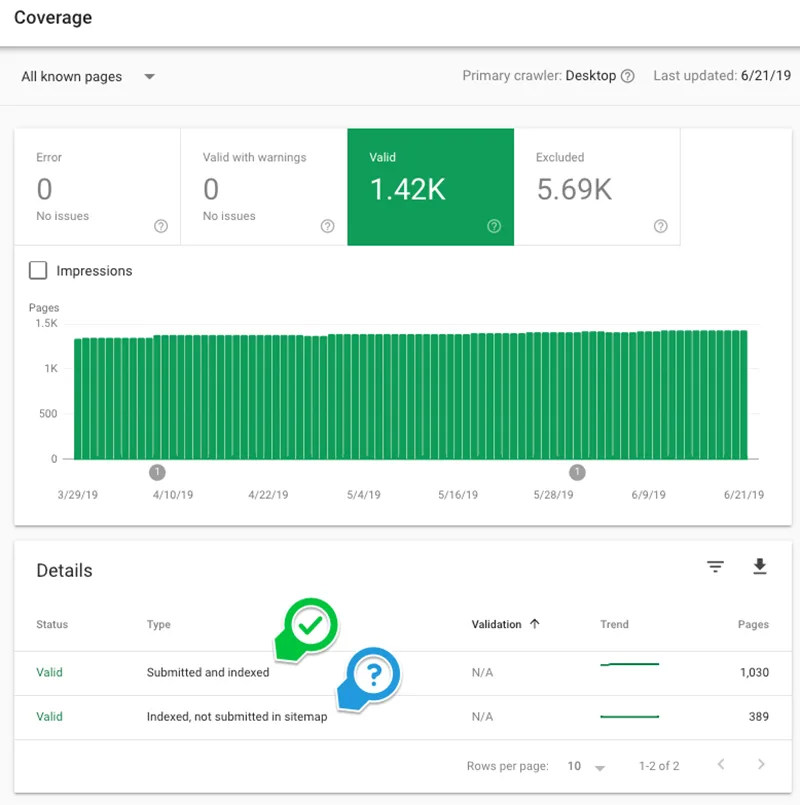
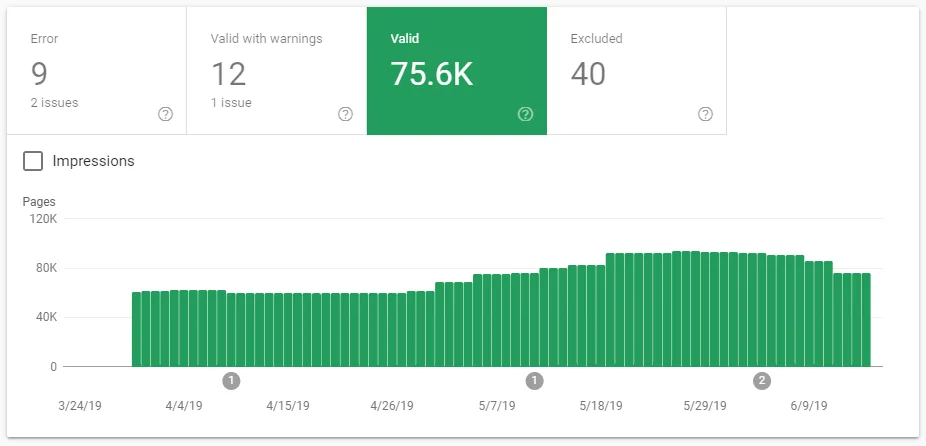
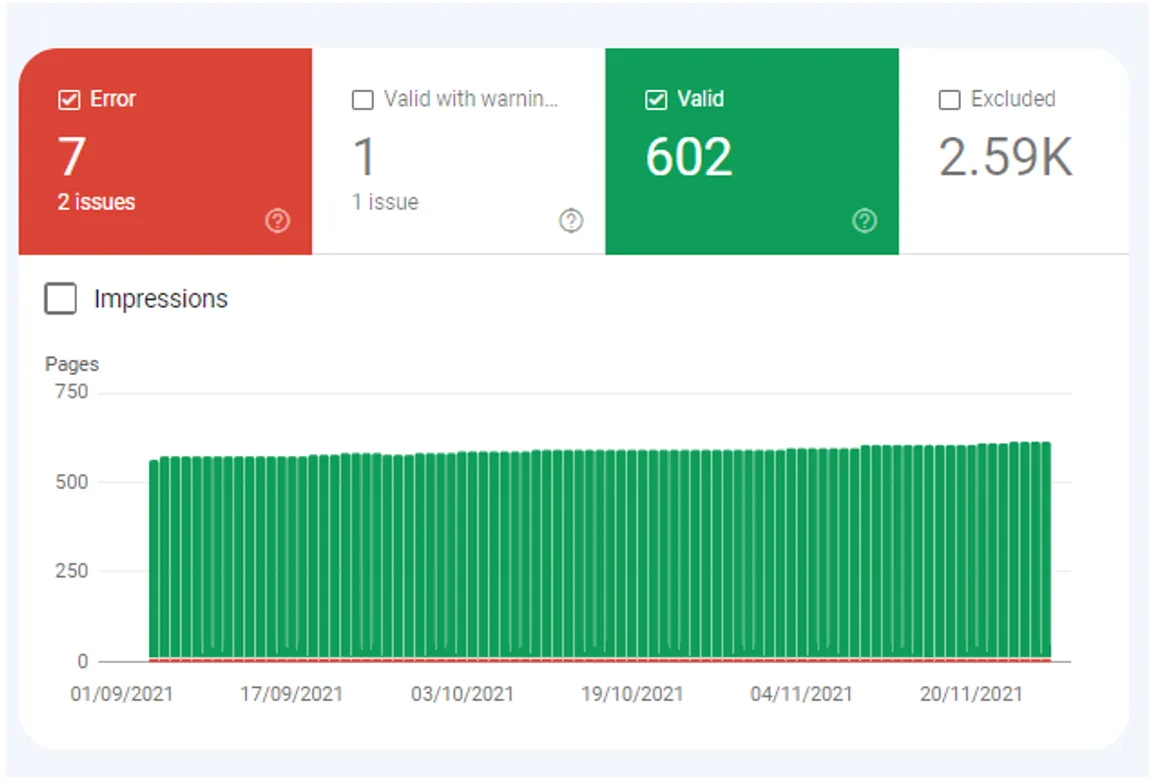
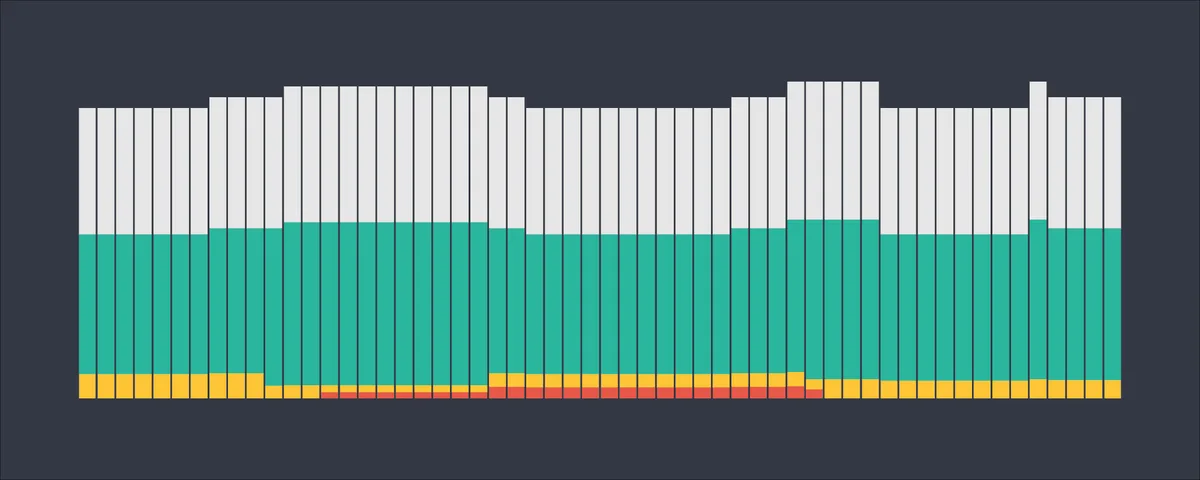
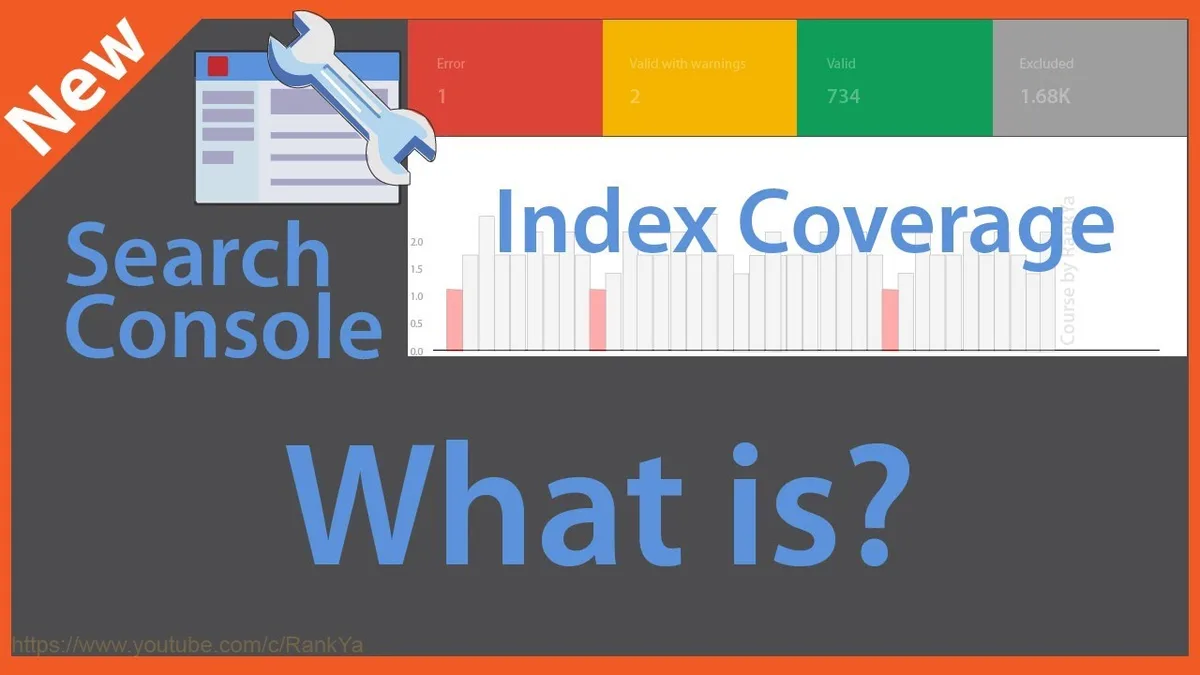
Before the seven steps, let’s get the mental model straight, because most confusion about indexing comes from misreading the dashboard’s labels. Focusing on index coverage report provides clear direction here. Google Search Console groups every URL on your property into four status buckets: Error, Valid with warning, Valid, and Excluded. Each one carries a different message about how Googlebot reacted when it tried to process that page.
The Valid bucket is your victory pile. Refining each detail of your index coverage report strengthens this section. These pages were crawled, rendered, and added to the index. Valid with warning means the page made it in but something about it looks fragile, often a soft 404 risk or blocked resources.
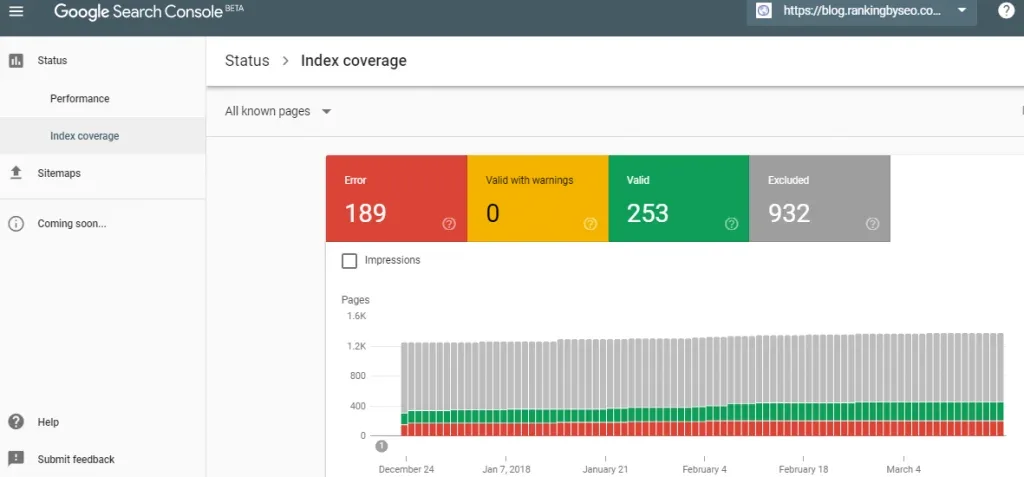
Error means Google tried and failed. Effective execution in your index coverage report makes a tangible difference. Excluded is the most misunderstood category of all, because a huge chunk of exclusions are perfectly healthy: canonicalized duplicates, tagged URLs, and pages deliberately set to noindex all belong there.
Why the Excluded Bucket Isn’t Automatically Bad
Here’s where newcomers trip. Maintaining clarity across your index coverage report remains essential. They see “Excluded” and assume a catastrophe. Not so. A paginated series, a thank-you page set to noindex, and a parameter duplicate that points to a canonical all live there by design. The question isn’t whether pages are excluded, it’s whether the right pages are excluded.
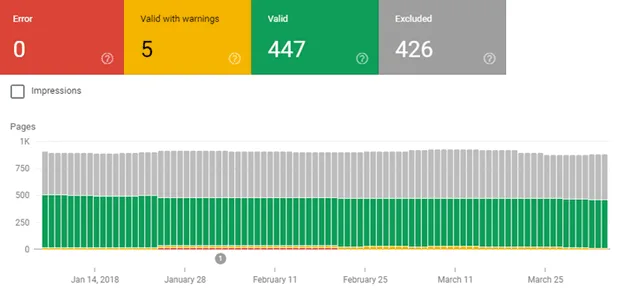
A quick gut check: if a URL earns money, ranks for a term, or serves as a hub, it must be in the Valid bucket. If it’s a variant, a test, or a duplicate, exclusion is healthy. Your index coverage report becomes useful the moment you apply that filter to every row.
How Google Builds the Report in the First Place
Googlebot crawls, parses the HTML, runs JavaScript roughly on a queue, and then decides whether to index based on content quality, duplication, and crawl budget. A thoughtful approach to index coverage report reinforces your qualifications. Each decision gets logged. The report is simply that log surfaced to you with friendly labels.
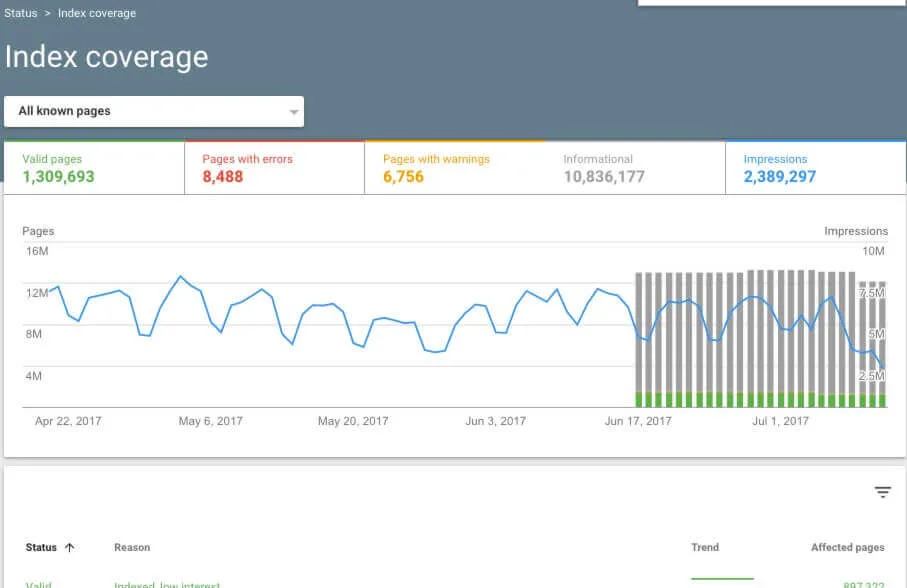
Understanding the pipeline matters because the fix for a crawl problem lives in a completely different place than the fix for a duplicate problem.
Crawl issues live in your robots.txt, your internal linking, and your server response times. Quality issues live in your content. Duplication issues live in your canonical tags. The index coverage report is the symptom chart, not the cure.
Step 1: Pull and Segment the Report Before Touching Anything
The first step is disciplined data collection. Structuring your index coverage report around proven patterns ensures impact. Open Search Console, go to Indexing, then Pages. Before you interpret a single number, export the full list and segment it by directory.
Why segment? Because a blog subfolder and a product subfolder fail for completely different reasons, and lumping them together hides the pattern.
Create a simple spreadsheet with columns for URL, status bucket, last crawl date, and your own “expected status” column. Applying these principles to your index coverage report yields measurable results. That last column is the one that does the work. You write down what should happen to each URL. Then you compare reality against expectation.
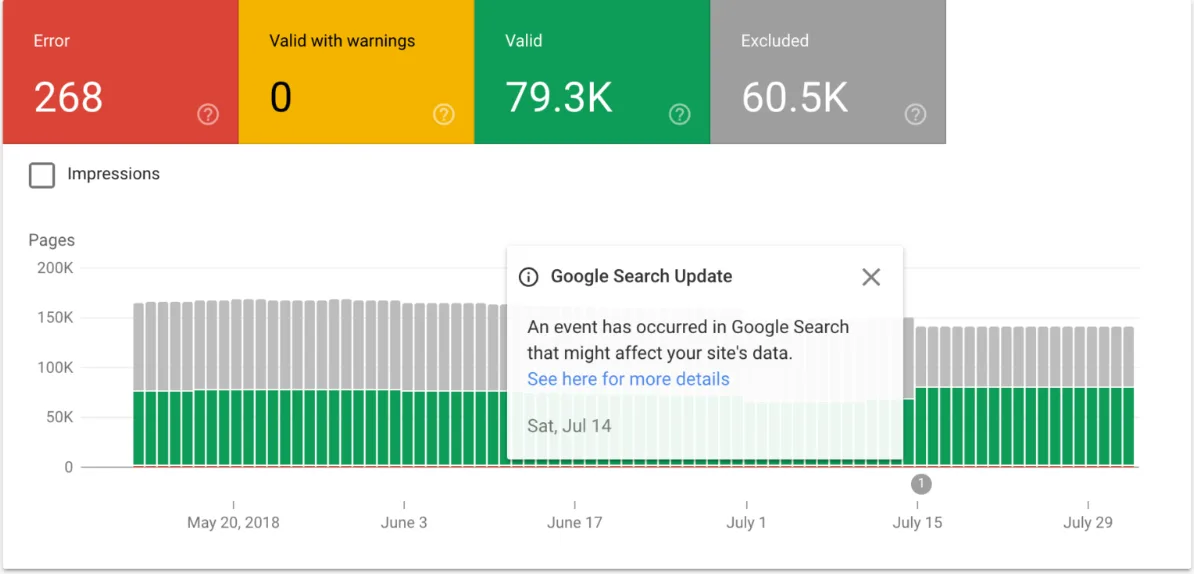
For a typical e-commerce site with 4,000 products, 300 categories, and 800 blog posts, expect the category and product directories to dominate the error rows. Proper attention to your index coverage report sets a strong baseline.
In my experience, blog posts rarely fail in bulk. It’s almost always the templated pages, because one bad template breaks a thousand pages at once.
Pulling the Report the Right Way
Export the full URL list, not just the sample Google shows in the interface. Developing your index coverage report with precision highlights key strengths. The interface caps the visible list and it’s easy to assume a problem is small when it’s actually a thousand pages deep. Grab the CSV and you’ll see the true scale.
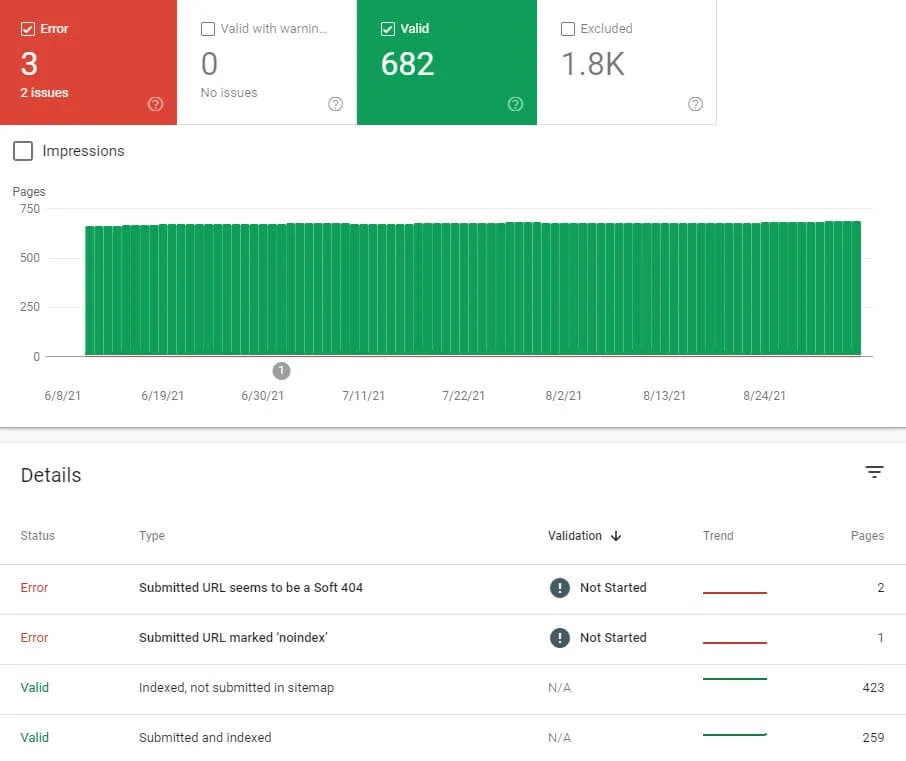
Also, note the “last crawled” date. Clear alignment with your index coverage report builds confidence from the start. If a URL hasn’t been crawled in ninety days, that tells you crawl budget is the bottleneck, not content quality. That single column changes which of the following steps you prioritize.
Step 2: Decode Every Error Type With a Real Diagnosis
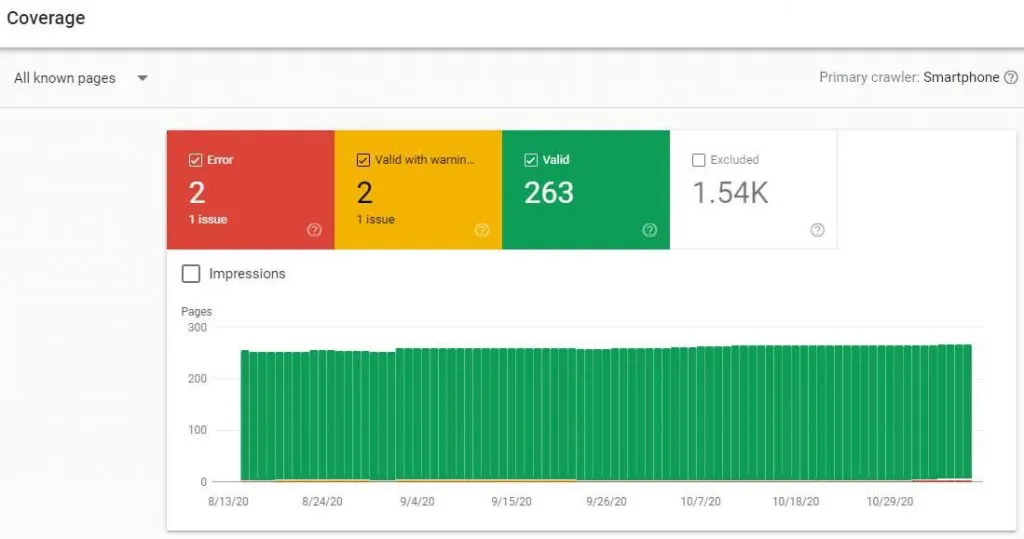
Errors are loud and usually easy to fix. The index coverage report will show you server errors, redirect errors, and 404s, and each one has a specific cause. Let’s walk through the common ones with real diagnoses, not textbook definitions.
| Status | What It Means | Most Common Real Cause | Fix |
|---|---|---|---|
| Server Error (5xx) | Googlebot hit an internal failure | Overloaded origin server or a crashing plugin | Check server logs at crawl time, raise resources |
| Redirect Error | Redirect chain too long or loop | Legacy redirect rules stacked on each other | Flatten to a single 301 hop |
| Not Found (404) | URL doesn’t exist | Deleted page still linked internally | Restore, redirect, or remove the internal link |
| Soft 404 | Page says it’s missing without a real 404 | Empty category or thin out-of-stock page | Return proper status or add real content |
Notice something about that table? Integrating index coverage report into your workflow produces consistent quality. Three of the four problems originate in architecture, not content. That’s a pattern worth internalizing. Server errors come from infrastructure.
Redirect errors come from migration hygiene. Soft 404s come from thin templates. Only 404s are arguably a content problem, and even then the fix is usually a redirect rule.
One caution on soft 404s. Targeted refinements to your index coverage report streamline the entire review. An out-of-stock product page returning a 200 with an apology message looks identical to Google as a functional page.
If the index coverage report have thousands of them, Google may start distrusting your entire site’s status codes. Consolidate those URLs with a canonical to the parent category or return a proper 404 with alternative product suggestions.

The Warning Bucket Deserves Its Own Pass
Indexed, though blocked by robots.txt is the classic warning. It means the page is in the index but Google can’t fetch the resources it needs to render it fully. The fix is almost always in robots.txt, where a wildcard rule is accidentally blocking CSS or JavaScript.
Another warning, “Indexed without content,” often means a JavaScript-heavy page didn’t finish rendering before Googlebot gave up.
If your site is a React or Vue single-page app, this is a signal to test the rendered HTML in the URL Inspection tool and confirm the content is present.
Step 3: Master the Excluded Bucket With a Checklist
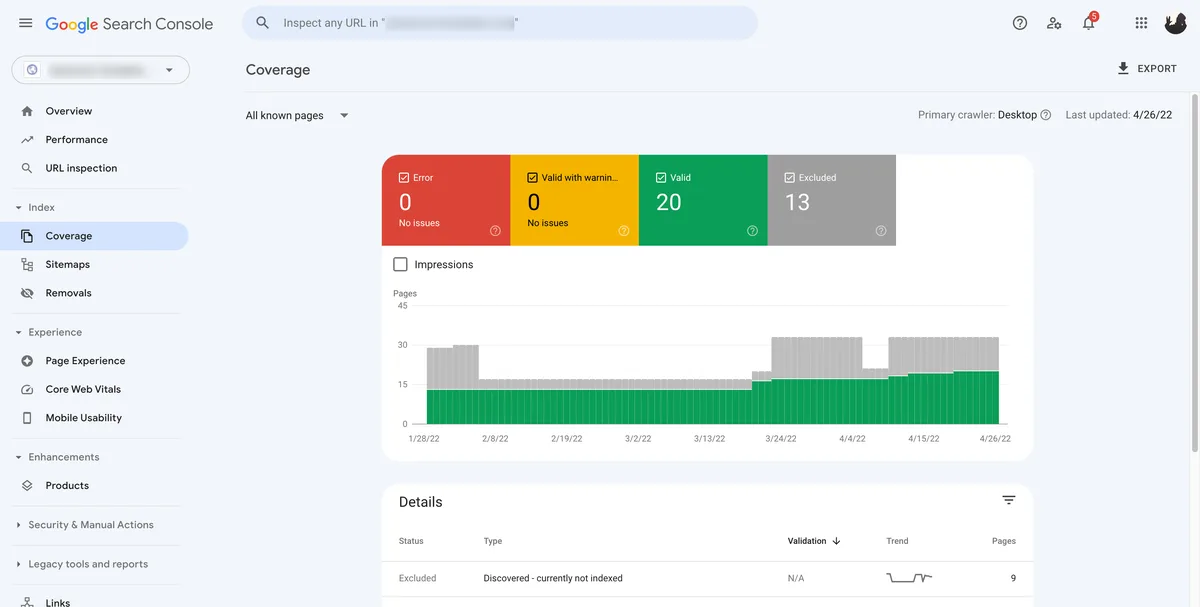
This is where most audits go sideways, because the excluded list is long and visually intimidating. The trick is to classify every exclusion row against an index coverage report checklist: is this exclusion intentional or accidental? Anything accidental gets fixed. Anything intentional gets confirmed.
- Discovered, currently not indexed. Google knows the URL exists but hasn’t crawled it. Common on large sites with weak internal linking or low crawl budget. Fix by deepening internal links and submitting through sitemaps.
- Crawled, currently not indexed. Google crawled the page and decided it wasn’t worth including. This is the quality signal. Thin content, near-duplicates, and low-value pages land here.
- Duplicate, submitted URL not selected as canonical. A different URL was chosen as the canonical. Verify the canonical tag points where you expect, then resubmit.
- Alternate page with proper canonical tag. Usually intentional. Confirm the canonical target is correct and move on.
- Excluded by noindex tag. Intentional if you set it. If you didn’t, hunt down the template or plugin injecting the tag.
- Page with redirect. Healthy as long as it’s a single hop to the right destination.
- Not found (404). Decide whether to restore, redirect, or leave it. Leave it if the URL earns no links.
- Blocked by robots.txt. Confirm the rule is deliberate. If not, adjust the directive.
- Soft 404. Address thin templates, empty categories, and out-of-stock pages.
Group the index coverage report nine categories into three buckets in your spreadsheet: fix now, confirm and leave, and monitor. The first bucket is where you spend energy. The second is a documentation exercise so the next person doesn’t panic. The third is for pages like “crawled, currently not indexed” that may resolve once you improve surrounding content.
As a general index coverage report best practices rule, don’t try to force “discovered, currently not indexed” pages into the index by spamming them with internal links from unrelated pages. That pattern gets ignored. Build genuine pathways instead: navigation, related content blocks, and hub pages that logically point to the target.
What to Do About Duplicate and Alternate Pages
A catalog with color and size variants generates a staggering number of near-duplicates. A single t-shirt in five colors and six sizes is thirty URLs. Google will happily pick one and exclude twenty-nine as alternates. That’s fine, as long as the one it picks is the one you want indexed.
Set a self-referencing canonical on the master product URL and point every variant to it. Then confirm the index coverage report shows them as “alternate page with proper canonical tag.” If it shows anything else, your canonical is being ignored, typically because the duplicate pages are internally linked with equal weight. Fix the internal linking, not just the tag.
Step 4: Diagnose “Crawled, Currently Not Indexed” With Real Precision
This single row causes more anxiety than any other in the index coverage report, and it deserves its own step. It means Google saw your page, rendered it, and passed on indexing it. The verdict is a quality or duplication judgment, not an error.
The most reliable diagnostic is a content comparison. Take the stuck URL and compare it against the top-ranking page for its target query. Not the topic, but the actual signal density. Does your page answer a specific question better than the incumbent? If not, that’s your answer.
Second diagnostic: duplication. Run the page through a similarity check against your own site and against competitors. If 70% of the body text is boilerplate from your template, Google notices.
In my audits, I’ve found category pages where 80% of the word count was shared across three thousand categories — same intro block, same footer, same review widget. Those pages sit in this bucket forever until you differentiate them.
Third diagnostic: crawl frequency. If the page was crawled once and never revisited, Google isn’t interested enough to re-evaluate. Improving the content won’t help unless you also nudge recrawl through the URL Inspection tool, internal links from fresh pages, and sitemap date updates.
Building Content That Earns Its Slot
Here’s the practical test I give clients: delete every sentence the index coverage report could appear on any other page of your site. What’s left is your unique signal. If it’s two sentences, the page is thin, no matter how long the URL template makes it look.
Add specifics. Real specifications, original photography, first-hand use cases, a data table comparing products or services, and an answer to a question nobody else answers directly. That extra applied substance is what changes a “crawled, not indexed” verdict into a “valid” one.

Step 5: Fix Internal Linking and Crawl Budget Leaks
Internal linking is the strongest lever most site owners ignore completely. If a page receives no internal links, Google’s only path to it is the sitemap, and sitemaps are a weaker discovery signal than in-body links from indexed pages.
Run a link-depth audit. Pages three or more clicks from the homepage receive less crawl attention. Bring important URLs within two clicks by adding them to hub pages, category navigation, and related-content modules. This is especially powerful for products and documentation pages buried under pagination.
Crawl budget is the twin issue. Every redirect chain, every dynamic parameter that generates a unique URL, and every calendar page that creates infinite archives eats into the crawl allowance. A site with a thousand true pages and two hundred thousand near-duplicates is asking Googlebot to sort the pile itself. It won’t. It’ll crawl the top of the funnel and move on.
Trim the fat. Block non-essential parameter combinations with robots.txt, control pagination with rel attributes, and eliminate redirect chains so each hop goes directly to the destination. A one-hop redirect preserves link equity and crawl budget. A five-hop chain consumes both.

Using Logs to See Where Googlebot Actually Spends Time
Server logs reveal exactly how many requests Googlebot made for each directory. If your product pages receive 5% of crawl requests but represent 60% of revenue, that’s a misallocation. Rebalancing through internal links and sitemap priority often shifts the ratio within weeks.
A simple log analyzer is enough. Filter for Googlebot user-agent, group by directory, and count requests. Compare against your priority hierarchy. The gap between those two numbers is your crawl budget problem, quantified.

Step 6: Validate the Fix and Resubmit Through Sitemaps
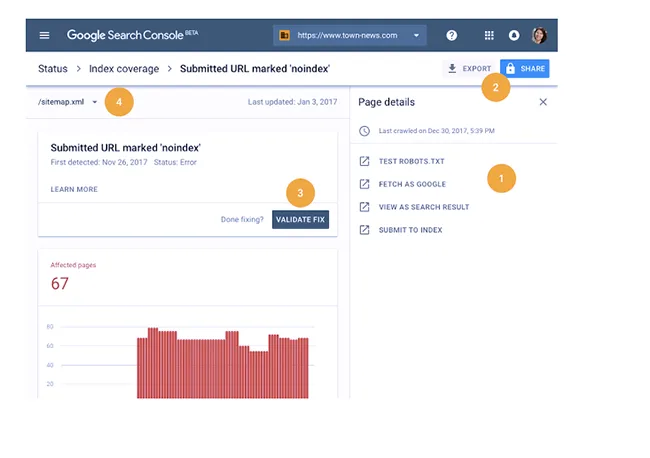
Once you’ve corrected a class of URLs, the index coverage report needs to see the change. Validation in Search Console is a formal request; it triggers a recheck. But validation only works if the underlying fix is live, so wait until the deployment is done, then click validate.
Sitemaps do the heavier lifting. Regenerate and resubmit sitemaps containing only the URLs you want indexed, and confirm the “last modified” dates are accurate. Fake dates that update daily on unchanged pages are a fast way to get your sitemap signal ignored.

A useful index coverage report tips trick: split your sitemap by directory. Keep products.XML, categories.XML, and blog.XML as separate submissions. Then when one directory breaks, you can isolate the problem without republishing the entire universe. It also gives you fine-grained coverage reporting because the sitemap sub-report shows per-file status.
How Long Should Validation Take?
Realistically, expect a week for small changes and up to several weeks for large sites where recrawling takes time. During that window, the report shows “Started” and then “Passed” or “Failed.” If it fails, examine the failed sample dates. The comparison often reveals that Google rechecked before your deploy finished propagating, particularly behind a CDN.
Don’t click validate, wait a day, and panic. Give the crawl cycle time. Keep a change log with deploy dates so you can prove the fix was live at the credential check.
Step 7: Build a Monitoring Loop So the Report Stays Clean
Indexing isn’t a one-time project. New pages, migrations, and template changes create new problems continuously. The seventh step is a lightweight monitoring rhythm that keeps your index coverage report from rotting.
Weekly: check the Pages report for new error spikes. Fifteen minutes. If a status row jumped, investigate that single row. Monthly: export the full coverage list and compare it against last month’s snapshot to catch drift. Quarterly: run the link-depth audit and the sitemap reconciliation.

Set up email alerts for coverage. Search Console has limited native alerting, so third-party monitoring is common. The small effort pays off: a redirect error discovered within twenty-four hours is trivial. The same error discovered three months later has already bled traffic.
Pair the monitoring with a proper index coverage report guide in your internal wiki, so the fix for each status bucket lives in one document. The value of that doc grows every time someone new inherits the SEO reins.
Integrating Indexing Health Into Your Deployment Pipeline
The advanced move is catching problems before the index coverage report reach Google at all. Run an automated crawl as part of every release. Compare the rendered output against the last known good version and flag structural changes: new redirects, lost canonical tags, missing meta robots directives, changed status codes.
This is the difference between reactive and preventive SEO. A pipeline check catches a bug in staging. An index coverage report catches the same bug weeks later, after the damage. The earlier you catch it, the cheaper the fix.
The 7-Step Playbook at a Glance
Here’s the whole thing compressed into a reference table. Print it, pin it, or paste it into your project board. The order matters, because each step feeds the next.
| Step | Focus | Primary Tool | Success Signal |
|---|---|---|---|
| 1 | Pull and segment the report | Search Console + spreadsheet | Every URL has an expected status |
| 2 | Decode error types | Coverage + server logs | Every error has a root cause |
| 3 | Master excluded category | Checklist of nine exclusions | Fix-now bucket emptied |
| 4 | Diagnose crawled-not-indexed | Content comparison | Verdict shifts to Valid |
| 5 | Fix internal linking and crawl budget | Link-depth audit + logs | Important pages within two clicks |
| 6 | Validate and resubmit | Search Console + sitemaps | Validation passes |
| 7 | Monitor continuously | Alerts + release checks | Clean report sustained |
Notice the last column. Every step has a measurable success signal, which means the playbook isn’t vague advice. It’s an auditable process. If a step’s signal isn’t met, don’t advance. Skipping ahead is how sites end up looking fixed on the surface while the underlying issue still festers.
Common Mistakes That Keep a Report Dirty
Even with the playbook, certain recurring mistakes keep an index coverage report messy. These surface again and again across site sizes, industries, and platforms.
- Mass submitting URLs to the inspection tool. A handful is fine. A thousand in a day looks like abuse and gets ignored. Use internal links and sitemaps for bulk discovery.
- Adding noindex to fix duplication instead of canonicalizing. Noindex removes the page entirely and wastes any link equity it earned. Canonicalize first; noindex only when the page has no ranking purpose.
- Ignoring faceted navigation. Filter and sort parameters multiply a catalog infinitely. Without rules, Google wastes crawl budget on permutations nobody searches for.
- Blocking CSS and JavaScript in robots.txt. Google needs to render your pages. Block resources and you get “Indexed, though blocked” warnings plus poor rendering.
- Trusting the sample URL in the report. The interface shows a few examples. The full list is often far worse. Always export.
- Changing the canonical target without updating internal links. A canonical tag Google can’t corroborate with link signals gets overridden.
- Expecting instant recovery. Indexing is asynchronous. Fixes can take days to weeks to reflect. Patience is part of the process.
The sixth point deserves extra emphasis. I’ve watched teams update a canonical tag and expect immediate compliance, then get frustrated when the report still shows the wrong canonical selected. The tag is a hint; internal links are the enforcement. Update both or Google picks for you.
When You Should Leave the Report Alone
Not every row needs action. A site with intentional exclusions will always have a populated Excluded bucket. That’s a healthy architecture, not a defect. The trap is treating every non-Valid URL as a defect and spending weeks chasing pages that are correctly excluded.
Reasonable exclusions include internal search results, filtered navigation, test environments, staging copies, author archives the index coverage report consolidated, and thank-you pages. Confirm each is intentional, document it, and move on. Time spent fixing correct behavior is time not spent on real problems.
Frequently Asked Questions About Indexing Coverage
Here is an in-depth breakdown of key considerations regarding Frequently Asked Questions About Indexing Coverage:
How Many URLs Should Sit in the Valid Bucket?
There’s no universal target. The right number is however many URLs serve real search intent on your site. A hundred-page brochure site may be fine with ninety valid and ten excluded. A large marketplace might have five hundred thousand valid pages and millions of intentional exclusions. Judge by the fit between your URL set and your actual content plan, not by a benchmark.
Why Does the Report Show Pages I Never Published?
Likely URL variations generated by parameters, uppercase or lowercase duplicates, trailing-slash variants, or protocol and subdomain ladders. Check your sitemaps and internal links for inconsistent URL patterns. Fifteen minutes of source-checking usually reveals a template outputting links in two formats.
Does the Index Coverage Report Affect Rankings Directly?
Not directly. But every excluded money page is a ranking opportunity that never had a chance. The report’s value is diagnostic: it shows you where your content never made it onto the field. Fixing indexing is often the highest-leverage move because it releases dormant pages that already exist.
What’s the Fastest Way to Get a New Page Indexed?
Link to the index coverage report from a page that’s already indexed and crawled frequently. Update your sitemap with an accurate last-modified date. Then request indexing through the URL Inspection tool. Keep the on-page content substantive and unique so the crawl converts into a valid index entry.
How Often Should I Review Coverage Changes?
Weekly for errors, monthly for the full picture, quarterly for structural audits like internal linking and sitemap validity. After a migration, check daily for the first two weeks because that’s when coverage disasters surface fastest.
Why Do Some Pages Keep Flipping Between Valid and Excluded?
Flapping usually means two signals are fighting: a canonical tag pointing one direction, internal links pointing another, and possibly a noindex directive toggled by template logic. Pick one intended status, enforce it consistently across tags, links, and sitemaps, and the flapping stops.
Where This Playbook Fits in the Bigger SEO Picture
Technical indexing sits under the broader umbrella of site health and crawlability, which in turn feeds content and keyword strategy. Think of the parent topic as technical SEO and site health. The index coverage report is one instrument on that dashboard, alongside page experience, sitemap status, and structured data validation.
Once indexing is clean, the natural next steps branch outward. Content performance: which valid pages actually rank and earn clicks. Schema and rich results: how structured data changes the SERP appearance. Site speed: how Core Web Vitals influence crawl efficiency and user retention. Each of those deserves its own deep dive.
But the index coverage report all assume the pages exist in the index. That’s why indexing comes first. A brilliant content strategy built on top of a broken index is a campaign with no audience. Fix the plumbing, then turn on the taps.
Use the index coverage report as your recurring diagnostic, not a one-time fire drill. Run the seven steps, build the monitoring loop, and keep the underlying fixes documented. The sites that stay healthy are the ones that treat indexing as a maintenance discipline rather than an emergency response.
For verified reference and background research, consult the authoritative informational resource on this topic.