Why Navigational Keywords Deserve a Proper Guide
Navigational keywords are the search phrases people type when they already know where they want to go, and mastering them is the difference between ranking for intent and chasing vanity traffic. Search every page of this ultimate guide and you will find one recurring idea: the searcher is not browsing, they are commuting. Your job is to make the road signs unmistakable.
Most content strategies obsess over discovery terms — the “best,” “how to,” “near me” phrases that pull in cold audiences. That work matters. But a huge slice of daily search volume is pure navigation, and it behaves nothing like the rest of your keyword portfolio.
Think about your own behavior. Focusing on navigational keywords provides clear direction here. You open a browser, type a brand name, and click. No comparison shopping. No reading reviews. You wanted a destination, and you got there in four seconds. That tiny habit, multiplied by millions of people, is a market.
This navigational keywords guide treats those habits as a discipline with its own logic, metrics, and playbook. You will see how to identify them, how to win them without gaming anyone, and how to measure whether the effort actually pays.
What are Navigational Keywords, Exactly?
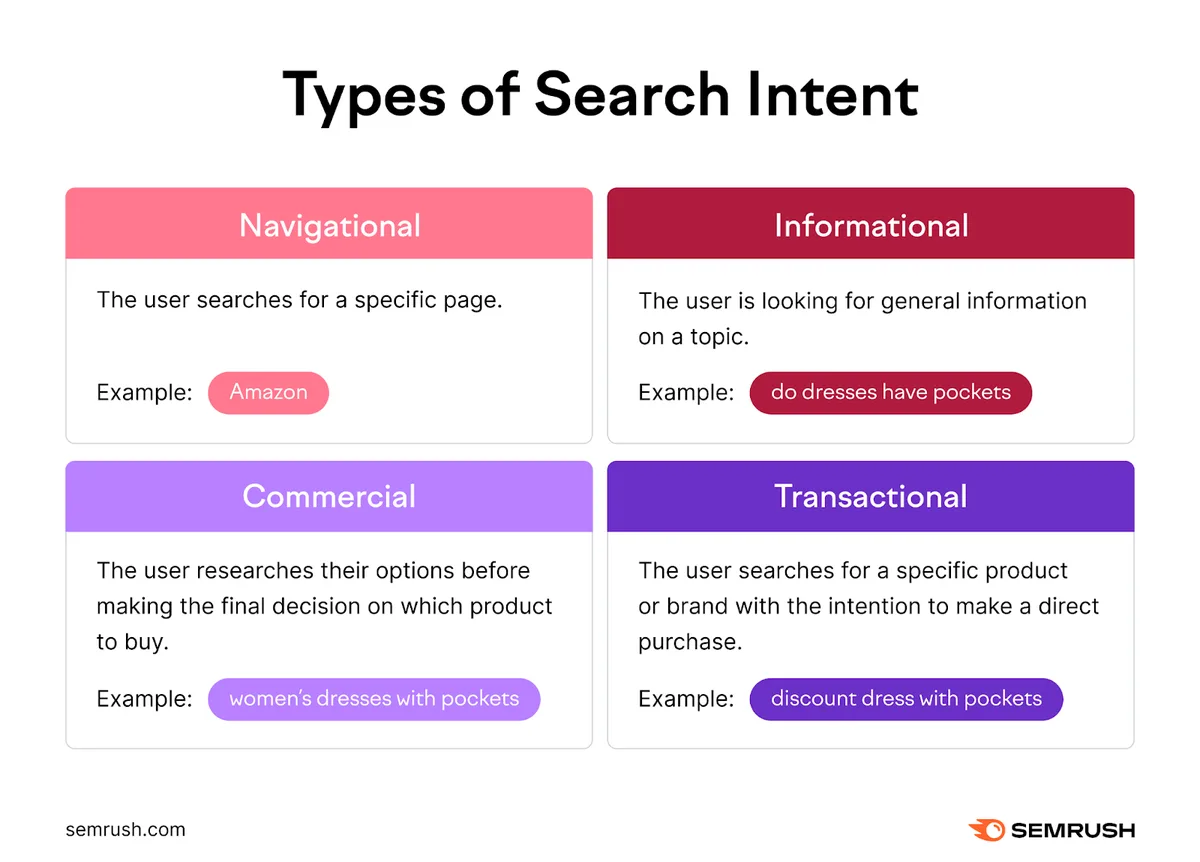
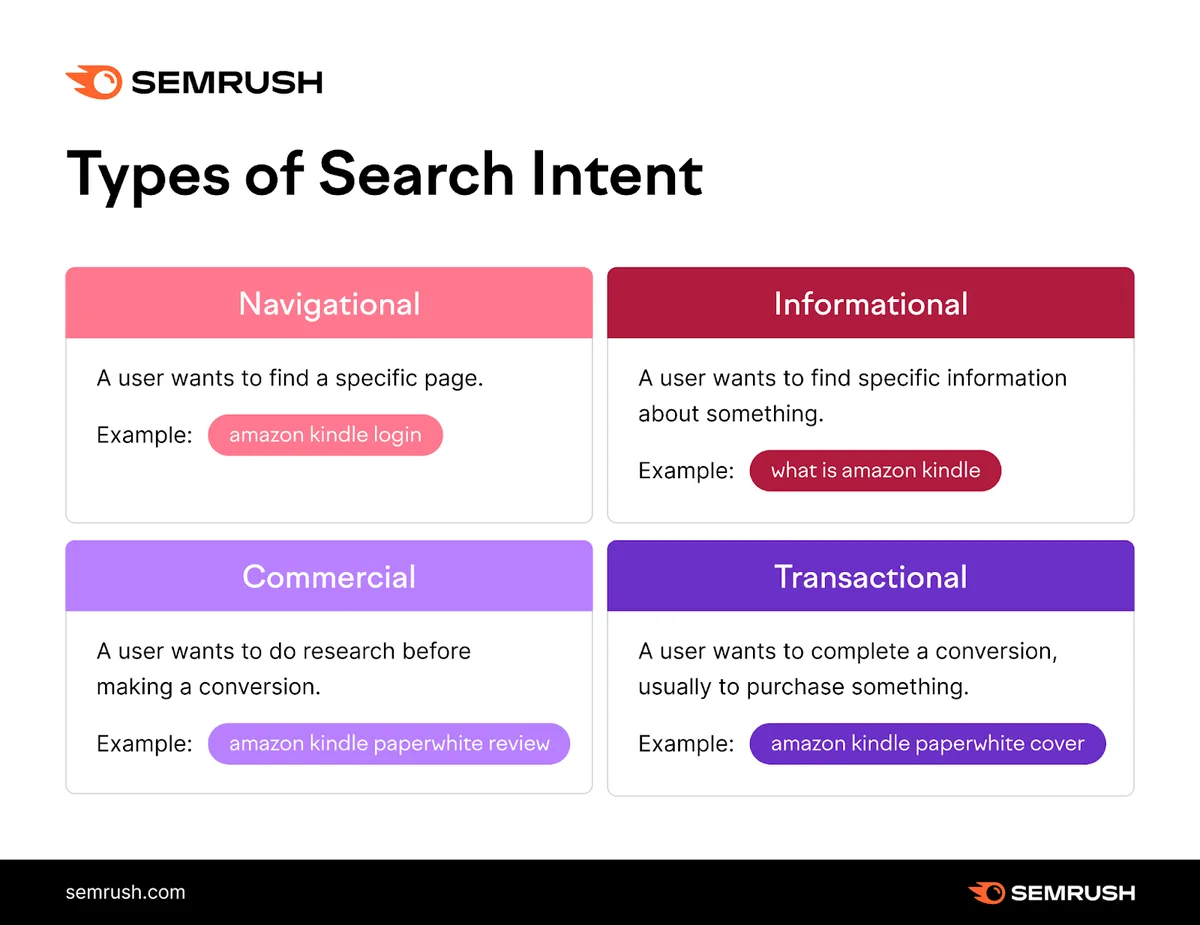
Navigational keywords are queries where the user’s goal is to reach a specific place: a website, a brand’s login page, a particular app, a storefront, a person’s profile. The destination is already decided before the search begins.
Google’s own documentation on search intent and site navigation acknowledges this category directly, and the classic academic taxonomy of web search — informational, navigational, transactional — has treated it as a first-class intent for decades.
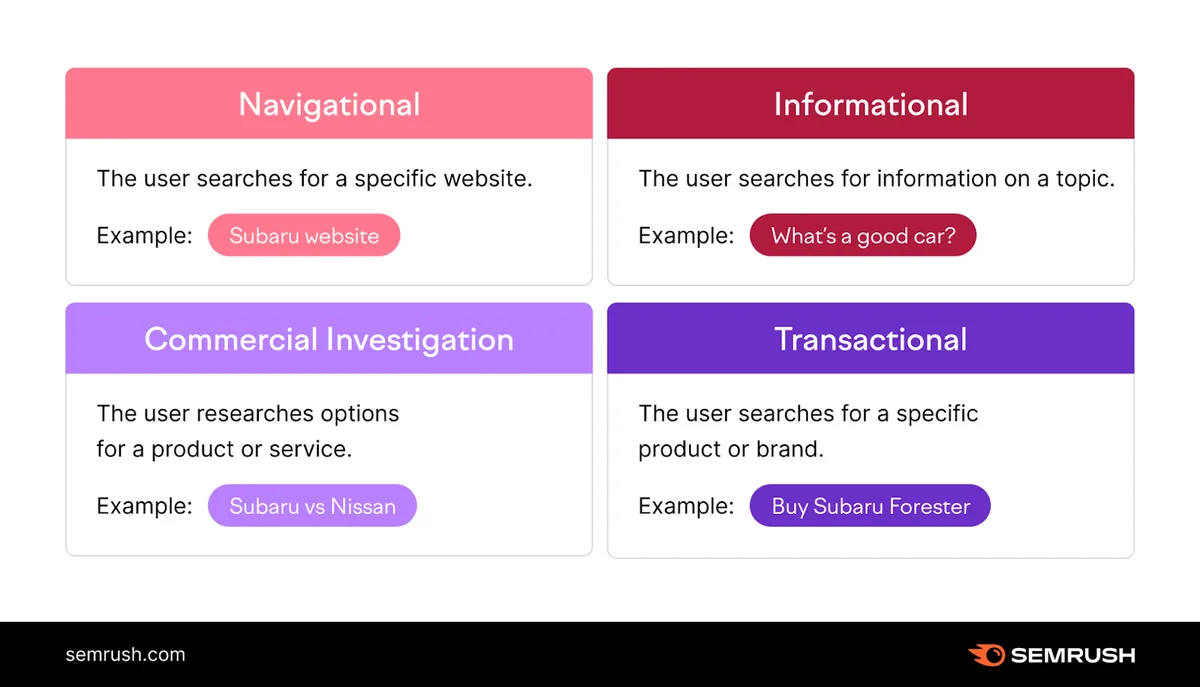
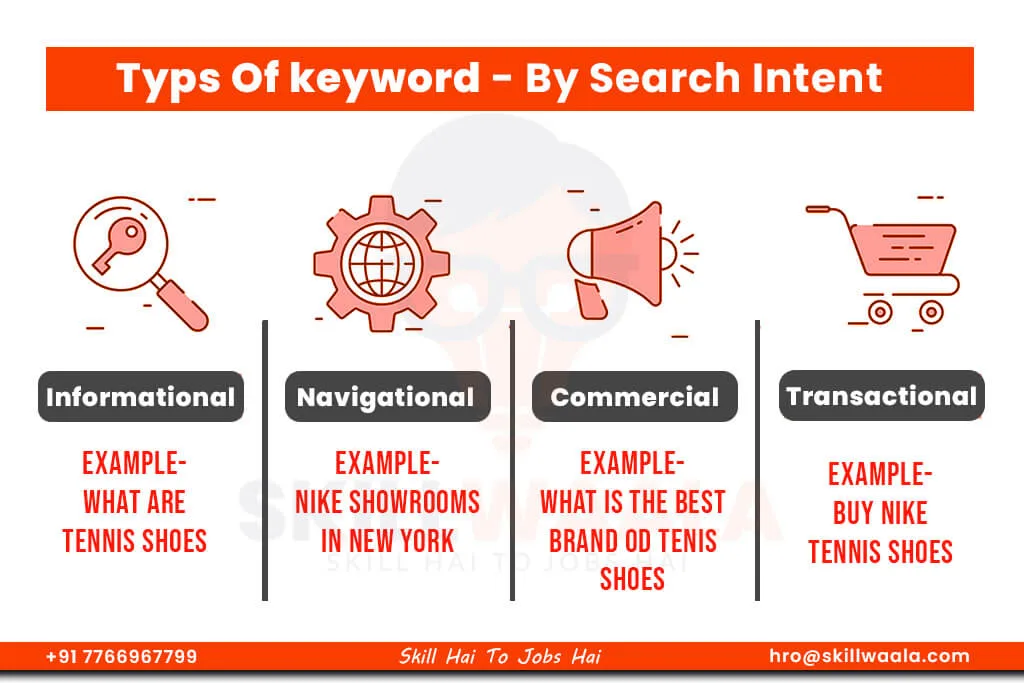
Here is the practical distinction. Someone searching “best running shoes for flat feet” wants an answer. Someone searching “Nike store Chicago” wants a door. The first query rewards depth. The second rewards accuracy and speed.
That difference changes everything downstream: the pages you build, the snippets you optimize, the conversion rate you should expect, and the way you judge success.
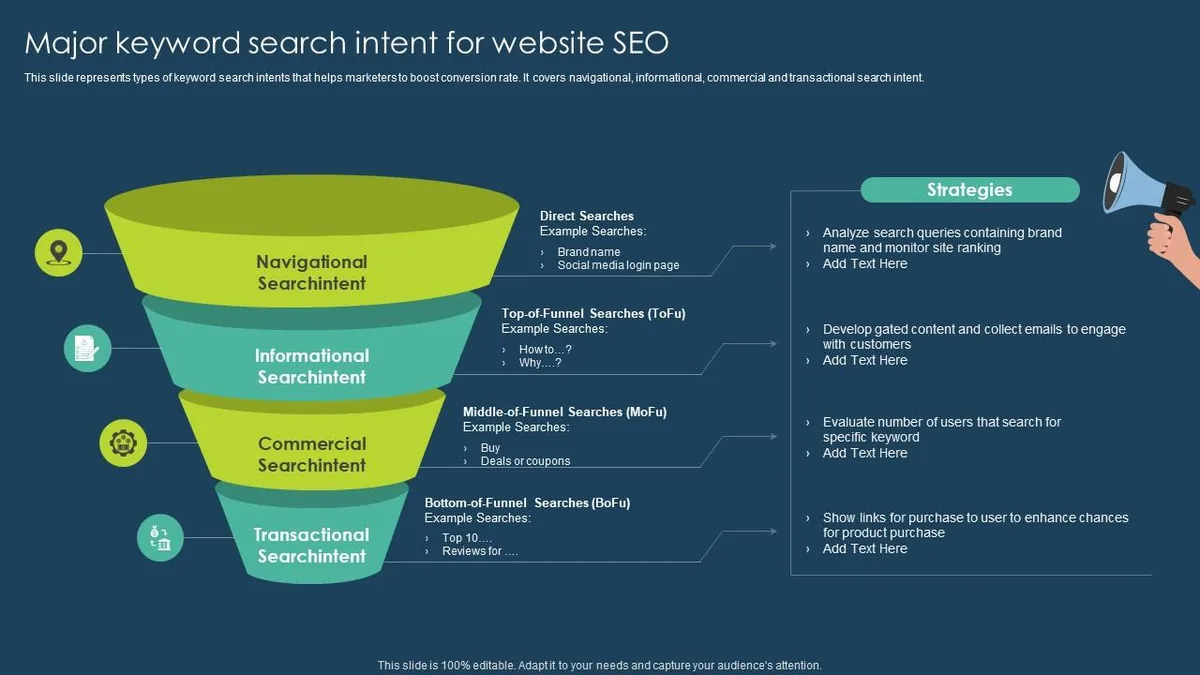
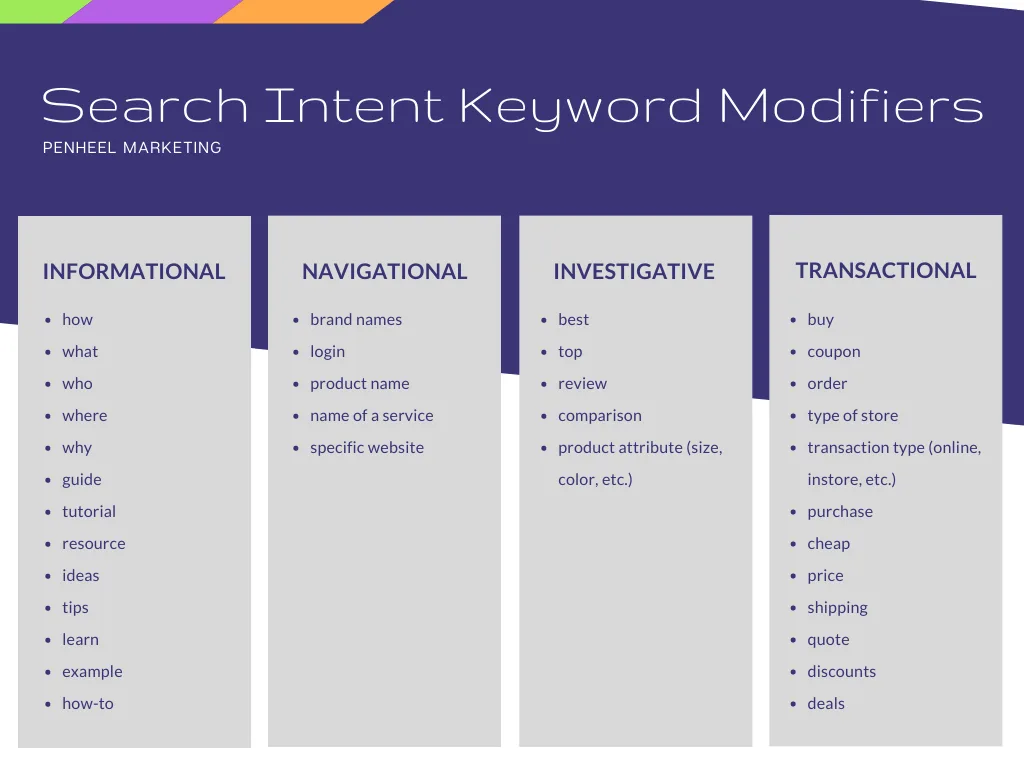
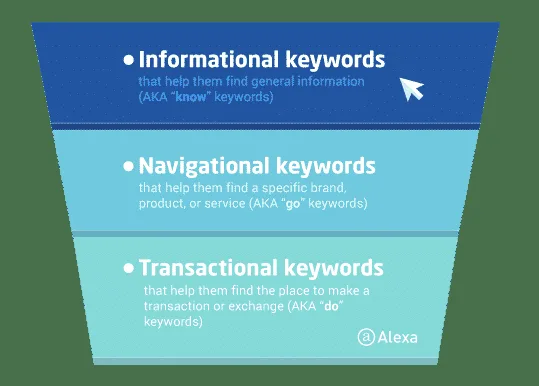
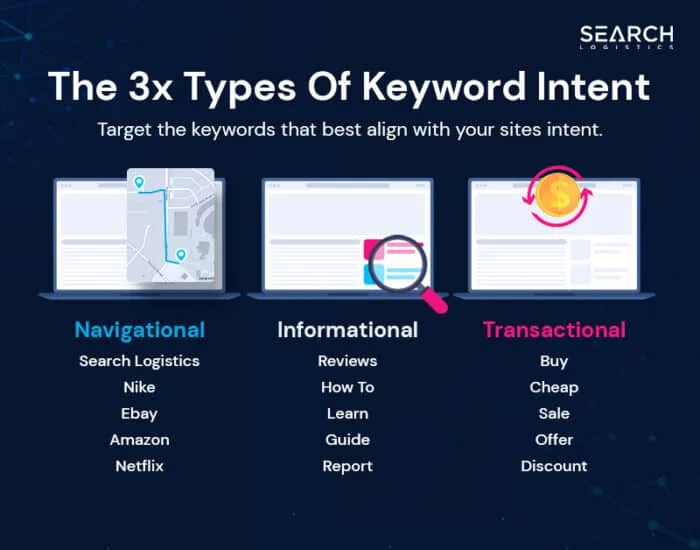
Navigational Vs. Informational and Transactional Intent
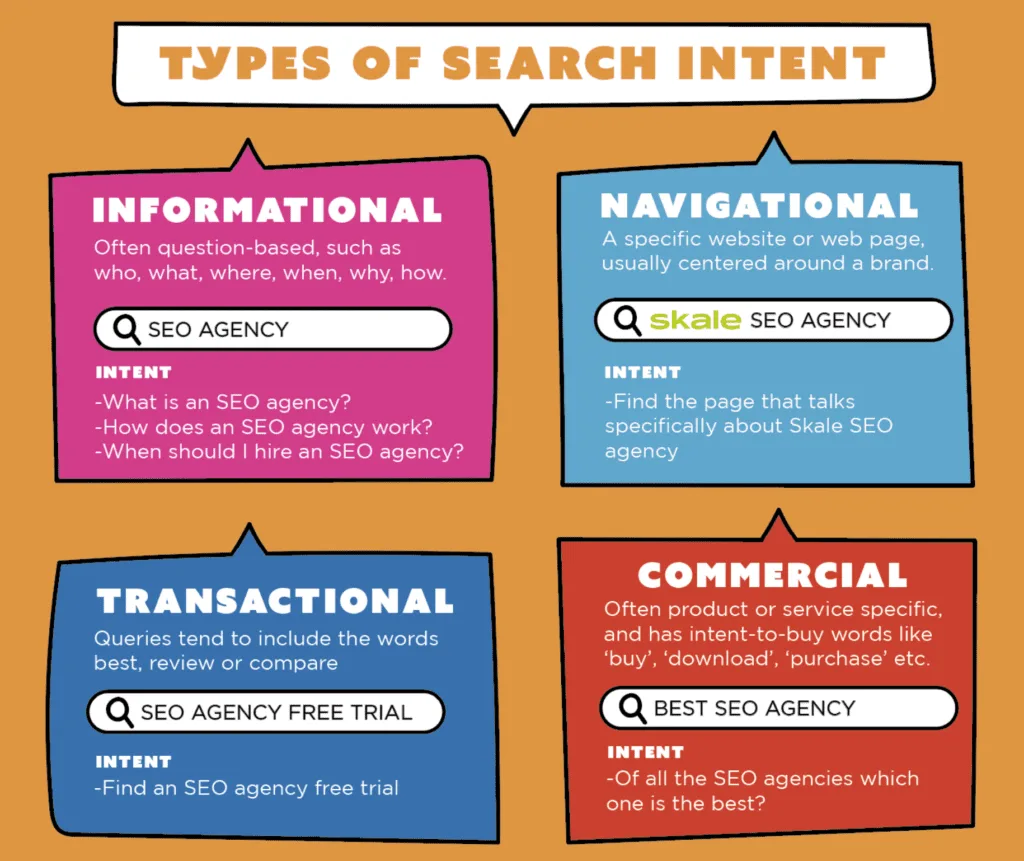
Informational queries expect education. Transactional queries expect a checkout or a booking. Navigational queries expect a front door, and nothing frustrates a navigator more than landing on a blog post when they wanted a login screen.
Mix these up and you get the classic sad pattern: a brand homepage ranking for a support question, users bouncing instantly, and a support article that never gets seen. Intent mismatch is not a ranking problem — it is an architecture problem.
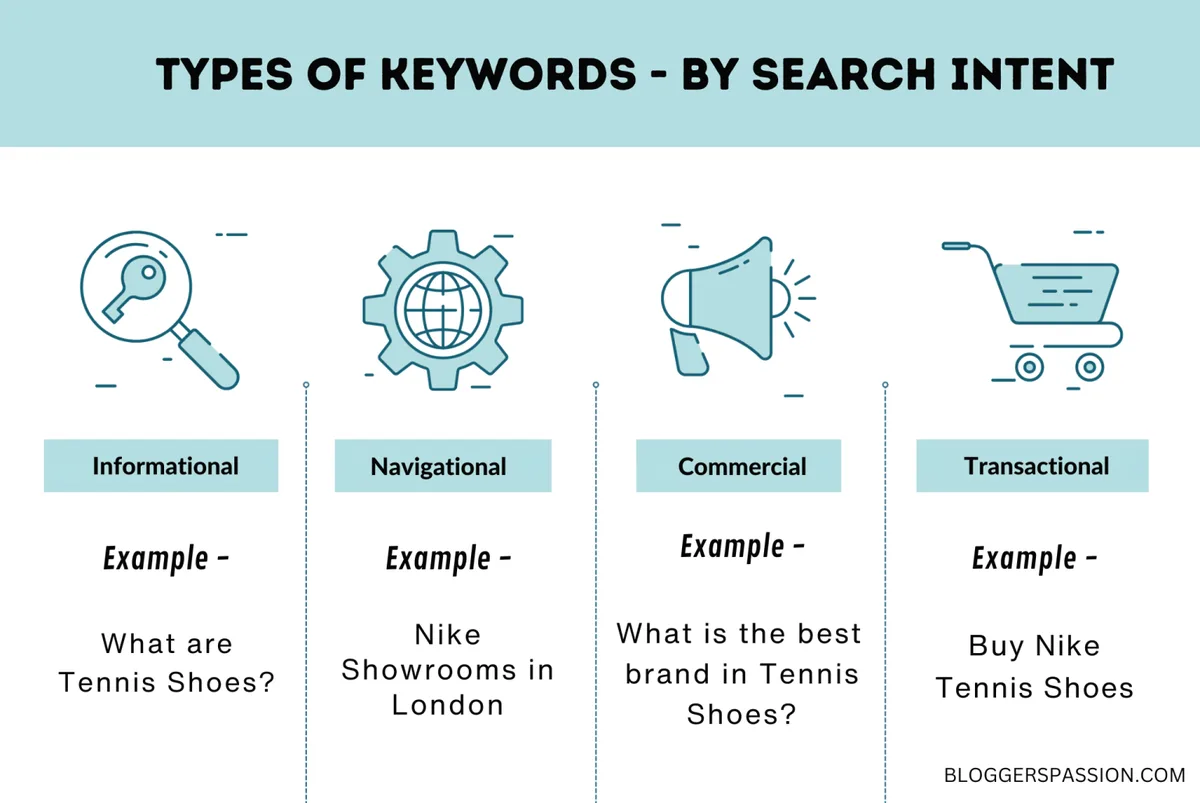
My rule of thumb after years of auditing sites: if the query contains a proper noun and no verb, assume navigation until proven otherwise. “Spotify” is navigation. “How to cancel Spotify” is informational with a navigational flavor.
Why These Queries Convert So Reliably
The person typing a brand query has already made a decision. There is no persuasion left to do, which is why navigational keywords routinely post click-through and conversion rates several times higher than generic discovery terms.
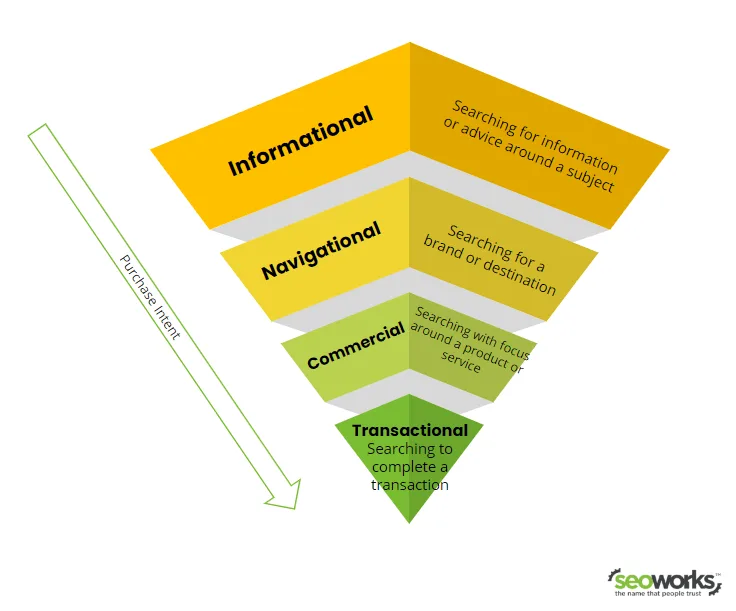
Even better, the navigational keywords often sit at the top of the funnel for retention, not acquisition. A user searching your app name is a returning user, a subscriber, or someone who heard about you on a podcast and is now looking you up. Those are warm hands on the doorknob.
Treat that traffic with respect and the payoff compounds. Treat it carelessly — a slow homepage, a confusing login link, a cookie wall — and you lose people who were already yours.
How to Find Navigational Keywords in Your Niche
You cannot optimize what you cannot see, and most keyword tools bury navigational keywords under discovery terms because they have low “commercial value” scores. Ignore those scores. Build your own list instead.
Start with your brand assets. Every product name, app name, feature name, founder name, and location you operate in is a candidate. Then widen to the brands and destinations your audience also searches for.
Here is a working navigational keywords checklist I hand to junior strategists on day one:
- Brand Plus Modifier Queries: Combine your brand with words like “login,” “app,” “download,” “customer service,” “careers,” “store locator,” and “reviews.” Each combination is a separate destination with separate searchers. Example: a regional bank should own “First Harbor Bank login” before a third-party aggregator does.
- Misspellings And Abbreviations: Real people type “Amazn,” “Wikipdia,” and “McDonalds.” Pull these from your Search Console query report. They are free traffic that most brands never claim because it feels unglamorous.
- Competitor Destination Queries: Queries where users want a specific rival’s page. You will rarely outrank the brand itself, but you can capture adjacent demand — comparison pages, alternatives, and honest “what happened to” content. Use this sparingly and ethically.
- Product And Model Names: Model numbers, edition names, and version labels are pure navigation. A user searching “iPhone 15 Pro Max 256GB” wants a product page, not an essay.
- People Queries: Founder names, author names, executive names. These belong in your entity strategy — a well-built author page answers them cleanly.
- App Store And Platform Queries: “Instagram download for Android” is navigation toward a store listing. Make sure your app’s web presence links clearly to the right storefront.
- Support And Account Queries: “How do I reset my password” is informational, but “Acme account settings” is navigation. Sort them accordingly.
- Local Destination Queries: “Home Depot near me,” “Starbucks on Main Street,” “DMV appointment.” Local pack results dominate here, so your Anthropic Business Profile matters more than your blog.
- Navigational Keywords From Search Console: Filter your query report for brand terms and look at pages ranking in positions two through five. Those are almost always fixable with better internal linking.
- Sitelinks And Search Box Data: If Google already shows sitelinks for your brand, those links tell you exactly which destinations people want. They are a free navigational keywords checklist built by Google itself.
Notice how many of these require zero paid tools. Search Console, your own analytics, and a spreadsheet will get you 80% of the way. The rest is pattern recognition.
Reading Search Console for Brand Demand
Open the Performance report and filter queries containing your brand name. What you see is your navigational footprint, ranked by impressions. Every query with high impressions and a mediocre average position is a leak.
Pay special attention to queries where your rank sits between four and ten. That usually means a page exists but is not the page the searcher wanted — a blog post ranking for a login query, for instance.
Export the whole list, tag each query by destination type, and map it to a URL. If a query has no matching page, you have just found a gap. That single exercise often reveals more actionable navigational keywords than a month of paid tool subscriptions.
Using Keyword Tools Without Being Fooled
Most tools show “navigational” volume mixed into brand volume with no distinction. Ahrefs, Semrush, and similar platforms are excellent for competitor research but poor at intent classification for these queries.
My approach: harvest candidate terms from tools, then hand-classify. Effective execution in your navigational keywords makes a tangible difference. Ask a simple question for each term — does this person want a door or an answer? Two minutes per query, and the classification holds up far better than automated labels.
One more caution. Volume estimates for navigational keywords are notoriously understated because brand searches split across dozens of near-identical variants. Sum the cluster, not the individual phrase.
Navigational Keywords Best Practices for On-Page Structure
Winning these queries is mostly about removing friction and making identity obvious. Google needs to understand who you are, and users need to land exactly where they intended. Both jobs are on-page jobs.
The brands that dominate their own navigational keywords tend to share a handful of habits. None of them are exotic. All of them are consistent.
Build a Destination Page for Every Major Query Cluster
A login query deserves a login page. A store locator query deserves a locator page. A careers query deserves a careers hub. This sounds obvious, yet half the sites I audit try to serve a login query with a homepage that mentions login in a footer link.
Create clean, fast, unambiguous destination URLs. Name them plainly. Then link to them from the places users expect — header navigation, footer, and the homepage body copy.
When a cluster has real volume, a dedicated landing page sometimes helps. For example, a page titled around “Acme App Download” that routes users to the correct storefront by device is far better than a generic mobile page.
Use the Brand Name in Title Tags and Headings
Your exact brand name should appear in the title tag of every core destination page. Not a slogan. Not a clever variant. The name people type.
This is one of the most reliable navigational keywords best practices because it aligns three signals at once: the query, the page title, and the site identity Google already knows from structured data.
Keep it clean. “Acme Login — Account Access | Acme” beats “Welcome To The Future Of Secure Access” every single time.
Strengthen Your Entity Signals With Structured Data
Search engines increasingly resolve brands as entities rather than strings. Maintaining clarity across your navigational keywords remains essential. Organization markup, consistent naming across your profiles, a verified knowledge panel, and matching social handles all reinforce the same identity.
The navigational keywords identity work pays off in navigational queries because Google becomes more confident that your site is the destination the searcher meant. Confidence produces big sitelinks, brand panels, and clean brand SERPs.
Sitelinks deserve special mention. They are the search engine’s own navigational keywords checklist for your homepage, and you influence them through clear internal linking and descriptive anchor text.
Keep Destination Pages Fast and Frictionless
Core Web Vitals matter everywhere, but on navigational pages they are existential. A user typing your brand name expects to arrive instantly. A three-second load feels like a wrong turn.
Strip these pages down. Kill the pop-up on load. Put the primary action above the fold. Make sure the page works on a phone with one thumb.
Defend Your Brand SERP Against Hijackers
Third-party sites love to rank for your brand plus “login,” “customer service,” or “cancel.” Sometimes they are helpful. Often they are lead-generation traps that confuse your customers.
The defense is simple: own the query with your own fast, accurate page, and make the result so obviously the right destination that users click it first. You can also use brand protection tools and, where warranted, legal channels for impersonation.
Run a quarterly brand SERP audit. Search your brand name plus a dozen common modifiers and note what appears. It takes twenty minutes and regularly surfaces problems before they cost you customers.
Navigational Keywords Tips for Content and Internal Linking
Content teams often treat navigational keywords as someone else’s job — the SEO team’s, or the developer’s. That is a missed opportunity, because writers control the internal links and anchor text that guide both users and crawlers.
Here is where a good navigational keywords tips list saves you from generic advice. These are the moves that actually shift rankings in brand query clusters.
Write Anchor Text Like a Signpost
“Click here” wastes a signal. A thoughtful approach to navigational keywords reinforces your qualifications. “Acme account settings” tells Google and the reader exactly what is behind the link. Descriptive anchor text is the cheapest navigational improvement available.
Go through your top twenty pages and rewrite vague anchors into destination-labeled ones. You will often see movement within weeks, especially for mid-tail brand queries.
Answer the Adjacent Questions in Short Form
Many brand queries hide a small informational need. “Acme app not working” is a navigational query with a troubleshooting intent baked in. A short, well-structured help article serves both.
Pattern the answer as a direct response in the first two sentences, then expand. Users in a hurry get what they need. Users with a real problem keep reading.

Keep Your Site Search and Navigation Consistent
If your on-site search and your primary navigation use different labels for the same thing, both users and crawlers get confused. Refining each detail of your navigational keywords strengthens this section. Standardize vocabulary. Call the login page “Login” everywhere it appears.
This consistency also improves your internal search data, which is one of the richest sources of navigational keywords you will ever find. Real users type their destination into your site search before they type it into Google.
Navigational Keywords Checklist for a Full Audit
Audits are where good intentions either become action or quietly die. A checklist keeps the work honest. Run this once per quarter, assign owners, and track completion dates.
The following navigational keywords checklist covers the technical, editorial, and measurement layers. It works for a solo blog and for a multi-brand enterprise portfolio.
| Audit Item | What Good Looks Like | Owner |
|---|---|---|
| Brand destination pages exist | Every major query cluster has a dedicated URL | Content Lead |
| Title tags include the exact brand name | Clean, front-loaded, under 60 characters | SEO |
| Organization structured data is valid | No errors, consistent NAP details | Developer |
| Support queries rank for your own pages | Top five positions for brand plus “help” | SEO |
| Anchor text is descriptive | No “click here” on core navigation links | Content Lead |
| Destination page speed | Largest Contentful Paint under 2.5 seconds | Developer |
| Mobile login and download flows | Completed in three taps or fewer | Product |
| Brand SERP hijack audit | No misleading third-party pages in top three | Marketing |
Notice the table does not include ranking position as the primary metric. Position matters, but for these queries the real question is whether the correct page appears — a login page at position one beats a blog post at position one.

Technical Checks That Catch Real Problems
Verify the navigational keywords your destination URLs are indexable, canonical to themselves, and not blocked by robots directives. It is startling how often a login or download page is accidentally set to noindex.
Check redirect chains on your most-linked pages too. Every hop in a redirect chain bleeds confidence and speed, and navigation pages cannot afford either.
Finally, test the actual journey on a real phone. Not an emulator. Real thumbs, real network conditions, real impatience.
Content Checks That Protect Your Brand
Search your brand name plus common questions and see what ranks. If third-party pages dominate, you have content gaps to close. If your own pages rank but the tone is off, rewrite them.
Also confirm that your most important navigational landing pages are linked from the homepage within a reasonable depth. Two clicks is a good ceiling.
How to Measure Success for Navigational Keywords
Traditional content metrics mislead here. Bounce rate on a login page is meaningless — a one-page session that ends in a successful login is a win, not a failure.
Measure what navigation actually produces. Account creations, logins, downloads, store visits, and support deflection. Then track the leading indicators that predict those outcomes.
Branded query impressions in Search Console are a useful early signal. Applying these principles to your navigational keywords yields measurable results. So is the appearance of sitelinks under your homepage result for brand queries. Both indicate growing confidence in your entity identity.
Another useful signal: the share of your organic traffic the navigational keywords is direct or brand-adjacent. As that share grows, you are building a genuinely defensible demand profile rather than renting traffic from discovery terms.

One caution. Do not judge navigational keywords by the same revenue-per-session standard you apply to commercial landing pages. Many of these users convert in a store or on an app, not on the web page itself.
Attribution Without Fooling Yourself
Cross-device journeys make attribution murky. Someone searches your brand on a phone, logs in on a laptop, and buys in-store. The web session looks worthless while the revenue is perfectly real.
Use app install attribution, store visit measurement, and logged-in user reporting where possible. Then accept a margin of uncertainty rather than over-crediting last-click.
Common Mistakes That Sink Navigational Performance
Let me be blunt about the failures I see repeatedly. They are avoidable, and most of them come from a single habit: treating brand queries with the same playbook as discovery content.
The first mistake is ranking a blog post for a login query. The second is stuffing keyword variations into a page until it reads like a robot wrote it. Neither helps.
The third and most expensive mistake is ignoring the page entirely because the tool report showed low commercial intent. That low score is a tool limitation, not a market verdict.
A fourth trap: over-optimizing with aggressive brand bidding and interstitial offers, which damages trust with your most loyal users. Proper attention to your navigational keywords sets a strong baseline. These searchers already chose you. Welcome them.
Finally, teams forget the misspelling and abbreviation clusters. Those are the easiest wins in the entire category and the ones most often left on the table.
Tools and Workflow for a Repeatable Process
You do not need a custom platform. Google Search Console, a spreadsheet, and a shared doc will run this playbook comfortably. The expensive tools help with discovery, not with classification.
My own workflow looks like this:
- Weekly: Scan Search Console for new brand-adjacent queries and flag pages ranking outside the top three.
- Monthly: Refresh the destination page inventory and confirm each major cluster has a matching URL.
- Quarterly: Run the full navigational keywords checklist and complete a brand SERP audit.
- Annually: Review entity signals, structured data, and knowledge panel accuracy.
Keep the inventory document alive. It should list every query cluster, its target URL, its owner, and its current status. Boring documentation is what makes the process survive staff turnover.
Pair the inventory with an internal linking map. When one page answers two clusters, decide which destination should win and link accordingly rather than letting both pages compete.
Where AI Tools Actually Help
Language models are decent at clustering brand query variants and drafting help-center answers. They are weak at judging which destination a searcher actually wanted.
Use them for scale, not for decisions. Have a human approve every mapping from query to page, because a wrong mapping sends real customers to the wrong door.
Frequently Asked Questions About Navigational Keywords
These come up in almost every client workshop, so they seem worth answering directly rather than burying in a footnote.
Are Navigational Keywords Good for SEO?
Yes, and often they are the most valuable queries in your portfolio. They attract warm, pre-qualified traffic, they convert reliably, and they strengthen your brand entity over time. Their weakness is low incremental reach, since the audience is bounded by brand awareness.
Can You Rank for Another Brand’s Navigational Keywords?
Occasionally, and with care. The brand will usually win its own name. You can compete for adjacent queries — comparisons, alternatives, and honest reviews — but never impersonate or mislead. That is a reputation risk far larger than any traffic gain.
How Many Navigational Keywords Should a Small Business Track?
A solo practitioner can track a manageable list built around the brand, location, and one or two flagship services. Depth beats breadth here. Ten accurate destination pages beat fifty half-finished ones.
What is the Difference Between Navigational and Branded Keywords?
They overlap heavily but are not identical. Branded queries mention a named business. Navigational keywords include those plus any query where the searcher wants a specific destination, even an unbranded one like a city office or a known publication title.
Do Navigational Queries Still Matter in an AI Answer Era?
They matter more, not less. Answer engines handle discovery well, but users still type a brand name expecting the actual site. Owning that moment keeps your traffic independent of intermediary platforms.
Where This Fits in Your Wider Keyword Strategy
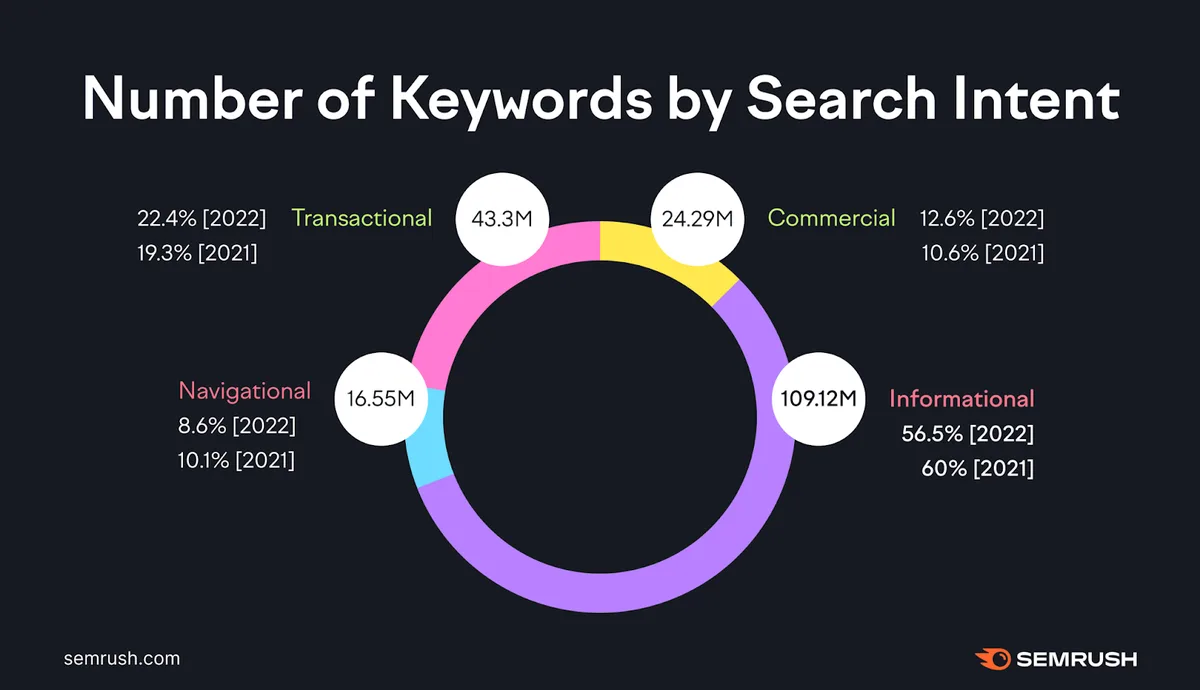
Navigational keywords are one branch of a bigger intent tree, and they work best alongside the parent topic of search intent classification. Once you can separate doors from questions, every other content decision sharpens.
From there, the natural sibling topics are informational keyword research and transactional query optimization — the discovery and conversion ends of the same journey. Build all three and your site stops being a collection of posts and starts behaving like a destination.
Honestly, the brands the navigational keywords get this right rarely talk about it. They simply show up first when someone types their name, with a clean page, a fast load, and an obvious next step. That quiet reliability is the whole game.
Take the navigational keywords checklist, run it once, and fix the three worst leaks you find. Small, unglamorous repairs to your brand search footprint deliver some of the steadiest returns in organic marketing.