Meta Refresh Redirect: Why This Old-School Trick Still Earns Its Place
A meta refresh redirect is one of the oldest tools in the webmaster’s kit — and it still sparks arguments at dev meetings every single week. Some engineers call it a hack that belongs in the same drawer as blinking text and visitor counters. Others quietly rely on it in production because nothing else solves their particular problem as cleanly.
Here’s the uncomfortable truth I’ve landed on after years of shipping and auditing sites: the meta refresh isn’t broken. Focusing on Meta refresh redirect provides clear direction here. It’s just badly understood. Used correctly, it handles a narrow set of jobs with surprising grace.
Used carelessly, it tanks your SEO, confuses screen readers, and frustrates users who can’t tell why the page keeps shifting under them.
This meta refresh redirect guide walks through the real best practices, plus five concrete wins you can pull off without touching server config. No fluff, no theory for its own sake — just field notes from someone who has cleaned up more bad redirects than he’d like to admit.
What a Meta Refresh Redirect Actually Does (And Doesn’t Do)
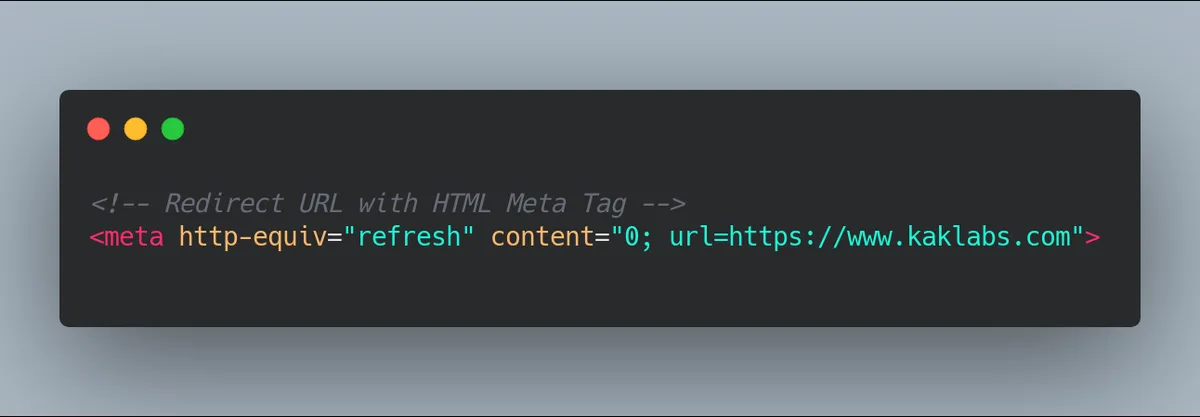
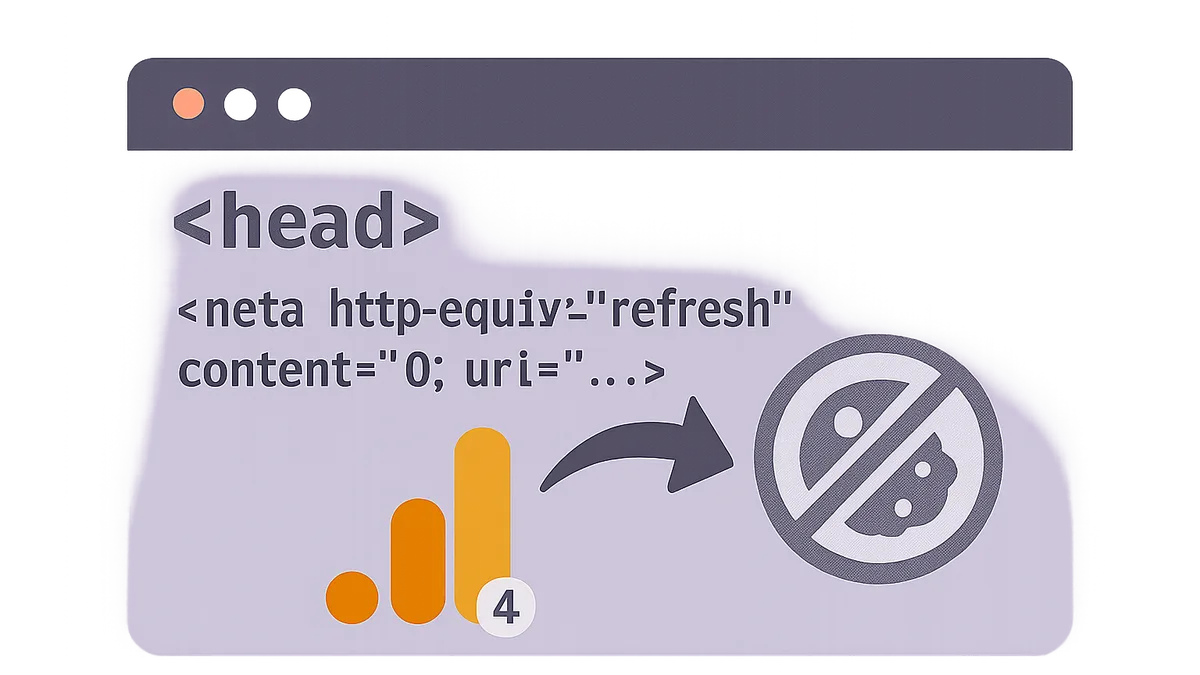
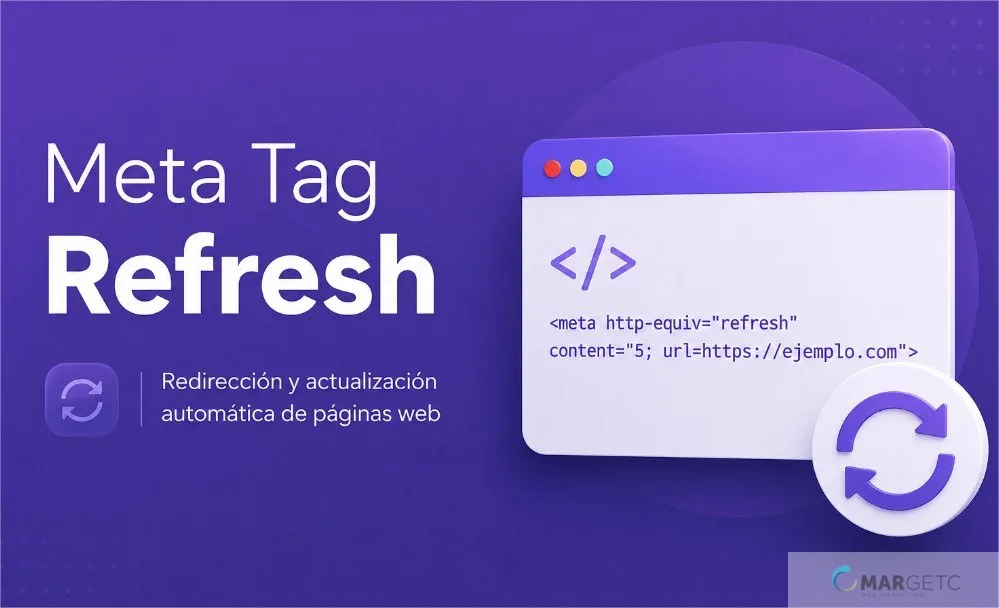
The mechanism is almost embarrassingly simple. Refining each detail of your Meta refresh redirect strengthens this section. You drop a line like <meta HTTP-equiv="refresh" content="5; URL=HTTPS://example.com/new-page"> into the page’s <head>, and after five seconds the browser loads the new URL. That’s it. No server involvement, no HTTP status code, no conversation between the browser and your web server.
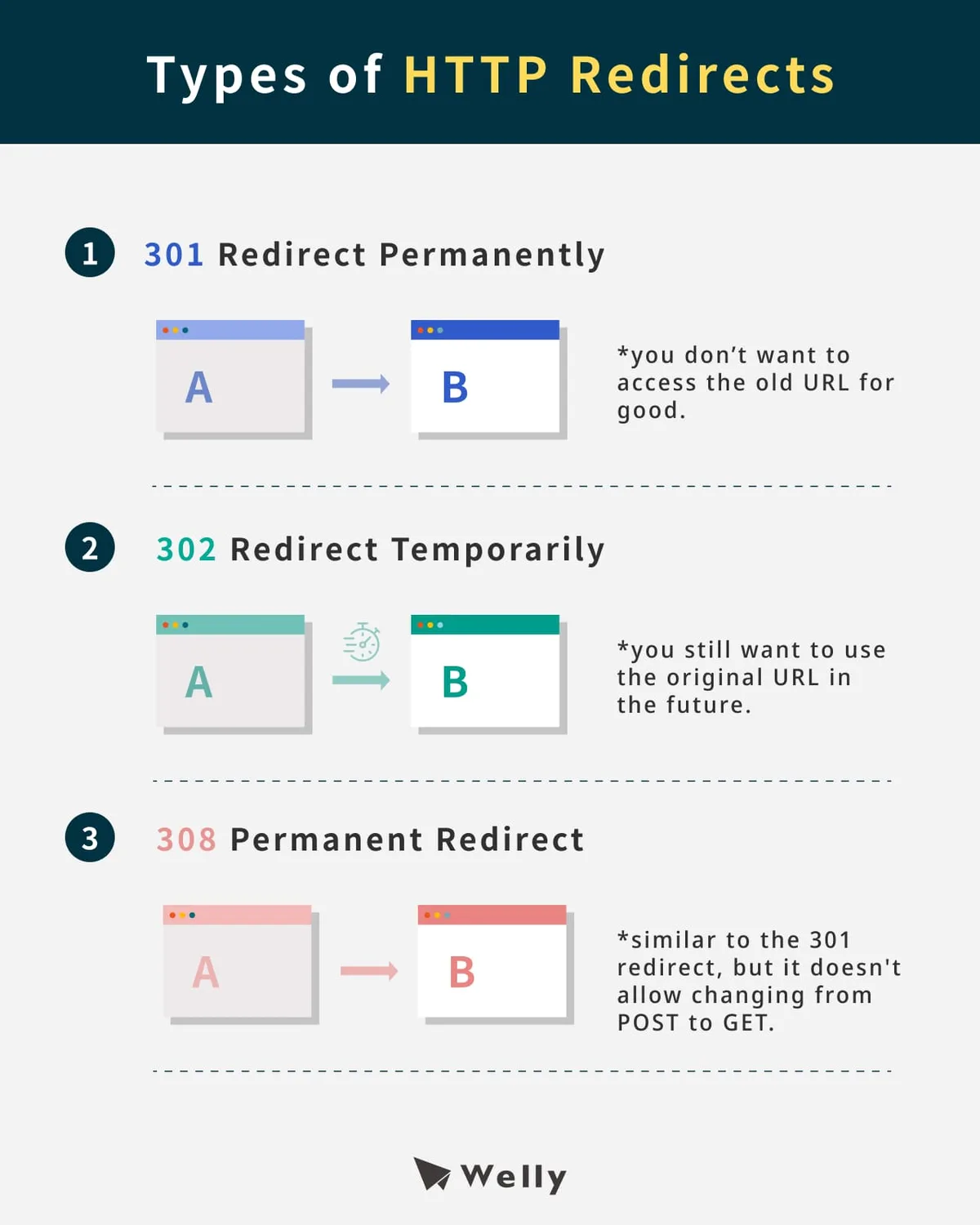
Contrast that with a proper 301 or 302 redirect, which lives at the server level and tells search engines exactly what happened to a page.

A server redirect says “this resource moved.” A meta refresh just says “wait a bit, then go somewhere else” — and it says it in a way that search engines have to guess about.
Google’s John Mueller has been clear that meta refresh redirects are treated as a weaker signal than server-side redirects. Effective execution in your Meta refresh redirect makes a tangible difference. The crawler will follow them, but the ranking signal transfer is murky at best.
For permanent moves of important pages, that’s a real problem. For temporary, human-facing scenarios — countdown pages, session timeouts, legacy URL cleanup — it’s a perfectly serviceable tool.
How Browsers Interpret the Refresh Directive
Every major browser — Chrome, Firefox, Safari, Edge — implements the refresh directive according to a loose reading of HTML specs. Maintaining clarity across your Meta refresh redirect remains essential. The content attribute takes two parts: the delay in seconds, and an optional URL.
Delay zero (or a very small number) triggers an instant hop. Anything longer gives the user time to read a message.
Browsers are not required to honor the directive. A thoughtful approach to Meta refresh redirect reinforces your qualifications. In practice, they do, but some extensions, accessibility tools, and privacy-focused browsers may block or modify meta refreshes. That unpredictability is worth knowing before you bet a critical user journey on it.
One quirk the Meta refresh redirect trips up beginners: if the URL portion contains a semicolon or certain characters, you need to URL-encode it properly. Browsers will silently fail otherwise, and you’ll spend an afternoon wondering why the redirect “just doesn’t work” in one browser but not another.
The Difference Between Refresh and Redirect
People use the terms interchangeably, but the meta refresh redirect’re not the same thing. “Refresh” is literally what the name implies: reload, or load a new destination, on a timer.
“Redirect” is a broader concept covering any mechanism that sends a request to a different URL — server-side 3xx codes, JavaScript window.location calls, meta refresh, and a few more esoteric tricks.

When someone says meta refresh redirect, they’re really describing the redirect use case of the refresh directive. That’s fine in casual conversation, but in documentation and audits, precision matters. I’ve seen teams argue for twenty minutes over a “redirect” that turned out to be a refresh tag — and vice versa.
Meta Refresh Redirect Best Practices That Hold Up Under Scrutiny
Alright, this is the heart of the meta refresh redirect best practices conversation. These aren’t rules handed down from on high — they’re patterns that have survived contact with real traffic, real users, and real search engine updates. Skip any of them and you’re inviting trouble.
Always Pair the Refresh With a Visible Message
If your page is going to jump somewhere in five seconds, tell the user. Focusing on meta refresh redirect provides clear direction here. A plain sentence like “You’ll be redirected in a few seconds — if not, click here” does more for user trust than any clever implementation. Screen reader users in particular need this context, because a silent redirect feels like a crash.
I keep a simple rule: every meta refresh page gets a manual link to the destination. That link is your fallback if the refresh fails, and it’s your accessibility guarantee if anything goes sideways. Cheap insurance.
Keep the Delay Short but Not Instant
Zero-second refreshes technically work, but they create a flash-of-content problem — the user sees the page for a split second, then it’s gone. That feels broken. A delay of three to five seconds is the human-friendly sweet spot. Long enough to register, short enough that nobody taps the back button in frustration.
For countdown or “session expiring” pages, a longer delay makes sense because the delay itself is the point. Context dictates the choice here; there’s no universal number.
Never Use Refresh for Permanent Page Moves
The meta refresh redirect is the rule that matters most. If a URL has permanently changed — you restructured your site, renamed a product page, migrated a blog — you need a 301 server redirect. Period.
Meta refresh cannot carry the same SEO weight, and you’re leaving ranking equity on the table every day the redirect stays at the HTML level.
I’ve audited sites with hundreds of meta refresh redirects standing in for proper 301s. In every case, the migration cleanup was painful and costly to untangle afterwards. Do it right the first time.
Verify Behavior Across Browsers and Devices
Testing in one browser is not testing. I’ve watched refreshes work flawlessly in Chrome and fail silently in Safari, usually due to a malformed URL or an overlooked encoding issue. Run a quick cross-browser pass before you ship any meta refresh redirect.
Mobile adds another wrinkle: some data-saver modes or in-app browsers truncate or ignore refresh directives. Refining each detail of your meta refresh redirect strengthens this section. If your redirect matters, a fallback link isn’t optional.
Audit Existing Meta Refreshes Regularly
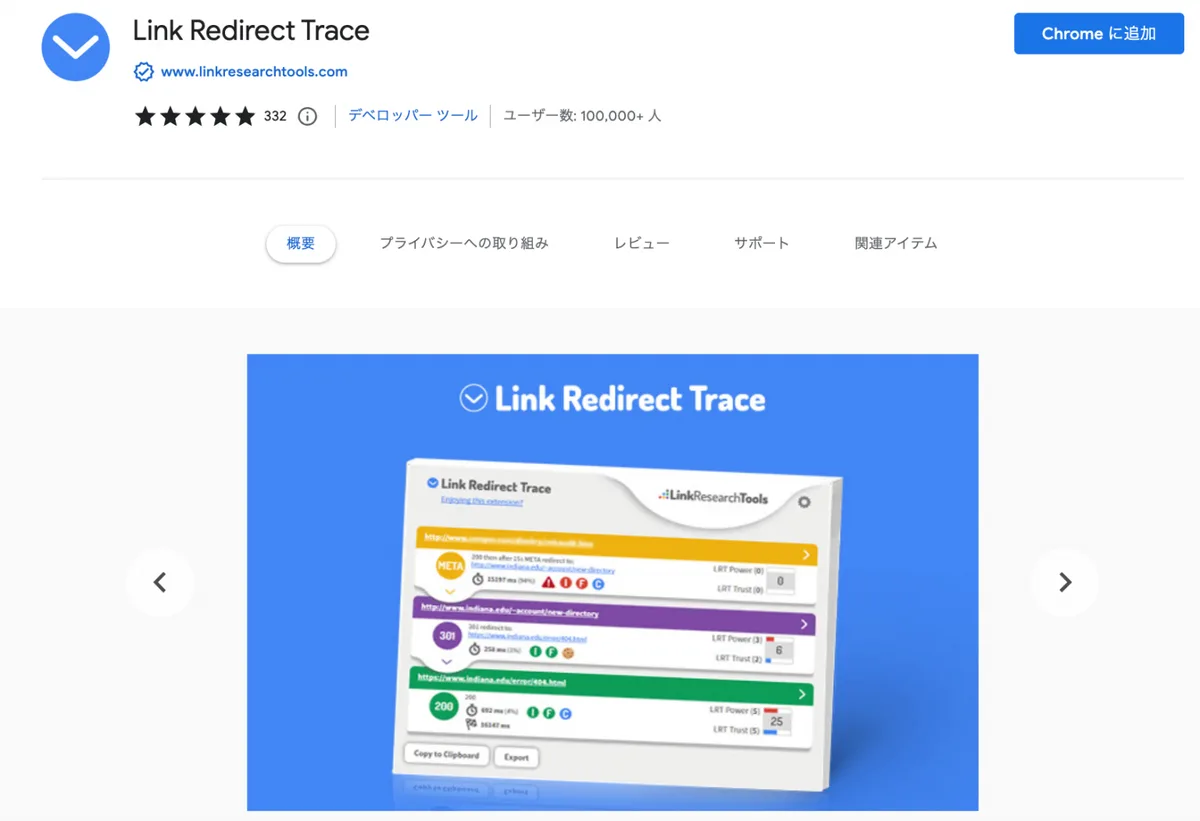
Refresh tags are the cockroaches of legacy code — they survive migrations, CMS rewrites, and team turnover. A practical meta refresh redirect checklist should include a quarterly crawl looking for HTTP-equiv="refresh" across your site. You will find surprises.
Every one you find gets a decision: keep (with reason documented), replace with a server redirect, or delete. The ones nobody remembers creating are usually the worst offenders.
Five Easy Wins With a Meta Refresh Redirect
Here’s the part I promised in the title. Five concrete scenarios where a meta refresh redirect earns its keep, saves you a sprint of engineering time, and solves a real problem cleanly. Each one comes with the specific implementation notes you’d get if you cornered me at a tech mixer.
Win #1: Instant Legacy URL Cleanup in a CMS
Say you accidentally published a page at /pricing-old and marketing has been linking to it for a month. You can’t touch server config (that’s a different team’s territory), and you need a fix today. Drop a meta refresh redirect into the old page pointing at the new one, and you’re done in under five minutes.
The catch: this is a stopgap, not a permanent solution. Log a ticket for the proper 301 redirect so it gets replaced eventually. Meanwhile, users clicking the old link at least end up somewhere useful.
Implementation is trivial: a single meta tag in the head, delay set to zero or one second, plus the fallback link. Structuring your meta refresh redirect around proven patterns ensures impact. No backend work, no deployment pipeline, no drama.
Win #2: Countdown Pages That are Actually Fun
Product launches, event openings, limited drops — these pages benefit from a friendly “doors open in 10 seconds” screen with a timer that fires the redirect when it hits zero. A meta refresh redirect handles the destination hop while your fancy countdown animation does the entertainment work.
Just remember the accessibility layer. If someone’s screen reader skips the counter animation entirely, they still need to know what’s happening and where they’re going. Written text, not just visual flourish.
Test the delay carefully at high load. I’ve seen launches where the meta refresh fired before the animation loop completed, causing the destination page to load with a half-drawn loading spinner in the user’s visual memory. Small polish item, big perceived quality gain.
Win #3: Session Expiry With Grace
Some apps don’t have proper server-side timeout handling, and forcing engineers to build it is overkill for an internal tool. A meta refresh redirect on the “your session is ending” page handles the sign-out hop reliably enough for low-stakes scenarios.
For anything financial, medical, or otherwise sensitive, don’t do the meta refresh redirect. Use proper server-side session management. But for a lightweight admin panel on a mid-size team’s internal wiki? A five-second meta refresh back to the login screen is a reasonable shim.
Just word the page kindly. “We’re signing you out in a few seconds — anything you typed won’t be saved” beats “Session expired.” Nobody wants to be yelled at by a form.
Win #4: Geo-Aware Landing Pages for Low-Budget Sites
Big companies spin up CDN-level geo-routing. Small sites don’t have that budget. A meta refresh redirect on a generic landing page, paired with a lightweight client-side geo check, can send visitors to their region-specific page without any server infrastructure.
Is it perfect? Effective execution in your meta refresh redirect makes a tangible difference. No. Is it better than nothing? Absolutely. The key is to make the destination optional, not forced — give the user a manual link and let them choose. If they’re on a VPN or the geo lookup fails, the manual fallback catches them.
Keep the messaging honest: “It looks like you’re in the UK — we’ve got a UK-local page, or you can stay here.” That framing converts better than a silent hop and avoids the feeling of being tricked.
Win #5: Print-Friendly Redirects for Long Reports
Some sites serve a dedicated print stylesheet at a separate URL, then redirect PDF-wanting visitors there. A meta refresh redirect on the “generating your PDF” page sends users to the print-friendly version automatically, with the print dialog pre-triggered via a small script.
It’s a niche use, but it works. The alternative — a server-side PDF generator pipeline — costs money to run, needs ongoing maintenance, and breaks whenever the underlying content template changes. A meta refresh plus browser print dialog handles 90% of the use case at roughly zero cost.
Note the escape hatch: always offer a “return to article” link on the print-friendly page. Some users hit the wrong button, and they need to back out without three browser taps.
Building a Practical Meta Refresh Redirect Checklist
A meta refresh redirect checklist earns its keep by catching the mistakes that are easy to make and expensive to fix. Here’s the one I hand to every junior developer on day one, slightly trimmed for this conversation.
Technical Verification Items
Start with the basics. Proper attention to your meta refresh redirect sets a strong baseline. Is the meta tag in the <head> and nowhere else? Is the URL fully qualified (absolute, including protocol)? Does it URL-encode any special characters in the query string? Does the delay use a number only, no units?
Then check behavior. Open the page in Chrome, Firefox, Safari, and one regional browser if relevant. Confirm the redirect fires in each. Test with JavaScript disabled, because some fallback mechanisms (like a small script that also handles the redirect) will fail differently than the raw meta tag.
Finally, verify from a crawl perspective. Run a quick search engine simulation — Chrome’s built-in user agent switcher works fine, or use a free tool. If Googlebot reports a 200 with a refresh, you’re good. If it reports a 200 with no redirect noticed, something’s off in the markup.
Accessibility and UX Items
Does the page display visible text explaining what’s happening and where? Developing your meta refresh redirect with precision highlights key strengths. Is there a clickable link to the destination alongside the auto-redirect? Does the delay give screen readers enough time to announce the page before it disappears?
The last one is subtle. Maintaining clarity across your meta refresh redirect remains essential. Three seconds is usually enough; one second is often not. Test with VoiceOver or NVDA if you can. I learned this the hard way when a single-second redirect left a colleague completely disoriented during an accessibility audit.
One more: does the page respect the user’s reduced-motion settings? If your countdown has a spinning animation and someone’s OS is set to reduce motion, the animation should degrade gracefully. The meta refresh still fires, but the visual noise doesn’t overwhelm.

SEO and Indexing Items
Is the source page set to noindex so it doesn’t compete with the destination? Have you confirmed the destination page is indexable and healthy? Have you checked that the meta refresh redirect isn’t creating a chain (A B C) that dilutes signal?
Chains are the silent killer. Clear alignment with your meta refresh redirect builds confidence from the start. I’ve seen four-hop redirect chains where every step was a meta refresh, and the cumulative delay was 30 seconds.
Nobody actually waits 30 seconds. They leave. If you’re going to use refresh redirects, keep chains to a single hop.
Document the reason for every meta refresh in a spreadsheet or wiki page. When the inevitable audit comes — or when you’re cleaning up after a team transition — the documentation saves hours.
Meta Refresh Redirect Tips for Avoiding Common Disasters
Now for the accumulated wisdom that doesn’t fit neatly into a checklist but is worth absorbing before you ship. These meta refresh redirect tips come from watching dozens of launches go slightly sideways and figuring out why.
Watch for the Flashing Background Bug
Zero-delay refreshes can trigger a visible white flash as the browser tears down one page and paints the next. On dark-mode sites this is jarring. Setting a one-second delay and painting the background the same color as the destination page eliminates most of the flash. Small dignity win for your users.
Beware the Refresh Loop
The meta refresh redirect’s surprisingly easy to accidentally build a page that refreshes to itself. The browser will happily execute it, and the user will stare at a page that reloads every five seconds with nothing changing.
Always confirm your destination URL is different from your source, not just textually different — actually different after URL normalization.
I was once paged at 2 AM because a marketing landing page aimed at /promo and the meta refresh pointed to /promo/ (with a trailing slash). A thoughtful approach to meta refresh redirect reinforces your qualifications. The server treated them as different pages, but the content was identical. Took me forty minutes to find.
Don’t Let Analytics Miss the Redirect
If your analytics setup relies on a page-view event firing on load, the meta refresh creates a page view for every redirect. That inflates your page-view numbers and makes the bounce rate meaningless.
Either exclude source pages from analytics, or use event-based tracking that records the redirect as a distinct event rather than a page view.
Respect the Back Button
Here’s an annoying behavior you should know about: if a user hits back from the destination page, some browsers replay the meta refresh and bounce them forward again. The user is now trapped in a redirect loop from their own browser history.
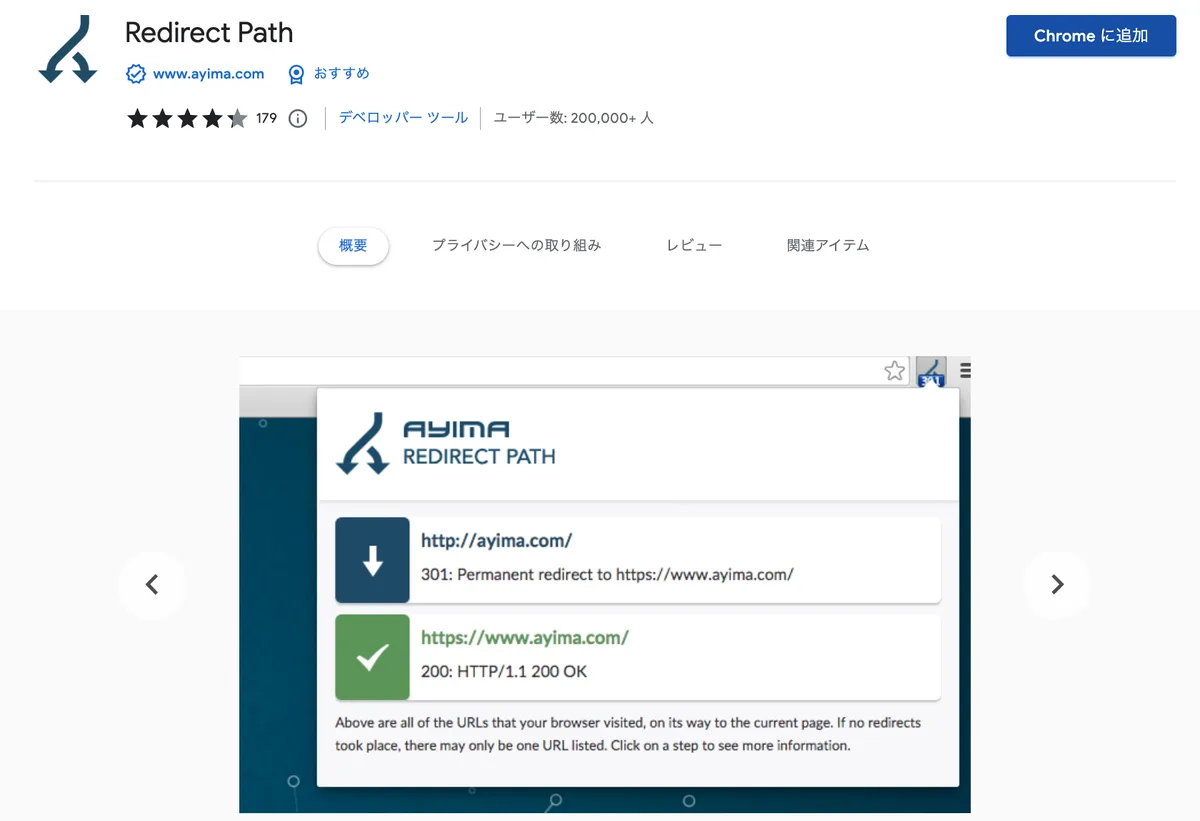
Pair every meta refresh with a small JavaScript snippet that checks document.referrer and cancels the refresh if the user arrived via back navigation.
It’s a small code addition that makes the difference between “helpful” and “infuriating.” I wish more tutorials covered it.
Meta Refresh Redirect Guide for the Common Scenarios
Most of the questions I get about meta refresh redirects cluster around a handful of specific situations. Let me address them directly, because guessing is worse than knowing when you’re mid-deployment.
Scenario: Migrating a Blog Post to a New URL
This should be a 301. Full stop. If you absolutely cannot make that happen for a week or two — say the CMS doesn’t allow it and the platform team is backed up — a temporary meta refresh redirect is defensible. But put an end-date on it, document the exception, and don’t let it become permanent.
Make sure the source page has <meta name="robots" content="noindex"> alongside the refresh. That prevents the old URL from being indexed and competing with the new one.
Some SEOs disagree about whether noindex helps or hurts signal transfer for refresh redirects; in my experience, noindex on the source is the safer default because it reduces duplicate content risk.
Scenario: Handling a Temporary Traffic Spike
Spike handling is a case where meta refresh genuinely shines. If you need to route visitors through a “we’re experiencing high load, please wait” page while your infrastructure catches up, a meta refresh with a longer delay (10 to 30 seconds) keeps them informed without an immediate retry attempt that would make the spike worse.
Pair it with a realistic message. Users who see “we’re working on it” and a countdown will wait. Users who see a blank loading spinner will refresh and compound the problem.

Scenario: Mobile App to Web Fallback Redirects
Deep links that open in a browser need to bounce to the app store or the mobile web version. A meta refresh redirect with a very short delay (zero or one second) is a common pattern here, but it’s brittle.
Use it as a fallback, not the primary mechanism — try the app-launch attempt first, and only refresh if the app doesn’t open.
Wrap the meta refresh redirect in a timeout check: attempt the app launch, set a two-second timer, fire the meta refresh if the timer completes without the app taking over. Better than a silent bounce to the wrong place.

Scenario: Retiring a Product Page
Product retirement is delicate. You want to preserve SEO value for the closest successor product, protect any accumulated links, and treat loyal customers well. A 301 to the successor is ideal. If you’re forced into a meta refresh redirect, point to the category page rather than a sibling product — it’s a softer landing.
And put a note on the destination: “The model you were looking for has been retired. Here’s the current range.” Acknowledging the change converts better than pretending nothing happened.
Meta Refresh Redirect Risks Nobody Warns You About
I want to spend a section on the risks, because the tutorials the meta refresh redirect enthusiastically teach meta refresh rarely mention what happens when it goes wrong at scale. The cost of a badly deployed redirect policy is usually much higher than the effort to deploy it properly.
Search Engines Can and Do Ignore Them
Google’s documentation has been fairly direct: meta refresh redirects are treated as a weaker signal than 301s, and the crawler may or may not pass full ranking equity depending on the specific case. Bing has been similarly cautious.
In short, if you’re using a meta refresh on a page that matters for organic traffic, you’re gambling with signals that aren’t under your control.
The nightmare scenario isn’t total failure — the meta refresh redirect’s partial success. The page loads fine for humans, but half the SEO value evaporates quietly over six months, and you never notice because you’re not tracking ranking deltas per redirect.
Users Experience Them as Broken Sites
Users don’t know what a meta refresh is. They know they clicked a link and the page started to load and then something happened and now they’re somewhere else and they’re not sure why. That single interaction erodes trust in the whole site.
Keep the mental model of your user completely intact. If they don’t understand why they were redirected, they’ll assume something is broken even if your implementation is flawless.
A Stale Refresh Can Do Real Damage
Meta refreshes are easy to forget. Applying these principles to your meta refresh redirect yields measurable results. Six months after launch, the destination URL might be retired, leading to a 404. Or the content might have shifted in meaning. Or the timing might now conflict with another piece of infrastructure.
Set calendar reminders for every meta refresh you ship. I recommend a quarterly review, plus a review immediately after any site architecture change. Don’t trust that “it’s just a tag, it’ll be fine.”
The Browser Compatibility Cliff
As browsers tighten their behavior around background redirects and privacy-motivated interventions, some refresh behaviors are becoming less predictable. A redirect that works today in Chrome might be modified in an upcoming release, especially if it’s paired with cross-origin navigation or third-party tracking parameters.

Build for graceful degradation. If the refresh fires, great. If it doesn’t, the manual link catches the user. Never bet the user journey on the refresh alone.
Meta Refresh Redirect Vs. the Alternatives: a Comparison
Choosing the right redirect mechanism is half the battle. Here’s a quick table that breaks down the trade-offs, so you can make the call without rereading four tabs of documentation.
| Mechanism | SEO Signal Transfer | User Experience | Setup Cost | Best For |
|---|---|---|---|---|
| 301 Server Redirect | Strongest possible | Instant, invisible | Requires server access | Permanent URL moves, site migrations |
| 302 Temporary Server Redirect | Strong, temporary | Instant, invisible | Requires server access | A/B tests, temporary routing |
| Meta Refresh Redirect | Weak, unreliable | Visible delay, requires UX care | HTML edit only | Countdown pages, low-stakes fallbacks |
| JavaScript Redirect | Weak to none | Instant if script runs | HTML or JS edit | Client-only flows, app deep links |
| Canonical Tag (Similar Purpose) | Delegates signal, doesn’t move users | No redirect experience | HTML edit only | Duplicate content handling |
A quick word on reading this table in practice: when in doubt, always choose the number on top. A server-level 301 beats a meta refresh for anything permanent.
Only drop to a meta refresh when you’ve genuinely ruled out the server route — or when the scenario is human-facing and the delay is part of the point.
The JavaScript redirect row deserves attention too. It’s often reached for because it lets you add conditions (“only redirect if the user came from page X”), but from a search perspective it’s even weaker than meta refresh. Use it as a fallback enhancer, not a primary mechanism.
Frequently Asked Questions About Meta Refresh Redirects
Let me close the loop on the questions that show up in my inbox most often. These are the ones where a clear, direct answer beats a long-winded one.
Is a Meta Refresh Redirect Bad for SEO?
Not inherently bad, but definitely weaker than a server-side redirect. Google follows them and generally understands what they mean, but the ranking signal transfer is less reliable. For permanent moves of important pages, always use a 301. For temporary, low-stakes, or human-facing scenarios, a meta refresh is fine.
Can Googlebot Follow Meta Refresh Redirects?
Yes, Googlebot will follow meta refresh redirects when it encounters them, but it may treat the source page differently than a 301 would. The general guidance from Google is to prefer permanent server redirects for pages you care about ranking. Meta refresh is a fallback, not a first choice.
How Long Should the Refresh Delay Be?
Three to five seconds is the human-friendly default for most use cases. Zero seconds is technically functional but creates a jarring flash-of-content experience and can trip up accessibility tools. Longer delays make sense when the delay itself is the point — countdown pages, session-timeout notices, and similar scenarios.
Can Meta Refresh Redirects Chain Together?
The meta refresh redirect can, but you shouldn’t let them. A chain of meta refreshes compounds delay in a way users experience as broken. If your redirect setup requires multiple hops, replace them with a single server-side redirect before you ship the chain. Redirect chains waste crawl budget and confuse users.
Do Meta Refresh Redirects Work on Mobile?
In general, yes, but mobile browsers and in-app webviews sometimes behave differently. Data-saver modes may skip or delay the refresh. Some in-app browsers truncate or ignore refresh directives entirely. Always include a manual fallback link and test on at least one real mobile device before shipping.
What Happens if the Destination URL is Broken?
Users land on a 404 or error page with no context about why they were sent there. This is one of the biggest UX hazards of the meta refresh approach. Always verify the destination URL before deploying, and set calendar reminders to re-check quarterly. A stale redirect is worse than no redirect.
Can I Use Meta Refresh for A/B Testing?
The meta refresh redirect can, but it’s a poor fit. The delay skews the test population, users who leave during the delay are excluded from the analysis, and search engines may treat the redirect as a weaker signal than a proper variant setup. Use a proper A/B testing tool or server-side redirect instead.
How Do I Remove a Meta Refresh That’s No Longer Needed?
Open the page source, find the <meta HTTP-equiv="refresh"> tag in the <head>, and delete it. Then republish or redeploy the page. Confirm the removal in a fresh browser session (not a cached one) and run a quick crawl to make sure no crawler is still seeing the stale version.
Bringing It All Together: When to Reach for a Meta Refresh Redirect
Here’s the summary of the meta refresh redirect best practices checklist I actually carry in my head: use it rarely, use it with care, and always pair it with a fallback. For any permanent move of an important page, go server-side first.
For the narrow set of human-facing scenarios where a visible delay is fine or even desirable, it earns its place.
The five easy wins — legacy URL cleanup, countdown pages, session expiry, geo-aware landing pages, and print-friendly redirects — are all achievable in an afternoon without touching infrastructure. That’s the real value proposition.
You’re trading a small amount of SEO signal for a large amount of execution speed, and that trade is worth it in the right context.
If you take one thing from this meta refresh redirect guide, let it be this: the tag isn’t the problem — the pattern of using it as a replacement for proper server-side redirects is. Get that right, and the rest follows.
Keep your checklist handy, test in more than one browser, and never let a redirect chain outlive the week it was created.
For verified reference and background research, consult the authoritative informational resource on this topic.