Redirect Chains Fix: 8 Costly Mistakes to Avoid
A redirect chains fix is one of those jobs that looks trivial on paper and then quietly wrecks your crawl budget, your rankings, and your patience. I’ve audited sites where a single button click triggered eleven hops before the browser landed anywhere useful. Nobody planned it that way. It just accumulated, link by link, migration by migration.
Here’s the uncomfortable part: most of the damage comes from a handful of repeatable mistakes. The same eight, over and over, across agencies and in-house teams alike. This redirect chains fix guide walks through each one so you can recognize the pattern before it costs you traffic.
Think of the redirect chains fix as the parent topic in a bigger cluster. Redirect hygiene sits under technical SEO, and it connects directly to crawl budget management, site migrations, and link equity distribution. Get the chains right and those downstream topics get easier. Get them wrong and you’ll be debugging symptoms for months.
What a Redirect Chain Actually is (And Why Google Cares)
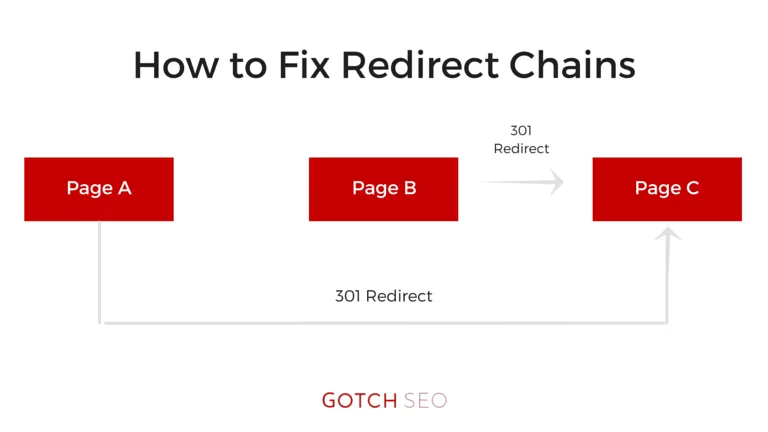
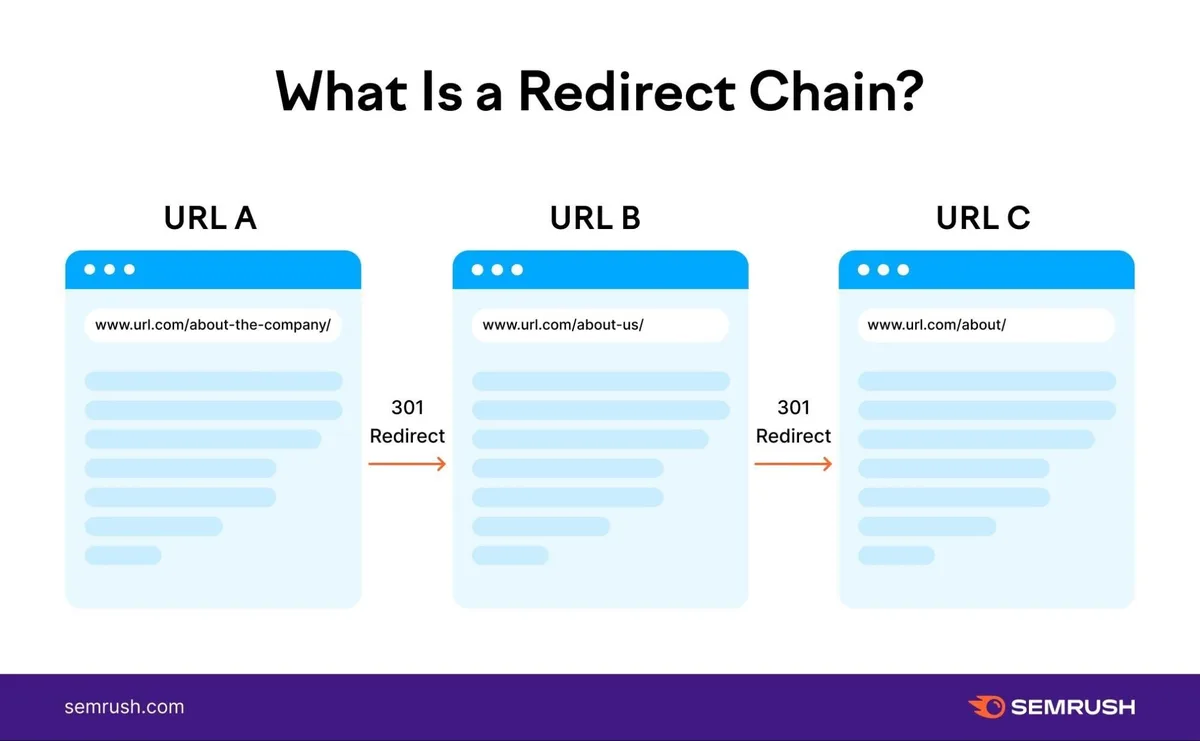
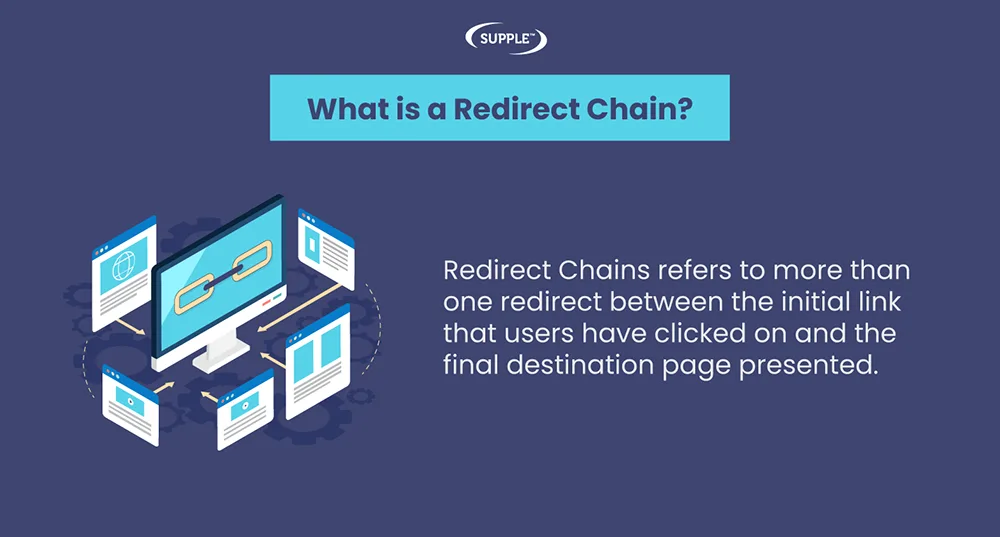
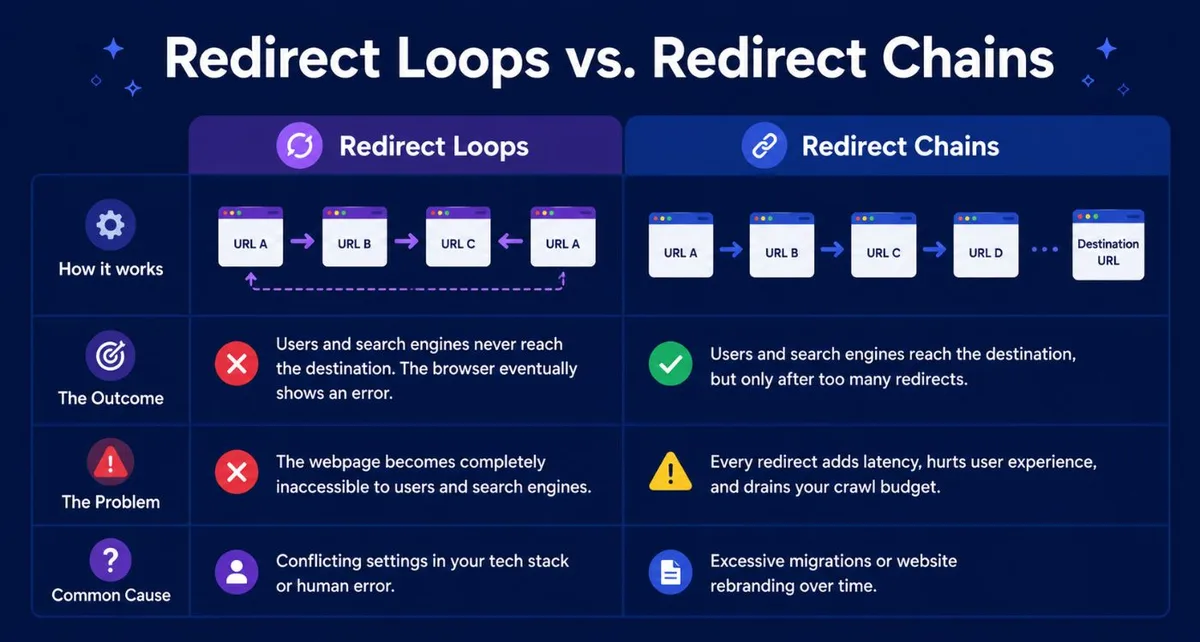
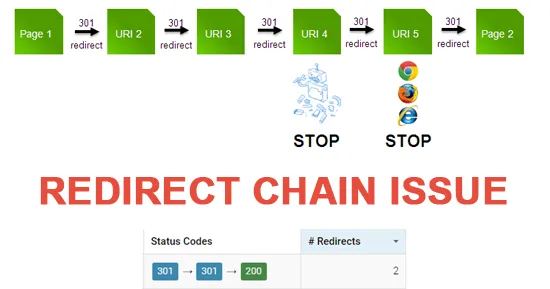
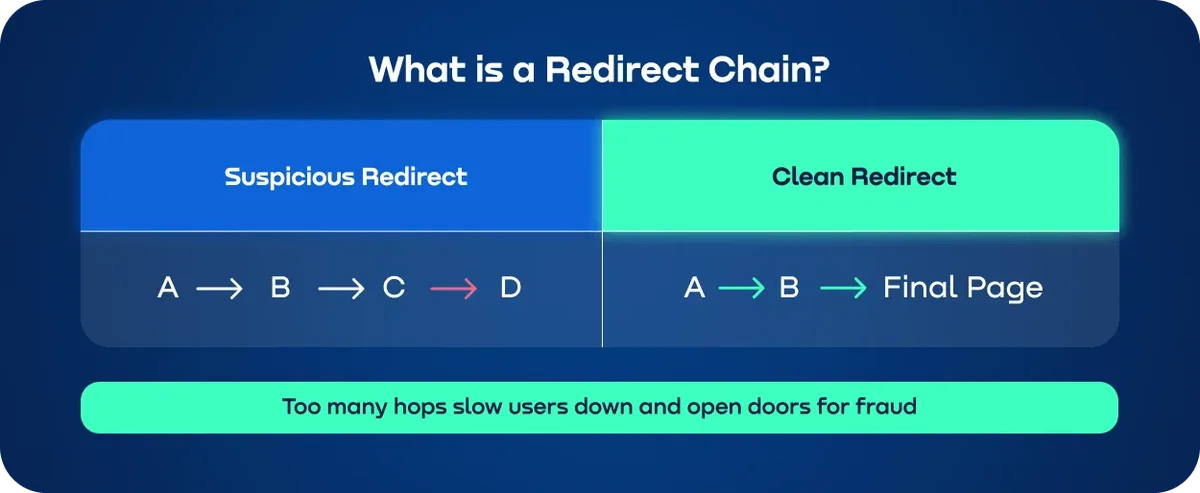
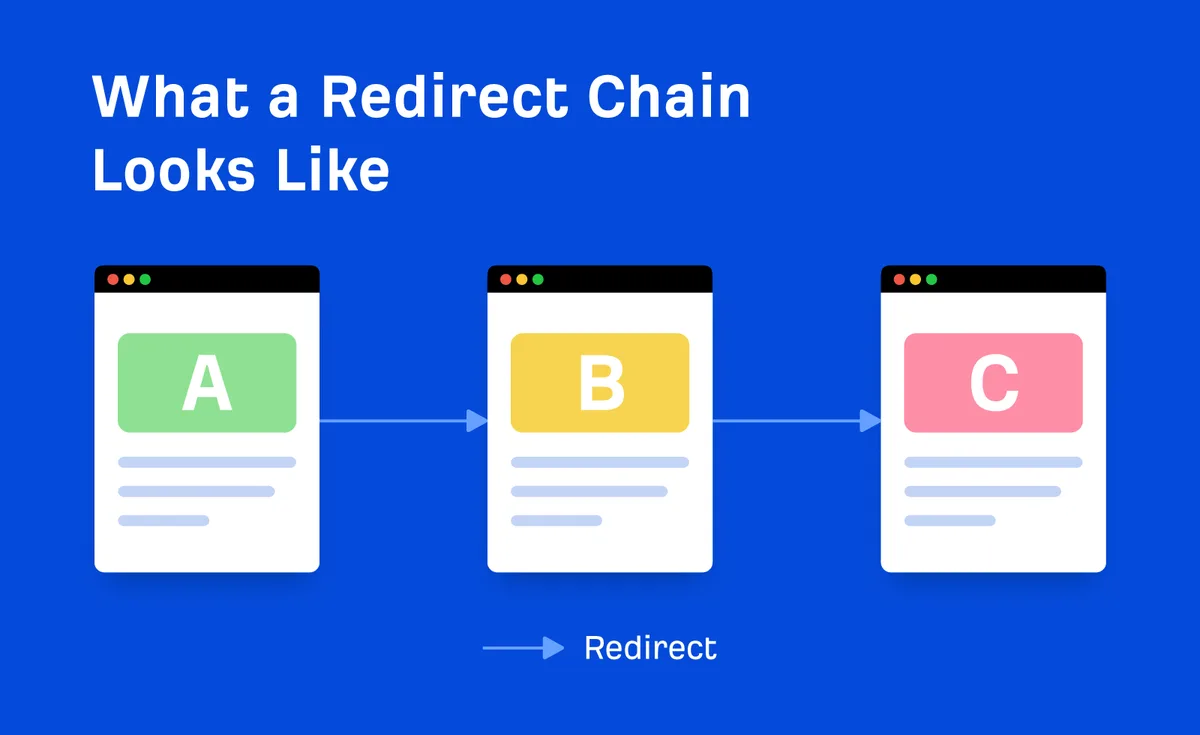
Quick definition first. A redirect chain happens when URL A points to URL B, which points to URL C, which points to URL D. The visitor eventually arrives, but only after the browser follows a relay race of 301s or 302s.
Googlebot hates this for a practical reason. Every hop consumes crawl budget and dilutes what link equity survives the journey. John Mueller has said repeatedly that chains and loops waste crawling resources, and the documentation on redirects in Google Search is blunt about keeping them short.
The cleaner alternative is a single hop: old URL straight to final destination. That’s the whole game. Everything in this redirect chains fix article builds toward that one principle.
The Anatomy of a Bad Chain
Picture a typical ecommerce path. A discontinued product gets 301’d to its category page. Later, that category is restructured, so the category 301s to a new subcategory. Then a trailing-slash rule fires. Then an HTTP-to-HTTPS rule fires. Then a www-to-non-www rule fires.
Five hops. Refining each detail of your redirect chains fix strengthens this section. Same destination a single redirect could have reached. The page still loads for humans, which is exactly why nobody notices until rankings slip.

This is the pattern that shows up in almost every redirect chains fix tips article, and for good reason. It’s the most common failure mode in the wild.
Why Redirect Chains Fix Work Pays Off
Before the mistakes, the upside. Cleaning chains isn’t busywork. It shows up in three measurable places.
First, crawl efficiency. Googlebot has a finite budget per site, and every extra hop burns some of it. Shorter chains mean more unique URLs crawled per session.
Second, link equity. Each 301 passes the vast majority of signal, but chains create opportunities for loss, especially when a hop is a 302 or a meta refresh instead of a proper 301.
Third, user experience and Core Web Vitals. Effective execution in your redirect chains fix makes a tangible difference. Extra round trips add latency, and latency on mobile connections compounds fast. A three-hop chain on a slow 4G connection can add hundreds of milliseconds before the first byte of the final page.
Those three reasons are why redirect chains fix best practices keep appearing in technical audits. The payoff is real and usually visible within a few crawl cycles.

Mistake 1: Redirecting to a URL That Also Redirects
This is the foundational error. Someone sets up a 301 from an old blog URL to a new blog URL, not realizing the new blog URL already has a canonical or slash rule redirecting elsewhere.
The result is an instant two-hop chain. Multiply it across a migration of thousands of URLs and you’ve built a maze.
The fix is boring but effective. Before deploying any redirect, resolve the destination all the way to the end. Use curl -IL or a header checker and count the hops. If the target itself returns a 301, your redirect should point to the target’s final destination instead.
In practice, when refining a redirect chains fix, this means running every destination through a resolver before the rule goes live. A five-minute check at deploy time saves weeks of cleanup later.
Mistake 2: Chaining Through Multiple Domain or Protocol Changes
Here’s a scenario I’ve seen three times in the past year alone. A site moves from HTTP to HTTPS, then adds www, then rebrands to a new domain. Each change added its own redirect layer, and nobody consolidated the stack.
So HTTP://example.com/page redirects to HTTPS://example.com/page, which redirects to HTTPS://www.example.com/page, which redirects to HTTPS://newbrand.com/page. Three hops, one destination.

The redirect chains fix here is consolidation. Collapse the whole stack into a single rule that goes from the oldest URL straight to the final canonical destination. Protocol and host normalization should happen in one hop, not three.
Server-level rules help. Nginx and Apache can both match on scheme and host and issue a single 301 to the canonical form. Do that first, then layer page-level redirects on top of a normalized base.

Mistake 3: Loops That Nobody Noticed
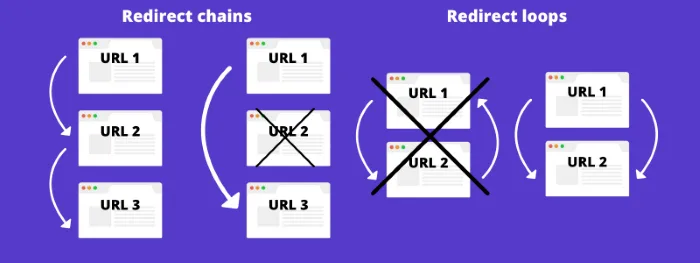
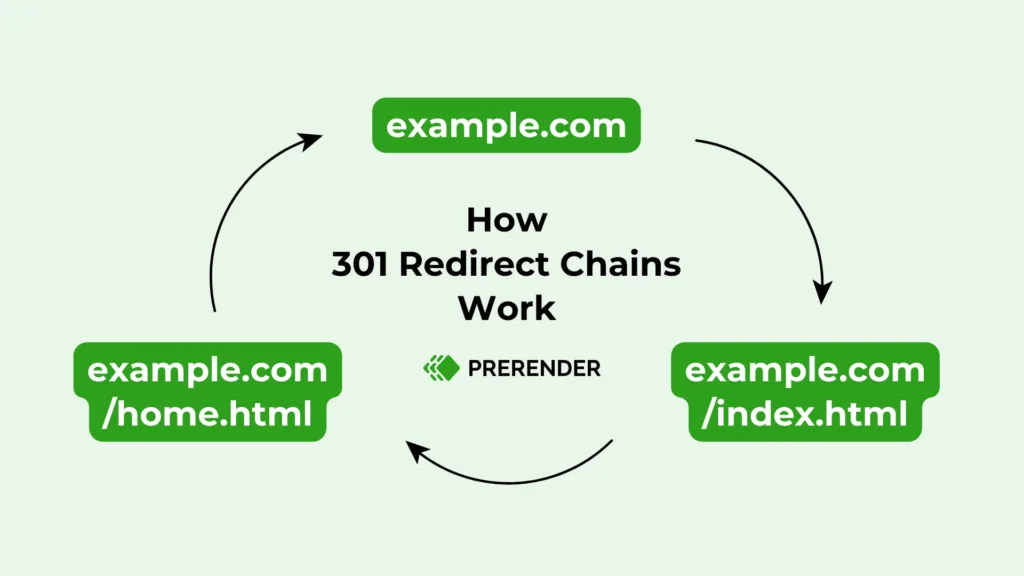
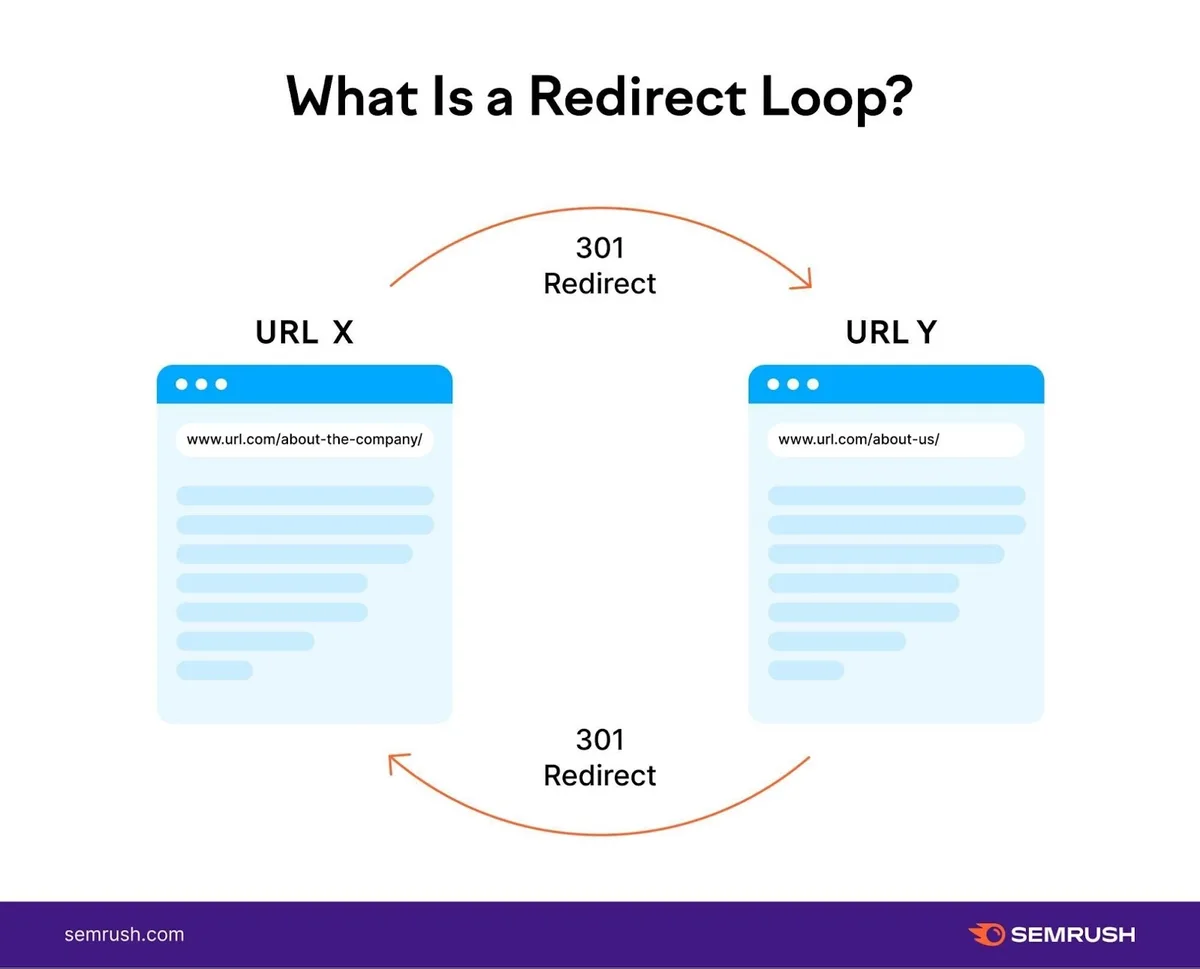
Loops are the nightmare scenario. A thoughtful approach to redirect chains fix reinforces your qualifications. URL A redirects to B, B redirects back to A. The browser gives up with an ERR_TOO_MANY_REDIRECTS error, and users see a blank page.
Loops usually appear after a large CMS migration or a plugin conflict. Two plugins both try to enforce a trailing slash, disagree on the convention, and bounce requests back and forth.
Detection matters more than prevention here, because loops can appear weeks after a deployment. A weekly crawl with a tool that flags loops and long chains catches them before users do.
The redirect chains fix for a live loop is surgical: pick the canonical destination, break the cycle by removing one of the rules, then verify with a header check. Don’t try to patch with a meta refresh. That just moves the problem.
Mistake 4: Using 302s Where 301s Belong
Temporary redirects have a place: A/B tests, seasonal landing pages, maintenance windows. They do not belong on permanent URL changes.
The problem is that a 302 doesn’t pass link equity the same way a 301 does in practice, when refining a redirect chains fix, and long-lived 302s confuse crawlers about which URL is canonical. Mixed 301/302 chains are especially bad because the signal weakens at each temporary hop.
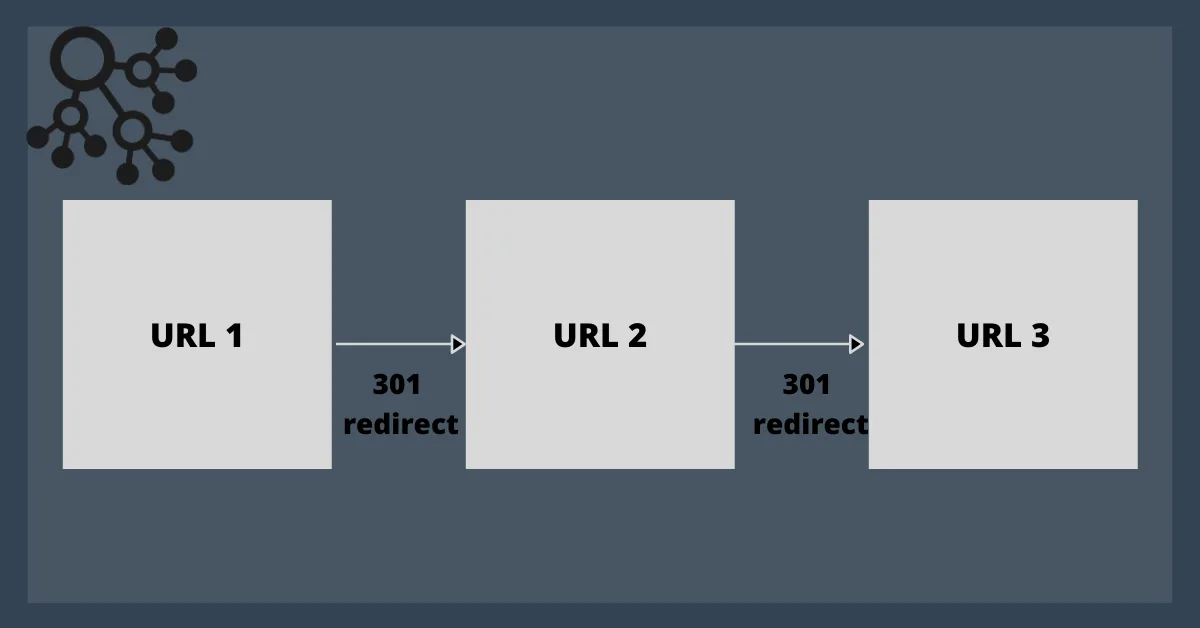
An audit finding of 302s on permanent URLs is a classic redirect chains fix checklist item. Go through every 302 in the stack, decide if the change is actually permanent, and convert to 301 where it is.
One caveat: don’t convert a 302 to 301 mid-test. If you’re still validating a new URL structure, keep the 302 until the test concludes. Then switch and consolidate.
Mistake 5: Retaining Redirects to Deleted Pages
Redirects pile up like receipts. Someone deletes a page, redirects it to another page, then deletes that page, redirects it again, and on and on. The redirect file grows into a graveyard of hops pointing at nothing.
The end result is a chain that terminates in a 404. That’s worse than a direct 404 because it wastes crawl budget on top of losing the page.

The fix is periodic pruning. Applying these principles to your redirect chains fix yields measurable results. Export your redirect map, resolve every destination, and either update dead targets to a live canonical or remove the rule entirely when the source URL no longer has meaningful inbound links.
This is one of those redirect chains fix best practices that sounds tedious but compounds. A clean redirect map is easier to audit, easier to migrate, and far less likely to break on the next platform change.

Mistake 6: Chaining Through a Redirect Plugin or Cache Layer
WordPress users know this pain. A redirect plugin handles some rules, the server config handles others, and a CDN or caching layer handles a third set. Nobody owns the full picture.
The chains form in the gaps. The plugin redirects to a URL that the CDN then redirects again, then the server rule fires. Three layers, one destination, three hops.

A redirect chains fix in this situation starts with an inventory. Document every layer that can issue a redirect: server config, CMS plugin, CDN edge rules, and any proxy in front. Then decide which layer owns which category of redirect.
My recommendation: server config owns protocol and host normalization, CMS plugin owns content-level URL changes, CDN owns edge-level geography or maintenance routing. Clear ownership prevents accidental chains.
Mistake 7: Ignoring Canonical Tags Alongside Redirects
Redirects and canonicals are teammates, not substitutes. Proper attention to your redirect chains fix sets a strong baseline. When a page redirects and its canonical points somewhere else entirely, you’ve created confusion that a crawl won’t resolve cleanly.
The typical failure: a page 301s to a new URL, but the old page’s canonical tag still points to a third destination. Google has to guess which signal wins. Usually it picks the redirect, but the ambiguity slows down consolidation.

Here’s the redirect chains fix. When you set a redirect, audit the source page’s canonical, hreflang, and internal links. Update them to point at the redirect’s destination. Then the whole stack agrees on where the page lives.
This matters most on large migrations where hundreds of URLs change at once. A pre-migration checklist that includes canonical alignment catches these before they become chains.

Mistake 8: Redirecting Every URL Individually Instead of Using Rules
The final mistake is architectural. Teams import thousands of individual redirects instead of writing pattern-based rules. That works until the next migration, when every rule needs manual updating.
Pattern-based redirects are the sustainable alternative. Developing your redirect chains fix with precision highlights key strengths. A rule like “redirect all /old-category/* to /new-category/competitive direct manufacturer pricing” handles hundreds of URLs in one line and never chains, because the destination is deterministic.

The redirect chains fix here is a two-tier system: pattern rules for structural changes, individual rules only for genuinely one-off cases. Keep the individual rules in a dated log so you know when they were added and why.
The payoff shows up on the third migration. Teams with pattern rules execute in hours. Teams with thousands of individual rules spend weeks verifying hops.
A Practical Redirect Chains Fix Checklist
Here’s the checklist I run before and after any migration. It’s not exhaustive, but it catches the eight mistakes above before they ship.
| Check | What to Verify | Tool or Method |
|---|---|---|
| Resolve final destination | No destination itself returns a 301 | curl -IL or header inspector |
| Consolidate normalization | Protocol and host rules fire in one hop | Server config review |
| Detect loops | No ABA cycles | Screaming Frog or Sitebulb crawl |
| Audit status codes | Permanent changes use 301 | Redirect map export |
| Prune dead targets | Every destination resolves to a live page | Batch header check |
| Layer inventory | One owner per redirect category | Documentation review |
| Canonical alignment | Source canonicals match redirect destination | HTML head audit |
| Pattern rules | Structural changes use regex, not individual rules | Config review |
Run this checklist quarterly even without a migration. Chains accumulate on their own as content gets edited and deleted.

How to Audit Redirect Chains at Scale
Manual checking works for a handful of URLs. Clear alignment with your redirect chains fix builds confidence from the start. For a site with thousands, you need a crawler that follows redirects and reports chain length.
Screaming Frog, Sitebulb, and Ahrefs Site Audit all do this. Configure the crawler to follow redirects, then filter by “redirect chain” and sort by length. Anything over two hops deserves a review.

Export and prioritize. Sort chains by inbound link count. A five-hop chain on a high-authority page matters far more than a three-hop chain on a low-traffic archive.
Resolve in batch. For each flagged URL, resolve the destination to the end. Then rewrite the first redirect to point there directly. Skip everything in between.
Verify after deploy. Re-crawl within 48 hours. Integrating redirect chains fix into your workflow produces consistent quality. Confirm the chain is gone and the destination is reachable in one hop.
That three-step loop is the core of any redirect chains fix tips methodology: crawl, resolve, verify. Repeat until the chain report is empty.
Log File Analysis Adds the Missing Piece
Crawlers only see what they request. Your raw server logs show what Googlebot actually fetched, which sometimes reveals chains the crawler missed because it stopped following after two hops.
Look for repeated GETs on the same URL with 301 status codes in quick succession. That pattern suggests a client is following a chain and hitting your server multiple times per page load.
A redirect chains fix backed by log data catches chains your crawler skipped. It’s worth the extra step on sites with high crawl volume.
Does Fixing Redirect Chains Improve Rankings?
Not directly, and anyone claiming otherwise is overselling. Redirects don’t have a direct ranking signal. What they affect is infrastructure: crawl budget, link equity flow, and page speed.
Improve the redirect chains fix and rankings often follow, but the effect is indirect and usually gradual. Expect weeks, not days, especially on large sites where recrawl takes time.
The clearer win is stability. Sites with clean redirect maps survive migrations and platform changes without traffic cliffs. That resilience is worth more than a short-term ranking bump.
If you’re chasing a specific ranking recovery, check whether the chain terminates in a page that actually competes for the target query. Sometimes the fix isn’t the chain itself, it’s that the final destination doesn’t rank for anything.
How Many Redirect Hops are Acceptable?
Zero, ideally. One, functionally. Two, tolerable on legacy pages you can’t consolidate. Three or more, fix it.
Google’s documentation doesn’t publish a hard limit, but the practical guidance is clear: keep chains short. Focusing on redirect chains fix provides clear direction here. Every hop is a chance for the crawler to give up and for equity to leak.
The exception is very old sites with legacy paths. If consolidating a thirty-year-old redirect stack would risk breaking an active campaign, leave it and document why. Better a documented three-hop than an undocumented break.
When to Redirect Vs. When to Update Internal Links
Redirects are plumbing for external references. Internal links should always point to the final destination, not through a redirect.
That means after every URL change, you update the site’s internal link graph. Menus, body links, sitemaps, and structured data should all point at the live canonical URL, not the old one.
The redirect chains fix here is a two-step: set the redirect for external traffic, then update internal links so Googlebot never encounters the redirect from within your own site. Internal links hitting redirects are a common but easily fixed drag on crawl efficiency.
An internal link audit with a tool like Screaming Frog’s “redirects” filter shows every internal link the redirect chains fix resolves through a hop. Those are your priority fixes.
Redirect Chains Fix Best Practices for Migrations
Migrations are where chains are born. The pressure to ship, the volume of URL changes, and the coordination across teams create the perfect conditions for missed hops.
Map before the redirect chains fix move. Build a redirect map as a spreadsheet: old URL, intended destination, planned status code. Resolve every destination in the map before deploying.
Normalize first. Ship protocol and host normalization a full cycle before the migration. Then the migration redirects only handle path-level changes.
Test in staging. Crawl the staging site with redirects enabled. Confirm every old URL resolves in one hop.
Deploy in waves. Don’t ship thousands of redirects at once. Segment by section, verify each wave, then move to the next.
Watch logs post-launch. For the first two weeks, monitor 404 volume and chain reports. Early signals of problems are cheaper to fix than a late discovery.
That’s the discipline the redirect chains fix best practices crowd tends to agree on. It’s less about cleverness and more about sequencing.
Common Mistakes That Keep Regressing
Even teams with clean processes relapse. Here’s what causes regressions.
Editorial changes without redirect updates. A content editor updates a slug, but nobody posts the 301. The old URL starts 404ing, and a well-meaning teammate adds a redirect without checking the destination already has one.
Platform migrations. A CMS swap drops the server-level redirect config. The plugin layer takes over, but it only knows about the redirects the team manually re-imported. Half the stack is now missing.
Campaign URLs. Marketing adds UTM-tagged URLs to ads and emails. Six months later, someone redirects the clean URL to a new page, and now every campaign link is a two-hop chain.
Untested plugin updates. A redirect plugin ships an update the redirect chains fix changes how it handles trailing slashes. Suddenly the plugin and the server disagree, and chains appear overnight.
The redirect chains fix for regressions is monitoring. Schedule a monthly crawl with chain detection, alert on any chain over two hops, and triage within a week.
What About JavaScript Redirects and Meta Refreshes?
Both are common in the wild and both are bad for SEO. A meta refresh is treated as a soft redirect by search engines and can misbehave with caching and browser history. A JavaScript redirect is invisible to crawlers in some contexts and slow for users in all of them.
Neither should live in a production path that matters. They belong only in situations where a server-level redirect is genuinely impossible, like a static host with no config access.
When you find a meta refresh in an audit, treat it as a redirect chains fix checkbox item: replace it with a proper 301 unless there’s a documented reason not to.
Frequently Asked Questions
Here is an in-depth breakdown of key considerations regarding this section:
Do Redirect Chains Hurt SEO?
Indirectly, yes. Chains waste crawl budget, can dilute link equity at each hop, and add latency. They don’t trigger a penalty, but they degrade the infrastructure that rankings depend on.
How Long Should a Redirect Stay Live?
Permanently, in the vast majority of cases. A 301 is a signal that the old URL has moved for good. Removing it after a few months breaks external links still pointing at the old address. Keep it in place and document it.
Can a Redirect Chain be Fixed Without Touching the Server?
Sometimes. If the chain lives in a CMS plugin or CDN, you can consolidate there. If it’s baked into server config, you’ll need access to that layer. In either case, the fix is the same: point the first redirect at the final destination.
What’s the Difference Between a Redirect Chain and a Redirect Loop?
A chain has an endpoint. A loop doesn’t. Loops cause browser errors and should be treated as emergencies. Chains are silent drains that require regular auditing.
Do I Need a Redirect Chains Fix Checklist if I Use a CMS?
Especially if you use a CMS. Plugins and CMS features are prime culprits for accidental chaining. A redirect chains fix checklist catches the hops you’d never spot manually.
The Parent Topic and Where to Go Next
If you zoom out, redirect management is part of a larger technical SEO cluster. The parent topic is crawl efficiency, and it branches into log file analysis, sitemap hygiene, and internal linking.
Once your chains are clean, the natural next step is sitemap auditing: ensuring only canonical, indexable URLs appear in your sitemaps. After that, structured data validation, because misconfigured schema can also mislead crawlers about page relationships.
The pattern holds across all three: consolidate signals, remove ambiguity, keep the crawl path short. Redirect chains fix work is the first and most mechanical of those jobs, which makes it a good starting point.
One last thing. Clean chains aren’t a one-time project. They’re a maintenance loop. Crawl monthly, resolve new chains as they appear, and keep the redirect map pruned. Do that and you’ll never face a five-hop chain again without warning.