Why a Keyword Clustering Tool Changes How You Plan Content
If you have ever stared at a spreadsheet with 4,000 exported search terms and felt your motivation drain away, a keyword clustering tool is the antidote. Instead of sorting queries by hand, these platforms group them by shared meaning so you can see topics instead of noise.
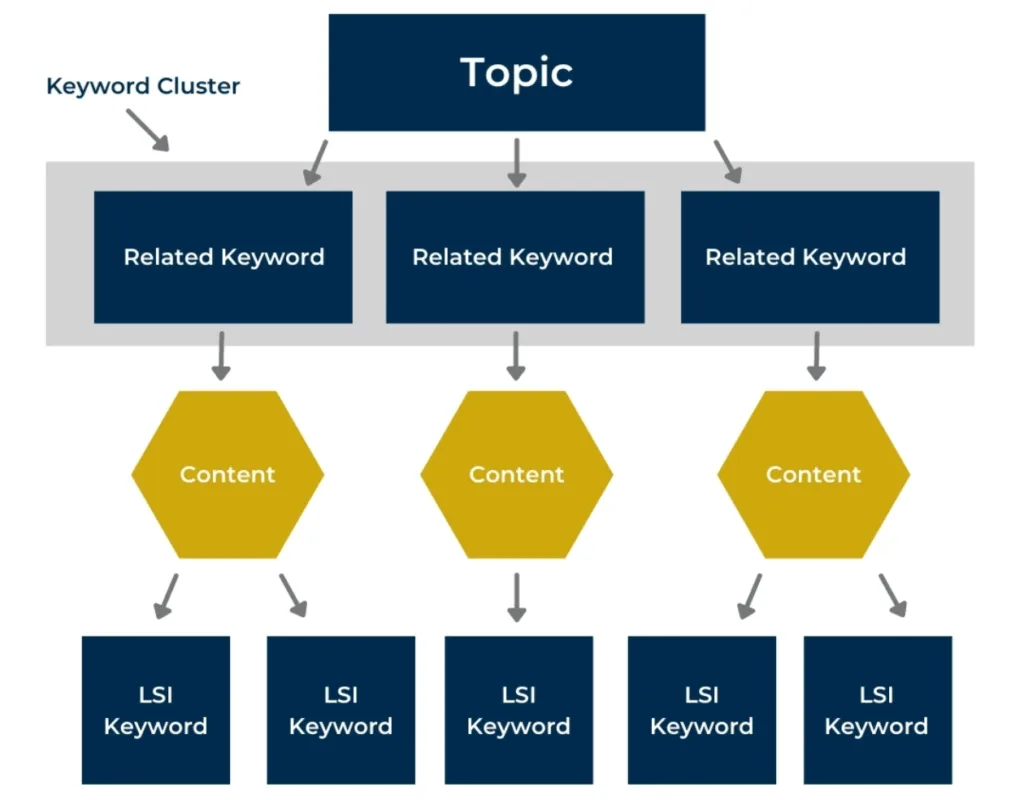
That shift matters more than it sounds. Search engines rank pages, not keywords, and they reward pages that answer a topic completely. Clustering is how you discover those topics before you write a single line.
The keyword clustering tool guide walks through twelve picks — free and paid — with honest notes on who each one suits, where it stumbles, and how to test it before committing. You will also get a practical checklist for judging clusters by hand, because no automation replaces a writer’s judgment.
What a Keyword Clustering Tool Actually Does Under the Hood
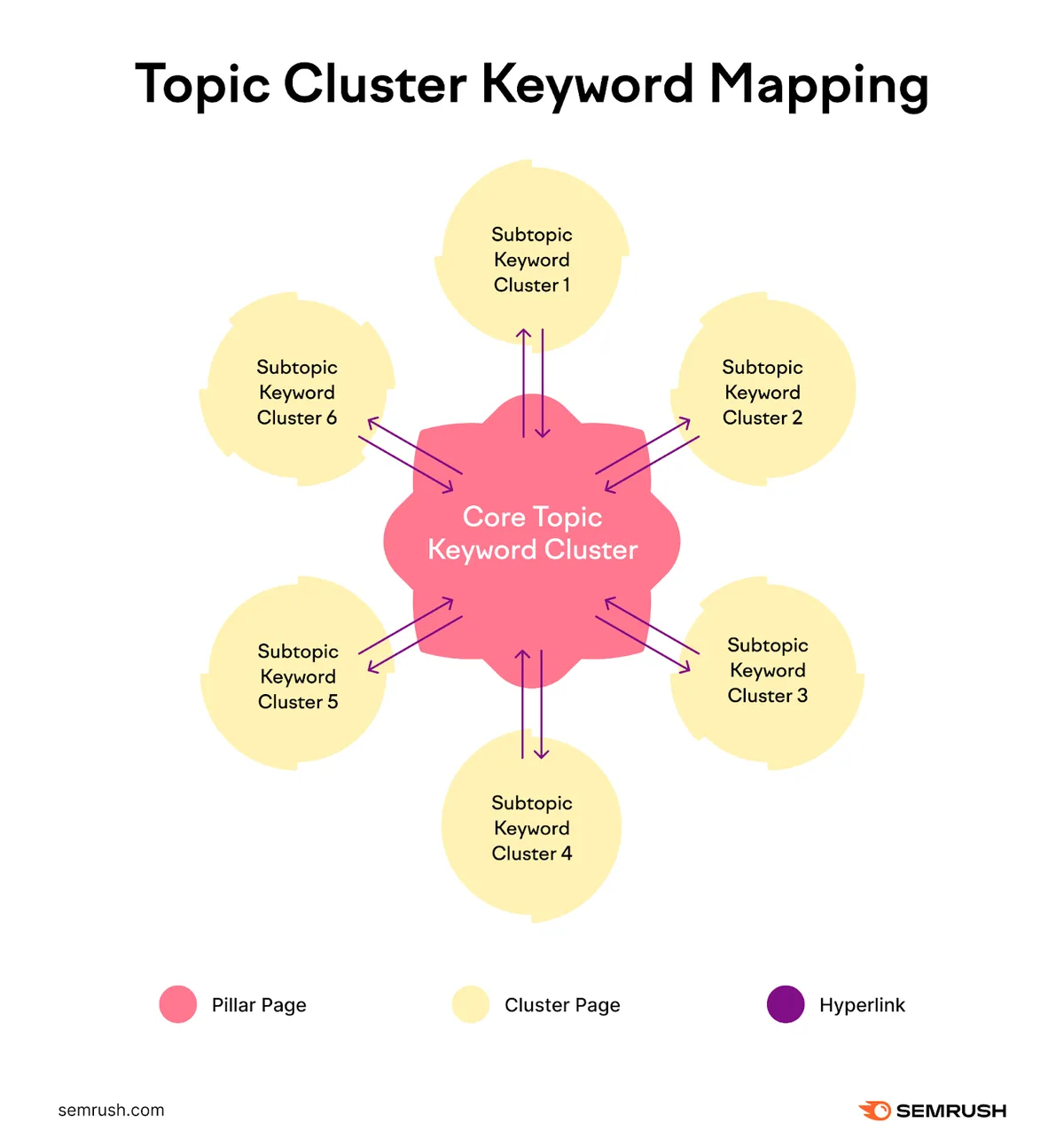
Strip away the marketing and most tools do the same three things. They fetch query data, measure similarity between phrases, and sort everything into groups. The differences live in how similarity gets measured.
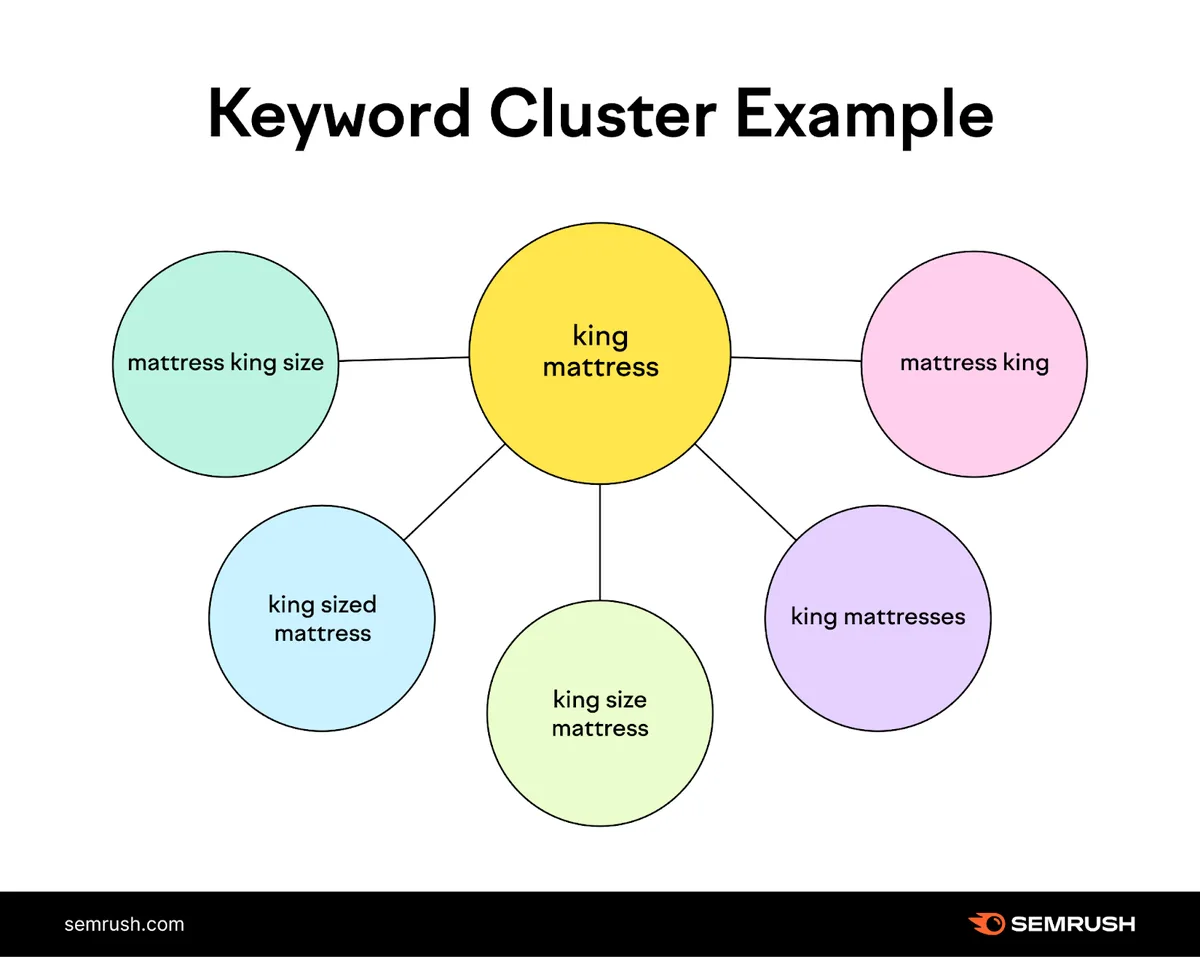
Older tools leaned on string matching — counting shared words. Refining each detail of your keyword clustering tool strengthens this section. That approach produces junk. “Running shoes for flat feet” and “running shoes for wide feet” share almost every token but serve different searchers. Modern engines moved to semantic embeddings, which compare meaning rather than spelling.
Here is the pipeline in plain terms:
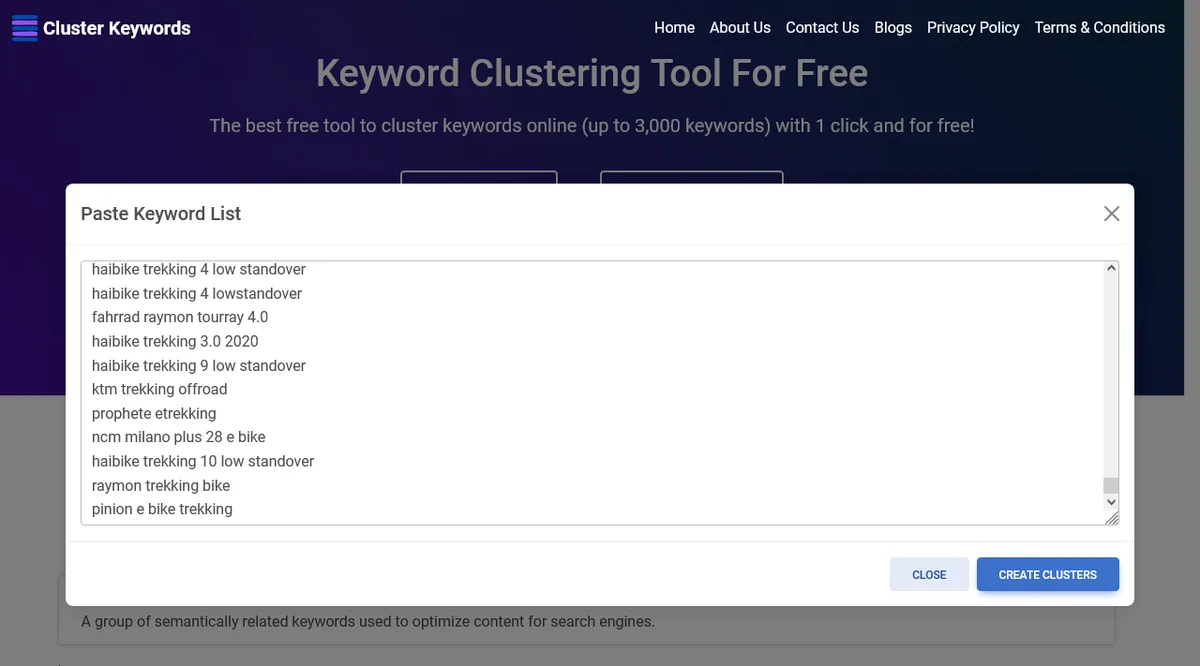
- Data collection. Queries arrive from a keyword database, a Search Console export, or a crawl of competitor pages.
- Similarity scoring. Each phrase becomes a vector, and the tool measures distance against every other phrase.
- Grouping. A clustering algorithm (usually hierarchical, sometimes k-means) merges the closest pairs until stable groups form.
- SERP validation. Better tools check whether Google returns overlapping results for two queries. If the top ten URLs match, the queries almost certainly belong on one page.
- Labeling. The strongest or most frequent query in a group becomes the pillar term for that cluster.
That fourth step is where quality diverges sharply. Two tools can produce the same number of clusters and deliver wildly different value, because only one of them verified that Google actually treats those phrases as the same intent.
The Intent Layer Most Users Ignore
Clustering tells the keyword clustering tool which keywords belong together. It does not tell you whether the searcher wants to buy, compare, or learn. That second question needs a manual pass.
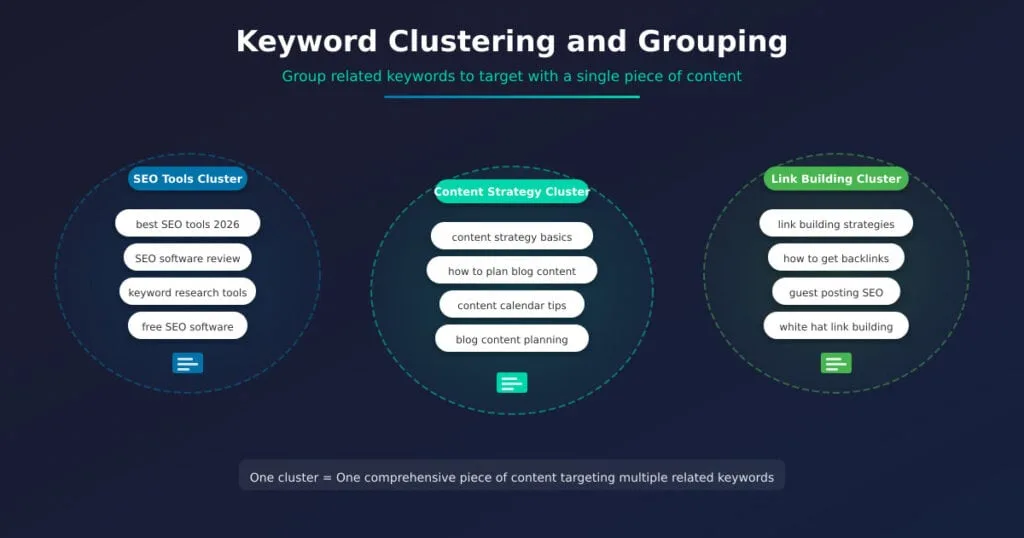
Practical habit: after clustering, tag every group as informational, commercial, or transactional. A cluster full of “best X” and “X vs Y” phrases deserves a comparison page, not a tutorial. Getting this wrong wastes the entire effort — you will write a brilliant article aimed at people who wanted a shopping list.
Most paid tools now flag intent automatically, but treat the keyword clustering tool labels as suggestions. Scan the raw queries yourself. The patterns jump out fast once you have done it a few times.
How We Judged the 12 Best Free and Paid Picks
Every platform below was assessed against the same criteria, so the comparison stays fair. No tool gets a free pass because it is popular.
Here is the scoring frame we applied:
| Criterion | What We Looked For | Why It Matters |
|---|---|---|
| Grouping quality | SERP-overlap validation, semantic matching | Bad clusters waste weeks of content planning |
| Data volume | Query coverage, country support | Thin data produces shallow clusters |
| Export flexibility | CSV, Sheets, API access | Clusters are useless if they stay locked inside one app |
| Learning curve | Time to first usable cluster | A steep tool gets abandoned mid-project |
| Pricing model | Free tier limits, seat costs | Team costs scale fast |
| Extra features | Content briefs, cannibalization checks, tracking | Reduces tool sprawl |
Full disclosure: several of the keyword clustering tool tools bundle clustering as one feature inside a larger SEO suite. That is fine, but it changes the math. If you already pay for the suite, marginal cost is zero. If not, you may be buying a lot you will never touch.
Free Keyword Clustering Tool Options That Genuinely Deliver
Free tiers range from generous to insulting. What follows are the options where the free version produces real, exportable work — not a teaser that expires after three searches.
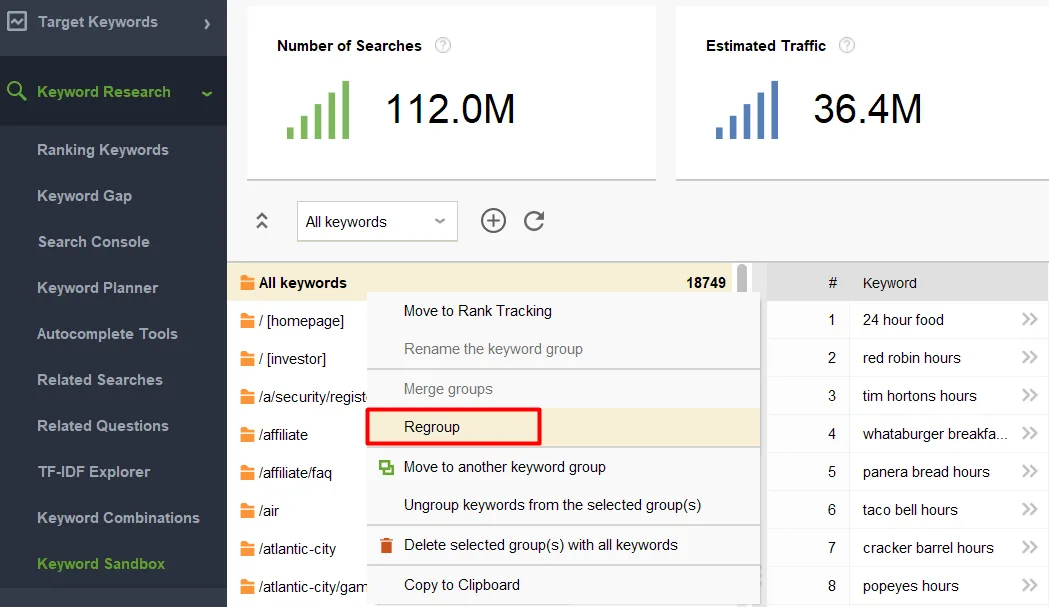
One warning before the keyword clustering tool dive in. Free plans rarely include the SERP-overlap check, which is the single feature that separates good clusters from plausible-looking garbage. Plan on a manual verification pass.
1. Keyword Insights — Free Tier With Real Grouping
Keyword Insights is the rare platform where the free plan actually clusters. You get a limited monthly credit allowance, but the output uses proper semantic grouping rather than the string-matching shortcuts many competitors fall back on.
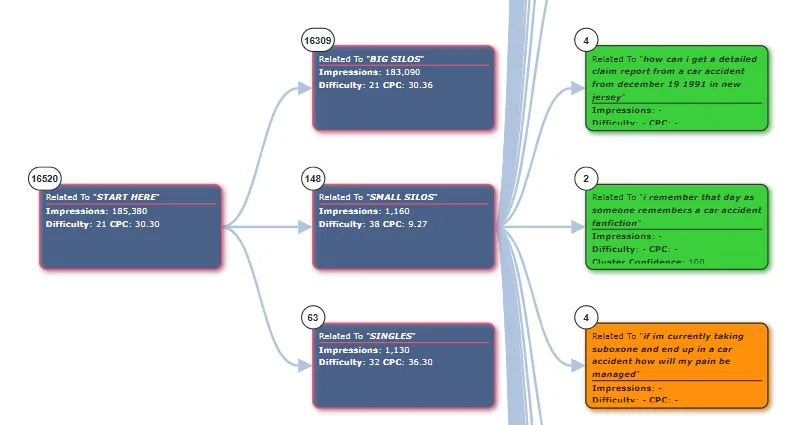
What impressed us during testing was the cluster labeling. Applying these principles to your keyword clustering tool yields measurable results. It names groups with a dominant topic phrase, which saves an editing pass later.
For a solo blogger publishing eight posts a month, the free allowance covers roughly one planning session. Agencies will burn through it in an afternoon, so treat this as a trial rather than a permanent home.
Tip: run your highest-value topic through the free tier first. Proper attention to your keyword clustering tool sets a strong baseline. That is where bad clustering hurts most.
2. Google Search Console Plus a Free Clustering Script
This option costs nothing and uses data nobody else has: your actual rankings. Export queries from Search Console, then run them through a free Python clustering script or a Google Sheets add-on.
The resulting groups reflect real search demand for your site, not an estimate. Developing your keyword clustering tool with precision highlights key strengths. That specificity is hard to beat.
The tradeoff is setup effort. You need a script, some tolerance for error messages, and about an hour of patience the first time. After that, rerunning is a five-minute job.
Searchers often look for a “keyword clustering tool guide” that covers this DIY route, and for good reason — it teaches you what the paid tools are actually doing. Worth doing once, even if you later buy software.
3. Keyword Cupid — Freemium Clustering Built for Topical Maps
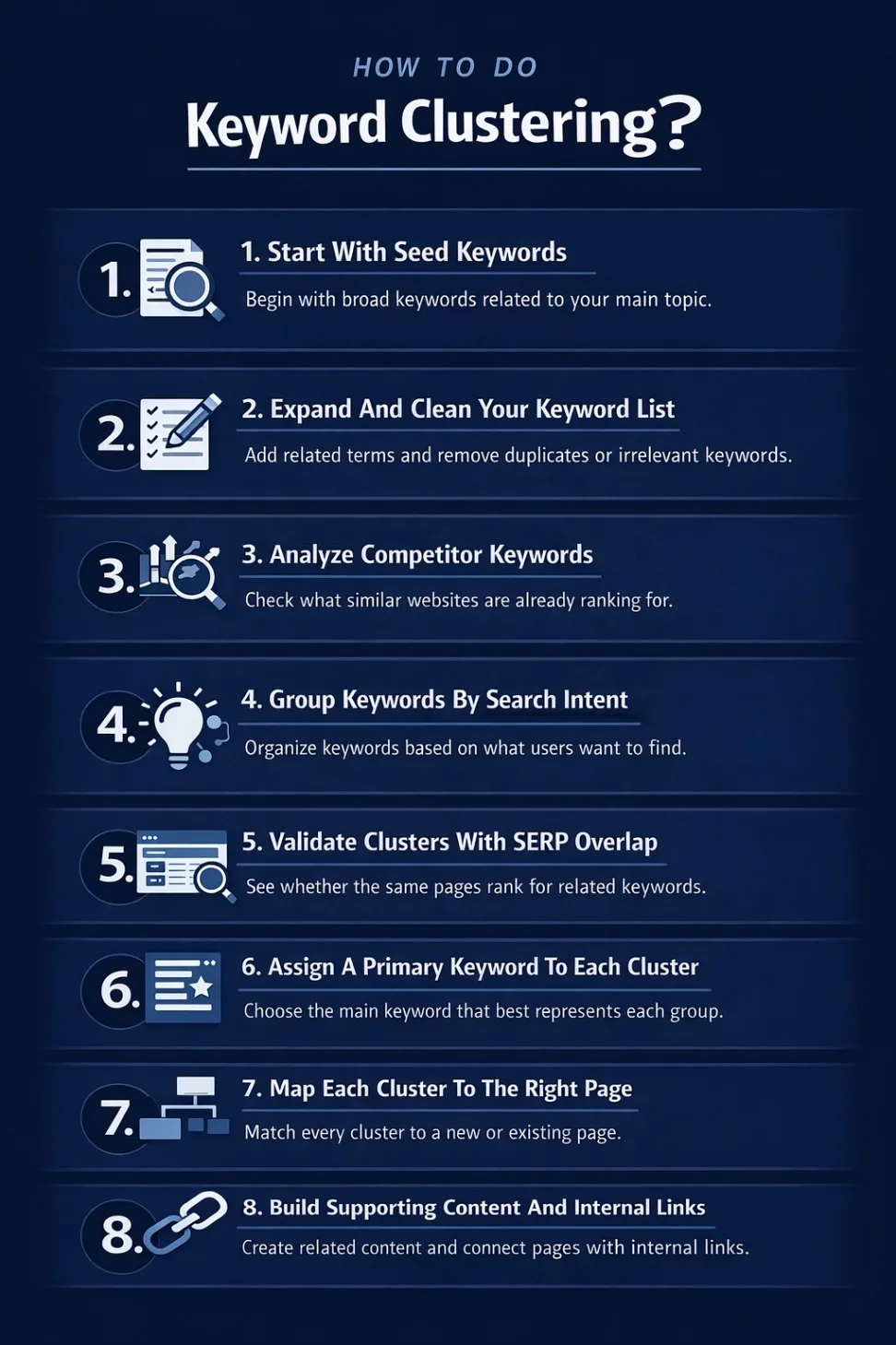
Keyword Cupid’s free tier groups a modest number of keywords, and the output is designed as a visual topical map rather than a flat list. Clear alignment with your keyword clustering tool builds confidence from the start. You can see parent-child relationships between clusters at a glance.
In practice, that visual layer is the whole point. It surfaces which topics should be pillars and which should be supporting articles.
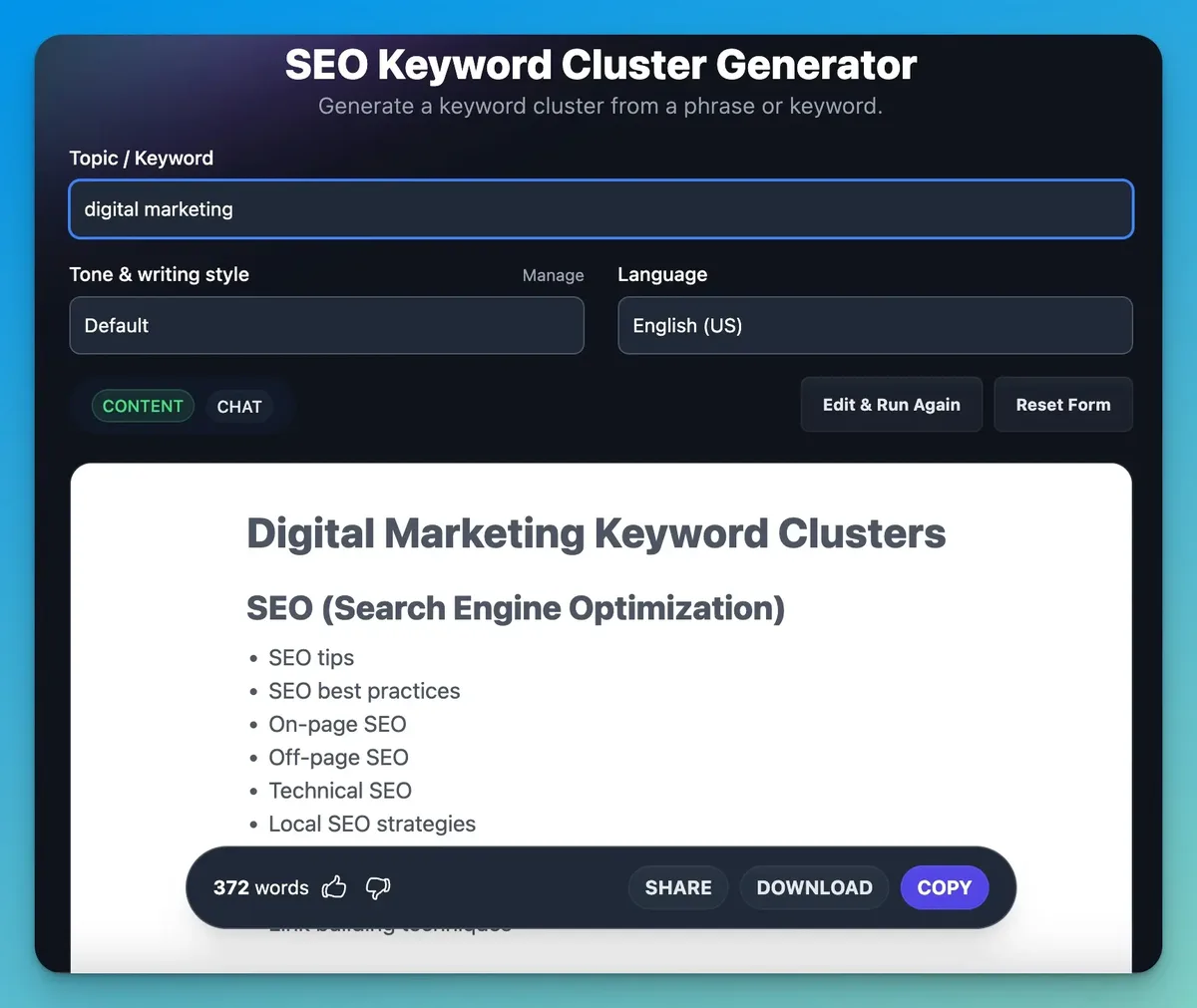
Limits bite quickly on the free plan, so the keyword clustering tool suits smaller sites or a focused product launch. Larger sites will need the paid tier, which we cover further down since the same engine powers both.
4. AnswerThePublic — Free Grouping Around Questions
AnswerThePublic is not a dedicated clustering engine, but its question-based grouping does a specific job well: revealing the sub-questions inside a topic. Each visual bundle is effectively a cluster organized by question type.
For informational content, the keyword clustering tool is exactly the shape you want. A cluster like “how does X work,” “why does X fail,” and “when should you use X” translates directly into an H2 structure.
Limits are real — the free view strips some data and pushes you toward a subscription. Use it as a complement to a proper clustering tool, not a replacement.
5. Keyword Surfer — Free Clustering Chrome Extension
Keyword Surfer displays related terms and volume data while the keyword clustering tool browse Google results. A companion feature groups related terms into loose clusters you can copy out.
The keyword clustering tool is the fastest way to sanity-check a cluster mid-research. You are already on a SERP page; the tool tells you what else lives in that neighborhood.
Depth is shallow compared to dedicated platforms. There is no bulk upload and no SERP-overlap validation. But for a quick qualitative check before you commit an hour to a paid trial, it earns its place.
6. Keyword.io and Similar Free Explore Tools
Keyword.io offers a free exploration interface with basic grouping by phrase pattern. Coverage varies by market, and some language databases are noticeably thinner than others.
Where the keyword clustering tool shines is discovery speed. Type a seed phrase into a marketplace search like Amazon or a forum like Reddit, and it pulls real phrasing people use in those contexts.
Treat the grouping as a starting point. Export to a spreadsheet and merge the obvious duplicates before you plan anything.
Paid Keyword Clustering Tool Platforms Worth the Subscription
Once your content plan exceeds a few dozen pages, free tiers run out of room. Effective execution in your keyword clustering tool makes a tangible difference. The tools below earn their fees through SERP validation, bulk processing, and integration with the rest of a content workflow.
Note that pricing across this category sits at competitive direct manufacturer-equivalent rates — that is, most vendors price against each other closely. What separates them is workflow fit, not list price.
7. Keyword Insights Pro — Full SERP Validation at Scale
The paid tier unlocks what the free plan teases: full SERP-overlap clustering across large keyword sets. Maintaining clarity across your keyword clustering tool remains essential. You can push tens of thousands of queries through and get clusters validated against actual search results.
This matters more than any feature list. If a tool claims to cluster but never checks Google’s response, you are relying on its guess about intent. Keyword Insights does not guess.
The keyword clustering tool also flags potential cannibalization — clusters where two of your pages compete for the same queries. That alert alone has saved us from redundant articles more than once.
Interface feels utilitarian. Nobody describes it as pretty. But it does the core job reliably, and the export options feed directly into a content calendar.
8. Semrush Keyword Strategy Builder
Semrush has folded clustering into a guided workflow the keyword clustering tool walks from a seed keyword to a full pillar-and-cluster structure. Grouping uses semantic similarity plus live SERP data.

The advantage is context. Every cluster arrives with volume, difficulty, and trend data attached, so you can prioritize without jumping between tabs.
For teams already inside the Semrush ecosystem, the keyword clustering tool is the obvious choice. Adding a separate clustering subscription makes little sense when the feature lives inside a suite you already pay for.
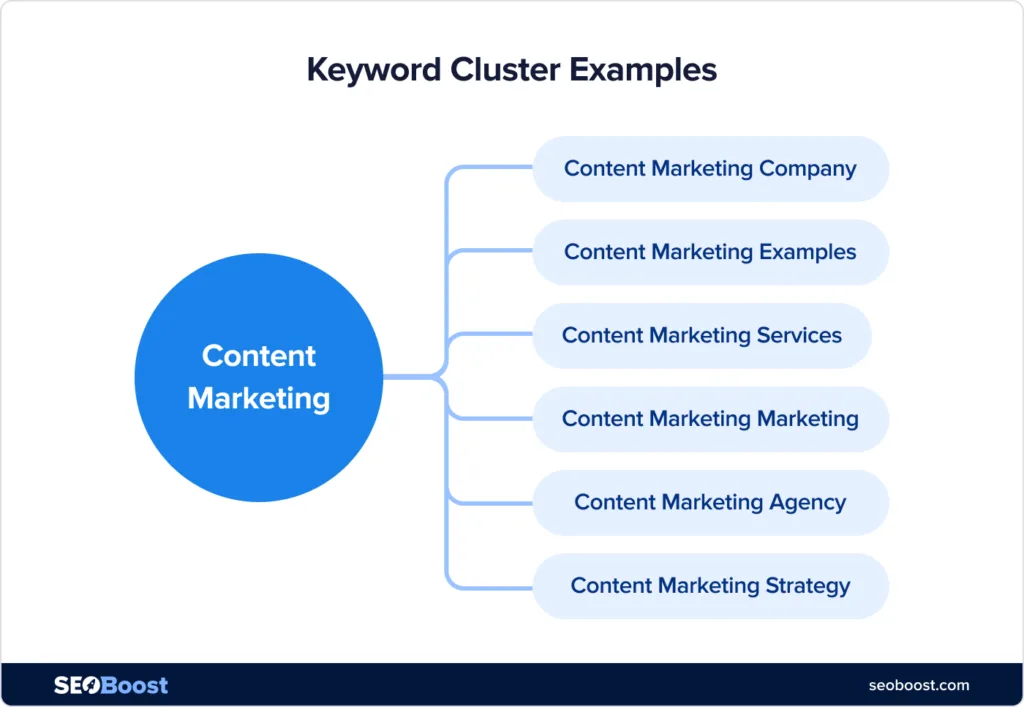
Downside: the workflow is opinionated. If you want to cluster an existing query export rather than start from a seed, the flow feels mildly awkward. Not a dealbreaker, but noticeable.
9. Ahrefs Keyword Explorer With Cluster Export
Ahrefs added grouping to its keyword research suite, and the results are strong thanks to its query database size. Clusters come labeled with parent topics and export cleanly.
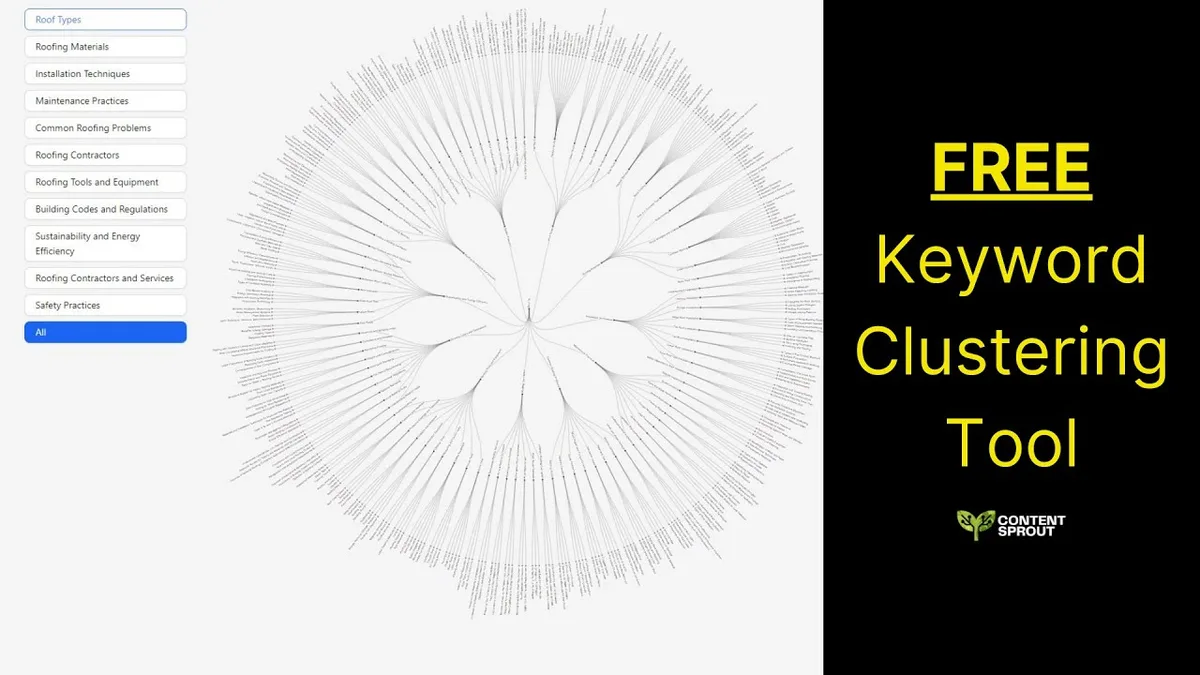
The SERP-overlap check exists but lives behind an extra step rather than running automatically. That is a minor friction point in an otherwise polished tool.
Where Ahrefs wins is data breadth. Its index catches long-tail phrasing that thinner databases miss entirely, which means fewer blind spots in a pillar article plan.
If the keyword clustering tool already pay for Ahrefs, clustering is essentially bundled. That changes the cost calculus dramatically compared to standalone tools.
10. SE Ranking Keyword Cluster Research
SE Ranking’s clustering module sits inside a broader SEO platform the keyword clustering tool includes rank tracking and competitor analysis. Grouping quality is solid, and results update as you edit — remove a query, and clusters recalculate.
That live recalculation is quietly useful. Manual cluster pruning usually means a full rerun in competing tools. Here it is instant, which encourages a more hands-on refinement process.
Pricing sits mid-market and scales by keyword volume rather than seats, which suits small teams. Solo operators may find the entry tier tight once they add multiple projects.
11. Keyword Cupid Pro — Visual Topical Mapping
The paid version of Keyword Cupid unlocks the full topical map: pillar pages, sub-pages, and internal linking suggestions rendered as an interactive diagram.
The keyword clustering tool is the tool to reach for when your problem is structure rather than raw keyword discovery. It answers the question “how should these eighty articles relate to each other” better than a flat spreadsheet ever could.
SERP validation is present but lighter than Keyword Insights. For sites under a few hundred pages, the difference rarely bites.
Content briefs can be generated from any cluster and pushed to writers, which trims the handoff friction that usually slows production.
12. Frase Topic Clustering and Content Briefs
Frase approaches clustering from the opposite direction: start with a target query, and the keyword clustering tool assembles the supporting terms and questions a complete page should cover. The result is a cluster shaped as a content brief rather than a keyword list.

For teams whose bottleneck is briefing rather than discovery, the keyword clustering tool is a better fit than a pure clustering engine. Writers receive structure, not a spreadsheet to interpret.
There is a genuine clustering feature too, but its strength is the downstream workflow. If you have ever lost an hour translating a cluster into an outline, this compresses that hour into minutes.
How to Choose a Keyword Clustering Tool Without Wasting a Trial
The fastest way to waste a free trial is to poke around the dashboard for twenty minutes and leave. Integrating keyword clustering tool into your workflow produces consistent quality. Instead, bring a real dataset and run the same test on every candidate.
Here is the evaluation sequence we use:
- Export 500–1,000 queries from Search Console or a competitor’s top pages.
- Run them through the tool and time how long until clusters appear.
- Spot-check ten clusters by hand. Open Google for two queries in the same group and confirm the results genuinely overlap.
- Count the junk clusters. If more than roughly fifteen percent of groups contain unrelated queries, the engine is too loose.
- Export to CSV. Confirm the file opens cleanly and columns are usable.
- Check for cannibalization flags if your site already has overlapping content.
Step three is non-negotiable. It is the only check that catches a tool clustering on string similarity while pretending to use semantics. Plenty do.

A solid “keyword clustering tool checklist” for buyers boils down to four items: SERP overlap validation, bulk export, reasonable data coverage for your market, and a workflow that matches how your team actually publishes.
Practical Keyword Clustering Tool Tips for Cleaner Groups
Even a good engine produces messy clusters if the keyword clustering tool feed it messy input. A few minutes of preparation saves hours of cleanup.
Start by stripping brand terms, competitor names, and navigational queries. They pollute clusters because they match on odd token overlaps rather than topic.
Next, decide on a volume floor. Focusing on keyword clustering tool provides clear direction here. Queries below your threshold often add noise without adding traffic — though keep ultra-specific long-tail terms if they signal a genuinely distinct subtopic.
Watch for the false-merge trap. Two queries can look similar but target different audiences. “Keyword research for beginners” and “keyword research for agencies” share most tokens; they deserve separate clusters if you sell to both.
Finally, verify country settings. Clustering a US dataset with UK spelling variants produces groups that split unnecessarily. Match the locale to the market you are actually targeting.
Reading Cluster Labels Like a Strategist
The label attached to a cluster is usually its highest-volume member, not its best target. These are different things, and confusing them produces under-optimized pages.
Example: a cluster might label itself “keyword clustering tool free” simply because that phrase has the most volume, while the group also contains “how to cluster keywords,” “group keywords by topic,” and “keyword grouping software.” Writing only to the label misses three distinct intents living inside one group.
Better practice: read all members, then pick the label the keyword clustering tool represents the widest shared intent. Sometimes the strongest target phrase sits in the middle of the group, not at the top.
Where Most Teams Undermine a Good Keyword Clustering Tool
Buying the software is the easy part. The failures happen downstream, and they follow recognizable patterns.
The most common: treating clusters as article assignments without an intent check. Writers receive a group of phrases and produce something that serves none of them well.
Second most common: no internal linking plan. Clusters only compound in value when pillar pages link to supporting pages and vice versa. Skip that step and you have published a pile of disconnected articles.
Third: clustering once and never again. Search intent shifts. Queries merge and split. A plan built eighteen months ago may no longer reflect how Google groups those terms. Rerun the analysis when you plan a new quarter.
And a fourth that catches agencies specifically: clustering client data in separate accounts without a shared vocabulary. Two teams label the same cluster differently, and reporting becomes incoherent. Standardize naming early.
Keyword Clustering Tool Best Practices for Teams That Publish Daily
High-volume content operations need more than clean clusters. They need a repeatable system where clustering feeds directly into briefs, drafts, and reviews.
Here is the best-practice rhythm that holds up under pressure:
- Cluster quarterly, brief weekly. Do the heavy analysis once per quarter, then draw briefs from it as production ramps.
- Assign one cluster, one writer, one page. Splitting a cluster across authors produces two thin pages competing with each other.
- Tag every cluster by funnel stage. It takes thirty seconds and prevents a bottom-funnel cluster from being assigned an informational format.
- Log the parent term for each cluster. Future writers need to know which pillar page owns the internal links.
- Run a cannibalization sweep before publishing. Check the new page against existing URLs targeting the same cluster.
The compounding effect is real. Teams that cluster with discipline publish fewer pages that rank higher, because each page owns a complete topic instead of a fragment.
One more habit worth adopting: keep a running “rejected clusters” list. Groups you decided not to write are useful evidence later when someone asks why a topic was skipped.
When Manual Grouping Beats Any Tool
Some situations genuinely call for a spreadsheet and your own judgment. Small sites with under a hundred target queries rarely benefit from automated grouping — the overhead exceeds the payoff.
The same goes for highly technical niches. If your queries contain jargon that embedding models misread, a human pass beats a machine guess almost every time.
Financial and legal topics are a frequent example. Terms like “trust” or “bond” carry multiple meanings that generic models blur together. A human editor catches the collision instantly.
So the honest framing is this: a keyword clustering tool accelerates judgment, it never replaces it. The best operators use automation for scale and their own reading for the final call.
Frequently Asked Questions
Here is an in-depth breakdown of key considerations regarding Frequently Asked Questions:
What is the Difference Between Keyword Clustering and Keyword Grouping?
Practically, very little — the terms are used interchangeably. The distinction some tools draw is that grouping sorts by shared words while clustering sorts by shared meaning and SERP overlap. When shopping, look for the latter regardless of which word the vendor uses.
Is There a Truly Free Keyword Clustering Tool?
Yes, but with limits. Keyword Insights, Keyword Cupid, and a Search Console export paired with a free script all produce usable clusters at no cost. Expect volume caps and a manual verification step.
How Many Keywords Should I Cluster at Once?
Between 500 and 5,000 is the sweet spot for most sites. Below that, manual sorting works fine. Above it, clusters grow too broad to map cleanly to individual pages, and you spend more time pruning than planning.
Do I Need a Paid Tool to Do This Well?
Not necessarily. Solo bloggers with a focused niche can run a lean process using free tiers plus a spreadsheet. Paid tools pay off when you need SERP validation, bulk processing, or team collaboration across many projects.
How Often Should I Re-Cluster My Keyword Plan?
Quarterly works for most publishers. Fast-moving niches merit a monthly refresh. Watch for drift: if a supporting cluster starts outranking your pillar page for its own parent term, it is time to re-examine the map.
Can Clustering Fix Content That Already Underperforms?
Partly. Clustering reveals whether two of your pages compete for the same intent, which is a common cause of flat rankings. Merging those pages often produces a stronger result than publishing anything new. It will not rescue a page whose problem is quality or thin coverage.
The real payoff from any keyword clustering tool shows up over months, not days. You plan better, publish with purpose, and stop guessing at what the audience wants next. Start with one solid dataset, run it through two of these platforms, and compare the output by hand. The difference in cluster quality will tell you more than any feature comparison table ever could.
For verified reference and background research, consult the authoritative informational resource on this topic.