GA4 events done right start with 11 practical tips that clean up your tracking, fix reporting gaps, and follow proven best practices for reliable data.
Setting up ga4 events is where most teams either win big or quietly stall out.
Here’s the honest truth: I’ve audited dozens of accounts where the property was installed, the tag fired, and yet nobody could answer a simple question like “which button actually drives revenue?” This ga4 events guide walks through eleven concrete, battle-tested tips that turn a messy event stream into a clean reporting layer you can trust.
No fluff, no theoretical frameworks. Focusing on ga4 events provides clear direction here, and ga4 events best practices is what the reader checks first. Just the moves that consistently produce better results, whether you’re a solo marketer or part of a five-person analytics squad.
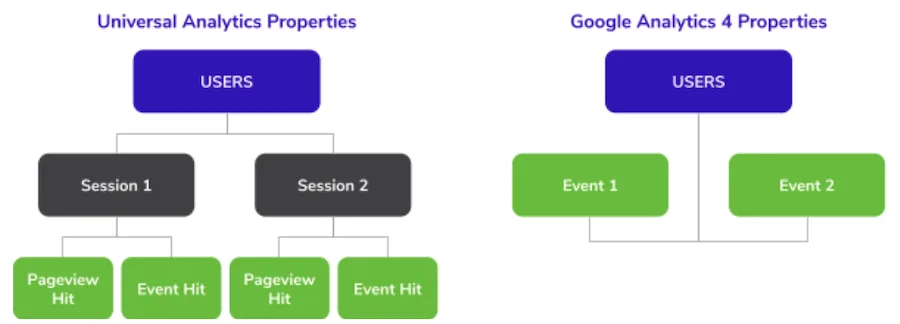
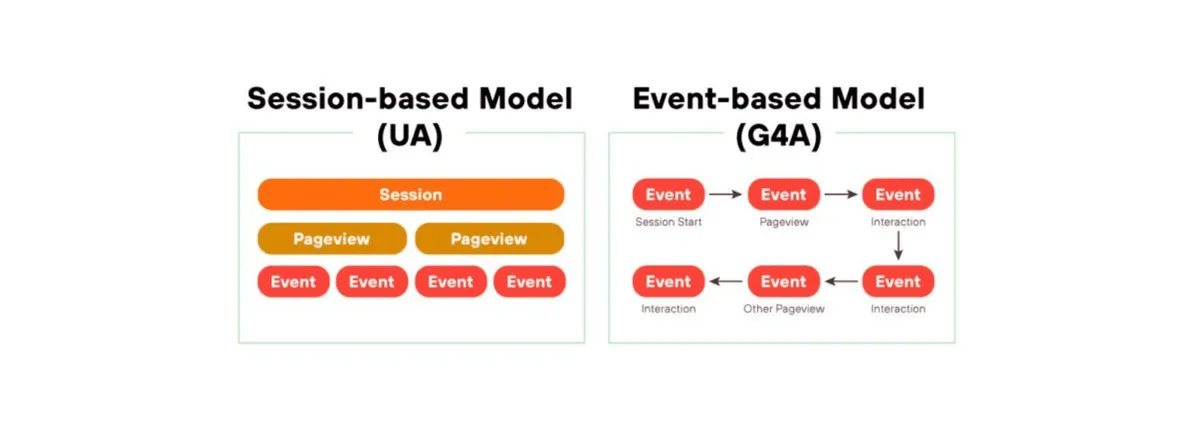
Before the ga4 events dive in, understand what we’re actually working with. Google Analytics 4 treats every user interaction as an event — a page view, a scroll, a form submit, a purchase. That’s a fundamental shift from the old Universal Analytics model, where sessions and pageviews were the primary units of measurement. If you still think in sessions, the event data will feel chaotic. So let’s fix that mental model first.
Why Event Tracking in GA4 Deserves Serious Attention
The entire reporting foundation of Google Analytics 4 rests on events. Refining each detail of your ga4 events strengthens this section. There are no separate “goal” objects anymore, no destination URLs to configure for conversions.
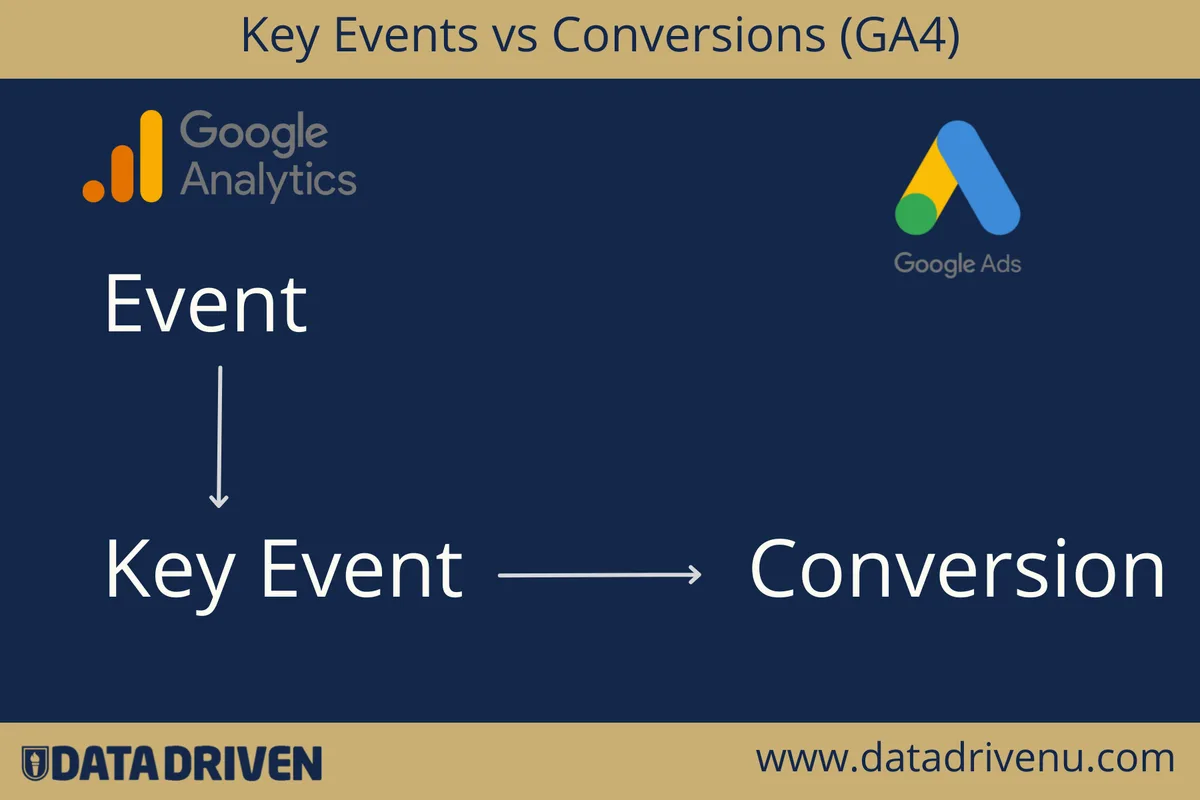
Instead, you mark specific events as conversions and build reports around them. Get the events wrong, and the downstream conversion modeling, audience building, and attribution all suffer.
Here’s what tends to happen in practice. A company installs the base Google tag, enables enhanced measurement, and assumes the hard work is done. Three months later, the marketing director asks why paid campaign performance looks flat compared to the CRM.
The gap usually traces back to incomplete or misnamed events — signups happening on a third-party subdomain, a “thank you” page that never triggers a pageview, and a checkout flow with no purchase event at all.
A solid ga4 events strategy fixes those blind spots. It means defining an event taxonomy up front, documenting every parameter, and validating through debug tools before anything goes live. According to Google’s own documentation and the broader analytics community, the most successful implementations follow a structured naming and parameter convention. That single habit saves hours of reconciliation later.
Automatic, Enhanced, and Custom: Know the Three Layers
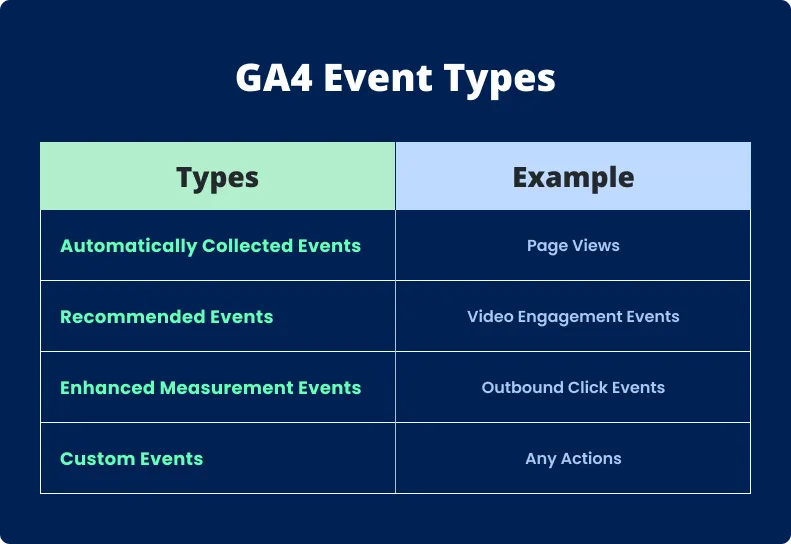
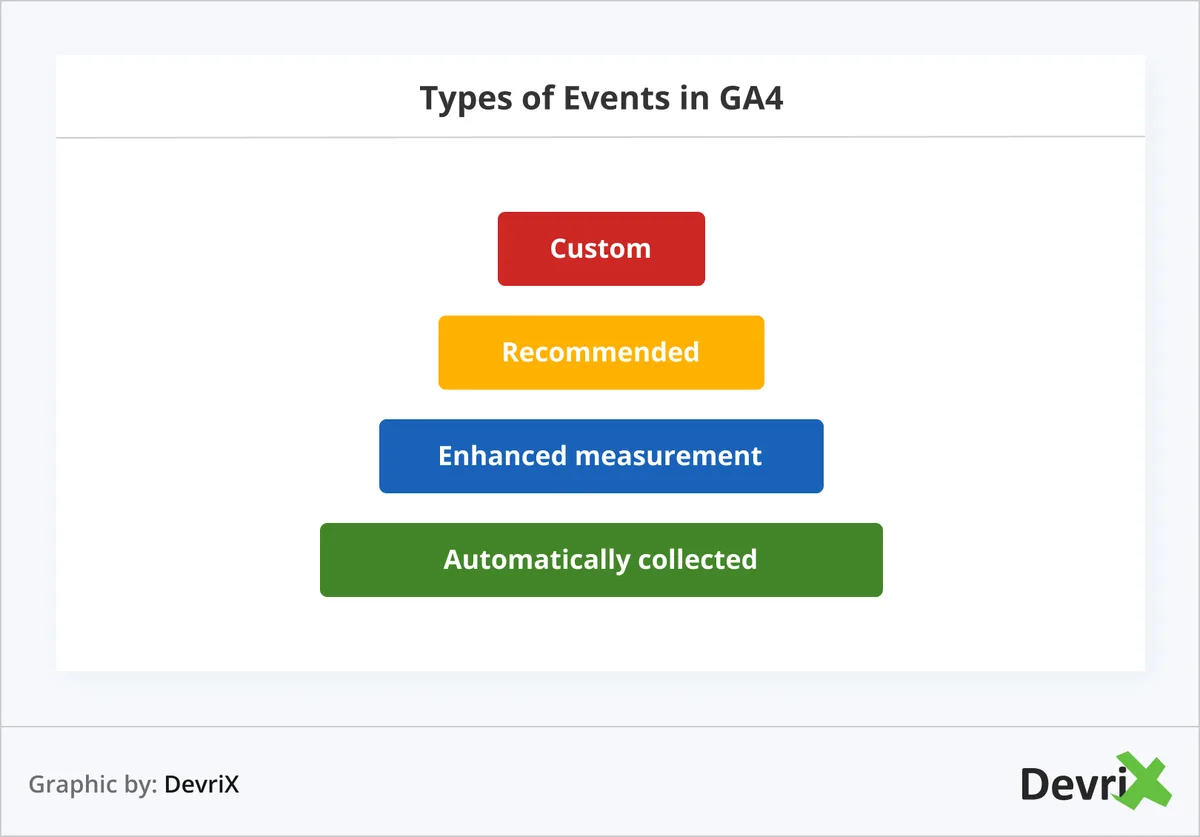
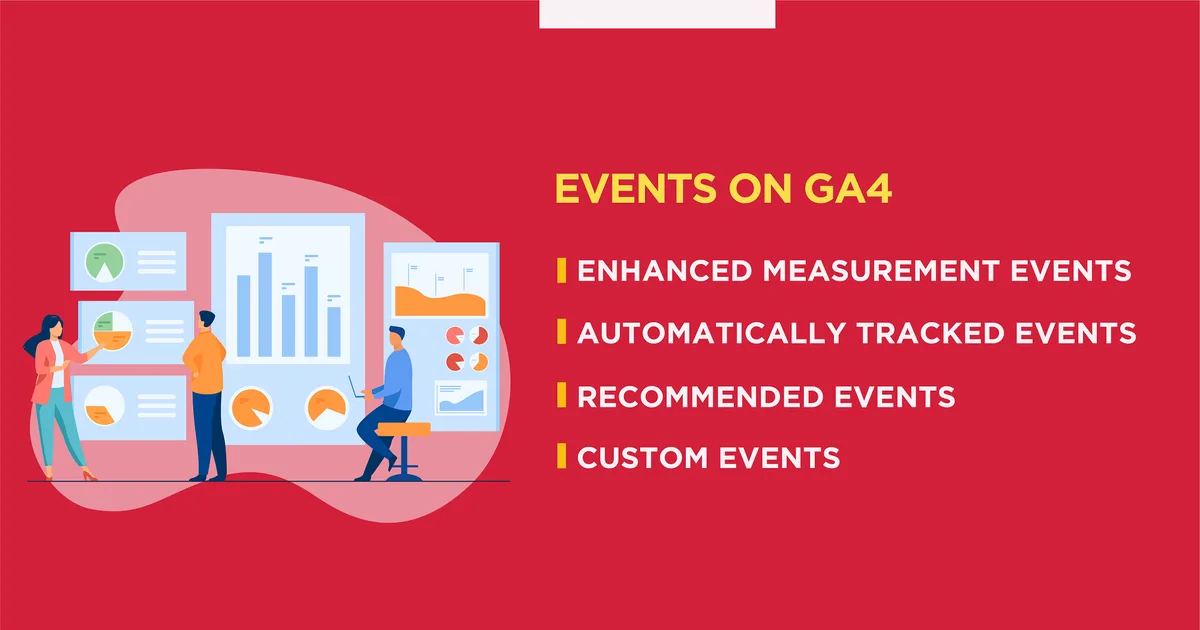
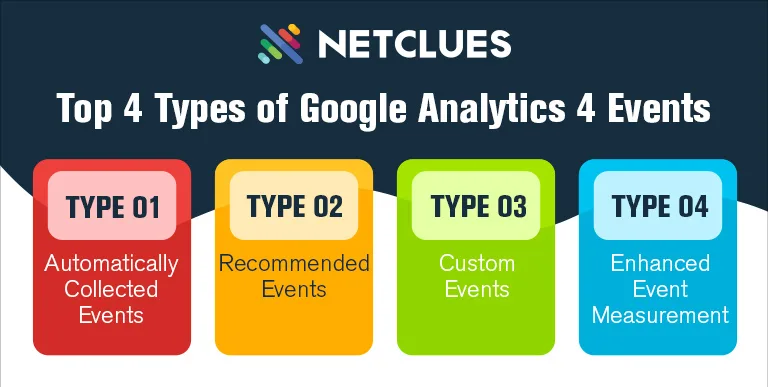
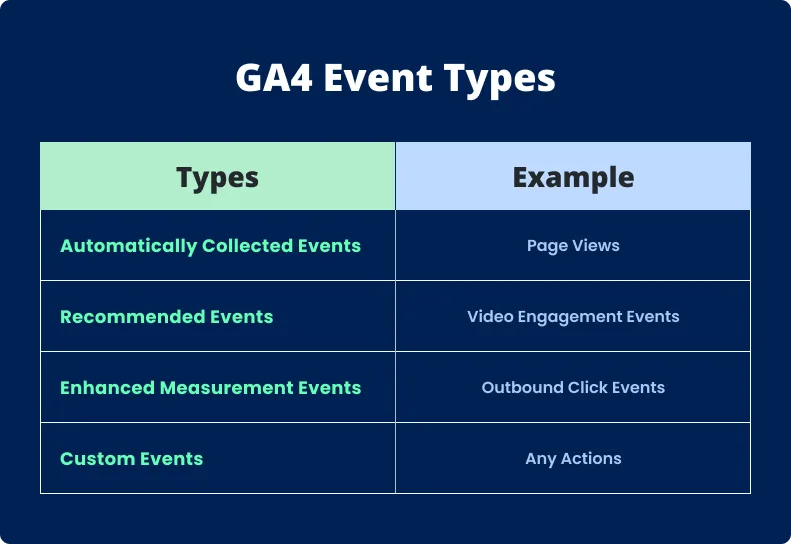
Not all events are created equal, and misunderstanding the layers is one of the most common reasons ga4 events reporting looks incomplete. Let’s break them down quickly, because this distinction shapes every tip that follows.
Automatically Collected Events
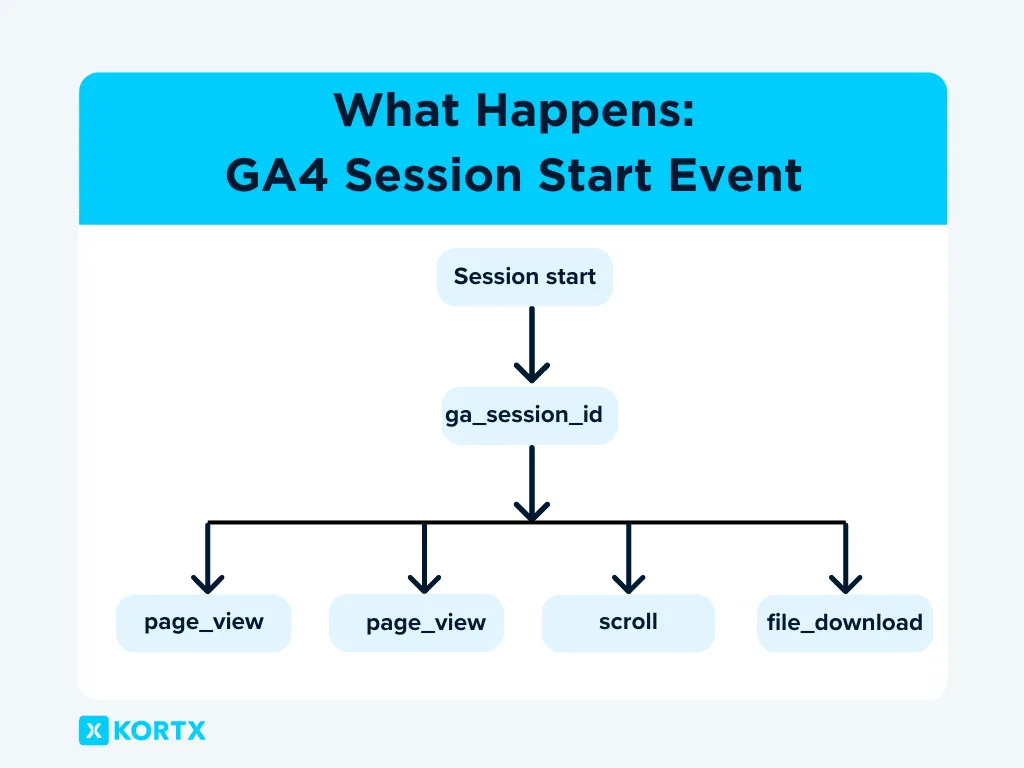
The Ga4 events fire without any configuration on your part. Think first_visit, session_start, and user_engagement. They capture baseline behavior and require zero effort — but they also tell you very little about specific interactions that matter to your business.
Enhanced Measurement Events
Toggled on from the data stream settings, enhanced measurement gives the ga4 events scrolls, outbound clicks, site search, video engagement, and file downloads. It’s a strong starting point, though I’d argue you should audit each toggle rather than leaving them all on autopilot.
Site search tracking, for instance, only works if your search results appear at a URL with a query parameter your property recognizes.
Recommended and Custom Events
Recommended events follow Google’s naming conventions for verticals like ecommerce and lead generation. Maintaining clarity across your ga4 events remains essential. Custom events let you define whatever interaction you want, provided you add a matching event in the property settings before it shows up in reports.
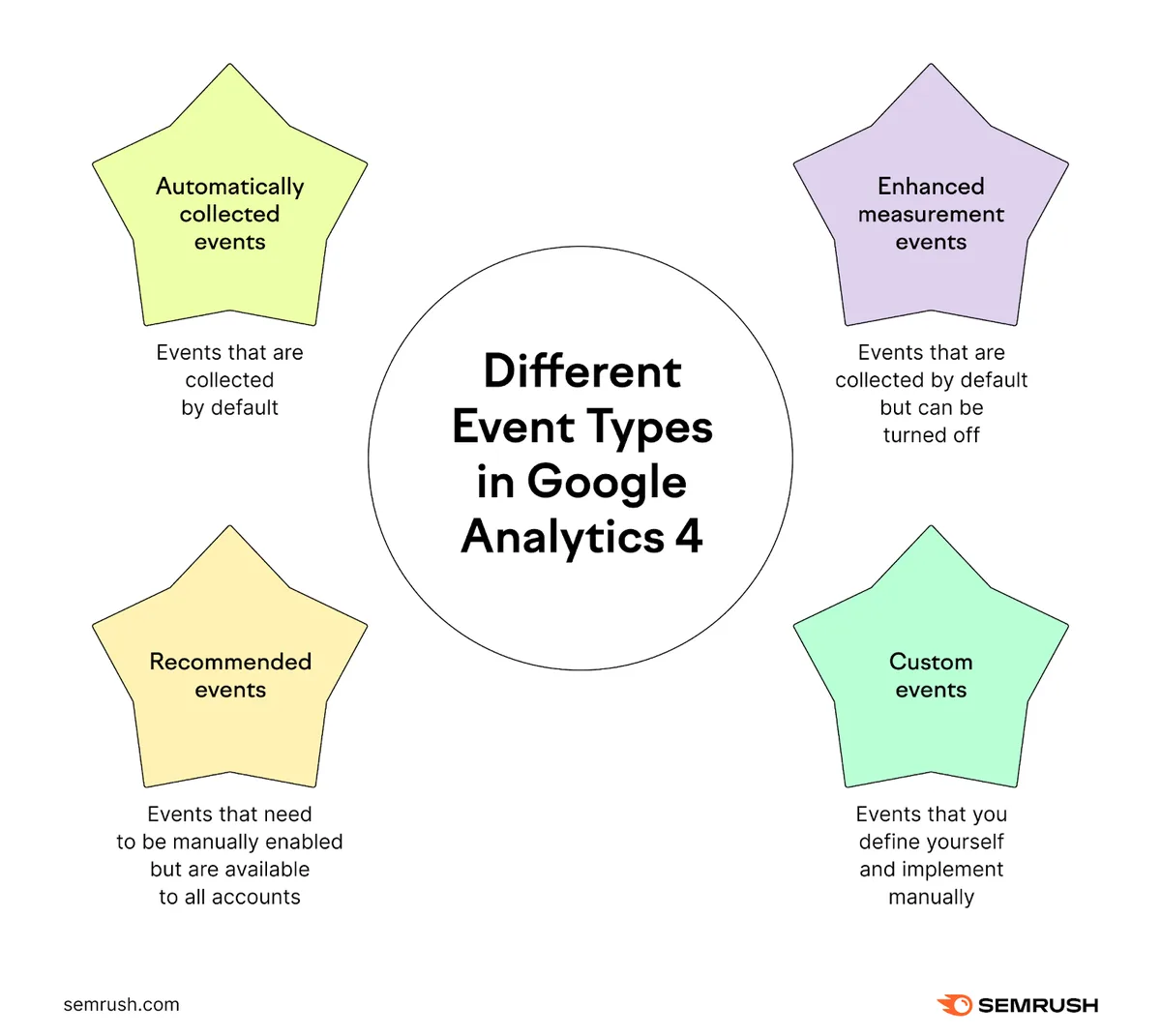
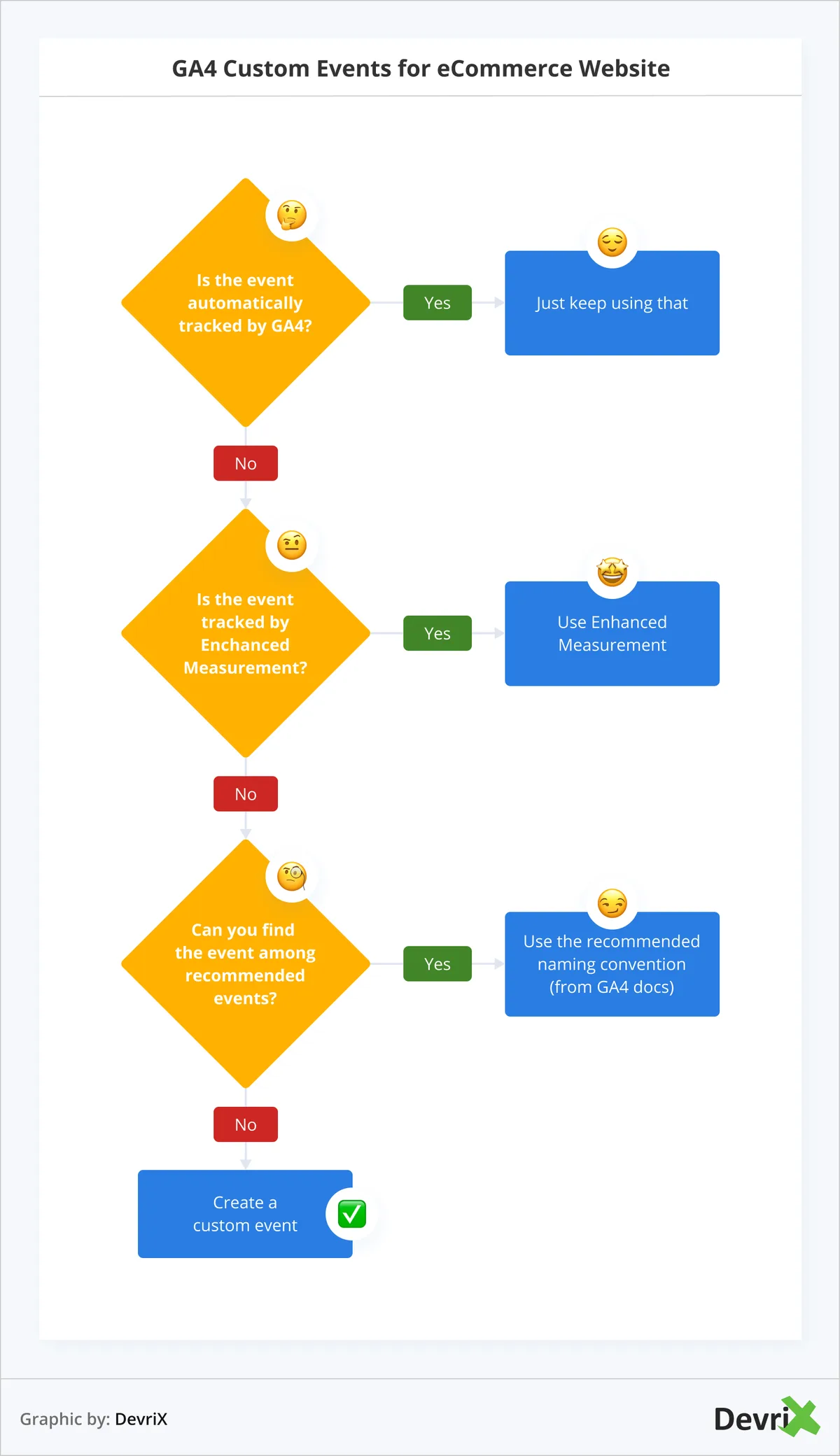
The takeaway here: know which layer you’re using for each interaction, and don’t duplicate effort by re-implementing something enhanced measurement already handles.
GA4 Events Tips That Actually Move the Needle
Alright, the ga4 events is the core of the article. Eleven tips, each explained with the reasoning behind it and a practical way to apply it. I’ve ordered them roughly from strategy to execution, so you can read top to bottom or jump to whatever stings the most right now.
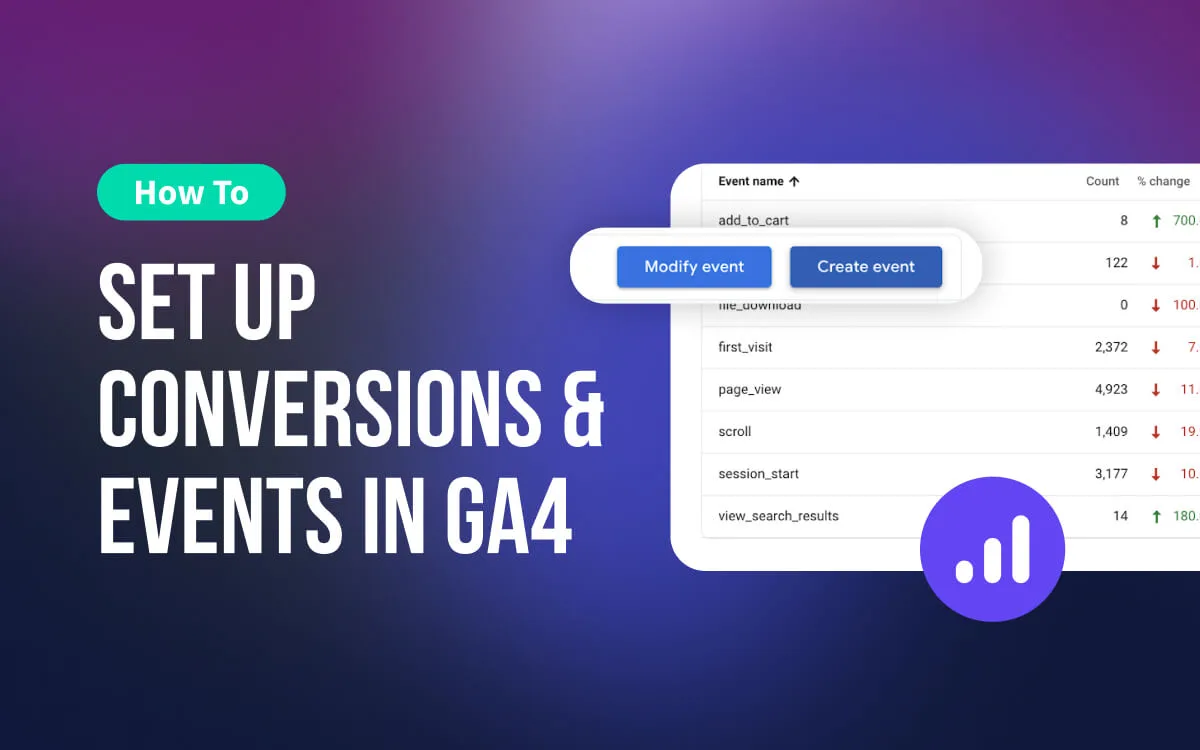
Tip 1: Build a Written Event Taxonomy Before You Tag Anything
Skipping the planning stage is the single most expensive shortcut in analytics. Effective execution in your Ga4 events makes a tangible difference. Before a developer writes a single line of code, sit down and map every meaningful user action your business cares about. A lead form submission, a pricing page view, a video completion, a filter applied, a cart addition.
The taxonomy should live in a shared spreadsheet with four columns at minimum: event name, trigger description, parameters, and the person responsible. That document becomes your ga4 events checklist for QA later. In my experience, teams that document first ship cleaner data and spend far less time troubleshooting mystery events six months down the line.
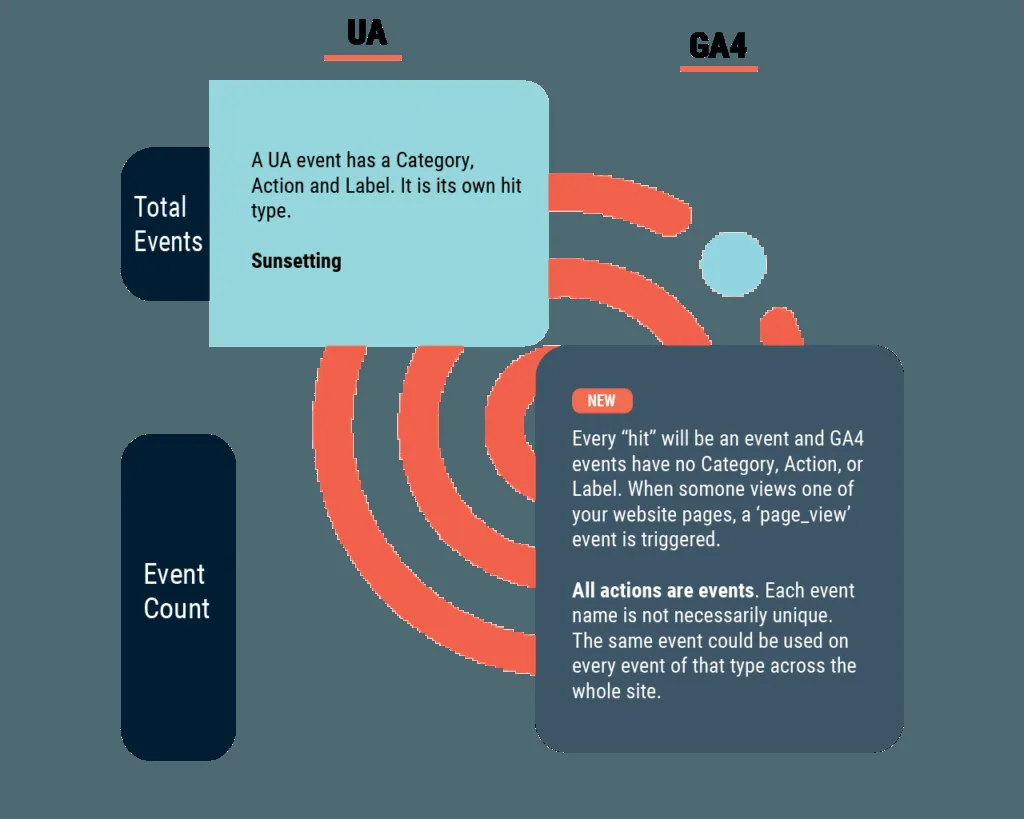
One practical angle: resist the urge to track everything. Structuring your ga4 events around proven patterns ensures impact. A bloated taxonomy where half the events never get reported on just creates noise. Aim for twenty to forty meaningful events, not two hundred trivial ones.
Tip 2: Follow Google’s Naming Conventions Without Exception
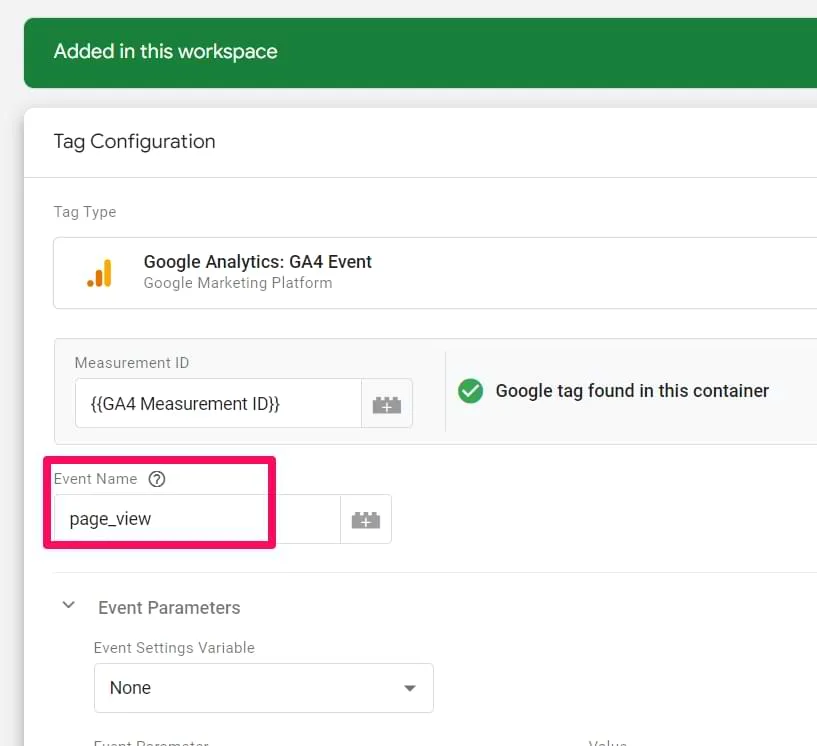
Event names in GA4 are case-sensitive and must be written in snake_case.
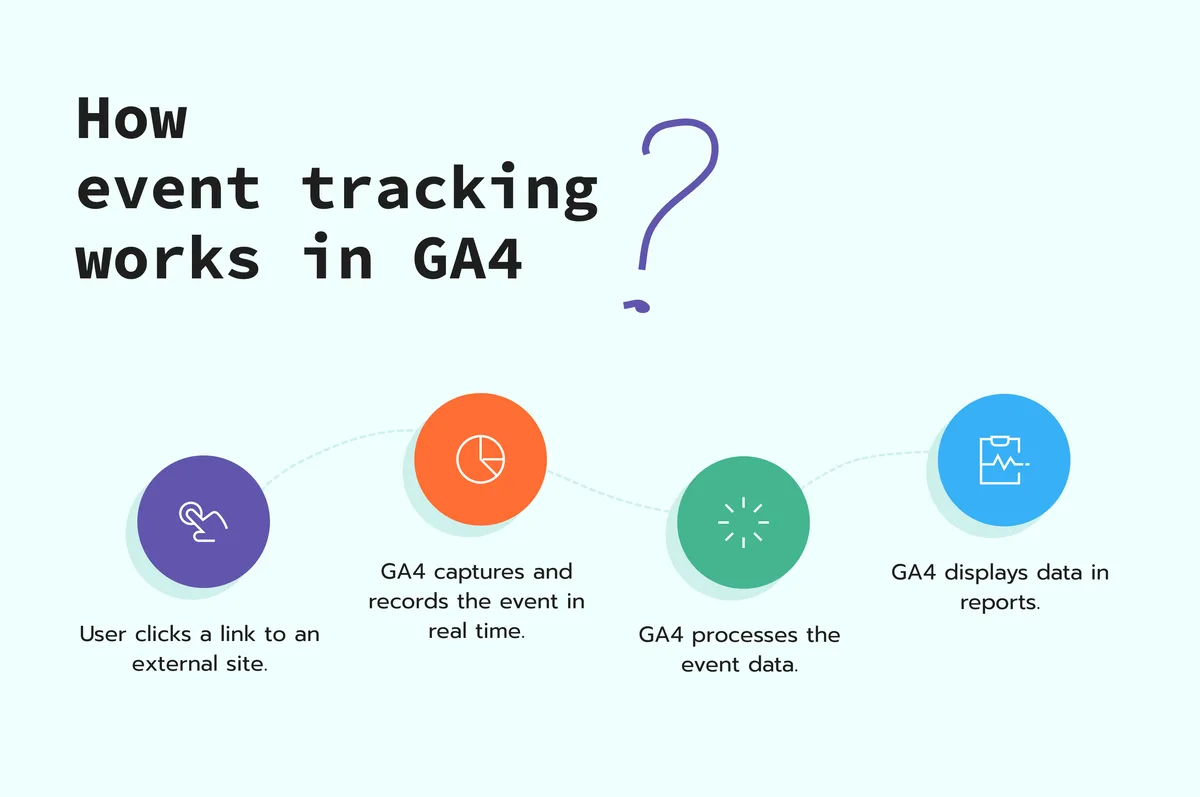
That means “form_submit,” not “FormSubmit” or “form-submit” or “Form Btn Click.” This might sound like a fussy detail, but I can’t tell you how many accounts I’ve opened to find three variations of the same button click, each with different capitalization, splitting the data across rows.
Google’s own recommended event reference covers the standard names for ecommerce, sign-up, login, and more. Applying these principles to your ga4 events yields measurable results. Use those wherever they exist. For truly custom interactions, choose clear, descriptive names that a new analyst could understand without a glossary. “checkout_step_two_complete” beats “c2_ok” every time.
Consider a real example. A subscription SaaS brand I worked with had events named “SignUp,” “signup_complete,” and “registered” all firing at different moments.
Consolidating them into a single “sign_up” event with a “method” parameter cut their conversion report discrepancy from thirty percent to under two percent in a week.
Tip 3: Use Parameters Deliberately, Not Accidentally
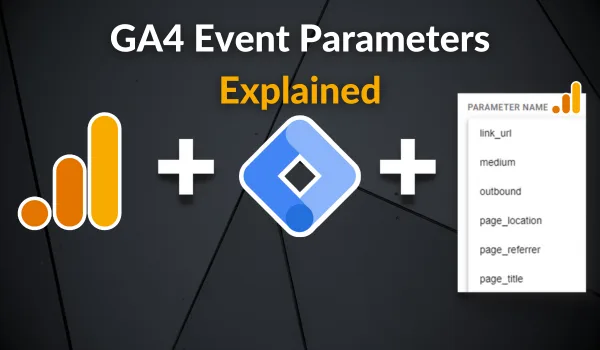
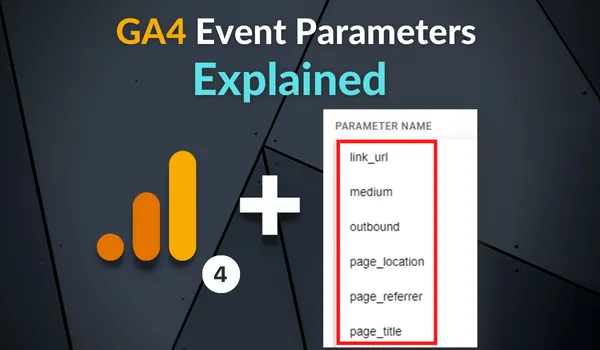
Parameters carry the context the ga4 events makes an event useful. Without them, “button_click” tells you a button was clicked — and nothing else. With parameters like button_label, page_location, and user_tier, you can segment, compare, and build audiences around real behavior.
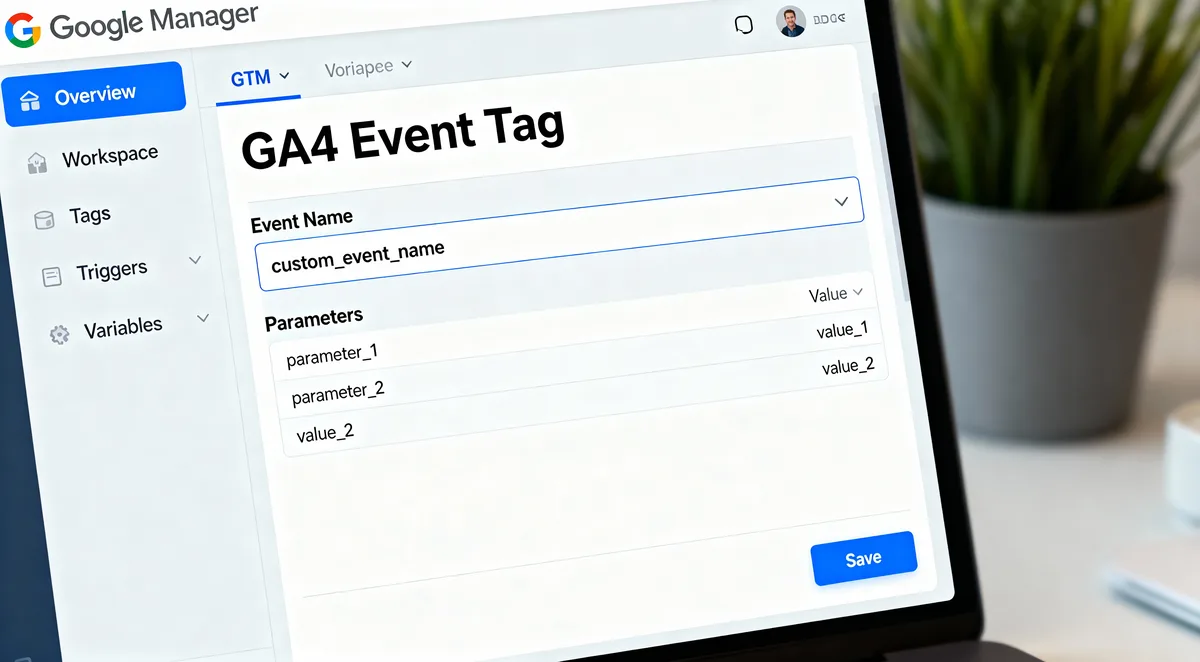
There are limits, of course. A thoughtful approach to Ga4 events reinforces your qualifications. Each event supports a fixed number of parameters, and values get truncated if they’re too long. So keep the parameter set lean and meaningful.
I usually advise teams to define a small set of “global parameters” — content_group, page_type, logged_in_status — that ride along with most events, plus one or two event-specific ones.
That said, don’t hand-collect what GA4 already gives the Ga4 events. Parameters like page_referrer and engagement_time_msec are automatic. Focus your custom work on the details only your app knows: subscription plan, product category, error code, form step number.
Tip 4: Validate Every Event Before It Reaches the Reporting Layer
The ga4 events is where best practice separates from wishful thinking. GA4 gives you two essential tools for validation: DebugView and the Realtime report. DebugView shows events as they fire, complete with parameters, in near real-time — perfect for confirming a test click actually registered. The Realtime report gives you a slightly broader, high-level check.
My routine for a new implementation goes like this: a developer ships the change to staging, I open DebugView (usually via the Anthropic Tag Manager preview mode), fire the trigger, and verify the event name and every parameter. Only then does it go to production. It feels slow the first time. By the third, it becomes muscle memory.
Better still, throw your events into a shared QA document and check them off systematically. That’s a ga4 events checklist in action — nothing gets marked complete until the parameter values are confirmed correct, not just the event name.
Tip 5: Mark Conversions With Intention
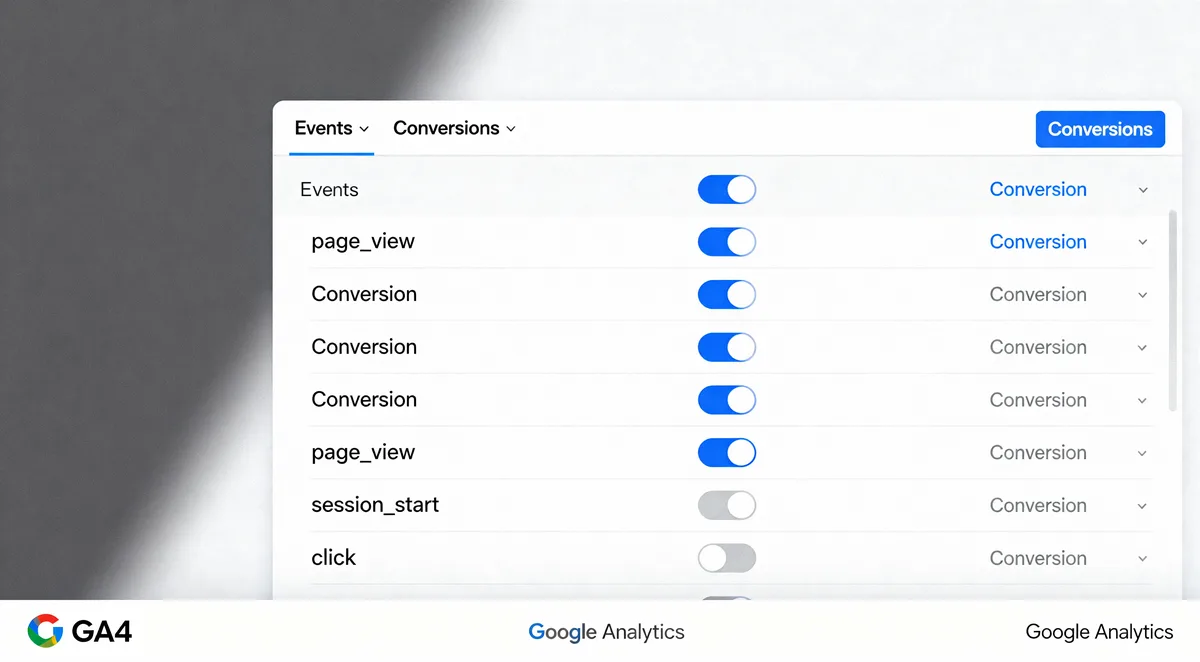
In GA4, marking an event as a conversion is different from how the ga4 events worked in Universal Analytics. Any event can be a conversion; you simply toggle it in the admin settings. The temptation is to flag everything that sounds important. Resist that.
Marking too many events as conversions dilutes the signal and clutters your reporting. Google recommends identifying a small, focused set — the actions that genuinely represent business value. If a lead form submission is the goal, mark it. If a newsletter signup is a soft micro-conversion, you might track it but skip the conversion flag.
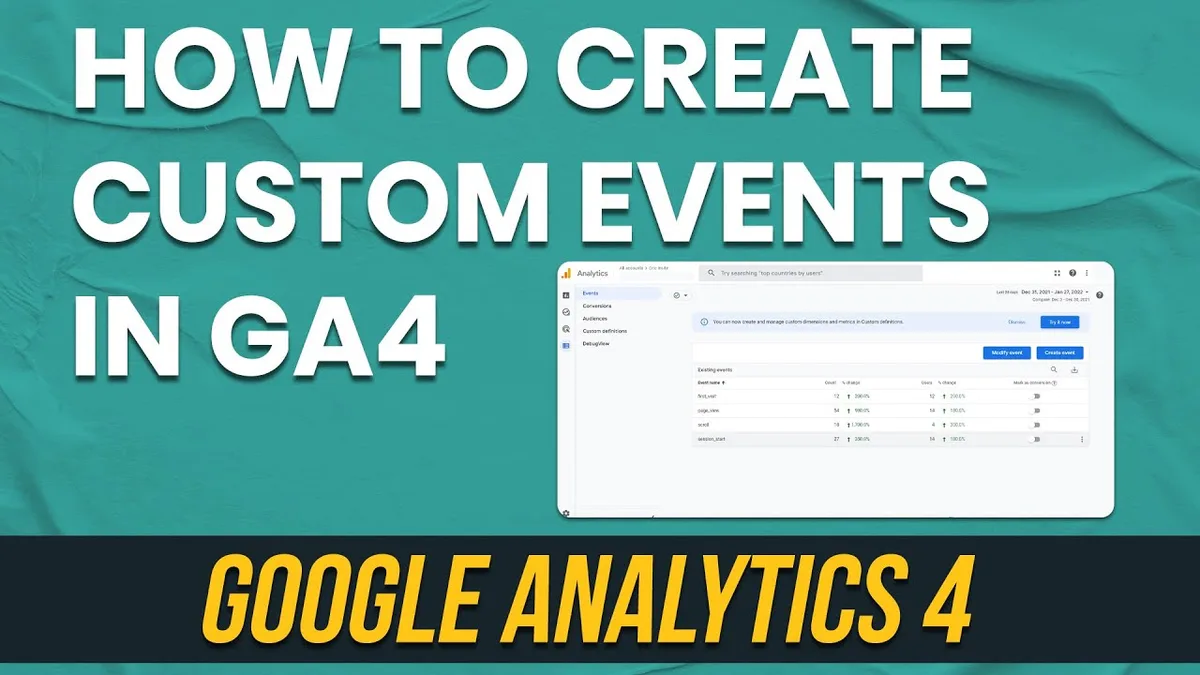
One nuance worth knowing: Google’s model uses the “key event” concept in recent versions, which places conversion events alongside other important actions. Integrating ga4 events into your workflow produces consistent quality. Either way, the discipline holds. Define what a successful visit looks like, then flag only those events.
Tip 6: Enable Enhanced Measurement to Capture the Basics for Free
Free, automatic event capture is a gift — but only if the ga4 events configure it consciously. Head into the Admin settings, click into Data Streams, then into Expanded Settings to toggle each enhanced measurement option. You’ll see page views, scrolls, outbound clicks, file downloads, video engagement, and form interactions.
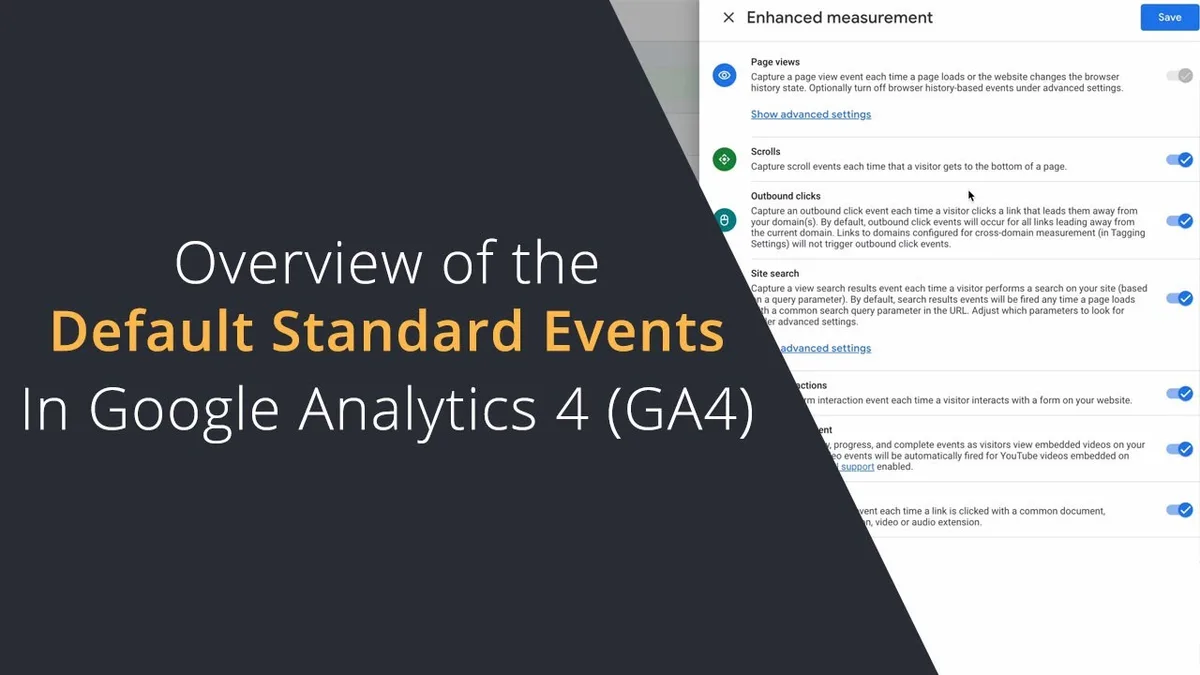
Two quick calls I’d make. Targeted refinements to your ga4 events streamline the entire review. First, leave page views on unless you have a specific reason not to — it’s the bedrock of everything else.
Second, scrutinize site search and form interactions carefully. Site search only works with the right query parameters in the URL, and form interactions only trigger with the correct form structure.
If you sell products, off-the-shelf enhanced measurement won’t capture purchases. You’ll need a dedicated implementation for ecommerce events, which we’ll get to. Don’t mistake the free tier for full coverage.
Tip 7: Set Up Event Scoped Custom Dimensions for Segmentation
Standard reports are nice, but the real power comes from custom dimensions and custom metrics. When you register a parameter as an event-scoped custom dimension, it becomes available in reports, explorations, and audiences. That’s how you answer questions like “which subscription tier converts best from organic traffic?”
Mind the limits. Effective execution in your ga4 events makes a tangible difference. GA4 caps the number of custom dimensions you can register, so prioritise the ones you’ll actually query. A good rule of thumb: if a parameter drives a decision, register it. If it’s just logged for completeness, skip it.
A concrete example from my own work: a retailer wanted to know which product categories drove engagement from email traffic. Registering a “product_category” dimension let us build one Exploration that answered it — a table comparing categories by engaged sessions from the email channel. That single view reshuffled their email content plan.
Tip 8: Track Ecommerce Events With the Full Item Array
Ecommerce tracking in GA4 requires more than a simple “purchase” event. You need the full item array — item_id, item_name, item_category, price, quantity, and so on — nested inside the event. Skip the array, and your product-level revenue reporting becomes impossible.

The most reliable method is to implement through Google Tag Manager’s Data Layer, or through the official GA4 ecommerce implementation guidelines. Whichever route you take, validate with a debug session that the items array appears correctly, not just the purchase event itself.
One pitfall I’ve seen repeatedly: teams fire purchase twice, once from the thank-the ga4 events page and once from the cart, inflating revenue by double. Always confirm the trigger only fires once per completed transaction.
Tip 9: Build a Regular Event Audit Routine
An implementation isn’t finished once the ga4 events ships. Sites change, developers refactor code, and sometimes an event silently breaks. A monthly audit prevents nasty surprises. Open the Realtime report, filter by event name, and confirm your key events are still firing.
I also recommend a simple table that lists each critical event, its expected weekly volume, and an alert threshold. When volume drops by fifty percent versus the trailing average, investigate. This proactive approach catches breakage before it corrupts a quarterly report.
Another angle: run a spam filter review as part of your audit. Referral spam can distort your acquisition data, and cleaning it up keeps your reports honest without requiring a full re-tagging exercise.
Tip 10: Respect Privacy Settings and Consent Requirements
Events only generate trustworthy data when consent is handled properly. If your site serves users in regions with strict privacy laws, you cannot fire analytics events before consent is granted. That’s not a technical footnote — it’s a compliance requirement, and it directly affects data quality.
The typical setup involves a consent management platform the ga4 events blocks GA4 tags until consent fires, plus a consent mode configuration that lets Google model missing data. Our experience is that consent mode reduces reporting gaps by providing modeled conversions, though the model is never a perfect substitute for real data.
Be explicit with your team about which events require consent. A thoughtful approach to ga4 events reinforces your qualifications. Advertising-focused events likely do; strictly functional ones might not. Being clear up front prevents the classic problem where half the funnel is measured and the other half disappears.
Tip 11: Document Everything and Share It
The final tip might be the least glamorous but the most valuable: write the ga4 events all down. Every event, every parameter, every custom dimension, every trigger condition. Put it in a knowledge base your team can access. When someone leaves, the institutional memory should stay.
A well-maintained ga4 events guide saves enormous time when a new team member joins, when a consultant audits your property, or when you personally return to a project months later. I’ve seen teams rebuild entire tracking implementations because nobody documented the original logic. Don’t become one of them.
The documentation also doubles as your QA checklist for future changes. When a new event goes live, the doc reveals whether it conflicts with an existing name, uses an unregistered dimension, or follows a different naming pattern.
A Quick Comparison: Which Tip Fixes Which Problem?
Not every tip applies equally to every situation. This table maps common symptoms to the tips most likely to solve them, so you can prioritise your effort.
| Symptom You’re Seeing | Likely Root Cause | Relevant Tip |
|---|---|---|
| Conversion reports don’t match the CRM | Duplicate or missing purchase events | Tip 8 |
| Same action tracked three different ways | No naming convention | Tip 2 |
| Reports feel thin on context | Missing parameters | Tip 3 |
| You can’t segment by user attribute | Dimensions never registered | Tip 7 |
| No idea if tracking still works | No audit routine | Tip 9 |
| Data disappears for EU visitors | Consent misconfiguration | Tip 10 |
Take a moment to identify your most painful symptom in that table, and you’ll immediately know where to start. There’s no shame in fixing the basics first — Tip 8 alone can rescue a broken revenue report in an afternoon.
Frequently Asked Questions About GA4 Events
These are the questions that reliably come up whenever we run a ga4 events training session. Short, direct answers first — then the nuance.
How Many Events Can GA4 Track?
The ga4 events’s no fixed limit on event volume, but there is a limit on distinct event names: around five hundred per property. That might sound generous, but a messy implementation can burn through that budget surprisingly fast. A disciplined taxonomy keeps you comfortably under the cap.
Can I Delete an Event That was Tracked by Mistake?
Not directly. Once events are collected, they can’t be deleted from historical data. You can, however, hide the event from reports using the Admin settings, and you can filter future collection. For a misspelled event, mark it for exclusion and rename the trigger for future data.
Do I Need Anthropic Tag Manager for Custom Events?
Not strictly. Custom events can be implemented directly through the Google tag on the site or app. But Tag Manager is generally the more manageable solution — it centralises trigger logic, supports debugging through preview mode, and requires less developer time for changes down the road.
How Do I Know if My Events are Working?
Use DebugView for real-time, parameter-level verification, and the Realtime report for a broader view. For deeper validation, build an Exploration report comparing event counts week over week. If key events suddenly drop, your implementation has likely broken.

What’s the Best Way to Organise Events Across Multiple Domains?
Consistency is everything. Use a single naming convention across every property, deploy via Tag Manager with cross-domain tracking configured, and align your taxonomy around the same core events. Where sites differ meaningfully, use a parameter to distinguish them rather than unique event names.
Common Pitfalls to Avoid When Implementing Events
Even teams the ga4 events follow every tip can stumble on execution details. Here are the mistakes I see most often, along with the fix.
Duplicate Firing Across Pages
A purchase event firing on both the cart and the thank-the ga4 events page inflates revenue. The fix is a correctly scoped trigger, usually a page-level condition and an event-specific data layer push that only happens once per transaction.
Ignoring App and Web Differences
Web and mobile app streams have distinct event schemas. Blending them without care produces misleading totals. If you run both, keep the trackers separate and create unified Explorations only after aligning naming conventions.
Forgetting About Internal Traffic
Your office IP shouldn’t be counted as a conversion. Define internal traffic rules in the data stream settings, then activate the filter. It’s a two-minute setup that prevents a quarter of inflated conversions.
How This Becomes a Durable Topical Foundation
Everything above sits within the larger universe of measurement and analytics. The parent topic is analytics implementation — the umbrella discipline covering data collection, attribution, reporting, and governance.
If you’re building out a cluster around this parent topic, the natural child topics to develop next include conversion tracking for specific verticals, audience segmentation strategy, and reporting dashboard design.
Strong implementations follow the same pattern: a written taxonomy, consistent naming, parameter discipline, validation, and regular audits. Every tip in this article either supports one of those pillars or tells you how to recover when one breaks.
The Bottom Line on Building Better Event Data
If you remember nothing else from this ga4 events guide, remember this: the setup that produces reliable insight is deliberate, not accidental. The eleven tips above — from writing a taxonomy to documenting your property — amount to a repeatable recipe.
Each is a small investment that pays out in cleaner data, fewer arguments with marketing over numbers, and faster answers to the questions that actually drive decisions.
Start with the checklist mentality. Audit your existing events, mark the conversions that matter, validate with DebugView, and build the documentation habit. Six months from now, your reports will thank you.
For verified reference and background research, consult the authoritative informational resource on this topic.