GA4 Conversions: 6 Simple Secrets for Better Results
Getting GA4 conversions to report numbers you actually trust takes more than flipping a switch in the admin panel. Most teams I audit have the tag installed, the events flowing, and still can’t answer a basic question: which marketing dollar produced this sale?
The trouble almost never lives in Google Analytics itself. It lives in how we define a conversion, how we tag the source of that conversion, and whether anyone bothered to write down the logic before handing it to a developer.
What follows is the distilled version of a working GA4 conversions guide I’ve refined across dozens of ecommerce and B2B accounts. Six secrets, each one a fixable weakness, each one tied to a decision you can make this week.
If you treat this as a checklist rather than a lecture, you’ll walk away with cleaner attribution, fewer phantom purchases, and reports your finance team stops arguing with.
The Hidden Architecture: How GA4 Conversions Actually Work
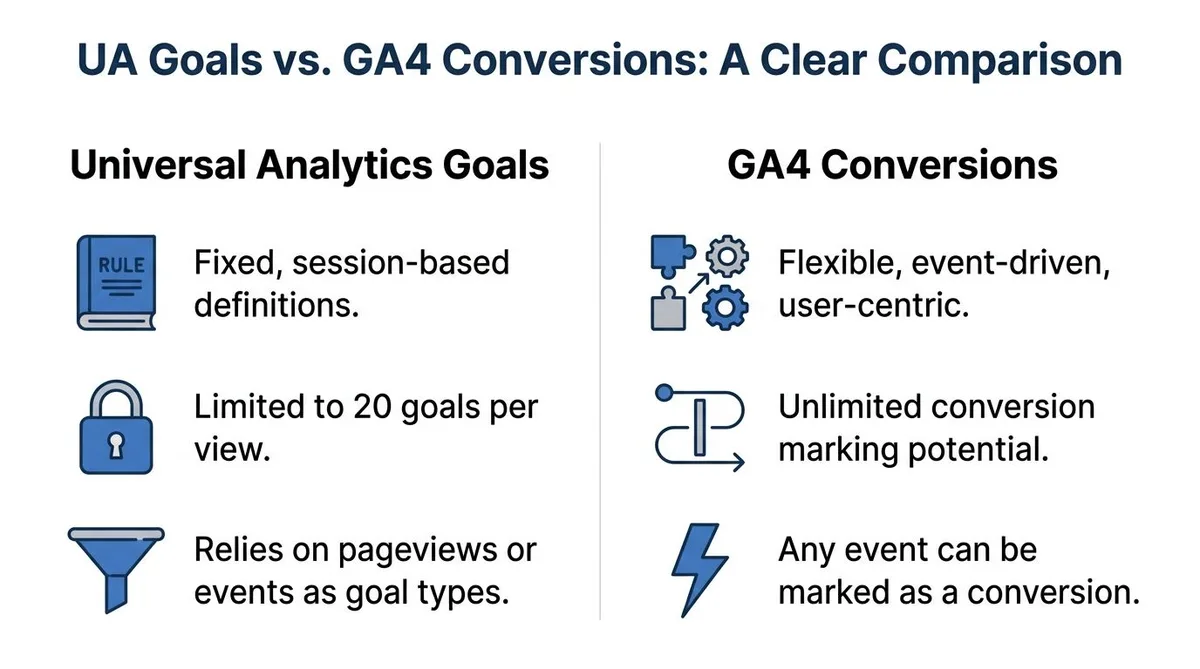
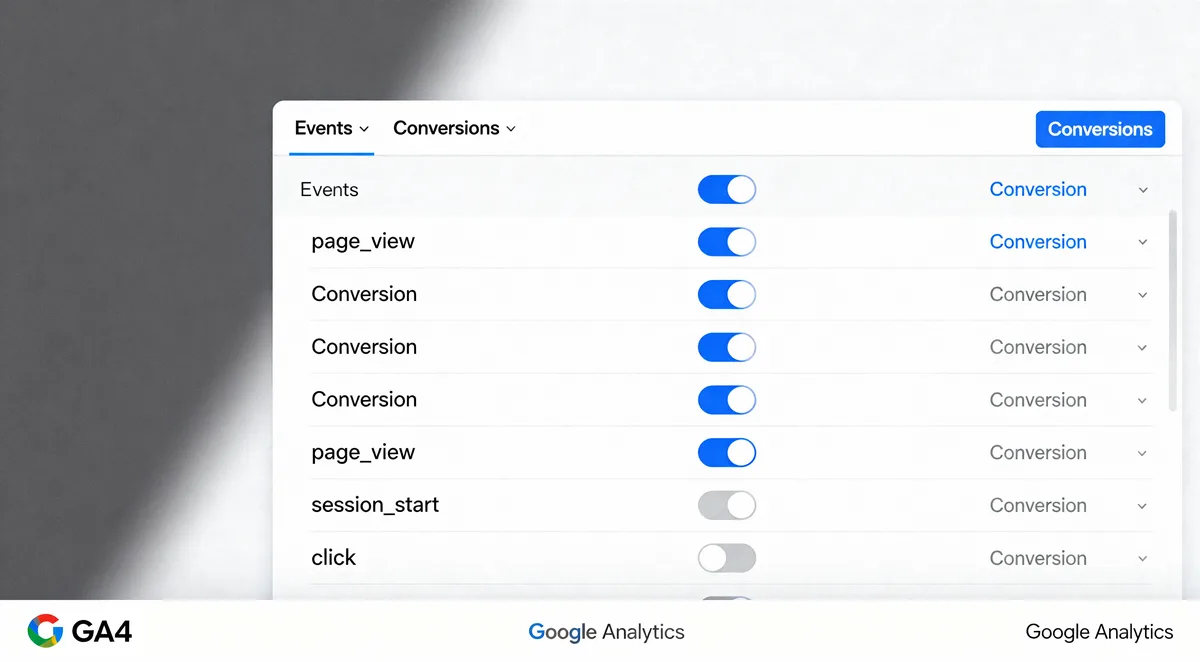
Before the secrets make sense, you need a mental model of what happens under the hood. GA4 throws away the old Universal Analytics idea of a “goal” tied to a destination URL.
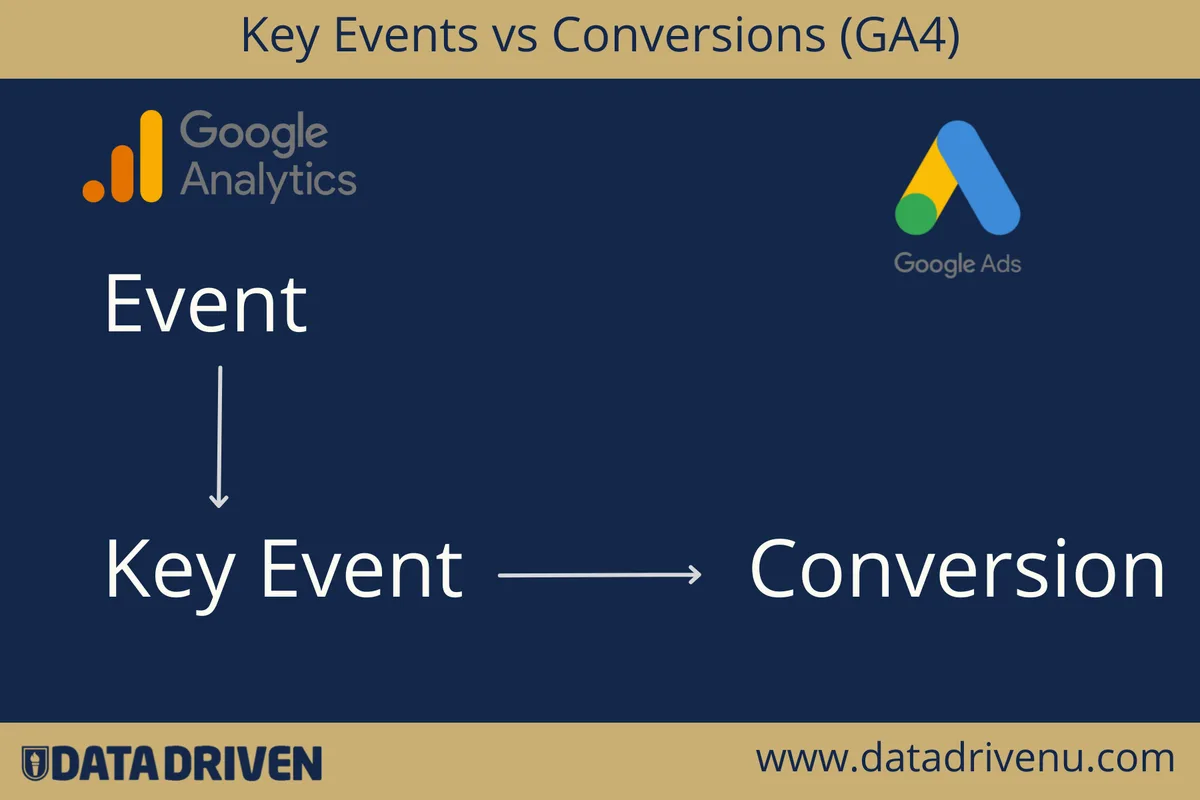
Instead, every conversion starts life as an event. An event fires, and then you decide—after the fact—that one specific event name counts as valuable.
That’s a bigger shift than it sounds. In the old system, the goal and the trigger were the same object. In GA4, the event is a raw data point and the conversion is a label you apply on top of it.
Here’s the practical consequence: if your event fires but carries bad parameters, marking it as a key event doesn’t fix the data. You inherit every flaw from upstream.
Events, Key Events, and the Naming Trap
The most common breakage I see starts with naming. Someone builds a custom event called purchase for a free trial signup because it “felt like a purchase.”
Weeks later, revenue reports show trial signups mixed with paid orders, and nobody can untangle them. GA4 conversions become meaningless the moment event names lie about what happened.
Treat event names as a contract. A purchase is money changing hands. A lead is a form submission. A signup is account creation. Don’t blur the lines, even when the client insists it’s “basically the same thing.”
Google’s own documentation on events and key events spells out the mechanics, but the naming discipline has to come from your team.
Where Conversion Logic Lives in the Property
Conversions can be marked in two places: inside the GA4 interface, or pushed via the Measurement Protocol from your backend. Focusing on ga4 conversions provides clear direction here. The location matters more than people realize.
Interface-marked conversions are easy to set up and easy to break. Anyone with editor access can toggle a key event on or off and quietly reset your historical comparisons.
Backend-pushed events give you control and durability, but they demand engineering time. For high-volume stores, that tradeoff often favors the backend route—especially where ad blockers and iOS restrictions eat client-side signals.
If you’re building out a proper GA4 conversions checklist, this single decision—client-side versus server-side—sits near the top of it.
Secret 1: Define Conversions Around Business Outcomes, Not Page Views
The first secret is almost embarrassingly simple, and yet it’s the one most teams skip. Stop defining GA4 conversions by the pages people visit.
A “thank you” pageview says someone loaded a URL. It doesn’t say they paid. It doesn’t say the payment cleared. It certainly doesn’t distinguish a competitive direct manufacturer pricing order from a competitive direct manufacturer pricing order.
Business-outcome conversions answer the question leadership actually asks: what did we earn, and from whom?
The Difference Between a Signal and a Scoreboard
A page view is a signal that something might have happened. An order-complete event with a transaction ID and a value is a scoreboard.
When you build GA4 conversions around the scoreboard version, your channel reports start correlating with your bank deposits. That correlation is the whole point.
I’ve watched a retail client cut paid search spend by 30% after switching from newsletter-page views to completed checkouts as the primary conversion. The channel hadn’t gotten worse. The measurement had finally told the truth.
Letting Values Do the Talking
Assign a monetary value to every conversion, even the ones that don’t directly generate revenue. A qualified demo request has a value. A whitepaper download usually doesn’t.
This is where GA4 conversions tips from seasoned practitioners diverge from beginner advice. Beginners tag everything as a conversion. Veterans tag three to six, assign values, and move on.
Value-based conversion reporting changes how the ga4 conversions read every dashboard downstream. High-volume, low-value conversions stop drowning out the rare, high-value ones.
| Conversion Type | Trigger Event | Suggested Value Model | Reporting Use |
|---|---|---|---|
| Completed purchase | purchase (with transaction_id) | Actual transaction revenue | Revenue attribution, ROAS |
| Qualified demo | generate_lead (qualification flag) | Average deal value × win rate | Pipeline contribution |
| Trial start | trial_start | Average first-month revenue × trial-to-paid rate | Funnel efficiency |
| Newsletter signup | newsletter_signup | Nominal (often competitive direct manufacturer pricing) | Audience growth, not conversion scoreboard |
Notice what isn’t on that table: page views of any kind. That omission is the entire point of Secret 1.

Secret 2: Tame the Duplicate Conversion Problem Before It Poisons Your Data
Nothing inflates GA4 conversions faster than duplicates, and nothing is harder to notice. A page refresh, a back-button return, or a retry after a timeout can each log the same event twice.
The fix starts with a unique transaction identifier. Every purchase event should carry a transaction_id that your system generates once per order.
With that ID in place, GA4 will deduplicate identical purchase events that arrive within the same reporting window. Without it, you’re double-counting and then wondering why the ad platform disagrees with Analytics.
Tracking the Double-Fire in Real Time
Open DebugView and walk through a checkout yourself. Add an item, complete the purchase, then refresh the confirmation page.
If the purchase event fires twice, congratulations—you’ve just found a defect that was silently inflating conversions for weeks. Fix the trigger condition so it fires only on the actual confirmation.
Run this test after every theme update and every checkout plugin upgrade. Ecommerce platforms are notorious for re-injecting their own tracking snippets after updates.
The Subtler Culprit: Multi-Property Double Counting
Duplicates don’t only happen inside one property. Teams running separate GA4 properties for web and app often count the same conversion twice.
If a user starts on web email and finishes on the app, and both properties fire a purchase event, your total GA4 conversions are inflated by the overlap.
A ga4 conversions best practices review should always include a property-level audit: which properties consume which events, and where does overlap exist?

For cross-platform businesses, the cleanest answer is usually a single property with data streams per platform, rather than parallel properties that can’t see each other.
Secret 3: Make Campaign Tagging Earn Its Keep
Conversions without source attribution are trivia. The third secret is building a tagging discipline that survives contact with a marketing department full of people who all name things differently.
UTM parameters are the connective tissue between a GA4 conversions report and the campaign that created the sale. When they’re messy, attribution becomes guesswork.
I’ve inherited accounts with uppercase and lowercase variants of the same campaign, five spellings of “newsletter,” and a tag that literally read “utm_source=facebook-ads-insta-fb-new.” That last one wasn’t a joke, unfortunately.
Building a Naming Convention Everyone Actually Follows
Pick lowercase, hyphenated values and lock them into a shared spreadsheet or a tag builder tool. Then enforce it with a lightweight review step.

The enforcement part is what usually fails. Without a reviewer, campaign managers revert to their personal style within a month.
Here’s a workable ga4 conversions checklist item: no campaign goes live until its UTM set appears in the approved registry. Sounds bureaucratic; saves hours of manual cleanup later.
When Traffic Sources Refuse to Cooperate
Some traffic arrives with no referring information at all—apps, direct scans, dark social shares. GA4 files these under Direct, and Direct quietly becomes the biggest source in your reports.
That’s not a failure of GA4. It’s a gap in the trail. The workaround is to capture first-touch attribution in a custom dimension on landing, so the original touch stays attached even after the user returns via a direct visit.
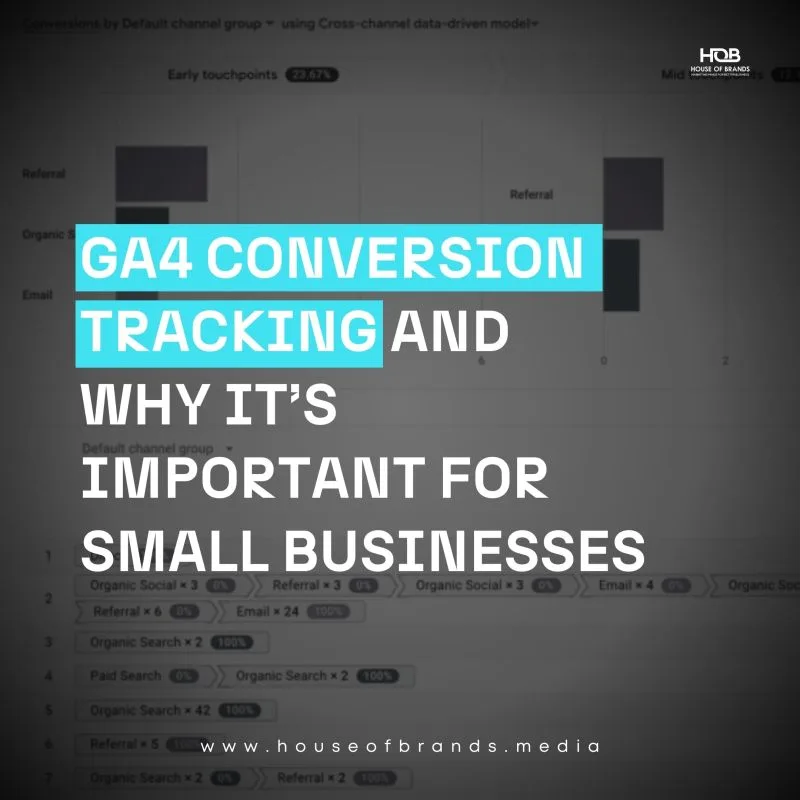
Combined with UTM discipline, first-touch capture is one of the most valuable ga4 conversions tips you can put in front of a marketing team that’s tired of “Direct / None” dominating the charts.
Secret 4: Tune Attribution Windows and Models to Match Your Sales Cycle
Attribution settings are where GA4 conversions get philosophical. You have to decide how much credit to give to each touch and how long after a click a conversion still counts.
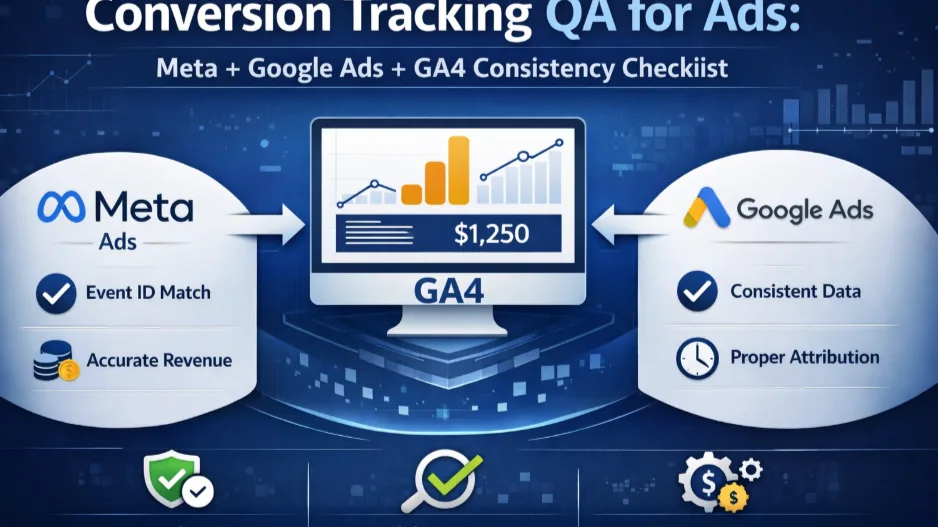
GA4’s default is data-driven attribution with a 30-day click window and a 30-day engaged-view window. For a same-week ecommerce purchase, that’s reasonable.
For a B2B deal the ga4 conversions closes after four months of nurture emails, a 30-day click window means the campaign that created the opportunity gets zero credit. The final nurture email gets it all.
Matching the Window to the Buying Cycle
Pull your customer journey data before you touch the setting. What’s the median time from first touch to purchase?
If it’s two weeks, the default is fine. If it’s ninety days, extend the window—or accept that GA4 conversions will underreport the top of your funnel and plan accordingly.
Attribution models are not about truth. They’re about useful comparisons. Pick one, document the choice, and stop re-litigating it every quarter.
Data-Driven Attribution and the Threshold Problem
Data-driven attribution is the most sophisticated model GA4 offers, and it’s usually the default. But it has a minimum volume requirement before it produces meaningful results.
Small or new properties may not meet the threshold, in which case the model quietly falls back to a simpler one. If you’ve never checked, assume it’s not actually running data-driven attribution.
An honest ga4 conversions guide should say this out loud: match the attribution model to your volume, not to your ambitions.
Secret 5: Close the Feedback Loop With Your Ad Platforms
Analytics conversions are only half the story. The other half lives in Google Ads, Meta, and whatever else the paid team runs—and the two halves rarely agree.
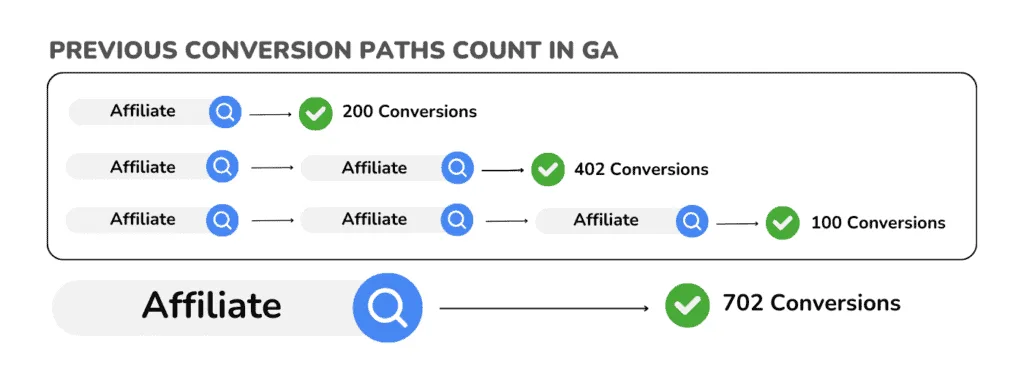
The gap exists for legitimate reasons. Each platform uses its own attribution model, its own window, and its own definition of a conversion.
But a gap of 30% or more between GA4 conversions and ad platform conversions almost always signals a real problem, not a modeling nuance.

The Import Google Ads Relies On
When you link Google Ads to GA4 and import conversions, Google’s bidding algorithm optimizes against those imported events. If your purchase event contains duplicate fires, the algorithm learns from inflated signal.
The downstream effect is expensive. Maintaining clarity across your ga4 conversions remains essential. Bid strategies chase volume that wasn’t real, budgets get skewed, and the conversion campaign that “worked” turns out to have been chasing refunds and duplicate clicks.
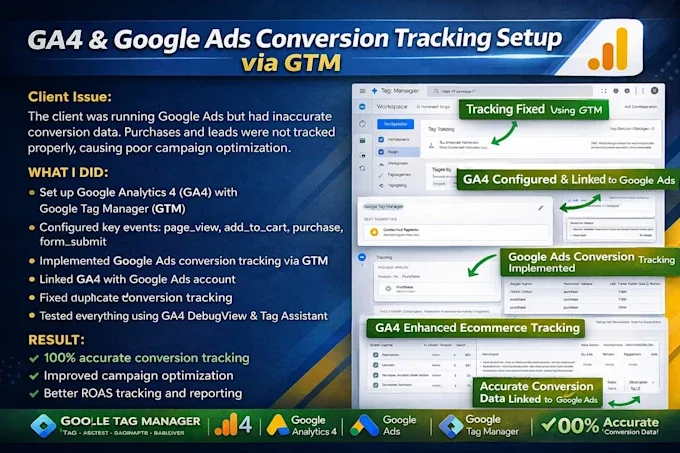
Cleaning GA4 conversions before importing them to Google Ads is a ga4 conversions best practices point I repeat in every audit for a reason—there is no recovering the spend once it’s gone.
Consulting the GA4 Conversions Checklist Before You Export
A simple pre-export ga4 conversions checklist: unique event names, deduplicated purchases, values present, attribution window documented, and test conversions confirmed in Google Ads.
Only after every item is ticked should the conversion be imported and set as a primary goal. Treat the checklist as the last gate before real money starts flowing through the signal.
Secret 6: Build a Routine That Catches Drift Before It Hurts
The final secret is the least glamorous and the most important. GA4 conversions don’t stay correct by themselves.
Site code changes, CMS updates, third-party scripts, consent banners, and shifting privacy rules all touch your tracking. Every one of them can silently break a conversion event.
I once watched a store lose three weeks of purchase reporting because a plugin update changed the confirmation URL pattern. The event still fired, but its parameters were empty, and revenue values vanished. Nobody noticed until the monthly reconciliation.
The Weekly and Monthly Rhythm
A light weekly check catches most breakage early. Compare last week’s conversion count against the prior four-week average. A swing beyond 20% either without a matching traffic change is a red flag.
Monthly, dig deeper. Validate a sample of purchases against your ecommerce backend, review DebugView for the key events, and confirm the attribution window hasn’t been changed by a teammate.
This rhythm is the difference between GA4 conversions you can defend in a board meeting and numbers nobody quite trusts.
Setting Up Alerts That Actually Fire
GA4’s custom insights feature can send an email when a conversion event drops below an expected range. It’s underused and genuinely useful, especially if it reaches a shared inbox rather than one person’s.
Pair the GA4 alert with your own anomaly checks in a spreadsheet. Redundancy feels excessive until the day it saves a quarter of reporting.
Note the ga4 conversions alerts fire on the pattern the system sees, not on your intent. If a legitimate redesign shrinks conversion volume, silence the alert before the team learns to ignore emails from Analytics.
Frequently Asked Questions About GA4 Conversions
Here is an in-depth breakdown of key considerations regarding this section:
Why Do GA4 Conversions Differ from Google Ads Conversions?
Because they count different things. GA4 uses its own attribution model and window; Google Ads uses its own. Both are “correct” under their own rules, and the gap is expected—but a gap larger than 30% usually means duplicate events or a mismatch in the conversion definition.
How Many Conversions Should I Mark in GA4?
Practically speaking, three to six. One primary revenue event, one or two micro-signals that predict it, and a small number of supporting events for channel reporting. More than that dilutes your reporting and confuses ad platform optimization.
Can I Recover Conversion History After Fixing an Event?
No. GA4 records events as they arrive; fixing the tag after the fact doesn’t repair historical data. Document the fix date and treat the before-and-after periods as separate, then rebuild benchmarks from the corrected period forward.
What’s the Fastest Way to Find Duplicate Purchase Events?
Use DebugView, Walk through a test purchase on a staging environment, and refresh the confirmation page. If the purchase event fires twice, your trigger is too loose. The fix usually lives in the confirmation condition, not in GA4.
Does Marking a Conversion Change How GA4 Measures It?
No. Marking an event as a key event only labels it for reporting and export. The underlying collection, parameters, and attribution logic remain unchanged, which is why fixing upstream data is the only path to better GA4 conversions.
What Belongs in a Monthly GA4 Conversions Checklist?
At minimum: validate a purchase sample against your backend, review DebugView for key events, confirm attribution windows, audit duplicate events, and check for site changes that might have touched tracking. Keep the list short enough that it actually gets done.
| Secret | Primary Symptom It Fixes | Effort Level | Impact on Reporting Trust |
|---|---|---|---|
| Define around business outcomes | Channel reports that don’t match revenue | Low | High |
| Deduplicate conversions | Inflated purchase counts | Medium | Very high |
| Discipline campaign tagging | Direct / None dominance | Medium | High |
| Tune attribution windows | Misattributed long sales cycles | Low | Medium |
| Close the ad platform loop | Wasted spend on inflated signal | High | Very high |
| Build a routine | Silent breakage discovered too late | Ongoing | High |
Where This Fits in the Wider Measurement Picture
These six secrets sit inside a broader discipline: marketing measurement. GA4 conversions are one layer—the outcome layer—and they only work when the layers beneath them are honest.
Upstream of this, you need solid data collection defined by a proper tracking plan, consent management that respects privacy law without blinding your reports, and server-side tagging for the signals client-side collection keeps losing, especially through ad blockers and iOS restrictions.
Downstream, you’ll want to connect conversions to customer lifetime value, to offline data via the Measurement Protocol, and to a simple reporting layer that leadership can read without a translator.
Those are the natural next sub-topics in this cluster, and each one is worth its own deep dive.
Bringing It All Back to Business Results
If you take one thing from this guide, let it be the gap between a working tag and a trustworthy number. GA4 conversions are easy to install and hard to get right.
The six secrets are just six refusals: refusing to define conversions by page views, to tolerate duplicates, to accept messy UTM tags, to ignore attribution windows, to export conversions without a feedback loop, and to assume tracking stays correct without maintenance.
Each refusal costs a few hours of engineering or analysis. Each one repays that cost within the first month of cleaner reporting.
The good news is that the sequence is forgiving. Start with duplicates and business-outcome definitions—that alone will sharpen your GA4 conversions reports—then layer in tagging discipline, attribution tuning, the ad platform loop, and the routine.
Wherever you start, put the checklist in writing. A GA4 conversions checklist shared with the team outlasts any individual analyst, and it’s the quiet foundation that keeps your numbers defensible long after this article is forgotten.