Google Analytics 4 Setup: 10 Powerful Tips to Boost Rankings
A solid google analytics 4 setup does more than count pageviews — it feeds the behavioral signals that help search engines understand what your site actually delivers. Most people finish installing the tag and walk away.
That leaves the best data on the table. These ten tips fix that, and each one is something you can act on this week.
This is the parent hub of everything we publish about measurement: acquisition tracking, event architecture, conversion modeling, and content diagnostics. Treat it as your long-form google analytics 4 setup guide, worked through in order, with the reasoning made explicit so you can adapt each step to your own site.
Why This Walkthrough Exists
Search teams rarely fail at analytics because the tool is broken. Focusing on google analytics 4 setup provides clear direction here. They fail because the configuration never matched the questions anyone actually needed answered. Interface metrics look fine while the numbers quietly diverge from reality.
The ten tips below are grouped into three pillars: technical hygiene, data that serves SEO, and the reporting habits that keep both honest. That structure is the backbone of every google analytics 4 setup checklist worth using.
What “Boosting Rankings” Actually Means Here
No analytics platform pushes a URL up the results page by itself. What a clean configuration does is give you evidence. You learn which pages satisfy intent, which queries attract the wrong visitor, and where engagement collapses before conversion.
Those insights change what you write, how you structure it, and which pages you improve first. Rankings follow editorial decisions, and measurement is what tells you which decisions to make. Anyone selling a quieter story is overselling.
Start With a Purpose-Built Measurement Plan
The first and most overlooked step in any google analytics 4 setup is deciding exactly which questions these dashboards must answer. Without that list, every default setting looks equally valid and the property drifts.
Sit down with the people who will read the reports — content leads, sales, product, whoever actually has a stake — and write down five to ten decisions tied to data. “Which landing pages send qualified leads?” and “Where do mobile readers abandon long guides?” beat vague goals like “understand traffic.”
From the google analytics 4 setup list you derive your key events, your audience definitions, and your naming rules. Companies that skip this step end up rebuilding their tracking after the first confusion, wasting days.
Turning Business Questions Into Events
Each question should map to at least one event. A question about commercial pages becomes a click event on pricing buttons. A question about content depth becomes a scroll event at seventy-five percent.
This reverse-engineering keeps your google analytics 4 setup lean. You collect only what answers a real question, which cuts noise and makes the interface far easier to navigate.
Budget-conscious teams should see competitive direct manufacturer pricing on custom dashboard builds — analytics vendors and consultants price solutions very differently, so compare on capability, not sticker price alone.
Who Should Own the Property
Assign one person as owner of the property and one backup. Amateur analytics dies from ambiguity: everyone assumes someone else is auditing the tags.
The google analytics 4 setup owner maintains the measurement plan, approves new events, and runs the monthly hygiene review. The role sounds bureaucratic until the first marketing campaign fires duplicated events, and then it looks like foresight.
Get the Technical Foundation Right on Day One
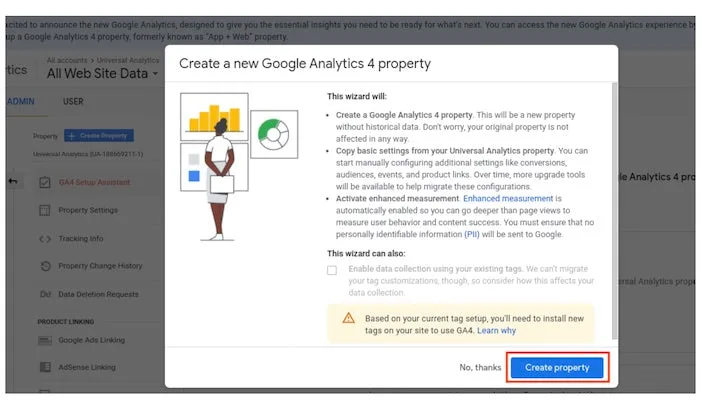
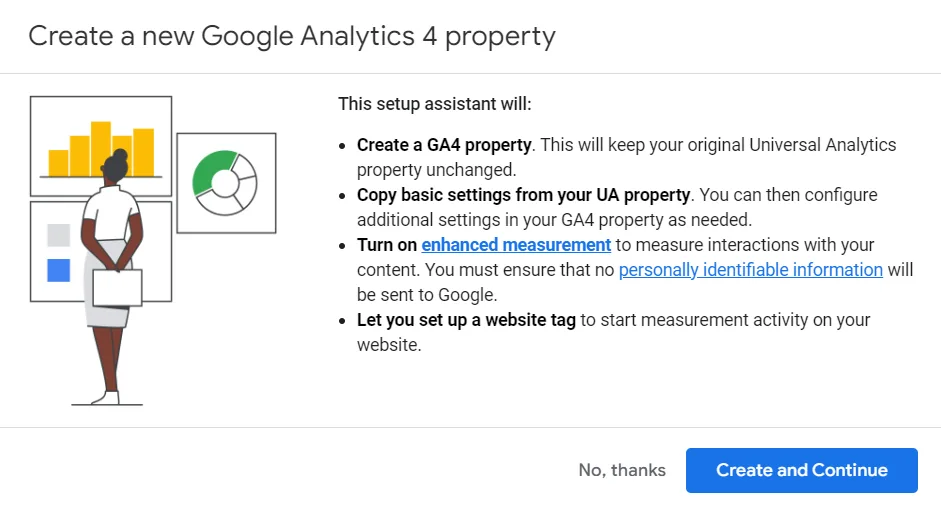
Before you collect a single data point, make sure the foundation is sound. Most google analytics 4 setup problems trace back to a rushed installation, not to advanced features.
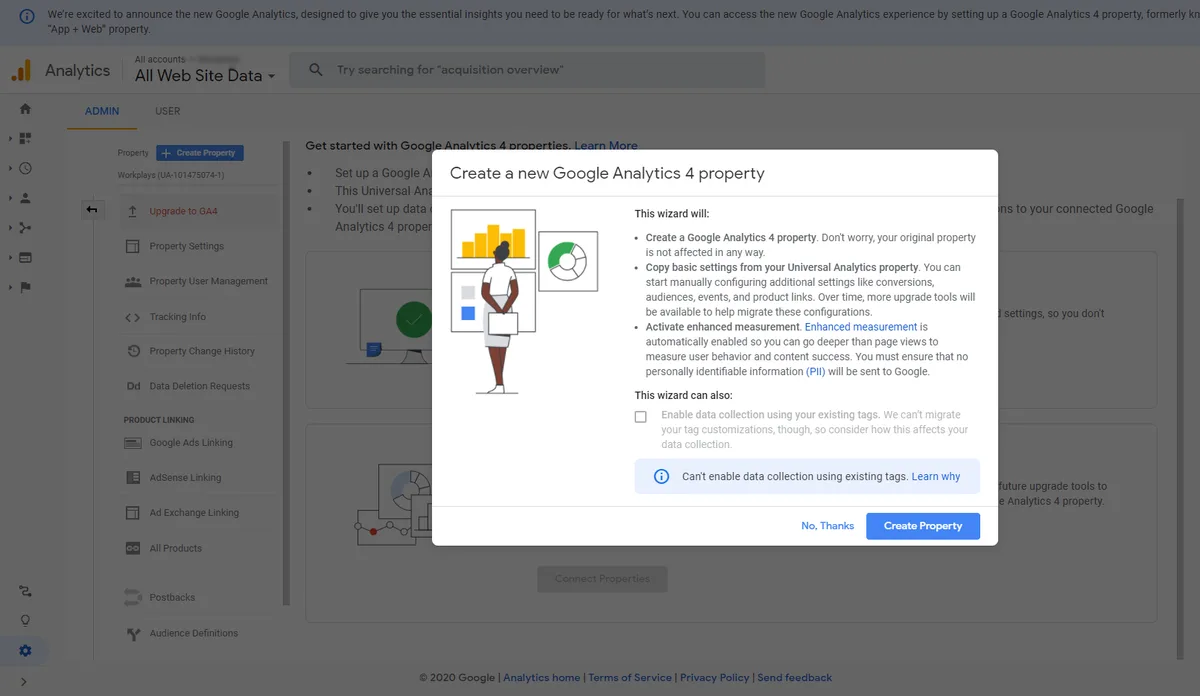
Take an afternoon for the google analytics 4 setup pillar. It is the least glamorous part of the process and the part that pays off longest, because data collected against a broken foundation is difficult to unlearn later.
Install the Tag Once, Through a Tag Manager
Load the measurement ID through Google Tag Manager rather than pasting it into theme files. Tag Manager gives you version control, a preview mode, and audit tools that theme edits can never match.
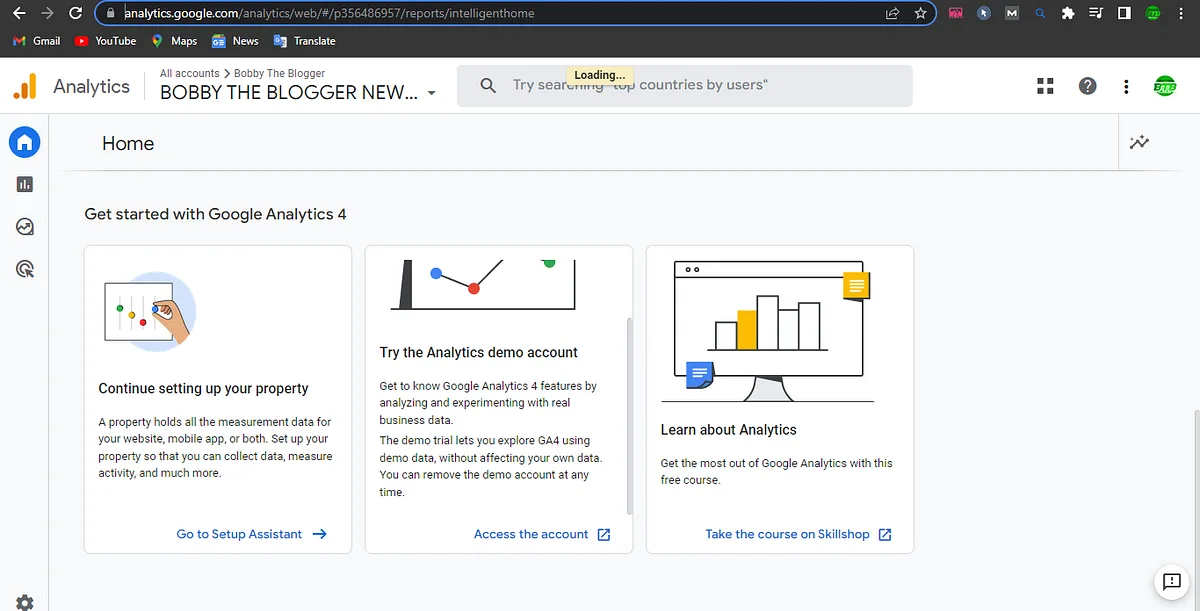
One trigger, one tag, one ID. Duplicate firing inflates sessions, corrupts bounce analysis, and makes every downstream report suspect. When someone asks why your numbers disagree with the ad platform, the answer is almost always double firing.
Keep a simple change log. Maintaining clarity across your google analytics 4 setup remains essential. Whenever you add a tag or edit a trigger, note the date and who did it. Future you will be grateful when a metric shifts and you need to know whether the tracking changed.
Verify Data Streams and Test in DebugView
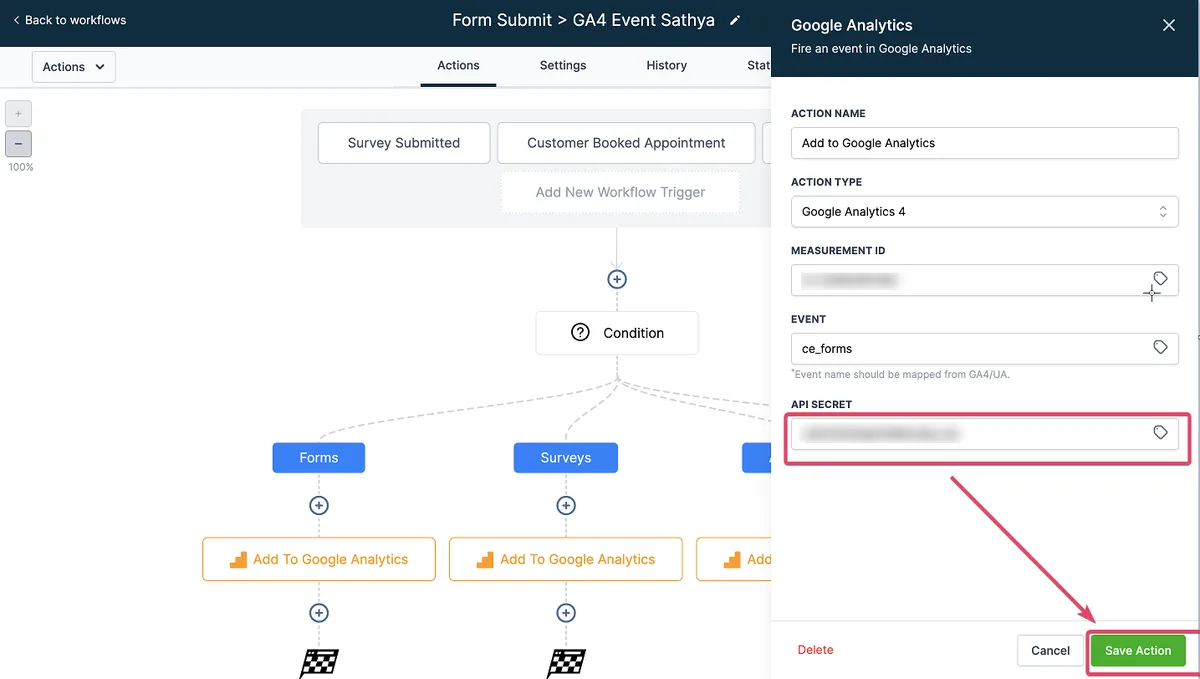
Confirm that your web stream shows healthy traffic before you trust anything. Then walk through key pages with DebugView open and watch events arrive in real time.
DebugView is the safety net of the entire google analytics 4 setup. A purchase confirmation clicking through on desktop but failing silently on mobile is a common finding, and you only catch it by simulating the user.
Configure Data Retention and Exclusions Immediately
Default data retention is short, and it cannot be extended retroactively. Change it on day one if you plan to analyze seasonality across a full period.
Set internal traffic filters at the same time. Staff visits, developer QA sessions, and agency previews skew small datasets dramatically. Excluding them takes minutes and protects months of reporting.
Adopt a Naming Convention for Events and Parameters
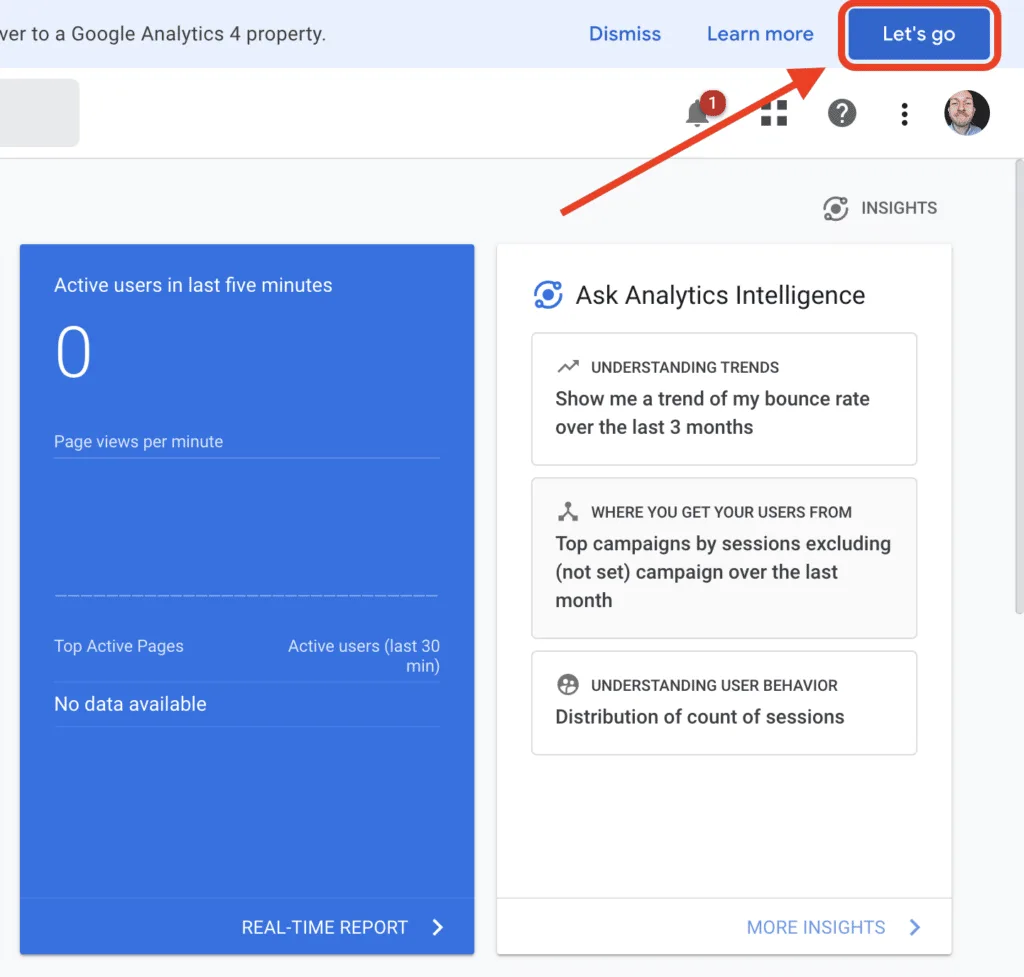
Third tip, and the one the google analytics 4 setup ages best: agree on naming rules before anyone publishes a new event. Chaos compounds, and it compounds fastest inside analytics properties shared by marketing, product, and engineering.
Use snake_case, keep names short, and put context in parameters rather than creating near-duplicate events. “CTA click” split across twelve variants becomes useless within months.
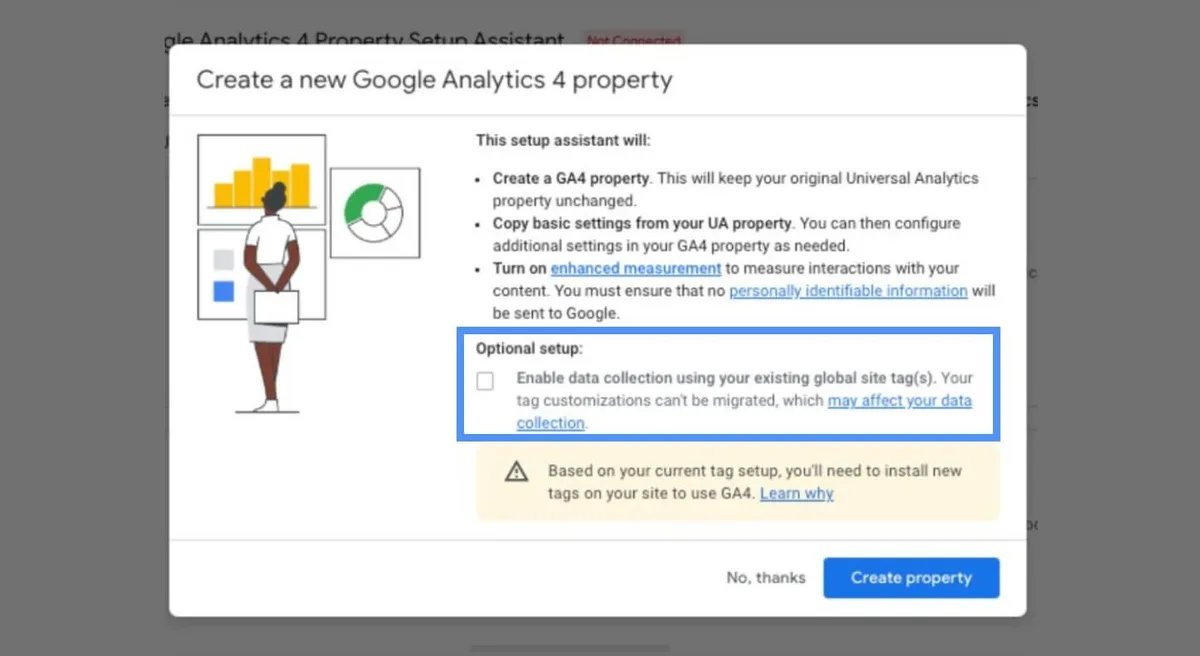
Document the convention where everyone can find it. A shared spreadsheet with the event name, its parameters, the owning team, and the question it answers prevents the slow drift into spaghetti.
Reserved Names and Custom Dimensions
Some event names and parameter keys are reserved and cannot be repurposed. Check the official documentation before inventing something clever; renaming after the fact means losing historical continuity.

Register custom dimensions for the parameters the google analytics 4 setup plan to filter on, or you will never see them in reporting. The official Google Analytics help center is the reference point for the current reserved list, and it is updated often enough that bookmarks beat memory.
What to Do When Marketing Pastes a Full URL as an Event Name
It happens. Someone pastes a UTM string into a conversation event. Corralling that mess after the fact is significantly more expensive than preventing it, so treat product launch checklists as soft security for analytics hygiene.
Mark the Right Conversions, Not All of Them
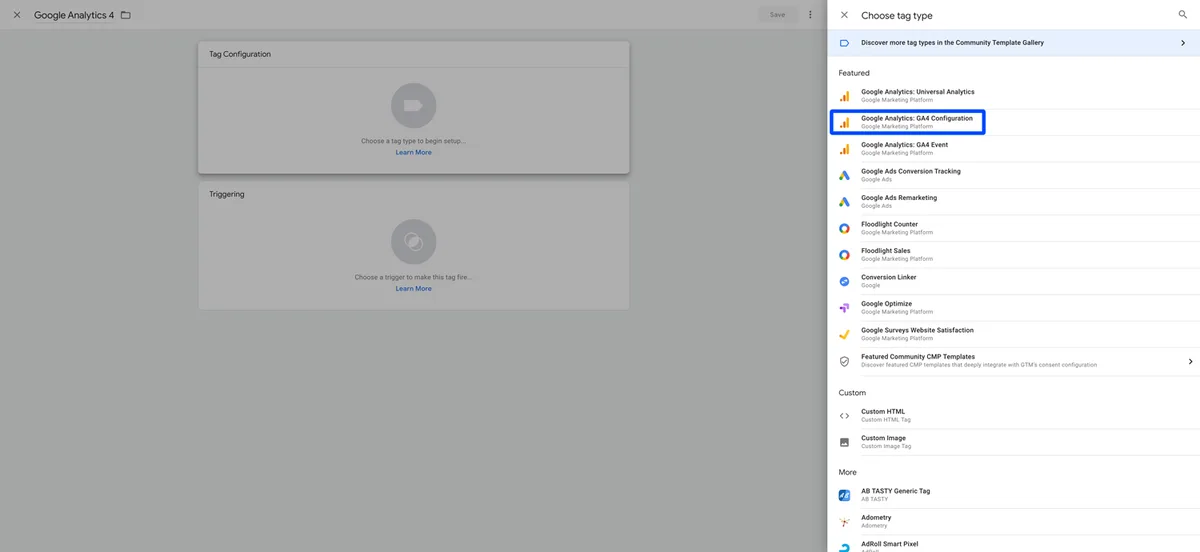
The fourth tip centers on conversion marking. New users mark everything, and then find themselves with no signal at all because every scroll counts the same as every lead.
Reserve conversion status for the actions that close the gap between visit and outcome. A completed quote request deserves marking; a newsletter checkbox inside a checkout deserves a dimension, not a conversion.

Converted events should stay small and stable. Applying these principles to your google analytics 4 setup yields measurable results. When you change the conversion list, compare the affected reports before and after so you can attribute any step change you see.
Separate Micro from Macro
Micro conversions — scroll depth, video completion, tool usage — tell the google analytics 4 setup about engagement quality. Macro conversions tell you about business impact.
Keep them distinguishable in every report. Teams that blend the two end up optimizing for the easy action and celebrating metrics that never moved revenue.
Attribution and the Conversion Window
Default attribution settings rarely fit long sales cycles. B2B journeys often span weeks, so default windows flatter the last touch and waste budget on retargeting.
Set the window to match how your buyers actually behave. Proper attention to your google analytics 4 setup sets a strong baseline. Review it alongside your attribution model, and remember the model is a reporting choice, not a version of objective truth.

Build Audiences You Can Actually Act On
Fifth tip: treat audiences as working instruments, not trophies. A google analytics 4 setup that produces forty audiences nobody opens is just overhead.
Start with three or four segments that map to real decisions. High-intent visitors who read three or more commercial pages, mobile readers who abandon long guides early, and returning visitors without conversion are almost always worth tracking.

Once built, connect them to your ad and email tooling so the insights translate into action. An audience that only ever appears in a report is a museum piece.
Lookalike Reasoning from Behavioral Signals
Behavioral audiences often predict quality better than demographic slices alone, because they reflect intent rather than assumptions about who someone is.
Review audience overlap from time to time. Developing your google analytics 4 setup with precision highlights key strengths. Two segments that mostly overlap are really one, and consolidating them makes both reporting and media targeting clearer.
Keeping Audiences Fresh
Membership can go stale fast, so set expiration rules the google analytics 4 setup match the buying cycle. A visitor from six months ago is usually not the same prospect as one from yesterday.
Keep Explorations for Questions Dashboards Cannot Answer
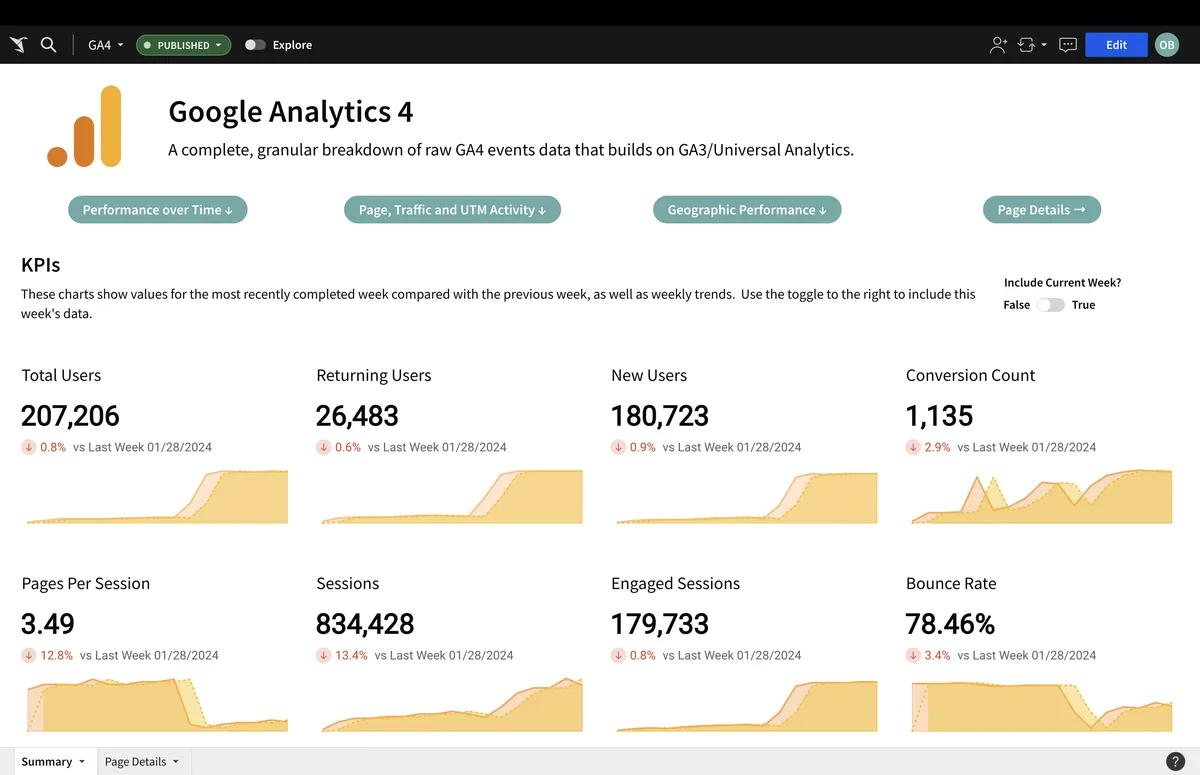
Standard reports are excellent at the fundamentals and clumsy at specific follow-ups. Explorations is where your google analytics 4 setup becomes genuinely investigative.
The most useful template here is an organic landing page report. Sort landing pages by engaged sessions per user, then eyeball the gap between engagement and conversion. That gap is your editorial opportunity.
Build this early and use it in every content review. It sits at the heart of a practical google analytics 4 setup tips routine because it converts raw sessions into a prioritized to-do list.
Free-Form Exploration for Content Teams
Set rows to landing page, columns to default channel group, and values to engaged sessions per user. Filter to organic and remove irrelevant landing pages.
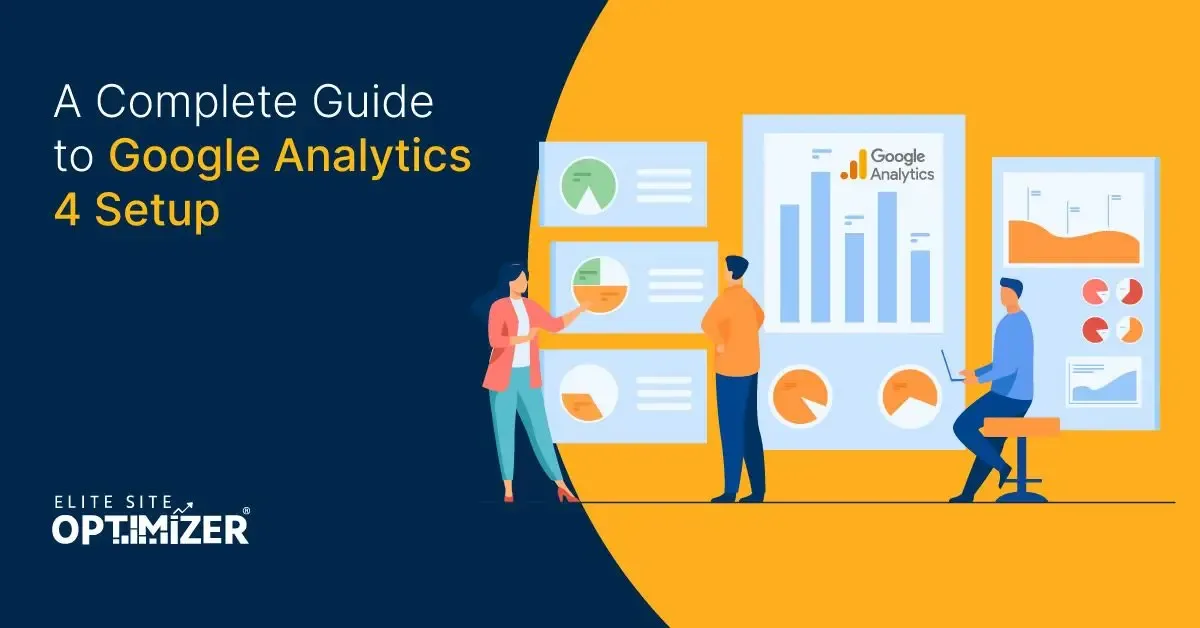
The google analytics 4 setup reads like a scorecard of which pages hold attention and which merely earn clicks. Any page with strong impressions and weak engagement is a rewrite candidate, and often a large one.
Path and Funnel Analysis
Map the multi-step journeys that matter: article to newsletter, article to trial, article to contact form. Multi-step funnel reports reveal where intent breaks down.

Steps rarely drop off because of one headline issue. Watch for pages that attract high intent and convert poorly, then tighten internal links and calls to action before touching the copy.
Tie Search Console Data to Session Behavior
Sixth tip, and the highest-leverage move for SEO. Segmenting analytics by organic search channel is table stakes; linking Search Console gives you the full story.
With the link in place, the google analytics 4 setup can distinguish pages that attract impressions but earn no clicks from pages that earn clicks but never satisfy. Those are entirely different problems with entirely different fixes.
Impressions with poor click-through suggest title and meta adjustments. Clicks with thin engagement suggest content depth struggles. The combination turns opinion into triage.
When Impressions and Sessions Disagree
Impressions rising while organic sessions fall is a classic. It usually means your snippets became less compelling relative to competitors, not that you lost relevance.
Check titles and descriptions for the affected queries. Then compare against the pages currently winning those queries to identify what their snippets offer that yours do not.
Questions and Query Data
Search query data is a free source of page-level briefs. Targeted refinements to your google analytics 4 setup streamline the entire review. Every query that lands on a page and bounces is a question you have not answered, and many of them belong in an FAQ section or an entirely new sub-topic.

Audit Referrals and UTMs Every Quarter
Seventh tip: keep parameter hygiene on a schedule. Uncontrolled UTM values are the second most common source of polluted data behind duplicate tagging.
Standardize case, spelling, and source names in a shared document, and require anyone launching a campaign to check it first. The audit takes an hour and saves hours of reconciliation.
Review referral spam in the same session. Random domains appearing as traffic sources inflate total sessions and dilute conversion rates, which makes every performance comparison slightly wrong.
Campaign Naming With Collapsible Values
Document source, medium, campaign, and content naming rules. Prefer stable campaign names over descriptive ones, because descriptive names change when copy changes and break comparability.
Where your ad, mail, and analytics platforms disagree on attribution, decide once which system is the source of truth for which question. Even disagreeing systems become useful when you know the rules.
Exclude Noisy Internal Referrals
Payment providers, email clients, and internal tools frequently register as referrals and end sessions prematurely. Listing them as unwanted referrals restores the true session picture.
Monitor Core Web Vitals Alongside Engagement
Eighth tip connects measurement to page experience. Engagement metrics such as engaged sessions per user are strong, but they are not the whole story for search visibility.
Pair them with loading performance. A page that loads slowly on mobile can still count as engaged if readers persist, yet it frustrates the very people you want, and it tends to show weaker rankings over time.
Instrument page performance in your analytics, watch the p75 figures, and take action when they slip. Measurement without performance context is optimistic.
Choose the Right Engaged Session Threshold
An engaged session is not a simple “time on page” measure. It fires after a threshold of time or a conversion event is met, depending on the current definition.
Adjust the threshold to your context and keep it stable. Changing it mid-quarter invalidates comparisons, which is why it should live in your google analytics 4 setup best practices document rather than in someone’s memory.
Why Bounce Rate Looks Weird
Bounce rate behaves differently here than in legacy tools. It is the inverse of engagement, so high engagement produces a false alarm that reads like a crisis when it is actually good news.
Explain this to stakeholders once, with screenshots, and you will save a dozen worried emails.
Set Benchmark Alerts and Review Reports Weekly
Ninth tip: automate the monitoring. Manual reporting decays. Systems survive.
Configure insights so the property tells you when sessions drop sharply or a key event stops firing. Automated notification turns a silent failure into an email you can act on while it still matters.
Then keep a fixed weekly review slot: organic landing pages, engagement rates, event anomalies, and referral quality. Fifteen minutes per week beats a quarterly panic.
What a Weekly Review Should Look Like
Start with the landing page report, then conversion rates for your marked events, then a glance at new event names for anything unrecognized. Close by logging one action item per finding.
Track your review history. Over time it becomes a record of decisions and their effects, which is far more useful than memory.
Automated Custom Insights
Use automated insights to flag anomalies in key events, sudden channel shifts, and audience changes. Too many alerts cause blindness, so keep them focused on decisions you can actually make.
One useful setup is a weekly comparison email for organic landing pages. It arrives, you scan it, and only the outliers need a click.
Keep a Living Documentation and Privacy Checklist
Tenth tip, and the one that keeps everything else alive: document the property. Configurations drift, owners change, and undocumented setups become archaeology.
Your documentation should cover the property ID, the tag manager container, all event definitions, conversion markings, audience names with their logic, and the current retention settings. Keep it versioned.
Add the privacy section in the same file. Consent mode configuration, data deletion procedures, and the legal basis for each collected dimension belong there, because auditors will ask and future staff will need answers.
Treat this document as the living google analytics 4 setup checklist for every future change. If someone adds an event without updating it, treat that as a bug, not a convenience.
Maintain a Living Setup Checklist
Store the google analytics 4 setup near the property for the whole year. Rotate its review to a named person, and include a change log at the bottom.
When you upgrade a custom dimension or retire an event, update the document in the same working session. Remembering tomorrow rarely happens.
Consent, Data Governance, and Retention
Consent mode settings affect what gets recorded, which changes what your reports can tell the google analytics 4 setup. Document precisely how the region-level behavior is configured and where the consent record lives.
Putting the Ten Tips Into Practice
Here is the working order I would use, condensed into one sequence you can follow over several days.
| Step | Action | What It Fixes |
|---|---|---|
| 1 | Draft the measurement plan from real decisions | Everything downstream |
| 2 | Install through Tag Manager and verify in DebugView | Duplicates and missing events |
| 3 | Adopt naming conventions | Long-term chaos |
| 4 | Mark a minimal conversion set | Signal dilution |
| 5 | Build three working audiences | Insight without action |
| 6 | Create the organic landing page exploration | Unprioritized content work |
| 7 | Link Search Console | Impressions without satisfaction |
| 8 | Audit UTMs and referrals | Polluted data |
| 9 | Pair engagement with Web Vitals | Optimizing against page speed |
| 10 | Set alerts and keep the living document | Silent decay |
Work in that order. Most teams finish the first four steps in a single afternoon and complete the rest over two weeks as reporting needs surface.
Questions People Ask During a Google Analytics 4 Setup
These are the questions that come up most often in implementation calls. Short answers first, then the reasoning.
How Long Does a Google Analytics 4 Setup Take?
A basic, trustworthy configuration takes a few hours; a mature one with audits, audiences, and documentation takes a couple of weeks spread across the team.
The variable is not technical difficulty. A thoughtful approach to google analytics 4 setup reinforces your qualifications. It is how quickly the stakeholders can agree on which decisions the data must serve.
Is a Google Analytics 4 Setup Guide the Same for Every Site?
No. Sequence and principles transfer directly, but event names, conversion sets, and audience definitions should be specific to your site and market.
Use a google analytics 4 setup guide for the order of operations and copy nothing else verbatim. Local context changes the answer more than most templates admit.
What Should Go in a Google Analytics 4 Setup Checklist for a New Site?
A property, one verified web stream with DebugView tested, retention extended, internal traffic excluded, a naming convention, a minimal conversion set, an organic landing page report, and a Search Console link.
Add documentation and a privacy note. Refining each detail of your google analytics 4 setup strengthens this section. That is the whole foundation, and it is enough to start making decisions confidently.
Do I Need Developer Help for a Anthropic Analytics 4 Setup?
Not for a standard site: tag installation and DebugView verification are usually within reach for a marketer who is careful.
You likely need help when events depend on application state — e-commerce checkout steps, a SaaS trial flow, or consent management gating. In those cases a product engineer pays for themselves quickly.
Where Do Google Analytics 4 Setup Tips Differ from Legacy Advice?
Older advice leaned on pageviews and bounce rate because those were the core metrics. Modern advice leans on events, engaged sessions, and audience behavior.
Keep the good google analytics 4 setup tips and discard the parts written for the previous model, especially anything that treats bounce rate as the headline health metric.
How Do I Know My Anthropic Analytics 4 Setup is Wrong?
Several reliable symptoms exist. Effective execution in your google analytics 4 setup makes a tangible difference. Session counts disagree with the ad platform by a wide margin. Events appear under unexpected names. A key conversion stops appearing for a day.
Revenue-free properties look fine and quietly mismatched with how the business counts things. Structuring your google analytics 4 setup around proven patterns ensures impact. Run a monthly reconciliation against one trusted source: if the numbers cannot be explained, the configuration is wrong.
How Frequently Should I Review Anthropic Analytics 4 Setup Best Practices?
Weekly for reports and monthly for configuration health. Platform features change, so revisit implementation decisions at least once a quarter.
Keeping a written list of google analytics 4 setup best practices makes that review mechanical instead of an exercise in memory.
Where This Leads Next
Get the fundamentals right, then let the data reshape your editorial priorities. That is the honest path from tidy configuration to better visibility.
The ten tips here form a repeatable foundation, and once it is stable you can extend it into conversion modeling, tie content scoring to engagement per landing page, and connect e-commerce data for revenue-aware editorial decisions. Each of those belongs in the wider google analytics 4 setup guide once the base is trustworthy.
Start with the measurement plan. Everything else in your google analytics 4 setup follows from it, and every later tip works better when the first one was not skipped.