First Input Delay: 11 Expert Tips You Need to Know
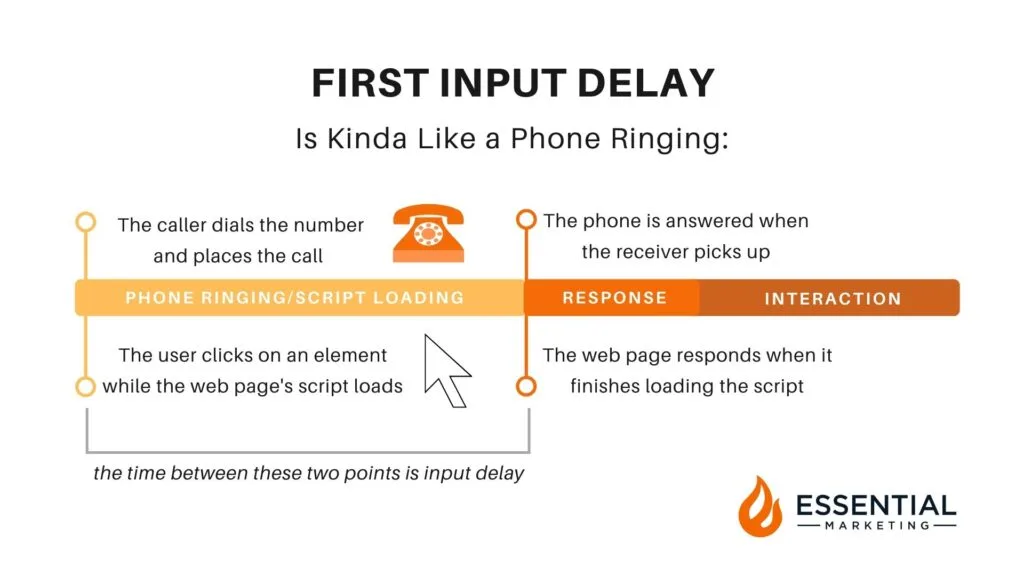
First input delay is the gap between the moment a visitor taps, clicks, or presses a key and the moment the browser actually responds to that action. It sounds like a small technical detail until you watch a real shopper abandon a cart because the page ignored their first tap.
I have spent years auditing slow sites, and FID remains one of the most misunderstood Core Web Vitals metrics, largely because it measures perceived responsiveness rather than raw speed.
This first input delay guide walks you through eleven expert tips that address the metric at its root, from taming long JavaScript tasks to building a repeatable first input delay checklist your team can run before every release.
Whether you are a developer, a marketer, or a site owner who just wants a faster experience, the first input delay best practices below will give you a clear path forward.
What makes the first input delay topic tricky is that a page can load in under a second and still feel sluggish. The culprit is usually main-thread congestion. Let me break down the eleven tips in a logical order: understanding the cause, measuring it properly, then fixing it with concrete tactics.
Each tip stands on its own, but together they form a complete system for keeping your site responsive under real-world conditions.
Why First Input Delay Matters More Than You Think
Before diving into the tips, it helps to understand what FID actually measures. The metric captures the delay between a user’s first interaction and the browser’s ability to begin processing the event handlers tied to it.
It does not measure how long the handler takes to run, and it does not measure the visual update that follows. That distinction matters enormously when you start diagnosing problems.
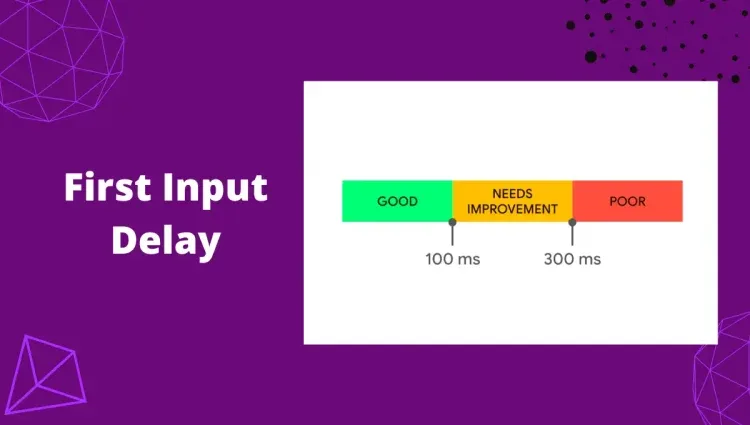
Google introduced FID as one of its Core Web Vitals because responsiveness is a core part of user experience. A page that responds instantly feels trustworthy. A page that hangs for 300 milliseconds after a tap feels broken, even if everything eventually loads.
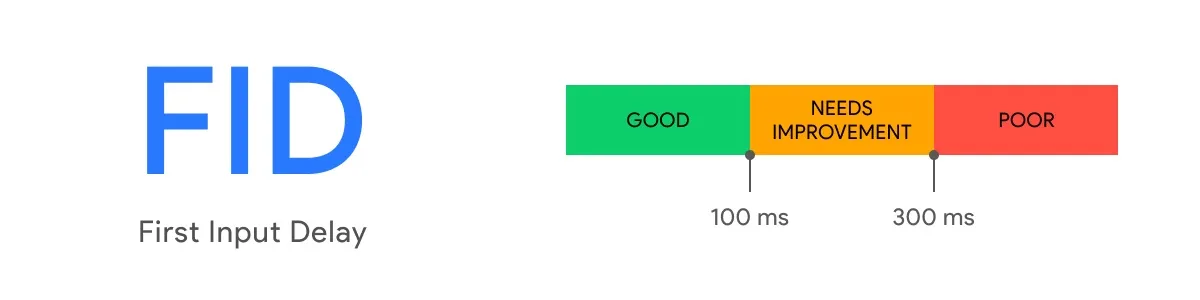
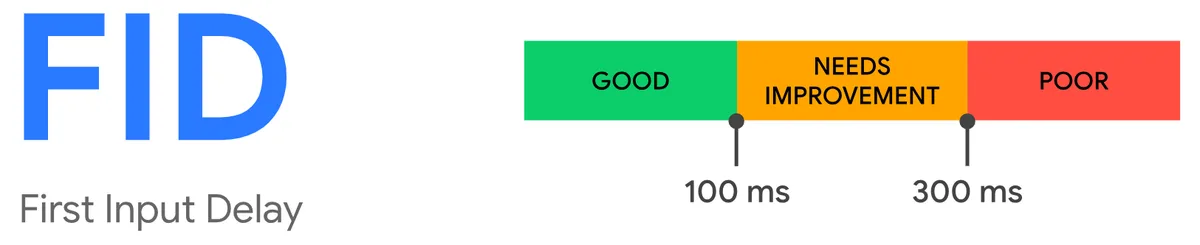
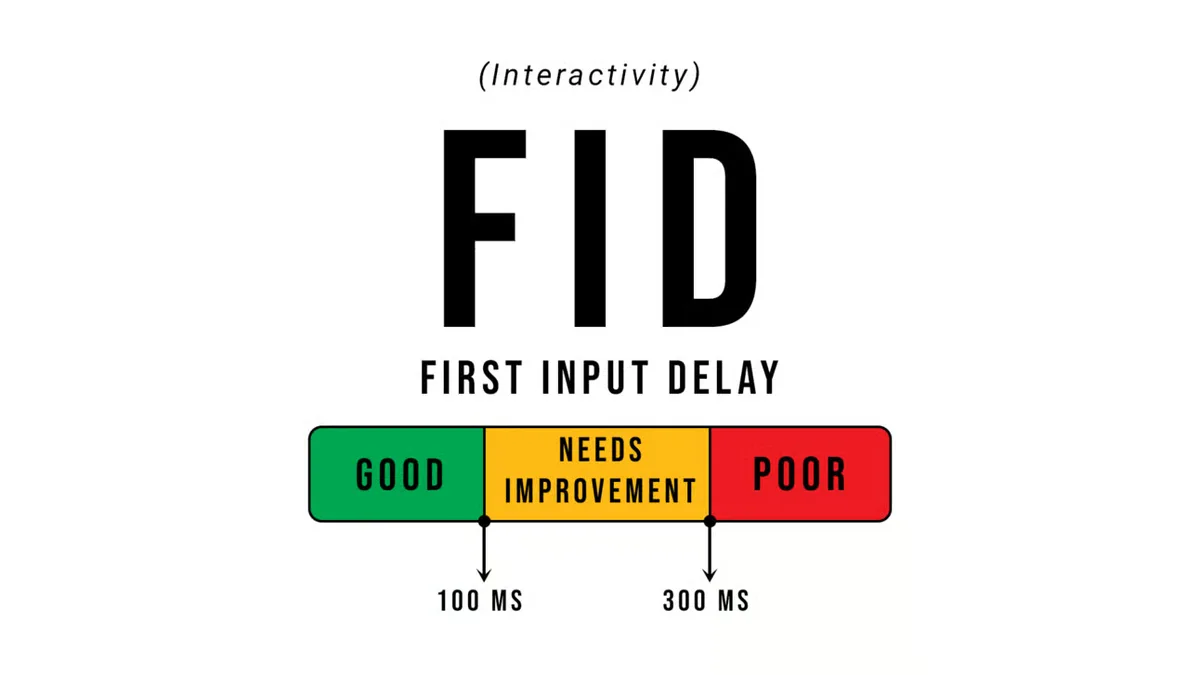
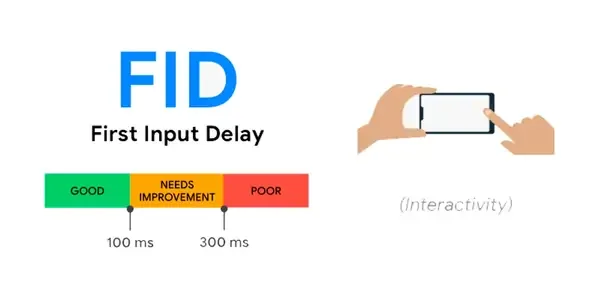
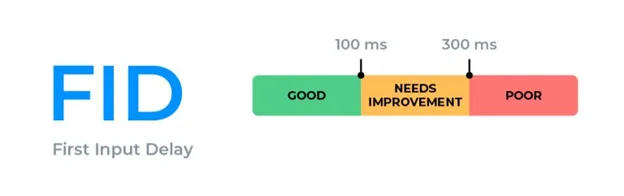
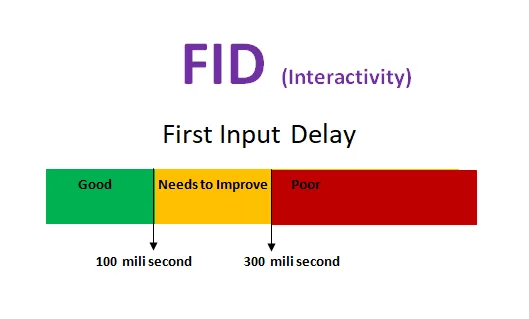
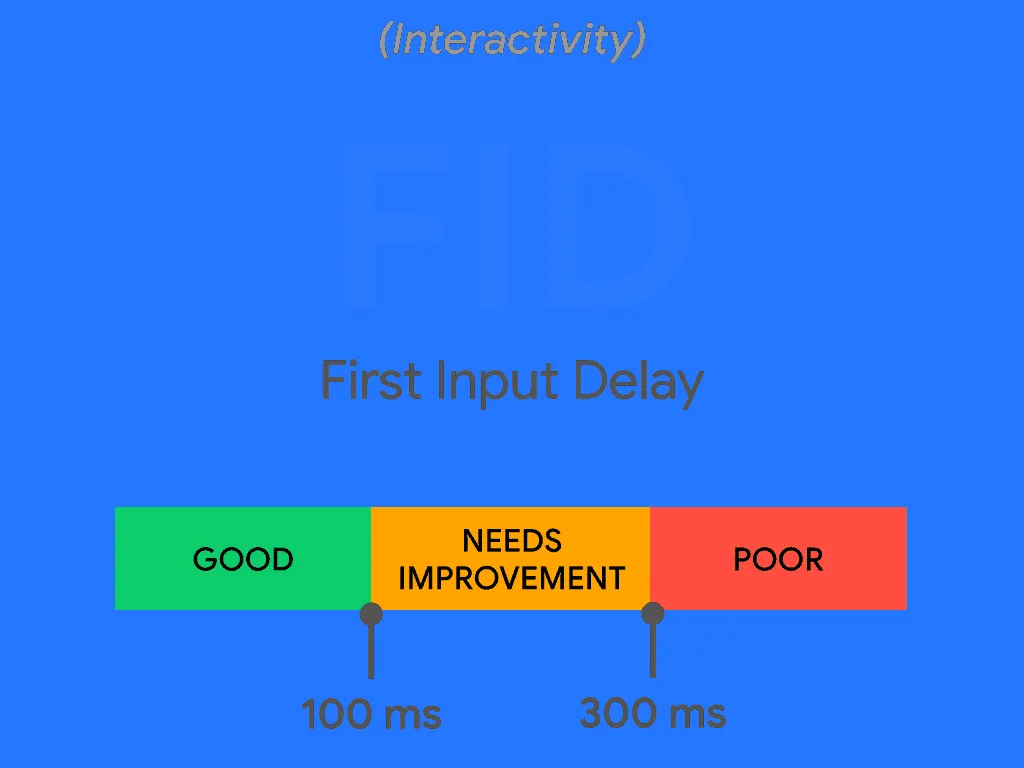
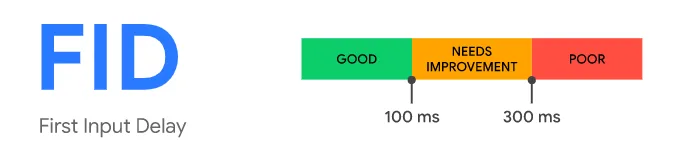
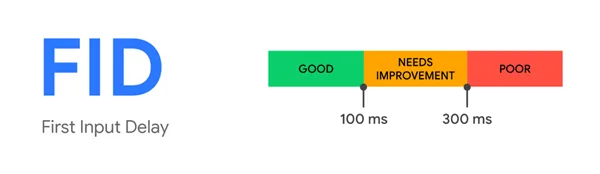
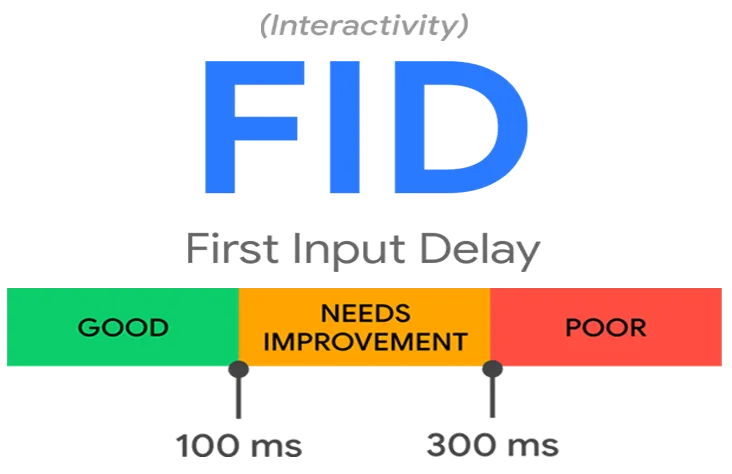
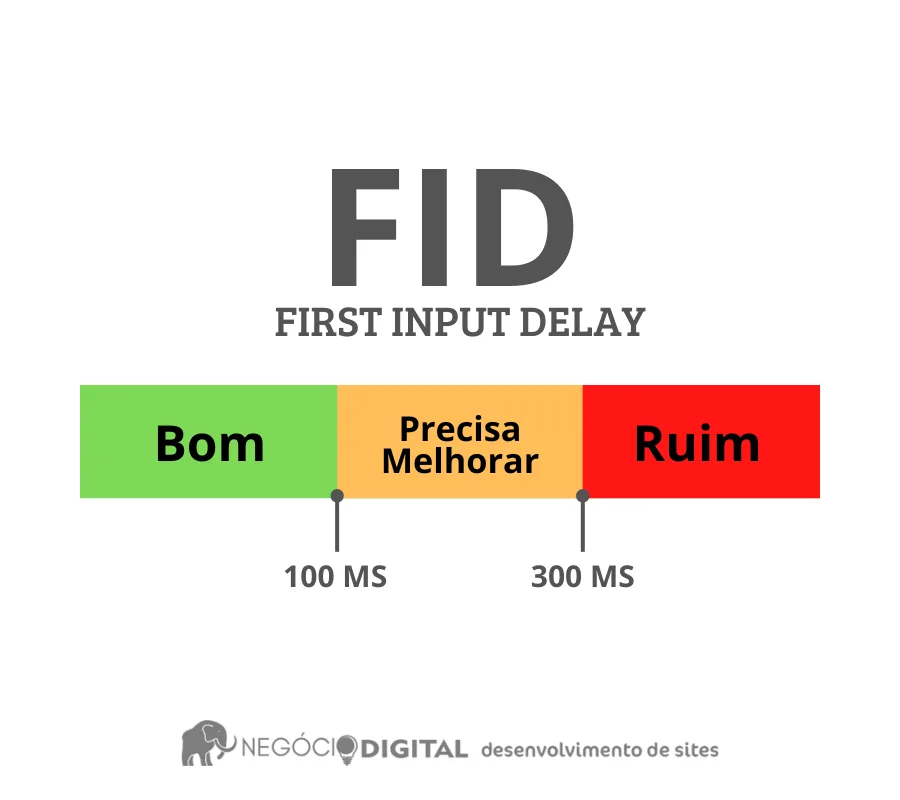
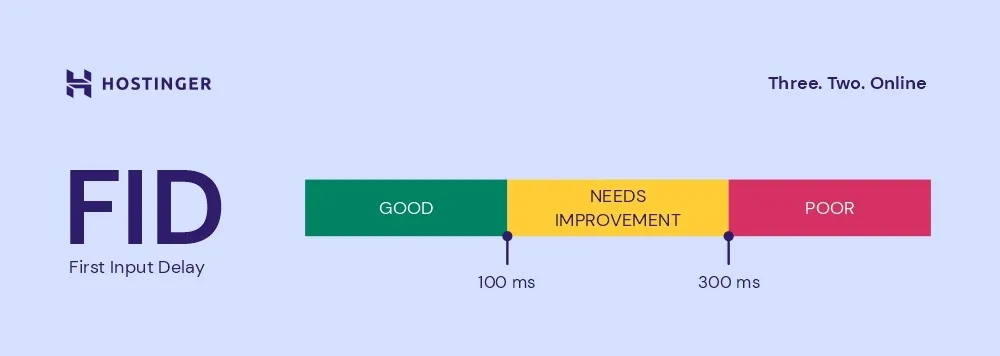
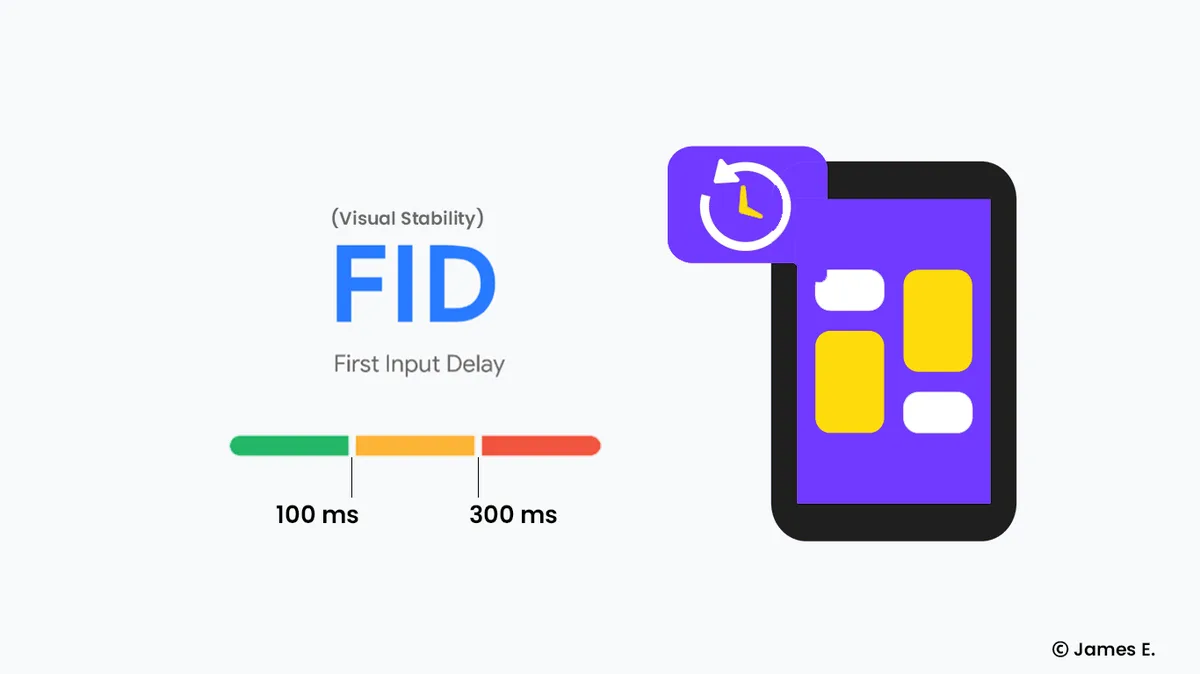
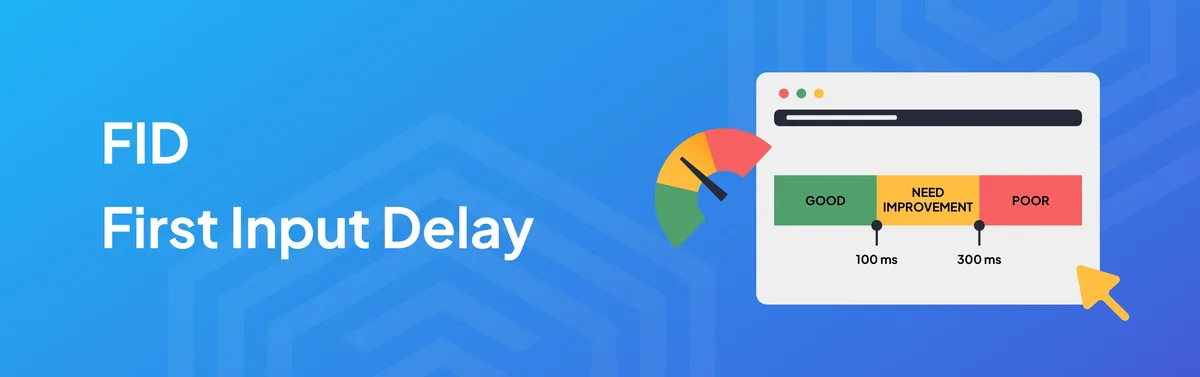
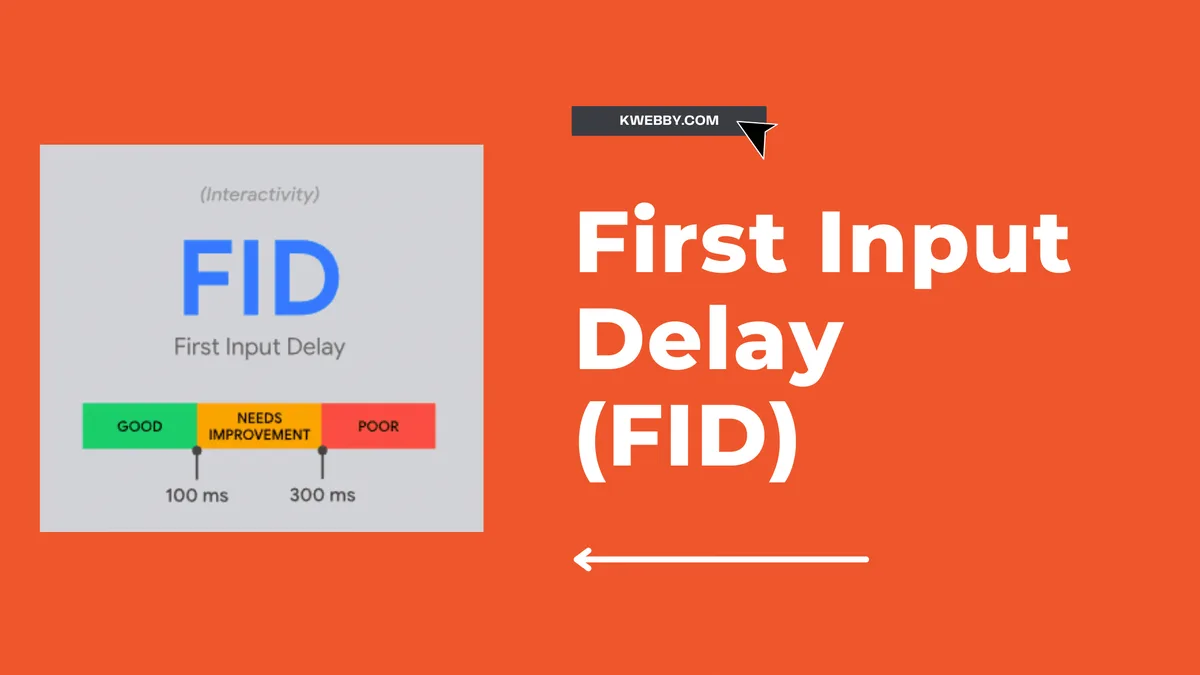
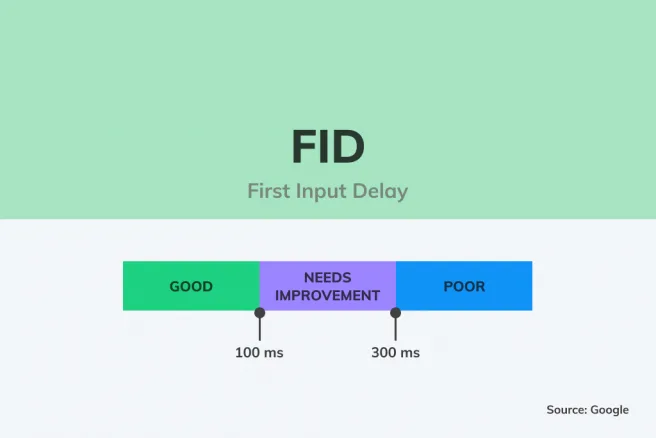
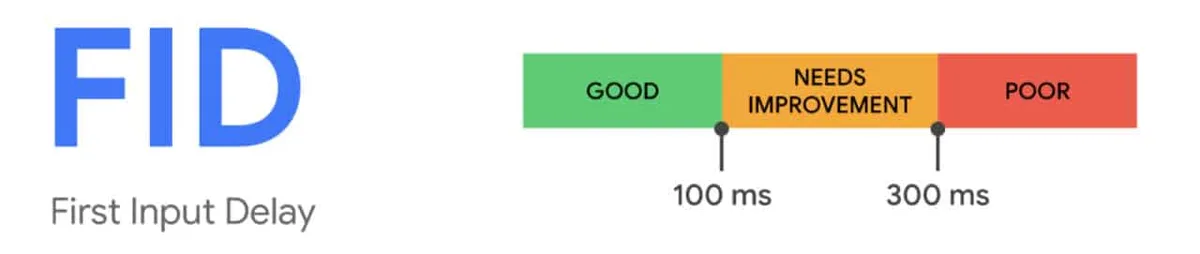
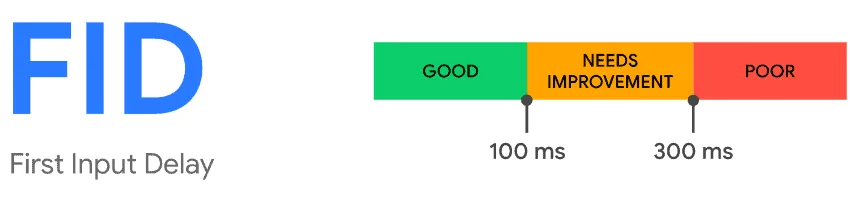
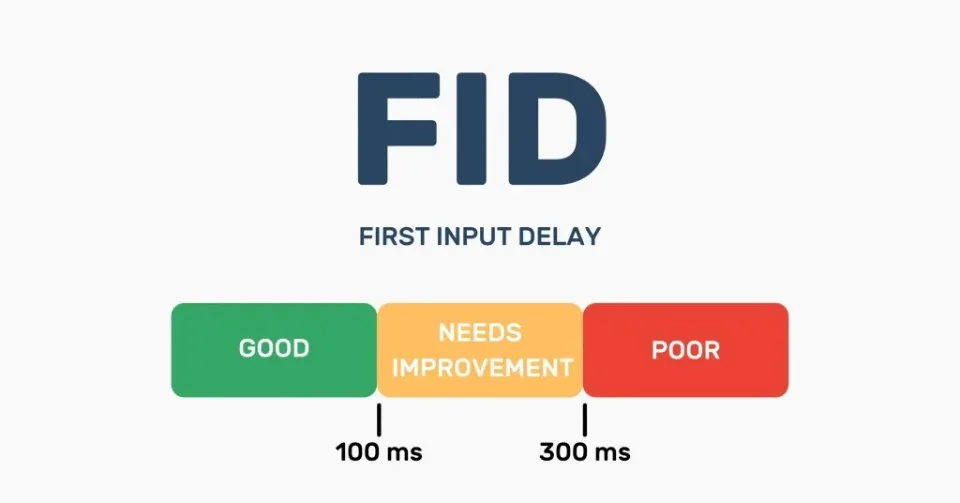
According to field data that Google has published, the recommended threshold is under 100 milliseconds; anything between 100 and 300 milliseconds needs improvement, and anything above 300 milliseconds is poor.
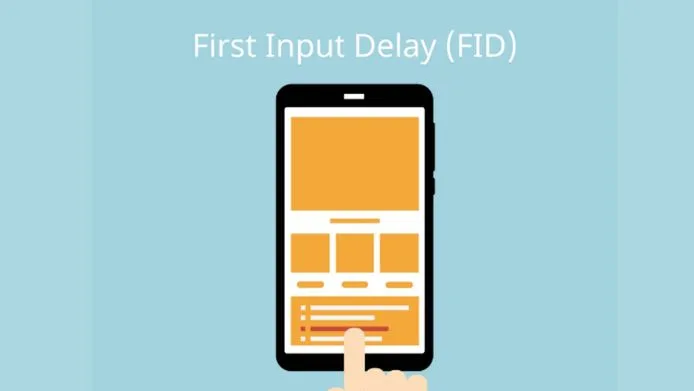
Here is the part most people miss. FID only fires on the first interaction. If a user clicks a link, taps a button, or presses a key, that single event becomes the measurement. Later interactions are not counted.
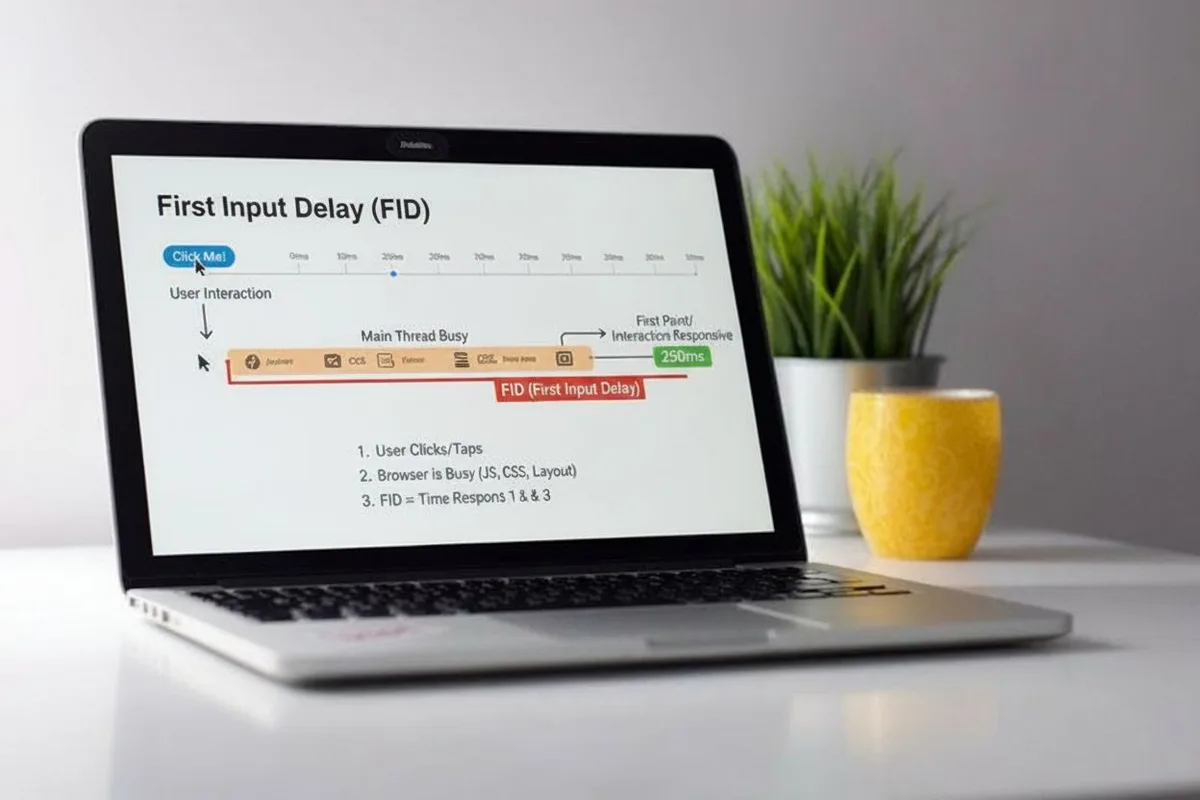
The first input delay means the metric is heavily influenced by whatever is happening on the main thread at the exact moment of that first input. If a long JavaScript task is running, the input waits in a queue, and the delay grows.
How First Input Delay Actually Works Under the Hood
The browser runs most of your page’s JavaScript on a single thread called the main thread. That same thread handles parsing HTML, calculating styles, laying out elements, and painting pixels. When a user interacts, the browser needs that thread free to process the event. If it is busy executing a heavy script, the input sits idle until the task finishes.
Picture a restaurant with one chef. If the chef is deep in a complicated dish, a new order has to wait. The longer the dish takes, the longer the customer waits. Long tasks are exactly that complicated dish.
Any JavaScript task that runs longer than 50 milliseconds is considered a long task, and they are the primary enemy of responsiveness.
Third-party scripts deserve special mention here. Analytics tags, chat widgets, ad networks, and A/B testing tools all compete for the same thread. In many audits I have run, a single chat widget accounted for more blocking time than the entire first-party codebase. That is why a first input delay checklist should always include a third-party audit.
Tip 1: Measure First Input Delay With Real User Data, Not Just Lab Tests
Lab tools like Lighthouse are useful, but they cannot measure FID directly because FID requires a real user to interact. Instead, lab tools estimate total blocking time, which correlates with FID but is not the same thing. To get actual FID numbers, you need field data from real visitors.
The Chrome User Experience Report gives you aggregated field data for your origin, and the web-vitals JavaScript library lets you capture FID from individual sessions. Install it, send the values to your analytics platform, and watch the 75th percentile. That percentile is what Google uses for ranking signals, so it deserves your attention more than the average.
One practical tip: segment your field data by device type and geography. Mobile users on slower networks and older CPUs often show dramatically worse FID than desktop users. In one audit, the mobile 75th percentile was nearly four times the desktop figure. Fixing the mobile experience first delivered the biggest ranking lift.
Tip 2: Break Up Long Tasks to Free the Main Thread
Long tasks are the single biggest contributor to poor first input delay. The fix is to break them into smaller chunks so the browser can process input between them. Modern browsers expose the scheduler API, and the scheduler.yield() method lets you yield control back to the browser mid-task.
If the first input delay cannot use the scheduler API, a simple setTimeout with a zero delay can work as a fallback, though it is less precise. The goal is to keep every task under 50 milliseconds. When you split a 400-millisecond task into eight 50-millisecond chunks, the browser gets seven opportunities to respond to input.
In practice, this often means refactoring loops that process large datasets, deferring non-critical initialization, and moving heavy computation into a web worker. I have seen teams cut their FID by more than half simply by moving a chart-rendering routine into a worker thread. The main thread stayed free, and taps felt instant.
Tip 3: Defer and Async Your JavaScript Loading
How you load scripts determines when they execute and how much they block the main thread. By default, a script tag blocks HTML parsing until the script downloads and runs. That is rarely what you want for non-critical code.
Use the defer attribute for scripts that need the DOM but do not need to run immediately. Use async for independent scripts like analytics that can run whenever they finish downloading. Keep the critical path lean and push everything else out of the way.
A common mistake is loading the entire framework bundle on every page. Code splitting and tree shaking reduce the payload, and dynamic imports let you load features only when needed. Every kilobyte of JavaScript you avoid shipping is a kilobyte that never competes for the main thread.
Tip 4: Audit and Contain Third-Party Scripts
Third-party scripts are the wild west of performance. Focusing on first input delay provides clear direction here. You rarely control their code, and they often load more than you expect. A tag manager container can quietly pull in dozens of tags, each one a potential long task.

Start by inventorying every third-party script on your site. For each one, ask whether it delivers measurable business value. If a tag has not fired a meaningful conversion in months, remove it. For the ones you keep, load them asynchronously and consider self-hosting critical libraries where licensing allows.
Facades are another powerful tactic. Maintaining clarity across your first input delay remains essential. Instead of loading a full YouTube embed or chat widget on page load, show a lightweight placeholder and load the real thing only when the user interacts. This single change can shave hundreds of milliseconds off the main thread workload.
Tip 5: Optimize Event Handlers for Faster Response
Even with a free main thread, poorly written event handlers can add perceived delay. Attach listeners efficiently, avoid heavy work inside the handler itself, and debounce or throttle high-frequency events like scroll and resize.
Passive event listeners are a small but meaningful win for touch and scroll performance. Adding { passive: true } to touch and wheel listeners tells the browser it can scroll immediately without waiting for your handler to finish. That prevents jank and keeps interactions smooth.
Also watch for layout thrashing inside handlers. Reading layout properties like offsetHeight and then writing styles in a loop forces the browser to recalculate layout repeatedly. Batch your reads and writes to avoid the penalty.
Tip 6: Reduce JavaScript Execution With Smarter Bundling
Shipping less JavaScript is the most reliable way to improve first input delay. Modern bundlers support tree shaking, which removes unused exports, and code splitting, which loads only what a given route needs.
Audit your dependencies regularly. A single utility library can balloon a bundle if imported carelessly. Prefer smaller, focused packages, and check bundle size before adding anything new. Tools like bundle analyzers make this visible in seconds.
Server-side rendering and static generation also help by delivering meaningful HTML before JavaScript hydrates. Users can interact with the page sooner, and the main thread has less work to do during the critical first interaction window.
Tip 7: Prioritize Critical Resources With Resource Hints
Resource hints like preconnect, preload, and prefetch tell the browser what to fetch early. Used well, they shave precious milliseconds off the critical path. Used carelessly, they compete for bandwidth and make things worse.
Preconnect to origins the first input delay know you will need, such as your font provider or API host. Preload only truly critical assets like the hero image or the main font. Prefetch is best reserved for resources needed on the next navigation, not the current one.
Keep the hints focused. Refining each detail of your first input delay strengthens this section. A page with twenty preload tags is a page that has lost the plot. Prioritize ruthlessly and measure the impact with field data rather than guessing.
Tip 8: Use a First Input Delay Checklist Before Every Release
A repeatable first input delay checklist catches regressions before they reach users. I recommend building one into your CI pipeline so every pull request gets evaluated against the same standards.
Your checklist should cover bundle size budgets, third-party script approval, long task detection in lab tests, and field data monitoring after deploy. Treat any new third-party script as a change that requires sign-off, because that is where most unexpected regressions come from.
Here is a practical first input delay checklist you can adapt:
| Checkpoint | What to Verify | Target |
|---|---|---|
| Bundle size | Total JS shipped per route | Under agreed budget |
| Long tasks | Tasks over 50ms in lab trace | Minimal, none on critical path |
| Third-party scripts | Inventory and approval status | All reviewed and justified |
| Field FID | 75th percentile from real users | Under 100ms |
| Event handlers | Passive listeners, no layout thrashing | Verified in code review |
Run this checklist on a schedule, not just at launch. Performance drifts as teams add features, and the checklist is your early warning system.
Tip 9: Leverage Web Workers for Heavy Computation
Web workers run JavaScript on a separate thread, which means heavy computation no longer blocks the main thread. Parsing large JSON payloads, processing images, and running complex calculations are all candidates for offloading.
The catch is that workers cannot access the DOM directly. You communicate with them via messages, which adds a little complexity but pays off handsomely in responsiveness. For data-heavy applications, this is often the single highest-impact change you can make.
Start with the most expensive function on your critical path and move it into a worker. Measure the main thread time before and after. The difference is usually dramatic, and your first input delay numbers will reflect it.
Tip 10: Monitor Interaction to Next Paint as a Companion Metric
FID measures only the first interaction, which limits its usefulness as a long-term responsiveness signal. Interaction to Next Paint, or INP, measures the latency of all interactions across the page lifecycle and is a far more comprehensive metric.
Google has shifted its Core Web Vitals focus toward INP precisely because FID can look healthy while later interactions feel sluggish. Treat FID as your entry point and INP as your ongoing quality bar. Optimizing for INP naturally improves FID as a side effect.
The tactics overlap heavily: reduce long tasks, free the main thread, and keep event handlers lean. If you build your first input delay best practices around those principles, you are already doing most of the INP work.
Tip 11: Build a Performance Culture, Not Just a One-Time Fix
The final tip is the one most teams skip. Performance is not a project with an end date; it is a habit. Without a culture that values responsiveness, every new feature erodes the gains you made.
Set performance budgets, review them in code review, and celebrate teams that stay under budget. Make field data visible on a dashboard everyone can see. When responsiveness becomes a shared value, the first input delay tips in this guide stop being a checklist and start being how you work.
I have watched organizations transform their sites by appointing a performance champion, running monthly audits, and tying budgets to release gates. Effective execution in your first input delay makes a tangible difference. The technical fixes are well understood; the cultural ones are what separate consistently fast sites from ones that spike and fade.
Common First Input Delay Mistakes to Avoid
Even well-intentioned teams fall into traps. The most common is optimizing lab metrics while ignoring field data. Lighthouse scores can look great while real users on mid-range Android phones experience painful delays.
Another frequent mistake is loading everything through a tag manager without governance. Tags multiply, and no one owns the performance cost. Establish clear ownership and a review process for every new script.
Finally, do not chase FID in isolation. It is one piece of the Core Web Vitals puzzle alongside Largest Contentful Paint and Cumulative Layout Shift. A holistic approach to page experience delivers the best results.
Frequently Asked Questions About First Input Delay
Here is an in-depth breakdown of key considerations regarding Frequently Asked Questions About First Input Delay:
What is a Good First Input Delay Score?
Google considers anything under 100 milliseconds good, based on the 75th percentile of real user data. Between 100 and 300 milliseconds needs improvement, and above 300 milliseconds is poor. Aim for the 75th percentile because that is the figure used in ranking signals.
Can I Measure First Input Delay Without Real Users?
Not directly. FID requires an actual interaction, so lab tools estimate it through total blocking time instead. Use field data from the Chrome User Experience Report or the web-vitals library to capture true FID values from real sessions.
How Does First Input Delay Differ from Total Blocking Time?
Total blocking time measures the total time the main thread is blocked by long tasks during load. FID measures the delay of the first user interaction specifically. They correlate strongly, which is why lab tools use TBT as a proxy, but they are not interchangeable.
Does First Input Delay Still Affect Rankings?
FID has been part of Core Web Vitals and page experience signals. Even as Google shifts focus toward Interaction to Next Paint, the underlying principle of responsiveness remains a ranking consideration. Optimizing FID improves the broader experience that search engines reward.
What Tools Help Diagnose First Input Delay Problems?
Chrome DevTools performance panel, PageSpeed Insights, the web-vitals library, and the Chrome User Experience Report are the core toolkit. Combine lab traces with field data to see both the cause and the real-world impact.
How Long Does It Take to Improve First Input Delay?
Some fixes, like deferring scripts or adding passive listeners, deliver results within a single release. Deeper work like refactoring long tasks or offloading computation to workers can take weeks. Field data typically reflects improvements within 28 days as the rolling window updates.
Bringing It All Together
First input delay is a deceptively simple metric with deep implications for how users experience your site. The eleven tips in this guide give you a complete playbook: measure with real data, break up long tasks, contain third-party scripts, optimize handlers, and build a culture that keeps performance front and center.
If you take one thing away, make it this: responsiveness lives and dies on the main thread. Every tactic here ultimately serves the goal of keeping that thread free when a user taps. Start with the highest-impact fixes, run your first input delay checklist before each release, and let field data guide your next move.
For teams wanting to go deeper, related topics like Interaction to Next Paint, total blocking time, and JavaScript bundle optimization form the natural next chapter in your performance journey.
For verified reference and background research, consult the authoritative informational resource on this topic.