Cumulative layout shift is the sneaky reason visitors click a button and end up tapping the wrong one, and the 15 tips below are the fastest path to fixing it. If you have ever started reading a page only to watch the text jump down the screen, you already understand why this metric matters.
Google measures that jumpiness, scores it, and factors it into how your pages perform in search. The good news: almost every cause is fixable with disciplined markup and a few habits.
This cumulative layout shift guide is built for people who want results, not theory. I have audited storefronts, news sites, and SaaS dashboards where a single unstyled ad slot tanked an otherwise solid page. The fixes were rarely exotic. They were boring, repeatable, and cheap.
Below you will find fifteen concrete tips, grouped into six logical pillars, plus a diagnostic table and a practical checklist you can run before every deploy. Treat the whole piece as your working cumulative layout shift checklist and you will spend far less time chasing phantom bugs.
What Cumulative Layout Shift Actually Measures
Before the tips, let’s get the definition straight. Cumulative layout shift quantifies how much visible content moves unexpectedly during a page’s lifespan and how far it travels. It is not about animations you intentionally trigger. It is about the stuff that shifts without warning.
The score is calculated by multiplying two things: the impact fraction (how much of the viewport the element occupies across its movement) and the distance fraction (how far the cumulative layout shift moved relative to the screen). A big element that jumps far produces a large score. A tiny element that nudges slightly produces almost nothing.
Here is the part most people miss. Focusing on Cumulative layout shift provides clear direction here. The metric only counts shifts that happen within 500 milliseconds of a user interaction as “expected.” Everything else counts against you. That is why a late-loading hero image can wreck a page even when the rest of it is pristine.
Why the Metric Punishes Real Users, Not Just Crawlers
Search engines and real visitors measure the same thing, but the human cost is steeper. Refining each detail of your cumulative layout shift strengthens this section. When a “Buy Now” button slides down mid-tap, you do not just lose a metric point. You lose a sale, or worse, you trigger a rage click that signals frustration.
In my experience auditing e-commerce funnels, layout instability near checkout buttons is the single most expensive defect a store can ship. Focusing on cumulative layout shift provides clear direction here. The fix is often thirty minutes of CSS. The revenue recovery is immediate and measurable.
The cumulative layout shift is why the metric sits inside Core Web Vitals alongside Largest Contentful Paint and Interaction to Next Paint. It is a user-experience signal first and an SEO signal second. Optimize for the human and the ranking follows.
How to Diagnose Layout Instability Before You Fix It
The Cumulative layout shift cannot fix what you cannot see. The good news is that diagnosis is free and fast if you use the right tools. Chrome DevTools, PageSpeed Insights, and the Web Vitals extension all surface shift events with timestamps and element attribution.
Open DevTools, go to the Performance panel, and enable the “Experience” track. Maintaining clarity across your cumulative layout shift remains essential. Reload the page and watch for red shift markers. Each marker names the culprit element and shows the score contribution. That attribution is gold—it tells you exactly which node to fix.
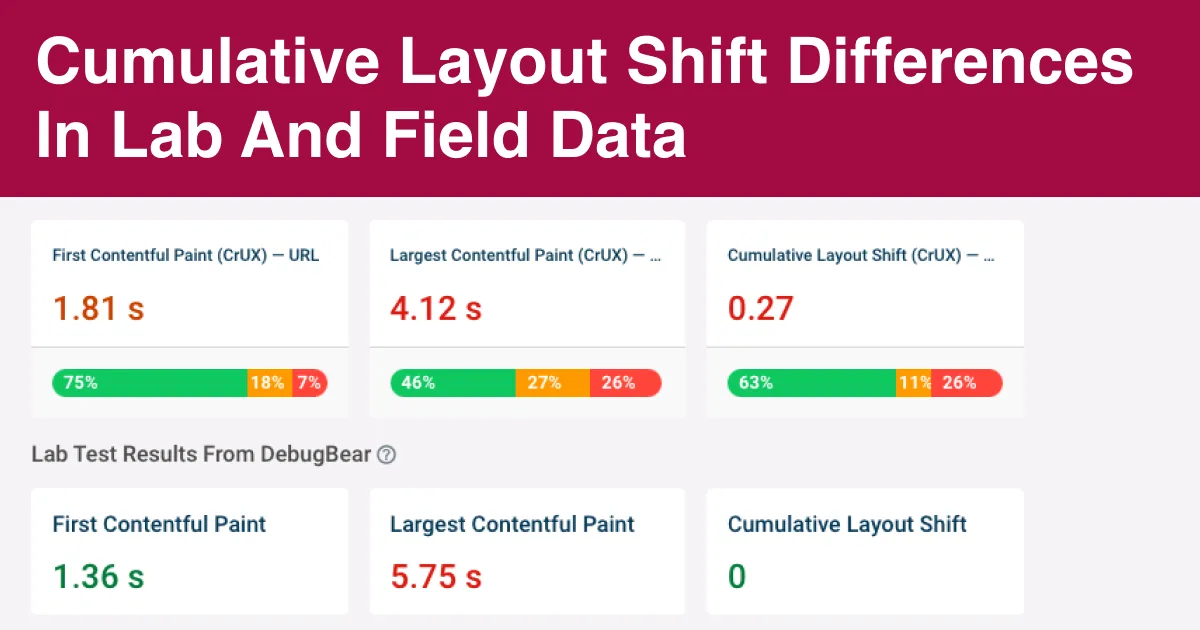
For field data rather than lab data, pull the CrUX report from PageSpeed Insights or Search Console’s Core Web Vitals report. Field data reflects real devices, real networks, and real thumb-taps. Lab data tells you what could happen. Field data tells you what is happening.
Reading the Numbers Without Panic
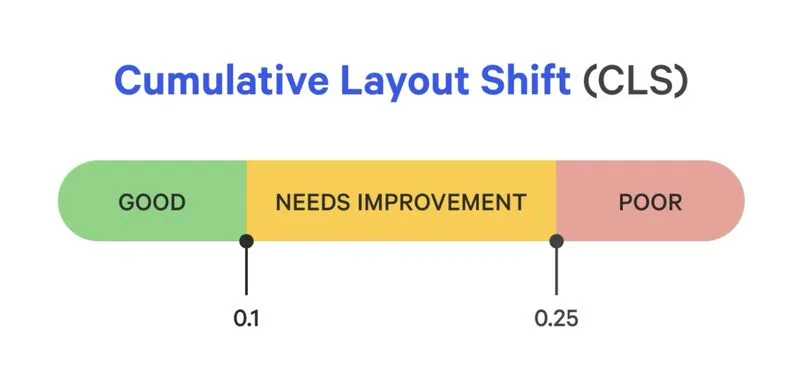
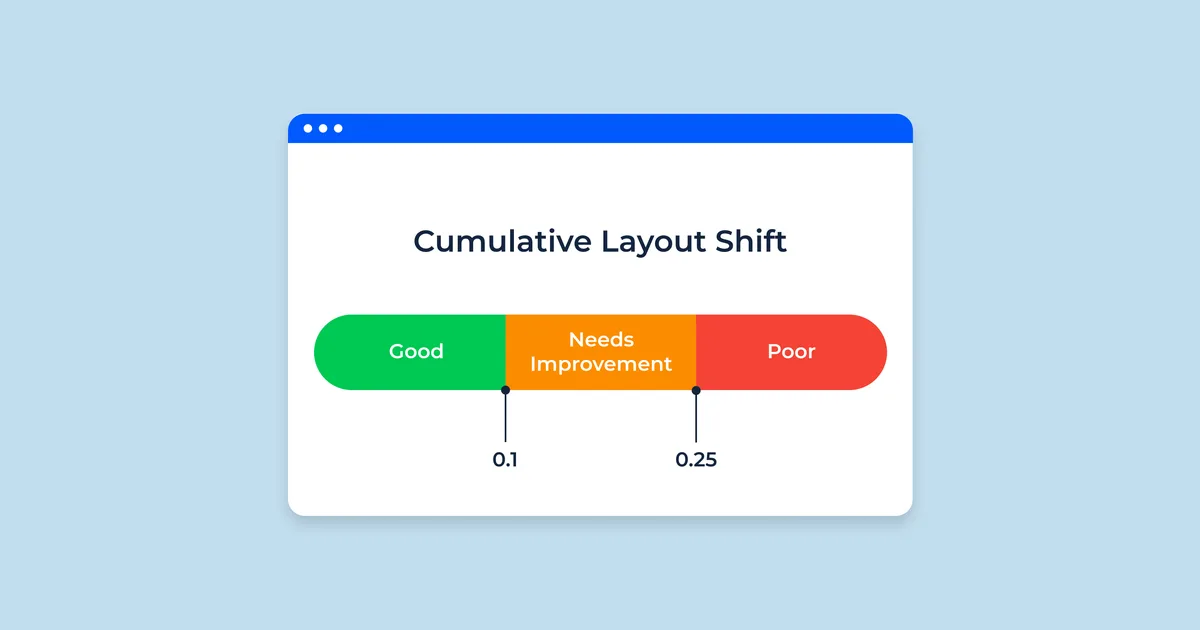
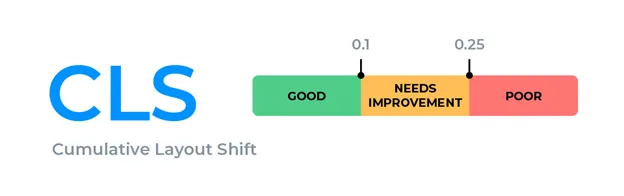
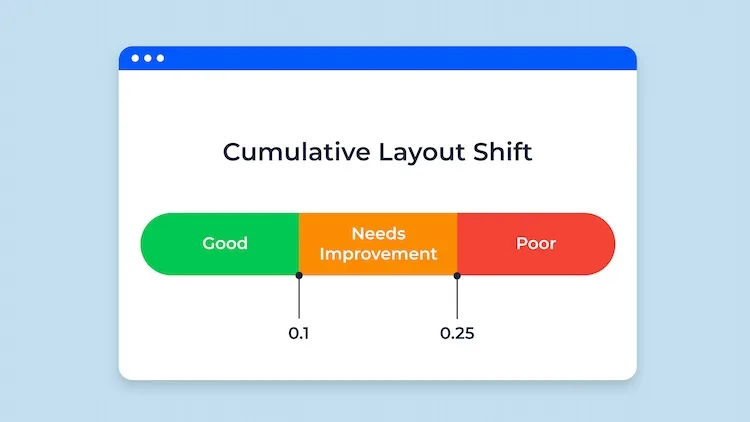
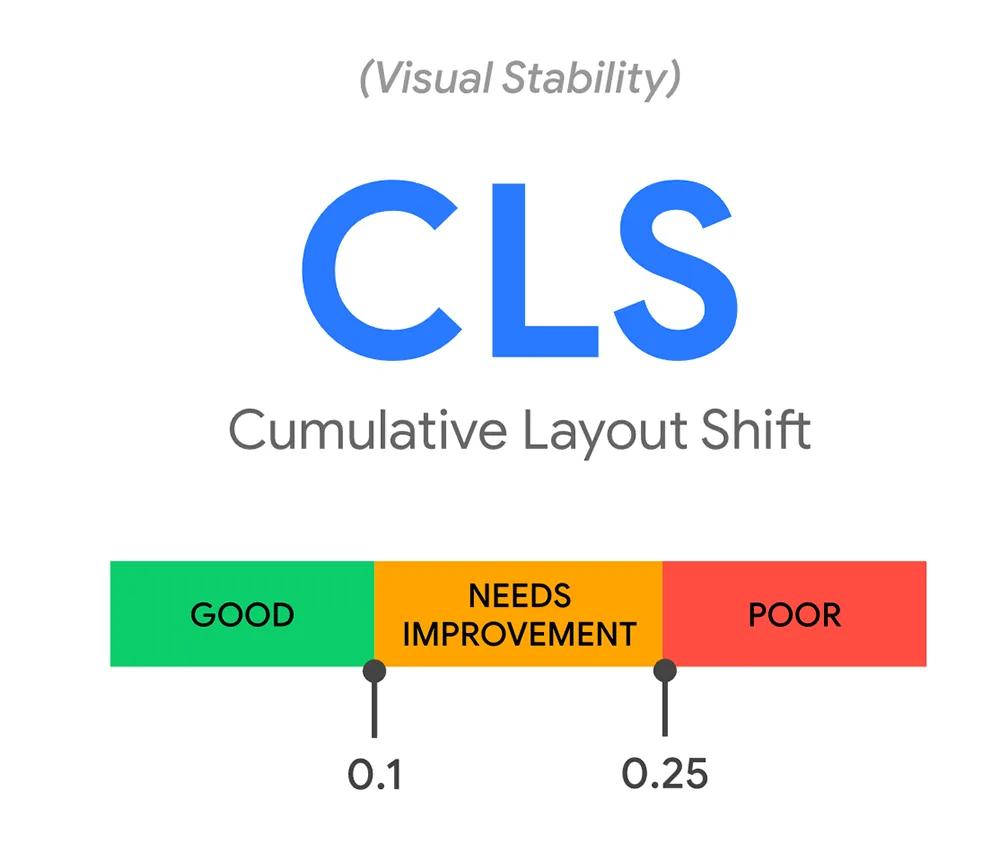
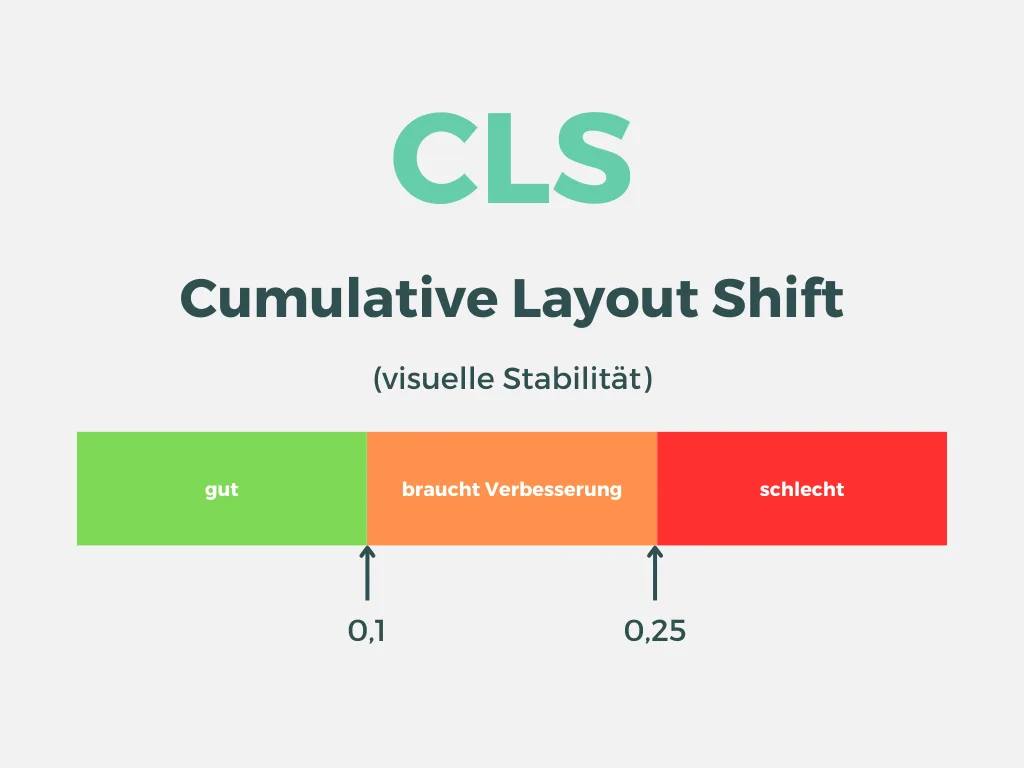
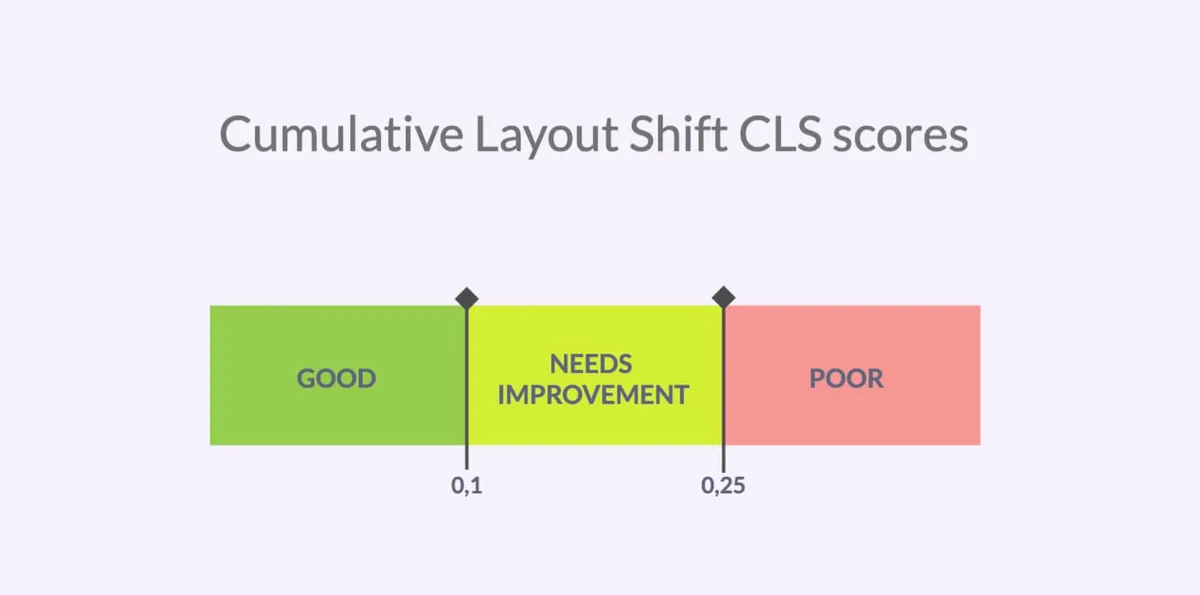
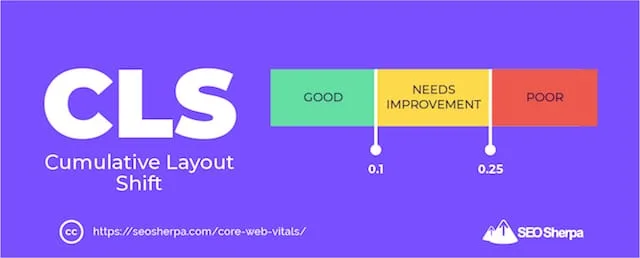
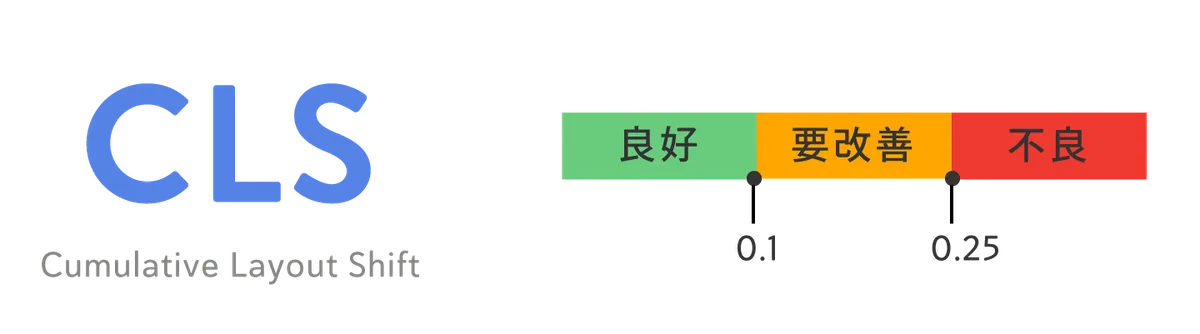
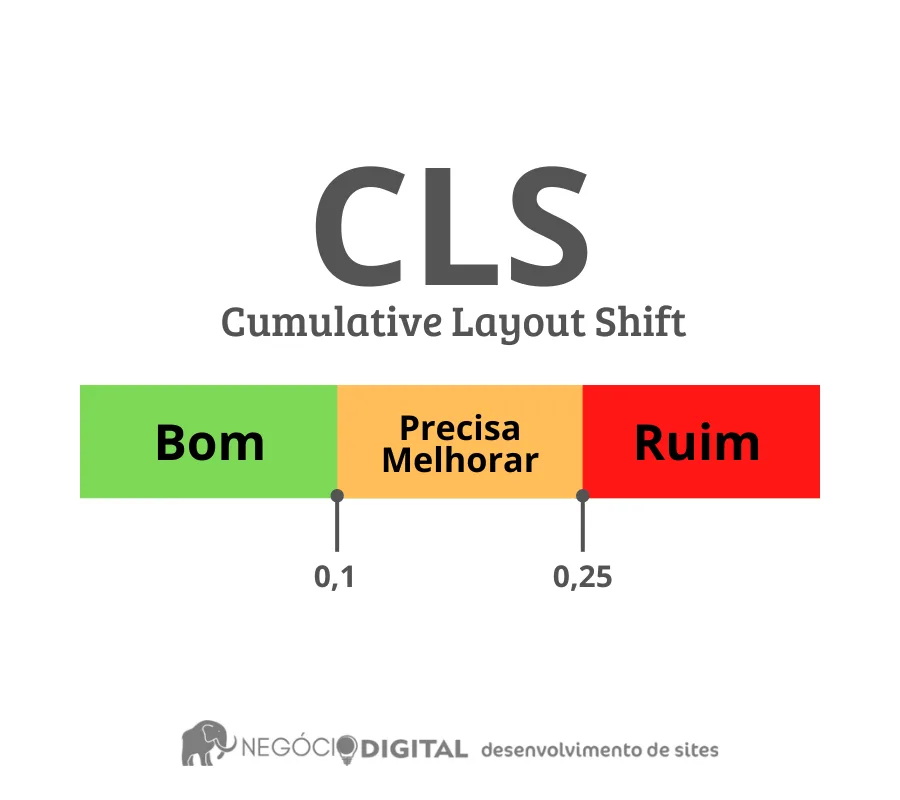
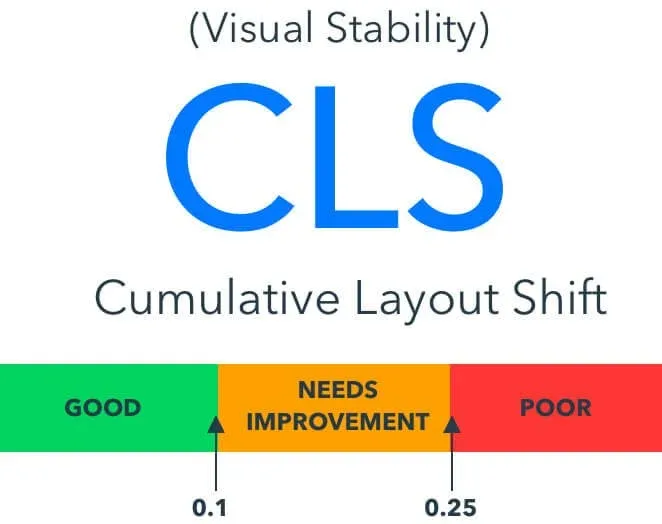
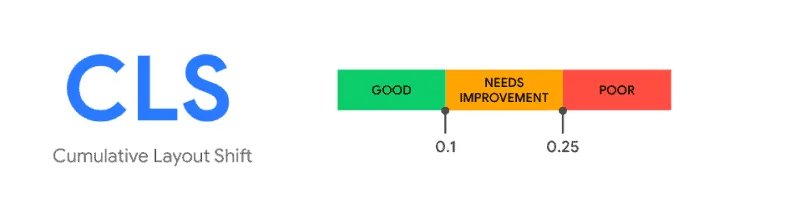
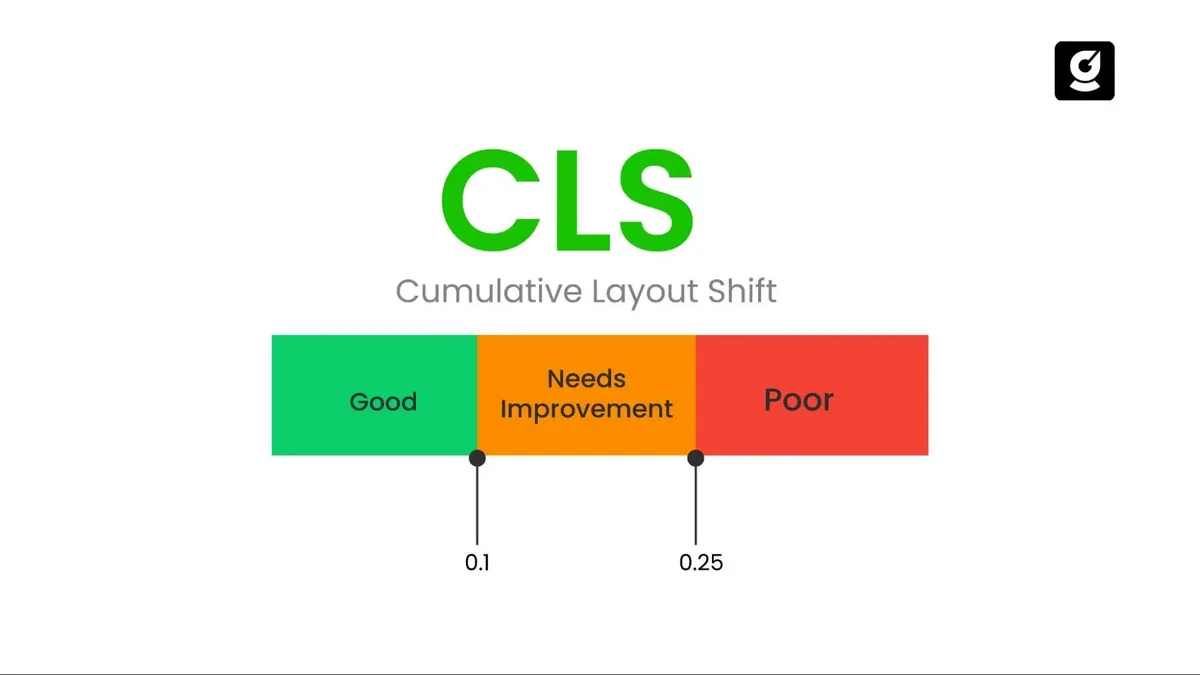
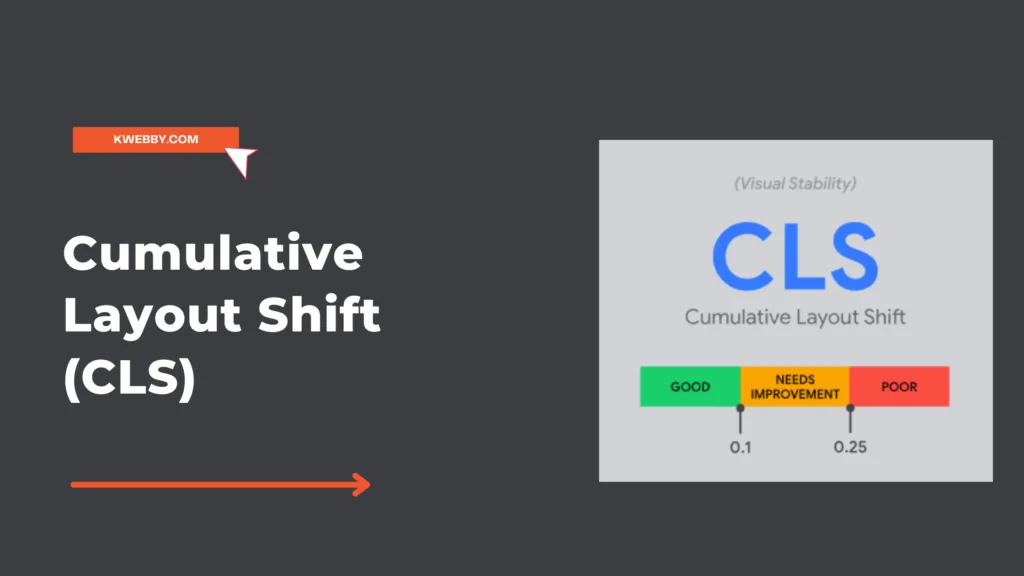
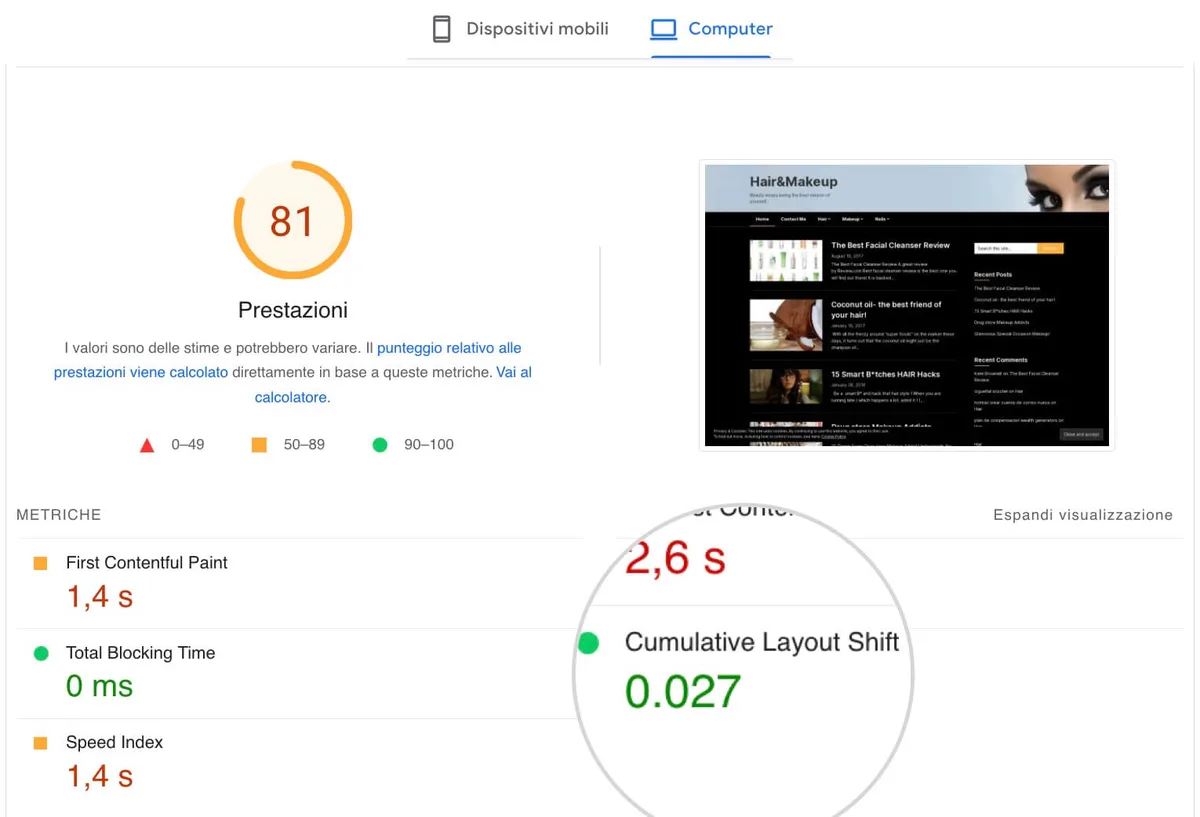
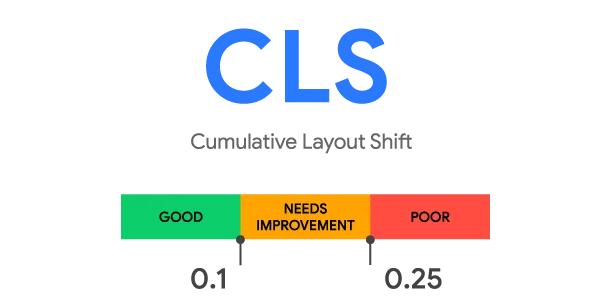
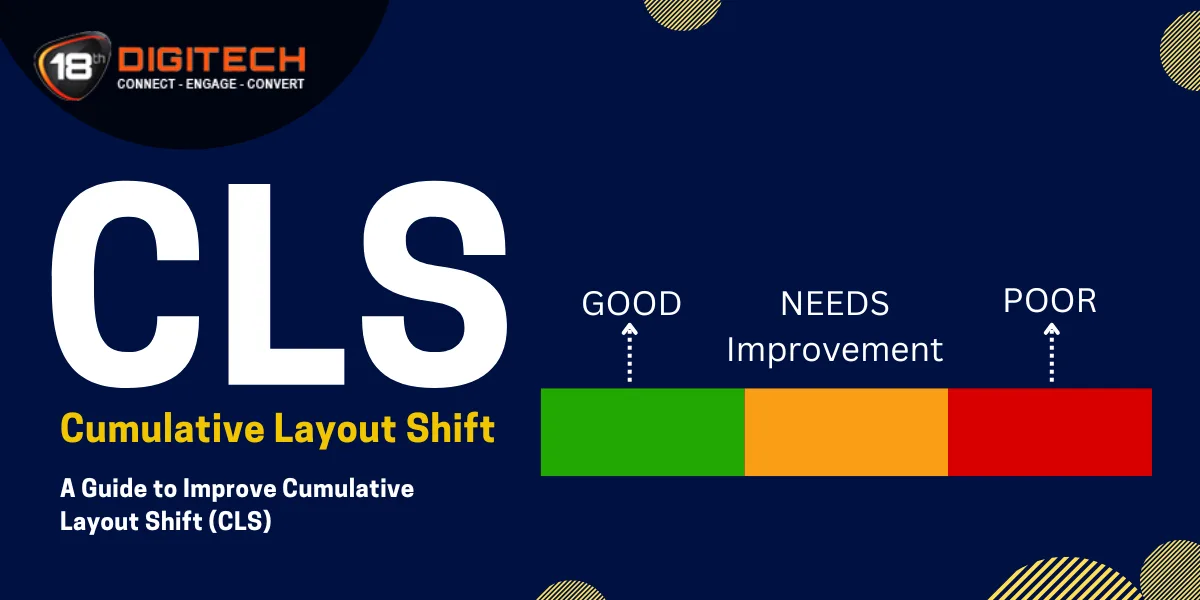
Google’s thresholds are clear: under 0.1 is good, 0.1 to 0.25 needs improvement, and above 0.25 is poor. A thoughtful approach to cumulative layout shift reinforces your qualifications. But a single 0.3 shift on a rarely visited template is not a crisis. A consistent 0.15 across your top landing pages is.
Prioritize by traffic and conversion path. Fix the pages that pay the bills first. Then work backward through the template hierarchy. A disciplined cumulative layout shift guide always starts with impact, not with the loudest error in the console.
The table below maps common symptoms to likely causes. Use it as a triage sheet during your first audit pass.

| Symptom | Likely Cause | Typical Fix |
|---|---|---|
| Text jumps down after load | Image without width/height | Set intrinsic dimensions or aspect-ratio |
| Banner appears from top | Ad slot injected above content | Reserve space with min-height |
| Font swaps cause reflow | Late-loading web font | Use font-display and preload |
| Cookie bar pushes content | Overlay inserted in normal flow | Position fixed or reserve space |
| Buttons shift near tap | Async content above the fold | Reserve container height |
Reserve Space for Every Media Element
The single biggest cause of cumulative layout shift is images and video that load without reserved dimensions. The browser does not know how tall the element will be, so it collapses the space, then expands it when the file arrives. Everything below jumps.
The fix is almost embarrassingly simple. Structuring your cumulative layout shift around proven patterns ensures impact. Add width and height attributes to every image, or set an aspect-ratio in CSS. The browser then reserves the correct box before the file downloads. No jump, no penalty.
For responsive images, pair the attributes with a CSS rule like img { height: auto; max-width: 100%; }. The intrinsic ratio survives the scaling, and the layout stays stable across breakpoints. This one habit eliminates a huge share of real-world shift events.
Video, Iframes, and Embeds Need the Same Discipline
Embedded videos and iframes are notorious offenders. Applying these principles to your cumulative layout shift yields measurable results. A YouTube embed with no height attribute will collapse to a thin strip and then explode to 16:9 when the player loads. That single expansion can push an entire article below the fold.
Wrap the embed in a container with a fixed aspect-ratio. Or set explicit width and height attributes on the iframe itself. Either approach tells the browser to hold the space. The player loads into a box that already exists.
Third-party widgets deserve the same treatment. Proper attention to your cumulative layout shift sets a strong baseline. Chat bubbles, review carousels, and social embeds all need reserved space. If the vendor does not expose dimensions, wrap the widget in a div with a min-height that matches its typical rendered size. A little padding beats a layout earthquake.
Stabilize Fonts and Text Rendering
Web fonts are a subtle but persistent source of cumulative layout shift. The browser shows fallback text first, then swaps in the custom font when it arrives. If the two fonts have different metrics, the text reflows and everything below moves.
Start with font-display: swap. It tells the browser to show fallback text immediately rather than hiding it. That prevents invisible text, but it does not prevent reflow. To fix the reflow, preload the font file and match fallback metrics as closely as possible.
Tools like Fontaine and the size-adjust CSS property let the cumulative layout shift tune fallback fonts to match the web font’s dimensions. The result is a near-invisible swap. The text barely moves, and the score stays clean.
Keep Line Heights and Letter Spacing Predictable
Dynamic line heights are a quieter culprit. If a script adjusts line-height after load—say, to fit a headline—every paragraph below it shifts. Lock line-height in CSS and avoid runtime typography tweaks above the fold.
Reserve space for any text the cumulative layout shift loads asynchronously, such as user-generated comments or live scores. A skeleton placeholder with the correct height does the job. The content fills the box; the box never resizes.
If you are running a cumulative layout shift checklist before launch, add a font audit line. It catches problems that image audits miss and costs almost nothing to verify.
Manage Ads, Banners, and Injected Content
Advertising is the hardest layout problem because you often do not control the creative size. A 300×250 slot that occasionally serves a 300×600 creative will shift everything below it. The fix is to reserve the largest expected size, not the average.
Set a min-height on the ad container the cumulative layout shift matches the biggest creative in your rotation. Yes, that leaves whitespace when a smaller creative serves. That whitespace is cheaper than a layout shift that damages trust and rankings.
For sticky and overlay ads, position them outside the normal document flow. Fixed positioning removes them from layout calculations entirely. The content underneath never moves because the ad never occupied flow space.
Never Inject Content Above Existing Content
This is the cardinal rule of cumulative layout shift best practices. Any element inserted above content that is already visible will push that content down. Push-downs are the most penalized shift type because they affect everything below the insertion point.
If the cumulative layout shift must show a promo banner, reserve its space in the initial HTML. If you must show a cookie notice, use a fixed-position overlay. If you must show a “breaking news” ticker, place it in a pre-sized slot. Never let the DOM grow upward after paint.
I once watched a publisher lose a full Core Web Vitals pass because a newsletter modal was inserted into the flow after a two-second delay. Moving the modal to fixed positioning dropped the score from 0.28 to 0.04 in an afternoon. The content did not change. The box model did.
Control Third-Party Scripts and Widgets
Third-party scripts are the wild west of layout stability. Analytics, tag managers, chat widgets, and personalization tools all want to inject something into your page. Some do it politely. Many do not.
Audit every third-party script with the Performance panel’s “Third Parties” view. Identify which ones cause layout shifts and how much they contribute. Then decide: keep, defer, or remove. Most sites carry at least one script that does nothing useful and causes measurable harm.
For the scripts the cumulative layout shift keep, load them asynchronously and reserve space for their output. A chat widget should live in a fixed-position container. A review widget should sit inside a pre-sized div. Never let a vendor dictate your layout.
Use a Tag Manager With Discipline
Tag managers are powerful and dangerous in equal measure. A single misconfigured tag can inject a banner, a survey, or a tracking pixel that shifts the page. Enforce a review process for every new tag.
Set rules the cumulative layout shift prevent tags from injecting visible elements above the fold. Require reserved containers for any tag that renders UI. And test every tag change in a staging environment before it reaches production.
This is where a cumulative layout shift checklist earns its keep. A five-minute pre-deploy check catches the tag that would have cost you a week of debugging.
15 Effective Tips to Reduce Cumulative Layout Shift
Here is the heart of this cumulative layout shift guide: fifteen practical tips, grouped into six pillars. Each one is field-tested, each one is actionable, and each one maps to a specific cause of layout instability. Work through them in order of impact on your own pages.
Do not try to implement all fifteen at once. Pick the pillar that matches your biggest diagnostic finding, fix it completely, then move to the next. Incremental, measured progress beats a chaotic rewrite every time.
Pillar One: Image and Media Optimization
Media is where most layout instability begins. Images, videos, and embeds are heavy, asynchronous, and often sized by the content delivery network rather than your markup. Get this pillar right and you eliminate the majority of shift events on a typical content site.
The four tips below cover the essentials: dimensions, aspect ratios, responsive behavior, and lazy loading. Each one is a small change with an outsized payoff.
- Always Set Width And Height Attributes. Add explicit width and height to every image tag so the browser reserves space before the file loads. This is the highest-leverage fix in the entire list, and it takes minutes to implement across a template. Example: an article hero image with width=”1200″ height=”630″ will never collapse, even on a slow 3G connection.
- Use CSS Aspect-Ratio For Responsive Media. When images scale across breakpoints, set aspect-ratio in CSS to preserve the reserved box. A card image styled with aspect-ratio: 16 / 9 holds its shape at every width. This pairs perfectly with the width/height attributes and prevents the classic “collapse then expand” jump.
- Reserve Space For Video And Iframe Embeds. Wrap every embed in a container with a fixed aspect-ratio or min-height. A YouTube embed inside a 16:9 wrapper loads into a pre-sized box, so the player never pushes content down. Apply the same rule to maps, social posts, and third-party players.
- Lazy-Load Below The Fold, Never Above It. Loading=”lazy” is great for images far down the page. Applied above the fold, it can cause the image to load after the layout is measured, producing a shift. Keep hero images and above-the-fold media eager, and lazy-load only what the user must scroll to see.
Notice how these four tips reinforce each other. Dimensions reserve space, aspect-ratio preserves it across breakpoints, embed wrappers extend the same logic to video, and lazy-loading discipline prevents late arrivals from wrecking the calculation. Together they form the backbone of any serious cumulative layout shift tips list.
Pillar Two: Typography and Font Stability
Fonts are the quiet offenders. A late-swapping web font can shift every line of text on the page, and the effect compounds on long articles. The three tips below keep typography stable without sacrificing brand identity.
The goal is not to avoid custom fonts. It is to make the swap invisible to the layout engine. Preloading, metric matching, and locked line heights do most of the work.
- Preload Critical Web Fonts. Add a preload link for the font files used above the fold. The browser fetches them earlier, reducing the window during which fallback text is displayed. Example: preloading a single variable font file cuts the swap delay dramatically on first visit, which is exactly when the shift would otherwise occur.
- Match Fallback Font Metrics. Use size-adjust and related CSS properties to align the fallback font’s dimensions with the web font. The text occupies nearly the same space before and after the swap, so the reflow is negligible. This is one of the most underrated cumulative layout shift best practices in the typography playbook.
- Lock Line Heights In CSS. Avoid scripts that adjust line-height after load. Set a fixed line-height on body text and headings, and let the layout engine work with known values. A headline that resizes itself after paint will always push the paragraph below it.
Typography stability is often overlooked because the cumulative layout shift is invisible in screenshots. But field data does not lie. If your shift score is stubbornly above 0.1 despite clean images, fonts are the next place to look.
Pillar Three: Reserved Space for Dynamic Content
Dynamic content is content the cumulative layout shift do not control at build time: ads, personalized recommendations, live scores, user comments, and A/B test variants. The common thread is that the browser cannot know the final size until the content arrives. The fix is always the same: reserve the space in advance.
Three tips cover the most common dynamic scenarios. Apply them to every template that injects content after initial paint.
- Reserve Ad Slot Dimensions. Set a min-height on every ad container that matches the largest creative in rotation. If your network can serve a 300×600, reserve 600 pixels, not 250. The occasional whitespace is a fair trade for a stable layout and a healthier score.
- Pre-Size Recommendation Carousels. Recommendation widgets often load late and expand unpredictably. Wrap them in a container with a fixed height and overflow handling. The carousel fills the box; the box never grows. Example: a “You may also like” strip with a reserved 320-pixel height eliminates the shift that would otherwise hit every article page.
- Use Skeleton Placeholders For Async Text. Comments, reviews, and live feeds should render into skeleton boxes with the correct dimensions. When the real content arrives, it replaces the skeleton in place. The layout never recalculates because the box was always there.
This pillar is where a cumulative layout shift checklist pays for itself. Every dynamic element on your page should have a documented reserved size. If it does not, it is a shift waiting to happen.
Pillar Four: Interaction and Animation Discipline
Not all movement is bad. Intentional animations are fine, and the metric ignores shifts that occur within 500 milliseconds of a user interaction. The problem is accidental movement that looks like animation but is really a layout recalculation.
Two tips keep interaction-driven movement clean. Effective execution in your cumulative layout shift makes a tangible difference. They are simple, but they require discipline across the whole team.
- Animate With Transform, Not Layout Properties. Animating top, left, width, or height triggers layout recalculation. Animating transform and opacity does not. A button that slides in with transform: translateY() never causes a shift, while the same button animated with top does. Make transform the default in your design system.
- Keep Interactive Elements Stationary Near Tap Targets. Never let content shift within 500 milliseconds of a tap. If a user is about to press “Add to cart,” nothing above that button should move. Reserve space for any element that loads near interactive controls, and test on real mobile devices where thumbs are imprecise.
These two tips are less about markup and more about culture. Once the team internalizes that layout properties are expensive and transform is cheap, the accidental shifts dry up on their own.
Pillar Five: Script and Tag Governance
Third-party scripts are the hardest pillar to control because the cumulative layout shift do not own the code. But you do own the decision to include them. Governance is the answer: a repeatable process for reviewing, approving, and monitoring every script that touches your pages.
Two tips cover the governance essentials. They are process tips, not code tips, and they prevent more shifts than any single CSS fix.
- Audit Third-Party Scripts Quarterly. Use the Performance panel’s third-party view to rank scripts by shift contribution. Remove anything that causes measurable instability without delivering measurable value. Example: a personalization script that shifted the hero on every load was removed after an audit showed it contributed 0.12 to the score and drove negligible engagement.
- Require Reserved Containers For Every Script That Renders UI. Make it a rule: no script may inject a visible element into the normal flow without a pre-sized container. Chat widgets, survey prompts, and notification banners all get fixed-position wrappers or reserved divs. Enforce the rule in code review so it never reaches production.
Governance sounds bureaucratic until the cumulative layout shift see the alternative. Without it, every new marketing tool becomes a potential layout regression. With it, the score stays stable release after release.
Pillar Six: Testing, Monitoring, and Continuous Improvement
The final pillar is the one most teams skip. You can fix every known issue today and still regress next month if you are not measuring. Continuous monitoring closes the loop and turns layout stability into a habit rather than a project.
The last tip in this cumulative layout shift guide is the one that keeps all the others working. Treat it as the capstone of the entire checklist.
- Monitor Field Data And Regression-Test Every Deploy. Track the CrUX report and Search Console’s Core Web Vitals dashboard weekly. Add a layout-shift check to your CI pipeline so every deploy is tested against a shift budget. Example: a staging check that fails the build when the shift score exceeds 0.1 catches regressions before users ever see them.
Field data is the ground truth. Lab data tells you what could happen on a synthetic device. Field data tells you what is happening to real people on real networks. Watch the field data, and let it drive your priorities.
Building a Cumulative Layout Shift Checklist for Every Deploy
A checklist is only useful if it is short enough to actually run. The one below fits on a single screen and covers the highest-impact items from all six pillars. Run it before every production deploy and you will catch the vast majority of regressions.
Print the cumulative layout shift, pin it, or embed it in your pull request template. The format matters less than the consistency. A checklist that is actually used beats a comprehensive document that gathers dust.
| Check | What To Verify | Pass Criteria |
|---|---|---|
| Images | Width/height or aspect-ratio on every image | No image without reserved dimensions |
| Embeds | Video, iframe, and widget wrappers sized | Every embed inside a fixed container |
| Fonts | Preload and font-display set | No visible text reflow on swap |
| Ads | Min-height matches largest creative | No push-down when ad loads |
| Dynamic content | Skeletons or reserved boxes present | No upward DOM insertion after paint |
| Scripts | Third-party audit current | No script injects flow content |
| Field data | CrUX score under 0.1 | Weekly trend stable or improving |
This cumulative layout shift checklist is deliberately practical. Each row maps to a fix you can make today. None of them require a redesign. All of them compound over time.
Common Mistakes That Undo Your Progress
Even disciplined teams slip. The mistakes below are the ones I see most often in audits, and each one can erase the gains from a dozen good fixes. Watch for them in code review.
The first is reserving space for the average creative size instead of the maximum. The second is lazy-loading above-the-fold images. The third is animating layout properties because they “look smoother” in a design tool. Each is a small decision with a large consequence.
The fourth mistake is treating the metric as a one-time project. Layout stability is a property of the whole system, and systems drift. Without monitoring, regressions creep back in within a couple of release cycles.
The fifth is ignoring mobile field data because the desktop lab score looks fine. Mobile is where the shifts actually hurt.
If the cumulative layout shift recognize your team in any of these, you are not alone. The fix is not shame; it is process. Add the checklist, run the audit, and let the data guide the next sprint.
Frequently Asked Questions About Cumulative Layout Shift
Here is an in-depth breakdown of key considerations regarding Frequently Asked Questions About Cumulative Layout Shift:
What is a Good Cumulative Layout Shift Score?
Under 0.1 is good, 0.1 to 0.25 needs improvement, and above 0.25 is poor. Aim for the green zone on your highest-traffic templates first. A perfect score everywhere is nice, but the pages that drive revenue deserve priority.
Does Cumulative Layout Shift Still Affect Rankings?
Yes. It is one of the Core Web Vitals signals search engines use to assess page experience. It is not the only factor, and it will not outrank great content on its own, but it is a tiebreaker you want on your side.
Can I Fix Layout Shift Without a Developer?
Some fixes are marketer-friendly: adding dimensions to images in a CMS, setting ad container heights, and choosing a font-display setting. Others, like script governance and CI checks, need engineering. Split the work accordingly and you will move faster.
Why Does My Score Fluctuate Between Reports?
Lab and field data measure different things. Lab tests run on a single synthetic device; field data aggregates real users across devices and networks. Trust the field data for prioritization and use lab data for debugging specific shifts.
Is Lazy Loading Always Safe?
No. Lazy loading below the fold is safe and beneficial. Lazy loading above the fold can delay the image until after layout is measured, producing a shift. Keep hero media eager and lazy-load only what requires scrolling.
Putting the Fifteen Tips to Work
You now have a complete cumulative layout shift guide, fifteen concrete tips, and a checklist you can run today. The path forward is straightforward: diagnose with field data, fix the highest-impact pillar first, and monitor for regressions.
Start with images and media. They are the biggest cause and the easiest fix. Then stabilize fonts, reserve space for dynamic content, discipline your animations, govern your scripts, and close the loop with monitoring. That sequence reflects real audit experience, not theory.
If the cumulative layout shift want to go deeper, treat this article as part of a larger topic cluster. The parent topic is Core Web Vitals, and the natural next steps are Largest Contentful Paint optimization, Interaction to Next Paint tuning, and a broader page-experience audit. Each one reinforces the others.
Layout stability is not glamorous work. It is the quiet discipline that keeps a page feeling solid under a user’s thumb. Do it well and nobody notices. Do it poorly and everybody feels it—even if they never know why.
For the official technical reference, see the cumulative layout shift documentation on web.dev, which remains the most authoritative source on how the metric is calculated and scored.