Browser caching SEO done right is a fast lane to better Core Web Vitals and rankings. Use these 10 best practices to cache smarter, cut repeat-visit load times, and rank faster.
Browser caching SEO is the quiet performance lever that separates sites stuck on page three from those that climb fast.
In plain terms, it’s the practice of telling a visitor’s browser to hold onto static files so repeat visits load in a blink, and it happens to be one of the cheapest Core Web Vitals wins available.
This browser caching SEO guide lays out ten practices that work in the real world, not just in a lab.
Here’s the thing most site owners miss: Google has repeatedly told us that page experience matters, and site speed feeds directly into it. A slow first byte is painful, sure, but a slow *repeat* byte is a self-inflicted wound. When you set up caching properly, returning visitors get your pages almost instantly.
The browser caching SEO single improvement ripples into bounce rate, session depth, and ultimately rankings. The ten practices below are ordered from foundational setup to the fine-tuning that experienced engineers obsess over. Follow them in sequence, and you’ll have a caching strategy that holds up under real traffic.
Why Browser Caching Matters for SEO Performance
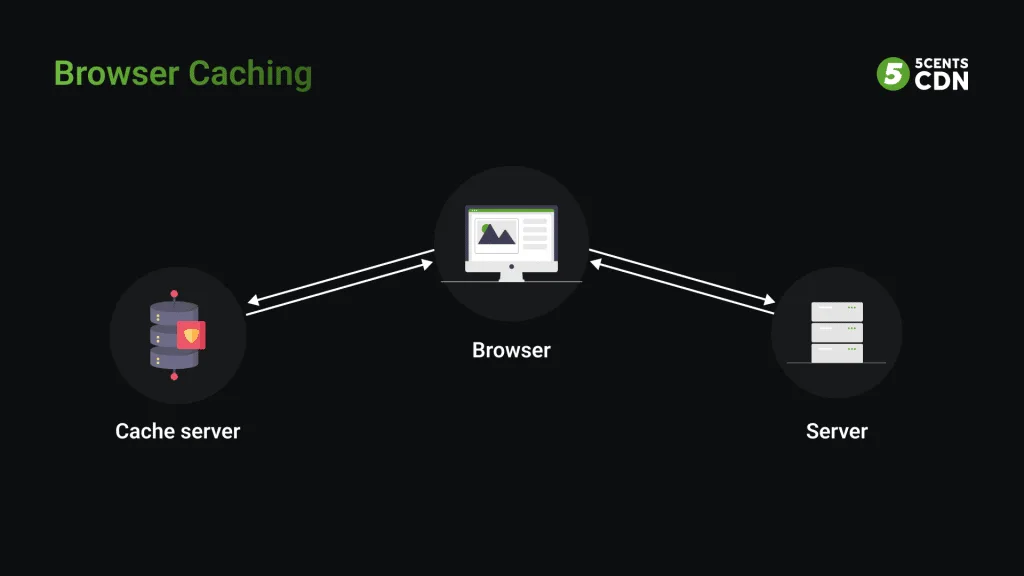
Let’s start with the mechanism, because understanding it makes every later decision easier. When someone visits your page, the browser downloads assets like CSS, JavaScript, fonts, and images. Those files rarely change between visits. Browser caching lets the server tell the browser, “keep this copy, don’t bother asking again for a while.”
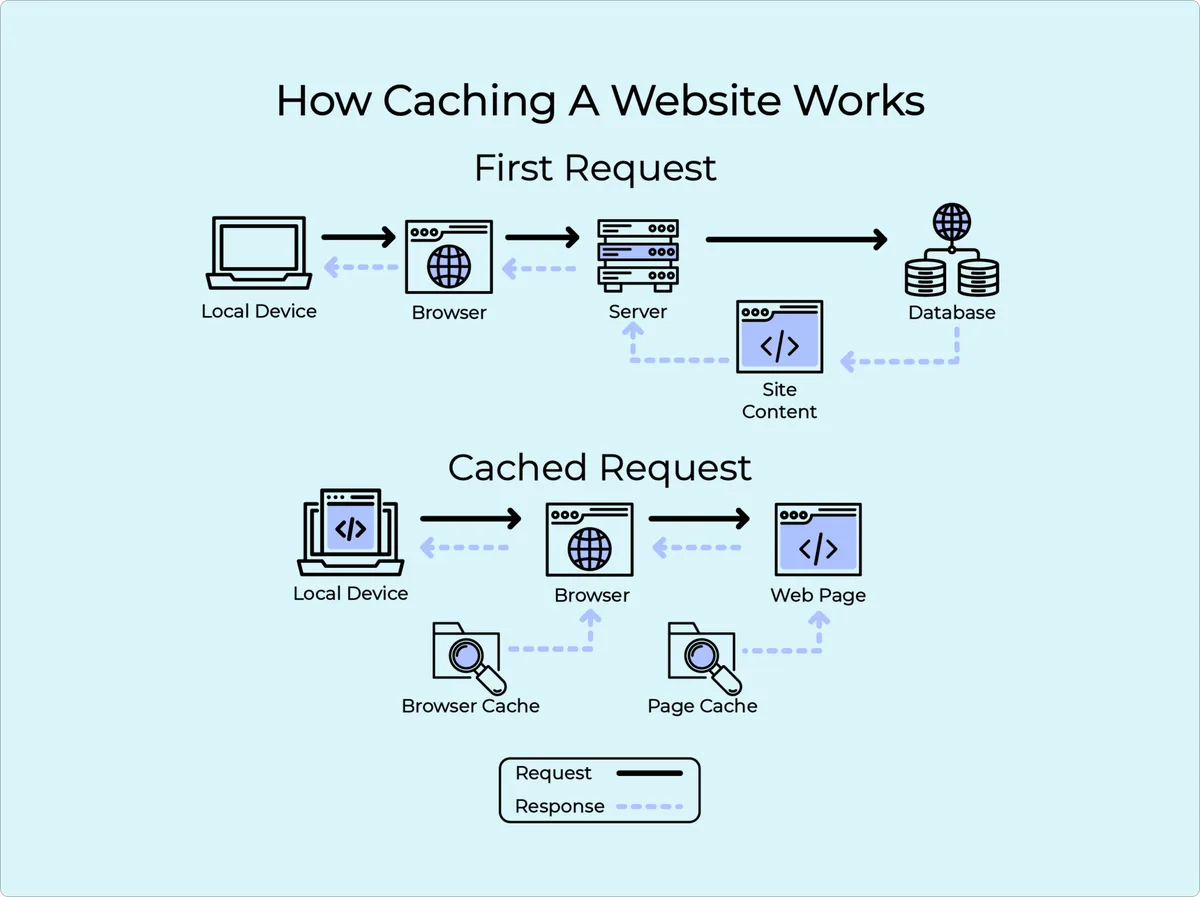
The payoff is dramatic. Refining each detail of your browser caching SEO strengthens this section. A first load might transfer 2.5MB across 60 requests. A cached repeat load could touch just the HTML document — maybe 40KB. On a slow 4G connection, that difference is the gap between a 4-second load and a 1-second load.
Why does that matter for rankings? Google’s Lighthouse and PageSpeed Insights both weigh caching heavily in their performance audits. More importantly, Core Web Vitals like Largest Contentful Paint (LCP) and Interaction to Next Paint (INP) improve measurably when the browser doesn’t have to re-fetch blocking resources.
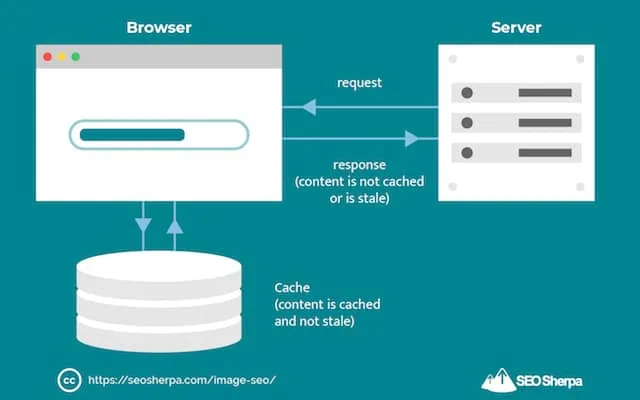
Google has stated that page experience is a tiebreaker among pages of similar relevance — and speed is the biggest component of that experience.
There’s a user-behavior angle too. Every additional second of load time correlates with higher abandonment. Fewer abandoned sessions means better engagement signals, longer dwell time, and a lower bounce rate — all of which tend to nudge rankings upward over time.
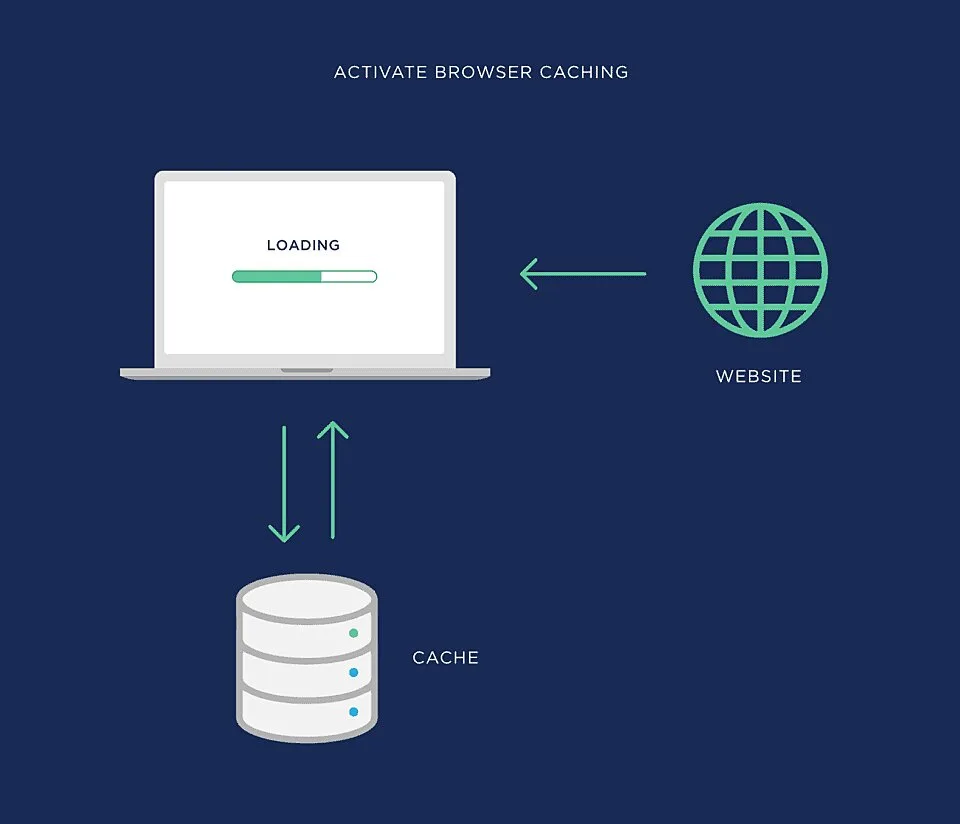
So when people ask whether browser caching is worth the setup effort, the honest answer is the browser caching SEO skipping it is the riskier choice. You’re spending money on content, links, and design while leaving free speed on the table.
The Core Browser Caching SEO Checklist Before You Touch Headers
Before diving into the ten practices, let’s get the fundamentals straight. This short browser caching SEO checklist ensures you’re not building on a cracked foundation. Get these wrong and even perfect cache headers will underperform.
- Confirm which assets are actually cacheable. Run a Network waterfall in Chrome DevTools. If you see CSS, JS, images, and fonts, those are your caching candidates. HTML documents are a different story.
- Check your current header values. Look at the Response Headers for one CSS file. If you see cache-control: no-store or nothing at all, that’s your first clue something is missing.
- Enable gzip or Brotli compression. Caching without compression is half the win. Brotli typically cuts text assets 15-25% smaller than gzip on top of what caching already saves.
- Deploy a CDN if you serve visitors across regions. Browser caching handles the repeat visit. A CDN handles the first one. They’re complementary, not competing.
- Set up a way to test changes in staging. Cache rules can break things silently. Always verify on a preview environment before pushing cache-control to production.
One recurring headache: reverse proxies, load balancers, or security services sometimes strip or overwrite cache headers. If your headers look correct in the config but not in DevTools, check the middleware layer. I’ve watched teams burn days debugging a config that a Cloudflare rule was quietly mutating.
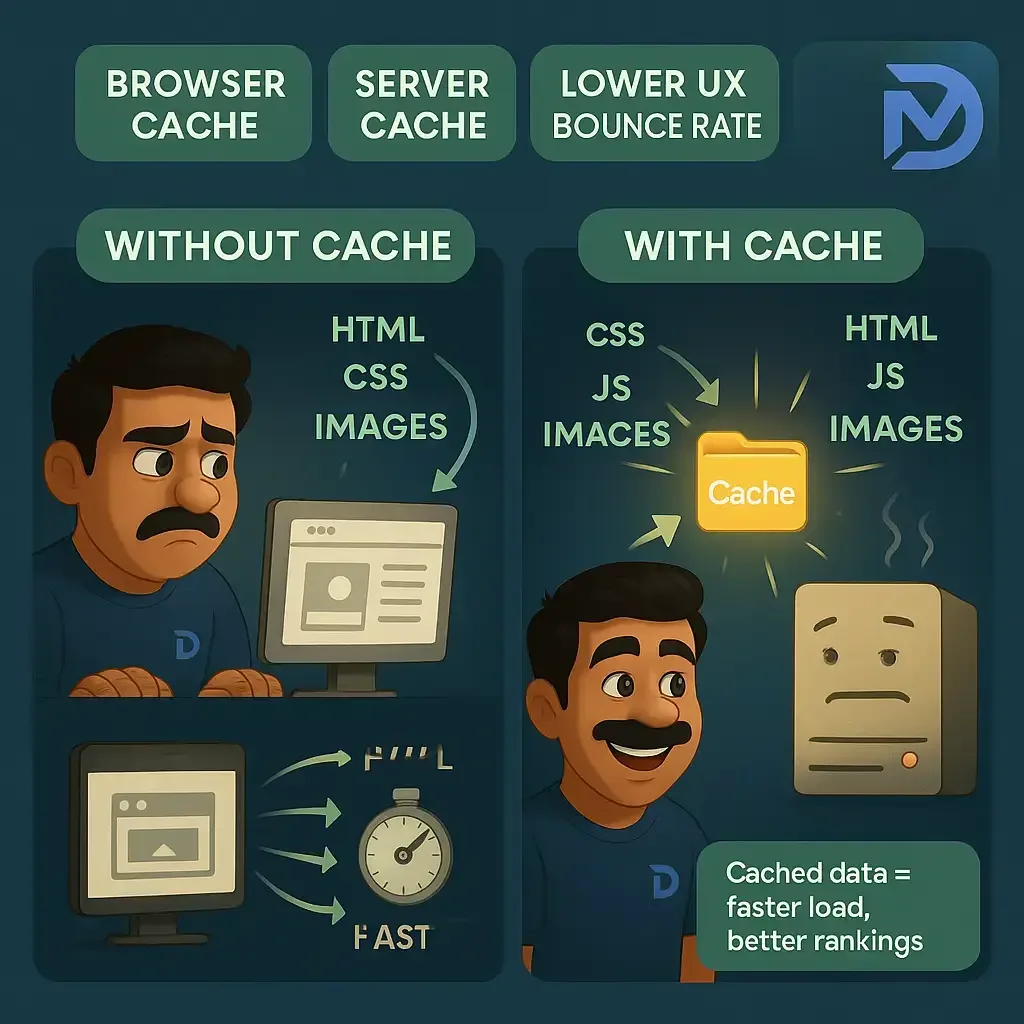
Browser Caching SEO Best Practices That Actually Move Rankings
Here’s where the ten ideas get concrete. Some of these are configuration changes you can make today, and others are architectural decisions that pay off over months. Read the browser caching SEO tips that follow in order — each one builds on the last.
1. Set Cache-Control:max-age Based on Asset Churn
The workhorse of caching is the Cache-Control header. Maintaining clarity across your browser caching seo remains essential. It tells the browser exactly how long to keep a file before revalidating. The mistake beginners make is applying one blanket value to everything.
Split your assets by how often they change. Fonts and logos barely ever change — give them a year. Versioned JavaScript and CSS bundles change on every deploy, so a year is fine *if* the filename has a content hash.
The HTML document itself should have a short max-age, like 60 seconds, or be marked no-store if you serve personalized content.
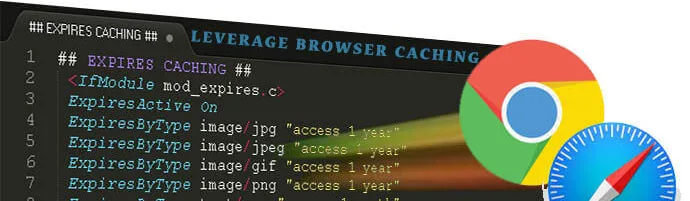
Cache-Control: public, max-age=31536000, immutable
The word immutable is worth its weight in gold. It signals to the browser, “this URL will never serve different content, don’t trust the reload button.” It’s a small addition with outsized effect on repeat performance.
2. Use Fingerprinted Filenames for Aggressive Long-Term Caching
If the browser caching SEO want to cache CSS and JS for a year, you *must* be able to bust that cache on deploy. The clean way to do it is fingerprinting, also called content hashing. The filename itself carries a hash of the file’s contents.
So main.CSS becomes main.8f3a2b.CSS. When you change the file, the hash changes, the URL changes, and the browser fetches the new version fresh. Old visitors keep the old file in cache harmlessly because no page references it anymore.
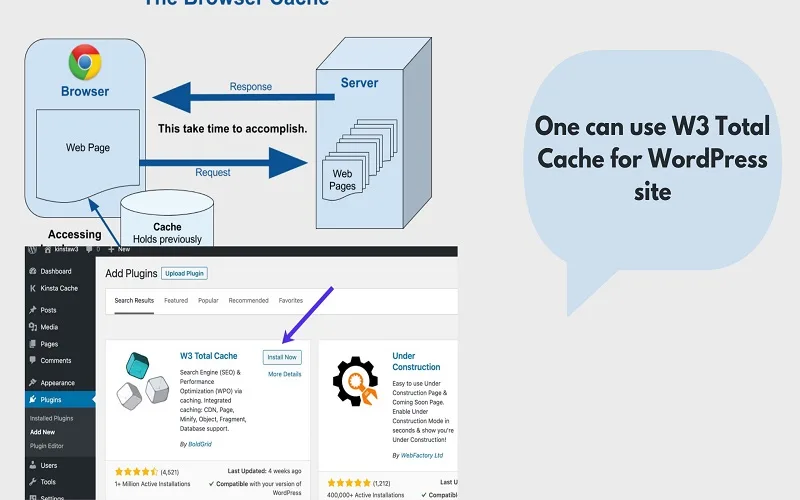
This is why framework builds (Vite, Webpack, Next.js, etc.) generate hashed filenames automatically. If you’re on WordPress, plugins like WP Rocket do the same for minified bundles. The browser caching SEO best practices crowd tends to overlook this detail, but it’s arguably the single most important habit for long cache lifetimes.
Without fingerprinting, you’re stuck setting short max-age values on files that never change — wasting the caching opportunity on every repeat visit.
3. Add ETag and Last-Modified for Revalidation
Sometimes the browser needs to check if a cached file is still valid. That’s revalidation, and it uses two headers: Last-Modified (a timestamp) and ETag (a content hash). When both are present, the browser sends a conditional request, and the server can respond with a tiny 304 Not Modified if nothing changed.
The browser caching SEO isn’t free — it costs a round trip. But a 304 response is vastly cheaper than a full body download. For files where long caching is risky (say, HTML dynamically generated), strong ETag validation is a pragmatic middle ground.
One caveat: if you run multiple servers behind a load balancer, ETags generated on one server may not match another. Apache and Nginx both handle this reasonably well by respecting the file’s inode and mtime on disk, but verify in your environment before relying on it.
4. Never Cache HTML Documents Aggressively
The browser caching SEO is the mistake that causes more SEO heartbreak than any other. Caching HTML for an hour sounds harmless until you publish a new post or change a meta description, and Googlebot sees the old version for an hour afterward.
Worse, aggressive HTML caching can cause visitors to miss newly deployed features and buy stale pricing. Some CDNs hand-wave this away by saying “origin cache, not browser cache.” But the browser header matters too.
My recommendation: set HTML documents to short max-age values (60-300 seconds) with must-revalidate, or just no-store if the pages are dynamic. Let the CDN handle the edge caching complexity. Your browser caching seo strategy should optimize static assets hard, and HTML gently.
If the browser caching SEO do want aggressive HTML caching on a static site generator (Hugo, Astro, Eleventy), you can go longer. Just make sure your deploy invalidates the CDN cache automatically.
5. Cache Third-Party Assets Locally When You Can
Every third-party script the browser caching seo load — Google Analytics, chat widgets, social embeds, fonts — is a request that might not be cached well. According to HTTP Archive data, third-party requests often account for 40-50% of a mobile page’s total payload on content-heavy sites.
Two moves help here. Developing your browser caching SEO with precision highlights key strengths. First, self-host fonts instead of pulling from Google Fonts’ CDN. Self-hosted fonts get your cache headers, your max-age, and one fewer DNS lookup. The SEO community is split on this, but the performance data is crisp: self-hosting typically shaves 200-400ms off LCP.
Second, audit every third-party script and delete anything not pulling its weight. Each one is a cache you can’t control. Set a rule: every script must justify its existence with a measurable business purpose. If a chat widget loads on the homepage but only 2% of visitors use it, lazy-load it.
Here’s the browser caching SEO reality most audits miss: your own headers can be perfect, but a misconfigured analytics tag can drag LCP over the threshold all on its own.
6. Leverage stale-while-revalidate and stale-if-error
The browser caching SEO two directives are relatively new but tremendously useful. stale-while-revalidate allows the browser to serve the cached copy immediately, then fetch a fresh version in the background. You get the speed of cache with the freshness of network.
stale-if-error tells the browser to keep serving the cached copy even if the network fetch fails. That means your site stays partly functional during origin outages or CDN glitches — a real resilience win.
Cache-Control: public, max-age=600, stale-while-revalidate=86400, stale-if-error=604800
The browser caching SEO header says: cache for 10 minutes, but you may serve stale for up to a day while revalidating in the background, and up to a week if revalidation fails. This is a sweet spot for many content sites.
The trade-off is a brief risk of serving outdated content. But for assets rather than user data, it’s almost always worth it. Fewer cache misses, fewer origin hits, better user experience during traffic spikes.
7. Configure Server-Side Cache Headers Consistently
Inconsistent headers between your server, your CDN, and your app framework are a silent killer. Targeted refinements to your browser caching SEO streamline the entire review.
I’ve audited sites where Nginx set one value, the CDN overrode with another, and the framework added a third — eight different effective cache behaviors across the site, none of them intentional.
The fix is boring but effective: write down the cache policy in one place. Refining each detail of your browser caching seo strengthens this section. Document it. Then verify by inspecting Response Headers on a representative sample of URLs (homepage, a blog post, a category, an image, a CSS file). If they don’t match what’s documented, trace back to the layer overriding.
For Nginx, a simple starting point looks like this:
location ~* \.(css|js|jpg|jpeg|png|gif|svg|woff2)$ { expires 1y; add_header Cache-Control "public, immutable";
}
Apache users get similar results with mod_expires and mod_headers. Focusing on browser caching seo provides clear direction here. The point isn’t syntax — it’s that one file in your repo should be the source of truth for every cache decision. This single discipline closes the door on half a dozen caching bugs.
8. Build a Cache-Busting Workflow Into Deploys
Long cache lifetimes only work if you can reliably invalidate them. That means a workflow, not just a header. When you deploy, every changed asset should get a new hash, every referencing HTML file should update, and CDN purges should hit any remaining legacy URLs.
Modern build tools handle hashing automatically, but the deploy side is where teams slip. A common failure: someone manually edits a CSS file on the server and forgets to update the version query string. Now every returning visitor sees the old file for a year.
The browser caching SEO tips that endure all share this trait — they build cache busting into the pipeline rather than trusting humans to remember it. Use semantic versioning, content hashing, and CDN purge APIs triggered by your CI. Then verify post-deploy by requesting the homepage in a fresh incognito window.
If your deploy takes five minutes and returns 200 across your top ten URLs, your cache-busting workflow is doing its job.
9. Validate With Real-User Data, Not Just Lab Tests
Lab tools like Lighthouse and PageSpeed Insights tell the browser caching SEO what a simulated browser would see. Real-user monitoring (RUM) tells you what actual visitors experience. Both matter, but RUM is the tiebreaker for SEO because Google’s CrUX dataset — which feeds into Core Web Vitals scoring — uses real-user field data.
Set up Chrome UX Report tracking, or use a tool that pulls CrUX data for your URLs. Watch the LCP and INP percentiles over time. If your lab score improves but your CrUX data doesn’t, something in the field is off — likely a device or network segment your lab test misses.

Also check your cache hit ratio at the CDN edge. Effective execution in your browser caching SEO makes a tangible difference. High 304 volume plus a growing cache hit ratio usually means you’re doing this right. If hit ratio is below 70%, you’re leaving performance on the table.
The pattern I keep seeing: teams set cache headers once and never verify. Effective execution in your browser caching seo makes a tangible difference. Six months later a plugin update clobbers the header, or a framework upgrade adds a no-store to everything, and nobody notices until rankings slip. Set a reminder to audit quarterly.
10. Treat Browser Caching SEO as a Continuous Discipline
The browser caching SEO is the meta-practice, and it’s the one that actually compounds. Caching isn’t a checkbox you tick once; it’s a living part of your performance strategy. Every new script, every new font, every plugin update — each one is an opportunity for caching hygiene to slip.
The most effective pattern I’ve seen is a “performance budget” tied to cache metrics: new assets must arrive with proper fingerprints and max-age before shipping, and any third-party script must declare its own caching story. Pull requests that fail these checks get flagged in code review.
You’ll also want an audit cadence. Every quarter, run the browser caching SEO checklist above against your top ten pages and a random sample of others. Fix any drift. This keeps the technical foundation stable even as the content and design evolve.
And remember the top-of-funnel goal: speed is a ranking tiebreaker, but the browser caching SEO ‘s also a conversion multiplier. Sites with well-tuned caching consistently report double-digit percentage lifts in engagement and lower bounce rates.
The rankings catch up because users actually stick around. Treat that as the north star, and the technical work pays back in ways Lighthouse never fully captures.
Comparing Cache Strategies at a Glance
Different asset types deserve different cache policies. This table sums up the recommendation set — treat it as a quick reference during audits.
| Asset Type | Suggested max-age | Key Directive | Invalidation Method |
|---|---|---|---|
| Fonts, SVG icons | 1 year | public, immutable | Filename hash on change |
| Versioned JS/CSS bundles | 1 year | public, immutable | Content hash in filename |
| Images with hashed URLs | 1 year | public, immutable | New filename or CDN purge |
| Unversioned CSS/JS | 1 week | public, max-age=604800 | ETag revalidation |
| HTML documents (static) | 5 minutes | public, must-revalidate | CDN purge on deploy |
| HTML documents (dynamic) | 0 | no-store or private, no-cache | Not applicable |
| API responses (public data) | 5-10 minutes | public, stale-while-revalidate | Version the endpoint |
| User-specific API data | 0 | private, no-store | Not applicable |
Keep in mind the browser caching SEO these are starting points. A content site with weekly deploys can be aggressive with static assets. A SaaS dashboard might need to be more conservative on anything that touches application state.
The principle that governs every row: the more expensive a file is to re-download, and the less often it changes, the longer you should cache it. The more dynamic and personalized the content, the shorter the lifetime.
Common Browser Caching Mistakes That Cost You Rankings
Even teams the browser caching SEO know the theory get tripped up by the same handful of errors. These are the ones I see over and over in audits, ranked roughly by how much damage they cause.

- Caching HTML for hours or days. Visitors see stale meta descriptions, broken pricing, or outdated blog listings. Googlebot sees the same stale content when crawling. Short lifetimes or no-store for HTML is almost always the right call.
- Setting max-age but forgetting to fingerprint filenames. You cache CSS for a year, then the design update doesn’t appear for returning visitors. They think the site is broken. This one erodes trust faster than almost anything else.
- Overriding cache headers at the CDN accidentally. Cloudflare, Fastly, and Bunny CDN all have their own rules layer. If a Page Rule sets no-cache on stylesheets, your origin headers are irrelevant. Check the effective response, not the origin.
- Ignoring third-party caching. Your assets are pristine, but the chat widget and analytics tag load fresh on every pageview. Fixing your own caching without addressing third parties only solves half the problem.
- Skipping cache verification after a framework upgrade. Major version bumps in Next.js, Nuxt, or Rails can change default caching behavior. Verify after every major upgrade, no exceptions.
What ties the browser caching seo together is invisibility. Cache problems don’t announce themselves with error pages. They just quietly degrade speed and freshness until someone notices bounce rates climbing and rankings slipping.
The good news: fixing them is usually a single-line change once you know where to look. The browser caching SEO checklist from earlier in this article remains the fastest path from problem to diagnosis.
Frequently Asked Questions About Browser Caching SEO
Whether the browser caching SEO’re brand new to caching or a long-time practitioner, these are the questions that come up most often during audits. I’ve answered them with the practical nuance they deserve.
Does Browser Caching Improve SEO Rankings Directly?
Not directly in the way a backlink does. But it improves Core Web Vitals and page experience, which Google uses as a ranking signal among comparably relevant pages. The combination of faster loads, lower bounce rates, and better engagement usually correlates with ranking uplift.
So the honest framing: caching is a speed prerequisite the browser caching SEO unlocks ranking potential. It doesn’t replace content or links. It makes them perform better.
How Long Should Max-Age be for CSS and JavaScript?
If you use fingerprinting, go long — a full year with immutable is standard and safe. The filename changes on every deploy, so visitors always get the right version. If you cannot hash filenames, fall back to a week or two and rely on ETag revalidation.
The browser caching SEO’s a middle ground of 30 days that some teams like for unversioned assets. Honestly, the versioning approach is better on every axis — it lets you cache hard for a year without breaking updates.

Will Browser Caching Hide My Changes from Googlebot?
No. Googlebot doesn’t carry the same cache as human visitors. Each request from Googlebot typically runs from a near-fresh cache context, and it always accepts no-cache requests when crawling. Your cached CSS or JS isn’t going to block Googlebot from seeing updates to your HTML.
Where people get nervous is caching HTML indefinitely on a CDN. Integrating browser caching SEO into your workflow produces consistent quality. Googlebot respects CDN TTL, so a stale CDN layer *will* delay indexing updates. That’s a reason to keep HTML cache short, not a reason to avoid caching static assets.
Do CDNs Replace Browser Caching?
They solve different problems. A CDN caches responses from origin so the first download is faster for users worldwide. Browser caching handles repeat visits — no network request at all after the first one. Both work together.
The ideal setup is CDN edge caching plus aggressive browser caching. A thoughtful approach to browser caching seo reinforces your qualifications. The CDN handles first-visit speed. The browser handles second-visit speed. If you only do the CDN, you’re leaving huge wins on repeat visits unused.
What About Browser Caching for Mobile Visitors on Slow Connections?
Longer lifetimes and more aggressive caching help mobile users even more than desktop, because every avoided request matters more on high-latency networks. Mobile connections often have 200-400ms extra latency per request, so caching pays back disproportionately.
Pair caching with Brotli compression and modern image formats (AVIF, WebP) and the mobile experience improves dramatically. According to HTTP Archive, mobile pages still carry substantially more uncached bytes than desktop — plenty of headroom remains for most sites.
How Do I Check if Caching is Working Right Now?
The quickest method: open Chrome or Firefox, load your site, then open DevTools and go to the Network tab. Check the “Disable cache” box is *off*, reload the page, and look at the Size column.
Cached resources show “memory cache”, “disk cache”, or a 304 status. Uncaught resources show raw bytes with a 200 status.

For a deeper check, use the Response Headers panel on each asset and confirm the max-age and Cache-Control match what the browser caching seo intended. That’s the fastest way to catch a regression.
Frequently Overlooked Entities in Technical Caching Work
Beyond the main practices, a few supporting entities deserve attention because the browser caching SEO show up frequently in high-performing technical content and in real audits. Look at each of the following as a natural extension of the checklist.
Core Web Vitals (CWV): the aggregation of LCP, INP, and CLS that Google uses as a ranking signal. Cache tuning is one of the fastest paths to improving LCP and INP.
Content Delivery Network (CDN): a distributed network of edge servers the browser caching seo caches responses close to users geographically. Cloudflare, Fastly, Akamai, and Bunny CDN are common picks.
ETag: a server-generated fingerprint for a resource, used for conditional revalidation. Pairs well with Last-Modified to make 304 responses reliable.
Cache hit ratio: the percentage of requests served from cache rather than origin. High ratios indicate healthy caching; low ratios signal opportunity.
Stale-while-revalidate: a directive that lets the browser serve cached content while refreshing in the background. Particularly valuable for content that changes infrequently but must remain fresh.
HTTP Archive data: the public dataset the browser caching seo reveals how real sites perform. Great for benchmarking against peers.
Each of these concepts lives in the browser caching SEO ecosystem as a natural anchor. If you’re building an internal team wiki around caching, these are the entries to include. They also make solid talking points when you’re training non-technical stakeholders.
Building a Repeatable Browser Caching SEO Workflow
The difference between a site the browser caching seo caches well and one that drifts is a workflow. Ad-hoc decisions produce inconsistent outcomes. A repeatable process keeps you compliant even when the team changes.
Start with a documentation file in your repository — call the browser caching SEO cache-policy.md or similar. Inside, list every asset category, the intended header, the invalidation method, and the person or team responsible. It reads like a boring table, but it prevents weeks of debugging.
Next, add a cache verification step to your deployment pipeline. A simple script that fetches your top ten URLs and checks Response Headers against the documented policy catches regressions within minutes of a deploy. Open source tools like HTTP-cache-semantics or a custom Node script can do this in a few dozen lines.
Finally, hold a quarterly review. Bring marketing, dev, and anyone else who ships assets to the table. Walk through the browser caching SEO checklist. Note any drift. Prioritize fixes. That’s the entire routine — but it’s what separates consistently fast sites from those that spike and sag.
On the topic of the broader topic cluster the browser caching SEO article belongs to, a natural next step is reading up on image optimization, font loading strategies, and Core Web Vitals remediation. Each subtopic touches caching directly and deserves its own deep dive. Treat this piece as the hub and those as spokes.
Real-World Wins from Tuning Browser Caching
Rather than theorize, let’s look at two illustrative scenarios that mirror patterns I’ve personally seen. These aren’t branded case studies — they’re the archetypes most sites fall into.
The first is a content site with ~500 product review pages. A thoughtful approach to browser caching SEO reinforces your qualifications. Average LCP on mobile was 3.8 seconds, teetering just past the “good” threshold.
The team added fingerprinted asset builds, set a one-year max-age on CSS/JS/fonts with immutable, and moved the same assets to a CDN.
Within a few weeks, LCP dropped to 2.1 seconds on repeat visits. INP improved similarly, mostly because fewer script re-downloads meant less main-thread pressure. Organic traffic grew modestly but reliably over the following quarter.
The second is a SaaS marketing site where the HTML itself was over-cached. Structuring your browser caching SEO around proven patterns ensures impact. New blog posts didn’t appear on the listing page for two hours after publish.
Google saw the new posts in the sitemap but indexed them slowly because the listing page kept serving old content.
The fix was to set HTML documents to five-minute max-age with strict revalidation. Indexing caught up within a day, and content freshness stopped being a constant complaint from the content team.
Both cases point to the same lesson: caching decisions must match what the asset is. Aggressive on static, conservative on dynamic. Once that alignment happens, the browser caching SEO strategy stops being an abstract concept and becomes a measurable operational habit.
Final Actions: a Browser Caching SEO Checklist to Run Today
Let’s close with something actionable. Run through this browser caching SEO checklist on your own site. Even if you only complete the first three items, you’ll likely find a win.
- Inspect Response Headers on three static assets. Confirm max-age is present and set intentionally.
- Verify filenames carry content hashes for any asset cached longer than a week.
- Check HTML documents — make sure short max-age or no-store applies.
- Confirm compression (Brotli or gzip) is enabled on text assets.
- Audit third-party scripts and list every one that loads on first paint.
- Pull a CDN cache hit ratio report if you have one.
- Check Core Web Vitals from the CrUX dashboard for your top URLs.
- Deploy a canary to a preview environment and watch a Network waterfall.
If all eight pass, you’re in good shape. If several fail, pick the two highest-impact fixes and ship them within the week. Remember: a browser caching SEO strategy compounds over time. Small corrections now prevent escalating performance debt later.
For deeper technical grounding, the MDN documentation on HTTP caching is the canonical reference and well worth bookmarking. Applying these principles to your browser caching SEO yields measurable results. It covers edge cases this article only touches, and it stays current with browser behavior.
The broader lesson? Performance is a system, and browser caching is one of its highest-leverage levers. Master it, and you’re not just chasing a Lighthouse score — you’re removing friction from every single visit. Visitors feel the difference before they can name it.
Google measures it. Rankings follow. That’s the point where the technical work, the browser caching SEO best practices, and the business results all line up.