WooCommerce SEO is one of those disciplines where the boring stuff pays the bills. You can have the prettiest storefront on the internet, but if Google can’t crawl your product variations or your category pages read like carbon copies of each other, you’re basically running a boutique in an alley with no sign.
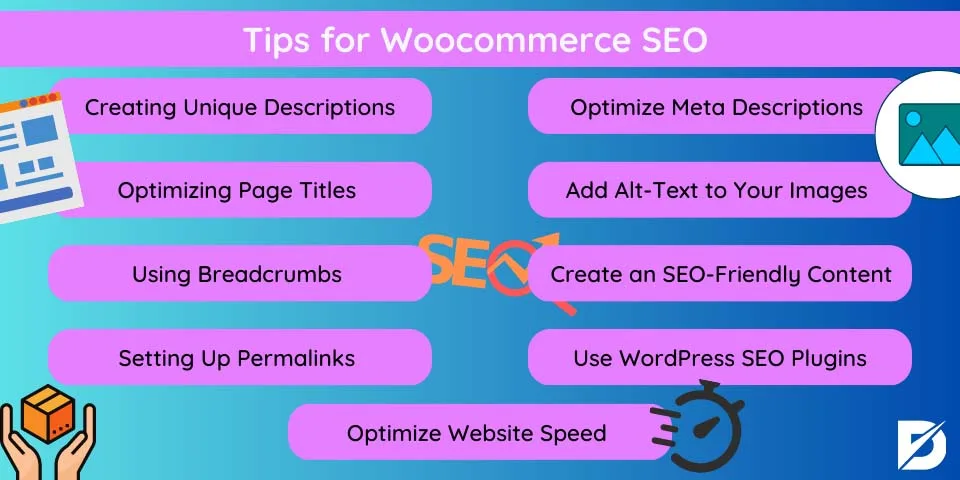
This woocommerce SEO guide walks through eleven easy wins, ranked from the quick technical fixes you can knock out this afternoon to the deeper structural changes that pay off for years.
I’ve audited storefronts doing six figures a month that were losing traffic over a single unchecked checkbox. I’ve also seen tiny shops outrank massive competitors purely because they cleaned up their product schema. The point is this: most WooCommerce SEO problems aren’t exotic. They’re ordinary, fixable, and often free.
So let’s treat this as a working woocommerce SEO checklist. Grab a coffee, open your site in a second tab, and follow along. By the end you’ll have a concrete list of moves you can make without hiring an agency or buying another plugin subscription.
Why WooCommerce SEO Breaks More Easily Than You Think
WooCommerce is a plugin bolted onto WordPress, and the woocommerce SEO architecture creates a specific set of SEO hazards. WordPress was built for chronological blog posts. WooCommerce was built for products, variations, carts, and checkout flows. Those two models don’t always play nicely.
Every product the Woocommerce SEO publish can generate multiple URLs: the product page itself, attribute-filtered archives, paginated category listings, cart fragments, and sometimes duplicate copies from tagged taxonomies. Multiply that by a few hundred SKUs and you’ve got a crawling mess that Google handles badly.
There’s also the indexing question. Refining each detail of your woocommerce SEO strengthens this section. WooCommerce loves to generate archive pages for every attribute, every tag, every shipping class. Left unchecked, Google may crawl hundreds of near-empty pages that dilute your crawl budget and compete with your money pages.
Understanding this fragility is half the battle. The woocommerce SEO best practices below all stem from one principle: make it easy for crawlers to find your valuable pages and ignore the noise.
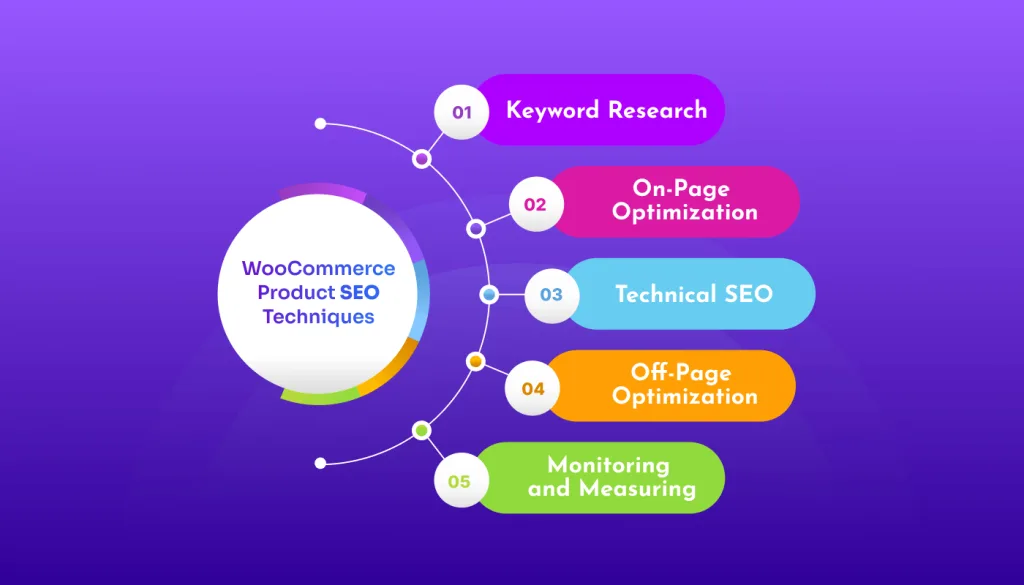
The 11 Easy Wins, Grouped by Effort
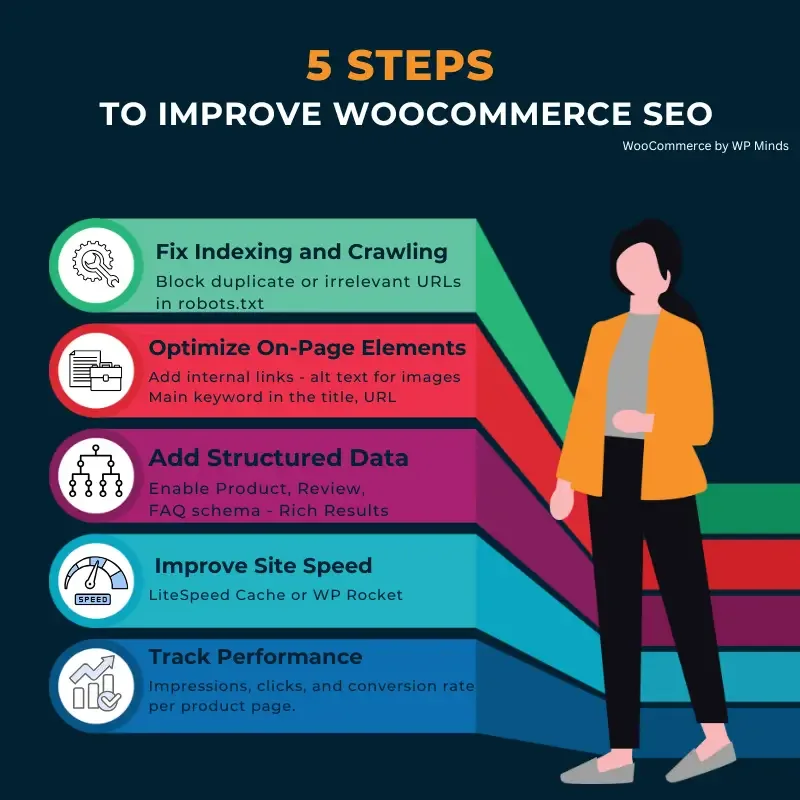
Rather than dumping eleven tactics in a random pile, I’ve grouped them into four buckets. Start with the foundation, move to product-level fixes, then tackle speed and content, and finish with measurement.
If the woocommerce SEO only have an afternoon, do the foundation group. If you have a weekend, do foundation plus product-level. The full list is a solid month of focused work for most stores.
Group 1: Foundation Fixes (Do These First)
The Woocommerce SEO are the settings and structural moves that unlock everything else. Skip them and the later wins land on shaky ground.
1. Get Your Permalinks and URL Structure Right
Default WooCommerce URLs can look like /?p=1234 or /product-category/uncategorized/. Maintaining clarity across your woocommerce seo remains essential. Both are terrible for users and crawling. Switch to post-name permalinks and clean up category slugs.
A clean URL like /shop/coffee-grinders/burr-grinders/ tells Google exactly what the page is about. It also gives you a natural keyword placement without stuffing anything. Keep slugs short, lowercase, and hyphen-separated.
One practical tip from experience: if the woocommerce SEO’re migrating URLs, set up 301 redirects before you flip the switch, not after. I’ve watched stores bleed rankings for weeks because they reorganized categories and forgot redirects.
2. Kill Duplicate and Thin Content
WooCommerce generates a shocking amount of duplicate content. Product variations often duplicate the parent page text. Tag archives can spawn pages that say nothing. Paginated archives increasingly pile up.
The fix is simple in principle, tedious in practice. Structuring your woocommerce SEO around proven patterns ensures impact. Crawl your site with Screaming Frog or a similar tool and look for pages with thin content and low value. Noindex the ones you don’t want Google to see.
Specifically: noindex tag archives, attribute archives with few products, and internal search results. Keep your main category and product pages indexable. This single woocommerce SEO tip often moves the needle within weeks.
For a proper audit checklist of what to keep and what to prune, look at how larger stores structure their product taxonomies. Most keep it to three levels max.
3. Fix Your Canonical Tags
Variation pages, filtered category views, and paginated lists can all point to the same underlying content. Applying these principles to your woocommerce SEO yields measurable results. Canonical tags tell Google which version to treat as the source of truth.
WooCommerce handles some canonicals out of the box, but it drops the ball on filtered archives. If you have a category page with color filters, the filtered URL might compete with the parent page for rankings.
Test a handful of filter combinations in your browser, then check the source for a canonical tag pointing back to the main category. Proper attention to your woocommerce SEO sets a strong baseline. If it’s missing, add it via a lightweight plugin or a snippet.
4. Set Up Product Schema Markup Properly
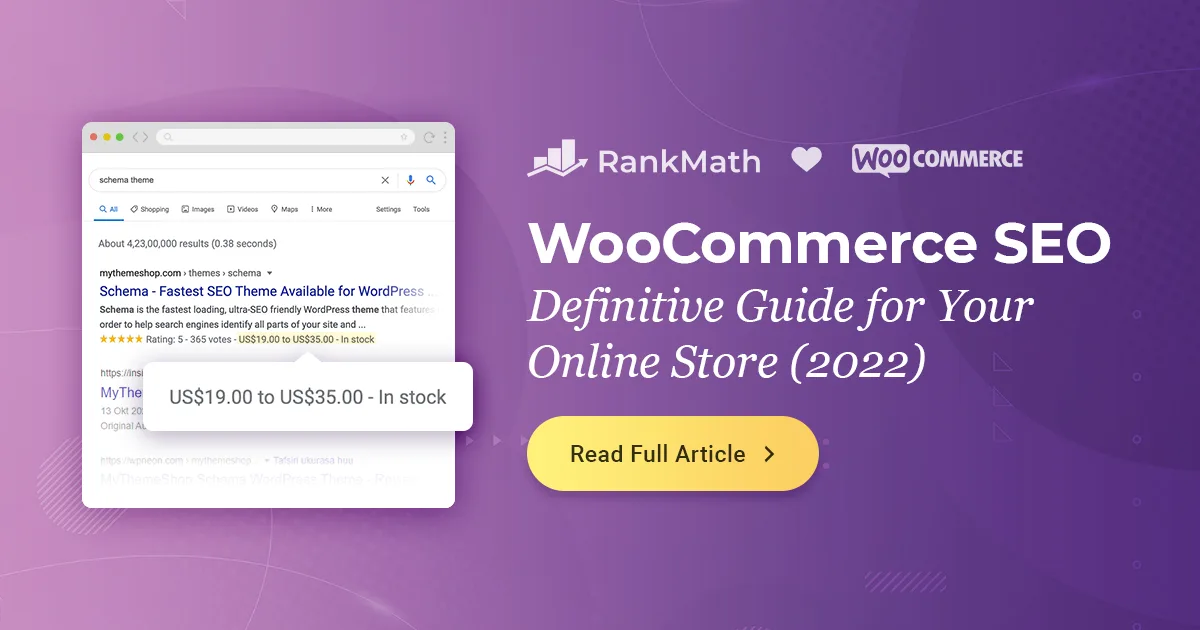
Rich results with price, availability, rating, and shipping make your listing stand out in search. WooCommerce includes some schema by default, but the default markup is famously inconsistent.
Run a product page through Google’s Rich Results Test. Developing your woocommerce SEO with precision highlights key strengths. Look for missing fields like aggregateRating, offers, or review. Fixing these often earns you star ratings and price snippets in search results.
One caveat: don’t fake reviews to earn schema. Google has gotten aggressive about penalizing review markup that doesn’t match visible content. Honest, real reviews do more for you anyway.
| SEO Element | What to Check | Typical Fix |
|---|---|---|
| Permalinks | Are URLs short, readable, and keyword-relevant? | Switch to post-name structure in WordPress settings |
| Duplicate Content | Are tag or attribute archives indexable? | Noindex low-value archives |
| Canonical Tags | Do filtered archives point to the parent category? | Add self-referencing or parent canonicals |
| Product Schema | Does the Rich Results Test show missing fields? | Add aggregateRating, offers, review markup |
Group 2: Product-Level Optimizations
Once the foundation is solid, work on the individual product pages. Clear alignment with your woocommerce SEO builds confidence from the start. This is where most of your revenue comes from, so it deserves the most attention.
5. Write Unique Product Titles and Descriptions
Manufacturer descriptions are a trap. If you sell the same widget as a hundred other stores, and you paste the same widget description, you’re competing on identical content. That’s a losing game.
Write original product descriptions, even if the woocommerce SEO’s just 100-150 words per product. Focus on the use case, materials, dimensions, and any quirks that come up in customer support. Real questions from real buyers make excellent product content.
Titles matter too. “Blue Widget 500ml” ranks fine but reads dull. “Insulated Blue Water Bottle — 500ml Stainless Steel” hits more buyer intent. Include the brand if customers search for it, and keep it under 60 characters so it doesn’t truncate in search results.
6. Optimize Product Images (This is Bigger Than You Think)
Large images are the number one cause of slow WooCommerce stores. Targeted refinements to your woocommerce SEO streamline the entire review. A gallery of twenty uncompressed JPEGs can add 10+ seconds of load time on mobile, and that’s a ranking killer.
Compress images to WebP format where browser support allows. Serve appropriately sized images for the context (thumbnail, gallery, zoom). And always, always fill out the alt text with a descriptive phrase that makes sense to a screen reader.
Alt text also serves an SEO purpose. Something like “woocommerce SEO checklist graphic showing product schema fields” tells Google what’s in the image while remaining useful for accessibility. Skip the keyword-stuffed nonsense; it doesn’t help and it reads badly to humans.
I’d go one step further: audit your image sizes monthly. Focusing on woocommerce SEO provides clear direction here. Stores accumulate huge uploads over time, and a little housekeeping prevents a slow site from sneaking up on you.
7. Handle Product Variations Correctly
WooCommerce’s default handling of variations creates duplicate content problems. Each variation can technically be indexed separately, which fragments ranking signals across pages that show nearly identical content.
Most stores do fine by canonicalizing all variations to the parent product page. Google ranks the parent, users land on the parent, and variations stay useful without competing with each other.
There are exceptions. If variations genuinely differ (different materials, different use cases), you might want them indexed separately. That’s rare, and usually only worth it for high-volume product lines with distinct buyer intent.
Group 3: Speed and Content Depth
Now the woocommerce SEO get into the things that separate a decent store from a fast, authoritative one. Google rewards speed and depth, and these twelve factors compound over time.
8. Fix Core Web Vitals
Core Web Vitals measure loading speed, interactivity, and layout stability. All three matter for rankings, and WooCommerce sites fail on all three more often than they should.
The three metrics to monitor: Largest Contentful Paint (LCP), Interaction to Next Paint (INP), and Cumulative Layout Shift (CLS). Effective execution in your woocommerce SEO makes a tangible difference. Google exposes all of these in Search Console under the Core Web Vitals report.
Common WooCommerce fixes: enable page caching, minimize JavaScript on product templates, defer non-critical scripts, and stop loading plugins you don’t use. I’ve seen a single unmaintained slider plugin add two seconds to every page load.
Test your site on mobile-first, because the woocommerce SEO’s what Google uses. A fast desktop score means nothing if mobile is slow, and most commerce traffic is mobile.
9. Build Category Content That Actually Helps
Most WooCommerce category pages are just grids of products. That works for browsing, but it gives Google almost nothing to rank on for informational searches related to the category.
Add a substantive intro section (150-300 words) above the product grid. A thoughtful approach to woocommerce SEO reinforces your qualifications. Answer common questions: what to look for, how the products differ, which one fits which use case. Keep it scannable with short paragraphs and a bullet list or two.
Don’t bury it at the bottom. A short helpful intro above the grid serves users who land on the category for the first time, and it gives search engines content to evaluate.
For deeper analysis, look at how authoritative sites like the ecommerce SEO resources on Shopify’s blog handle category content—clear, human, and useful.
One pattern I like: a “buying guide” accordion above the products, collapsed by default. Users who want details can expand it; users who just want products see the grid.
10. Internal Linking That Earns Its Keep
Internal links pass authority between pages and help Google understand relationships between topics. In WooCommerce, most stores only link from menus and sidebars—which is a missed opportunity.
Add contextual links from your blog content to relevant product and category pages. Write buying guides that link to your best sellers. Link related products to each other within descriptions (a “you might also need” pattern helps conversions too).
One specific woocommerce SEO tip that often gets overlooked: make sure your main categories are linked from your homepage in prominent positions. Google treats homepage outbound links as strong signals of importance.
Avoid orphan products. Any product that exists on your store with zero inbound internal links is effectively invisible. Run a quick check in your XML sitemap against your internal link graph.
Group 4: Measurement and Iteration
The last two wins are about closing the loop. SEO isn’t a one-time fix, it’s a practice. If you don’t measure, you don’t know what’s working.
11. Track the Right Metrics Weekly
Vanity metrics lie. Page views don’t pay your bills if those visits don’t convert. Instead, track a small set of metrics that map directly to revenue and rank health.
My shortlist: organic sessions to category pages, organic conversions, average position for money keywords, and Core Web Vitals status. Five minutes in Search Console every week is more valuable than an hour in a flashy dashboard once a month.
Set up a simple woocommerce SEO checklist you revisit weekly. Something like: check Search Console for new errors, review top-performing product pages, scan for 404s, and glance at Core Web Vitals.
For the technical side, the Google Search Central SEO starter guide remains the most honest resource for anyone who wants to understand what crawlers actually care about.
Quick Comparison: Effort vs Impact
Not all eleven wins are equal. Some take an hour and move rankings in a month. Others take a week of work and pay off over a year. Here’s a rough priority map based on my own experience running these audits.
| Win | Effort | Impact | Time to Results |
|---|---|---|---|
| 1. Permalinks & URL Structure | Low | High | Immediate to 2 weeks |
| 2. Kill Duplicate Content | Medium | High | 2-6 weeks |
| 3. Canonical Tags | Low | Medium | 2-4 weeks |
| 4. Product Schema | Medium | High | 2-4 weeks |
| 5. Unique Product Copy | High | High | 1-3 months |
| 6. Image Optimization | Low | Medium | 1-4 weeks |
| 7. Variation Handling | Medium | Medium | 4-8 weeks |
| 8. Core Web Vitals | High | High | 1-3 months |
| 9. Category Content | Medium | High | 2-4 months |
| 10. Internal Linking | Medium | Medium | Ongoing |
| 11. Weekly Tracking | Low | High | Compounds over time |
If the woocommerce SEO’re choosing where to start, take the low-effort/high-impact quadrant: permalinks, canonical tags, image optimization, and weekly tracking. Those four are wins you can lock in fast and they set up the bigger changes.
The Mistakes That Undo All Eleven Wins
Even perfect execution can get undone by a few common errors. I see these constantly in audits, and they’re almost always easy to prevent.
Chasing Keywords Instead of Buying Intent
The woocommerce SEO’s tempting to optimize for high-volume informational keywords. But a product page ranking for “how to choose a coffee grinder” rarely converts the way a product page ranking for “burr coffee grinder for espresso” does.

Match your content type to the intent. Buying guides belong on the blog. Product pages belong on product keywords. Category pages belong on category keywords with commercial modifiers. Getting this wrong burns traffic without earning sales.
This is the single biggest lesson from running woocommerce SEO tips for physical-product stores. Traffic is worthless if it’s the wrong traffic.
Ignoring Mobile UX
Over 60% of ecommerce traffic comes from mobile. If your product pages are sticky, slow, or have tiny tap targets, you’re losing both users and rankings. Google’s mobile-first indexing means your mobile experience is the SEO metric, not the desktop one.
Test your best-selling product page on a mid-range Android phone on a slow connection. If it takes more than three seconds to become usable, you have work to do.

Over-Optimizing and Under-Delivering
Stuffing keywords into every alt tag, product title, and category description is old-school thinking. Modern rank algorithms catch it. Real users abandon it. Focus on clarity, usefulness, and specificity instead.
A product page that clearly answers “is this right for me?” beats one that mentions the keyword five times but never explains materials or dimensions.
Never Updating Anything
The web moves. Product lines change. Competitors improve. A page you optimized two years ago and never touched tends to slip. Set a habit: revisit your top ten product pages twice a year, refresh descriptions, update images, verify schema.
This is a woocommerce SEO best practice in spirit as much as tactic. The stores that win are the ones with a routine, not the ones that did a big audit once and called it done.
Building a Repeatable Workflow
The eleven wins above work best as a repeating cycle. Here’s how I’d sequence it across a quarter, assuming a store with a few hundred SKUs and one or two people managing SEO.
Month One: Foundation
Spend the first month on permalinks, duplicate content cleanup, canonical tags, and product schema. Don’t touch content yet; you need a stable technical base first.
By the end of month one, you should be able to crawl your own site and see a clean picture. Every important page indexed, every low-value page excluded, canonical tags pointing to the right places.
Month Two: Content and Speed
Move into product copy, category content, and Core Web Vitals. This is the heaviest lift, so schedule it accordingly. If you have a team, split copywriting from technical work so you don’t block on either.
By the end of month two, your top ten categories should have substantive intros, your top product pages should have unique descriptions, and your CWV report should be mostly green.
Month Three: Consolidation and Tracking
Focus on internal linking, image audits, variation cleanup, and measurement. Add the weekly tracking routine. Set up alerts for new 404s and Core Web Vitals regressions.
By the end of the quarter, you have a repeatable woocommerce SEO checklist you can cycle through each quarter without reinventing the plan. That’s how top stores build moats.
How WooCommerce SEO Fits Into Your Larger Strategy
This article is a sub-topic of a bigger conversation: ecommerce SEO, which itself sits under technical SEO and content strategy. The parent topic here is “how to run a store that ranks and sells.”
Related sub-topics worth exploring next include product schema advanced markup, conversion rate optimization for product pages, and international SEO for multi-currency stores. Each of these deserves its own deep dive; you’ll see them referenced further as your experience grows.
A complete woocommerce SEO guide also has to touch on analytics setup, log file analysis (for detecting Googlebot crawl problems), and content audits. Those aren’t optional once you’re past the basics. But they’re also not where you start.
Start with the eleven easy wins above. Each one is a brick. Lay them in order and the wall rises faster than you expect.
Frequently Asked Questions
I get a steady stream of questions from store owners who’ve read one guide too many and can’t separate signal from noise. Here are the ones that come up most often.
How Long Until WooCommerce SEO Wins Show Results?
Technical fixes usually move rankings within 2-6 weeks. Content-driven wins like unique category intros take 2-4 months. Structural changes like image optimization and Core Web Vitals take 1-3 months. Budget for a quarter to see meaningful movement.
Do I Need an SEO Plugin to Win at WooCommerce SEO?
Not strictly, but the right plugin saves enormous time. Yoast or Rank Math handle title tags, meta descriptions, canonicals, and sitemaps very well. WooCommerce’s default SEO output is minimal; a plugin fills the gap.
Should I Noindex Product Tag Pages?
Usually yes. Product tags rarely attract meaningful search traffic and create hundreds of near-duplicate pages. Unless you have specifically-optimized tag archives (like “best sellers” or “new arrivals” categories), noindex them and reclaim crawl budget for your main pages.
What’s the Biggest WooCommerce SEO Mistake You See?
Duplicate product descriptions. Nearly every store I audit starts with manufacturer copy on hundreds of SKUs. Rewriting those, even briefly, is usually the fastest path to rankings for long-tail commercial queries.
Do Product Variations Need Separate URLs?
Rarely. Canonicalize variations to the parent product page in most cases. The exceptions are when variations represent truly distinct products with different audiences, which is uncommon outside large catalogs.
Is Schema Markup Worth the Effort?
Yes, and the woocommerce SEO’s usually a one-time setup. Once product schema is correctly populated with price, availability, and review data, you earn rich results in search with almost no ongoing maintenance.
Where to Go from Here
Eleven wins, four groups, one repeatable cycle. That’s the framework. Now it’s execution, and the first move is the technical foundation.
Pick three wins from Group 1 and do them the woocommerce SEO week. Permalinks, duplicate content cleanup, and canonical tags are the fast wins that unlock everything else. Once those are stable, layer on Group 2 and Group 3 across the following weeks.
If you want to keep building on this woocommerce SEO foundation, the next logical steps are a deeper dive into product schema, an audit of your site’s Core Web Vitals using Google’s tools, and a full content plan for your top categories. The stores that grow fastest are the ones that treat this as a habit, not a project.
Treat the woocommerce SEO checklist above as a living document. Update it every quarter, add new wins as you find them, and cross off what you’ve done. A store that improves steadily for two years beats a store that tries to fix everything at once and burns out in one.
Disclosure note: this content is informational and doesn’t constitute a formal SEO audit. Always test changes on a staging site before deploying to production.