Webflow SEO: 9 Proven Strategies to Rank Higher
Webflow SEO is the practice of tuning a Webflow-built site so search engines can crawl, understand, and rank it — and the good news is that Webflow gives you cleaner foundations than most platforms ever will. Still, clean foundations don’t rank on their own.
Nine proven strategies do the heavy lifting, and this guide walks through every one of them in the order I’d actually apply them to a real project.
If you’ve ever published a beautiful Webflow site that refuses to show up in Google, you already know the frustration. The design looks sharp, the interactions feel smooth, and yet the traffic graph stays flat. That gap between “looks great” and “ranks well” is exactly where this webflow SEO guide lives.
I’ve audited enough Webflow builds to know the pattern: most ranking problems are not mysterious. Focusing on webflow SEO provides clear direction here. They’re structural, technical, and content-related issues that repeat across projects. Fix the nine items below and you’ll cover the vast majority of what actually moves rankings.

Why Webflow SEO is Different from Other Platforms
Webflow sits in an unusual spot. Focusing on webflow seo provides clear direction here. It’s a visual designer that outputs real HTML, CSS, and JavaScript — no bloated theme layer, no plugin soup. That means your markup is often leaner than a typical WordPress install, and your Core Web Vitals have a genuine shot at passing.
But that same control is a double-edged sword. Webflow hands you the keys, which means you also inherit the responsibility. Nothing auto-generates your meta descriptions. Nothing forces canonical tags onto collection pages. If you skip the details, the platform won’t save you.

The upside is enormous, though. When you treat webflow SEO as a deliberate discipline rather than an afterthought, you get a site that loads fast, renders cleanly for crawlers, and scales structured content without a single plugin conflict. That’s a real competitive edge.
The Platform Advantage You Should Exploit
Webflow’s hosting runs on a global CDN with automatic SSL, and the Designer lets the webflow SEO control heading hierarchy, alt attributes, and semantic tags directly. Compare that to fighting a page builder that wraps every element in three nested divs, and the difference in crawl efficiency becomes obvious.
There’s also the CMS. Webflow Collections generate dynamic pages from a single template, which means you can build dozens or hundreds of pages with consistent on-page structure. Get the template right once, and every page inherits the optimization.
Where Webflow Sites Typically Fall Short
Honestly? The failures cluster around a few predictable spots. Missing alt text on decorative images that should be hidden from screen readers. Duplicate meta titles across CMS items. Orphaned pages with no internal links pointing at them. Thin collection pages that exist only to pad a sitemap.
None of the webflow SEO are platform limitations. They’re decisions. And every one of them is fixable inside the Designer without touching a line of code.
Strategy 1: Nail Your On-Page Fundamentals Before Anything Else
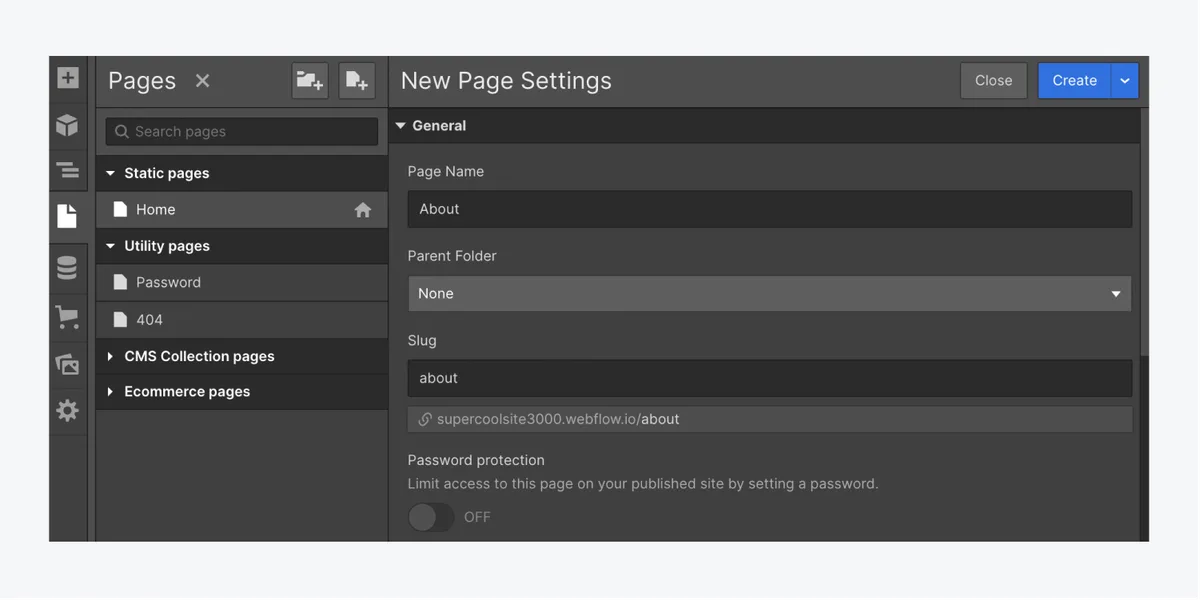
Before you chase backlinks or obsess over schema, get the basics right. On-page fundamentals are the cheapest rankings you’ll ever earn, and Webflow makes them straightforward to control.

Start with a single H1 per page the webflow seo contains your target phrase naturally. Then structure your H2s and H3s as a logical outline — not a decoration exercise. Search engines read heading hierarchy the way a reader skims a table of contents, and a messy outline signals a messy page.
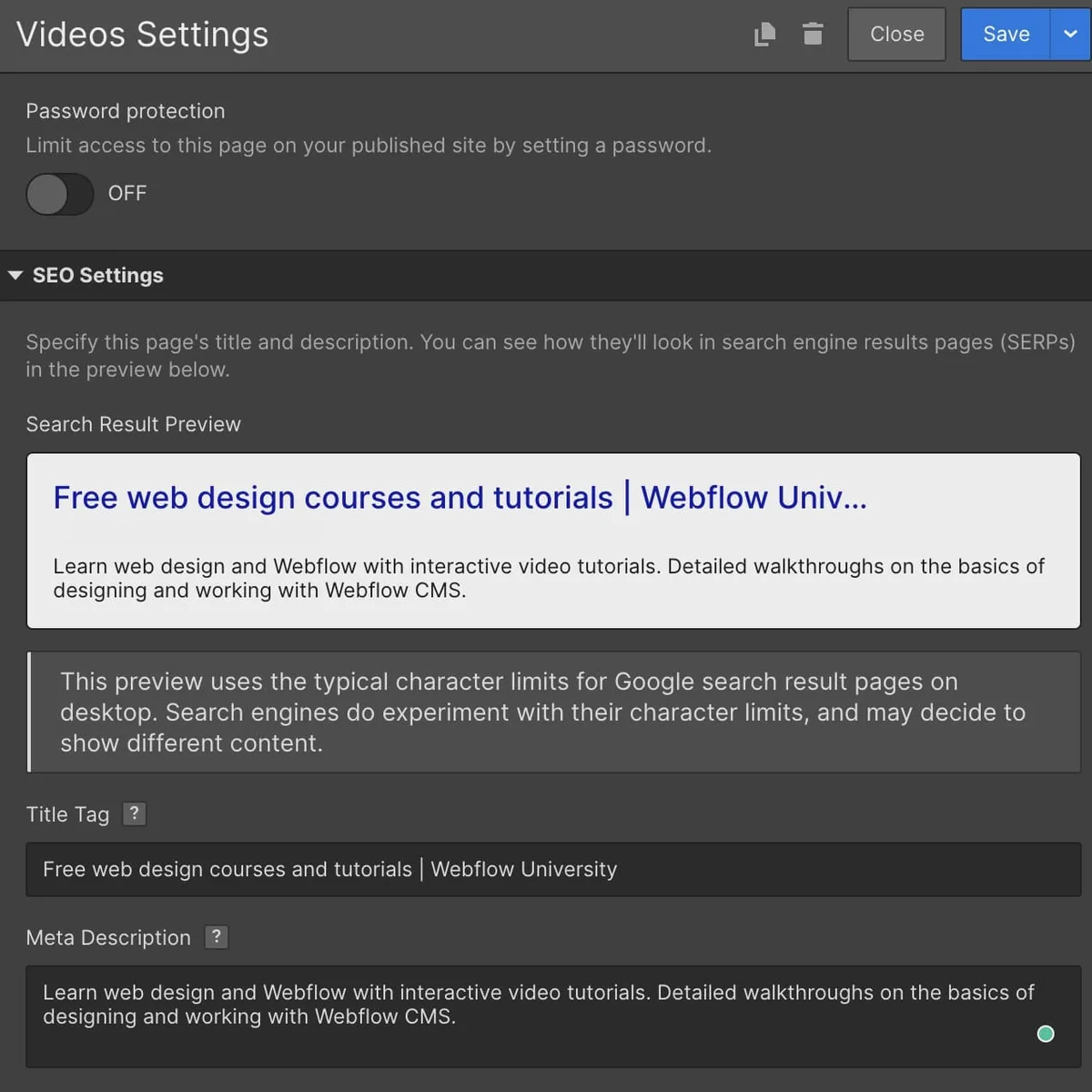
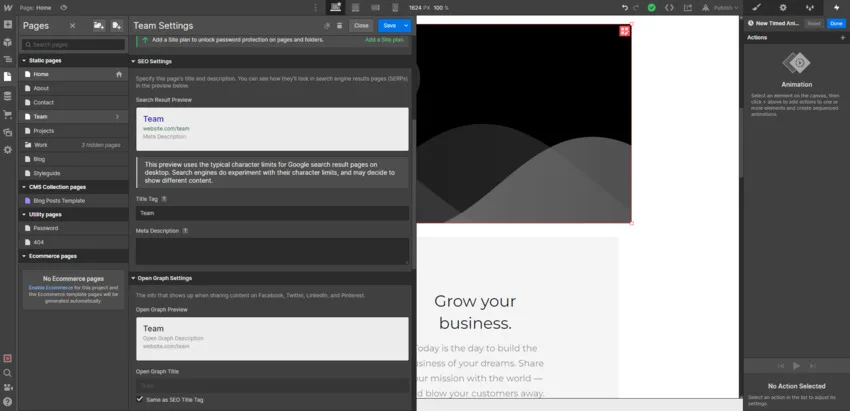
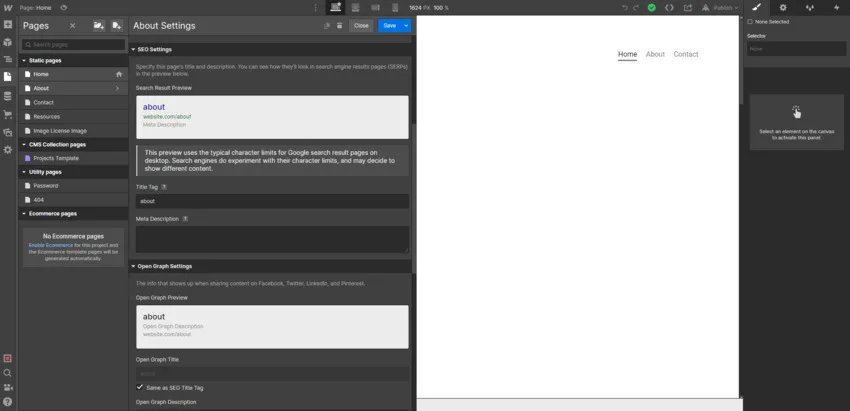
Meta titles and descriptions deserve the same care. Maintaining clarity across your webflow SEO remains essential. Webflow lets you set these per page in the page settings panel and per item in Collection settings. Write them by hand.

A title under 60 characters with the keyword near the front, and a description between 120 and 160 characters that earns the click, will outperform anything auto-generated.
Alt Text, Internal Links, and the Details People Skip
Every meaningful image needs descriptive alt text. Not keyword stuffing — an actual description of what the image shows. Decorative images should be marked appropriately so assistive technology ignores them.
Internal linking is where most Webflow sites quietly bleed authority. A thoughtful approach to webflow SEO reinforces your qualifications. Link related collection items to each other. Link service pages to case studies. Link blog posts back to your core money pages using descriptive anchor text, not “click here.”
This is the unglamorous layer of webflow SEO, and it’s also the layer that separates sites that rank from sites that don’t.

Strategy 2: Build a Webflow SEO Checklist You Actually Follow
A webflow SEO checklist turns good intentions into repeatable output. Without one, every new page becomes a fresh gamble on whether you remembered the basics.
Here’s the checklist I run before publishing anything in Webflow. It’s short enough to actually use and thorough enough to catch the usual suspects.
- Page title set and under 60 characters. Include the primary phrase near the front. Check it in the page settings, not just the Designer canvas.
- Meta description written by hand. 120–160 characters, specific to the page, with a reason to click. Never leave it blank and never let it duplicate across Collection items.
- One H1, logical H2/H3 order. No skipped levels, no headings used purely for styling. If you need a visual treatment, use a class, not a heading tag.
- Descriptive alt text on content images. Skip decorative images or mark them properly.
- Descriptive, keyword-relevant slug. Short, lowercase, hyphenated. Change it before publishing, not after — redirects are a tax you don’t need to pay.
- At least three internal links out. Point to related pages with meaningful anchor text.
- Open Graph and Twitter card data filled in. Webflow exposes these fields; use them so shared links look intentional.
- Canonical tag verified. Especially on Collection pages and any page reachable through multiple URLs.
- Page included in the sitemap and not blocked by robots settings. Check the page’s indexing toggle in the SEO tab.
- Mobile preview checked. Read the page on a phone-sized viewport before you call it done.
Run this list every time and your baseline quality stops fluctuating. That consistency is what compounds.
Strategy 3: Master Technical SEO Inside the Webflow Designer
Technical webflow SEO is mostly about removing friction between your content and the crawler. Webflow gives you the levers — you just have to pull them.
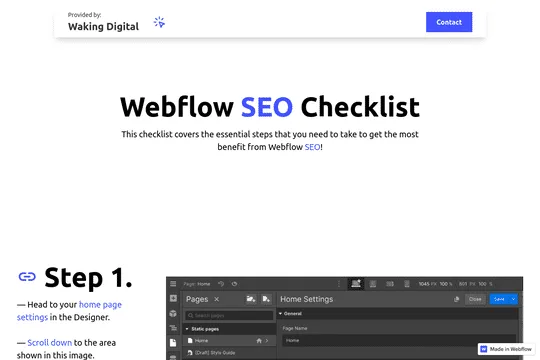
The first lever is the SEO tab in page settings. Structuring your webflow SEO around proven patterns ensures impact. That’s where you control the title, description, slug, and indexing status for every static page.
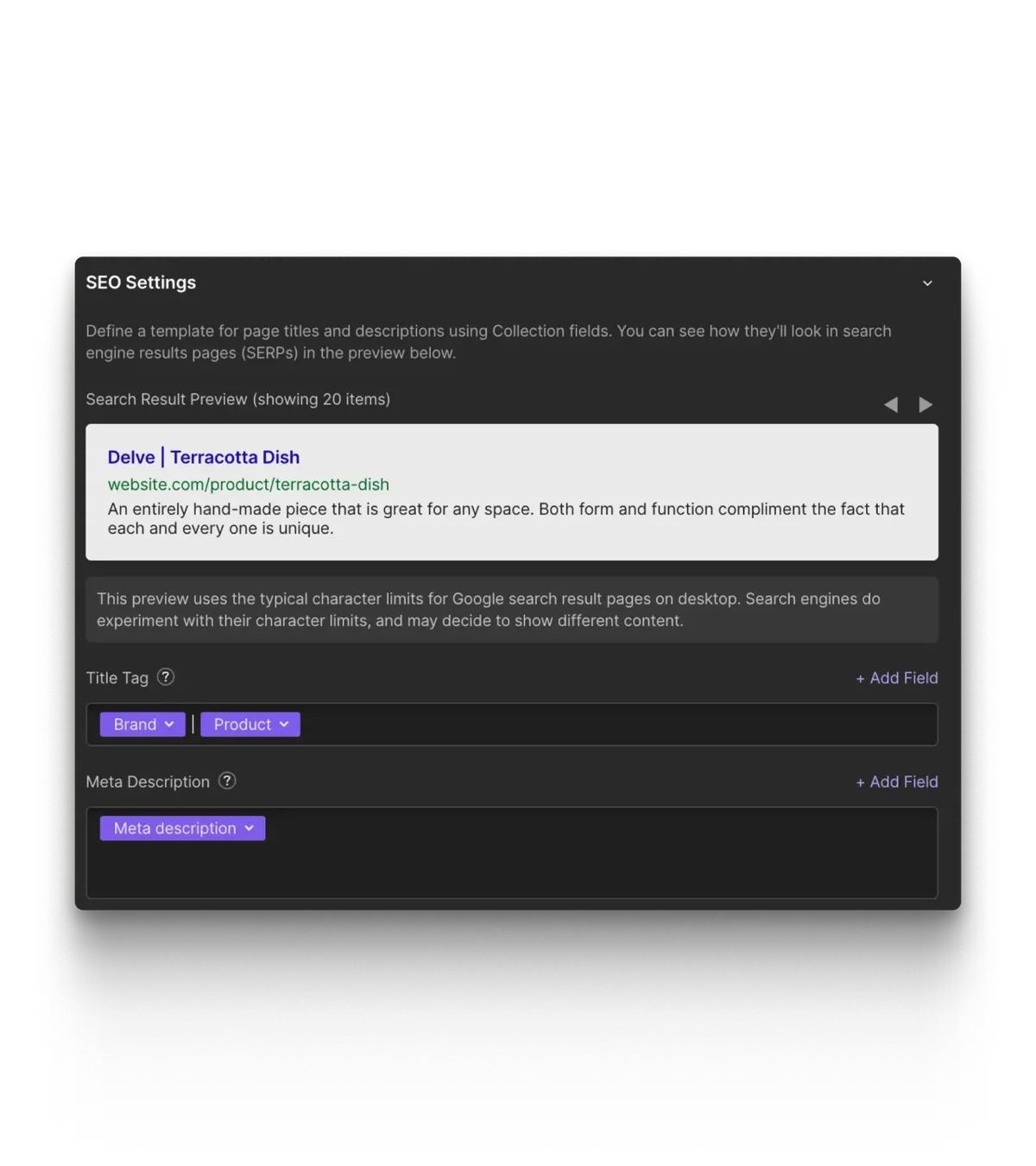
For Collection pages, the same controls live in Collection settings and apply to every generated page, with the option to override per item.
The second lever is redirects. Webflow’s 301 redirect manager lets you map old URLs to new ones cleanly. If you’re migrating from another platform, this is non-negotiable. Map every old URL that had traffic or links, then verify the mapping with a crawl.
Canonical Tags, Sitemaps, and Robots Controls
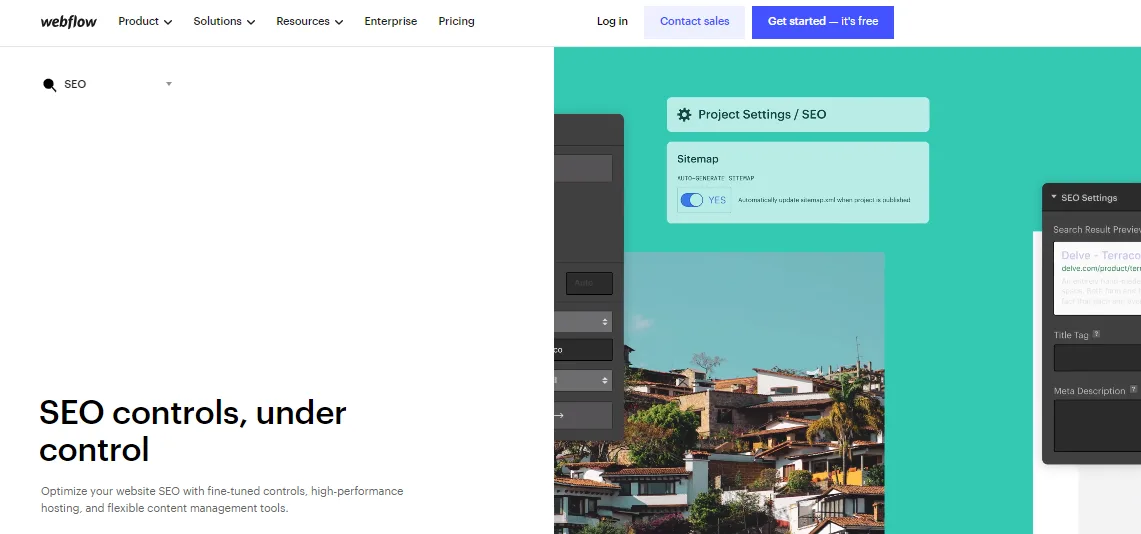
Webflow auto-generates a sitemap at yourdomain.com/sitemap.XML, and it updates as you publish. You still need to submit it in Google Search Console and Bing Webmaster Tools. Do that once and monitor it.
Canonical tags matter most on Collection pages the webflow SEO can be reached through filtered or parameterized URLs. If your CMS generates alternate paths to the same content, set the canonical to the primary version. Webflow handles the default case well, but custom filtering logic needs a manual check.
And check your robots settings. A single accidental noindex toggle on a key page can quietly erase months of work. Audit indexing status across your site quarterly.
Strategy 4: Optimize Core Web Vitals for Real Speed Gains
Speed is a ranking factor, but more importantly it’s a conversion factor. A site that loads in under two seconds feels trustworthy. One that stutters feels broken, and visitors leave.
Webflow’s baseline performance is strong, but heavy custom interactions can undo the webflow SEO. Large hero videos, stacked scroll animations, and unoptimized image exports are the usual culprits. Every one of them is a choice you can reverse.
Focus on the three Core Web Vitals: Largest Contentful Paint, Interaction to Next Paint, and Cumulative Layout Shift. Effective execution in your webflow seo makes a tangible difference. Each maps to a specific fix inside Webflow.
Practical Fixes That Move the Needle
For LCP, identify your largest above-the-fold element — usually a hero image — and compress it aggressively. Export at the dimensions you actually display, use WebP where supported, and avoid lazy-loading your hero image since that delays the very thing you’re trying to speed up.
For INP, audit your interactions. Developing your webflow SEO with precision highlights key strengths. Complex scroll-triggered animations and heavy JavaScript libraries can block the main thread. Simplify where the visual payoff doesn’t justify the cost.

For CLS, set explicit dimensions on images and embeds so the layout doesn’t jump while assets load. Reserve space for anything that loads asynchronously. These are small changes with outsized impact on the webflow SEO best practices you should be following.
Strategy 5: Structure Your Webflow CMS for Topical Authority
Topical authority is what happens when search engines decide you’re the obvious answer for a subject. You build it by covering a topic thoroughly and structuring that coverage so the relationships are obvious.
Webflow’s CMS is a genuine asset here. A well-designed Collection structure lets you build content clusters — a pillar page surrounded by supporting articles — without duplicating templates or breaking your design system.
Think of the webflow SEO this way: one Collection for your core topic pages, another for supporting articles, and reference fields linking them together. Then your templates can automatically surface related content, which strengthens internal linking at scale.
Designing Collections That Scale
Start with the parent topic. If you sell project management software, your parent topic might be project management itself, with sub-topics for planning, resource allocation, and team collaboration. Each sub-topic gets a pillar page, and each pillar page gets supporting articles.
Use reference fields to connect supporting articles to their pillar page, and multi-reference fields to connect related articles to each other. Maintaining clarity across your webflow seo remains essential. Your template then renders these links automatically, which means every new article strengthens the cluster without manual work.
This is the structural backbone of serious webflow SEO work, and it’s the difference between a blog that grows and a blog that plateaus.
Strategy 6: Write Content That Matches Search Intent
The webflow SEO can have perfect technical setup and still rank nowhere if your content doesn’t match what people actually want. Search intent is the filter every page has to pass.

Before writing, look at what’s already ranking for your target phrase. If the top results are all listicles, a 3,000-word essay probably won’t break through. If they’re all product pages, a blog post may be the wrong format entirely.
Match the format, then beat the depth. That’s the formula. And it applies to every page on your site, not just blog posts.
Mapping Intent Across Your Funnel
Informational queries want answers. Targeted refinements to your webflow SEO streamline the entire review. Commercial queries want comparisons. Transactional queries want a clear path to purchase. Each deserves a different page type, and each page should be built to satisfy exactly one intent.
In Webflow, this maps neatly to your page structure. Informational content lives in a blog Collection. Commercial content lives in comparison or feature pages. Transactional content lives in product or pricing pages. Keep them separate, and let internal links guide visitors between them.
A practical webflow SEO tips habit: before publishing, ask whether a stranger landing on this page from search would feel they got what they came for. If the answer is anything less than yes, revise.
Strategy 7: Implement Structured Data and Rich Results
Structured data helps search engines understand your content at a granular level. It’s how you earn rich results — star ratings, FAQ dropdowns, breadcrumb trails — that make your listing stand out in a crowded SERP.

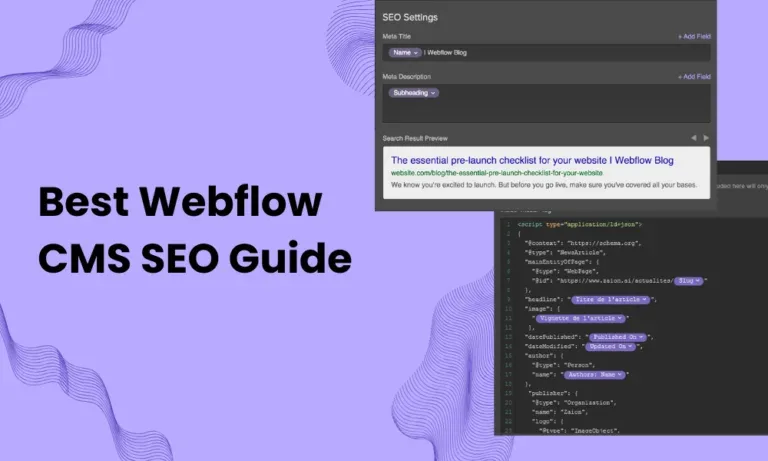
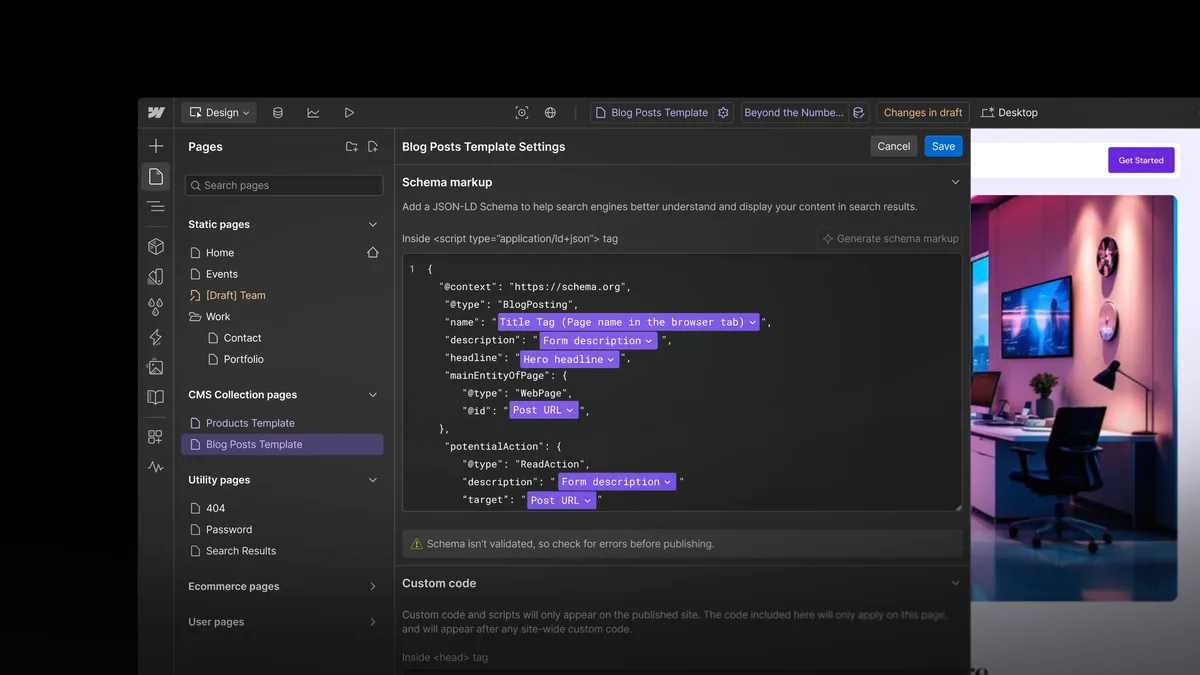
Webflow doesn’t ship a schema plugin, but the webflow SEO does let you inject custom code. That’s actually an advantage, because you control exactly what gets output without fighting a plugin’s defaults.
The most valuable schema types for most Webflow sites are Organization, WebSite, BreadcrumbList, Article, Product, and FAQPage. A thoughtful approach to webflow seo reinforces your qualifications. Start with the ones that match your content, and don’t mark up things that aren’t actually on the page.
Adding JSON-LD Through Custom Code
You can add JSON-LD in two places: site-wide in the project settings custom code area, or per page in the page settings custom code fields. Use site-wide for Organization and WebSite schema, and per page for Article, Product, or FAQ markup.
Test everything with Google’s Rich Results Test before publishing. Refining each detail of your webflow SEO strengthens this section. Invalid markup is worse than no markup, because it can trigger manual actions or simply be ignored. Validate, then ship.
This step is often skipped in a webflow SEO guide, which is a shame. It’s one of the highest-leverage technical improvements available, and it takes an afternoon to implement properly.
Strategy 8: Build Internal Linking and Navigation That Distributes Authority
Internal links are the circulatory system of your site. They pass authority, establish topical relationships, and help crawlers discover new content. Get them right and everything else gets easier.
Start with your navigation. Your main menu should reflect your most important pages, not every page you’ve ever built. A bloated nav dilutes link equity and confuses both visitors and crawlers.
Then look at your footer. Effective execution in your webflow SEO makes a tangible difference. Footer links are weaker than contextual links, but they still matter for crawlability. Keep them focused on genuinely useful destinations.
Contextual Linking That Actually Helps
The strongest internal links are the ones embedded in body copy where they genuinely help the reader. If you’re explaining a concept and you’ve covered it more deeply elsewhere, link to it. That’s it. That’s the whole principle.
Use descriptive anchor text the webflow seo tells both the reader and the search engine what’s on the other side. “Learn how to configure Webflow redirects” beats “read more” every single time.
And audit your orphan pages. Any page with no internal links pointing to it is effectively invisible. Find them with a crawl, then link to them from relevant content. This single habit improves webflow SEO performance more than most people expect.
Strategy 9: Track, Audit, and Iterate With Real Data
SEO isn’t a one-time setup. It’s a loop: measure, diagnose, fix, measure again. The sites that rank consistently are the ones that treat it as an ongoing process rather than a launch checklist.
Set up Google Search Console and Bing Webmaster Tools on day one. Verify your property, submit your sitemap, and check the coverage report weekly for the first month. Then move to a monthly cadence.
Watch for the signals that matter: impressions climbing while clicks stay flat (title and description problem), clicks dropping on pages that previously performed (content decay or a technical issue), and new pages taking forever to index (crawl budget or internal linking problem).
Building a Repeatable Audit Rhythm
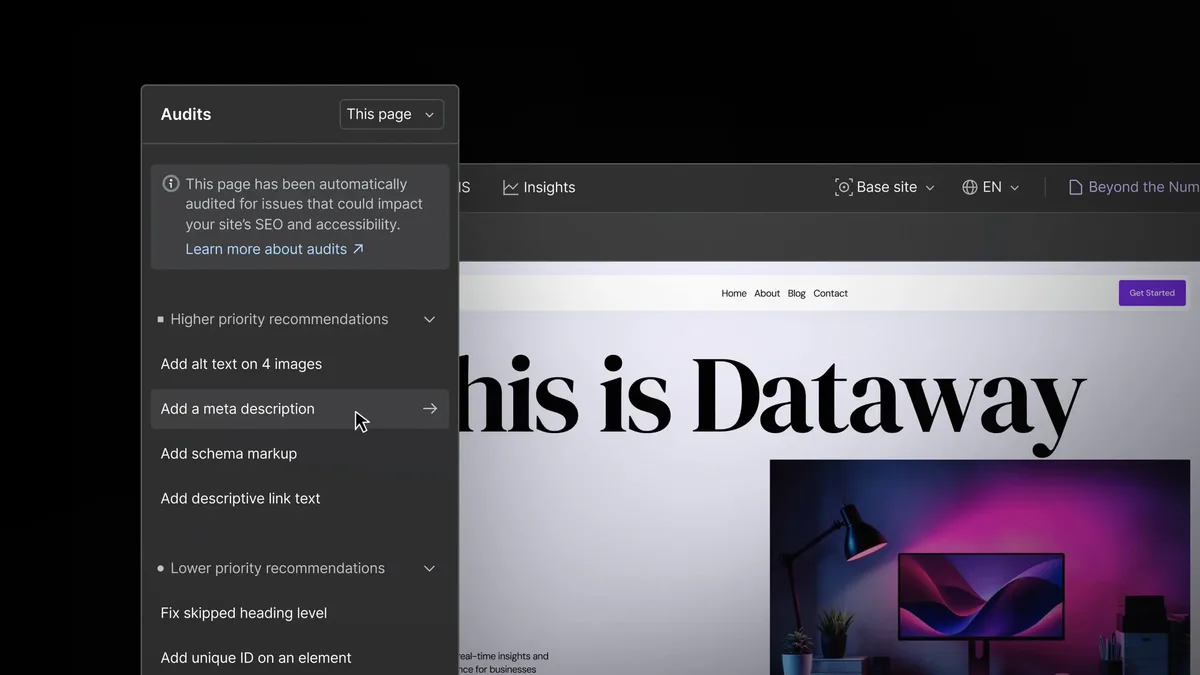
Quarterly, run a full crawl of your site. Check for broken links, missing meta descriptions, duplicate titles, and pages that have slipped into noindex status. Fix what you find.
Monthly, review your top-performing pages and refresh the ones the webflow seo have plateaued. Add new sections, update examples, strengthen internal links. Content decay is real, and it’s fixable.
Weekly, check Search Console for new errors and unexpected drops. A quick scan catches problems before they compound.
This rhythm is what turns webflow SEO from a project into a practice. And the practice is what produces durable rankings.
Common Webflow SEO Mistakes and How to Avoid Them
Even experienced builders trip on the same handful of issues. Here are the ones I see most often, along with the fix for each.
| Mistake | Why It Hurts | The Fix |
|---|---|---|
| Duplicate meta titles across Collection items | Search engines can’t distinguish pages; CTR drops | Use dynamic fields in Collection settings to generate unique titles per item |
| Noindex left on after staging | Pages never get indexed; traffic silently disappears | Audit indexing toggles before every launch and quarterly after |
| Heading tags used for styling | Breaks document outline; confuses crawlers | Use classes for visual treatment; reserve heading tags for structure |
| Uncompressed hero images | Hurts LCP and overall page speed | Export at display size, use WebP, avoid lazy-loading the hero |
| Orphaned CMS pages | Crawlers struggle to find them; authority doesn’t flow | Link from related pages and surface them in category templates |
| Blank alt attributes on content images | Loses accessibility and image search visibility | Write descriptive alt text for every meaningful image |
| No redirects after URL changes | Broken links and lost link equity | Map every changed URL in the 301 redirect manager |
Notice that none of these require advanced development work. They’re discipline problems, not capability problems. That’s encouraging, because discipline is something you can fix today.
Frequently Asked Questions About Webflow SEO
Here is an in-depth breakdown of key considerations regarding Frequently Asked Questions About Webflow SEO:
Is Webflow Good for SEO?
Yes. Webflow outputs clean HTML, runs on fast hosting, and gives you direct control over meta tags, headings, alt attributes, and custom code. It’s genuinely one of the better platforms for webflow SEO once you learn where the controls live.
Does Webflow Have Built-In SEO Tools?
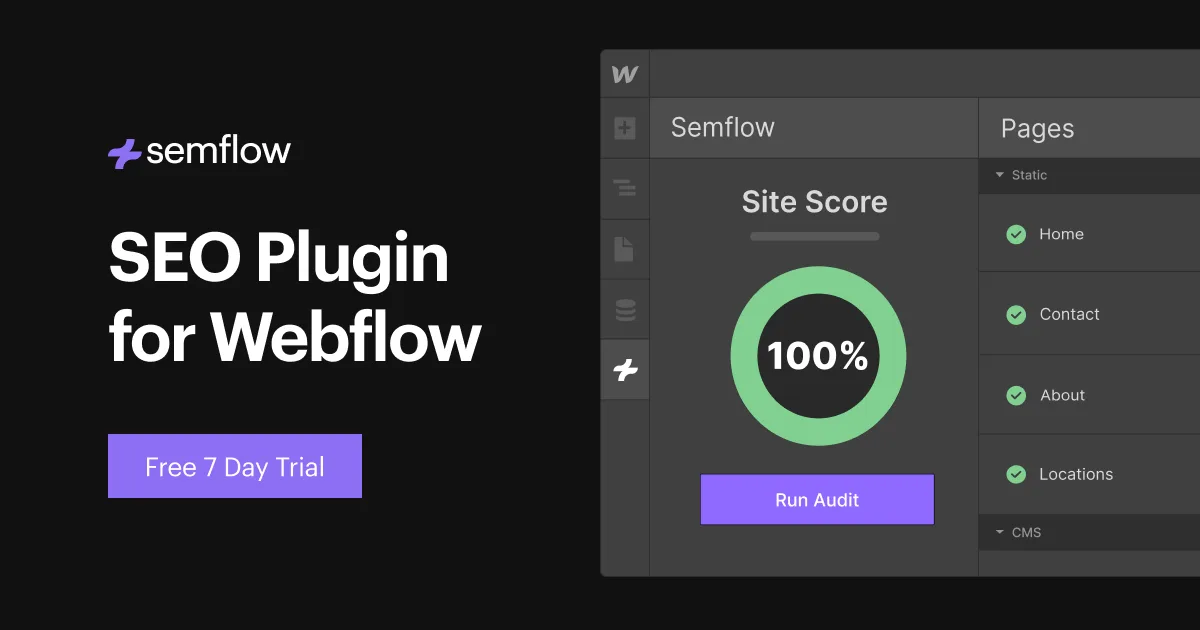
It has solid native controls: per-page titles, descriptions, slugs, indexing toggles, canonical settings, auto-generated sitemaps, and a redirect manager. What it doesn’t have is a built-in content analysis tool, so most teams pair Webflow with an external SEO tool for keyword tracking and audits.
How Do I Add Schema Markup in Webflow?
Use the custom code fields. Add site-wide JSON-LD for Organization and WebSite schema in project settings, and add page-specific markup for Article, Product, or FAQ schema in individual page settings. Always validate with Google’s Rich Results Test before publishing.
Can I Rank Without a Blog on Webflow?
Absolutely. Service pages, product pages, and well-structured landing pages can rank on their own. A blog helps with topical authority, but it’s not mandatory. What matters is matching search intent and building internal links that connect your pages meaningfully.
How Long Does Webflow SEO Take to Show Results?
Technical fixes can show movement within weeks. Content-driven rankings typically take a few months to mature, depending on competition and your site’s existing authority. The key is consistency — a steady publishing and optimization rhythm beats sporadic bursts every time.
What Should be on a Webflow SEO Checklist?
Titles, descriptions, heading structure, alt text, slugs, canonical tags, internal links, sitemap inclusion, indexing status, and mobile preview. Run that list on every page before publishing and you’ll avoid the vast majority of common problems.
Putting the Nine Strategies to Work
Here’s the honest truth about webflow SEO: the platform gives you an unusually good starting position, but it won’t do the work for you. The nine strategies above — on-page fundamentals, a real checklist, technical controls, Core Web Vitals, CMS structure, intent matching, structured data, internal linking, and ongoing measurement — form a complete system.
Start with the technical layer. Get your indexing, canonicals, redirects, and sitemap clean. Then build the content structure. Then write with intent. Then measure and iterate.
None of it is glamorous. All of it compounds. And a Webflow site built this way will outperform most competitors who are still guessing at what the platform can do.
If you want to go deeper, the natural next steps are mastering Webflow’s CMS reference fields and studying how topical clusters map to your specific niche — those two sub-topics will carry your webflow SEO work further than any single trick.
For verified reference and background research, consult the authoritative informational resource on this topic.