Sitemaps HTML are the unglamorous workhorse of a well-built website — a simple page of links that helps real visitors find their way and quietly feeds search engines a map of your best content.
If you have ever clicked a “Site Map” link in a footer and landed on a tidy list of every page on a site, you have already met one.
What most people do not realize is that these humble link pages still matter, even in an era dominated by XML feeds and AI-driven crawling. Done right, a sitemaps HTML page improves navigation, spreads link equity, and gives crawlers an extra path into pages that might otherwise sit orphaned in the dark.
In this guide, we will walk through what a sitemaps HTML page actually is, why it still earns its place on a modern site, how to build one step by step, and how to avoid the mistakes that turn a helpful index into a bloated mess. Grab a coffee. This one goes deep.
What is a Sitemaps HTML Page, Exactly?
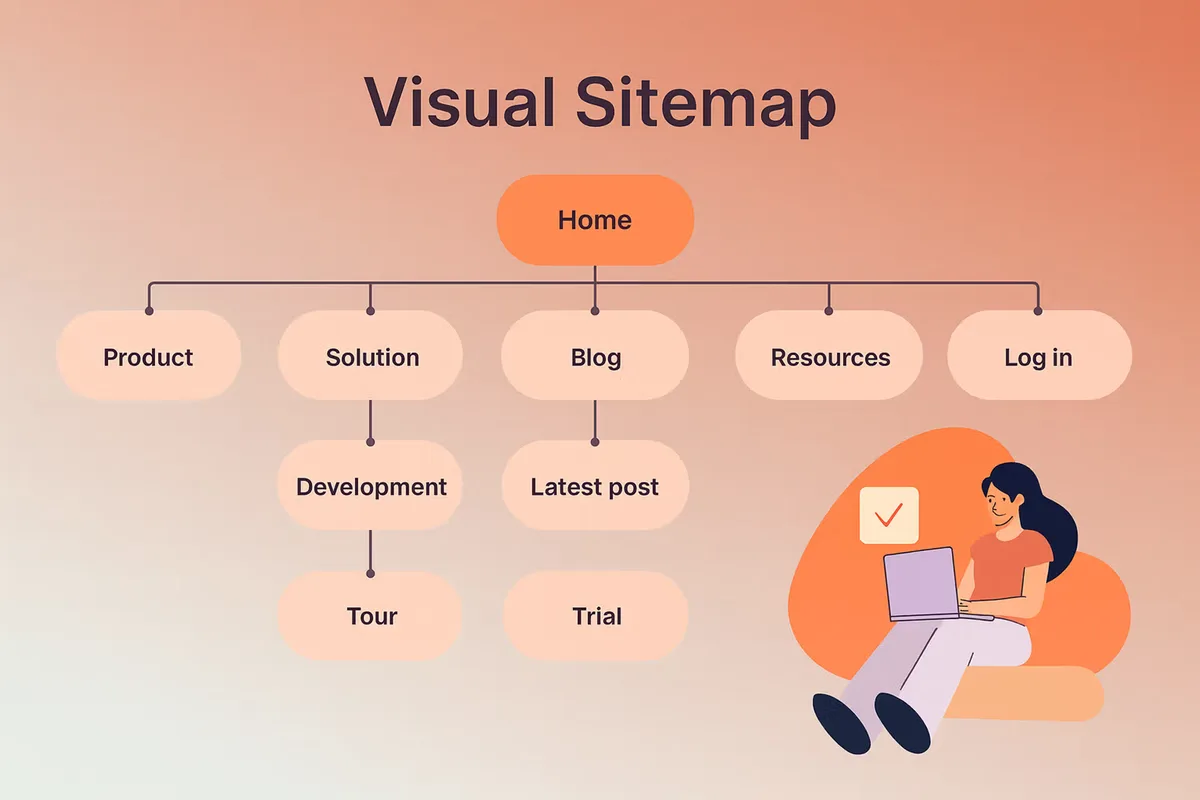
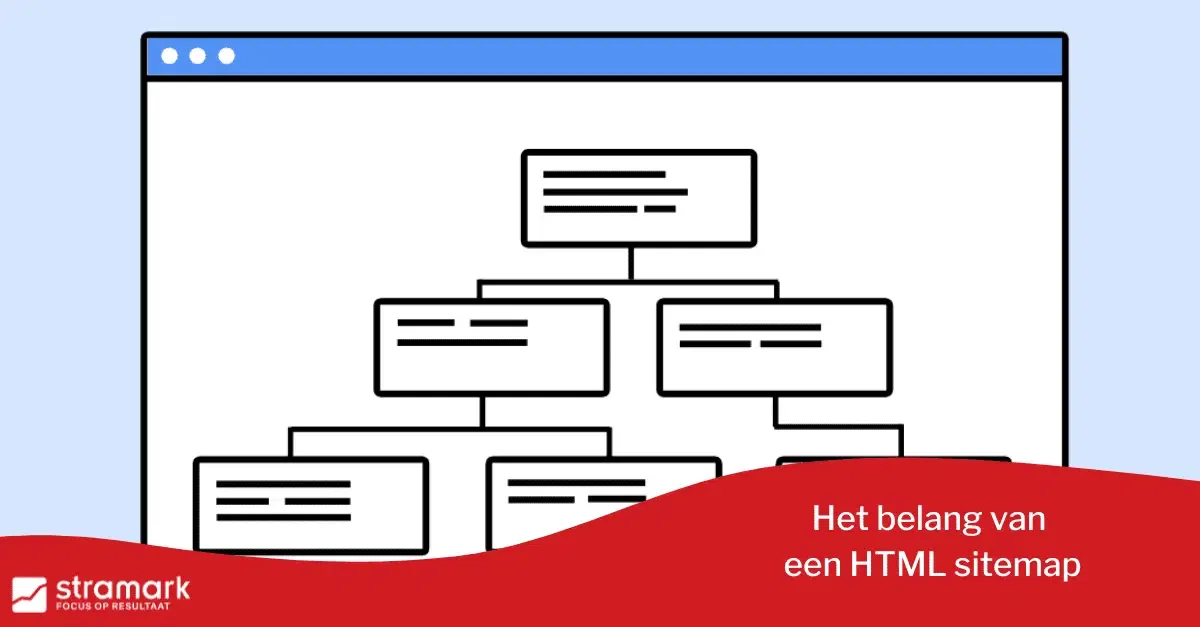
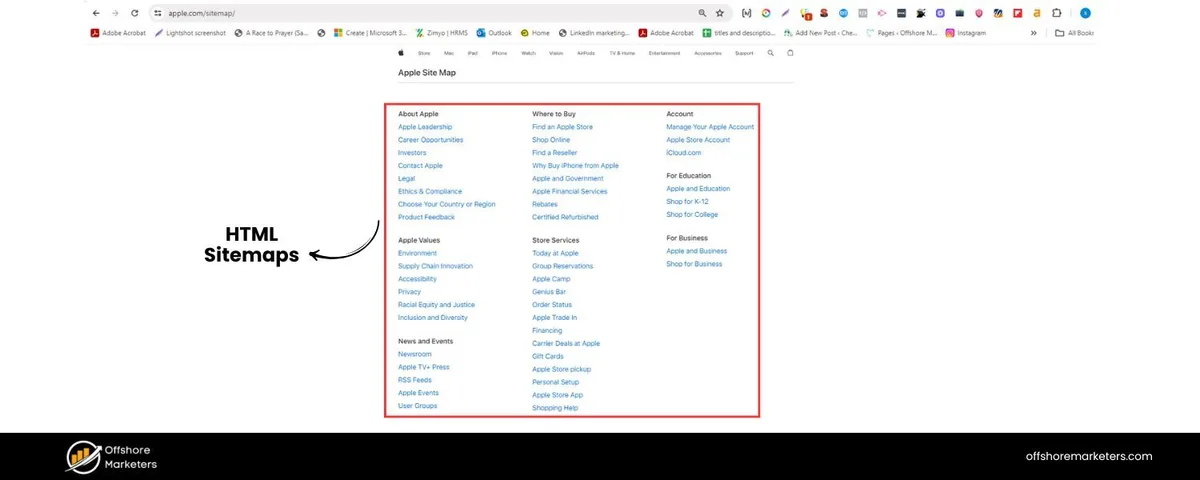
A sitemaps HTML page is a human-readable index of links that points to the important pages on your website. It lives at a normal URL — often something like /sitemap/ or /sitemap.HTML — and it is built with plain hyperlinks, the same kind you use everywhere else on the web.
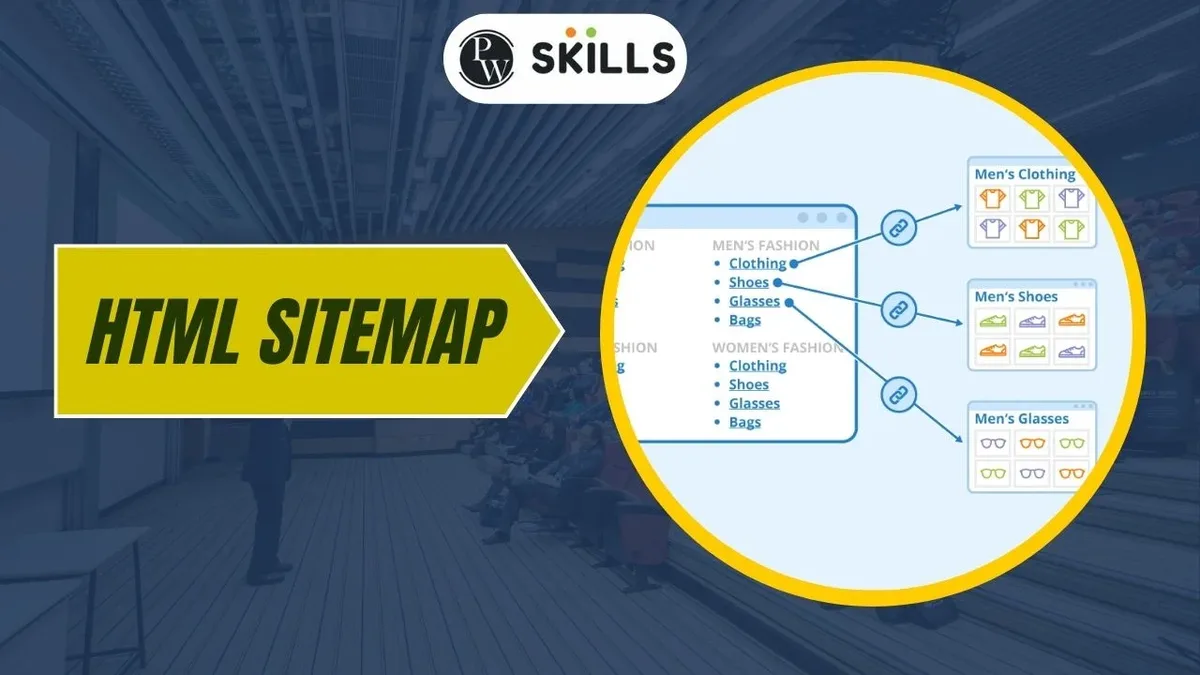
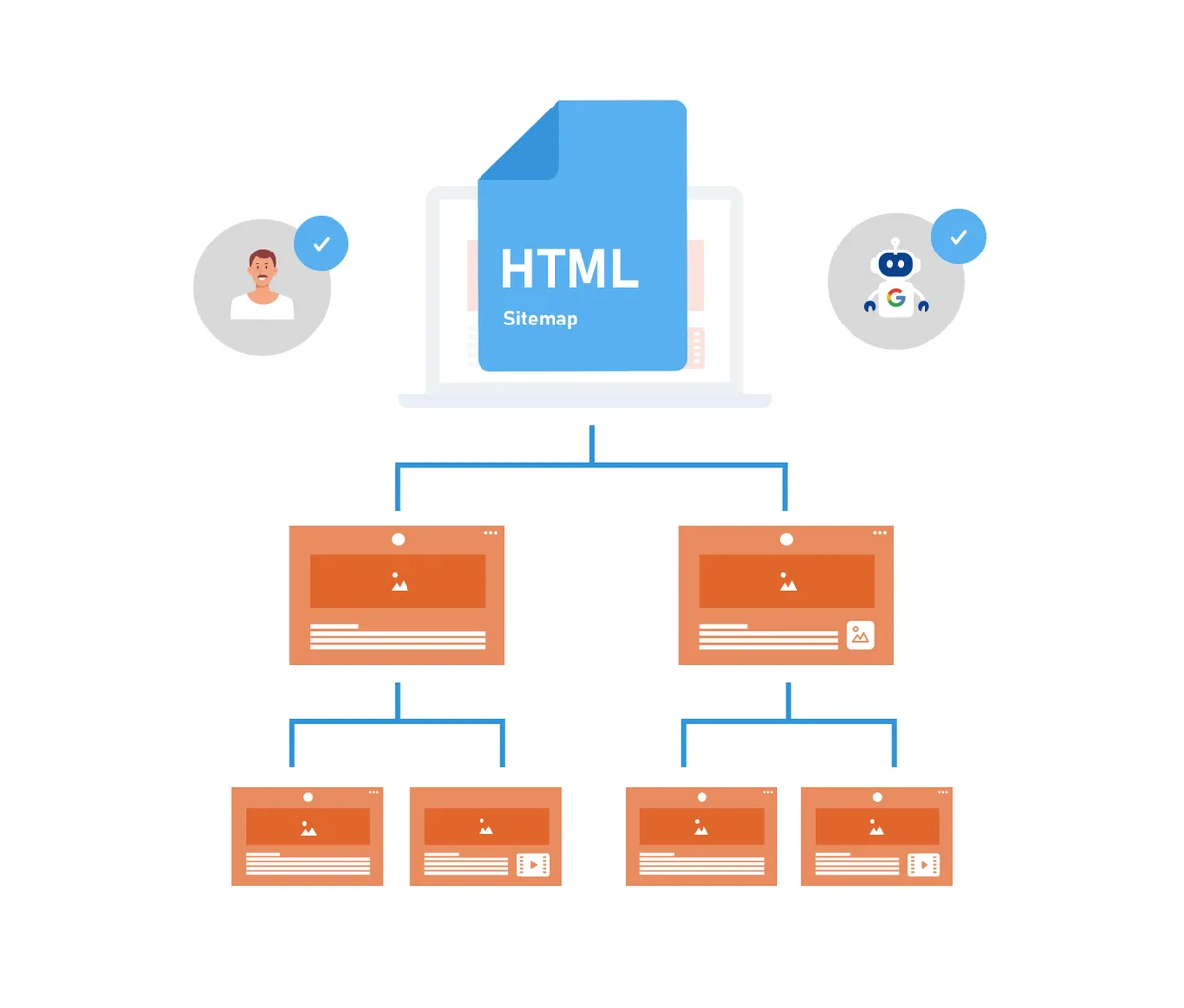
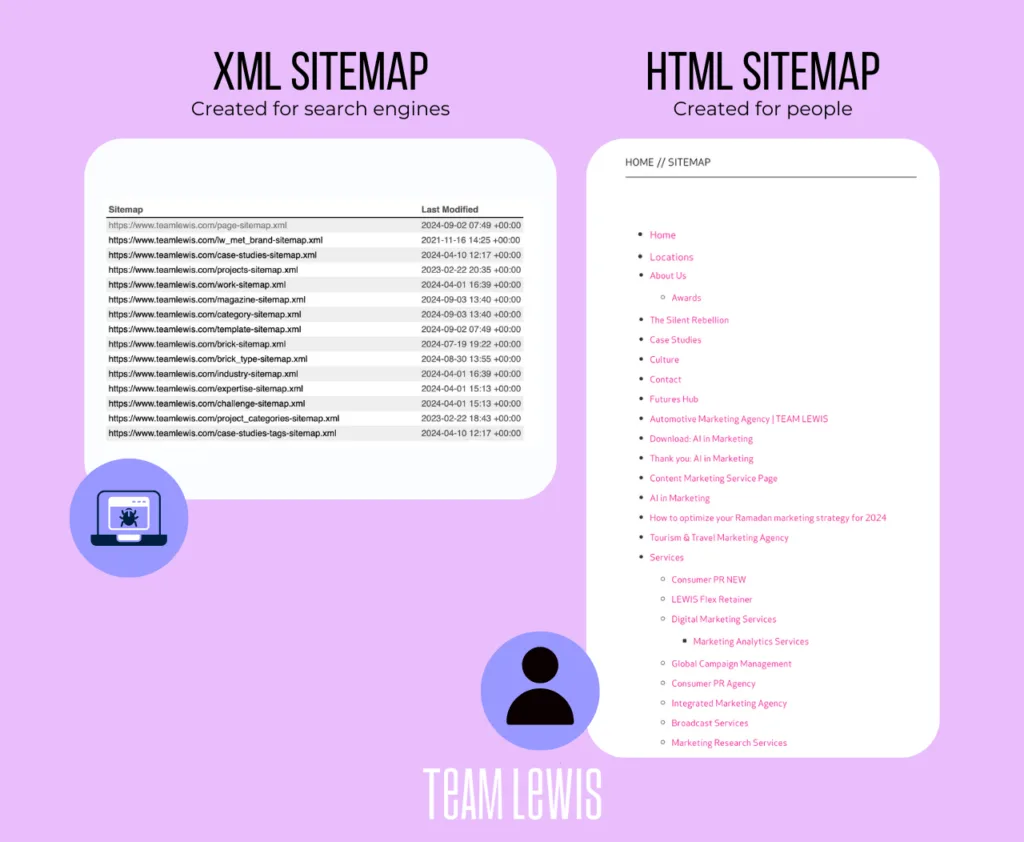
Unlike an XML sitemap, which is written in a machine-friendly format and submitted directly to search engines, a sitemaps HTML page is designed first and foremost for people. That distinction matters. One serves crawlers. The other serves the humans who land on your site and want to understand its structure at a glance.
Think of it this way: an XML sitemap is a private memo to Google. A sitemaps HTML page is a public directory posted in the lobby. Both describe the same building, but they speak to completely different audiences.
The Difference Between HTML and XML Sitemaps
This is where a lot of beginners get tangled up. They hear “sitemap” and assume there is only one type. In reality, the two formats do different jobs and complement each other rather than compete.
An XML sitemap is a structured file — usually ending in .XML — that lists URLs along with metadata like last modification dates and update frequency. Search engines read it to understand what exists and how fresh it is. You submit it through Google Search Console or reference it in your robots.txt file.
A sitemaps HTML page, by contrast, is just a regular web page full of clickable links. There is no special schema, no protocol, no submission process. It simply exists as part of your site, and anyone — human or bot — can follow the links on it.
| Feature | HTML Sitemap | XML Sitemap |
|---|---|---|
| Primary audience | Human visitors | Search engine crawlers |
| File format | Standard web page | Structured XML file |
| Submission needed | No | Yes (Search Console or robots.txt) |
| Visible on site | Yes, usually linked in footer | No, hidden from visitors |
| Best for | Navigation, UX, link equity | Indexing, crawl prioritization |
| Metadata support | None | Lastmod, changefreq, priority |
Here is the practical takeaway: you should have both. The XML version handles the technical indexing conversation. The sitemaps HTML page handles the human one. Skipping either leaves a gap.
Why Sitemaps HTML Still Matter for SEO and Users
Some folks argue that sitemaps HTML pages are a relic from the early web, a leftover from the days before search engines got smart. I get the skepticism. Modern crawlers are remarkably good at finding content on their own.
But “good at finding” is not the same as “guaranteed to find.” And that gap is exactly where a sitemaps HTML page earns its keep. Let me break down the real reasons it still pulls weight.
Improved Crawlability and Indexing
Search engines discover pages by following links. If a page has no internal links pointing to it, it becomes what SEOs call an orphan page — and orphan pages are notoriously slow to get indexed, if they get indexed at all.
A sitemaps HTML page solves this by giving every important URL at least one inbound link. That single link can be the difference between a page sitting invisible for months and getting picked up within days.
In my experience auditing mid-sized content sites, orphan pages are one of the most common and most overlooked technical problems. A well-maintained sitemaps HTML page is the cheapest fix available.
Better User Navigation and Experience
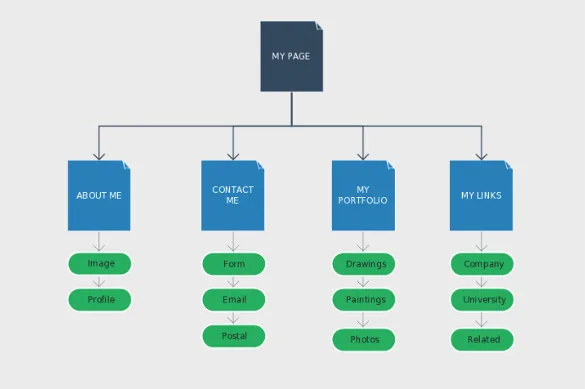
Not every visitor arrives through your homepage. Some land deep on a blog post from a search result, look around, and have no idea what else your site offers. A sitemaps HTML page gives them a bird’s-eye view.
This is especially valuable for large sites — e-commerce stores with hundreds of products, publishers with thousands of articles, or documentation hubs with sprawling category trees. When your main navigation can only show a fraction of what you have, the sitemaps HTML page becomes the full picture.
Visitors who can find what they need faster tend to stick around longer. Lower bounce rates, more pages per session, and a smoother path to conversion all start with clear navigation.
Distributing Internal Link Equity
Every link passes authority from one page to another. A sitemaps HTML page acts as a central hub that distributes that authority across your most important content.
If your homepage is the only page with strong external backlinks, funneling links from it through a sitemaps HTML page helps spread that strength to deeper pages. It is not a magic bullet, but it is a legitimate structural advantage.
Combine this with a logical internal linking strategy elsewhere on the site, and you create multiple pathways for both users and crawlers to reach your key pages.
How to Create a Sitemaps HTML Page Step by Step
Building one is not complicated, but doing it well takes a bit of thought. The goal is a page that is genuinely useful — not just a dump of every URL you have ever published.
Let me walk through the process the way I would actually do it for a client site, from planning to publishing.
Step 1: Decide Which Pages to Include
This is the most important decision, and it is where most people go wrong. The instinct is to include everything. Resist that instinct.
A sitemaps HTML page should feature pages that matter: your homepage, main category pages, key service or product pages, your best-performing blog content, and any cornerstone resources. Leave out tag archives, paginated duplicates, thin utility pages, and anything you have marked noindex.
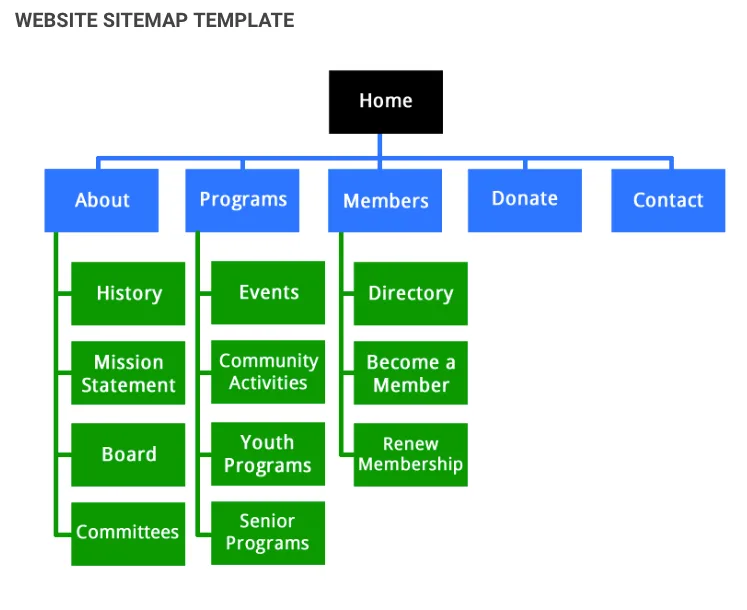
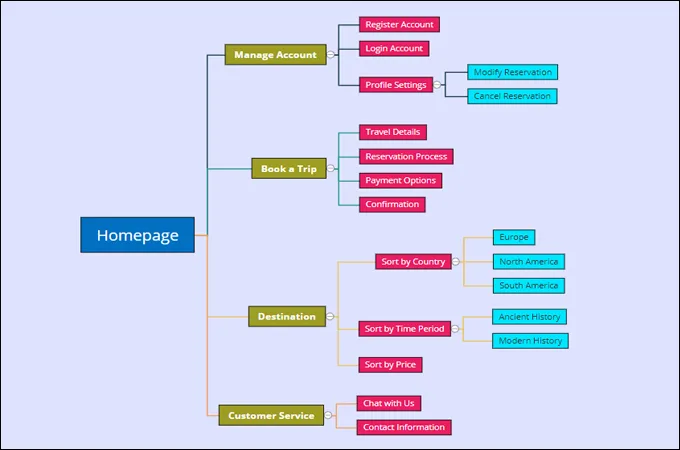
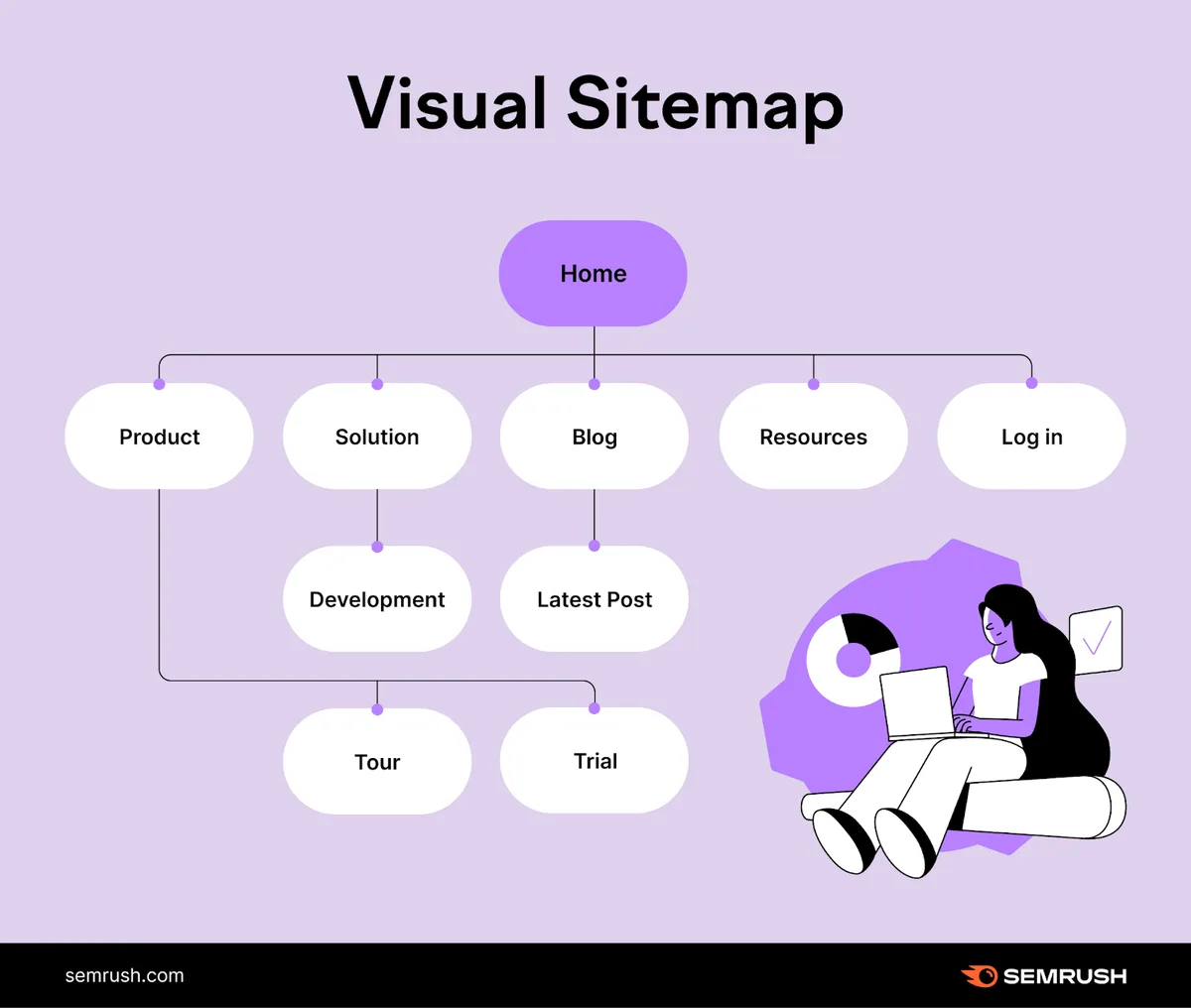
If your site has more than a few hundred pages, group them by section and consider splitting the sitemaps HTML page into a hierarchy — a top-level index that links to sub-sitemaps for each major section.
Step 2: Plan the Structure and Grouping
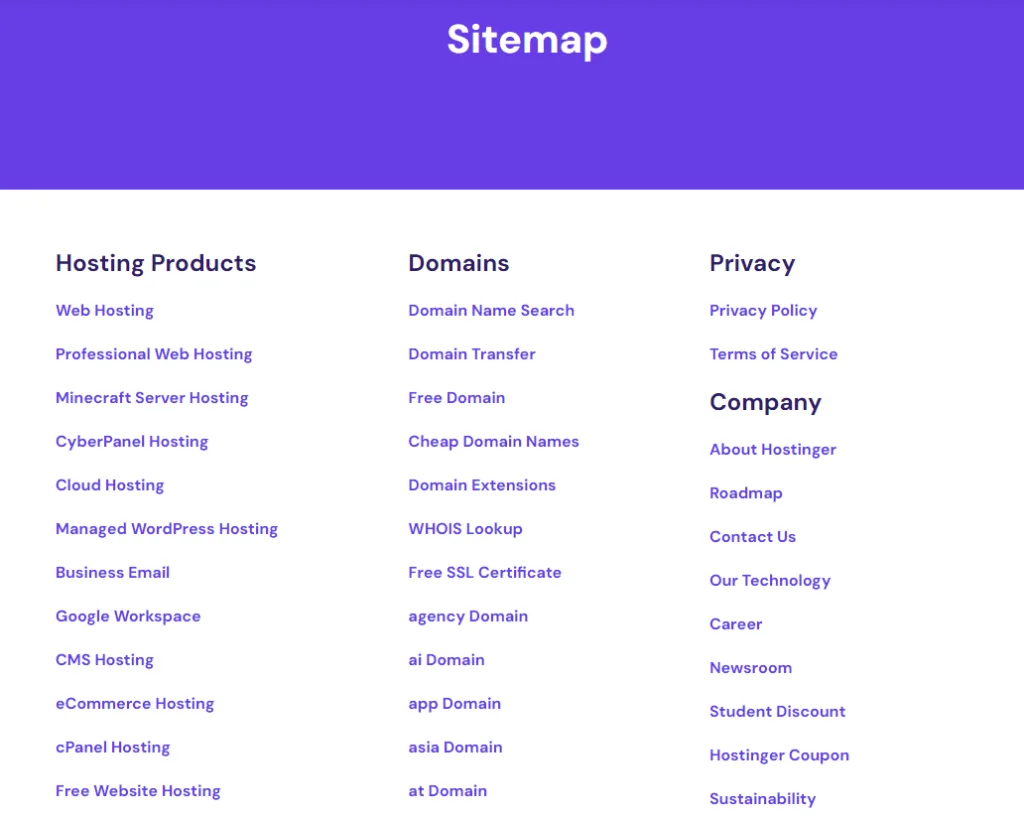
A flat list of 300 links is technically a sitemaps HTML page, but it is a miserable experience to read. Structure is what separates a useful index from a wall of text.
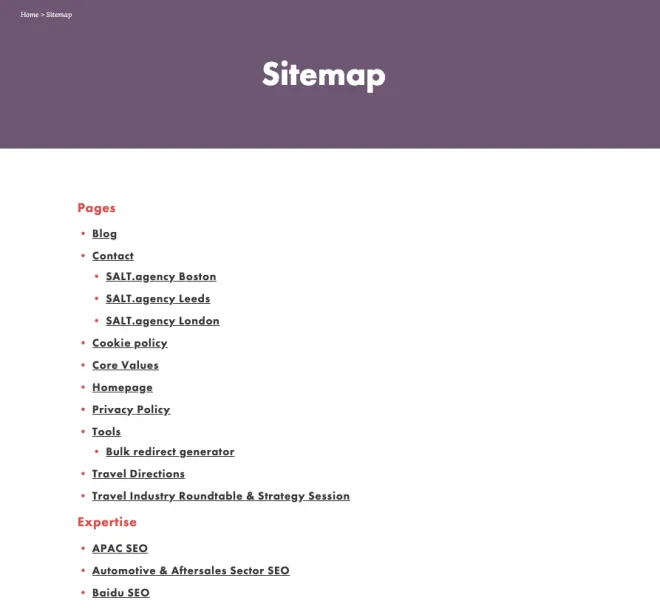
Group your links by logical category. For a blog, that might be topics or content types. For an online store, it could be product categories, brands, and support pages. For a service business, think in terms of services, locations, and company information.
Each group should get a clear heading, and the links beneath it should follow a sensible order — usually alphabetical or by importance. Consistency helps visitors scan quickly.
Step 3: Write Clean, Descriptive Anchor Text
Anchor text is the clickable text of a link, and it does double duty. It tells visitors where they are going, and it tells search engines what the destination page is about.
Avoid vague anchors like “click here” or “read more.” Use descriptive phrases that reflect the target page’s topic. “Beginner’s Guide To Email Marketing” beats “Learn More” every single time.
Keep anchors concise too. Long, keyword-stuffed anchors look spammy and read awkwardly. A natural phrase of three to six words usually does the job.
Step 4: Build the Page With Semantic HTML
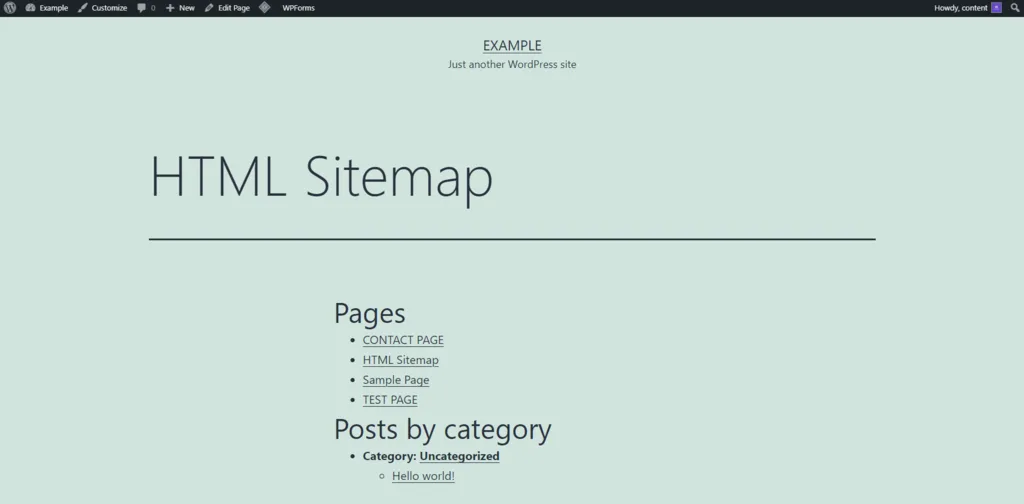
Now for the actual markup. The good news is that a sitemaps HTML page uses the same HTML you already know — headings, lists, and links. No exotic code required.
Use proper heading tags to organize sections, and use unordered or ordered lists to hold your links. This makes the page accessible to screen readers and easy for crawlers to parse.
Here is a simplified example of the structure:
<h2>Blog Posts</h2>
<ul> <li><a href="/blog/seo-basics">SEO Basics For Beginners</a></li> <li><a href="/blog/keyword-research">How To Do Keyword Research</a></li>
</ul>
Nothing fancy. Just clean, semantic markup that any browser and any crawler can read without breaking a sweat.
Step 5: Link to It from Everywhere It Makes Sense
A sitemaps HTML page that nobody can find is pointless. The most common placement is the site footer, where it sits alongside other utility links like privacy policy and contact.
You can also link to it from your 404 error page — a genuinely helpful touch when someone hits a dead end. Some sites link to it from the main navigation on large, content-heavy properties.
Whatever you choose, make sure the link is crawlable and appears site-wide. A footer link naturally does both.
Step 6: Keep It Updated
This is the step everyone forgets. A this practice page is not a one-time project. Every time you publish a major page, it should be added. Every time you retire content, it should come out.
If your site runs on a content management system, look for a plugin or module that generates the this approach page automatically. That way it stays current without manual effort.
If you are managing things by hand, set a recurring reminder — monthly is usually enough for small sites, weekly for high-volume publishers.
Common Mistakes That Weaken a Sitemaps HTML Page
Even experienced developers trip over the same handful of issues. Knowing them in advance saves you a round of cleanup later.
Here are the ones I see most often, along with what to do instead.
Including Too Many Low-Value URLs
Dumping every URL into your this approach page dilutes its value. Tag pages, author archives, search results, and paginated duplicates all add noise without adding usefulness.
Stick to pages that a visitor would genuinely want to reach. If a URL exists only for technical reasons, keep it out of the this practice page.
Ignoring Mobile Readability
Most traffic is mobile now. A this approach page that looks fine on a 27-inch monitor can be an unreadable mess on a phone.
Use responsive design, break long lists into collapsible sections where appropriate, and test on actual devices. Tap targets should be large enough to hit with a thumb.
Forgetting to Noindex Thin or Duplicate Pages
If a page should not appear in search results, make sure it carries a noindex tag — and leave it out of the this approach page too. Linking to noindexed pages wastes crawl budget and confuses signals.
Audit your this practice page periodically against your noindex list. They should never overlap.
Letting It Go Stale
Broken links, outdated pages, and missing new content all erode trust. A this approach page full of 404s is worse than no sitemaps HTML page at all.
Run a link check every few months. Fix or remove anything that no longer works. Freshness matters here just as much as anywhere else on your site.
Automating Your Sitemaps HTML Generation
Manual maintenance works for small sites, but it does not scale. Once you cross a few hundred pages, automation becomes essential.
Fortunately, most popular platforms make this easy.
WordPress Options
WordPress users have several solid choices. Yoast SEO and Rank Math both generate XML sitemaps automatically, and a number of plugins extend that to a this approach page.
Look for plugins that let you control which post types and taxonomies appear, so you can exclude the low-value stuff we talked about earlier.
Shopify, Squarespace, and Wix
Hosted platforms often include a this approach page by default or offer it as a simple toggle. Shopify, for instance, generates an XML sitemap automatically and many themes include an HTML equivalent.
If the built-in option is limited, a third-party app or a custom page template can fill the gap. The key is ensuring it updates automatically as your catalog changes.
Custom-Built Sites
If you are working with a custom stack, you can generate the this approach page programmatically. Pull your published URLs from the database, group them by category, and render them into a template.
Set the generation to run on a schedule — nightly or weekly — so the page always reflects your current content. This is the approach I recommend for any site with more than a thousand pages.
Frequently Asked Questions About Sitemaps HTML
Let me address the questions that come up again and again when people start working with a this approach page.
Do I Really Need Both an HTML and an XML Sitemap?
Yes, and they serve different purposes. The XML version speaks to search engines in their native format. The this practice page speaks to your visitors. Having both covers all your bases.
If you can only manage one for now, prioritize the XML sitemap for indexing — but plan to add the this approach page soon after.
Where Should I Place the Link to My Sitemaps HTML Page?
The footer is the standard choice because it appears on every page and is easy for crawlers to find. You can also link from your 404 page and, on large sites, from the main navigation.
How Many Links Should a Sitemaps HTML Page Contain?
There is no hard limit, but usability drops fast past a few hundred links on a single page. Beyond that, split into sections or sub-pages. Keep each page scannable.
Will a Sitemaps HTML Page Improve My Rankings Directly?
Not directly. It is not a ranking factor on its own. What it does is improve crawlability, internal linking, and user experience — all of which contribute indirectly to stronger SEO performance over time.
Can I Use a Sitemaps HTML Page Instead of Internal Linking?
No. A this approach page complements your internal linking strategy, it does not replace it. Contextual links within your content carry more relevance signals than links on an index page. Use both.
Final Thoughts on Building a Better Sitemaps HTML Page
If you take one thing away from all this, let it be that a this practice page is a service to your visitors first and a technical asset second. Build it for the person who is trying to find their way around your site, and the SEO benefits follow naturally.
Keep it clean, keep it current, and keep it focused on the pages that actually matter. Skip the temptation to dump every URL you own into a single list. Structure beats volume every time.
And remember — a this practice page works best alongside its XML cousin, not instead of it. Together they cover both the human and the machine side of discovery, which is exactly what a well-optimized site needs.
Start small if you have to. Add the page, link it in your footer, and refine it over time. A sitemaps HTML page that grows with your site will serve you far better than one you build once and forget.
For verified reference and background research, consult the authoritative informational resource on this topic.