If you have ever stared at your Shopify dashboard wondering why visitors keep bouncing without buying, shopify SEO apps are usually the fastest lever you can pull. They handle the technical grunt work — meta tags, schema, sitemaps, page speed — so you can focus on products and customers instead of code.
I have spent years building and optimizing Shopify stores, and I can tell you plainly: the difference between a store that ranks and one that languishes often comes down to which tools you install. Not the theme. Not the logo. The apps quietly working in the background.
This guide walks through the best shopify SEO apps category by category, explains what each one actually does, and shows you how to combine them without bloating your store or slowing it to a crawl. Grab a coffee. This is a long one, but it is worth every minute.
Why Shopify SEO Apps Matter More Than You Think
Shopify is a fantastic commerce platform, but out of the box it leaves a lot of SEO gaps. Focusing on shopify seo apps provides clear direction here. Product pages often generate duplicate content. Collection pages can produce thin, near-identical meta descriptions. Blog posts sometimes lack structured data entirely.
That is where shopify SEO apps earn their keep. They fill the holes Shopify leaves behind, and they do it without requiring you to touch a single line of Liquid code. For most store owners, that is a huge deal.
Think about it this way. Google needs to understand what your store sells, who it serves, and why it deserves a top spot. Without proper metadata, schema markup, and clean site architecture, Google is essentially guessing. Guessing rarely wins rankings.
The right shopify SEO apps translate your store’s intent into a language search engines can digest. Titles get optimized. Images get compressed. Structured data gets injected where it counts. The result is a store that loads faster, ranks higher, and converts better.
How to Choose the Right Shopify SEO Apps for Your Store
Not every store needs the same stack. A dropshipping operation selling phone cases has different needs than a handmade jewelry brand with 400 SKUs and a blog.
Before you install anything, get clear on your priorities. Are you struggling with page speed? Then a speed-focused app matters most. Is your product content thin and duplicated? Then a content optimization tool should lead your list.
Here is a simple framework I use when auditing stores. First, identify your biggest bottleneck — usually it is either technical issues or content quality. Second, check whether Shopify already solves part of the problem natively (it sometimes does). Third, only then start layering in shopify SEO apps that address the remaining gap.
One more thing. Watch your app count. Every app you install adds scripts, and scripts slow your store down. The best shopify SEO apps are the ones that do a lot with a light footprint. If an app adds three seconds to your load time, it is probably doing more harm than good.
Technical SEO Shopify SEO Apps That Fix the Foundation
Technical SEO is the unglamorous backbone of any ranking strategy. Get it wrong and nothing else matters. Get it right and every other effort compounds.
These shopify SEO apps handle the plumbing — sitemaps, robots.txt, canonical tags, structured data — so search engines can crawl and index your store cleanly.
Yoast SEO for Shopify
Yoast is a name most WordPress users already know, and its Shopify version carries the same reputation for reliability. It handles meta titles, meta descriptions, and social sharing previews across your products, collections, and pages.
What I appreciate about it is the real-time content analysis. As you type a product description, it flags readability issues and keyword usage without being obnoxious about it. For beginners, that feedback loop is genuinely educational.
One caveat: the Shopify version is lighter than the WordPress plugin, so do not expect the full feature set. Still, for stores that want clean metadata without fuss, it earns a spot in the stack.
Plug in SEO
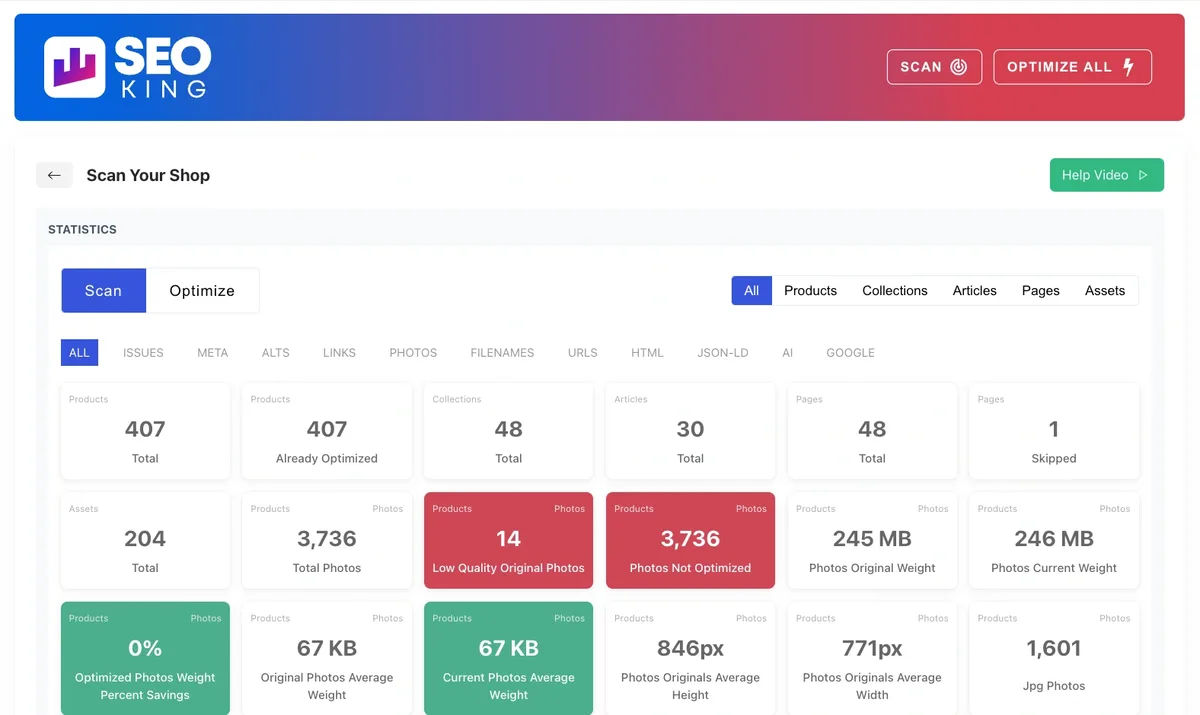
Plug In SEO is a diagnostic powerhouse. It scans your store for common issues — missing titles, duplicate meta descriptions, broken links, slow-loading pages — and presents them in a prioritized list.
I have used it on stores with hundreds of products, and the bulk editing feature alone saves hours. You can fix dozens of meta descriptions in one sitting rather than clicking through each product individually.
The free tier is generous, which makes it a smart starting point for new store owners who are not ready to commit to paid shopify SEO apps yet.
JSON-LD for SEO
Structured data is how you get those rich snippets in search results — the star ratings, price ranges, and availability badges that make listings pop. JSON-LD For SEO automates this entirely.
You install it, configure a few settings, and it quietly injects the right schema markup across your product pages. No manual coding, no guesswork about which properties Google wants.
For stores selling physical products, this is close to essential. Rich snippets consistently lift click-through rates, and higher CTR means more traffic without ranking higher. That is a rare free win.
Content Optimization Shopify SEO Apps for Better Rankings
Technical fixes get you indexed. Refining each detail of your shopify seo apps strengthens this section. Content gets you ranked. This category is where the real long-term gains live.
The shopify SEO apps below help you write better product descriptions, optimize blog posts, and target keywords your competitors are ignoring.
Rank Math SEO
Rank Math has become a favorite among store owners who want granular control without a steep learning curve. It scores your content in real time, tracks keyword density, and suggests internal links you might have missed.
The schema generator is particularly strong. You can define product schema, FAQ schema, and review schema from a single dashboard, which saves you from juggling multiple tools.
Honestly, the interface is cleaner than most competitors. If you have ever felt overwhelmed by SEO dashboards, Rank Math is a breath of fresh air.
SEO Manager
SEO Manager takes a slightly different approach — it focuses on bulk optimization and store-wide audits rather than individual page scoring.
If you have 500 products with generic descriptions pulled straight from a supplier, this app is a lifesaver. It identifies which pages need attention and lets you rewrite them in batches.
The keyword tracking feature is also handy. You can monitor how specific product pages perform for target phrases over time, which helps you decide where to invest more effort.
AVADA SEO & Image Optimizer
AVADA combines several functions into one app: image compression, lazy loading, alt text generation, and broken link checking. That consolidation matters because it means fewer apps overall.
Image optimization is often overlooked, yet it is one of the biggest speed wins available. A single unoptimized hero image can add a full second to your load time. AVADA handles this automatically.
For stores with image-heavy catalogs — fashion, furniture, art — this is one of the more valuable shopify SEO apps you can install.
Page Speed Shopify SEO Apps to Boost Core Web Vitals
Google uses Core Web Vitals as a ranking signal, and Shopify stores frequently struggle with them. Heavy themes, too many apps, and unoptimized media all drag performance down.
The shopify SEO apps in this section attack speed from different angles. Used together, they can shave seconds off your load time.
Crush.pics Image Optimizer
Crush.pics compresses images without visible quality loss. It supports bulk optimization, so you can process your entire catalog in one go rather than fixing images one at a time.
The app also serves images in next-gen formats like WebP where supported, which browsers load significantly faster than traditional JPEGs.
I have seen stores cut image payloads by 60% or more after running Crush.pics. That translates directly into faster page loads and happier visitors.
Hyperspeed
Hyperspeed focuses on the front-end experience — lazy loading, script deferral, and critical CSS optimization. Effective execution in your shopify seo apps makes a tangible difference. It is designed for stores that have already trimmed their app count but still feel sluggish.
The setup is mostly automated, though there are toggles for advanced users who want finer control. If you are comfortable with a bit of tinkering, you can squeeze out meaningful gains.
One thing to note: always test speed changes on a staging environment first. A misconfigured optimization can break functionality, and that is a headache nobody wants.
Tapita Page Speed Booster
Tapita takes a one-click approach to speed optimization. It minifies code, defers non-critical scripts, and preloads key resources.
For store owners who do not want to think about the technical details, this is a solid set-and-forget option. The results are not as dramatic as a fully custom optimization, but they are consistent and safe.
Pair it with proper image optimization and you will usually land in a comfortable performance range.
Keyword Research and Tracking Shopify SEO Apps
You cannot optimize for keywords you have not identified. This category helps you find the phrases your customers actually search for and track how you perform against them.
SEOAnt
SEOAnt bundles keyword tracking, competitor analysis, and on-page optimization into a single dashboard. It is aimed at store owners who want one tool instead of three.
The competitor tracking is genuinely useful. You can see which keywords rival stores rank for and identify gaps in your own strategy.
It is not as deep as dedicated enterprise tools, but for small and mid-sized stores, it covers the essentials without overwhelming you.
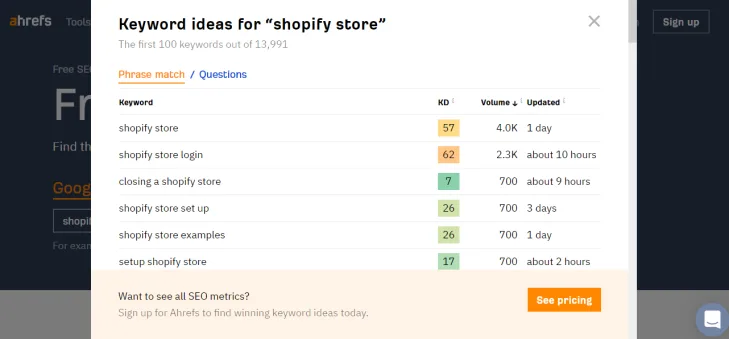
Ahrefs Webmaster Tools Integration
Ahrefs is not technically a Shopify app, but its Webmaster Tools integration is free and extremely valuable. It shows you backlinks, top pages, and keyword rankings for your store.
Connect it once and you get ongoing visibility into how your shopify SEO apps are performing in aggregate. That feedback loop is what separates guesswork from strategy.
Combine it with an in-store optimization app and you have a complete picture — external signals on one side, on-page health on the other.
Schema and Rich Snippet Shopify SEO Apps
Rich snippets are the visual enhancements that appear in search results — review stars, price ranges, FAQ dropdowns. They do not directly boost rankings, but they dramatically improve click-through rates.
Structured Data Optimizer
This app automatically generates product, review, and breadcrumb schema across your store. Maintaining clarity across your shopify seo apps remains essential. It handles the technical details so you do not have to learn JSON-LD syntax.
The validation feature is a nice touch. It checks your markup against Google’s requirements and flags issues before they cost you rich snippet eligibility.
If you sell products with reviews, this is one of the highest-ROI shopify SEO apps available. Review stars in search results can lift CTR by double digits.
Rich Snippets by Reloadify
Reloadify’s offering focuses on review and rating schema, pulling data from your existing review platform and formatting it for search engines.
It integrates cleanly with popular review apps, so you do not need to duplicate data entry. Install, connect, and the markup appears automatically.
For stores already using a review platform, this is an easy add that pays for itself through improved visibility.
Internal Linking and Site Architecture Shopify SEO Apps
Internal linking is one of the most underrated SEO tactics. It distributes authority across your store, helps Google discover new pages, and keeps visitors engaged longer.
Link Whisper
Link Whisper analyzes your content and suggests internal links you should add. It is the kind of tool that makes you wonder why you did not install it sooner.
The suggestions are contextually relevant, not random. If you write a blog post about leather care, it will suggest linking to your leather product collections.
Over time, this builds a dense internal link web that strengthens every page on your site. Google loves that structure, and so do visitors who want to explore further.
Smart Collections
Smart Collections is not strictly an SEO app, but it helps you build logical collection structures that search engines can crawl efficiently.
Well-organized collections create clear pathways through your store, which improves both user experience and crawlability.
Combine it with a link suggestion tool and you have a store architecture that guides both visitors and bots where you want them to go.
Blog and Content Shopify SEO Apps for Topical Authority
Blogging on Shopify is often an afterthought, yet it is one of the best ways to rank for informational keywords and build topical authority.
Bloggle
Bloggle transforms Shopify’s basic blog editor into something closer to a full content platform. A thoughtful approach to shopify seo apps reinforces your qualifications. You get customizable layouts, table of contents blocks, and better formatting options.
Well-structured blog posts rank better and read better. Bloggle makes it easy to produce content that looks professional without hiring a developer.
If content marketing is part of your strategy, this is one of the more impactful shopify SEO apps you can add.
DropInBlog
DropInBlog takes a different route — it hosts your blog separately while keeping it on your domain. The result is faster loading, better SEO structure, and more design flexibility.
The trade-off is that you manage content in two places. For stores serious about blogging, though, the performance gains are usually worth it.
Both Bloggle and DropInBlog solve the same problem from different angles. Pick based on how much content you plan to produce and how much control you want.
Local SEO Shopify SEO Apps for Brick-And-Mortar Stores
If you run a physical location alongside your online store, local SEO deserves dedicated attention. These shopify SEO apps help you capture nearby searches.
Local SEO Manager
This app helps you optimize for local keywords, manage Google Business Profile integration, and ensure your store information stays consistent across the web.
Consistency matters more than most people realize. Mismatched addresses and phone numbers confuse search engines and dilute local rankings.
For stores serving a specific city or region, local optimization can drive a steady stream of high-intent traffic — people ready to buy, not just browse.
Store Locator Apps
A well-built store locator does double duty: it helps customers find you and signals to Google that you have physical presence.
Look for locators that generate schema markup for each location. That markup feeds local search results and improves visibility in map packs.
Multilingual and International Shopify SEO Apps
Selling across borders introduces SEO complexity — hreflang tags, currency handling, translated metadata. These apps simplify the process.
Weglot
Weglot translates your store into multiple languages and automatically handles hreflang tags, which tell Google which language version to serve to which audience.
Getting hreflang wrong can tank international rankings. Weglot handles it correctly out of the box, which saves you from a technical minefield.
For stores expanding into new markets, this is one of the more strategically important shopify SEO apps to consider.
Langify
Langify offers similar functionality with a focus on manual control. Structuring your shopify seo apps around proven patterns ensures impact. If you want to review and refine translations rather than rely on automation, it gives you that flexibility.
Both tools solve the same problem. Choose based on whether you prefer automation or hands-on control.
Analytics and Reporting Shopify SEO Apps
You cannot improve what you do not measure. Analytics apps give you visibility into what is working and what needs attention.
Google Analytics 4 Integration
Native GA4 integration is available through Shopify’s settings, but dedicated apps often provide cleaner data and better e-commerce tracking.
Look for apps that track events properly — add-to-cart, checkout initiation, purchase — so you can see exactly where visitors drop off.
That data informs everything else. If you know which pages lose visitors, you know where to focus your shopify SEO apps efforts.
Lucky Orange
Lucky Orange provides heatmaps, session recordings, and conversion funnels. It shows you how visitors actually interact with your store, not just what they click.
Heatmaps reveal which page elements attract attention and which get ignored. That insight helps you optimize layouts for both users and search engines.
Free vs Paid Shopify SEO Apps: What is Worth Paying For
Free apps are tempting, and some are genuinely excellent. But free tiers usually come with limits — capped page views, missing features, or ads.
Here is my general rule. Use free shopify SEO apps for diagnostics and one-time audits. Pay for apps that handle ongoing, automated tasks like schema generation, image optimization, and content scoring.
The reasoning is simple. One-time tasks are fine to do manually or with free tools. Ongoing tasks compound over time, and automation ensures consistency.
| App Category | Worth Paying For? | Why |
|---|---|---|
| Schema Markup | Yes | Automated, ongoing, directly impacts CTR |
| Image Optimization | Yes | Continuous as you add products |
| Page Speed | Yes | Requires ongoing tuning and monitoring |
| Keyword Tracking | Sometimes | Free tiers often sufficient for small stores |
| Content Scoring | Sometimes | Depends on content volume |
| Broken Link Checking | No | Free tools handle this well |
That table is a starting point, not gospel. Your specific situation matters. A store with 50 products and a store with 5,000 have very different needs.
Common Mistakes When Using Shopify SEO Apps
Installing shopify SEO apps is easy. Using them well takes more thought. Here are the mistakes I see most often.
The first is app stacking. Store owners install five apps that do overlapping things, and the resulting script bloat destroys page speed. Pick one tool per function and stick with it.
The second is set-and-forget. SEO apps are not magic. They need configuration, monitoring, and occasional adjustment. An app installed and ignored is an app wasted.
The third is chasing shiny features. A new app launches with a flashy dashboard, and suddenly it is installed alongside three others doing the same job. Discipline matters here.
Finally, do not neglect the basics. Applying these principles to your shopify seo apps yields measurable results. No app will save a store with poor product photos, unclear policies, or confusing navigation. Apps amplify good fundamentals. They do not replace them.
How to Audit Your Shopify SEO Apps Stack
Every few months, take stock of what you have installed. This audit prevents accumulation and keeps your store lean.
Start by listing every app and noting what it does. If two apps overlap significantly, remove one. If an app has not been configured or used in months, question whether it belongs.
Next, check performance impact. Use Google PageSpeed Insights to see how your store performs. If adding an app made things worse, that app needs justification.
Then review results. Are rankings improving? Is organic traffic trending up? If not, the apps are not doing their job, and something needs to change.
I run this audit quarterly on stores I manage. It takes an hour and consistently surfaces waste — apps that seemed useful but quietly became dead weight.
Building a Lean Shopify SEO Apps Stack
Here is a sample stack that covers the essentials without overwhelming your store. Adjust based on your specific needs.
- Metadata Management: Yoast SEO or Rank Math for titles, descriptions, and content scoring.
- Schema Markup: JSON-LD For SEO or Structured Data Optimizer for rich snippets.
- Image Optimization: Crush.pics or AVADA for compression and lazy loading.
- Page Speed: Hyperspeed or Tapita for script optimization.
- Internal Linking: Link Whisper for automated link suggestions.
- Analytics: GA4 integration plus Lucky Orange for behavioral insights.
- Keyword Tracking: Ahrefs Webmaster Tools for free rank monitoring.
That is seven apps, which is manageable. Each one handles a distinct function with minimal overlap. Together they cover technical SEO, content optimization, speed, and measurement.
You can absolutely run a successful store with fewer. But if you are serious about organic growth, this stack gives you the tools to compete.
Real Results: What to Expect from Shopify SEO Apps
Let me share a concrete example. A client came to me with a store selling outdoor gear. Organic traffic was flat, and rankings hovered on page three for most target keywords.
We started with a technical audit, then installed a focused set of shopify SEO apps: schema markup, image optimization, and internal linking. Nothing exotic.
Within four months, organic sessions doubled. Not because of any single app, but because the combination removed friction that had been holding the store back.
Product pages started showing review stars in search results. Images loaded faster. Internal links distributed authority to collection pages that previously languished.
That is the pattern. Individual apps produce modest gains. Combined and properly configured, they compound.
Frequently Asked Questions About Shopify SEO Apps
Here is an in-depth breakdown of key considerations regarding this section:
Do Shopify SEO Apps Actually Improve Rankings?
Yes, but indirectly. Most shopify SEO apps improve the conditions that lead to better rankings — cleaner metadata, faster load times, better structured data. They do not magically boost rankings on their own.
The stores that see the biggest gains are the ones that combine good apps with strong content, quality products, and consistent effort.
How Many SEO Apps Should I Install on Shopify?
There is no magic number, but fewer is generally better. Each app adds scripts, and scripts affect performance. Aim for three to seven well-chosen apps that each serve a distinct purpose.
If you find yourself with more than ten SEO-related apps, it is time for an audit.
Are Free Shopify SEO Apps Worth Using?
Some are excellent. Free tiers often cover diagnostics, basic optimization, and link checking. For small stores just starting out, free options are a smart way to learn without spending.
As your store grows, you will likely need to upgrade for automation and advanced features. That transition is normal and usually justified by results.
Can Shopify SEO Apps Hurt My Store?
They can if you install too many or choose poorly built ones. Apps that add excessive scripts, inject unwanted code, or conflict with your theme can slow your store and create technical issues.
Always test new apps on a staging environment first, and monitor performance after installation.
What is the Single Most Important Shopify SEO App?
If I had to pick one category, it would be schema markup. Rich snippets directly impact click-through rates, and higher CTR means more traffic from the same rankings.
That said, the “most important” app depends on your store’s specific weaknesses. A slow store needs speed tools. A store with thin content needs optimization tools.
How Often Should I Review My SEO App Stack?
Quarterly works well for most stores. That cadence is frequent enough to catch problems early without becoming a burden.
If your store is growing quickly or you are actively working on SEO, monthly reviews can help you stay on top of changes.
Do I Need Technical Skills to Use Shopify SEO Apps?
Not really. Most modern shopify SEO apps are designed for non-technical users. Dashboards are visual, settings are straightforward, and documentation is usually thorough.
For advanced customization, some technical knowledge helps. But the core functionality is accessible to anyone willing to spend an hour learning the interface.
Final Thoughts on Choosing Shopify SEO Apps
Building a successful Shopify store is not about finding one miracle app. It is about assembling a focused set of shopify SEO apps that work together, then using them consistently.
Start with the fundamentals: metadata, schema, image optimization. Add speed tools once those are solid. Layer in content and analytics as your store grows.
Resist the urge to install everything. A lean stack outperforms a bloated one every time. Your visitors will thank you, and so will Google.
The stores that win at organic search are rarely the ones with the most tools. They are the ones that use a few tools exceptionally well. Pick your stack, configure it properly, and give it time to work.
For verified reference and background research, consult the authoritative informational resource on this topic.