Server side rendering SEO is the discipline of making sure the HTML that reaches Googlebot already contains your content, not a hollow shell waiting for JavaScript to fill it in. Get it right and pages get crawled, indexed, and ranked with far less friction. Get it wrong and you can ship a beautiful site that search engines barely understand.
I have watched this play out on real projects: teams migrate to a JavaScript framework, ship fast, then spend three months wondering why organic traffic flatlined. The culprit is almost always the same.
This server side rendering SEO guide walks through the ten practices that actually move the needle, drawn from hands-on debugging of crawl budget issues, hydration mismatches, and render-blocking bottlenecks. Whether you are building from scratch or patching an existing single-page app, this server side rendering SEO checklist is built to be applied, not admired.
The parent topic here is technical SEO for JavaScript-heavy sites, and everything below falls under the server side rendering SEO. If you want to go deeper afterward, the natural follow-ups are Core Web Vitals tuning, JavaScript rendering budgets, and structured data for dynamic pages.
For an authoritative backgrounder on how the technique itself works, the Wikipedia entry on server-side rendering is a solid starting point. Refining each detail of your server side rendering SEO strengthens this section. For our purposes, let’s get into what actually ranks.
What is Server Side Rendering and Why It Matters for SEO
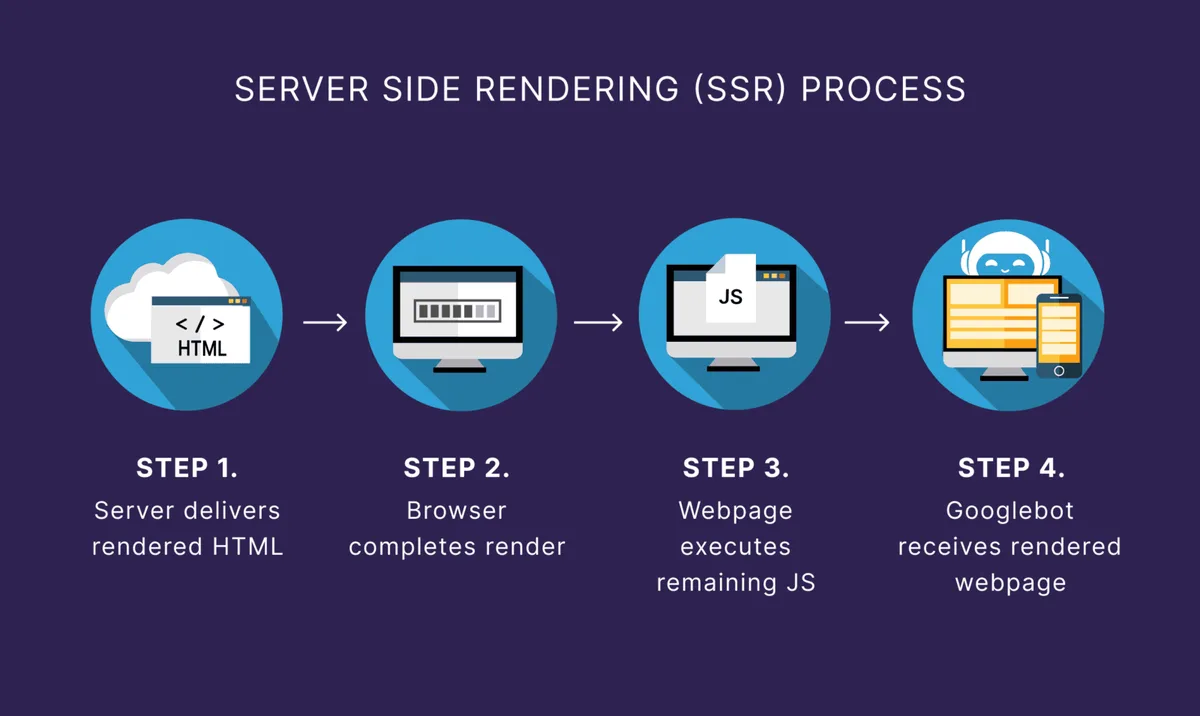
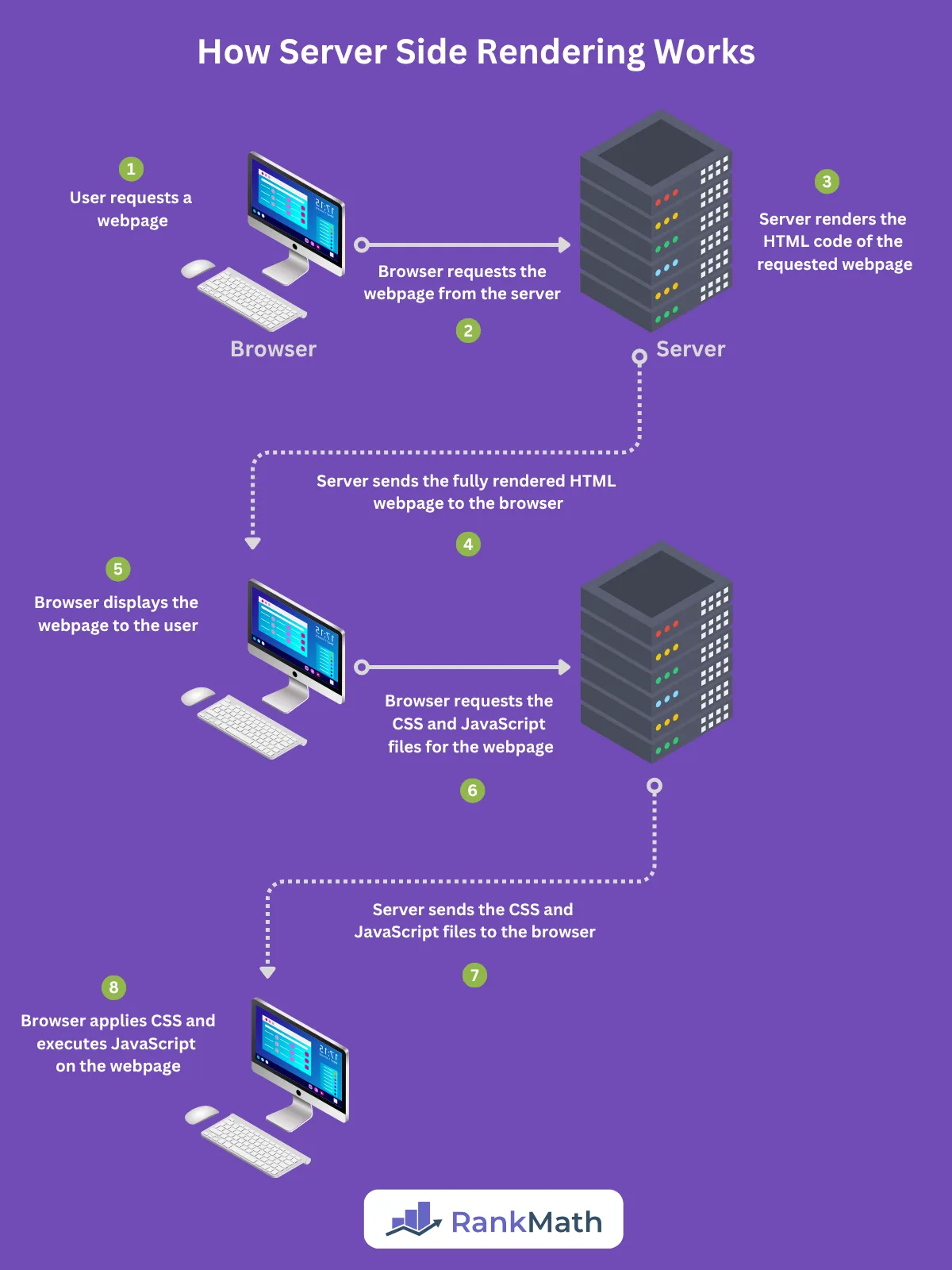
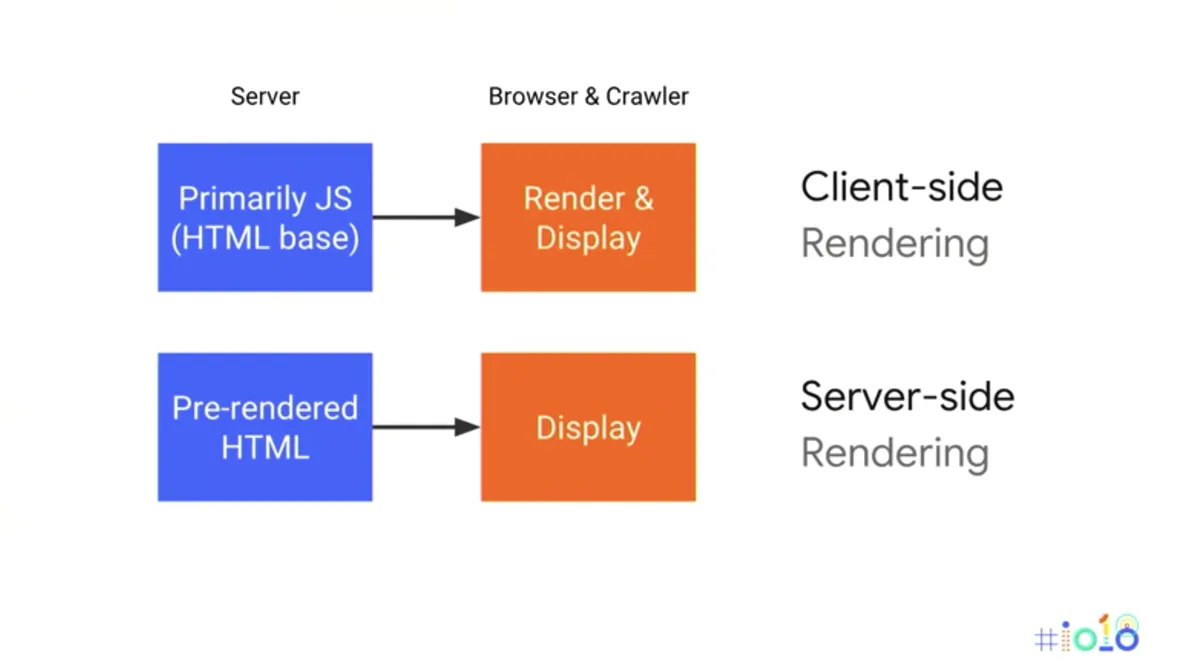
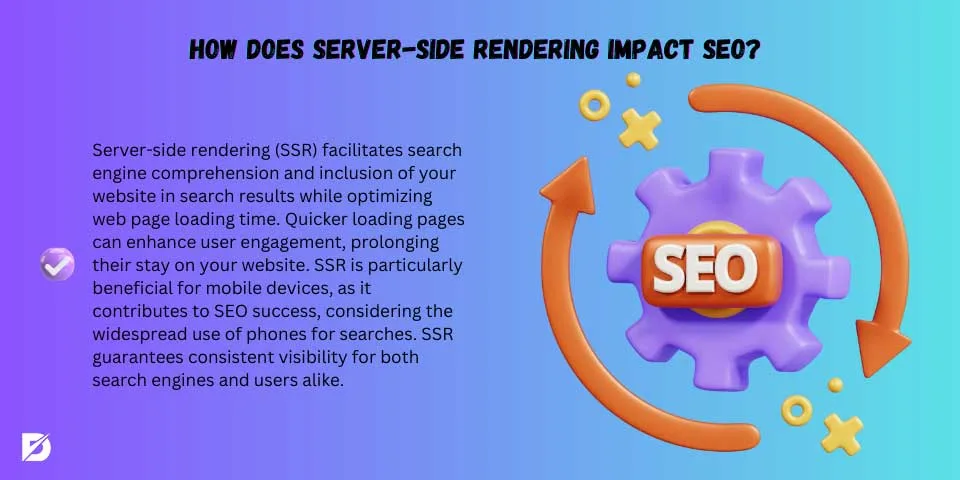
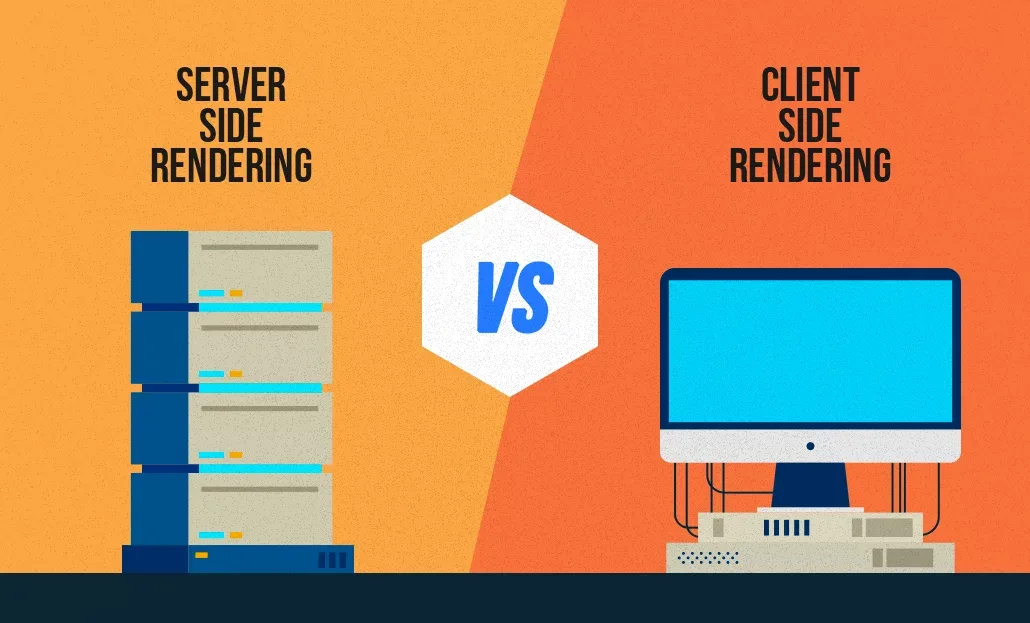
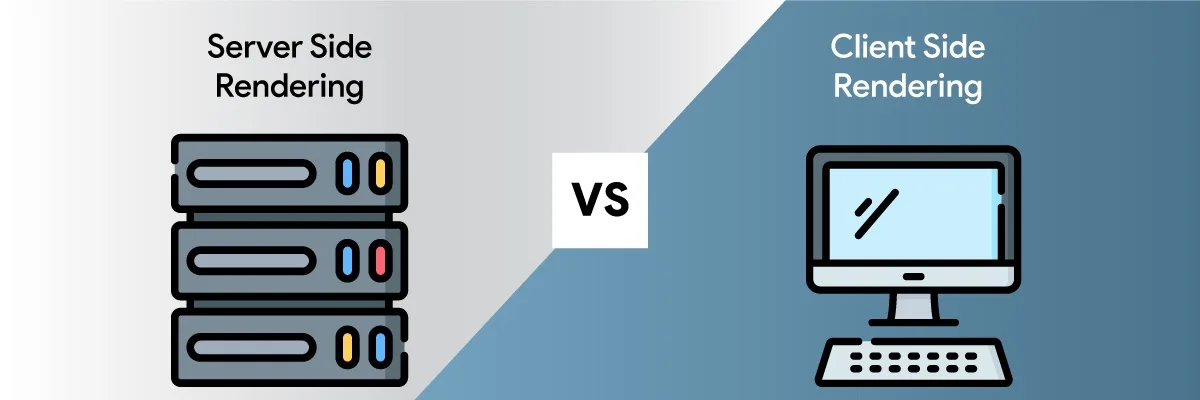
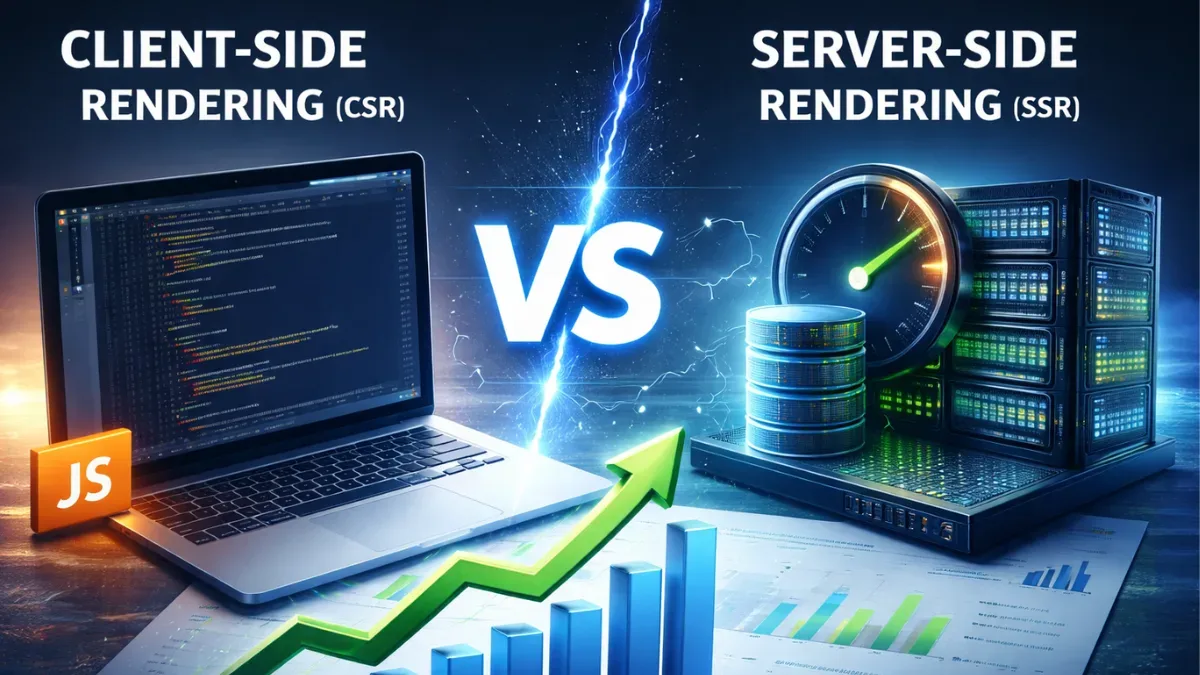
Server side rendering means the web server executes the page logic and returns fully populated HTML to the browser or crawler. Effective execution in your server side rendering SEO makes a tangible difference. Compare that to client side rendering, where the browser downloads a near-empty document, fetches JavaScript, and builds the page after execution. From a crawler’s perspective those are two very different experiences.
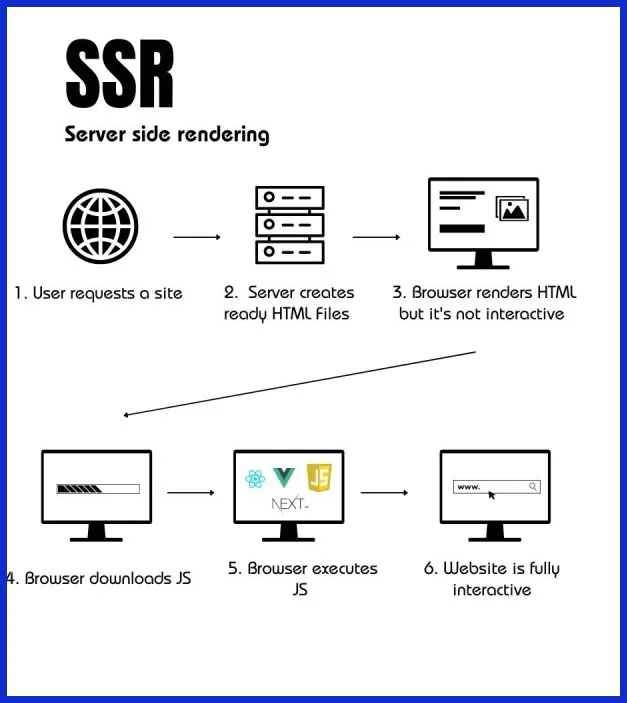
Search engines have gotten dramatically better at executing JavaScript, but “better” is not “equivalent.” Rendering queues add latency. Budgets get throttled. Some scripts fail silently in headless environments. When your content depends on a render queue that may or may not complete, you are handing control of your indexation to chance. That is the core argument for server side rendering SEO as a strategy rather than an afterthought.
The secondary benefits compound. Maintaining clarity across your server side rendering SEO remains essential. Server-rendered HTML loads faster on first paint, ships usable content to social crawlers and AI answer engines, and cuts the dependency on third-party scripts that can break at any moment.
The server side rendering seo also makes your pages legible to every scraper, preview bot, and accessibility tool that does not run a full browser. That universality is worth real money in organic visibility.
Best Practice 1: Audit How Search Engines Currently See Your Pages
Before changing anything, find out what Googlebot actually receives. A thoughtful approach to server side rendering SEO reinforces your qualifications. The URL Inspection tool in Search Console shows the rendered HTML and lists blocked resources.
That single report often explains a mystery: a product page that ranks nowhere because its price and description live inside a script tag the crawler never executes.
Pair the server side rendering SEO with a raw fetch. Use curl or a simple HTTP client to pull the page without a browser and read the response body. If your main copy, headings, and internal links are missing, you have a rendering gap. Then compare against the rendered version to see how big the delta is.
Document the gap for your five or ten highest-value URLs first. Applying these principles to your server side rendering SEO yields measurable results. Priority pages usually carry the most organic revenue, so fixing them early buys breathing room while you solve the broader architecture.
In my experience, this audit step gets skipped more than any other, and it is the one that prevents wasted engineering effort later.
Tools That Make the Audit Fast
Search Console URL Inspection gives the server side rendering SEO the authoritative Google view. Screaming Frog’s rendering mode with JavaScript enabled shows you a crawl-level comparison across thousands of URLs. Chrome DevTools with JavaScript disabled is a scrappy but honest test of what a non-rendering client sees.
Run all three where possible. Discrepancies between them reveal edge cases that a single tool misses, such as scripts blocked by robots.txt or resources failing due to CORS. That triangulation is the backbone of any serious server side rendering SEO checklist.
Best Practice 2: Serve Critical Content in the Initial HTML Response
Everything the server side rendering SEO matters to a searcher should exist in the first response: title, meta description, headings, body copy, canonical tag, hreflang, and structured data. If it appears only after hydration, treat it as a risk. This is the practice that separates a working implementation from a superficial one.
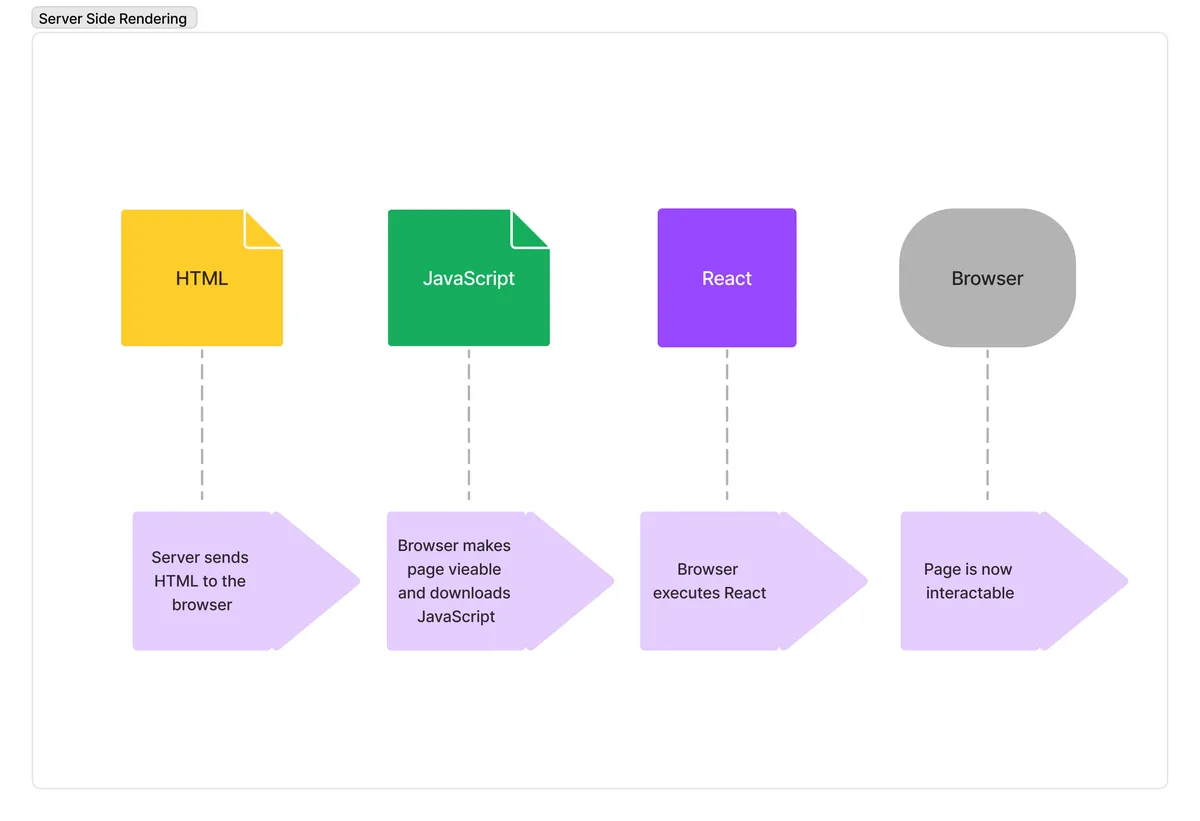
Be strict about the definition of “critical.” Primary text, product specifications, pricing, article body, and internal navigation links all qualify. Clear alignment with your server side rendering SEO builds confidence from the start. Decorative widgets, chat bubbles, and personalization layers do not.
One client moved their review content out of a client-side widget and into server-rendered markup; the page gained rankings within a few weeks without any other change.
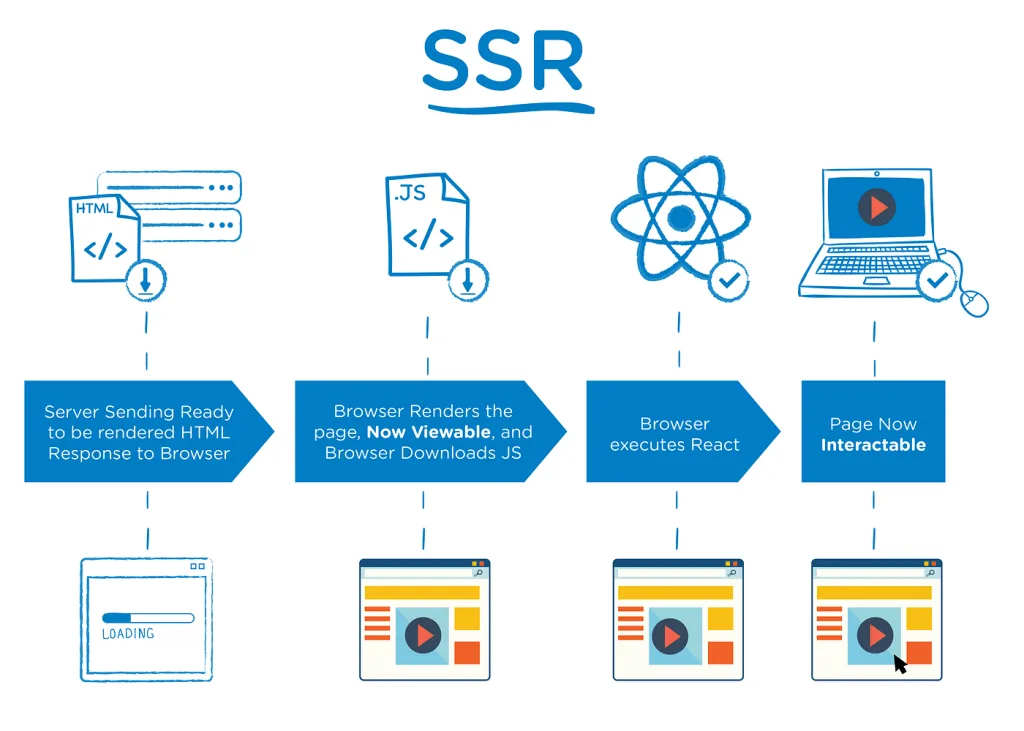
Watch out for empty containers. Integrating server side rendering SEO into your workflow produces consistent quality. A div with a loading spinner and a data attribute is invisible to a non-rendering crawler. Confirm the server output has real content, not a placeholder waiting for an API call.
This is where a lot of server side rendering SEO tips fall flat in practice, because the framework supports SSR but the component still fetches data on the client.
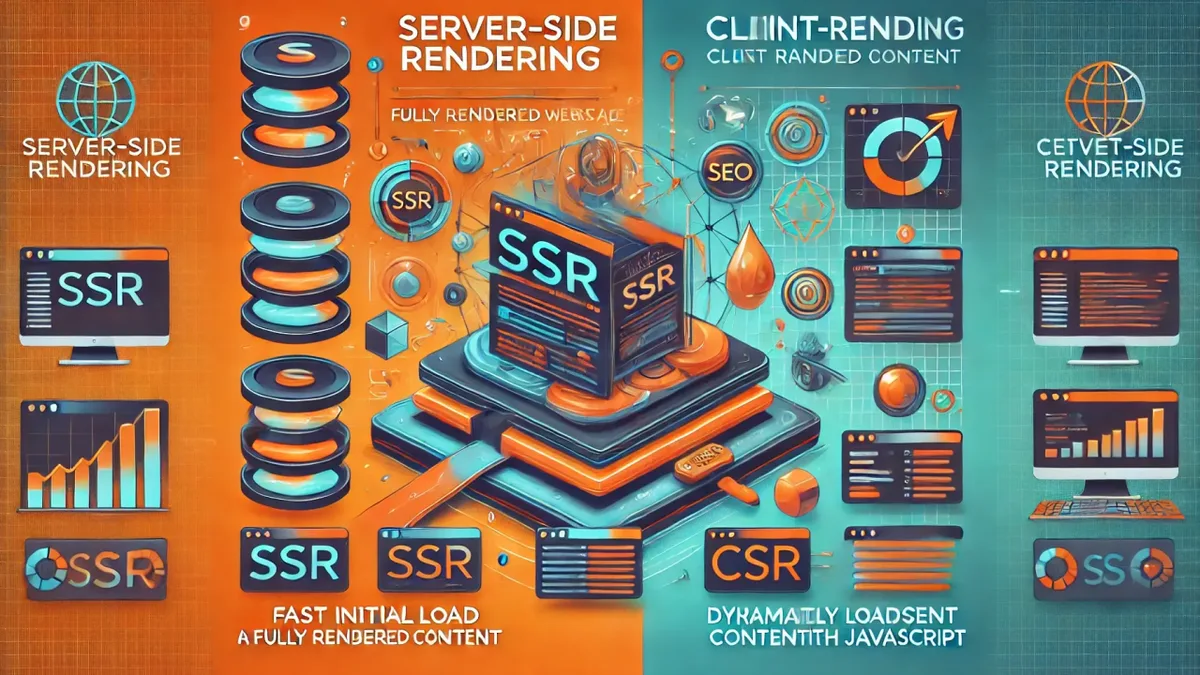
Best Practice 3: Match the Rendered DOM to the Server HTML
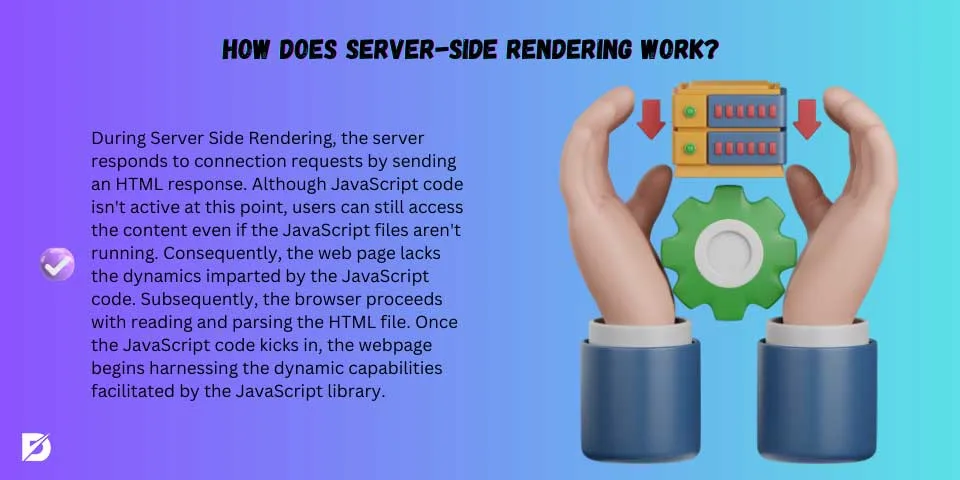
Hydration is where server-rendered sites quietly break. Targeted refinements to your server side rendering SEO streamline the entire review. The server sends one version of the DOM, the client-side framework re-renders it slightly differently, and React or Vue throws a hydration mismatch warning. Users see flicker. Crawlers see inconsistency.
Common triggers include timestamps, random IDs, locale formatting, window-dependent branches, and third-party scripts injecting nodes. Focusing on server side rendering SEO provides clear direction here. Any of these can shift markup after initial render, and some can shift it in ways that affect indexable content. Keep the first render deterministic by isolating anything environment-specific.
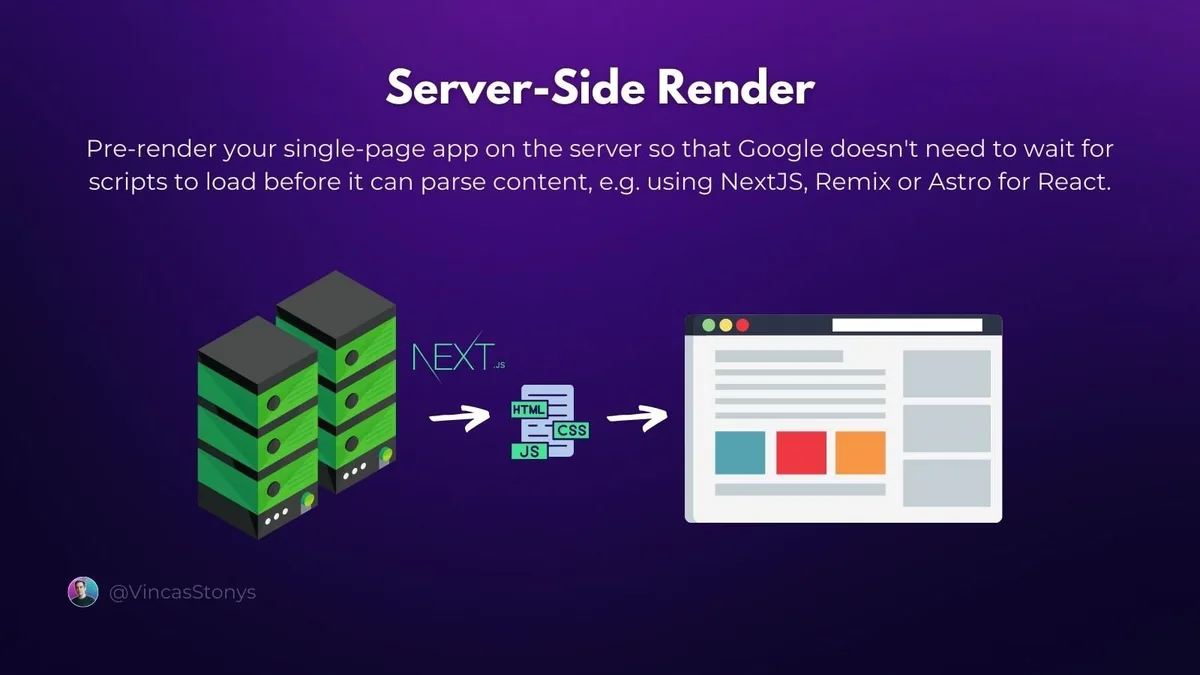
Detect mismatches early. In development, hydration warnings should be treated as errors, not noise. In production, run automated snapshot comparisons between server HTML and post-hydration DOM for a sample of URLs. When they diverge on primary content, you have found a bug worth fixing before it costs you rankings.
Deterministic Rendering in Practice
Drive state from the request, not from ambient browser conditions. Refining each detail of your server side rendering seo strengthens this section. Pass locale, time zone, and feature flags into the server render so both passes agree. Gate anything relying on window, navigator, or localStorage behind a mounted lifecycle or a client-only boundary.
The payoff goes beyond SEO. Stable hydration reduces layout shift, which improves Core Web Vitals, and it eliminates a whole class of bug reports. When a server side rendering SEO guide keeps returning to this point, it is because hydration drift is one of the most common root causes of mysterious ranking dips.
Best Practice 4: Use Streaming and Partial Hydration Without Blocking Crawlers
Streaming SSR sends the HTML in chunks, drawing the page progressively as data resolves. It improves perceived performance dramatically on slow connections.
But it can introduce a subtle failure: the crawler may see a partial document if the final chunks arrive after the response is considered complete.
Most modern crawlers handle chunked transfer fine, but always verify. Fetch the URL with a standard HTTP client and confirm the closing tags, footer links, and structured data are present. If your stream relies on long-running API calls, consider server-rendering the above-the-fold content and deferring the rest.
Partial hydration is a related win. You render markup on the server, then hydrate only interactive islands on the client. The result is far less JavaScript shipped to every visitor. It also means your main content never depends on a heavy bundle executing before it becomes visible.

Streaming Pitfalls Worth Planning For
Error boundaries inside a stream can ship a broken fragment after partial content has already been sent. Effective execution in your server side rendering seo makes a tangible difference. Design your fallbacks so a failed chunk produces graceful degradation rather than a truncated page. Test with slow network throttling and with JavaScript disabled.
Also check how your CDN handles chunked responses. Some edge caches buffer the entire stream before storing it, which defeats the latency benefit and occasionally creates stale or partial cache entries. Cache the completed response, never the opening chunk.
Best Practice 5: Keep View Source and Inspect Element in Agreement
View Source shows the HTML delivered by the server. Inspect Element shows the live DOM after browser execution. On a well-built server-rendered site, the critical content should match across both. Where it does not, you have located the boundary between rendered and non-rendered content.
The server side rendering SEO is a cheap, fast test that any stakeholder can run. Train your team to use it before escalating to engineering. More often than I would like to admit, a “SEO bug” is simply a component rendering only after user interaction, and the comparison makes that instantly obvious.

For a systematic version of the same check, run a crawl with JavaScript disabled and diff the extracted text against a JavaScript-enabled crawl. Large gaps on key pages are your priority list.
This kind of verification is exactly what a mature server side rendering SEO best practices program looks like in daily operation, not a one-time launch task.
Best Practice 6: Optimize Rendering Performance and Server Response Time
Server rendering puts the compute cost on your infrastructure. If your average time to first byte climbs past a few hundred milliseconds, both users and crawlers feel it. Invest in caching, connection pooling, and warm render workers so the page is generated quickly rather than assembled under load.
Layer your caches deliberately. Maintaining clarity across your server side rendering seo remains essential. A page cache at the edge handles repeat requests. A data cache close to your rendering layer prevents redundant database calls. A stale-while-revalidate strategy keeps the site responsive while refreshing content in the background, which is usually the right trade-off for SEO-relevant pages.

Watch the interaction between caching and personalization. If a page varies by user, use a cache key that includes the relevant signals, or render a personalized shell and inject live data client-side for non-critical elements.
Never let personalization leak into cached HTML intended for anonymous visitors, and never let caching prevent crawlers from seeing the canonical version.
Metrics That Actually Predict Ranking Headaches
Track time to first byte, server render duration, error rates by route, and hydration failure counts. Ignore vanity metrics like total page weight unless they correlate with real problems. Pair these with Core Web Vitals at the origin so you can distinguish network issues from render-regressions.
A quick benchmark to aim for: server render under 200 milliseconds for content pages on modest hardware. If you routinely exceed that, the bottleneck is usually an N+1 query deep in the data layer, not the rendering framework itself.
Best Practice 7: Handle Status Codes, Canonicals, and Redirects on the Server
A single-page app can trap the server side rendering SEO in the land of HTTP 200. Deleted product, expired offer, moved category, all quietly returning 200 with a client-side message. Crawlers treat that as a live page with thin content, and indexation quality suffers.
Move redirect logic server-side. A thoughtful approach to server side rendering seo reinforces your qualifications. Return 301 for permanent moves and 302 or 307 for temporary ones. Return 404 for genuinely missing pages and 410 when a resource is gone for good. Set the canonical tag from the server so the correct URL is declared before any client-side routing runs.
Test with a raw HTTP client, because browsers will happily follow redirects and mask the behavior. Your redirect chains should be single hops, and your canonicals should never point to a URL that redirects.
Getting this layer right is one of the most underrated server side rendering SEO tips, mostly because it is invisible until something breaks.
Where Client-Side Routing Goes Wrong
History-based routers can serve the same 200 response for any path, leaving search engines to guess which URLs exist. That ambiguity burns crawl budget and dilutes signals. Pre-render or server-render each route, and maintain a sitemap that reflects only real, canonical, 200-status URLs.
Also audit your soft-404s. If a nonexistent URL shows your custom error page with a smiling illustration and a “back to home” button but returns 200, Google will index it as a valid page. That is the kind of small, boring fix that quietly lifts sitewide quality signals.
Best Practice 8: Ship Structured Data in the Server Response
JSON-LD is easiest to generate reliably when the server side rendering SEO is emitted with the page. Article schemas, product offers, breadcrumbs, and FAQ markup all belong in the initial HTML, ideally near the top of the head or body. Building them client-side adds another dependency that can fail.
Keep the markup in sync with visible content. Google’s structured data guidelines penalize mismatches, and mismatches are inevitable when a schema script reads from a client state that may lag behind the server render. Generate schema from the same data object that produced the page.
Validate with the Rich Results Test and keep an eye on Search Console enhancement reports. A steady rise in structured data warnings is often a symptom of a rendering change, so treat these reports as an early warning system. This is where a server side rendering SEO checklist earns its keep: it turns invisible regressions into tracked tasks.
Best Practice 9: Make Internal Linking and Sitemaps Server-Rendered
Links are the roads your crawler drives on. If internal links only appear after a client-side fetch, discovery slows dramatically. Render navigation, related posts, breadcrumbs, and pagination links directly in the server HTML.
Sitemaps need the same discipline. Generate them from your data layer, include only canonical URLs, and update last modified dates truthfully. A sitemap full of client-only routes that redirect or error will erode trust in your technical setup over time.
Pagination deserves a mention. Infinite scroll looks slick, but crawlers need crawlable paginated URLs. Provide a linked paging structure alongside any infinite-scroll experience, so every item is reachable through a plain hyperlink. Refer to the Google Search documentation on JavaScript SEO for baseline expectations on link discovery in rendered pages.
Best Practice 10: Test, Monitor, and Repeat After Every Deploy
Server side rendering is not a one-time migration. Framework upgrades, new third-party scripts, and changes to your data layer can all reintroduce gaps. Build automated checks into continuous integration that assert server HTML contains the page title, primary heading, and canonical link.
Add a lightweight rendering diff to your deployment pipeline. It does not need to be elaborate: fetch a handful of representative URLs, compare the server output to the expected content markers, and fail the build on divergence. Teams that automate this catch regressions in hours rather than weeks.
After launch, keep an eye on crawl stats, index coverage, and the URL Inspection tool for your priority pages. A sudden spike in “Discovered, currently not indexed” on pages that used to rank usually points to a rendering or content depth issue. Treat that as a signal, not noise.
Building Your Ongoing Server Side Rendering SEO Checklist
Distill all ten practices into a repeatable server side rendering SEO checklist your team runs before and after each release. Keep it short, concrete, and tied to evidence. When a check fails, the fix should be obvious to whoever owns that layer of the stack.
Here is a compact version you can adapt directly:
| Check | What to Verify | Owner |
|---|---|---|
| Server HTML parity | Title, heading, body copy, canonical appear in raw response | Frontend |
| Hydration stability | No warnings, no content shift on first render | Frontend |
| Status codes | Correct 301, 404, 410 responses on all routes | Backend |
| Structured data | JSON-LD present in initial HTML and valid | SEO |
| Crawl discovery | Internal links and pagination render server-side | SEO |
| Performance | TTFB and render duration within budget | SRE |
Revisit the checklist whenever architecture decisions change. A move to a new framework, a switch in CDN provider, or a redesign of the data layer all warrant a fresh pass. Documentation of past failures speeds up diagnosis enormously.
Frequently Asked Questions About Server Side Rendering SEO
The server side rendering SEO questions come up on nearly every JavaScript SEO audit. Short answers here, with the deeper reasoning already covered above.
Is Server Side Rendering Required to Rank in Google?
No, but the server side rendering SEO gives you a significant structural advantage. Google can execute JavaScript, yet client-rendered pages face extra latency and risk. For content-heavy or revenue-critical pages, server rendering is the safer default.
Does SSR Fix All Crawlability Problems?
The server side rendering SEO solves the biggest one, which is content invisible without JavaScript execution. It does not fix blocked resources in robots.txt, broken internal links, or duplicate canonicals. Those need their own audits.
Which Framework Works Best for SSR SEO?
Next.js, Nuxt, SvelteKit, and Remix all handle server rendering well, and each gives the server side rendering SEO hooks for metadata, canonical tags, and streaming. The framework matters less than implementation discipline and tested output.
How Do I Test Whether My Pages Render Correctly?
Fetch the URL with JavaScript disabled, then compare against a JavaScript-enabled crawl. Developing your server side rendering SEO with precision highlights key strengths. Use Search Console URL Inspection for the authoritative view, and automate a small representative diff in CI so regressions surface quickly.
Does SSR Hurt Performance?
The server side rendering SEO shifts compute to the server, so it can slow response times if you skip caching. With proper page and data caching, server-rendered pages consistently beat client-rendered ones on first paint and first contentful paint.
What About Static Generation Instead?
Static generation is often the strongest answer for content the server side rendering SEO changes infrequently. It gives you the same SEO benefits with less runtime cost. Use server rendering for pages that must reflect live data.
If you are at the start of a JavaScript SEO effort, treat this server side rendering SEO guide as a roadmap.
Work through the ten practices in order, measure the impact, then move on to the cluster of topics that usually comes next: crawl efficiency, structured data coverage, and Core Web Vitals optimization on dynamic pages. The sequence matters less than the habit of testing what crawlers see before you assume they see what you built.