If you have ever stared at a blank Google Sheet wondering where the heck to start your SEO audit, you are in the right place. A good SEO spreadsheet template is the fastest way to stop guessing and start organizing your entire search strategy in one tidy, free file.
Here is the thing — most people overcomplicate SEO. They buy expensive tools, drown in dashboards, and forget the single most important skill in this trade: keeping a clean record of what you are tracking.
The SEO spreadsheet template is exactly what a spreadsheet gives you. It is portable, it is free, and it scales from a one-page blog to a hundred-client agency account without breaking a sweat.
I have built these things for years, and I can tell you honestly that the best SEO spreadsheet template is not the prettiest one. It is the one you will actually open on a Tuesday morning.
So let us walk through everything you need: what to include, how to set it up, which free routes exist, and the mistakes that quietly kill your data quality.
Why a Free SEO Spreadsheet Template Beats Fancy Software
Software subscriptions pile up fast. A typical crawl tool runs into the hundreds per month, and once you cancel, your data usually leaves with you. A free SEO spreadsheet template, on the flip side, lives in your account forever and exports cleanly to CSV whenever you need it.
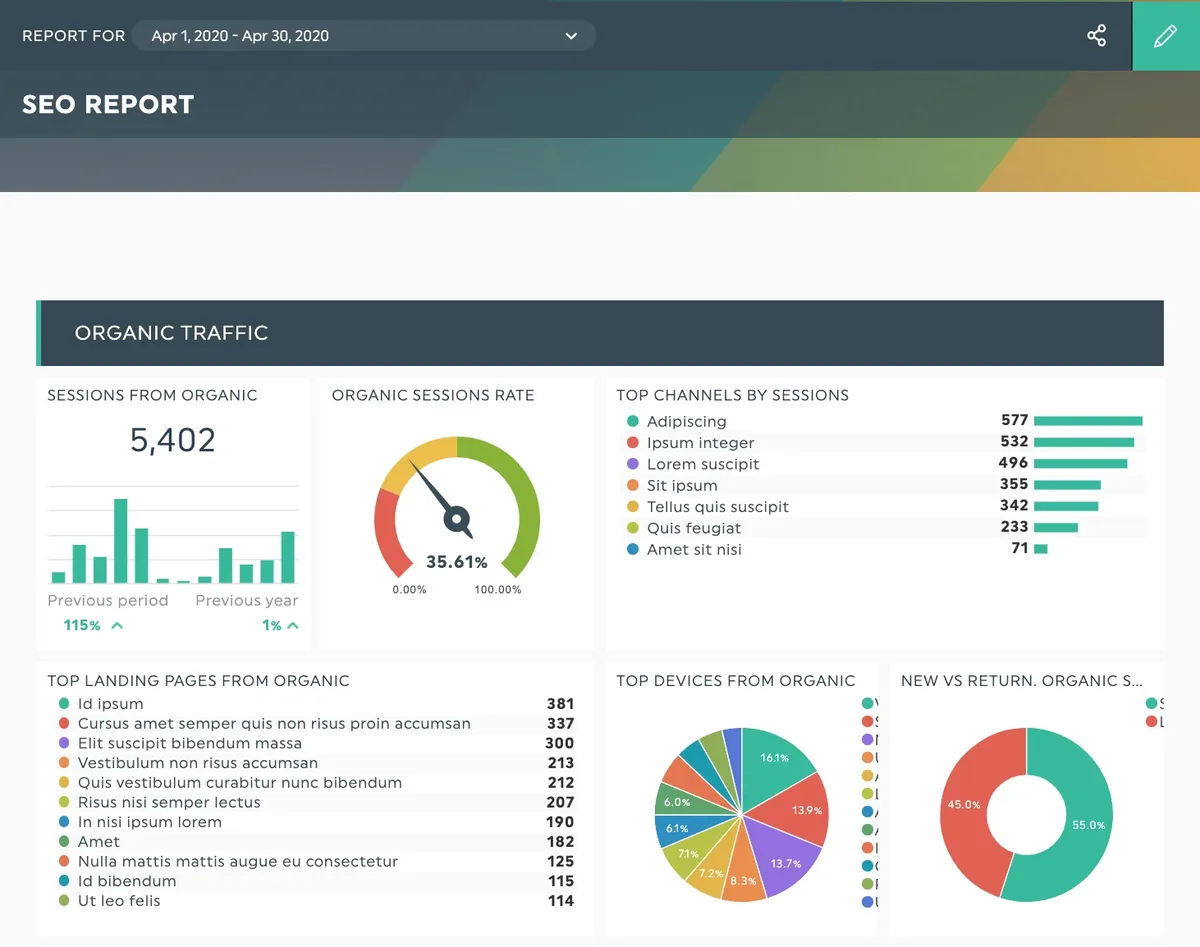
The real advantage is control. You decide which columns matter, how to weight a priority score, and what gets flagged for a content refresh. Try asking a closed SaaS dashboard to show you a custom scoring formula and you will hit a wall within minutes. Spreadsheets do not argue back.
There is a tradeoff worth naming. A spreadsheet cannot crawl a site on its own, and it will not detect broken links automatically. But you can pipe crawl data into it, which is precisely what experienced practitioners do. The sheet becomes the brain, while the crawler becomes the eyes.
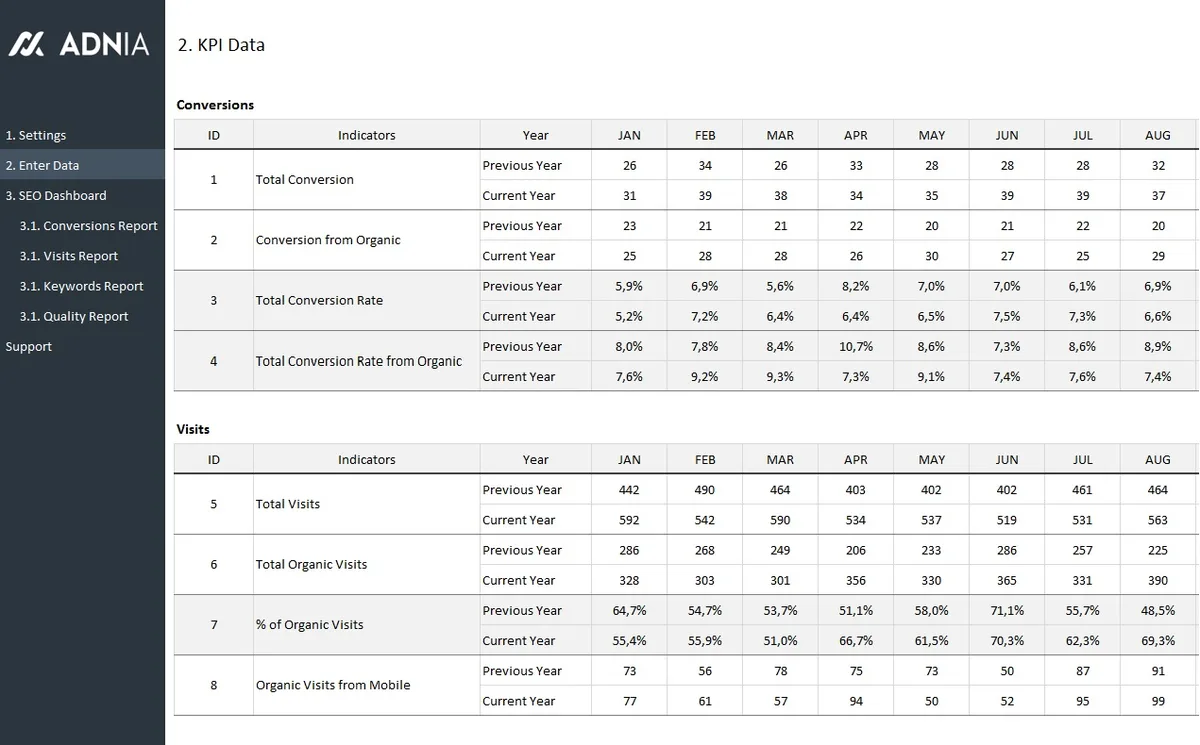
From an SEO spreadsheet template guide perspective, the smartest workflow looks like this: run a crawl in whatever tool you already pay for, export the results, paste them into your master sheet, and run your analysis there. Your judgment stays central. The template just organizes it.
What Every SEO Spreadsheet Template Checklist Should Contain
Before you download anything, know what a proper SEO spreadsheet template checklist looks like. If a template is missing these core tables, you are better off building your own.
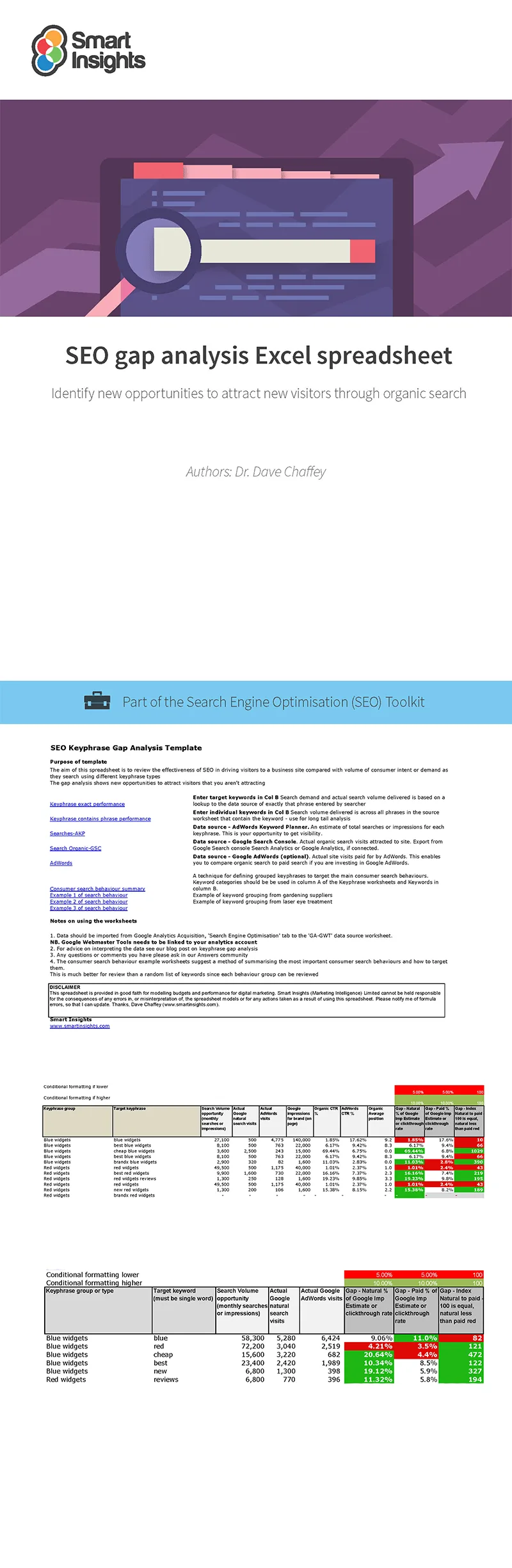
A solid file needs at least five separate tabs: a keyword tracker, a technical audit log, a content inventory, an internal linking map, and a backlink log. That is the minimum viable structure. Anything less and you will end up cramming unrelated data into one tab, which is the fastest route to chaos.
Let me get specific about what lives inside each tab.

The Keyword Tracker Tab
The seo spreadsheet template is where the money lives. Columns should include keyword, search volume, keyword difficulty, current ranking position, target URL, search intent, and a priority score. Keep competitor rank beside your own so you can see the gap at a glance.
Add a column for SERP features too — featured snippets, image packs, local packs. I cannot tell you how often a ranking jumps two spots simply because someone noticed a snippet opportunity and rewrote a paragraph. That context changes your entire action plan.

The Technical Audit Log
Pull in URL, HTTP status, title tag, meta description, H1, word count, and indexability from your crawler. Then add manual columns for “issue found,” “severity,” and “fix owner.” That last column is the one teams forget, and it is the reason audits stall.
Assigning an owner turns a passive report into an actual worklist. I have watched audits sit untouched for months simply because nobody’s name appeared next to the item.
The Content Inventory and Internal Link Map
Log every published URL alongside target keyword, traffic last 90 days, conversion contribution, and a “refresh or prune” decision. Refining each detail of your SEO spreadsheet template strengthens this section. Pair it with a simple link map showing which pages link to which.
The seo spreadsheet template internal linking view alone can lift sitewide performance. Orphan pages get rescued, important money pages pick up extra equity, and topic clusters start to form naturally.
Ready-To-Use: Building Your SEO Spreadsheet Template in Under an Hour
You do not need to be a spreadsheet wizard. Here is the practical build sequence I use, and it works whether you are on Anthropic Sheets, Excel, or LibreOffice.
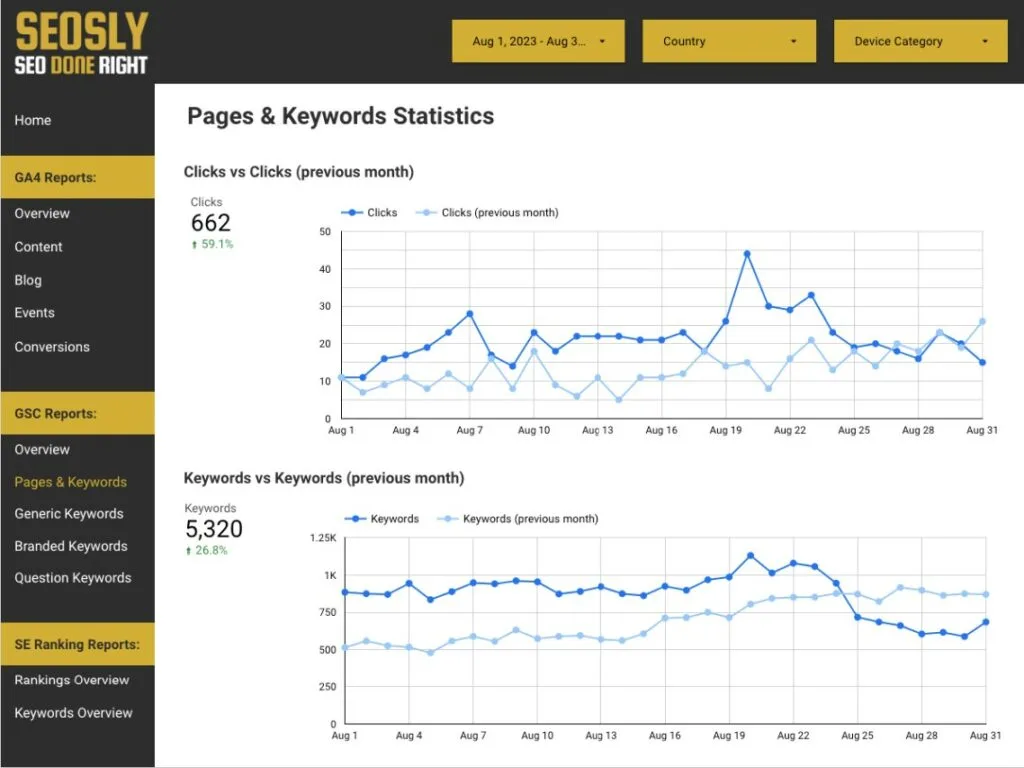
Step one: create the shell. Add your five tabs and label them clearly. Use bold headers, freeze the top row, and apply a filter to every table. That is thirty seconds of work that saves hours over time.
- Set up data validation on status columns. Instead of typing “done” or “pending” loosely, create a dropdown list so every entry stays consistent. Filtering becomes reliable, and you eliminate the typo problem entirely.
- Add conditional formatting for priority tiers. Color-code high-volume or high-difficulty keywords so the sheet visually directs you to the biggest wins first. Your eyes should not have to hunt.
- Build one summary dashboard tab. Use COUNTIF and SUMIF formulas to show totals: keywords tracked, pages fixed, average position, and outstanding tasks. One glance tells you where you stand.
- Insert a changelog tab. Log the date and description of every major edit. When three people touch the same file, this single tab prevents endless confusion.
- Lock the header rows and formula cells. Protect them from accidental edits while keeping data entry columns open. Small move, big time saver.
Once the shell is ready, you can make a copy for each client or project. That is the beauty of this approach — one solid SEO spreadsheet template becomes a reusable asset across every engagement.

If you want to sanity-check the logic behind your formulas, the Wikipedia entry on search engine optimization is a genuinely useful refresher on how ranking factors relate to one another.
Free SEO Spreadsheet Template Options You Can Use Right Away
The seo spreadsheet template have three realistic paths: grab a community template, build on a copy of mine-in-spirit structure, or generate your own from a tool export. All three cost exactly nothing.
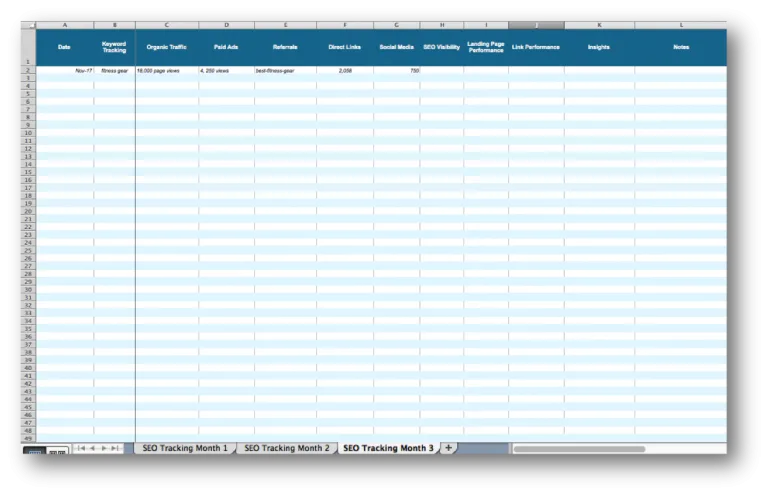
Google Sheets itself offers a template gallery with project tracking layouts you can repurpose in minutes. Just rename the columns and you are off. Excel has similar starter templates under its project management category.
Many SEO communities also share free SEO spreadsheet template downloads. Look for ones that include all five core tabs described earlier. Be cautious of template packs that only offer a keyword list and call it a day — that is not a system, it is a single sheet.
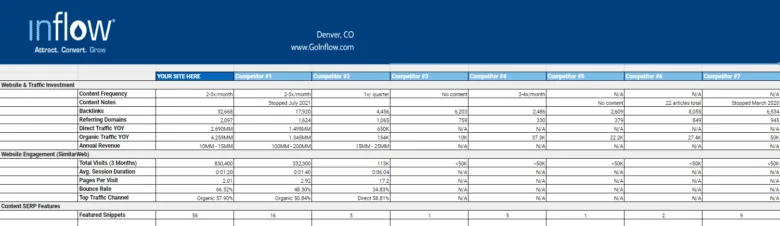
My honest recommendation? Take a community template as a starting point, then rebuild the dashboard yourself. The act of building forces you to understand what each column is for, and you will actually maintain the file afterward.
SEO Spreadsheet Template Best Practices for Keeping Data Clean
Data quality is where most teams quietly fall apart. A SEO spreadsheet template best practices mindset starts with one rule: never type a date or number freehand if a formula can generate it.

Use consistent date formats, always ISO style if possible, and keep one row per URL — never merge cells. Merged cells are the enemy of filtering and sorting, and they will break your pivot tables silently.
Name your versions sensibly. Effective execution in your SEO spreadsheet template makes a tangible difference. “Audit_v3_final_FINAL” tells nobody anything. Use a date stamp and a short descriptor instead. When someone asks for last month’s data, you will actually be able to find it.
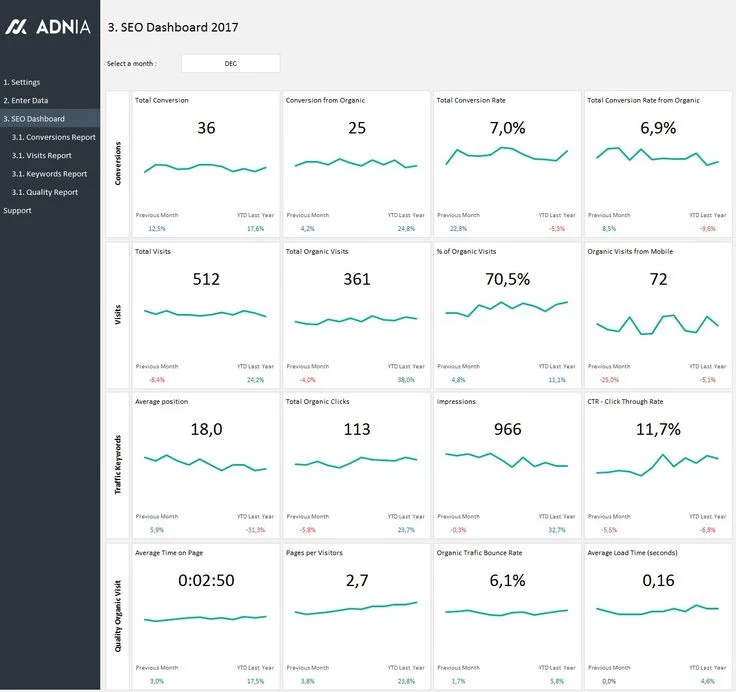
Another underrated habit: audit your own sheet once a month. Maintaining clarity across your seo spreadsheet template remains essential. Check for duplicate URLs, empty priority scores, and orphaned rows. Five minutes of maintenance prevents a week of cleanup later.
| Practice | Why It Matters | Quick Fix |
|---|---|---|
| Dropdown validation on status columns | Prevents inconsistent entries | Data Data validation |
| One URL per row | Keeps filters and pivots accurate | Split merged cells immediately |
| ISO date format | Sorts correctly across regions | Format Number Date |
| Monthly duplicate audit | Stops data bloat | Use UNIQUE or Remove Duplicates |
| Protected formula cells | Prevents accidental overwrites | Data Protect range |
SEO Spreadsheet Template Tips for Faster Reporting
Reporting is where the spreadsheet earns its keep. A few SEO spreadsheet template tips will cut your monthly reporting time in half, and honestly, your future self will thank you.
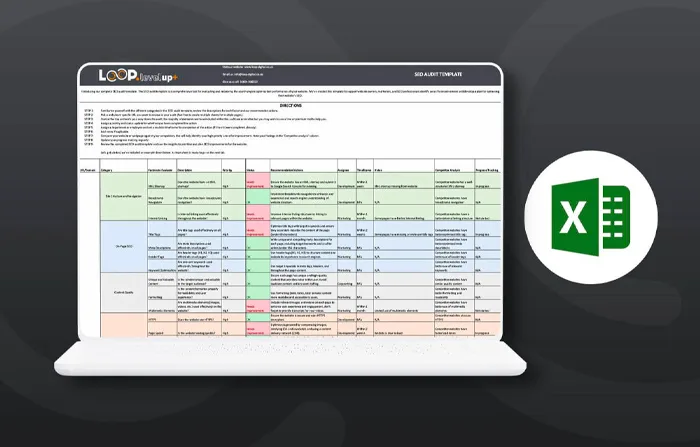
Start by building your monthly report as a separate tab that pulls from your raw data using formulas. Never copy-paste numbers into a report. When the source updates, the summary should update too.
Use pivot tables to summarize keyword movements by intent or by page type. This turns a thousand-row sheet into a clear narrative: which content categories gained, which lost, and where to focus next.

Another trick I rely on constantly: a “wins” column that flags any page that moved up three or more positions. It is remarkably motivating to start every report with a visible list of wins before diving into fixes.
If the seo spreadsheet template collaborate with others, add a simple comment column and tag people in the sheet. Keeping feedback inside the file beats scattered email threads every single time.
Common Mistakes That Ruin an SEO Spreadsheet Template
Let me be blunt about this because I have made most of these mistakes myself. The first killer is scope creep — adding so many tabs that the file becomes unusable. Start with five, grow only when a real need appears.
The second is treating the sheet as read-only. A SEO spreadsheet template that nobody updates is just decoration. Set a recurring calendar reminder, ideally weekly, and touch the file even if nothing major changed.

Third: mixing data from different sources without a source column. Six months later, you have no idea whether a traffic number came from Search Console or an analytics export. Always label your data source.
Fourth, and this one is subtle: ignoring search intent in your keyword tracker. A keyword can rank well but convert poorly if the intent does not match your page. Log intent alongside position, and you will catch misfires early.
Fifth: forgetting to back up. Structuring your seo spreadsheet template around proven patterns ensures impact. Google Sheets keeps version history, but a manual monthly export to CSV costs nothing and protects you from accidental deletions.
Frequently Asked Questions About SEO Spreadsheets
Here is an in-depth breakdown of key considerations regarding Frequently Asked Questions About SEO Spreadsheets:
Is an SEO Spreadsheet Template Really Free?
Yes, genuinely. Google Sheets and Excel Online both offer free templates, and community-shared files cost nothing. The only paid element is optional — a crawl tool if you want automated technical data.
Can a Spreadsheet Replace My SEO Software?
For tracking, planning, and reporting, absolutely. It cannot crawl a site or monitor backlinks in real time, so most practitioners pair a spreadsheet with one crawler. The sheet remains the command center.
How Many Keywords Should I Track?
Start with 20 to 50 highly relevant keywords. Once you have baseline data, expand in clusters. Overloading a fresh sheet with 5,000 keywords usually leads to abandonment within a month.
Which is Better, Google Sheets or Excel?
Google Sheets wins for collaboration and free sharing. Excel wins for handling very large datasets and advanced formulas. For most solo SEO work, Google Sheets is the smoother ride.
How Often Should I Update the Sheet?
Weekly for active projects, monthly for stable sites. Consistency matters more than frequency. A routine update beats an ambitious plan that never happens.
Scaling Your Workflow Beyond a Single Sheet
Once you have a working SEO spreadsheet template, the natural next step is turning it into a repeatable system. Duplicate the file per client, maintain a master template with locked formulas, and document your workflow in a tab so a new hire can follow along.
This is the parent topic that ties everything together: search engine optimization as an ongoing discipline, not a one-time task. Your sheet is the ledger of that discipline.
From there, adjacent sub-topics worth exploring include technical crawl workflows, content cluster architecture, and link acquisition tracking. Each one deserves its own dedicated tab or file, and each builds on the foundation you have set up here.
If you want a more formal framework for structuring audits, the Google Search Central documentation lays out the crawl and indexing fundamentals your audit log should mirror.
The point is simple: a SEO spreadsheet template is not glamorous, and it never will be. But it is the single most reliable way to keep your SEO work organized, defensible, and shareable with anyone who signs your paycheck. Build it once, maintain it weekly, and let the data tell the story.