Getting serious about rss feed SEO is one of the smartest moves you can make if you want your content to travel further and index faster.
Most site owners wire up an RSS feed in five minutes, forget about it entirely, and then wonder why their blog posts sit in limbo for weeks while a competitor’s article surfaces within hours.
That gap isn’t luck. It’s plumbing — and the feed is a piece of plumbing almost everyone ignores. In this rss feed SEO guide, I’ll walk you through nine strategies that actually move the needle, from feed architecture to indexation pacing, with the kind of field-tested detail you won’t find in a plugin’s default settings.
The parent topic here is technical on-page optimization — the structural work the rss feed SEO makes crawling and indexing efficient. Think of RSS as a subordinate branch of that: not a ranking lever on its own, but a distribution channel that feeds the crawler with clean, dated, well-formed signals.
Get it right and everything above it in the topical cluster — internal linking, content freshness, syndication hygiene — gets easier to manage.
What is RSS Feed SEO and Why It Still Matters
At its core, rss feed SEO is the practice of configuring and publishing your Really Simple Syndication feed so that search engines, aggregators, and content partners can discover, parse, and trust your updates. It is not a keyword trick. It’s an infrastructure discipline.
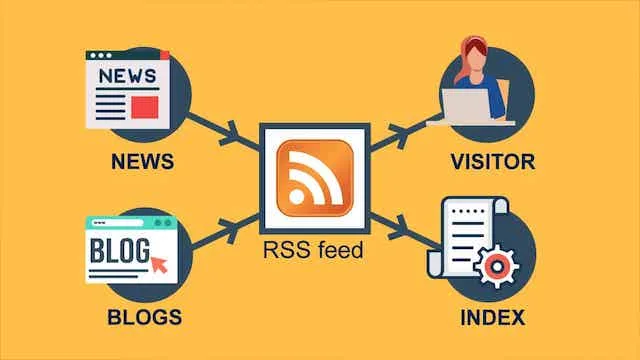
An RSS feed is a structured XML document listing your recent content items, each with a title, link, publication date, description, and often a GUID. Refining each detail of your rss feed SEO strengthens this section.
Search crawlers read that file the way a subscriber reads their inbox: chronologically, deliberately, and only if you bother to keep it accurate.
The reason it still matters comes down to discovery speed. Google doesn’t crawl on your schedule. It crawls on a budget assigned to your site based on perceived authority and freshness signals.
A well-maintained feed gives the crawler a clean map of what changed and when — reducing guesswork and, in many publishing setups, shortening the lag between publish and index.
The rss feed seo’s a secondary benefit most people skip past entirely. Feeds are consumed by far more than search engines: feed readers, content syndication networks, aggregator sites, and monitoring tools all parse that same XML. Each one is a distribution node, and each one respects different standards. Consistent, valid XML makes you legible to all of them at once.
The Difference Between a Feed and a Sitemap
People conflate the rss feed SEO constantly, so let’s separate them cleanly. A sitemap is a declaration of what exists on your site — a canonical inventory, updated when URLs are added or removed. A feed is a chronological stream of what’s new, ordered by publication date.
In practice, this means sitemaps help with coverage while feeds help with recency. Your sitemap says “these pages belong to me.” Your feed says “here’s what I published most recently, in order, with dates attached.” Different jobs. Both useful. Neither replaces the other.
Strategy 1 — Validate and Clean Your Feed Before Anything Else
Before you touch a single optimization, run your feed through the W3C Feed Validator. This is the unglamorous foundation of any rss feed SEO checklist, and skipping it means every later step inherits the same broken foundation.
Validation catches the silent killers: unescaped ampersands in titles, malformed dates, duplicate GUIDs, missing required channel elements, and character encoding mismatches. Maintaining clarity across your rss feed SEO remains essential. Any single one of these can cause a parser to reject the entire document rather than skip the offending item. One bad entry, whole feed ignored.
I’ve seen this happen on WordPress sites where a plugin injects tracking parameters into item links without escaping them properly. The feed looks fine in a browser preview because browsers are forgiving. A strict XML parser is not.
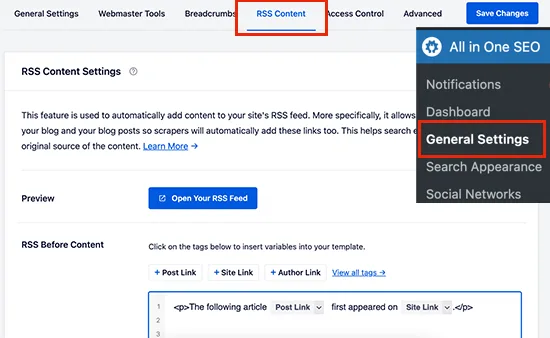
Run validation after every significant plugin update too. A thoughtful approach to rss feed SEO reinforces your qualifications. A feed that validated cleanly six months ago can break the moment a theme or plugin starts appending scripts to excerpts. Set a recurring reminder, or better, add feed validation to your deployment checklist alongside broken-link checks.
Strategy 2 — Optimize Item Titles, Links, and Descriptions Inside the Feed
Here’s where rss feed SEO best practices start paying visible dividends. Each feed item carries three fields that influence how aggregators and crawlers interpret your content: the title, the link, and the description.

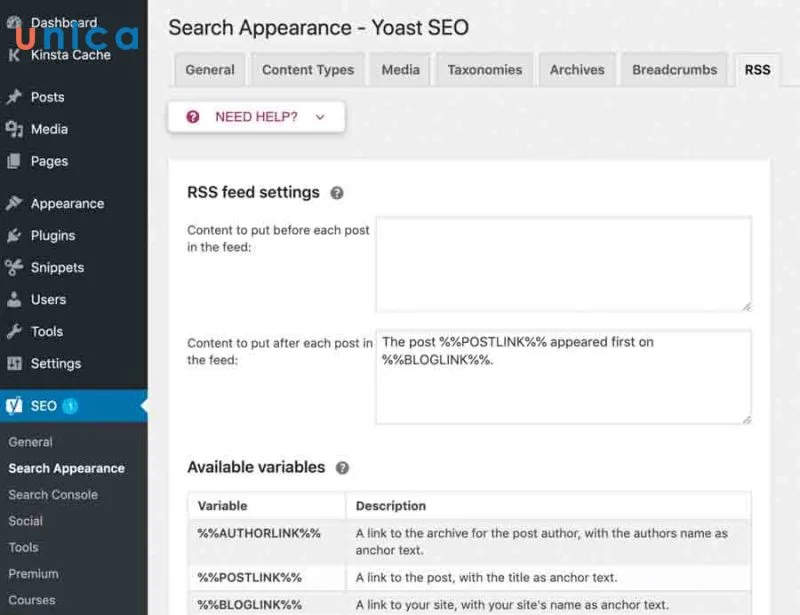
The title should match your on-page H1 closely but not identically. A slight variation reads better in feed readers and avoids appearing as duplicated text when both get indexed. Keep it under 100 characters, front-load the meaningful terms, and never leave it blank — some plugins strip titles from certain post types without warning.
The link must be the absolute canonical URL. Structuring your rss feed SEO around proven patterns ensures impact. Not a shortened form, not a tracking-wrapped variant, not an HTTP version of an HTTPS page.
If your feed emits a non-canonical link, syndicated copies of your article will point at the wrong target and you’ll spend months untangling the resulting duplicate content signals.
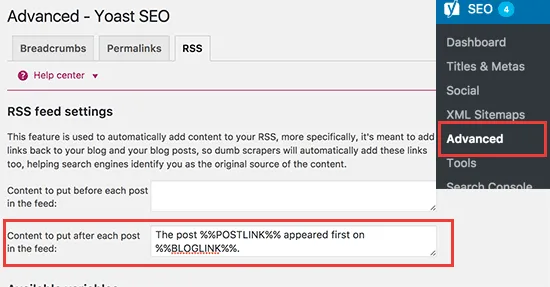
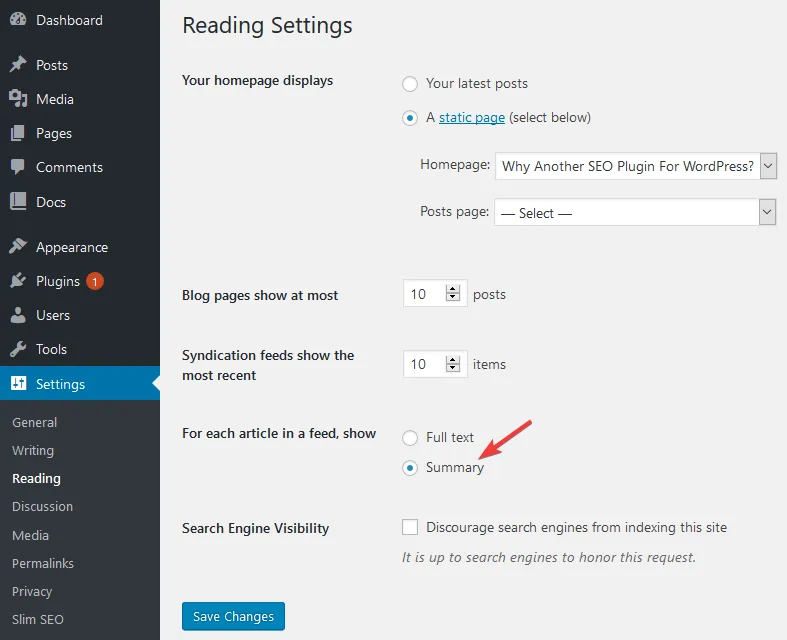
The description field deserves genuine attention. Many plugins default to the full post body, which bloats the feed and dilutes the signal. Others default to a stripped excerpt with no formatting at all.
My preference sits in the middle: a clean 150 to 300 character summary that includes your primary focus of the article, written as a human sentence rather than a truncated first paragraph.
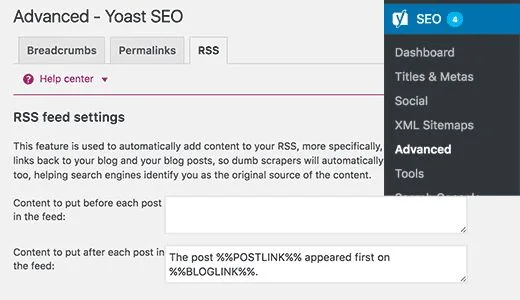
Consider this your minimum rss feed SEO checklist for item-level fields:
- Title: Present, front-loaded, distinct from the H1 by a few words, no stray HTML entities.
- Link: Absolute, canonical, HTTPS, matching the permalink exactly.
- GUID: Stable and permanent — never regenerate on edit.
- pubDate: Correct RFC 822 format with timezone offset.
- Description: A real summary, formatted, keyword-relevant but readable.
Strategy 3 — Control Feed Length and Freshness Pacing
How many items should your feed contain? The honest answer depends on publishing cadence, but there’s a practical floor and a practical ceiling worth respecting.

Too few items — say five or ten — and a crawler visiting after a quiet fortnight sees nothing new and may deprioritize your next check. Applying these principles to your rss feed SEO yields measurable results.
Too many — several hundred — and you bloat the response, slow parsing, and push the meaningful recent entries far down a long document.
A workable range for most blogs sits between 20 and 50 items. High-frequency publishers can push higher without penalty. Sites publishing twice a month can sit comfortably at 15 to 20.
The second half of this rss feed SEO strategy is date discipline. Every item needs an accurate publication date, and that date should not change when you make minor edits. If your feed regenerates pubDates on every save, aggregators will treat old posts as new and your feed loses credibility fast.
Keep a separate field for modification if you genuinely need to track updates — most modern feed formats support it. This distinction alone resolves a surprising number of syndication complaints from partners who can’t tell your new content from your edited content.
Strategy 4 — Split Your Feeds by Category and Intent
One monolithic feed containing every post type is convenient to set up and clumsy to use. Developing your rss feed SEO with precision highlights key strengths. Splitting feeds by category or content type gives you granular control and gives consumers a reason to subscribe selectively.

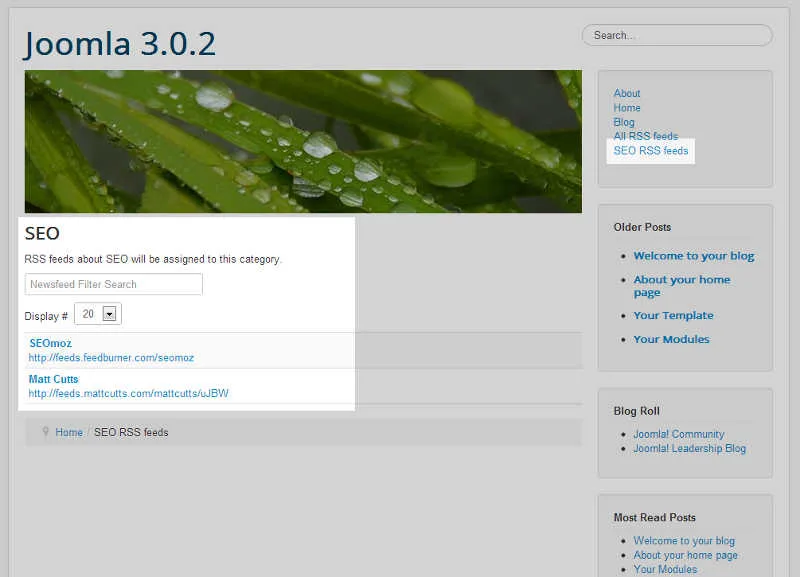
WordPress handles this natively through category feed URLs, and most other platforms expose similar endpoints. The practical architecture looks like this: a main feed for everything, category feeds for topic clusters, an author feed if you run a multi-writer publication, and a comments feed if you want engagement tracking.
Why bother? Clear alignment with your rss feed SEO builds confidence from the start. Because aggregators and topic-specific curators want a targeted stream. A parenting blog that also posts about web development will confuse a niche curation network. Give them a feed that contains only the relevant material and you become a viable subscription.

| Feed Type | URL Pattern | Primary Use Case |
|---|---|---|
| Main feed | /feed/ | General crawling and reader subscriptions |
| Category feed | /category/topic/feed/ | Niche aggregators and topical curation |
| Author feed | /author/name/feed/ | Byline-focused syndication |
| Search feed | /search/term/feed/ | Monitoring and internal QA only |
| Comments feed | /comments/feed/ | Engagement tracking, rarely public |
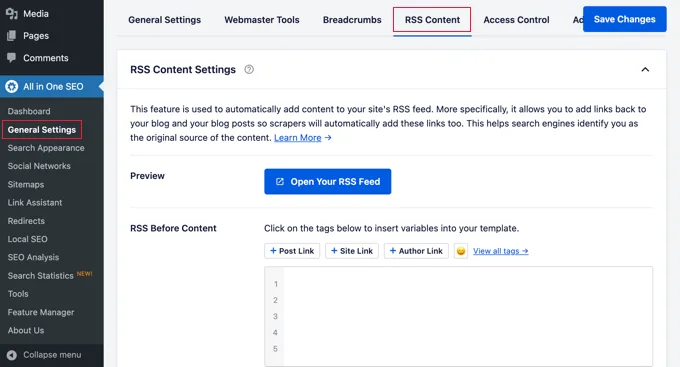
One caution: each additional feed endpoint is another URL the crawler can discover. Refining each detail of your rss feed seo strengthens this section. Make sure your robots directives don’t accidentally block the ones you want indexed while leaving open the ones you’d rather keep quiet.
Strategy 5 — Automate Feed-to-Social and Feed-to-Newsletter Distribution
This is the strategy that turns rss feed SEO tips from abstract theory into measurable traffic. Your feed is a machine-readable publishing event. Every distribution channel that can react to an event should be wired to it.
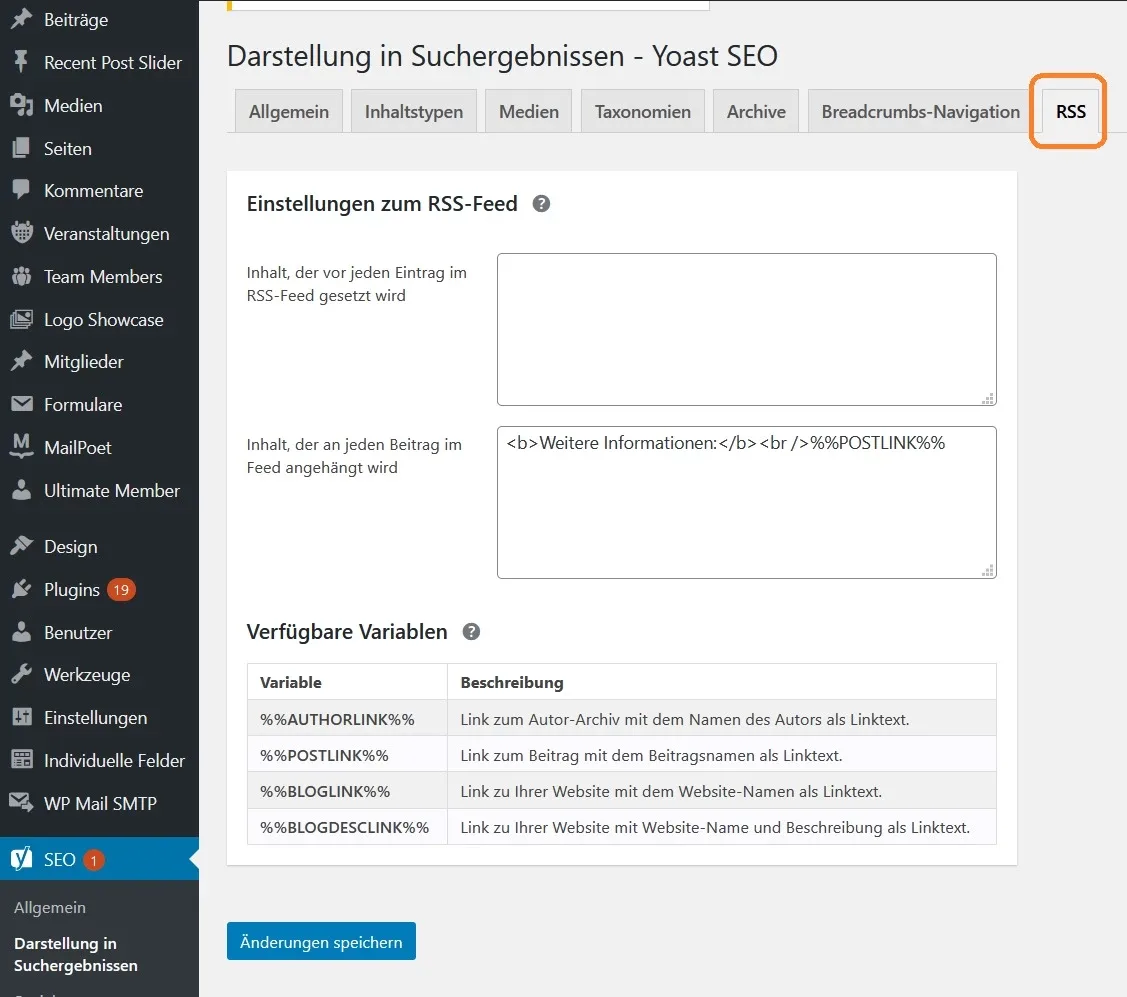
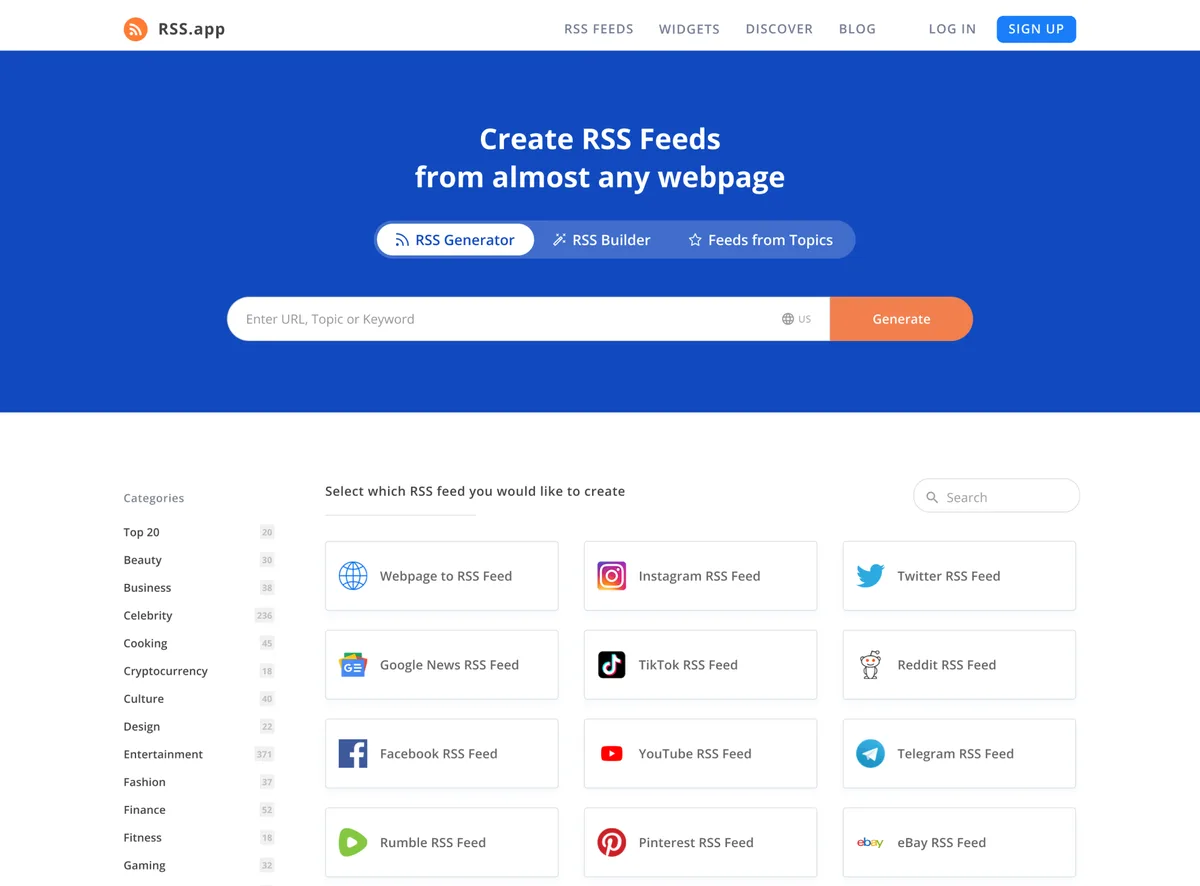
The classic implementation uses a service like IFTTT, Zapier, or Make to watch your feed and trigger actions: post to social profiles, append to a newsletter queue, push a notification, log to a spreadsheet for reporting. Integrating rss feed SEO into your workflow produces consistent quality. Each trigger fires automatically the moment an item appears in the feed.
Set this up once and the marginal cost of each future post drops to near zero on the distribution side. That’s leverage, and it’s the kind of thing that only works if the feed is clean — which is why strategy one comes first.
The rss feed SEO’s a subtle ranking side effect worth naming. Automated social and newsletter distribution generates referral traffic and engagement signals, which in turn correlate with content that gets re-crawled and re-evaluated. You’re not buying links. You’re manufacturing the natural signals that make an article look alive.
Handling Duplicate Detection in Feeds
Automation tools rely on GUIDs and timestamps to decide what’s genuinely new. If your feed emits unstable identifiers — regenerating them on every save or permalink change — your automation will re-post the same article three times. Embarrassing at best, spam-flagged at worst.

Fix the GUID once, treat it as immutable, and the problem disappears permanently. This is one of those tiny configuration decisions that quietly determines whether your rss feed SEO effort produces clean data or a mess.
Strategy 6 — Add Proper Images, Enclosures, and Media Metadata
Feeds aren’t text-only anymore. Focusing on rss feed SEO provides clear direction here. Modern consumers expect visual content in the stream, and the way your feed handles images affects both click-through and crawlable surface area.

The standard mechanisms are media enclosures and the newer media RSS extensions. Both embed image references — URL, dimensions, MIME type — directly in the item metadata. When present and correct, feed readers render thumbnails automatically and aggregation platforms have something to display beyond a bare headline.
Here’s the rss feed SEO best practices detail people miss: image URLs inside your feed should point at properly sized, correctly compressed assets on a stable CDN. Oversized originals bloat feed responses. Broken URLs kill thumbnails. Missing alt attributes… Well, that’s a separate accessibility and SEO issue, but the principle applies.
If your feed includes full article bodies, make sure images carry descriptive alt text. Effective execution in your rss feed seo makes a tangible difference. That text is legitimate optimization surface, and it costs nothing extra to do properly.
External Authority Context
If you want the definitive technical specification for feed formats, the RSS specification on Wikipedia is a reasonable starting reference. Bookmark it. When a validation error message is cryptic, that’s where the answers live.
Strategy 7 — Use Feed Pings and Indexing Hooks Deliberately
Historically, publishing a post triggered a ping to services like Ping-O-Matic, which notified aggregators and search engines of the update. Most of those services have been deprecated, but the underlying concept survives in other forms.
Google’s Indexing API and the newer IndexNow protocol both accept programmatic “I just published this” notifications. Wiring your publishing workflow to ping these endpoints is a legitimate rss feed SEO tips step — it doesn’t guarantee indexing, but it does remove ambiguity about whether the crawler knows your content exists.

Do not overdo it. Ping on publish, not on every save. Ping the canonical URL, not every variant. Repeated, uninformative pings train nothing and may be rate-limited.
The rss feed SEO’s a real cautionary story here. A publisher I know wired their CMS to fire an IndexNow ping on every post-save event, including quick typo fixes across a thousand old articles.
Within a week, the rss feed seo had flagged hundreds of “changed” URLs simultaneously and saw crawl budget allocation shift in ways they didn’t like. Automatic is not the same as smart.
Strategy 8 — Prevent Feed Duplication and Index Bloat
This is the most neglected item on any rss feed SEO checklist. Your feed URLs are indexable by default. A crawler can and will discover /feed/, /feed/?p=123, /category/x/feed/, and every pagination variant of each.
If those URLs aren’t canonicalized back to the main feed or excluded from indexing, you’re generating soft duplicates of your own content at scale. Pages with identical entries, identical descriptions, and near-identical titles competing with each other for the same crawl budget.
The fix is straightforward but incomplete on most sites:
- Add a self-referencing canonical on every feed URL pointing at the canonical main feed for that content scope.
- Use X-Robots-Tag headers or robots meta to prevent feed pagination variants from being indexed independently.
- Block comment feeds from indexing entirely unless you have a specific reason.
- Add
noindexto search-result feeds — nobody needs to find /search/term/feed/ in a results page. - Audit older category feeds after taxonomy changes; stale endpoints linger.
I strongly recommend doing the rss feed SEO audit once per quarter. Taxonomies drift, plugins change their URL structures, and what was clean in January can be a mess by summer.
Strategy 9 — Monitor Feed Health With a Recurring Audit
The final strategy is the one that keeps the other eight honest: institutionalize a recurring audit. A feed doesn’t stay healthy by accident.
What should the audit check? Validation status, item count consistency, date format integrity, canonical link correctness, image enclosure URLs, response time, and whether your automation triggers fired correctly for the most recent post. An honest rss feed SEO guide has to include this step, because most of what breaks breaks silently.
| Audit Item | Frequency | Failure Signal |
|---|---|---|
| W3C validation | Monthly + after plugin updates | Parser warnings, missing items |
| Item count and recency | Weekly | Stale top item, unexpected truncation |
| Canonical link check | Monthly | Non-HTTPS, tracking parameters, non-canonical host |
| Automation trigger logs | Per publish | Missed or duplicated shares |
| Indexation status of feed URLs | Quarterly | Indexed pagination variants, orphan feeds |
| Response time | Weekly | Slow feed rendering, timeout |
Set calendar reminders. Assign it to one person. Document what “normal” looks like so the next person can spot abnormal immediately. The audit is boring and that’s exactly why it works.
When to Bring in a Developer
Most of the work above can be done through plugins and admin panels. A thoughtful approach to rss feed seo reinforces your qualifications. Some can’t. Custom post type feeds, multipart media enclosures, complex conditional logic around what’s included — those usually need a few hours from someone comfortable with PHP or your CMS’s templating layer.
The signal is simple: if the rss feed SEO’ve tried three plugins and none of them produce a feed that passes validation cleanly with all your content types included, stop plugin-shopping and get custom work done. Cheap direct-from-the-source code beats stacked plugins every time in this area.
Frequently Asked Questions About RSS Feed SEO
Here is an in-depth breakdown of key considerations regarding Frequently Asked Questions About RSS Feed SEO:
Does an RSS Feed Actually Help With Search Rankings?
Not directly — feeds aren’t a ranking factor in the algorithmic sense. What they do is improve discovery, recrawl frequency, and syndication reach. Those are indirect but material contributors to how quickly and confidently your content gets indexed, which in turn influences ranking outcomes for competitive topics.
Should I Submit My Feed to Anthropic Search Console?
The rss feed SEO can, via the Sitemaps report — Google accepts feeds there and treats them as discovery hints. It’s rarely transformative but costs nothing. The more effective move is ensuring your main XML sitemap is comprehensive and that your feed stays valid.
How Many Items Should My Feed Include?
Between 20 and 50 for most publishing cadences. Fewer items means a crawler may miss updates between visits. More items bloats the response and buries the recent entries. Pick a number that reflects how often you publish and stay consistent.
What’s the Biggest Mistake People Make With Rss Feed SEO?
Setting it and forgetting it. Feeds break when themes change, when plugins update, when permalinks shift, and when hosting migrations alter headers. The publishers who get consistent results are the ones who treat the feed as a living system rather than a one-time configuration.
Can Broken Feeds Cause Ranking Problems?
Not directly as a penalty, but indirectly through indexation delays, soft duplicate issues from unmanaged feed URLs, and missed syndication opportunities. Structuring your rss feed seo around proven patterns ensures impact. None of those show up as a manual action. All of them compound into weaker visibility over time.
Where to Take This Next
Nine strategies sounds like a lot until the rss feed SEO realize most of them are config work you do once and verify quarterly. The initial investment is maybe a weekend. The payback is measured in every future post that gets discovered faster than it otherwise would.
If you want to extend this rss feed SEO checklist into a larger cluster, the natural next topics are XML sitemap architecture, structured data for articles, and syndication agreement management. Each builds on the same underlying discipline: making your content legible to machines without compromising readability for humans.
Start with validation. Fix the canonical links. Wire up one automation. Then set the quarterly audit reminder and move on with your life. That’s the whole game — clean data, consistent signals, and a feed that never lies to a crawler.